jQTouch and Titanium
           by Marc Grabanski
Mobile Web Development
Native Apps in JavaScript
Ah, choices!
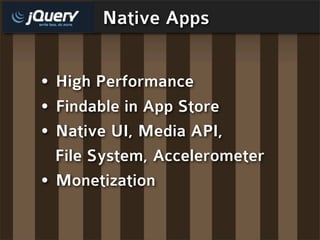
Native Apps
Native Apps


• High Performance
Native Apps


• High Performance
• Findable in App Store
Native Apps


• High Performance
• Findable in App Store
• Native UI, Media API,
Native Apps


• High Performance
• Findable in App Store
• Native UI, Media API,
  File System, Accelerometer
Native Apps


• High Performance
• Findable in App Store
• Native UI, Media API,
  File System, Accelerometer
• Monetization
Web App Features
Web App Features
• Instant Updates (no app store)
Web App Features
• Instant Updates (no app store)
• HTML5 Offline, Local Storage
Web App Features
• Instant Updates (no app store)
• HTML5 Offline, Local Storage
• Save to Home Icon
Web App Features
•   Instant Updates (no app store)
•   HTML5 Offline, Local Storage
•   Save to Home Icon
•   Touch Events
Web App Features
•   Instant Updates (no app store)
•   HTML5 Offline, Local Storage
•   Save to Home Icon
•   Touch Events
•   Geolocation
Web App Features
•   Instant Updates (no app store)
•   HTML5 Offline, Local Storage
•   Save to Home Icon
•   Touch Events
•   Geolocation
•   Canvas
Web App Features
•   Instant Updates (no app store)
•   HTML5 Offline, Local Storage
•   Save to Home Icon
•   Touch Events
•   Geolocation
•   Canvas
•   CSS Transforms
Web App Features
•   Instant Updates (no app store)
•   HTML5 Offline, Local Storage
•   Save to Home Icon
•   Touch Events
•   Geolocation
•   Canvas
•   CSS Transforms
•   100% revenue
jQTouch
jQTouch

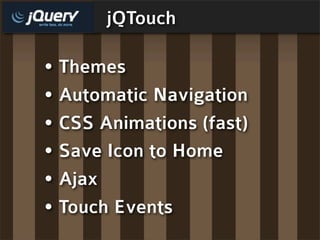
• Themes
jQTouch

• Themes
• Automatic Navigation
jQTouch

• Themes
• Automatic Navigation
• CSS Animations (fast)
jQTouch

• Themes
• Automatic Navigation
• CSS Animations (fast)
• Save Icon to Home
jQTouch

• Themes
• Automatic Navigation
• CSS Animations (fast)
• Save Icon to Home
• Ajax
jQTouch

• Themes
• Automatic Navigation
• CSS Animations (fast)
• Save Icon to Home
• Ajax
• Touch Events
Can’t jQTouch this!
jQTouch is markup driven
     HTML and CSS
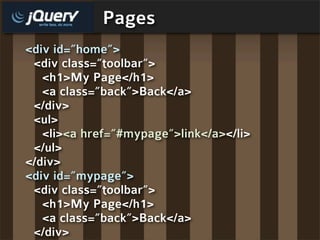
Pages
<div id=”home”>
 <div class=”toolbar”>
   <h1>My Page</h1>
   <a class=”back”>Back</a>
 </div>
 <ul>
   <li><a href=”#mypage”>link</a></li>
 </ul>
</div>
<div id=”mypage”>
 <div class=”toolbar”>
   <h1>My Page</h1>
   <a class=”back”>Back</a>
 </div>
CSS transforms are
hardware accelerated
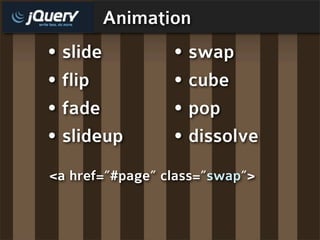
Animation
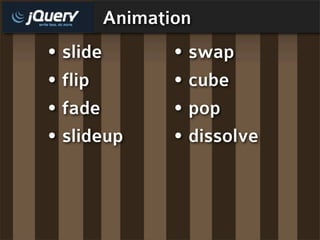
• slide      • swap
• flip       • cube
• fade       • pop
• slideup    • dissolve
Animation
• slide          • swap
• flip           • cube
• fade           • pop
• slideup        • dissolve
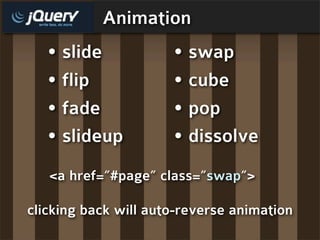
<a href=”#page” class=”swap”>
Animation
  • slide             • swap
  • flip              • cube
  • fade              • pop
  • slideup           • dissolve
   <a href=”#page” class=”swap”>

clicking back will auto-reverse animation
Events
Events


• tap - touch version of click
Events


• tap - touch version of click
• pageAnimationStart
Events


• tap - touch version of click
• pageAnimationStart
• pageAnimationEnd
Events


• tap - touch version of click
• pageAnimationStart
• pageAnimationEnd
• turn - orientation turned
Events


• tap - touch version of click
• pageAnimationStart
• pageAnimationEnd
• turn - orientation turned
• swipe
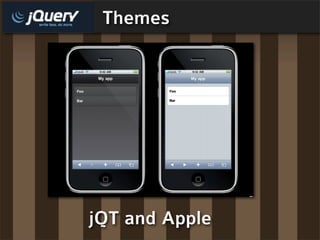
Themes


jQT and Apple
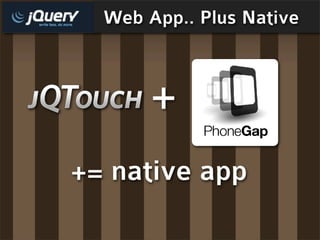
Web App.. Plus Native


       +
+= native app
PhoneGap + jQTouch
PhoneGap + jQTouch

• Accellorometer
PhoneGap + jQTouch

• Accellorometer
• Magnometer
PhoneGap + jQTouch

• Accellorometer
• Magnometer
• Camera
PhoneGap + jQTouch

• Accellorometer
• Magnometer
• Camera
• Sound
PhoneGap + jQTouch

• Accellorometer
• Magnometer
• Camera
• Sound
• Get in the App Store!
Thank you!
Marc Grabanski:
http://marcgrabanski.com

Twitter: @1Marc

jQTouch and Titanium