Connectivity in SQL & JDBC
Presented by:
Harshita Joshi
JDBC
• JDBC is J2SE technology.
• It is data accessing technology from sun
microsystem
• JDBC is a specification which is provided by
sun microsystem for driver manufacturers
• JDBC is API
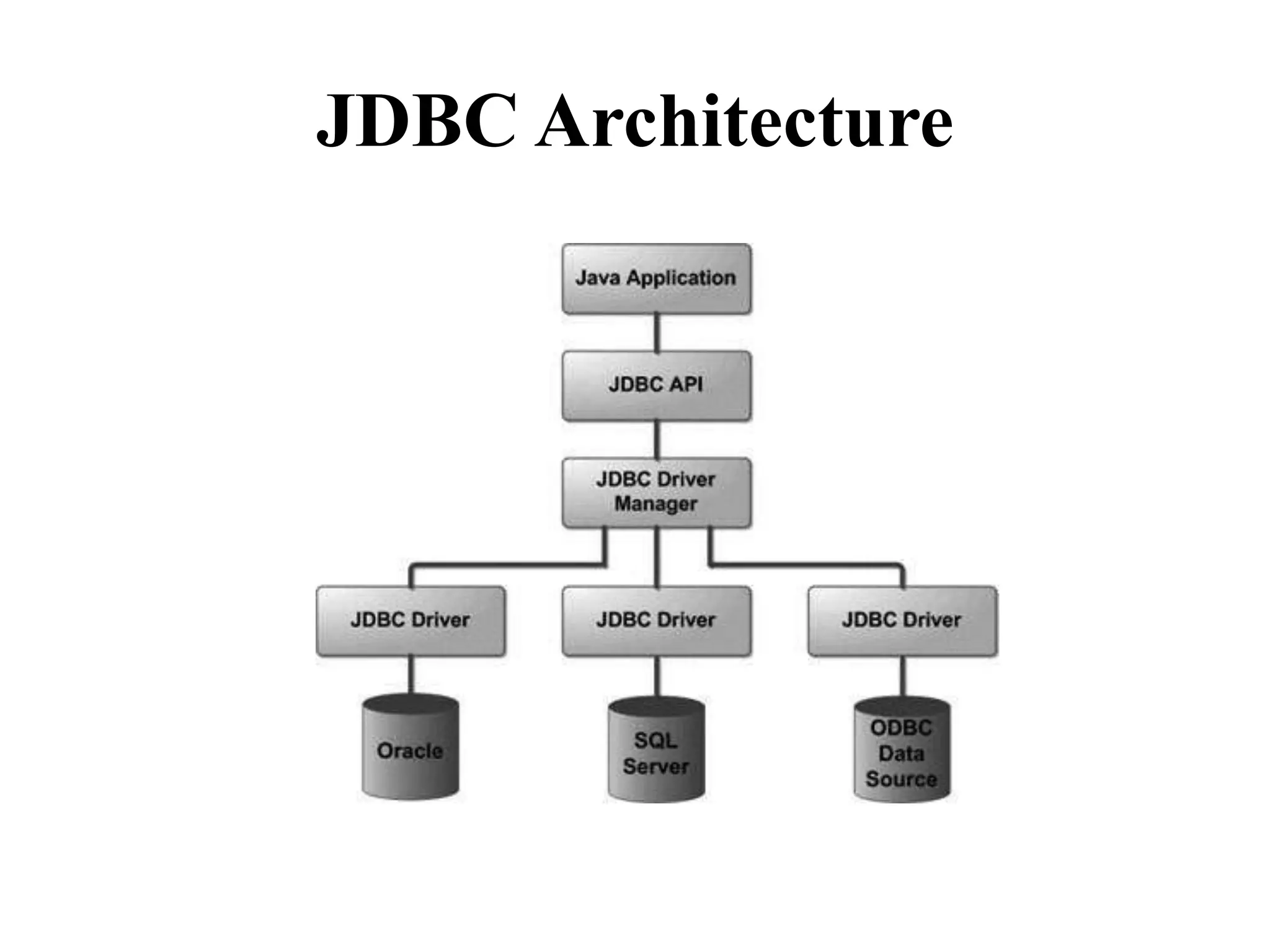
JDBC Architecture
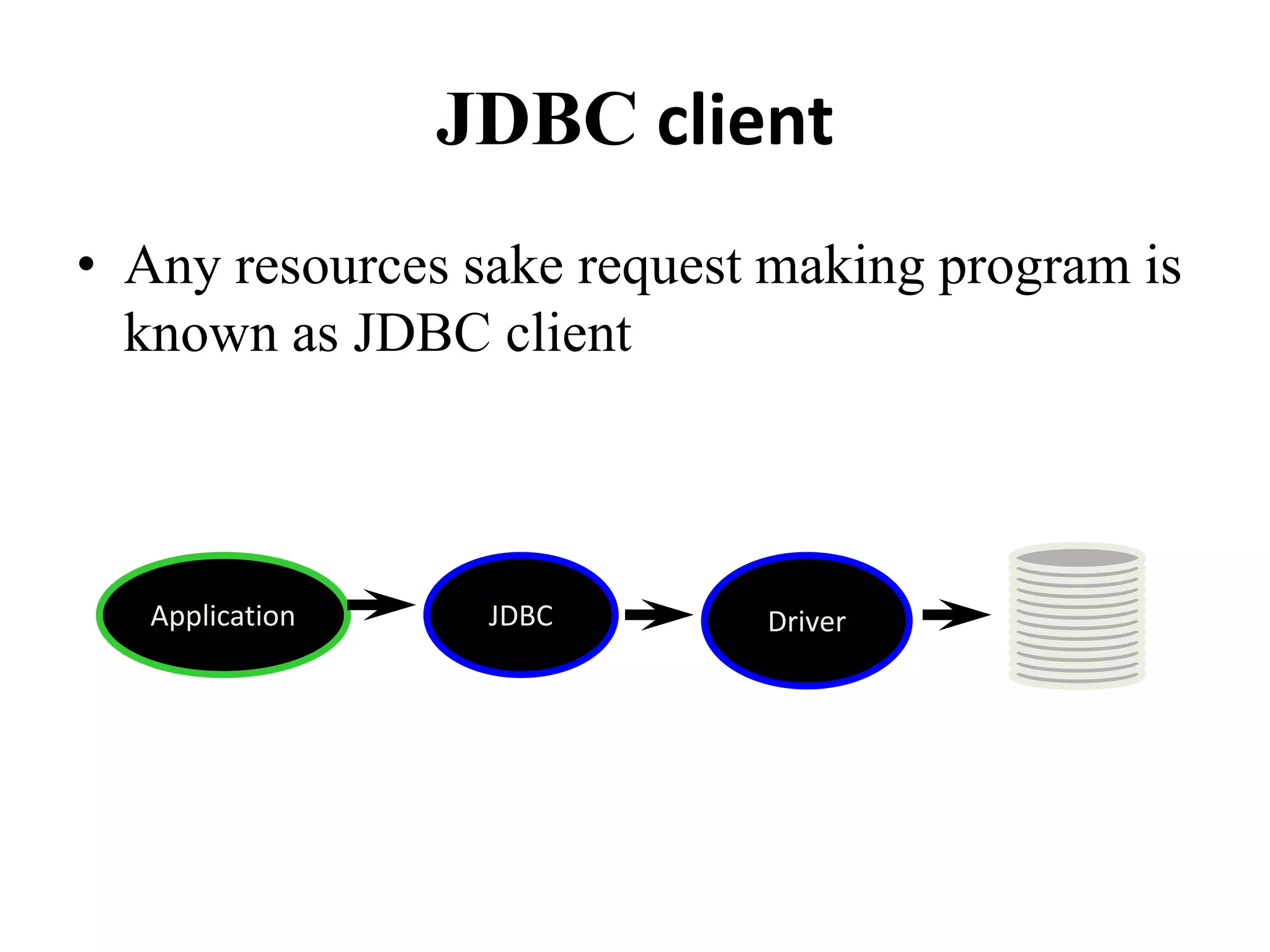
JDBC client
• Any resources sake request making program is
known as JDBC client
Application JDBC Driver
Responsibilities of JDBC client
• Establishing connection with database
• Submitting appropriate SQL statement to the
DBMS to perform CRUD operation
• Processing and presenting the result
• Deal with Exception
• After performing crude operation closing
connection
JDBC API
• JDBC API is collection of library methods,
using which our java program perform CRUD
operation on database
• To make API available for our program we
have to import java.sql package
DriverManager
• DriverManager is a library class or java.sql
package which is used for establishing
connection
• After receiving connection request from JDBC
client
• After establishing connection DriverManager
rolls end
JDBC Driver
• JDBC driver is a translation software which is
written in java.
• According to JDBC specification i.e Driver
manufacturers implements JDBC API.
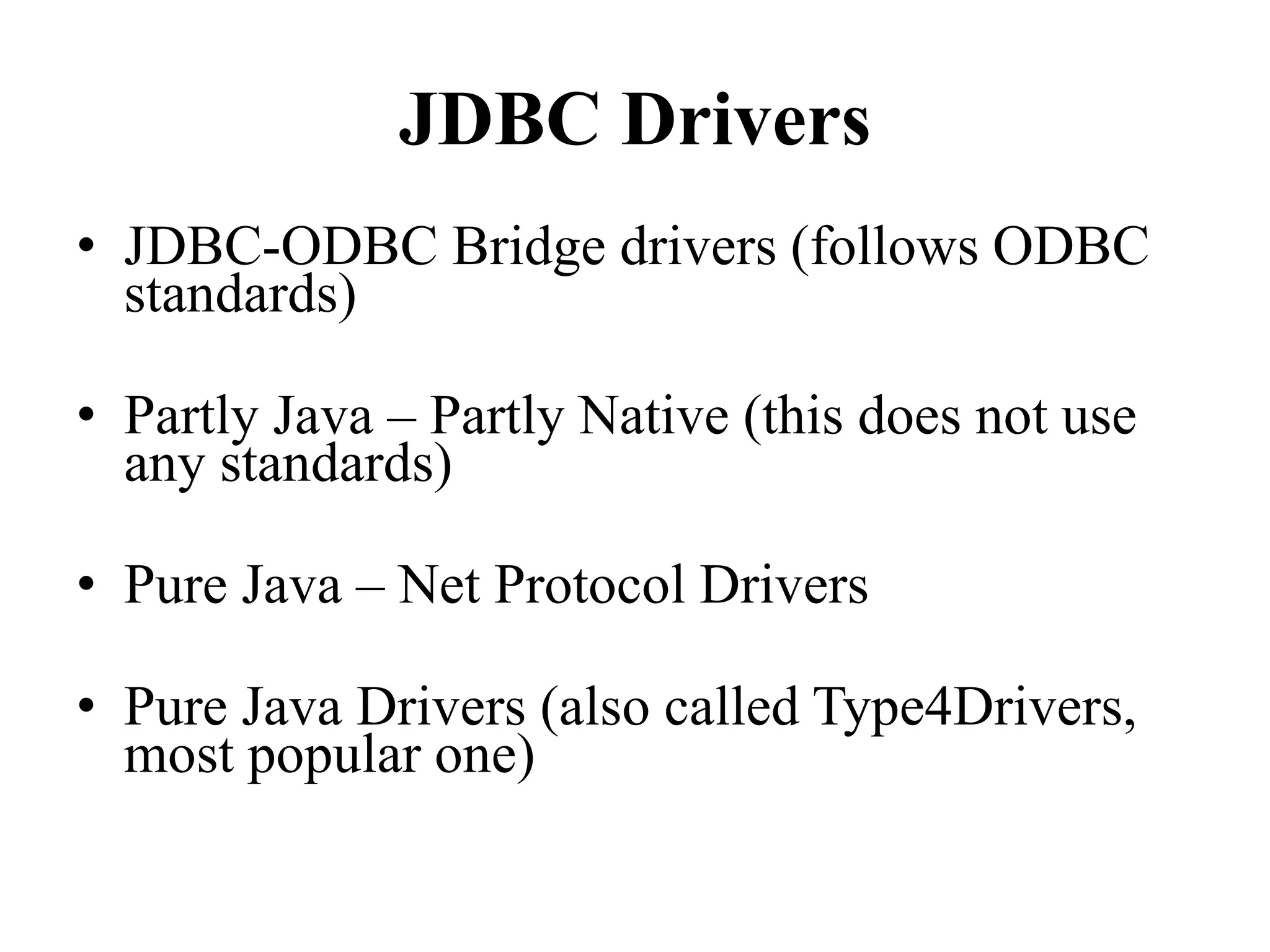
JDBC Drivers
• JDBC-ODBC Bridge drivers (follows ODBC
standards)
• Partly Java – Partly Native (this does not use
any standards)
• Pure Java – Net Protocol Drivers
• Pure Java Drivers (also called Type4Drivers,
most popular one)
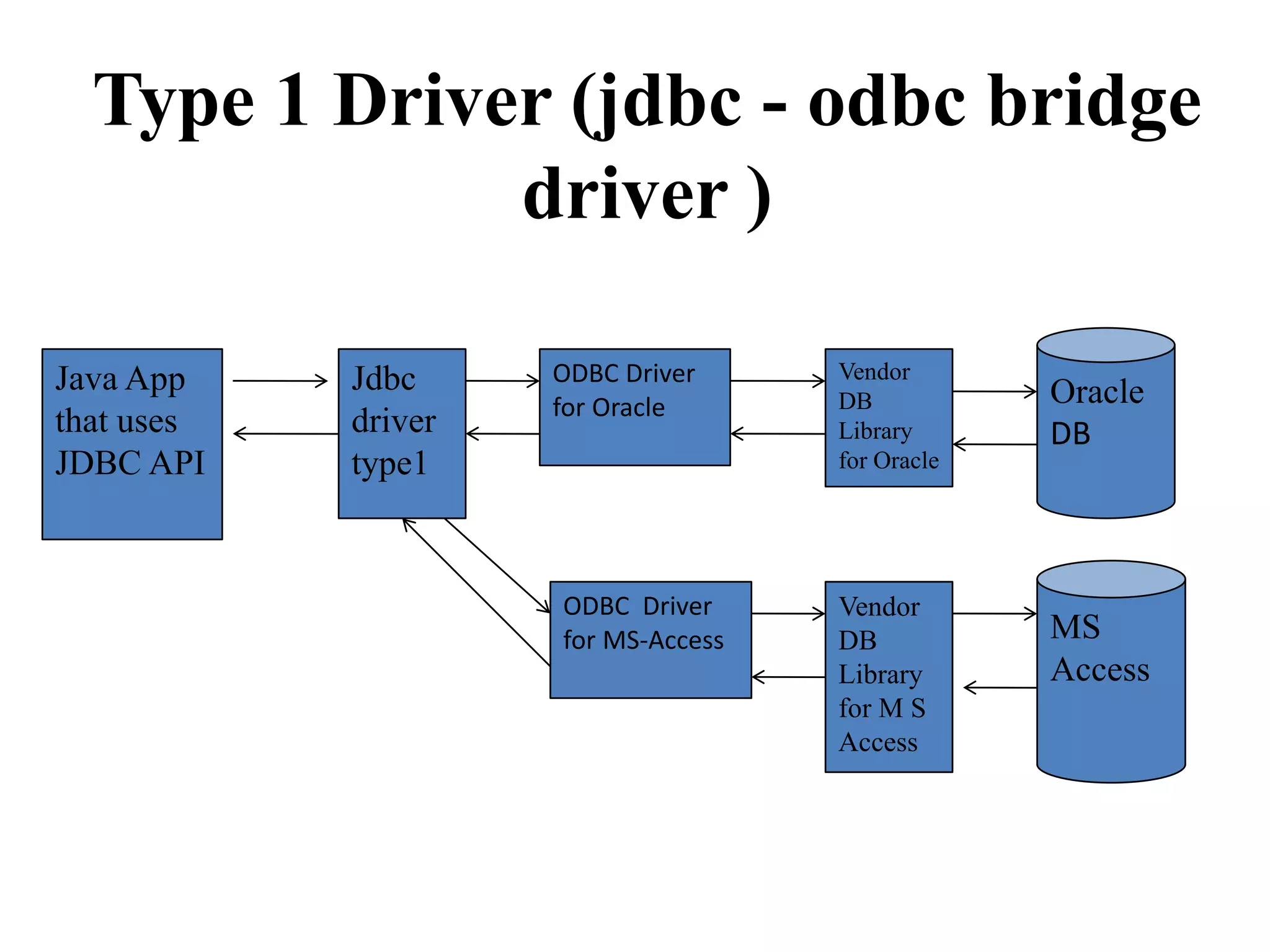
Type 1 Driver (jdbc - odbc bridge
driver )
Java App
that uses
JDBC API
Jdbc
driver
type1
ODBC Driver
for Oracle
ODBC Driver
for MS-Access
Vendor
DB
Library
for Oracle
Oracle
DB
Vendor
DB
Library
for M S
Access
MS
Access
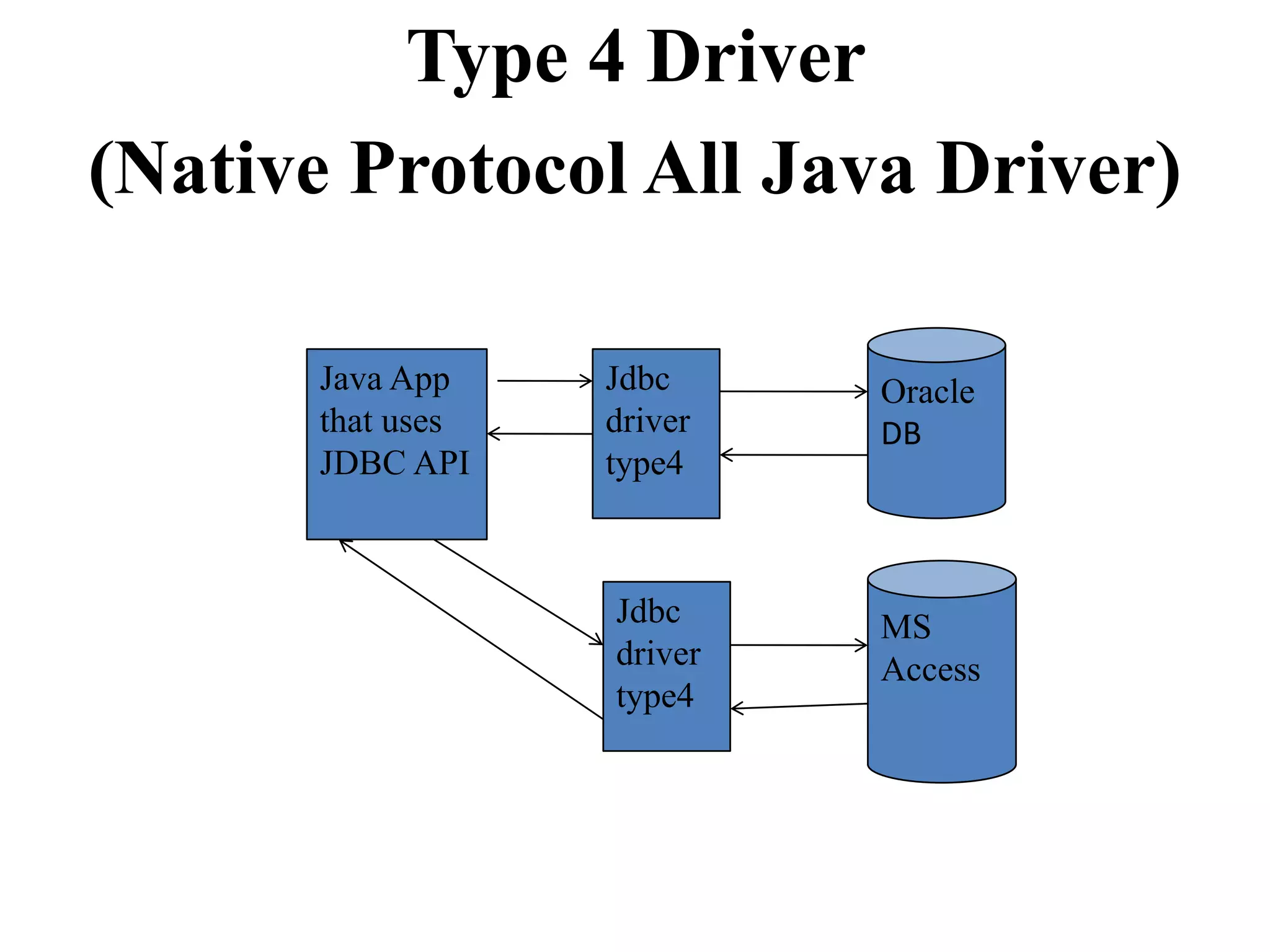
Type 4 Driver
(Native Protocol All Java Driver)
Java App
that uses
JDBC API
Jdbc
driver
type4
Oracle
DB
Jdbc
driver
type4
MS
Access
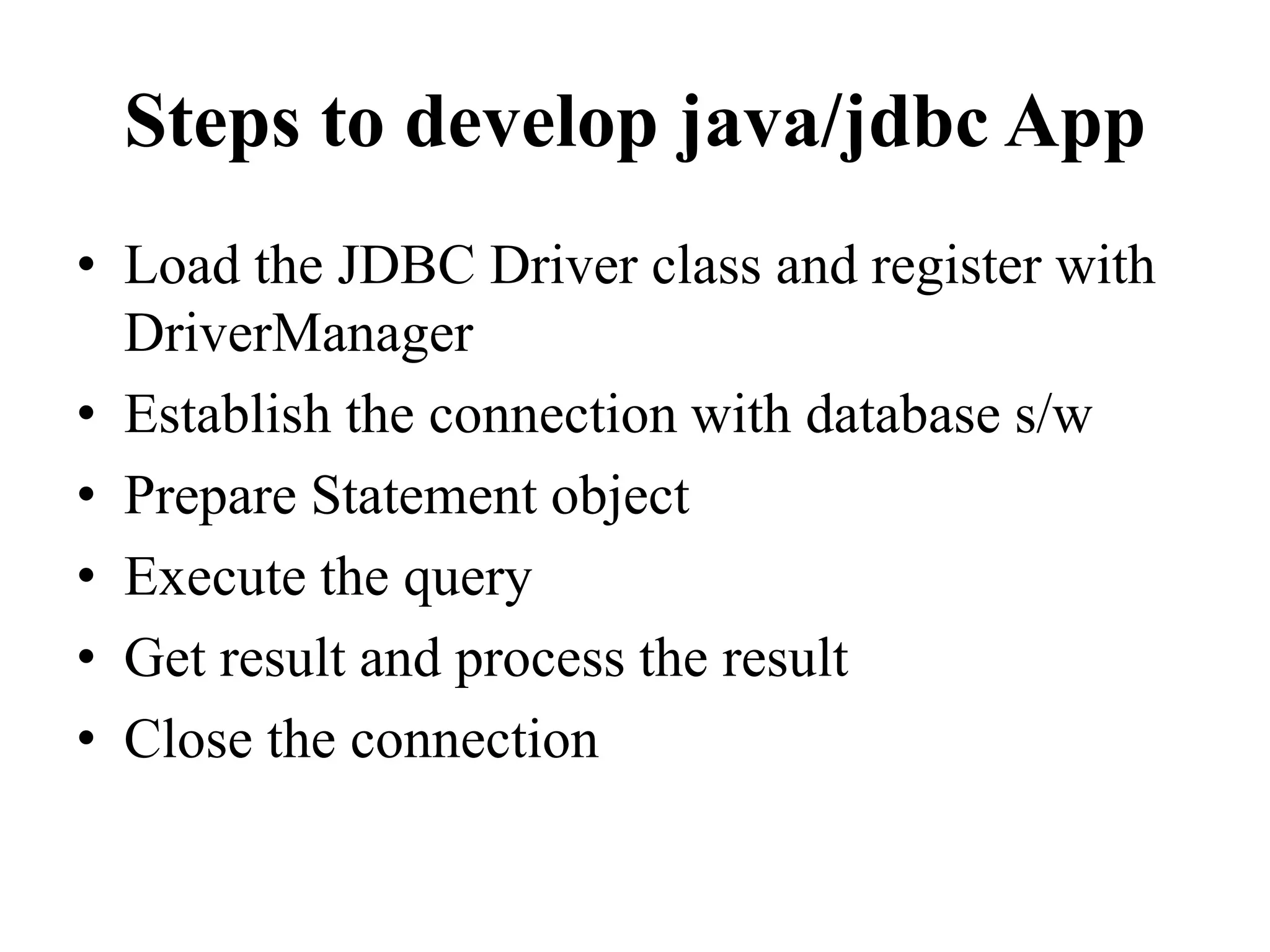
Steps to develop java/jdbc App
• Load the JDBC Driver class and register with
DriverManager
• Establish the connection with database s/w
• Prepare Statement object
• Execute the query
• Get result and process the result
• Close the connection
Loading & Registering a Driver
• The driver class libraries need to be in the
CLASSPATH for the Java compiler and for
the Java virtual machine
• Class.forName(string).newInstance();
• Eg:
Class.forName("com.microsoft.jdbc.sqlserv
er.SQLServerDriver");
Establishing a Connection
• A connection string includes the literal jdbc:,
followed by the name of the driver and a URL to
the database
• Connection conn =
DriverManager.getConnection(string);
• Connection connection =
DriverManager.getConnection(
"jdbc:microsoft:sqlserver://127.0.0.1ABCD:1443;”
+ “DatabaseName=JDBCDB","username",
"password");
Ex- String url = "jdbc:odbc:datasource";
try {
Class.forName ("sun.jdbc.odbc.JdbcOdbcDriver");
Connection con =
DriverManager.getConnection(url);
}
catch (ClassNotFoundException e)
{ e.printStackTrace(); }
catch (SQLException e)
{ e.printStackTrace(); }
Statement
• Acts as a courier service to send queries to the
db software.
• A Statement object is used for executing a
static SQL statement and obtaining the results
produced by it.
a. Create statement
Statement stmt = conn.createStatement();
stmt object sends SQL commands to database
– Methods
• executeQuery() for SELECT statements
• executeUpdate() for INSERT, UPDATE, DELETE,
statements
b. Send SQL statements
– stmt.executeQuery(“SELECT …”);
– stmt.executeUpdate(“INSERT …”);
ResultSet
• A ResultSet object is a java object which can store
bunch of selected rows given by select query
execution.
• Only one ResultSet per Statement can be open at
once.
• The table rows are retrieved in sequence.
• A ResultSet maintains a cursor pointing to its
current row of data.
• The 'next' method moves the cursor to the next row.
• boolean next()
– activates the next row
– the first call to next() activates the first row
– returns false if there are no more rows
• void close()
– disposes of the ResultSet
– allows you to re-use the Statement that created it
• Type getType(int columnIndex)
– returns the given field as the given type
– fields indexed starting at 1 (not 0)
• Type getType(String columnName)
– same, but uses name of field
– less efficient
ResultSet Methods
• String getString(int columnIndex)
• boolean getBoolean(int columnIndex)
• byte getByte(int columnIndex)
• short getShort(int columnIndex)
• int getInt(int columnIndex)
• long getLong(int columnIndex)
• float getFloat(int columnIndex)
• double getDouble(int columnIndex)
• Date getDate(int columnIndex)
• Time getTime(int columnIndex)
• Timestamp getTimestamp(int columnIndex)
Process results
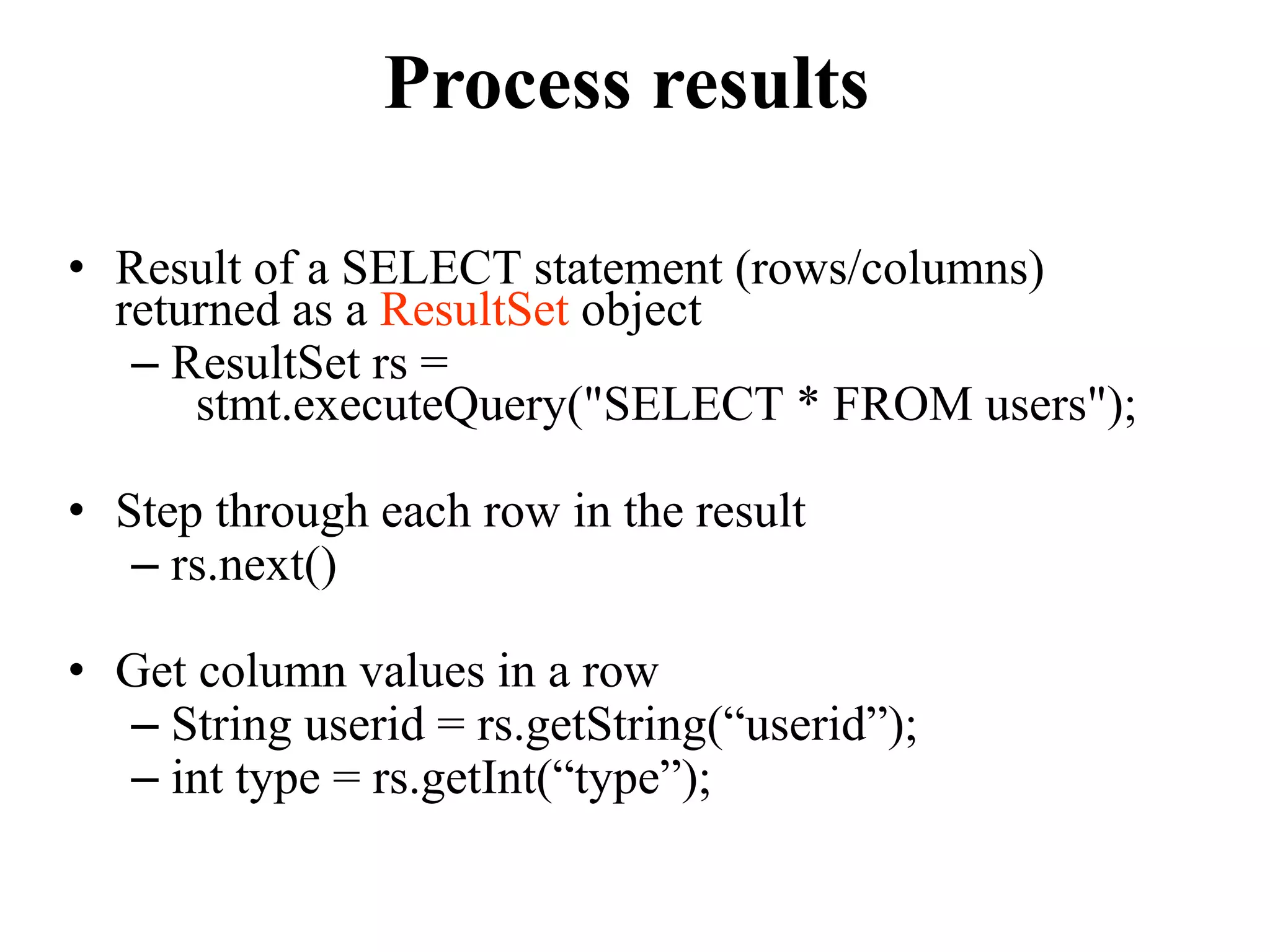
• Result of a SELECT statement (rows/columns)
returned as a ResultSet object
– ResultSet rs =
stmt.executeQuery("SELECT * FROM users");
• Step through each row in the result
– rs.next()
• Get column values in a row
– String userid = rs.getString(“userid”);
– int type = rs.getInt(“type”);
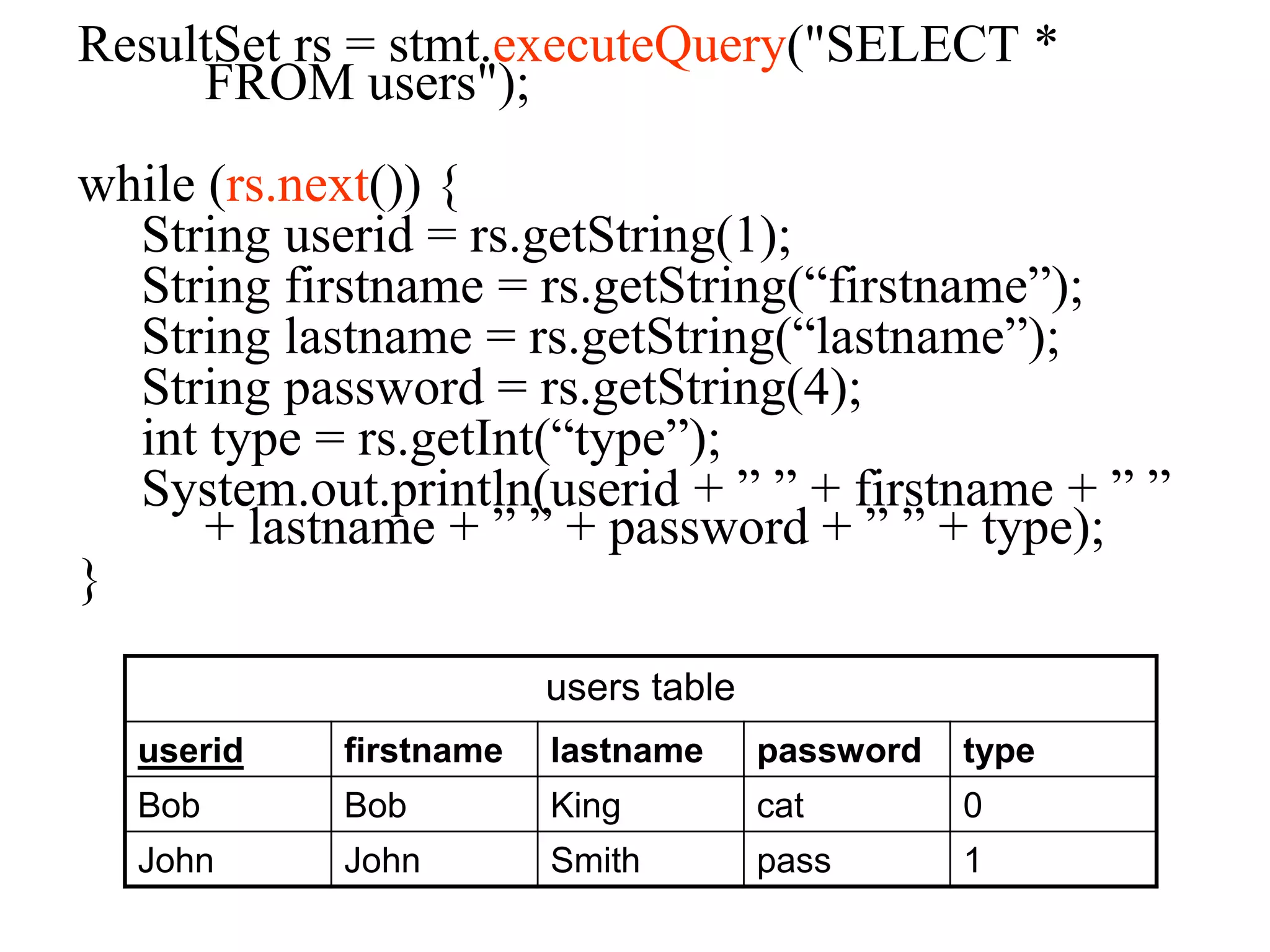
ResultSet rs = stmt.executeQuery("SELECT *
FROM users");
while (rs.next()) {
String userid = rs.getString(1);
String firstname = rs.getString(“firstname”);
String lastname = rs.getString(“lastname”);
String password = rs.getString(4);
int type = rs.getInt(“type”);
System.out.println(userid + ” ” + firstname + ” ”
+ lastname + ” ” + password + ” ” + type);
}
users table
userid firstname lastname password type
Bob Bob King cat 0
John John Smith pass 1
Program
import java.sql.*;
public class Tester {
public static void main(String[] args) {
try {
// Load JDBC driver
Class.forName("com.mysql.jdbc.Driver").newInstance();
// Make connection
String url =
“jdbc:mysql://128.100.53.33/GRP?user=USER&password=PASS”
Connection conn = DriverManager.getConnection(url);
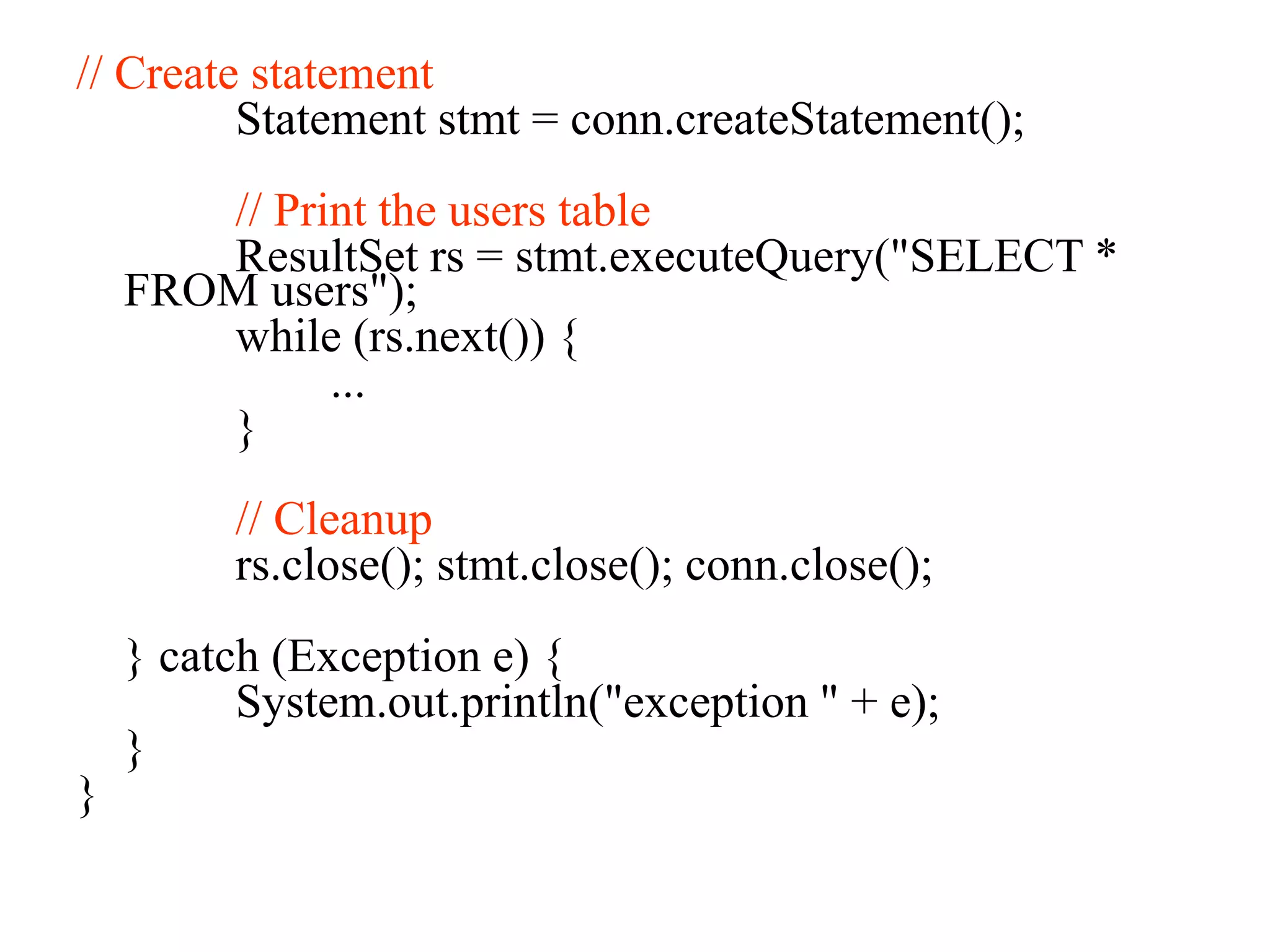
// Create statement
Statement stmt = conn.createStatement();
// Print the users table
ResultSet rs = stmt.executeQuery("SELECT *
FROM users");
while (rs.next()) {
...
}
// Cleanup
rs.close(); stmt.close(); conn.close();
} catch (Exception e) {
System.out.println("exception " + e);
}
}
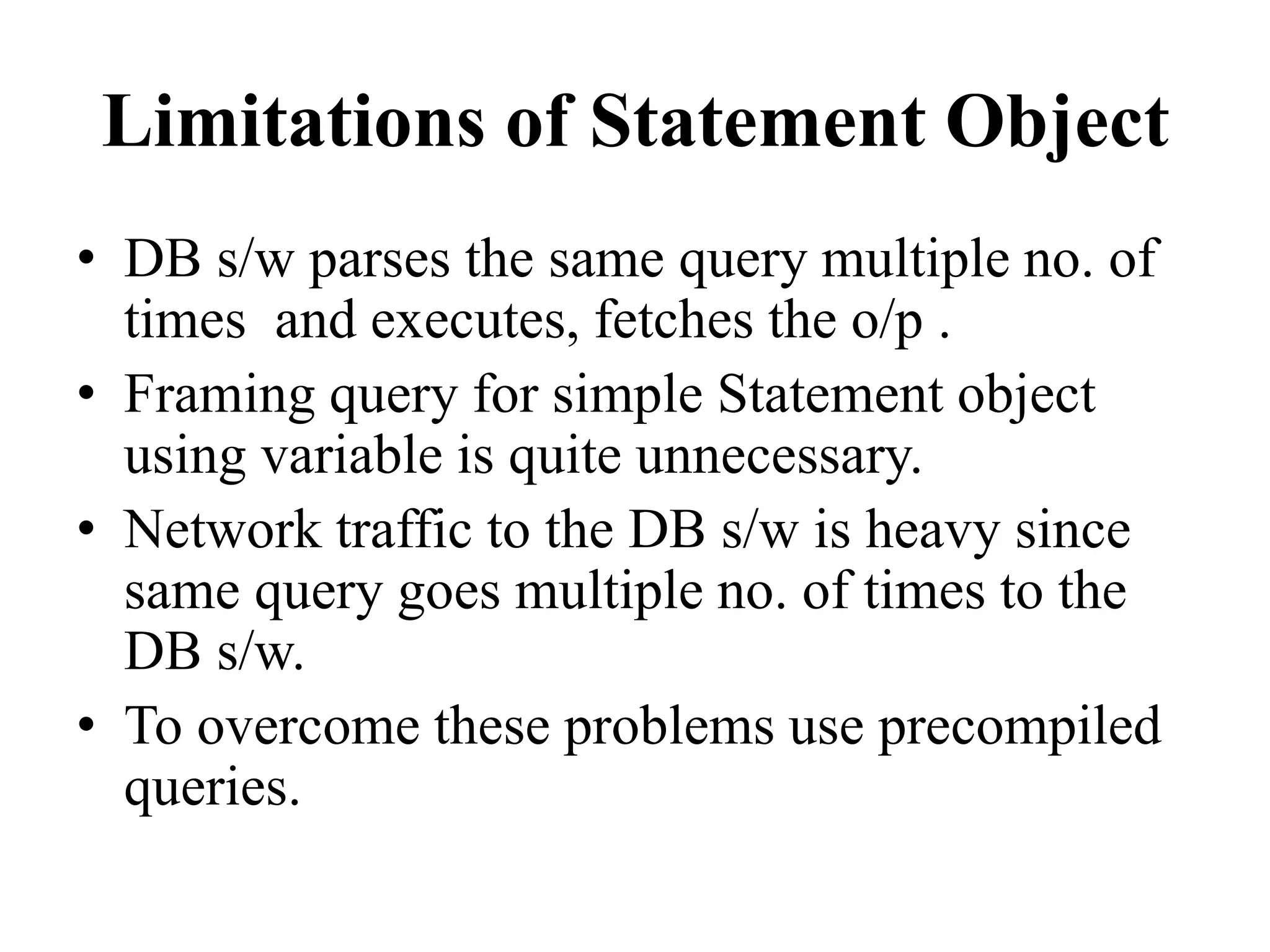
Limitations of Statement Object
• DB s/w parses the same query multiple no. of
times and executes, fetches the o/p .
• Framing query for simple Statement object
using variable is quite unnecessary.
• Network traffic to the DB s/w is heavy since
same query goes multiple no. of times to the
DB s/w.
• To overcome these problems use precompiled
queries.
PreparedStatement Object
• A query that goes and resides on the DB s/w without
values by becoming parsed query is a precompiled
query.
• Precompiled queries will be parsed only once, but
capable of executing multiple times with same or
different values.
• PreparedStatement object represents this
precompiled query.
• When to use Statement object and
PreparedStatement object ?
Steps to work with
PreparedStatement
• Prepare the query having positional parameters.
String query=“insert into item values(?,?,?,?)”;
• Positional parameter indicates value to that query
will be set afterwards.
• Create PreparedStatement object.
• PreparedStatement ps=con.prepareStatement(query);
• Set the values for positional paremeters using
setType(-,-) methods.
–ps.setInt(-,-), ps.setString(-,-)
• Execute the query
–int result = ps.executeUpdate();
• For more executions repeat step 3 & 4.
• Close PreparedStatement object
–ps.close()
• PreparedStatement ps = con.prepareStatement ("insert
into emp values(?,?,?)");
• ps.setInt(1,23);
• ps.setString(2,"Roshan");
• ps.setString(3, "CEO");
• ps.executeUpdate();
• ps.close()
JDBC Object Classes
• DriverManager
– Loads, chooses drivers
• Driver
– connects to actual database
• Connection
– a series of SQL statements to and from the DB
• Statement
– a single SQL statement
• ResultSet
– the records returned from a Statement
JDBC Class Usage
DriverManager
Driver
Connection
Statement
ResultSet
Thank you!

Jdbc presentation

  • 1.
    Connectivity in SQL& JDBC Presented by: Harshita Joshi
  • 2.
    JDBC • JDBC isJ2SE technology. • It is data accessing technology from sun microsystem • JDBC is a specification which is provided by sun microsystem for driver manufacturers • JDBC is API
  • 3.
  • 4.
    JDBC client • Anyresources sake request making program is known as JDBC client Application JDBC Driver
  • 5.
    Responsibilities of JDBCclient • Establishing connection with database • Submitting appropriate SQL statement to the DBMS to perform CRUD operation • Processing and presenting the result • Deal with Exception • After performing crude operation closing connection
  • 6.
    JDBC API • JDBCAPI is collection of library methods, using which our java program perform CRUD operation on database • To make API available for our program we have to import java.sql package
  • 7.
    DriverManager • DriverManager isa library class or java.sql package which is used for establishing connection • After receiving connection request from JDBC client • After establishing connection DriverManager rolls end
  • 8.
    JDBC Driver • JDBCdriver is a translation software which is written in java. • According to JDBC specification i.e Driver manufacturers implements JDBC API.
  • 9.
    JDBC Drivers • JDBC-ODBCBridge drivers (follows ODBC standards) • Partly Java – Partly Native (this does not use any standards) • Pure Java – Net Protocol Drivers • Pure Java Drivers (also called Type4Drivers, most popular one)
  • 10.
    Type 1 Driver(jdbc - odbc bridge driver ) Java App that uses JDBC API Jdbc driver type1 ODBC Driver for Oracle ODBC Driver for MS-Access Vendor DB Library for Oracle Oracle DB Vendor DB Library for M S Access MS Access
  • 11.
    Type 4 Driver (NativeProtocol All Java Driver) Java App that uses JDBC API Jdbc driver type4 Oracle DB Jdbc driver type4 MS Access
  • 12.
    Steps to developjava/jdbc App • Load the JDBC Driver class and register with DriverManager • Establish the connection with database s/w • Prepare Statement object • Execute the query • Get result and process the result • Close the connection
  • 13.
    Loading & Registeringa Driver • The driver class libraries need to be in the CLASSPATH for the Java compiler and for the Java virtual machine • Class.forName(string).newInstance(); • Eg: Class.forName("com.microsoft.jdbc.sqlserv er.SQLServerDriver");
  • 14.
    Establishing a Connection •A connection string includes the literal jdbc:, followed by the name of the driver and a URL to the database • Connection conn = DriverManager.getConnection(string); • Connection connection = DriverManager.getConnection( "jdbc:microsoft:sqlserver://127.0.0.1ABCD:1443;” + “DatabaseName=JDBCDB","username", "password");
  • 15.
    Ex- String url= "jdbc:odbc:datasource"; try { Class.forName ("sun.jdbc.odbc.JdbcOdbcDriver"); Connection con = DriverManager.getConnection(url); } catch (ClassNotFoundException e) { e.printStackTrace(); } catch (SQLException e) { e.printStackTrace(); }
  • 16.
    Statement • Acts asa courier service to send queries to the db software. • A Statement object is used for executing a static SQL statement and obtaining the results produced by it.
  • 17.
    a. Create statement Statementstmt = conn.createStatement(); stmt object sends SQL commands to database – Methods • executeQuery() for SELECT statements • executeUpdate() for INSERT, UPDATE, DELETE, statements b. Send SQL statements – stmt.executeQuery(“SELECT …”); – stmt.executeUpdate(“INSERT …”);
  • 18.
    ResultSet • A ResultSetobject is a java object which can store bunch of selected rows given by select query execution. • Only one ResultSet per Statement can be open at once. • The table rows are retrieved in sequence. • A ResultSet maintains a cursor pointing to its current row of data. • The 'next' method moves the cursor to the next row.
  • 19.
    • boolean next() –activates the next row – the first call to next() activates the first row – returns false if there are no more rows • void close() – disposes of the ResultSet – allows you to re-use the Statement that created it • Type getType(int columnIndex) – returns the given field as the given type – fields indexed starting at 1 (not 0) • Type getType(String columnName) – same, but uses name of field – less efficient
  • 20.
    ResultSet Methods • StringgetString(int columnIndex) • boolean getBoolean(int columnIndex) • byte getByte(int columnIndex) • short getShort(int columnIndex) • int getInt(int columnIndex) • long getLong(int columnIndex) • float getFloat(int columnIndex) • double getDouble(int columnIndex) • Date getDate(int columnIndex) • Time getTime(int columnIndex) • Timestamp getTimestamp(int columnIndex)
  • 21.
    Process results • Resultof a SELECT statement (rows/columns) returned as a ResultSet object – ResultSet rs = stmt.executeQuery("SELECT * FROM users"); • Step through each row in the result – rs.next() • Get column values in a row – String userid = rs.getString(“userid”); – int type = rs.getInt(“type”);
  • 22.
    ResultSet rs =stmt.executeQuery("SELECT * FROM users"); while (rs.next()) { String userid = rs.getString(1); String firstname = rs.getString(“firstname”); String lastname = rs.getString(“lastname”); String password = rs.getString(4); int type = rs.getInt(“type”); System.out.println(userid + ” ” + firstname + ” ” + lastname + ” ” + password + ” ” + type); } users table userid firstname lastname password type Bob Bob King cat 0 John John Smith pass 1
  • 23.
    Program import java.sql.*; public classTester { public static void main(String[] args) { try { // Load JDBC driver Class.forName("com.mysql.jdbc.Driver").newInstance(); // Make connection String url = “jdbc:mysql://128.100.53.33/GRP?user=USER&password=PASS” Connection conn = DriverManager.getConnection(url);
  • 24.
    // Create statement Statementstmt = conn.createStatement(); // Print the users table ResultSet rs = stmt.executeQuery("SELECT * FROM users"); while (rs.next()) { ... } // Cleanup rs.close(); stmt.close(); conn.close(); } catch (Exception e) { System.out.println("exception " + e); } }
  • 25.
    Limitations of StatementObject • DB s/w parses the same query multiple no. of times and executes, fetches the o/p . • Framing query for simple Statement object using variable is quite unnecessary. • Network traffic to the DB s/w is heavy since same query goes multiple no. of times to the DB s/w. • To overcome these problems use precompiled queries.
  • 26.
    PreparedStatement Object • Aquery that goes and resides on the DB s/w without values by becoming parsed query is a precompiled query. • Precompiled queries will be parsed only once, but capable of executing multiple times with same or different values. • PreparedStatement object represents this precompiled query. • When to use Statement object and PreparedStatement object ?
  • 27.
    Steps to workwith PreparedStatement • Prepare the query having positional parameters. String query=“insert into item values(?,?,?,?)”; • Positional parameter indicates value to that query will be set afterwards. • Create PreparedStatement object.
  • 28.
    • PreparedStatement ps=con.prepareStatement(query); •Set the values for positional paremeters using setType(-,-) methods. –ps.setInt(-,-), ps.setString(-,-) • Execute the query –int result = ps.executeUpdate(); • For more executions repeat step 3 & 4. • Close PreparedStatement object –ps.close()
  • 29.
    • PreparedStatement ps= con.prepareStatement ("insert into emp values(?,?,?)"); • ps.setInt(1,23); • ps.setString(2,"Roshan"); • ps.setString(3, "CEO"); • ps.executeUpdate(); • ps.close()
  • 30.
    JDBC Object Classes •DriverManager – Loads, chooses drivers • Driver – connects to actual database • Connection – a series of SQL statements to and from the DB • Statement – a single SQL statement • ResultSet – the records returned from a Statement
  • 31.
  • 32.