SharePoint Records Management & Search:
Embracing the New Paradigm
IW 509
John Holliday
SharePoint Architects
 John Holliday
 CTO, SharePoint Architects, Inc.
 www.SharePointArchitects.us
 john@johnholliday.net
 5 year SharePoint Server MVP
SharePoint Author, Instructor, Developer
Information Architecture Consultant
Records Management Specialist
Records Management
What are we dealing with?
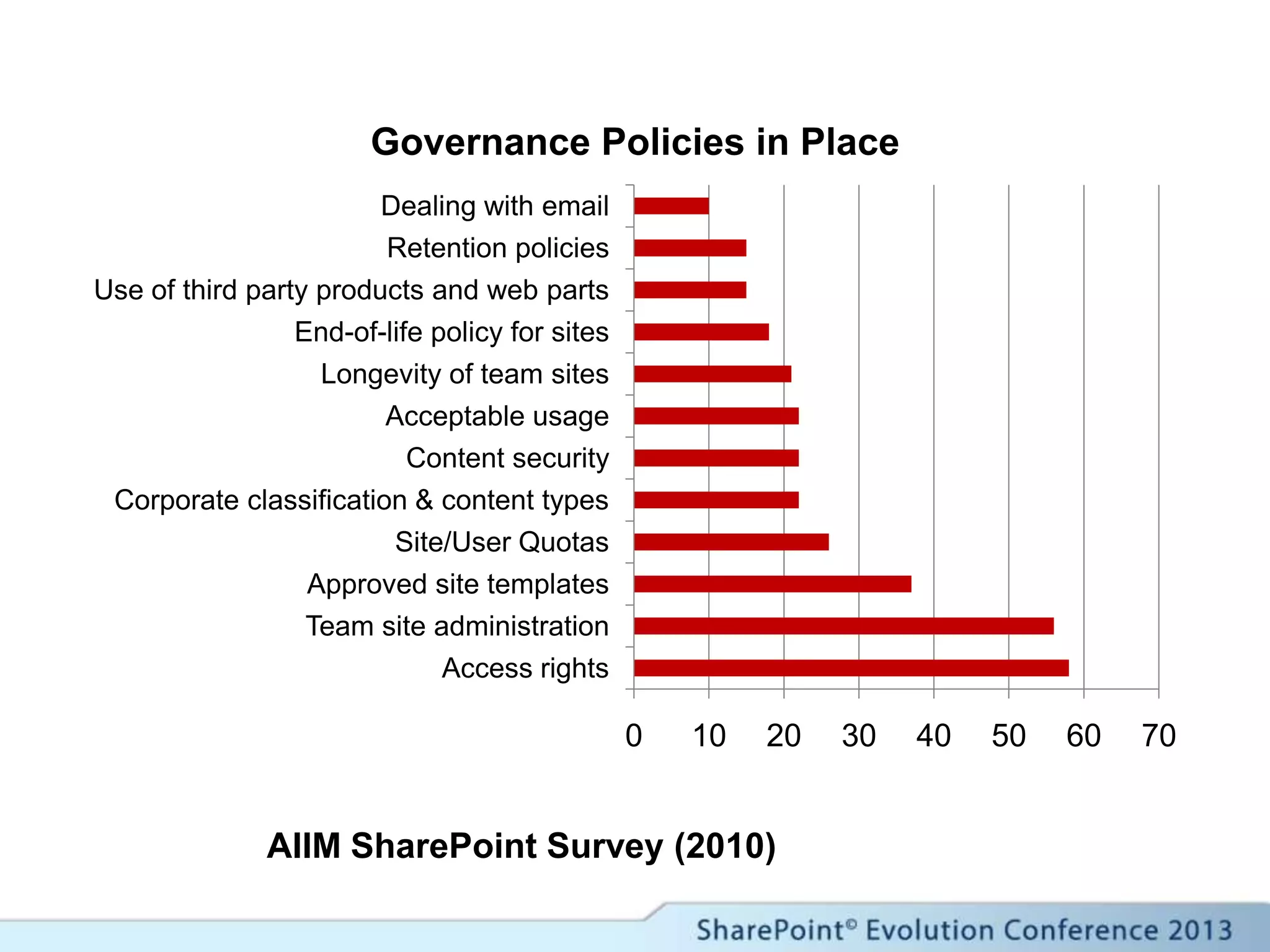
AIIM SharePoint Survey (2010)
0 10 20 30 40 50 60 70
Access rights
Team site administration
Approved site templates
Site/User Quotas
Corporate classification & content types
Content security
Acceptable usage
Longevity of team sites
End-of-life policy for sites
Use of third party products and web parts
Retention policies
Dealing with email
Governance Policies in Place
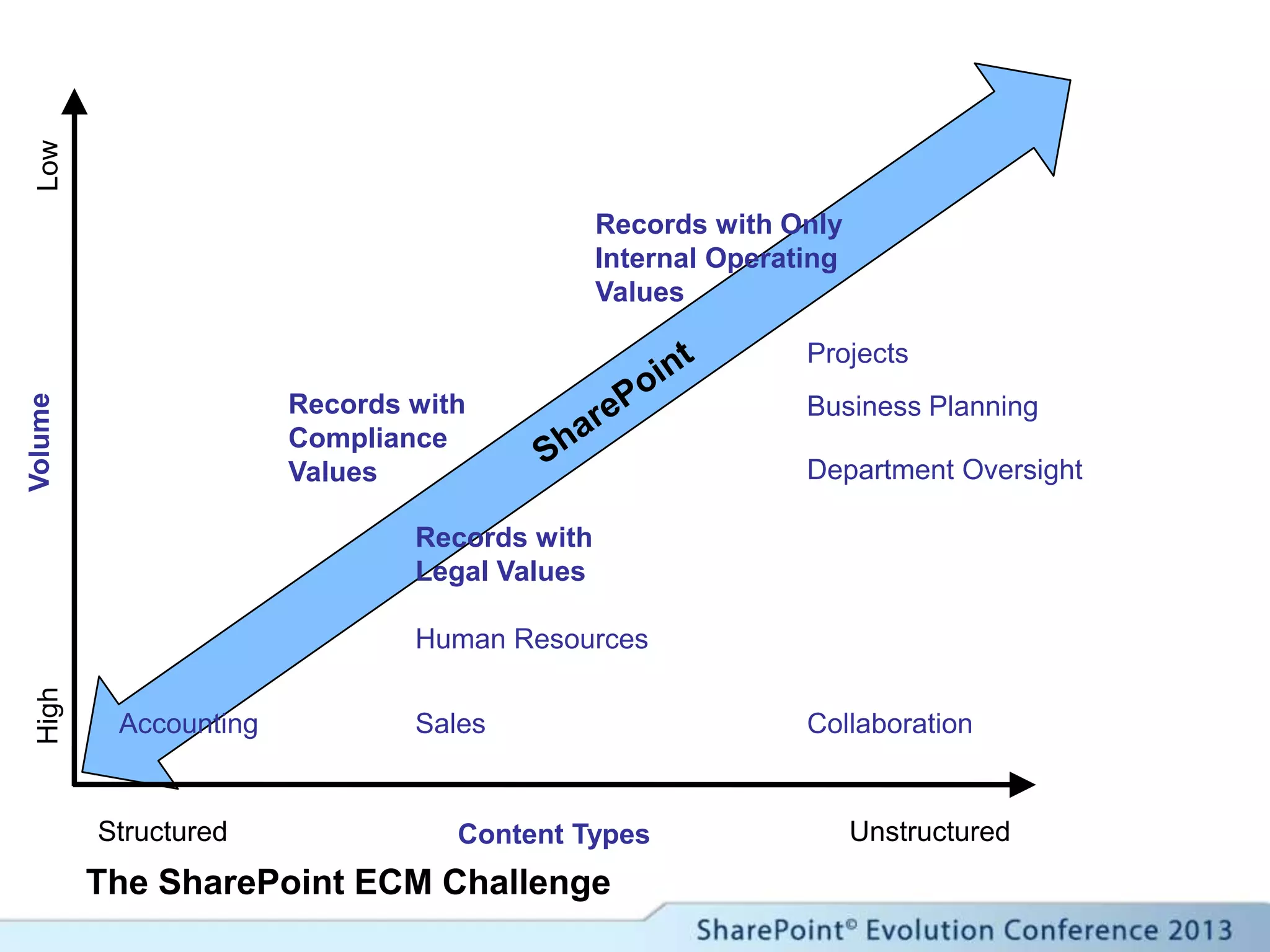
The SharePoint ECM Challenge
Structured UnstructuredContent Types
VolumeHighLow
Records with Only
Internal Operating
Values
Projects
SalesAccounting
Human Resources
Department Oversight
Business Planning
Collaboration
Records with
Legal Values
Records with
Compliance
Values
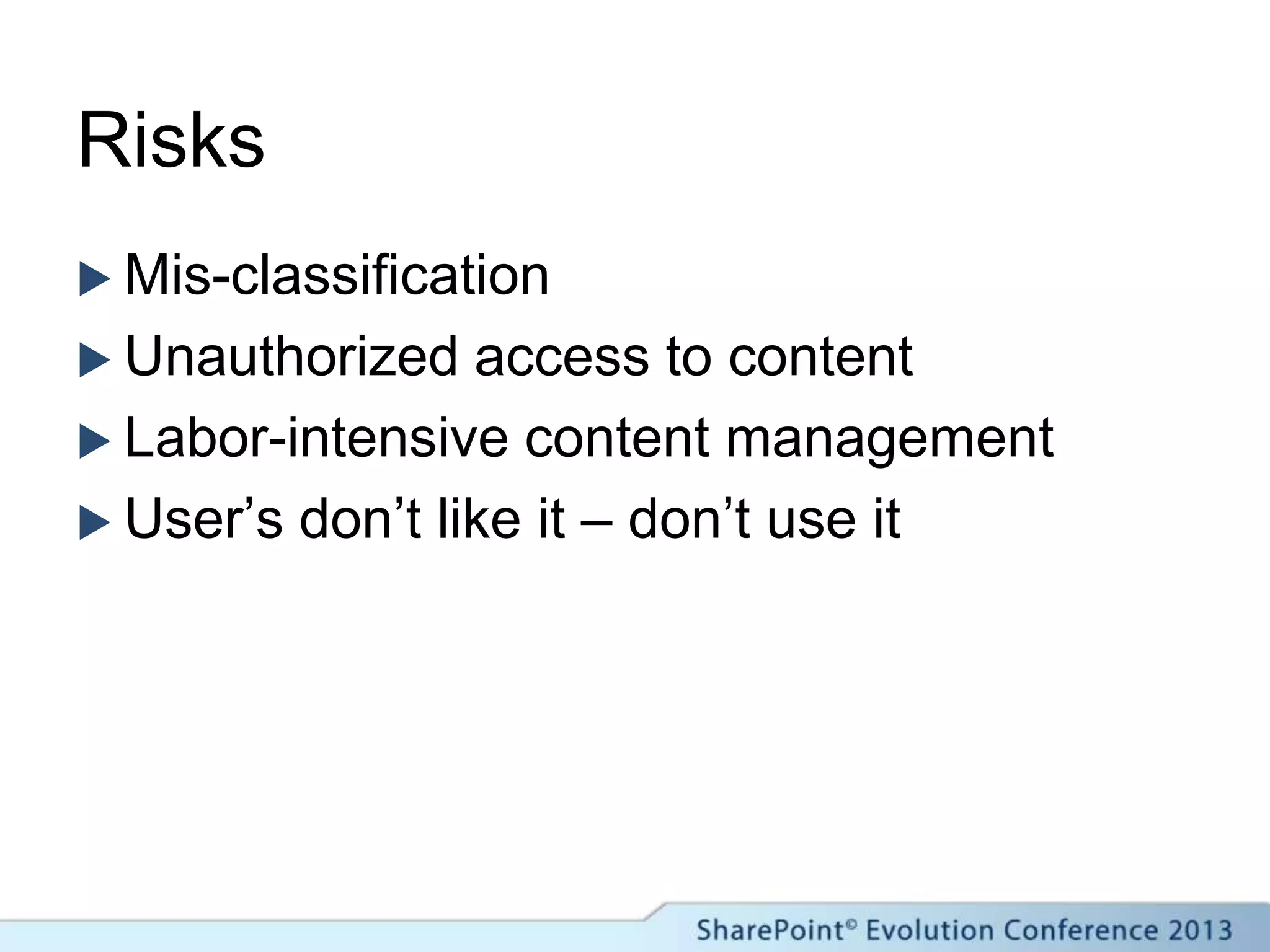
Risks
 Mis-classification
 Unauthorized access to content
 Labor-intensive content management
 User’s don’t like it – don’t use it
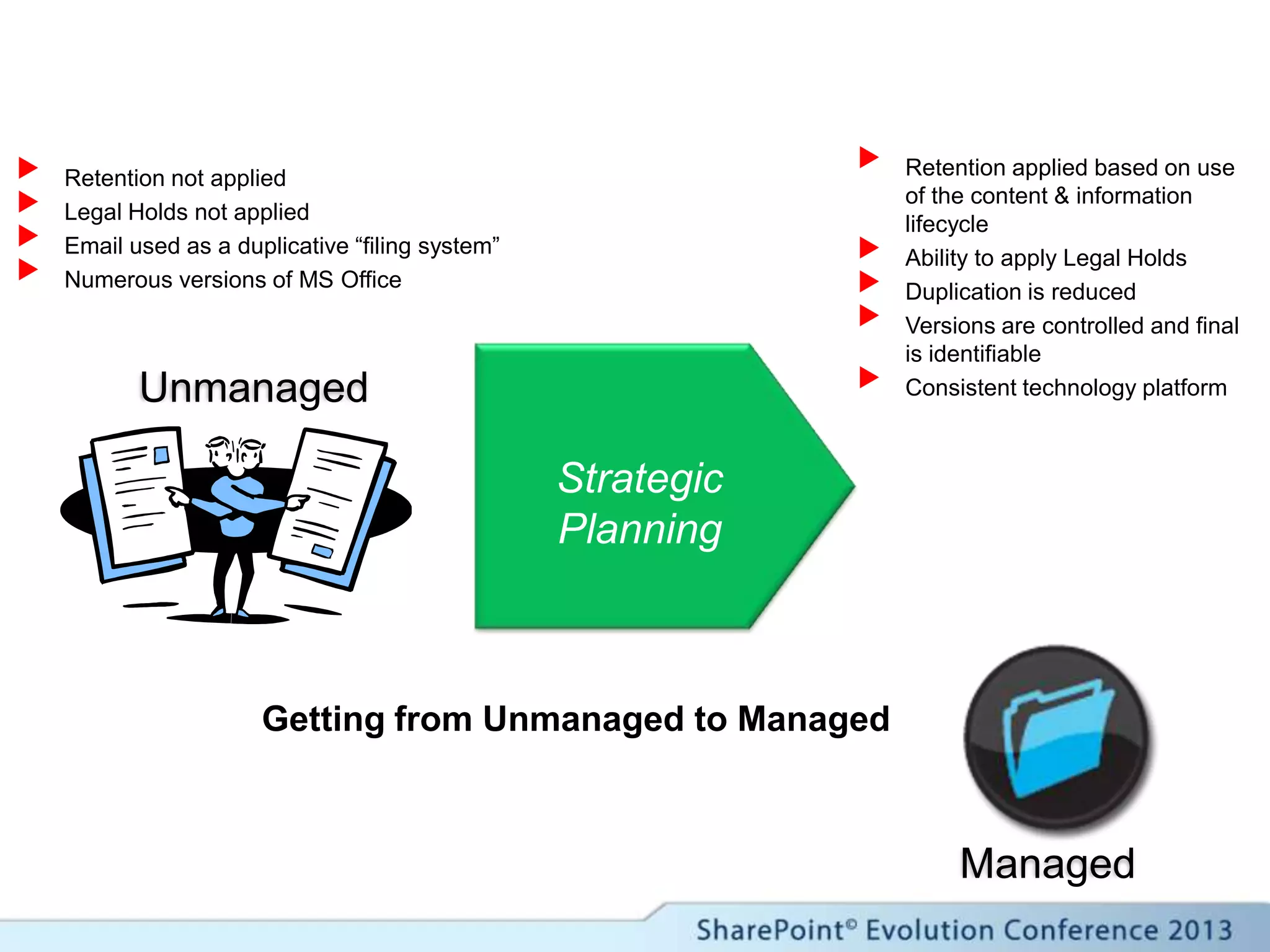
Unmanaged
Strategic
Planning
Managed
 Retention applied based on use
of the content & information
lifecycle
 Ability to apply Legal Holds
 Duplication is reduced
 Versions are controlled and final
is identifiable
 Consistent technology platform
 Retention not applied
 Legal Holds not applied
 Email used as a duplicative “filing system”
 Numerous versions of MS Office
Getting from Unmanaged to Managed
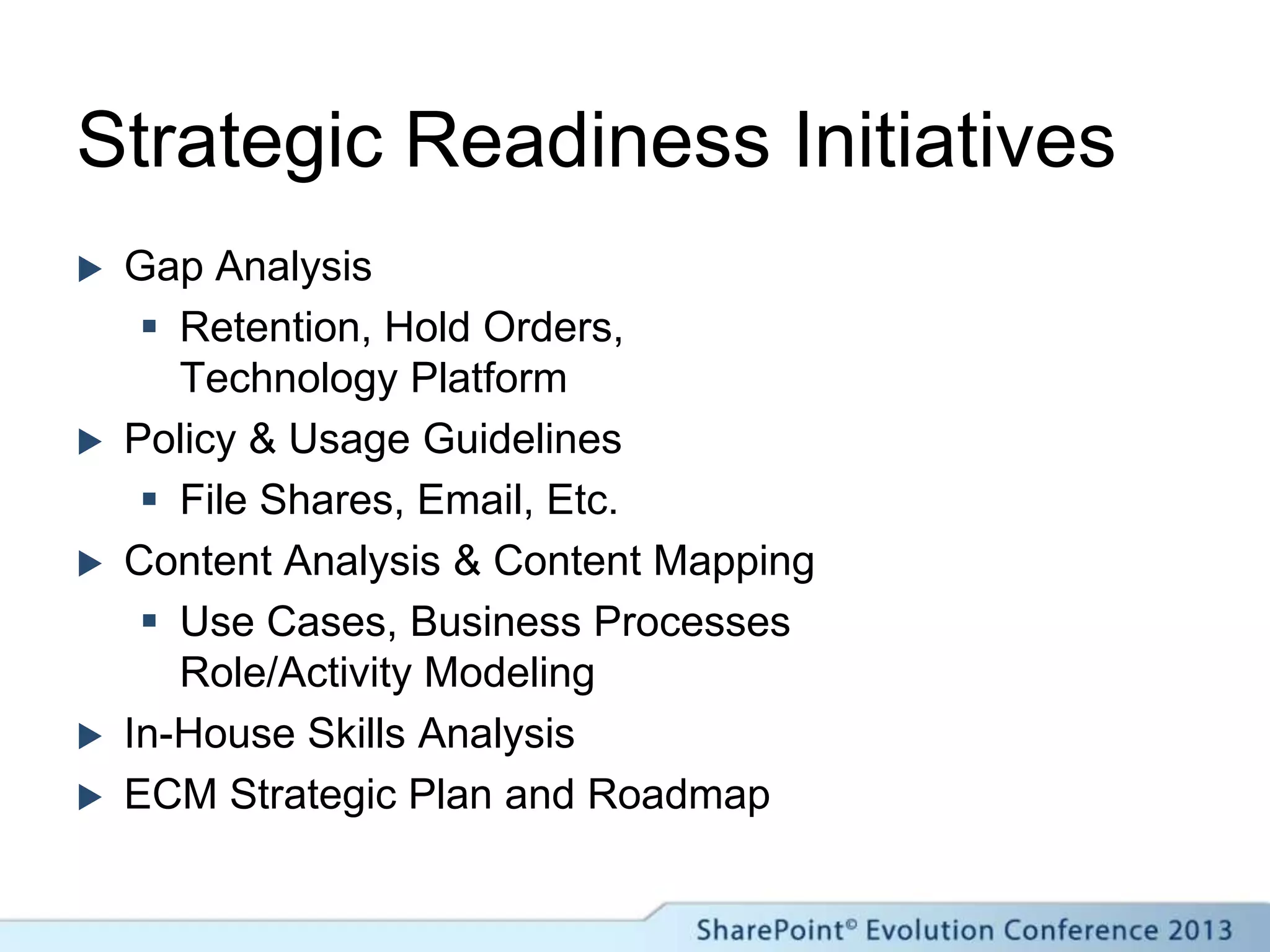
Strategic Readiness Initiatives
 Gap Analysis
 Retention, Hold Orders,
Technology Platform
 Policy & Usage Guidelines
 File Shares, Email, Etc.
 Content Analysis & Content Mapping
 Use Cases, Business Processes
Role/Activity Modeling
 In-House Skills Analysis
 ECM Strategic Plan and Roadmap
Records Management
in SharePoint (Old Paradigm)
What are we working with?
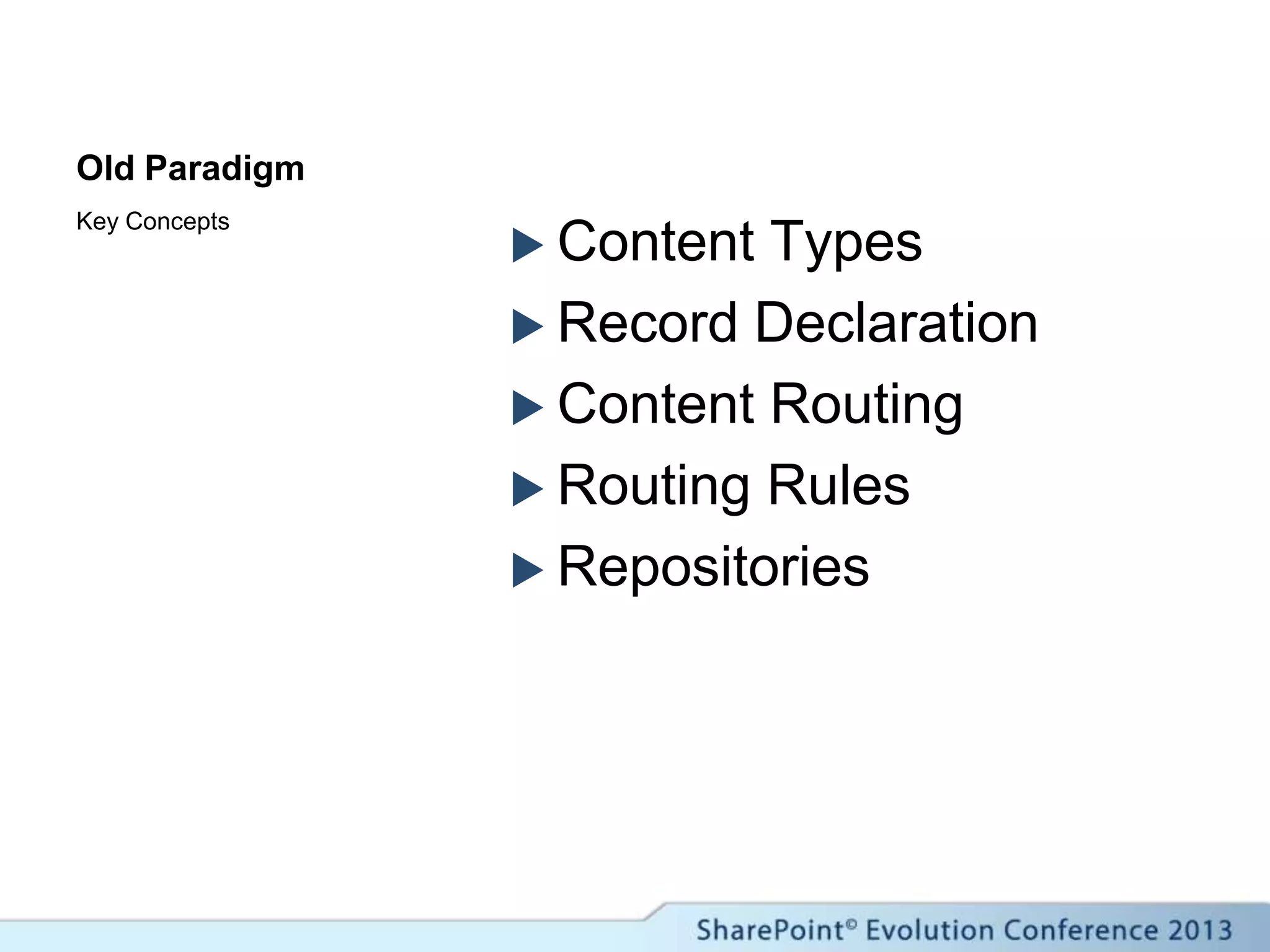
Old Paradigm
 Content Types
 Record Declaration
 Content Routing
 Routing Rules
 Repositories
Key Concepts
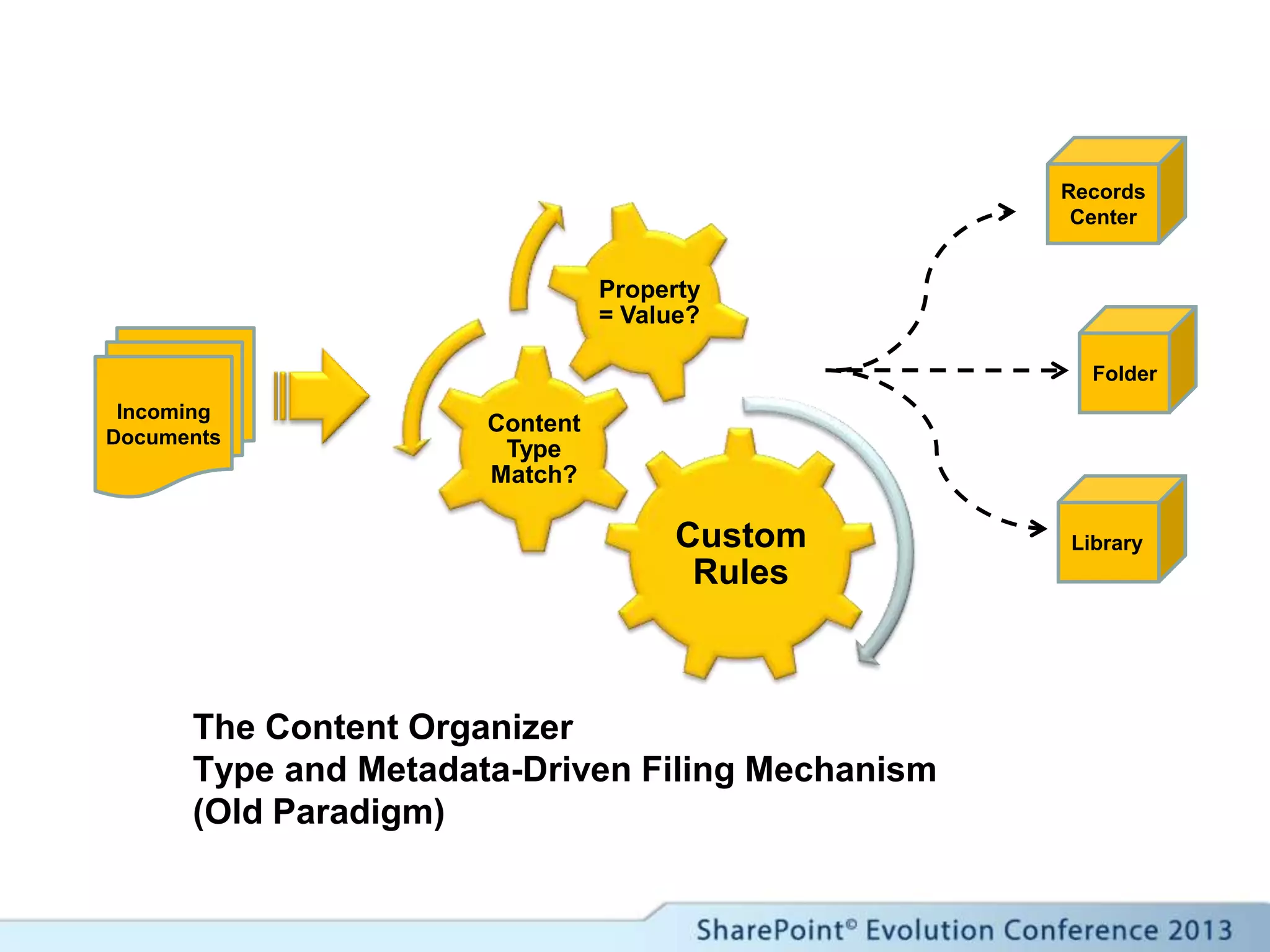
The Content Organizer
Type and Metadata-Driven Filing Mechanism
(Old Paradigm)
Custom
Rules
Content
Type
Match?
Property
= Value?
Incoming
Documents
Records
Center
Folder
Library
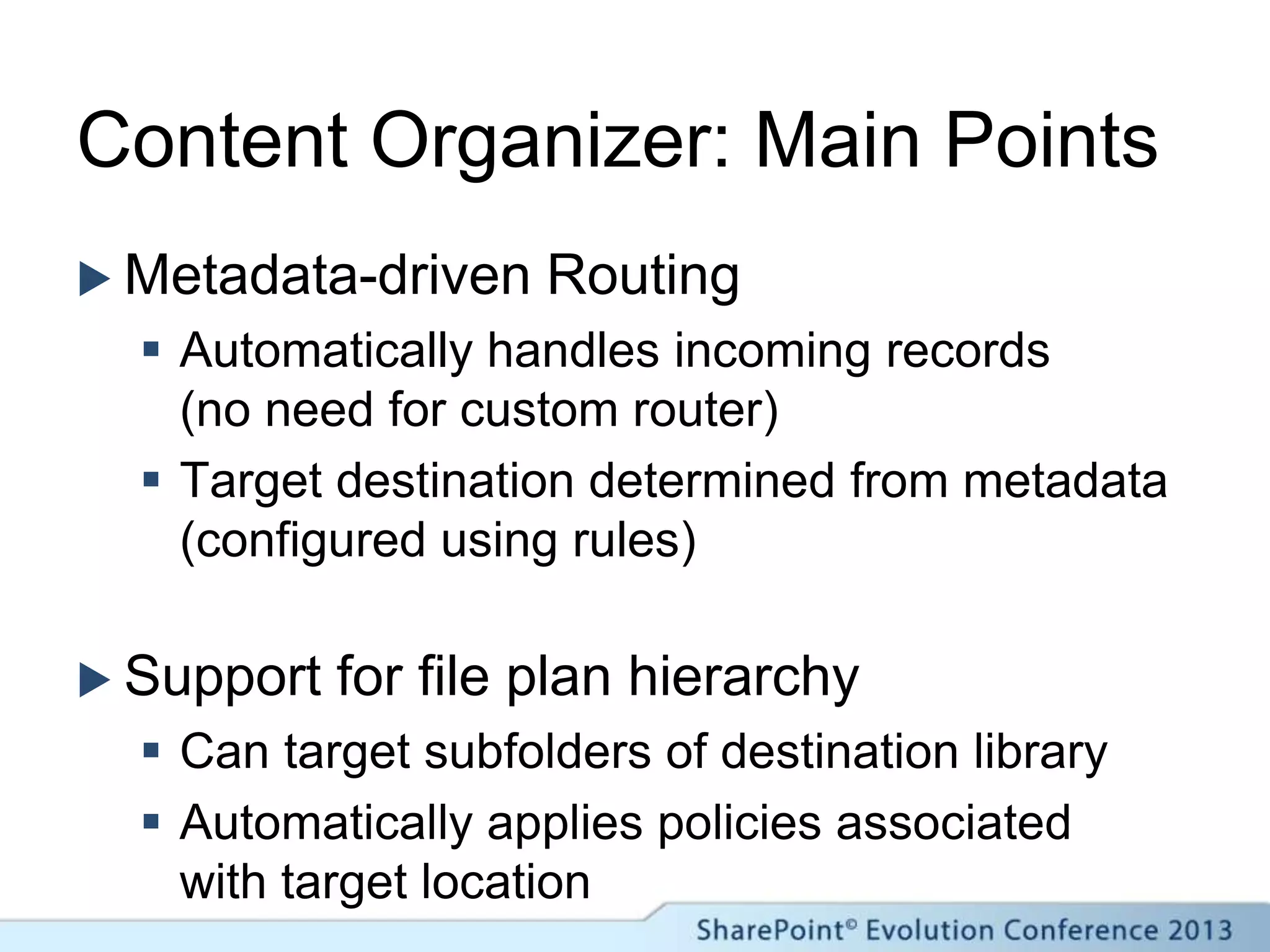
Content Organizer: Main Points
 Metadata-driven Routing
 Automatically handles incoming records
(no need for custom router)
 Target destination determined from metadata
(configured using rules)
 Support for file plan hierarchy
 Can target subfolders of destination library
 Automatically applies policies associated
with target location
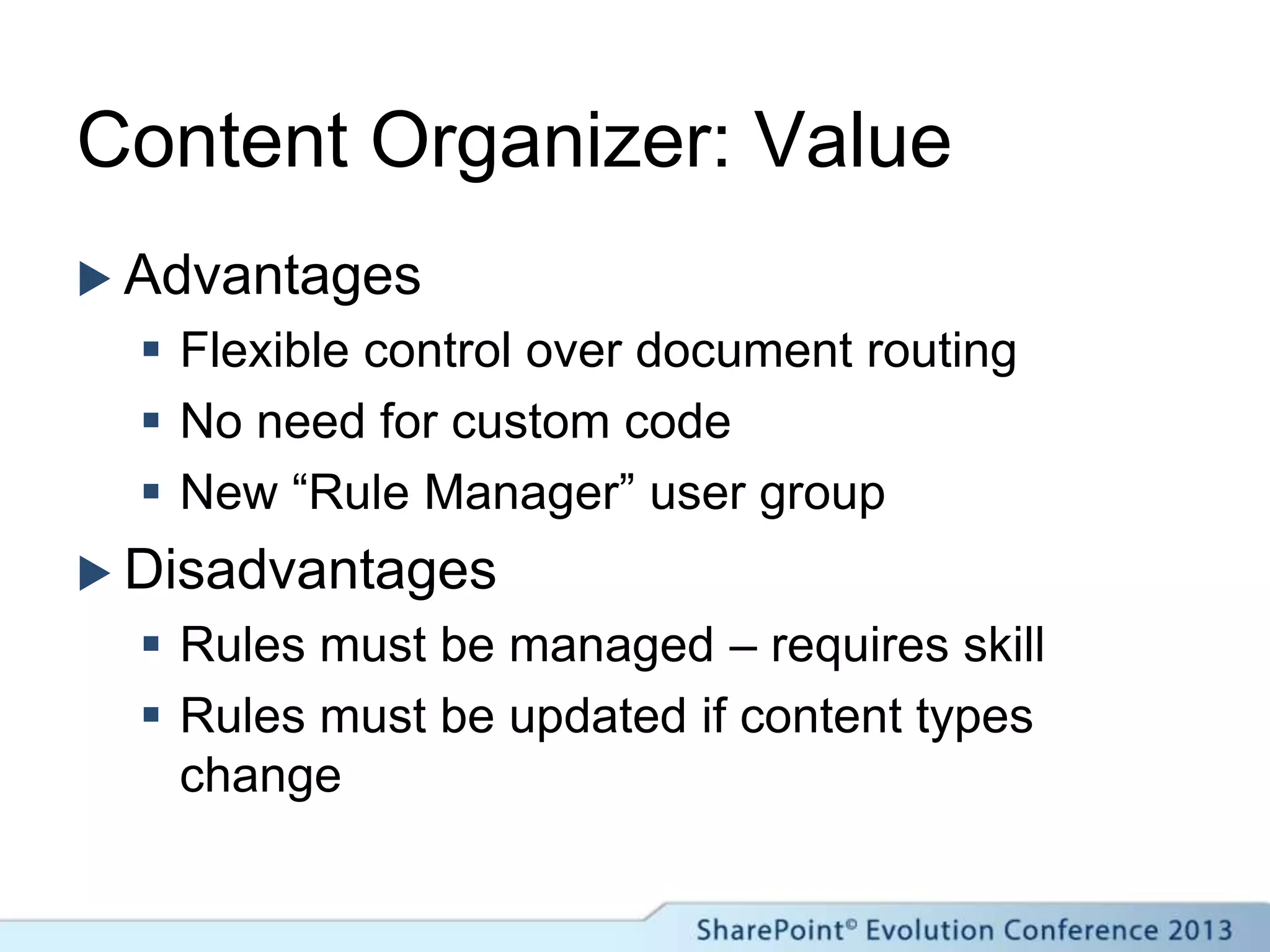
Content Organizer: Value
 Advantages
 Flexible control over document routing
 No need for custom code
 New “Rule Manager” user group
 Disadvantages
 Rules must be managed – requires skill
 Rules must be updated if content types
change
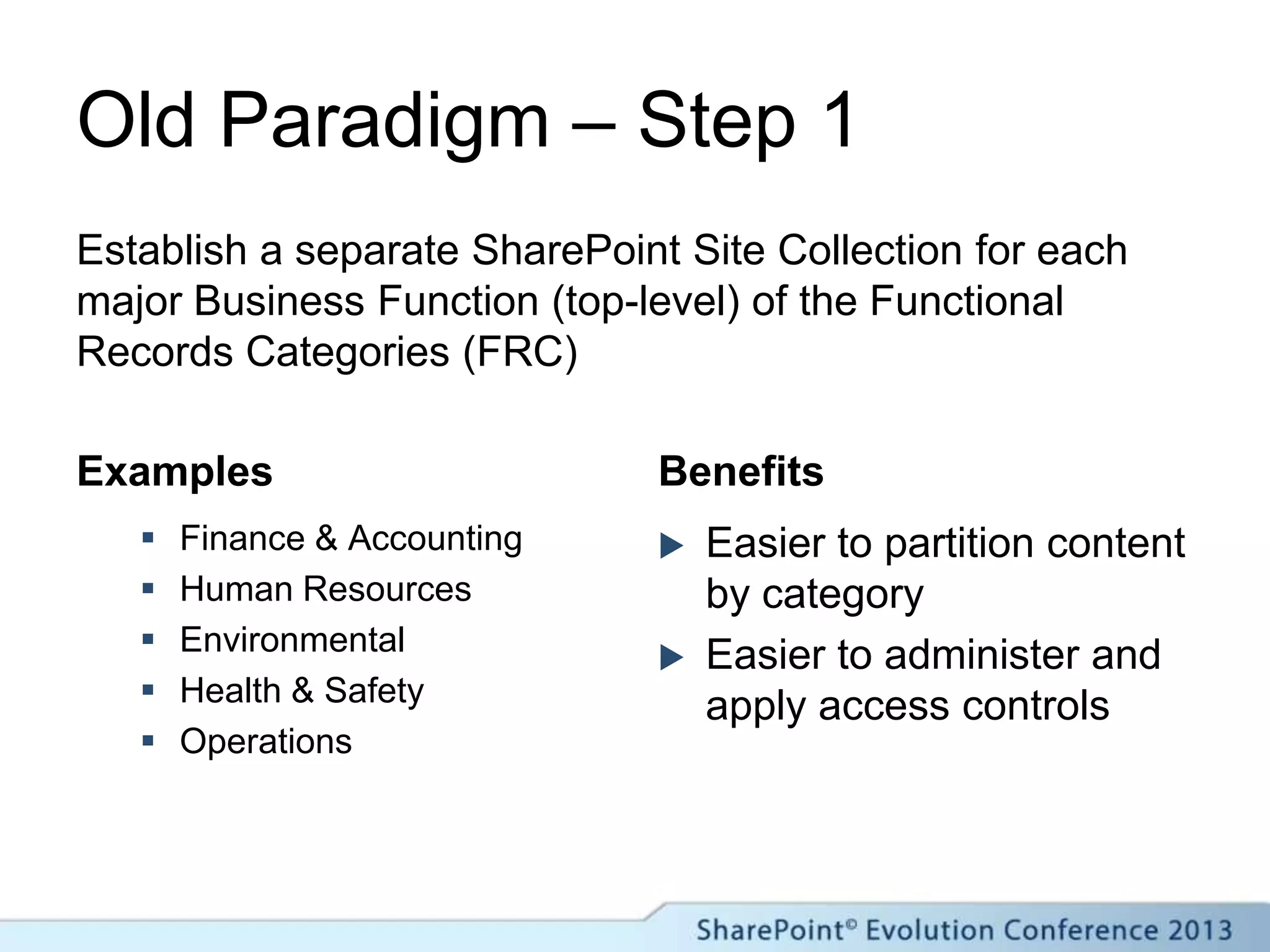
Old Paradigm – Step 1
Examples
 Finance & Accounting
 Human Resources
 Environmental
 Health & Safety
 Operations
Benefits
 Easier to partition content
by category
 Easier to administer and
apply access controls
Establish a separate SharePoint Site Collection for each
major Business Function (top-level) of the Functional
Records Categories (FRC)
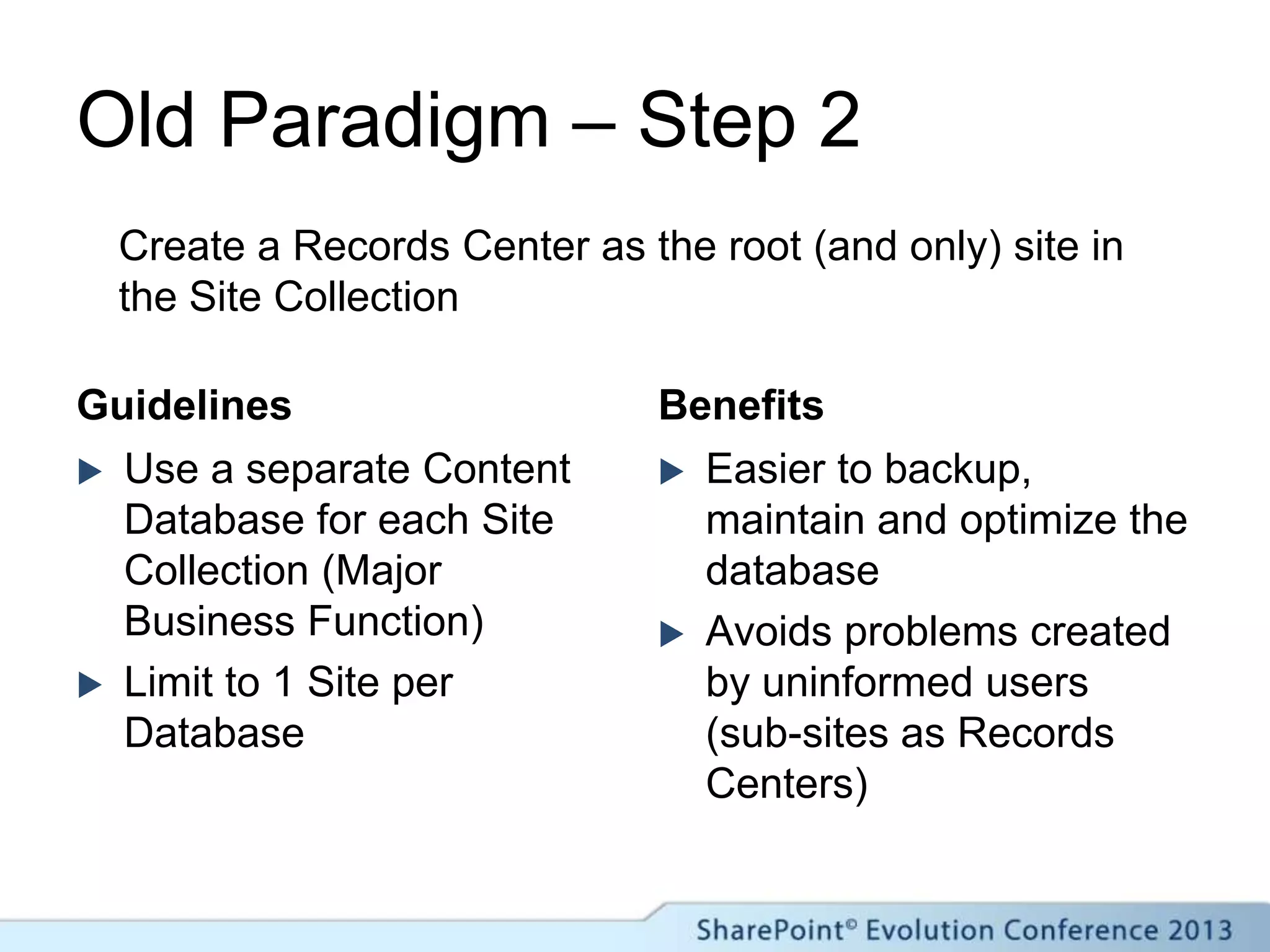
Old Paradigm – Step 2
Guidelines
 Use a separate Content
Database for each Site
Collection (Major
Business Function)
 Limit to 1 Site per
Database
Benefits
 Easier to backup,
maintain and optimize the
database
 Avoids problems created
by uninformed users
(sub-sites as Records
Centers)
Create a Records Center as the root (and only) site in
the Site Collection
Old Paradigm – Step 3
Guidelines
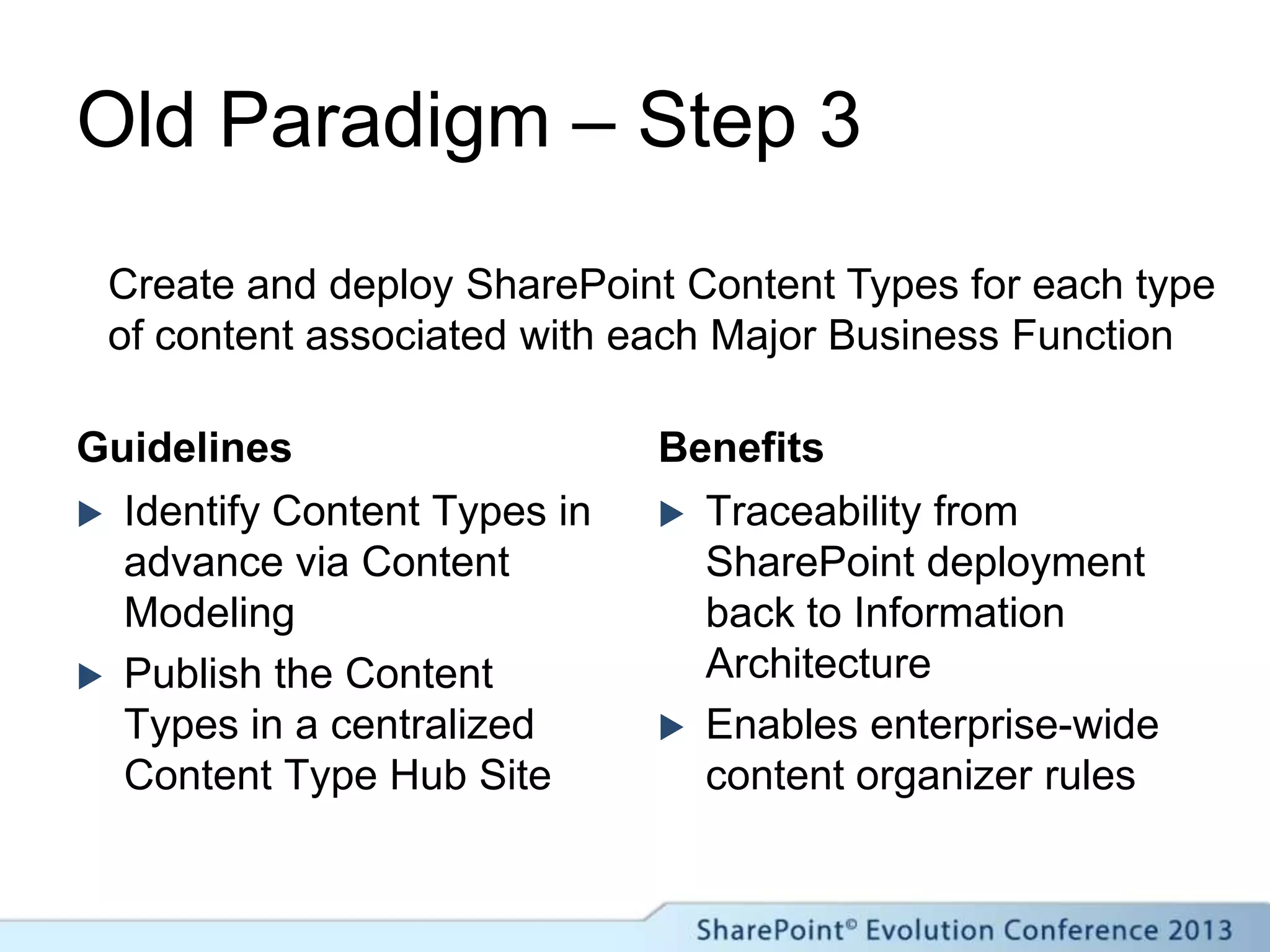
 Identify Content Types in
advance via Content
Modeling
 Publish the Content
Types in a centralized
Content Type Hub Site
Benefits
 Traceability from
SharePoint deployment
back to Information
Architecture
 Enables enterprise-wide
content organizer rules
Create and deploy SharePoint Content Types for each type
of content associated with each Major Business Function
Old Paradigm – Step 4
Guidelines
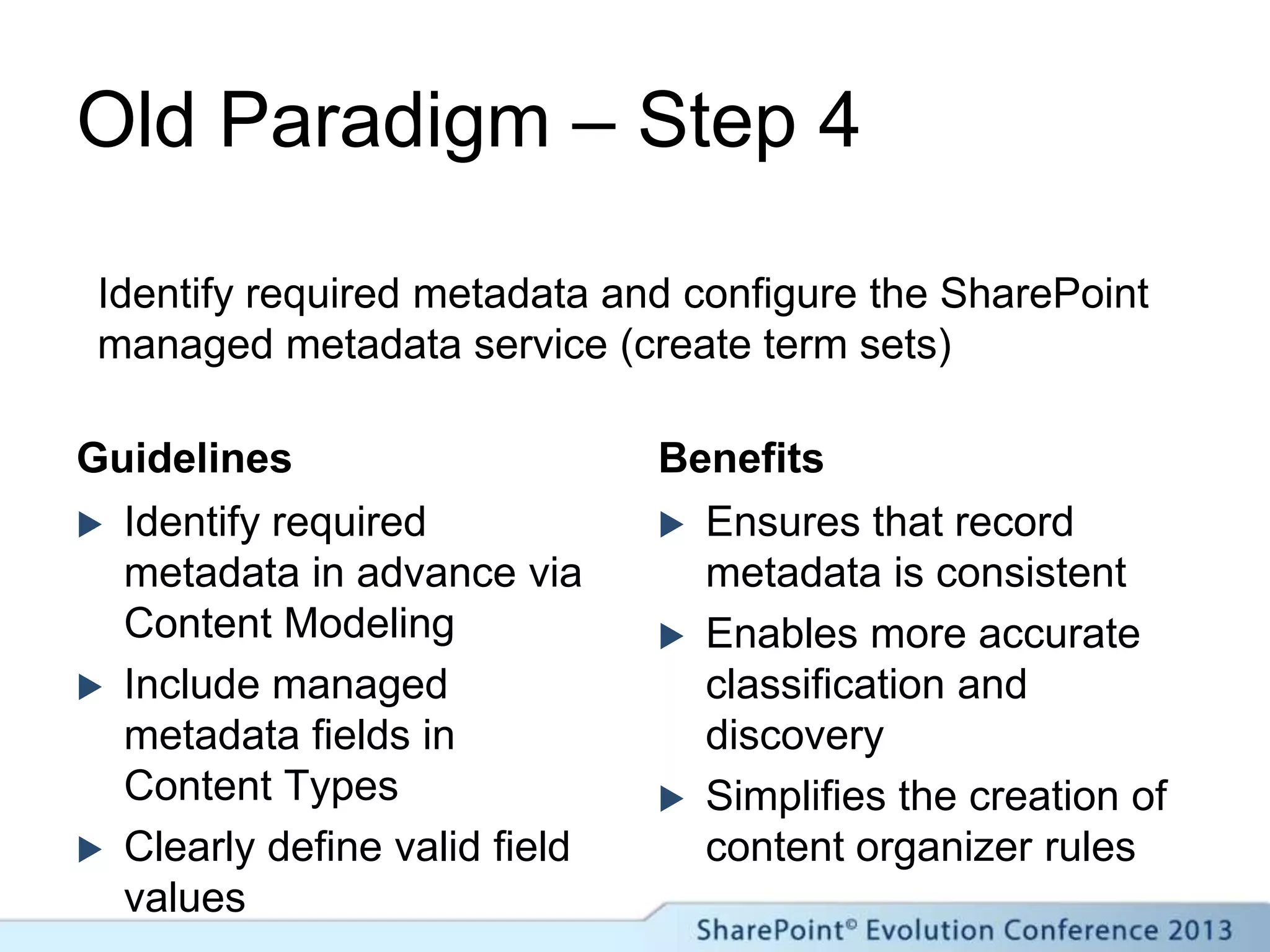
 Identify required
metadata in advance via
Content Modeling
 Include managed
metadata fields in
Content Types
 Clearly define valid field
values
Benefits
 Ensures that record
metadata is consistent
 Enables more accurate
classification and
discovery
 Simplifies the creation of
content organizer rules
Identify required metadata and configure the SharePoint
managed metadata service (create term sets)
Old Paradigm – Step 5
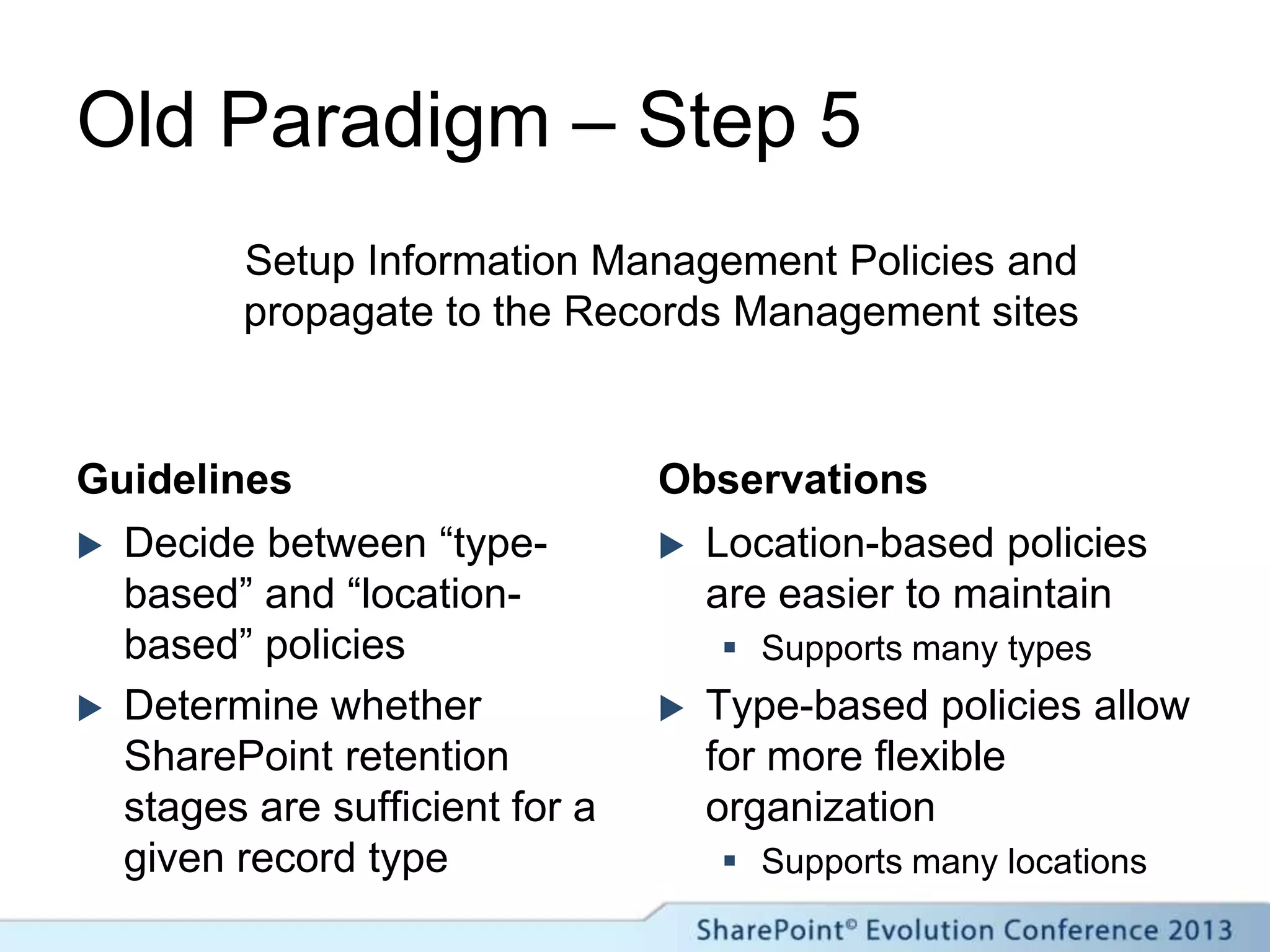
Guidelines
 Decide between “type-
based” and “location-
based” policies
 Determine whether
SharePoint retention
stages are sufficient for a
given record type
Observations
 Location-based policies
are easier to maintain
 Supports many types
 Type-based policies allow
for more flexible
organization
 Supports many locations
Setup Information Management Policies and
propagate to the Records Management sites
Records Management
in SharePoint (New Paradigm)
What are we working with?
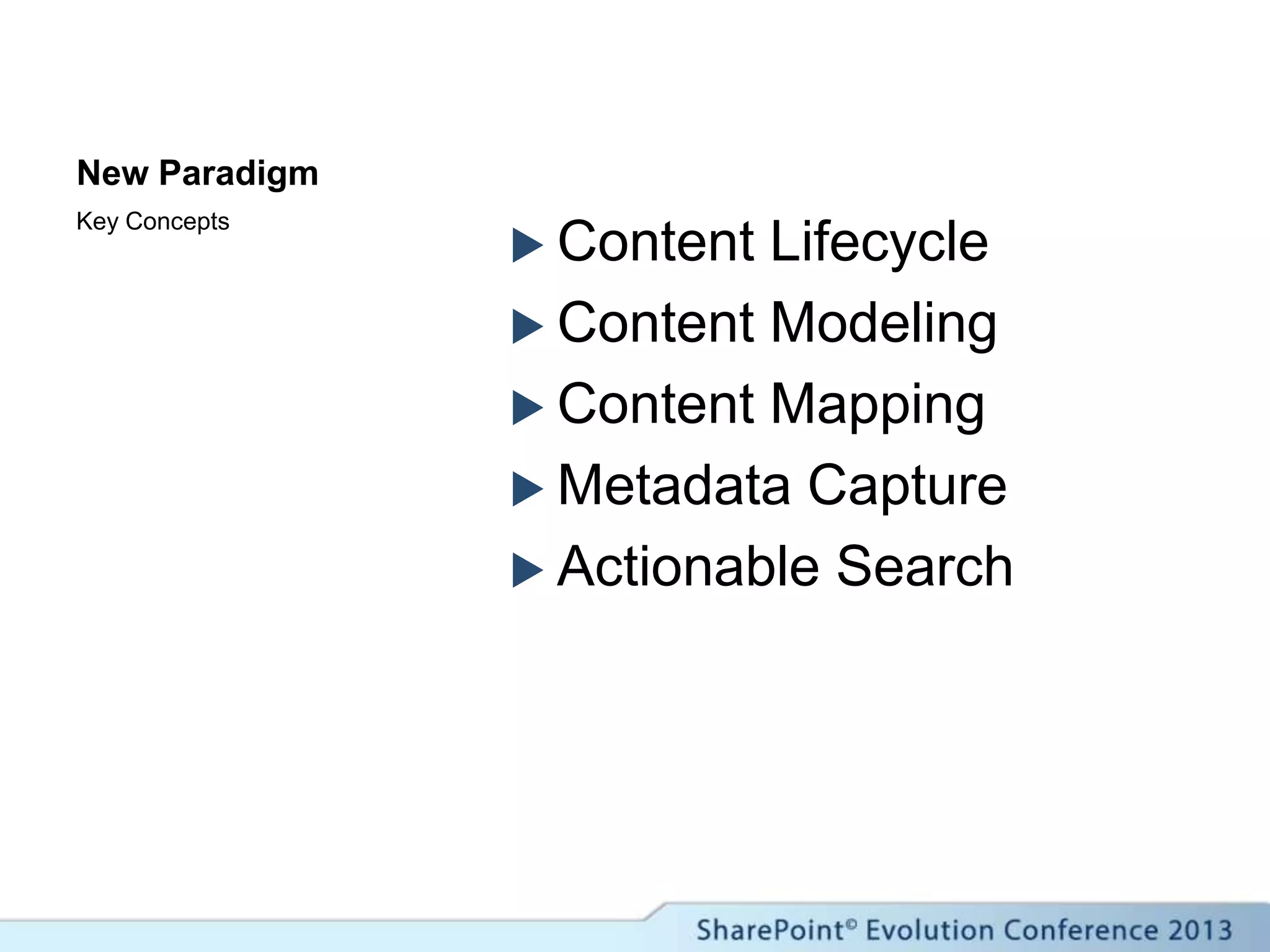
New Paradigm
 Content Lifecycle
 Content Modeling
 Content Mapping
 Metadata Capture
 Actionable Search
Key Concepts
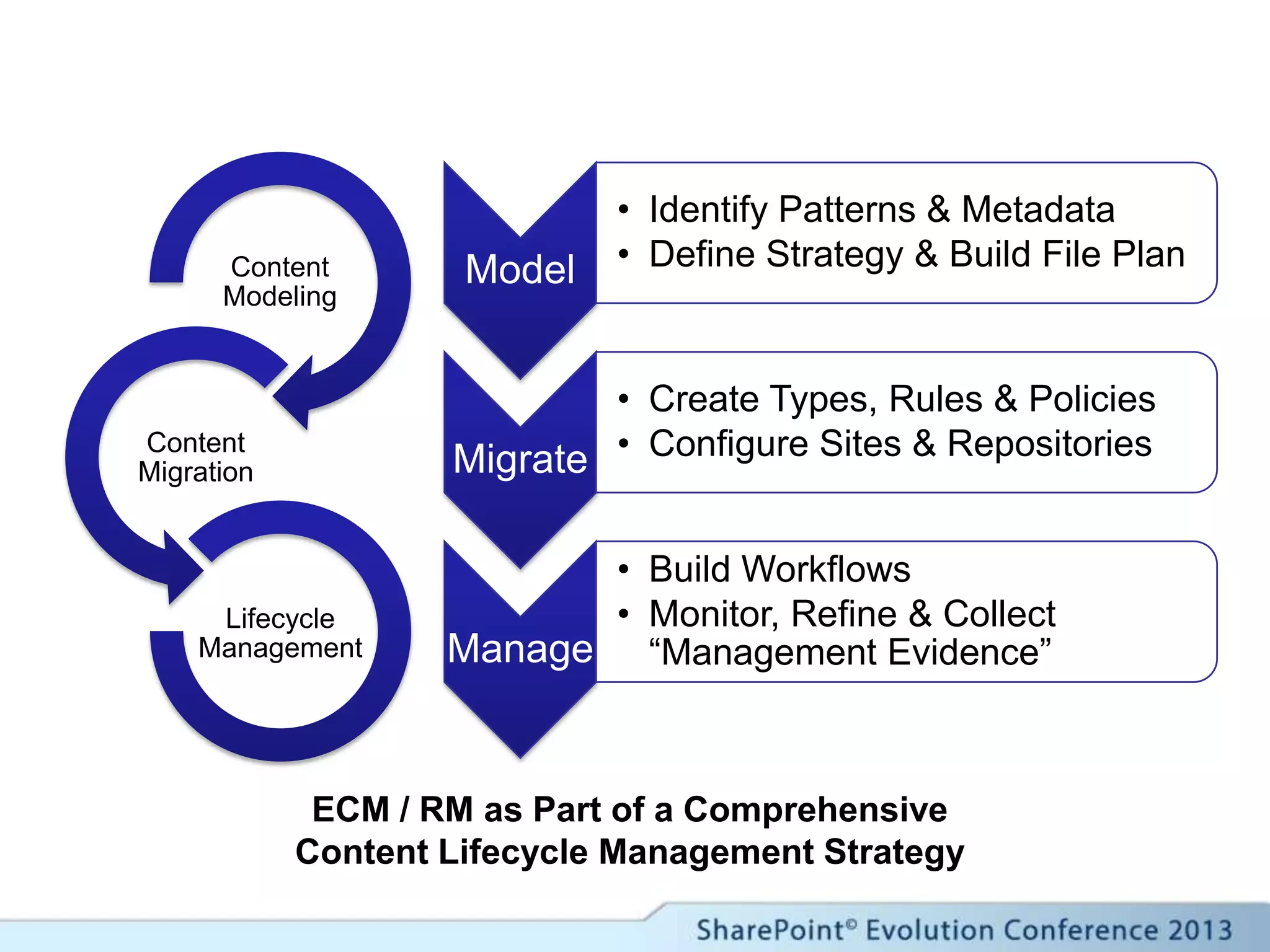
Model
• Identify Patterns & Metadata
• Define Strategy & Build File Plan
Migrate
• Create Types, Rules & Policies
• Configure Sites & Repositories
Manage
• Build Workflows
• Monitor, Refine & Collect
“Management Evidence”
Content
Modeling
Content
Migration
Lifecycle
Management
ECM / RM as Part of a Comprehensive
Content Lifecycle Management Strategy
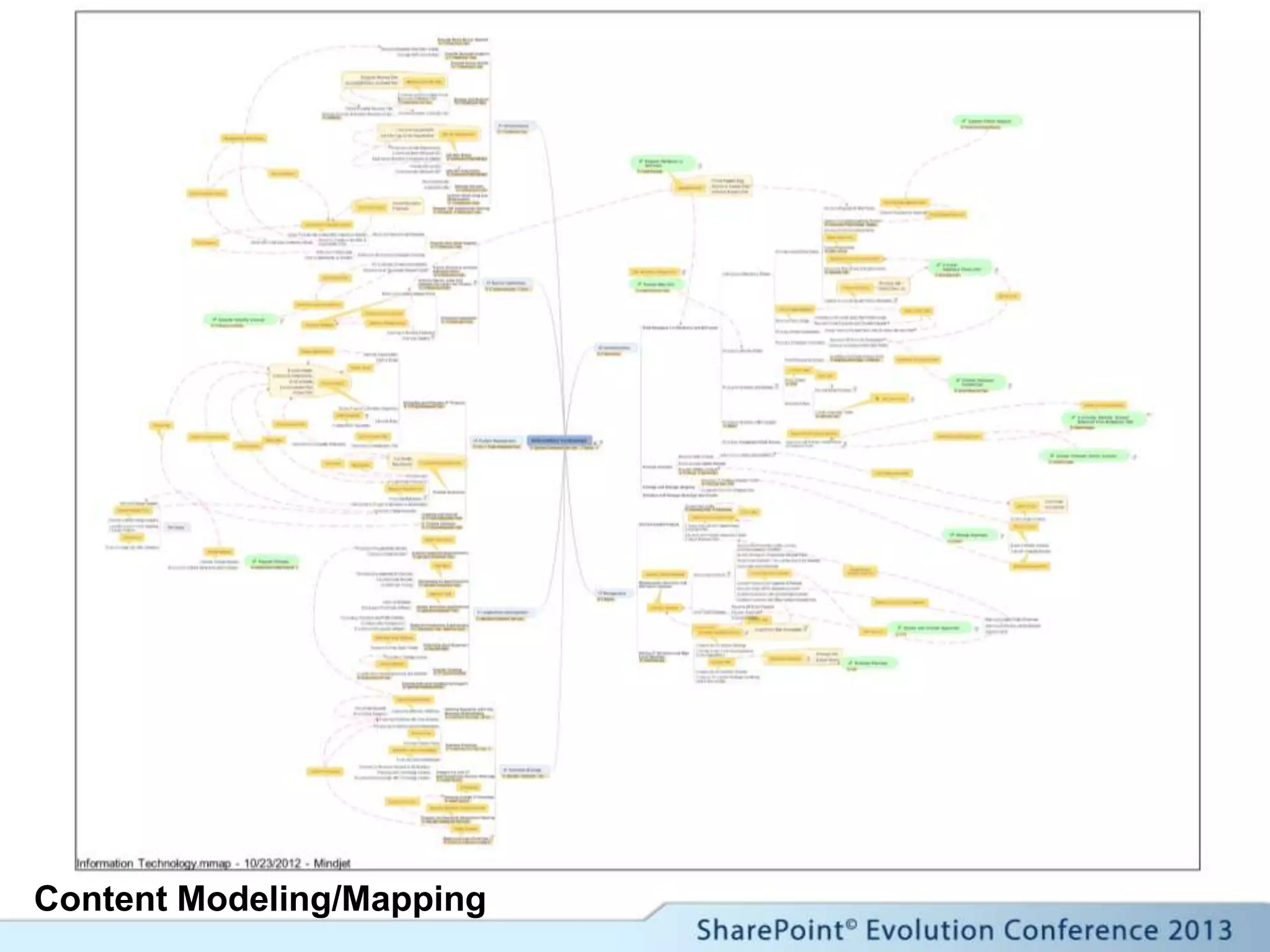
Content Modeling/Mapping
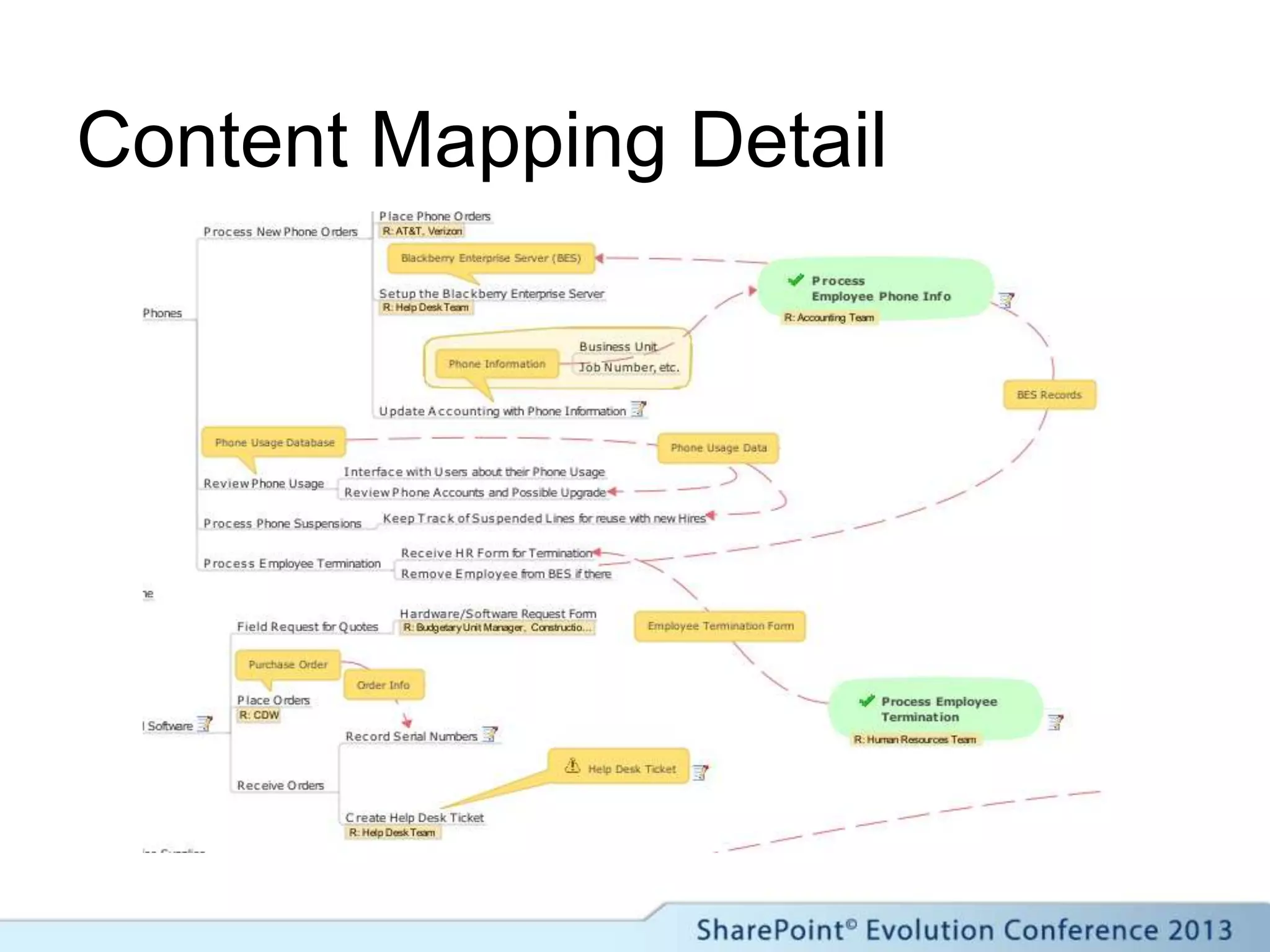
Content Mapping Detail
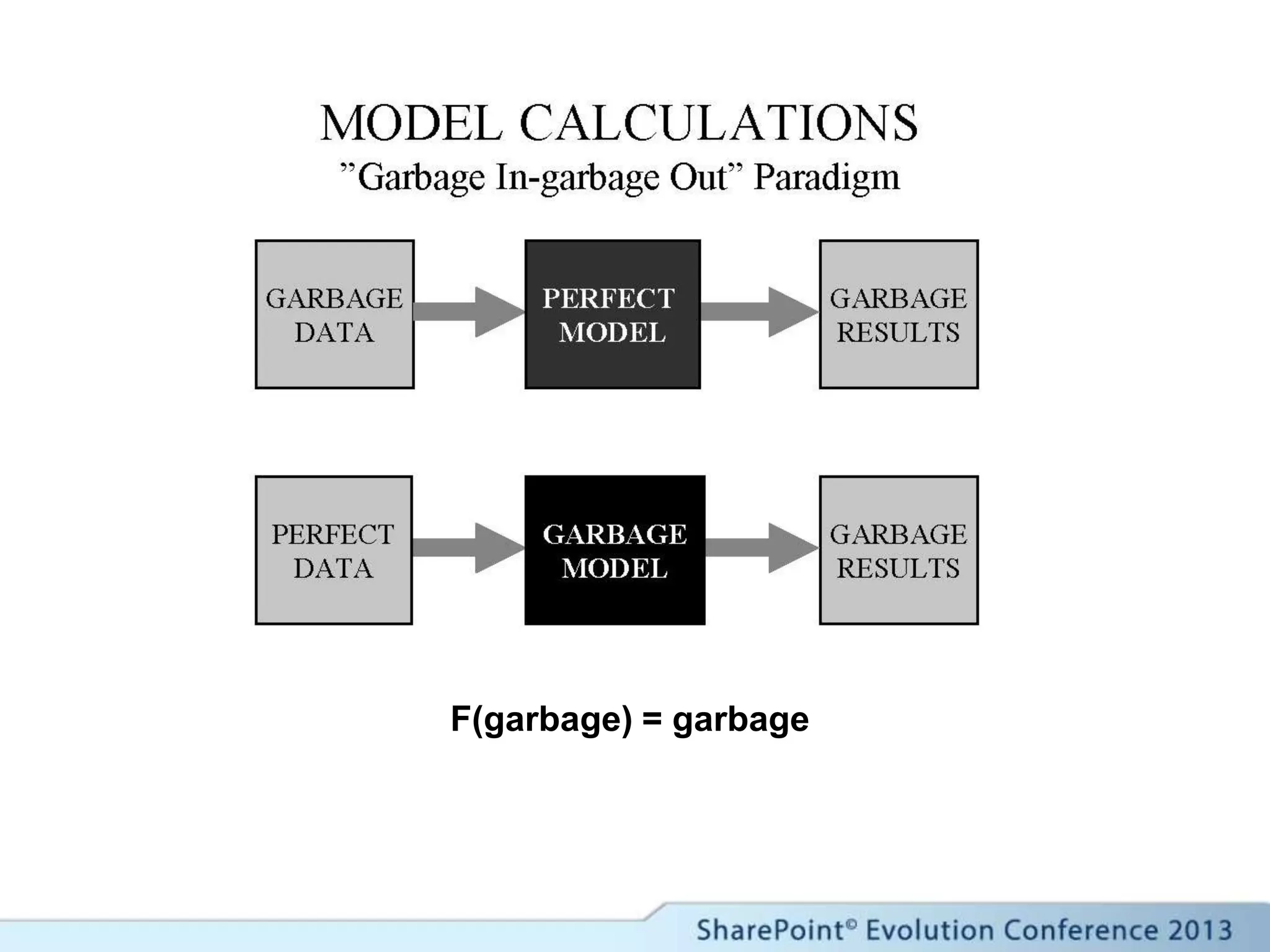
F(garbage) = garbage
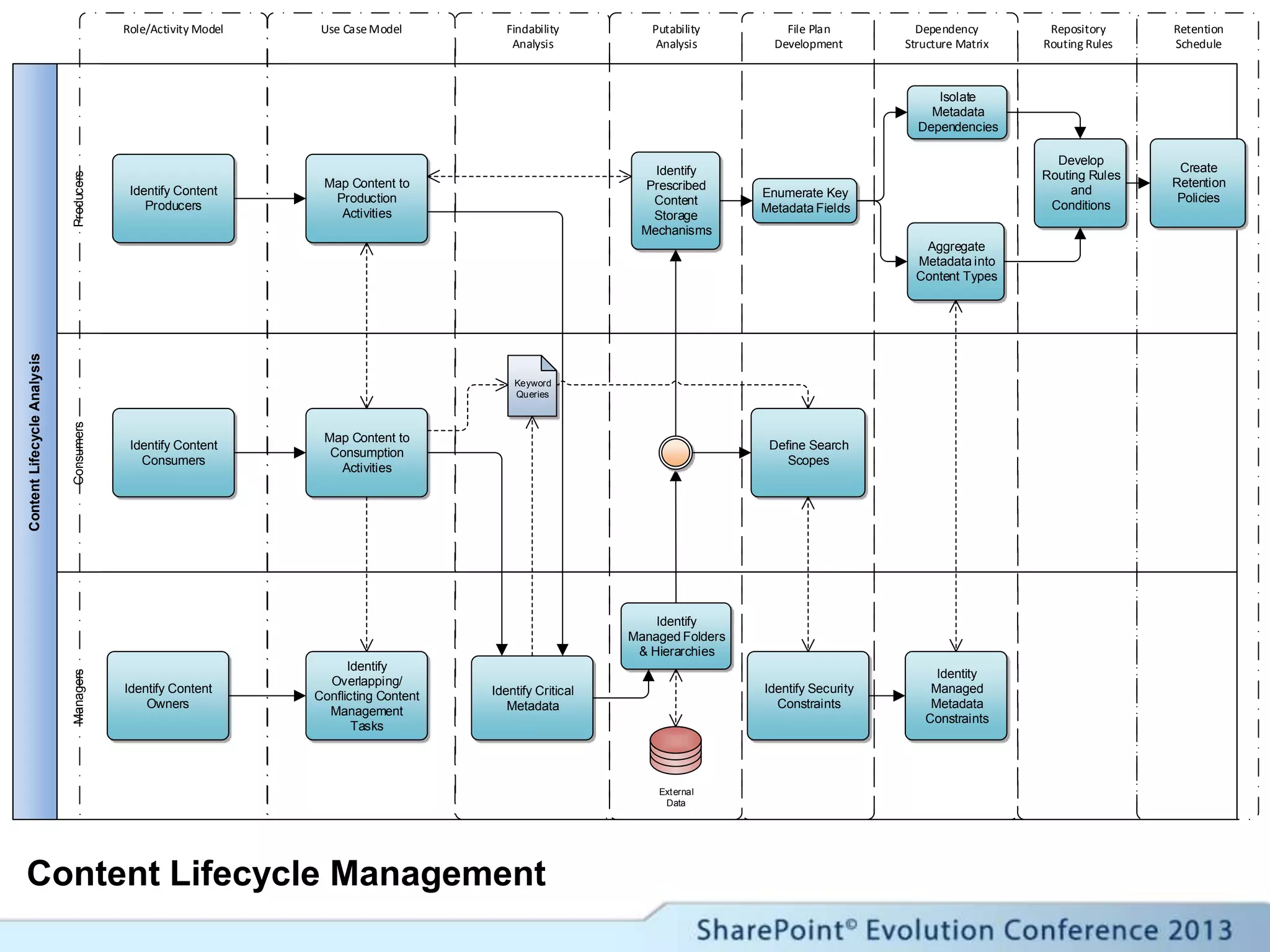
ContentLifecycleAnalysis
ProducersManagersConsumers
Role/Activity Model Use CaseModel Findability
Analysis
Putability
Analysis
File Plan
Development
Retention
Schedule
Repository
Routing Rules
Dependency
Structure Matrix
Identify Content
Producers
Identify Content
Consumers
Map Content to
Production
Activities
Map Content to
Consumption
Activities
Identify Content
Owners
Identify
Overlapping/
Conflicting Content
Management
Tasks
Identify Critical
Metadata
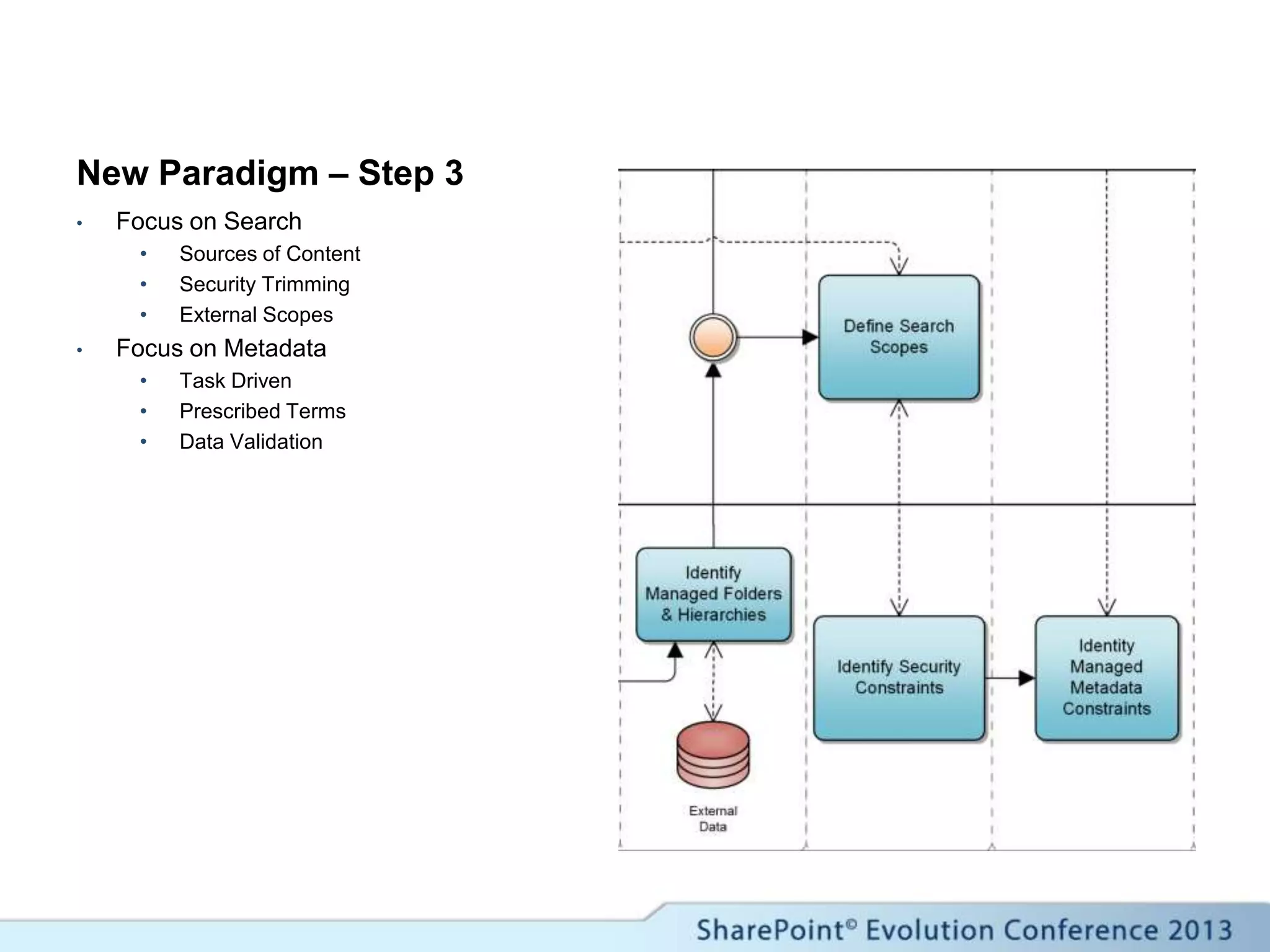
Identify
Managed Folders
& Hierarchies
External
Data
Keyword
Queries
Identify
Prescribed
Content
Storage
Mechanisms
Enumerate Key
Metadata Fields
Aggregate
Metadata into
Content Types
Isolate
Metadata
Dependencies
Develop
Routing Rules
and
Conditions
Create
Retention
Policies
Define Search
Scopes
Identity
Managed
Metadata
Constraints
Identify Security
Constraints
Content Lifecycle Management
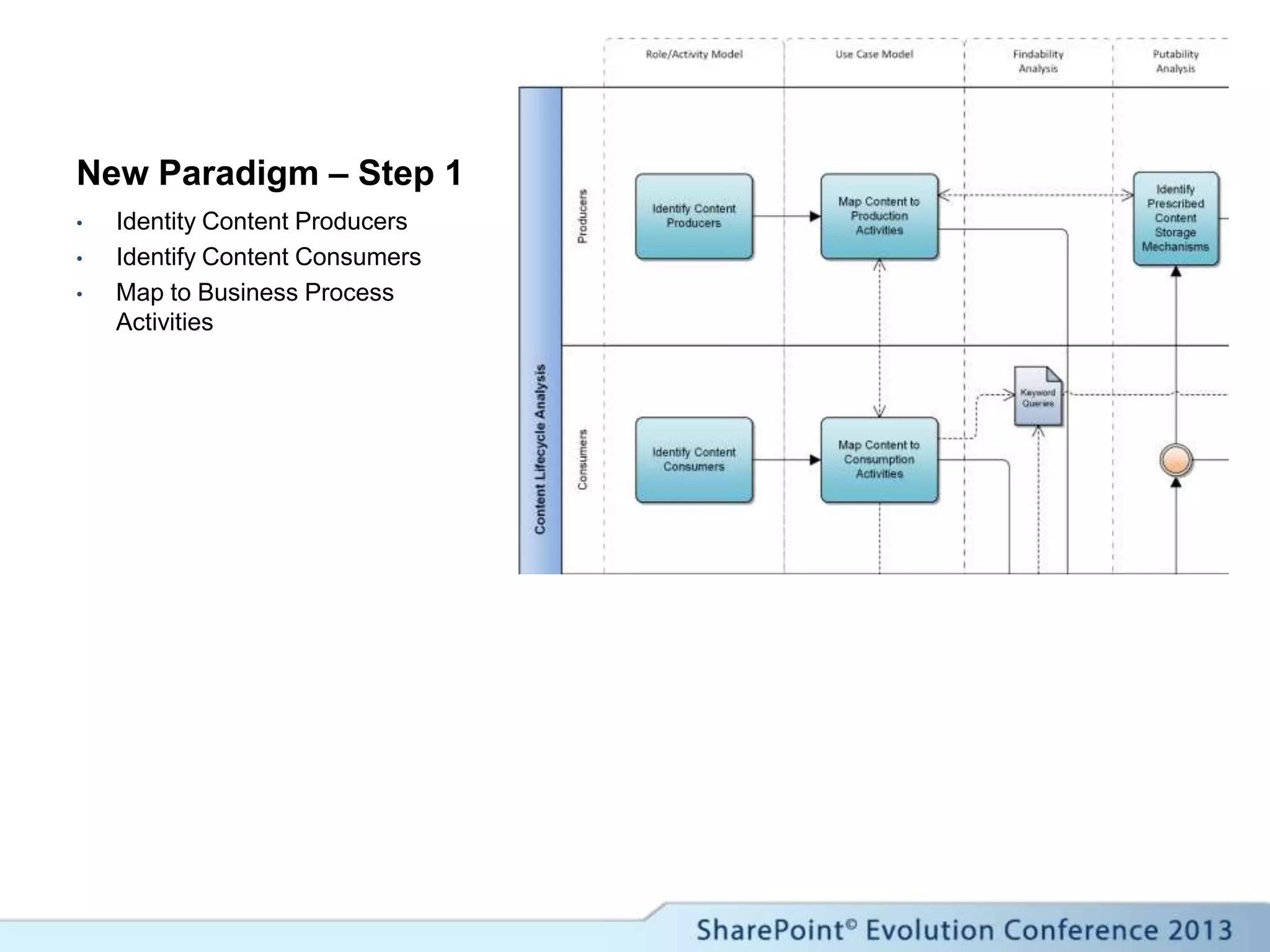
New Paradigm – Step 1
• Identity Content Producers
• Identify Content Consumers
• Map to Business Process
Activities
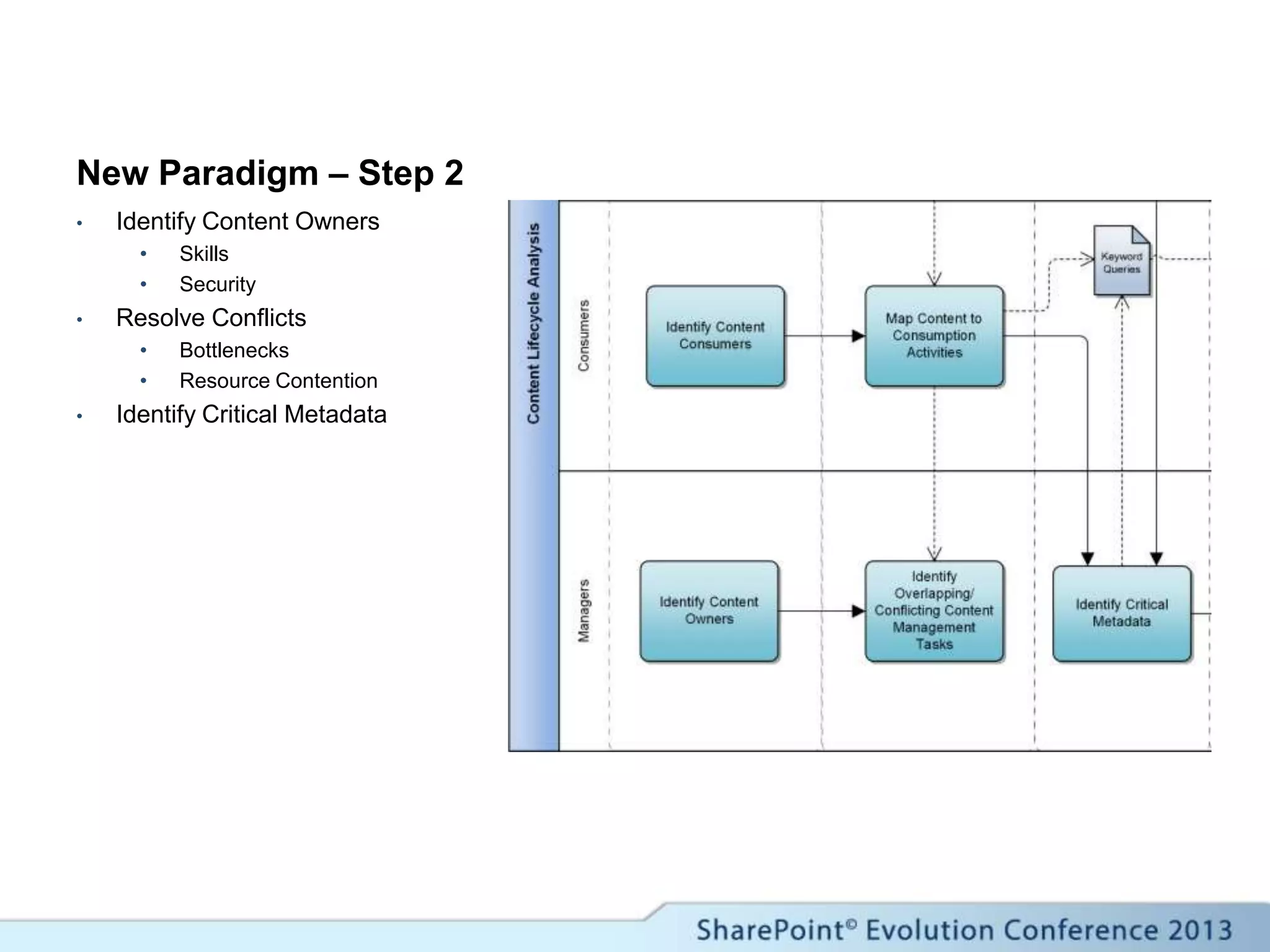
New Paradigm – Step 2
• Identify Content Owners
• Skills
• Security
• Resolve Conflicts
• Bottlenecks
• Resource Contention
• Identify Critical Metadata
New Paradigm – Step 3
• Focus on Search
• Sources of Content
• Security Trimming
• External Scopes
• Focus on Metadata
• Task Driven
• Prescribed Terms
• Data Validation
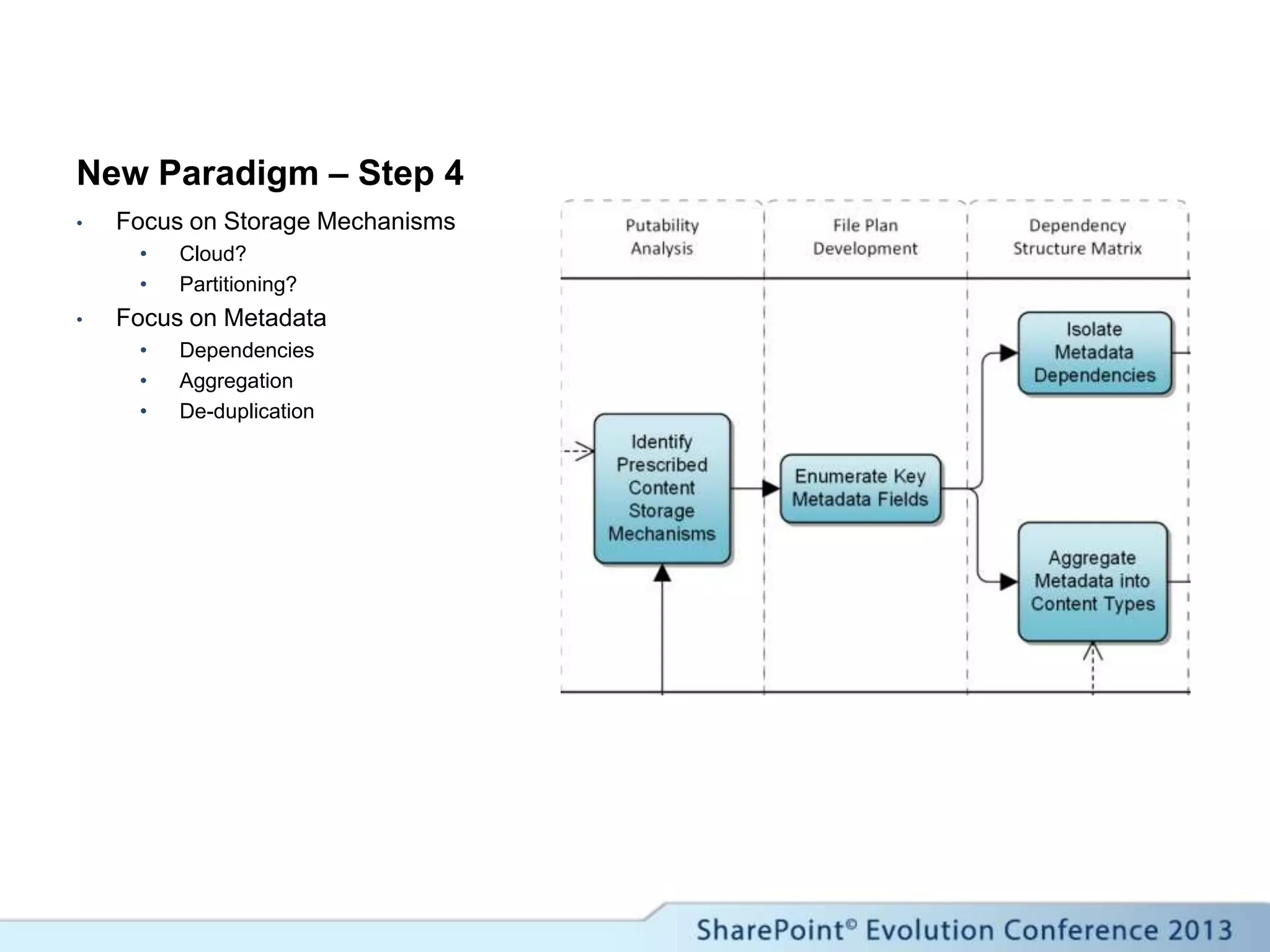
New Paradigm – Step 4
• Focus on Storage Mechanisms
• Cloud?
• Partitioning?
• Focus on Metadata
• Dependencies
• Aggregation
• De-duplication
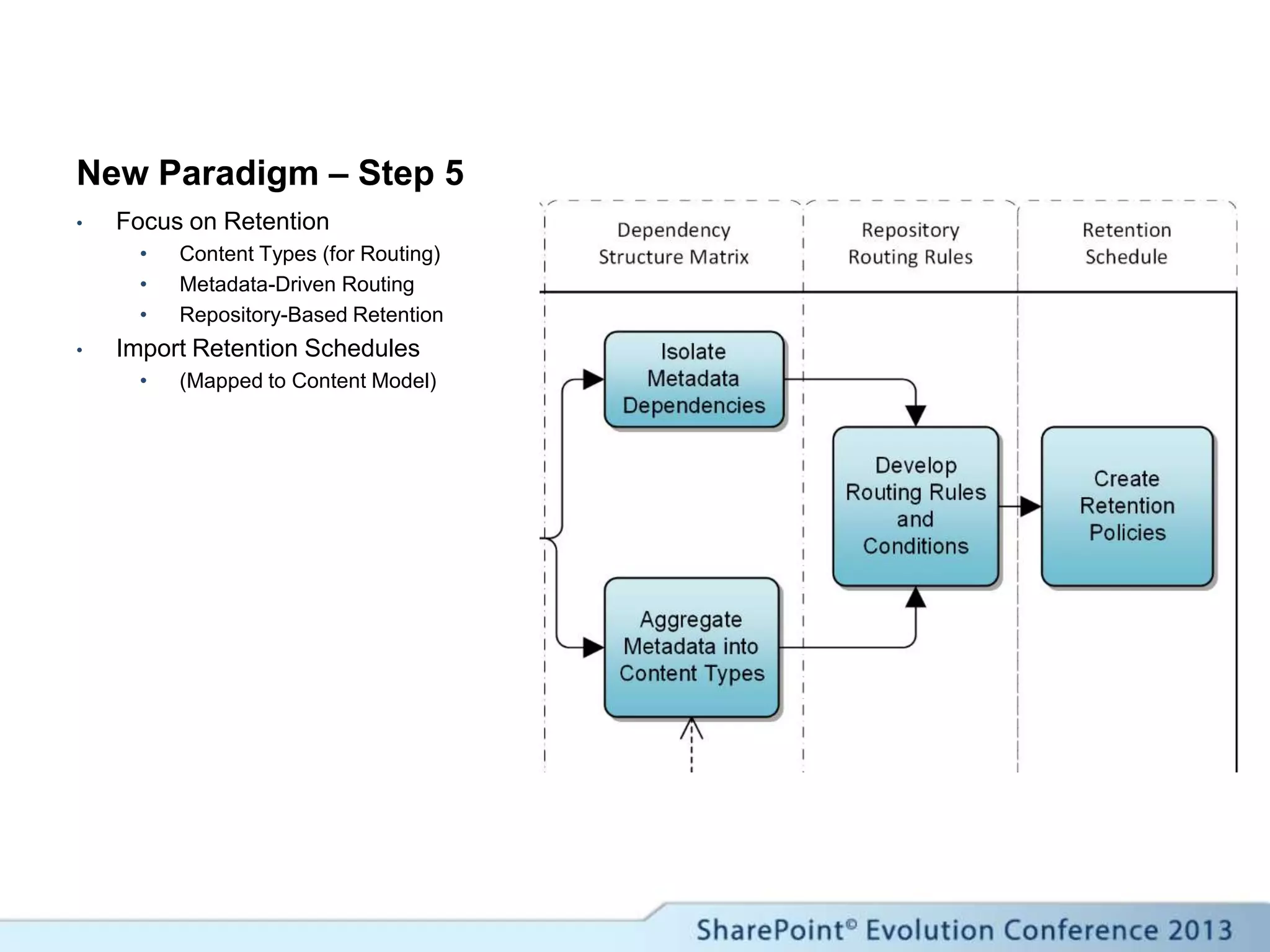
New Paradigm – Step 5
• Focus on Retention
• Content Types (for Routing)
• Metadata-Driven Routing
• Repository-Based Retention
• Import Retention Schedules
• (Mapped to Content Model)
Records Management
and Search
Where are we?
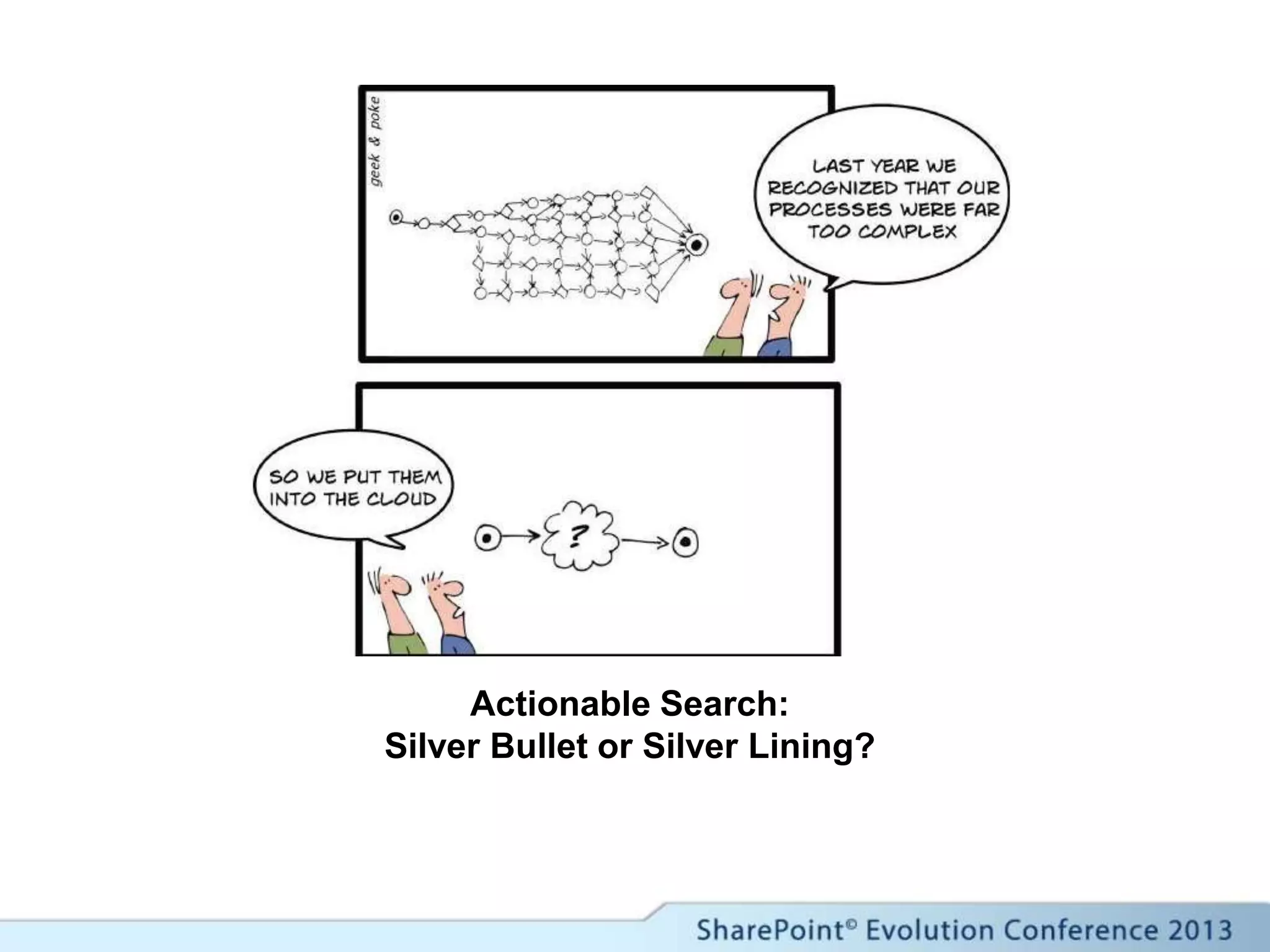
Actionable Search:
Silver Bullet or Silver Lining?
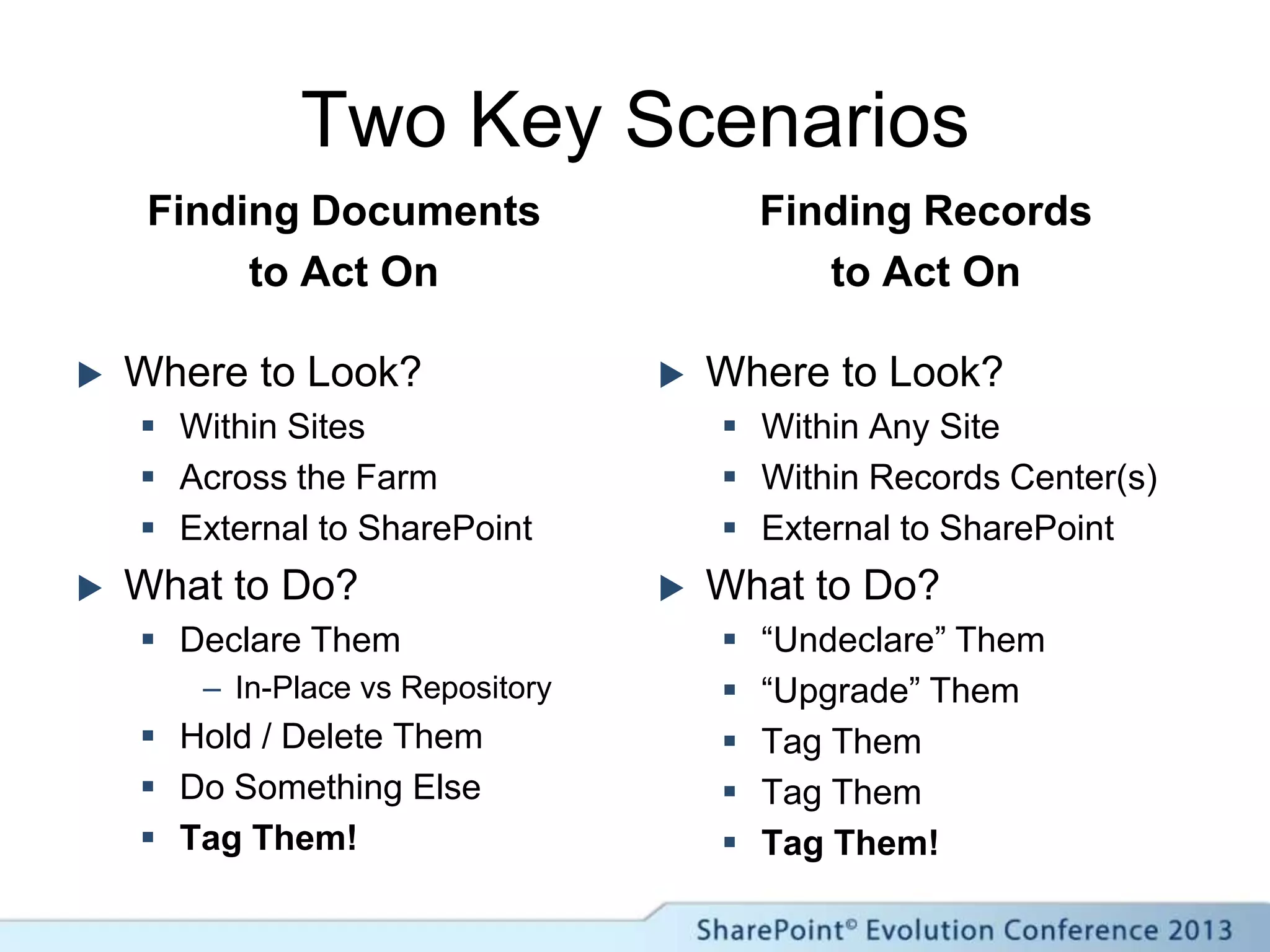
Two Key Scenarios
Finding Documents
to Act On
 Where to Look?
 Within Sites
 Across the Farm
 External to SharePoint
 What to Do?
 Declare Them
– In-Place vs Repository
 Hold / Delete Them
 Do Something Else
 Tag Them!
Finding Records
to Act On
 Where to Look?
 Within Any Site
 Within Records Center(s)
 External to SharePoint
 What to Do?
 “Undeclare” Them
 “Upgrade” Them
 Tag Them
 Tag Them
 Tag Them!
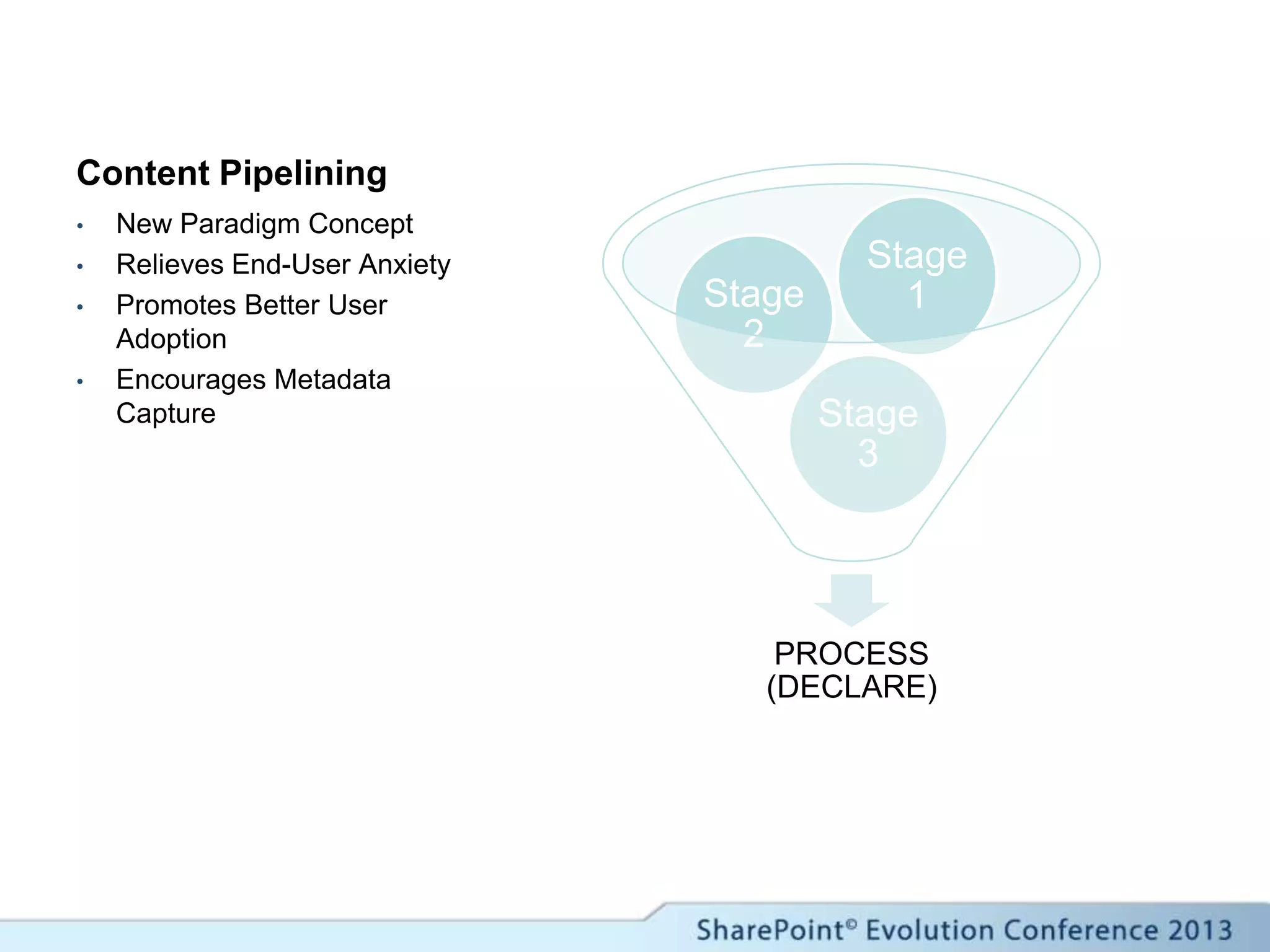
Content Pipelining
PROCESS
(DECLARE)
Stage
3
Stage
2
Stage
1
• New Paradigm Concept
• Relieves End-User Anxiety
• Promotes Better User
Adoption
• Encourages Metadata
Capture
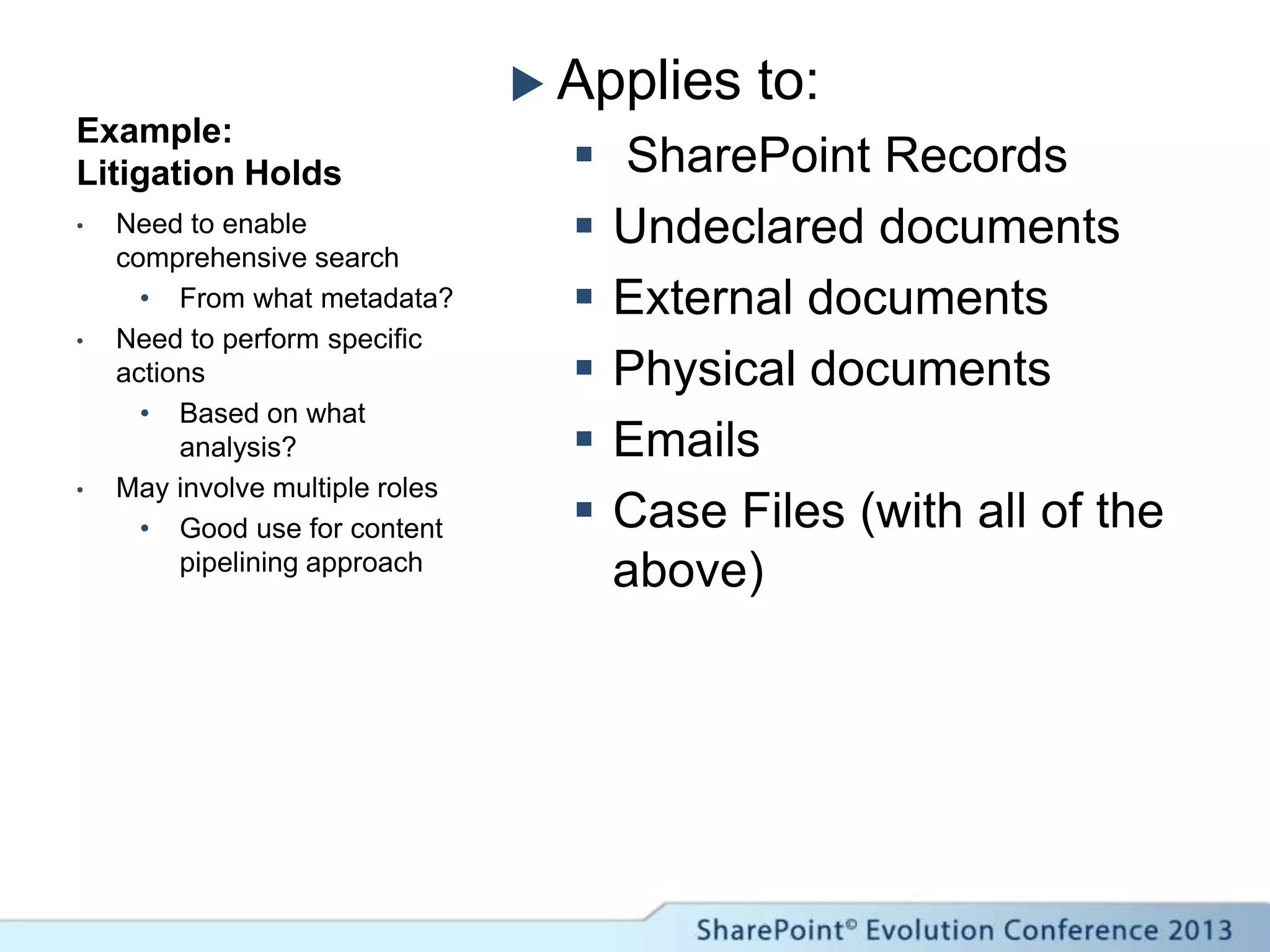
Example:
Litigation Holds
 Applies to:
 SharePoint Records
 Undeclared documents
 External documents
 Physical documents
 Emails
 Case Files (with all of the
above)
• Need to enable
comprehensive search
• From what metadata?
• Need to perform specific
actions
• Based on what
analysis?
• May involve multiple roles
• Good use for content
pipelining approach
Extending the User Experience
 Custom “KPI”-Style Web Parts
 Records vs Non-Records (Chart)
 Records About to Expire (Chart)
 Custom Actions (Search Actions)
 Declare/Undeclare
 Apply Pre-defined Tags for an Activity
 Send to Next Pipeline Stage
Resources & Tools
 Content Modeling
 Mindjet (www.mindjet.com)
 Content Lifecycle Management
 Collabware CLM (www.collabware.com)
Thank you for attending!

SPEVO13 - IW509 - Records Management and Search

  • 1.
    SharePoint Records Management& Search: Embracing the New Paradigm IW 509 John Holliday SharePoint Architects
  • 2.
     John Holliday CTO, SharePoint Architects, Inc.  www.SharePointArchitects.us  john@johnholliday.net  5 year SharePoint Server MVP SharePoint Author, Instructor, Developer Information Architecture Consultant Records Management Specialist
  • 3.
  • 4.
    AIIM SharePoint Survey(2010) 0 10 20 30 40 50 60 70 Access rights Team site administration Approved site templates Site/User Quotas Corporate classification & content types Content security Acceptable usage Longevity of team sites End-of-life policy for sites Use of third party products and web parts Retention policies Dealing with email Governance Policies in Place
  • 5.
    The SharePoint ECMChallenge Structured UnstructuredContent Types VolumeHighLow Records with Only Internal Operating Values Projects SalesAccounting Human Resources Department Oversight Business Planning Collaboration Records with Legal Values Records with Compliance Values
  • 7.
    Risks  Mis-classification  Unauthorizedaccess to content  Labor-intensive content management  User’s don’t like it – don’t use it
  • 8.
    Unmanaged Strategic Planning Managed  Retention appliedbased on use of the content & information lifecycle  Ability to apply Legal Holds  Duplication is reduced  Versions are controlled and final is identifiable  Consistent technology platform  Retention not applied  Legal Holds not applied  Email used as a duplicative “filing system”  Numerous versions of MS Office Getting from Unmanaged to Managed
  • 9.
    Strategic Readiness Initiatives Gap Analysis  Retention, Hold Orders, Technology Platform  Policy & Usage Guidelines  File Shares, Email, Etc.  Content Analysis & Content Mapping  Use Cases, Business Processes Role/Activity Modeling  In-House Skills Analysis  ECM Strategic Plan and Roadmap
  • 10.
    Records Management in SharePoint(Old Paradigm) What are we working with?
  • 11.
    Old Paradigm  ContentTypes  Record Declaration  Content Routing  Routing Rules  Repositories Key Concepts
  • 12.
    The Content Organizer Typeand Metadata-Driven Filing Mechanism (Old Paradigm) Custom Rules Content Type Match? Property = Value? Incoming Documents Records Center Folder Library
  • 13.
    Content Organizer: MainPoints  Metadata-driven Routing  Automatically handles incoming records (no need for custom router)  Target destination determined from metadata (configured using rules)  Support for file plan hierarchy  Can target subfolders of destination library  Automatically applies policies associated with target location
  • 14.
    Content Organizer: Value Advantages  Flexible control over document routing  No need for custom code  New “Rule Manager” user group  Disadvantages  Rules must be managed – requires skill  Rules must be updated if content types change
  • 15.
    Old Paradigm –Step 1 Examples  Finance & Accounting  Human Resources  Environmental  Health & Safety  Operations Benefits  Easier to partition content by category  Easier to administer and apply access controls Establish a separate SharePoint Site Collection for each major Business Function (top-level) of the Functional Records Categories (FRC)
  • 16.
    Old Paradigm –Step 2 Guidelines  Use a separate Content Database for each Site Collection (Major Business Function)  Limit to 1 Site per Database Benefits  Easier to backup, maintain and optimize the database  Avoids problems created by uninformed users (sub-sites as Records Centers) Create a Records Center as the root (and only) site in the Site Collection
  • 17.
    Old Paradigm –Step 3 Guidelines  Identify Content Types in advance via Content Modeling  Publish the Content Types in a centralized Content Type Hub Site Benefits  Traceability from SharePoint deployment back to Information Architecture  Enables enterprise-wide content organizer rules Create and deploy SharePoint Content Types for each type of content associated with each Major Business Function
  • 18.
    Old Paradigm –Step 4 Guidelines  Identify required metadata in advance via Content Modeling  Include managed metadata fields in Content Types  Clearly define valid field values Benefits  Ensures that record metadata is consistent  Enables more accurate classification and discovery  Simplifies the creation of content organizer rules Identify required metadata and configure the SharePoint managed metadata service (create term sets)
  • 19.
    Old Paradigm –Step 5 Guidelines  Decide between “type- based” and “location- based” policies  Determine whether SharePoint retention stages are sufficient for a given record type Observations  Location-based policies are easier to maintain  Supports many types  Type-based policies allow for more flexible organization  Supports many locations Setup Information Management Policies and propagate to the Records Management sites
  • 20.
    Records Management in SharePoint(New Paradigm) What are we working with?
  • 21.
    New Paradigm  ContentLifecycle  Content Modeling  Content Mapping  Metadata Capture  Actionable Search Key Concepts
  • 22.
    Model • Identify Patterns& Metadata • Define Strategy & Build File Plan Migrate • Create Types, Rules & Policies • Configure Sites & Repositories Manage • Build Workflows • Monitor, Refine & Collect “Management Evidence” Content Modeling Content Migration Lifecycle Management ECM / RM as Part of a Comprehensive Content Lifecycle Management Strategy
  • 23.
  • 24.
  • 25.
  • 26.
    ContentLifecycleAnalysis ProducersManagersConsumers Role/Activity Model UseCaseModel Findability Analysis Putability Analysis File Plan Development Retention Schedule Repository Routing Rules Dependency Structure Matrix Identify Content Producers Identify Content Consumers Map Content to Production Activities Map Content to Consumption Activities Identify Content Owners Identify Overlapping/ Conflicting Content Management Tasks Identify Critical Metadata Identify Managed Folders & Hierarchies External Data Keyword Queries Identify Prescribed Content Storage Mechanisms Enumerate Key Metadata Fields Aggregate Metadata into Content Types Isolate Metadata Dependencies Develop Routing Rules and Conditions Create Retention Policies Define Search Scopes Identity Managed Metadata Constraints Identify Security Constraints Content Lifecycle Management
  • 27.
    New Paradigm –Step 1 • Identity Content Producers • Identify Content Consumers • Map to Business Process Activities
  • 28.
    New Paradigm –Step 2 • Identify Content Owners • Skills • Security • Resolve Conflicts • Bottlenecks • Resource Contention • Identify Critical Metadata
  • 29.
    New Paradigm –Step 3 • Focus on Search • Sources of Content • Security Trimming • External Scopes • Focus on Metadata • Task Driven • Prescribed Terms • Data Validation
  • 30.
    New Paradigm –Step 4 • Focus on Storage Mechanisms • Cloud? • Partitioning? • Focus on Metadata • Dependencies • Aggregation • De-duplication
  • 31.
    New Paradigm –Step 5 • Focus on Retention • Content Types (for Routing) • Metadata-Driven Routing • Repository-Based Retention • Import Retention Schedules • (Mapped to Content Model)
  • 32.
  • 33.
  • 34.
    Two Key Scenarios FindingDocuments to Act On  Where to Look?  Within Sites  Across the Farm  External to SharePoint  What to Do?  Declare Them – In-Place vs Repository  Hold / Delete Them  Do Something Else  Tag Them! Finding Records to Act On  Where to Look?  Within Any Site  Within Records Center(s)  External to SharePoint  What to Do?  “Undeclare” Them  “Upgrade” Them  Tag Them  Tag Them  Tag Them!
  • 35.
    Content Pipelining PROCESS (DECLARE) Stage 3 Stage 2 Stage 1 • NewParadigm Concept • Relieves End-User Anxiety • Promotes Better User Adoption • Encourages Metadata Capture
  • 36.
    Example: Litigation Holds  Appliesto:  SharePoint Records  Undeclared documents  External documents  Physical documents  Emails  Case Files (with all of the above) • Need to enable comprehensive search • From what metadata? • Need to perform specific actions • Based on what analysis? • May involve multiple roles • Good use for content pipelining approach
  • 37.
    Extending the UserExperience  Custom “KPI”-Style Web Parts  Records vs Non-Records (Chart)  Records About to Expire (Chart)  Custom Actions (Search Actions)  Declare/Undeclare  Apply Pre-defined Tags for an Activity  Send to Next Pipeline Stage
  • 38.
    Resources & Tools Content Modeling  Mindjet (www.mindjet.com)  Content Lifecycle Management  Collabware CLM (www.collabware.com)
  • 39.
    Thank you forattending!

Editor's Notes

  • #6 SharePoint is increasingly seen as the “hub” of all enterprise content activity, and therefore spans the entire content lifecycle, which encompasses divergent requirements for managing records.
  • #18 Start with at least one content type for each functional category.
  • #19 Managed Metadata vs. Ad-Hoc MetadataConsiderations for deciding what metadata should be managed and what should be ad-hocEnterprise LevelSite Collection LevelSite LevelContent Type LevelQuestionsWhere does the filename go?Where does the folder path go?What problems should be anticipated, e.g. illegal characters
  • #20 QuestionsDo the policies need to be different for “old content”?What workflow differences would there be for “old content” e.g. ask for user to provide event date?
  • #26 Content migration and modeling go hand-in-hand. One without the other produces less than ideal results. This interdependency effectively increases the cost (and discipline) needed to implement a comprehensive information architecture across the enterprise, and points to the need for a fundamental paradigm shift at the enterprise level. CLM technology can be a driver, but only if it supports an iterative transformation.
  • #35 In both scenarios, need a way to delay the actual operation so that the user can perform a search, mark the documents they want to work with and then add them to the current batch. Then perform another search, and so on, adding more documents to the batch. Then switch to a view containing the documents they found to examine the documents more closely, marking them for the final action, which is to select some documents and 1) place them on litigation hold (whether declared as records or not), 2) declare them in place, 3) send them to a records center, 4) un-declare them, etc.