PRESENTED BY:
NITIN MOHAN SHARMA
WHAT IS ISPHERE ?
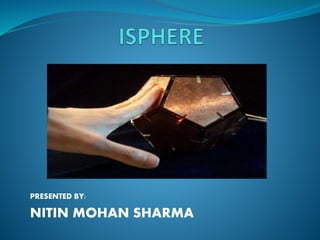
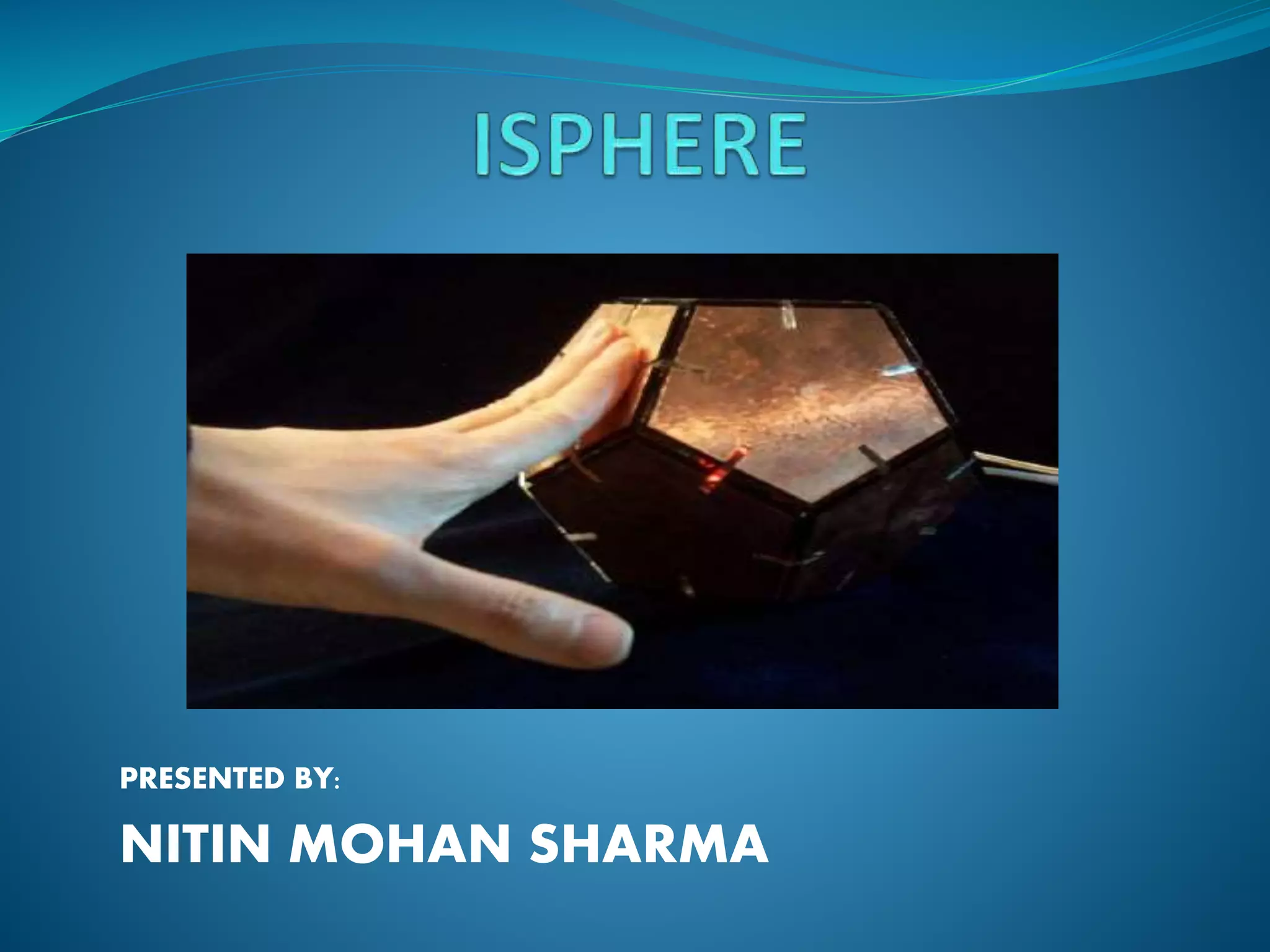
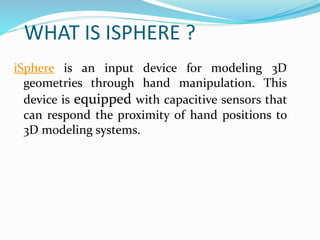
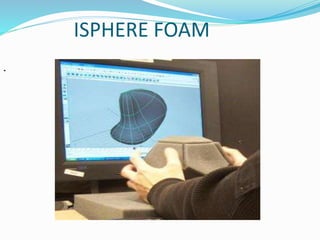
iSphere is an input device for modeling 3D
geometries through hand manipulation. This
device is equipped with capacitive sensors that
can respond the proximity of hand positions to
3D modeling systems.
.
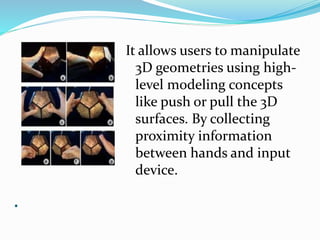
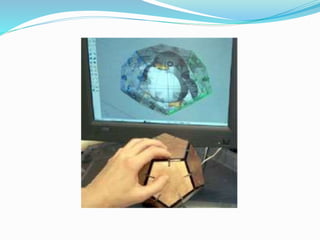
It allows users to manipulate
3D geometries using high-
level modeling concepts
like push or pull the 3D
surfaces. By collecting
proximity information
between hands and input
device.
ISPHERE FOAM
.
(Cond.)
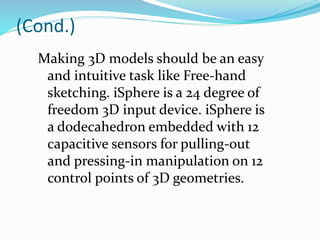
Making 3D models should be an easy
and intuitive task like Free-hand
sketching. iSphere is a 24 degree of
freedom 3D input device. iSphere is
a dodecahedron embedded with 12
capacitive sensors for pulling-out
and pressing-in manipulation on 12
control points of 3D geometries.
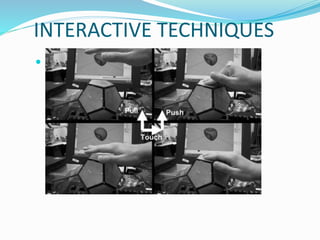
INTERACTIVE TECHNIQUES
 .
iSphere is a physical reference for controlling
3D models interactively in a spatial way. It
enables bi-manual interaction to shape 3D
geometries through bare hands that makes
interaction more realistic and playful which
offload mental activities.
1.REALISTIC INTERACTION
 Making interaction in realistic and
spatial ways enhances the experience of
3D modeling.
 In most 3D modeling systems,
keyboards and mice are good for
command-executing and mode-
switching. However, it still can not allow
us to use a single and intuitive action for
a small adjusting function.
2.PLAY AND BUILD
 iSphere presents a top-down 3D modeling approach
that allows designers to play and build 3D models
and develop their concept through physical
interactivity.
 iSphere has an editing mode for modeling 3D
geometries and an inspecting mode for navigating
3D scenes.We expect users of iSphere to model 3D as
playing with a piece of clay
.
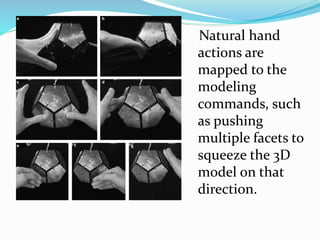
Natural hand
actions are
mapped to the
modeling
commands, such
as pushing
multiple facets to
squeeze the 3D
model on that
direction.
IMPLEMENTATION
iSphere is implemented with
 Physical materials,
 Capacitive sensors,
 A lowcost circuit board and
 Software plug-ins of modern CAD systems.
Physical Interface
 Each side of the dodecahedron is a plastic acrylic
piece, designed, with a copper backing and foam.
It was assembled with fitting pieces that snap it
together. Each of them is capable of sensing eight
degrees within six inches above the surface of the
pentagon when a hand is placed over it.The 12
facets were also covered with foam in order to
provide instant feedback that allows user to feel
the distance from hands and the surface.
SYSTEM ARCHITECTURE
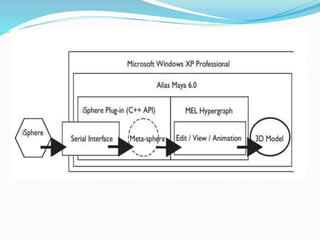
 The system architecture is described as a
flowchart, as shown in Figure.
 First, the hardware of iSphere connected via
the RS232 Serial Interface.
 Second, a meta-sphere maps raw data into a
data structure in order to control any 3D
object.
Thank You

iSphere - Device for 3D graphic modeling (CAD)

  • 1.
  • 2.
    WHAT IS ISPHERE? iSphere is an input device for modeling 3D geometries through hand manipulation. This device is equipped with capacitive sensors that can respond the proximity of hand positions to 3D modeling systems.
  • 3.
    . It allows usersto manipulate 3D geometries using high- level modeling concepts like push or pull the 3D surfaces. By collecting proximity information between hands and input device.
  • 4.
  • 5.
    (Cond.) Making 3D modelsshould be an easy and intuitive task like Free-hand sketching. iSphere is a 24 degree of freedom 3D input device. iSphere is a dodecahedron embedded with 12 capacitive sensors for pulling-out and pressing-in manipulation on 12 control points of 3D geometries.
  • 7.
  • 8.
    iSphere is aphysical reference for controlling 3D models interactively in a spatial way. It enables bi-manual interaction to shape 3D geometries through bare hands that makes interaction more realistic and playful which offload mental activities.
  • 9.
    1.REALISTIC INTERACTION  Makinginteraction in realistic and spatial ways enhances the experience of 3D modeling.  In most 3D modeling systems, keyboards and mice are good for command-executing and mode- switching. However, it still can not allow us to use a single and intuitive action for a small adjusting function.
  • 10.
    2.PLAY AND BUILD iSphere presents a top-down 3D modeling approach that allows designers to play and build 3D models and develop their concept through physical interactivity.  iSphere has an editing mode for modeling 3D geometries and an inspecting mode for navigating 3D scenes.We expect users of iSphere to model 3D as playing with a piece of clay
  • 11.
    . Natural hand actions are mappedto the modeling commands, such as pushing multiple facets to squeeze the 3D model on that direction.
  • 12.
    IMPLEMENTATION iSphere is implementedwith  Physical materials,  Capacitive sensors,  A lowcost circuit board and  Software plug-ins of modern CAD systems.
  • 13.
    Physical Interface  Eachside of the dodecahedron is a plastic acrylic piece, designed, with a copper backing and foam. It was assembled with fitting pieces that snap it together. Each of them is capable of sensing eight degrees within six inches above the surface of the pentagon when a hand is placed over it.The 12 facets were also covered with foam in order to provide instant feedback that allows user to feel the distance from hands and the surface.
  • 14.
    SYSTEM ARCHITECTURE  Thesystem architecture is described as a flowchart, as shown in Figure.  First, the hardware of iSphere connected via the RS232 Serial Interface.  Second, a meta-sphere maps raw data into a data structure in order to control any 3D object.
  • 16.