SMART
 NOTE
 TAKER


Presented By :


Bhupesh
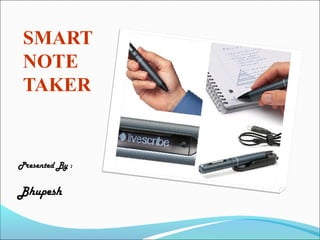
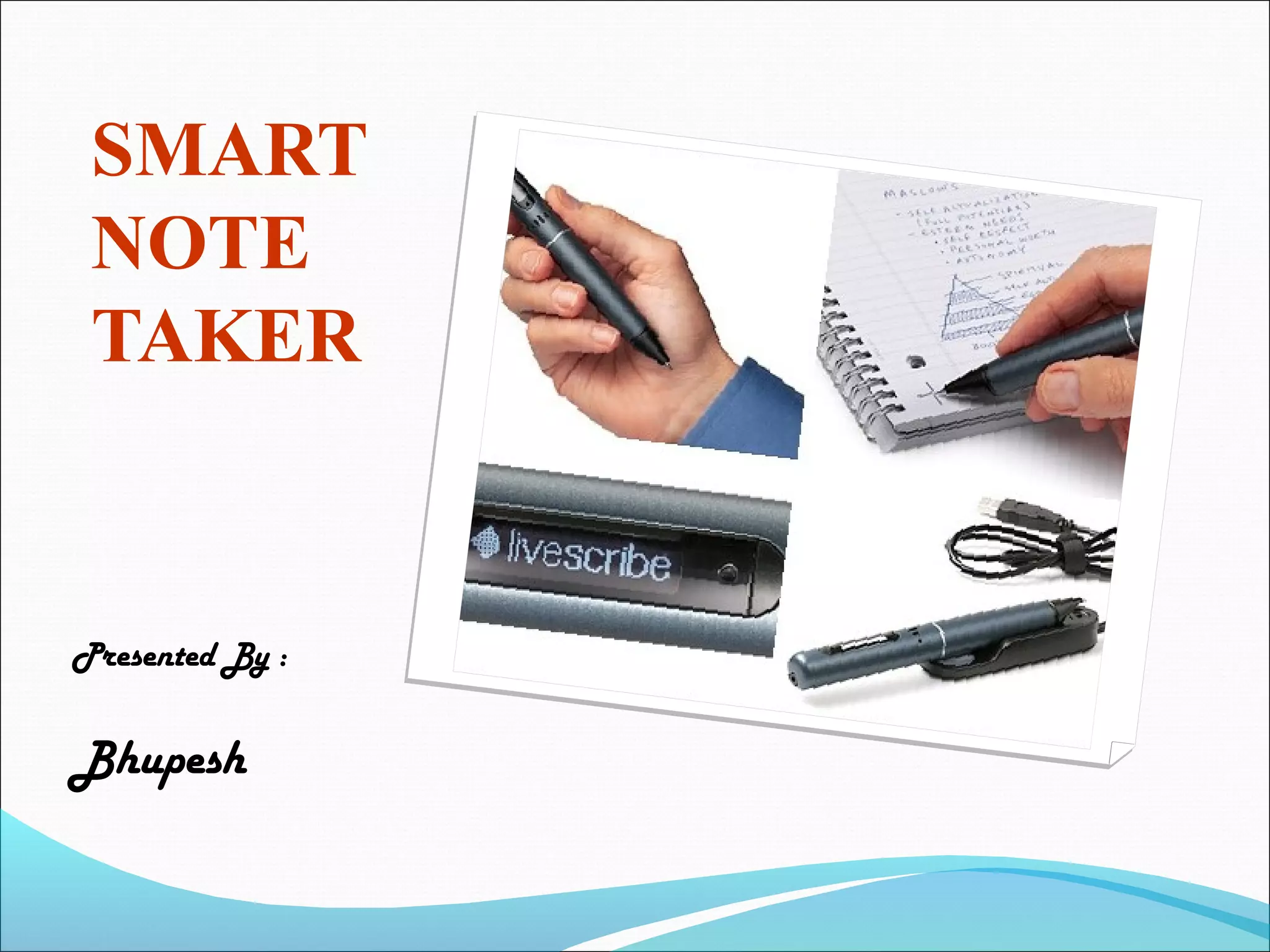
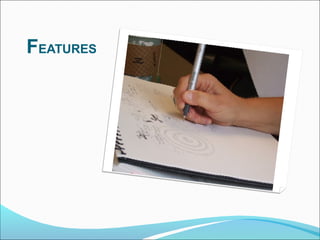
 Smart note taker is a very useful product that
 could satisfy the needs of people in today's
 technological and fast life.

 This product can be used in many ways.


 The Smart note taker provides taking fast and easy
 notes to people who are busy with something.
 With the help of smart note taker People will be able
  to make notes in air, while being busy with their work.

 The written notes will be stored in the memory chip of
  the pen and will be able to read in digital medium after
  the job is done.

 This will save time and facilitate life.
FEATURES
 1) The smart note taker is good and helpful for blinds
    that think and write freely.

 2) Another place, where our product can play an
  important role is where two people talk on the phone.

 3) The subscriber are apart from each other while their
  talk, and they may want to use figures or texts to
   Understand themselves better.

 4) It’s also useful especially for instructors in
  presentations. The instructors may not want to present
  the lecture in front of the board.
5) The drawn figure can be processed and
 directly sent to the server computer in the room.

 6) The server computer then can broadcast the
 drawn shape through network to all of the computers
 which are present in the room.

 By this way lectures are aimed to be more efficient
 and fun.
WORKING
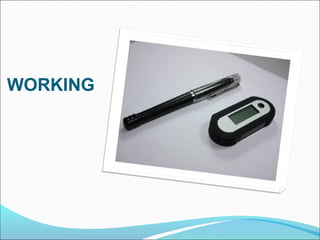
 This product will be simple but powerful. The
 product will be able to sense 3D shapes and motions
 that user tries to draw.

 The sensed information will be processed and
 transferred to the memory chip and then will be
 monitored on the display device.

 The drawn shape then can be broadcasted to the
 network or sent to a mobile device.
 There will be an additional feature of the product that
  will monitor the notes, which were taken before, on the
    Application program used in the computer.
 This application program can be a word document or
  an image file.
 Then, the sensed that were drawn into the air will be
  recognized and with the help of the software program
  we will write the desired character which will be printed
  in the word document.
 If the application program is a paint related program,
  then the most similar shape will be chosen by the
  program and then will be printed on screen.
CURRENT
PRODUCTS

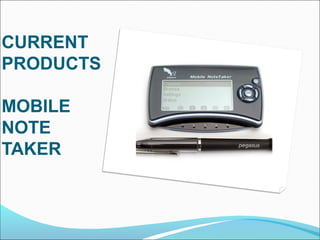
MOBILE
NOTE
TAKER
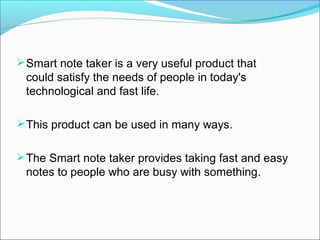
 The Ultimate Handwriting Capture Device.
 Mobile Note Taker is the world’s first portable
 handwriting capture device based on natural
 handwriting as an input.
Mobile Note Taker has a built-in LCD to confirm
 input.
 The on-board flash memory can store up to 50
 pages (size A4).
Mobile Note Taker works in two modes: -
  Mobile mode
  Connected mode.
CURRENT
PRODUCTS

PC
NOTE
TAKER
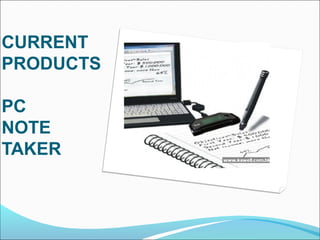
PC Notes Taker is the world's first device that
 captures natural handwriting on any surface onto a
 PC in real time
PC Notes Taker displays the user's handwritten
 notes, memos or drawings on the computer, and
 stores the image for future use.
 PC Notes Taker is ideal for markets where
 handwritten input is essential, such as health,
 educational and financial sectors. Supplied with
 user-friendly software
PC Notes Taker is compatible with PCs and
 notebooks.
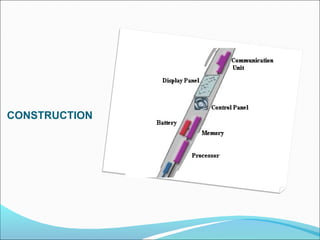
CONSTRUCTION
Operating System


Software program to convert data into text or string
 format

Displacement Sensor


Parallel cable


Analog to digital converter
 Since, JAVA applet is suitable for both the drawings
 and strings, all these applications can be put
 together by developing a single JAVA applet
 program.

 The java code that we will develop will also be
 installed on the pen so that the processor in the pen
 will be able to draw and type the desired text on the
 display panel.
APPLET:
 Applet is a function of java which for example, is a
  kind of container(file) which contains a set of
  programs made in java.

 It is widely used in making various applications based
   on java.

 It is one of the best features of java.
 The various strings, drawings etc. Will be made
 using a class file and this file will not be a single file.

 It will be a set of files linked together in a single
  applet program.
DATABASE:
 The system installed in the pen will consist of a
 database which will help the processor to recognize
 various words made visually in the air.

 Each word written in the air will resemble to a
 word in the database and the word present in the
 database will be printed.

 This will remain the basic principle of the working of a
 smart note taker.
ADVANTAGE
Easy-to-use wireless connection.
Information is very fast and easy way. Hence it is time
 saving.
Smart note taker is reliable and powerful.
It is helpful for blinds that think and write freely.
Smart note taker is used for instructors in
 presentations.
C
O
N
C
L
U
S
I
O
N
 Hence we can conclude that our product has many
 advantages over digital pen , since the smart note
 taker is a device that can store visual recordings
 and thus can be used widely.
References:

http://www.campus-technology.com
http://www2.smarttech.com/st/enUS/Prod
 ucts/Interactive+Pen+Displays
http://www.ipen4you.com
25

Smart note-taker

  • 1.
  • 2.
     Smart notetaker is a very useful product that could satisfy the needs of people in today's technological and fast life.  This product can be used in many ways.  The Smart note taker provides taking fast and easy notes to people who are busy with something.
  • 3.
     With thehelp of smart note taker People will be able to make notes in air, while being busy with their work.  The written notes will be stored in the memory chip of the pen and will be able to read in digital medium after the job is done.  This will save time and facilitate life.
  • 4.
  • 5.
     1) Thesmart note taker is good and helpful for blinds that think and write freely.  2) Another place, where our product can play an important role is where two people talk on the phone.  3) The subscriber are apart from each other while their talk, and they may want to use figures or texts to Understand themselves better.  4) It’s also useful especially for instructors in presentations. The instructors may not want to present the lecture in front of the board.
  • 6.
    5) The drawnfigure can be processed and directly sent to the server computer in the room.  6) The server computer then can broadcast the drawn shape through network to all of the computers which are present in the room.  By this way lectures are aimed to be more efficient and fun.
  • 7.
  • 8.
     This productwill be simple but powerful. The product will be able to sense 3D shapes and motions that user tries to draw.  The sensed information will be processed and transferred to the memory chip and then will be monitored on the display device.  The drawn shape then can be broadcasted to the network or sent to a mobile device.
  • 9.
     There willbe an additional feature of the product that will monitor the notes, which were taken before, on the Application program used in the computer.  This application program can be a word document or an image file.  Then, the sensed that were drawn into the air will be recognized and with the help of the software program we will write the desired character which will be printed in the word document.  If the application program is a paint related program, then the most similar shape will be chosen by the program and then will be printed on screen.
  • 10.
  • 11.
     The UltimateHandwriting Capture Device.  Mobile Note Taker is the world’s first portable handwriting capture device based on natural handwriting as an input. Mobile Note Taker has a built-in LCD to confirm input.  The on-board flash memory can store up to 50 pages (size A4). Mobile Note Taker works in two modes: - Mobile mode Connected mode.
  • 12.
  • 13.
    PC Notes Takeris the world's first device that captures natural handwriting on any surface onto a PC in real time PC Notes Taker displays the user's handwritten notes, memos or drawings on the computer, and stores the image for future use.  PC Notes Taker is ideal for markets where handwritten input is essential, such as health, educational and financial sectors. Supplied with user-friendly software PC Notes Taker is compatible with PCs and notebooks.
  • 14.
  • 15.
    Operating System Software programto convert data into text or string format Displacement Sensor Parallel cable Analog to digital converter
  • 16.
     Since, JAVAapplet is suitable for both the drawings and strings, all these applications can be put together by developing a single JAVA applet program.  The java code that we will develop will also be installed on the pen so that the processor in the pen will be able to draw and type the desired text on the display panel.
  • 17.
    APPLET:  Applet isa function of java which for example, is a kind of container(file) which contains a set of programs made in java.  It is widely used in making various applications based on java.  It is one of the best features of java.
  • 18.
     The variousstrings, drawings etc. Will be made using a class file and this file will not be a single file.  It will be a set of files linked together in a single applet program.
  • 19.
    DATABASE:  The systeminstalled in the pen will consist of a database which will help the processor to recognize various words made visually in the air.  Each word written in the air will resemble to a word in the database and the word present in the database will be printed.  This will remain the basic principle of the working of a smart note taker.
  • 20.
  • 21.
    Easy-to-use wireless connection. Informationis very fast and easy way. Hence it is time saving. Smart note taker is reliable and powerful. It is helpful for blinds that think and write freely. Smart note taker is used for instructors in presentations.
  • 22.
  • 23.
     Hence wecan conclude that our product has many advantages over digital pen , since the smart note taker is a device that can store visual recordings and thus can be used widely.
  • 24.
  • 25.