UCM6100 series Video Features
Agenda
1. UCM6100 series Overview and Video Overview
3. Integrating Video Surveillance
2. Video Calling with the UCM6100 series
4. Integrating Video Conferencing Solutions
5. Integrating IP Door Cameras
Delivering Voice, Video, Data & Mobility to SMBs
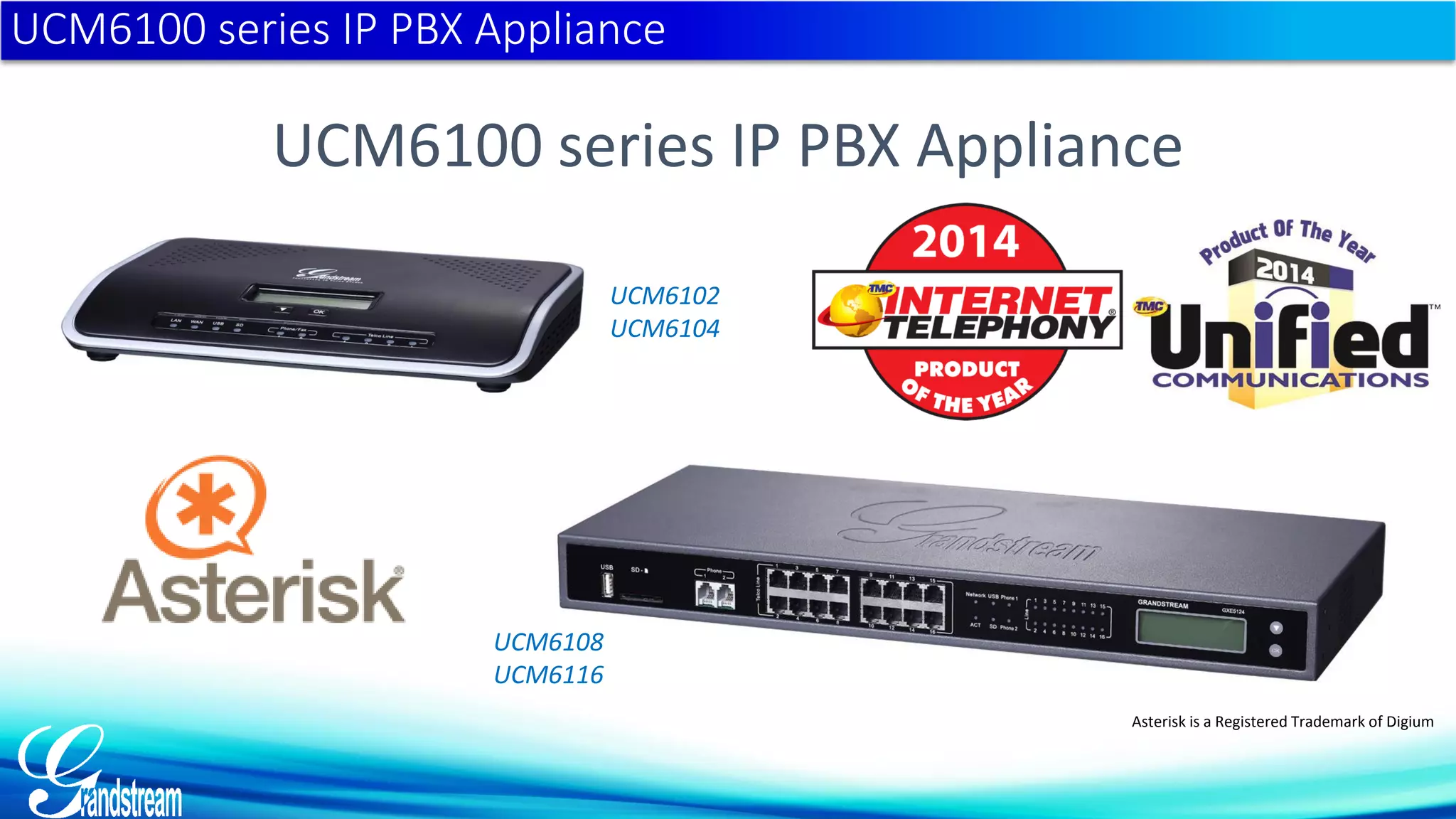
UCM6100 series IP PBX Appliance
UCM6102
UCM6104
UCM6108
UCM6116
Asterisk is a Registered Trademark of Digium
UCM6100 series IP PBX Appliance
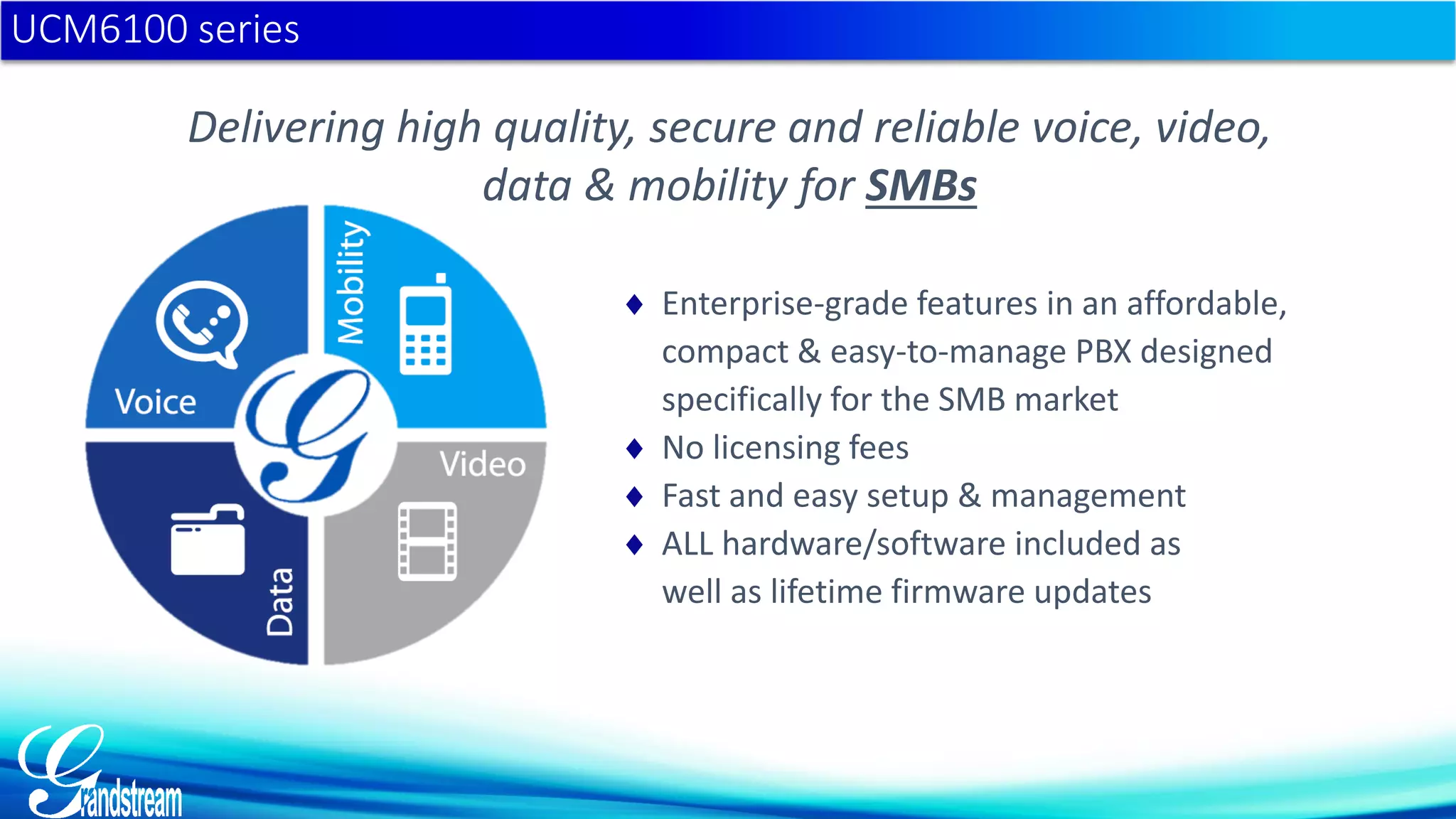
Delivering high quality, secure and reliable voice, video,
data & mobility for SMBs
 Enterprise-grade features in an affordable,
compact & easy-to-manage PBX designed
specifically for the SMB market
 No licensing fees
 Fast and easy setup & management
 ALL hardware/software included as
well as lifetime firmware updates
UCM6100 series
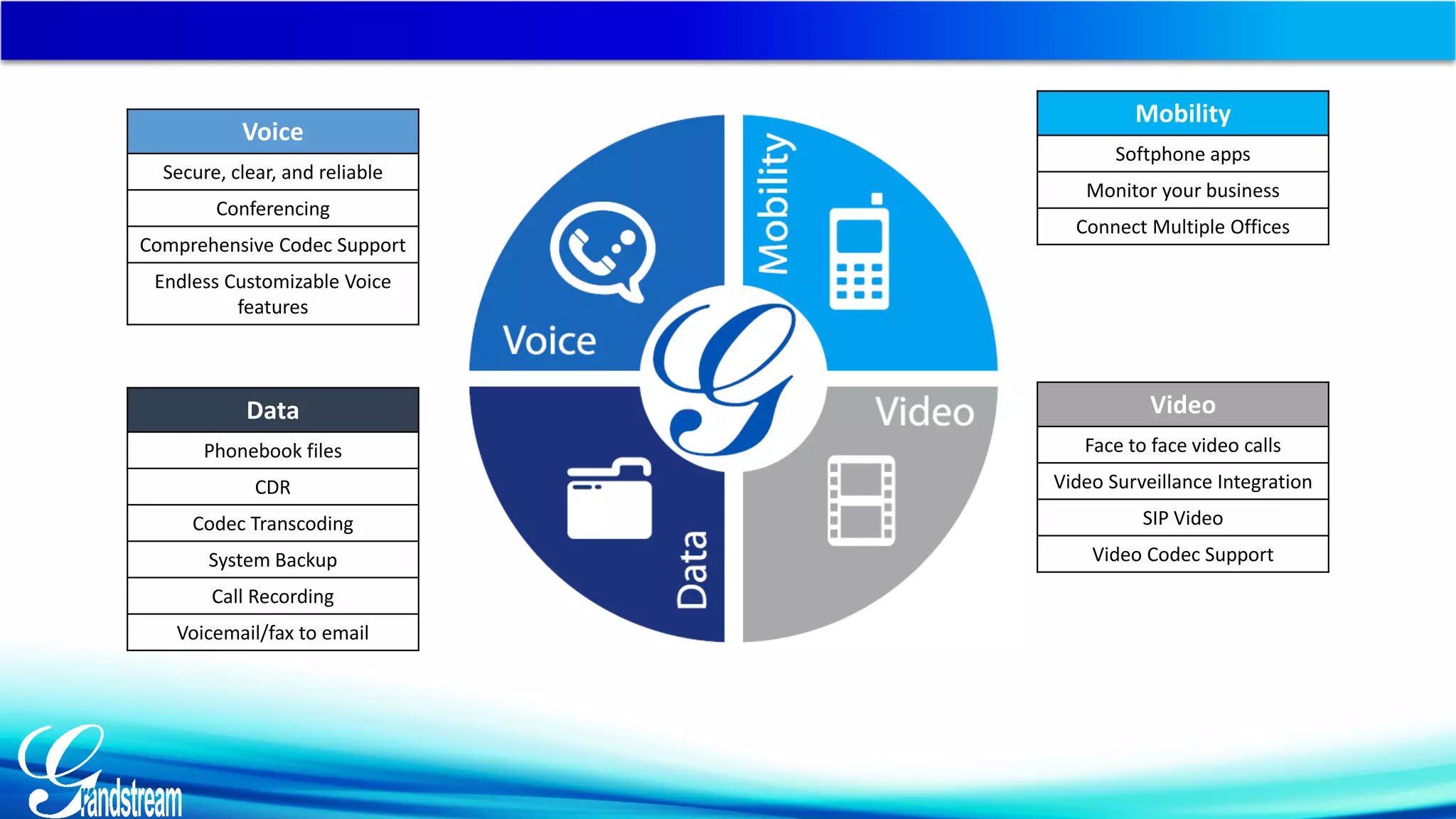
Voice
Secure, clear, and reliable
Conferencing
Comprehensive Codec Support
Endless Customizable Voice
features
Data
Phonebook files
CDR
Codec Transcoding
System Backup
Call Recording
Voicemail/fax to email
Mobility
Softphone apps
Monitor your business
Connect Multiple Offices
Video
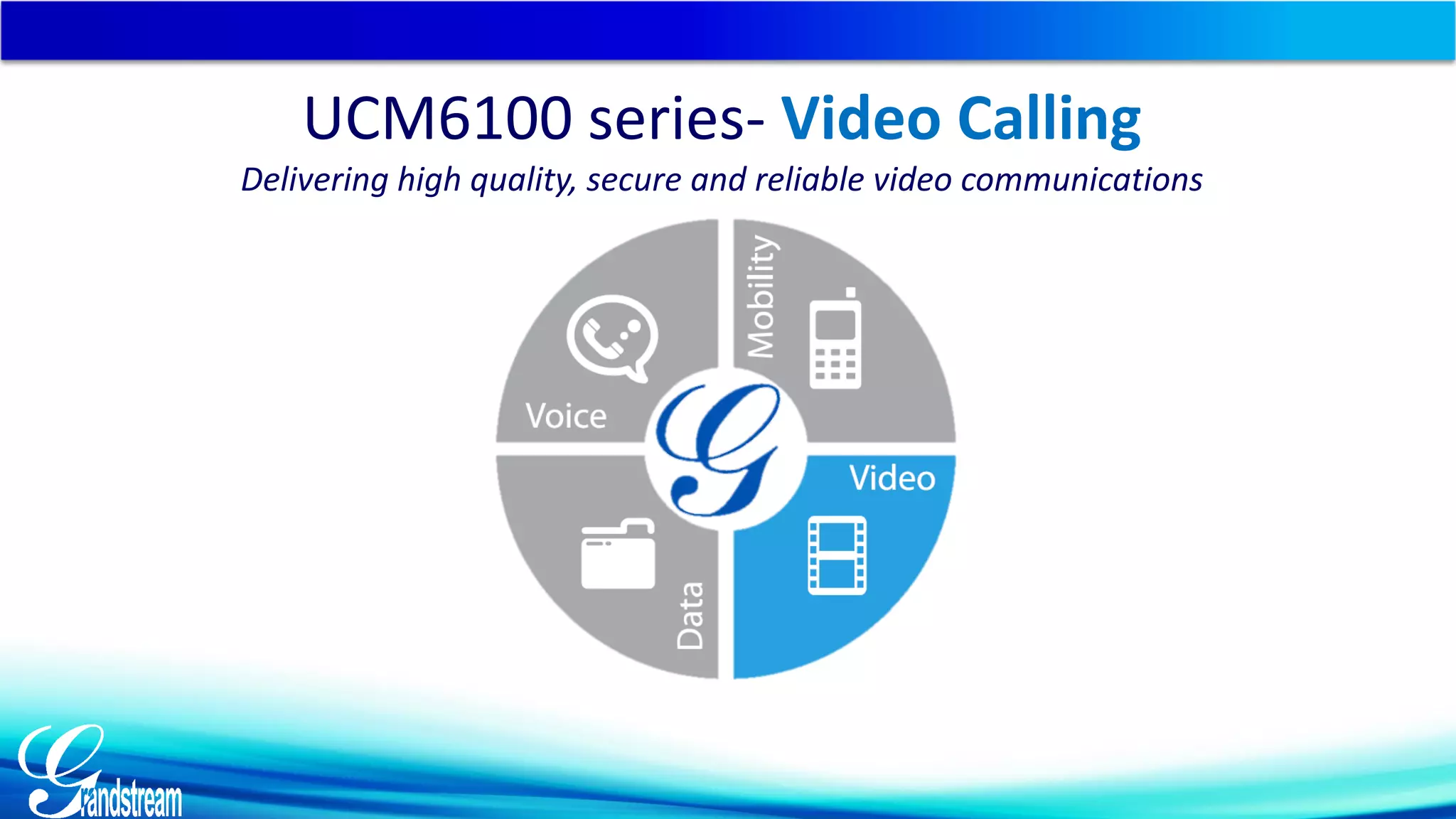
Face to face video calls
Video Surveillance Integration
SIP Video
Video Codec Support
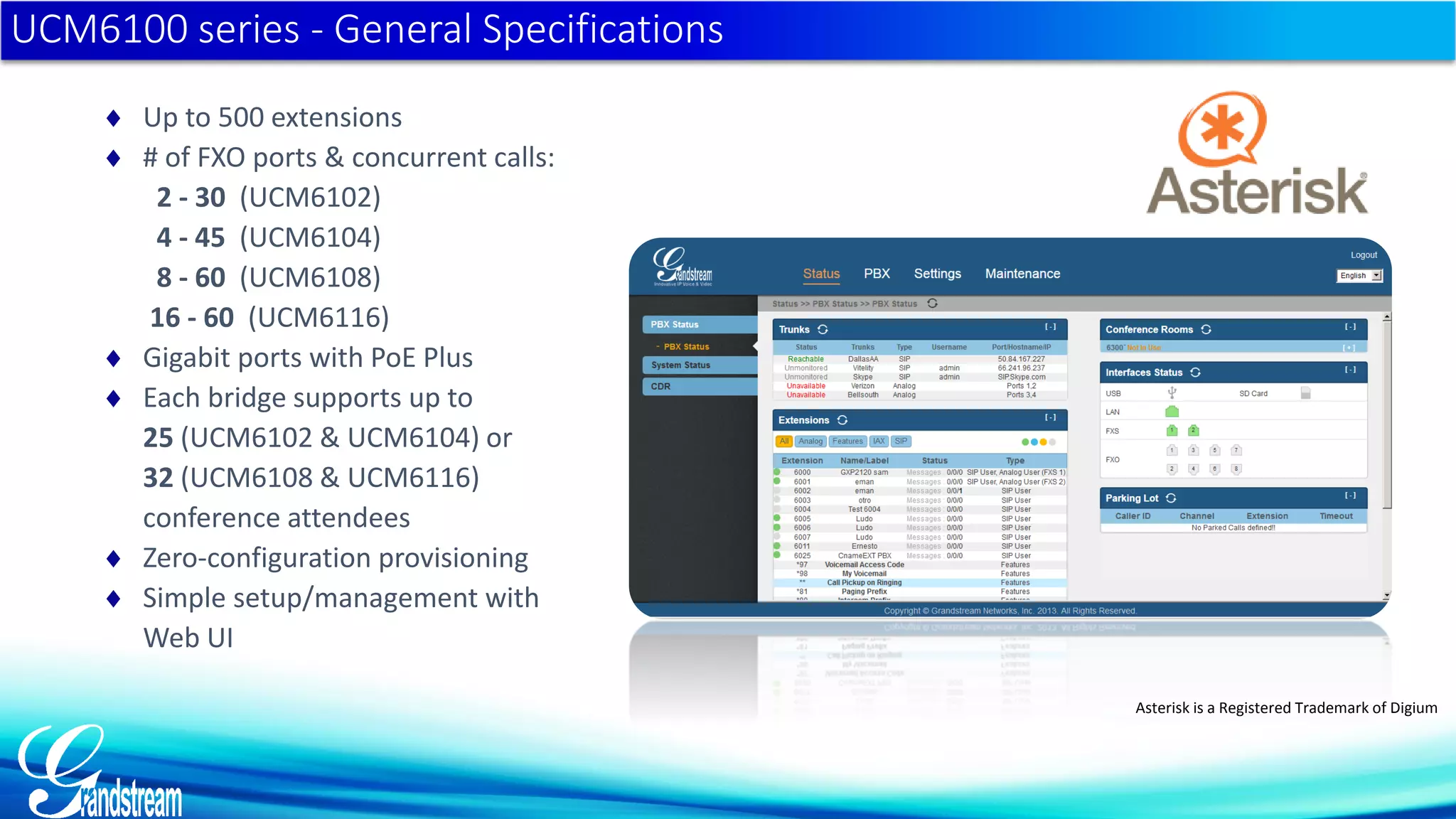
 Up to 500 extensions
 # of FXO ports & concurrent calls:
2 - 30 (UCM6102)
4 - 45 (UCM6104)
8 - 60 (UCM6108)
16 - 60 (UCM6116)
 Gigabit ports with PoE Plus
 Each bridge supports up to
25 (UCM6102 & UCM6104) or
32 (UCM6108 & UCM6116)
conference attendees
 Zero-configuration provisioning
 Simple setup/management with
Web UI
UCM6100 series - General Specifications
Asterisk is a Registered Trademark of Digium
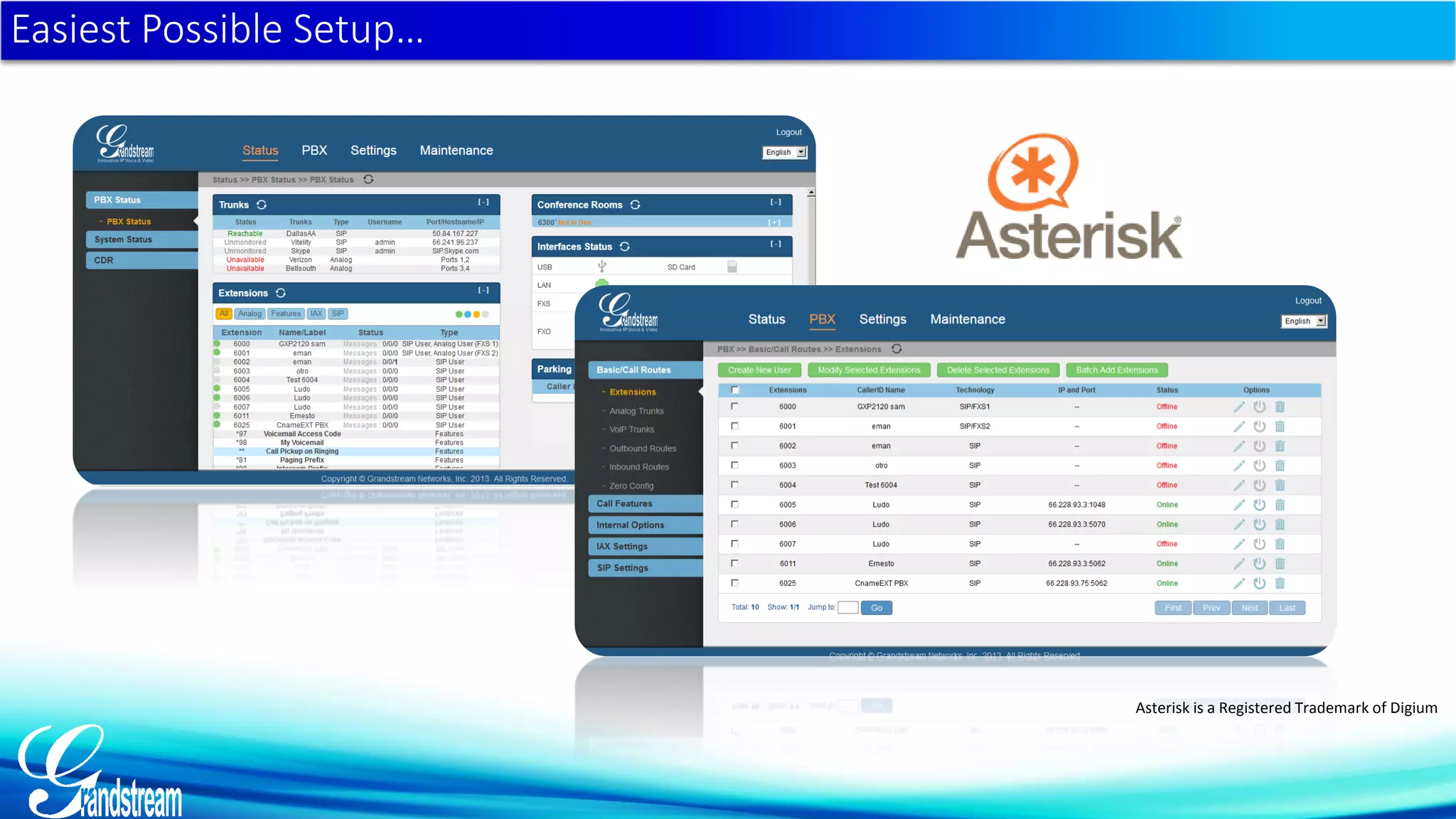
Easiest Possible Setup…
Asterisk is a Registered Trademark of Digium
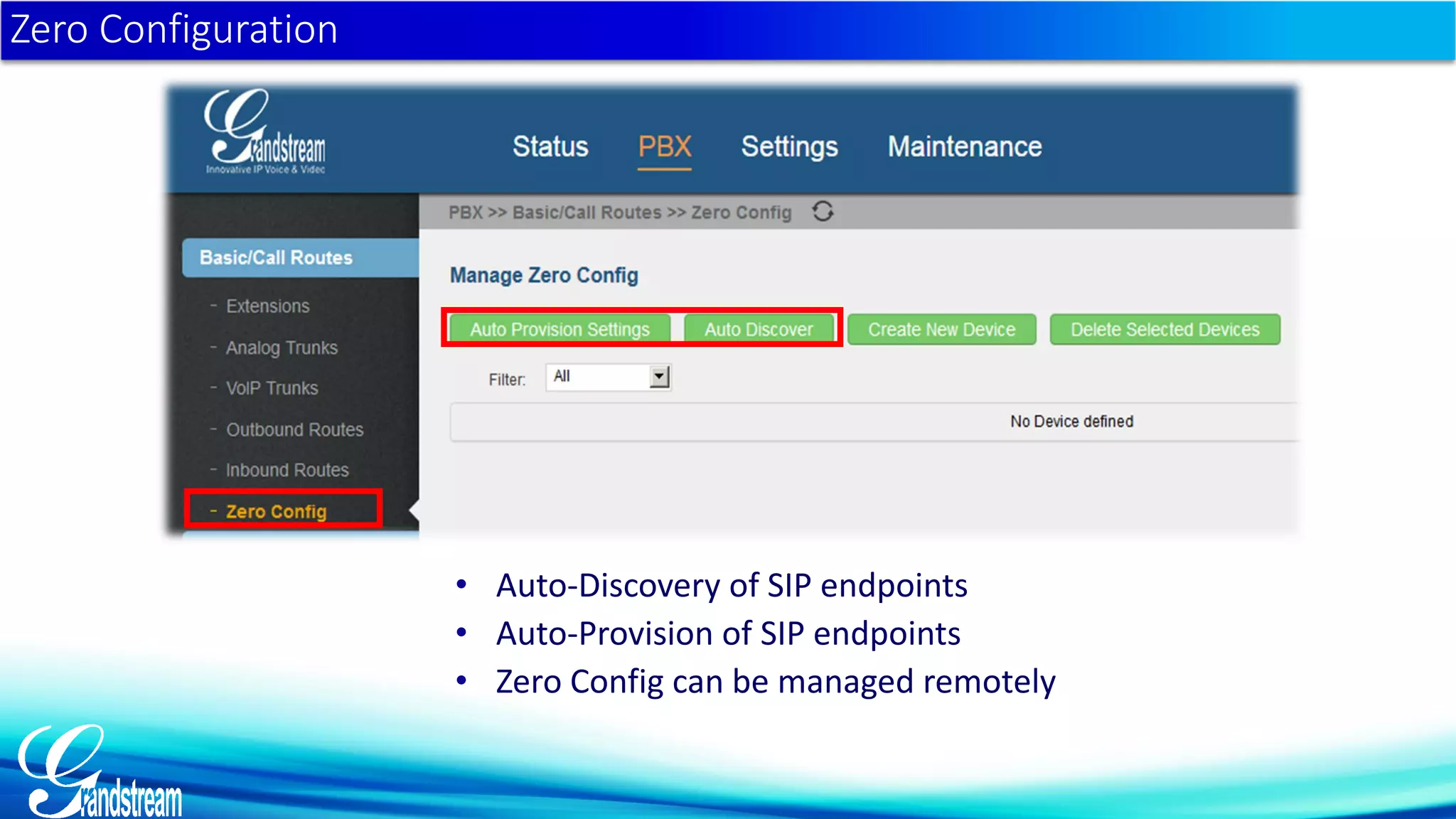
• Auto-Discovery of SIP endpoints
• Auto-Provision of SIP endpoints
• Zero Config can be managed remotely
Zero Configuration
UCM6100 series – Full SIP Video Support
Full SIP Video Support
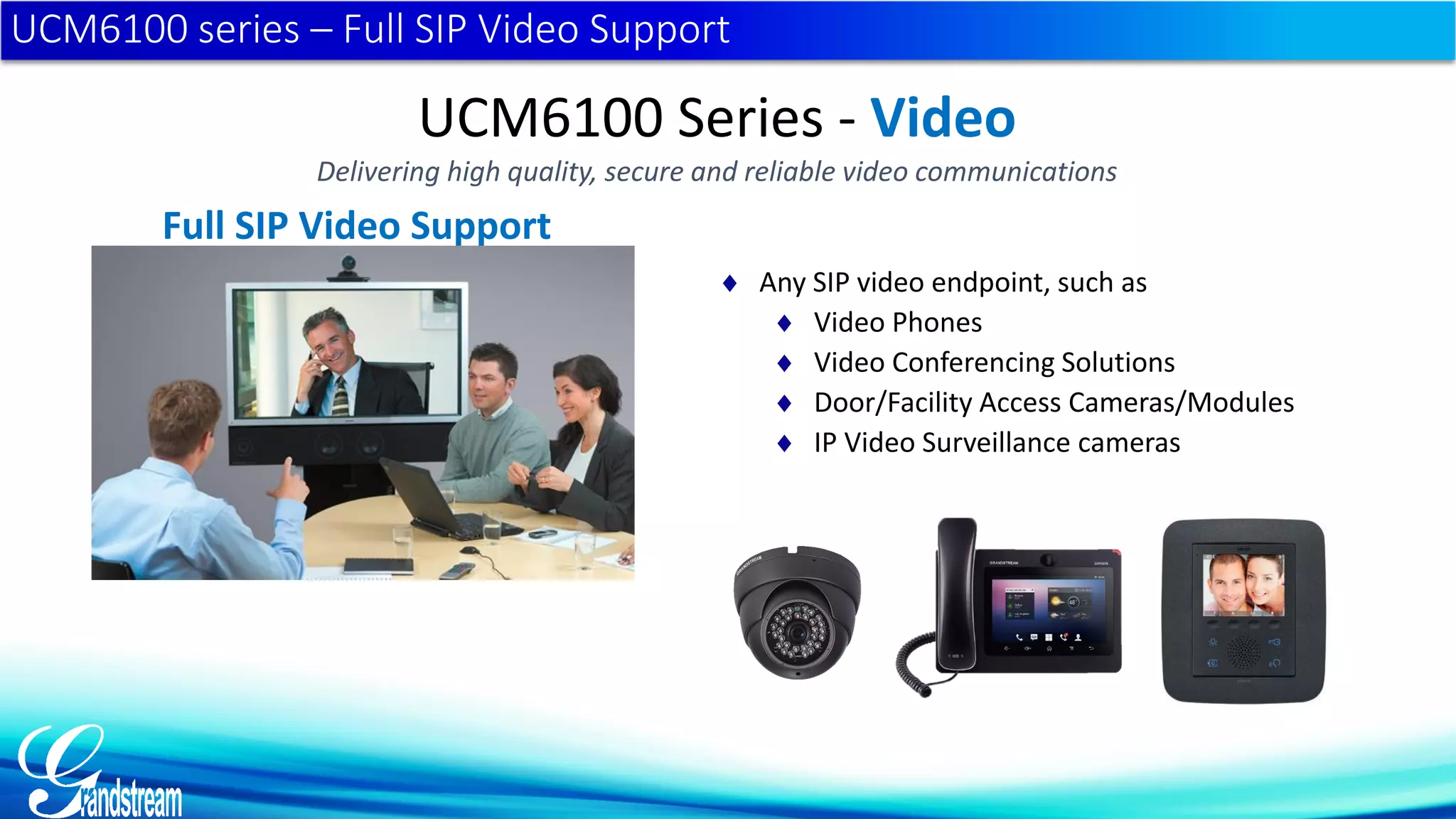
 Any SIP video endpoint, such as
 Video Phones
 Video Conferencing Solutions
 Door/Facility Access Cameras/Modules
 IP Video Surveillance cameras
UCM6100 Series - Video
Delivering high quality, secure and reliable video communications
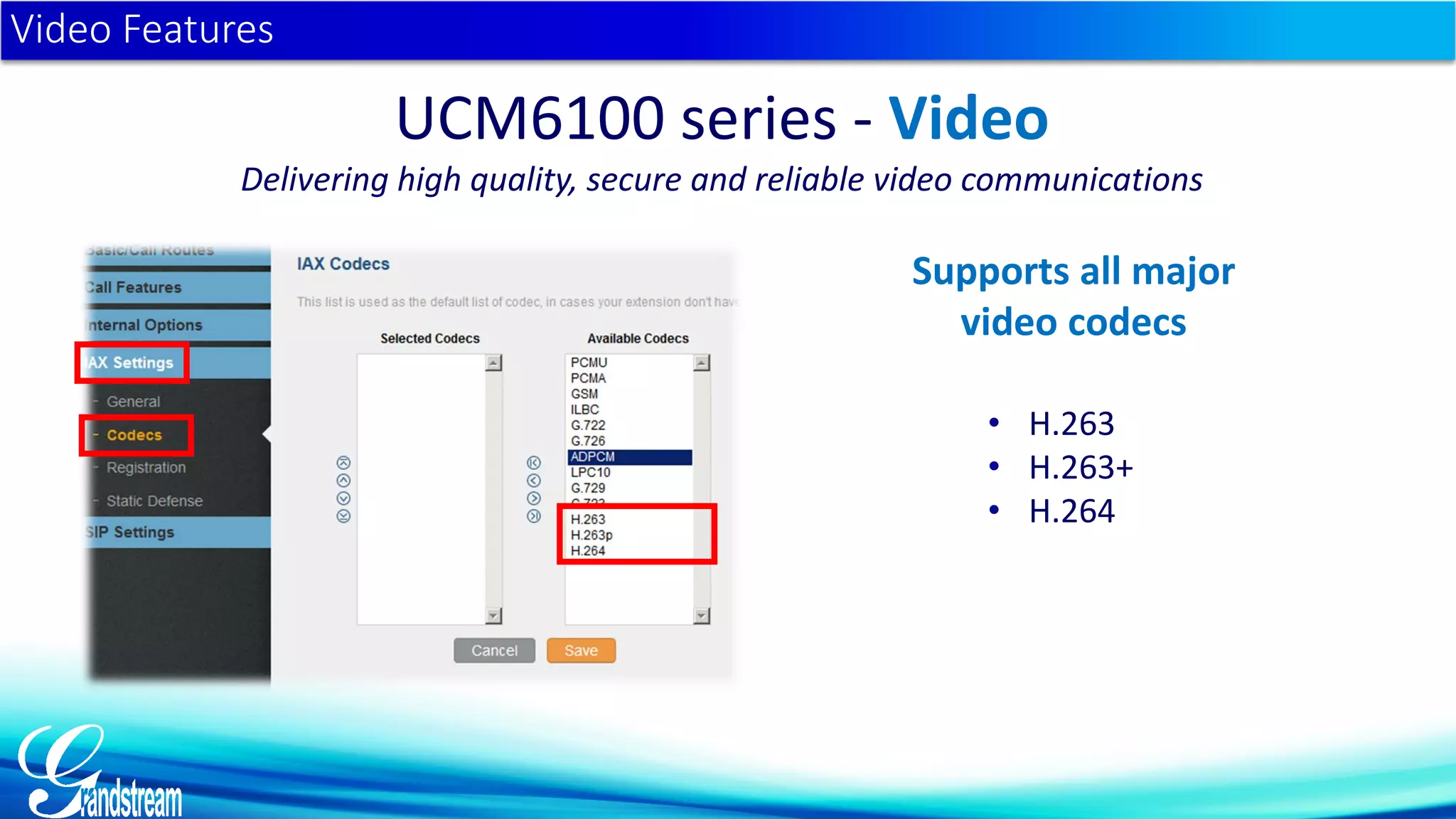
• H.263
• H.263+
• H.264
Video Features
UCM6100 series - Video
Delivering high quality, secure and reliable video communications
Supports all major
video codecs
UCM6100 series- Video Calling
Delivering high quality, secure and reliable video communications
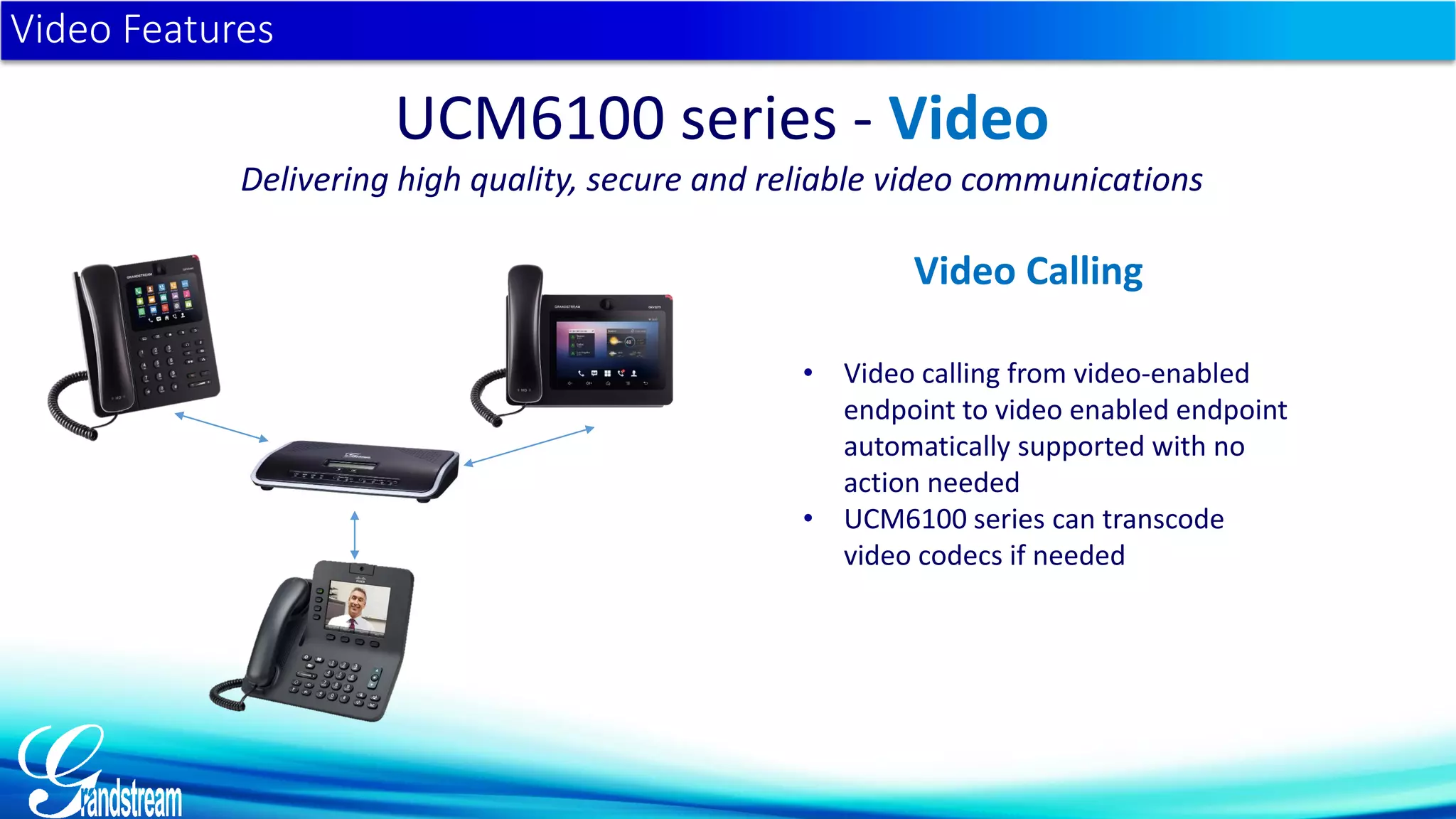
• Video calling from video-enabled
endpoint to video enabled endpoint
automatically supported with no
action needed
• UCM6100 series can transcode
video codecs if needed
Video Features
UCM6100 series - Video
Delivering high quality, secure and reliable video communications
Video Calling
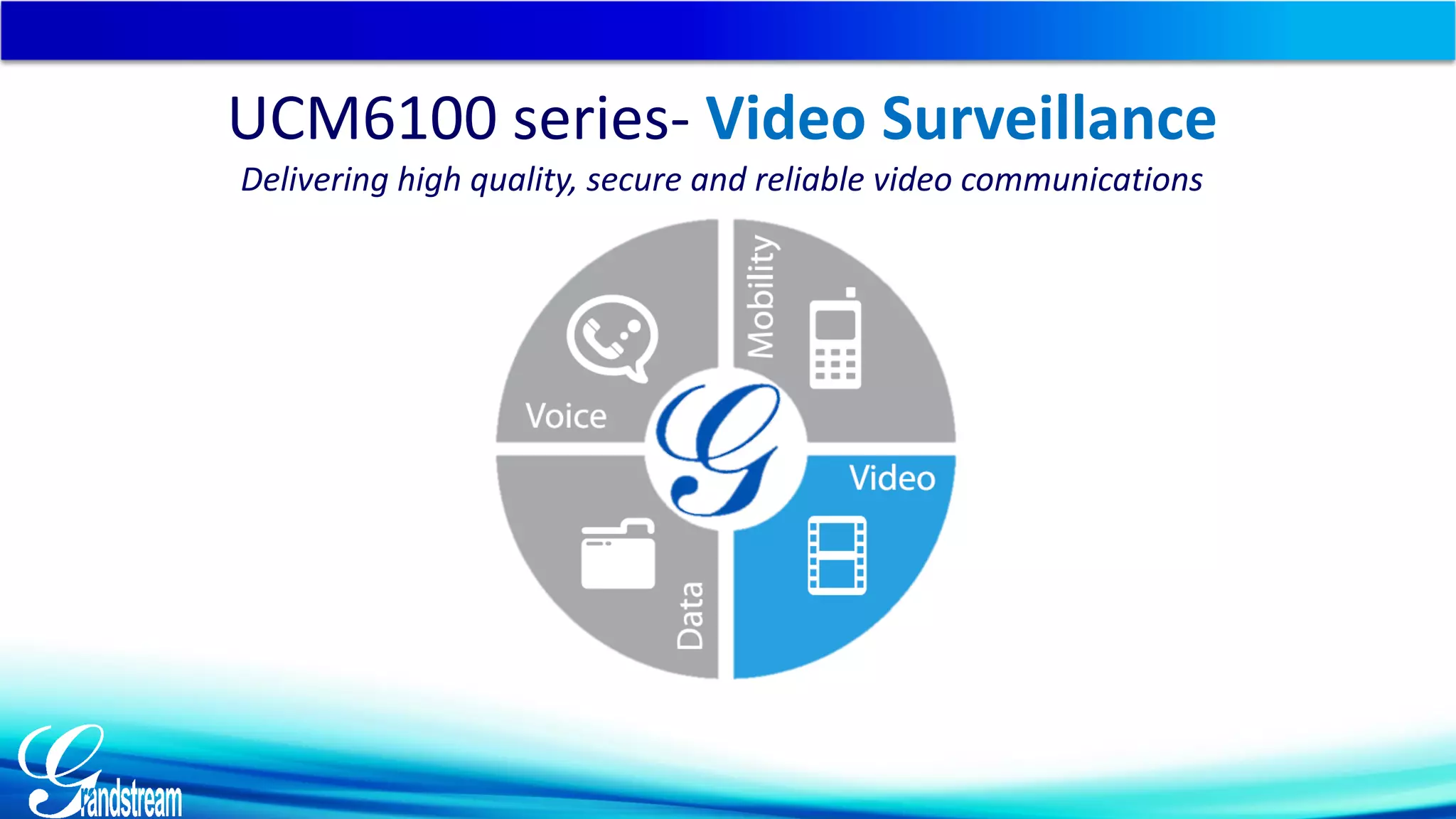
UCM6100 series- Video Surveillance
Delivering high quality, secure and reliable video communications
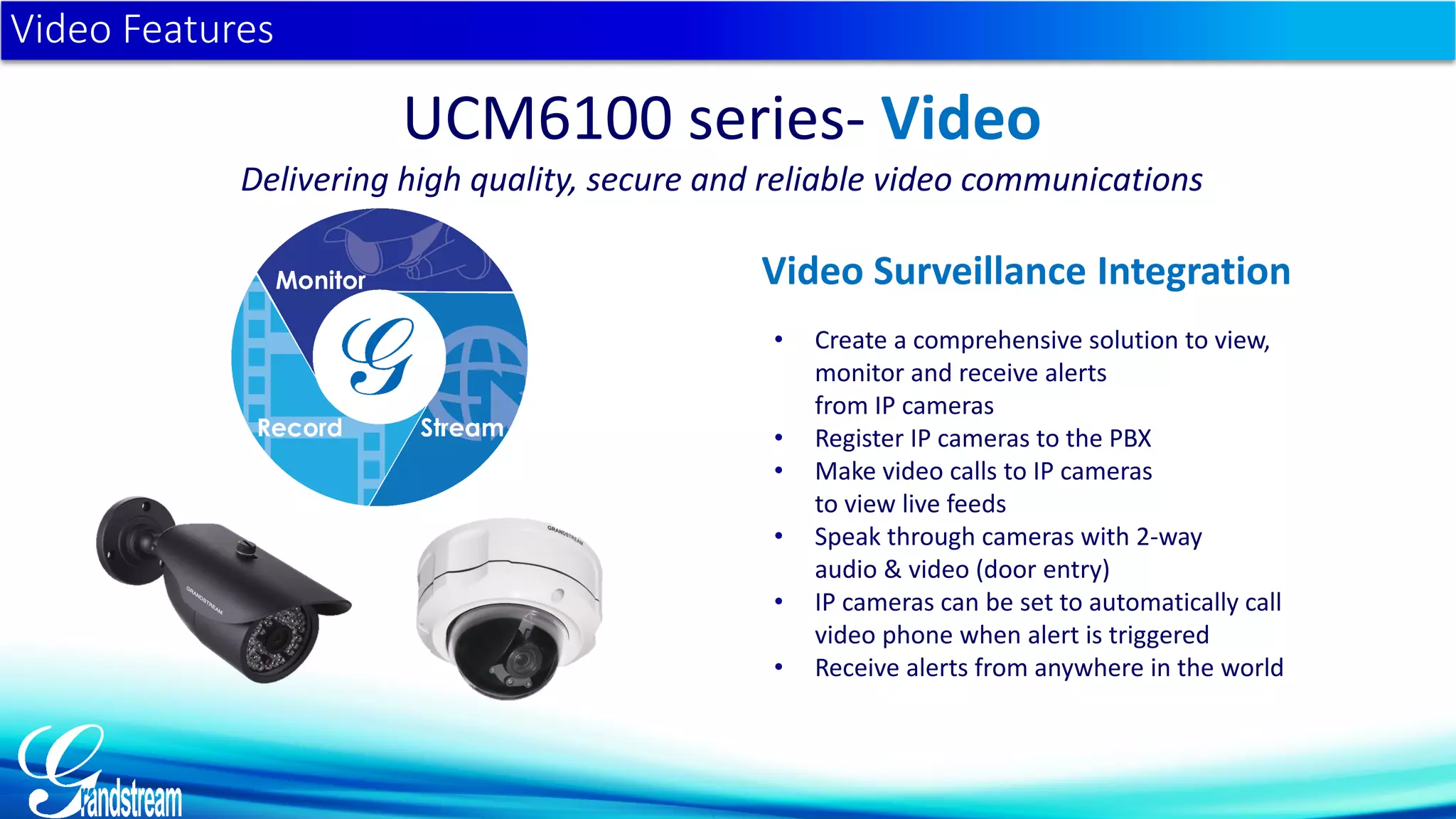
• Create a comprehensive solution to view,
monitor and receive alerts
from IP cameras
• Register IP cameras to the PBX
• Make video calls to IP cameras
to view live feeds
• Speak through cameras with 2-way
audio & video (door entry)
• IP cameras can be set to automatically call
video phone when alert is triggered
• Receive alerts from anywhere in the world
Video Features
UCM6100 series- Video
Delivering high quality, secure and reliable video communications
Video Surveillance Integration
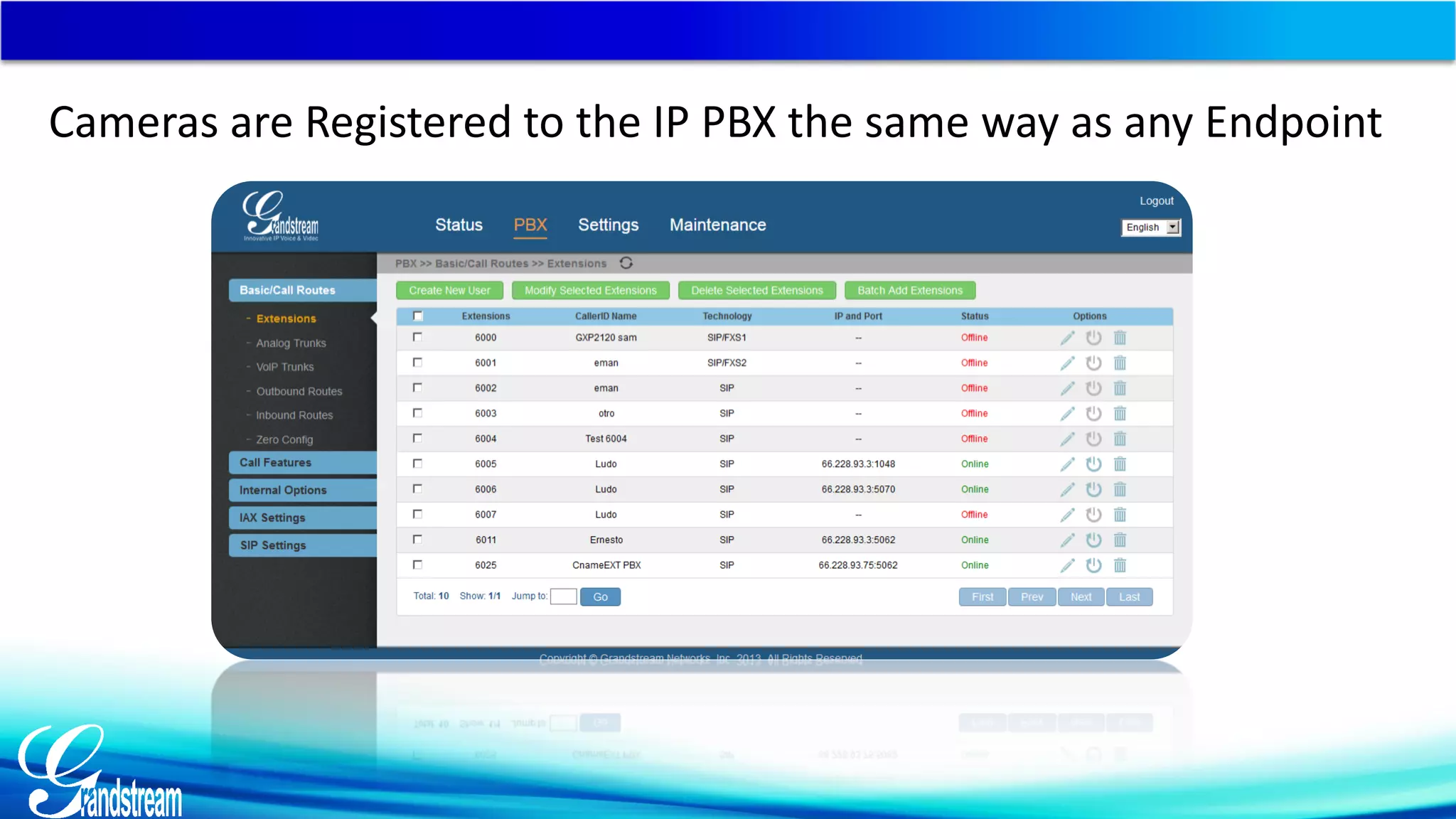
Cameras are Registered to the IP PBX the same way as any Endpoint
Integrate Surveillance with Your IP PBX
Make it a Solution…
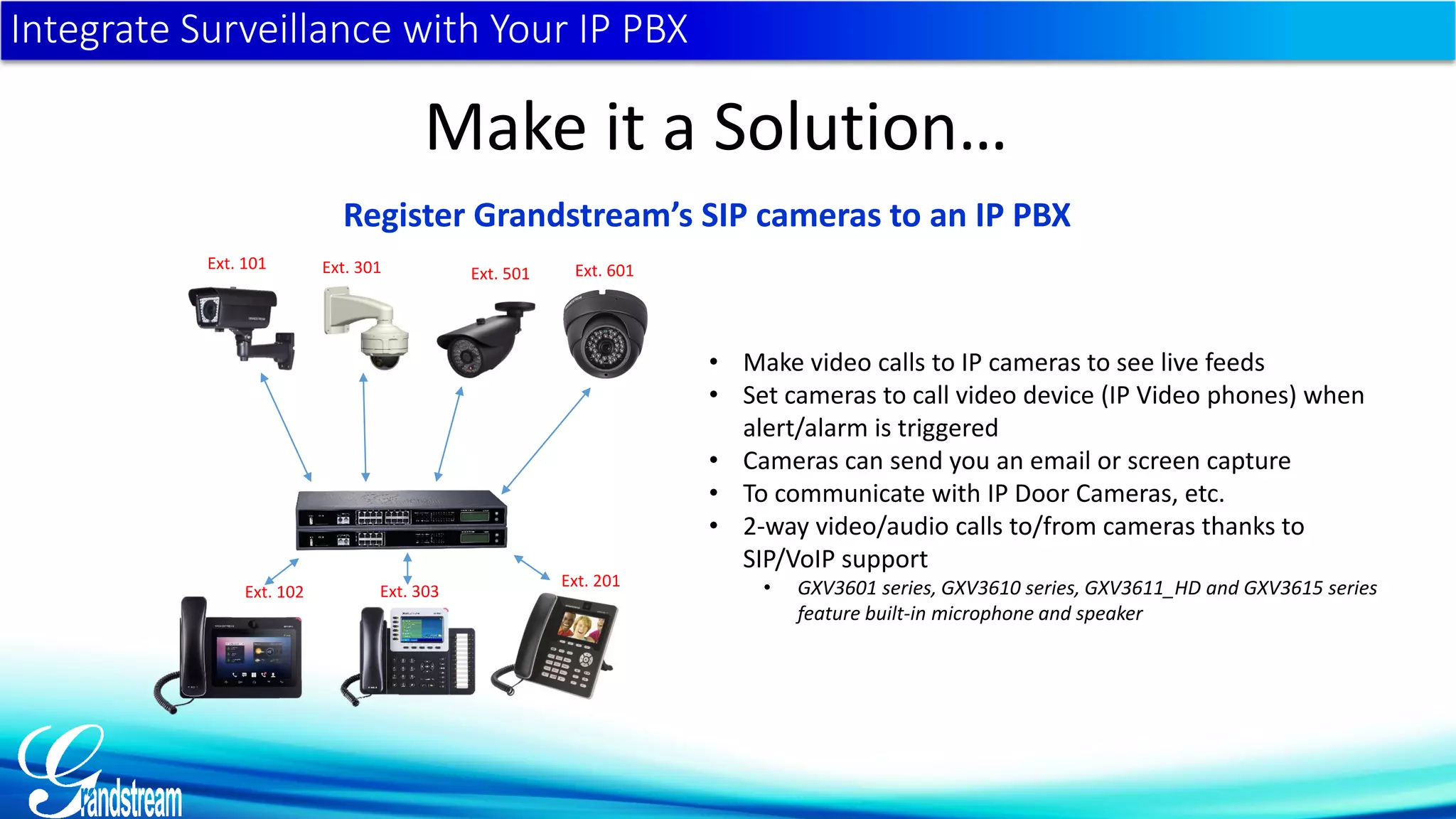
Register Grandstream’s SIP cameras to an IP PBX
Ext. 101 Ext. 301 Ext. 501 Ext. 601
• Make video calls to IP cameras to see live feeds
• Set cameras to call video device (IP Video phones) when
alert/alarm is triggered
• Cameras can send you an email or screen capture
• To communicate with IP Door Cameras, etc.
• 2-way video/audio calls to/from cameras thanks to
SIP/VoIP support
• GXV3601 series, GXV3610 series, GXV3611_HD and GXV3615 series
feature built-in microphone and speaker
Ext. 102
Ext. 201
Ext. 303
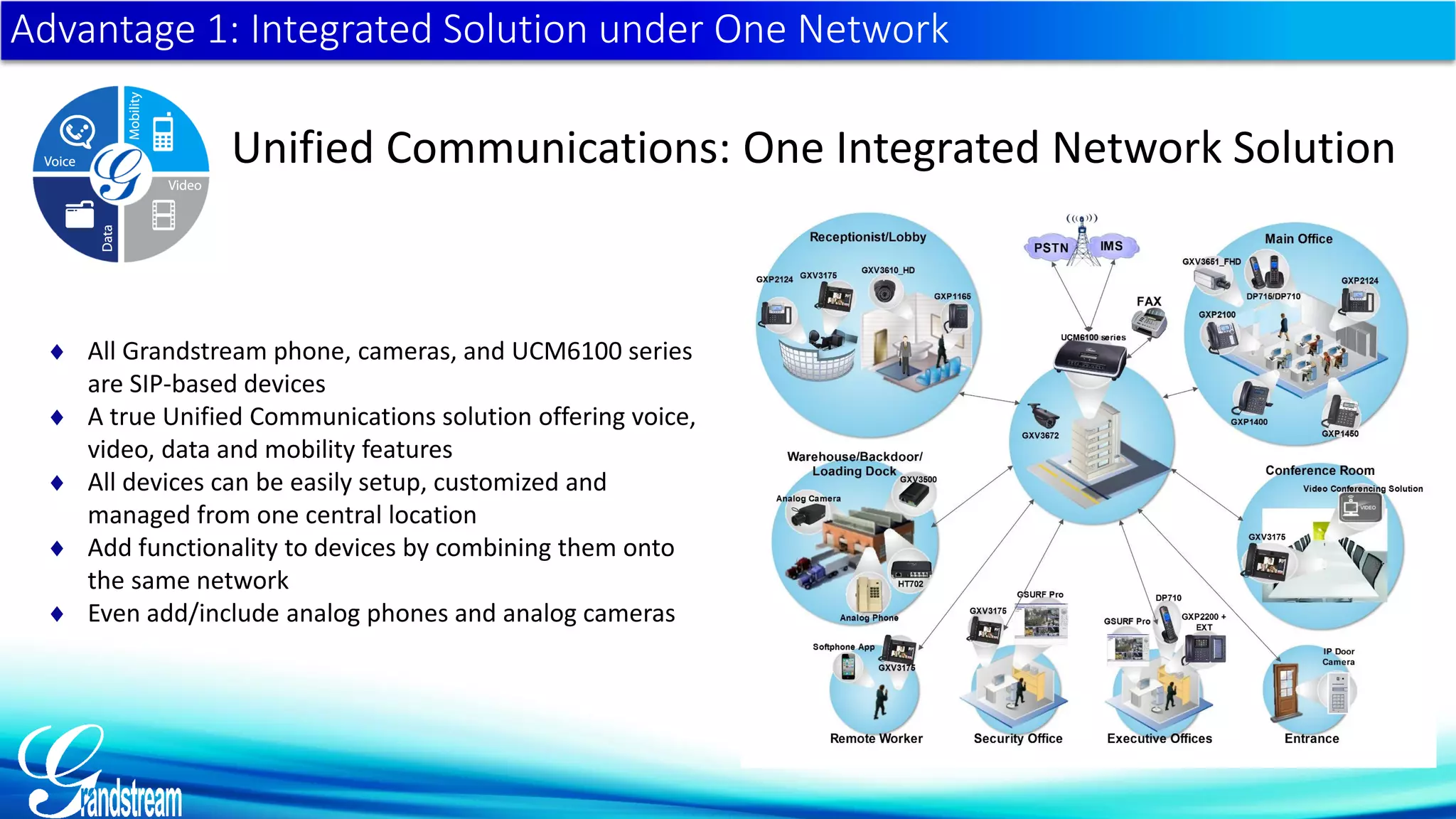
Advantage 1: Integrated Solution under One Network
Unified Communications: One Integrated Network Solution
 All Grandstream phone, cameras, and UCM6100 series
are SIP-based devices
 A true Unified Communications solution offering voice,
video, data and mobility features
 All devices can be easily setup, customized and
managed from one central location
 Add functionality to devices by combining them onto
the same network
 Even add/include analog phones and analog cameras
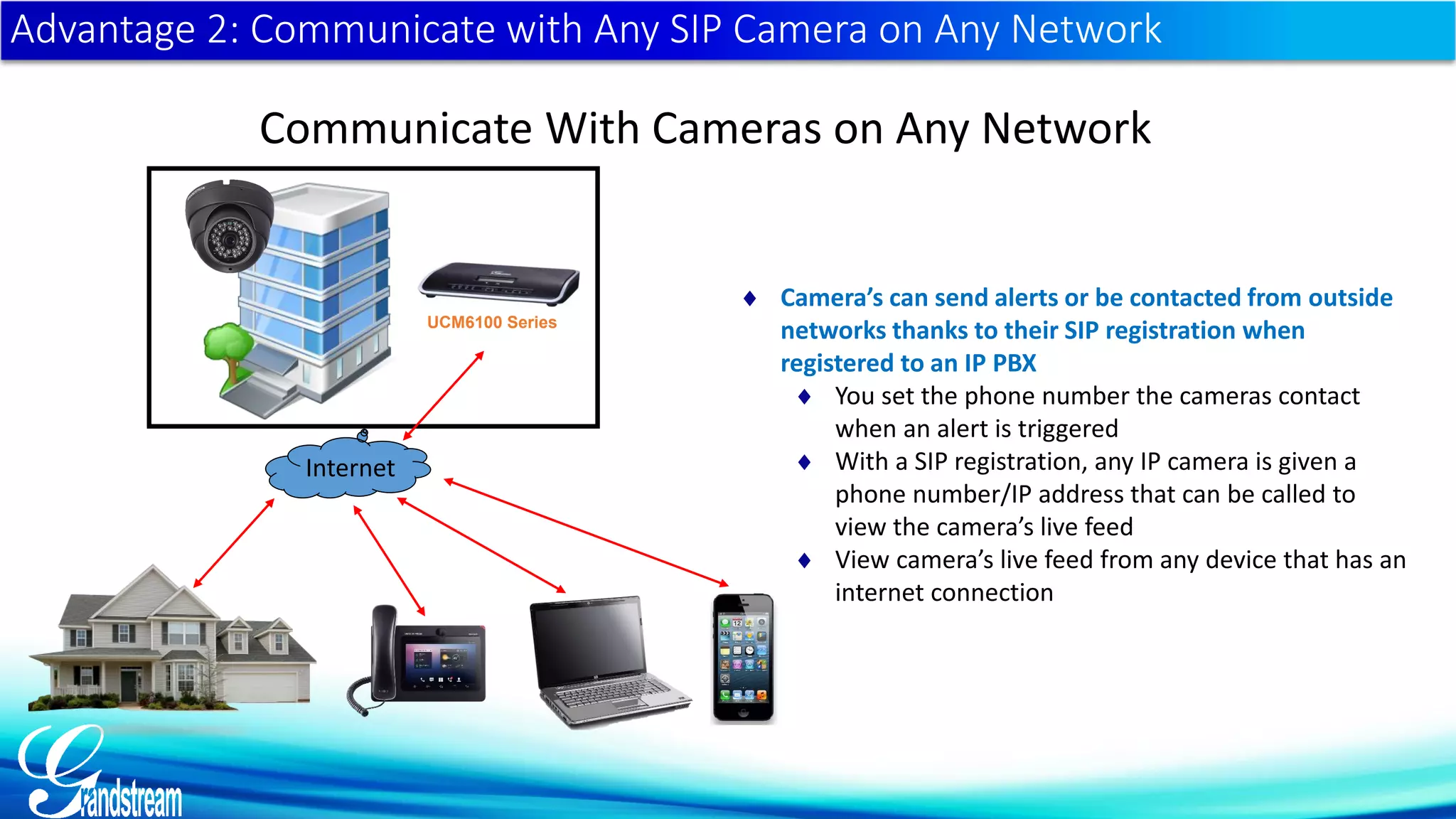
Advantage 2: Communicate with Any SIP Camera on Any Network
Communicate With Cameras on Any Network
 Camera’s can send alerts or be contacted from outside
networks thanks to their SIP registration when
registered to an IP PBX
 You set the phone number the cameras contact
when an alert is triggered
 With a SIP registration, any IP camera is given a
phone number/IP address that can be called to
view the camera’s live feed
 View camera’s live feed from any device that has an
internet connection
Internet
UCM6100 Series
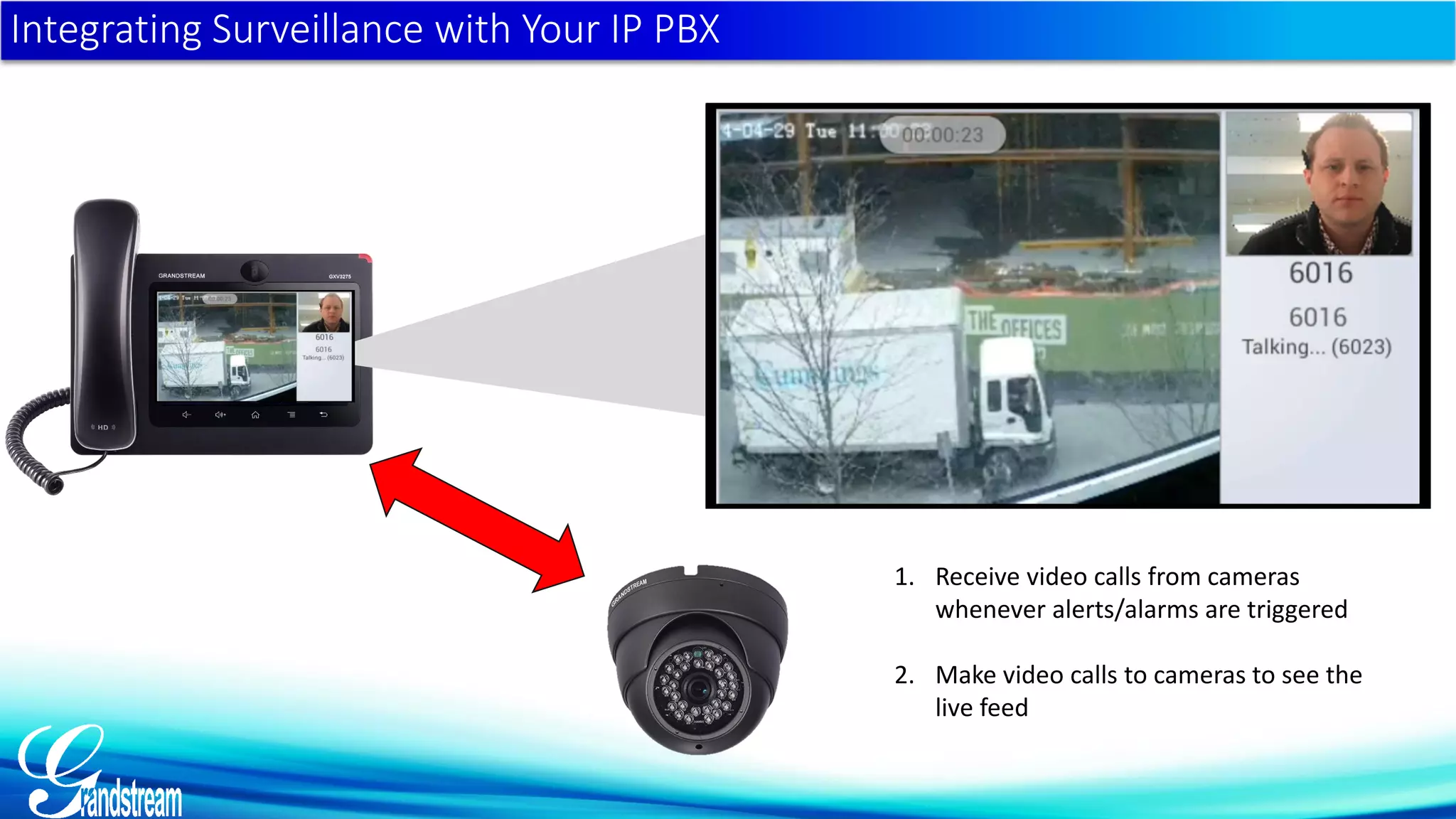
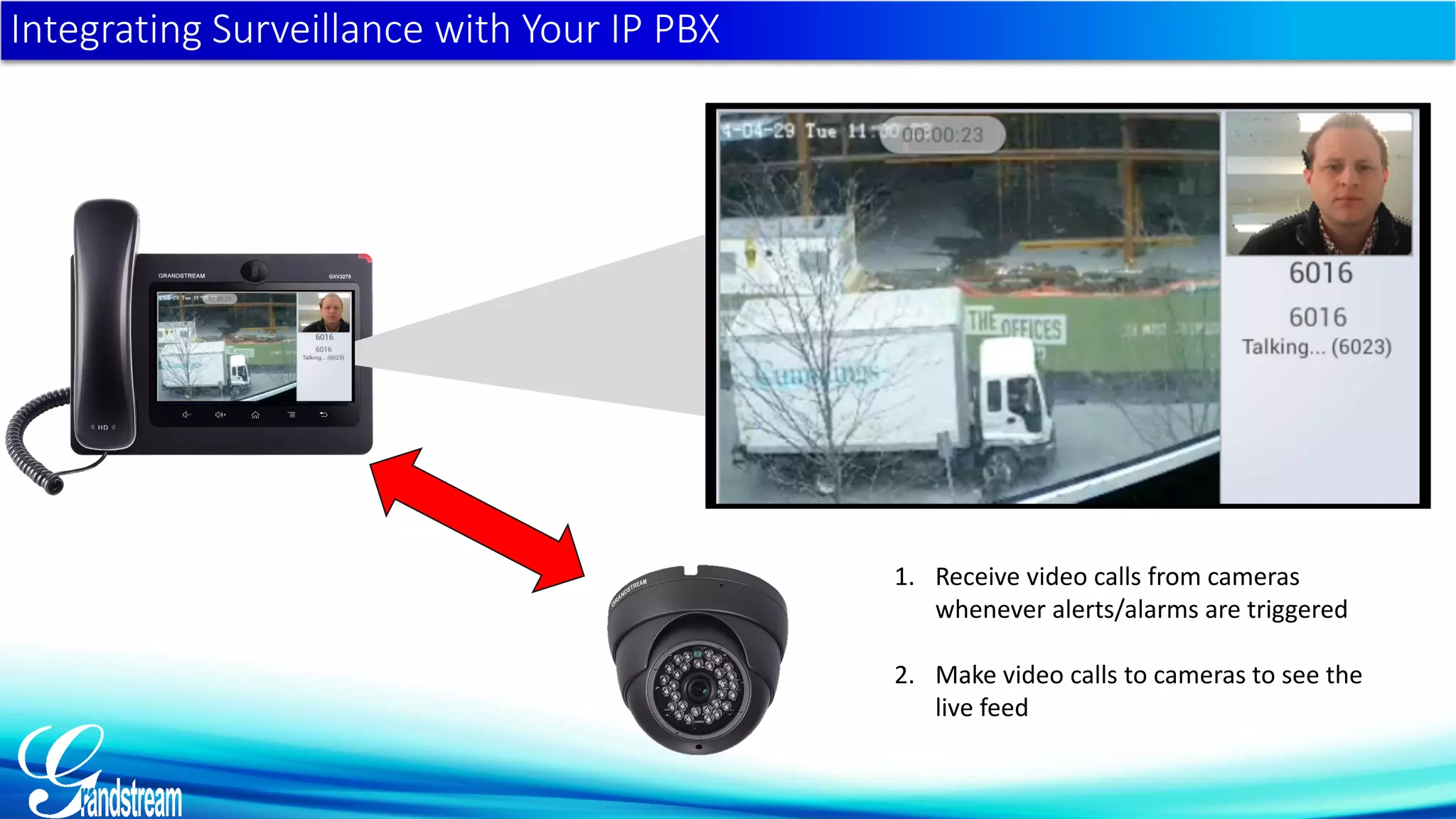
Integrating Surveillance with Your IP PBX
1. Receive video calls from cameras
whenever alerts/alarms are triggered
2. Make video calls to cameras to see the
live feed
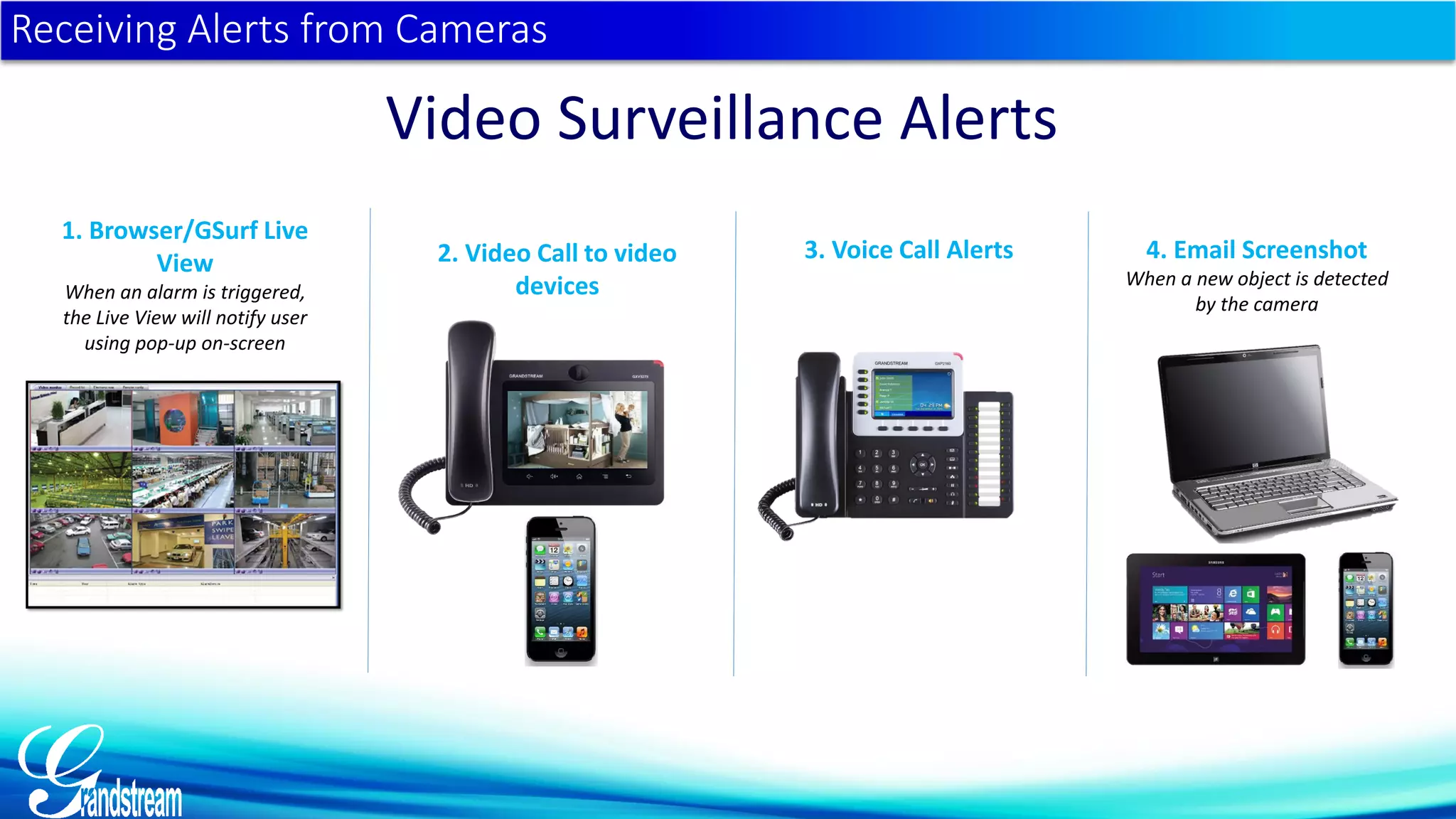
Receiving Alerts from Cameras
Video Surveillance Alerts
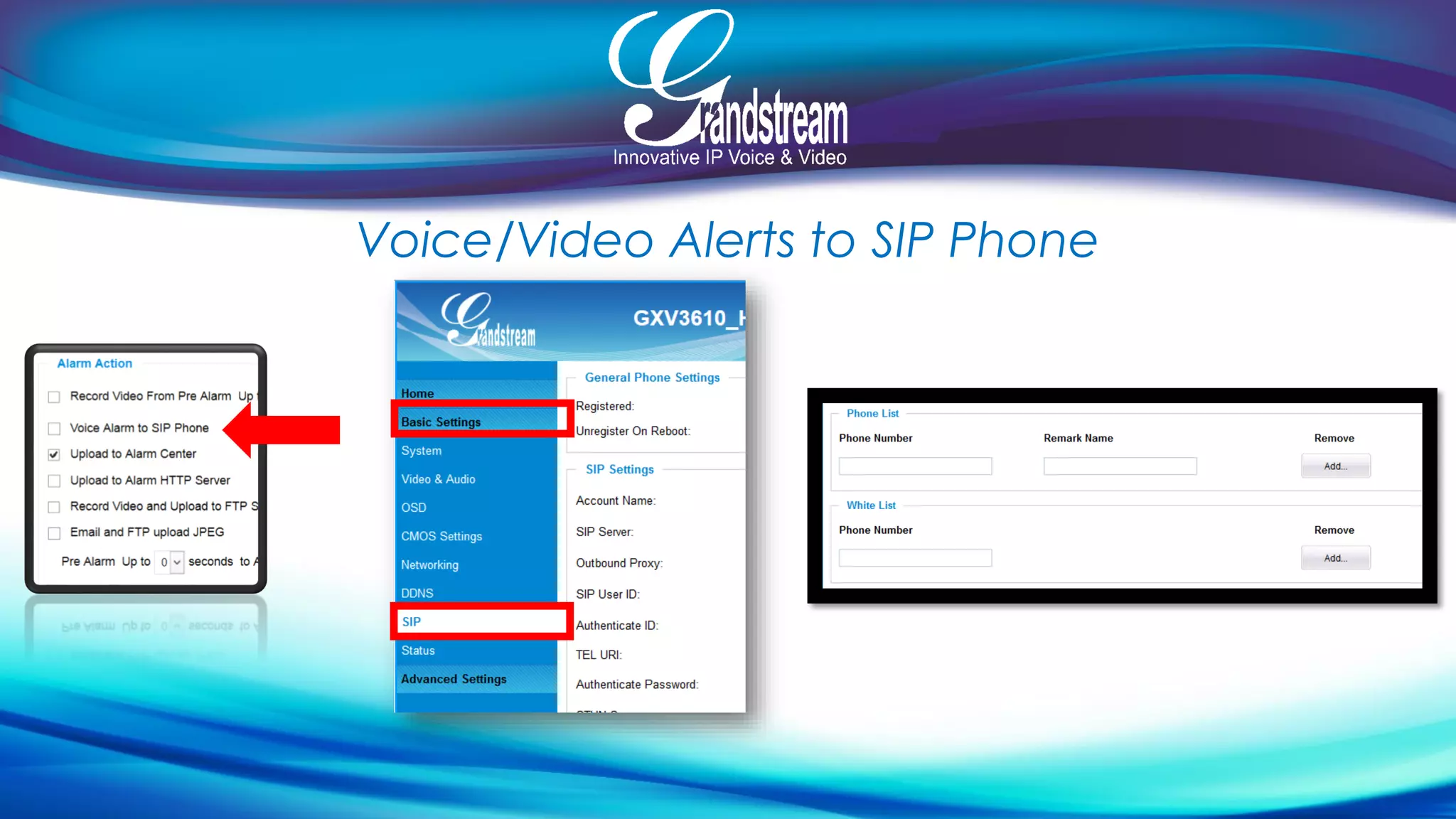
1. Browser/GSurf Live
View
When an alarm is triggered,
the Live View will notify user
using pop-up on-screen
2. Video Call to video
devices
3. Voice Call Alerts 4. Email Screenshot
When a new object is detected
by the camera
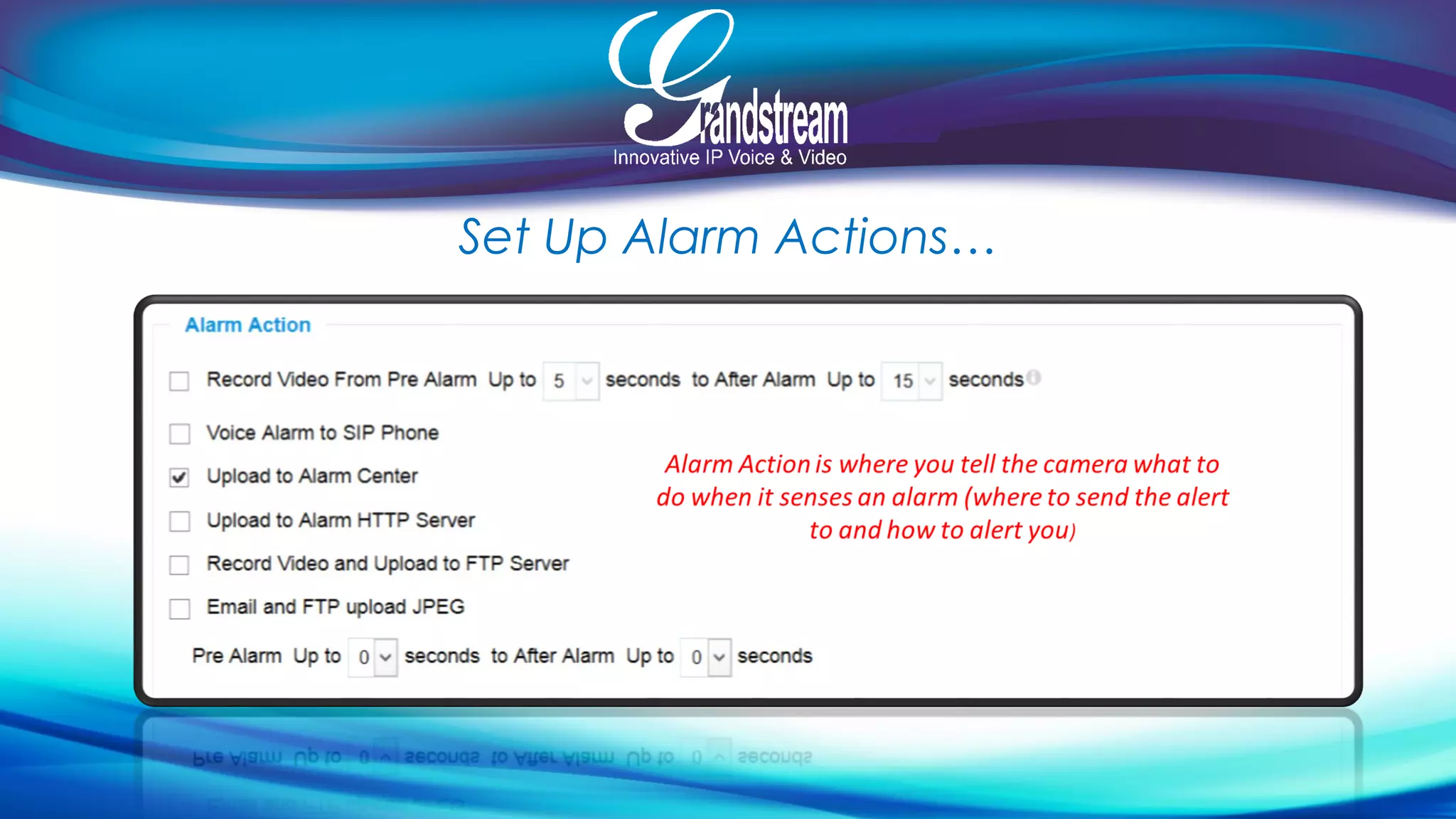
Set Up Alarm Actions…
Voice/Video Alerts to SIP Phone
Integrating Surveillance with Your IP PBX
1. Receive video calls from cameras
whenever alerts/alarms are triggered
2. Make video calls to cameras to see the
live feed
UCM6100 series- Video Conferencing
Delivering high quality, secure and reliable video communications
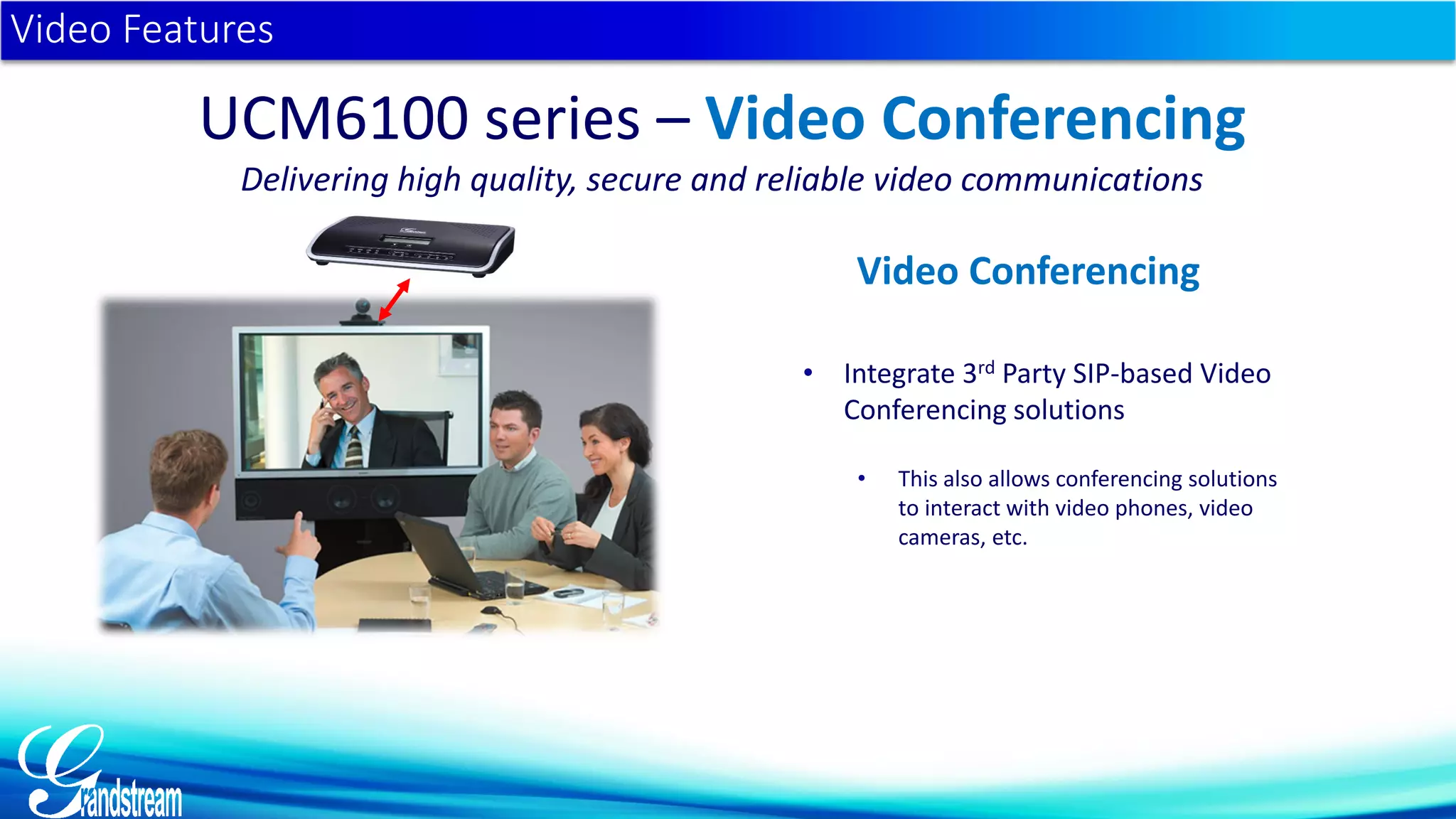
• Integrate 3rd Party SIP-based Video
Conferencing solutions
• This also allows conferencing solutions
to interact with video phones, video
cameras, etc.
Video Features
UCM6100 series – Video Conferencing
Delivering high quality, secure and reliable video communications
Video Conferencing
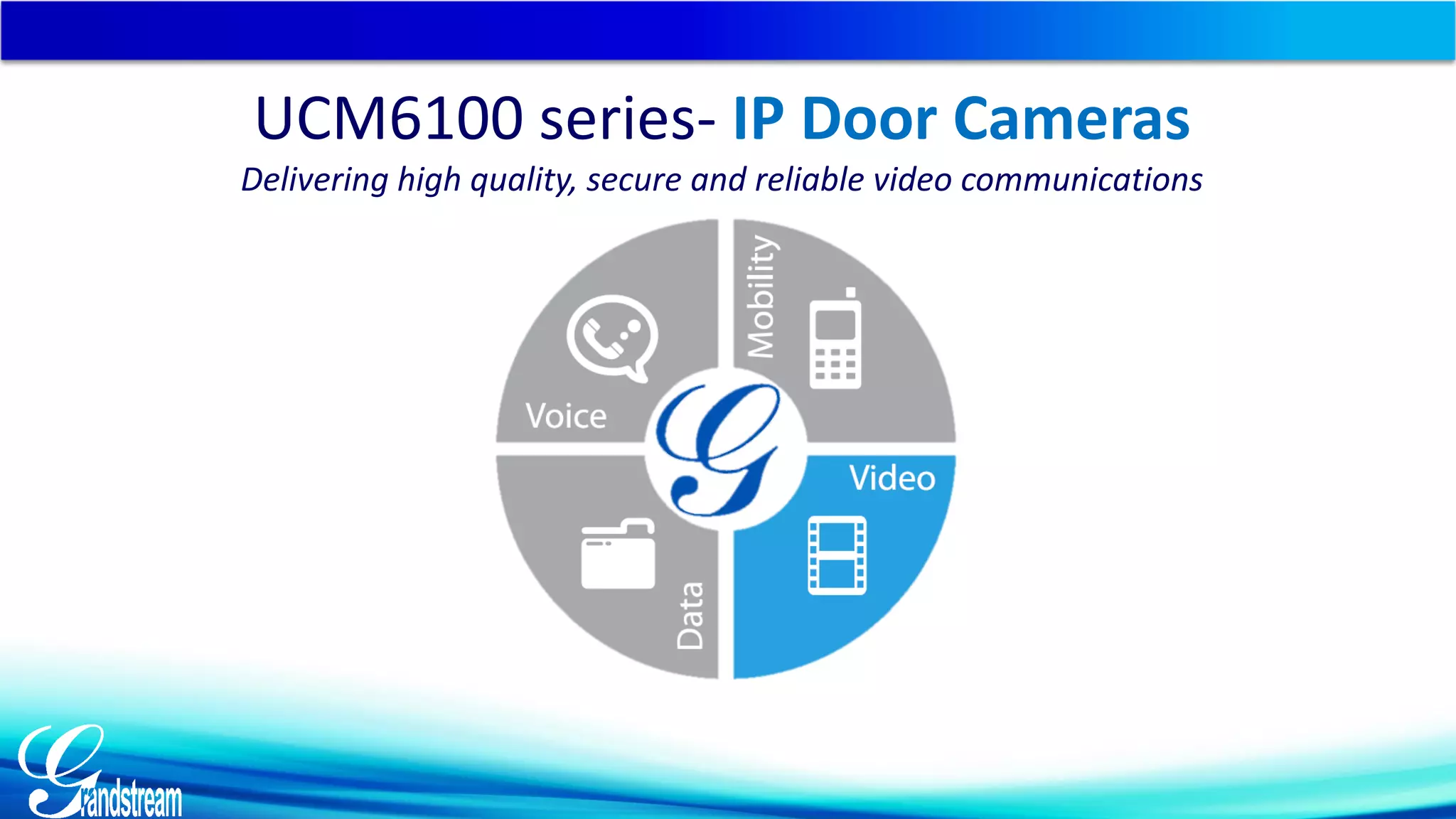
UCM6100 series- IP Door Cameras
Delivering high quality, secure and reliable video communications
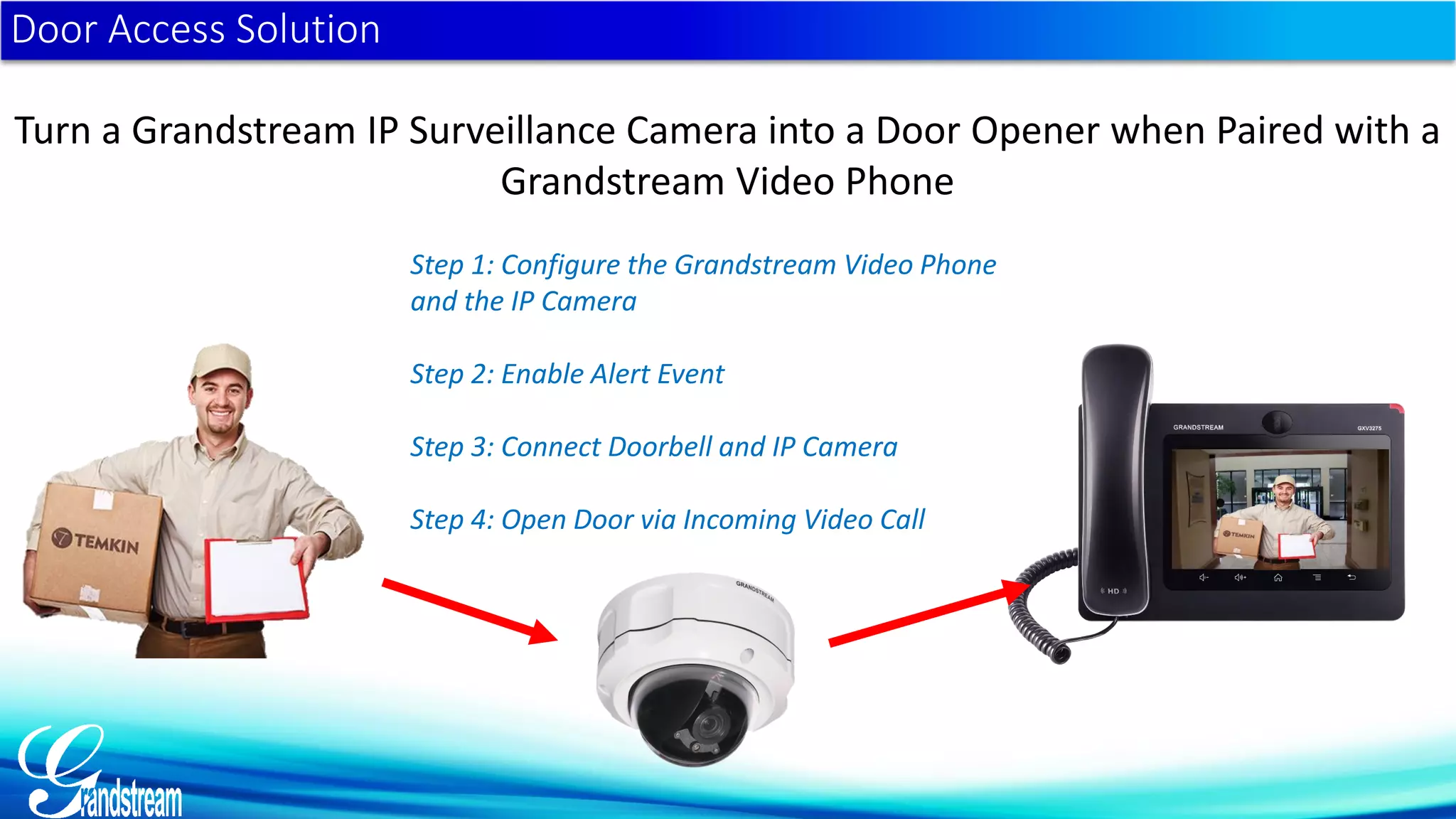
Door Access Solution
Turn a Grandstream IP Surveillance Camera into a Door Opener when Paired with a
Grandstream Video Phone
Step 1: Configure the Grandstream Video Phone
and the IP Camera
Step 2: Enable Alert Event
Step 3: Connect Doorbell and IP Camera
Step 4: Open Door via Incoming Video Call
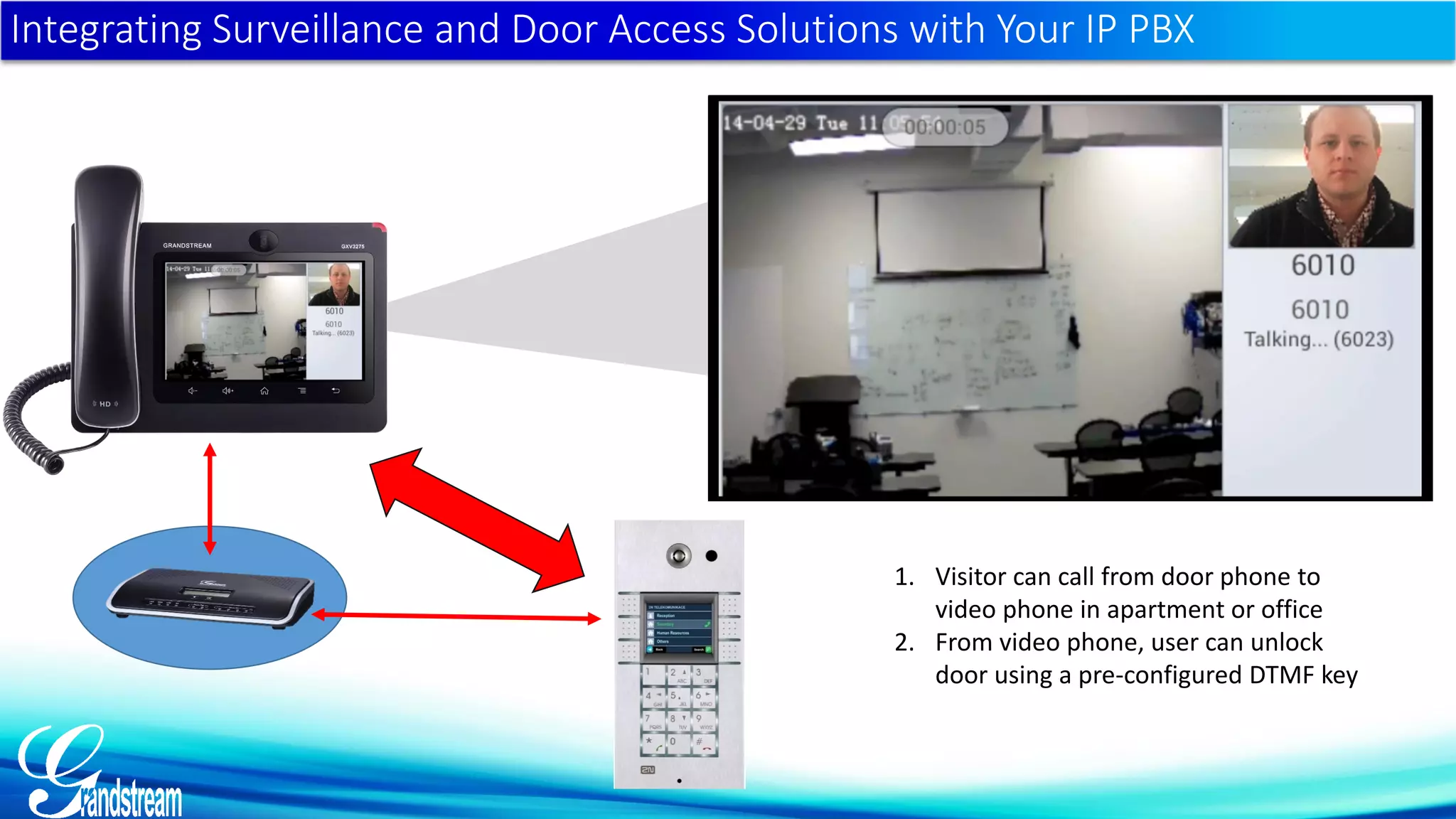
Integrating Surveillance and Door Access Solutions with Your IP PBX
1. Visitor can call from door phone to
video phone in apartment or office
2. From video phone, user can unlock
door using a pre-configured DTMF key
www.grandstream.com
marketing@grandstream.com

IPPBX Grandstream dengan fitur Video & Conference

  • 1.
  • 2.
    Agenda 1. UCM6100 seriesOverview and Video Overview 3. Integrating Video Surveillance 2. Video Calling with the UCM6100 series 4. Integrating Video Conferencing Solutions 5. Integrating IP Door Cameras
  • 3.
    Delivering Voice, Video,Data & Mobility to SMBs
  • 4.
    UCM6100 series IPPBX Appliance UCM6102 UCM6104 UCM6108 UCM6116 Asterisk is a Registered Trademark of Digium UCM6100 series IP PBX Appliance
  • 5.
    Delivering high quality,secure and reliable voice, video, data & mobility for SMBs  Enterprise-grade features in an affordable, compact & easy-to-manage PBX designed specifically for the SMB market  No licensing fees  Fast and easy setup & management  ALL hardware/software included as well as lifetime firmware updates UCM6100 series
  • 6.
    Voice Secure, clear, andreliable Conferencing Comprehensive Codec Support Endless Customizable Voice features Data Phonebook files CDR Codec Transcoding System Backup Call Recording Voicemail/fax to email Mobility Softphone apps Monitor your business Connect Multiple Offices Video Face to face video calls Video Surveillance Integration SIP Video Video Codec Support
  • 7.
     Up to500 extensions  # of FXO ports & concurrent calls: 2 - 30 (UCM6102) 4 - 45 (UCM6104) 8 - 60 (UCM6108) 16 - 60 (UCM6116)  Gigabit ports with PoE Plus  Each bridge supports up to 25 (UCM6102 & UCM6104) or 32 (UCM6108 & UCM6116) conference attendees  Zero-configuration provisioning  Simple setup/management with Web UI UCM6100 series - General Specifications Asterisk is a Registered Trademark of Digium
  • 8.
    Easiest Possible Setup… Asteriskis a Registered Trademark of Digium
  • 9.
    • Auto-Discovery ofSIP endpoints • Auto-Provision of SIP endpoints • Zero Config can be managed remotely Zero Configuration
  • 10.
    UCM6100 series –Full SIP Video Support Full SIP Video Support  Any SIP video endpoint, such as  Video Phones  Video Conferencing Solutions  Door/Facility Access Cameras/Modules  IP Video Surveillance cameras UCM6100 Series - Video Delivering high quality, secure and reliable video communications
  • 11.
    • H.263 • H.263+ •H.264 Video Features UCM6100 series - Video Delivering high quality, secure and reliable video communications Supports all major video codecs
  • 12.
    UCM6100 series- VideoCalling Delivering high quality, secure and reliable video communications
  • 13.
    • Video callingfrom video-enabled endpoint to video enabled endpoint automatically supported with no action needed • UCM6100 series can transcode video codecs if needed Video Features UCM6100 series - Video Delivering high quality, secure and reliable video communications Video Calling
  • 14.
    UCM6100 series- VideoSurveillance Delivering high quality, secure and reliable video communications
  • 15.
    • Create acomprehensive solution to view, monitor and receive alerts from IP cameras • Register IP cameras to the PBX • Make video calls to IP cameras to view live feeds • Speak through cameras with 2-way audio & video (door entry) • IP cameras can be set to automatically call video phone when alert is triggered • Receive alerts from anywhere in the world Video Features UCM6100 series- Video Delivering high quality, secure and reliable video communications Video Surveillance Integration
  • 16.
    Cameras are Registeredto the IP PBX the same way as any Endpoint
  • 17.
    Integrate Surveillance withYour IP PBX Make it a Solution… Register Grandstream’s SIP cameras to an IP PBX Ext. 101 Ext. 301 Ext. 501 Ext. 601 • Make video calls to IP cameras to see live feeds • Set cameras to call video device (IP Video phones) when alert/alarm is triggered • Cameras can send you an email or screen capture • To communicate with IP Door Cameras, etc. • 2-way video/audio calls to/from cameras thanks to SIP/VoIP support • GXV3601 series, GXV3610 series, GXV3611_HD and GXV3615 series feature built-in microphone and speaker Ext. 102 Ext. 201 Ext. 303
  • 18.
    Advantage 1: IntegratedSolution under One Network Unified Communications: One Integrated Network Solution  All Grandstream phone, cameras, and UCM6100 series are SIP-based devices  A true Unified Communications solution offering voice, video, data and mobility features  All devices can be easily setup, customized and managed from one central location  Add functionality to devices by combining them onto the same network  Even add/include analog phones and analog cameras
  • 19.
    Advantage 2: Communicatewith Any SIP Camera on Any Network Communicate With Cameras on Any Network  Camera’s can send alerts or be contacted from outside networks thanks to their SIP registration when registered to an IP PBX  You set the phone number the cameras contact when an alert is triggered  With a SIP registration, any IP camera is given a phone number/IP address that can be called to view the camera’s live feed  View camera’s live feed from any device that has an internet connection Internet UCM6100 Series
  • 20.
    Integrating Surveillance withYour IP PBX 1. Receive video calls from cameras whenever alerts/alarms are triggered 2. Make video calls to cameras to see the live feed
  • 21.
    Receiving Alerts fromCameras Video Surveillance Alerts 1. Browser/GSurf Live View When an alarm is triggered, the Live View will notify user using pop-up on-screen 2. Video Call to video devices 3. Voice Call Alerts 4. Email Screenshot When a new object is detected by the camera
  • 22.
    Set Up AlarmActions…
  • 23.
  • 24.
    Integrating Surveillance withYour IP PBX 1. Receive video calls from cameras whenever alerts/alarms are triggered 2. Make video calls to cameras to see the live feed
  • 25.
    UCM6100 series- VideoConferencing Delivering high quality, secure and reliable video communications
  • 26.
    • Integrate 3rdParty SIP-based Video Conferencing solutions • This also allows conferencing solutions to interact with video phones, video cameras, etc. Video Features UCM6100 series – Video Conferencing Delivering high quality, secure and reliable video communications Video Conferencing
  • 27.
    UCM6100 series- IPDoor Cameras Delivering high quality, secure and reliable video communications
  • 28.
    Door Access Solution Turna Grandstream IP Surveillance Camera into a Door Opener when Paired with a Grandstream Video Phone Step 1: Configure the Grandstream Video Phone and the IP Camera Step 2: Enable Alert Event Step 3: Connect Doorbell and IP Camera Step 4: Open Door via Incoming Video Call
  • 29.
    Integrating Surveillance andDoor Access Solutions with Your IP PBX 1. Visitor can call from door phone to video phone in apartment or office 2. From video phone, user can unlock door using a pre-configured DTMF key
  • 30.