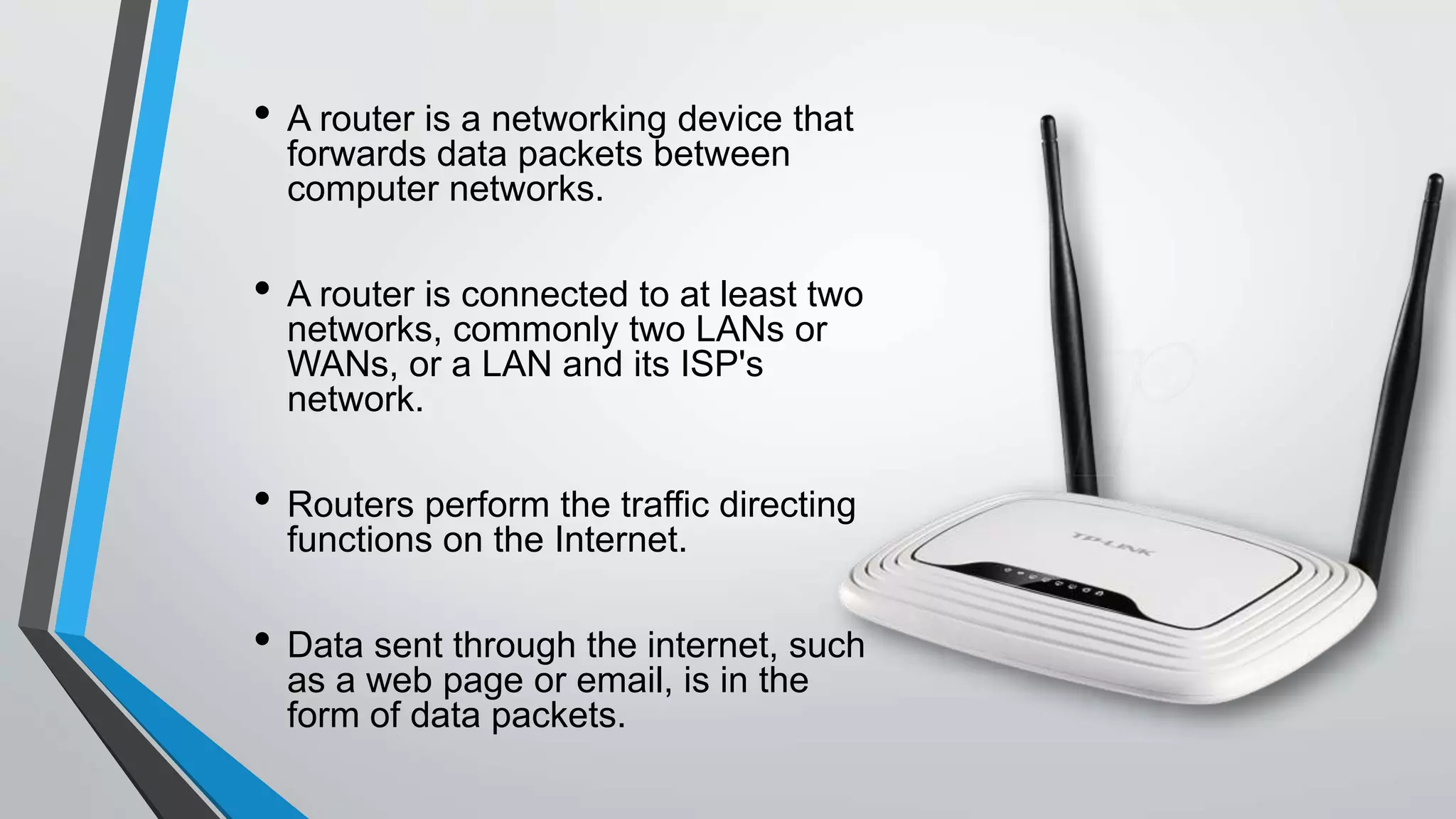
• A router is a networking device that
forwards data packets between
computer networks.
• A router is connected to at least two
networks, commonly two LANs or
WANs, or a LAN and its ISP's
network.
• Routers perform the traffic directing
functions on the Internet.
• Data sent through the internet, such
as a web page or email, is in the
form of data packets.
1. Line Ports
Used for device configuration
2. Interface Ports
Used for data communication
Ports of Router:
There are 2 types of ports of router.
Configuration:
To change default behaviour of any device
Lines
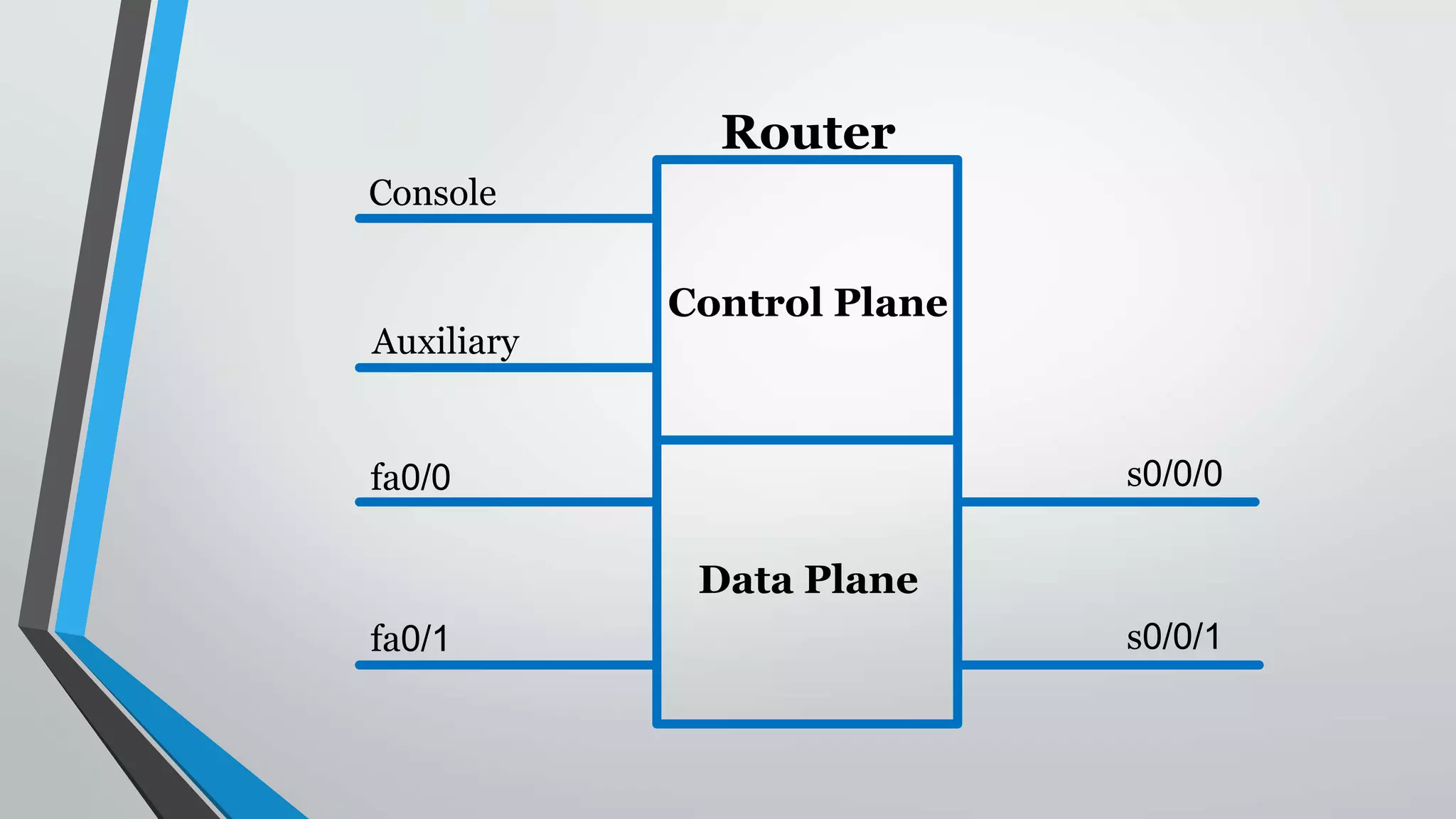
• Console 0:
 Local Administrative Port
 Most powerful port
 Can perform function that we can’t do by
connecting with other ports.
• VTY 0 4:
 Virtual Teletype
 Not Physical but Virtual Port
 Remote Administrative Port
 Allows 5 simultaneous virtual connections
0 means one Port
Lines
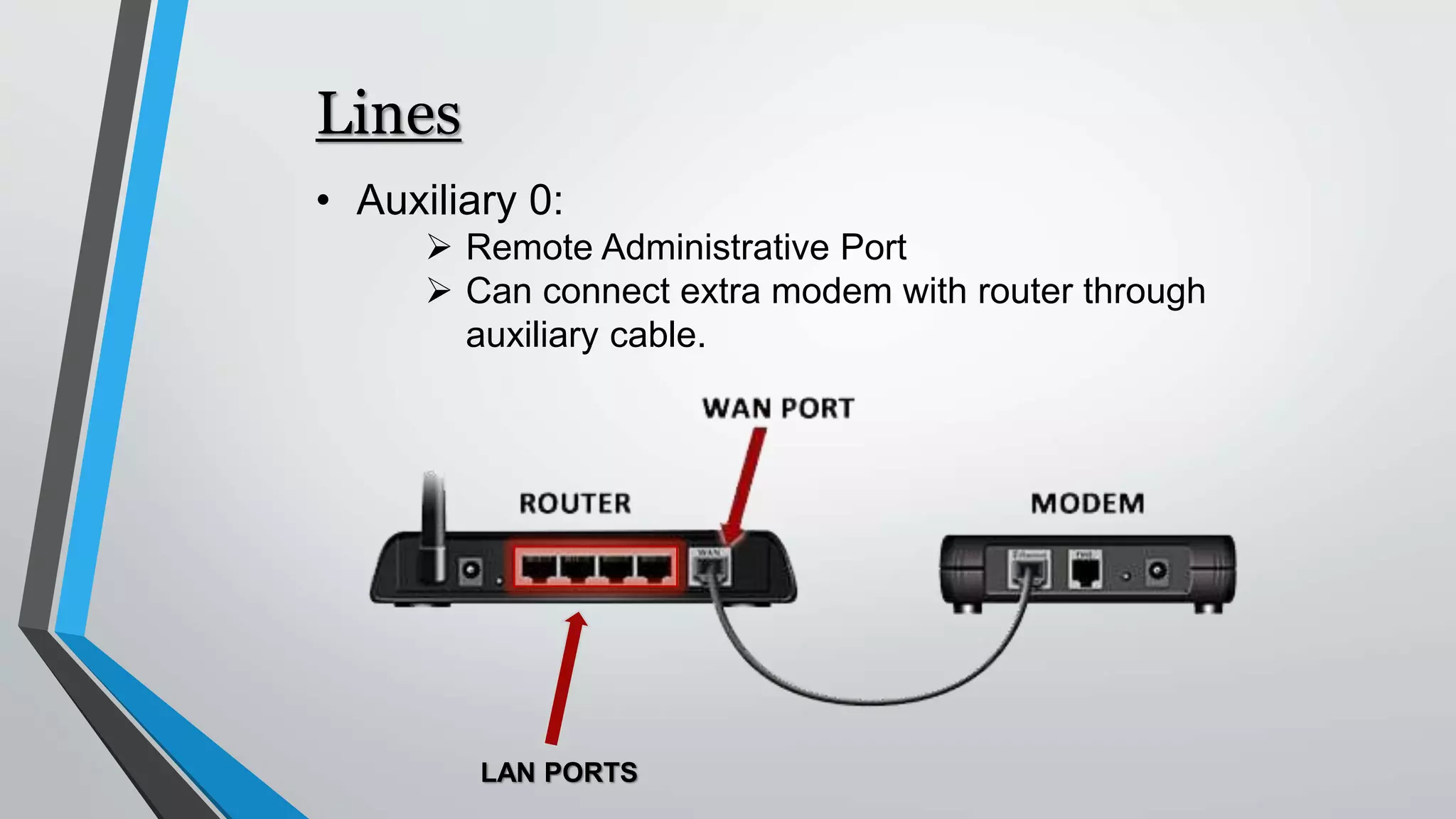
• Auxiliary 0:
 Remote Administrative Port
 Can connect extra modem with router through
auxiliary cable.
LAN PORTS
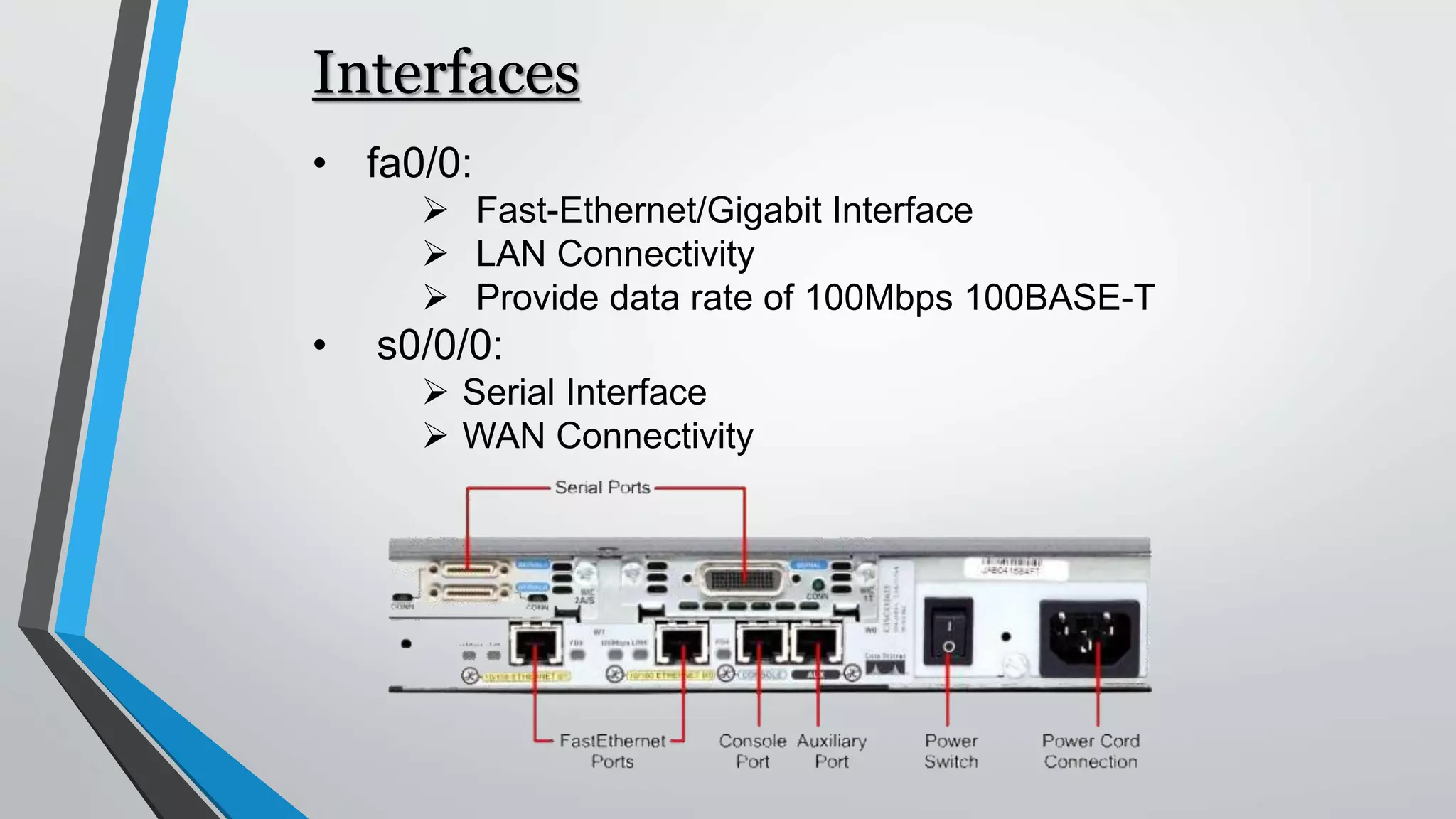
Interfaces
• fa0/0:
 Fast-Ethernet/Gigabit Interface
 LAN Connectivity
 Provide data rate of 100Mbps 100BASE-T
• s0/0/0:
 Serial Interface
 WAN Connectivity
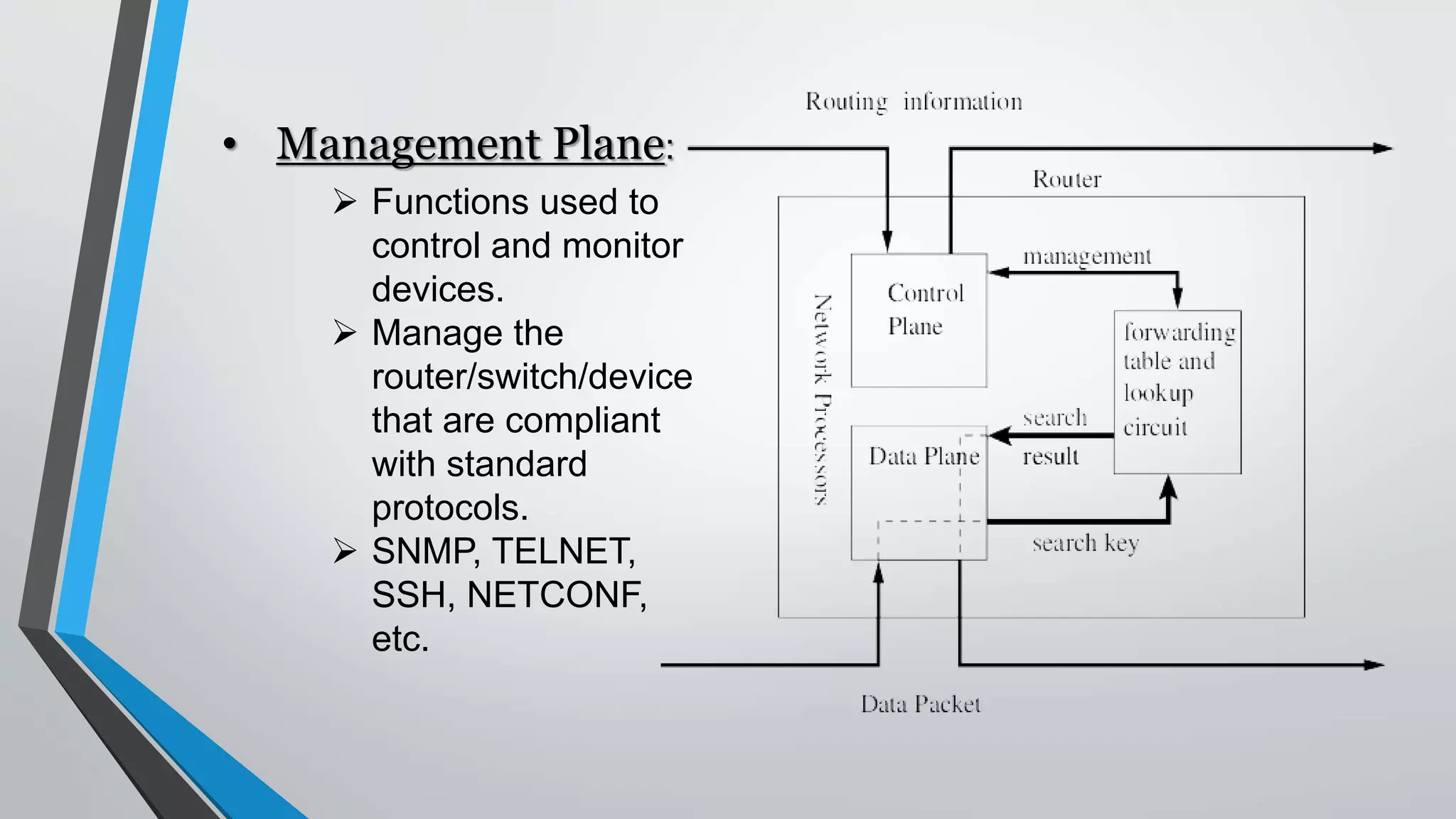
• Control Plane:
 Functions and Processes that
determine which path to use.
 Routing protocols, spanning tree, ldp,
etc.
 The users who can configure web
server have access of control plane.
• Data Plane:
 Functions and Processes that forward
packets from one interface to another.
 The users who can access/view the
hosted website or it’s contents have
access of Data Plane.
• Management Plane:
 Functions used to
control and monitor
devices.
 Manage the
router/switch/device
that are compliant
with standard
protocols.
 SNMP, TELNET,
SSH, NETCONF,
etc.
Control Plane
Data Plane
Console
fa0/0
Auxiliary
fa0/1 s0/0/1
s0/0/0
Router
Types of Router
• Wired Router:
 Box-shaped device connected directly to computers
through wired connections.
 Support Network Address Translation (NAT) technology
which allows multiple computers to connect in a wired
router to share a single IP address.
 Use (SPI) firewalls for the security purpose.
• Wireless Router:
 Connects directly to a modem through a cable for
receiving internet data packets.
 Distribute data packets using one or more Antenna.
 Convert data packets (binary) into Radio Signals, then
antenna broadcast wirelessly.
 Engage wireless MAC address filtering and Wi-Fi
Protected Access (WPA) security.
Types of Router
• Edge Router:
 A wired or wireless router that forward data packets
between one or more networks.
 Located at a network boundary that enables an
internal network to connect to external networks.
 Communicate with different networks and does not
distribute data packets within a network.
• Core Router:
 A wired or wireless router that forward data packets
to computer hosts within a network.
 It do not forward data packets with multiple networks.
 Manage traffic to prevent congestion
and packet loss, often using multiplexing.
Types of Router
• Virtual Router:
 A software-based default routing framework
that allows the host machine to perform as a
typical hardware router over a LAN.
 It shares a network using the Virtual Router
Redundancy Protocol (VRRP).
 Active when a primary/physical router fails,
otherwise becomes disabled.
Memory of Router
• ROM:
 Basic I/O system.
 Stores router bootstrap detail (Cisco router)
 Baby IOS
• RAM:
 Load IOS (Internet Operating System) from
Flash
 Store Routing table, Configuration files, Cache
& Buffering detail
 Apply Start-up configuration from NVRAM
 IOS + Start-up config = Running Config
• NVRAM:
 Non-Volatile Random Access Memory
 Store Router start-up configuration files
“In case start-up config is not available in NVRAM, it
will take you to the System Configuration Dialog”
• Flash:
 Include IOS
 Hold operating system image
“In case IOS image is not available in flash i.e. Failed to load,
it will take you to the ROMMON (ROM Monitor) mode.
Where you can copy IOS image into Flash memory using
some Remote Device Configurations”

Introduction to router

  • 2.
    • A routeris a networking device that forwards data packets between computer networks. • A router is connected to at least two networks, commonly two LANs or WANs, or a LAN and its ISP's network. • Routers perform the traffic directing functions on the Internet. • Data sent through the internet, such as a web page or email, is in the form of data packets.
  • 3.
    1. Line Ports Usedfor device configuration 2. Interface Ports Used for data communication Ports of Router: There are 2 types of ports of router. Configuration: To change default behaviour of any device
  • 4.
    Lines • Console 0: Local Administrative Port  Most powerful port  Can perform function that we can’t do by connecting with other ports. • VTY 0 4:  Virtual Teletype  Not Physical but Virtual Port  Remote Administrative Port  Allows 5 simultaneous virtual connections 0 means one Port
  • 5.
    Lines • Auxiliary 0: Remote Administrative Port  Can connect extra modem with router through auxiliary cable. LAN PORTS
  • 6.
    Interfaces • fa0/0:  Fast-Ethernet/GigabitInterface  LAN Connectivity  Provide data rate of 100Mbps 100BASE-T • s0/0/0:  Serial Interface  WAN Connectivity
  • 8.
    • Control Plane: Functions and Processes that determine which path to use.  Routing protocols, spanning tree, ldp, etc.  The users who can configure web server have access of control plane. • Data Plane:  Functions and Processes that forward packets from one interface to another.  The users who can access/view the hosted website or it’s contents have access of Data Plane.
  • 9.
    • Management Plane: Functions used to control and monitor devices.  Manage the router/switch/device that are compliant with standard protocols.  SNMP, TELNET, SSH, NETCONF, etc.
  • 10.
  • 11.
    Types of Router •Wired Router:  Box-shaped device connected directly to computers through wired connections.  Support Network Address Translation (NAT) technology which allows multiple computers to connect in a wired router to share a single IP address.  Use (SPI) firewalls for the security purpose. • Wireless Router:  Connects directly to a modem through a cable for receiving internet data packets.  Distribute data packets using one or more Antenna.  Convert data packets (binary) into Radio Signals, then antenna broadcast wirelessly.  Engage wireless MAC address filtering and Wi-Fi Protected Access (WPA) security.
  • 12.
    Types of Router •Edge Router:  A wired or wireless router that forward data packets between one or more networks.  Located at a network boundary that enables an internal network to connect to external networks.  Communicate with different networks and does not distribute data packets within a network. • Core Router:  A wired or wireless router that forward data packets to computer hosts within a network.  It do not forward data packets with multiple networks.  Manage traffic to prevent congestion and packet loss, often using multiplexing.
  • 13.
    Types of Router •Virtual Router:  A software-based default routing framework that allows the host machine to perform as a typical hardware router over a LAN.  It shares a network using the Virtual Router Redundancy Protocol (VRRP).  Active when a primary/physical router fails, otherwise becomes disabled.
  • 14.
    Memory of Router •ROM:  Basic I/O system.  Stores router bootstrap detail (Cisco router)  Baby IOS • RAM:  Load IOS (Internet Operating System) from Flash  Store Routing table, Configuration files, Cache & Buffering detail  Apply Start-up configuration from NVRAM  IOS + Start-up config = Running Config
  • 15.
    • NVRAM:  Non-VolatileRandom Access Memory  Store Router start-up configuration files “In case start-up config is not available in NVRAM, it will take you to the System Configuration Dialog” • Flash:  Include IOS  Hold operating system image “In case IOS image is not available in flash i.e. Failed to load, it will take you to the ROMMON (ROM Monitor) mode. Where you can copy IOS image into Flash memory using some Remote Device Configurations”