PHP – Mysql connectivity
How to connect PHP with MySQL
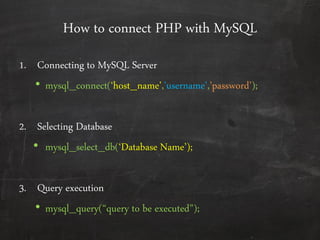
1. Connecting to MySQL Server
• mysql_connect(‘host_name’,’username’,’password’);
2. Selecting Database
• mysql_select_db(‘Database Name’);
3. Query execution
• mysql_query(‚query to be executed‛);
Sample Application
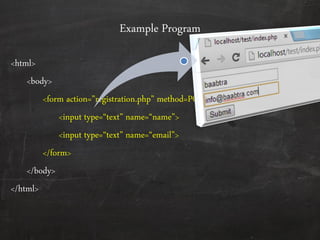
Example Program
<html>
<body>
<form action=‛registration.php‛ method=POST>
<input type=‚text‛ name=‚name‛>
<input type=‚text‛ name=‚email‛>
</form>
</body>
</html>
Registration.php will look like this
<?PHP
$name = $_POST['name'];
$email = $_POST['email'];
mysql_connect("localhost","root","");
mysql_select_db("test2");
mysql_query ("insert into tbl_user(vchr_name,vchr_email) values ('$name','$email')");
echo "succesfully inserted‚;
?>
Retrieving data from mysql
• There are 4 ways we can retrieve data from mysql tables
Mysql_fetch_array()
Mysql_fetch_row()
Mysql_fetch_assoc()
Mysql_fetch_object()
• All of the above will return one row from table at a time and then
the next row and so on . So usually we use these functions along
with a while loop
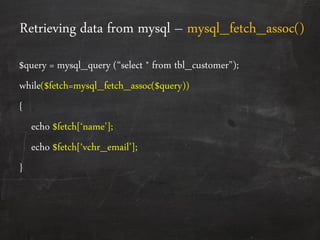
Retrieving data from mysql – mysql_fetch_assoc()
$query = mysql_query (‚select * from tbl_customer");
while($fetch=mysql_fetch_assoc($query))
{
echo $fetch*‘name’+;
echo $fetch*‘vchr_email’+;
}
Retrieving data from mysql – mysql_fetch_row()
$query = mysql_query (‚select * from tbl_customer");
while($fetch=mysql_fetch_array($query))
{
echo $fetch[0]; //prints first column the retrieved row
echo $fetch[1]; //prints second column the retrieved row
}
Retrieving data from mysql – mysql_fetch_array()
$query = mysql_query (‚select * from tbl_customer");
while($fetch=mysql_fetch_array($query))
{
echo $fetch[0]; //prints first column the retrieved row. Ie name
echo $fetch[1]; //prints second column the retrieved row. Ie email
echo $fetch*‘name’+; //prints first column the retrieved row
echo $fetch*‘email’+; //prints second column the retrieved row
}
‚Mysql_fetch_array() is a combination of mysql_fetch_assoc() and mysql_fetch_row()‛
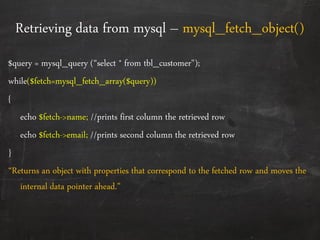
Retrieving data from mysql – mysql_fetch_object()
$query = mysql_query (‚select * from tbl_customer");
while($fetch=mysql_fetch_array($query))
{
echo $fetch->name; //prints first column the retrieved row
echo $fetch->email; //prints second column the retrieved row
}
‚Returns an object with properties that correspond to the fetched row and moves the
internal data pointer ahead.‛
Mysql_num_rows()
• PHP provides another utility inbuilt function mysql_num_rows()
which will return the number of rows returned from the executed
query
– Example
$query = mysql_query (‚select * from tbl_customer");
$num=mysql_num_rows($query);
if($num>0)
{
while($fetch=mysql_fetch_array($query)
{ .................. }
Questions?
‚A good question deserve a good grade…‛
End of day
If this presentation helped you, please visit our
page facebook.com/baabtra and like it.
Thanks in advance.
www.baabtra.com | www.massbaab.com |www.baabte.com
Contact Us
Emarald Mall (Big Bazar Building)
Mavoor Road, Kozhikode,
Kerala, India.
Ph: + 91 – 495 40 25 550
NC Complex, Near Bus Stand
Mukkam, Kozhikode,
Kerala, India.
Ph: + 91 – 495 40 25 550
Start up Village
Eranakulam,
Kerala, India.
Email: info@baabtra.com

Introduction to php database connectivity

  • 1.
    PHP – Mysqlconnectivity
  • 2.
    How to connectPHP with MySQL 1. Connecting to MySQL Server • mysql_connect(‘host_name’,’username’,’password’); 2. Selecting Database • mysql_select_db(‘Database Name’); 3. Query execution • mysql_query(‚query to be executed‛);
  • 3.
  • 4.
    Example Program <html> <body> <form action=‛registration.php‛method=POST> <input type=‚text‛ name=‚name‛> <input type=‚text‛ name=‚email‛> </form> </body> </html>
  • 5.
    Registration.php will looklike this <?PHP $name = $_POST['name']; $email = $_POST['email']; mysql_connect("localhost","root",""); mysql_select_db("test2"); mysql_query ("insert into tbl_user(vchr_name,vchr_email) values ('$name','$email')"); echo "succesfully inserted‚; ?>
  • 6.
    Retrieving data frommysql • There are 4 ways we can retrieve data from mysql tables Mysql_fetch_array() Mysql_fetch_row() Mysql_fetch_assoc() Mysql_fetch_object() • All of the above will return one row from table at a time and then the next row and so on . So usually we use these functions along with a while loop
  • 7.
    Retrieving data frommysql – mysql_fetch_assoc() $query = mysql_query (‚select * from tbl_customer"); while($fetch=mysql_fetch_assoc($query)) { echo $fetch*‘name’+; echo $fetch*‘vchr_email’+; }
  • 8.
    Retrieving data frommysql – mysql_fetch_row() $query = mysql_query (‚select * from tbl_customer"); while($fetch=mysql_fetch_array($query)) { echo $fetch[0]; //prints first column the retrieved row echo $fetch[1]; //prints second column the retrieved row }
  • 9.
    Retrieving data frommysql – mysql_fetch_array() $query = mysql_query (‚select * from tbl_customer"); while($fetch=mysql_fetch_array($query)) { echo $fetch[0]; //prints first column the retrieved row. Ie name echo $fetch[1]; //prints second column the retrieved row. Ie email echo $fetch*‘name’+; //prints first column the retrieved row echo $fetch*‘email’+; //prints second column the retrieved row } ‚Mysql_fetch_array() is a combination of mysql_fetch_assoc() and mysql_fetch_row()‛
  • 10.
    Retrieving data frommysql – mysql_fetch_object() $query = mysql_query (‚select * from tbl_customer"); while($fetch=mysql_fetch_array($query)) { echo $fetch->name; //prints first column the retrieved row echo $fetch->email; //prints second column the retrieved row } ‚Returns an object with properties that correspond to the fetched row and moves the internal data pointer ahead.‛
  • 11.
    Mysql_num_rows() • PHP providesanother utility inbuilt function mysql_num_rows() which will return the number of rows returned from the executed query – Example $query = mysql_query (‚select * from tbl_customer"); $num=mysql_num_rows($query); if($num>0) { while($fetch=mysql_fetch_array($query) { .................. }
  • 12.
    Questions? ‚A good questiondeserve a good grade…‛
  • 13.
  • 14.
    If this presentationhelped you, please visit our page facebook.com/baabtra and like it. Thanks in advance. www.baabtra.com | www.massbaab.com |www.baabte.com
  • 15.
    Contact Us Emarald Mall(Big Bazar Building) Mavoor Road, Kozhikode, Kerala, India. Ph: + 91 – 495 40 25 550 NC Complex, Near Bus Stand Mukkam, Kozhikode, Kerala, India. Ph: + 91 – 495 40 25 550 Start up Village Eranakulam, Kerala, India. Email: info@baabtra.com