Overview Download MYSQL GUI What is a database, creating data Creating a database in MySQL SQL scripts Connecting to a database in PHP Viewing records
Download and install mysql gui Download from  here http://dev.mysql.com/downloads/gui-tools/5.0.html
What is a database About.com http://databases.about.com/od/specificproducts/a/whatisadatabase.htm Wikipedia http://en.wikipedia.org/wiki/Database Tutorial  on a database http://www.htmlgoodies.com/beyond/reference/article.php/3472691 Mysql tutorial http://www.w3schools.com/php/php_mysql_intro.asp
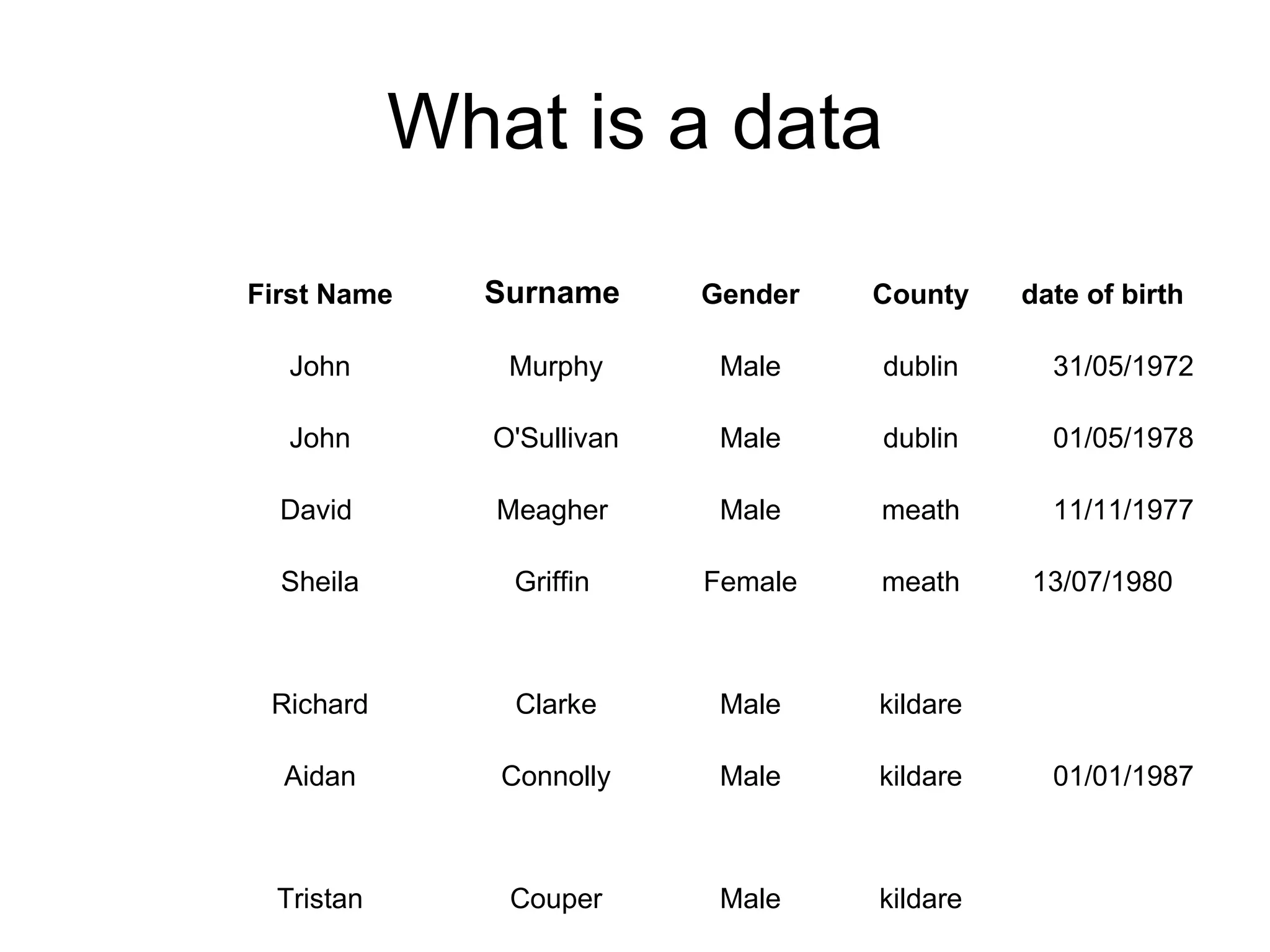
What is a data kildare Male Couper Tristan 01/01/1987 kildare Male Connolly Aidan kildare Male Clarke Richard 13/07/1980 meath Female Griffin Sheila 11/11/1977 meath Male Meagher David  01/05/1978 dublin Male O'Sullivan John 31/05/1972 dublin Male Murphy John date of birth County Gender Surname First Name
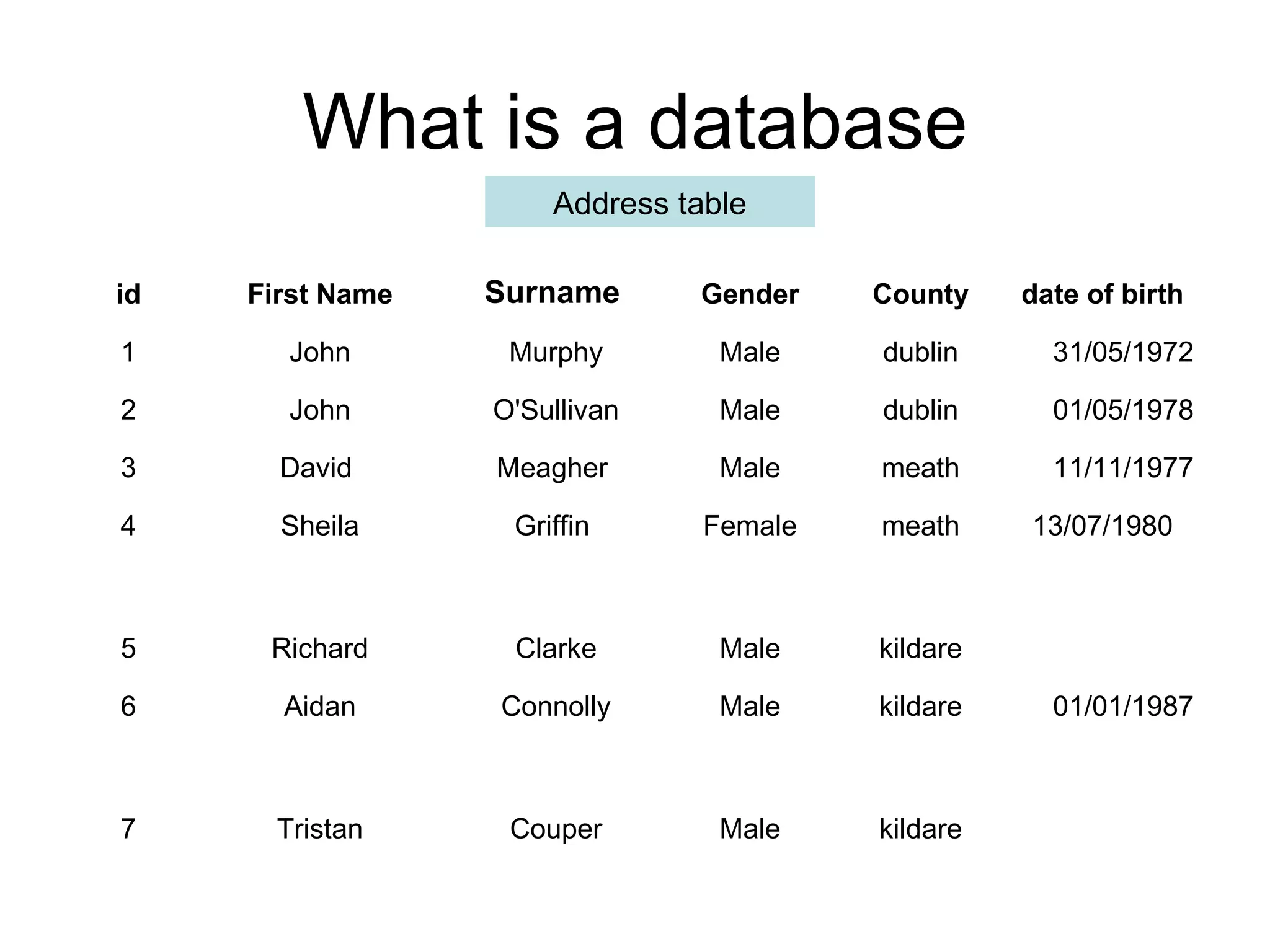
What is a database Address table kildare Male Couper Tristan 7 01/01/1987 kildare Male Connolly Aidan 6 kildare Male Clarke Richard 5 13/07/1980 meath Female Griffin Sheila 4 11/11/1977 meath Male Meagher David  3 01/05/1978 dublin Male O'Sullivan John 2 31/05/1972 dublin Male Murphy John 1 date of birth County Gender Surname First Name id
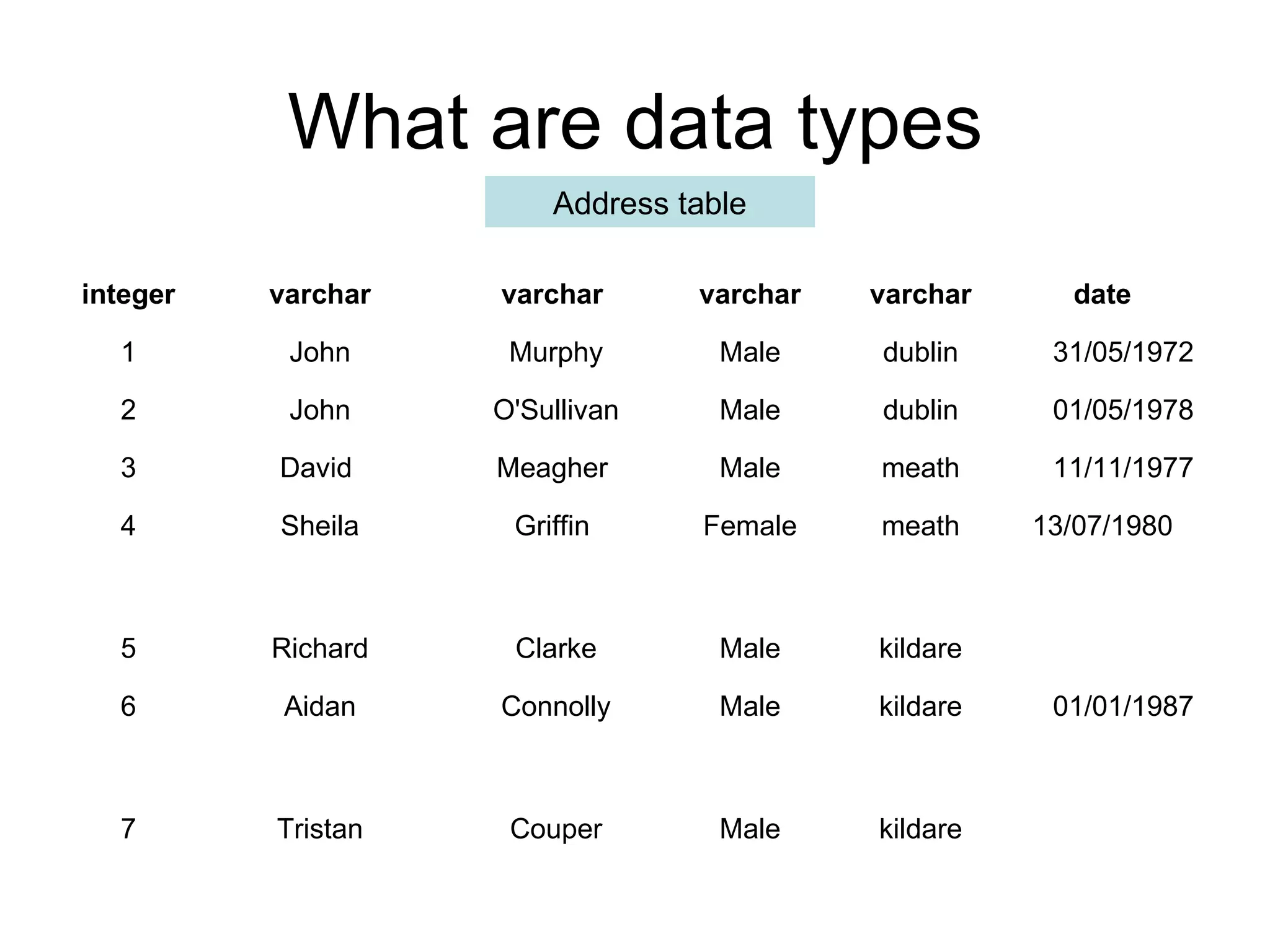
What are data types Address table kildare Male Couper Tristan 7 01/01/1987 kildare Male Connolly Aidan 6 kildare Male Clarke Richard 5 13/07/1980 meath Female Griffin Sheila 4 11/11/1977 meath Male Meagher David  3 01/05/1978 dublin Male O'Sullivan John 2 31/05/1972 dublin Male Murphy John 1 date varchar varchar varchar varchar integer
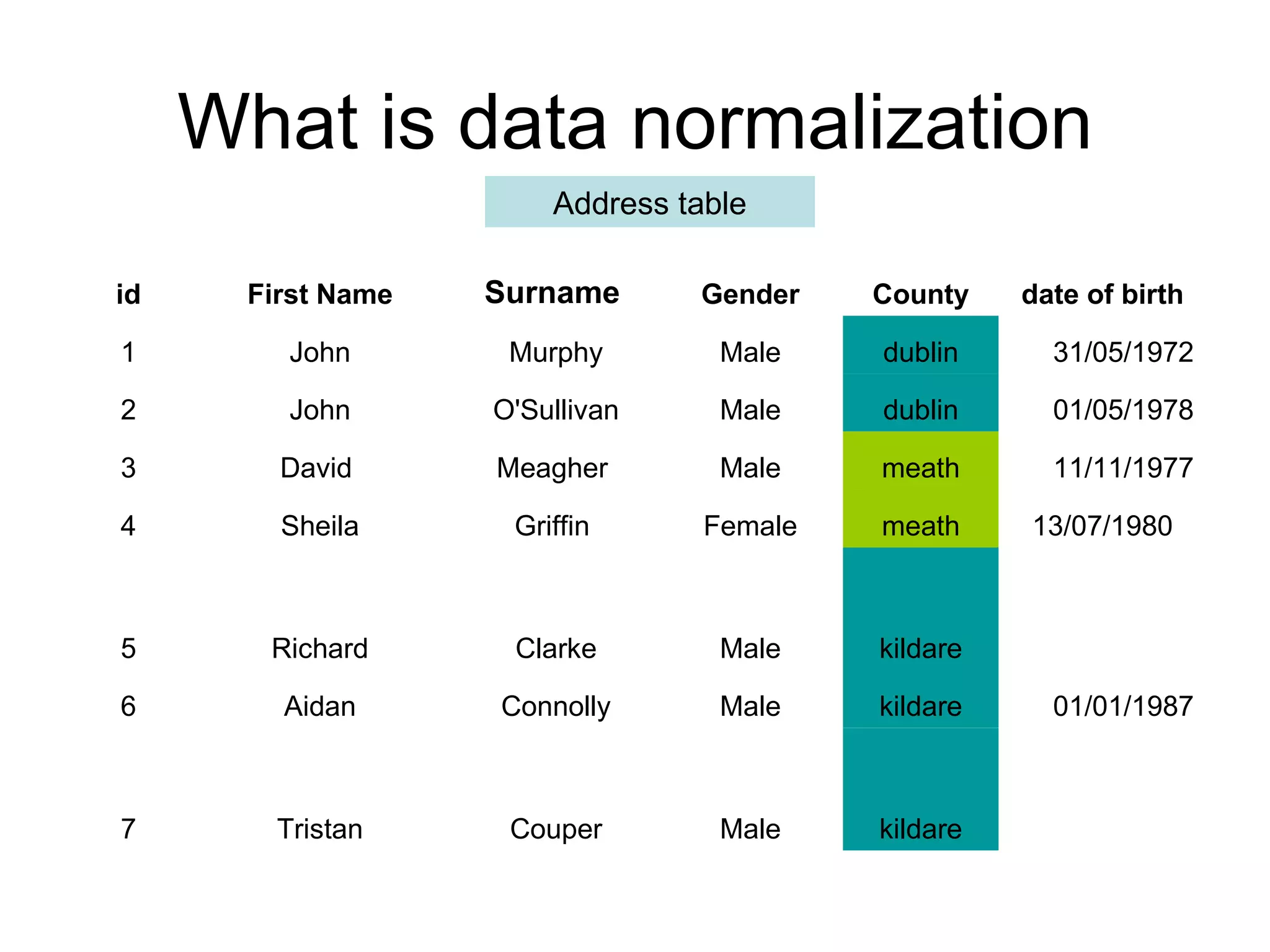
What is data normalization Address table kildare Male Couper Tristan 7 01/01/1987 kildare Male Connolly Aidan 6 kildare Male Clarke Richard 5 13/07/1980 meath Female Griffin Sheila 4 11/11/1977 meath Male Meagher David  3 01/05/1978 dublin Male O'Sullivan John 2 31/05/1972 dublin Male Murphy John 1 date of birth County Gender Surname First Name id
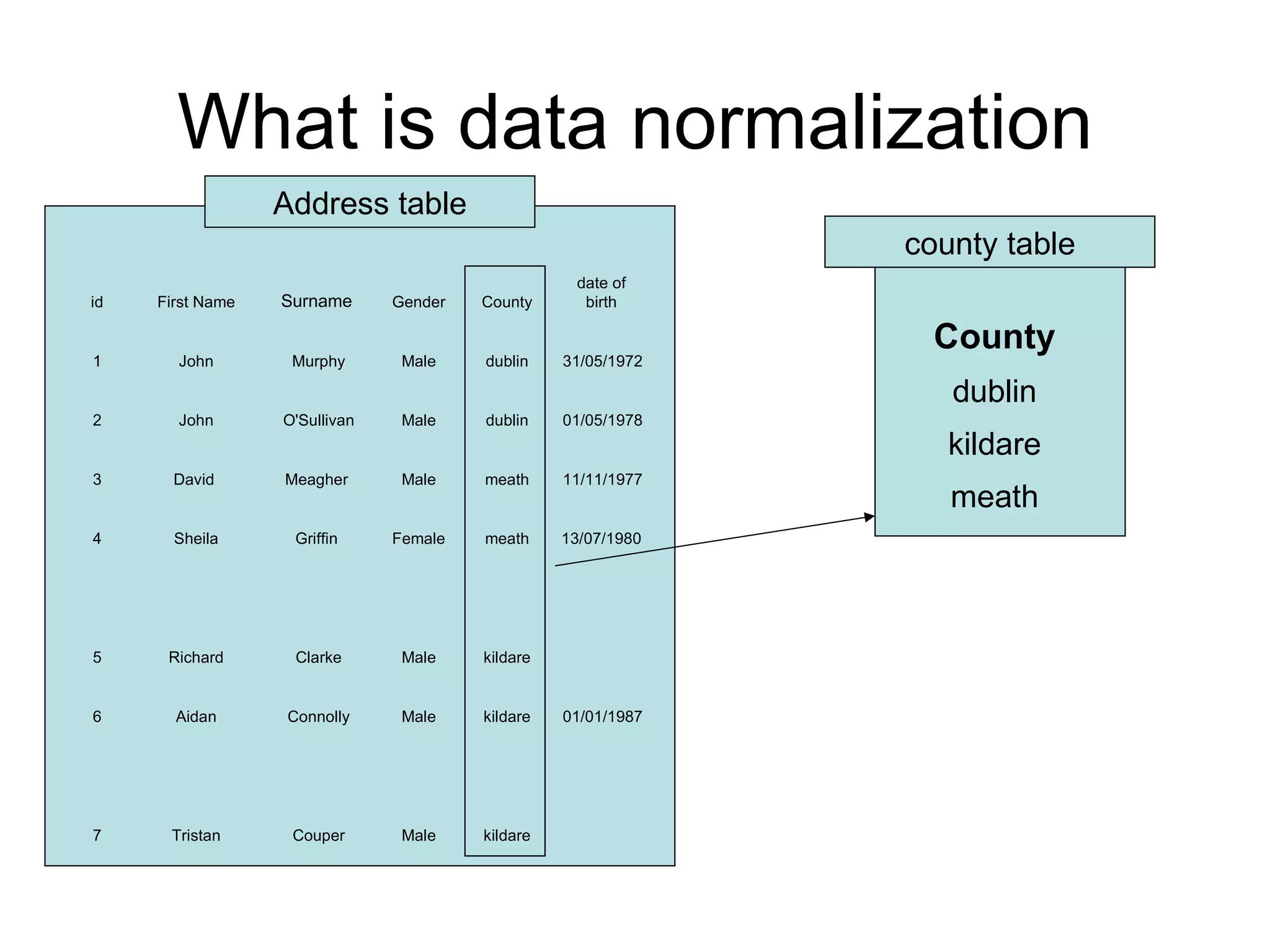
What is data normalization Address table county table kildare Male Couper Tristan 7 01/01/1987 kildare Male Connolly Aidan 6 kildare Male Clarke Richard 5 13/07/1980 meath Female Griffin Sheila 4 11/11/1977 meath Male Meagher David  3 01/05/1978 dublin Male O'Sullivan John 2 31/05/1972 dublin Male Murphy John 1 date of birth County Gender Surname First Name id meath kildare dublin County
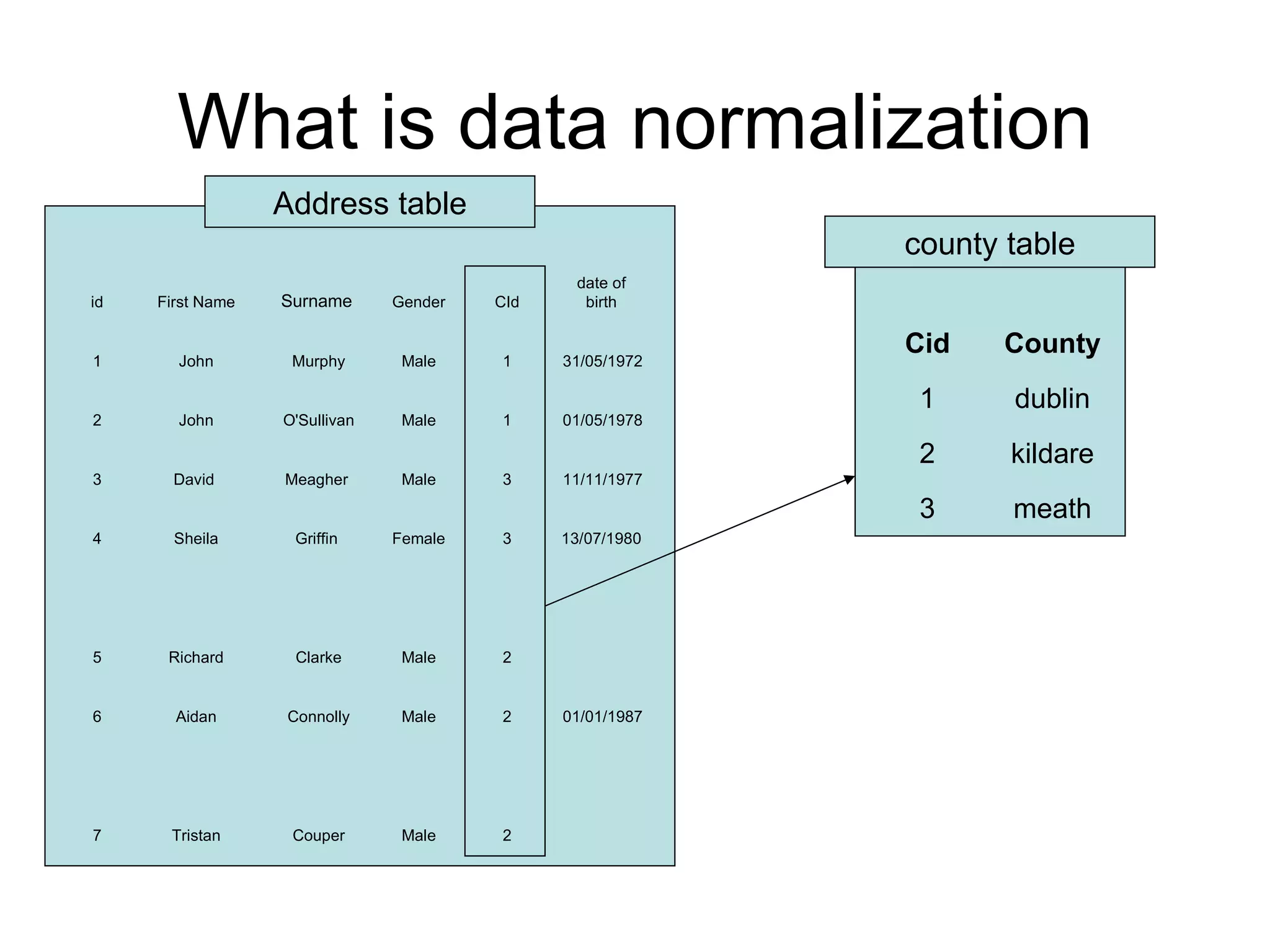
What is data normalization Address table county table 2 Male Couper Tristan 7 01/01/1987 2 Male Connolly Aidan 6 2 Male Clarke Richard 5 13/07/1980 3 Female Griffin Sheila 4 11/11/1977 3 Male Meagher David  3 01/05/1978 1 Male O'Sullivan John 2 31/05/1972 1 Male Murphy John 1 date of birth CId Gender Surname First Name id meath 3 kildare 2 dublin 1 County Cid
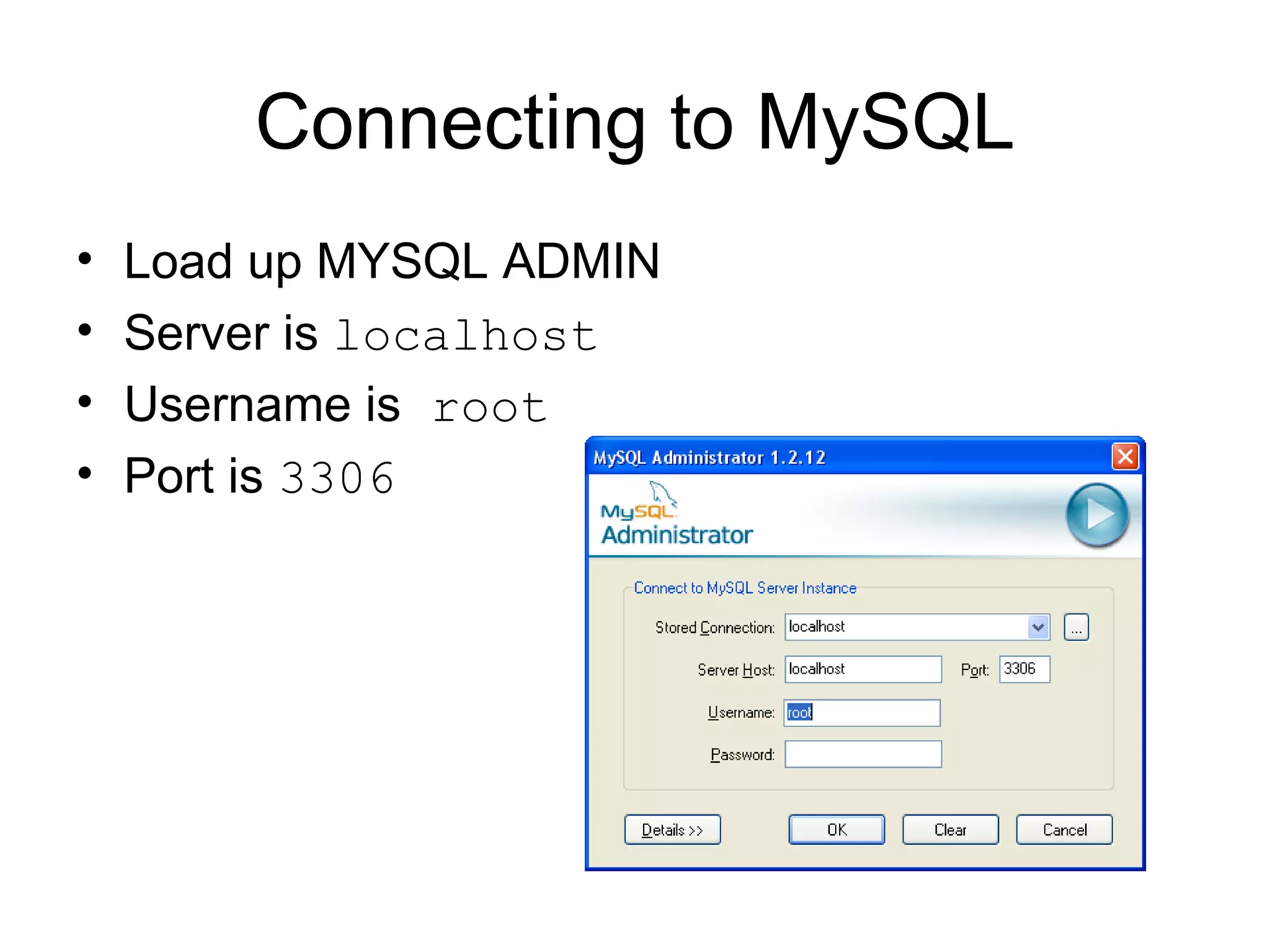
Connecting to MySQL Load up MYSQL ADMIN Server is  localhost Username is  root Port is  3306
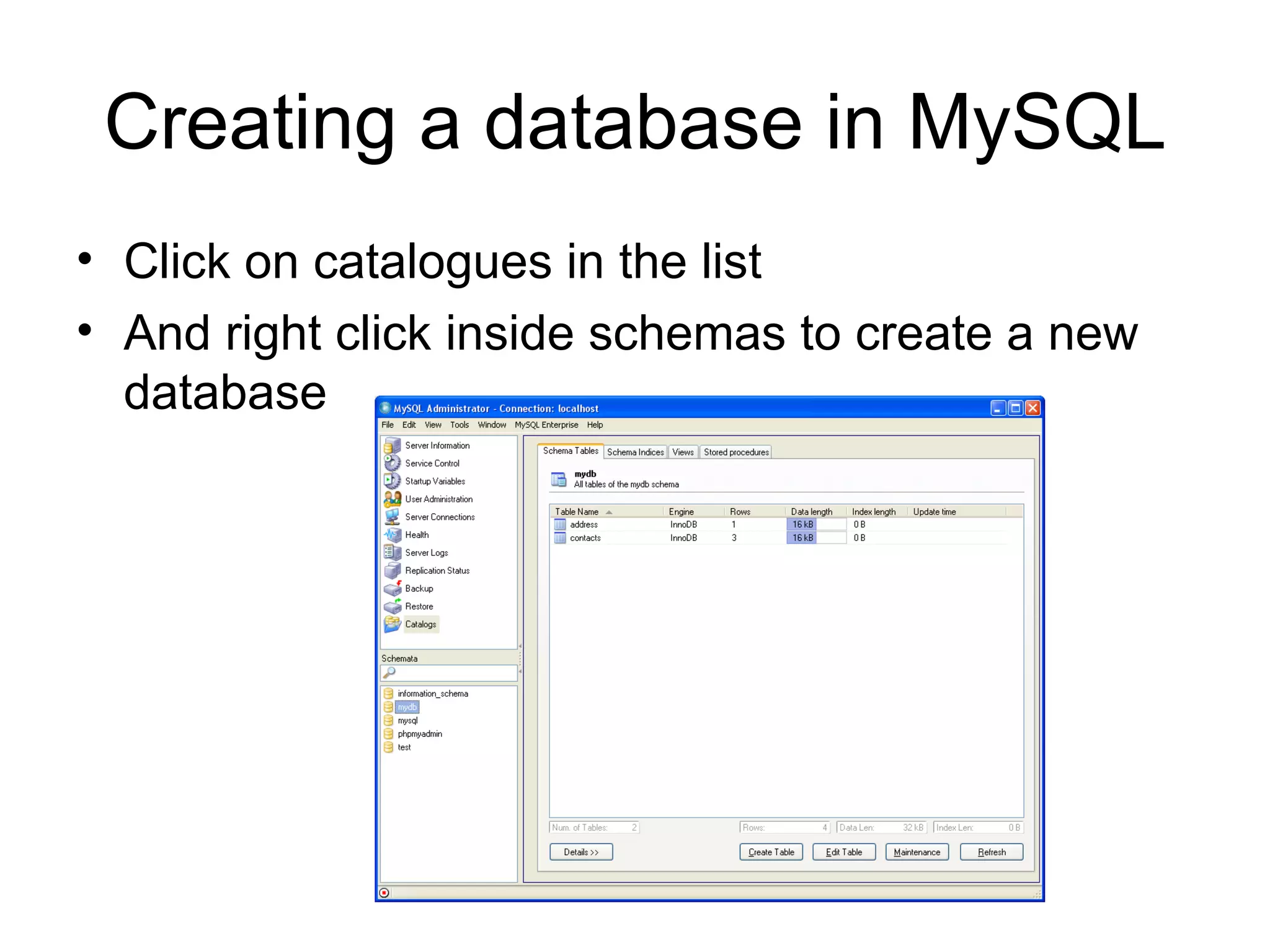
Creating a database in MySQL Click on catalogues in the list And right click inside schemas to create a new database
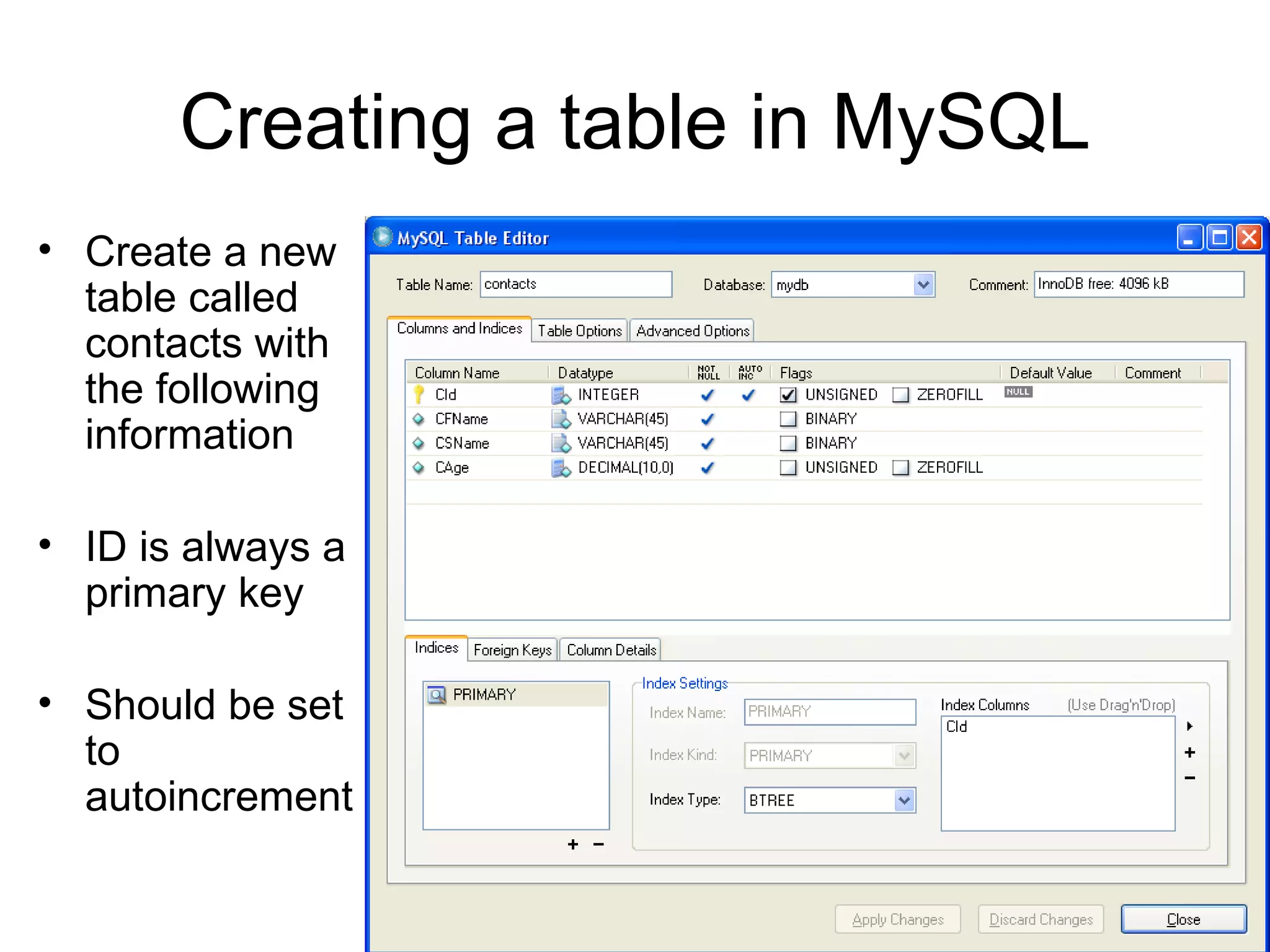
Creating a table in MySQL Create a new table called contacts with the following information ID is always a primary key Should be set  to autoincrement
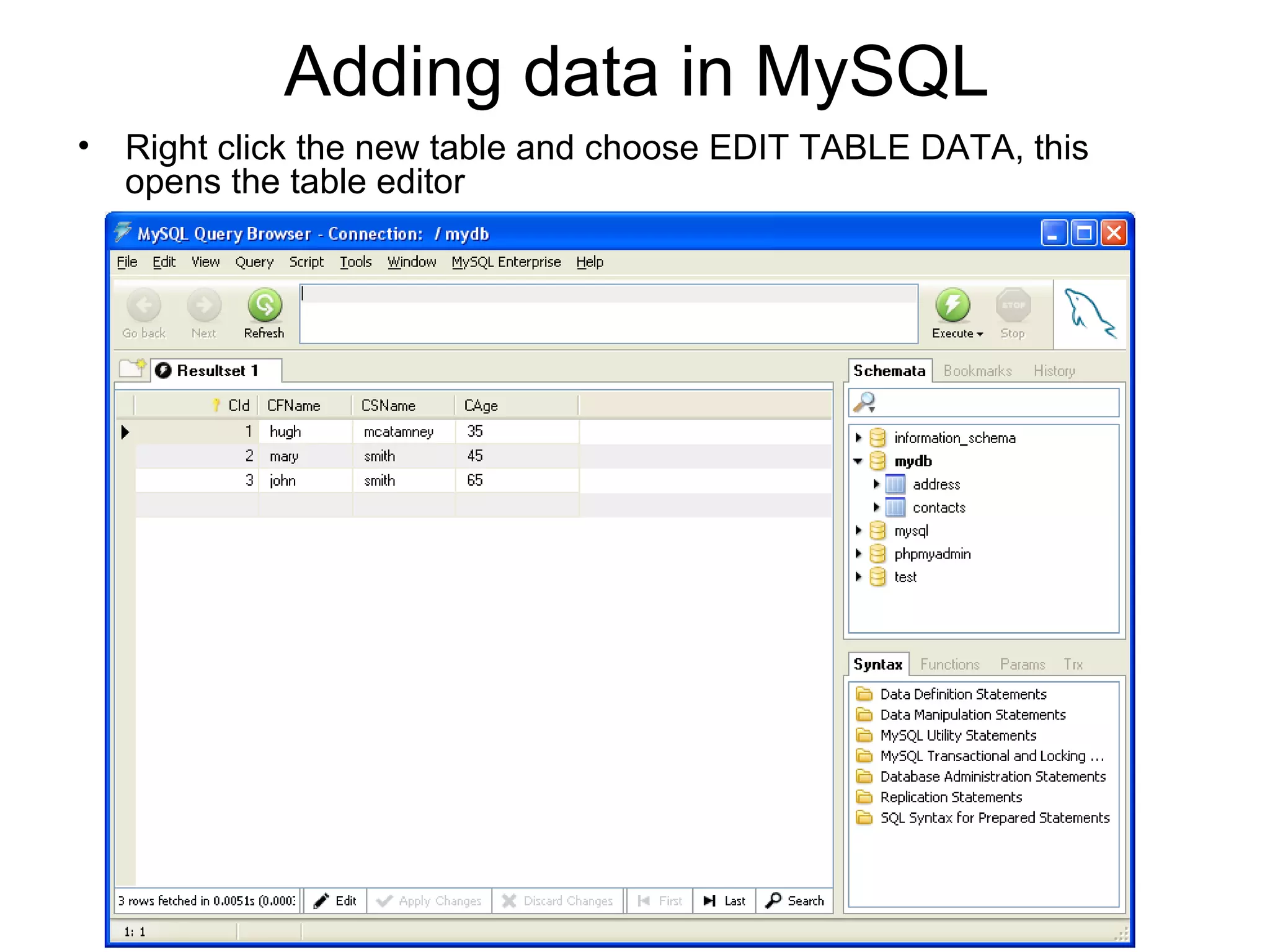
Adding data in MySQL Right click the new table and choose EDIT TABLE DATA, this opens the table editor
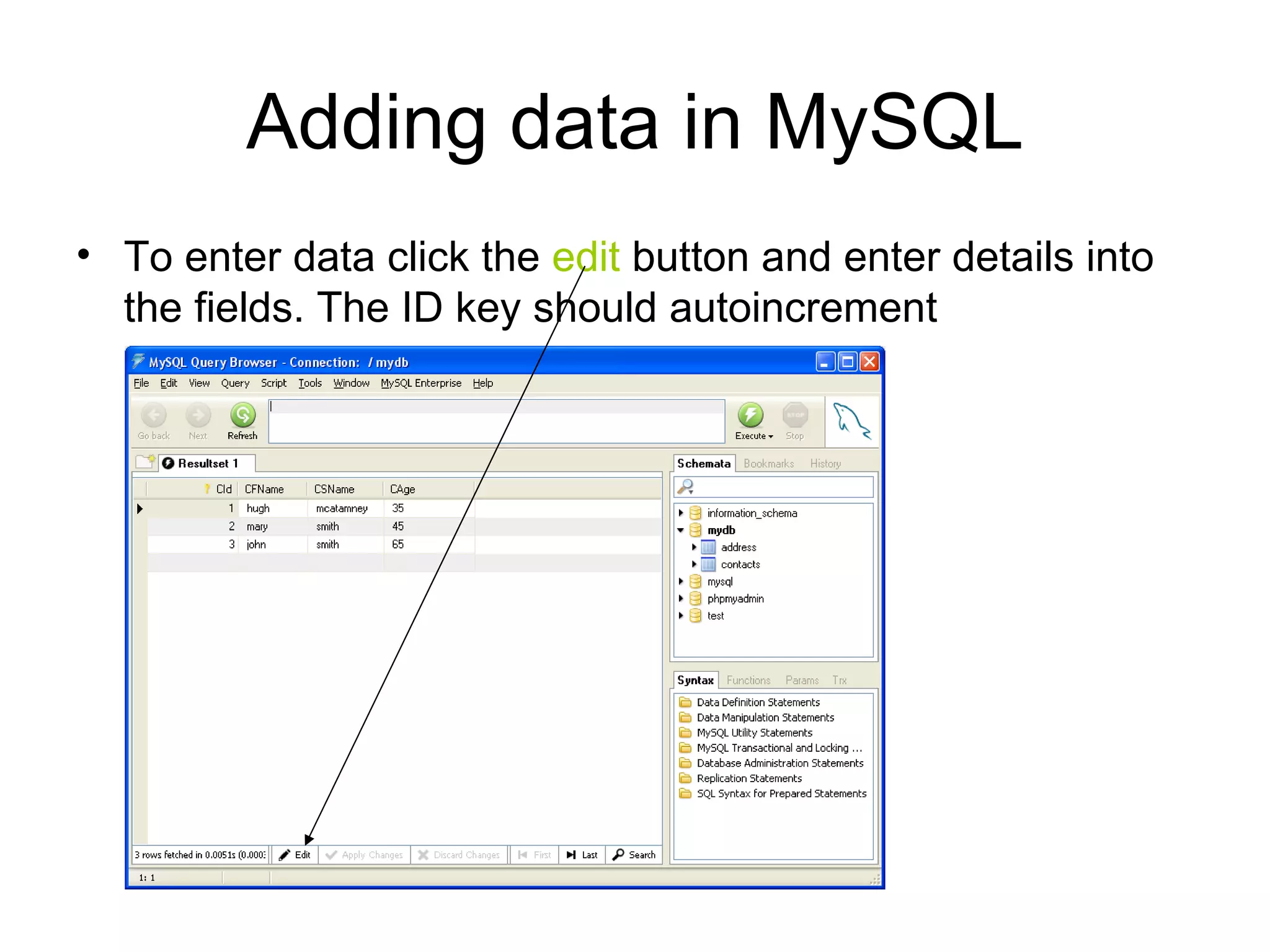
Adding data in MySQL To enter data click the  edit  button and enter details into the fields. The ID key should autoincrement
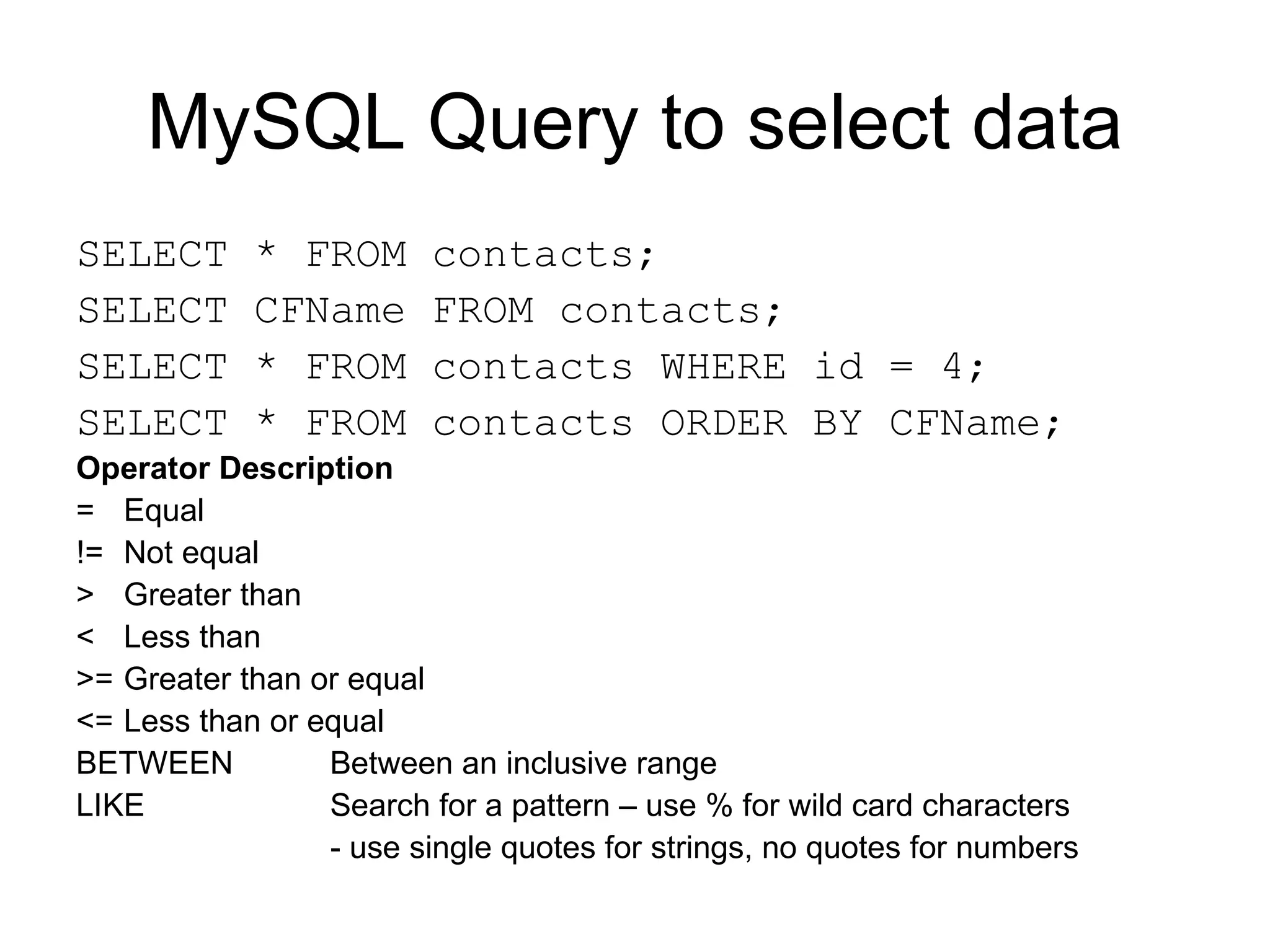
MySQL Query to select data SELECT * FROM contacts; SELECT CFName FROM contacts; SELECT * FROM contacts WHERE id = 4; SELECT * FROM contacts ORDER BY CFName; Operator Description = Equal != Not equal > Greater than < Less than >= Greater than or equal <= Less than or equal BETWEEN Between an inclusive range LIKE Search for a pattern – use % for wild card characters - use single quotes for strings, no quotes for numbers
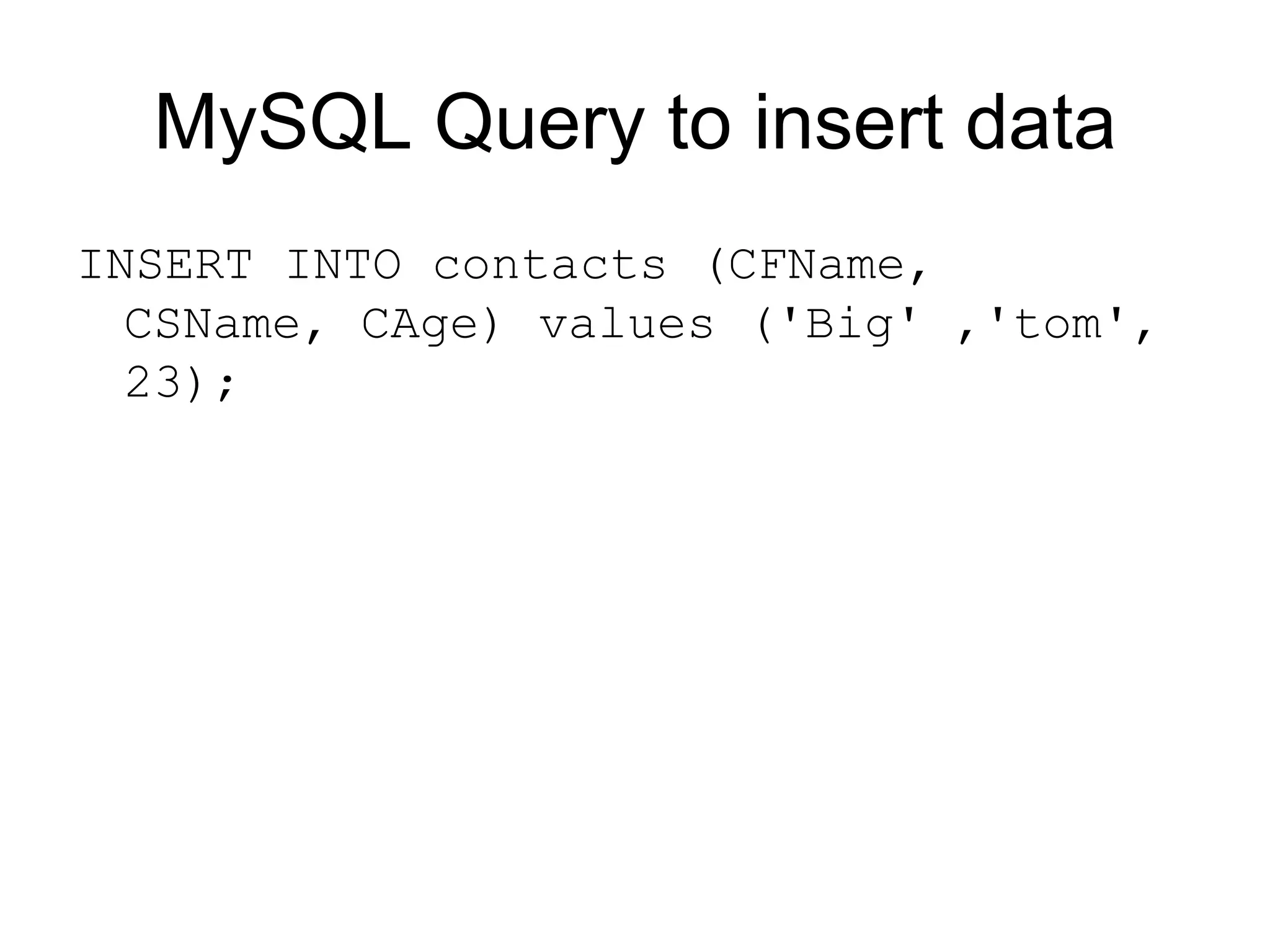
MySQL Query to insert data INSERT INTO contacts (CFName, CSName, CAge) values ('Big' ,'tom', 23);
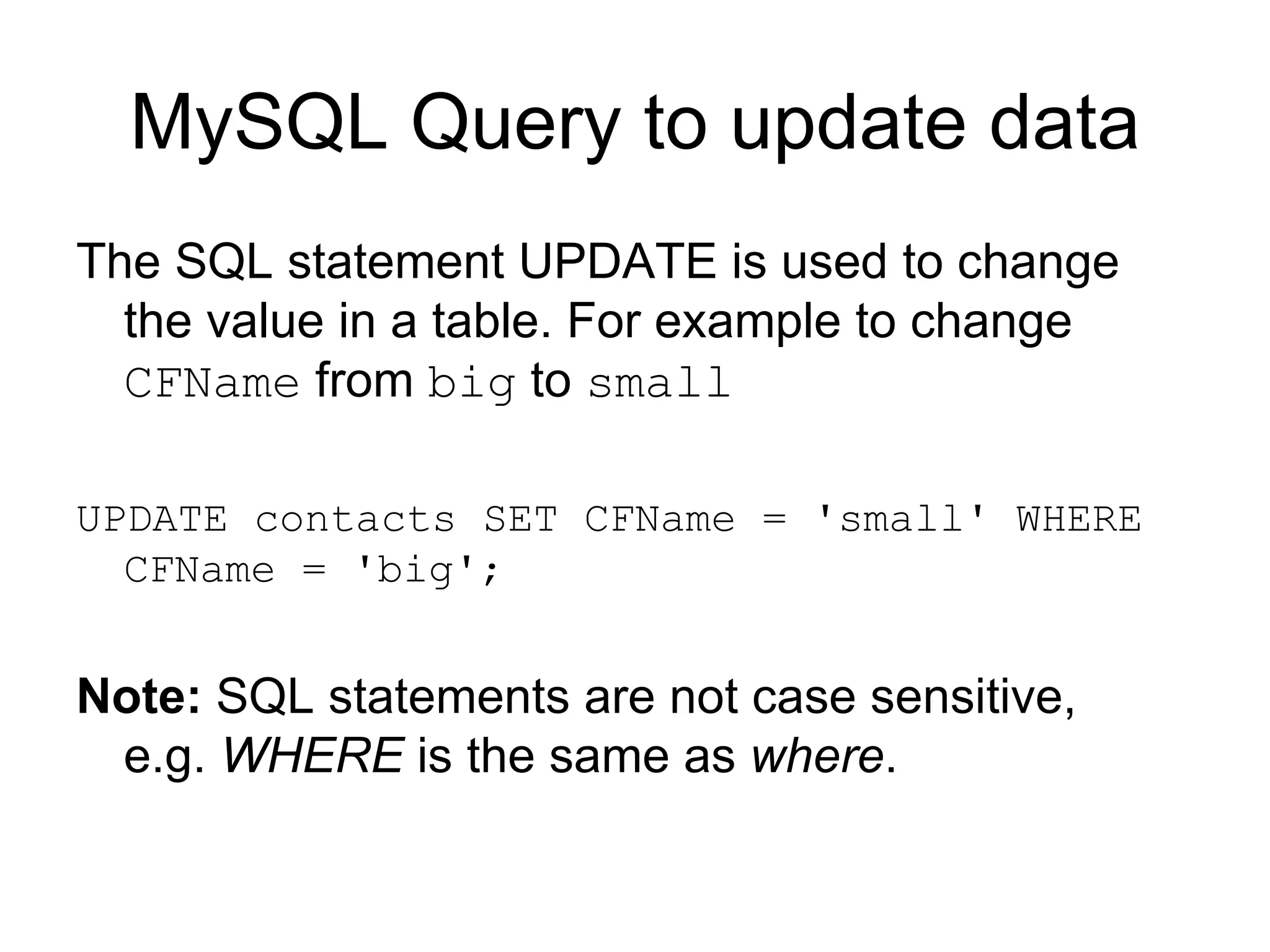
MySQL Query to update data The SQL statement UPDATE is used to change the value in a table. For example to change  CFName  from  big  to  small   UPDATE contacts SET CFName = 'small' WHERE CFName = 'big'; Note:  SQL statements are not case sensitive, e.g.  WHERE  is the same as  where .
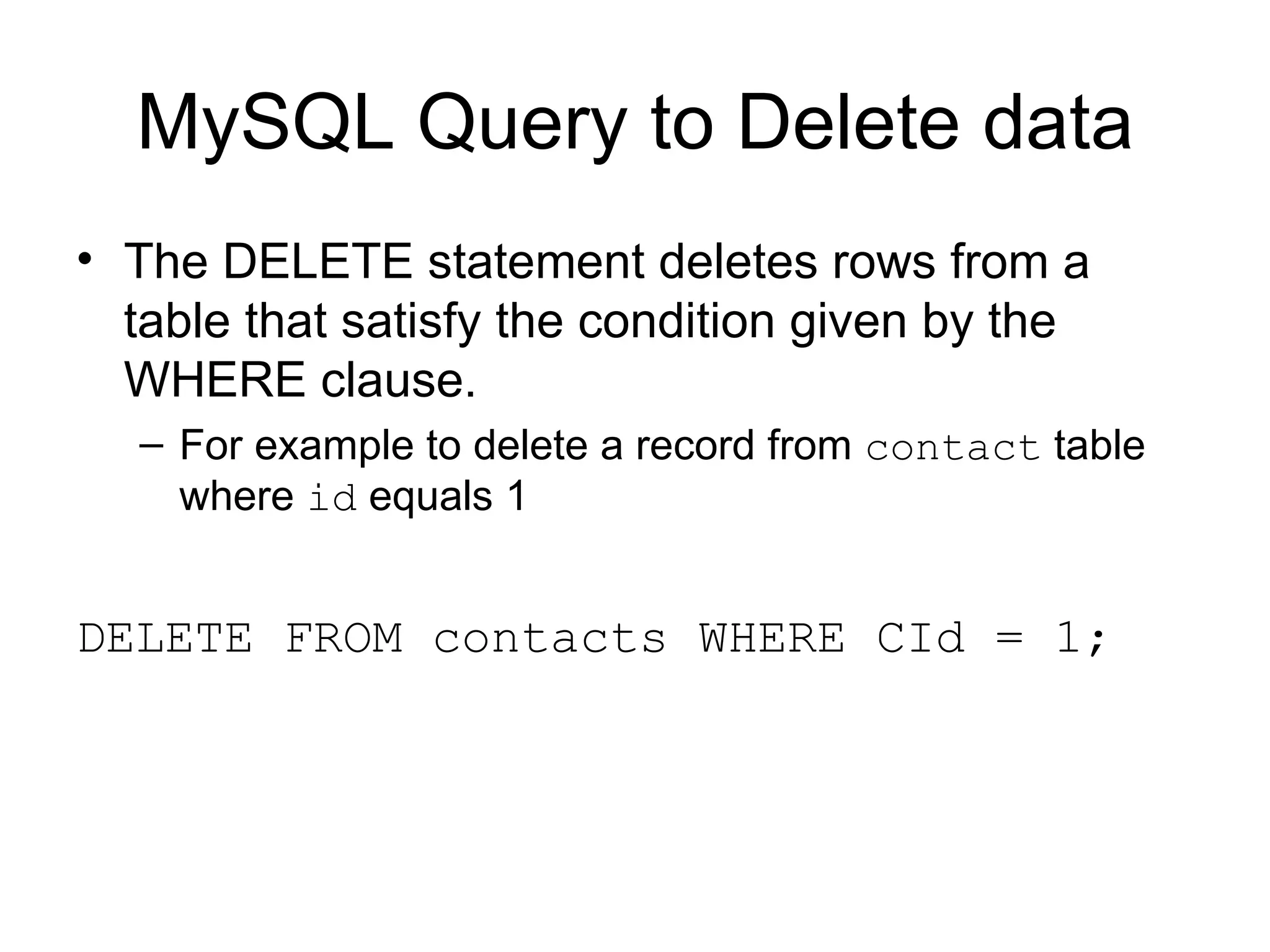
MySQL Query to Delete data The DELETE statement deletes rows from a table that satisfy the condition given by the WHERE clause.  For example to delete a record from  contact  table where  id  equals 1 DELETE FROM contacts WHERE CId = 1;
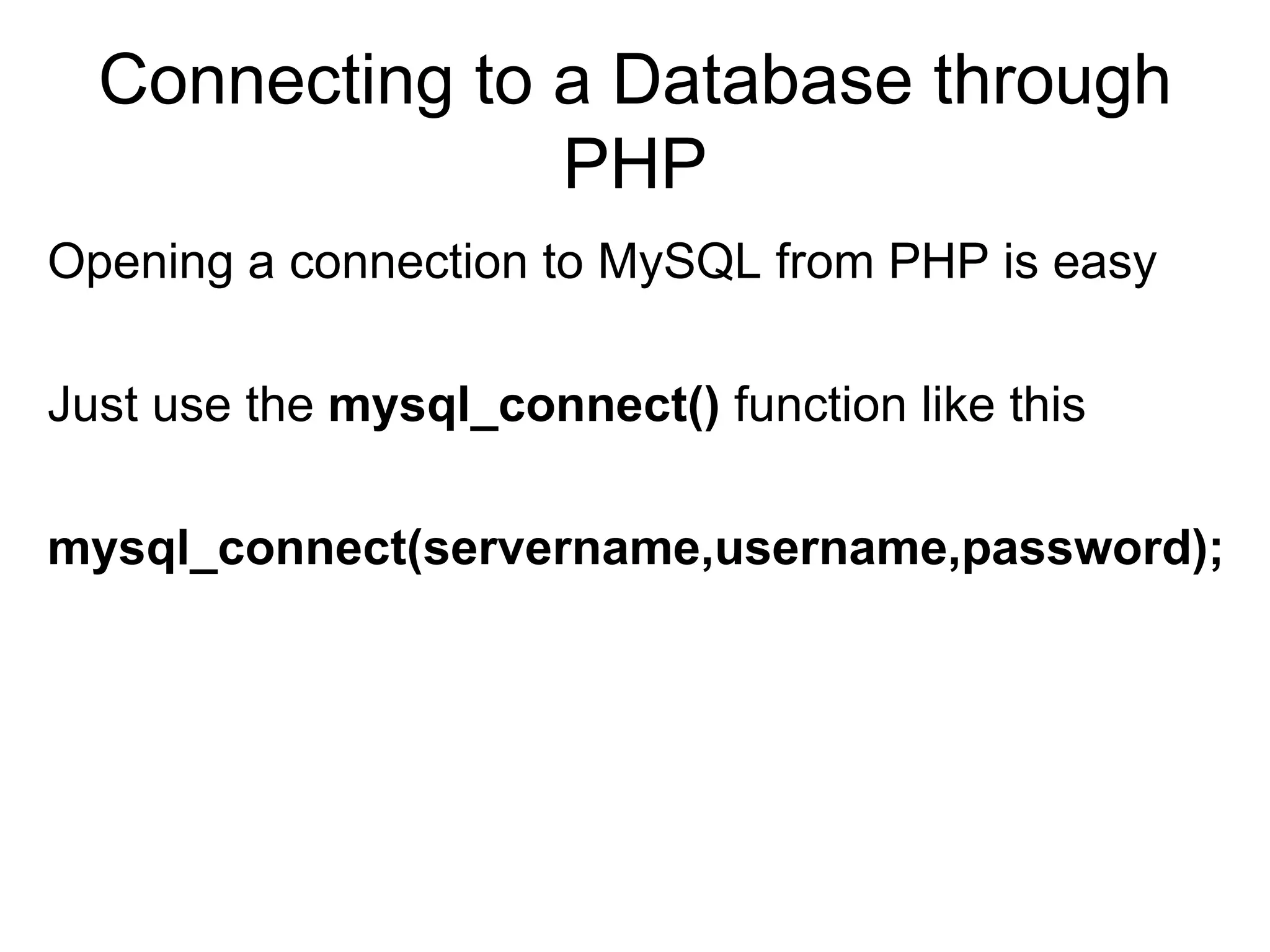
Connecting to a Database through PHP Opening a connection to MySQL from PHP is easy Just use the  mysql_connect()  function like this  mysql_connect(servername,username,password);
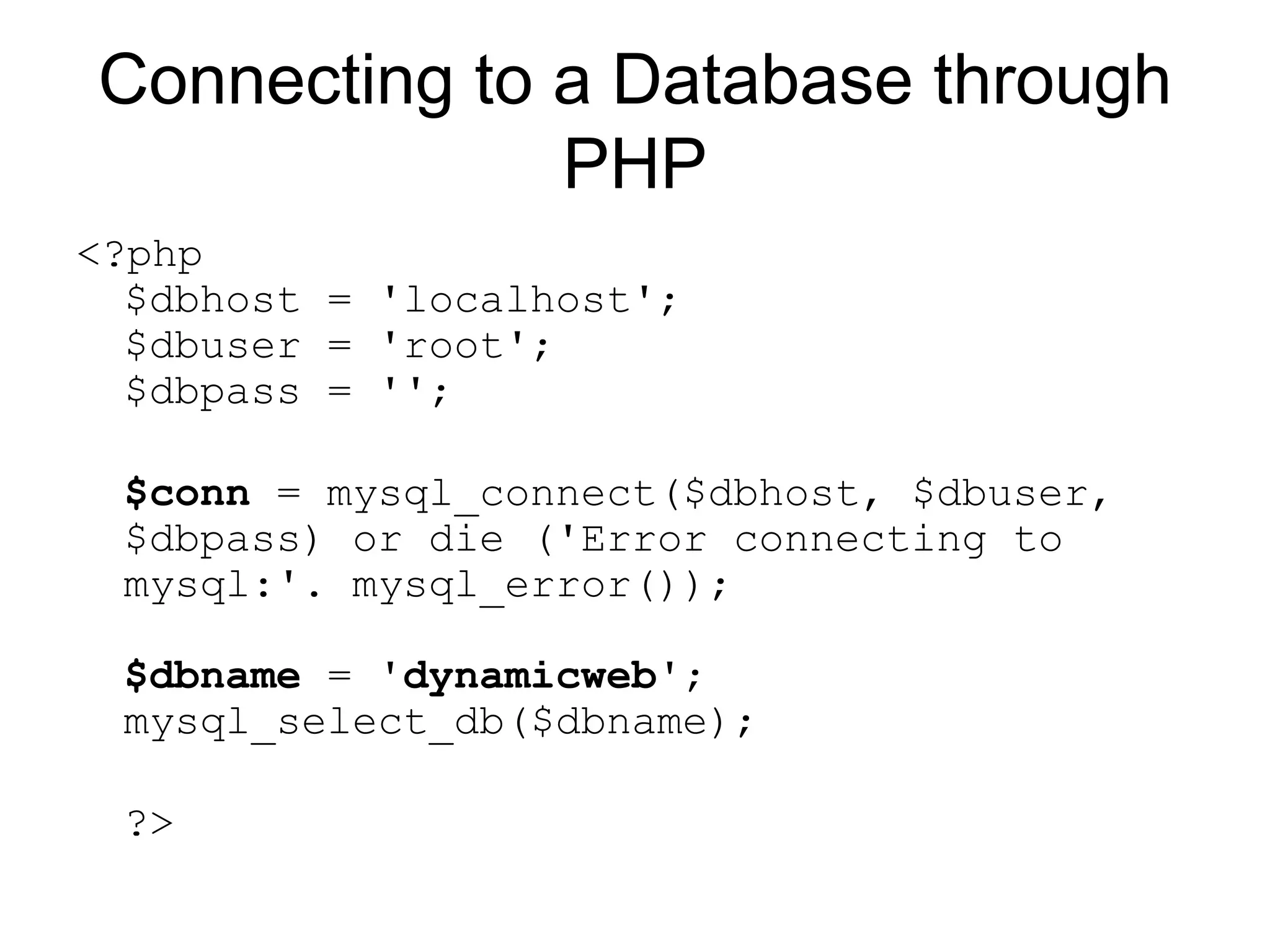
Connecting to a Database through PHP <?php $dbhost = 'localhost'; $dbuser = 'root'; $dbpass = ''; $conn  = mysql_connect($dbhost, $dbuser, $dbpass) or die ('Error connecting to mysql:'. mysql_error()); $dbname  = ' dynamicweb '; mysql_select_db($dbname); ?>
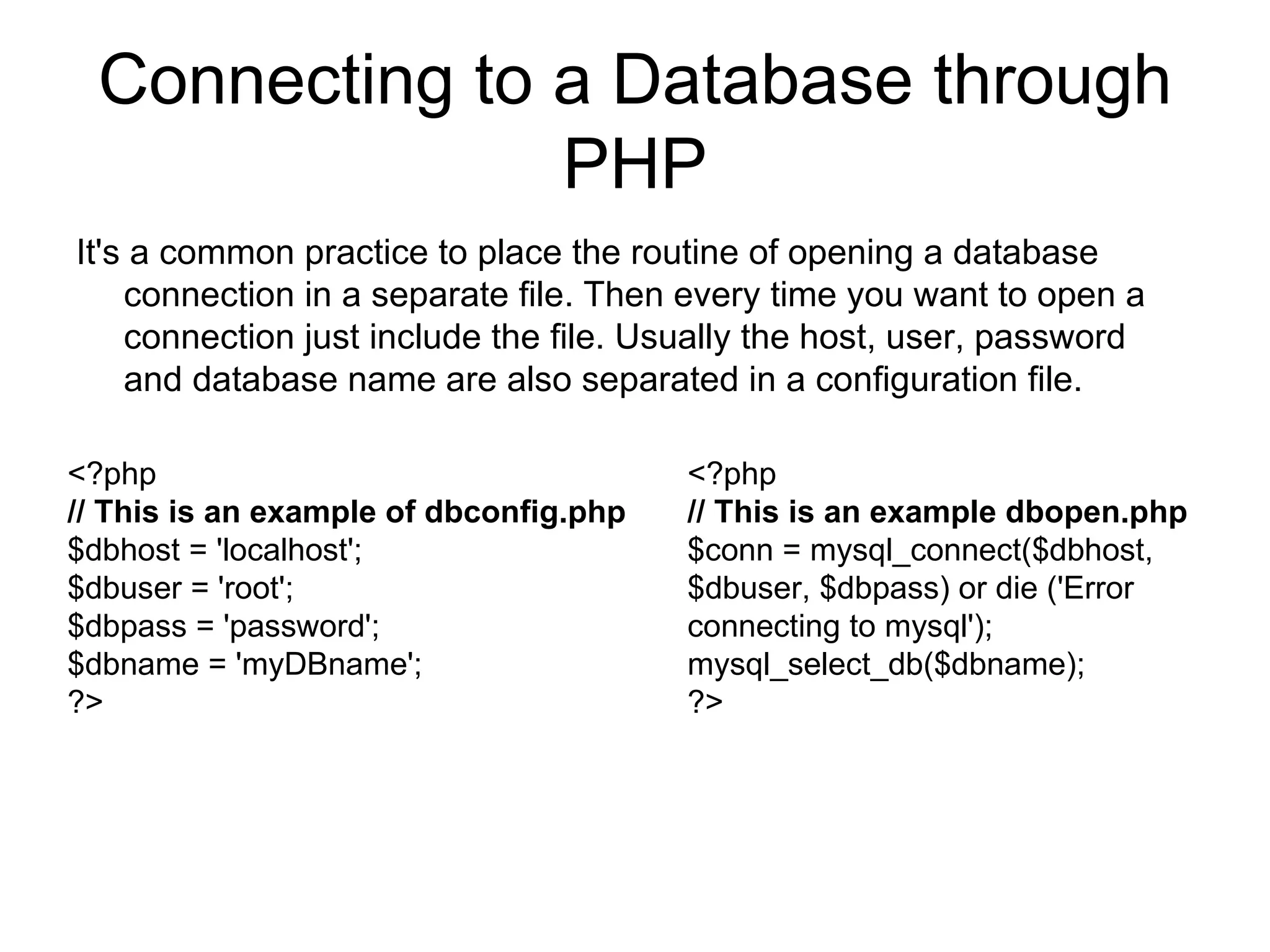
Connecting to a Database through PHP It's a common practice to place the routine of opening a database connection in a separate file. Then every time you want to open a connection just include the file. Usually the host, user, password and database name are also separated in a configuration file.  <?php // This is an example of dbconfig.php $dbhost = 'localhost'; $dbuser = 'root'; $dbpass = 'password'; $dbname = 'myDBname'; ?>  <?php // This is an example dbopen.php $conn = mysql_connect($dbhost, $dbuser, $dbpass) or die ('Error connecting to mysql'); mysql_select_db($dbname); ?>
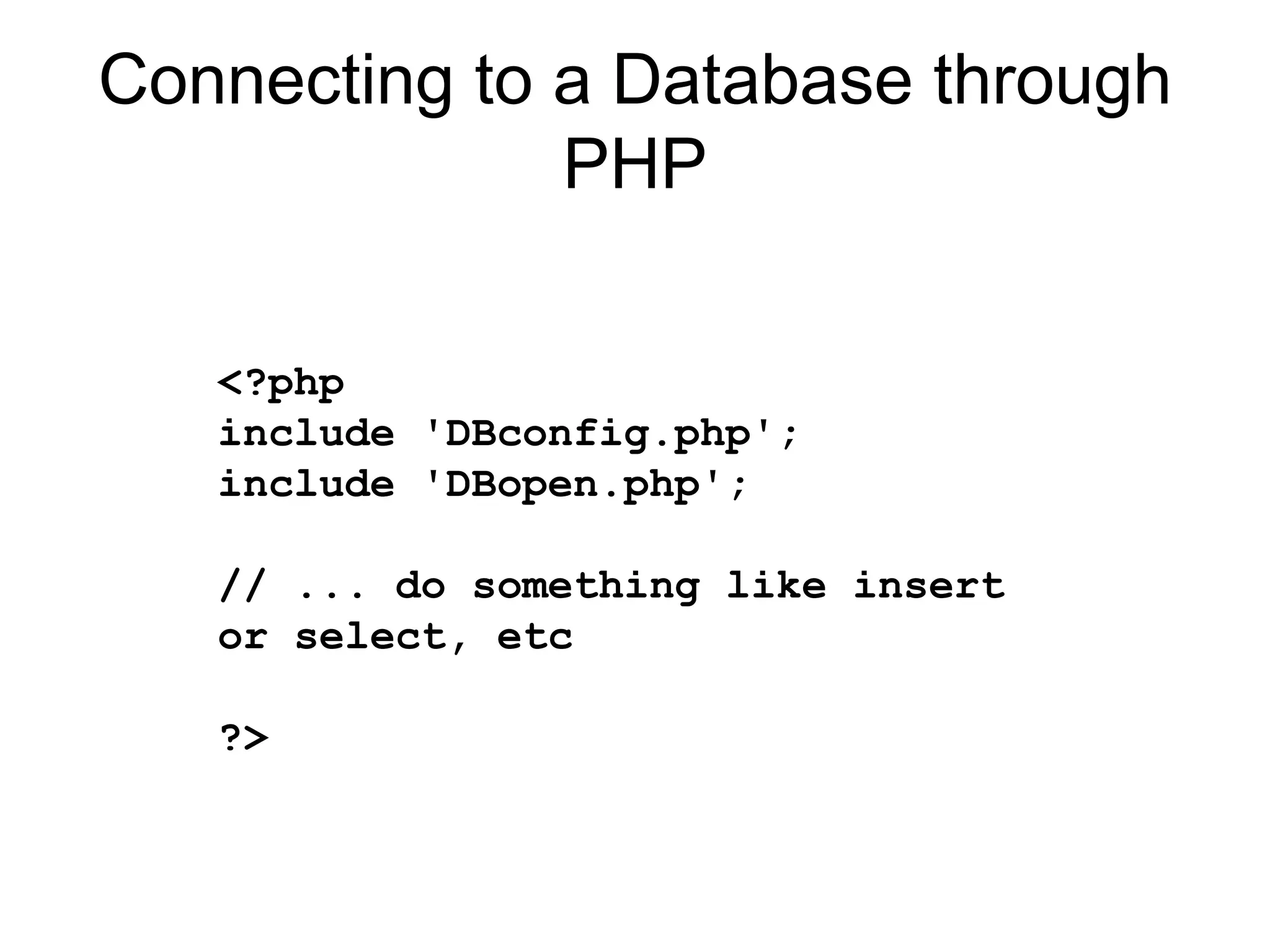
Connecting to a Database through PHP <?php include 'DBconfig.php'; include 'DBopen.php'; // ... do something like insert or select, etc ?>
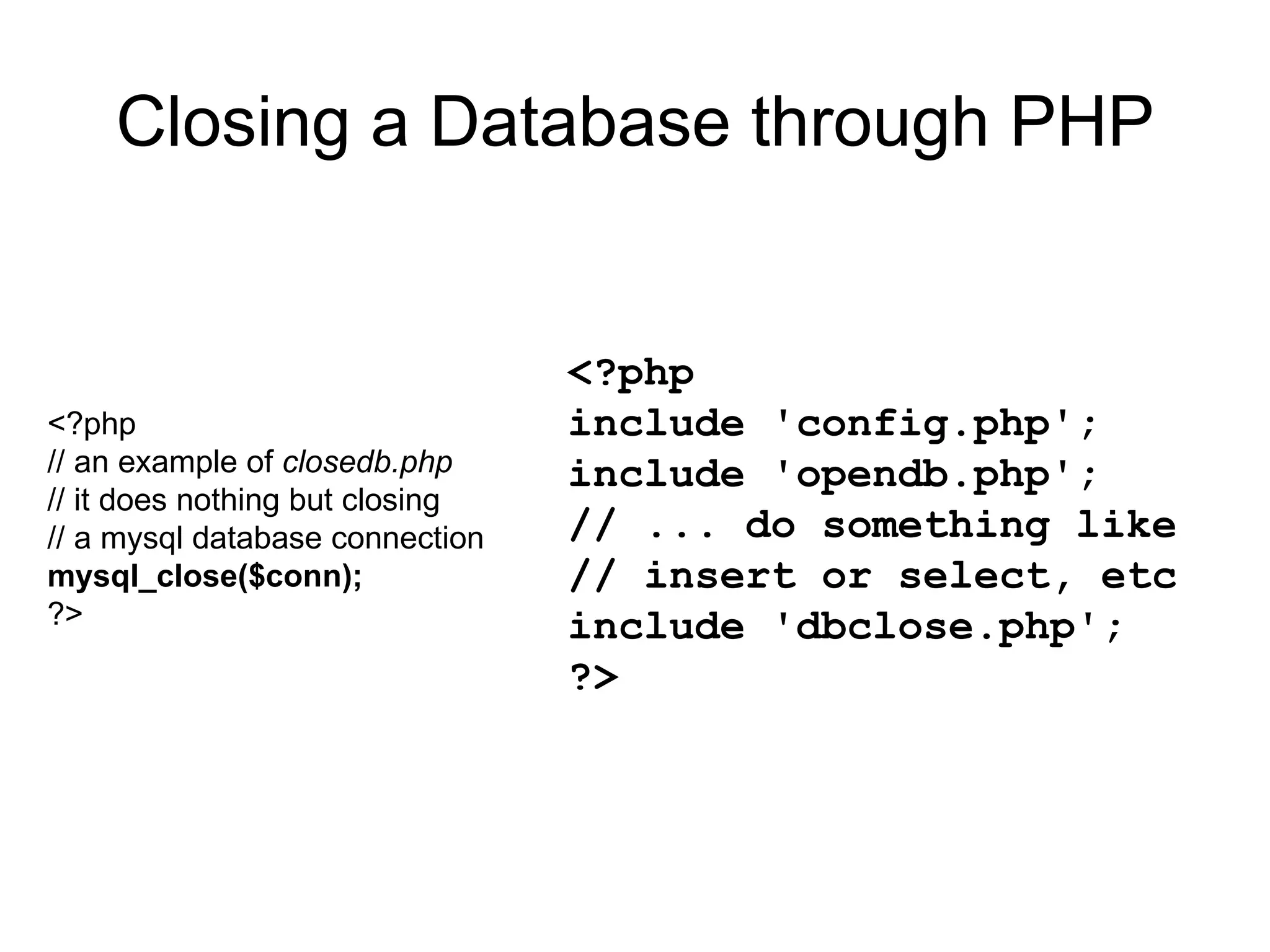
Closing a Database through PHP <?php // an example of  closedb.php // it does nothing but closing // a mysql database connection mysql_close($conn); ?> <?php include 'config.php'; include 'opendb.php'; // ... do something like // insert or select, etc include 'dbclose.php'; ?>
Listing data in a database using PHP To get PHP to execute MySQL statements we must use the  mysql_query()  function. This function is used to send a  query  or  command  to a MySQL connection. e.g.: Using PHP you can run a MySQL  SELECT  query to fetch the data out of the database.  You have several options in fetching information from MySQL. PHP provide several functions for this.  The first one is  mysql_fetch_array()   which fetches a result row as an  associative array , a  numeric   array , or both.  Below is an example of fetching data from MySQL, the table  contacts  has three columns; cF name , c Lname  and c Age .
Listing data in a database using PHP <?php include 'DBconfig.php'; include 'DBopen.php'; $query = &quot;SELECT cFname, cLname, cAge FROM contacts&quot;; $result = mysql_query($query); while($row = mysql_fetch_array($result, MYSQL_ASSOC)){ echo &quot;First Name: $row[Fname] <br>&quot;. &quot;Second Name: $row[Lname] <br>&quot;. &quot;Age: $row[age] <br><br>&quot;; } include 'DBclose.php'; ?>
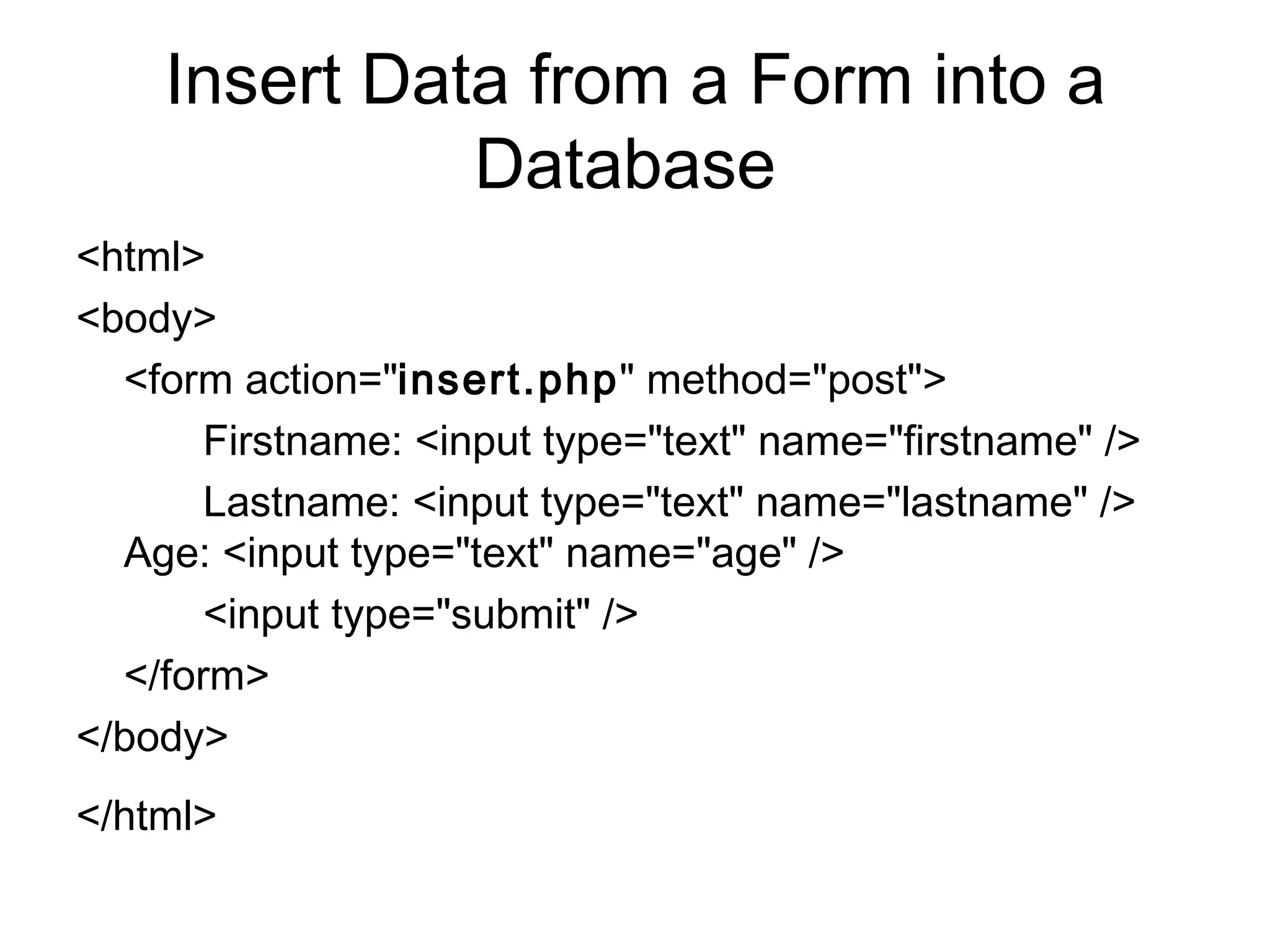
Insert Data from a Form into a Database  <html>  <body> <form action=&quot; insert.php &quot; method=&quot;post&quot;>  Firstname: <input type=&quot;text&quot; name=&quot;firstname&quot; /> Lastname: <input type=&quot;text&quot; name=&quot;lastname&quot; />  Age: <input type=&quot;text&quot; name=&quot;age&quot; />  <input type=&quot;submit&quot; />  </form> </body>  </html>
Insert Data from a Form into a Database <?php //php file “ insert.php ” $con = mysql_connect(&quot;localhost&quot;,&quot;peter&quot;,&quot;abc123&quot;);  if (!$con)  { die('Could not connect: ' . mysql_error()); } mysql_select_db(&quot;my_db&quot;, $con); $sql=&quot;INSERT INTO  table_name  (FirstName, LastName, Age) VALUES  ('$_POST[firstname]','$_POST[lastname]','$_POST[age]')&quot;; if (!mysql_query($sql,$con))  { die('Error: ' . mysql_error()); }  echo &quot;1 record added&quot;; mysql_close($con)  ?>
Select Data From a Database Table with php  <?php  $con = mysql_connect(&quot;localhost&quot;,&quot;peter&quot;,&quot;abc123&quot;);  if (!$con)  { die('Could not connect: ' . mysql_error()); } mysql_select_db(&quot;my_db&quot;, $con); $result = mysql_query(&quot;SELECT * FROM  table_name &quot;); while($row = mysql_fetch_array($result)) {  echo $row['FirstName'] . &quot; &quot; . $row['LastName'];  echo &quot;<br />&quot;;  } mysql_close($con);  ?>
Display the Result in an HTML Table  <?php  $con = mysql_connect(&quot;localhost&quot;,&quot;peter&quot;,&quot;abc123&quot;);  if (!$con)  { die('Could not connect: ' . mysql_error()); } mysql_select_db(&quot;my_db&quot;, $con);  $result = mysql_query(&quot;SELECT * FROM  table_name &quot;);  echo  &quot; <table border='1'>   < tr> <th>Firstname</th><th>Lastname</th></tr>&quot;; while($row = mysql_fetch_assoc($result)) {  echo &quot;<tr>&quot;;  echo &quot;<td>&quot; . $row['FirstName'] . &quot;</td>&quot;;  echo &quot;<td>&quot; . $row['LastName'] . &quot;</td>&quot;;  echo &quot;</tr>&quot;;  }  echo &quot;</table>&quot;; mysql_close($con);  ?>

Introtodatabase 1

  • 1.
    Overview Download MYSQLGUI What is a database, creating data Creating a database in MySQL SQL scripts Connecting to a database in PHP Viewing records
  • 2.
    Download and installmysql gui Download from here http://dev.mysql.com/downloads/gui-tools/5.0.html
  • 3.
    What is adatabase About.com http://databases.about.com/od/specificproducts/a/whatisadatabase.htm Wikipedia http://en.wikipedia.org/wiki/Database Tutorial on a database http://www.htmlgoodies.com/beyond/reference/article.php/3472691 Mysql tutorial http://www.w3schools.com/php/php_mysql_intro.asp
  • 4.
    What is adata kildare Male Couper Tristan 01/01/1987 kildare Male Connolly Aidan kildare Male Clarke Richard 13/07/1980 meath Female Griffin Sheila 11/11/1977 meath Male Meagher David 01/05/1978 dublin Male O'Sullivan John 31/05/1972 dublin Male Murphy John date of birth County Gender Surname First Name
  • 5.
    What is adatabase Address table kildare Male Couper Tristan 7 01/01/1987 kildare Male Connolly Aidan 6 kildare Male Clarke Richard 5 13/07/1980 meath Female Griffin Sheila 4 11/11/1977 meath Male Meagher David 3 01/05/1978 dublin Male O'Sullivan John 2 31/05/1972 dublin Male Murphy John 1 date of birth County Gender Surname First Name id
  • 6.
    What are datatypes Address table kildare Male Couper Tristan 7 01/01/1987 kildare Male Connolly Aidan 6 kildare Male Clarke Richard 5 13/07/1980 meath Female Griffin Sheila 4 11/11/1977 meath Male Meagher David 3 01/05/1978 dublin Male O'Sullivan John 2 31/05/1972 dublin Male Murphy John 1 date varchar varchar varchar varchar integer
  • 7.
    What is datanormalization Address table kildare Male Couper Tristan 7 01/01/1987 kildare Male Connolly Aidan 6 kildare Male Clarke Richard 5 13/07/1980 meath Female Griffin Sheila 4 11/11/1977 meath Male Meagher David 3 01/05/1978 dublin Male O'Sullivan John 2 31/05/1972 dublin Male Murphy John 1 date of birth County Gender Surname First Name id
  • 8.
    What is datanormalization Address table county table kildare Male Couper Tristan 7 01/01/1987 kildare Male Connolly Aidan 6 kildare Male Clarke Richard 5 13/07/1980 meath Female Griffin Sheila 4 11/11/1977 meath Male Meagher David 3 01/05/1978 dublin Male O'Sullivan John 2 31/05/1972 dublin Male Murphy John 1 date of birth County Gender Surname First Name id meath kildare dublin County
  • 9.
    What is datanormalization Address table county table 2 Male Couper Tristan 7 01/01/1987 2 Male Connolly Aidan 6 2 Male Clarke Richard 5 13/07/1980 3 Female Griffin Sheila 4 11/11/1977 3 Male Meagher David 3 01/05/1978 1 Male O'Sullivan John 2 31/05/1972 1 Male Murphy John 1 date of birth CId Gender Surname First Name id meath 3 kildare 2 dublin 1 County Cid
  • 10.
    Connecting to MySQLLoad up MYSQL ADMIN Server is localhost Username is root Port is 3306
  • 11.
    Creating a databasein MySQL Click on catalogues in the list And right click inside schemas to create a new database
  • 12.
    Creating a tablein MySQL Create a new table called contacts with the following information ID is always a primary key Should be set to autoincrement
  • 13.
    Adding data inMySQL Right click the new table and choose EDIT TABLE DATA, this opens the table editor
  • 14.
    Adding data inMySQL To enter data click the edit button and enter details into the fields. The ID key should autoincrement
  • 15.
    MySQL Query toselect data SELECT * FROM contacts; SELECT CFName FROM contacts; SELECT * FROM contacts WHERE id = 4; SELECT * FROM contacts ORDER BY CFName; Operator Description = Equal != Not equal > Greater than < Less than >= Greater than or equal <= Less than or equal BETWEEN Between an inclusive range LIKE Search for a pattern – use % for wild card characters - use single quotes for strings, no quotes for numbers
  • 16.
    MySQL Query toinsert data INSERT INTO contacts (CFName, CSName, CAge) values ('Big' ,'tom', 23);
  • 17.
    MySQL Query toupdate data The SQL statement UPDATE is used to change the value in a table. For example to change CFName from big to small UPDATE contacts SET CFName = 'small' WHERE CFName = 'big'; Note: SQL statements are not case sensitive, e.g. WHERE is the same as where .
  • 18.
    MySQL Query toDelete data The DELETE statement deletes rows from a table that satisfy the condition given by the WHERE clause. For example to delete a record from contact table where id equals 1 DELETE FROM contacts WHERE CId = 1;
  • 19.
    Connecting to aDatabase through PHP Opening a connection to MySQL from PHP is easy Just use the mysql_connect() function like this mysql_connect(servername,username,password);
  • 20.
    Connecting to aDatabase through PHP <?php $dbhost = 'localhost'; $dbuser = 'root'; $dbpass = ''; $conn = mysql_connect($dbhost, $dbuser, $dbpass) or die ('Error connecting to mysql:'. mysql_error()); $dbname = ' dynamicweb '; mysql_select_db($dbname); ?>
  • 21.
    Connecting to aDatabase through PHP It's a common practice to place the routine of opening a database connection in a separate file. Then every time you want to open a connection just include the file. Usually the host, user, password and database name are also separated in a configuration file. <?php // This is an example of dbconfig.php $dbhost = 'localhost'; $dbuser = 'root'; $dbpass = 'password'; $dbname = 'myDBname'; ?> <?php // This is an example dbopen.php $conn = mysql_connect($dbhost, $dbuser, $dbpass) or die ('Error connecting to mysql'); mysql_select_db($dbname); ?>
  • 22.
    Connecting to aDatabase through PHP <?php include 'DBconfig.php'; include 'DBopen.php'; // ... do something like insert or select, etc ?>
  • 23.
    Closing a Databasethrough PHP <?php // an example of closedb.php // it does nothing but closing // a mysql database connection mysql_close($conn); ?> <?php include 'config.php'; include 'opendb.php'; // ... do something like // insert or select, etc include 'dbclose.php'; ?>
  • 24.
    Listing data ina database using PHP To get PHP to execute MySQL statements we must use the mysql_query() function. This function is used to send a query or command to a MySQL connection. e.g.: Using PHP you can run a MySQL SELECT query to fetch the data out of the database. You have several options in fetching information from MySQL. PHP provide several functions for this. The first one is mysql_fetch_array() which fetches a result row as an associative array , a numeric array , or both. Below is an example of fetching data from MySQL, the table contacts has three columns; cF name , c Lname and c Age .
  • 25.
    Listing data ina database using PHP <?php include 'DBconfig.php'; include 'DBopen.php'; $query = &quot;SELECT cFname, cLname, cAge FROM contacts&quot;; $result = mysql_query($query); while($row = mysql_fetch_array($result, MYSQL_ASSOC)){ echo &quot;First Name: $row[Fname] <br>&quot;. &quot;Second Name: $row[Lname] <br>&quot;. &quot;Age: $row[age] <br><br>&quot;; } include 'DBclose.php'; ?>
  • 26.
    Insert Data froma Form into a Database <html> <body> <form action=&quot; insert.php &quot; method=&quot;post&quot;> Firstname: <input type=&quot;text&quot; name=&quot;firstname&quot; /> Lastname: <input type=&quot;text&quot; name=&quot;lastname&quot; /> Age: <input type=&quot;text&quot; name=&quot;age&quot; /> <input type=&quot;submit&quot; /> </form> </body> </html>
  • 27.
    Insert Data froma Form into a Database <?php //php file “ insert.php ” $con = mysql_connect(&quot;localhost&quot;,&quot;peter&quot;,&quot;abc123&quot;); if (!$con) { die('Could not connect: ' . mysql_error()); } mysql_select_db(&quot;my_db&quot;, $con); $sql=&quot;INSERT INTO table_name (FirstName, LastName, Age) VALUES ('$_POST[firstname]','$_POST[lastname]','$_POST[age]')&quot;; if (!mysql_query($sql,$con)) { die('Error: ' . mysql_error()); } echo &quot;1 record added&quot;; mysql_close($con) ?>
  • 28.
    Select Data Froma Database Table with php <?php $con = mysql_connect(&quot;localhost&quot;,&quot;peter&quot;,&quot;abc123&quot;); if (!$con) { die('Could not connect: ' . mysql_error()); } mysql_select_db(&quot;my_db&quot;, $con); $result = mysql_query(&quot;SELECT * FROM table_name &quot;); while($row = mysql_fetch_array($result)) { echo $row['FirstName'] . &quot; &quot; . $row['LastName']; echo &quot;<br />&quot;; } mysql_close($con); ?>
  • 29.
    Display the Resultin an HTML Table <?php $con = mysql_connect(&quot;localhost&quot;,&quot;peter&quot;,&quot;abc123&quot;); if (!$con) { die('Could not connect: ' . mysql_error()); } mysql_select_db(&quot;my_db&quot;, $con); $result = mysql_query(&quot;SELECT * FROM table_name &quot;); echo &quot; <table border='1'> < tr> <th>Firstname</th><th>Lastname</th></tr>&quot;; while($row = mysql_fetch_assoc($result)) { echo &quot;<tr>&quot;; echo &quot;<td>&quot; . $row['FirstName'] . &quot;</td>&quot;; echo &quot;<td>&quot; . $row['LastName'] . &quot;</td>&quot;; echo &quot;</tr>&quot;; } echo &quot;</table>&quot;; mysql_close($con); ?>