

2 nd Class
Dr.F.Jahedi
jahedif@gmail.com
http://www.jahedif.com
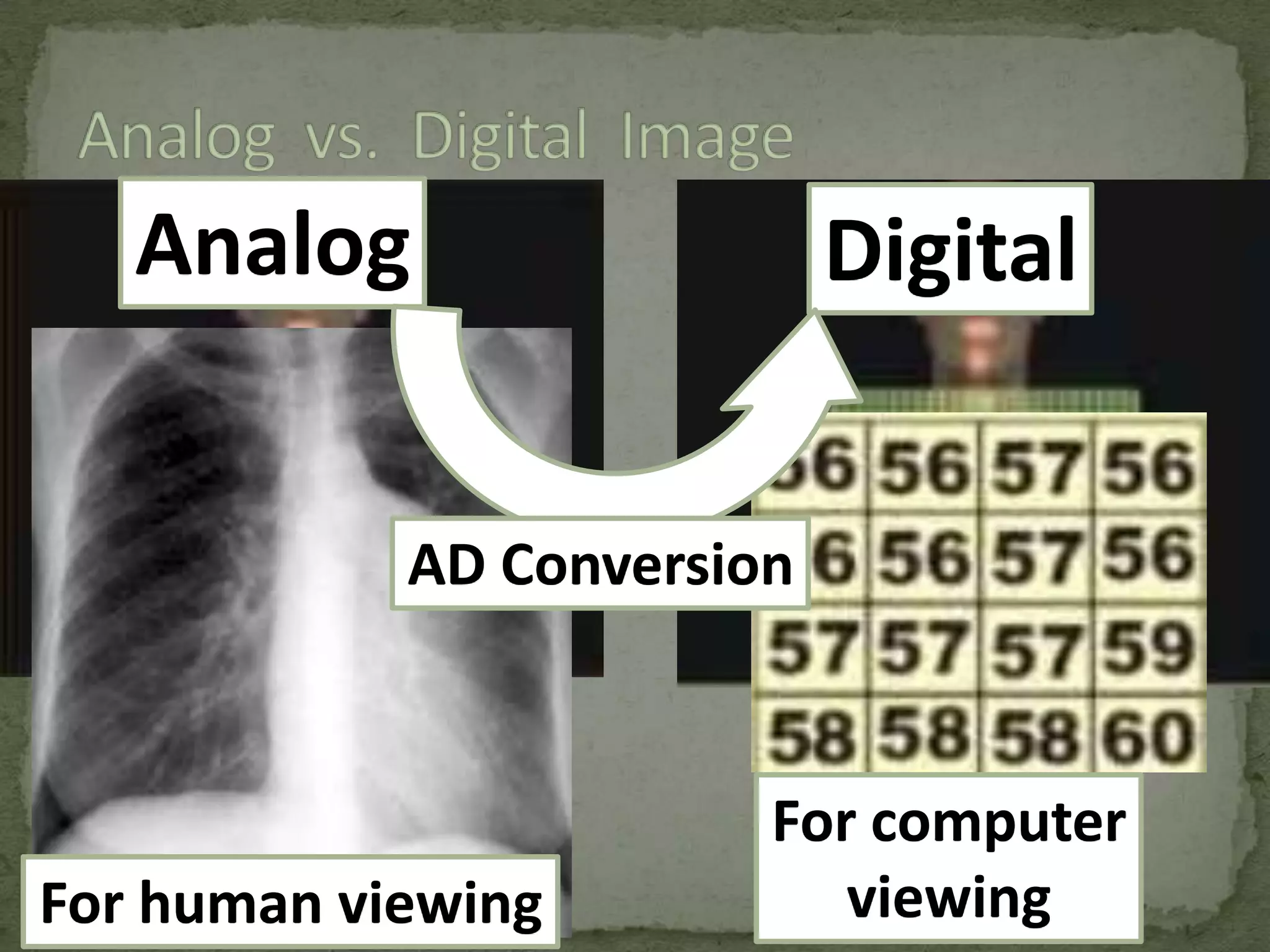
 Analog images
 Digital images
 Type of images that we, as humans, look at.
 They include such things as photographs, paintings, TV

images, and all of our medical images recorded on film or
displayed on various display devices, like computer
monitors.
 What we see in an analog image is various levels of
brightness (or film density) and colors.
 It is generally continuous and not broken into many small
individual pieces.
 Are recorded as many numbers.
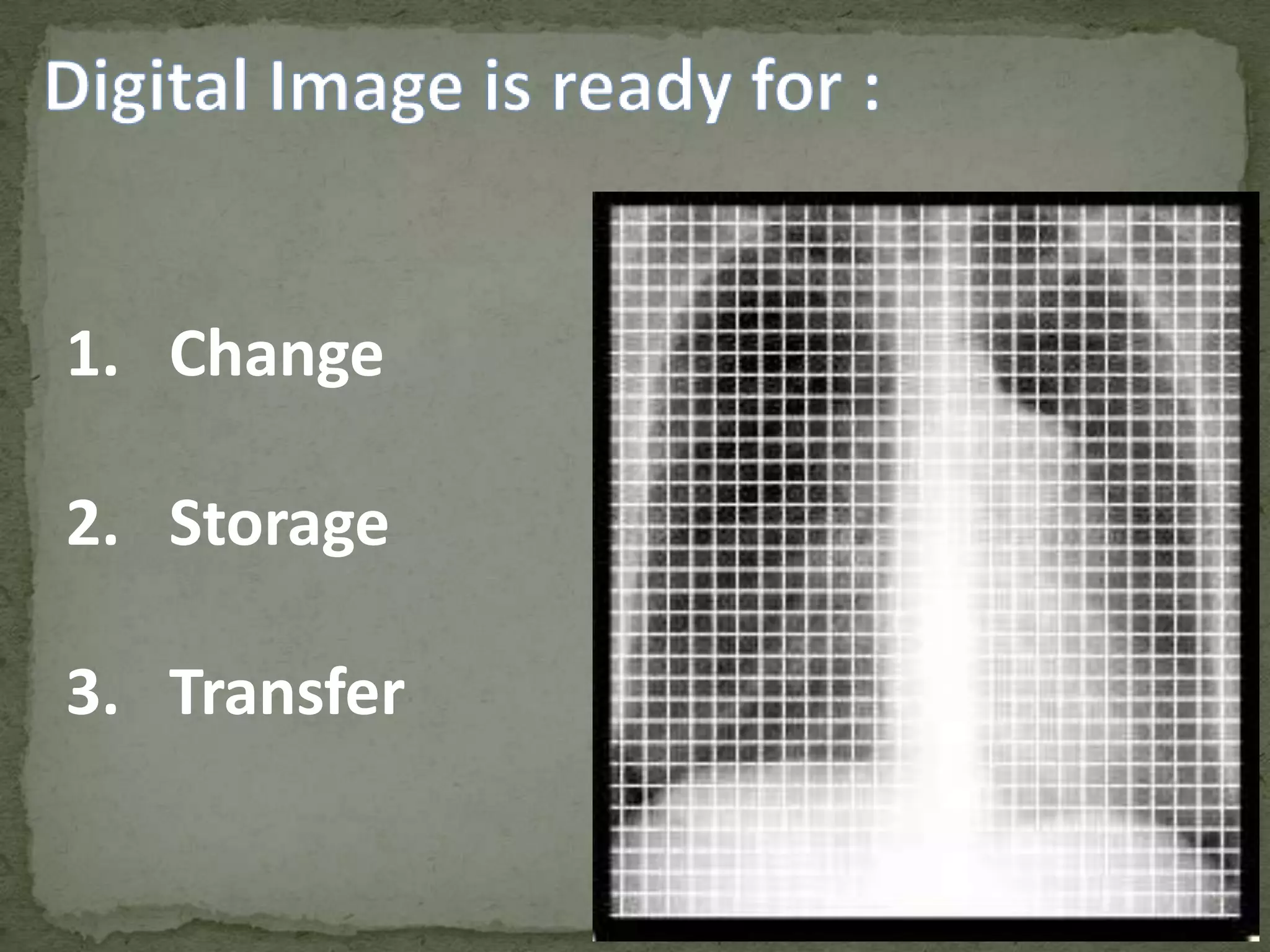
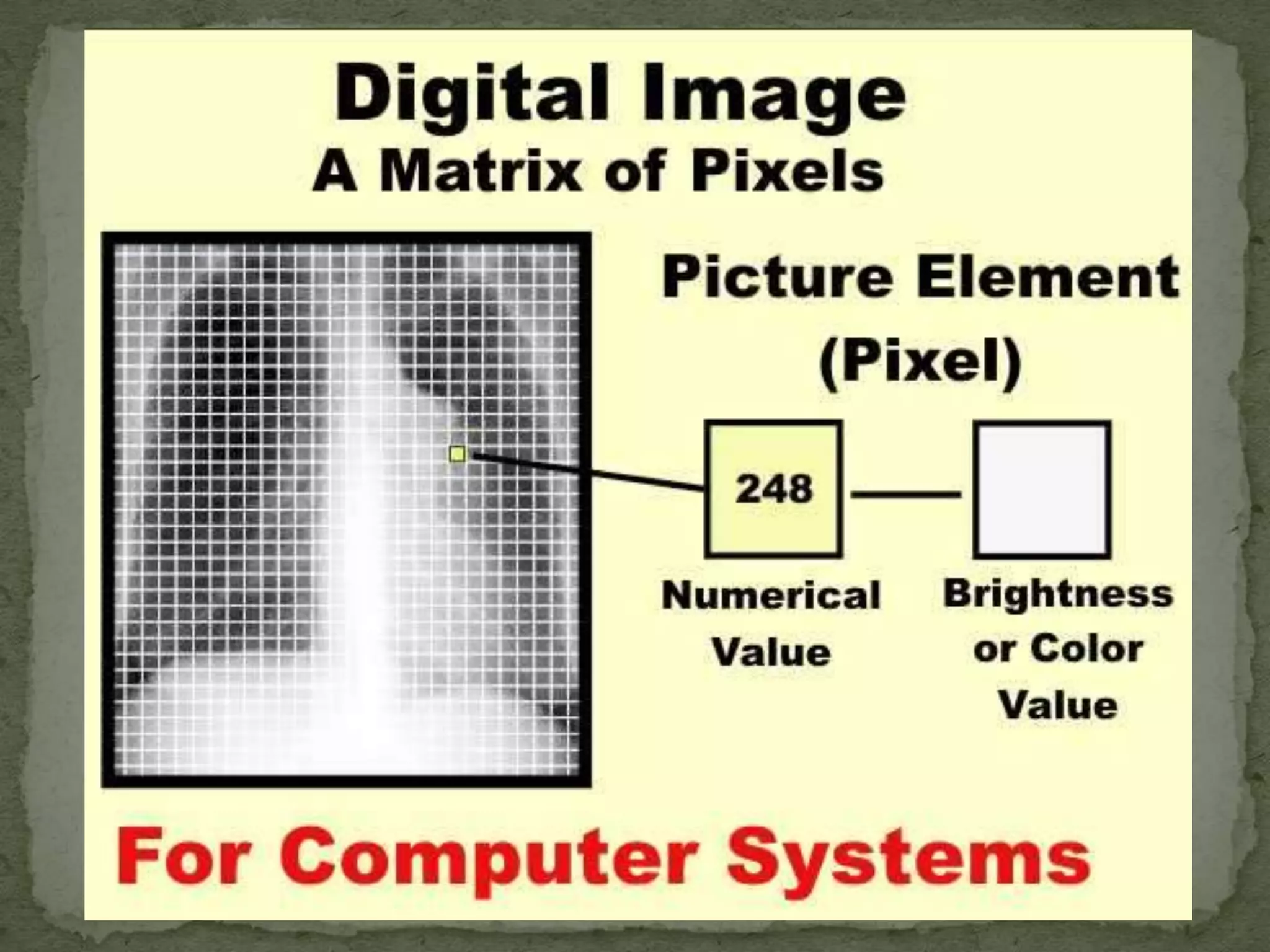
 The image is divided into a matrix or array of small picture

elements, or pixels.
 Each pixel is represented by a numerical value.
 The advantage of digital images is that they can be
processed, in many ways, by computer systems.
1. Change
2. Storage

3. Transfer
 Image reconstruction (CT, MRI, SPECT, PET, etc)
 Image reformatting (Multi-plane, multi-view reconstructions)
 Wide (dynamic) range image data acquisition (CT, digital







radiography, etc)
Image processing (to change contrast and other quality
characteristics)
Fast image storage and retrieval
Fast and high-quality image distribution (PACS, Teleradiology)
Controlled viewing (windowing, zooming, etc)
Image analysis (measurements, calculation of various
parameters, computer aided diagnosis, etc)
 Each pixel is represented by a numerical value.
 In general, the pixel value is related to the brightness or

color
 That we will see when the digital image is converted into an

analog image for display and viewing.
 At the time of viewing, the actual relationship between a

pixel numerical value and it's displayed brightness is
determined by the adjustments of the window control.
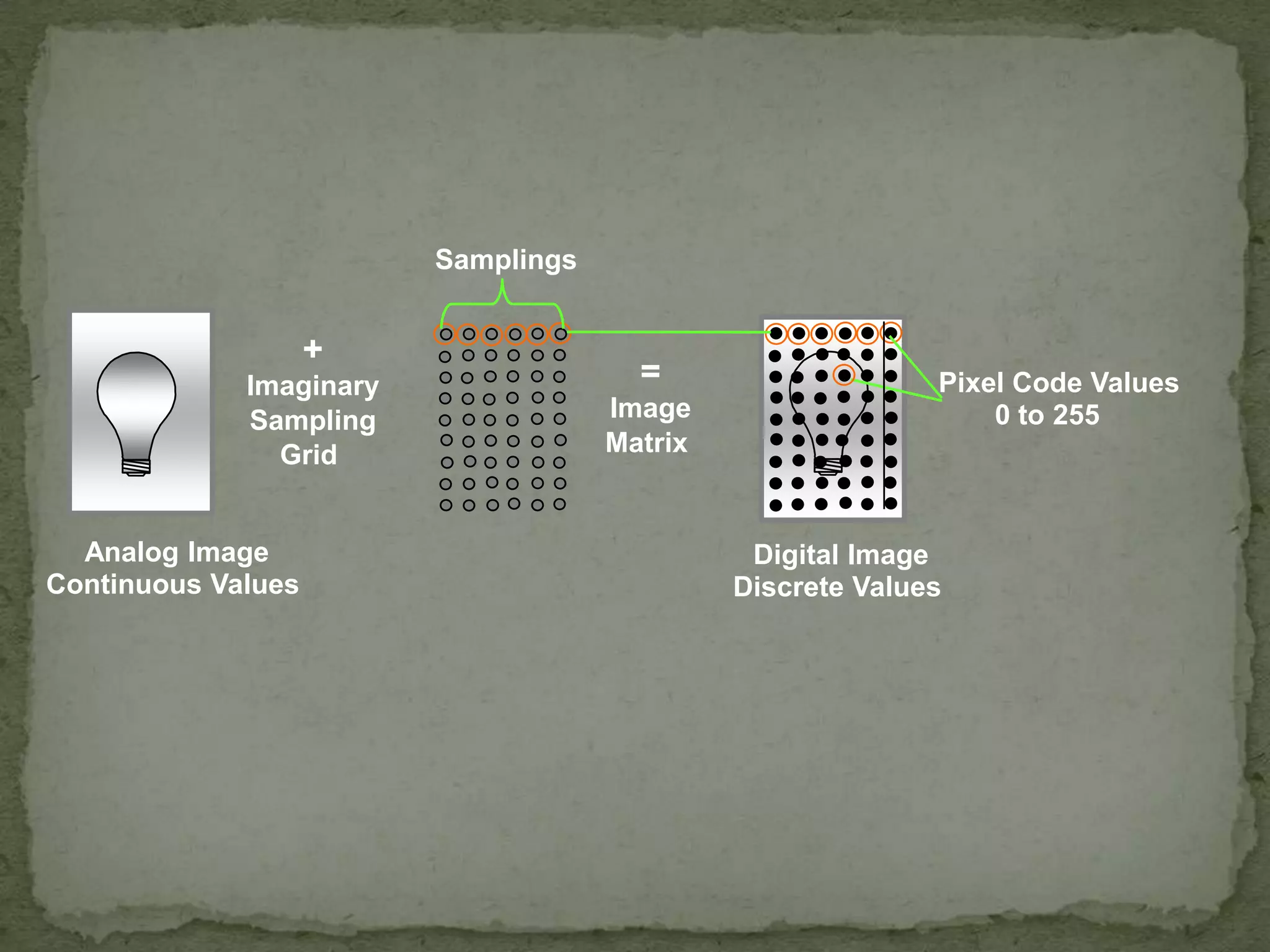
Samplings

+
Imaginary
Sampling
Grid

Analog Image
Continuous Values

=
Image
Matrix

Pixel Code Values
0 to 255

Digital Image
Discrete Values
Analog

Digital

AD Conversion

For human viewing

For computer
viewing
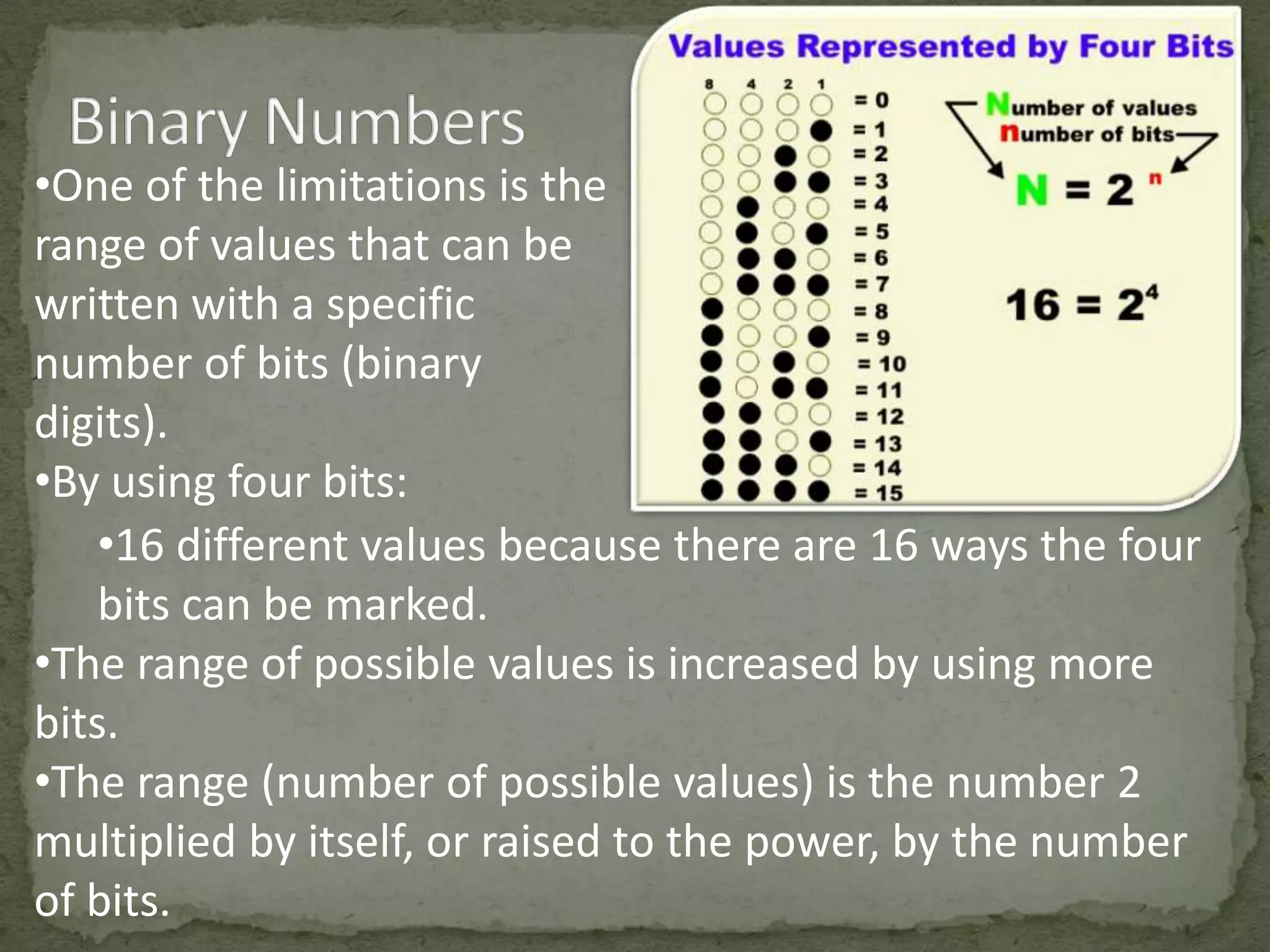
•One of the limitations is the
range of values that can be
written with a specific
number of bits (binary
digits).
•By using four bits:
•16 different values because there are 16 ways the four
bits can be marked.
•The range of possible values is increased by using more
bits.
•The range (number of possible values) is the number 2
multiplied by itself, or raised to the power, by the number
of bits.
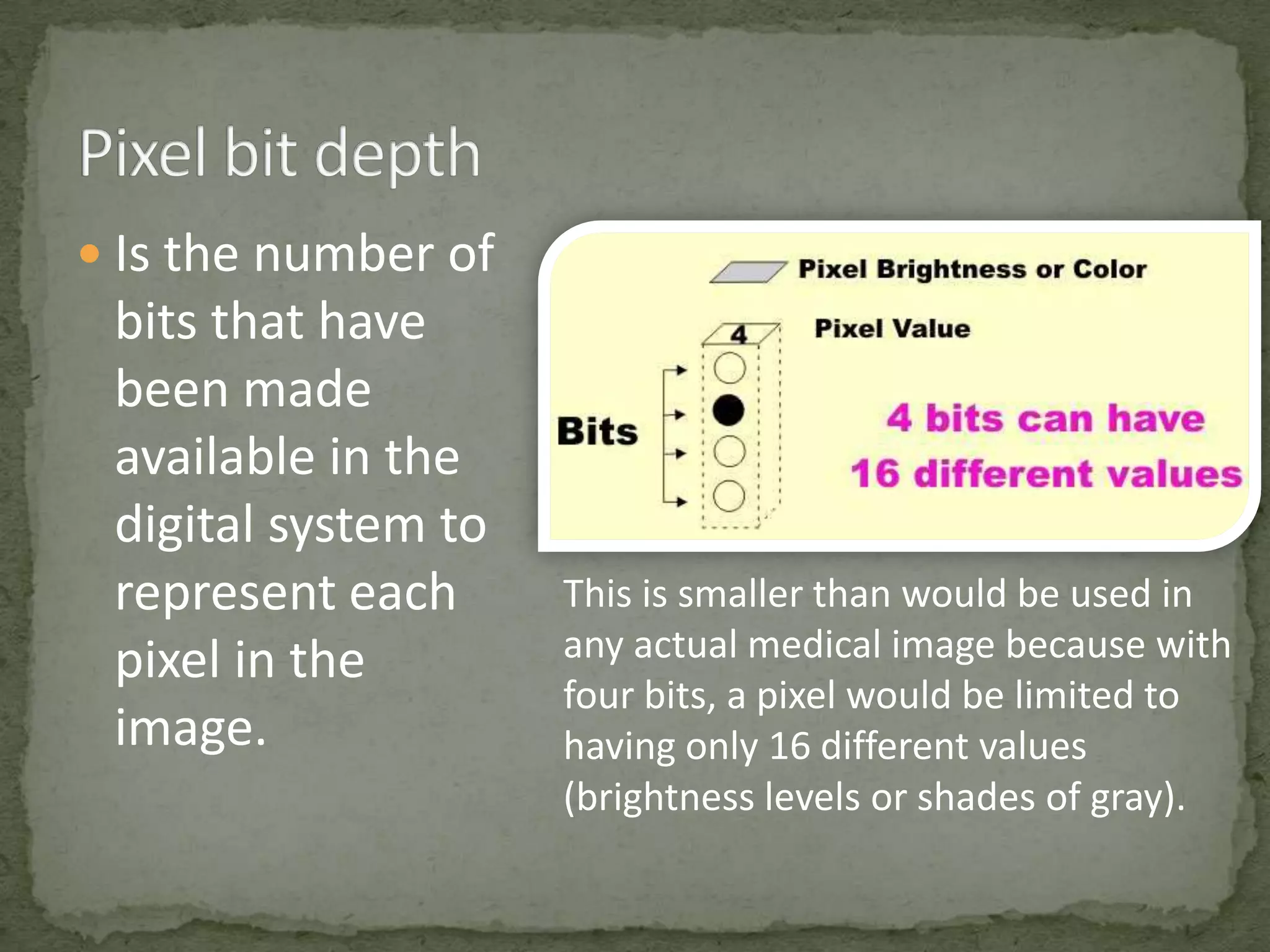
 Is the number of

bits that have
been made
available in the
digital system to
represent each
pixel in the
image.

This is smaller than would be used in
any actual medical image because with
four bits, a pixel would be limited to
having only 16 different values
(brightness levels or shades of gray).
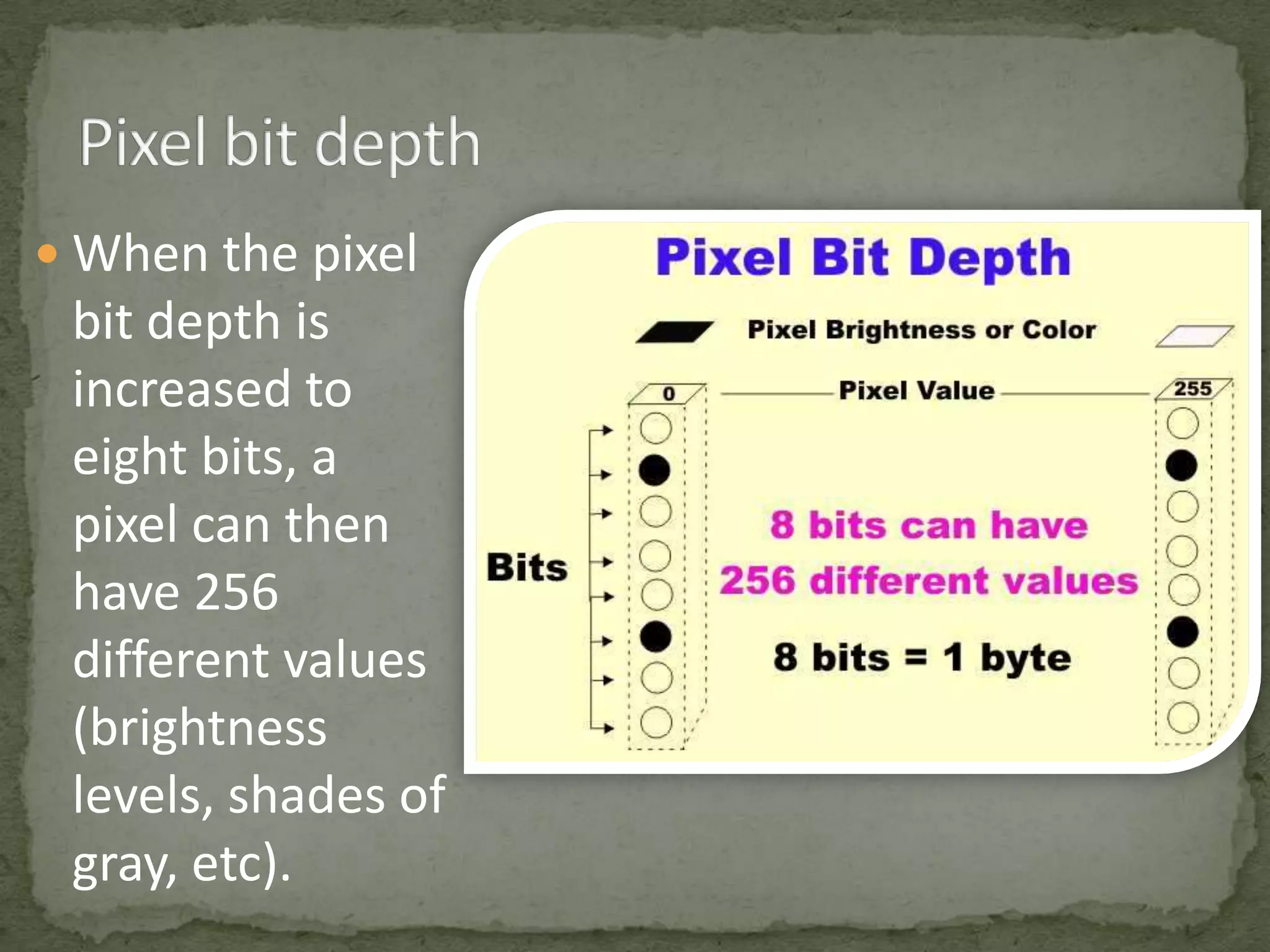
 When the pixel

bit depth is
increased to
eight bits, a
pixel can then
have 256
different values
(brightness
levels, shades of
gray, etc).
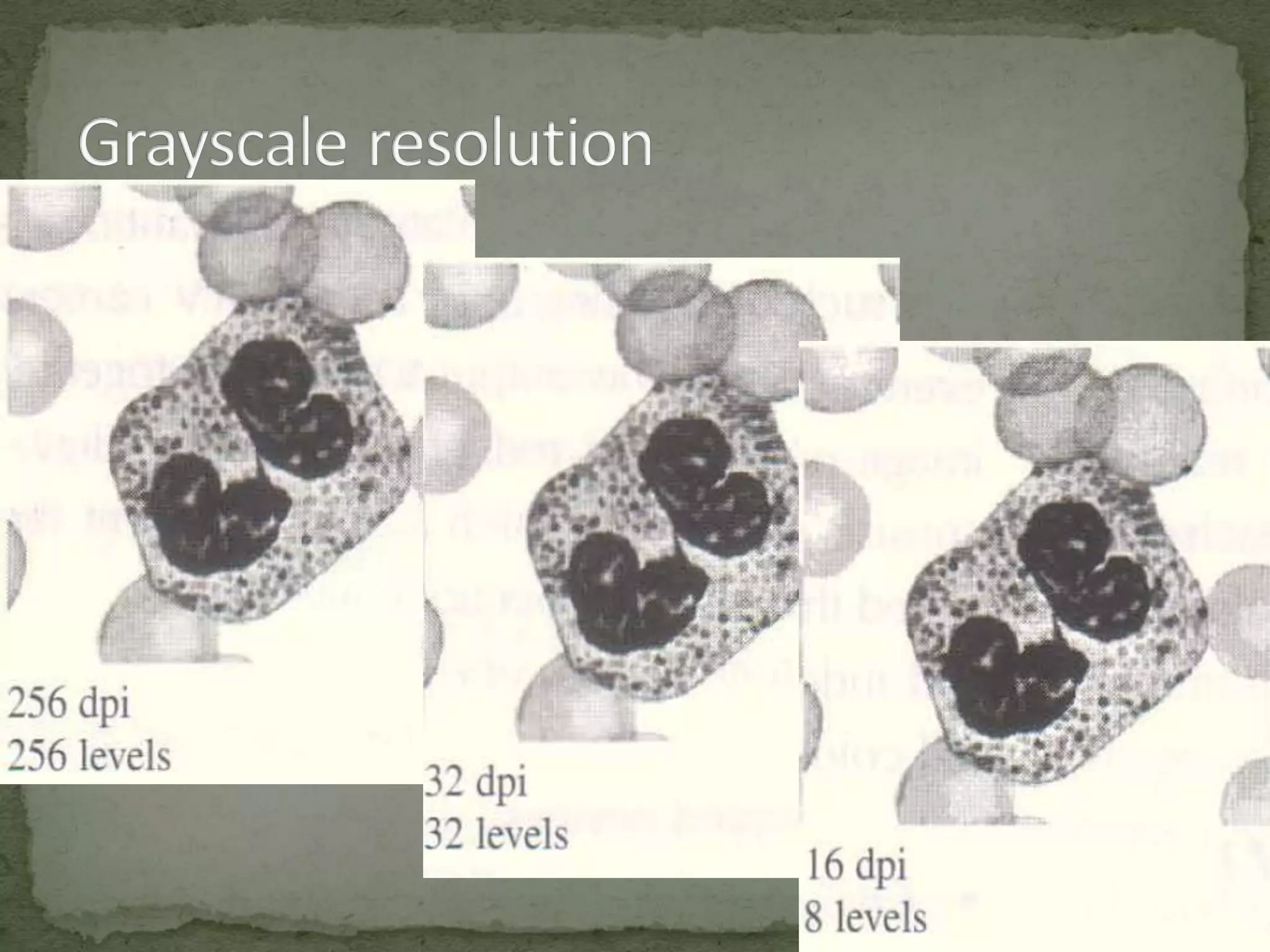
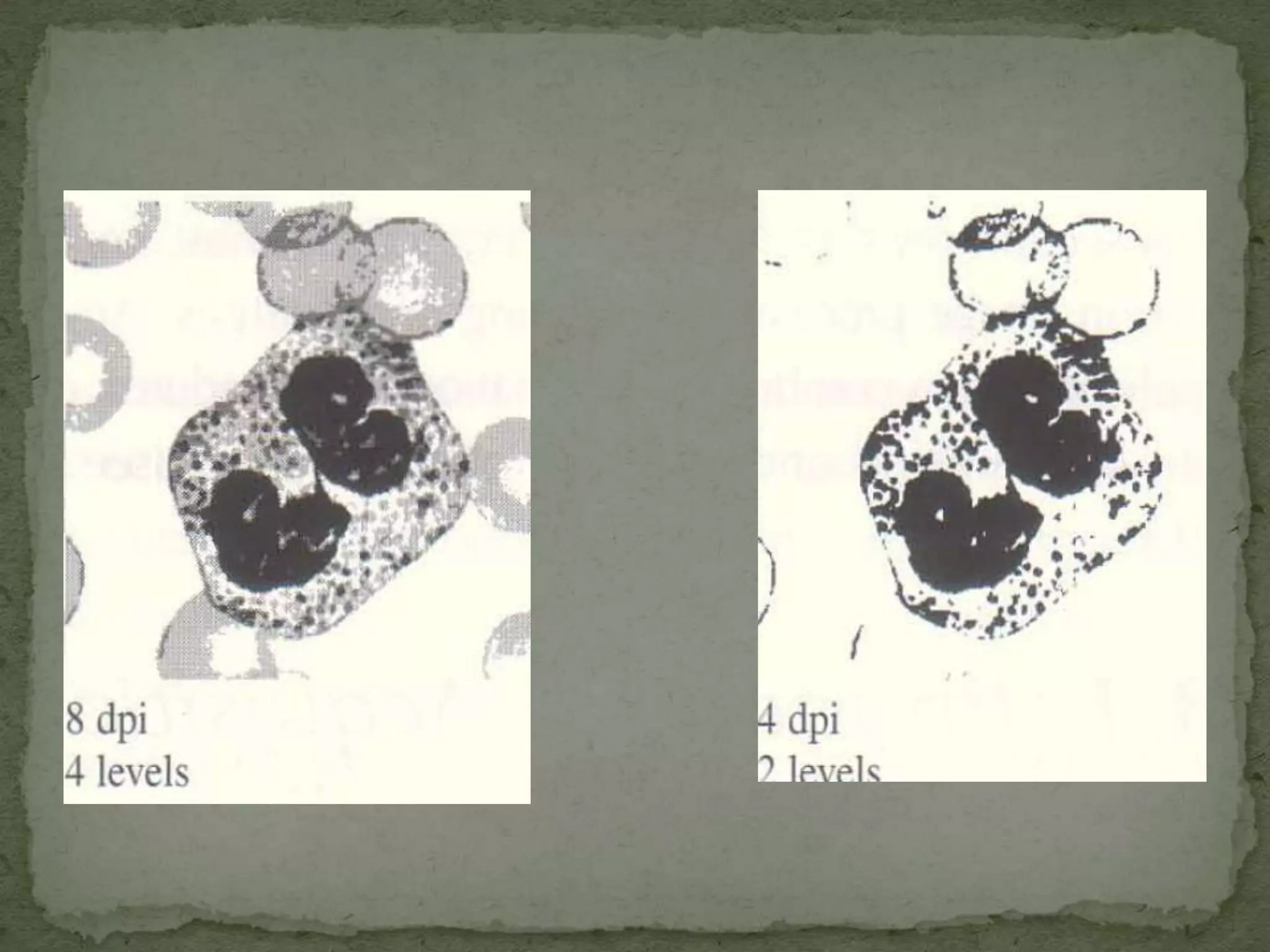
 Image resolution describes the detail an image holds
 The term resolution is often used as a pixel count in

digital imaging
 An image that is 2048 pixels in width and 1536 pixels in
height has a total of 2048 1536 = 3,145,728 pixels or 3.1
megapixels
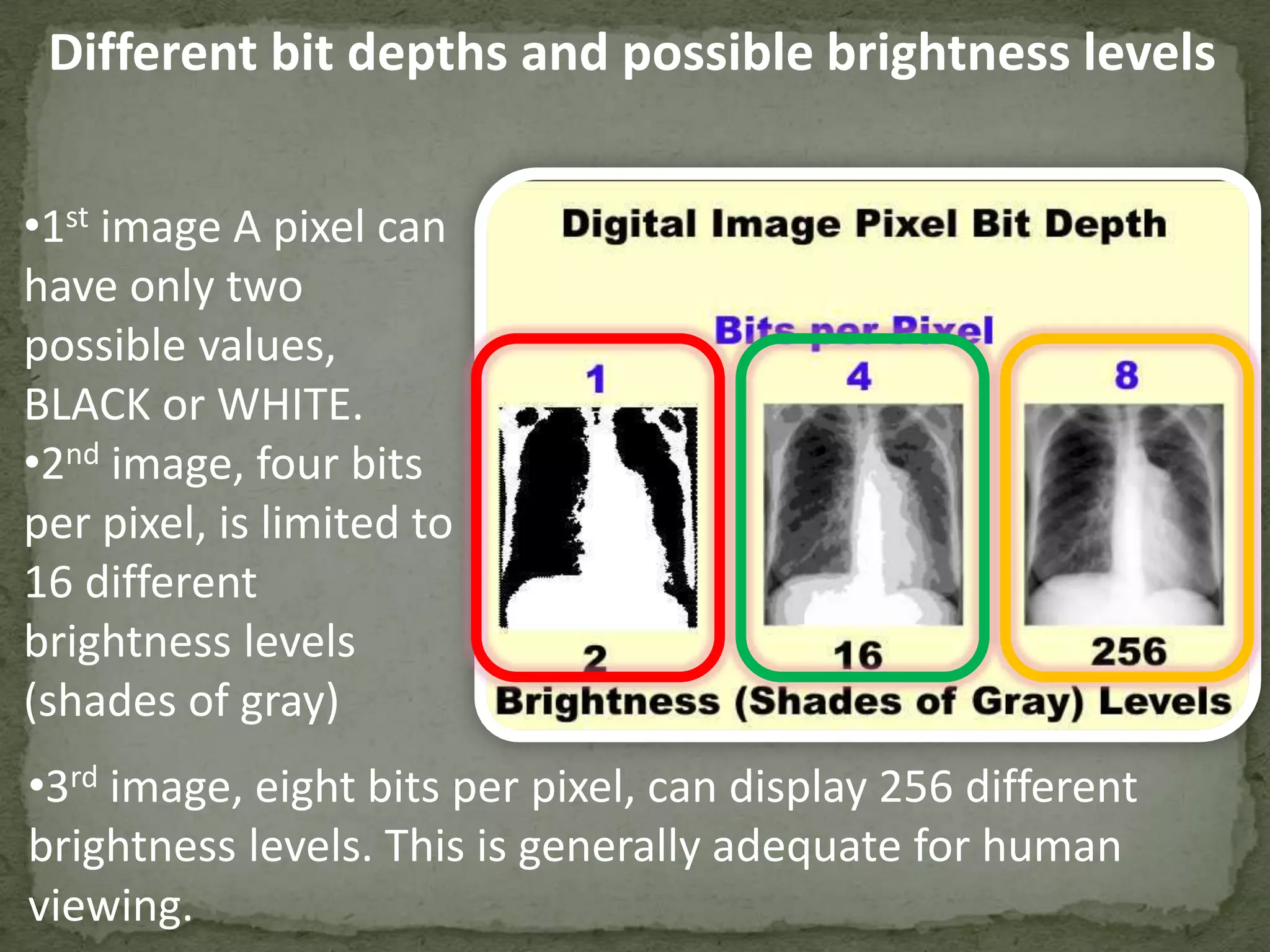
Different bit depths and possible brightness levels
•1st image A pixel can
have only two
possible values,
BLACK or WHITE.
•2nd image, four bits
per pixel, is limited to
16 different
brightness levels
(shades of gray)
•3rd image, eight bits per pixel, can display 256 different
brightness levels. This is generally adequate for human
viewing.
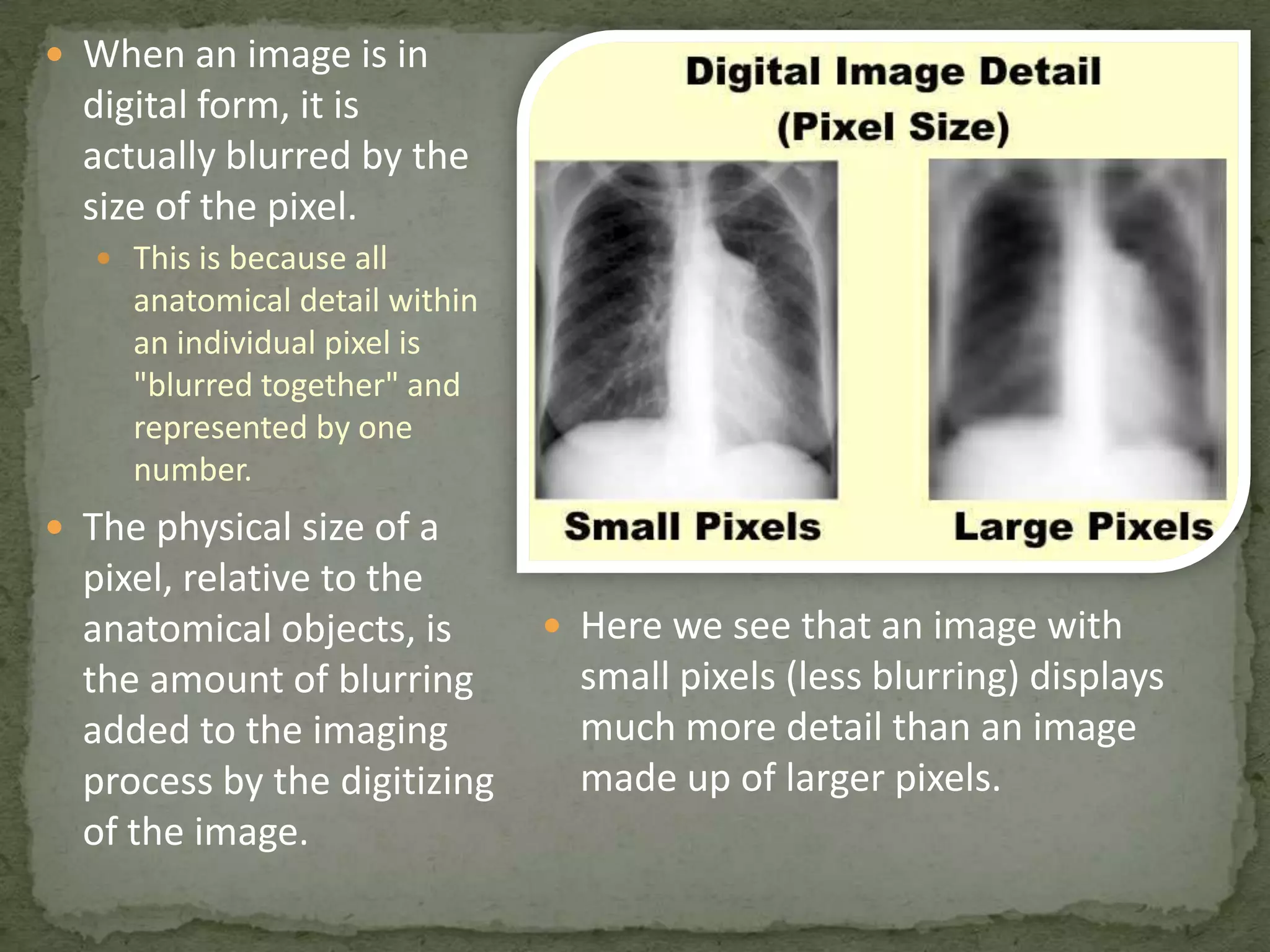
 When an image is in

digital form, it is
actually blurred by the
size of the pixel.
 This is because all

anatomical detail within
an individual pixel is
"blurred together" and
represented by one
number.

 The physical size of a

pixel, relative to the
anatomical objects, is
the amount of blurring
added to the imaging
process by the digitizing
of the image.

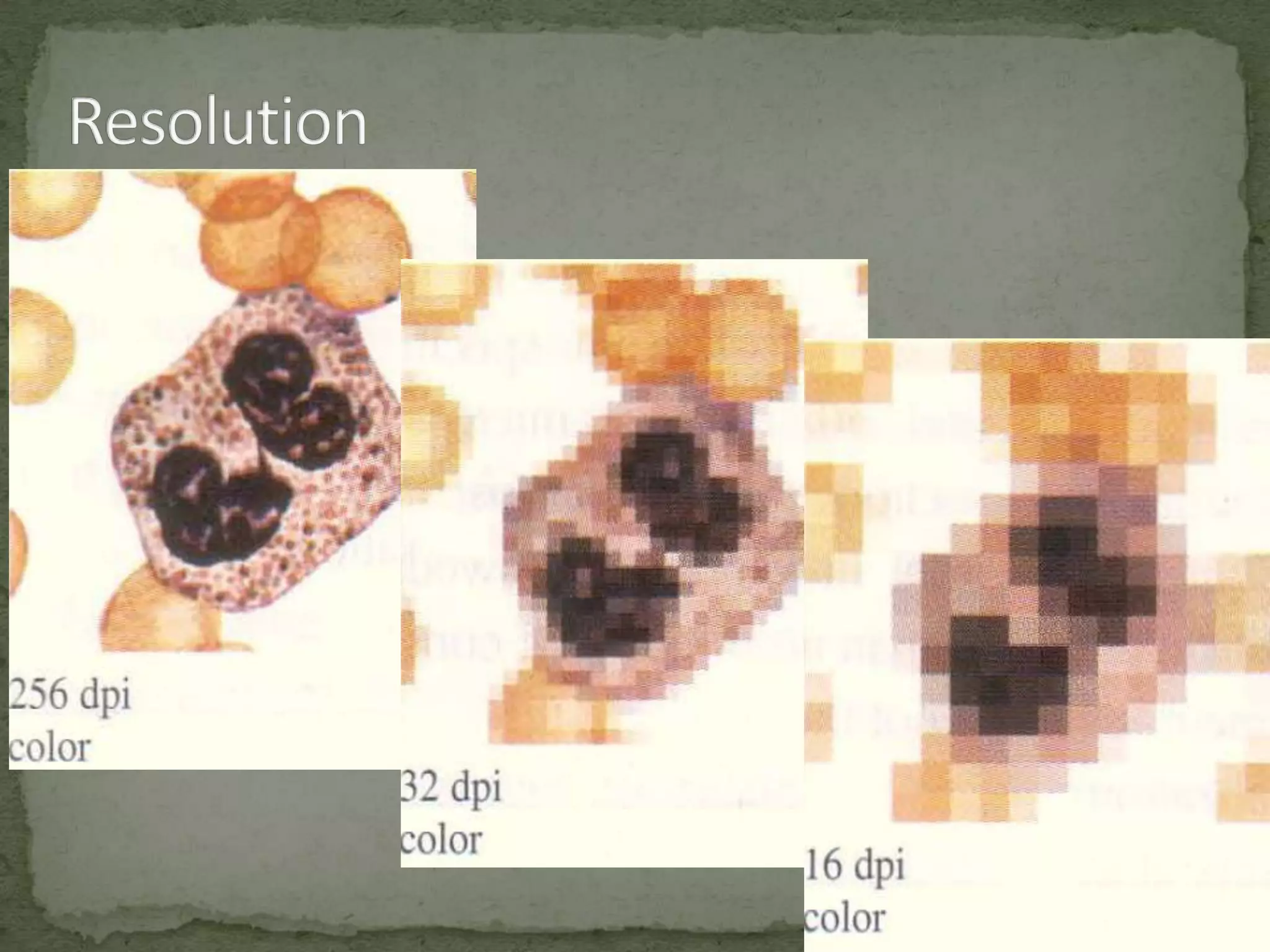
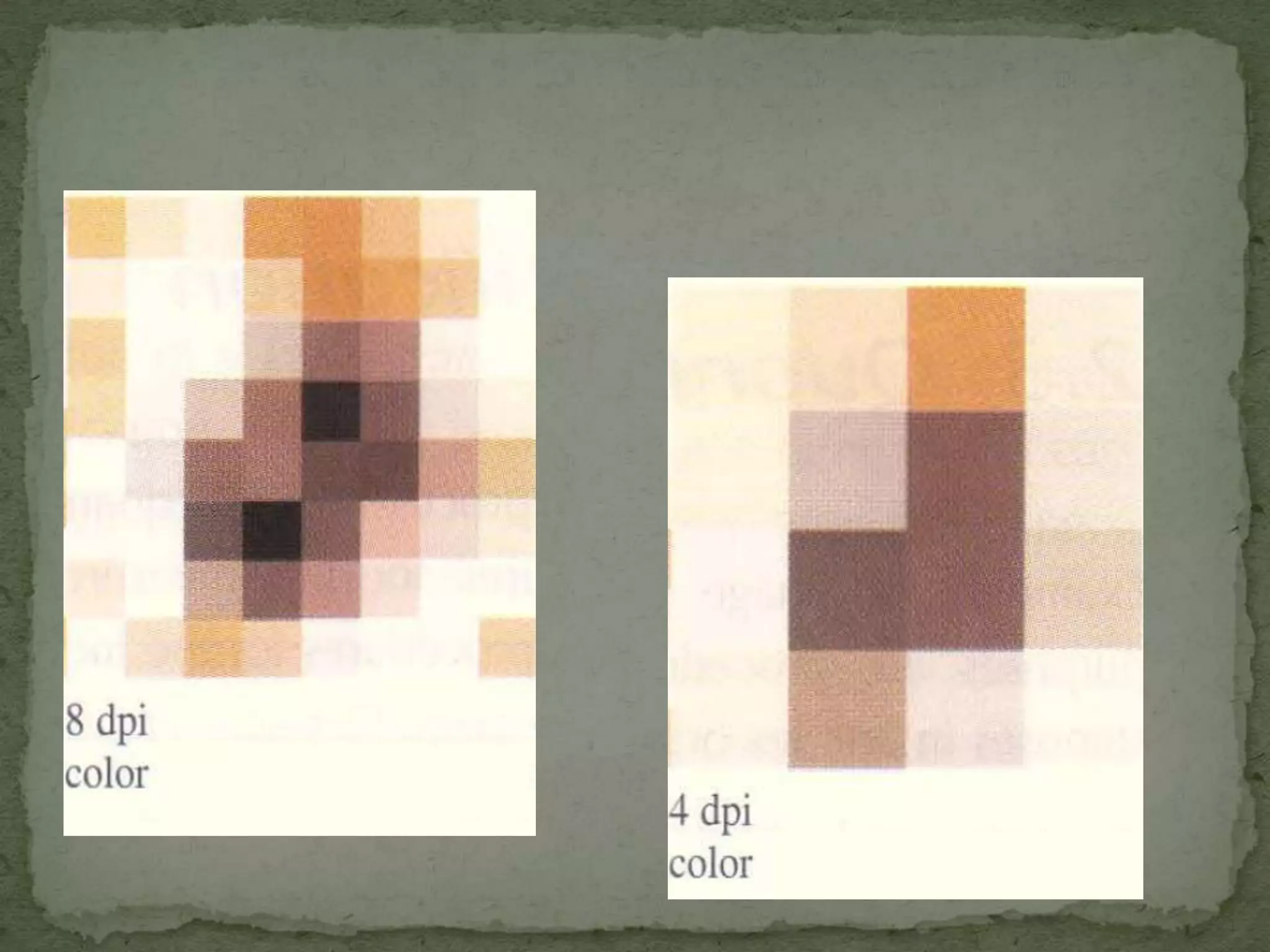
 Here we see that an image with

small pixels (less blurring) displays
much more detail than an image
made up of larger pixels.
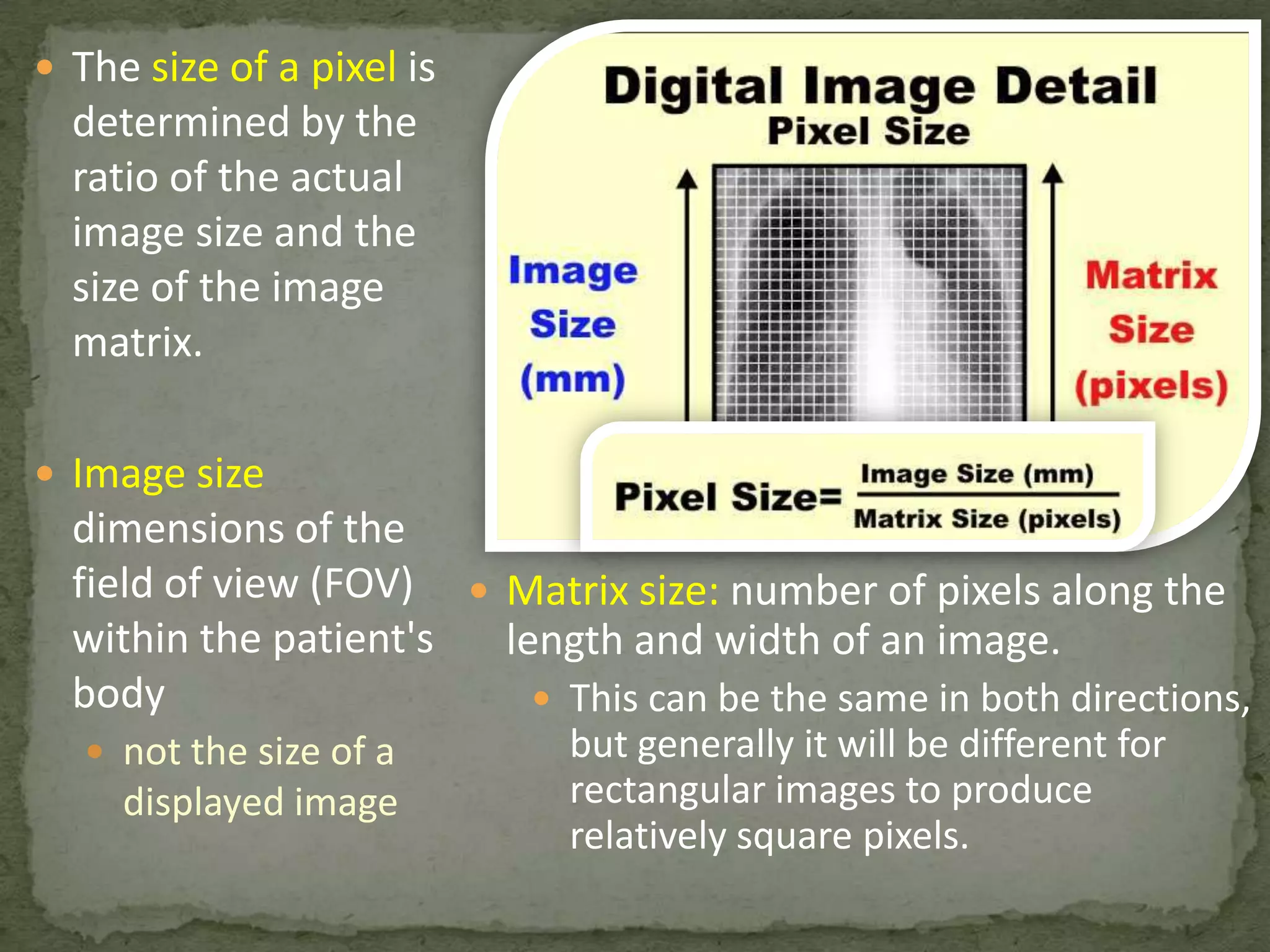
 The size of a pixel is

determined by the
ratio of the actual
image size and the
size of the image
matrix.
 Image size

dimensions of the
field of view (FOV)  Matrix size: number of pixels along the
within the patient's
length and width of an image.
body
 This can be the same in both directions,
 not the size of a

displayed image

but generally it will be different for
rectangular images to produce
relatively square pixels.
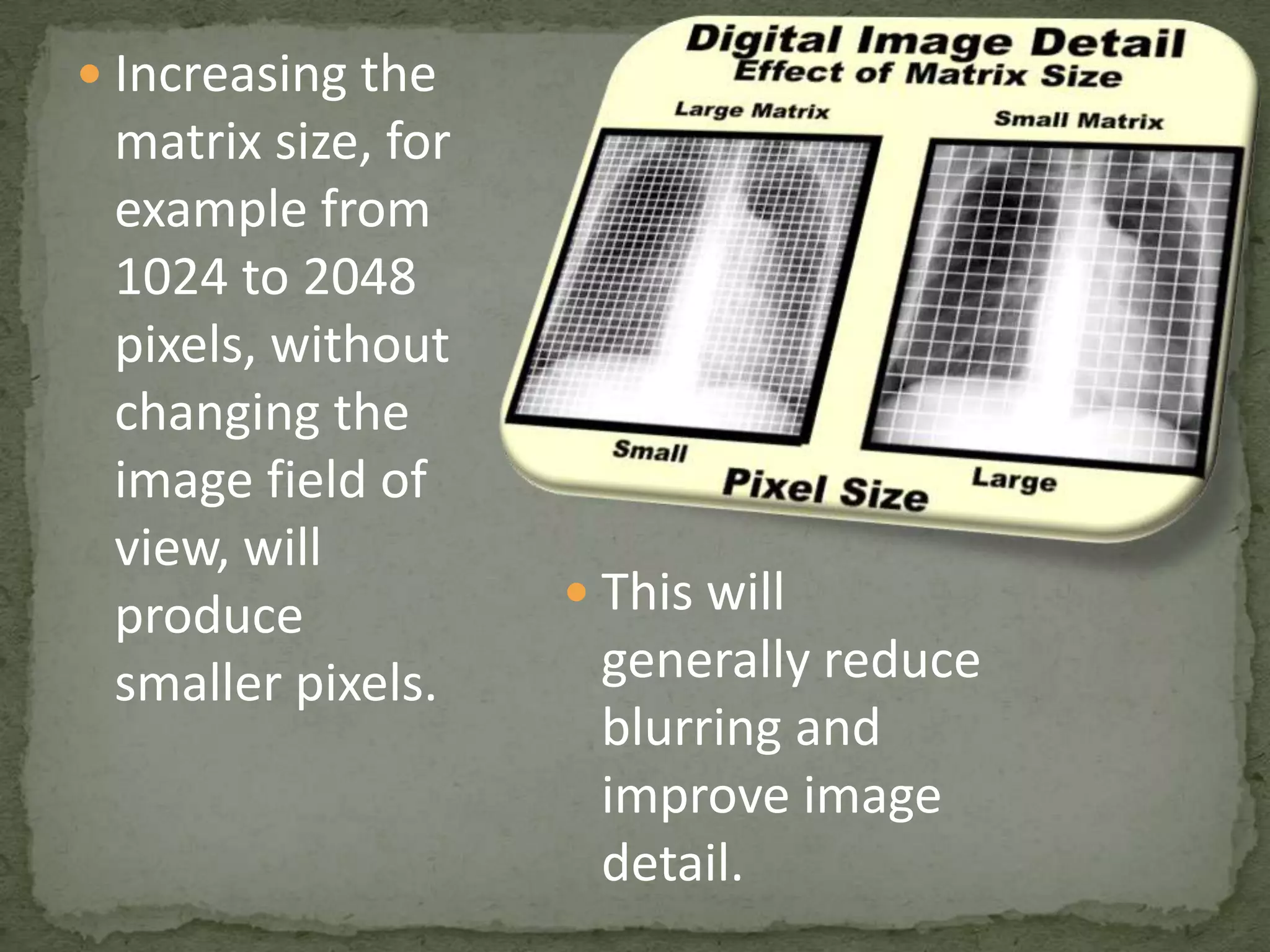
 Increasing the

matrix size, for
example from
1024 to 2048
pixels, without
changing the
image field of
view, will
produce
smaller pixels.

 This will

generally reduce
blurring and
improve image
detail.
 Different matrix sizes are used for the different

imaging modalities
 This is to produce a pixel size that is
compatible with
 Blurring
 Detail characteristics of each modality.
 With many modalities, the matrix size can be

adjusted by the operator to optimize:
 Image quality
 Imaging procedure
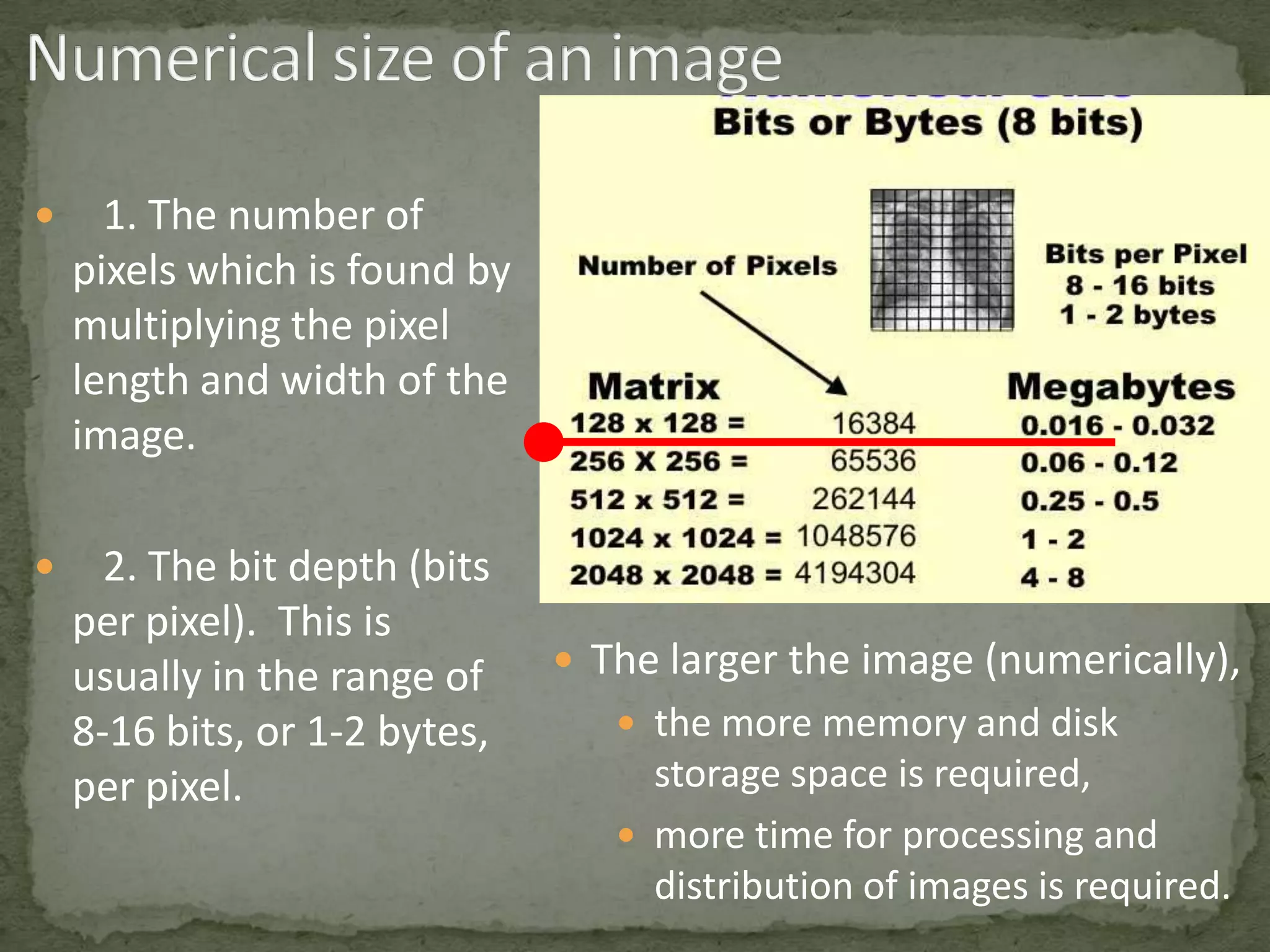


1. The number of
pixels which is found by
multiplying the pixel
length and width of the
image.



2. The bit depth (bits
per pixel). This is
usually in the range of
8-16 bits, or 1-2 bytes,
per pixel.

 The larger the image (numerically),
 the more memory and disk

storage space is required,
 more time for processing and
distribution of images is required.
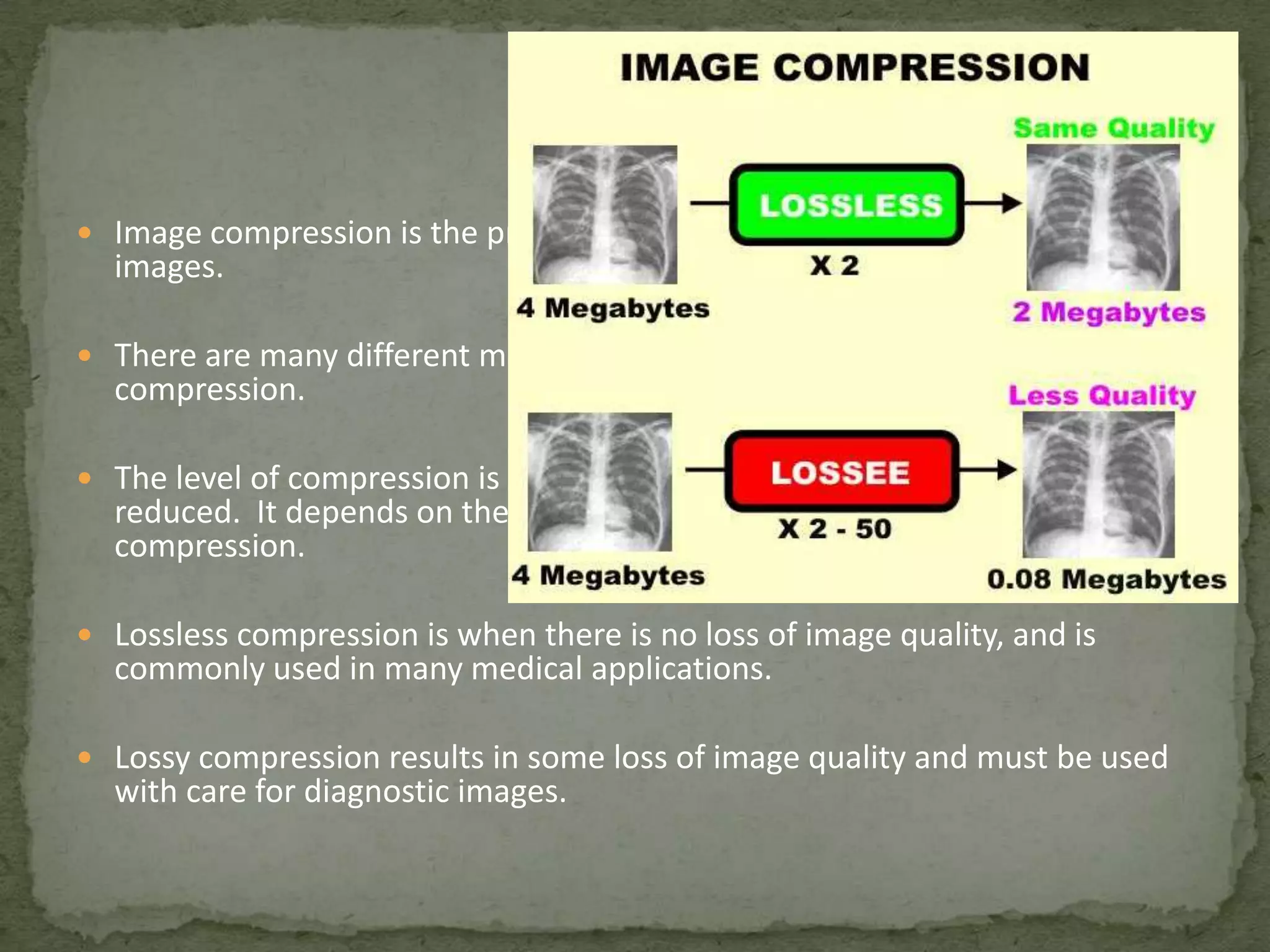
 Image compression is the process of reducing the numerical size of digital

images.

 There are many different mathematical methods used for image

compression.

 The level of compression is the factor by which the numerical size is

reduced. It depends on the compression method and the selected level of
compression.

 Lossless compression is when there is no loss of image quality, and is

commonly used in many medical applications.

 Lossy compression results in some loss of image quality and must be used

with care for diagnostic images.
Introduction to Medical Imaging (informatics approach)

Introduction to Medical Imaging (informatics approach)

  • 1.
  • 2.
     Analog images Digital images
  • 3.
     Type ofimages that we, as humans, look at.  They include such things as photographs, paintings, TV images, and all of our medical images recorded on film or displayed on various display devices, like computer monitors.  What we see in an analog image is various levels of brightness (or film density) and colors.  It is generally continuous and not broken into many small individual pieces.
  • 4.
     Are recordedas many numbers.  The image is divided into a matrix or array of small picture elements, or pixels.  Each pixel is represented by a numerical value.  The advantage of digital images is that they can be processed, in many ways, by computer systems.
  • 5.
  • 6.
     Image reconstruction(CT, MRI, SPECT, PET, etc)  Image reformatting (Multi-plane, multi-view reconstructions)  Wide (dynamic) range image data acquisition (CT, digital      radiography, etc) Image processing (to change contrast and other quality characteristics) Fast image storage and retrieval Fast and high-quality image distribution (PACS, Teleradiology) Controlled viewing (windowing, zooming, etc) Image analysis (measurements, calculation of various parameters, computer aided diagnosis, etc)
  • 8.
     Each pixelis represented by a numerical value.  In general, the pixel value is related to the brightness or color  That we will see when the digital image is converted into an analog image for display and viewing.  At the time of viewing, the actual relationship between a pixel numerical value and it's displayed brightness is determined by the adjustments of the window control.
  • 9.
  • 10.
    Analog Digital AD Conversion For humanviewing For computer viewing
  • 13.
    •One of thelimitations is the range of values that can be written with a specific number of bits (binary digits). •By using four bits: •16 different values because there are 16 ways the four bits can be marked. •The range of possible values is increased by using more bits. •The range (number of possible values) is the number 2 multiplied by itself, or raised to the power, by the number of bits.
  • 14.
     Is thenumber of bits that have been made available in the digital system to represent each pixel in the image. This is smaller than would be used in any actual medical image because with four bits, a pixel would be limited to having only 16 different values (brightness levels or shades of gray).
  • 15.
     When thepixel bit depth is increased to eight bits, a pixel can then have 256 different values (brightness levels, shades of gray, etc).
  • 16.
     Image resolutiondescribes the detail an image holds  The term resolution is often used as a pixel count in digital imaging  An image that is 2048 pixels in width and 1536 pixels in height has a total of 2048 1536 = 3,145,728 pixels or 3.1 megapixels
  • 21.
    Different bit depthsand possible brightness levels •1st image A pixel can have only two possible values, BLACK or WHITE. •2nd image, four bits per pixel, is limited to 16 different brightness levels (shades of gray) •3rd image, eight bits per pixel, can display 256 different brightness levels. This is generally adequate for human viewing.
  • 22.
     When animage is in digital form, it is actually blurred by the size of the pixel.  This is because all anatomical detail within an individual pixel is "blurred together" and represented by one number.  The physical size of a pixel, relative to the anatomical objects, is the amount of blurring added to the imaging process by the digitizing of the image.  Here we see that an image with small pixels (less blurring) displays much more detail than an image made up of larger pixels.
  • 23.
     The sizeof a pixel is determined by the ratio of the actual image size and the size of the image matrix.  Image size dimensions of the field of view (FOV)  Matrix size: number of pixels along the within the patient's length and width of an image. body  This can be the same in both directions,  not the size of a displayed image but generally it will be different for rectangular images to produce relatively square pixels.
  • 24.
     Increasing the matrixsize, for example from 1024 to 2048 pixels, without changing the image field of view, will produce smaller pixels.  This will generally reduce blurring and improve image detail.
  • 25.
     Different matrixsizes are used for the different imaging modalities  This is to produce a pixel size that is compatible with  Blurring  Detail characteristics of each modality.  With many modalities, the matrix size can be adjusted by the operator to optimize:  Image quality  Imaging procedure
  • 26.
     1. The numberof pixels which is found by multiplying the pixel length and width of the image.  2. The bit depth (bits per pixel). This is usually in the range of 8-16 bits, or 1-2 bytes, per pixel.  The larger the image (numerically),  the more memory and disk storage space is required,  more time for processing and distribution of images is required.
  • 27.
     Image compressionis the process of reducing the numerical size of digital images.  There are many different mathematical methods used for image compression.  The level of compression is the factor by which the numerical size is reduced. It depends on the compression method and the selected level of compression.  Lossless compression is when there is no loss of image quality, and is commonly used in many medical applications.  Lossy compression results in some loss of image quality and must be used with care for diagnostic images.