
Introduction to Loops
QBASIC

RICHA KATHURIA
LOOPS
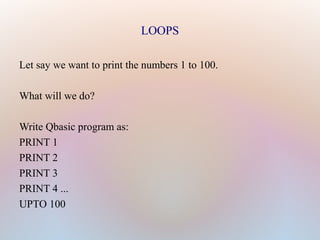
Let say we want to print the numbers 1 to 100.
What will we do?
Write Qbasic program as:
PRINT 1
PRINT 2
PRINT 3
PRINT 4 ...
UPTO 100
LOOPS

Now that’s a difficult task. We can simplify our work
using loops.

Loops are used when we have repeated work to do ,
with fixed interval.

As in the above example we are repeating the same
command i.e Print and interval between numbers is
one.

Another example can be printing even numbers 1 to
50.Here interval is of two numbers.
for-next Loop
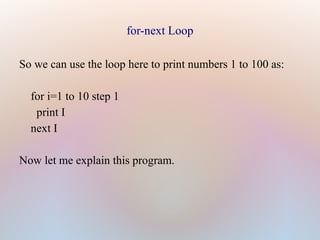
So we can use the loop here to print numbers 1 to 100 as:
for i=1 to 10 step 1
print I
next I
Now let me explain this program.
for i=1 to 100 step 1
Loop variable: a variable on which loop works.
Every loop has three parts:
1. Initial value of loop variable (for i=1)
2. Final value (to 100)
3. The increment step (step 1)
Initial value tells where to start the loop, final value
tells when to stop the loop and
increment step tells how much to increase to get to
next value in loop.
Another example
To print even numbers 1 to 20.
For i=2 to 20 step 2
print i
Next i
Explanation : Here loop variable is “i” , the first even
number is 2, so it is the initial value. Then the final value
is 20 and there a difference of 2 numbers between two
even numbers, hence the step size is 2.
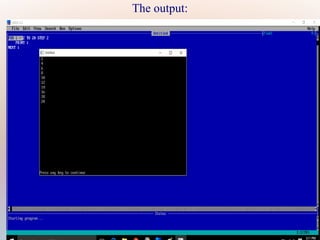
The output:
Thank You

Introduction to loops

  • 1.
  • 2.
    LOOPS Let say wewant to print the numbers 1 to 100. What will we do? Write Qbasic program as: PRINT 1 PRINT 2 PRINT 3 PRINT 4 ... UPTO 100
  • 3.
    LOOPS  Now that’s adifficult task. We can simplify our work using loops.  Loops are used when we have repeated work to do , with fixed interval.  As in the above example we are repeating the same command i.e Print and interval between numbers is one.  Another example can be printing even numbers 1 to 50.Here interval is of two numbers.
  • 4.
    for-next Loop So wecan use the loop here to print numbers 1 to 100 as: for i=1 to 10 step 1 print I next I Now let me explain this program.
  • 5.
    for i=1 to100 step 1 Loop variable: a variable on which loop works. Every loop has three parts: 1. Initial value of loop variable (for i=1) 2. Final value (to 100) 3. The increment step (step 1) Initial value tells where to start the loop, final value tells when to stop the loop and increment step tells how much to increase to get to next value in loop.
  • 6.
    Another example To printeven numbers 1 to 20. For i=2 to 20 step 2 print i Next i Explanation : Here loop variable is “i” , the first even number is 2, so it is the initial value. Then the final value is 20 and there a difference of 2 numbers between two even numbers, hence the step size is 2.
  • 7.
  • 8.