INTRODUCTION TO COMPUTER
ASSIGNMENT –I
Q1. What is Operating System?Write its functionality with an
example
Ans. An operating system acts as an intermediary between the user of a computer and
Computer hardware. The purpose of an operating system is to provide an
Environment in which a user can execute programs in a convenient and efficient
Manner.
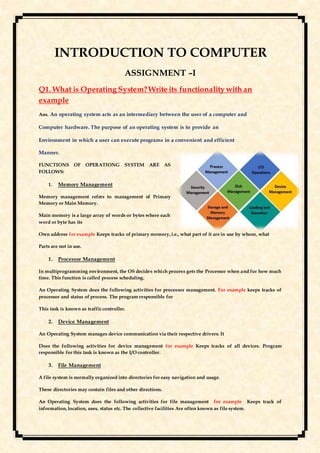
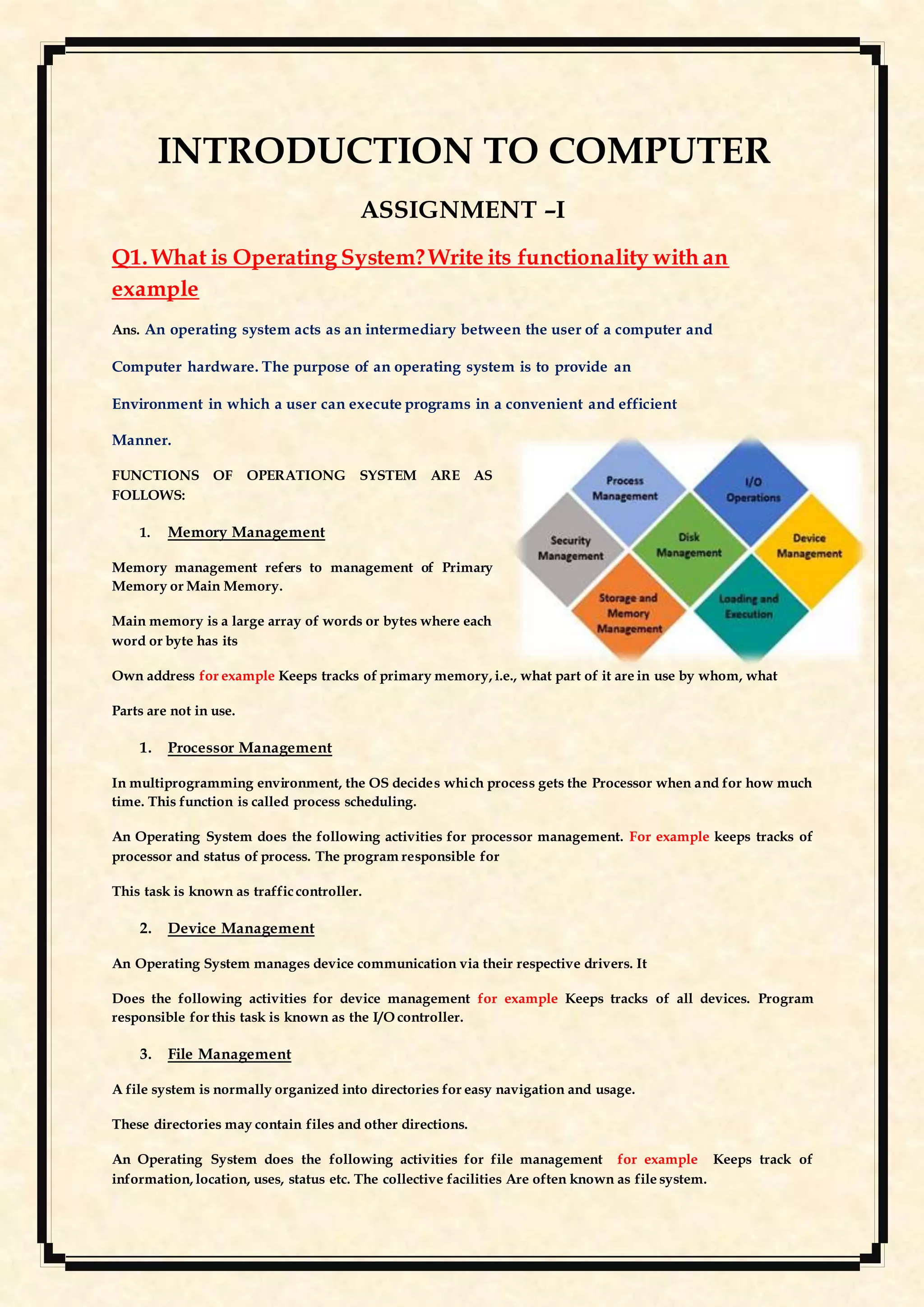
FUNCTIONS OF OPERATIONG SYSTEM ARE AS
FOLLOWS:
1. Memory Management
Memory management refers to management of Primary
Memory or Main Memory.
Main memory is a large array of words or bytes where each
word or byte has its
Own address for example Keeps tracks of primary memory, i.e., what part of it are in use by whom, what
Parts are not in use.
1. Processor Management
In multiprogramming environment, the OS decides which process gets the Processor when and for how much
time. This function is called process scheduling.
An Operating System does the following activities for processor management. For example keeps tracks of
processor and status of process. The program responsible for
This task is known as trafficcontroller.
2. Device Management
An Operating System manages device communication via their respective drivers. It
Does the following activities for device management for example Keeps tracks of all devices. Program
responsible for this task is known as the I/O controller.
3. File Management
A file system is normally organized into directories for easy navigation and usage.
These directories may contain files and other directions.
An Operating System does the following activities for file management for example Keeps track of
information, location, uses, status etc. The collective facilities Are often known as file system.
4. Security
By means of password and similar other techniques, it prevents Unauthorized access to programs and data.
Q2. What is Application Software? Give
examples.
Application software is intended to perform certain tasks. Examples of application software
include office suites, gaming applications, database systems and educational software. Application
software can be a single program or a collection of small programs. This type of software is what
consumers most typically think of as "software."FOR EXAMPLE Microsoft suite of products (Office,
Excel, Word, PowerPoint, Outlook, etc.) Internet browsers like Firefox, Safari, and Chrome. Mobile
pieces of software such as Pandora (for music appreciation), Skype (for real-time online
communication), and Slack (for team collaboration)
Q3.What is virtual box ? Write the steps to open Ms Windows in Virtual Box.
It supports the creation and management of guest virtual machines running Windows, Linux, BSD,
OS/2, Solaris, Haiku, and OSx86, as well as limited virtualization of macOS guests on Apple
hardware.
1. Install Virtual Box
2. Get the Windows 10 Technical Preview ISO File
3. Start the installation
4. Select the amount of RAM
5. Create a Virtual Hard Drive
6. Select your ISO as the start-up disk
7. Finish installing Windows 10
8. Turn on the Start Menu.
Q4.Write about MS Office Application?
Microsoft Office, or simply Office, is a family of client software, server software, and services
developed by Microsoft. Initially a marketing term for an office suite (bundled set of
productivity applications), the first version of Office contained Microsoft Word, Microsoft Excel,
and Microsoft PowerPoint.
Q5. Define: Ribbon, Quick Access Toolbar, Office
Button
RIBBON -The ribbon is a set of toolbars at the top of the window in Office programs designed to
help you quickly find the commands that you need to complete a task.
QUICK ACCESS TOOLBAR -The Quick Access Toolbar is a customizable toolbar that contains
a set of commands that are independent of the tab on the ribbon that is currently displayed. You
can move the Quick Access Toolbar from one of the two possible locations, and you can
add buttons that represent commands to the Quick Access Toolbar.
OFFICE BUTTON-Microsoft Office Button is located on the top left corner of the window. It is a
new user interface feature that replaced the traditional "File" menu. You can also see
this button in Outlook while creating a new message, task, contact, etc.
Q6.What is the difference between save & save as?
Save
When saving a file for the first time, it doesn't matter if you choose to save it using Save or Save As. Both
commands open the Save As dialog box.
Save As lets you save an existing file under a new name, allowing you to create a new file. For example, let's
suppose you intend to edit or revise a file but want to keep the original. Rather than start from scratch, use Save As
to save it under a ne
Q7.Write the file format or extension for saving the file of MS Word, MS Excel & MS
PowerPoint?
MS WORD-.docx
MS EXCEL- .xl
MS Power Point-.pptx

SUMITTED TO- PROFESSOR SUJIT KUMAR SHARMA

SUBMITTED BY- PRATIKSHA DIYALI

BATCH- 2020-2023

DATE- 13TH FEBRUARY 2021
THANKYOU

Introduction to computer

  • 1.
    INTRODUCTION TO COMPUTER ASSIGNMENT–I Q1. What is Operating System?Write its functionality with an example Ans. An operating system acts as an intermediary between the user of a computer and Computer hardware. The purpose of an operating system is to provide an Environment in which a user can execute programs in a convenient and efficient Manner. FUNCTIONS OF OPERATIONG SYSTEM ARE AS FOLLOWS: 1. Memory Management Memory management refers to management of Primary Memory or Main Memory. Main memory is a large array of words or bytes where each word or byte has its Own address for example Keeps tracks of primary memory, i.e., what part of it are in use by whom, what Parts are not in use. 1. Processor Management In multiprogramming environment, the OS decides which process gets the Processor when and for how much time. This function is called process scheduling. An Operating System does the following activities for processor management. For example keeps tracks of processor and status of process. The program responsible for This task is known as trafficcontroller. 2. Device Management An Operating System manages device communication via their respective drivers. It Does the following activities for device management for example Keeps tracks of all devices. Program responsible for this task is known as the I/O controller. 3. File Management A file system is normally organized into directories for easy navigation and usage. These directories may contain files and other directions. An Operating System does the following activities for file management for example Keeps track of information, location, uses, status etc. The collective facilities Are often known as file system.
  • 2.
    4. Security By meansof password and similar other techniques, it prevents Unauthorized access to programs and data. Q2. What is Application Software? Give examples. Application software is intended to perform certain tasks. Examples of application software include office suites, gaming applications, database systems and educational software. Application software can be a single program or a collection of small programs. This type of software is what consumers most typically think of as "software."FOR EXAMPLE Microsoft suite of products (Office, Excel, Word, PowerPoint, Outlook, etc.) Internet browsers like Firefox, Safari, and Chrome. Mobile pieces of software such as Pandora (for music appreciation), Skype (for real-time online communication), and Slack (for team collaboration) Q3.What is virtual box ? Write the steps to open Ms Windows in Virtual Box. It supports the creation and management of guest virtual machines running Windows, Linux, BSD, OS/2, Solaris, Haiku, and OSx86, as well as limited virtualization of macOS guests on Apple hardware. 1. Install Virtual Box 2. Get the Windows 10 Technical Preview ISO File 3. Start the installation 4. Select the amount of RAM 5. Create a Virtual Hard Drive 6. Select your ISO as the start-up disk 7. Finish installing Windows 10 8. Turn on the Start Menu. Q4.Write about MS Office Application? Microsoft Office, or simply Office, is a family of client software, server software, and services developed by Microsoft. Initially a marketing term for an office suite (bundled set of productivity applications), the first version of Office contained Microsoft Word, Microsoft Excel, and Microsoft PowerPoint. Q5. Define: Ribbon, Quick Access Toolbar, Office Button RIBBON -The ribbon is a set of toolbars at the top of the window in Office programs designed to help you quickly find the commands that you need to complete a task. QUICK ACCESS TOOLBAR -The Quick Access Toolbar is a customizable toolbar that contains a set of commands that are independent of the tab on the ribbon that is currently displayed. You can move the Quick Access Toolbar from one of the two possible locations, and you can add buttons that represent commands to the Quick Access Toolbar. OFFICE BUTTON-Microsoft Office Button is located on the top left corner of the window. It is a new user interface feature that replaced the traditional "File" menu. You can also see this button in Outlook while creating a new message, task, contact, etc.
  • 3.
    Q6.What is thedifference between save & save as? Save When saving a file for the first time, it doesn't matter if you choose to save it using Save or Save As. Both commands open the Save As dialog box. Save As lets you save an existing file under a new name, allowing you to create a new file. For example, let's suppose you intend to edit or revise a file but want to keep the original. Rather than start from scratch, use Save As to save it under a ne Q7.Write the file format or extension for saving the file of MS Word, MS Excel & MS PowerPoint? MS WORD-.docx MS EXCEL- .xl MS Power Point-.pptx  SUMITTED TO- PROFESSOR SUJIT KUMAR SHARMA  SUBMITTED BY- PRATIKSHA DIYALI  BATCH- 2020-2023  DATE- 13TH FEBRUARY 2021 THANKYOU