Microsoft
Azure
2
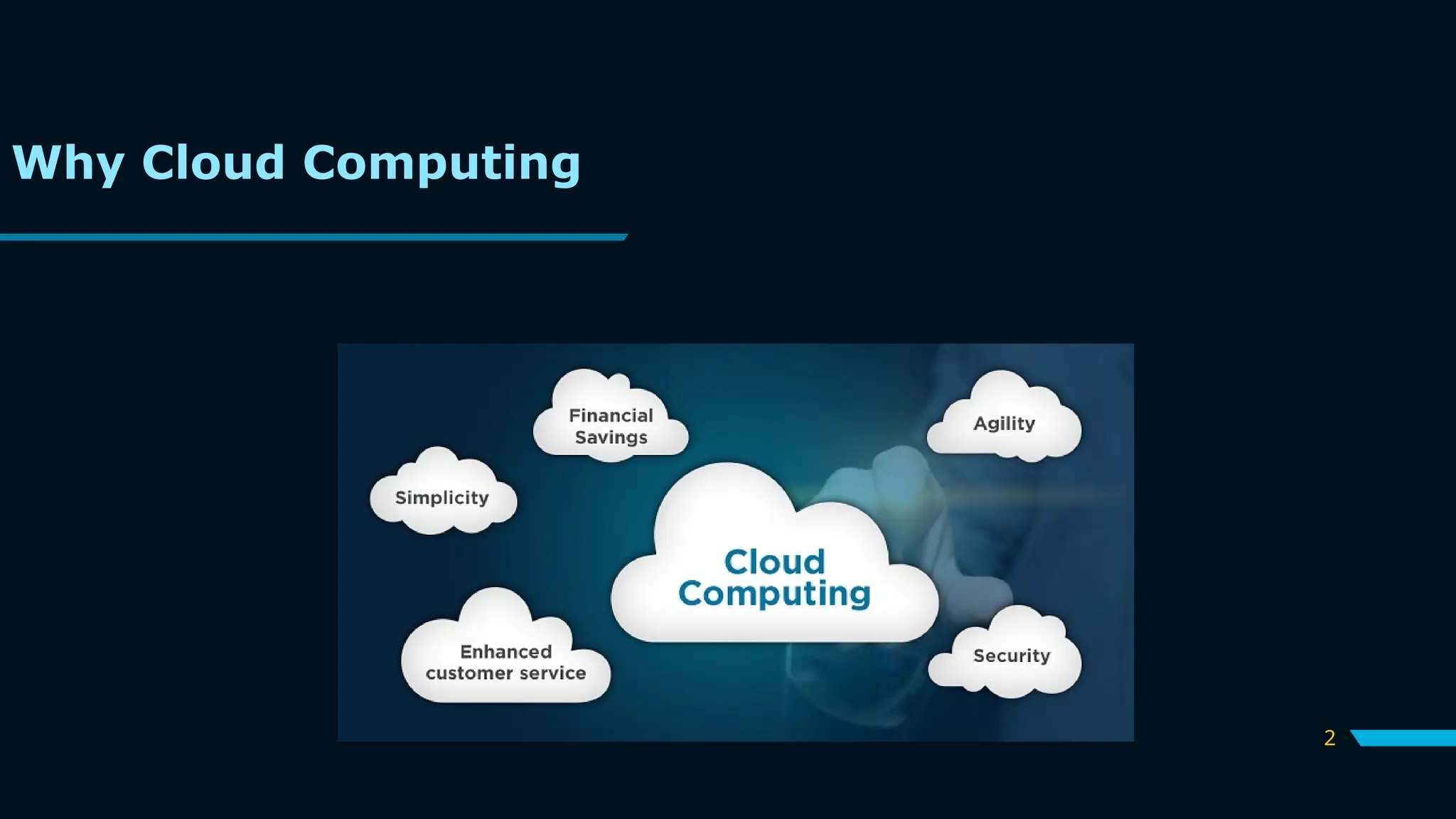
Why Cloud Computing
3
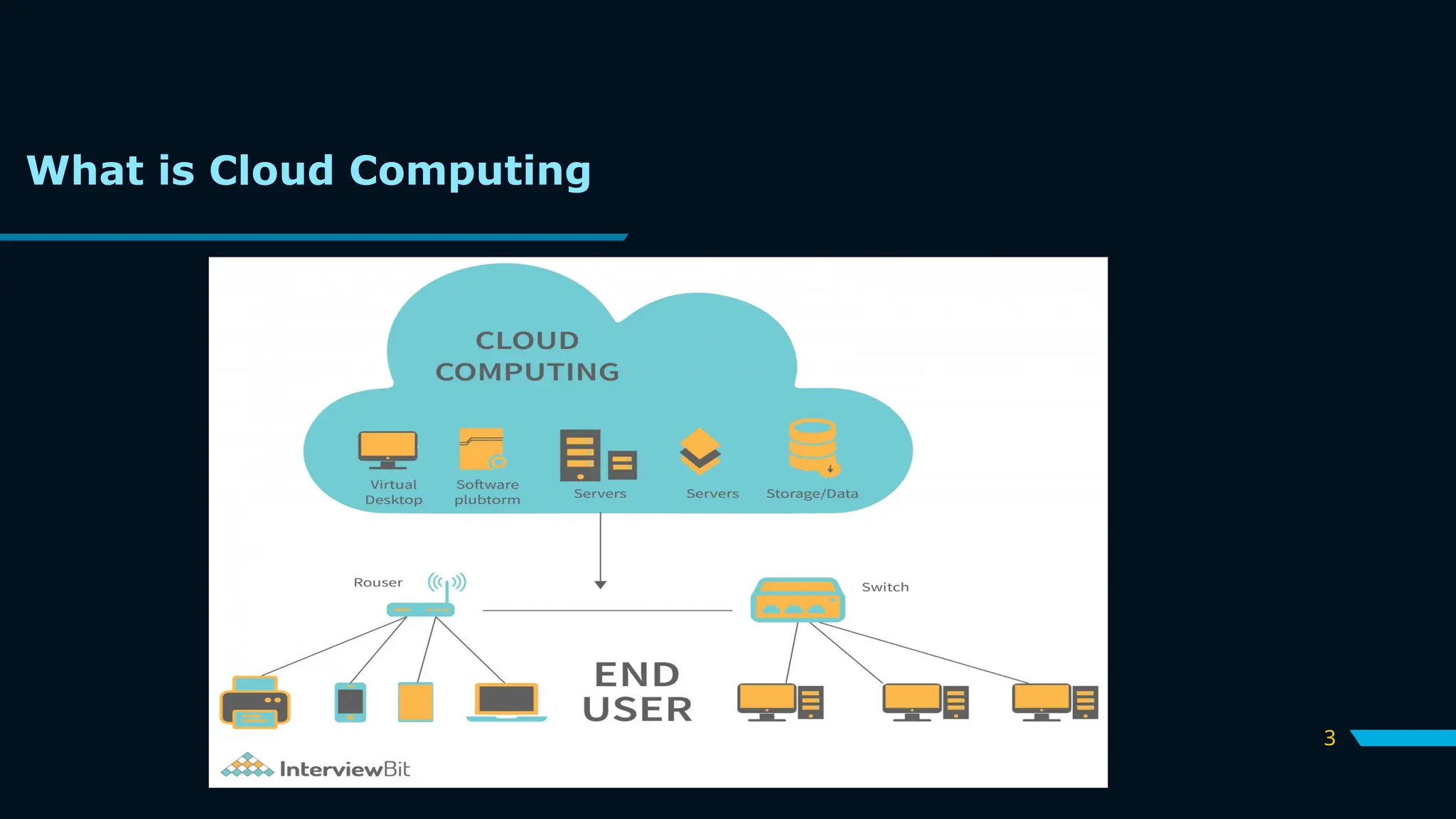
What is Cloud Computing
4
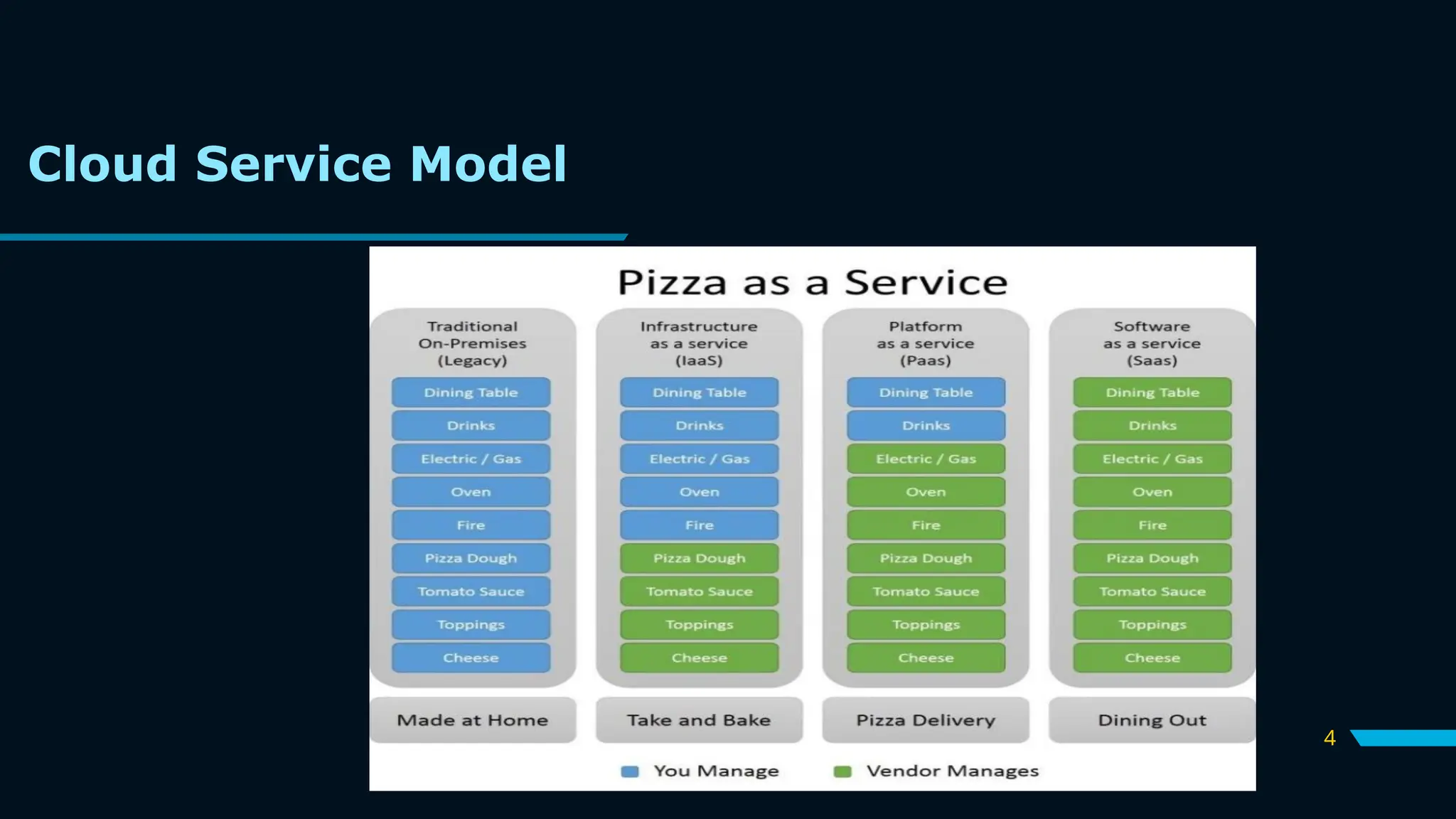
Cloud Service Model
5
What is Microsoft Azure?
Azure is Microsoft’s cloud platform,
just like Google has its
Google Cloud and Amazon has its
Amazon Web Service or AWS.000.
Generally, it is a platform through
which we can use Microsoft’s
resources.
6
Timeline Overview:
2010: Azure launched as “Windows Azure.”
2014: Rebranded to “Microsoft Azure” to reflect its expanded
capabilities.
2023 and Beyond: Continues to lead innovation with AI, IoT, and
hybrid cloud solutions.
Azure offers over 200+ products and services to cater to a variety
of business needs.
It’s designed for:
•Developers: To build and deploy scalable applications.
•Businesses: To manage operations, store data, and analyze
insights.
•Individuals: To explore cloud computing at an affordable scale.
History of Azure
7
•Vision: Empower every person and organization on the planet to
achieve more through technology.
•Mission: To make the power of the cloud accessible, affordable, and
sustainable for everyone
Key Benefits of Azure
•Scalability: Grow or shrink resources based on demand.
•Reliability: Uptime Service Level Agreement (SLA) of 99.95% for
most services.
•Security: Enterprise-grade security with compliance certifications.
•Cost-Efficiency: Pay only for what you use, reducing IT expenses.
•Innovation: Cutting-edge features in AI, IoT, and machine learning.
Azure’s Vision and Mission
8
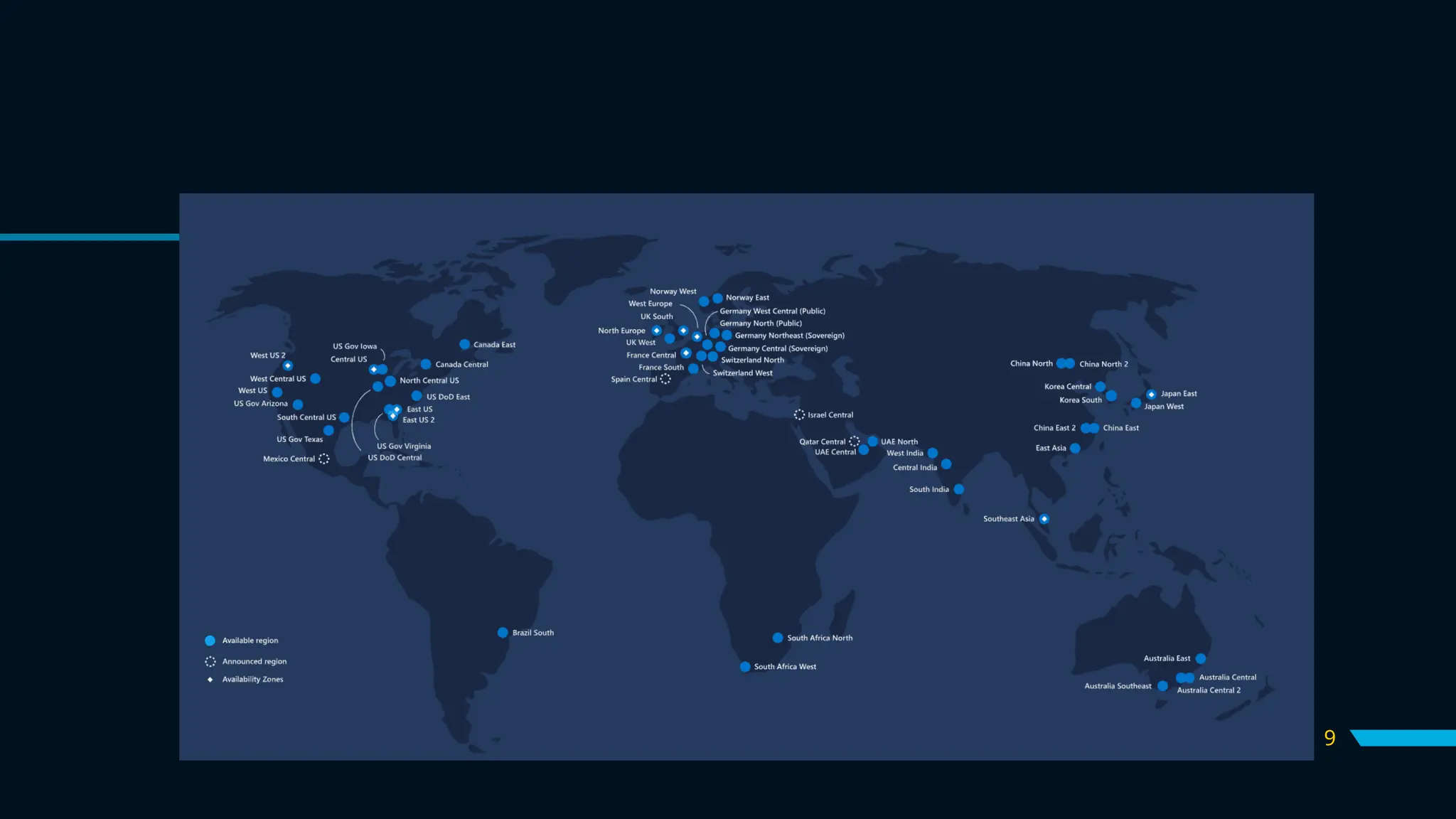
Azure’s Global Presence
Azure operates in 60+ regions and 200+ data centers, making
it one of the most widely available cloud platforms in the world.
It ensures low latency, high availability, and disaster recovery
capabilities.
9
10
Types of Azure Services
Microsoft Azure is a cloud computing platform which offers the
following types of services:
Infrastructure as a service (IaaS)
Virtual machines, storage, and networking ,support wide range of
OS
Platform as a service (PaaS)
Azure app service, Azure functions, and logic apps,auto scaling
and load balancing
Software as a service (SaaS)
Office 365, Dynamics 365, and Azure Active Directory
11
What are the various
Azure Services and How
does Azure Work?
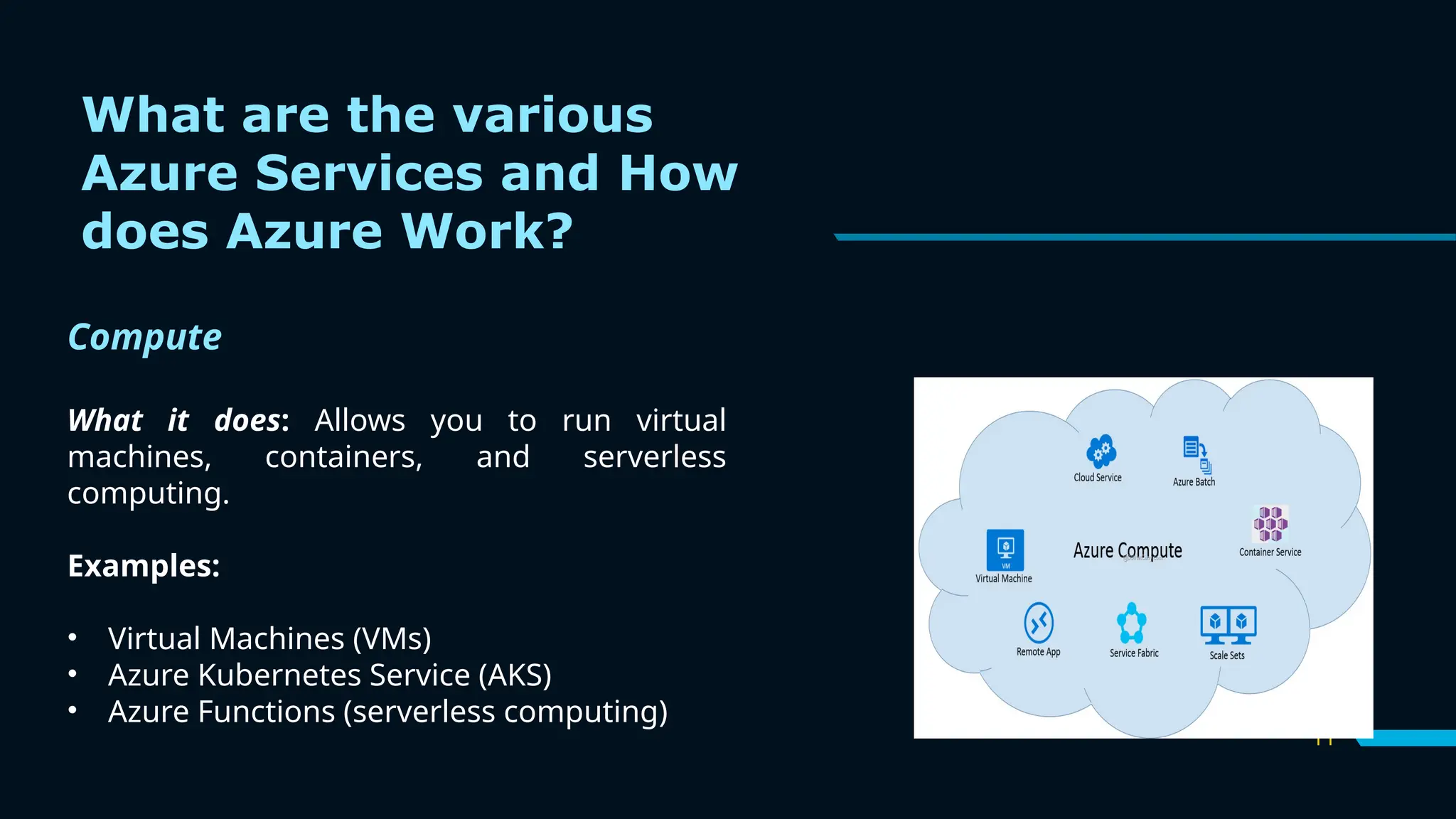
Compute
What it does: Allows you to run virtual
machines, containers, and serverless
computing.
Examples:
• Virtual Machines (VMs)
• Azure Kubernetes Service (AKS)
• Azure Functions (serverless computing)
12
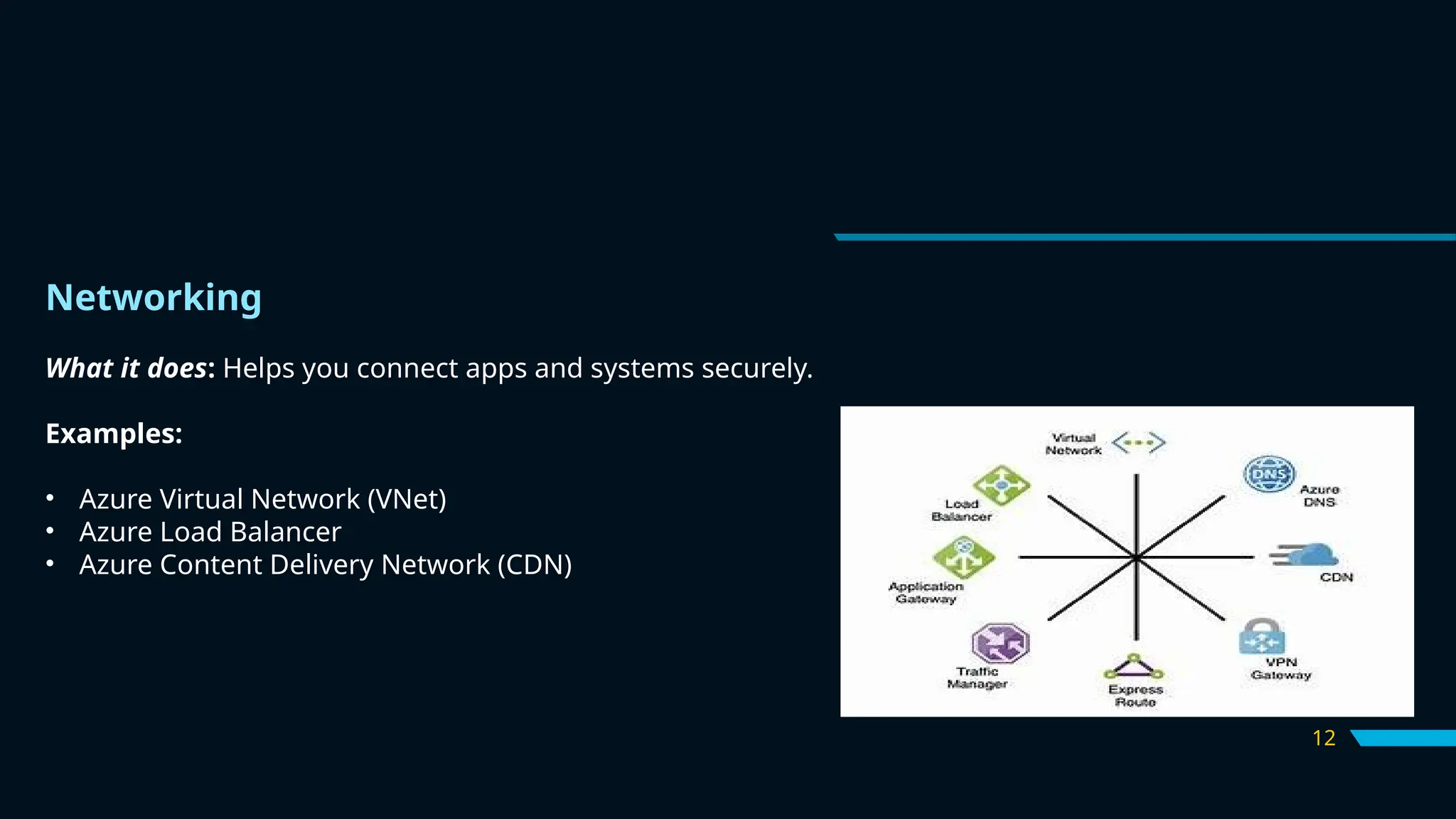
Networking
What it does: Helps you connect apps and systems securely.
Examples:
• Azure Virtual Network (VNet)
• Azure Load Balancer
• Azure Content Delivery Network (CDN)
13
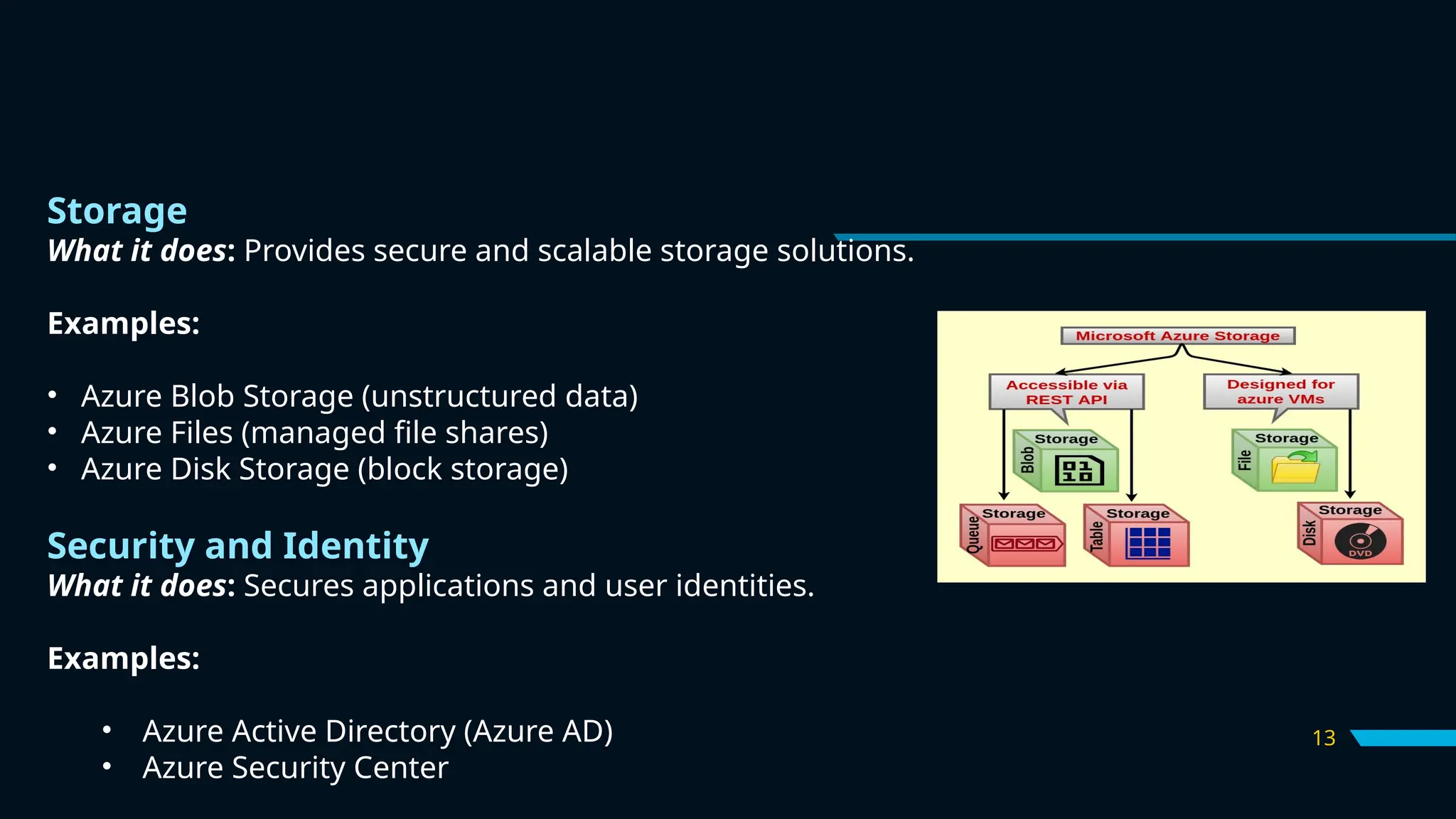
Storage
What it does: Provides secure and scalable storage solutions.
Examples:
• Azure Blob Storage (unstructured data)
• Azure Files (managed file shares)
• Azure Disk Storage (block storage)
Security and Identity
What it does: Secures applications and user identities.
Examples:
• Azure Active Directory (Azure AD)
• Azure Security Center
14
AI And Machine Learning
What it does: Enables data-driven insights and intelligent applications.
Examples:
•Azure Machine Learning
•Cognitive Services (like text-to-speech, vision APIs)
•Bot Service
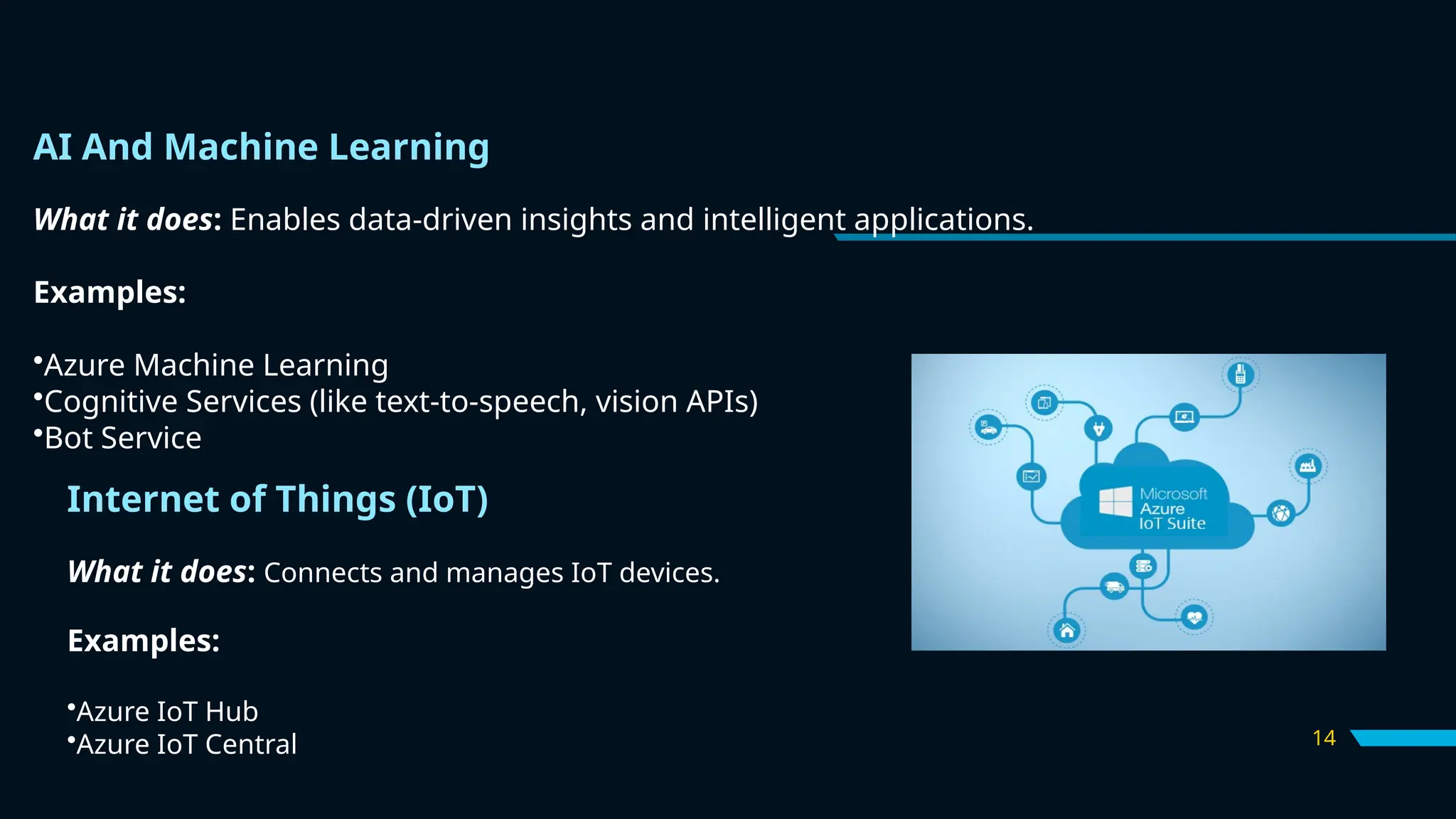
Internet of Things (IoT)
What it does: Connects and manages IoT devices.
Examples:
•Azure IoT Hub
•Azure IoT Central
15
Why we use Azure?
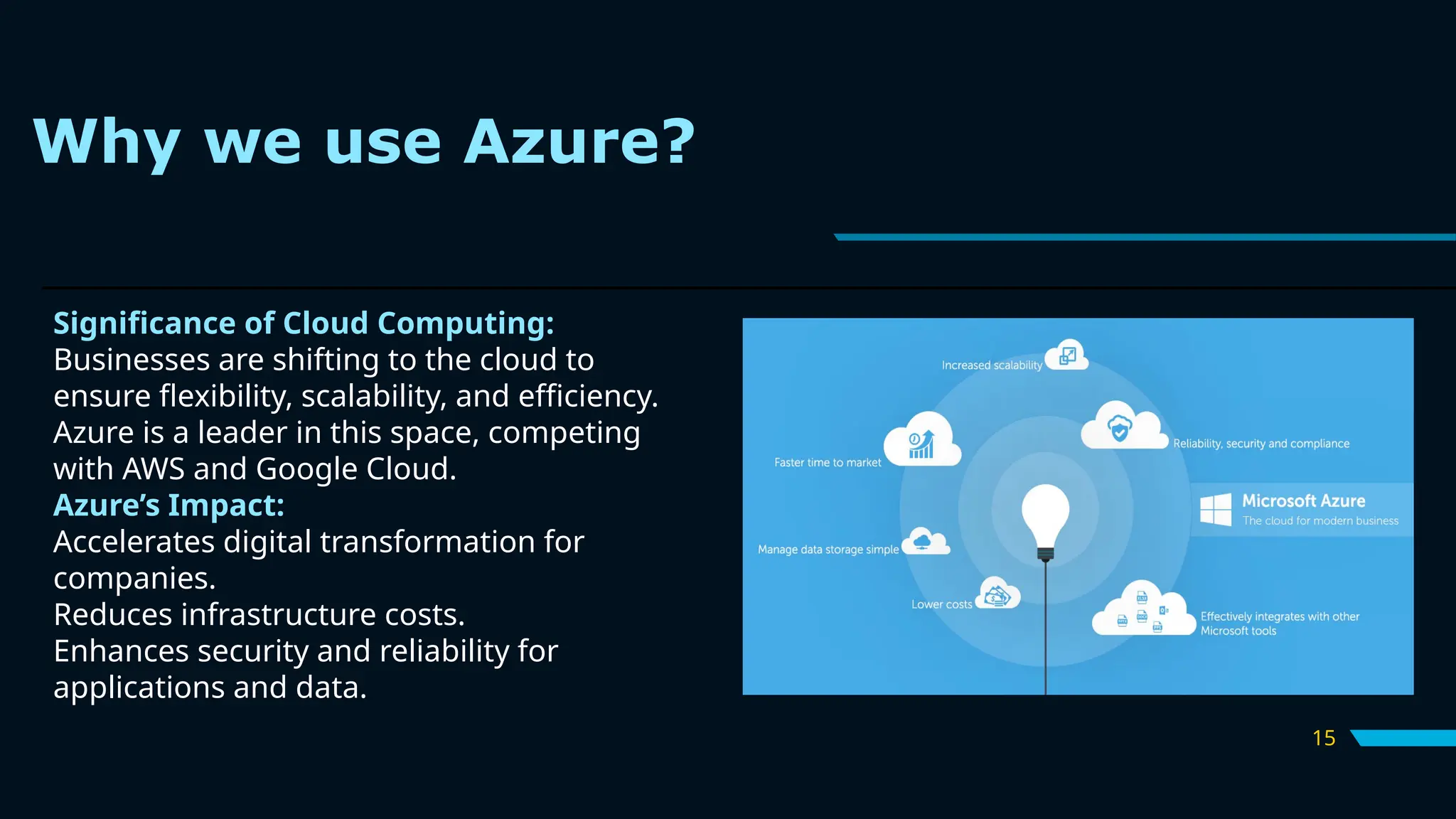
Significance of Cloud Computing:
Businesses are shifting to the cloud to
ensure flexibility, scalability, and efficiency.
Azure is a leader in this space, competing
with AWS and Google Cloud.
Azure’s Impact:
Accelerates digital transformation for
companies.
Reduces infrastructure costs.
Enhances security and reliability for
applications and data.
Real-World Application
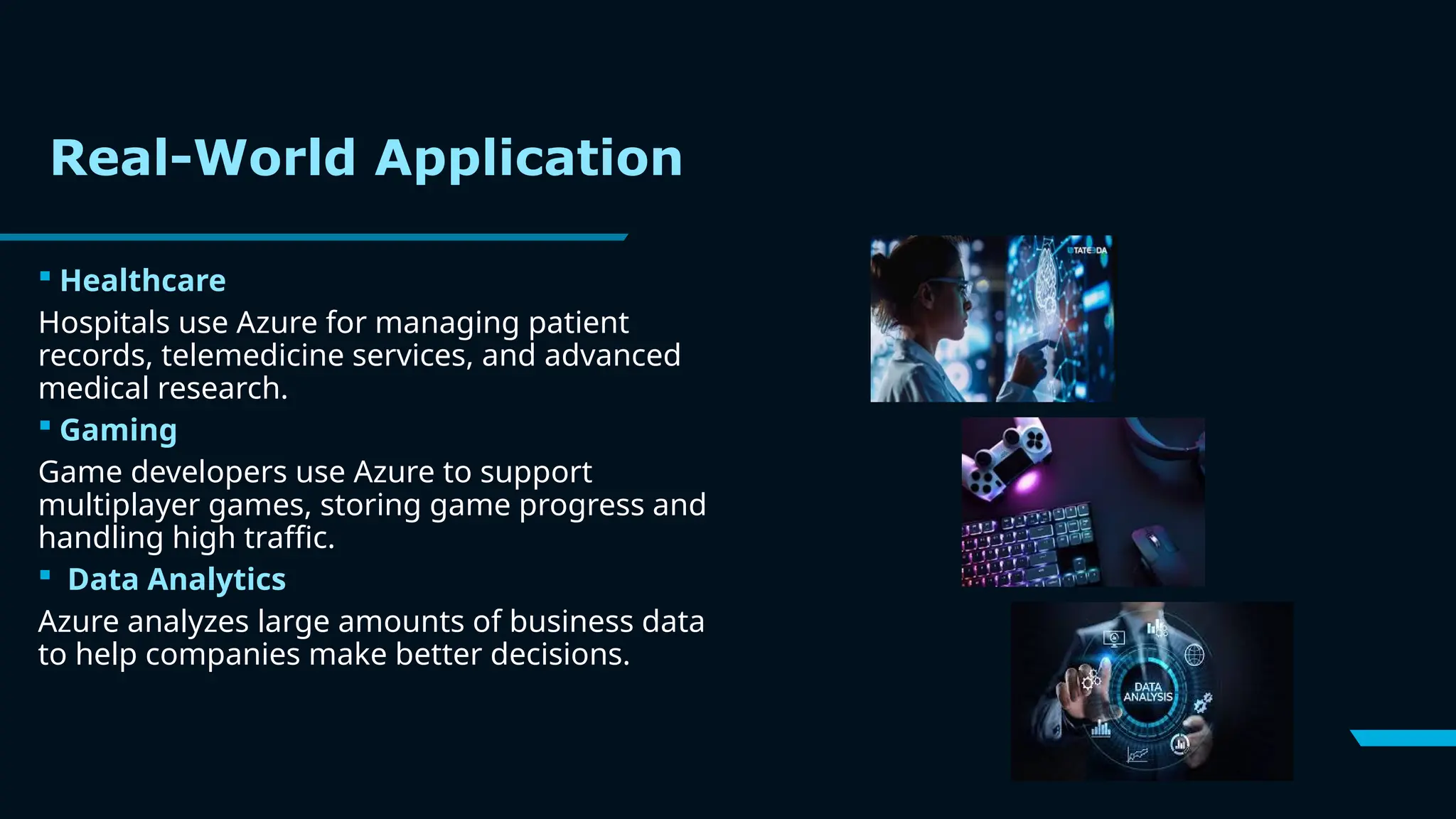
 Healthcare
Hospitals use Azure for managing patient
records, telemedicine services, and advanced
medical research.
 Gaming
Game developers use Azure to support
multiplayer games, storing game progress and
handling high traffic.
 Data Analytics
Azure analyzes large amounts of business data
to help companies make better decisions.
17
 IoT (Smart Devices)
Factories use Azure to monitor machines and
prevent breakdowns, while cities use it for
managing smart traffic lights.
 Banking and Finance
Banks use Azure for fraud detection, secure
online transactions, and managing customer
data.
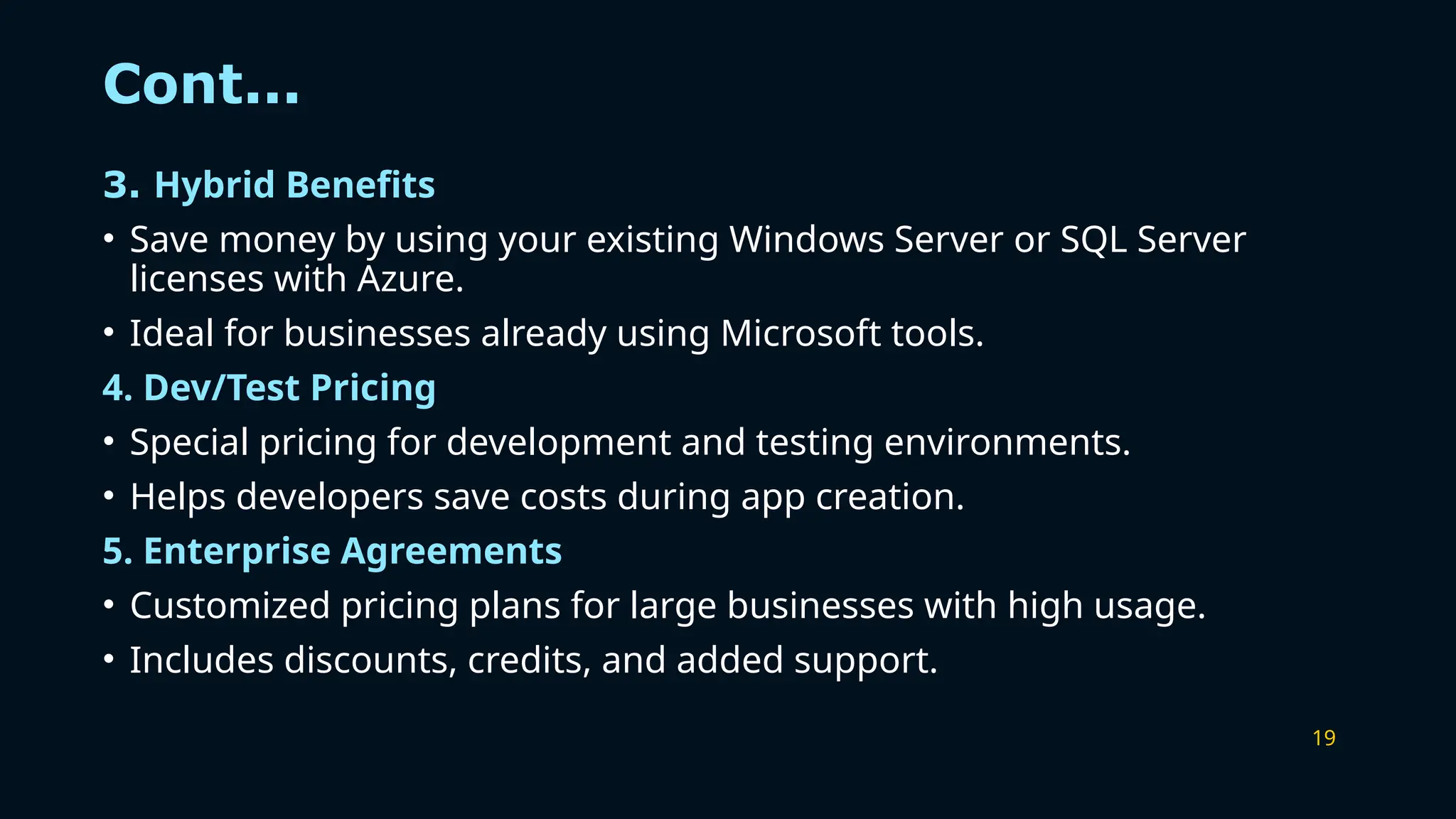
 Machine Learning and AI
Azure helps companies add features like
chatbots, voice recognition, and image analysis
to their services.
Cont...
18
Pricing Models
1.Pay-As-You-Go
• Pay only for what you use.
• No upfront costs or long-term commitments.
• Ideal for projects with changing needs or short-term usage.
2. Reserved Instances
• Pre-pay for resources (e.g., virtual machines) for 1 or 3 years.
• Saves up to 72% compared to pay-as-you-go.
• Best for predictable workloads like hosting apps or websites.
3.Azure Cost Management
• A built-in tool to track and manage your spending.
• Helps you stay within budget and optimize costs
19
Cont...
3. Hybrid Benefits
• Save money by using your existing Windows Server or SQL Server
licenses with Azure.
• Ideal for businesses already using Microsoft tools.
4. Dev/Test Pricing
• Special pricing for development and testing environments.
• Helps developers save costs during app creation.
5. Enterprise Agreements
• Customized pricing plans for large businesses with high usage.
• Includes discounts, credits, and added support.
20
Competitive Advantages of Microsoft
Azure
Wide Range of Services:
Provides tools for app hosting, AI, data analytics, IoT, and more—all in
one place.
Global Reach:
Azure has data centers in many regions, ensuring fast and reliable
services worldwide.
Flexible Pricing:
Offers pay-as-you-go and reserved options to fit different budgets.
Seamless Integration:
Works well with Microsoft products like Office 365, Teams, and
Windows.
Strong Security:
21
Cont...
• Hybrid Cloud Support:
Combines on-site servers with cloud services for flexibility.
• AI and Machine Learning:
Adds smart features like chatbots, image recognition, and analytics to
applications.
• Trusted Brand:
Used by big companies worldwide, ensuring reliability and quality.
• Developer-Friendly:
Supports many programming languages and tools, making it easy for
developers to use.
• High Scalability:
Easily increase or decrease resources as your needs change.
22
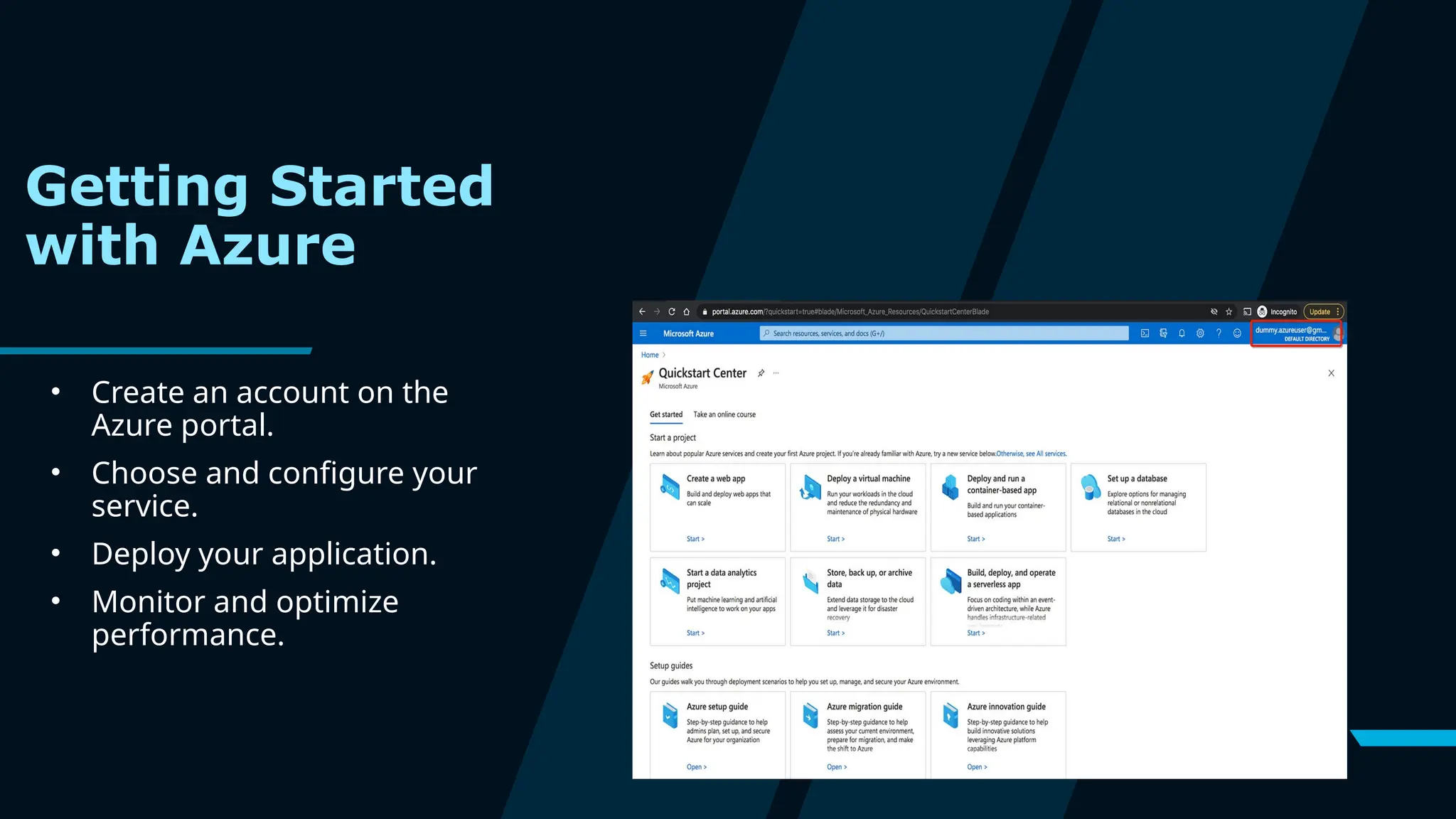
Getting Started
with Azure
• Create an account on the
Azure portal.
• Choose and configure your
service.
• Deploy your application.
• Monitor and optimize
performance.
23
Conclusion
Microsoft Azure is a powerful cloud platform that provides a wide range of services to
help businesses of all sizes grow and succeed. It helps speed up innovation, while
keeping your data secure, offering flexibility for growth, and saving costs. With Azure,
businesses can easily manage their operations and scale as needed, making it an ideal
choice for digital transformation. Explore Azure today and take your business to the
next level!

Introduction of Microsoft Azure and services .pptx

  • 1.
  • 2.
  • 3.
    3 What is CloudComputing
  • 4.
  • 5.
    5 What is MicrosoftAzure? Azure is Microsoft’s cloud platform, just like Google has its Google Cloud and Amazon has its Amazon Web Service or AWS.000. Generally, it is a platform through which we can use Microsoft’s resources.
  • 6.
    6 Timeline Overview: 2010: Azurelaunched as “Windows Azure.” 2014: Rebranded to “Microsoft Azure” to reflect its expanded capabilities. 2023 and Beyond: Continues to lead innovation with AI, IoT, and hybrid cloud solutions. Azure offers over 200+ products and services to cater to a variety of business needs. It’s designed for: •Developers: To build and deploy scalable applications. •Businesses: To manage operations, store data, and analyze insights. •Individuals: To explore cloud computing at an affordable scale. History of Azure
  • 7.
    7 •Vision: Empower everyperson and organization on the planet to achieve more through technology. •Mission: To make the power of the cloud accessible, affordable, and sustainable for everyone Key Benefits of Azure •Scalability: Grow or shrink resources based on demand. •Reliability: Uptime Service Level Agreement (SLA) of 99.95% for most services. •Security: Enterprise-grade security with compliance certifications. •Cost-Efficiency: Pay only for what you use, reducing IT expenses. •Innovation: Cutting-edge features in AI, IoT, and machine learning. Azure’s Vision and Mission
  • 8.
    8 Azure’s Global Presence Azureoperates in 60+ regions and 200+ data centers, making it one of the most widely available cloud platforms in the world. It ensures low latency, high availability, and disaster recovery capabilities.
  • 9.
  • 10.
    10 Types of AzureServices Microsoft Azure is a cloud computing platform which offers the following types of services: Infrastructure as a service (IaaS) Virtual machines, storage, and networking ,support wide range of OS Platform as a service (PaaS) Azure app service, Azure functions, and logic apps,auto scaling and load balancing Software as a service (SaaS) Office 365, Dynamics 365, and Azure Active Directory
  • 11.
    11 What are thevarious Azure Services and How does Azure Work? Compute What it does: Allows you to run virtual machines, containers, and serverless computing. Examples: • Virtual Machines (VMs) • Azure Kubernetes Service (AKS) • Azure Functions (serverless computing)
  • 12.
    12 Networking What it does:Helps you connect apps and systems securely. Examples: • Azure Virtual Network (VNet) • Azure Load Balancer • Azure Content Delivery Network (CDN)
  • 13.
    13 Storage What it does:Provides secure and scalable storage solutions. Examples: • Azure Blob Storage (unstructured data) • Azure Files (managed file shares) • Azure Disk Storage (block storage) Security and Identity What it does: Secures applications and user identities. Examples: • Azure Active Directory (Azure AD) • Azure Security Center
  • 14.
    14 AI And MachineLearning What it does: Enables data-driven insights and intelligent applications. Examples: •Azure Machine Learning •Cognitive Services (like text-to-speech, vision APIs) •Bot Service Internet of Things (IoT) What it does: Connects and manages IoT devices. Examples: •Azure IoT Hub •Azure IoT Central
  • 15.
    15 Why we useAzure? Significance of Cloud Computing: Businesses are shifting to the cloud to ensure flexibility, scalability, and efficiency. Azure is a leader in this space, competing with AWS and Google Cloud. Azure’s Impact: Accelerates digital transformation for companies. Reduces infrastructure costs. Enhances security and reliability for applications and data.
  • 16.
    Real-World Application  Healthcare Hospitalsuse Azure for managing patient records, telemedicine services, and advanced medical research.  Gaming Game developers use Azure to support multiplayer games, storing game progress and handling high traffic.  Data Analytics Azure analyzes large amounts of business data to help companies make better decisions.
  • 17.
    17  IoT (SmartDevices) Factories use Azure to monitor machines and prevent breakdowns, while cities use it for managing smart traffic lights.  Banking and Finance Banks use Azure for fraud detection, secure online transactions, and managing customer data.  Machine Learning and AI Azure helps companies add features like chatbots, voice recognition, and image analysis to their services. Cont...
  • 18.
    18 Pricing Models 1.Pay-As-You-Go • Payonly for what you use. • No upfront costs or long-term commitments. • Ideal for projects with changing needs or short-term usage. 2. Reserved Instances • Pre-pay for resources (e.g., virtual machines) for 1 or 3 years. • Saves up to 72% compared to pay-as-you-go. • Best for predictable workloads like hosting apps or websites. 3.Azure Cost Management • A built-in tool to track and manage your spending. • Helps you stay within budget and optimize costs
  • 19.
    19 Cont... 3. Hybrid Benefits •Save money by using your existing Windows Server or SQL Server licenses with Azure. • Ideal for businesses already using Microsoft tools. 4. Dev/Test Pricing • Special pricing for development and testing environments. • Helps developers save costs during app creation. 5. Enterprise Agreements • Customized pricing plans for large businesses with high usage. • Includes discounts, credits, and added support.
  • 20.
    20 Competitive Advantages ofMicrosoft Azure Wide Range of Services: Provides tools for app hosting, AI, data analytics, IoT, and more—all in one place. Global Reach: Azure has data centers in many regions, ensuring fast and reliable services worldwide. Flexible Pricing: Offers pay-as-you-go and reserved options to fit different budgets. Seamless Integration: Works well with Microsoft products like Office 365, Teams, and Windows. Strong Security:
  • 21.
    21 Cont... • Hybrid CloudSupport: Combines on-site servers with cloud services for flexibility. • AI and Machine Learning: Adds smart features like chatbots, image recognition, and analytics to applications. • Trusted Brand: Used by big companies worldwide, ensuring reliability and quality. • Developer-Friendly: Supports many programming languages and tools, making it easy for developers to use. • High Scalability: Easily increase or decrease resources as your needs change.
  • 22.
    22 Getting Started with Azure •Create an account on the Azure portal. • Choose and configure your service. • Deploy your application. • Monitor and optimize performance.
  • 23.
    23 Conclusion Microsoft Azure isa powerful cloud platform that provides a wide range of services to help businesses of all sizes grow and succeed. It helps speed up innovation, while keeping your data secure, offering flexibility for growth, and saving costs. With Azure, businesses can easily manage their operations and scale as needed, making it an ideal choice for digital transformation. Explore Azure today and take your business to the next level!