
PREPARED BY:
MUNDIRIKA KUMAR SAH
   The computer as we know it today had its
    beginning with 19th century by English
    mathematics professor name “Charles
    Babbage”.

   He designed the Analytical Engine and it was
    this design that the basic framework of the
    computers of today are based on.
   The word “computer” comes from the word “compute” which means
    “to calculate” . Hence people usually consider a computer to be a
    calculating device that can perform arithmetic operations at high
    speed.

   A computer is an electronic machine that accepts data, stores and
    processes data into information. The computer is able to work
    because there are instructions in its memory directing it.

   It is an information processing machine. The main part of computer
    are HARDWARE and SOFTWARE.

   All computer system can perform the functions of inputting, storing,
    processing, controlling, styling and outputting data and information.
   Super computer
   Mainframe computer
   Personal computer

   Super computer
    This computer is:
    Largest,
    Fastest,
    Most powerful and
    Most expensive computer.
   Mainframe computer
    This is the little smaller and less powerful then super
    computer, but like super computer it is also expensive. This
    types of computer handling all kinds of scientific and
    business applications.


   Personal computer
    This is the computer that most people use in their daily lives.
    This computer is much smaller, less powerful and less
    expensive than the supercomputer and the mainframe
    computer.
   Speed
   Accuracy
   Storage
   Decision making
   Automatic
   Versatility
   No feelings
   Speed:
    A computer is a very high speed data processing machine
    capable of operating at electronic speeds. Most instruction in
    a computer are carried out in less than a million of a second.
   Accuracy:
    Computer are always produce accurate results although while
    working at high speeds. Instruction execution is carried out
    without any mistakes.
   Storage:
    Computer can store large amount of data and information in
    its memory. At any stage there would be no data loss or data
    corruption once it is stored.
   Decision making:
    Computer also helps to chose best decision from various
    alternatives.
   Automatic:
    A computer is an automatic machine, it is works by itself without
    human intervention.
   Versatility:
    It is one of the most wonderful characteristic of computer. In this
    one moment is preparing result, next moment is chat an online,
    another is listening music etc.
   No feelings:
Computer are devoid of emotions. They have no feelings and no
  instincts because they are machine.
   First generation (1940-1956)

   Second generation (1956-1963)

   Third generation (1964-1971)

   Fourth generation (1971-Present)

   Fifth generation (Present-Beyond)
FIRST GENERATION (1942-1956)

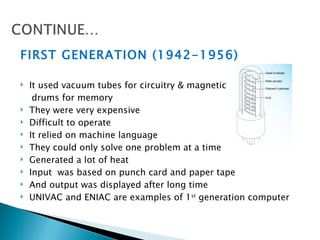
   It used vacuum tubes for circuitry & magnetic
     drums for memory
   They were very expensive
   Difficult to operate
   It relied on machine language
   They could only solve one problem at a time
   Generated a lot of heat
   Input was based on punch card and paper tape
   And output was displayed after long time
   UNIVAC and ENIAC are examples of 1st generation computer
SECOND GENERATION (1956-1963)

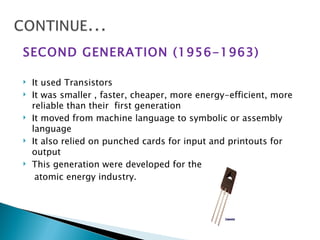
   It used Transistors
   It was smaller , faster, cheaper, more energy-efficient, more
    reliable than their first generation
   It moved from machine language to symbolic or assembly
    language
   It also relied on punched cards for input and printouts for
    output
   This generation were developed for the
     atomic energy industry.
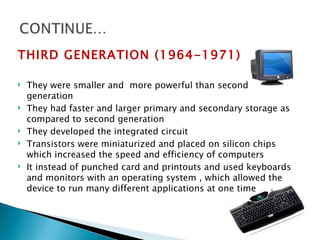
THIRD GENERATION (1964-1971)

   They were smaller and more powerful than second
    generation
   They had faster and larger primary and secondary storage as
    compared to second generation
   They developed the integrated circuit
   Transistors were miniaturized and placed on silicon chips
    which increased the speed and efficiency of computers
   It instead of punched card and printouts and used keyboards
    and monitors with an operating system , which allowed the
    device to run many different applications at one time
FOURTH GENERATION (1971-PRESENT)

   The microprocessor brought the fourth generation of
    computers
   They consumed less power than 3rd generation
   They had larger and faster primary and secondary storage as
    compared to 3rd generation
   They were more reliable and less prone to hardware failures
    than 3rd generation
   From the CPU and memory to input and output controls
   It also saw the development of GUIs, mouse and handheld
    devices.
FIFTH GENERATION (Present and Beyond)

   It based on artificial intelligence
   It also more powerful, cheaper, reliable and easier to use
    desktop machine
   It easier to produced commercially
   Quantum computation and molecular and nanotechnology
    will radically change the face of computers in years to come
   It main goal to develop devices that respond to natural
    language input and are capable of learning and self-
    organization.
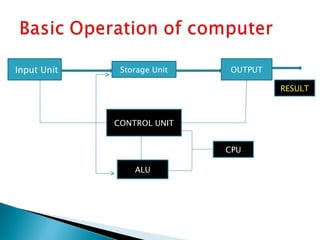
Input Unit    Storage Unit   OUTPUT

                                      RESULT


             CONTROL UNIT


                             CPU

                 ALU
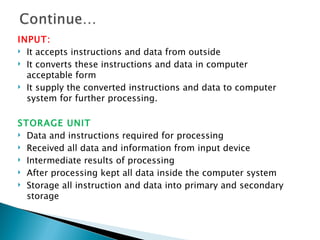
INPUT:
 It accepts instructions and data from outside

 It converts these instructions and data in computer

  acceptable form
 It supply the converted instructions and data to computer

  system for further processing.

STORAGE UNIT
 Data and instructions required for processing

 Received all data and information from input device

 Intermediate results of processing

 After processing kept all data inside the computer system

 Storage all instruction and data into primary and secondary
  storage
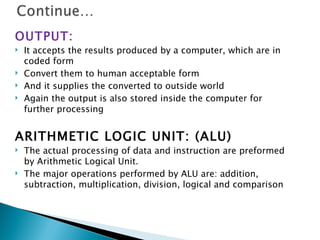
OUTPUT:
   It accepts the results produced by a computer, which are in
    coded form
   Convert them to human acceptable form
   And it supplies the converted to outside world
   Again the output is also stored inside the computer for
    further processing


ARITHMETIC LOGIC UNIT: (ALU)
   The actual processing of data and instruction are preformed
    by Arithmetic Logical Unit.
   The major operations performed by ALU are: addition,
    subtraction, multiplication, division, logical and comparison
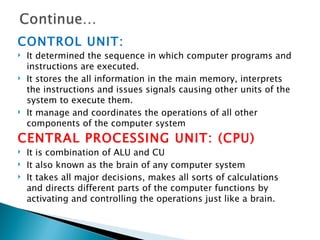
CONTROL UNIT:
   It determined the sequence in which computer programs and
    instructions are executed.
   It stores the all information in the main memory, interprets
    the instructions and issues signals causing other units of the
    system to execute them.
   It manage and coordinates the operations of all other
    components of the computer system
CENTRAL PROCESSING UNIT: (CPU)
   It is combination of ALU and CU
   It also known as the brain of any computer system
   It takes all major decisions, makes all sorts of calculations
    and directs different parts of the computer functions by
    activating and controlling the operations just like a brain.
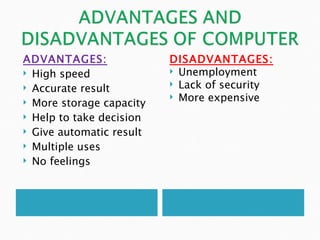
ADVANTAGES:               DISADVANTAGES:
 High speed               Unemployment

 Accurate result          Lack of security
                           More expensive
 More storage capacity

 Help to take decision

 Give automatic result

 Multiple uses

 No feelings
   In   Tourism
   In   Bank
   In   Education
   In   Entertainment
   In   Business
   In   Transportation
In tourism:
   Railways and airline reservations for booking ticket
   In hotels used it to check availability of rooms


In banks:
   Terminals are provided in the branch and the main computer
    is located centrally
   It use take information such as current balance, deposits,
    savings, overdraft, interest charges etc
   It use in bank for payment and received cash
   It use to keep all information of employees , customer etc in
    banks.
In Education:
   It posses the knowledge given to them by experts
   It helps to keep all information about students in any college,
    schools etc.
   It help to us in teaching by ppt, internet etc


In industry:
   It helps to keep all information about employees and officer
   It use to record all transaction about industry as like a/c,
    finance etc.
   It help to tests quality control and manufacturing of product
In transportation:
   In this it measure the all information plane’s altitude ,
    position, speed, height and direction and to keep the plane
    flying in the right direction
   In fact the auto-pilot feature has made the work of pilot
    much easy


In entertainment:
   Computer are also great entertainment as like various types
    of games like cricket, chess, football etc
   It use to see movies, listening songs etc
   In this also available brain test games
ANY QUESTIONS ?
Introduction of computer

Introduction of computer

  • 1.
  • 2.
    The computer as we know it today had its beginning with 19th century by English mathematics professor name “Charles Babbage”.  He designed the Analytical Engine and it was this design that the basic framework of the computers of today are based on.
  • 3.
    The word “computer” comes from the word “compute” which means “to calculate” . Hence people usually consider a computer to be a calculating device that can perform arithmetic operations at high speed.  A computer is an electronic machine that accepts data, stores and processes data into information. The computer is able to work because there are instructions in its memory directing it.  It is an information processing machine. The main part of computer are HARDWARE and SOFTWARE.  All computer system can perform the functions of inputting, storing, processing, controlling, styling and outputting data and information.
  • 4.
    Super computer  Mainframe computer  Personal computer  Super computer This computer is: Largest, Fastest, Most powerful and Most expensive computer.
  • 5.
    Mainframe computer This is the little smaller and less powerful then super computer, but like super computer it is also expensive. This types of computer handling all kinds of scientific and business applications.  Personal computer This is the computer that most people use in their daily lives. This computer is much smaller, less powerful and less expensive than the supercomputer and the mainframe computer.
  • 6.
    Speed  Accuracy  Storage  Decision making  Automatic  Versatility  No feelings
  • 7.
    Speed: A computer is a very high speed data processing machine capable of operating at electronic speeds. Most instruction in a computer are carried out in less than a million of a second.  Accuracy: Computer are always produce accurate results although while working at high speeds. Instruction execution is carried out without any mistakes.  Storage: Computer can store large amount of data and information in its memory. At any stage there would be no data loss or data corruption once it is stored.
  • 8.
    Decision making: Computer also helps to chose best decision from various alternatives.  Automatic: A computer is an automatic machine, it is works by itself without human intervention.  Versatility: It is one of the most wonderful characteristic of computer. In this one moment is preparing result, next moment is chat an online, another is listening music etc.  No feelings: Computer are devoid of emotions. They have no feelings and no instincts because they are machine.
  • 9.
    First generation (1940-1956)  Second generation (1956-1963)  Third generation (1964-1971)  Fourth generation (1971-Present)  Fifth generation (Present-Beyond)
  • 10.
    FIRST GENERATION (1942-1956)  It used vacuum tubes for circuitry & magnetic drums for memory  They were very expensive  Difficult to operate  It relied on machine language  They could only solve one problem at a time  Generated a lot of heat  Input was based on punch card and paper tape  And output was displayed after long time  UNIVAC and ENIAC are examples of 1st generation computer
  • 11.
    SECOND GENERATION (1956-1963)  It used Transistors  It was smaller , faster, cheaper, more energy-efficient, more reliable than their first generation  It moved from machine language to symbolic or assembly language  It also relied on punched cards for input and printouts for output  This generation were developed for the atomic energy industry.
  • 12.
    THIRD GENERATION (1964-1971)  They were smaller and more powerful than second generation  They had faster and larger primary and secondary storage as compared to second generation  They developed the integrated circuit  Transistors were miniaturized and placed on silicon chips which increased the speed and efficiency of computers  It instead of punched card and printouts and used keyboards and monitors with an operating system , which allowed the device to run many different applications at one time
  • 13.
    FOURTH GENERATION (1971-PRESENT)  The microprocessor brought the fourth generation of computers  They consumed less power than 3rd generation  They had larger and faster primary and secondary storage as compared to 3rd generation  They were more reliable and less prone to hardware failures than 3rd generation  From the CPU and memory to input and output controls  It also saw the development of GUIs, mouse and handheld devices.
  • 14.
    FIFTH GENERATION (Presentand Beyond)  It based on artificial intelligence  It also more powerful, cheaper, reliable and easier to use desktop machine  It easier to produced commercially  Quantum computation and molecular and nanotechnology will radically change the face of computers in years to come  It main goal to develop devices that respond to natural language input and are capable of learning and self- organization.
  • 15.
    Input Unit Storage Unit OUTPUT RESULT CONTROL UNIT CPU ALU
  • 16.
    INPUT:  It acceptsinstructions and data from outside  It converts these instructions and data in computer acceptable form  It supply the converted instructions and data to computer system for further processing. STORAGE UNIT  Data and instructions required for processing  Received all data and information from input device  Intermediate results of processing  After processing kept all data inside the computer system  Storage all instruction and data into primary and secondary storage
  • 17.
    OUTPUT:  It accepts the results produced by a computer, which are in coded form  Convert them to human acceptable form  And it supplies the converted to outside world  Again the output is also stored inside the computer for further processing ARITHMETIC LOGIC UNIT: (ALU)  The actual processing of data and instruction are preformed by Arithmetic Logical Unit.  The major operations performed by ALU are: addition, subtraction, multiplication, division, logical and comparison
  • 18.
    CONTROL UNIT:  It determined the sequence in which computer programs and instructions are executed.  It stores the all information in the main memory, interprets the instructions and issues signals causing other units of the system to execute them.  It manage and coordinates the operations of all other components of the computer system CENTRAL PROCESSING UNIT: (CPU)  It is combination of ALU and CU  It also known as the brain of any computer system  It takes all major decisions, makes all sorts of calculations and directs different parts of the computer functions by activating and controlling the operations just like a brain.
  • 19.
    ADVANTAGES: DISADVANTAGES:  High speed  Unemployment  Accurate result  Lack of security  More expensive  More storage capacity  Help to take decision  Give automatic result  Multiple uses  No feelings
  • 20.
    In Tourism  In Bank  In Education  In Entertainment  In Business  In Transportation
  • 21.
    In tourism:  Railways and airline reservations for booking ticket  In hotels used it to check availability of rooms In banks:  Terminals are provided in the branch and the main computer is located centrally  It use take information such as current balance, deposits, savings, overdraft, interest charges etc  It use in bank for payment and received cash  It use to keep all information of employees , customer etc in banks.
  • 22.
    In Education:  It posses the knowledge given to them by experts  It helps to keep all information about students in any college, schools etc.  It help to us in teaching by ppt, internet etc In industry:  It helps to keep all information about employees and officer  It use to record all transaction about industry as like a/c, finance etc.  It help to tests quality control and manufacturing of product
  • 23.
    In transportation:  In this it measure the all information plane’s altitude , position, speed, height and direction and to keep the plane flying in the right direction  In fact the auto-pilot feature has made the work of pilot much easy In entertainment:  Computer are also great entertainment as like various types of games like cricket, chess, football etc  It use to see movies, listening songs etc  In this also available brain test games
  • 24.