WEB DEVELOPMENT
SHAREPOINT SERVER 2013
Made By:-
Dhruv Bhasin
11ITU030
What is SharePoint ?
 SharePoint is a web application framework and platform
developed by Microsoft.
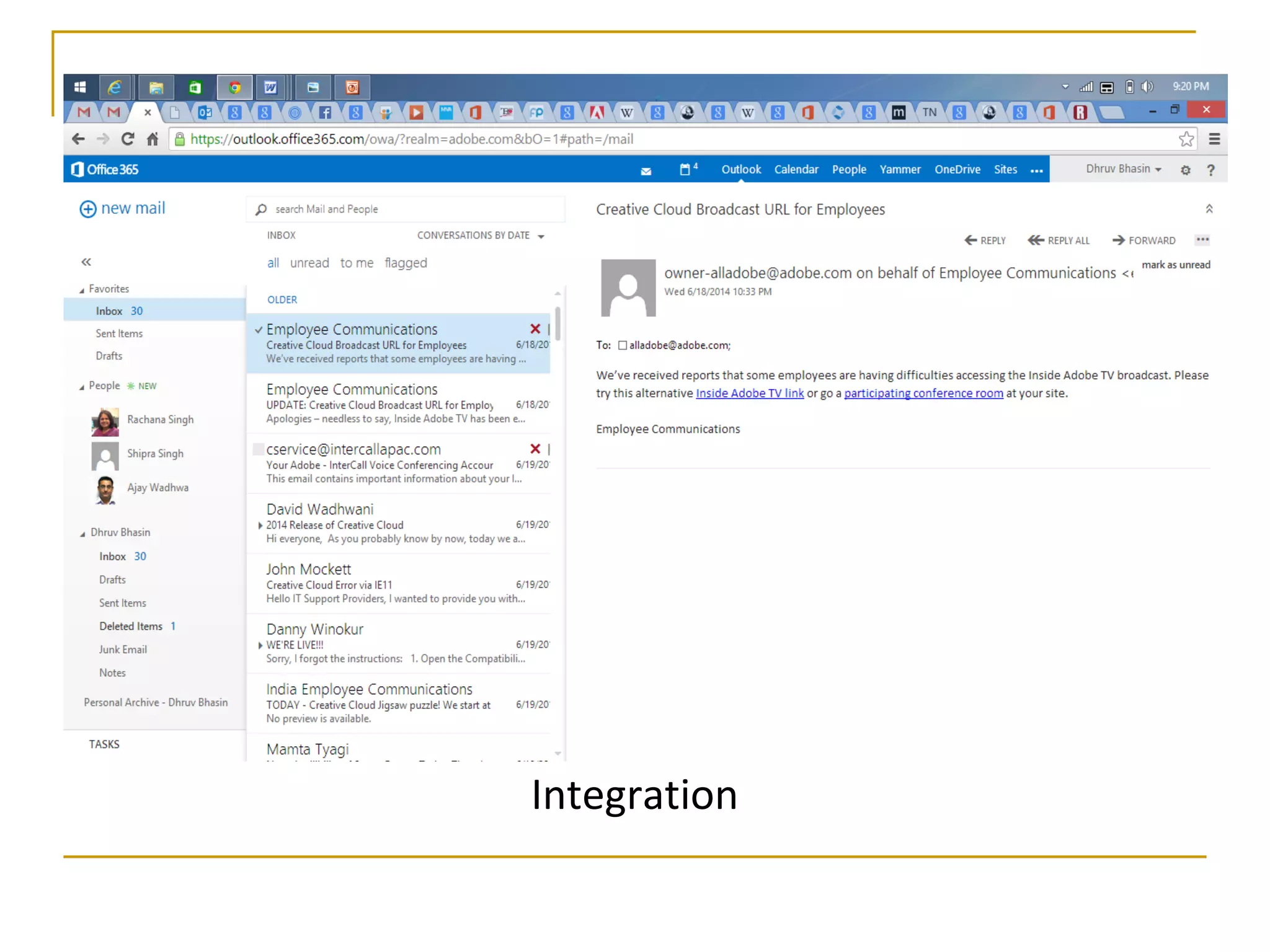
 It integrates intranet, content management and
document management.
 Also, it provides intranet portals, document & file
management, collaboration, social
networks, extranets, websites, enterprise search,
and business intelligence
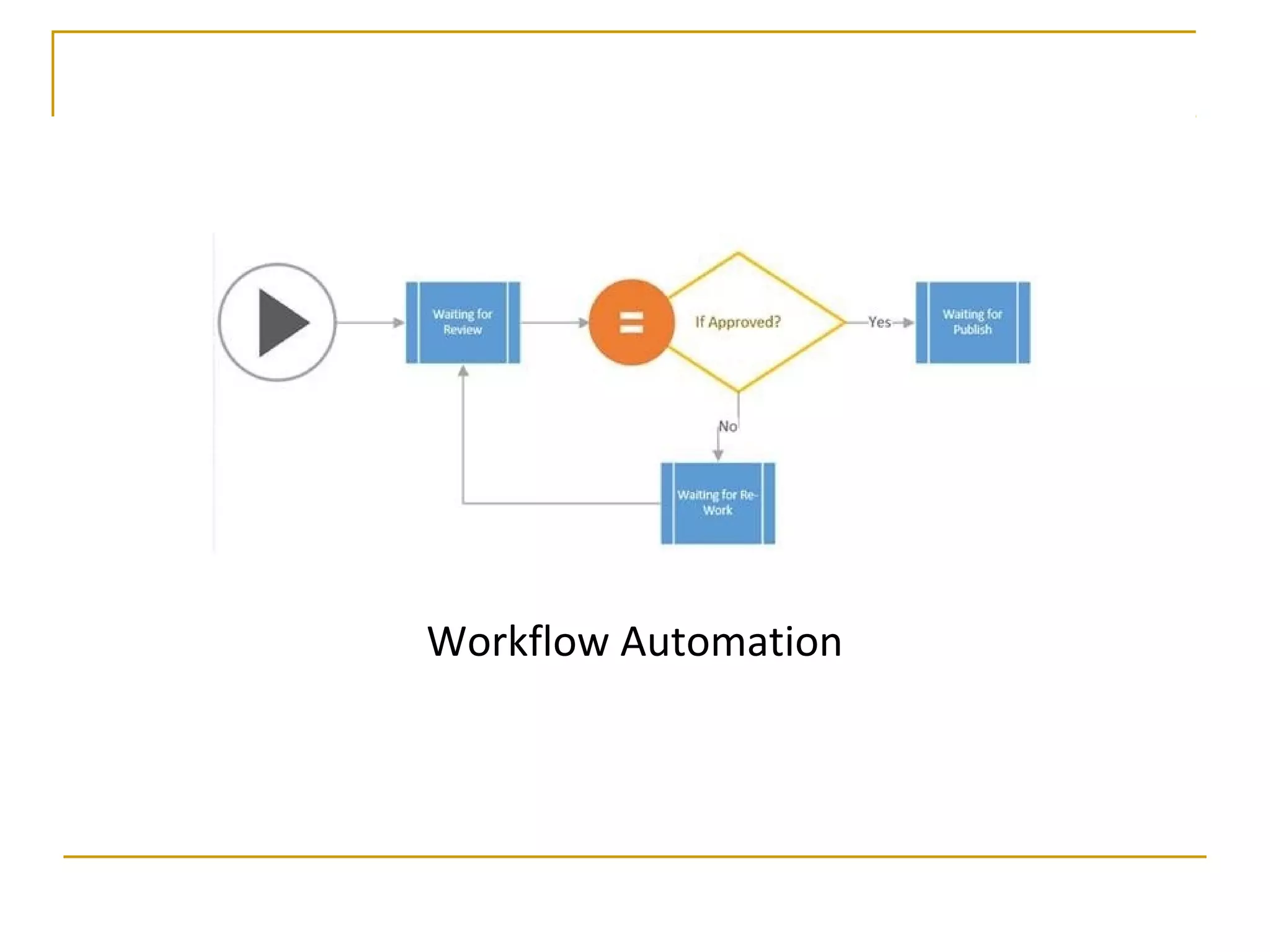
 Most important it has workflow automation capabilities
Integration
Workflow Automation
The SharePoint Wheel
 "SharePoint Wheel" describes what SharePoint's tools
can facilitate inside organizations
1. Sites
2. Communities
3. Content
4. Search
5. Insights
6. Composites
SharePoint Applications
 The most common uses of SharePoint include:
1. Intranet Portals
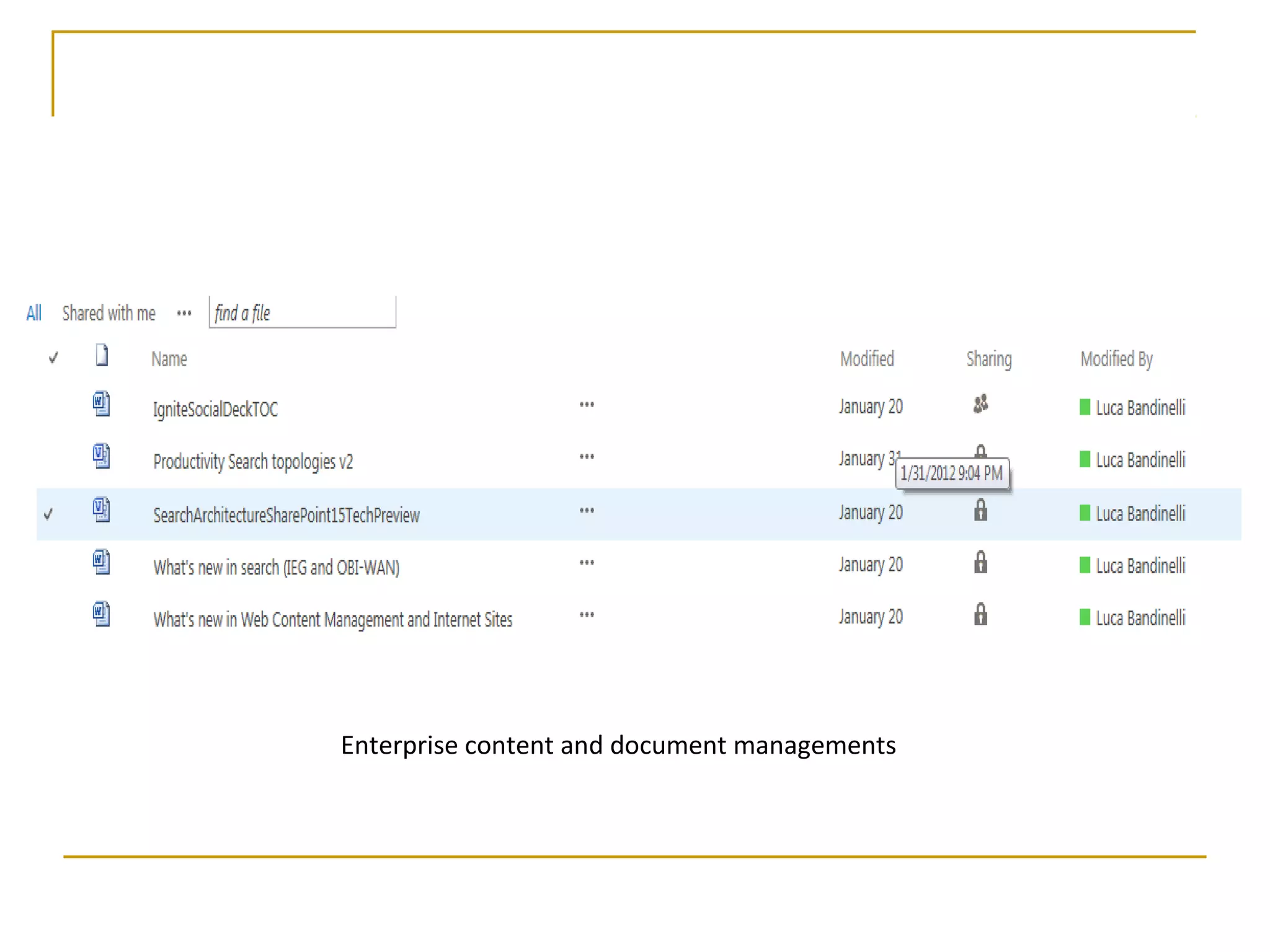
2. Enterprise content and document managements
3. Extranet Portals
4. Internet sites
Enterprise content and document managements
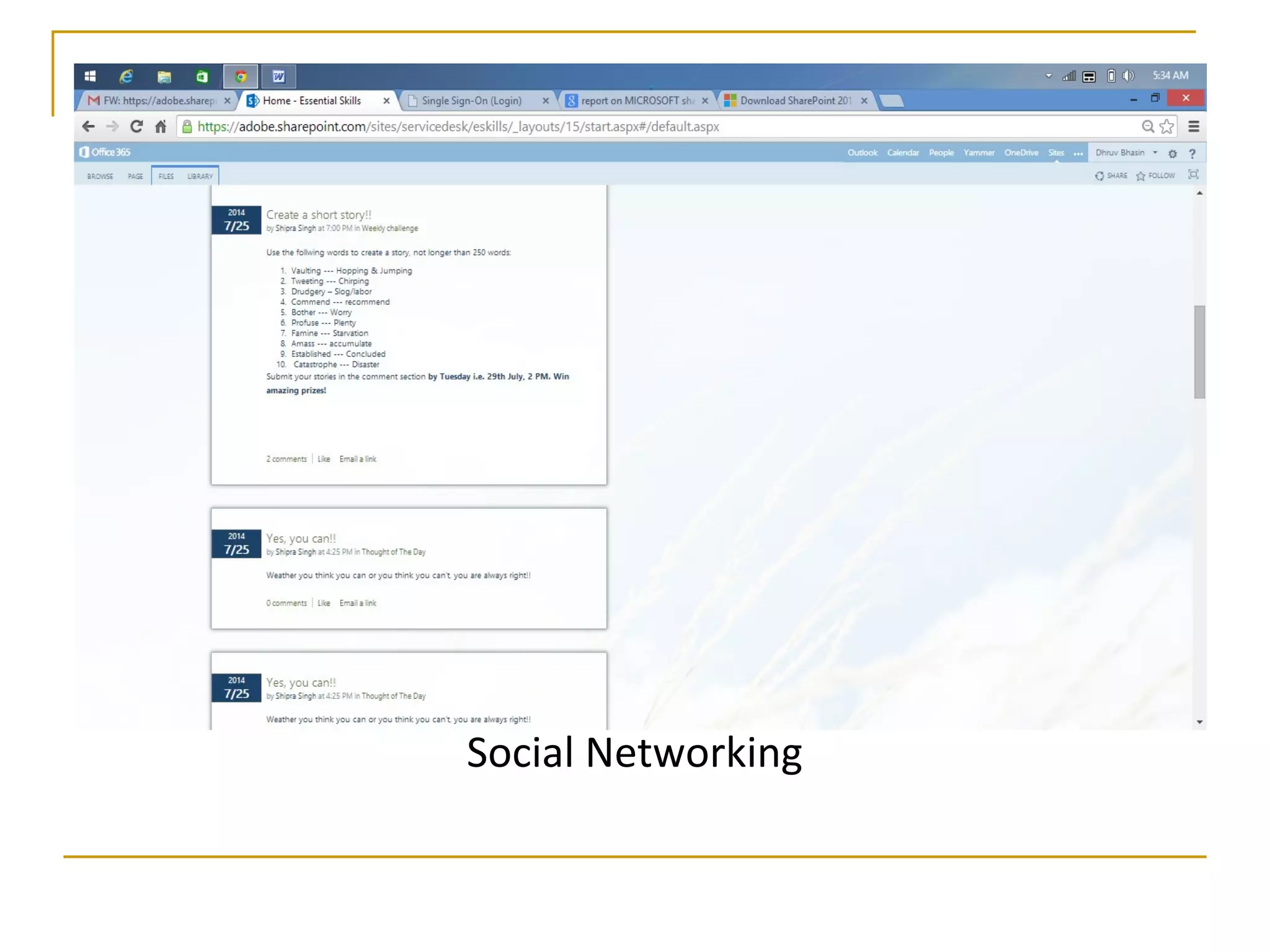
Social Networking in SharePoint
Micro Blogging
 Share contents, links and media.
 Fallow people, sites, contents and conversations
Activity Feeds
 Provides a view to a recent activity related to content,
media and people.
Discussions
 Modern boards for discussions
Blogs
 A blog is a Web site that enables you or your
organization to quickly share ideas and information.
 Blogs contain posts that are dated and listed in reverse
chronological order.
Newsfeeds
 With this we can navigate our feeds and interact with
the conversations from SharePoint sites, tags, people
and documents that we are following.
Social Networking
Social Networking
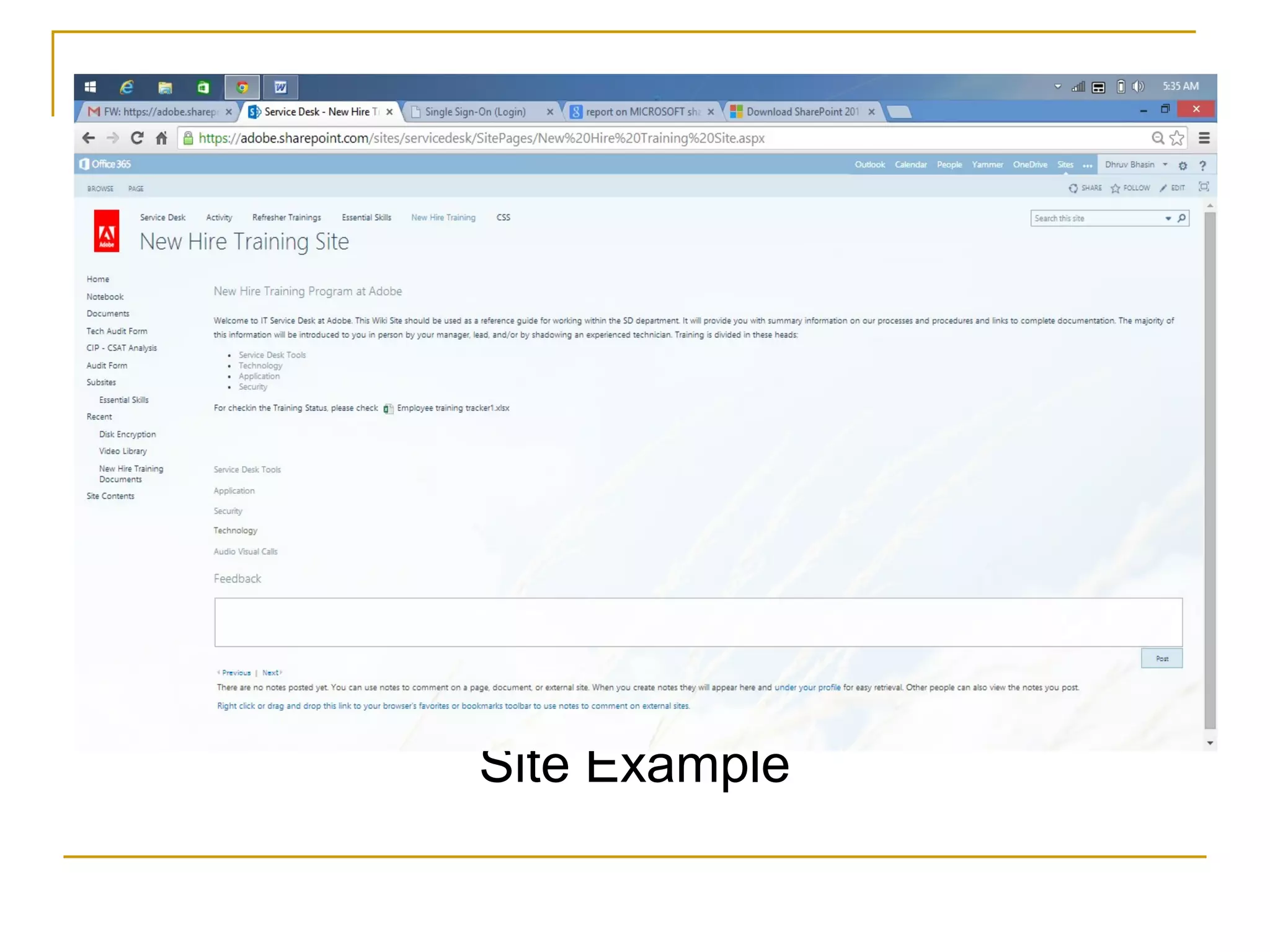
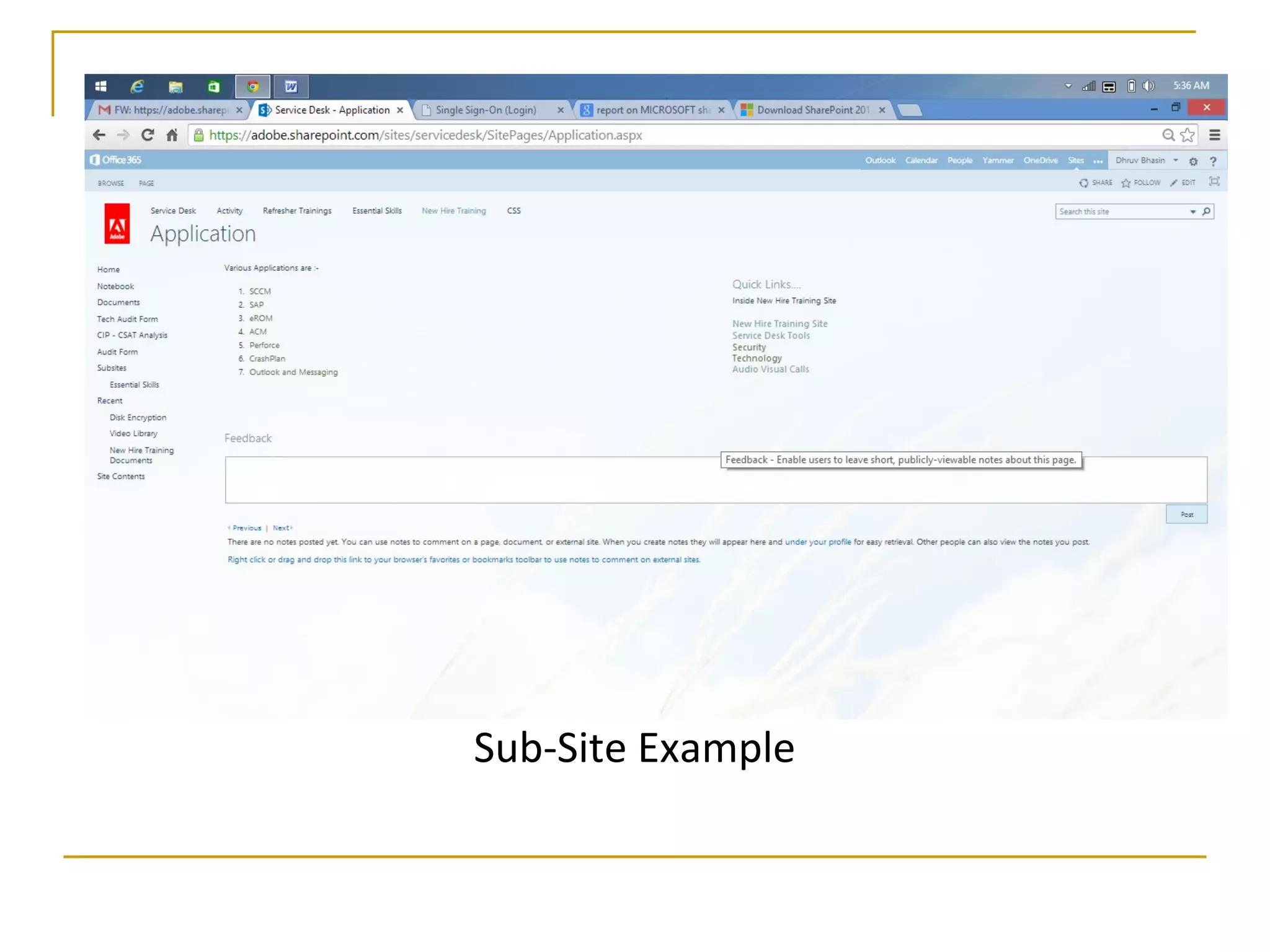
Site Collection and Pages
 A site collection is used
to provide a grouping of
'SharePoint Sites'.
 SharePoint provides
three primary page
content-types:
1. Wiki page
2. Web-part page
3. Publishing pages
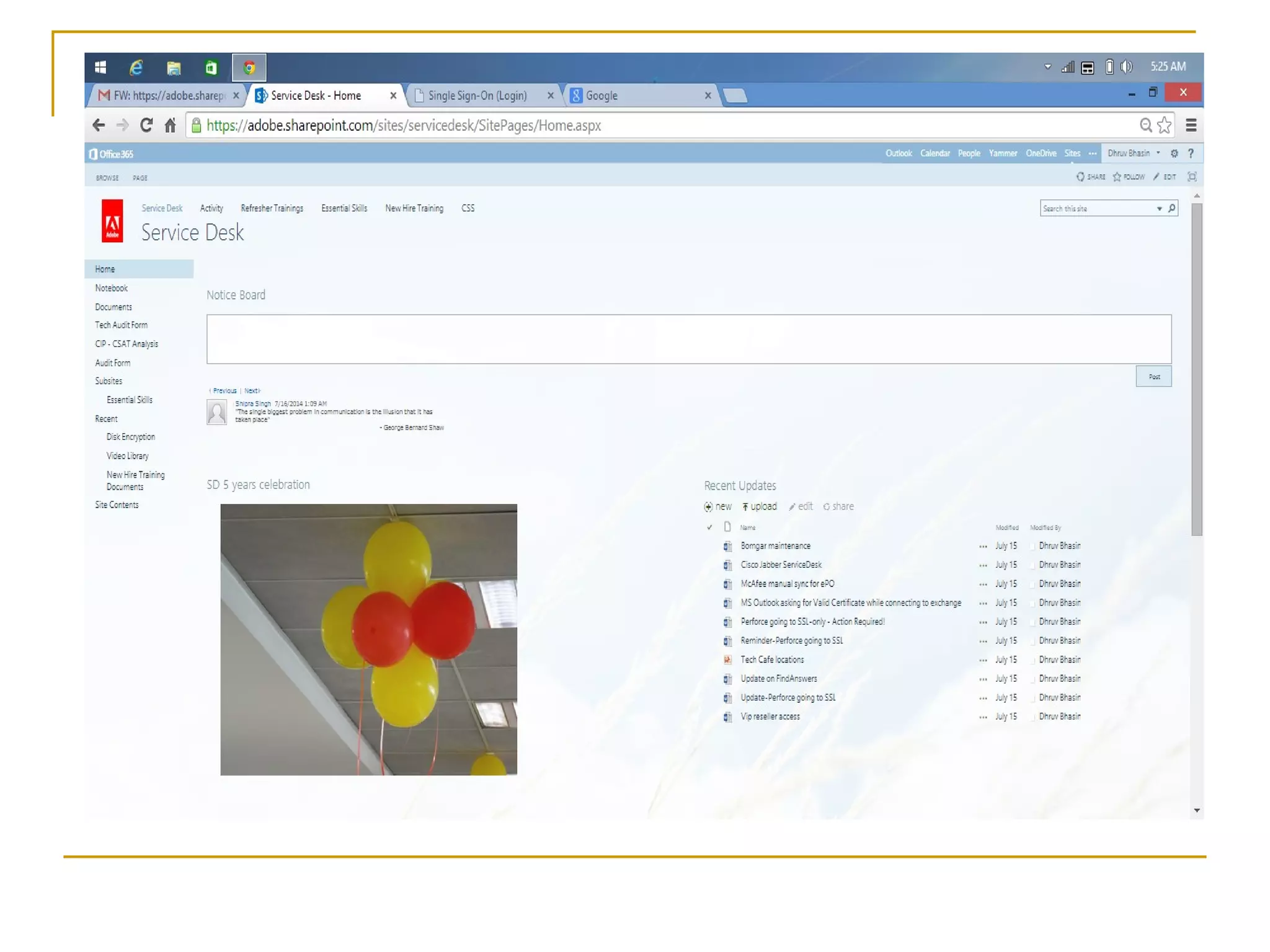
Site Example
Sub-Site Example
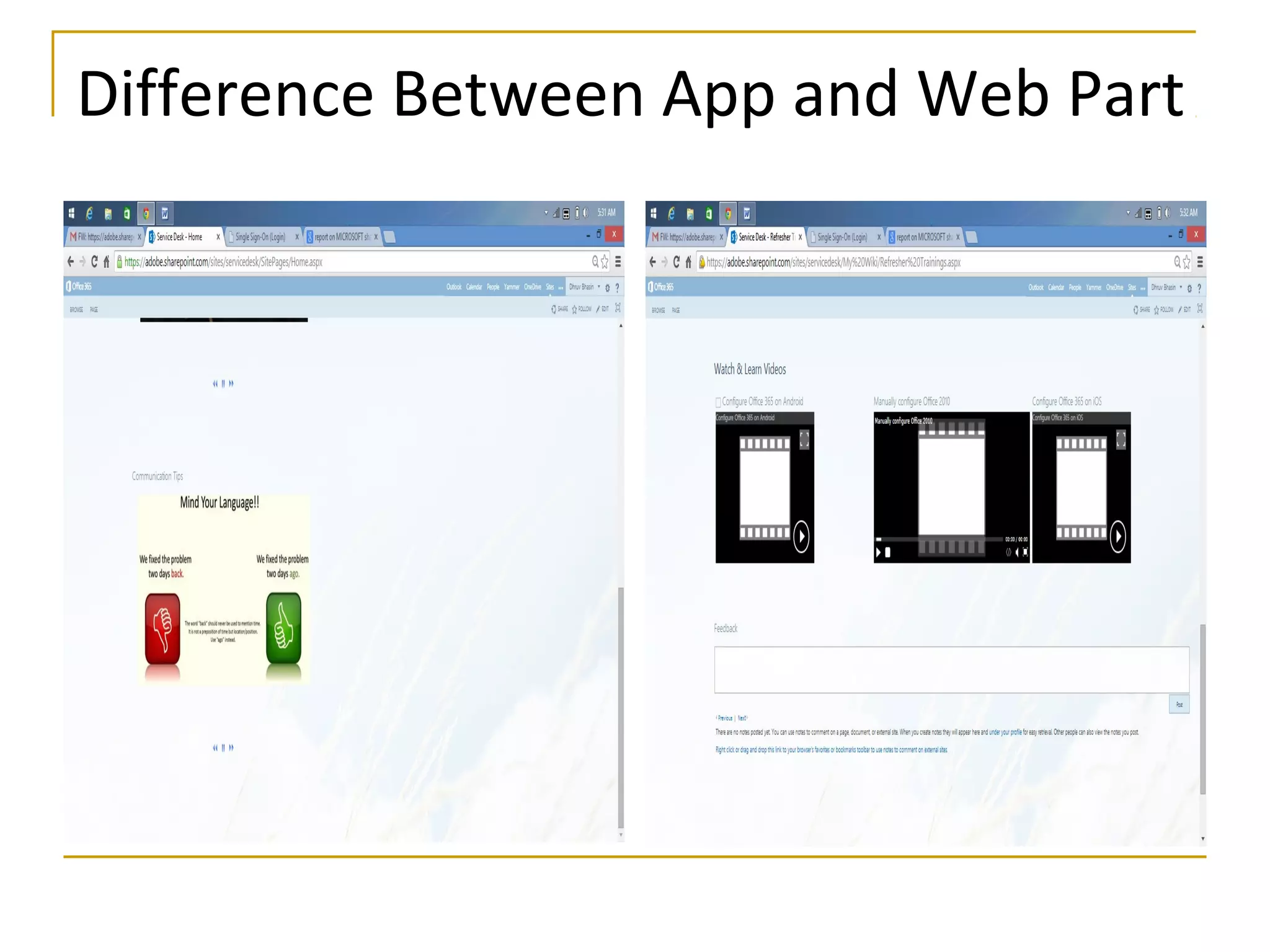
Web Parts and Apps
WEB PARTS
 Web-parts are sections that can be inserted into Pages in
SharePoint sites. These sections are UI Widgets.
WEB APPLICATIONS
 Web Applications are top-level containers for content in
a SharePoint, and are typically the interface through
which a user interacts with SharePoint.
Difference Between App and Web Part
SharePoint Permissions
Default permission levels are predefined sets of
permissions that you can assign to individual users,
groups of users, or security groups, based on the
functional requirements of the users and on security
considerations.
Permission levels:-
 View only
 Limited access
 Read
 Contribute
 Edit
 Design
 Full control
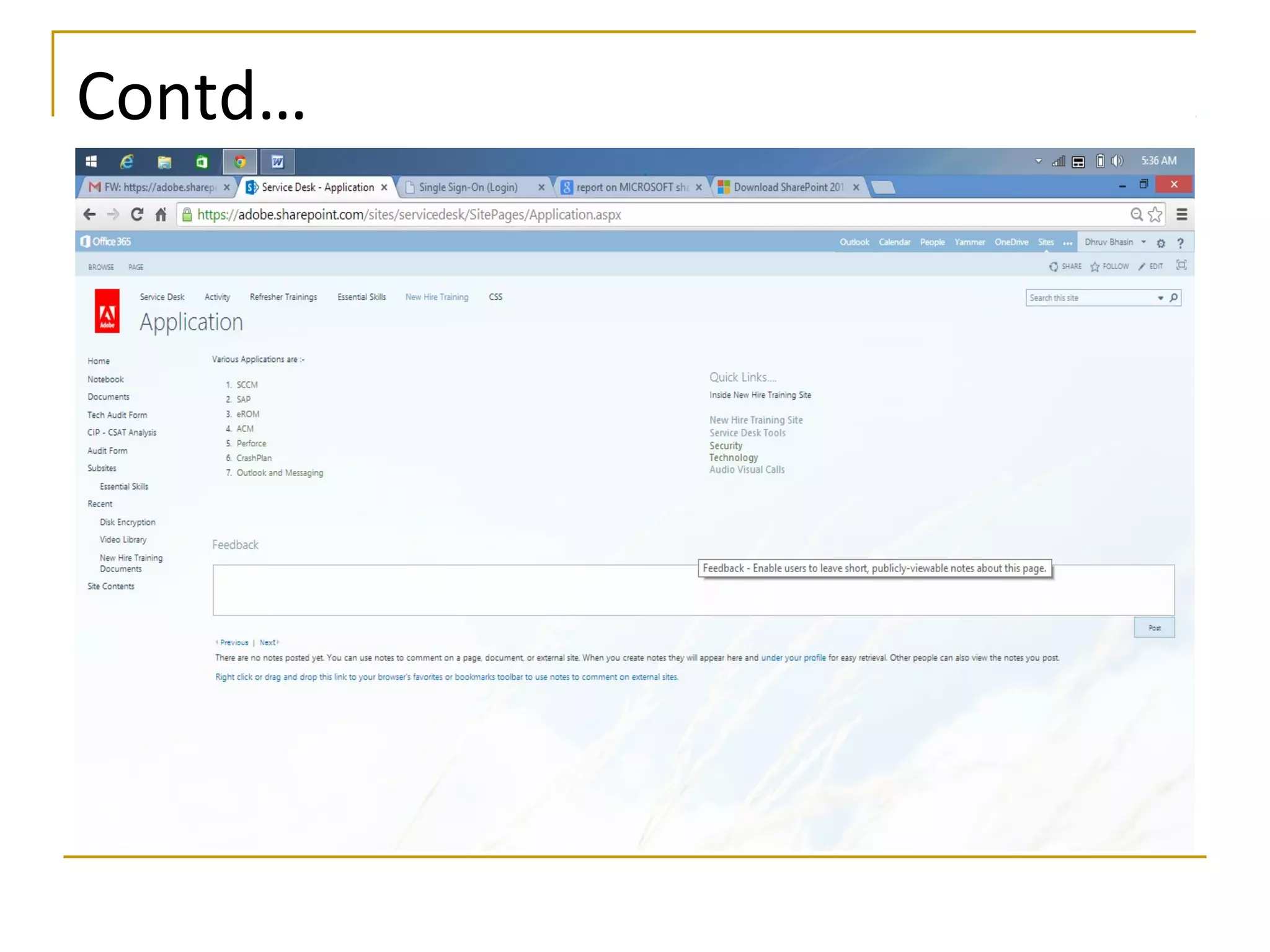
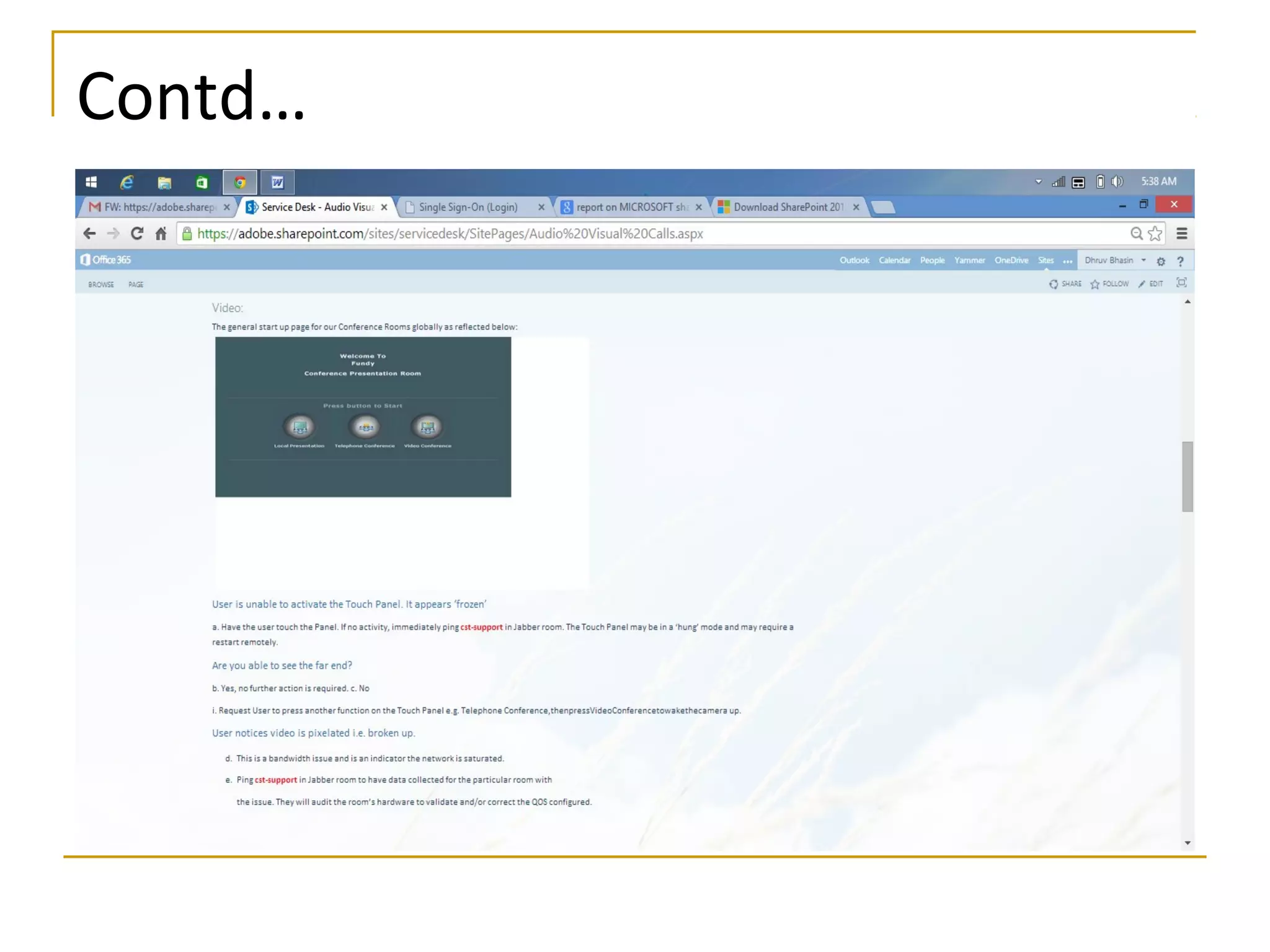
Screenshots
Contd…
Contd…
Contd…
Contd…
Contd…
Contd…
Contd…
Thank You 
Any Questions ????

internship project ppt

  • 1.
    WEB DEVELOPMENT SHAREPOINT SERVER2013 Made By:- Dhruv Bhasin 11ITU030
  • 2.
    What is SharePoint?  SharePoint is a web application framework and platform developed by Microsoft.  It integrates intranet, content management and document management.  Also, it provides intranet portals, document & file management, collaboration, social networks, extranets, websites, enterprise search, and business intelligence  Most important it has workflow automation capabilities
  • 3.
  • 4.
  • 5.
    The SharePoint Wheel "SharePoint Wheel" describes what SharePoint's tools can facilitate inside organizations 1. Sites 2. Communities 3. Content 4. Search 5. Insights 6. Composites
  • 7.
    SharePoint Applications  Themost common uses of SharePoint include: 1. Intranet Portals 2. Enterprise content and document managements 3. Extranet Portals 4. Internet sites
  • 8.
    Enterprise content anddocument managements
  • 9.
    Social Networking inSharePoint Micro Blogging  Share contents, links and media.  Fallow people, sites, contents and conversations Activity Feeds  Provides a view to a recent activity related to content, media and people. Discussions  Modern boards for discussions
  • 10.
    Blogs  A blogis a Web site that enables you or your organization to quickly share ideas and information.  Blogs contain posts that are dated and listed in reverse chronological order. Newsfeeds  With this we can navigate our feeds and interact with the conversations from SharePoint sites, tags, people and documents that we are following.
  • 11.
  • 12.
  • 13.
    Site Collection andPages  A site collection is used to provide a grouping of 'SharePoint Sites'.
  • 14.
     SharePoint provides threeprimary page content-types: 1. Wiki page 2. Web-part page 3. Publishing pages
  • 15.
  • 16.
  • 17.
    Web Parts andApps WEB PARTS  Web-parts are sections that can be inserted into Pages in SharePoint sites. These sections are UI Widgets. WEB APPLICATIONS  Web Applications are top-level containers for content in a SharePoint, and are typically the interface through which a user interacts with SharePoint.
  • 18.
  • 19.
    SharePoint Permissions Default permissionlevels are predefined sets of permissions that you can assign to individual users, groups of users, or security groups, based on the functional requirements of the users and on security considerations. Permission levels:-  View only  Limited access  Read  Contribute  Edit  Design  Full control
  • 20.
  • 21.
  • 22.
  • 23.
  • 24.
  • 25.
  • 26.
  • 27.
  • 28.
    Thank You  AnyQuestions ????