This document provides an overview and introduction to SharePoint. It defines SharePoint as a platform for collaboration, content management and intranets. The summary describes the logical architecture of SharePoint including key components like web applications, site collections, lists and libraries. Hardware and software requirements for SharePoint 2013 are also outlined.
Naqash Ahmed |@Naqash_Biz
• Student of Bachelors in Software Engineering
• Microsoft Student Partner since November 2014
• I do.
– Windows Phone Development
– Web development
– Office 365 Administration
– SharePoint Development (*Beginner)
• Blogger at http://microsoftalkies.blogspot.com
• Speaker, developer, technology enthusiast and other good
stuff...
3.
Setting Expectations
• TargetAudience
– Start-Ups
– Students
– Project Managers
• Suggested Prerequisites/Supporting Material
– mva.ms
4.
• Microsoft VirtualAcademy
– Free online learning tailored for IT Pros and Developers
– Over 2M registered users
– Up-to-date, relevant training on variety of Microsoft products
Join the MVA Community!
5.
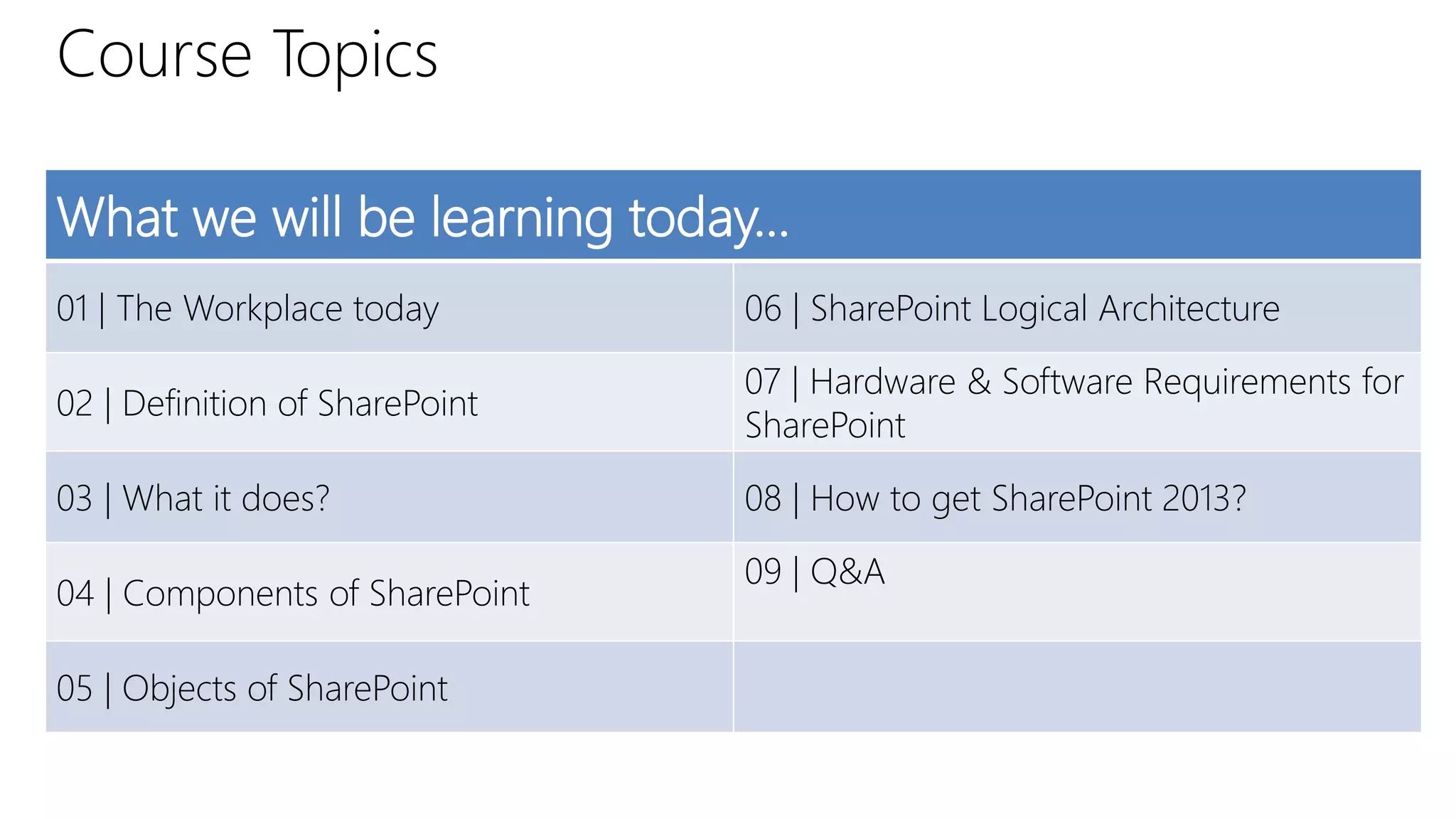
Course Topics
What wewill be learning today…
01 | The Workplace today 06 | SharePoint Logical Architecture
02 | Definition of SharePoint
07 | Hardware & Software Requirements for
SharePoint
03 | What it does? 08 | How to get SharePoint 2013?
04 | Components of SharePoint
09 | Q&A
05 | Objects of SharePoint
6.
01 | TheWorkplace Today
Naqash Ahmed | @Naqash_Biz
7.
Workplace today!
• Moredemands , less resources
• Information Overload
– How can I prioritize my work?
– How to react to over increasing data and workload?
• Globally distributed partners/teams
– How to contact them?
– How to coordinate with them on projects?
• High cost of communication
– Skype? Facebook? WhatsApp?
Definitions
• What anend-user think SharePoint is?
– Website factory
– Document Repository
– Collaboration
– Project Workplace
– Search Engine
• What an IT Pro or Developer think SharePoint is?
– ASP.NET 4.0 App
– Windows Server, IIS, SQL Server
– Cloud
Sites
• SharePoint makeswebsites
–People work together, place documents
–Collaborative work
–Single source for projects
–Common set of information
15.
Communities
• When sitesare shared, they turn into community
• It is a team-site
• Invite people from different sets of views
• Helping others in their projects
16.
Content
• There willbe lots and lots of content
• All forms, all policy manuals, all documents etc.
17.
Search
• Where tofind those “content”? SharePoint has built-in search
engine.
• Search any single document, any individual, any community
18.
• We cananalyse the work and aggregate information
• We can do reporting
• Statistics about the project workflow
Insights
19.
Composites
• Ability tocreate custom apps, custom libraries
• Makes SharePoint extensible
• Makes solutions on customized set-of-views
• Users will be able to solve problems on their own
SharePoint Logical Architecture
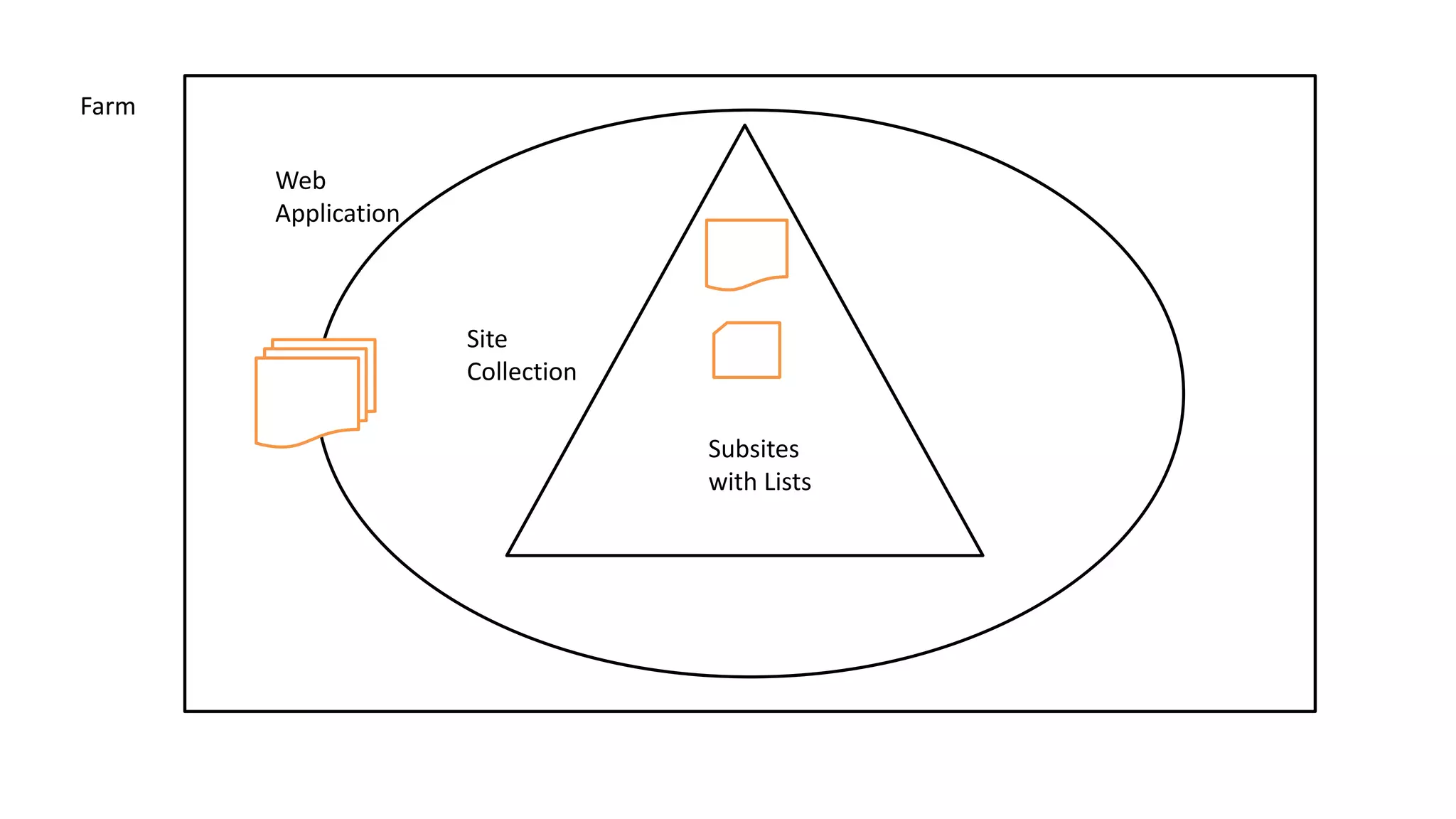
•Server Farm
– Outermost boundary of SP
– Collection of SharePoint servers
• Service Applications
– A resource that can be shared throughout a farm.
• Application Pool
– A web server based on IIS
– More apps, more app pools
22.
• Web Application
–With SharePoint, web applications can be made inside IIS quickly
– It will be ASP.NET web application
• Site Collection
– Each web application has one or more site collection
– Buckets of individual websites
– Represents administrative boundaries of a web application
• Lists and Libraries
– Both are similar as they are documents or data
Hardware Requirements
• Processor
–64 bit, four cores
• RAM
– 4 GB (minimum) for developer
– 8 GB (minimum) for multiple farms
• Storage
– 80 GB (minimum) system drive
27.
Software Requirements
• Windows
–Windows Server 2012 R2 SP1 or Windows Server 2008 R2
• Framework
– .NET Framework 4.5
– Windows Identity Foundation
– Microsoft Sync Framework Runtime
• Web Server
– IIS