Wes Wineberg
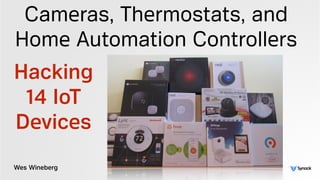
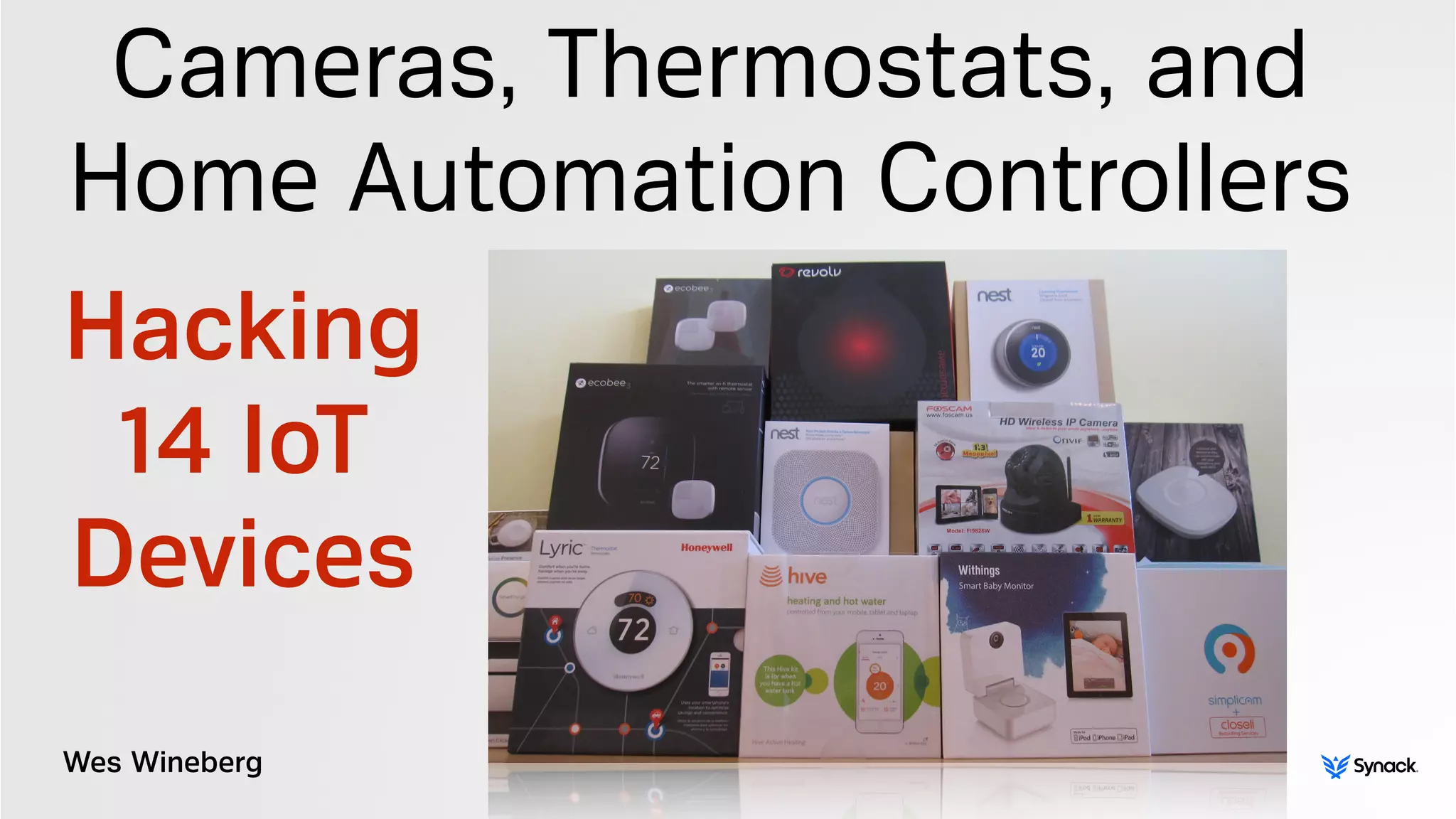
Cameras, Thermostats, and
Home Automation Controllers
Hacking
14 IoT
Devices
WHOIS
“leverages the best combination of humans and technology to discover
security vulnerabilities in our customers’ web apps, mobile apps, and
infrastructure endpoints”
Wes Wineberg
SPECIAL THANKS
Colby Moore
initial testing was performed in November 2014
half of the devices were initially tested by myself (Wes Wineberg)
half of the devices were initially tested by Colby Moore
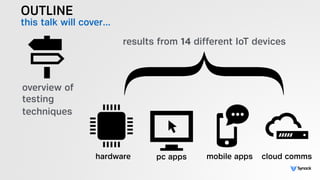
OUTLINE
this talk will cover…
overview of 

testing
techniques
results from 14 different IoT devices
hardware pc apps mobile apps cloud comms
OVERVIEW OF TESTING
TECHNIQUES
& GOALS
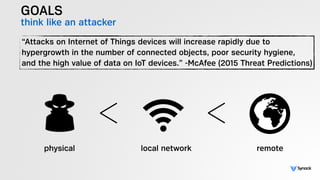
GOALS
think like an attacker
“Attacks on Internet of Things devices will increase rapidly due to
hypergrowth in the number of connected objects, poor security hygiene,
and the high value of data on IoT devices.” -McAfee (2015 Threat Predictions)
physical local network remote
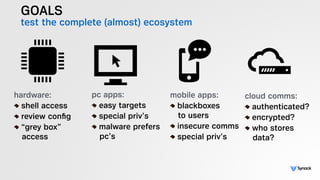
GOALS
test the complete (almost) ecosystem
hardware:
shell access
review config
“grey box” 

access
pc apps:
easy targets
special priv’s
malware prefers

pc’s
mobile apps:
blackboxes

to users
insecure comms
special priv’s
cloud comms:
authenticated?
encrypted?
who stores

data?
GOALS
do it quickly!
lots of devices - not lots of time!
disclaimer: findings limited by time
results still need to be of value
“The bean counters told me we literally could not afford to buy seven dollars
worth of moon rocks” -Cave Johnson (1981)
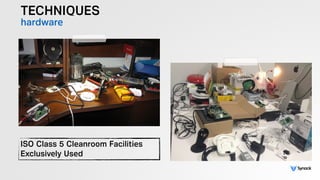
TECHNIQUES
hardware
ISO Class 5 Cleanroom Facilities
Exclusively Used
TECHNIQUES
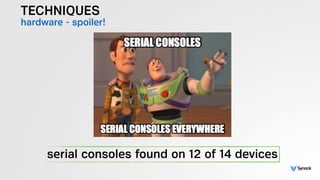
hardware - spoiler!
serial consoles found on 12 of 14 devices
TECHNIQUES
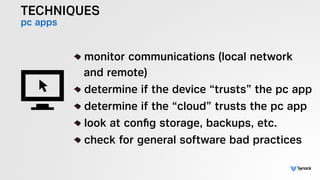
pc apps
!
monitor communications (local network

and remote)
determine if the device “trusts” the pc app
determine if the “cloud” trusts the pc app
look at config storage, backups, etc.
check for general software bad practices
TECHNIQUES
mobile apps
!
mitm all communications
decompile app, look for “secrets”
determine if the “cloud” trusts the app
look at config storage, backups, etc.
check for general mobile bad practices
TECHNIQUES
cloud comms
!
how are comms authenticated
do mobile and devices share same API’s
how is a device initially registered
are all comms secured
!
no pen testing servers without written 

permission
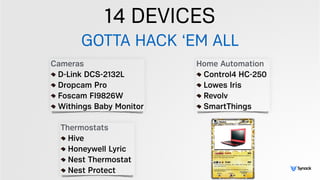
14 DEVICES
GOTTA HACK ‘EM ALL
Thermostats
Hive
Honeywell Lyric
Nest Thermostat
Nest Protect
Cameras
D-Link DCS-2132L
Dropcam Pro
Foscam FI9826W
Withings Baby Monitor
Home Automation
Control4 HC-250
Lowes Iris
Revolv
SmartThings
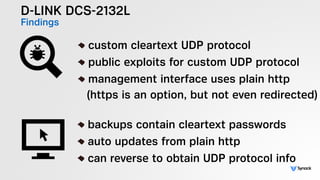
D-LINK DCS-2132L
Findings
!
custom cleartext UDP protocol
public exploits for custom UDP protocol
management interface uses plain http

(https is an option, but not even redirected)
!
backups contain cleartext passwords
auto updates from plain http
can reverse to obtain UDP protocol info
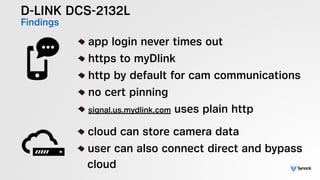
D-LINK DCS-2132L
Findings
!
app login never times out
https to myDlink
http by default for cam communications
no cert pinning
signal.us.mydlink.com uses plain http
!
cloud can store camera data
user can also connect direct and bypass

cloud
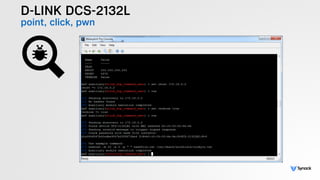
D-LINK DCS-2132L
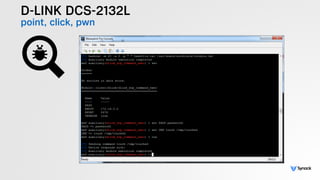
point, click, pwn
D-LINK DCS-2132L
point, click, pwn
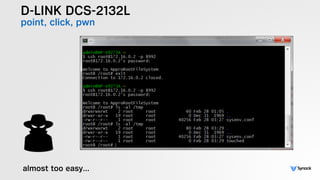
D-LINK DCS-2132L
point, click, pwn
almost too easy…
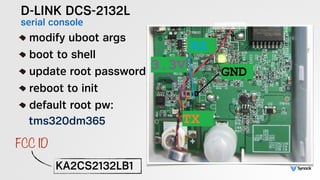
D-LINK DCS-2132L
serial console!
modify uboot args
boot to shell
update root password
reboot to init
default root pw:

tms320dm365
KA2CS2132LB1
FCC ID
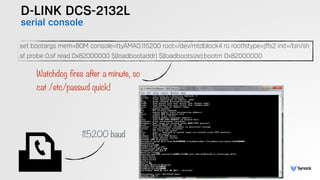
D-LINK DCS-2132L
serial console
set bootargs mem=80M console=ttyAMA0,115200 root=/dev/mtdblock4 ro rootfstype=jffs2 init=/bin/sh
sf probe 0;sf read 0x82000000 $(loadbootaddr) $(loadbootsize);bootm 0x82000000
Watchdog fires after a minute, so 

cat /etc/passwd quick!
115200 baud
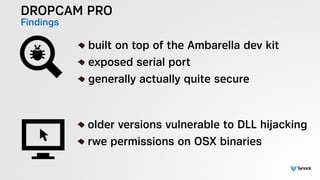
DROPCAM PRO
Findings
!
built on top of the Ambarella dev kit
exposed serial port
generally actually quite secure
!
older versions vulnerable to DLL hijacking
rwe permissions on OSX binaries
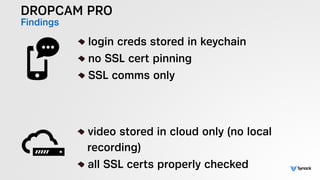
DROPCAM PRO
Findings
!
login creds stored in keychain
no SSL cert pinning
SSL comms only
!
video stored in cloud only (no local 

recording)
all SSL certs properly checked
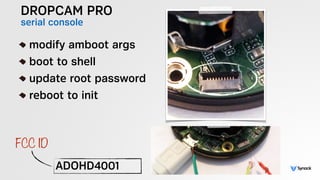
DROPCAM PRO
serial console
!
modify amboot args
boot to shell
update root password
reboot to init
ADOHD4001
FCC ID
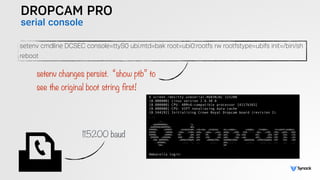
DROPCAM PRO
serial console
setenv cmdline DCSEC console=ttyS0 ubi.mtd=bak root=ubi0:rootfs rw rootfstype=ubifs init=/bin/sh
reboot
setenv changes persist. “show ptb” to 

see the original boot string first!
115200 baud
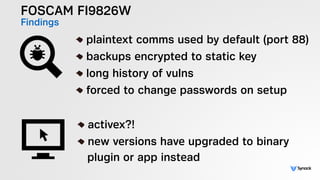
FOSCAM FI9826W
Findings !
plaintext comms used by default (port 88)
backups encrypted to static key
long history of vulns
forced to change passwords on setup
!
activex?!
new versions have upgraded to binary 

plugin or app instead
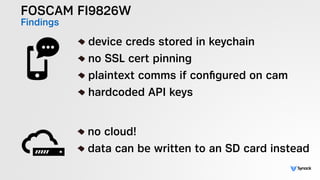
FOSCAM FI9826W
Findings
!
device creds stored in keychain
no SSL cert pinning
plaintext comms if configured on cam
hardcoded API keys
!
no cloud!
data can be written to an SD card instead
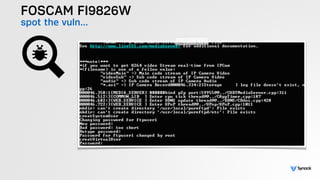
FOSCAM FI9826W
spot the vuln…
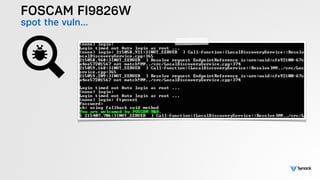
FOSCAM FI9826W
spot the vuln…
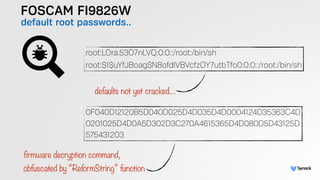
FOSCAM FI9826W
default root passwords..
root:LOra.53O7nLVQ:0:0::/root:/bin/sh
root:$1$uYfJBoag$N8ofdlVBVcfzOY7utbTfo0:0:0::/root:/bin/sh
0F040D12120B5D040D025D4D035D4D0004124D35363C4D

0201025D4D0A5D302D3C270A4615365D4D080D5D43125D

575431203
defaults not yet cracked…
firmware decryption command, 

obfuscated by “ReformString” function
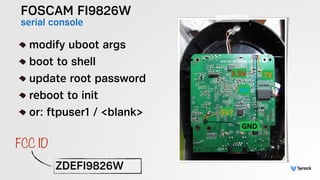
FOSCAM FI9826W
serial console
!
modify uboot args
boot to shell
update root password
reboot to init
or: ftpuser1 / <blank>
ZDEFI9826W
FCC ID
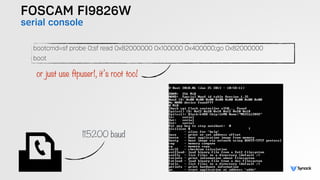
FOSCAM FI9826W
serial console
bootcmd=sf probe 0;sf read 0x82000000 0x100000 0x400000;go 0x82000000
boot
or just use ftpuser1, it’s root too!
115200 baud
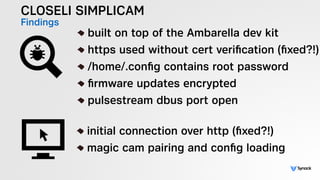
CLOSELI SIMPLICAM
Findings !
built on top of the Ambarella dev kit
https used without cert verification (fixed?!)
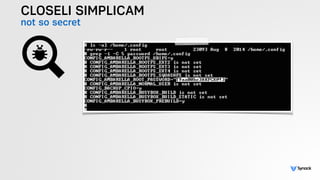
/home/.config contains root password
firmware updates encrypted
pulsestream dbus port open
!
initial connection over http (fixed?!)
magic cam pairing and config loading
CLOSELI SIMPLICAM
Findings !
hardcoded API keys - Twitter and Closeli

(fixed?!)
no cert pinning
session token, snapshots, etc stored in 

phone filesystem
!
XMPP video streams via plaintext http

(fixed?!)
cloud storage and playback of videos
CLOSELI SIMPLICAM
mixed messages
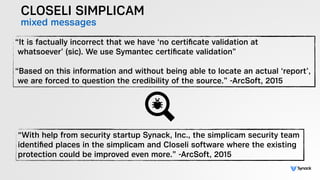
“It is factually incorrect that we have ‘no certificate validation at 

whatsoever’ (sic). We use Symantec certificate validation” 


“Based on this information and without being able to locate an actual ‘report’, 

we are forced to question the credibility of the source.” -ArcSoft, 2015
“With help from security startup Synack, Inc., the simplicam security team
identified places in the simplicam and Closeli software where the existing
protection could be improved even more.” -ArcSoft, 2015
CLOSELI SIMPLICAM
not so secret
CLOSELI SIMPLICAM
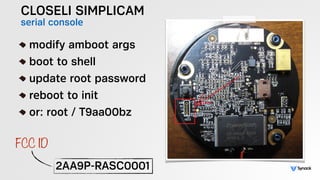
serial console
!
modify amboot args
boot to shell
update root password
reboot to init
or: root / T9aa00bz
2AA9P-RASC0001
FCC ID
CLOSELI SIMPLICAM
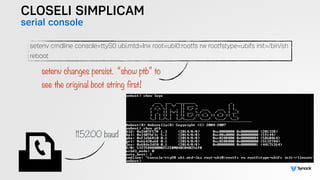
serial console
setenv cmdline console=ttyS0 ubi.mtd=lnx root=ubi0:rootfs rw rootfstype=ubifs init=/bin/sh
reboot
setenv changes persist. “show ptb” to 

see the original boot string first!
115200 baud
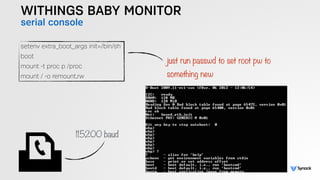
WITHINGS BABY MONITOR
Findings
!
SSH port accessible with fixed root pass
HTTP (not HTTPS) used for server comms
tons of GPL code, “we don’t release GPL’d

sources”.
!
no PC app?
WITHINGS BABY MONITOR
Findings !
the Android app has a default account 

coded into the application with an 

obfuscated password, with the username:

wsandusr@withings.com
GCM API key exposed in Android app
!
RMTP hash generation potentially dubious
cloud playback of live streams
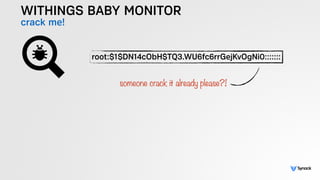
WITHINGS BABY MONITOR
crack me!
root:$1$DN14cObH$TQ3.WU6fc6rrGejKvOgNi0:::::::
someone crack it already please?!
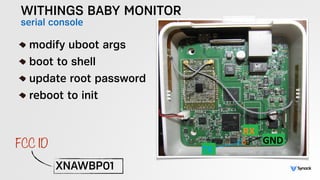
WITHINGS BABY MONITOR
serial console
!
modify uboot args
boot to shell
update root password
reboot to init
XNAWBP01
FCC ID
WITHINGS BABY MONITOR
serial console
setenv extra_boot_args init=/bin/sh
boot
mount -t proc p /proc
mount / -o remount,rw
just run passwd to set root pw to 

something new
115200 baud
ECOBEE
Findings
!
comms quite well locked down
serial port accessible
!
no PC app?
ECOBEE
Findings
!
no cert pinning
creds stored in keychain
!
cloud storage of various settings and 

history
https
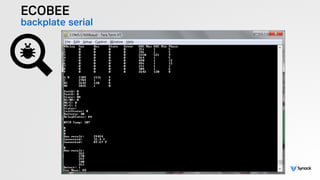
ECOBEE
backplate serial
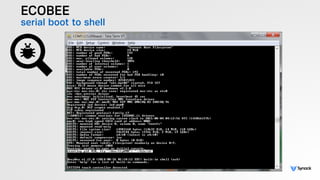
ECOBEE
serial boot to shell
ECOBEE
serial console
!
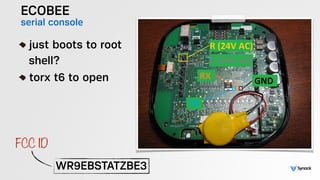
just boots to root 

shell?
torx t6 to open
WR9EBSTATZBE3
FCC ID
ECOBEE
serial console
!
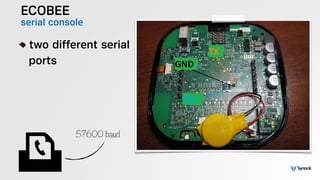
two different serial

ports
57600 baud
HIVE
Findings
!
built on top of the alertme.com platform
good overall security
!
none?
HIVE
Findings
!
no cert pinning
mix of http and https content.
!
comms to alertme.com appear properly 

encrypted.
on device references to test instances
HIVE
serial console
!
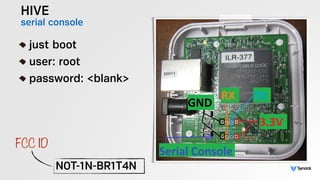
just boot
user: root
password: <blank>
N0T-1N-BR1T4N
FCC ID
HIVE
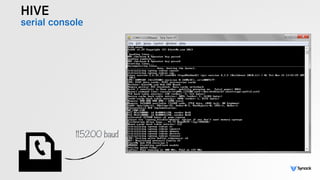
serial console
115200 baud
HONEYWELL LYRIC
Findings !
Lyric runs a web server during initial pairing
open wifi for initial pairing
pairing webserver http (not https)
ExpressLogic RTOS (probably ThreadX)
generally quite secure
!
none?
HONEYWELL LYRIC
Findings
!
creds stored in keychain
no cert pinning
creds can show up in log files
!
static IP’s used?
weather transmitted over http (not https)
https certs validated for all comms
HONEYWELL LYRIC
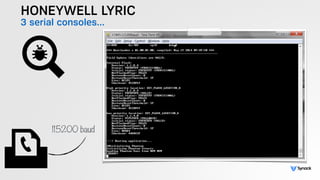
3 serial consoles…
115200 baud
HONEYWELL LYRIC
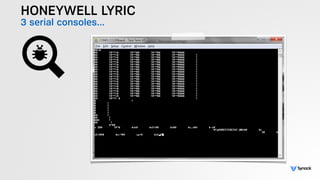
3 serial consoles…
HONEYWELL LYRIC
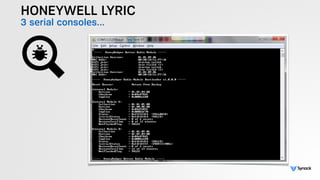
3 serial consoles…
HONEYWELL LYRIC
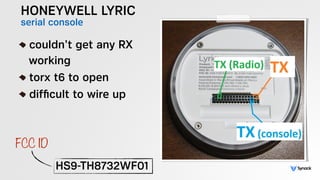
serial console
!
couldn’t get any RX

working
torx t6 to open
difficult to wire up
HS9-TH8732WF01
FCC ID
NEST THERMOSTAT
Findings !
linux based
can be rooted via usb
some mystery usb ports
overall quite secure
!
none.
NEST THERMOSTAT
Findings
!
no cert pinning
credentials not stored in keychain
https used for comms
!
https used for comms
weather data used http, not https
NEST THERMOSTAT
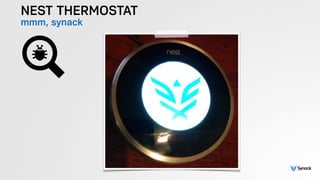
mmm, synack
NEST THERMOSTAT
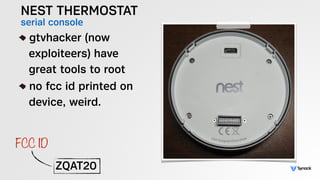
serial console!
gtvhacker (now

exploiteers) have

great tools to root
no fcc id printed on

device, weird.
ZQAT20
FCC ID
NEST PROTECT
Findings
!
yet to be rooted (afaik!)
likely a 2.2v serial port
usb port can act as mass storage
probably FreeRTOS
6 digit pairing codes
“Nest Weave” UDP port 11095
Acts as Wifi AP during pairing
!
no PC app
NEST PROTECT
Findings
!
no cert pinning
credentials not stored in keychain
https used for comms
app speaks “weave” protocol during 

pairing
!
https used for comms
weather data used http, not https
NEST PROTECT
device internals
ZQAS10
FCC ID
NEST PROTECT
device internals
ZQAS10
FCC ID
Control4 HC-250
Findings !
no network controls
default root password
“backdoor” mostly gone
only decent if firewalled
filesystem mostly stored on SD card
!
“composer” communicates over https
verifies certs
Control4 HC-250
Findings
!
cert pinning used
hard to test all functionality, didn’t have

a valid license
creds stored in keychain
!
https used for cloud comms
users told to firewall devices, still some

accessible online
Control4 HC-250
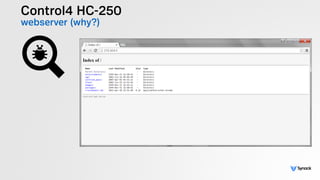
webserver (why?)
Control4 HC-250
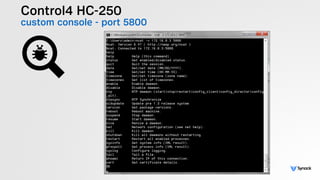
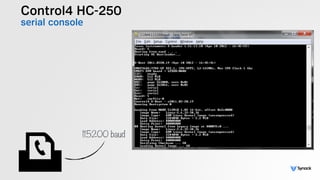
custom console - port 5800
Control4 HC-250
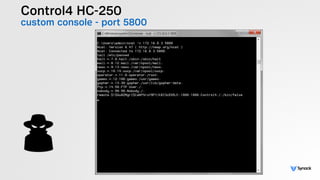
custom console - port 5800
Control4 HC-250
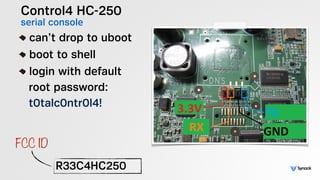
serial console!
can’t drop to uboot
boot to shell
login with default

root password:

t0talc0ntr0l4!
R33C4HC250
FCC ID
Control4 HC-250
serial console
115200 baud
LOWES IRIS
Findings
!
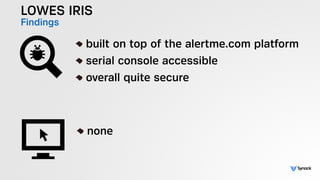
built on top of the alertme.com platform
serial console accessible
overall quite secure
!
none
LOWES IRIS
Findings
!
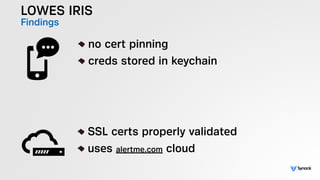
no cert pinning
creds stored in keychain
!
SSL certs properly validated
uses alertme.com cloud
LOWES IRIS
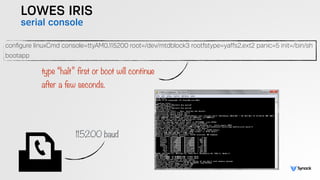
serial console
!
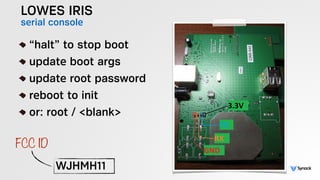
“halt” to stop boot
update boot args
update root password
reboot to init
or: root / <blank>
WJHMH11
FCC ID
LOWES IRIS
serial console
configure linuxCmd console=ttyAM0,115200 root=/dev/mtdblock3 rootfstype=yaffs2,ext2 panic=5 init=/bin/sh
bootapp
type “halt” first or boot will continue 

after a few seconds.
115200 baud
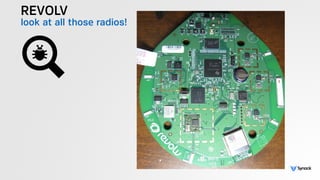
REVOLV
Findings !
support reverse SSH tunnel
firmware is amazing
6 (or more) debug / jtag ports
lots of open tcp ports
like a CTF all in one device!
!
none?
REVOLV
Findings !
some non-critical comms over http
device creds stored in a sqlite db
no cert pinning
api keys (pubnub, etc)
flashlight pairing is awesome
!
comms encrypted
crazy custom protocol implemented in java
who owns the cloud now?
REVOLV
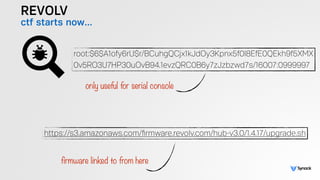
ctf starts now…
https://s3.amazonaws.com/firmware.revolv.com/hub-v3.0/1.4.17/upgrade.sh
root:$6$A1ofy6rU$r/BCuhgQCjx1kJdOy3Kpnx5f0l8EfE0QEkh9f5XMX

0v5RO3U7HP30uOvB94.1evzQRC0B6y7zJzbzwd7s/16007:0999997
only useful for serial console
firmware linked to from here
REVOLV
look at all those radios!
REVOLV
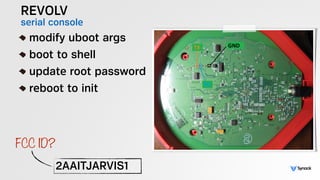
serial console!
modify uboot args
boot to shell
update root password
reboot to init
2AAITJARVIS1
FCC ID?
REVOLV
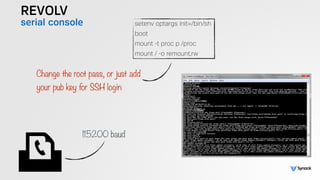
serial console setenv optargs init=/bin/sh
boot
mount -t proc p /proc
mount / -o remount,rw
Change the root pass, or just add

your pub key for SSH login
115200 baud
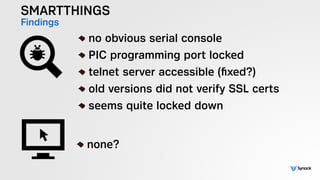
SMARTTHINGS
Findings !
no obvious serial console
PIC programming port locked
telnet server accessible (fixed?)
old versions did not verify SSL certs
seems quite locked down
!
none?
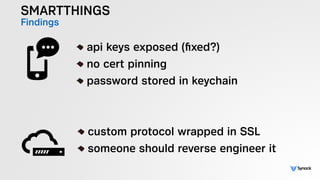
SMARTTHINGS
Findings
!
api keys exposed (fixed?)
no cert pinning
password stored in keychain
!
custom protocol wrapped in SSL
someone should reverse engineer it
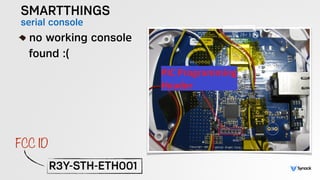
SMARTTHINGS
serial console!
no working console

found :(
!
R3Y-STH-ETH001
FCC ID
QUESTION & ANSWERS
!
wes@synack.com
@synack

slides: syn.ac/defcon2015iot

DEF CON 23: Internet of Things: Hacking 14 Devices