Roadmap to IT Security Best Practices Justin Copeland President, Triggerfish Corporation
Outline Why is it important?  How to start… Best practices Information you can use… Remote Users – CMS Guidance Meaningful Use – Security Risk Analysis Systems Log Management IT Security Roadmap
Objective of IT Security The ideal system will protect unauthorized use of information systems for one second longer than the maximum limits of frustration and tenacity of the worst hacker or until the information is no longer of value.
Why is it important?  In a post HIPAA era, IT security is increasingly requiring us to operationalize many of the practices that have been contained in “policy” for several years.  The risk of disclosure is quite real and the cost non-compliance is ever increasing. If it hasn’t already…IT Security will likely start showing up in your operating budget!
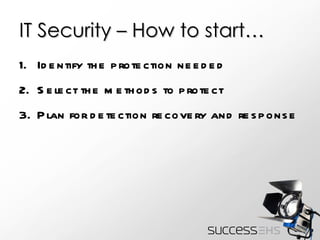
IT Security – How to start… Identify the protection needed Select the methods to protect Plan for detection recovery and response
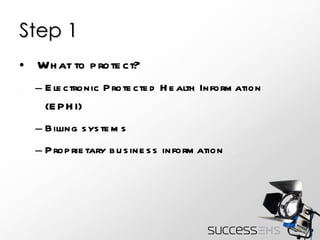
Step 1 What to protect? Electronic Protected Health Information (EPHI) Billing systems Proprietary business information
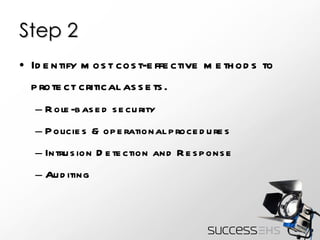
Step 2 Identify most cost-effective methods to protect critical assets. Role-based security Policies & operational procedures Intrusion Detection and Response Auditing
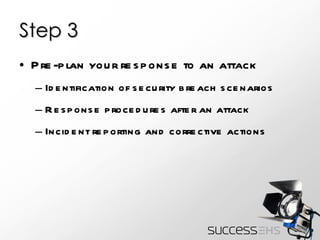
Step 3 Pre-plan your response to an attack Identification of security breach scenarios Response procedures after an attack Incident reporting and corrective actions
Best Practices Strong Authentication of users Enterprise-wide authentication User access validation Expanded audit trails
Best Practices…People Security Background checks Auditing of system access Ensure credentials of system administrators are retrievable in the event of a separation Training
Best Practices…Social Engineering Use of non-technical means to get information that allows unauthorized access. Forbid exchange of passwords among employees for any reason Train staff to deal with social techniques used to gain unauthorized access to PHI
Best Practices…Policies User Passwords Physical Security Intrusion Detection Disaster Recovery testing
Best Practices…Process Security Integrate security into disaster recovery plan Regulatory requirements Accidental disclosures, deletions or alterations Threat Analysis Security Checklists Change control processes
Info you can use… Security Guidance for Remote Users http://www.hhs.gov/ocr/privacy/hipaa/administrative/securityrule/remoteuse.pdf
Security Guidance for Remote Users CMS has offered additional guidance related to safeguarding the confidentiality, integrity and availability of EPHI under the HIPAA Security Rule .
Security Guidance for Remote Users This guidance focuses on: The use of portable media/devices (such as USB flash drives) that store EPHI Offsite access or transport of EPHI via laptops, PDA’s, home computers or other non corporate equipment
Security Guidance for Remote Users Risk Analysis Three groupings of risk: Access Storage Transmission
Security Guidance for Remote Users Risk Analysis Policies require training Addressing security incidents and noncompliance Discuss possible Risk Management Strategies
Security Guidance for Remote Users Access  Risk Mitigation Strategies Implement two-factor authentication Implement specific processes for authorizing remote users Establish procedures for session termination on inactive devices
Security Guidance for Remote Users Access  Risk Mitigation Strategies Install personal firewall software on all devices that store EPHI Install, use and update virus-protection software on all devices that access EPHI
Security Guidance for Remote Users Storing Risk Mitigation Strategies Implement process for maintaining inventory and record of movement of devices containing EPHI Require lock-down of unattended laptops
Security Guidance for Remote Users Storing Risk Mitigation Strategies Password protect files and devices containing EPHI Require that portable devices containing EPHI employ encryption
Security Guidance for Remote Users Storing Risk Mitigation Strategies Develop processes to rollout security updates to portable devices Consider the use of biometrics on portable devices
Security Guidance for Remote Users Storing Risk Mitigation Strategies Establish EPHI deletion and media disposal policies  Install virus-protection on devices that store EPHI
Security Guidance for Remote Users Transmitting Risk Mitigation Strategies Prohibit transmission of EPHI via open network Prohibit use of offsite devices or WAP for non-secure access to email
Security Guidance for Remote Users Transmitting Risk Mitigation Strategies Use more secure connections for email via SSL and the use of message-level standards such as S/MIME, SET, PEC, PGP, etc.
Security Guidance for Remote Users Transmitting Risk Mitigation Strategies Implement and mandate strong encryption solutions for transmission of EPHI (e.g. SSL, HTTPS, etc.)
Security Guidance for Remote Users Transmitting Risk Mitigation Strategies Install virus-protection software on portable devices that can be used to transmit EPHI
Info you can use… System Log File Management http://csrc.nist.gov/publications/nistpubs/800-92/SP800-92.pdf
System Log Management Establish policies and procedures for log management Prioritize Log Management appropriately throughout the organization
System Log Management Create and maintain a log management infrastructure Provide proper support for all staff with log management responsibilities
Info you can use… Stage One Criteria for Meaningful Use Core Measure “ Protect electronic health information created or maintained by the certified EHR technology through the implementation of appropriate technical capabilities.”
Meaningful Use While this is really nothing new, this initiative requires participants to further demonstrate compliance to 45 CRF 164.308 (a)(1) of the Final Rule (HIPAA Security)
Meaningful Use Conduct or review a security risk analysis Implement security updates as necessary and correct identified security deficiencies as part of its risk management process This is not a “check the box” type of activity http :// www.hhs.gov/ocr/privacy/hipaa/administrative/securityrule/rafinalguidancepdf.pdf
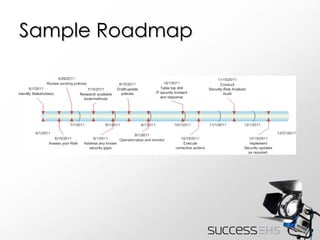
Sample Roadmap
Resources NIST http://csrc.nist.gov HIMSS Privacy & Security Toolkit http://www.himss.org
This PowerPoint was presented at the 2011 SuccessEHS Customer Conference.  www.successehs.com

Roadmap to IT Security Best Practices

  • 1.
    Roadmap to ITSecurity Best Practices Justin Copeland President, Triggerfish Corporation
  • 2.
    Outline Why isit important? How to start… Best practices Information you can use… Remote Users – CMS Guidance Meaningful Use – Security Risk Analysis Systems Log Management IT Security Roadmap
  • 3.
    Objective of ITSecurity The ideal system will protect unauthorized use of information systems for one second longer than the maximum limits of frustration and tenacity of the worst hacker or until the information is no longer of value.
  • 4.
    Why is itimportant? In a post HIPAA era, IT security is increasingly requiring us to operationalize many of the practices that have been contained in “policy” for several years. The risk of disclosure is quite real and the cost non-compliance is ever increasing. If it hasn’t already…IT Security will likely start showing up in your operating budget!
  • 5.
    IT Security –How to start… Identify the protection needed Select the methods to protect Plan for detection recovery and response
  • 6.
    Step 1 Whatto protect? Electronic Protected Health Information (EPHI) Billing systems Proprietary business information
  • 7.
    Step 2 Identifymost cost-effective methods to protect critical assets. Role-based security Policies & operational procedures Intrusion Detection and Response Auditing
  • 8.
    Step 3 Pre-planyour response to an attack Identification of security breach scenarios Response procedures after an attack Incident reporting and corrective actions
  • 9.
    Best Practices StrongAuthentication of users Enterprise-wide authentication User access validation Expanded audit trails
  • 10.
    Best Practices…People SecurityBackground checks Auditing of system access Ensure credentials of system administrators are retrievable in the event of a separation Training
  • 11.
    Best Practices…Social EngineeringUse of non-technical means to get information that allows unauthorized access. Forbid exchange of passwords among employees for any reason Train staff to deal with social techniques used to gain unauthorized access to PHI
  • 12.
    Best Practices…Policies UserPasswords Physical Security Intrusion Detection Disaster Recovery testing
  • 13.
    Best Practices…Process SecurityIntegrate security into disaster recovery plan Regulatory requirements Accidental disclosures, deletions or alterations Threat Analysis Security Checklists Change control processes
  • 14.
    Info you canuse… Security Guidance for Remote Users http://www.hhs.gov/ocr/privacy/hipaa/administrative/securityrule/remoteuse.pdf
  • 15.
    Security Guidance forRemote Users CMS has offered additional guidance related to safeguarding the confidentiality, integrity and availability of EPHI under the HIPAA Security Rule .
  • 16.
    Security Guidance forRemote Users This guidance focuses on: The use of portable media/devices (such as USB flash drives) that store EPHI Offsite access or transport of EPHI via laptops, PDA’s, home computers or other non corporate equipment
  • 17.
    Security Guidance forRemote Users Risk Analysis Three groupings of risk: Access Storage Transmission
  • 18.
    Security Guidance forRemote Users Risk Analysis Policies require training Addressing security incidents and noncompliance Discuss possible Risk Management Strategies
  • 19.
    Security Guidance forRemote Users Access Risk Mitigation Strategies Implement two-factor authentication Implement specific processes for authorizing remote users Establish procedures for session termination on inactive devices
  • 20.
    Security Guidance forRemote Users Access Risk Mitigation Strategies Install personal firewall software on all devices that store EPHI Install, use and update virus-protection software on all devices that access EPHI
  • 21.
    Security Guidance forRemote Users Storing Risk Mitigation Strategies Implement process for maintaining inventory and record of movement of devices containing EPHI Require lock-down of unattended laptops
  • 22.
    Security Guidance forRemote Users Storing Risk Mitigation Strategies Password protect files and devices containing EPHI Require that portable devices containing EPHI employ encryption
  • 23.
    Security Guidance forRemote Users Storing Risk Mitigation Strategies Develop processes to rollout security updates to portable devices Consider the use of biometrics on portable devices
  • 24.
    Security Guidance forRemote Users Storing Risk Mitigation Strategies Establish EPHI deletion and media disposal policies Install virus-protection on devices that store EPHI
  • 25.
    Security Guidance forRemote Users Transmitting Risk Mitigation Strategies Prohibit transmission of EPHI via open network Prohibit use of offsite devices or WAP for non-secure access to email
  • 26.
    Security Guidance forRemote Users Transmitting Risk Mitigation Strategies Use more secure connections for email via SSL and the use of message-level standards such as S/MIME, SET, PEC, PGP, etc.
  • 27.
    Security Guidance forRemote Users Transmitting Risk Mitigation Strategies Implement and mandate strong encryption solutions for transmission of EPHI (e.g. SSL, HTTPS, etc.)
  • 28.
    Security Guidance forRemote Users Transmitting Risk Mitigation Strategies Install virus-protection software on portable devices that can be used to transmit EPHI
  • 29.
    Info you canuse… System Log File Management http://csrc.nist.gov/publications/nistpubs/800-92/SP800-92.pdf
  • 30.
    System Log ManagementEstablish policies and procedures for log management Prioritize Log Management appropriately throughout the organization
  • 31.
    System Log ManagementCreate and maintain a log management infrastructure Provide proper support for all staff with log management responsibilities
  • 32.
    Info you canuse… Stage One Criteria for Meaningful Use Core Measure “ Protect electronic health information created or maintained by the certified EHR technology through the implementation of appropriate technical capabilities.”
  • 33.
    Meaningful Use Whilethis is really nothing new, this initiative requires participants to further demonstrate compliance to 45 CRF 164.308 (a)(1) of the Final Rule (HIPAA Security)
  • 34.
    Meaningful Use Conductor review a security risk analysis Implement security updates as necessary and correct identified security deficiencies as part of its risk management process This is not a “check the box” type of activity http :// www.hhs.gov/ocr/privacy/hipaa/administrative/securityrule/rafinalguidancepdf.pdf
  • 35.
  • 36.
    Resources NIST http://csrc.nist.govHIMSS Privacy & Security Toolkit http://www.himss.org
  • 37.
    This PowerPoint waspresented at the 2011 SuccessEHS Customer Conference. www.successehs.com