Welcome to Internet Basics   Ewing Branch Library Computer Training   2009
What is the Internet? A system connecting computers around the world using  TCP/IP,  which stands for Transmission Control Protocol/Internet Protocol, a set of standards for transmitting and receiving digital data.  The World Wide Web is only one part of the Internet, which also includes other communications standards (protocols) for transferring files and e-mail.
The World Wide Web The World Wide Web is comprised of millions of different web sites, all of which are identified by a unique address, called a URL.
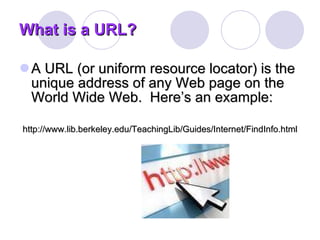
What is a URL? A URL (or uniform resource locator) is the unique address of any Web page on the World Wide Web.  Here’s an example: http://www.lib.berkeley.edu/TeachingLib/Guides/Internet/FindInfo.html
Often, when you go to the very first page of a Web site, called the  home   page , there's no path or filename.  An example is  www.amazon.com
www.amazon.com The suffix at the end of the URL means one of several things: .org  organization .gov  government .edu  education .com  company
So, how do you get on to the World Wide Web?
A  web browser  is software that provides access to the World Wide Web.  Internet Explorer ,  Netscape   Navigator , and  Firefox  are some popular browsers .
The first page you get to on the Web is the page that has been programmed into the computer you’re on.  At the library, this page is the home page of the library’s web site.
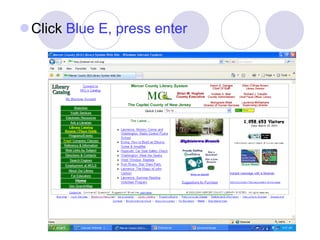
Click  Blue E, press enter
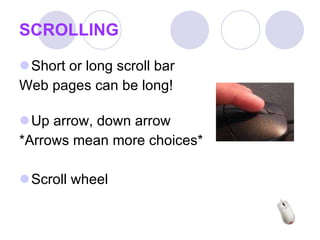
SCROLLING Short or long scroll bar Web pages can be long! Up arrow, down arrow *Arrows mean more choices* Scroll wheel
Spot the Links You can tell whether an item on a page is a link by moving the mouse pointer over the item. If the pointer changes to a hand, then the item is a link.  A link can be a picture, a three-dimensional image, or colored text
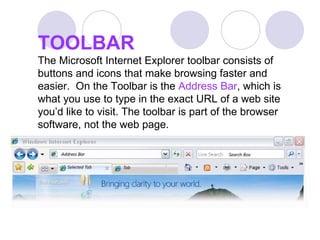
TOOLBAR The Microsoft Internet Explorer toolbar consists of buttons and icons that make browsing faster and easier.  On the Toolbar is the  Address Bar , which is what you use to type in the exact URL of a web site you’d like to visit. The toolbar is part of the browser software, not the web page.
The Back Button Use this button to go back to the last page you viewed.  a list of all the pages you’ve viewed, click on the star all the way to the left, then click on  History  on the right side.  When you use the drop down box you will have many options for viewing the web sites you’ve visited.
Practice – It can be fun! Some Websites to get you started www.cnn.com Continually updated world news www.weather.com   Local, national, and international  weather—and more www.ipl.org A world of information!
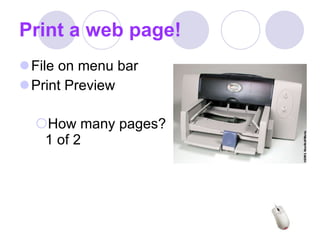
Print a web page! File on menu bar Print Preview How many pages?  1 of 2
Thank you for your time! Evaluation form Handouts www.mcl.org   Weblinks- Computer tutorials

Internet Basics09

  • 1.
    Welcome to InternetBasics Ewing Branch Library Computer Training 2009
  • 2.
    What is theInternet? A system connecting computers around the world using TCP/IP, which stands for Transmission Control Protocol/Internet Protocol, a set of standards for transmitting and receiving digital data. The World Wide Web is only one part of the Internet, which also includes other communications standards (protocols) for transferring files and e-mail.
  • 3.
    The World WideWeb The World Wide Web is comprised of millions of different web sites, all of which are identified by a unique address, called a URL.
  • 4.
    What is aURL? A URL (or uniform resource locator) is the unique address of any Web page on the World Wide Web. Here’s an example: http://www.lib.berkeley.edu/TeachingLib/Guides/Internet/FindInfo.html
  • 5.
    Often, when yougo to the very first page of a Web site, called the home page , there's no path or filename. An example is www.amazon.com
  • 6.
    www.amazon.com The suffixat the end of the URL means one of several things: .org organization .gov government .edu education .com company
  • 7.
    So, how doyou get on to the World Wide Web?
  • 8.
    A webbrowser is software that provides access to the World Wide Web. Internet Explorer , Netscape Navigator , and Firefox are some popular browsers .
  • 9.
    The first pageyou get to on the Web is the page that has been programmed into the computer you’re on. At the library, this page is the home page of the library’s web site.
  • 10.
    Click BlueE, press enter
  • 11.
    SCROLLING Short orlong scroll bar Web pages can be long! Up arrow, down arrow *Arrows mean more choices* Scroll wheel
  • 12.
    Spot the LinksYou can tell whether an item on a page is a link by moving the mouse pointer over the item. If the pointer changes to a hand, then the item is a link. A link can be a picture, a three-dimensional image, or colored text
  • 13.
    TOOLBAR The MicrosoftInternet Explorer toolbar consists of buttons and icons that make browsing faster and easier. On the Toolbar is the Address Bar , which is what you use to type in the exact URL of a web site you’d like to visit. The toolbar is part of the browser software, not the web page.
  • 14.
    The Back ButtonUse this button to go back to the last page you viewed. a list of all the pages you’ve viewed, click on the star all the way to the left, then click on History on the right side. When you use the drop down box you will have many options for viewing the web sites you’ve visited.
  • 15.
    Practice – Itcan be fun! Some Websites to get you started www.cnn.com Continually updated world news www.weather.com Local, national, and international weather—and more www.ipl.org A world of information!
  • 16.
    Print a webpage! File on menu bar Print Preview How many pages? 1 of 2
  • 17.
    Thank you foryour time! Evaluation form Handouts www.mcl.org Weblinks- Computer tutorials