Get started with AAR archives 
How to create and work with the new AAR archive format using gradle and android studio
René Mertins 
Senior Java Architect with more then 10 years experience. 
Architect of the apponsormonetization platform. 
Email: r.mertins@bitforce-it.de 
g+: +ReneMertinsHH 
www.apponsor.com 
www.bitforce-it.de
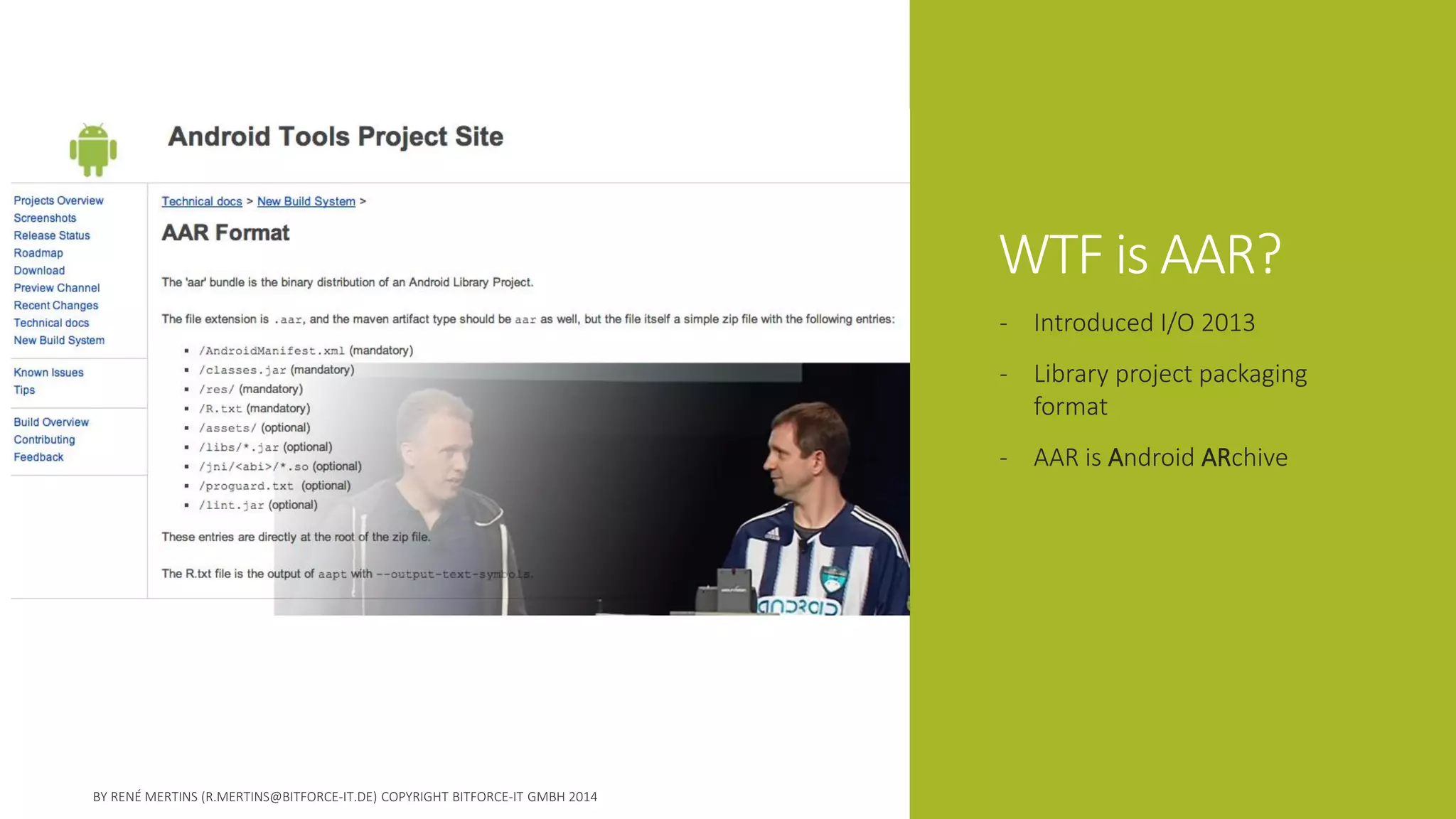
WTF is AAR? 
-Introduced I/O 2013 
-Library project packaging format 
-AAR is Android ARchive
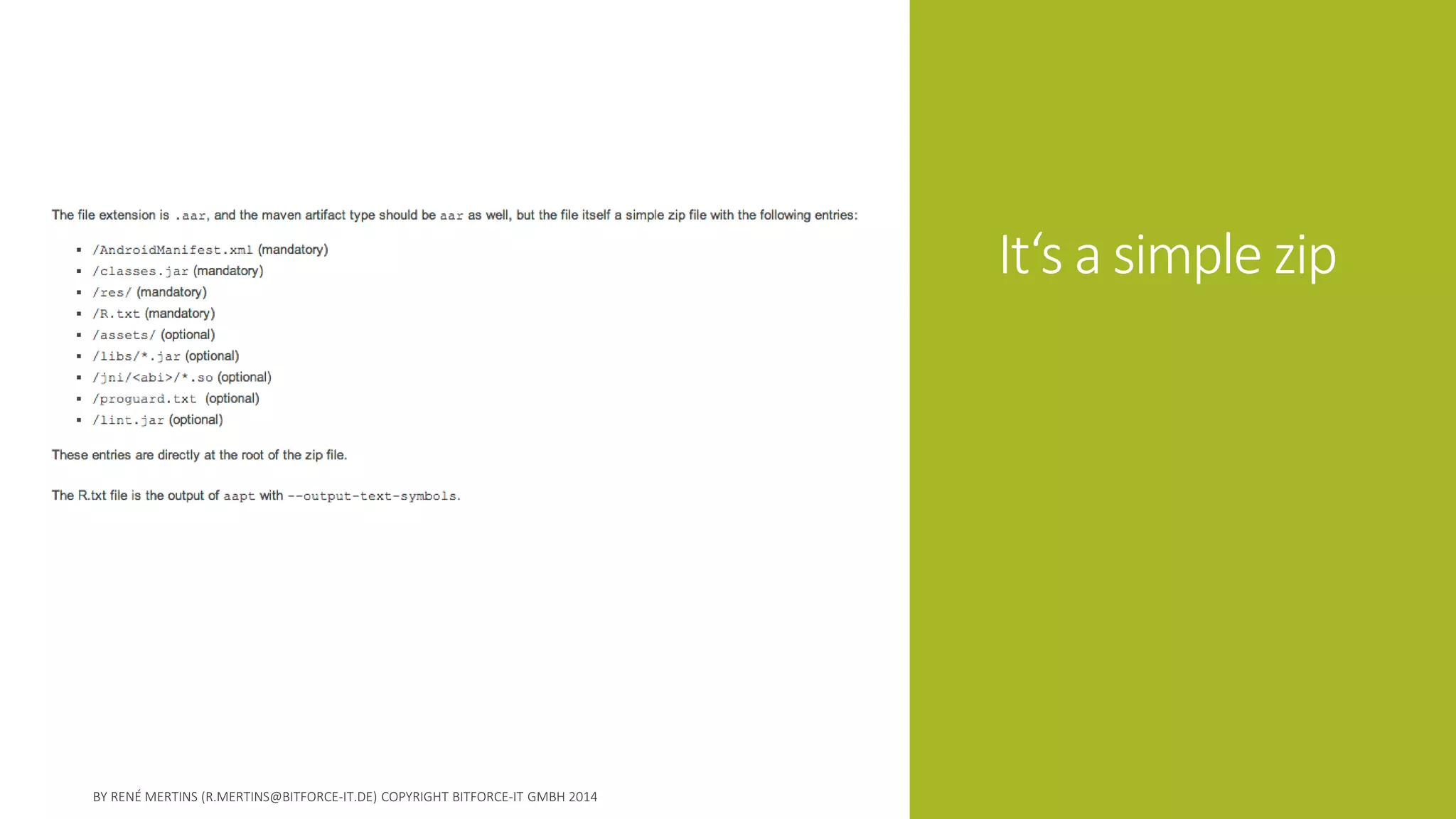
It‘s a simple zip
Benefits 
1.Never handle complete library projects any more 
2.No need to publish a library in source
For distributors 
-Provide precompiled 
-Optimized and obfuscated for best performance 
-Be more sure that no one changes what shouldn‘t changed 
-Easer publishing and distribution over maven
For developers 
-reference like support lib or play services 
-Clean project structure 
-Online update if remote repository
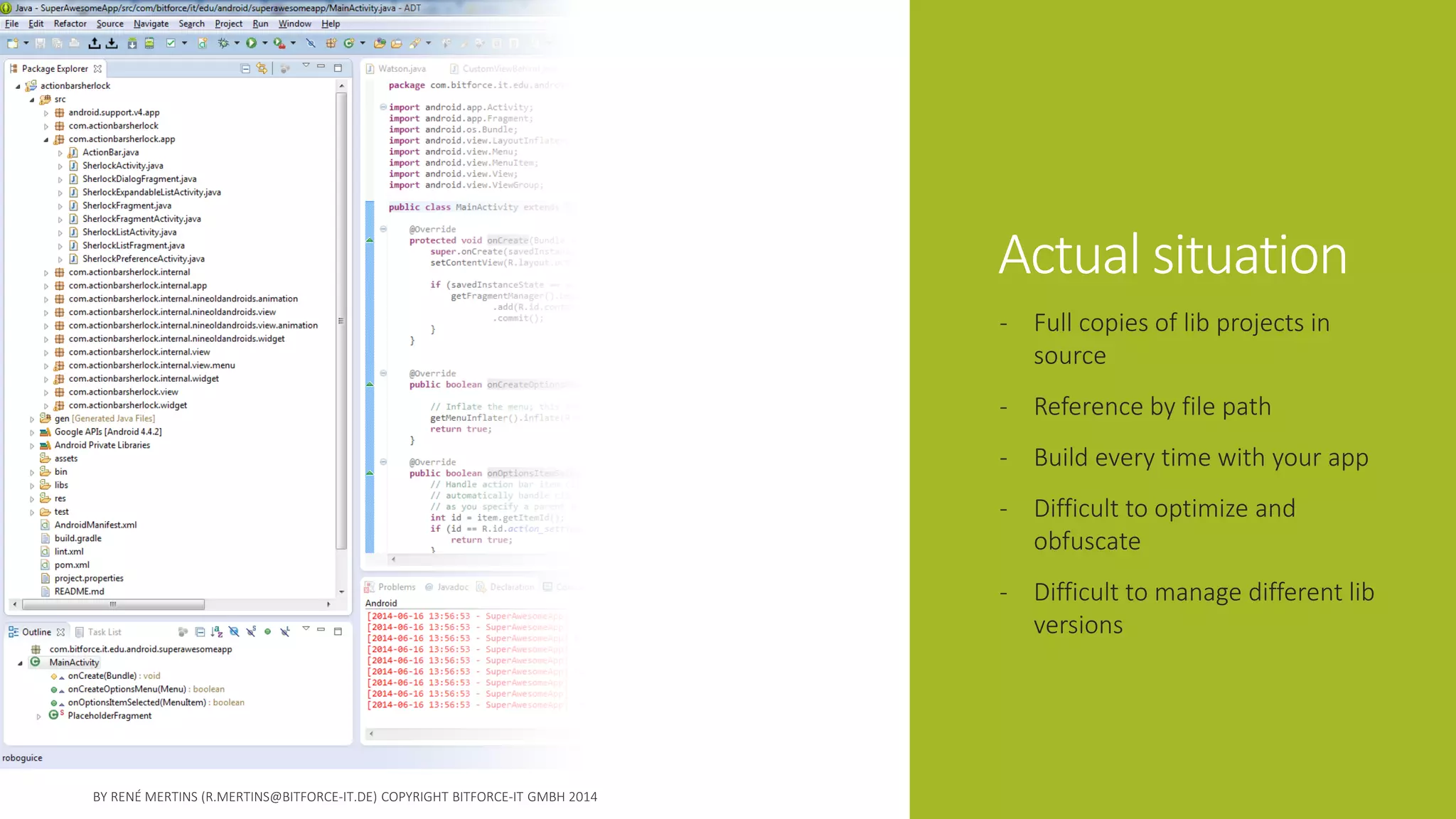
Actual situation 
-Full copies of lib projects in source 
-Reference by file path 
-Build every time with your app 
-Difficult to optimize and obfuscate 
-Difficult to manage different lib versions
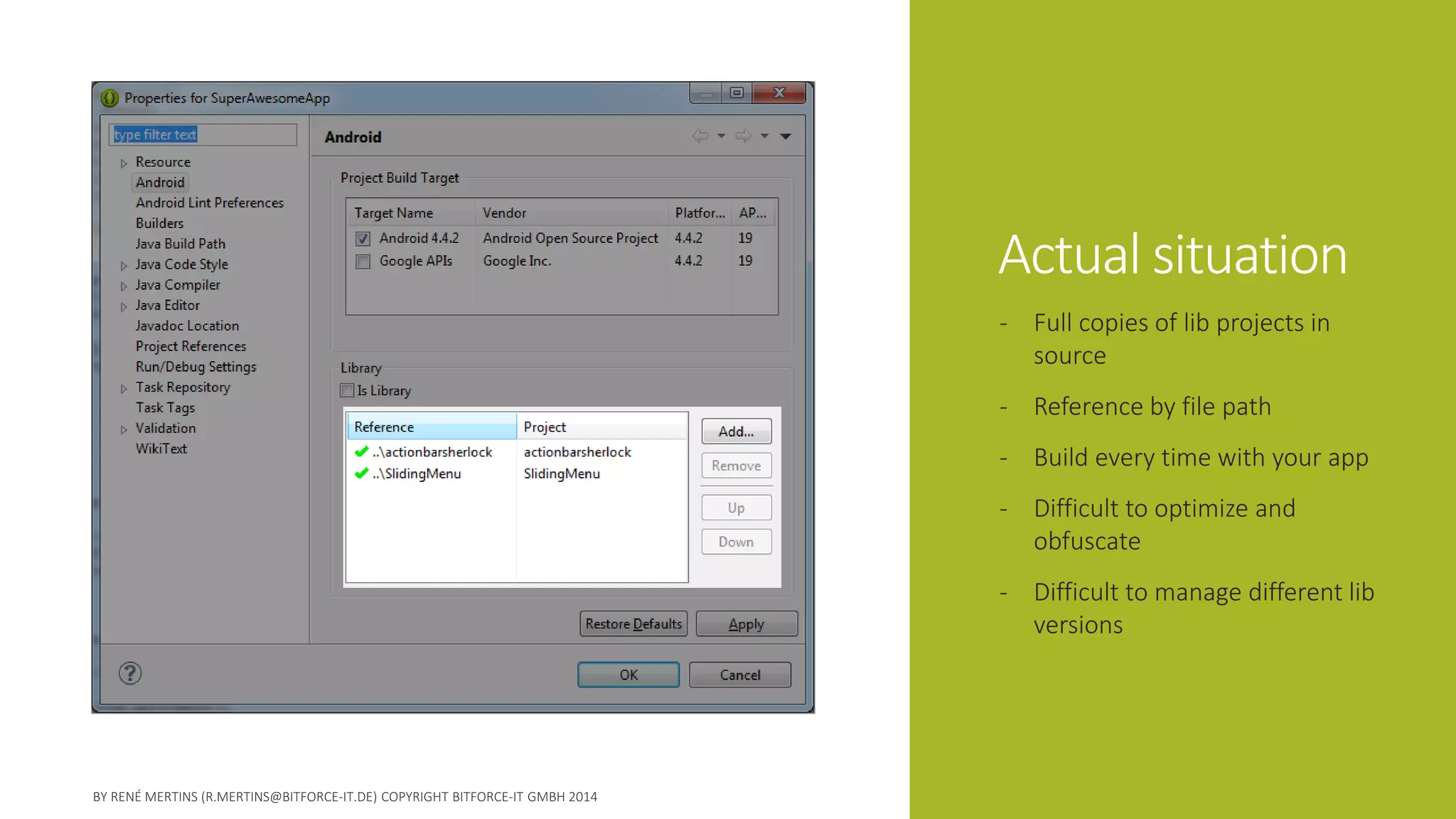
Actual situation 
-Full copies of lib projects in source 
-Reference by file path 
-Build every time with your app 
-Difficult to optimize and obfuscate 
-Difficult to manage different lib versions
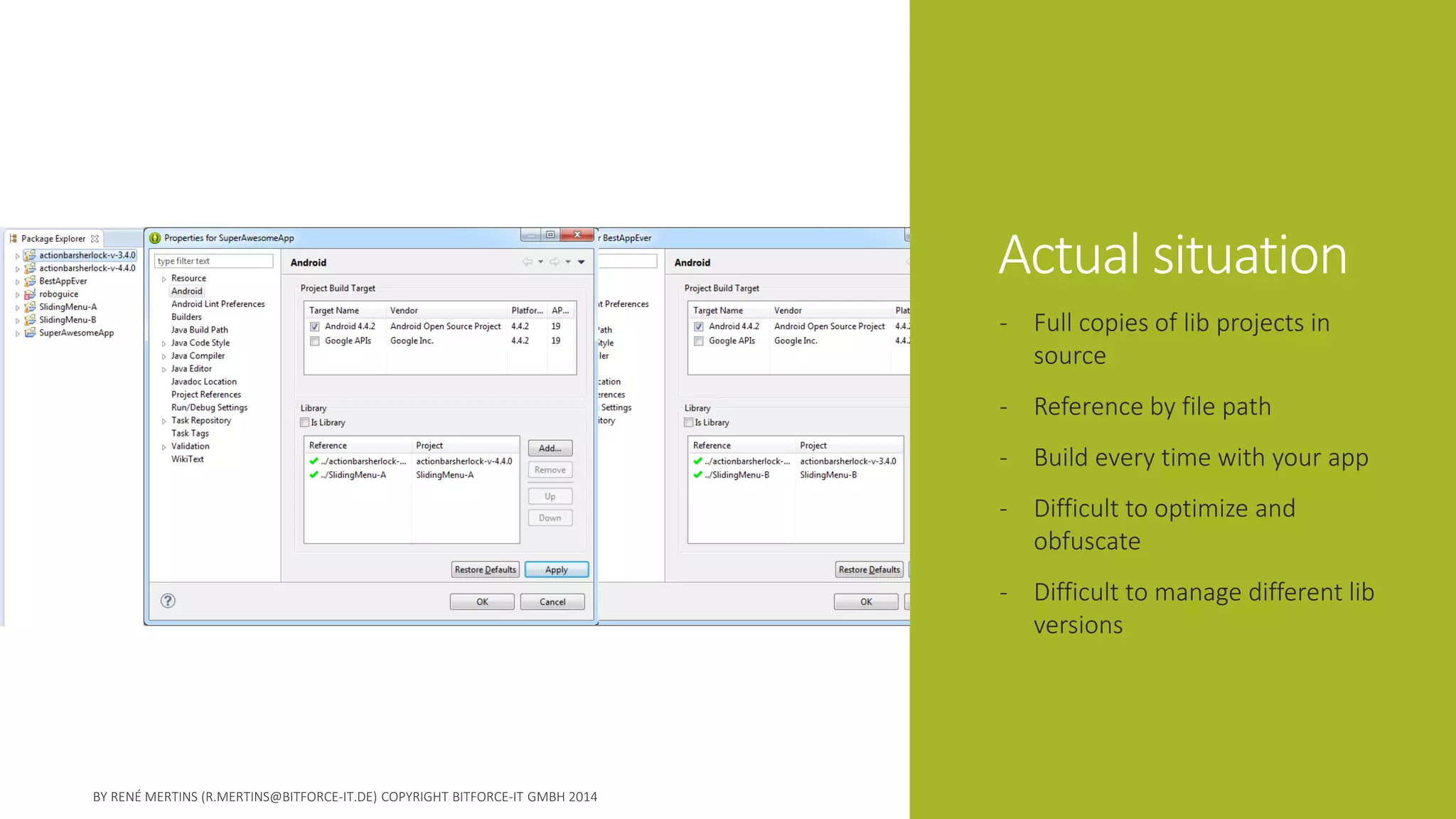
Actual situation 
-Full copies of lib projects in source 
-Reference by file path 
-Build every time with your app 
-Difficult to optimize and obfuscate 
-Difficult to manage different lib versions
The idea 
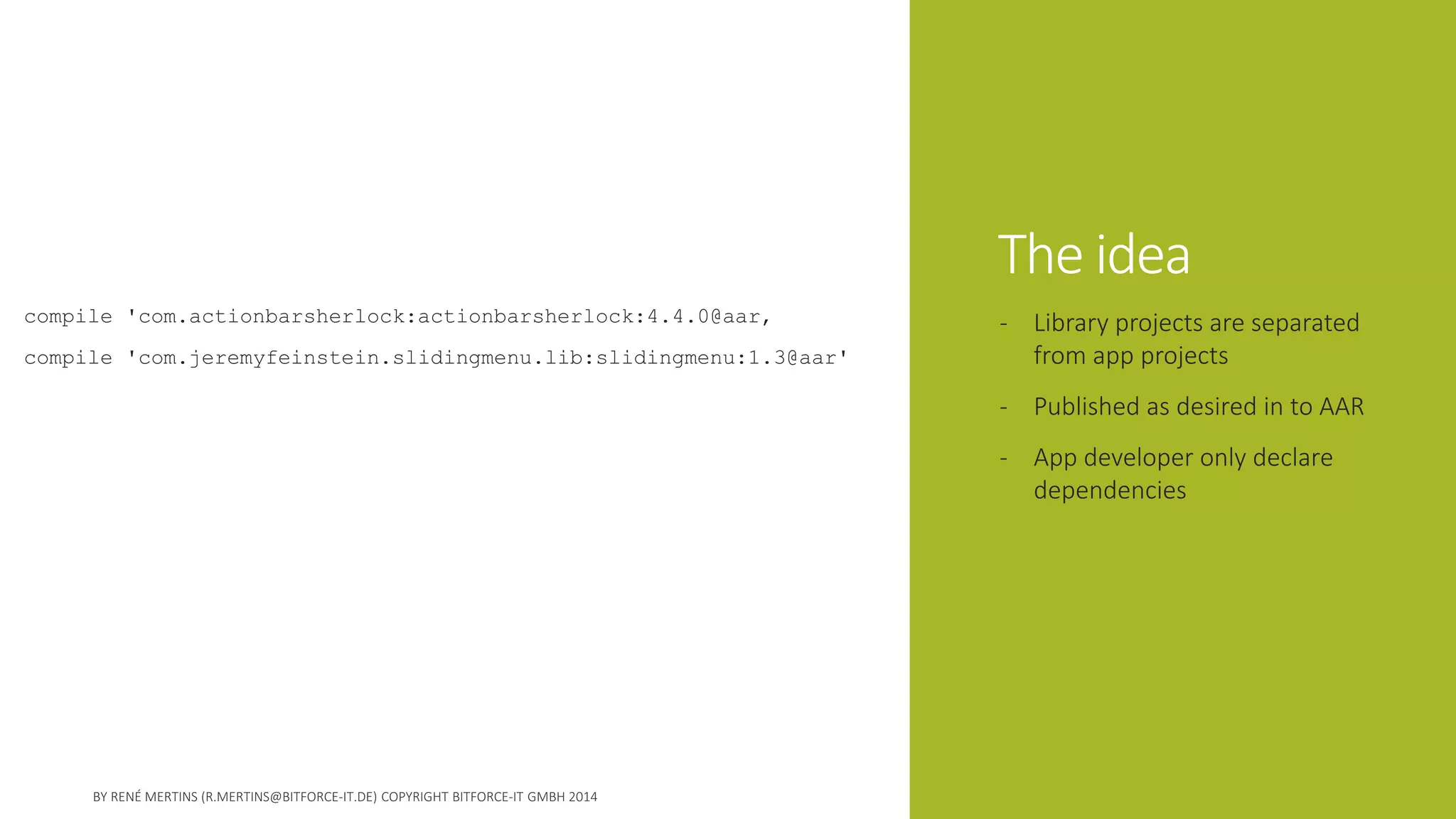
compile 'com.actionbarsherlock:actionbarsherlock:4.4.0@aar‚ 
compile 'com.jeremyfeinstein.slidingmenu.lib:slidingmenu:1.3@aar' 
-Library projects are separated from app projects 
-Published as desired in to AAR 
-App developer only declare dependencies
Good to know 
Or how we failed the first time
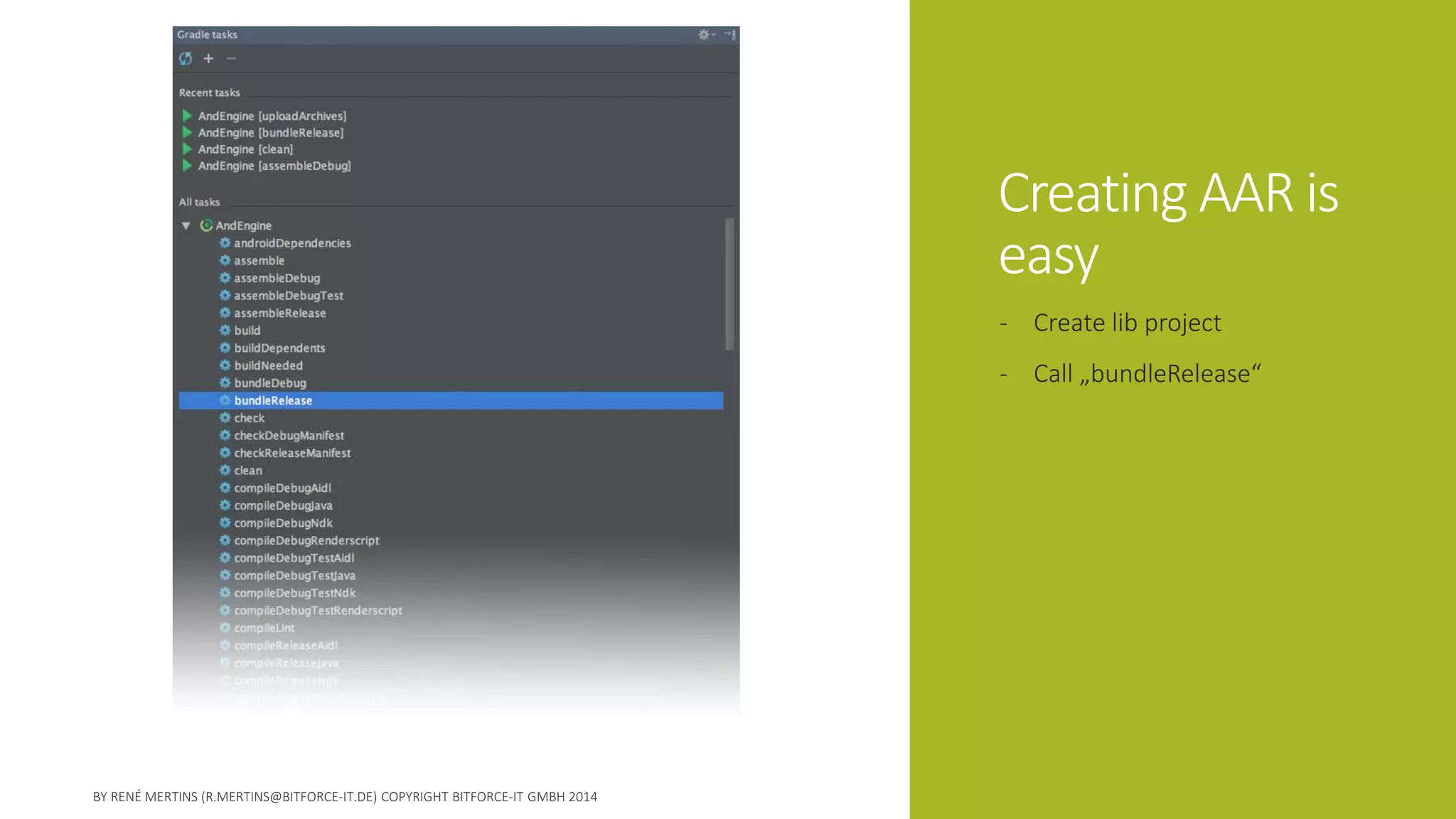
Creating AAR is easy 
-Create lib project 
-Call „bundleRelease“
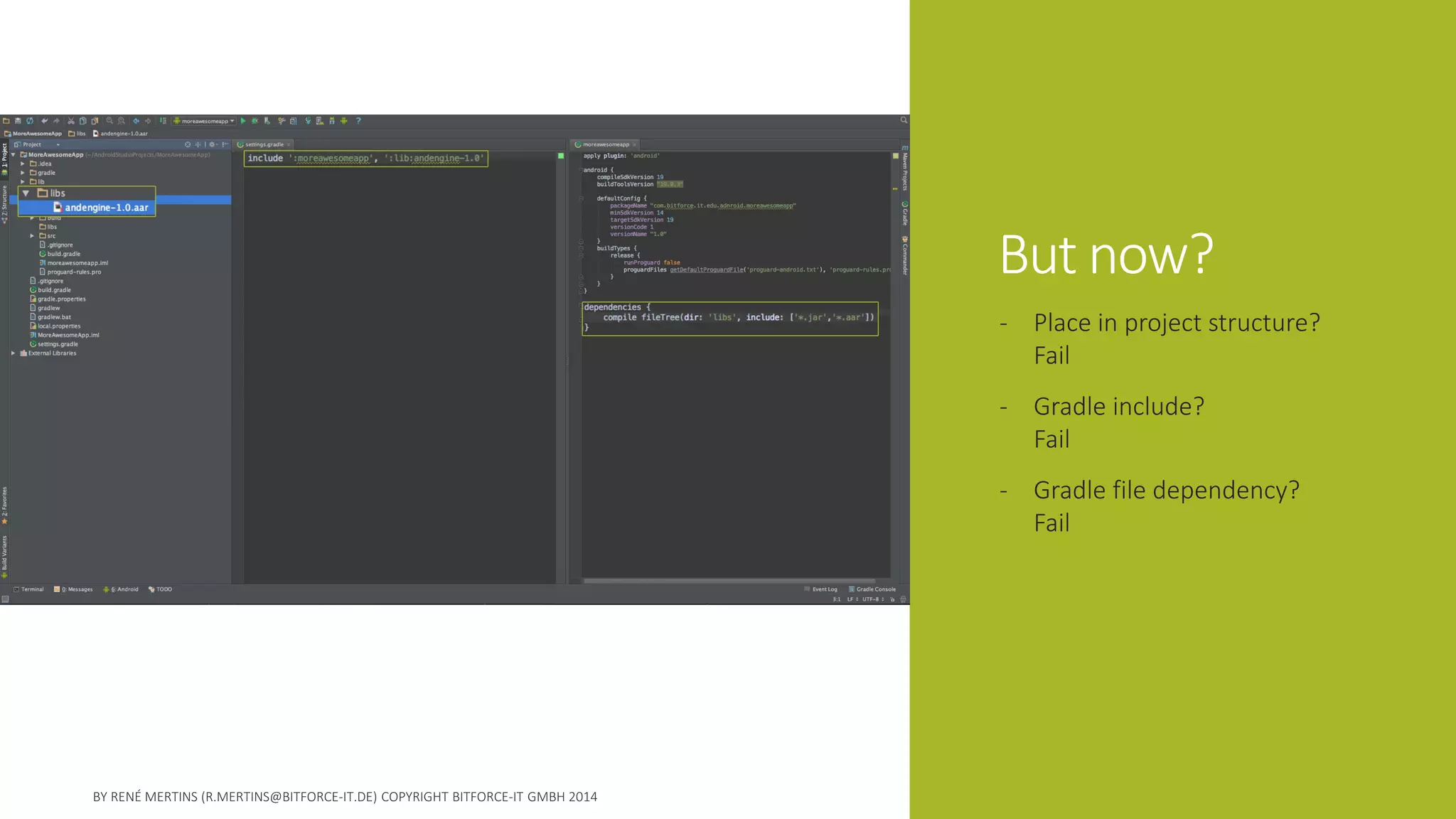
But now? 
-Place in project structure? Fail 
-Gradle include? Fail 
-Gradle file dependency? Fail
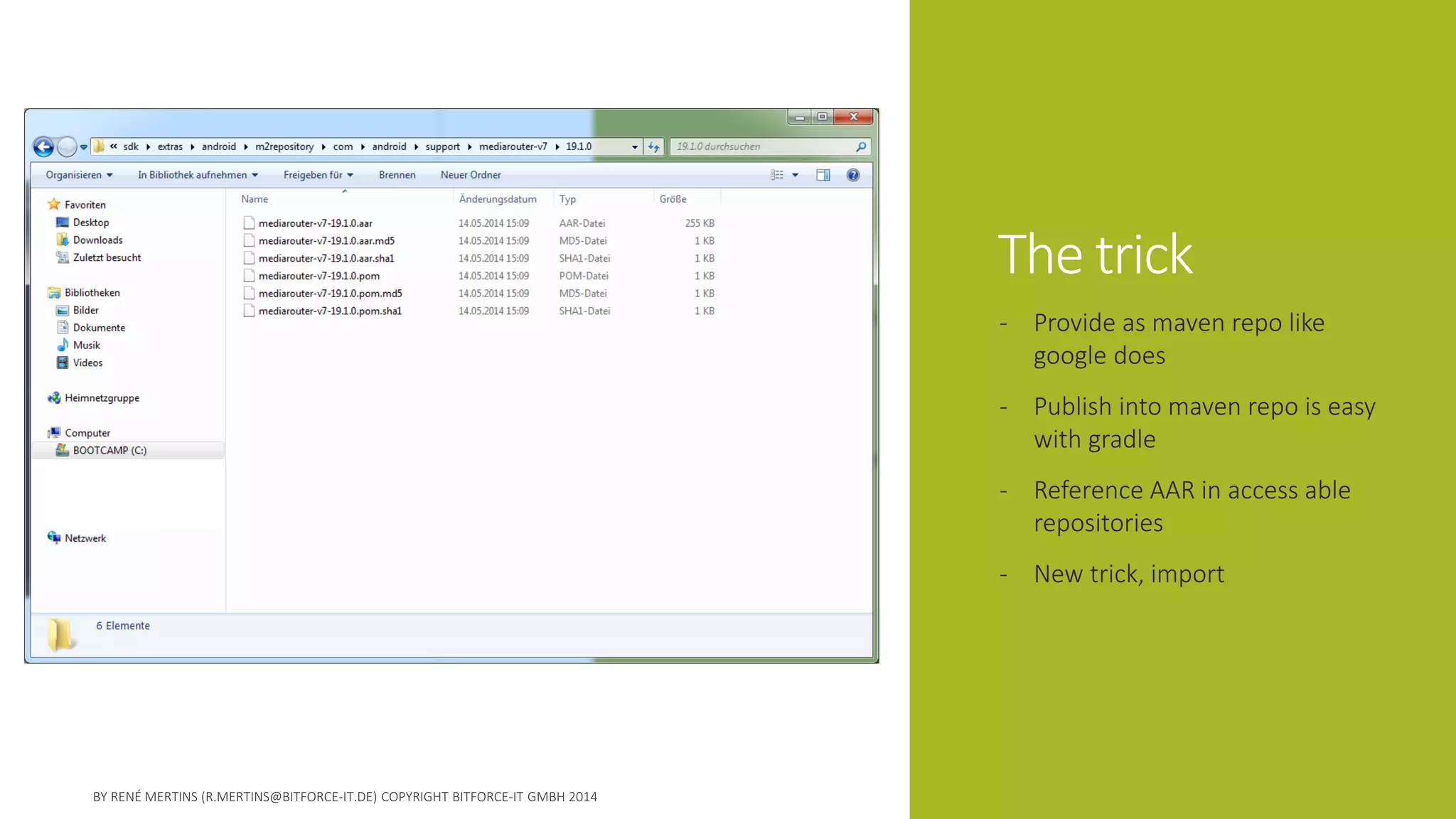
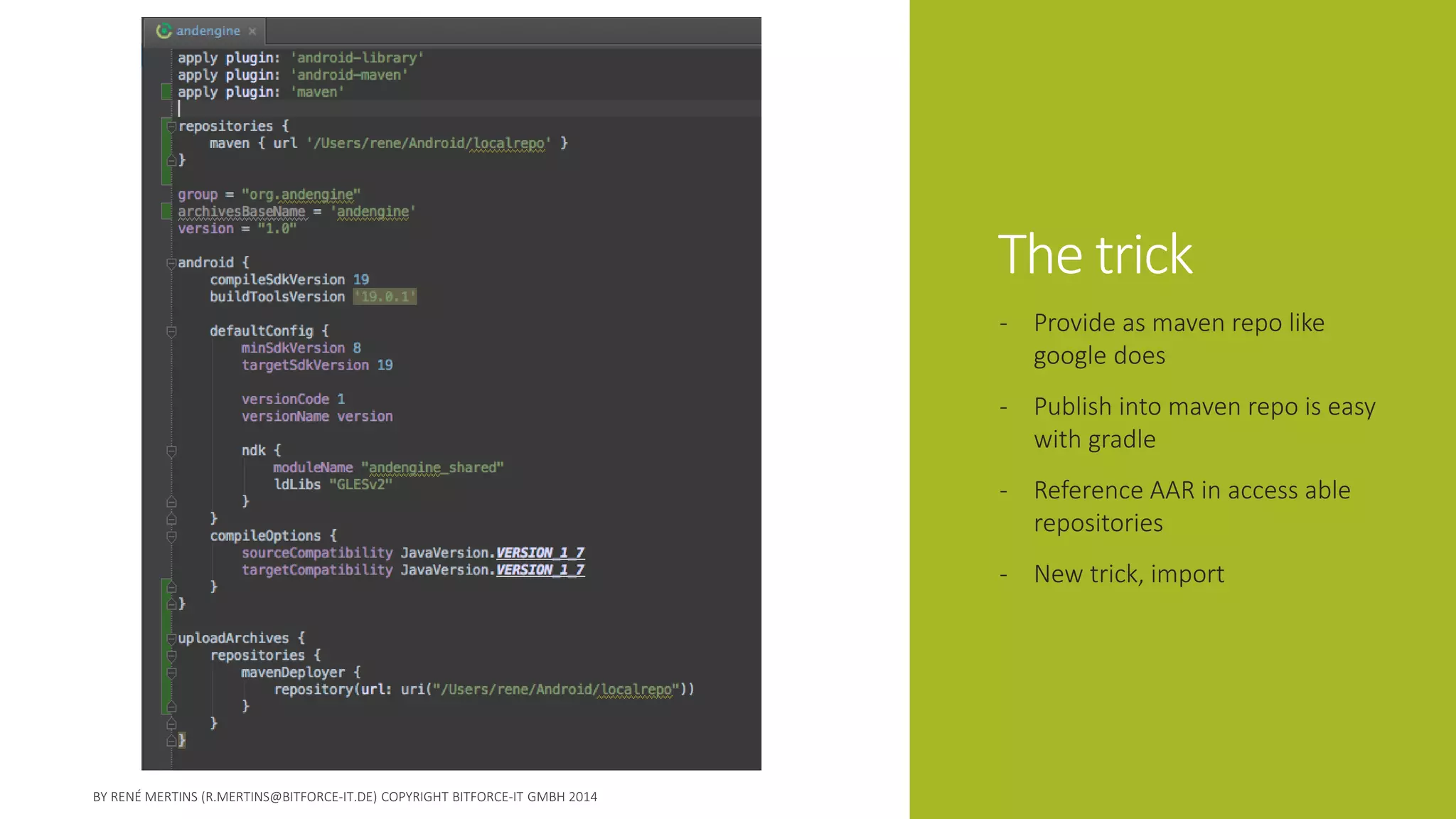
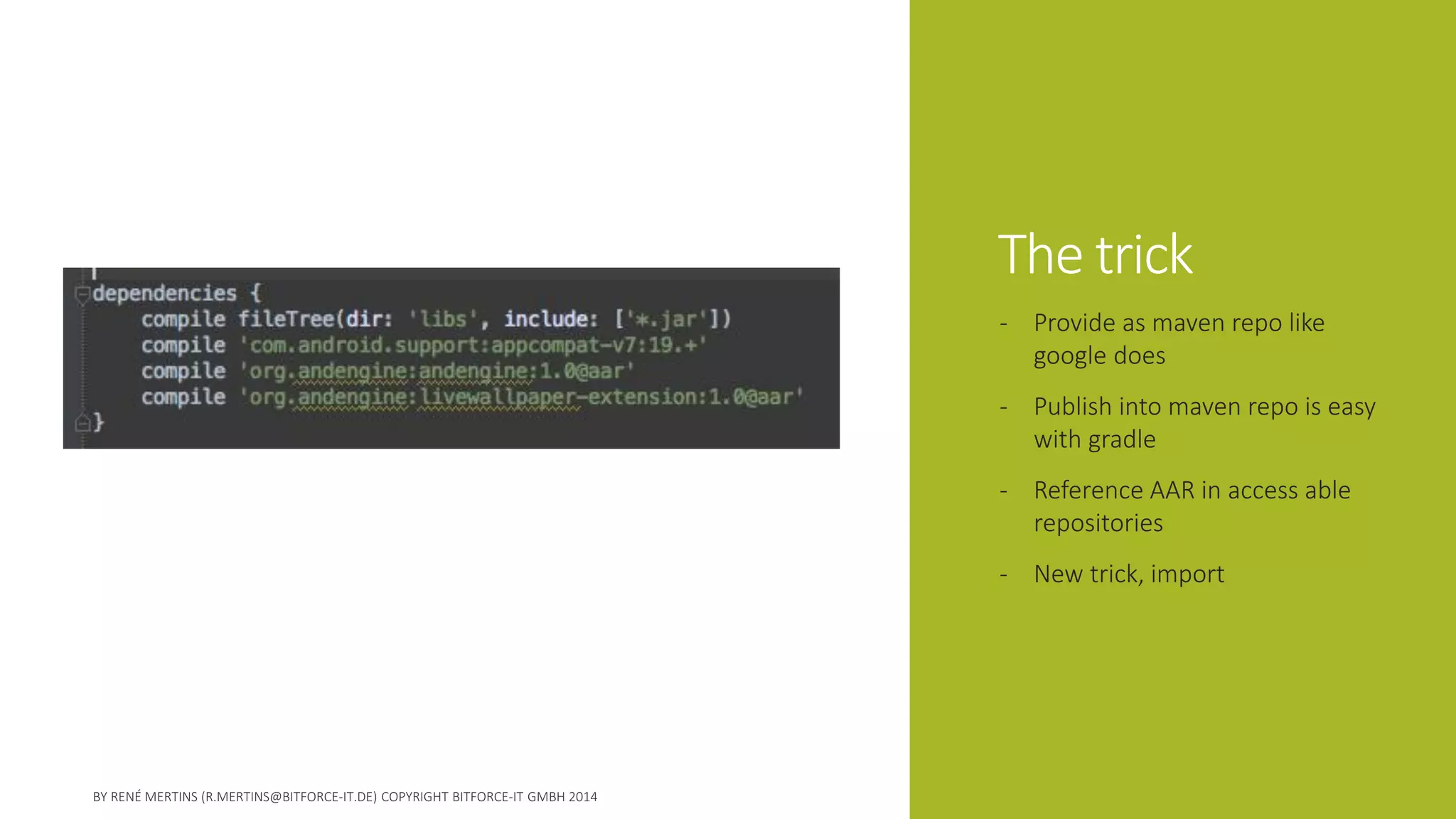
The trick 
-Provide as maven repo like google does 
-Publish into maven repo is easy with gradle 
-Reference AAR in access able repositories 
-New trick, import
The trick 
-Provide as maven repo like google does 
-Publish into maven repo is easy with gradle 
-Reference AAR in access able repositories 
-New trick, import
The trick 
-Provide as maven repo like google does 
-Publish into maven repo is easy with gradle 
-Reference AAR in access able repositories 
-New trick, import
A working example 
Decide what‘s next: live coding or slides ?
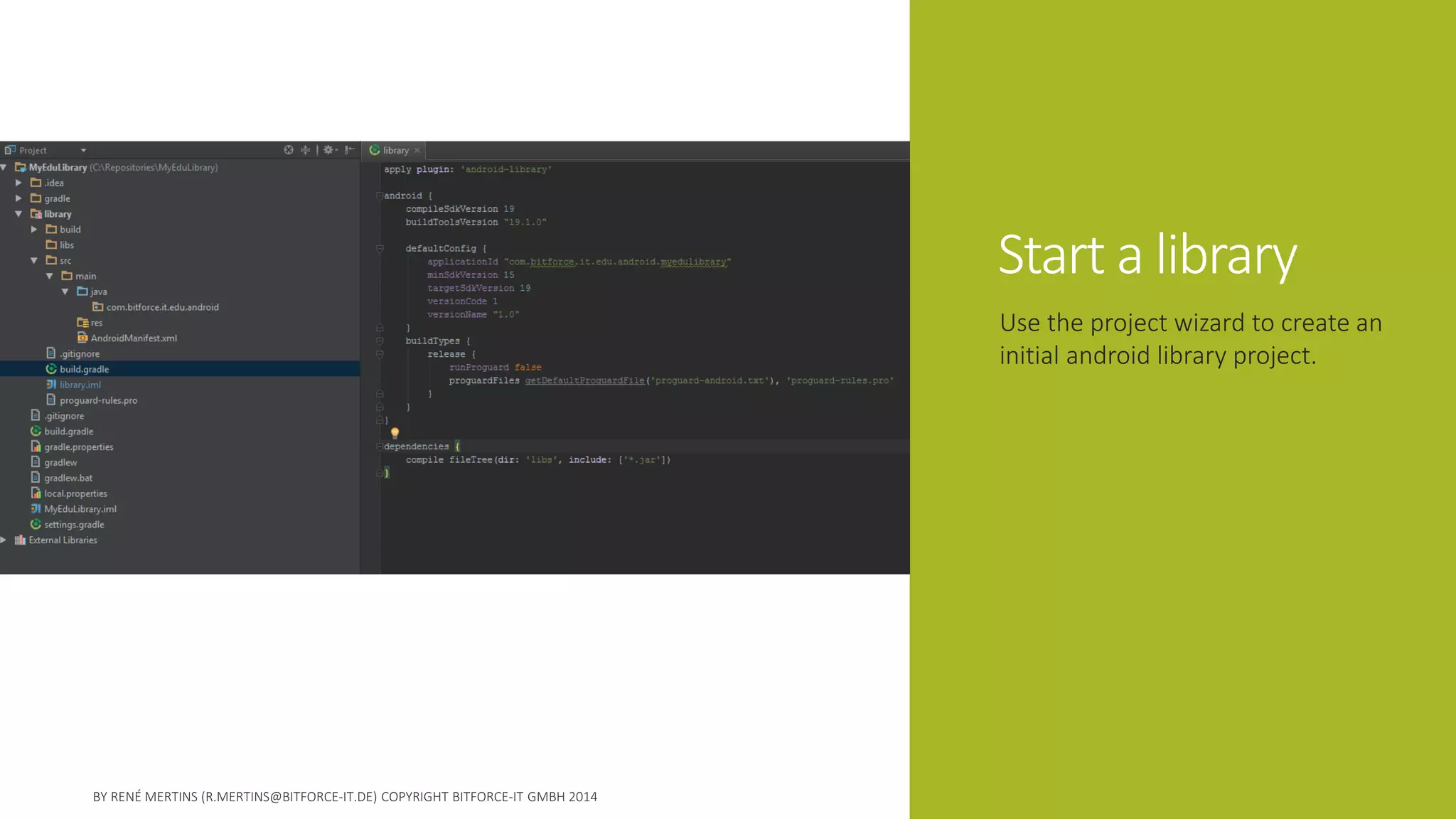
Start a library 
Use the project wizard to create an initial android library project.
Add something useful 
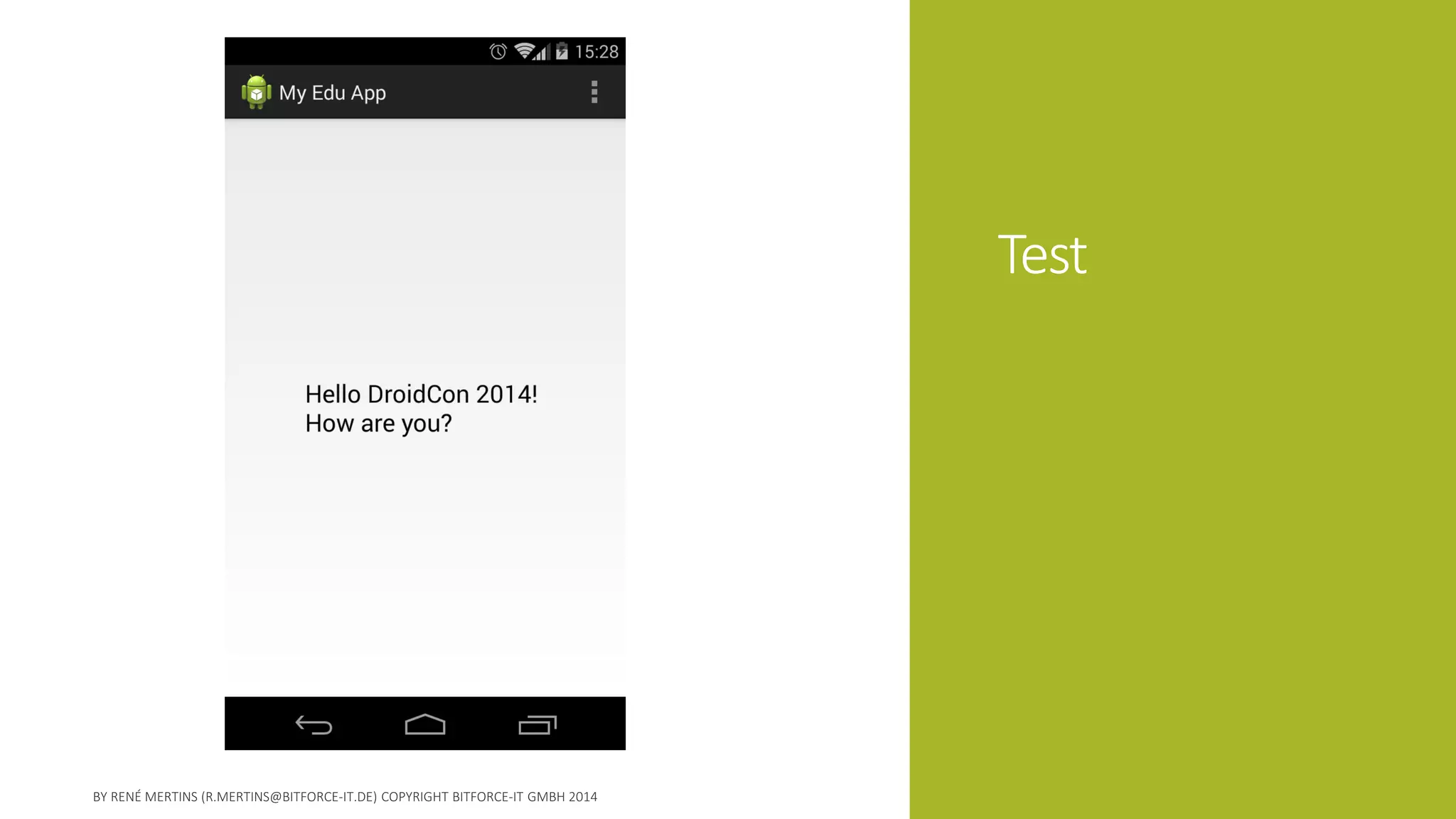
I added a static method which returns „Hello [name]! How are you?“
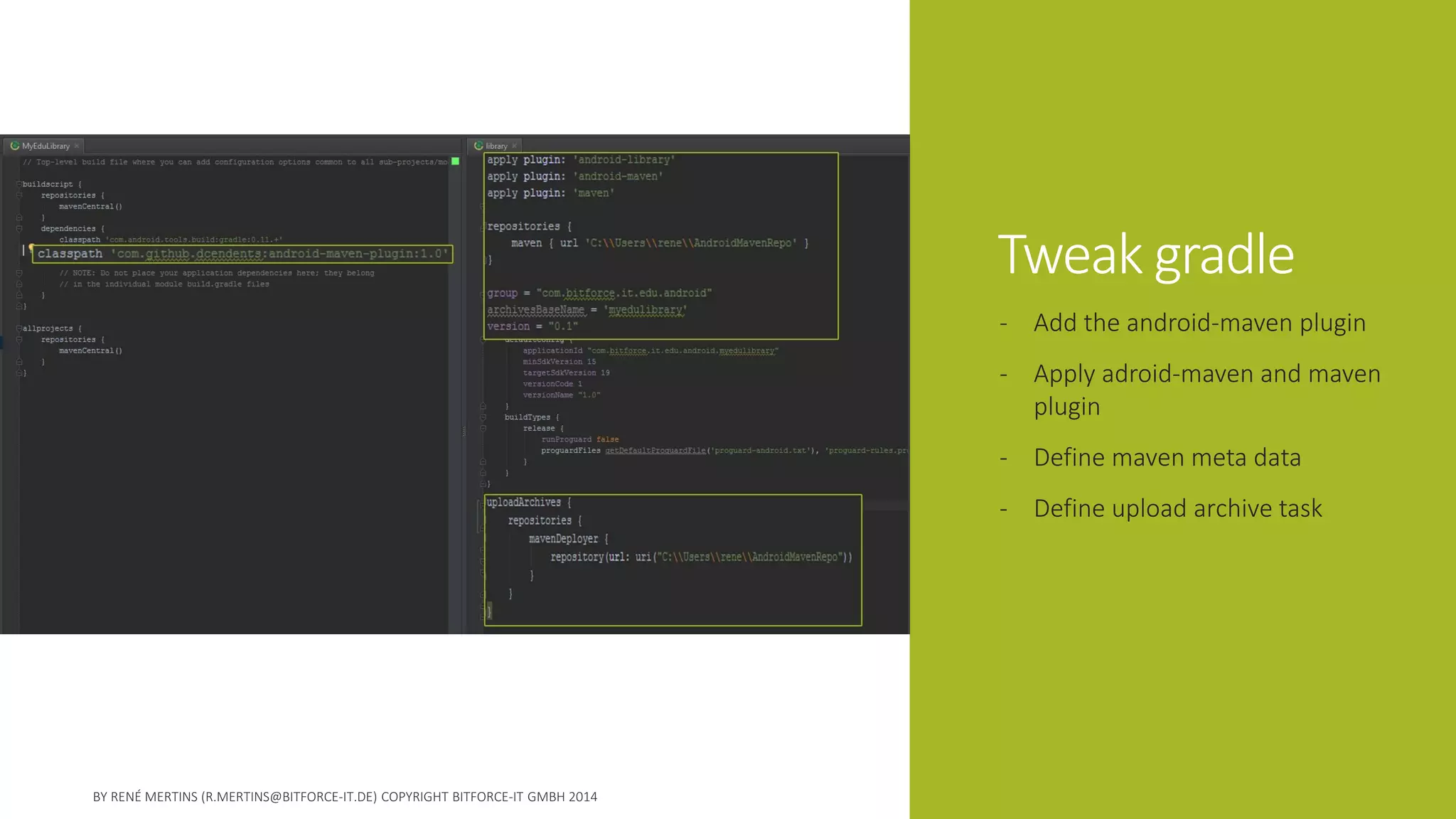
Tweak gradle 
-Add the android-maven plugin 
-Apply adroid-maven and maven plugin 
-Define maven meta data 
-Define upload archive task
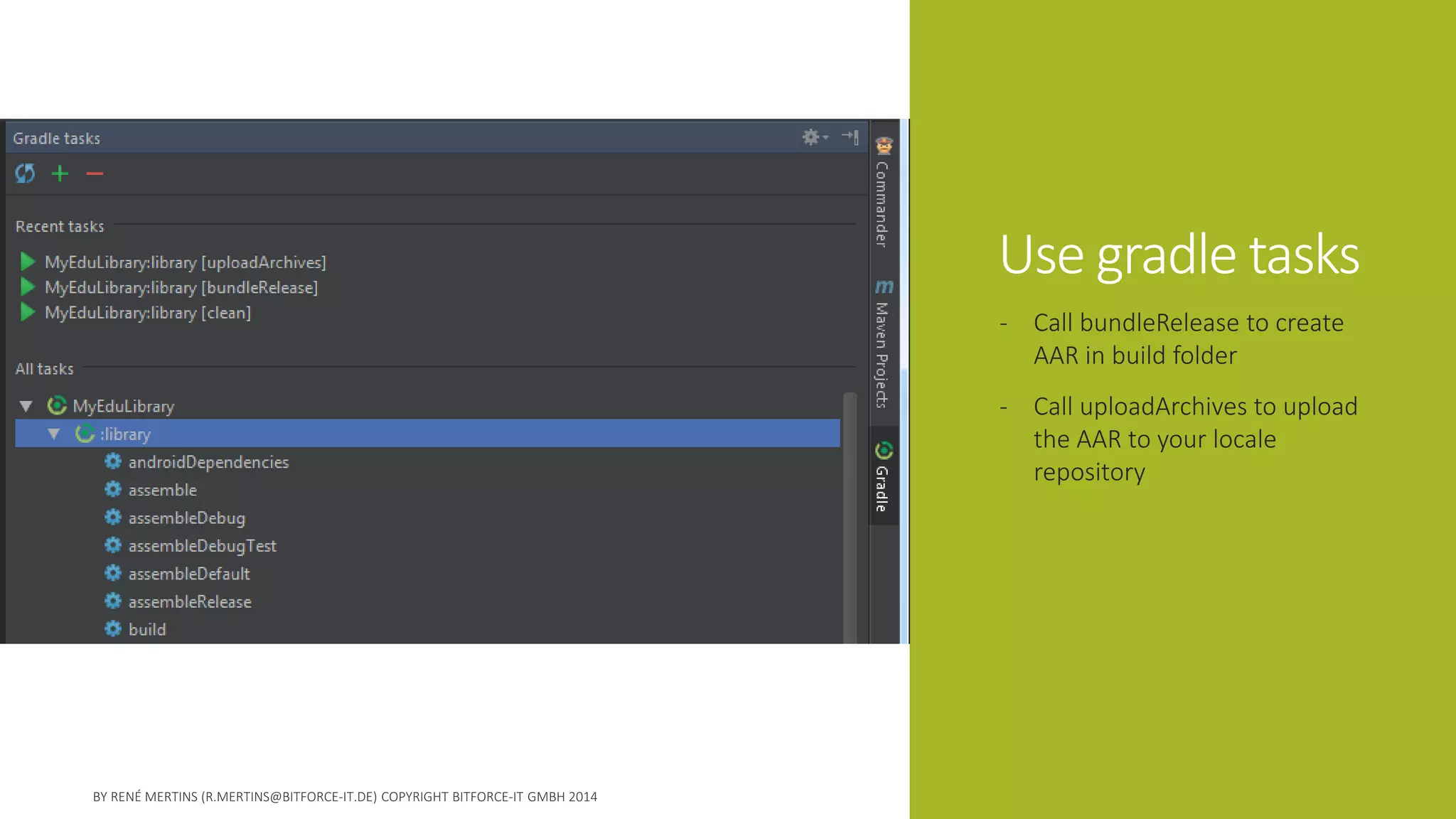
Use gradle tasks 
-Call bundleReleaseto create AAR in build folder 
-Call uploadArchivesto upload the AAR to your locale repository
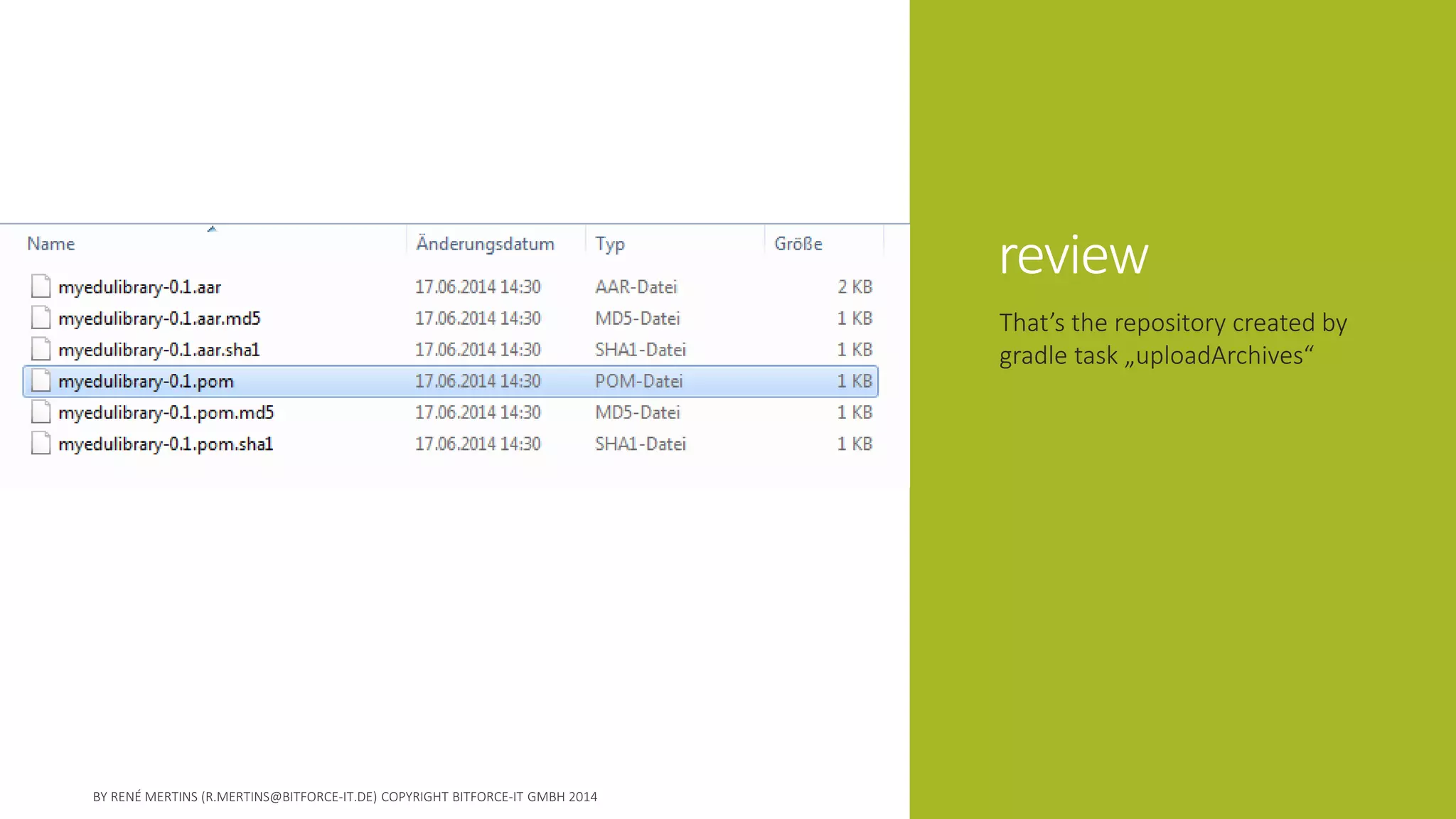
review 
That’s the repository created by gradle task „uploadArchives“
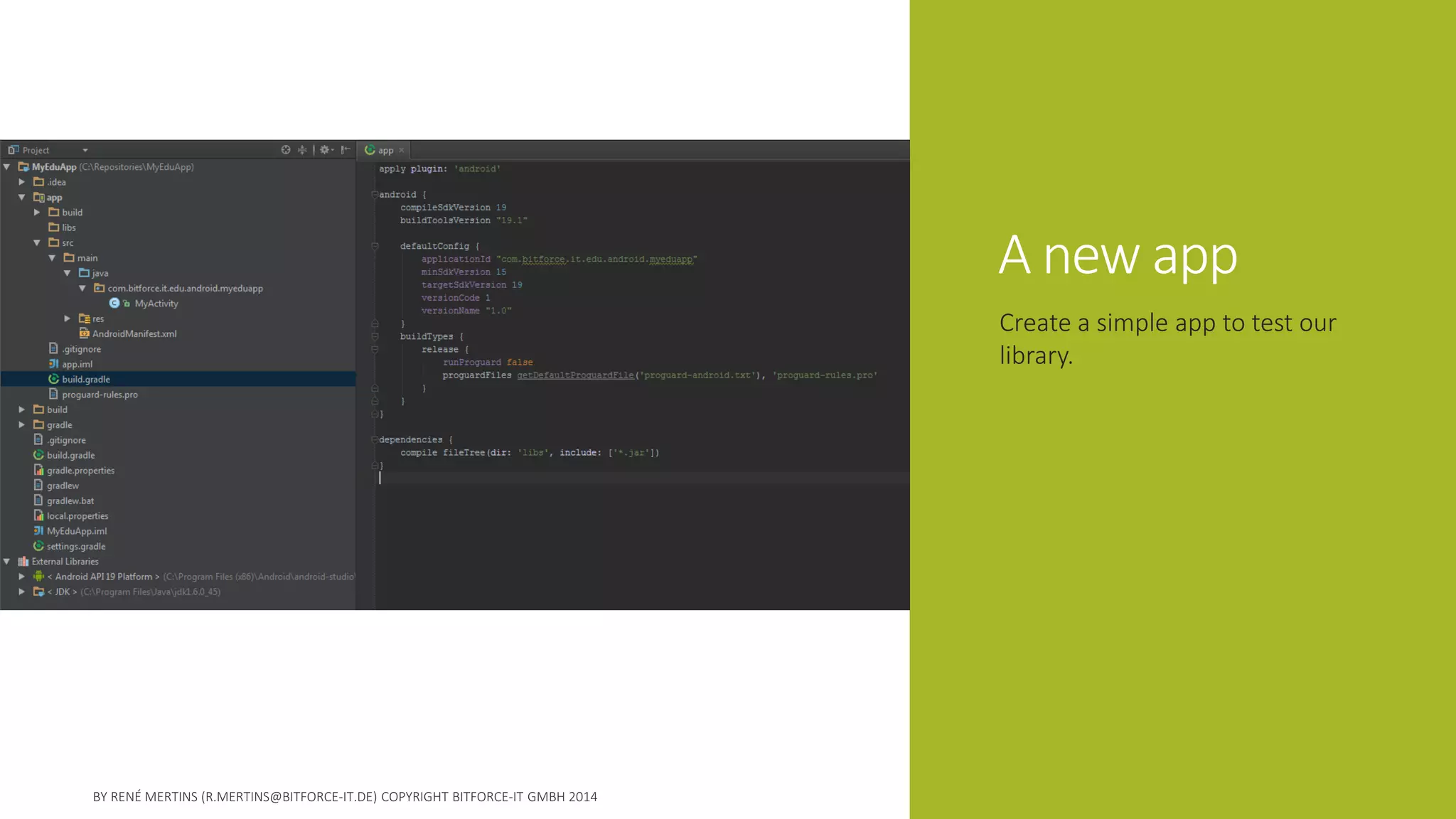
A new app 
Create a simple app to test our library.
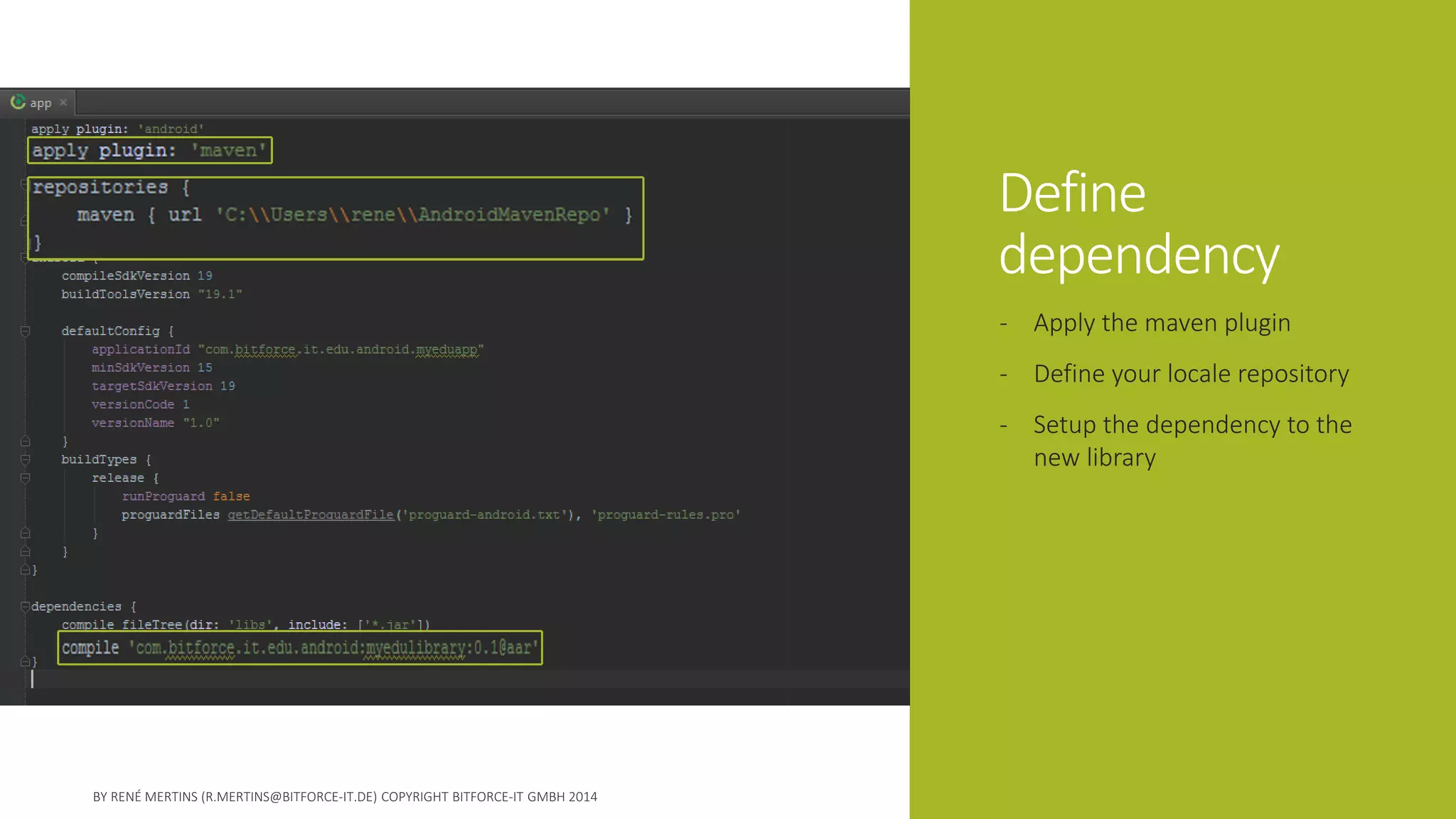
Define dependency 
-Apply the maven plugin 
-Define your locale repository 
-Setup the dependency to the new library
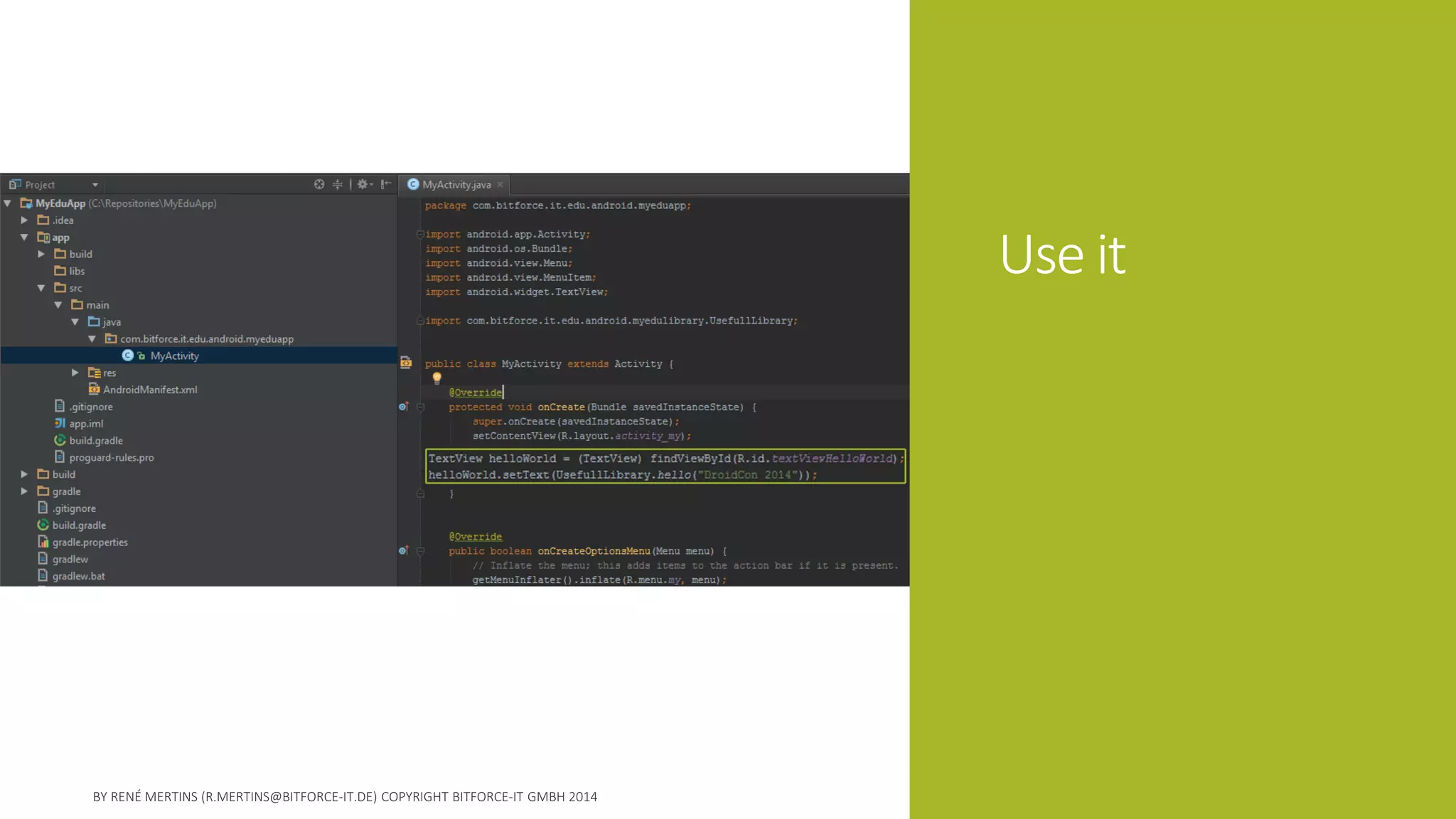
Use it
Test
Note 
A referenced AAR library is not shown in Android Studio. 
You can use the library, you get auto completion etc. 
But you can it inspect it in the project structure! 
For Support-Lib and some other stuff from google it‘s working. 
I‘m sure it will come in future. 
One point I want to address!
Hint 
Martin Liersch who is well known for his gradle build system talk is providing a maven repository where he places a lot of useful library projects as AAR artifacts. 
GitHub: https://github.com/Goddchen/mvn-repo 
Repo URL: https://github.com/Goddchen/mvn-repo/raw/master/
Hint 
The gradle project webpage includes a very good documentation. 
http://www.gradle.org/docs/current/userguide/userguide.html 
In the maven plugin chapters is a part about uploading artifacts to repositories. Also explaining using different transports like ssh to a remote repository. 
http://www.gradle.org/docs/current/userguide/maven_plugin.html# uploading_to_maven_repositories
Observe 
Without the android-maven plugin this solution would be much more complicated. 
You can find the project at gitHub 
https://github.com/dcendents/android-maven-plugin
Pull requests 
Most off the public library projects for android can be found on github. 
Nearly all are still using ADT and are not providing AAR artifacts. 
But most often there is a smart guy already done the work to port to android studio and make it easy to publish an aar. So look up the pull requests for your favorite lib and you will find a fork for android studio. 
Like stefanrusk did for andengine: 
https://github.com/stefanrusek/AndEngine/tree/GLES2
Hint 
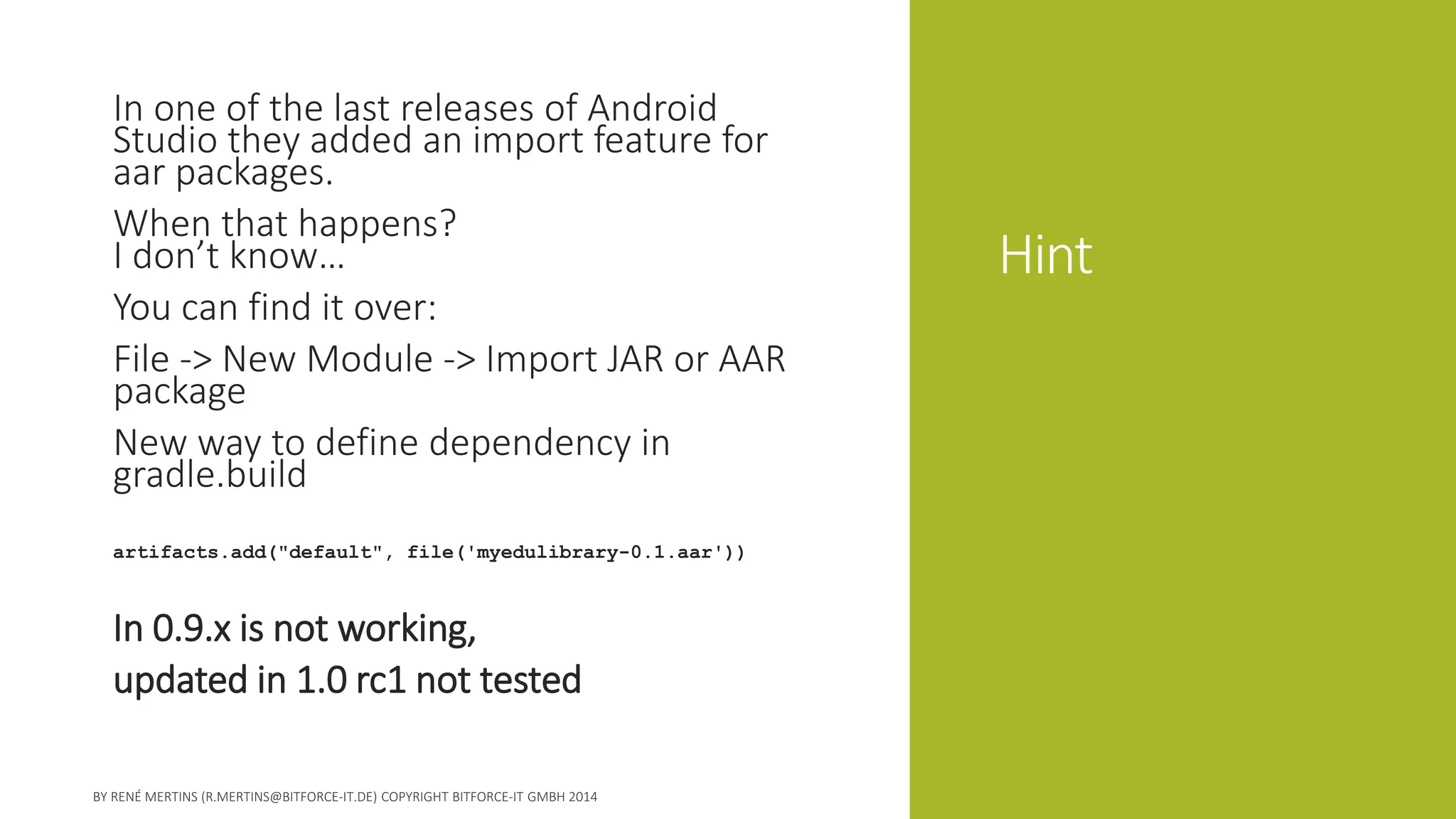
In one of the last releases of Android Studio they added an import feature for aarpackages. 
When that happens? I don’t know… 
You can find it over: 
File -> New Module -> Import JAR or AAR package 
New way to define dependency in gradle.build 
artifacts.add("default", file('myedulibrary-0.1.aar')) 
In 0.9.x is not working, 
updated in 1.0 rc1 not tested
Hint 
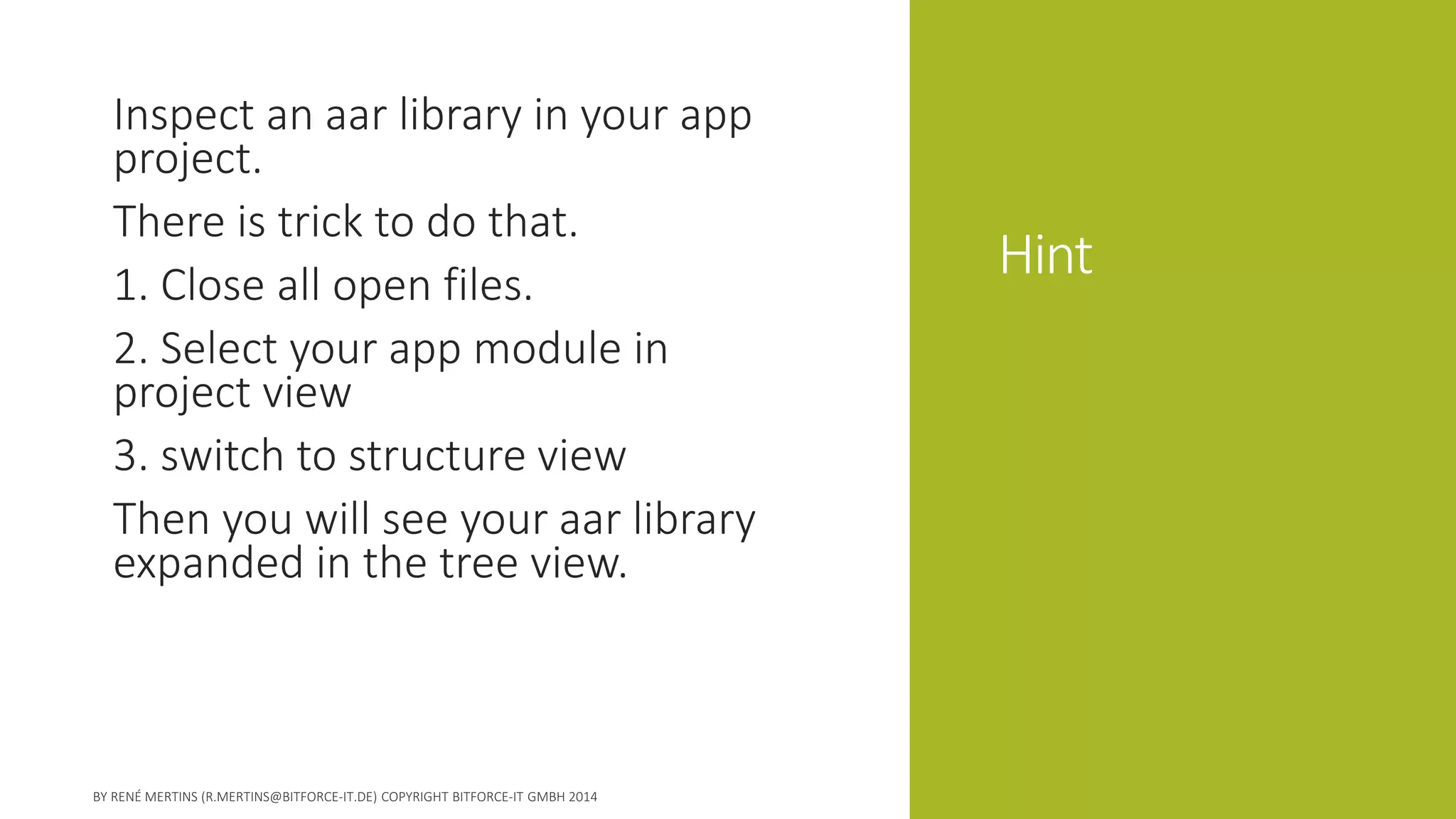
Inspect an aarlibrary in your app project. 
There is trick to do that. 
1. Close all open files. 
2. Select your app module in project view 
3. switch to structure view 
Then you will see your aarlibrary expanded in the tree view.
Thank you 
Feel free to approach me for any question. 
r.mertins@bitforce-it.de 
G+: ReneMertinsHH

Get started with AAR

  • 1.
    Get started withAAR archives How to create and work with the new AAR archive format using gradle and android studio
  • 2.
    René Mertins SeniorJava Architect with more then 10 years experience. Architect of the apponsormonetization platform. Email: r.mertins@bitforce-it.de g+: +ReneMertinsHH www.apponsor.com www.bitforce-it.de
  • 3.
    WTF is AAR? -Introduced I/O 2013 -Library project packaging format -AAR is Android ARchive
  • 4.
  • 5.
    Benefits 1.Never handlecomplete library projects any more 2.No need to publish a library in source
  • 6.
    For distributors -Provideprecompiled -Optimized and obfuscated for best performance -Be more sure that no one changes what shouldn‘t changed -Easer publishing and distribution over maven
  • 7.
    For developers -referencelike support lib or play services -Clean project structure -Online update if remote repository
  • 8.
    Actual situation -Fullcopies of lib projects in source -Reference by file path -Build every time with your app -Difficult to optimize and obfuscate -Difficult to manage different lib versions
  • 9.
    Actual situation -Fullcopies of lib projects in source -Reference by file path -Build every time with your app -Difficult to optimize and obfuscate -Difficult to manage different lib versions
  • 10.
    Actual situation -Fullcopies of lib projects in source -Reference by file path -Build every time with your app -Difficult to optimize and obfuscate -Difficult to manage different lib versions
  • 11.
    The idea compile'com.actionbarsherlock:actionbarsherlock:4.4.0@aar‚ compile 'com.jeremyfeinstein.slidingmenu.lib:slidingmenu:1.3@aar' -Library projects are separated from app projects -Published as desired in to AAR -App developer only declare dependencies
  • 12.
    Good to know Or how we failed the first time
  • 13.
    Creating AAR iseasy -Create lib project -Call „bundleRelease“
  • 14.
    But now? -Placein project structure? Fail -Gradle include? Fail -Gradle file dependency? Fail
  • 15.
    The trick -Provideas maven repo like google does -Publish into maven repo is easy with gradle -Reference AAR in access able repositories -New trick, import
  • 16.
    The trick -Provideas maven repo like google does -Publish into maven repo is easy with gradle -Reference AAR in access able repositories -New trick, import
  • 17.
    The trick -Provideas maven repo like google does -Publish into maven repo is easy with gradle -Reference AAR in access able repositories -New trick, import
  • 18.
    A working example Decide what‘s next: live coding or slides ?
  • 19.
    Start a library Use the project wizard to create an initial android library project.
  • 20.
    Add something useful I added a static method which returns „Hello [name]! How are you?“
  • 21.
    Tweak gradle -Addthe android-maven plugin -Apply adroid-maven and maven plugin -Define maven meta data -Define upload archive task
  • 22.
    Use gradle tasks -Call bundleReleaseto create AAR in build folder -Call uploadArchivesto upload the AAR to your locale repository
  • 23.
    review That’s therepository created by gradle task „uploadArchives“
  • 24.
    A new app Create a simple app to test our library.
  • 25.
    Define dependency -Applythe maven plugin -Define your locale repository -Setup the dependency to the new library
  • 26.
  • 27.
  • 28.
    Note A referencedAAR library is not shown in Android Studio. You can use the library, you get auto completion etc. But you can it inspect it in the project structure! For Support-Lib and some other stuff from google it‘s working. I‘m sure it will come in future. One point I want to address!
  • 29.
    Hint Martin Lierschwho is well known for his gradle build system talk is providing a maven repository where he places a lot of useful library projects as AAR artifacts. GitHub: https://github.com/Goddchen/mvn-repo Repo URL: https://github.com/Goddchen/mvn-repo/raw/master/
  • 30.
    Hint The gradleproject webpage includes a very good documentation. http://www.gradle.org/docs/current/userguide/userguide.html In the maven plugin chapters is a part about uploading artifacts to repositories. Also explaining using different transports like ssh to a remote repository. http://www.gradle.org/docs/current/userguide/maven_plugin.html# uploading_to_maven_repositories
  • 31.
    Observe Without theandroid-maven plugin this solution would be much more complicated. You can find the project at gitHub https://github.com/dcendents/android-maven-plugin
  • 32.
    Pull requests Mostoff the public library projects for android can be found on github. Nearly all are still using ADT and are not providing AAR artifacts. But most often there is a smart guy already done the work to port to android studio and make it easy to publish an aar. So look up the pull requests for your favorite lib and you will find a fork for android studio. Like stefanrusk did for andengine: https://github.com/stefanrusek/AndEngine/tree/GLES2
  • 33.
    Hint In oneof the last releases of Android Studio they added an import feature for aarpackages. When that happens? I don’t know… You can find it over: File -> New Module -> Import JAR or AAR package New way to define dependency in gradle.build artifacts.add("default", file('myedulibrary-0.1.aar')) In 0.9.x is not working, updated in 1.0 rc1 not tested
  • 34.
    Hint Inspect anaarlibrary in your app project. There is trick to do that. 1. Close all open files. 2. Select your app module in project view 3. switch to structure view Then you will see your aarlibrary expanded in the tree view.
  • 35.
    Thank you Feelfree to approach me for any question. r.mertins@bitforce-it.de G+: ReneMertinsHH