


Excellence. Innovation. Expertise.
Microsoft PowerPoint
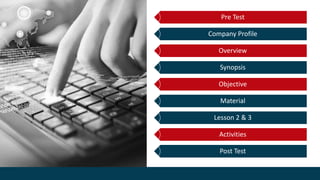
Pre Test
Company Profile
Overview
Synopsis
Objective
Material
Lesson 2 & 3
Activities
Post Test
Pre Test
Microsoft PowerPoint
Impactful Slide Presentation
Microsoft PowerPoint : Intermediate
COMPANY PROFILE
Vision to be the leading learning
provider with holistic approach
towards successful organization
Mission to be the most impactful and
innovative learning provider in
achieving their business goals.
BRIDGE
TRAINER PROFILEMAIKAL FARDHA SAVARIAPPAN
7 Years
Corporate IT Trainer
Kuala Lumpur, Malaysia
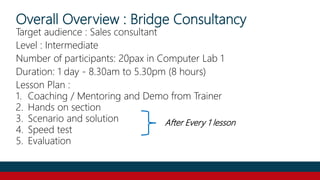
Overall Overview : Bridge Consultancy
Target audience : Sales consultant
Level : Intermediate
Number of participants: 20pax in Computer Lab 1
Duration: 1 day - 8.30am to 5.30pm (8 hours)
Lesson Plan :
1. Coaching / Mentoring and Demo from Trainer
2. Hands on section
3. Scenario and solution
4. Speed test
5. Evaluation
After Every 1 lesson
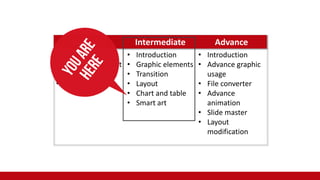
Beginner Intermediate Advance
• Introduction
about PowerPoint
• Microsoft layout
• Home function
• Introduction
• Graphic elements
• Transition
• Layout
• Chart and table
• Smart art
• Introduction
• Advance graphic
usage
• File converter
• Advance
animation
• Slide master
• Layout
modification
SYNOPSIS
• This course aims to enhance the students' knowledge
and skills in Microsoft PowerPoint with elements related
to sales strategies.
• Topics discussed include theories & technical skills with
classroom concept with few activities such as scenario &
solution, Quiz, Pre and Post techniques.
Objective
• Able to understand and use the graphic element (Word
Art, shape, Picture, Clip Art) with right purpose to create
sales impact
• Manage to utilise table and chart for impactful sales
presentation
• Able to apply proper transition effects and create
impactful sales slide presentation
Training Itinerary & Enrolment
Training Program Training Manual
Lesson Plan Training Web
They are constantly in think, plan and prepare mode in order to continue
to build their client base and keep their pipelines full.
You can't ever have an "off" button.
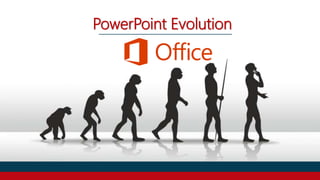
PowerPoint Evolution
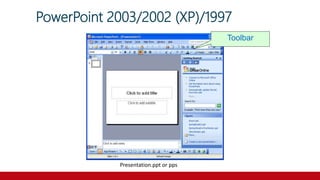
PowerPoint 2003/2002 (XP)/1997
Presentation.ppt or pps
Toolbar
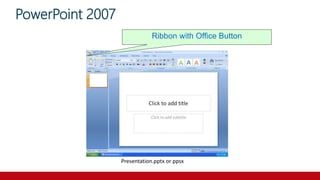
PowerPoint 2007
Ribbon with Office Button
Presentation.pptx or ppsx
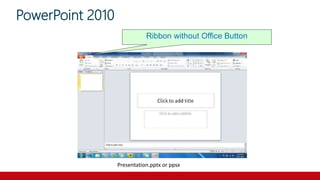
PowerPoint 2010
Ribbon without Office Button
Presentation.pptx or ppsx
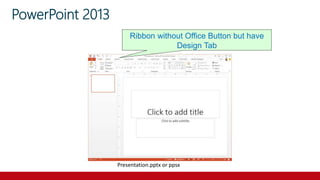
PowerPoint 2013
Presentation.pptx or ppsx
Ribbon without Office Button but have
Design Tab
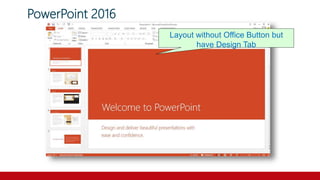
PowerPoint 2016
Layout without Office Button but
have Design Tab
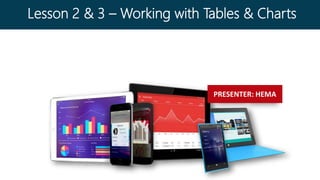
PRESENTER: HEMA
Lesson 2 & 3 – Working with Tables & Charts
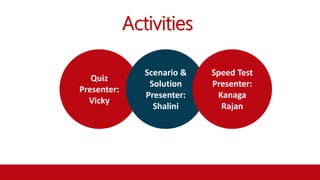
Activities
Quiz
Presenter:
Vicky
Scenario &
Solution
Presenter:
Shalini
Speed Test
Presenter:
Kanaga
Rajan
Post Test
Microsoft PowerPoint
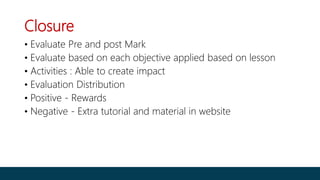
Closure
• Evaluate Pre and post Mark
• Evaluate based on each objective applied based on lesson
• Activities : Able to create impact
• Evaluation Distribution
• Positive - Rewards
• Negative - Extra tutorial and material in website
Thank You

Intermediate Microsoft PowerPoint Training