Interactive Student
     Notebooks
       “ISN”
What is the ISN?
 Notebook for grammar and videos
 A creative outlet
 An alternate portfolio
 A place to keep organized notes
Setting up your ISN
❀ Decorate the cover (this should be about
  Spanish class)
❀ Number pages (front and back) beginning at
  1 (in the upper outside corner)
❀ Decorate and label your title page (this
  should be all about YOU)
❀ Glue in the necessary pages (see handout)
❀ Format your Table of Contents (TOC)
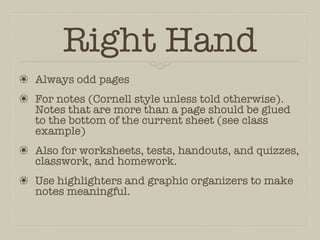
Right Hand
❀ Always odd pages
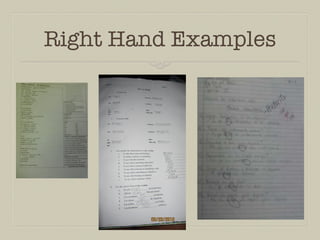
❀ For notes (Cornell style unless told otherwise).
  Notes that are more than a page should be glued
  to the bottom of the current sheet (see class
  example)
❀ Also for worksheets, tests, handouts, and quizzes,
  classwork, and homework.
❀ Use highlighters and graphic organizers to make
  notes meaningful.
Right Hand Examples
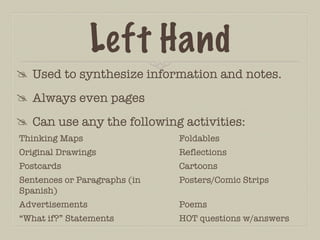
Left Hand
 Used to synthesize information and notes.
 Always even pages
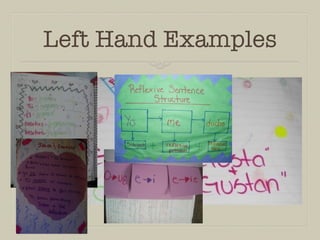
 Can use any the following activities:
Thinking Maps                 Foldables
Original Drawings             Reflections
Postcards                     Cartoons
Sentences or Paragraphs (in   Posters/Comic Strips
Spanish)
Advertisements                Poems
“What if?” Statements         HOT questions w/answers
Left Hand Examples
Things to Remember
❀ For every page of notes, there should be a heft-
  hand assignment.
❀ DO NOT use the back of a page for notes. Continue
  on a separate sheet.
❀ Use varied assignments on the left-hand side.
❀ Glue in sheets at the beginning of class instead of
  waiting until the next day (or later).
Things to Remember
 It’s okay to draw on your notes.
 Complete all left-hand assignments after
  writing summary of Cornell Notes.
 Don’t wait until last minute to create left-
  side assignments.

Interactive Student Notebooks

  • 1.
    Interactive Student Notebooks “ISN”
  • 2.
    What is theISN?  Notebook for grammar and videos  A creative outlet  An alternate portfolio  A place to keep organized notes
  • 3.
    Setting up yourISN ❀ Decorate the cover (this should be about Spanish class) ❀ Number pages (front and back) beginning at 1 (in the upper outside corner) ❀ Decorate and label your title page (this should be all about YOU) ❀ Glue in the necessary pages (see handout) ❀ Format your Table of Contents (TOC)
  • 4.
    Right Hand ❀ Alwaysodd pages ❀ For notes (Cornell style unless told otherwise). Notes that are more than a page should be glued to the bottom of the current sheet (see class example) ❀ Also for worksheets, tests, handouts, and quizzes, classwork, and homework. ❀ Use highlighters and graphic organizers to make notes meaningful.
  • 5.
  • 6.
    Left Hand  Usedto synthesize information and notes.  Always even pages  Can use any the following activities: Thinking Maps Foldables Original Drawings Reflections Postcards Cartoons Sentences or Paragraphs (in Posters/Comic Strips Spanish) Advertisements Poems “What if?” Statements HOT questions w/answers
  • 7.
  • 8.
    Things to Remember ❀For every page of notes, there should be a heft- hand assignment. ❀ DO NOT use the back of a page for notes. Continue on a separate sheet. ❀ Use varied assignments on the left-hand side. ❀ Glue in sheets at the beginning of class instead of waiting until the next day (or later).
  • 9.
    Things to Remember It’s okay to draw on your notes.  Complete all left-hand assignments after writing summary of Cornell Notes.  Don’t wait until last minute to create left- side assignments.