Interactive Science Notebooks
What is an Interactive  Science Notebook (ISN)? A student thinking tool – one that allows you to organize your thoughts & reflections in a fun and creative way A way to access and process the information using different parts of your brain (done through writing, drawing and discussion) A means for all students to work at their level A formative assessment tool for teachers KEY TO SCIENCE SUCCESS!!
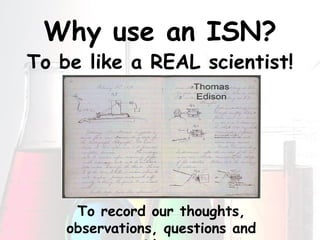
Why use an ISN? To be like a REAL scientist! To record our thoughts, observations, questions and ideas
How does it work? Your ISN will be only used for science class and a new one will be created for each unit It will be divided into 2 parts – a left side and a right side It will contain a detailed table of contents Every page will be numbered and dated It will be the  key  to your success in 7 th  grade science
Left Side-Right Side:  Which Side? The left side of your ISN  LOVES   student work This side allows you to  c r e a t i v e l y  interact with what we are learning The right side of  your ISN is RESTRICTED This side contains ONLY information given to you by your teacher – nothing else
The Right Side   This is the information given to you by your teacher during class Examples may include: Lecture, video or textbook Notes  Lab Activities Summaries Data from Experiments Classroom Specific Information Vocabulary  Information on this side is TESTABLE material
The Left Side Let your   c r e a t i v i t y  shine
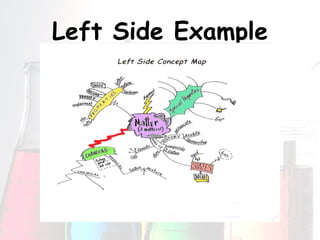
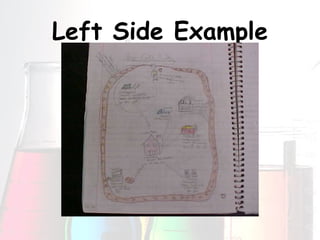
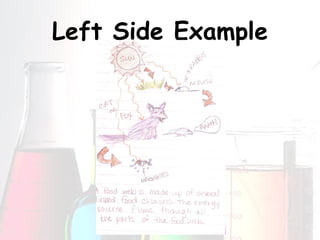
Left Side Options This is  your  side to show you understand  the material This   c o l o r f u l  and creative interaction helps your brain to process and remember the information better The result is greater success in science!! Left side choices Concept Maps Drawings/illustrations Poems/raps/songs Flow Charts Graphs Teach your parent
Left Side Example
Left Side Example
Left Side Example
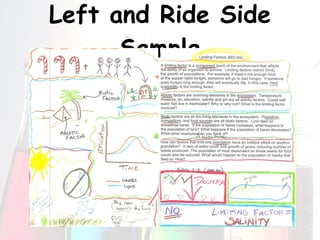
Left and Ride Side Sample
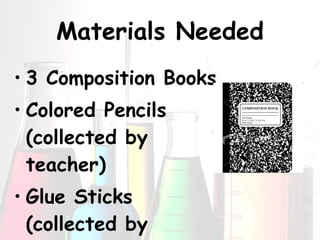
Materials Needed 3 Composition Books Colored Pencils (collected by teacher) Glue Sticks (collected by teacher)
Setting up the ISN Be sure to follow along CAREFULLY
1 st  Page In the top right hand corner of the page Your name Your class period The name of the unit centered on the page:  Populations & Ecosystems A colored illustration (or two) representing your ideas of the unit topic
Back of 1 st  Page Neatly center and glue the page titled  Interactive Science Notebook Guidelines
Front of 2 nd   Page Neatly center and glue the page titled  what your notebook should look like
Back  of 2 nd   Page Neatly center and glue the page titled  Learning Targets
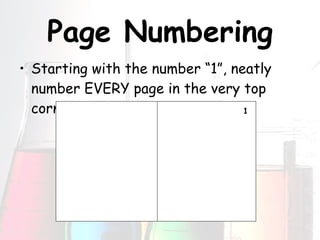
Page Numbering Starting with the number “1”, neatly number EVERY page in the very top corner 1
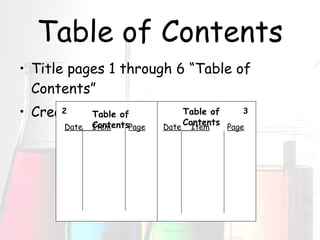
Table of Contents Title pages 1 through 6 “Table of Contents” Create table as shown Table of Contents Table of Contents Date  Item Page Date  Item Page 2 3
Page 7 Neatly center and glue the page titled  Safety Contract
Page 8 & Beyond Each page from this point on needs to have a date below the page number Odd numbered pages (right side) are for information from your ODD teacher Even numbered pages (left side) are for you to interact and creatively/colorfully respond to the information we’re discussing

Interactive Science Notebooks 2009

  • 1.
  • 2.
    What is anInteractive Science Notebook (ISN)? A student thinking tool – one that allows you to organize your thoughts & reflections in a fun and creative way A way to access and process the information using different parts of your brain (done through writing, drawing and discussion) A means for all students to work at their level A formative assessment tool for teachers KEY TO SCIENCE SUCCESS!!
  • 3.
    Why use anISN? To be like a REAL scientist! To record our thoughts, observations, questions and ideas
  • 4.
    How does itwork? Your ISN will be only used for science class and a new one will be created for each unit It will be divided into 2 parts – a left side and a right side It will contain a detailed table of contents Every page will be numbered and dated It will be the key to your success in 7 th grade science
  • 5.
    Left Side-Right Side: Which Side? The left side of your ISN LOVES student work This side allows you to c r e a t i v e l y interact with what we are learning The right side of your ISN is RESTRICTED This side contains ONLY information given to you by your teacher – nothing else
  • 6.
    The Right Side This is the information given to you by your teacher during class Examples may include: Lecture, video or textbook Notes Lab Activities Summaries Data from Experiments Classroom Specific Information Vocabulary Information on this side is TESTABLE material
  • 7.
    The Left SideLet your c r e a t i v i t y shine
  • 8.
    Left Side OptionsThis is your side to show you understand the material This c o l o r f u l and creative interaction helps your brain to process and remember the information better The result is greater success in science!! Left side choices Concept Maps Drawings/illustrations Poems/raps/songs Flow Charts Graphs Teach your parent
  • 9.
  • 10.
  • 11.
  • 12.
    Left and RideSide Sample
  • 13.
    Materials Needed 3Composition Books Colored Pencils (collected by teacher) Glue Sticks (collected by teacher)
  • 14.
    Setting up theISN Be sure to follow along CAREFULLY
  • 15.
    1 st Page In the top right hand corner of the page Your name Your class period The name of the unit centered on the page: Populations & Ecosystems A colored illustration (or two) representing your ideas of the unit topic
  • 16.
    Back of 1st Page Neatly center and glue the page titled Interactive Science Notebook Guidelines
  • 17.
    Front of 2nd Page Neatly center and glue the page titled what your notebook should look like
  • 18.
    Back of2 nd Page Neatly center and glue the page titled Learning Targets
  • 19.
    Page Numbering Startingwith the number “1”, neatly number EVERY page in the very top corner 1
  • 20.
    Table of ContentsTitle pages 1 through 6 “Table of Contents” Create table as shown Table of Contents Table of Contents Date Item Page Date Item Page 2 3
  • 21.
    Page 7 Neatlycenter and glue the page titled Safety Contract
  • 22.
    Page 8 &Beyond Each page from this point on needs to have a date below the page number Odd numbered pages (right side) are for information from your ODD teacher Even numbered pages (left side) are for you to interact and creatively/colorfully respond to the information we’re discussing