Rick Vanover Senior Product Strategy Manager
@RickVanover @Veeam
Configuring EMC VNX & VNXe
with Veeam Availability Suite v9
About the author
Agenda
About this webinar
https://www.veeam.com/videos/configuring-emc-vnx-vnxe-with-
veeam-7296.html
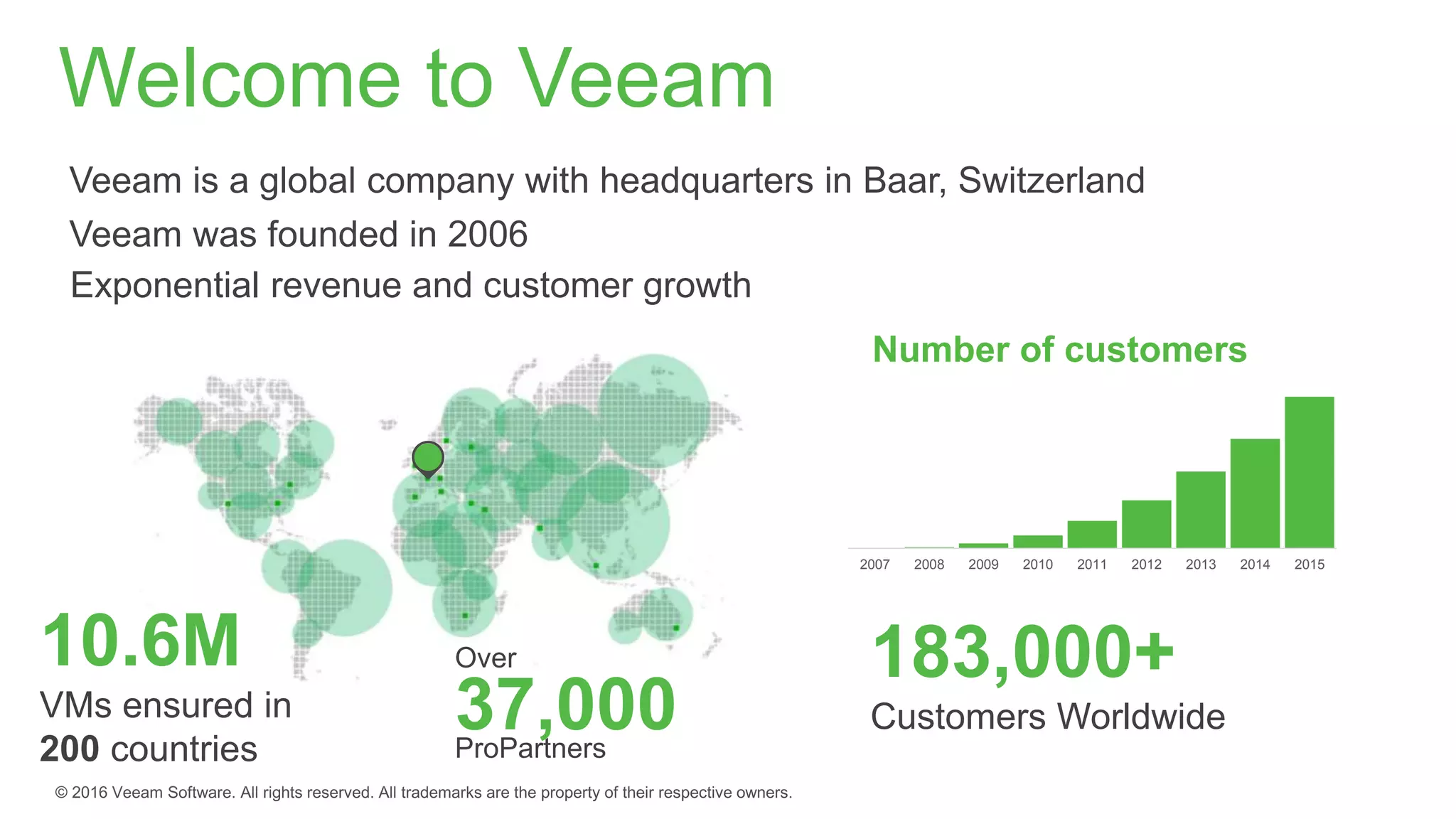
Welcome to Veeam
Over
37,000ProPartners
Veeam was founded in 2006
Exponential revenue and customer growth
183,000+
Customers Worldwide
2007 2008 2009 2010 2011 2012 2013 2014 2015
Number of customers
10.6M
VMs ensured in
200 countries
Modern Data Center
Virtualization Modern storage Cloud
Legacy
backup GAP
Availability
requirements
RTO and RPO of
hours/days
Less than 6% tested
quarterly
Failure in more than 16%
Backup data not leveraged
No visibility
24/7 operations
No patience for
downtime and data loss
Growing amount of
data
Enable the Always-On Enterprise
82% of CIOs
saythere is a gap between
the level of availability legacy
backup solutions provide and
what end users demand
RTPOTM
< 15min
100% tested
Failure rate 0%
Testing every upgrade or
patch
Proactive visibility
Modern Data Center
includes Veeam Backup & ReplicationTM
and Veeam ONETM
Enable the Always-On Enterprise
Virtualization Modern storage Cloud
24/7 operations
No patience for
downtime and data loss
Growing amount of
data
Eight years of innovation – First to market
NEW v9
Veeam integration with EMC
Storage Snapshots
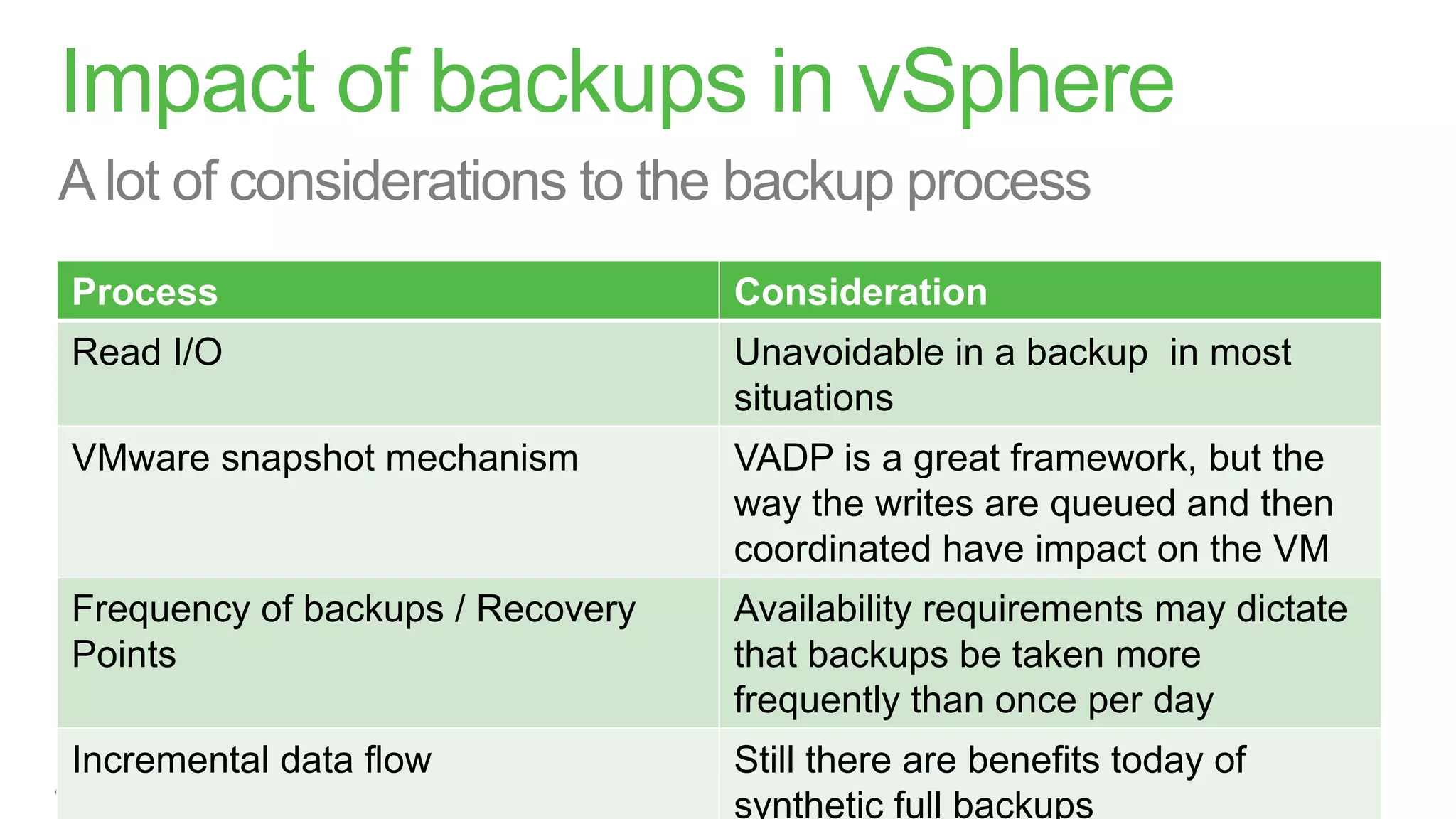
Impact of backups in vSphere
Process Consideration
Read I/O Unavoidable in a backup in most
situations
VMware snapshot mechanism VADP is a great framework, but the
way the writes are queued and then
coordinated have impact on the VM
Frequency of backups / Recovery
Points
Availability requirements may dictate
that backups be taken more
frequently than once per day
Incremental data flow Still there are benefits today of
synthetic full backups
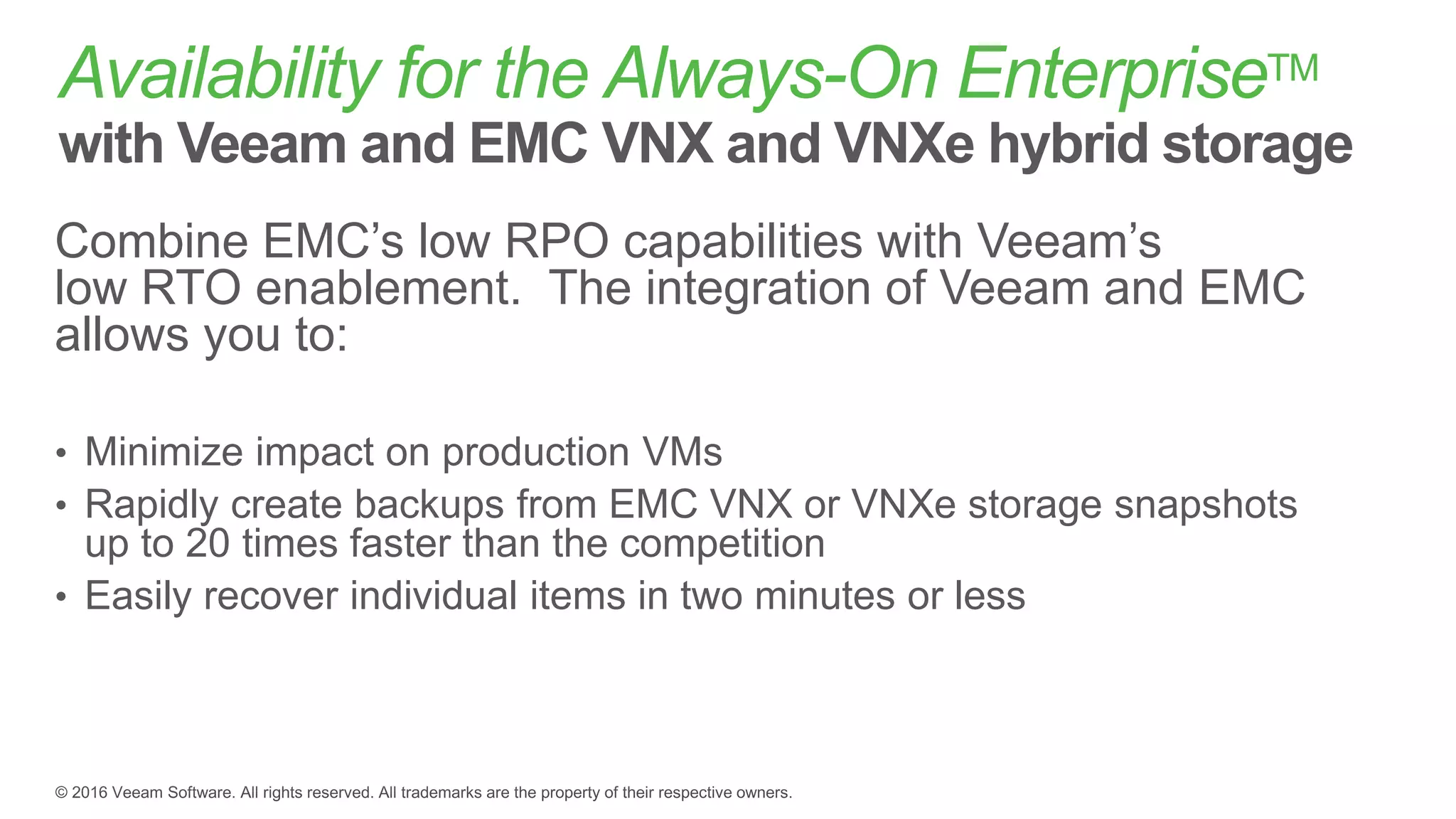
Availability for the Always-On EnterpriseTM
with Veeam and EMC VNX and VNXe hybrid storage
Combine EMC’s low RPO capabilities with Veeam’s
low RTO enablement. The integration of Veeam and EMC
allows you to:
• Minimize impact on production VMs
• Rapidly create backups from EMC VNX or VNXe storage snapshots
up to 20 times faster than the competition
• Easily recover individual items in two minutes or less
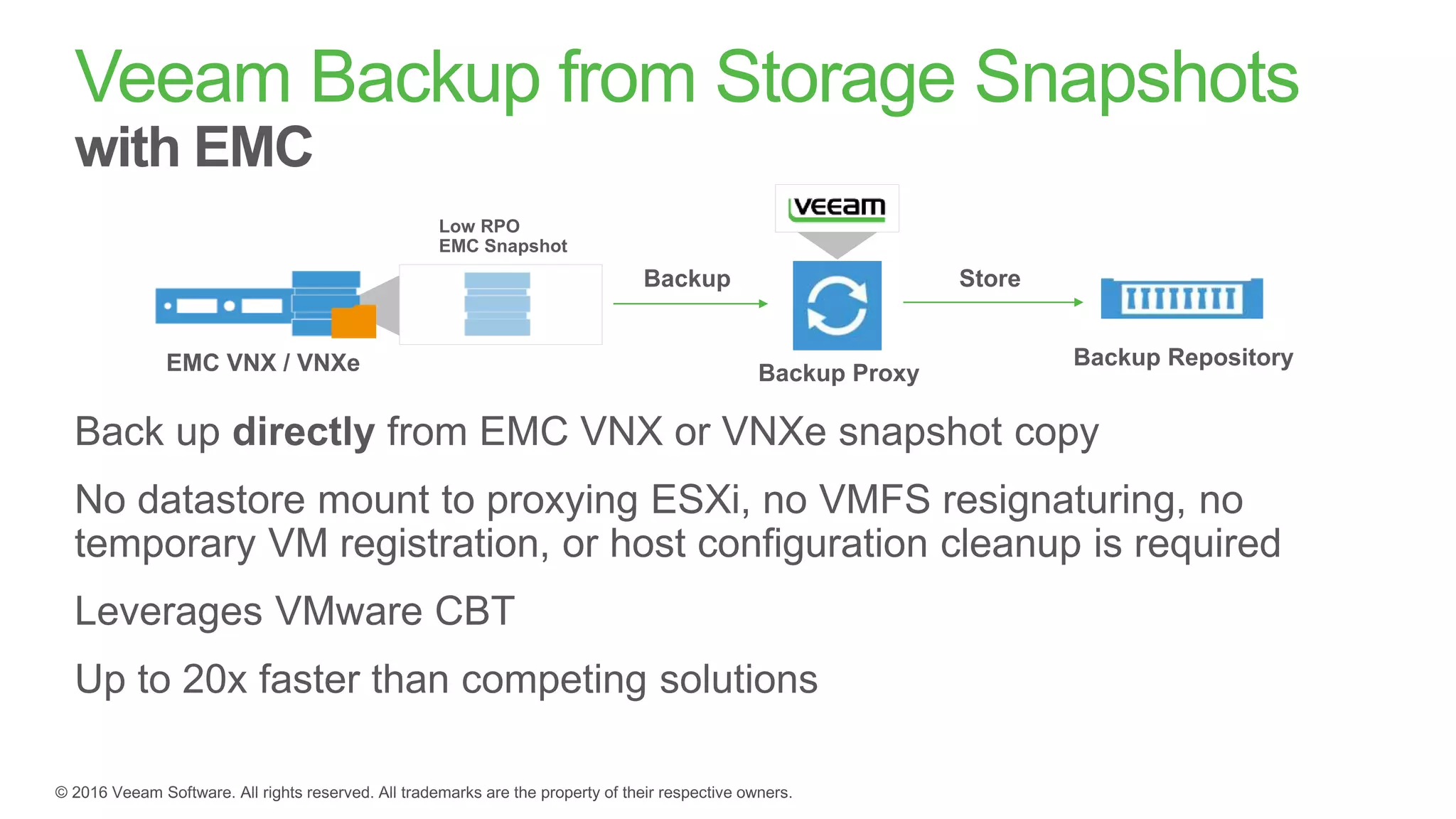
Veeam Backup from Storage Snapshots
with EMC
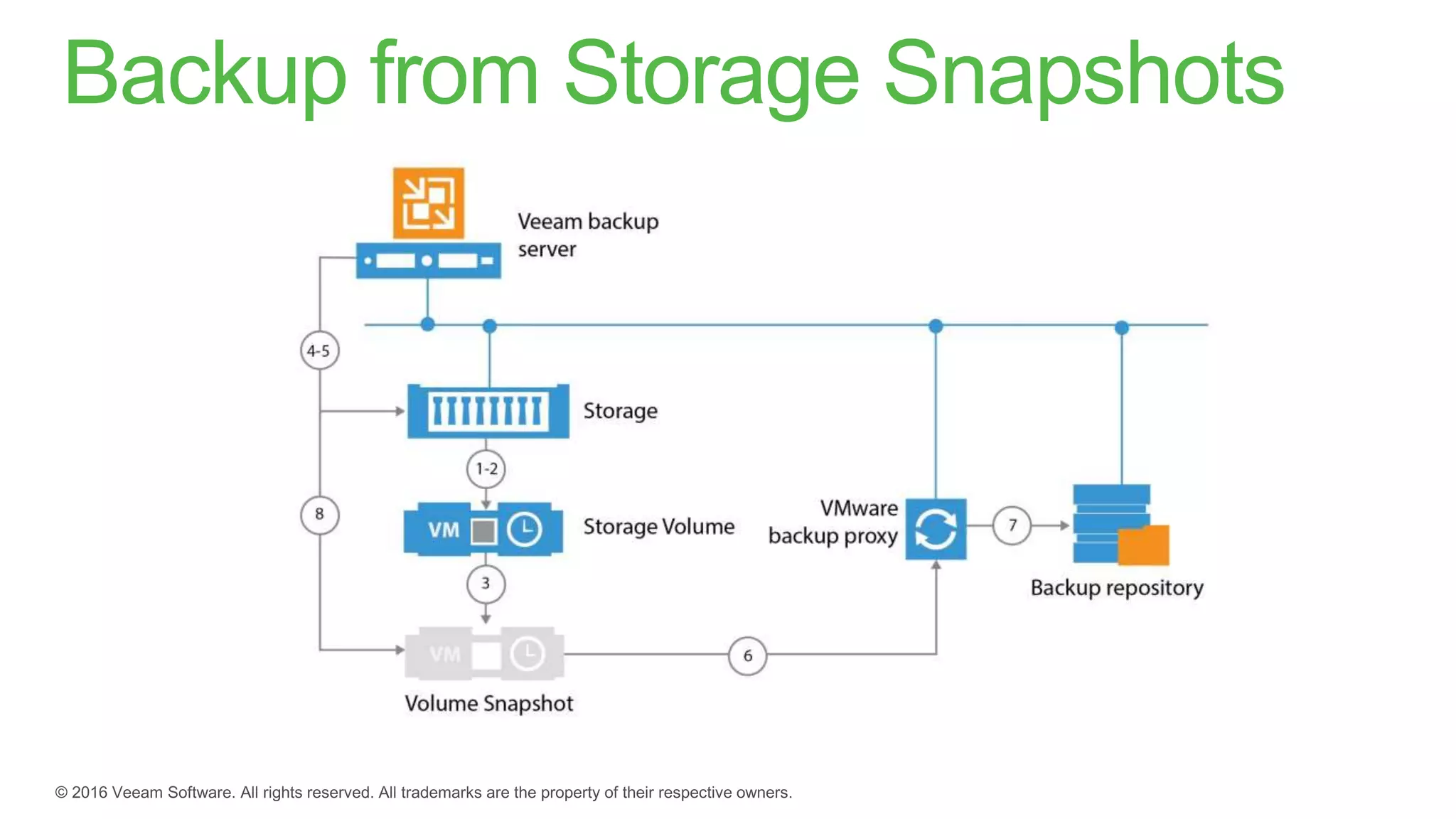
Backup from Storage Snapshots
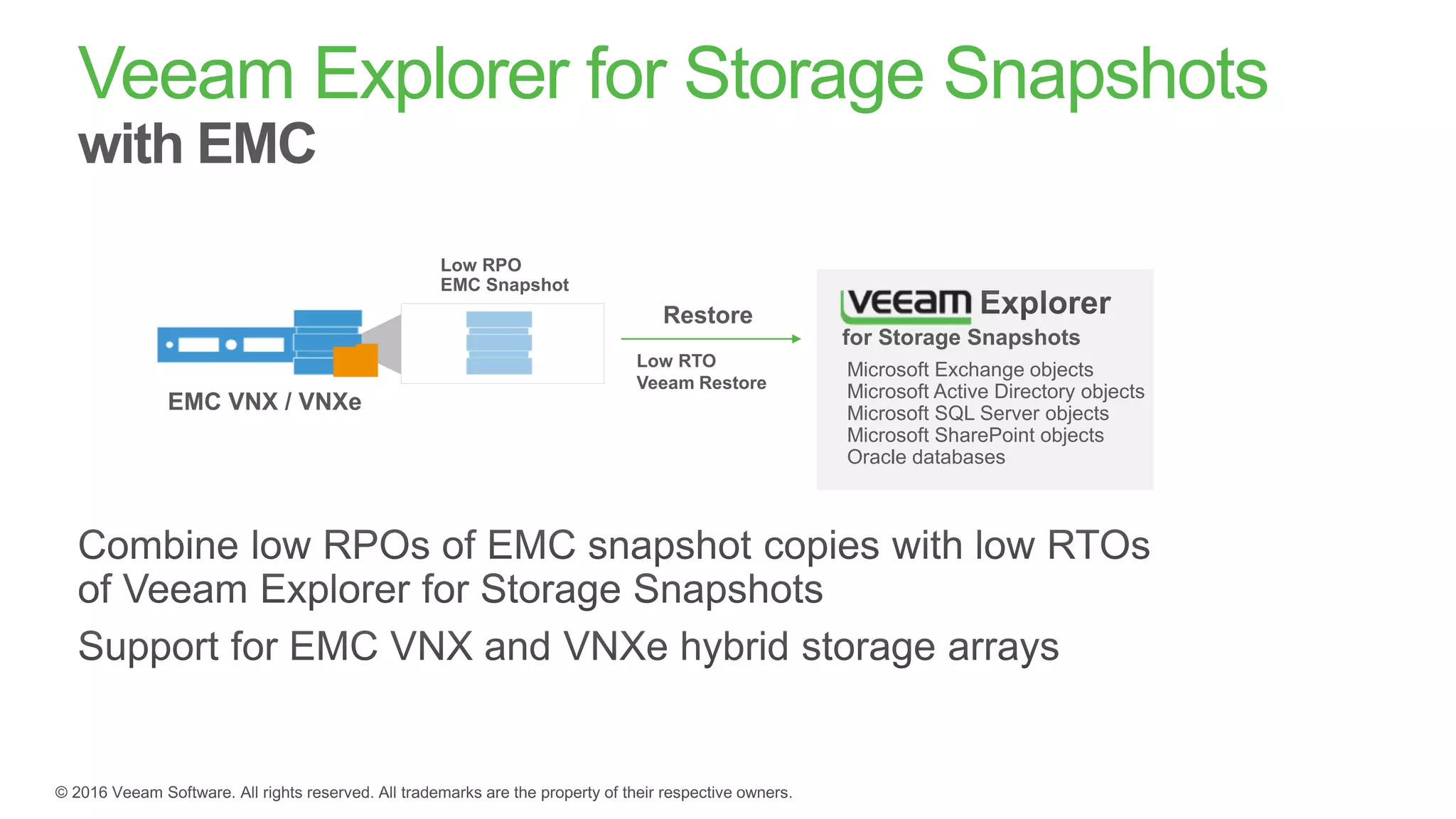
Veeam Explorer for Storage Snapshots
with EMC
Microsoft Exchange objects
Microsoft Active Directory objects
Microsoft SQL Server objects
Microsoft SharePoint objects
Oracle databases
for Storage Snapshots

Integration with EMC VNX and VNXe hybrid storage arrays

  • 1.
    Rick Vanover SeniorProduct Strategy Manager @RickVanover @Veeam Configuring EMC VNX & VNXe with Veeam Availability Suite v9
  • 2.
  • 3.
  • 4.
  • 5.
    Welcome to Veeam Over 37,000ProPartners Veeamwas founded in 2006 Exponential revenue and customer growth 183,000+ Customers Worldwide 2007 2008 2009 2010 2011 2012 2013 2014 2015 Number of customers 10.6M VMs ensured in 200 countries
  • 6.
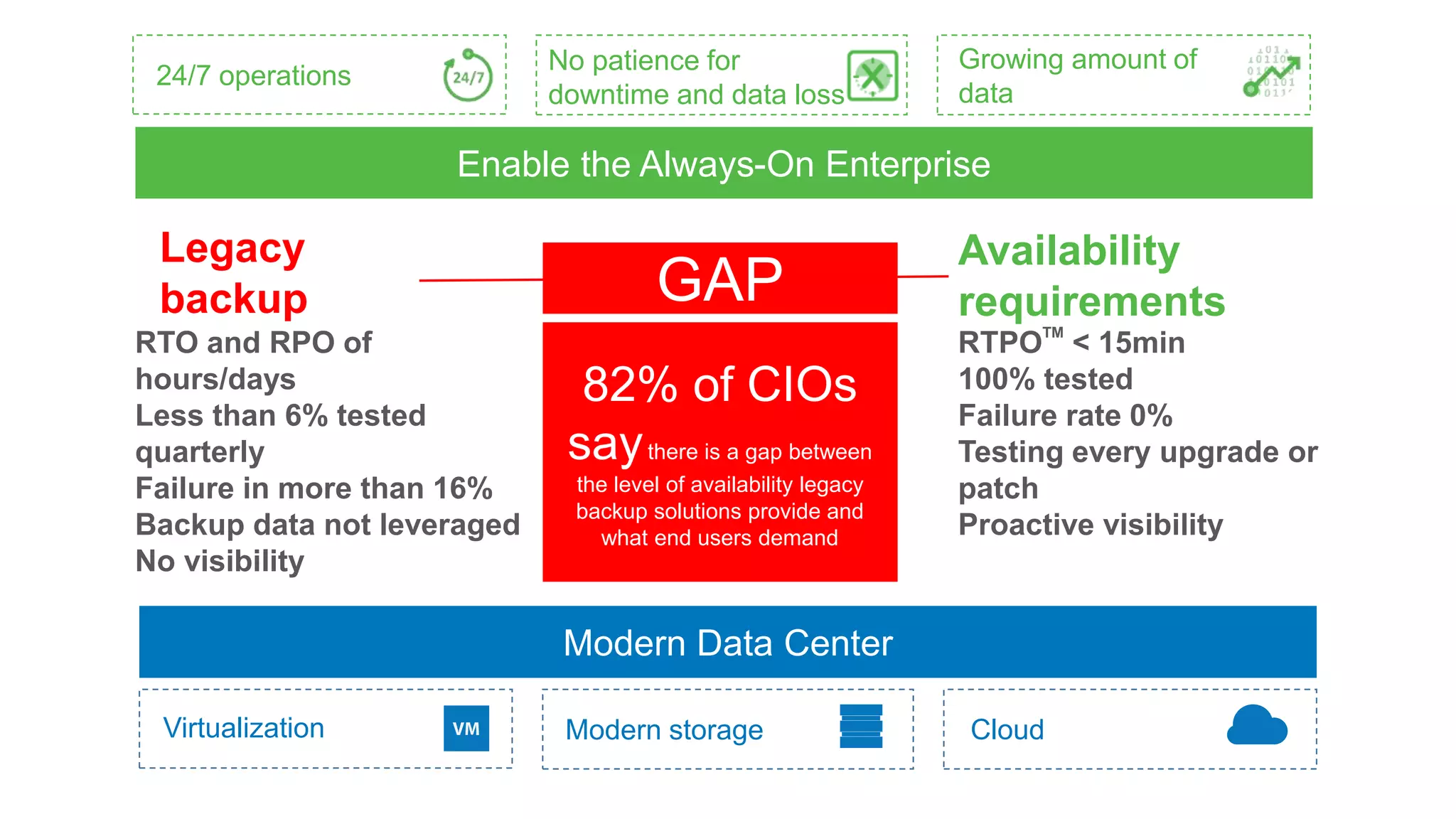
    Modern Data Center VirtualizationModern storage Cloud Legacy backup GAP Availability requirements RTO and RPO of hours/days Less than 6% tested quarterly Failure in more than 16% Backup data not leveraged No visibility 24/7 operations No patience for downtime and data loss Growing amount of data Enable the Always-On Enterprise 82% of CIOs saythere is a gap between the level of availability legacy backup solutions provide and what end users demand RTPOTM < 15min 100% tested Failure rate 0% Testing every upgrade or patch Proactive visibility
  • 7.
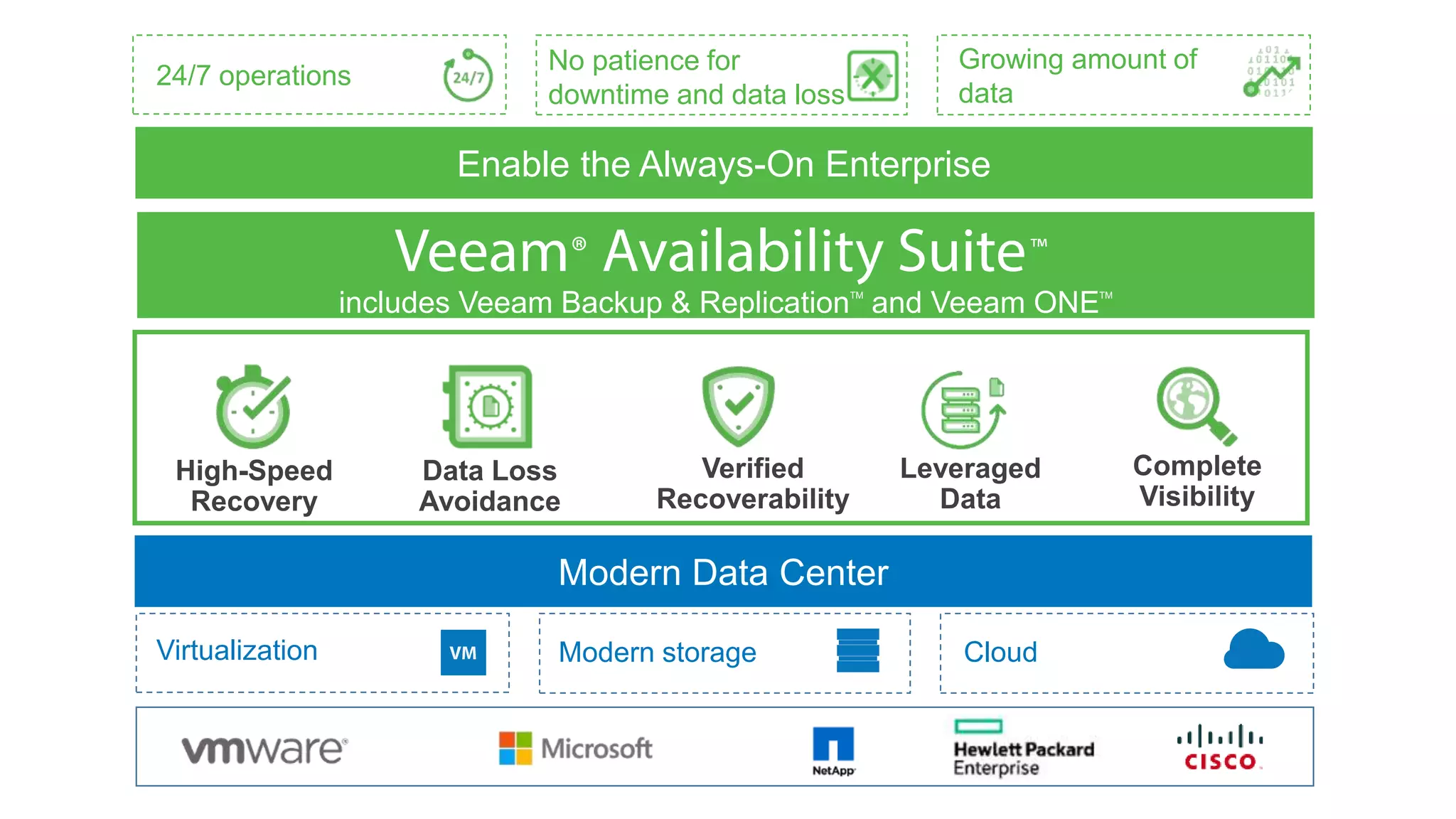
    Modern Data Center includesVeeam Backup & ReplicationTM and Veeam ONETM Enable the Always-On Enterprise Virtualization Modern storage Cloud 24/7 operations No patience for downtime and data loss Growing amount of data
  • 8.
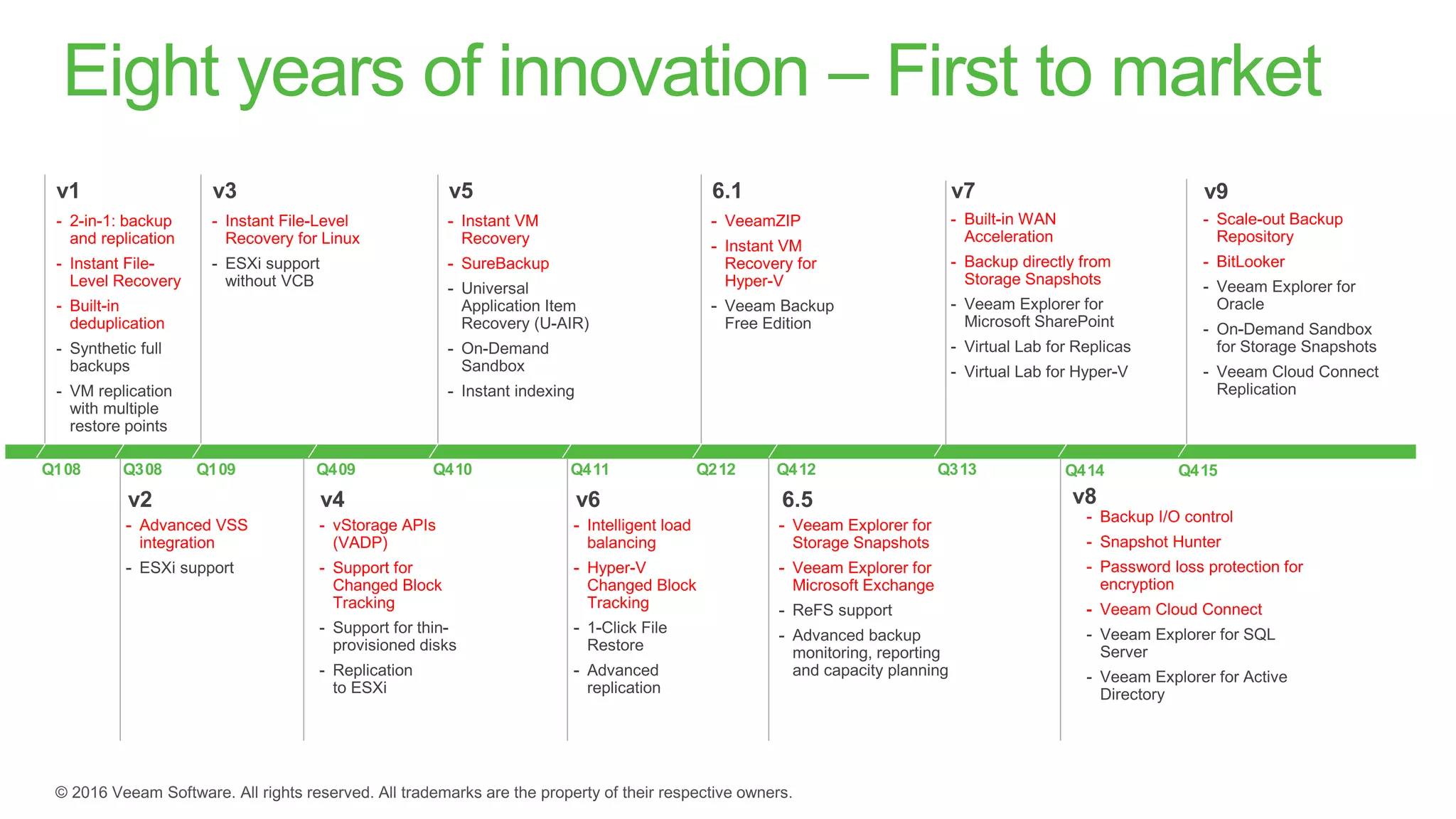
    Eight years ofinnovation – First to market
  • 9.
  • 10.
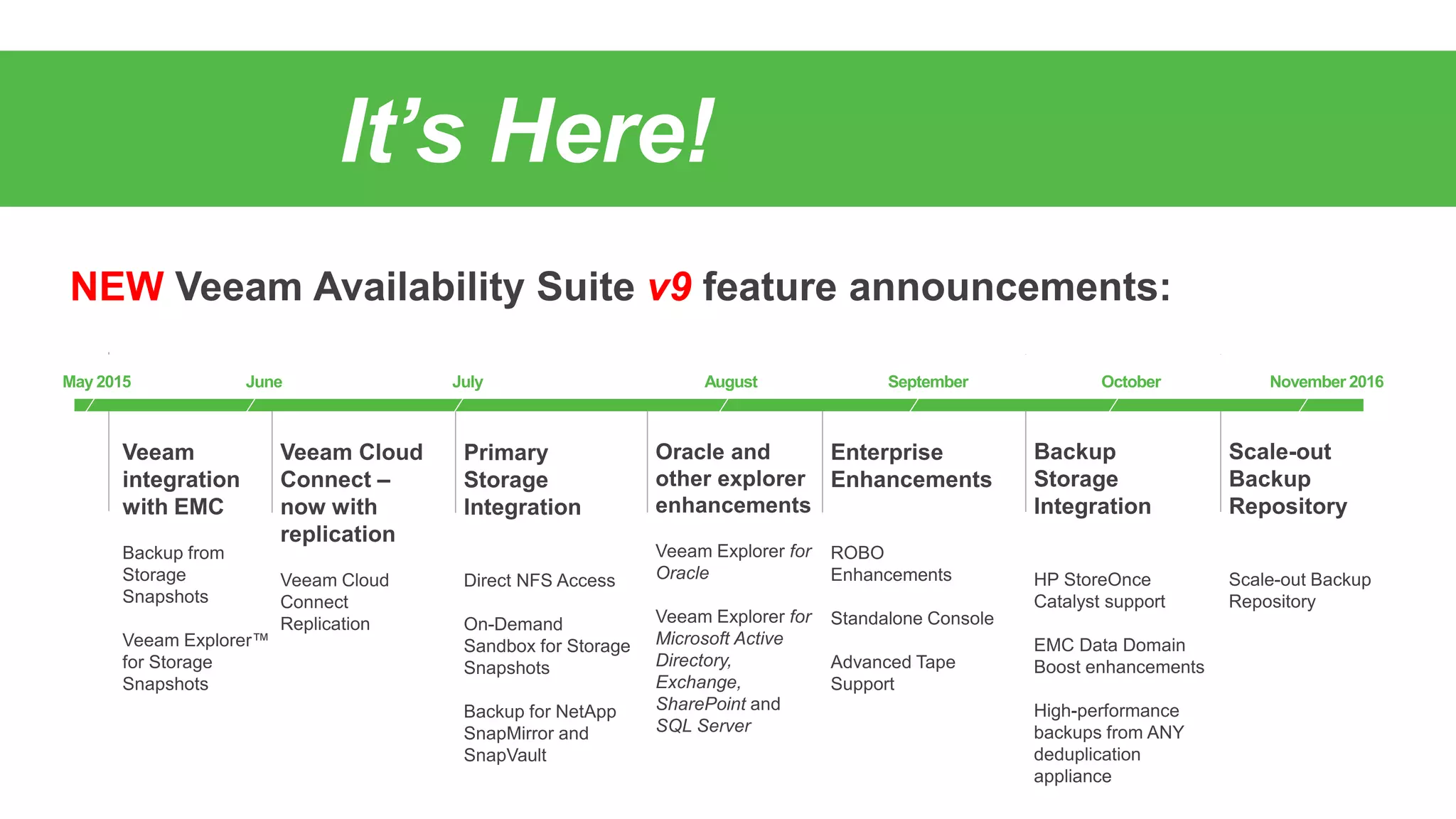
    Veeam integration withEMC Storage Snapshots
  • 11.
    Impact of backupsin vSphere Process Consideration Read I/O Unavoidable in a backup in most situations VMware snapshot mechanism VADP is a great framework, but the way the writes are queued and then coordinated have impact on the VM Frequency of backups / Recovery Points Availability requirements may dictate that backups be taken more frequently than once per day Incremental data flow Still there are benefits today of synthetic full backups
  • 12.
    Availability for theAlways-On EnterpriseTM with Veeam and EMC VNX and VNXe hybrid storage Combine EMC’s low RPO capabilities with Veeam’s low RTO enablement. The integration of Veeam and EMC allows you to: • Minimize impact on production VMs • Rapidly create backups from EMC VNX or VNXe storage snapshots up to 20 times faster than the competition • Easily recover individual items in two minutes or less
  • 13.
    Veeam Backup fromStorage Snapshots with EMC
  • 14.
  • 15.
    Veeam Explorer forStorage Snapshots with EMC Microsoft Exchange objects Microsoft Active Directory objects Microsoft SQL Server objects Microsoft SharePoint objects Oracle databases for Storage Snapshots

Editor's Notes

  • #7 This opens a gap – an “availability gap” – between the requirements of the always-on business and IT’s ability to effectively deliver availability to the vast majority of these businesses. 82% of CIOs say that there is a gap between the level of availability they can provide now and what end-users demand in order to provide an always-on business.
  • #8 With this new approach, Veeam complements the ecosystem of modern data center technology vendors like VMware, Microsoft, HP, Cisco, NetApp, EMC, Nimble, Nutanix and others and has strong partnerships with each of them
  • #13 Veeam’s integration with EMC VNX and VNXe storage snapshots provides lower RPOs and RTOs, and builds on Veeam’s existing support for HP and NetApp storage. These capabilities are supported by Veeam’s Backup from Storage Snapshots and Veeam Explorer for Storage Snapshots. With this integration you can minimize the impact on production VMs, rapidly create backups from EMC VNX or VNXe storage snapshots up to 20 times faster than the competition, and easily recover individual items in two minutes or less
  • #14 First, let’s talk about Veeam Backup from Storage Snapshots with EMC. With Veeam Backup from Storage Snapshots, you perform a backup directly from the EMC VNX or VNXe snapshot copy; you no longer have to rely entirely on the VMware vSphere snapshots to do a backup. We also remove the time-consuming but commonly found need to use a separate ESXi host for datastore mounting along the way. And we leverage change-block tracking, or CBT, meaning you’ll see a significantly smaller backup window – up to a 20x faster backup process –than you’ll see from competing solutions
  • #15 access to the storage provided on the array. The sequence of steps is as shown: 1. Veeam will analyze which VMs in the job have disks on a configured VNX or VNXe storage array. 2. Veeam will then trigger a snapshot of said storage volume once all VM snapshots have been created. 3. Veeam will trigger a vSphere snapshot for all VMs located on the same storage volume. (As a part of a vSphere snapshot, Veeam’s application-aware processing of each VM is performed normally.) 4. 5. The proxy will then retrieve the changed block tracking (CBT) information for VM snapshots created on step 2. 6. Veeam will then immediately trigger the removal of the vSphere snapshots on the production VMs. 7. The Veeam proxy will then mount the storage snapshot to one of the backup proxies connected into the storage fabric. 8. The Veeam proxy will then read new and changed virtual disk data blocks directly from the storage snapshot and transports them to the backup repository or replica VM. 9. Veeam then triggers the removal of the storage snapshot once all VMs have been backed up.
  • #16 Backing up from storage snapshots however is only one of the benefits of Veeam’s integration with EMC. Veeam is also integrating its Explorer for Storage Snapshots with EMC VNX and VNXe by leveraging EMC’s native API, allowing Veeam to bring intelligence to recovery from a storage snapshot. Inherently storage snapshots are intended to recover entire volumes, which may contain many virtual machines. But with Veeam Explorer for Storage Snapshots, any recovery scenario is supported, whether you want to recover an individual file, restore an individual application item such as an Exchange e-mail or SharePoint document or even recover a single VM in a matter of minutes. Veeam Explorer for Storage Snapshots therefore delivers low RTOs for multiple recovery scenarios.