Integration Testing with Behat
Oscar Merida
March 2016
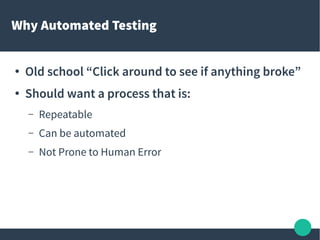
Why Automated Testing
● Old school “Click around to see if anything broke”
● Should want a process that is:
– Repeatable
– Can be automated
– Not Prone to Human Error
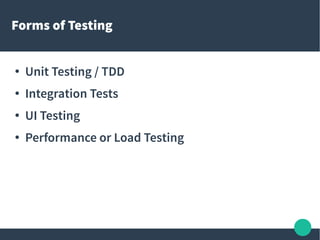
Forms of Testing
● Unit Testing / TDD
● Integration Tests
● UI Testing
● Performance or Load Testing
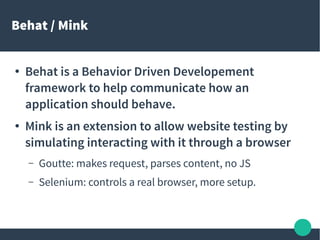
Behat / Mink
● Behat is a Behavior Driven Developement
framework to help communicate how an
application should behave.
● Mink is an extension to allow website testing by
simulating interacting with it through a browser
– Goutte: makes request, parses content, no JS
– Selenium: controls a real browser, more setup.
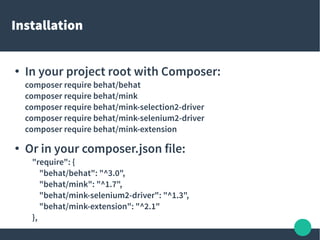
Installation
●
In your project root with Composer:
composer require behat/behat
composer require behat/mink
composer require behat/mink-selection2-driver
composer require behat/mink-selenium2-driver
composer require behat/mink-extension
●
Or in your composer.json file:
"require": {
"behat/behat": "^3.0",
"behat/mink": "^1.7",
"behat/mink-selenium2-driver": "^1.3",
"behat/mink-extension": "^2.1"
},
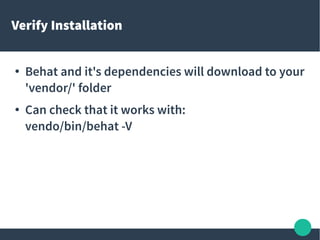
Verify Installation
● Behat and it's dependencies will download to your
'vendor/' folder
● Can check that it works with:
vendo/bin/behat -V
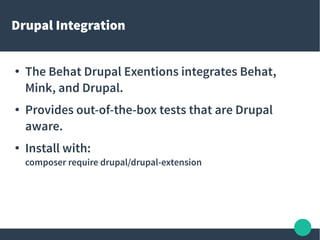
Drupal Integration
● The Behat Drupal Exentions integrates Behat,
Mink, and Drupal.
● Provides out-of-the-box tests that are Drupal
aware.
● Install with:
composer require drupal/drupal-extension
Configuration
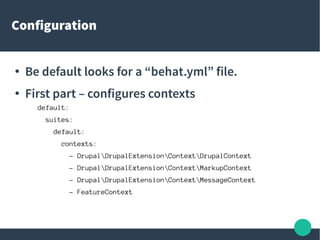
● Be default looks for a “behat.yml” file.
● First part – configures contexts
default:
suites:
default:
contexts:
- DrupalDrupalExtensionContextDrupalContext
- DrupalDrupalExtensionContextMarkupContext
- DrupalDrupalExtensionContextMessageContext
- FeatureContext
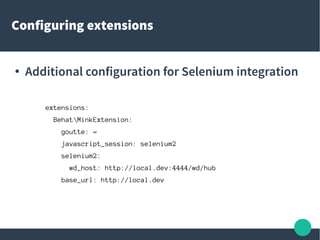
Configuring extensions
● Additional configuration for Selenium integration
extensions:
BehatMinkExtension:
goutte: ~
javascript_session: selenium2
selenium2:
wd_host: http://local.dev:4444/wd/hub
base_url: http://local.dev
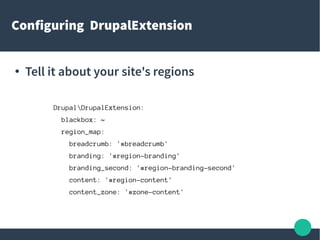
Configuring DrupalExtension
● Tell it about your site's regions
DrupalDrupalExtension:
blackbox: ~
region_map:
breadcrumb: '#breadcrumb'
branding: '#region-branding'
branding_second: '#region-branding-second'
content: '#region-content'
content_zone: '#zone-content'
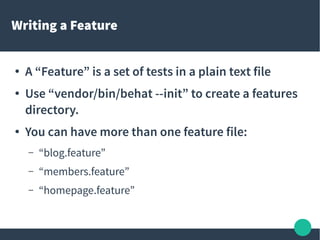
Writing a Feature
● A “Feature” is a set of tests in a plain text file
● Use “vendor/bin/behat --init” to create a features
directory.
● You can have more than one feature file:
– “blog.feature”
– “members.feature”
– “homepage.feature”
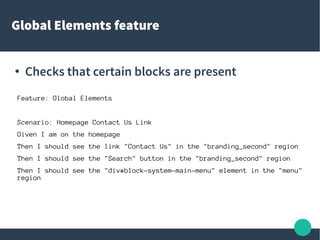
Global Elements feature
● Checks that certain blocks are present
Feature: Global Elements
Scenario: Homepage Contact Us Link
Given I am on the homepage
Then I should see the link "Contact Us" in the "branding_second" region
Then I should see the "Search" button in the "branding_second" region
Then I should see the "div#block-system-main-menu" element in the "menu"
region

Integration Testing with Behat drupal

  • 1.
    Integration Testing withBehat Oscar Merida March 2016
  • 2.
    Why Automated Testing ●Old school “Click around to see if anything broke” ● Should want a process that is: – Repeatable – Can be automated – Not Prone to Human Error
  • 3.
    Forms of Testing ●Unit Testing / TDD ● Integration Tests ● UI Testing ● Performance or Load Testing
  • 4.
    Behat / Mink ●Behat is a Behavior Driven Developement framework to help communicate how an application should behave. ● Mink is an extension to allow website testing by simulating interacting with it through a browser – Goutte: makes request, parses content, no JS – Selenium: controls a real browser, more setup.
  • 5.
    Installation ● In your projectroot with Composer: composer require behat/behat composer require behat/mink composer require behat/mink-selection2-driver composer require behat/mink-selenium2-driver composer require behat/mink-extension ● Or in your composer.json file: "require": { "behat/behat": "^3.0", "behat/mink": "^1.7", "behat/mink-selenium2-driver": "^1.3", "behat/mink-extension": "^2.1" },
  • 6.
    Verify Installation ● Behatand it's dependencies will download to your 'vendor/' folder ● Can check that it works with: vendo/bin/behat -V
  • 7.
    Drupal Integration ● TheBehat Drupal Exentions integrates Behat, Mink, and Drupal. ● Provides out-of-the-box tests that are Drupal aware. ● Install with: composer require drupal/drupal-extension
  • 8.
    Configuration ● Be defaultlooks for a “behat.yml” file. ● First part – configures contexts default: suites: default: contexts: - DrupalDrupalExtensionContextDrupalContext - DrupalDrupalExtensionContextMarkupContext - DrupalDrupalExtensionContextMessageContext - FeatureContext
  • 9.
    Configuring extensions ● Additionalconfiguration for Selenium integration extensions: BehatMinkExtension: goutte: ~ javascript_session: selenium2 selenium2: wd_host: http://local.dev:4444/wd/hub base_url: http://local.dev
  • 10.
    Configuring DrupalExtension ● Tellit about your site's regions DrupalDrupalExtension: blackbox: ~ region_map: breadcrumb: '#breadcrumb' branding: '#region-branding' branding_second: '#region-branding-second' content: '#region-content' content_zone: '#zone-content'
  • 11.
    Writing a Feature ●A “Feature” is a set of tests in a plain text file ● Use “vendor/bin/behat --init” to create a features directory. ● You can have more than one feature file: – “blog.feature” – “members.feature” – “homepage.feature”
  • 12.
    Global Elements feature ●Checks that certain blocks are present Feature: Global Elements Scenario: Homepage Contact Us Link Given I am on the homepage Then I should see the link "Contact Us" in the "branding_second" region Then I should see the "Search" button in the "branding_second" region Then I should see the "div#block-system-main-menu" element in the "menu" region