Angus Li(@angusli)
 Performance paradigm
 Basic rules of website performance
 Optimize LAMP stack
 Tweak Magento box
 Tools & utilities
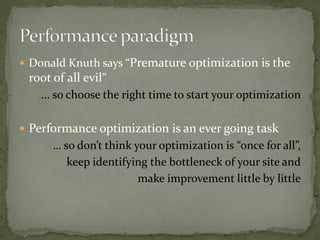
 Donald Knuth says “Premature optimization       is the
 root of all evil”
    ... so choose the right time to start your optimization

 Performance optimization is an ever going task
      … so don’t think your optimization is “once for all”,
         keep identifying the bottleneck of your site and
                        make improvement little by little
Server side         Network/HTTP                  Browser

Process your page      Transfer your           Render your page
  as quickly as      content as quickly          as quickly as
    possible            as possible                possible

                    Performance optimization
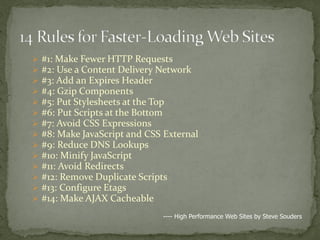
   #1: Make Fewer HTTP Requests
   #2: Use a Content Delivery Network
   #3: Add an Expires Header
   #4: Gzip Components
   #5: Put Stylesheets at the Top
   #6: Put Scripts at the Bottom
   #7: Avoid CSS Expressions
   #8: Make JavaScript and CSS External
   #9: Reduce DNS Lookups
   #10: Minify JavaScript
   #11: Avoid Redirects
   #12: Remove Duplicate Scripts
   #13: Configure Etags
   #14: Make AJAX Cacheable
                               ---- High Performance Web Sites by Steve Souders
 Install a minimal Linux distribution with necessary
  packages only, get rid of GUI, X-window etc.
 Stop and disable the unused services, e.g. cups
 Tweak kernel parameters:
  #   echo '8192' > /proc/sys/fs/file-max
  #   echo '32768' > /proc/sys/fs/inode-max
  #   echo 268435456 >/proc/sys/kernel/shmall
  #   echo 268435456 >/proc/sys/kernel/shmmax
  #   ulimit -n 4096
 Compile required modules statically instead of
 DSO(Dynamic Shared Object), and disabled useless
 modules

  ./configure --prefix=/usr/local/apache2 --disable-
    status --disable-userdir --disable-threads --disable-
    ipv6 --enable-modules='ssl so rewrite deflate headers
    expires'

  Why? http://httpd.apache.org/docs/2.2/dso.html#advantages
  “DSO has the following disadvantages”
 Open .htaccess under Magento root directory,
 uncomment the directives between “<IfModule
 mod_deflate.c>” and “</IfModule>

  <IfModule mod_deflate.c>
      AddOutputFilterByType DEFLATE text/html text/plain text/xml text/css text/javascript
      BrowserMatch ^Mozilla/4 gzip-only-text/html
      BrowserMatch ^Mozilla/4.0[678] no-gzip
      BrowserMatch bMSIE !no-gzip !gzip-only-text/html
      SetEnvIfNoCase Request_URI .(?:gif|jpe?g|png)$ no-gzip dont-vary
      Header append Vary User-Agent env=!dont-vary
  </IfModule>
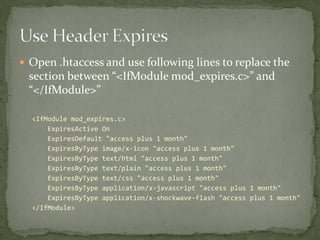
 Open .htaccess and use following lines to replace the
 section between “<IfModule mod_expires.c>” and
 “</IfModule>”

  <IfModule mod_expires.c>
      ExpiresActive On
      ExpiresDefault "access plus 1 month"
      ExpiresByType image/x-icon "access plus 1 month"
      ExpiresByType text/html "access plus 1 month"
      ExpiresByType text/plain "access plus 1 month"
      ExpiresByType text/css "access plus 1 month"
      ExpiresByType application/x-javascript "access plus 1 month"
      ExpiresByType application/x-shockwave-flash "access plus 1 month"
  </IfModule>
 Open .httaccess and scroll to the end, uncomment the
 directive “FileETag none”, also add several lines more if
 you haven’t enabled KeepAlive in httpd.conf

  FileETag None
  KeepAlive On
  MaxKeepAliveRequests 200
  KeepAliveTimeout 5
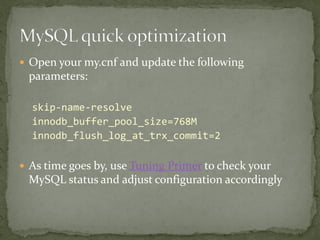
 Open your my.cnf and update the following
 parameters:

  skip-name-resolve
  innodb_buffer_pool_size=768M
  innodb_flush_log_at_trx_commit=2

 As time goes by, use Tuning Primer to check your
 MySQL status and adjust configuration accordingly
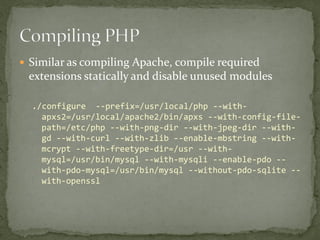
 Similar as compiling Apache, compile required
 extensions statically and disable unused modules

  ./configure --prefix=/usr/local/php --with-
    apxs2=/usr/local/apache2/bin/apxs --with-config-file-
    path=/etc/php --with-png-dir --with-jpeg-dir --with-
    gd --with-curl --with-zlib --enable-mbstring --with-
    mcrypt --with-freetype-dir=/usr --with-
    mysql=/usr/bin/mysql --with-mysqli --enable-pdo --
    with-pdo-mysql=/usr/bin/mysql --without-pdo-sqlite --
    with-openssl
 Download latest stable version from eaccelerator.net
 Compile by enabling Shared Memory(for Magento
 cache, will talk about this later)

  ./configure --with-eaccelerator-shared-memory
    --enable-eaccelerator=shared --with-php-
    config=/usr/local/php/bin/php-config
 Add an Expires Header
 Gzip Components
 Configure Etags
 A lightweight LAMP stack which can boost your
  website performance maximally
 A fast-enough environment to run Magento efficiently


        Let’s move to Magento box!
 Cache with multiple adaptors
 Compiler
 Combine CSS & JS files
 Parallel Downloads
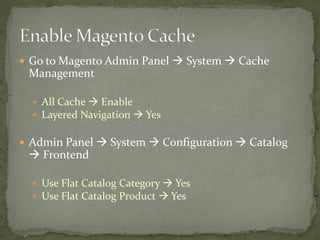
 Go to Magento Admin Panel  System  Cache
 Management

   All Cache  Enable
   Layered Navigation  Yes


 Admin Panel  System  Configuration  Catalog
  Frontend

   Use Flat Catalog Category  Yes
   Use Flat Catalog Product  Yes
 Open {Magento_root}/app/etc/local.xml, add the
 following three lines

  ...
      </resources>
      <session_save><![CDATA[files]]></session_save>
      <cache>
          <backend>eaccelerator</backend>
      </cache>
  </global>
  ...
 Admin Panel  System  Tools  Compilation 
 Run Compilation Process
 Admin Panel  System  Configuration  Developer


   Javascript Settings  Merge Javascript Files  Yes
   CSS Settings  Merge CSS Files  Yes
 Set up the following separate domains and point the
 VirtualHost DocumentRoot to corresponding paths
 under Magento folder

   js.foo.com  {Magento_root}/js
   media.foo.com  {Magento_root}/media
   skin.foo.com  {Magento_root}/skin


 Then go to Admin Panel  System  Configuration
  Website  Unsecure, and configure the Basic URLs
 accordingly
 Make Fewer HTTP Requests
 Put Stylesheets at the Top
 Make JavaScript and CSS External
 Reduce DNS Lookups
 Minify JavaScript
   Make Fewer HTTP Requests
     Add an Expires Header
     Gzip Components
     Put Stylesheets at the Top
     Avoid CSS Expressions (applies by default)
     Make JavaScript and CSS External
     Reduce DNS Lookups
     Minify JavaScript
     Avoid Redirects (applies by default)
     Remove Duplicate Scripts (applies by default)
     Configure Etags
     Make AJAX Cacheable (applies by default)

 You’ve made 12/14! That’s GREAT enough for a site at
 the beginning, agree?
 Firebug http://getfirebug.com/
 YSlow http://developer.yahoo.com/yslow/
 Page Speed http://code.google.com/speed/page-speed/docs/using.html
 Tuning Primer http://forge.mysql.com/projects/project.php?id=44
 WebPagetest http://www.webpagetest.org/
For more practices, go to Magento performance and optimization group

Magento Performance Optimization 101

  • 1.
  • 2.
     Performance paradigm Basic rules of website performance  Optimize LAMP stack  Tweak Magento box  Tools & utilities
  • 3.
     Donald Knuthsays “Premature optimization is the root of all evil” ... so choose the right time to start your optimization  Performance optimization is an ever going task … so don’t think your optimization is “once for all”, keep identifying the bottleneck of your site and make improvement little by little
  • 5.
    Server side Network/HTTP Browser Process your page Transfer your Render your page as quickly as content as quickly as quickly as possible as possible possible Performance optimization
  • 6.
    #1: Make Fewer HTTP Requests  #2: Use a Content Delivery Network  #3: Add an Expires Header  #4: Gzip Components  #5: Put Stylesheets at the Top  #6: Put Scripts at the Bottom  #7: Avoid CSS Expressions  #8: Make JavaScript and CSS External  #9: Reduce DNS Lookups  #10: Minify JavaScript  #11: Avoid Redirects  #12: Remove Duplicate Scripts  #13: Configure Etags  #14: Make AJAX Cacheable ---- High Performance Web Sites by Steve Souders
  • 8.
     Install aminimal Linux distribution with necessary packages only, get rid of GUI, X-window etc.  Stop and disable the unused services, e.g. cups  Tweak kernel parameters: # echo '8192' > /proc/sys/fs/file-max # echo '32768' > /proc/sys/fs/inode-max # echo 268435456 >/proc/sys/kernel/shmall # echo 268435456 >/proc/sys/kernel/shmmax # ulimit -n 4096
  • 9.
     Compile requiredmodules statically instead of DSO(Dynamic Shared Object), and disabled useless modules ./configure --prefix=/usr/local/apache2 --disable- status --disable-userdir --disable-threads --disable- ipv6 --enable-modules='ssl so rewrite deflate headers expires' Why? http://httpd.apache.org/docs/2.2/dso.html#advantages “DSO has the following disadvantages”
  • 10.
     Open .htaccessunder Magento root directory, uncomment the directives between “<IfModule mod_deflate.c>” and “</IfModule> <IfModule mod_deflate.c> AddOutputFilterByType DEFLATE text/html text/plain text/xml text/css text/javascript BrowserMatch ^Mozilla/4 gzip-only-text/html BrowserMatch ^Mozilla/4.0[678] no-gzip BrowserMatch bMSIE !no-gzip !gzip-only-text/html SetEnvIfNoCase Request_URI .(?:gif|jpe?g|png)$ no-gzip dont-vary Header append Vary User-Agent env=!dont-vary </IfModule>
  • 11.
     Open .htaccessand use following lines to replace the section between “<IfModule mod_expires.c>” and “</IfModule>” <IfModule mod_expires.c> ExpiresActive On ExpiresDefault "access plus 1 month" ExpiresByType image/x-icon "access plus 1 month" ExpiresByType text/html "access plus 1 month" ExpiresByType text/plain "access plus 1 month" ExpiresByType text/css "access plus 1 month" ExpiresByType application/x-javascript "access plus 1 month" ExpiresByType application/x-shockwave-flash "access plus 1 month" </IfModule>
  • 12.
     Open .httaccessand scroll to the end, uncomment the directive “FileETag none”, also add several lines more if you haven’t enabled KeepAlive in httpd.conf FileETag None KeepAlive On MaxKeepAliveRequests 200 KeepAliveTimeout 5
  • 13.
     Open yourmy.cnf and update the following parameters: skip-name-resolve innodb_buffer_pool_size=768M innodb_flush_log_at_trx_commit=2  As time goes by, use Tuning Primer to check your MySQL status and adjust configuration accordingly
  • 14.
     Similar ascompiling Apache, compile required extensions statically and disable unused modules ./configure --prefix=/usr/local/php --with- apxs2=/usr/local/apache2/bin/apxs --with-config-file- path=/etc/php --with-png-dir --with-jpeg-dir --with- gd --with-curl --with-zlib --enable-mbstring --with- mcrypt --with-freetype-dir=/usr --with- mysql=/usr/bin/mysql --with-mysqli --enable-pdo -- with-pdo-mysql=/usr/bin/mysql --without-pdo-sqlite -- with-openssl
  • 15.
     Download lateststable version from eaccelerator.net  Compile by enabling Shared Memory(for Magento cache, will talk about this later) ./configure --with-eaccelerator-shared-memory --enable-eaccelerator=shared --with-php- config=/usr/local/php/bin/php-config
  • 16.
     Add anExpires Header  Gzip Components  Configure Etags
  • 17.
     A lightweightLAMP stack which can boost your website performance maximally  A fast-enough environment to run Magento efficiently Let’s move to Magento box!
  • 19.
     Cache withmultiple adaptors  Compiler  Combine CSS & JS files  Parallel Downloads
  • 20.
     Go toMagento Admin Panel  System  Cache Management  All Cache  Enable  Layered Navigation  Yes  Admin Panel  System  Configuration  Catalog  Frontend  Use Flat Catalog Category  Yes  Use Flat Catalog Product  Yes
  • 21.
     Open {Magento_root}/app/etc/local.xml,add the following three lines ... </resources> <session_save><![CDATA[files]]></session_save> <cache> <backend>eaccelerator</backend> </cache> </global> ...
  • 22.
     Admin Panel System  Tools  Compilation  Run Compilation Process
  • 23.
     Admin Panel System  Configuration  Developer  Javascript Settings  Merge Javascript Files  Yes  CSS Settings  Merge CSS Files  Yes
  • 24.
     Set upthe following separate domains and point the VirtualHost DocumentRoot to corresponding paths under Magento folder  js.foo.com  {Magento_root}/js  media.foo.com  {Magento_root}/media  skin.foo.com  {Magento_root}/skin  Then go to Admin Panel  System  Configuration  Website  Unsecure, and configure the Basic URLs accordingly
  • 25.
     Make FewerHTTP Requests  Put Stylesheets at the Top  Make JavaScript and CSS External  Reduce DNS Lookups  Minify JavaScript
  • 26.
    Make Fewer HTTP Requests  Add an Expires Header  Gzip Components  Put Stylesheets at the Top  Avoid CSS Expressions (applies by default)  Make JavaScript and CSS External  Reduce DNS Lookups  Minify JavaScript  Avoid Redirects (applies by default)  Remove Duplicate Scripts (applies by default)  Configure Etags  Make AJAX Cacheable (applies by default)  You’ve made 12/14! That’s GREAT enough for a site at the beginning, agree?
  • 27.
     Firebug http://getfirebug.com/ YSlow http://developer.yahoo.com/yslow/  Page Speed http://code.google.com/speed/page-speed/docs/using.html  Tuning Primer http://forge.mysql.com/projects/project.php?id=44  WebPagetest http://www.webpagetest.org/
  • 28.
    For more practices,go to Magento performance and optimization group