BDD – BehaviourDriven Development
• TDD - Test-driven Design
• DDD - Domain-driven Design
• Grupa deweloperów i ludzi od biznesu mają te same
narzędzia do definiowania wymagań.
3.
BDD
• Grupa deweloperówi ludzi od biznesu mają te same
narzędzia do definiowania wymagań.
Czyli pisanie scenariuszy:
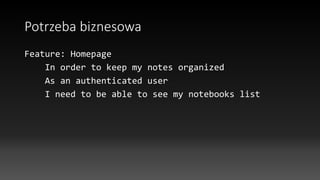
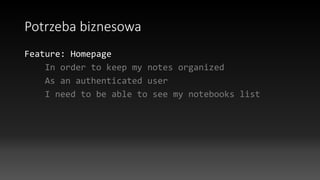
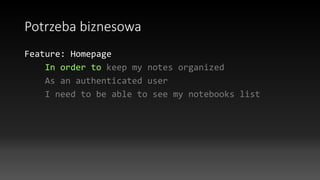
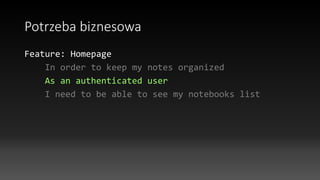
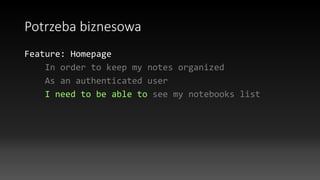
Potrzeba biznesowa -scenariusz
Scenario: Anonymous user should not be able to view
notebook list
Given I am anonymous user
When I click "Go to notebooks"
And I go to "/notebooks/"
Then I should be redirected to "/login"
11.
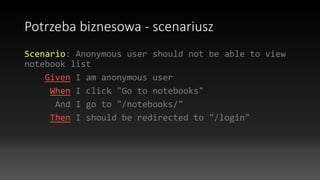
Potrzeba biznesowa -scenariusz
Scenario: User should can update notebook
and be redirected to notebook tasks
Given I am authenticated as "Greg"
And I go to "/notebooks/"
And I follow "Edit Todo list"
And I fill in "notebook_name" with "Shopping list
edited"
And I press "Submit"
Then I should see success message "The notebook has
been updated successfully"
And should be redirected to "/notebooks/(.+)"
12.
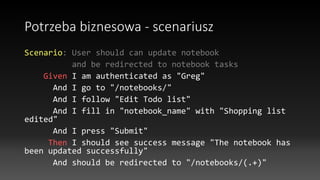
Potrzeba biznesowa –kilka scenariuszy
Background:
Given there are following users:
| username | password |
| Greg | a |
| Katie | a |
13.
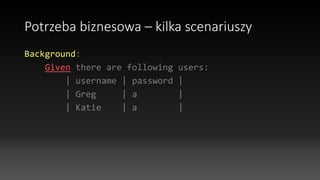
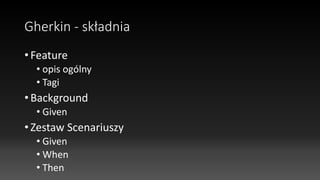
Gherkin - składnia
•Feature
• opis ogólny
• Tagi
• Background
• Given
• Zestaw Scenariuszy
• Given
• When
• Then
14.
Zalety
• Forma czytelnadla człowieka biznesu
• Forma czytelna dla programistów
• Dokumentacja dla nowych osób w projekcie – profit!
15.
Zalety
• Wszystko jestna papierze
• Scenariusze są powtarzalne
• Służą jako automatycznie wykonywane cylicznie testy
• Scenariusze są w postaci tekstowej, zatem można je
wersjonować, np. na git
16.
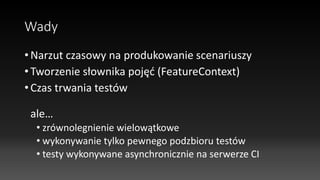
Wady
• Narzut czasowyna produkowanie scenariuszy
• Tworzenie słownika pojęć (FeatureContext)
• Czas trwania testów
ale…
• zrównolegnienie wielowątkowe
• wykonywanie tylko pewnego podzbioru testów
• testy wykonywane asynchronicznie na serwerze CI
17.
TDD i BDDw Scrum
• Można przyjąć jako kryterium akceptacji
• Może stanowić standard do każdej iteracji
• Trzeba dodatkowo szacować
18.
Contineous Integration
• Automatyczneuruchamianie po każdym commicie na
serwerze Contineous Integration
• W przypadku błedu mail do wybranych osób z
powiadomieniem, kto popsuł
• Eliminacja „u mnie działa”
• Narzędzia: Jenkins/Hudson
Behat - FeatureContext
•Scenariusze są wykonywane w ramach kontekstów
FeatureContext
• FeatureContext to zbiór definicji Given/When/Then,
to tutaj dokonuje się interpretacja zdań na kod
23.
Behat - FeatureContext
classMinkContext extends RawMinkContext implements
TranslatableContext
{
/**
* Opens specified page.
*
* @Given /^(?:|I )am on "(?P<page>[^"]+)"$/
* @When /^(?:|I )go to "(?P<page>[^"]+)"$/
*/
public function visit($page)
{
$this->visitPath($page);
}
24.
Behat - FeatureContext
/**
*Clicks link with specified id|title|alt|text.
*
* @When /^(?:|I )follow
"(?P<link>(?:[^"]|")*)"$/
*/
public function clickLink($link)
{
$link = $this->fixStepArgument($link);
$this->getSession()->getPage()-
>clickLink($link);
}
25.
Behat - FeatureContext
/**
*@Then /^(?:|I )should see "([^"]+)"
(heading|headline)$/
*/
public function iShouldSeeHeading($heading)
{
$this->assertSession()
->elementTextContains(
'xpath', '//h1 | //h2',
$this->fixStepArgument($heading));
}
26.
Behat – FeatureContext- XPATH
/**
* @Then /^(?:|I )should see
(?P<type>[(error|success|info|warning)]+)
message "(?P<message>[^"]+)"$/
*/
public function iShouldSeeMessage($type,
$message)
{
$this->assertSession()
->elementTextContains('xpath',
'//div[@class="alert alert-' . $type .
'"]', $this->fixStepArgument($message));
}
27.
Behat - Suites
•Scenariusze oraz FeatureContext w ramach których się
wykonują to suites definiowane w pliku głównym
behat.yml
Suites
Ścieżki z plikami .features
(lista)
FeatureContext’y
(lista)
28.
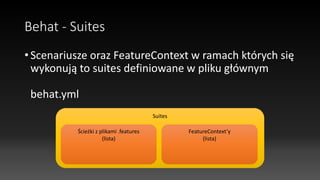
Behat – Konfiguracjatestowania
• Całkowicie poza aplikacją – klikanie po UI
• Wartość dodana: tekstowe Selenium
• Całkowicie w aplikacji
• Czyste DDD, prawie testy jednostkowe Core Domain
• Mieszane
• Największa wartość – co się dzieje w systemie, gdy klikam
po UI lub wysyłam requesty do API
29.
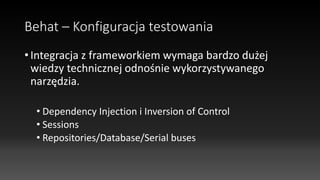
Behat – Konfiguracjatestowania
• Integracja z frameworkiem wymaga bardzo dużej
wiedzy technicznej odnośnie wykorzystywanego
narzędzia.
• Dependency Injection i Inversion of Control
• Sessions
• Repositories/Database/Serial buses
30.
Behat – Konfiguracjatestowania
• Integracja z frameworkiem
Przykład: Doctrine Fixtures
31.
/**
* @BeforeScenario
*/
public function
loadFixturesBeforeScenarios(){
$paths = array();
foreach ($this->kernel->getBundles()
as $bundle) {
$paths[] = $bundle-
>getPath().'/DataFixtures/ORM';
}
$loader = new
DataFixturesLoader($this->getContainer());
foreach ($paths as $path) {
if (is_dir($path)) {
$loader-
>loadFromDirectory($path);
}
}
$em = $this->getContainer()-
>get('doctrine.orm.entity_manager');
$fixtures = $loader->getFixtures();
$purger = new ORMPurger($em);
//$purger->setPurgeMode($input-
>getOption('purge-with-truncate') ?
ORMPurger::PURGE_MODE_TRUNCATE :
ORMPurger::PURGE_MODE_DELETE);
$purger-
>setPurgeMode(ORMPurger::PURGE_MODE_DELETE
);
$executor = new ORMExecutor($em,
$purger);
$append = false;
$executor->execute($fixtures,
$append);
}
32.
Behat – Architektura
•Napisany w PHP
• Uruchamiany z CLI
• Wykorzystuje abstrakcyjną przeglądarkę (wykorzystuje API):
• Selenium (obsługa Javascipt, CSS, AJAX)
• Mink (prosta, szybsza)

![Behat - FeatureContext
class MinkContext extends RawMinkContext implements
TranslatableContext
{
/**
* Opens specified page.
*
* @Given /^(?:|I )am on "(?P<page>[^"]+)"$/
* @When /^(?:|I )go to "(?P<page>[^"]+)"$/
*/
public function visit($page)
{
$this->visitPath($page);
}](https://image.slidesharecdn.com/behat-141216193109-conversion-gate01/85/BDD-Introduction-to-Behat-PL-23-320.jpg)
![Behat - FeatureContext
/**
* Clicks link with specified id|title|alt|text.
*
* @When /^(?:|I )follow
"(?P<link>(?:[^"]|")*)"$/
*/
public function clickLink($link)
{
$link = $this->fixStepArgument($link);
$this->getSession()->getPage()-
>clickLink($link);
}](https://image.slidesharecdn.com/behat-141216193109-conversion-gate01/85/BDD-Introduction-to-Behat-PL-24-320.jpg)
![Behat - FeatureContext
/**
* @Then /^(?:|I )should see "([^"]+)"
(heading|headline)$/
*/
public function iShouldSeeHeading($heading)
{
$this->assertSession()
->elementTextContains(
'xpath', '//h1 | //h2',
$this->fixStepArgument($heading));
}](https://image.slidesharecdn.com/behat-141216193109-conversion-gate01/85/BDD-Introduction-to-Behat-PL-25-320.jpg)
![Behat – FeatureContext - XPATH
/**
* @Then /^(?:|I )should see
(?P<type>[(error|success|info|warning)]+)
message "(?P<message>[^"]+)"$/
*/
public function iShouldSeeMessage($type,
$message)
{
$this->assertSession()
->elementTextContains('xpath',
'//div[@class="alert alert-' . $type .
'"]', $this->fixStepArgument($message));
}](https://image.slidesharecdn.com/behat-141216193109-conversion-gate01/85/BDD-Introduction-to-Behat-PL-26-320.jpg)
![/**
* @BeforeScenario
*/
public function
loadFixturesBeforeScenarios() {
$paths = array();
foreach ($this->kernel->getBundles()
as $bundle) {
$paths[] = $bundle-
>getPath().'/DataFixtures/ORM';
}
$loader = new
DataFixturesLoader($this->getContainer());
foreach ($paths as $path) {
if (is_dir($path)) {
$loader-
>loadFromDirectory($path);
}
}
$em = $this->getContainer()-
>get('doctrine.orm.entity_manager');
$fixtures = $loader->getFixtures();
$purger = new ORMPurger($em);
//$purger->setPurgeMode($input-
>getOption('purge-with-truncate') ?
ORMPurger::PURGE_MODE_TRUNCATE :
ORMPurger::PURGE_MODE_DELETE);
$purger-
>setPurgeMode(ORMPurger::PURGE_MODE_DELETE
);
$executor = new ORMExecutor($em,
$purger);
$append = false;
$executor->execute($fixtures,
$append);
}](https://image.slidesharecdn.com/behat-141216193109-conversion-gate01/85/BDD-Introduction-to-Behat-PL-31-320.jpg)