Maven “ Tutto” quello che NON avreste MAI voluto sapere... ( http://maven.apache.org/ ) JUG-Genova Fabio Bonfante Carlo Bonamico
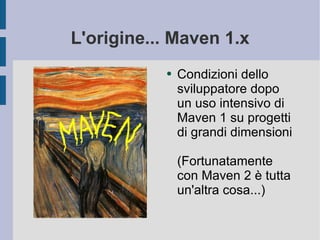
L'origine... Maven 1.x Condizioni dello sviluppatore dopo un uso intensivo di Maven 1 su progetti di grandi dimensioni (Fortunatamente con Maven 2 è tutta un'altra cosa...)
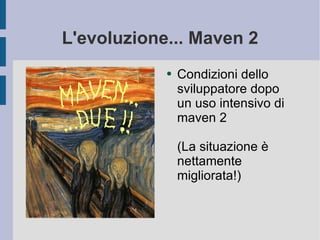
L'evoluzione... Maven 2 Condizioni dello sviluppatore dopo un uso intensivo di maven 2 (La situazione è nettamente migliorata!)
Cos'è Maven Maven is essentially a project management and comprehension tool and as such provides a way to help with managing: Builds Documentation Reporting Dependencies SCMs Releases, Distribution
Installazione e configurazione Unzip M2_HOME –  path/to/installed-maven MAVEN_OPTS –  opzioni JVM <user>/.m2/settings.xml <user>/.m2/repository –  posizione di default del repository locale
Concetti base: Ciclo di Build Build Lifecycle Phases  (principali) validate   - validate the project is correct and all necessary information is available compile  - compile the source code of the project test  - test the compiled source code using a suitable unit testing framework. These tests should not require the code be packaged or deployed package  - take the compiled code and package it in its distributable format, such as a JAR.
Concetti base: Ciclo di Build integration-test  - process and deploy the package if necessary into an environment where integration tests can be run verify  - run any checks to verify the package is valid and meets quality criteria install  - install the package into the local repository, for use as a dependency in other projects locally deploy  - done in an integration or release environment, copies the final package to the remote repository for sharing with other developers and projects.
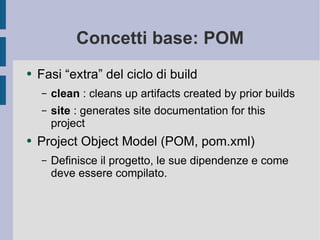
Concetti base: POM Fasi “extra” del ciclo di build clean  : cleans up artifacts created by prior builds site  : generates site documentation for this project Project Object Model (POM, pom.xml) Definisce il progetto, le sue dipendenze e come deve essere compilato.
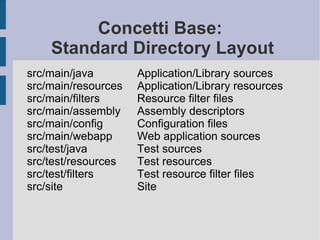
Concetti Base:  Standard Directory Layout src/main/java Application/Library sources src/main/resources  Application/Library resources src/main/filters  Resource filter files src/main/assembly  Assembly descriptors src/main/config  Configuration files src/main/webapp   Web application sources src/test/java  Test sources src/test/resources  Test resources src/test/filters  Test resource filter files src/site Site
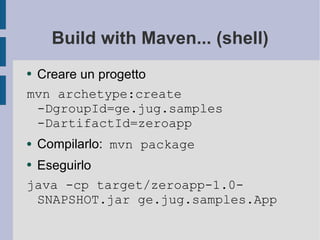
Build with Maven... (shell) Creare un progetto mvn archetype:create -DgroupId=ge.jug.samples -DartifactId=zeroapp Compilarlo:  mvn package Eseguirlo java -cp target/zeroapp-1.0-SNAPSHOT.jar ge.jug.samples.App
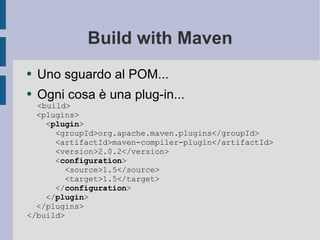
Build with Maven Uno sguardo al POM... Ogni cosa è una plug-in... <build> <plugins> < plugin > <groupId>org.apache.maven.plugins</groupId> <artifactId>maven-compiler-plugin</artifactId> <version>2.0.2</version> < configuration > <source>1.5</source> <target>1.5</target> </ configuration > </ plugin > </plugins> </build>
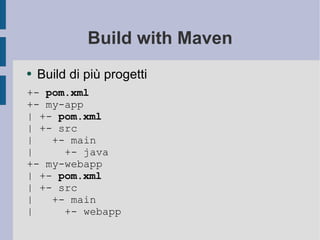
Build with Maven Build di più progetti +-  pom.xml +- my-app | +-  pom.xml | +- src |  +- main |  +- java +- my-webapp | +-  pom.xml | +- src |  +- main |  +- webapp
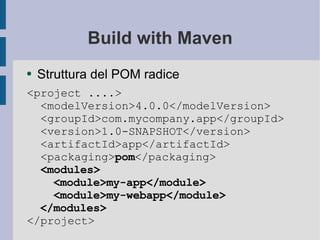
Build with Maven Struttura del POM radice <project ....> <modelVersion>4.0.0</modelVersion> <groupId>com.mycompany.app</groupId> <version>1.0-SNAPSHOT</version> <artifactId>app</artifactId> <packaging> pom </packaging> <modules> <module>my-app</module> <module>my-webapp</module> </modules> </project>
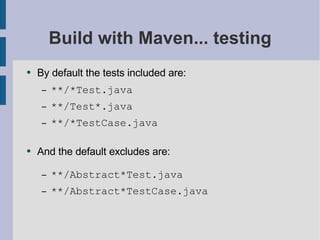
Build with Maven... testing By default the tests included are: **/*Test.java **/Test*.java **/*TestCase.java And the default excludes are: **/Abstract*Test.java **/Abstract*TestCase.java
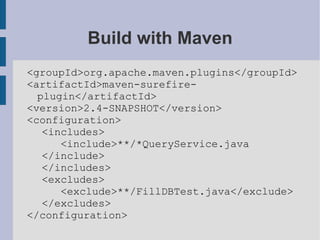
Build with Maven <groupId>org.apache.maven.plugins</groupId> <artifactId>maven-surefire-plugin</artifactId> <version>2.4-SNAPSHOT</version> <configuration> <includes> <include>**/*QueryService.java </include> </includes> <excludes> <exclude>**/FillDBTest.java</exclude> </excludes> </configuration>
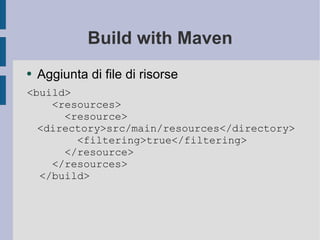
Build with Maven Aggiunta di file di risorse <build> <resources> <resource>  <directory>src/main/resources</directory> <filtering>true</filtering> </resource> </resources> </build>
Integrazione con Eclipse Generazione file di progetto per Eclipse mvn eclipse:eclipse Plugin disponibili Maven Integration for Eclipse http://m2eclipse.sonatype.org/update/ Q for Eclipse http://q4e.googlecode.com/svn/trunk/updatesite/
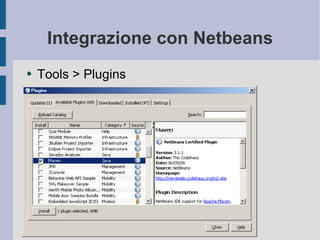
Integrazione con Netbeans Tools > Plugins
Riferimenti Maven home page http://maven.apache.org/ Maven: The Definitive Guide http://www.sonatype.com/book/ Better build with Maven http://www.mergere.com/m2book_download.jsp

Maven

  • 1.
    Maven “ Tutto”quello che NON avreste MAI voluto sapere... ( http://maven.apache.org/ ) JUG-Genova Fabio Bonfante Carlo Bonamico
  • 2.
    L'origine... Maven 1.xCondizioni dello sviluppatore dopo un uso intensivo di Maven 1 su progetti di grandi dimensioni (Fortunatamente con Maven 2 è tutta un'altra cosa...)
  • 3.
    L'evoluzione... Maven 2Condizioni dello sviluppatore dopo un uso intensivo di maven 2 (La situazione è nettamente migliorata!)
  • 4.
    Cos'è Maven Mavenis essentially a project management and comprehension tool and as such provides a way to help with managing: Builds Documentation Reporting Dependencies SCMs Releases, Distribution
  • 5.
    Installazione e configurazioneUnzip M2_HOME – path/to/installed-maven MAVEN_OPTS – opzioni JVM <user>/.m2/settings.xml <user>/.m2/repository – posizione di default del repository locale
  • 6.
    Concetti base: Ciclodi Build Build Lifecycle Phases (principali) validate - validate the project is correct and all necessary information is available compile - compile the source code of the project test - test the compiled source code using a suitable unit testing framework. These tests should not require the code be packaged or deployed package - take the compiled code and package it in its distributable format, such as a JAR.
  • 7.
    Concetti base: Ciclodi Build integration-test - process and deploy the package if necessary into an environment where integration tests can be run verify - run any checks to verify the package is valid and meets quality criteria install - install the package into the local repository, for use as a dependency in other projects locally deploy - done in an integration or release environment, copies the final package to the remote repository for sharing with other developers and projects.
  • 8.
    Concetti base: POMFasi “extra” del ciclo di build clean : cleans up artifacts created by prior builds site : generates site documentation for this project Project Object Model (POM, pom.xml) Definisce il progetto, le sue dipendenze e come deve essere compilato.
  • 9.
    Concetti Base: Standard Directory Layout src/main/java Application/Library sources src/main/resources Application/Library resources src/main/filters Resource filter files src/main/assembly Assembly descriptors src/main/config Configuration files src/main/webapp Web application sources src/test/java Test sources src/test/resources Test resources src/test/filters Test resource filter files src/site Site
  • 10.
    Build with Maven...(shell) Creare un progetto mvn archetype:create -DgroupId=ge.jug.samples -DartifactId=zeroapp Compilarlo: mvn package Eseguirlo java -cp target/zeroapp-1.0-SNAPSHOT.jar ge.jug.samples.App
  • 11.
    Build with MavenUno sguardo al POM... Ogni cosa è una plug-in... <build> <plugins> < plugin > <groupId>org.apache.maven.plugins</groupId> <artifactId>maven-compiler-plugin</artifactId> <version>2.0.2</version> < configuration > <source>1.5</source> <target>1.5</target> </ configuration > </ plugin > </plugins> </build>
  • 12.
    Build with MavenBuild di più progetti +- pom.xml +- my-app | +- pom.xml | +- src | +- main | +- java +- my-webapp | +- pom.xml | +- src | +- main | +- webapp
  • 13.
    Build with MavenStruttura del POM radice <project ....> <modelVersion>4.0.0</modelVersion> <groupId>com.mycompany.app</groupId> <version>1.0-SNAPSHOT</version> <artifactId>app</artifactId> <packaging> pom </packaging> <modules> <module>my-app</module> <module>my-webapp</module> </modules> </project>
  • 14.
    Build with Maven...testing By default the tests included are: **/*Test.java **/Test*.java **/*TestCase.java And the default excludes are: **/Abstract*Test.java **/Abstract*TestCase.java
  • 15.
    Build with Maven<groupId>org.apache.maven.plugins</groupId> <artifactId>maven-surefire-plugin</artifactId> <version>2.4-SNAPSHOT</version> <configuration> <includes> <include>**/*QueryService.java </include> </includes> <excludes> <exclude>**/FillDBTest.java</exclude> </excludes> </configuration>
  • 16.
    Build with MavenAggiunta di file di risorse <build> <resources> <resource> <directory>src/main/resources</directory> <filtering>true</filtering> </resource> </resources> </build>
  • 17.
    Integrazione con EclipseGenerazione file di progetto per Eclipse mvn eclipse:eclipse Plugin disponibili Maven Integration for Eclipse http://m2eclipse.sonatype.org/update/ Q for Eclipse http://q4e.googlecode.com/svn/trunk/updatesite/
  • 18.
  • 19.
    Riferimenti Maven homepage http://maven.apache.org/ Maven: The Definitive Guide http://www.sonatype.com/book/ Better build with Maven http://www.mergere.com/m2book_download.jsp