A Web Standards & UD
  Approach to Access

Integrating Universal Design,
Best Practices, & Accessibility

            Howard Kramer
     University of Colorado-Boulder
     hkramer@colorado.edu, 303-492-8672

                 ATIA 2013
Presentation posted at
       slideshare

http://slideshare.com/hkramer99/

Integrating Universal Design, Best
 Practices, & Accessibility (BPS –
           public).pptx/
Today’s Outline
   What are Best Practices/Web Standards &
    Universal Design
       How does it compare to ―Accessibility‖ or
        Accessibility Guidelines‖
   What are the advantages of this (holistic)
    approach?
   How do we implement this approach?
   More resources & suggestion for
    Implementing these Standards &
    guidelines
Today’s Objectives
   Understand the intersection &
    interrelationship between Web Standards,
    Universal Design and Accessibility
   Acquire tools and strategy to implement a
    this (UD) approach
Universal Design (for Digital Media)

   What is Universal Design?
       Universal Design is the design of products
        and environments to be usable by all
        people, to the greatest extent possible,
        without the need for adaptation or
        specialized design – Ron Mace, Architect
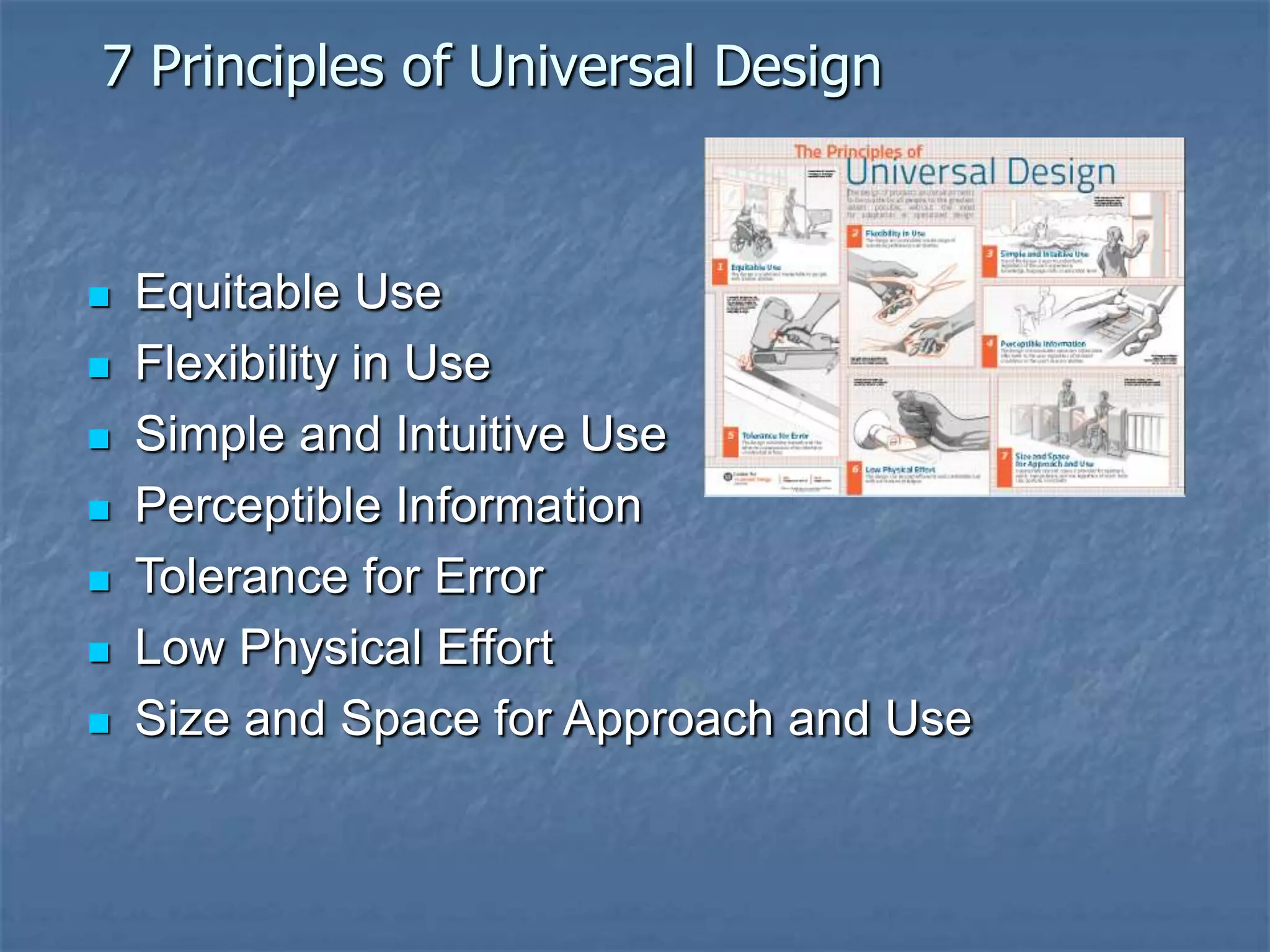
7 Principles of Universal Design


   Equitable Use
   Flexibility in Use
   Simple and Intuitive Use
   Perceptible Information
   Tolerance for Error
   Low Physical Effort
   Size and Space for Approach and Use
Universal Design for Digital Media
   Equitable Use: The design is useful and marketable to people
    with diverse abilities.
        Same means of use for all
        No text-only versions
   Flexibility in Use: The design accommodates a wide range
    of individual preferences and abilities.
        Accommodates user-defined style sheets (such as the high-contrast
         text style that an individual with weak eyesight would use)
   Simple and Intuitive: Use of the design is easy to understand,
    regardless of the user's experience, knowledge, language skills, or
    current concentration level.
   Multiple ways of presenting info that is contained in images,
    graphs, audio, video, or other forms of media
   Tolerance for Error: The design minimizes hazards and the
    adverse consequences of accidental or unintended actions.
Universal Design
            not solely about accessibility
   Other audiences
       Older populations
       Non-English speakers
       Disadvantaged / Poor access to technology
   Other benefits
       Search
       Reusability
       Navigation, better UX
       SEO/discoverability
Krug – Chapter 13
              (Accessibility, CSS, & You)
             Accessibility Justification
   Makes good business sense
   Everyone should have the same
    opportunities
   Most accessibility adaptations benefit
    everyone
   Huge potential market; 65% of population
    has a disability
   Section 508 – it’s the law
Krug – Chapter 13
               (Accessibility, CSS, & You)
              Accessibility Justification

   Accessibility should be part of overall
    holistic approach to effective design

   Krug - Making sites more usable for ―the
    rest of us‖ is one of the most effective
    ways to make them more effective for
    people with disabilities.
Web Standards Foundation
Web Standards / Universal Design –
               Definitions
   Using Web Standards & Universal Design
    as foundation

       Web Standards –
         semantic (x)HTML markup
         CSS layout, the separating of content from layout
          & formatting
         Standard coding
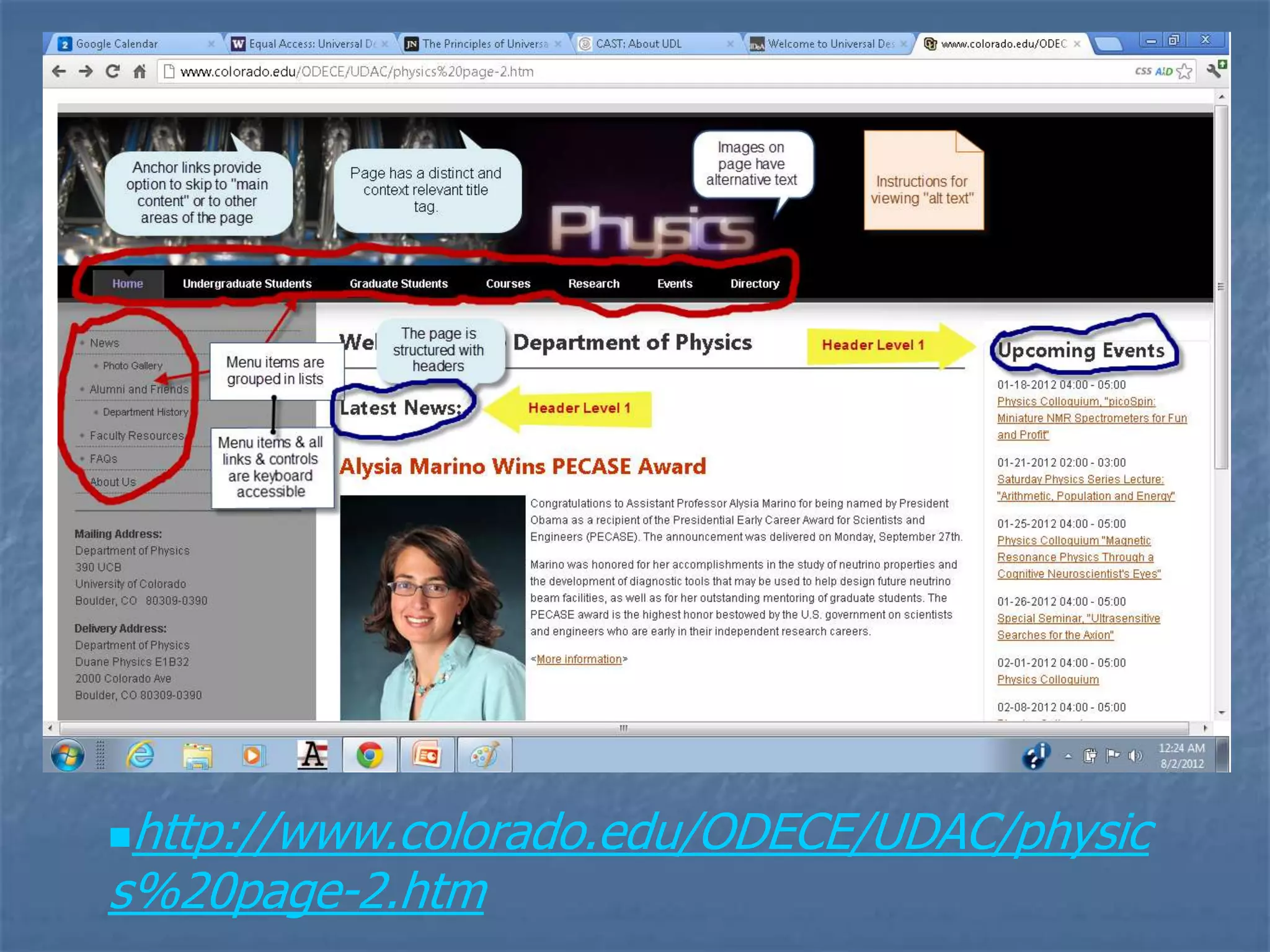
http://www.colorado.edu/ODECE/UDAC/physic
s%20page-2.htm
(More) Benefits of Web Standards
   Easier for people & search engines to find your
    content – (including AT users)


   Separating structure and behavior makes your
    site easier and less expensive to develop & test.

           Lighter site (smaller file size)

   Semantic markup - more accessible to
    browsers and devices, incl. mobile
    devices and AT
   Designing with standards in ensures that your site
    is forward compatible.
Zeldman – ―the blind billionaire‖
   Google and other
    search engines are, in
    effect, ―blind users.‖
       Structure
       Text/semantics
An Overview of Web Standard
                 Particulars
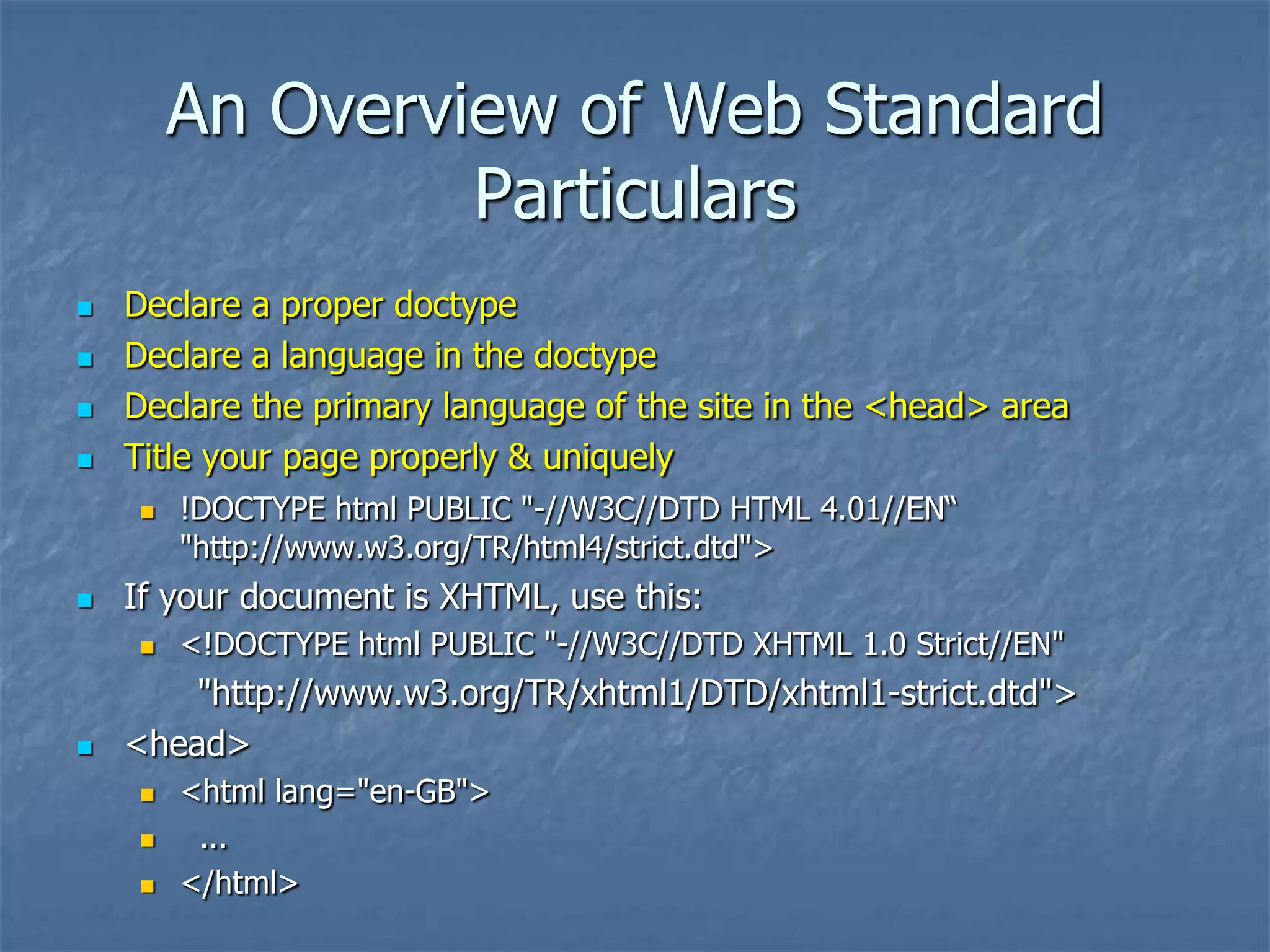
   Declare a proper doctype
   Declare a language in the doctype
   Declare the primary language of the site in the <head> area
   Title your page properly & uniquely
       !DOCTYPE html PUBLIC "-//W3C//DTD HTML 4.01//EN―
        "http://www.w3.org/TR/html4/strict.dtd">
   If your document is XHTML, use this:
       <!DOCTYPE html PUBLIC "-//W3C//DTD XHTML 1.0 Strict//EN"
        "http://www.w3.org/TR/xhtml1/DTD/xhtml1-strict.dtd">
   <head>
       <html lang="en-GB">
        ...
       </html>
Web Standard Particulars

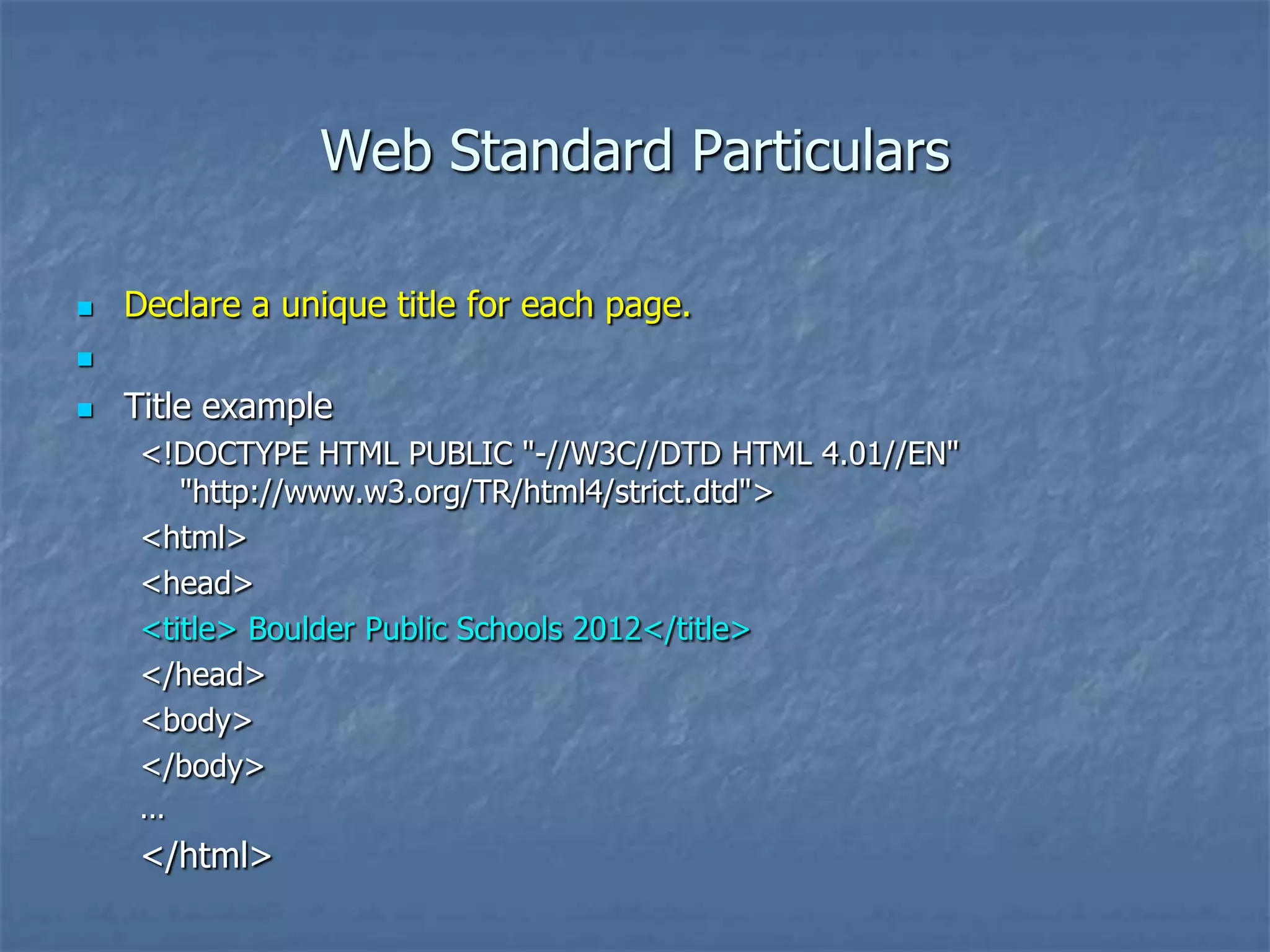
   Declare a unique title for each page.


   Title example
     <!DOCTYPE HTML PUBLIC "-//W3C//DTD HTML 4.01//EN"
        "http://www.w3.org/TR/html4/strict.dtd">
     <html>
     <head>
     <title> Boulder Public Schools 2012</title>
     </head>
     <body>
     </body>
     ...
     </html>
Web Standard Particulars

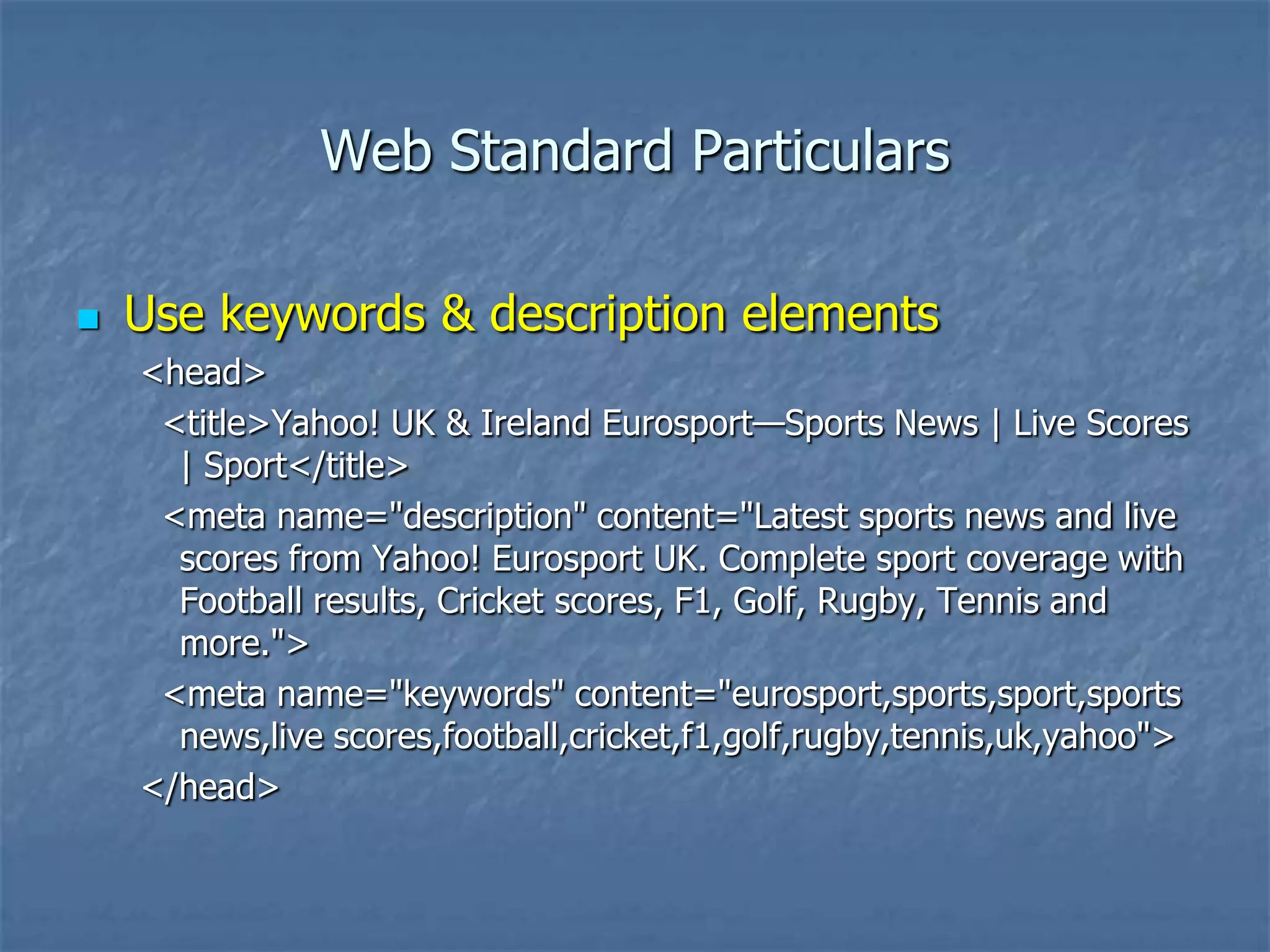
   Use keywords & description elements
    <head>
     <title>Yahoo! UK & Ireland Eurosport—Sports News | Live Scores
      | Sport</title>
     <meta name="description" content="Latest sports news and live
      scores from Yahoo! Eurosport UK. Complete sport coverage with
      Football results, Cricket scores, F1, Golf, Rugby, Tennis and
      more.">
     <meta name="keywords" content="eurosport,sports,sport,sports
      news,live scores,football,cricket,f1,golf,rugby,tennis,uk,yahoo">
    </head>
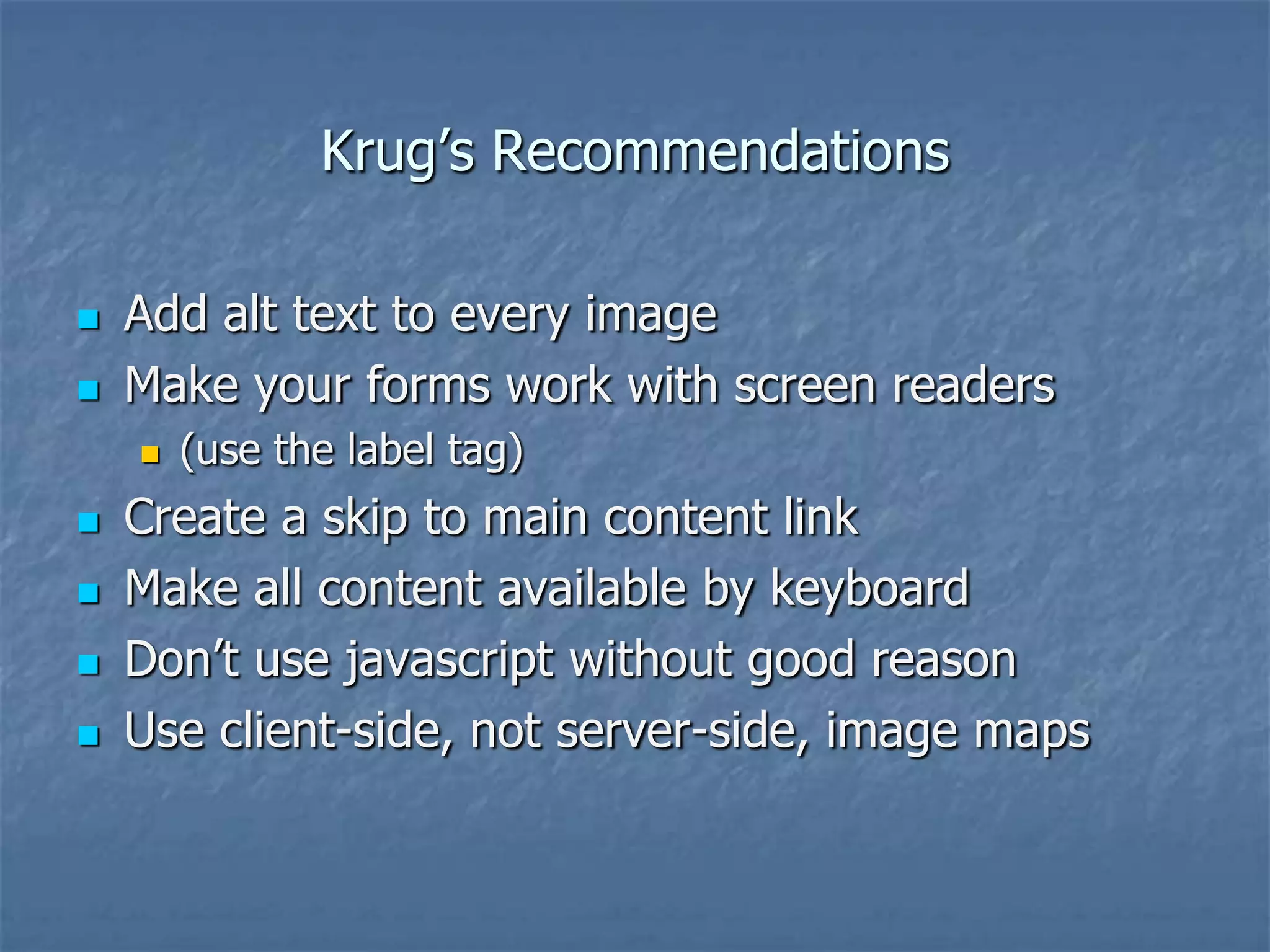
Krug’s Recommendations

   Add alt text to every image
   Make your forms work with screen readers
       (use the label tag)
   Create a skip to main content link
   Make all content available by keyboard
   Don’t use javascript without good reason
   Use client-side, not server-side, image maps
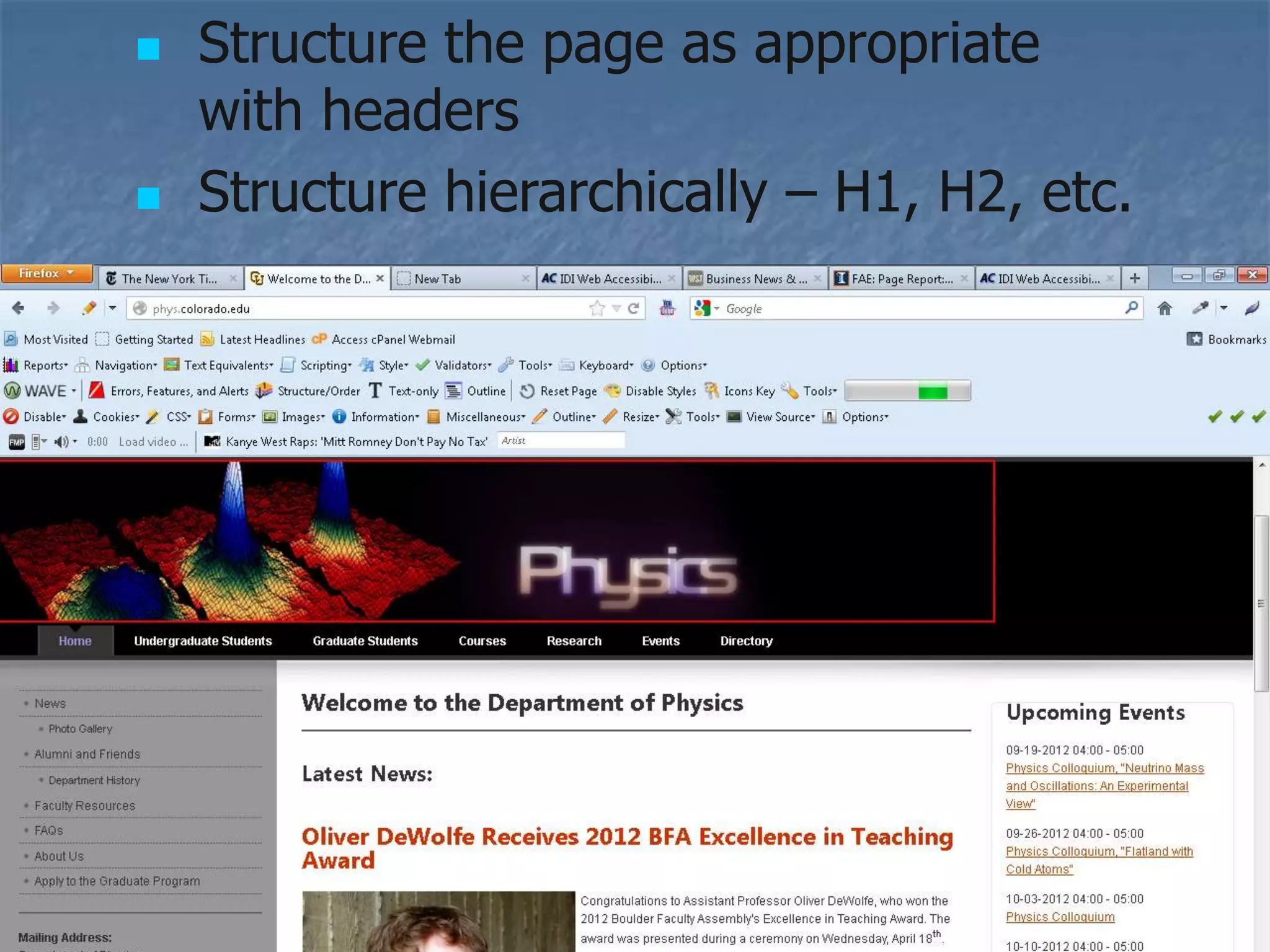
   Structure the page as appropriate
    with headers
   Structure hierarchically – H1, H2, etc.
Web Standard Particulars

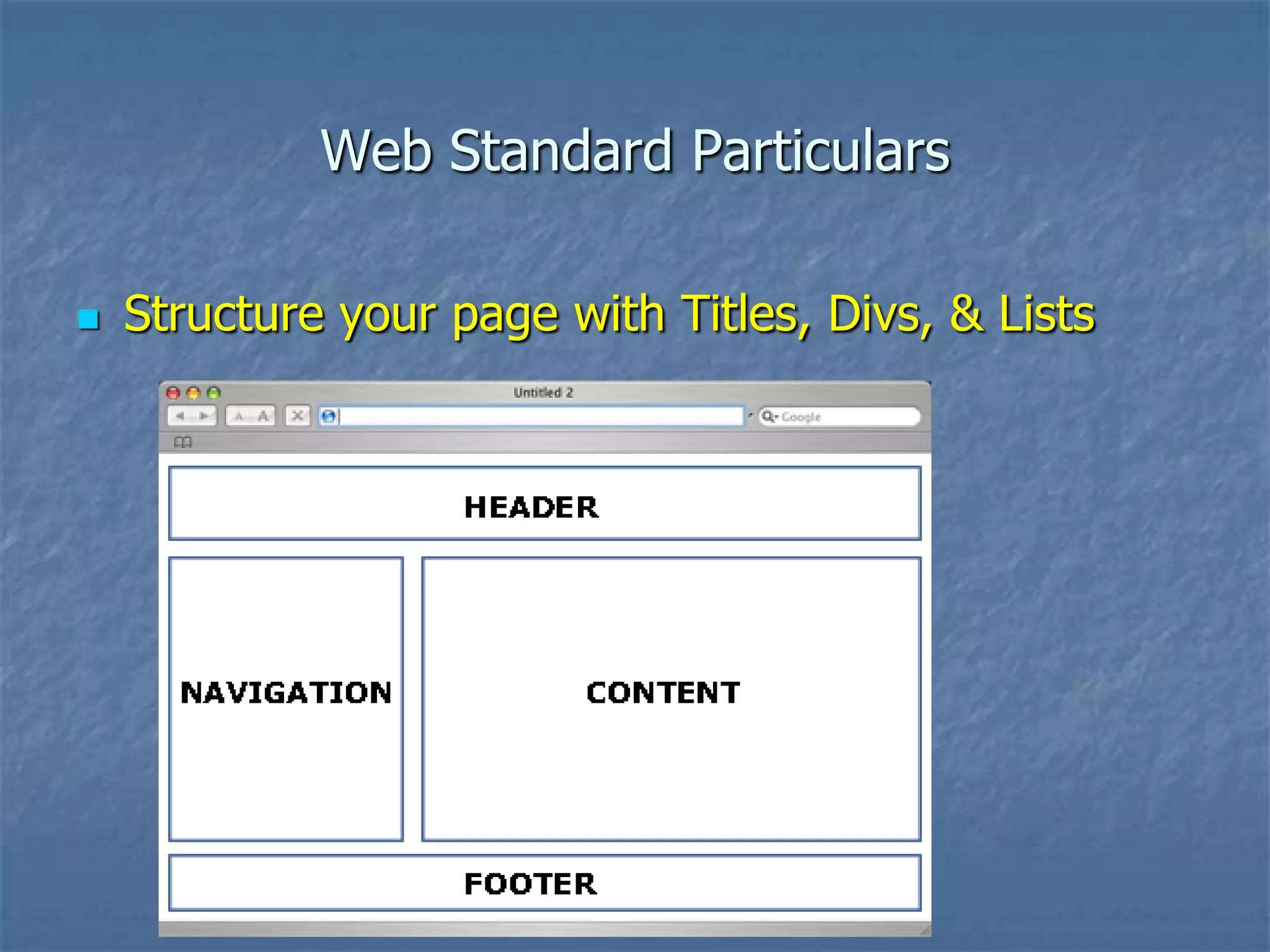
   Structure your page with Titles, Divs, & Lists
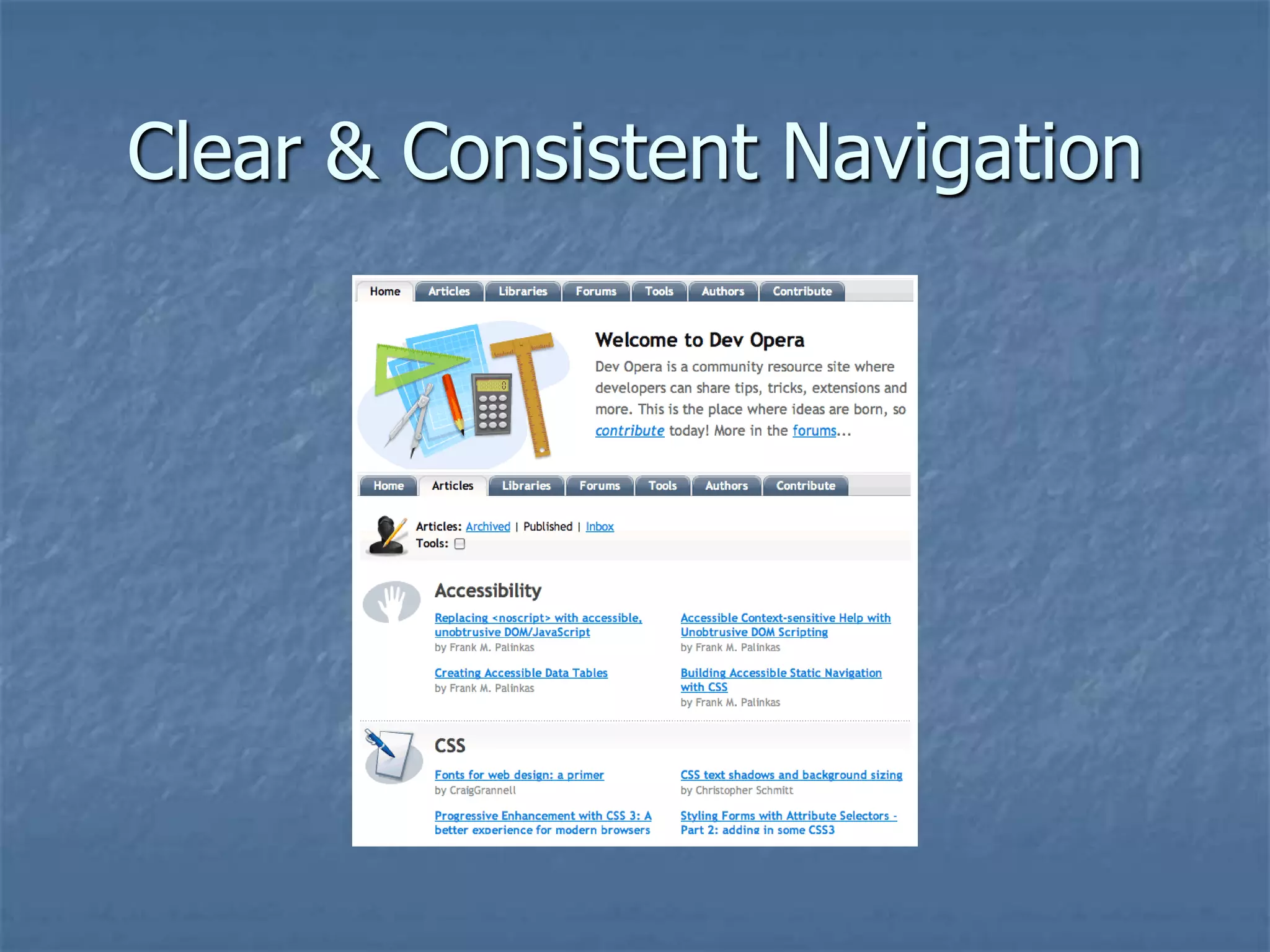
Clear & Consistent Navigation
Demonstration

   CSS Zen Garden
       http://www.csszengarden.com/
   CU Physics page
       http://www.colorado.edu/ODECE/UDAC/physi
        cs%20page-2.htm
   NY Times
       www.nytimes.com
   Web Developer Toolbar (Firefox addon)
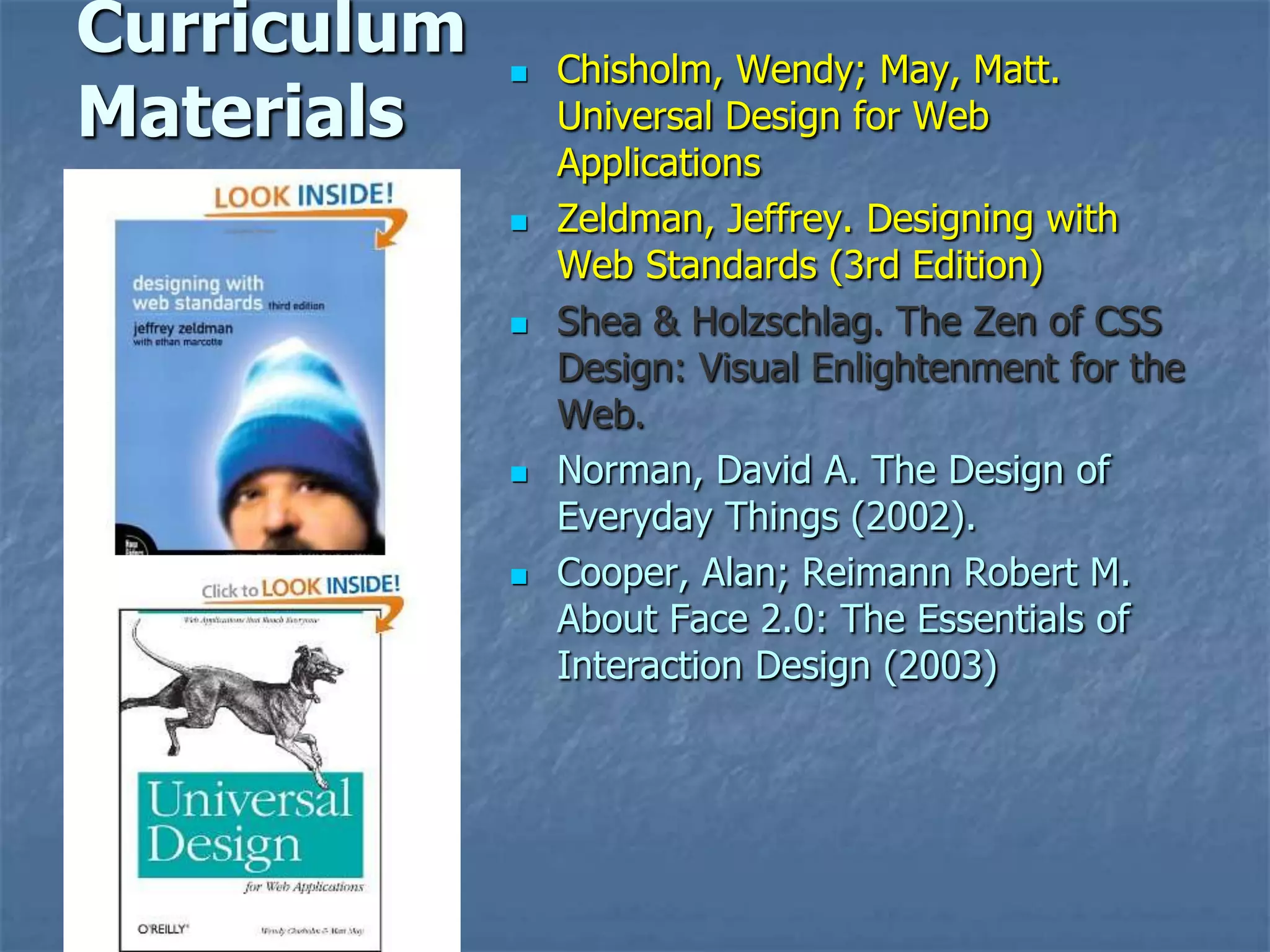
Curriculum      Chisholm, Wendy; May, Matt.
Materials        Universal Design for Web
                 Applications
                Zeldman, Jeffrey. Designing with
                 Web Standards (3rd Edition)
                Shea & Holzschlag. The Zen of CSS
                 Design: Visual Enlightenment for the
                 Web.
                Norman, David A. The Design of
                 Everyday Things (2002).
                Cooper, Alan; Reimann Robert M.
                 About Face 2.0: The Essentials of
                 Interaction Design (2003)
Evaluation & Remediation Tools
   Wave (Toolbar) – wave.webaim.org
   Functional Accessibility Evaluator 1.1
       https://addons.mozilla.org/en-
        US/firefox/addon/accessibility-evaluation-
        toolb/
   Achecker –
       http://achecker.ca/
   Web Dev’l Toolbar
       https://addons.mozilla.org/en-
        US/firefox/addon/web-developer/
More Evaluation & Remediation
          Tools & Resources
   10 Evaluation Tools
       http://sixrevisions.com/web-
        standards/accessibility_testtools/


   CU Web Design Awards Page
       http://www.colorado.edu/ODECE/UDAC/webc
        omp2012.html#resources
Other Curriculum Resources
   A List Apart - Link-Rodrigue, The Inclusion
    Principle,
        http://www.alistapart.com/articles/the-inclusion-
         principle/
   Dev.opera.com
        http://dev.opera.com/articles/view/1-introduction-
         to-the-web-standards-cur/
   Usability.gov
        http://usability.gov/methods/test_refine/heuristic.h
         tml
   Sitepoint.com
        http://articles.sitepoint.com/article/information-
         architecture
Other Curriculum Resources
   First Principles of Interaction Design‖
        (http://www.asktog.com/basics/firstPrinciples.html
         );
   ―Personas‖
        http://wiki.fluidproject.org/display/fluid/Personas
   WebAIM.org – The Legend of the Typical …
        http://webaim.org/presentations/2010/csun/screen
         readersurvey.pdf
   W3C Web Standards Cirruculim
        http://www.w3.org/community/webed/wiki/Main_P
         age
Other Resources
   Web Design Awards & Training at CU
       http://www.colorado.edu/ODECE/UDAC/webcomp
        2012.html
   WAVE - WebAIM.org
       http://wave.webaim.org/


   W3C Web Standards Cirruculim
       http://www.w3.org/community/webed/wiki/Main_P
        age
   Physics Example page
       http://www.colorado.edu/ODECE/UDAC/physics%2
        0page-2.htm
Projects/Resources at CU,
             AHEAD, ATHEN
   3-credit class: Universal Design for Digital Media
       http://accessinghigherground.org/wp/udclass/
   ATHEN – Access Tech. Higher Ed. Network
       Athenpro.org
   UD Grant - Integrating UD in Curriculum
       Professional Certificate
       Expand courses in UD for media design
       Conference track on UD in curriculum
       Repository of resources
Accessing Higher Ground
            Conference
      Accessible Media, Web & Technology
   November 4 – 8, 2013
   Hands-on sessions on Web Access, Assistive
    Technology
   Upcoming teleconferences
   Can purchase audio dvd of proceedings & access
    materials & handouts online
   Westin Hotel - between Boulder & Denver
   Accessinghigherground.org

Integrating universal design, best practices, & accessibility atia 2013 - (adapted for leeds class sp 2013)

  • 1.
    A Web Standards& UD Approach to Access Integrating Universal Design, Best Practices, & Accessibility Howard Kramer University of Colorado-Boulder hkramer@colorado.edu, 303-492-8672 ATIA 2013
  • 2.
    Presentation posted at slideshare http://slideshare.com/hkramer99/ Integrating Universal Design, Best Practices, & Accessibility (BPS – public).pptx/
  • 3.
    Today’s Outline  What are Best Practices/Web Standards & Universal Design  How does it compare to ―Accessibility‖ or Accessibility Guidelines‖  What are the advantages of this (holistic) approach?  How do we implement this approach?  More resources & suggestion for Implementing these Standards & guidelines
  • 4.
    Today’s Objectives  Understand the intersection & interrelationship between Web Standards, Universal Design and Accessibility  Acquire tools and strategy to implement a this (UD) approach
  • 5.
    Universal Design (forDigital Media)  What is Universal Design?  Universal Design is the design of products and environments to be usable by all people, to the greatest extent possible, without the need for adaptation or specialized design – Ron Mace, Architect
  • 6.
    7 Principles ofUniversal Design  Equitable Use  Flexibility in Use  Simple and Intuitive Use  Perceptible Information  Tolerance for Error  Low Physical Effort  Size and Space for Approach and Use
  • 7.
    Universal Design forDigital Media  Equitable Use: The design is useful and marketable to people with diverse abilities.  Same means of use for all  No text-only versions  Flexibility in Use: The design accommodates a wide range of individual preferences and abilities.  Accommodates user-defined style sheets (such as the high-contrast text style that an individual with weak eyesight would use)  Simple and Intuitive: Use of the design is easy to understand, regardless of the user's experience, knowledge, language skills, or current concentration level.  Multiple ways of presenting info that is contained in images, graphs, audio, video, or other forms of media  Tolerance for Error: The design minimizes hazards and the adverse consequences of accidental or unintended actions.
  • 8.
    Universal Design not solely about accessibility  Other audiences  Older populations  Non-English speakers  Disadvantaged / Poor access to technology  Other benefits  Search  Reusability  Navigation, better UX  SEO/discoverability
  • 9.
    Krug – Chapter13 (Accessibility, CSS, & You) Accessibility Justification  Makes good business sense  Everyone should have the same opportunities  Most accessibility adaptations benefit everyone  Huge potential market; 65% of population has a disability  Section 508 – it’s the law
  • 10.
    Krug – Chapter13 (Accessibility, CSS, & You) Accessibility Justification  Accessibility should be part of overall holistic approach to effective design  Krug - Making sites more usable for ―the rest of us‖ is one of the most effective ways to make them more effective for people with disabilities.
  • 11.
  • 12.
    Web Standards /Universal Design – Definitions  Using Web Standards & Universal Design as foundation  Web Standards –  semantic (x)HTML markup  CSS layout, the separating of content from layout & formatting  Standard coding
  • 13.
  • 14.
    (More) Benefits ofWeb Standards  Easier for people & search engines to find your content – (including AT users)  Separating structure and behavior makes your site easier and less expensive to develop & test.  Lighter site (smaller file size)  Semantic markup - more accessible to browsers and devices, incl. mobile devices and AT  Designing with standards in ensures that your site is forward compatible.
  • 15.
    Zeldman – ―theblind billionaire‖  Google and other search engines are, in effect, ―blind users.‖  Structure  Text/semantics
  • 16.
    An Overview ofWeb Standard Particulars  Declare a proper doctype  Declare a language in the doctype  Declare the primary language of the site in the <head> area  Title your page properly & uniquely  !DOCTYPE html PUBLIC "-//W3C//DTD HTML 4.01//EN― "http://www.w3.org/TR/html4/strict.dtd">  If your document is XHTML, use this:  <!DOCTYPE html PUBLIC "-//W3C//DTD XHTML 1.0 Strict//EN" "http://www.w3.org/TR/xhtml1/DTD/xhtml1-strict.dtd">  <head>  <html lang="en-GB">  ...  </html>
  • 17.
    Web Standard Particulars  Declare a unique title for each page.   Title example <!DOCTYPE HTML PUBLIC "-//W3C//DTD HTML 4.01//EN" "http://www.w3.org/TR/html4/strict.dtd"> <html> <head> <title> Boulder Public Schools 2012</title> </head> <body> </body> ... </html>
  • 18.
    Web Standard Particulars  Use keywords & description elements <head> <title>Yahoo! UK & Ireland Eurosport—Sports News | Live Scores | Sport</title> <meta name="description" content="Latest sports news and live scores from Yahoo! Eurosport UK. Complete sport coverage with Football results, Cricket scores, F1, Golf, Rugby, Tennis and more."> <meta name="keywords" content="eurosport,sports,sport,sports news,live scores,football,cricket,f1,golf,rugby,tennis,uk,yahoo"> </head>
  • 19.
    Krug’s Recommendations  Add alt text to every image  Make your forms work with screen readers  (use the label tag)  Create a skip to main content link  Make all content available by keyboard  Don’t use javascript without good reason  Use client-side, not server-side, image maps
  • 20.
    Structure the page as appropriate with headers  Structure hierarchically – H1, H2, etc.
  • 21.
    Web Standard Particulars  Structure your page with Titles, Divs, & Lists
  • 22.
  • 23.
    Demonstration  CSS Zen Garden  http://www.csszengarden.com/  CU Physics page  http://www.colorado.edu/ODECE/UDAC/physi cs%20page-2.htm  NY Times  www.nytimes.com  Web Developer Toolbar (Firefox addon)
  • 24.
    Curriculum  Chisholm, Wendy; May, Matt. Materials Universal Design for Web Applications  Zeldman, Jeffrey. Designing with Web Standards (3rd Edition)  Shea & Holzschlag. The Zen of CSS Design: Visual Enlightenment for the Web.  Norman, David A. The Design of Everyday Things (2002).  Cooper, Alan; Reimann Robert M. About Face 2.0: The Essentials of Interaction Design (2003)
  • 25.
    Evaluation & RemediationTools  Wave (Toolbar) – wave.webaim.org  Functional Accessibility Evaluator 1.1  https://addons.mozilla.org/en- US/firefox/addon/accessibility-evaluation- toolb/  Achecker –  http://achecker.ca/  Web Dev’l Toolbar  https://addons.mozilla.org/en- US/firefox/addon/web-developer/
  • 26.
    More Evaluation &Remediation Tools & Resources  10 Evaluation Tools  http://sixrevisions.com/web- standards/accessibility_testtools/  CU Web Design Awards Page  http://www.colorado.edu/ODECE/UDAC/webc omp2012.html#resources
  • 27.
    Other Curriculum Resources  A List Apart - Link-Rodrigue, The Inclusion Principle,  http://www.alistapart.com/articles/the-inclusion- principle/  Dev.opera.com  http://dev.opera.com/articles/view/1-introduction- to-the-web-standards-cur/  Usability.gov  http://usability.gov/methods/test_refine/heuristic.h tml  Sitepoint.com  http://articles.sitepoint.com/article/information- architecture
  • 28.
    Other Curriculum Resources  First Principles of Interaction Design‖  (http://www.asktog.com/basics/firstPrinciples.html );  ―Personas‖  http://wiki.fluidproject.org/display/fluid/Personas  WebAIM.org – The Legend of the Typical …  http://webaim.org/presentations/2010/csun/screen readersurvey.pdf  W3C Web Standards Cirruculim  http://www.w3.org/community/webed/wiki/Main_P age
  • 29.
    Other Resources  Web Design Awards & Training at CU  http://www.colorado.edu/ODECE/UDAC/webcomp 2012.html  WAVE - WebAIM.org  http://wave.webaim.org/  W3C Web Standards Cirruculim  http://www.w3.org/community/webed/wiki/Main_P age  Physics Example page  http://www.colorado.edu/ODECE/UDAC/physics%2 0page-2.htm
  • 30.
    Projects/Resources at CU, AHEAD, ATHEN  3-credit class: Universal Design for Digital Media  http://accessinghigherground.org/wp/udclass/  ATHEN – Access Tech. Higher Ed. Network  Athenpro.org  UD Grant - Integrating UD in Curriculum  Professional Certificate  Expand courses in UD for media design  Conference track on UD in curriculum  Repository of resources
  • 31.
    Accessing Higher Ground Conference Accessible Media, Web & Technology  November 4 – 8, 2013  Hands-on sessions on Web Access, Assistive Technology  Upcoming teleconferences  Can purchase audio dvd of proceedings & access materials & handouts online  Westin Hotel - between Boulder & Denver  Accessinghigherground.org

Editor's Notes

  • #7 Equitable Use: The design is useful and marketable to people with diverse abilities.Flexibility in Use: The design accommodates a wide range of individual preferences and abilities.Simple and Intuitive Use: Use of the design is easy to understand, regardless of the user&apos;s experience, knowledge, language skills, or current concentration level.Perceptible Information: The design communicates necessary information effectively to the user, regardless of ambient conditions or the user&apos;s sensory abilities.Tolerance for Error: The design minimizes hazards and the adverse consequences of accidental or unintended actions.Low Physical Effort: The design can be used efficiently and comfortably and with a minimum of fatigue.Size and Space for Approach and Use: Appropriate size and space are provided for approach, reach, manipulation, and use, regardless of the user&apos;s body size, posture, or mobility.I would advise you to memorize these 7 principles – -we’ll be coming back to them repeatedly (and we will likely have a quiz on them – that’s a hint)
  • #10 Krug – top of 171 – it’s the right thing to doGoing to assume – everyone accepts the importance of accessibility – based on the materials you have read this semester.Important point I want to make – accessibility shouldn’t be a special side thing you do – it should be part of your overall holistic approach to effective and usable design.Agree with Krug (bot 174) 100% - Making sites more usable for “the rest of us” is one of the most effective ways to make them more effective for people with disabilities.
  • #11 Important point I want to make – accessibility shouldn’t be a special side thing you do – it should be part of your overall holistic approach to effective and usable design.Agree with Krug (bot 174) 100% - Making sites more usable for “the rest of us” is one of the most effective ways to make them more effective for people with disabilities.
  • #15 Html 4.0 – first web standard for htmlXhtml 1.0Benefits of Web Standards &amp; UD approach:Allows you to approach accessible design with the wholistic concept of excellent design.Before we began developing the course, I know a lot about Universal Design and some advantages of using xhtml &amp; css but I didn’t realize how web standards were or could be linked to accessibility and quality design.Designing with web standards promotes accessibility, - higher ranking on search engines &amp; lower costs for development, and faster loading of web pages (&amp; lower costs for hardware).Design that is not only accessible but usable. That is universal in that it not only is usable by persons with disabilities but by mobile devices, by cell phones and by slow internet access.To understand this, we need to review the history of Web browsers:Web standards project began in 1998. Before that time, each browser used proprietary mark-up language or html.So web designers would have to create different code segments for each browser.25% of development time was spent addressing work-arounds for browser incompatibility.Because content &amp; layout combined unlike when we use CSS with structure xhtml. Html files wound up being 60% larger than necessary, requiring longer time to load and requiring larger space on servers, thus more expensive equipment costs. Designing with web standards not only improves the performance of your site and lowers costs but makes it more accessible to ATWhen we use CSS, content can be displayed in a verient of different ways more easily. Using structured markup such as headers to logically divinde up a page not only makes it easier for screenreaders to nvigate a page, it makes it easier for search engines such as google to find.Definition of Semantic on next page.Semantic is related to structure and information on structure helps the AT user and search engines.
  • #17 Makes it easier for people &amp; search engines to find your content – (including AT users)Separating structure and behavior makes your site easier and less expensive to develop &amp; test. (and much easier to update)Makes your site lighter (smaller file size)Semantic markup - more accessible to different kinds of browsers and devices, incl. mobile devices and ATDesigning with standards in ensures that your site is forward compatible. “Changing direction a little bit.”Benefits of Web Standards &amp; UD approach:Allows you to approach accessible design with the wholistic concept of excellent design.Before we began developing the course, I know a lot about Universal Design and some advantages of using xhtml &amp; css but I didn’t realize how web standards were or could be linked to accessibility and quality design.Designing with web standards promotes accessibility, - higher ranking on search engines &amp; lower costs for development, and faster loading of web pages (&amp; lower costs for hardware).Design that is not only accessible but usable. That is universal in that it not only is usable by persons with disabilities but by mobile devices, by cell phones and by slow internet access.To understand this, we need to review the history of Web browsers:Web standards project began in 1998. Before that time, each browser used proprietary mark-up language or html.So web designers would have to create different code segments for each browser.25% of development time was spent addressing work-arounds for browser incompatibility.Because content &amp; layout combined unlike when we use CSS with structure xhtml. Html files wound up being 60% larger than necessary, requiring longer time to load and requiring larger space on servers, thus more expensive equipment costs. Designing with web standards not only improves the performance of your site and lowers costs but makes it more accessible to ATWhen we use CSS, content can be displayed in a verient of different ways more easily. Using structured markup such as headers to logically divinde up a page not only makes it easier for screenreaders to nvigate a page, it makes it easier for search engines such as google to find.
  • #21 Html 4.0 – first web standard for htmlXhtml 1.0Benefits of Web Standards &amp; UD approach:Allows you to approach accessible design with the wholistic concept of excellent design.Before we began developing the course, I know a lot about Universal Design and some advantages of using xhtml &amp; css but I didn’t realize how web standards were or could be linked to accessibility and quality design.Designing with web standards promotes accessibility, - higher ranking on search engines &amp; lower costs for development, and faster loading of web pages (&amp; lower costs for hardware).Design that is not only accessible but usable. That is universal in that it not only is usable by persons with disabilities but by mobile devices, by cell phones and by slow internet access.To understand this, we need to review the history of Web browsers:Web standards project began in 1998. Before that time, each browser used proprietary mark-up language or html.So web designers would have to create different code segments for each browser.25% of development time was spent addressing work-arounds for browser incompatibility.Because content &amp; layout combined unlike when we use CSS with structure xhtml. Html files wound up being 60% larger than necessary, requiring longer time to load and requiring larger space on servers, thus more expensive equipment costs. Designing with web standards not only improves the performance of your site and lowers costs but makes it more accessible to ATWhen we use CSS, content can be displayed in a verient of different ways more easily. Using structured markup such as headers to logically divinde up a page not only makes it easier for screenreaders to nvigate a page, it makes it easier for search engines such as google to find.
  • #28 Probably more a part of UD or usability than Web Standards.
  • #29 [Show Web Developer tool bar in Firefox when I do the demo.][Show csszen garden]Show CSS Zen GardenShow how appearance changes in different stylesShow high contrast css style in firefoxShow outline feature of web developer toolbarShow page without stylesAnd show how it also shows css errors &amp; java errorsShow how you can turn images off – problem of h2 disappearing – caused by display = none in css (“under the sea” css has this problem)
  • #32 Mention Fitjutsu – Web Accessibility InspectorShow 10 evaluation tools page
  • #36 Show handouts page – mention can buy audio
  • #37 Show handouts page – mention can buy audio