Web accessibility best practices For use in developing the group project for EXT 503
Facts   about users 1 in 4 has a vision difficulty 1 in 4 has a dexterity difficulty 1 in 5 has a hearing difficulty  16% of users have a cognitive difficulty or impairment 3% have a speech difficulty or impairment Microsoft Study, 2004
Important Web and mobile have generally same accessibility barriers A good solve is usually a “Get accessibility help” link  If we need more answers: http://www.w3.org/WAI/mobile/
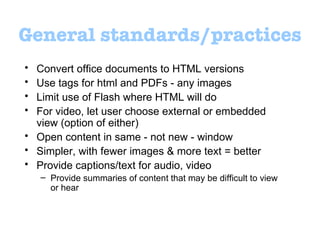
General standards/practices Convert office documents to HTML versions Use tags for html and PDFs - any images  Limit use of Flash where HTML will do For video, let user choose external or embedded view (option of either) Open content in same - not new - window  Simpler, with fewer images & more text = better Provide captions/text for audio, video Provide summaries of content that may be difficult to view or hear
Visual impairments: images People with visual impairments and blindness cannot use images and therefore need text descriptions to understand the content Same holds true for video
Hearing impairments: audio People with hearing impairments cannot hear speech clearly or at all and need a text transcript of audio or synchronized captions for the audio portion of a video
Solving these issues Let the users do it!  Alt tags - folksonomy  EG:  “ Carolyn Gilbert running in the valley ” Captions to describe photos, videos  EG:  “ This is such an awesome video of me and Carolyn Gilbert running through the river valley. The part where she trips over the crack in the sidewalk - sorry, Carolyn, but it ’ s so funny! ”

503 web accessibility - best practices

  • 1.
    Web accessibility bestpractices For use in developing the group project for EXT 503
  • 2.
    Facts about users 1 in 4 has a vision difficulty 1 in 4 has a dexterity difficulty 1 in 5 has a hearing difficulty 16% of users have a cognitive difficulty or impairment 3% have a speech difficulty or impairment Microsoft Study, 2004
  • 3.
    Important Web andmobile have generally same accessibility barriers A good solve is usually a “Get accessibility help” link If we need more answers: http://www.w3.org/WAI/mobile/
  • 4.
    General standards/practices Convertoffice documents to HTML versions Use tags for html and PDFs - any images Limit use of Flash where HTML will do For video, let user choose external or embedded view (option of either) Open content in same - not new - window Simpler, with fewer images & more text = better Provide captions/text for audio, video Provide summaries of content that may be difficult to view or hear
  • 5.
    Visual impairments: imagesPeople with visual impairments and blindness cannot use images and therefore need text descriptions to understand the content Same holds true for video
  • 6.
    Hearing impairments: audioPeople with hearing impairments cannot hear speech clearly or at all and need a text transcript of audio or synchronized captions for the audio portion of a video
  • 7.
    Solving these issuesLet the users do it! Alt tags - folksonomy EG: “ Carolyn Gilbert running in the valley ” Captions to describe photos, videos EG: “ This is such an awesome video of me and Carolyn Gilbert running through the river valley. The part where she trips over the crack in the sidewalk - sorry, Carolyn, but it ’ s so funny! ”