ACC-14:
              Using Wordpress & php to
               Create Accessible Sites
                                Howard Kramer
                            hkramer@colorado.edu
                                                January 31, 2013
                                                2:35 – 3:35 p.m.
Handouts are available at: www.atia.org/orlandohandouts
                                                                   1
My Background with Wordpress / Web Design
• First began using Wordpress.com as meeting space

• Chose Wordpress CMS to present dynamic content for
  Accessing Higher Ground site

• Teach an online course on Universal Design for Digital Media

• Coordinate a conference on accessible media and access to the
  curriculum - AHG


Handouts are available at: www.atia.org/orlandohandouts
                                                                 2
Today’s Agenda
• What is Wordpress?
        • Wordpress.com vs. Wordpress.org

• Obstacles to accessibility

• Tools and strategies for addressing these issues

• What’s new and upcoming on Wordpress accessibility?

• Where to go from here: resources


Handouts are available at: www.atia.org/orlandohandouts
                                                          3
Full Disclosure
• I stole this presentation – (not really)

• Borrowing much from Joe Dolson (with his permission)

• Combined with my own material


Handouts are available at: www.atia.org/orlandohandouts
                                                          4
What is Wordpress
• Wordpress is a free, open-source CMS

• Largest user-base & WP developers

• PHP

• HTML / CSS

• Javascript

• Plugin extendability


Handouts are available at: www.atia.org/orlandohandouts
                                                          5
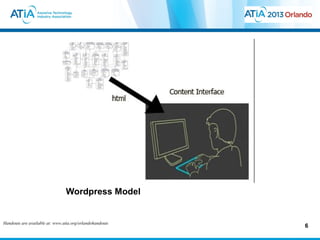
Wordpress Model


Handouts are available at: www.atia.org/orlandohandouts
                                                          6
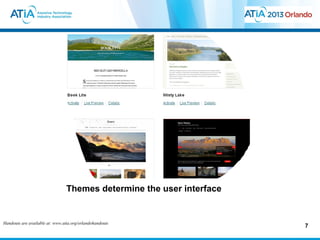
Themes determine the user interface


Handouts are available at: www.atia.org/orlandohandouts
                                                                       7
First Area of Accessibility Problem
• Many themes are not accessible

• Most themes would not pass WCAG 2.0 AA

• Theme demonstration
        • WordPress.com vs. WordPress.org


Handouts are available at: www.atia.org/orlandohandouts
                                                          8
First Accessibility Problem Area - Themes
• Many themes are not accessible

• Most themes would not pass WCAG 2.0 AA

• Theme demonstration
        • WordPress.com vs. WordPress.org

        • “Digg Column 3” – best theme on WordPress.com?


Handouts are available at: www.atia.org/orlandohandouts
                                                           9
WordPress.com vs. WordPress.org
• WordPress.com – good place to start
        • Allows limited customization
        • No plugins (extensions)

• WordPress.org
        • Fully customizable
        • Access to over 20,000 plugins


Handouts are available at: www.atia.org/orlandohandouts
                                                          10
WordPress.org – hosted on server or Webhost
• Fully customizable
        • Styles
        • Theme creation of modification
        • Complete customization of user interface
        • With the database backend you can use php to create dynamic content


Handouts are available at: www.atia.org/orlandohandouts
                                                                                11
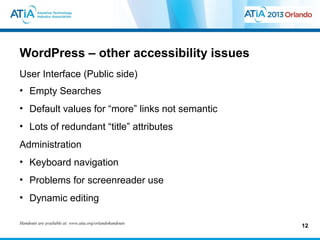
WordPress – other accessibility issues
User Interface (Public side)
• Empty Searches
• Default values for “more” links not semantic
• Lots of redundant “title” attributes
Administration
• Keyboard navigation
• Problems for screenreader use
• Dynamic editing

Handouts are available at: www.atia.org/orlandohandouts
                                                          12
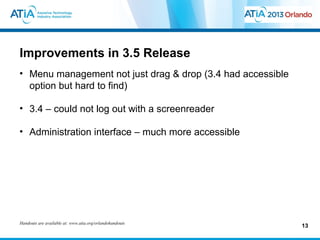
Improvements in 3.5 Release
• Menu management not just drag & drop (3.4 had accessible
  option but hard to find)

• 3.4 – could not log out with a screenreader

• Administration interface – much more accessible


Handouts are available at: www.atia.org/orlandohandouts
                                                             13
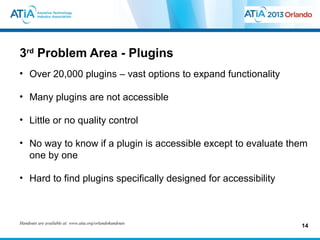
3rd Problem Area - Plugins
• Over 20,000 plugins – vast options to expand functionality

• Many plugins are not accessible

• Little or no quality control

• No way to know if a plugin is accessible except to evaluate them
  one by one

• Hard to find plugins specifically designed for accessibility


Handouts are available at: www.atia.org/orlandohandouts
                                                                 14
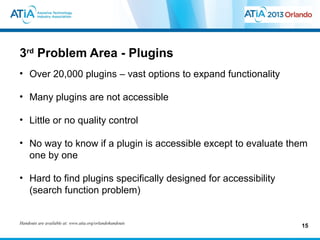
3rd Problem Area - Plugins
• Over 20,000 plugins – vast options to expand functionality

• Many plugins are not accessible

• Little or no quality control

• No way to know if a plugin is accessible except to evaluate them
  one by one

• Hard to find plugins specifically designed for accessibility
  (search function problem)


Handouts are available at: www.atia.org/orlandohandouts
                                                                 15
Accessibility Initiatives
• WP Accessible – wp-accessible.org
    • Project to locate & encourage development of accessible themes

• WordPress has developed protocol for adding a tag for
  “accessibility ready” in their theme repository

• “Make WordPress Accessible” blog
    • http://make.wordpress.org/accessibility/

• Joe Dolson’s Accessibility plugin
    • Wordpress.org/extend/plugins/wp-accessibility

• No way at: www.atia.org/orlandohandouts
Handouts are available
                       to know if a plugin is accessible except to evaluate them
                                                                               16
WP- Accessibility Plugin
• Remove redundant title attributes
• Enable skip links (for Webkit browsers)
• Add skip links with user-defined targets
• Add language and text direction attributes
• Remove target attribute from links
• Force a search page error on an empty search
• Removes tab-index
• Add post titles to “read more” links

Handouts are available at: www.atia.org/orlandohandouts
                                                          17
WordPress Resources
• Friedman, Jesse. Web Designer’s Guide to WordPress, New
  Riders (2013)
• Williams, Brad; et al. Professional WordPress Plugin
  Development, Wiley Publishing (2011)
• Wordpress.org


Handouts are available at: www.atia.org/orlandohandouts
                                                            18
Projects/Resources at CU, AHEAD, &
ATHEN
• 3-credit class: Universal Design for Digital Media
    • http://accessinghigherground.org/wp/udclass/
• (Proposed) 3-credit class: Universal Design for CMS – focus on
  Drupal & WordPress
• ATHEN – Access Tech. Higher Ed. Network
    • Athenpro.org
• UD Grant - Integrating UD in Curriculum
    •   Professional Certificate
    •   Expand courses in UD for media design
    •   Conference track on UD in curriculum
    •   Repository of resources
• See us at Booth 204
Accessing Higher Ground Conference
             Accessible Media, Web & Technology
• November 4 – 8, 2013
• Hands-on sessions on Web Access, Assistive Technology
• Upcoming teleconferences
• Can purchase audio dvd of proceedings & access materials &
  handouts online
• Westin Hotel - between Boulder & Denver
• http://accessinghigherground.org
Thank you for attending this session
  • CEUs – Session Code: ACC-14
       • More info at: www.atia.org/CEU
       • For ACVREP, AOTA and ASHA CEUs, hand in completed Attendance
         Forms to REGISTRATION DESK at the end of the conference. Please
         note there is a $15 fee for AOTA CEUs.
       • For general CEUs, apply online with The AAC Institute:
         www.aacinstitute.org

  • Session Evaluation
       • Please help us improve the quality of our conference by completing your
         session evaluation form.
       • Completed evaluation forms should be submitted as you exit or to staff at
         the registration desk.

  • Handouts
         • Handouts are available at: www.atia.org/orlandohandouts
Handouts are Handout www.atia.org/orlandohandouts3 months after the conference ends.
         • available at: link remains live for                                         21

Wordpress & accessibility

  • 1.
    ACC-14: Using Wordpress & php to Create Accessible Sites Howard Kramer hkramer@colorado.edu January 31, 2013 2:35 – 3:35 p.m. Handouts are available at: www.atia.org/orlandohandouts 1
  • 2.
    My Background withWordpress / Web Design • First began using Wordpress.com as meeting space • Chose Wordpress CMS to present dynamic content for Accessing Higher Ground site • Teach an online course on Universal Design for Digital Media • Coordinate a conference on accessible media and access to the curriculum - AHG Handouts are available at: www.atia.org/orlandohandouts 2
  • 3.
    Today’s Agenda • Whatis Wordpress? • Wordpress.com vs. Wordpress.org • Obstacles to accessibility • Tools and strategies for addressing these issues • What’s new and upcoming on Wordpress accessibility? • Where to go from here: resources Handouts are available at: www.atia.org/orlandohandouts 3
  • 4.
    Full Disclosure • Istole this presentation – (not really) • Borrowing much from Joe Dolson (with his permission) • Combined with my own material Handouts are available at: www.atia.org/orlandohandouts 4
  • 5.
    What is Wordpress •Wordpress is a free, open-source CMS • Largest user-base & WP developers • PHP • HTML / CSS • Javascript • Plugin extendability Handouts are available at: www.atia.org/orlandohandouts 5
  • 6.
    Wordpress Model Handouts areavailable at: www.atia.org/orlandohandouts 6
  • 7.
    Themes determine theuser interface Handouts are available at: www.atia.org/orlandohandouts 7
  • 8.
    First Area ofAccessibility Problem • Many themes are not accessible • Most themes would not pass WCAG 2.0 AA • Theme demonstration • WordPress.com vs. WordPress.org Handouts are available at: www.atia.org/orlandohandouts 8
  • 9.
    First Accessibility ProblemArea - Themes • Many themes are not accessible • Most themes would not pass WCAG 2.0 AA • Theme demonstration • WordPress.com vs. WordPress.org • “Digg Column 3” – best theme on WordPress.com? Handouts are available at: www.atia.org/orlandohandouts 9
  • 10.
    WordPress.com vs. WordPress.org •WordPress.com – good place to start • Allows limited customization • No plugins (extensions) • WordPress.org • Fully customizable • Access to over 20,000 plugins Handouts are available at: www.atia.org/orlandohandouts 10
  • 11.
    WordPress.org – hostedon server or Webhost • Fully customizable • Styles • Theme creation of modification • Complete customization of user interface • With the database backend you can use php to create dynamic content Handouts are available at: www.atia.org/orlandohandouts 11
  • 12.
    WordPress – otheraccessibility issues User Interface (Public side) • Empty Searches • Default values for “more” links not semantic • Lots of redundant “title” attributes Administration • Keyboard navigation • Problems for screenreader use • Dynamic editing Handouts are available at: www.atia.org/orlandohandouts 12
  • 13.
    Improvements in 3.5Release • Menu management not just drag & drop (3.4 had accessible option but hard to find) • 3.4 – could not log out with a screenreader • Administration interface – much more accessible Handouts are available at: www.atia.org/orlandohandouts 13
  • 14.
    3rd Problem Area- Plugins • Over 20,000 plugins – vast options to expand functionality • Many plugins are not accessible • Little or no quality control • No way to know if a plugin is accessible except to evaluate them one by one • Hard to find plugins specifically designed for accessibility Handouts are available at: www.atia.org/orlandohandouts 14
  • 15.
    3rd Problem Area- Plugins • Over 20,000 plugins – vast options to expand functionality • Many plugins are not accessible • Little or no quality control • No way to know if a plugin is accessible except to evaluate them one by one • Hard to find plugins specifically designed for accessibility (search function problem) Handouts are available at: www.atia.org/orlandohandouts 15
  • 16.
    Accessibility Initiatives • WPAccessible – wp-accessible.org • Project to locate & encourage development of accessible themes • WordPress has developed protocol for adding a tag for “accessibility ready” in their theme repository • “Make WordPress Accessible” blog • http://make.wordpress.org/accessibility/ • Joe Dolson’s Accessibility plugin • Wordpress.org/extend/plugins/wp-accessibility • No way at: www.atia.org/orlandohandouts Handouts are available to know if a plugin is accessible except to evaluate them 16
  • 17.
    WP- Accessibility Plugin •Remove redundant title attributes • Enable skip links (for Webkit browsers) • Add skip links with user-defined targets • Add language and text direction attributes • Remove target attribute from links • Force a search page error on an empty search • Removes tab-index • Add post titles to “read more” links Handouts are available at: www.atia.org/orlandohandouts 17
  • 18.
    WordPress Resources • Friedman,Jesse. Web Designer’s Guide to WordPress, New Riders (2013) • Williams, Brad; et al. Professional WordPress Plugin Development, Wiley Publishing (2011) • Wordpress.org Handouts are available at: www.atia.org/orlandohandouts 18
  • 19.
    Projects/Resources at CU,AHEAD, & ATHEN • 3-credit class: Universal Design for Digital Media • http://accessinghigherground.org/wp/udclass/ • (Proposed) 3-credit class: Universal Design for CMS – focus on Drupal & WordPress • ATHEN – Access Tech. Higher Ed. Network • Athenpro.org • UD Grant - Integrating UD in Curriculum • Professional Certificate • Expand courses in UD for media design • Conference track on UD in curriculum • Repository of resources • See us at Booth 204
  • 20.
    Accessing Higher GroundConference Accessible Media, Web & Technology • November 4 – 8, 2013 • Hands-on sessions on Web Access, Assistive Technology • Upcoming teleconferences • Can purchase audio dvd of proceedings & access materials & handouts online • Westin Hotel - between Boulder & Denver • http://accessinghigherground.org
  • 21.
    Thank you forattending this session • CEUs – Session Code: ACC-14 • More info at: www.atia.org/CEU • For ACVREP, AOTA and ASHA CEUs, hand in completed Attendance Forms to REGISTRATION DESK at the end of the conference. Please note there is a $15 fee for AOTA CEUs. • For general CEUs, apply online with The AAC Institute: www.aacinstitute.org • Session Evaluation • Please help us improve the quality of our conference by completing your session evaluation form. • Completed evaluation forms should be submitted as you exit or to staff at the registration desk. • Handouts • Handouts are available at: www.atia.org/orlandohandouts Handouts are Handout www.atia.org/orlandohandouts3 months after the conference ends. • available at: link remains live for 21

Editor's Notes

  • #6 Do you have to know all these areas to use WP? No.
  • #8 Do you have to know all these areas to use WP? No.
  • #9 Show Digg vs. Able vs. …
  • #10 Show Digg vs.
  • #11 WordPress.org – what we’ll be referring to for the rest of the talk
  • #12 WordPress.org – what we’ll be referring to for the rest of the talk
  • #13 WordPress.org – what we’ll be referring to for the rest of the talk
  • #14 WordPress.org – what we’ll be referring to for the rest of the talk
  • #15 WordPress.org – what we’ll be referring to for the rest of the talk
  • #16 WordPress.org – what we’ll be referring to for the rest of the talk
  • #17 WordPress.org – what we’ll be referring to for the rest of the talk
  • #18 WordPress.org – what we’ll be referring to for the rest of the talk
  • #19 WordPress.org – what we’ll be referring to for the rest of the talk
  • #20 Show handouts page – mention can buy audio
  • #21 Show handouts page – mention can buy audio