Integrating Native Mobile Apps into
Institutional Ed-Tech Ecosystems
Christian Glahn & Riccardo Mazza
Integrating Learning Experiences
across Contexts
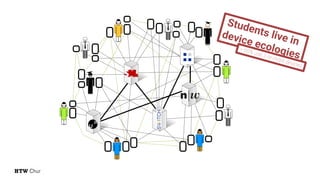
Students live in
device ecologies
> 60% use 3 or more devices
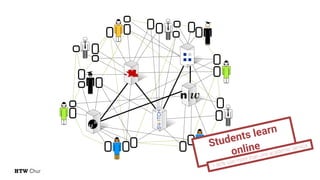
Students learn
online
> 90% use more than one academic service
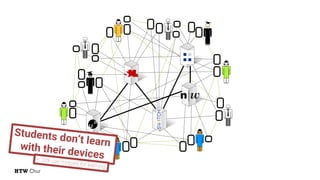
Students don’t learnwith their devices< 10% use mobiles for learning
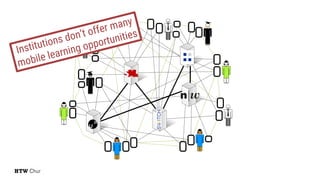
Institutions don’t offer many
mobile learning opportunities
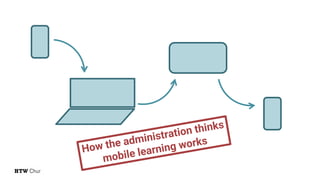
How the administration thinks
mobile learning works
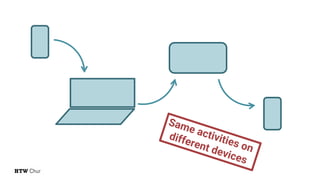
Same activities on
different devices
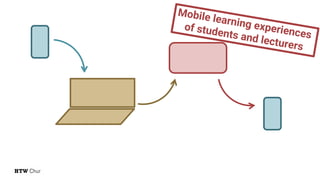
Mobile learning experiences
of students and lecturers
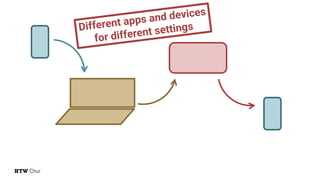
Different apps and devices
for different settings
Stakeholders (students, lecturers, and support)
consistently report among the key barriers for using
mobile technologies:
- Lacking or difficult authentication
- Need for multiple accounts
- Poor integration with other systems and platforms
(primarily a problem for lecturers)
Where do authentication and authorization
belong in the mobile learning landscape?
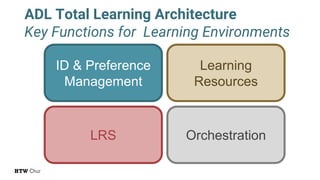
ID & Preference
Management
Learning
Resources
LRS Orchestration
ADL Total Learning Architecture
Key Functions for Learning Environments
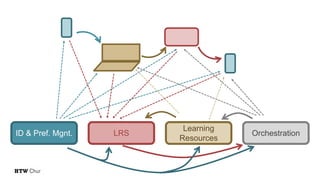
ID & Pref. Mgnt.
Learning
Resources
LRS Orchestration
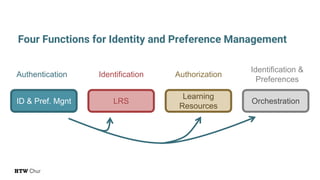
Authentication AuthorizationIdentification
Identification &
Preferences
Four Functions for Identity and Preference Management
ID & Pref. Mgnt
Learning
Resources
LRS Orchestration
Why Integrating Mobile Learning Solutions
into Institutional Learning Infrastructures is
difficult?
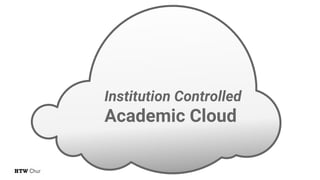
Institution Controlled
Academic Cloud
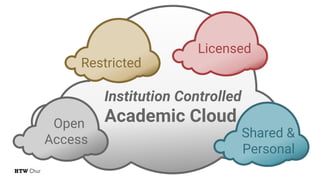
Institution Controlled
Academic CloudOpen
Access
Restricted
Licensed
Shared &
Personal
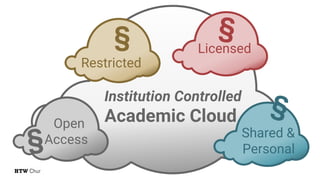
Institution Controlled
Academic CloudOpen
Access
Restricted
Licensed
§
§
§
Shared &
Personal
§
Identity is Related to Trust
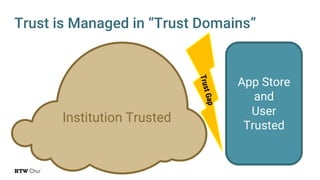
Trust is Managed in “Trust Domains”
App Store
and
User
Trusted
Institution Trusted
TrustGap
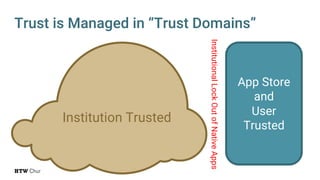
Trust is Managed in “Trust Domains”
App Store
and
User
Trusted
InstitutionalLockOutofNativeApps
Institution Trusted
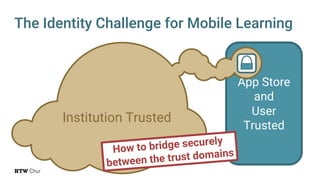
App Store
and
User
Trusted
The Identity Challenge for Mobile Learning
Institution Trusted
How to bridge securely
between the trust domains
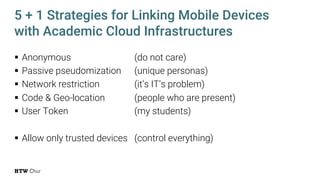
§ Anonymous (do not care)
§ Passive pseudomization (unique personas)
§ Network restriction (it’s IT’s problem)
§ Code & Geo-location (people who are present)
§ User Token (my students)
§ Allow only trusted devices (control everything)
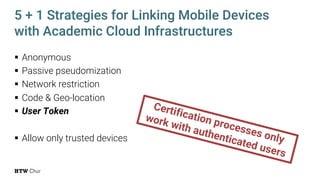
5 + 1 Strategies for Linking Mobile Devices
with Academic Cloud Infrastructures
§ Anonymous
§ Passive pseudomization
§ Network restriction
§ Code & Geo-location
§ User Token
§ Allow only trusted devices
5 + 1 Strategies for Linking Mobile Devices
with Academic Cloud Infrastructures
Certification processes only
work with authenticated users
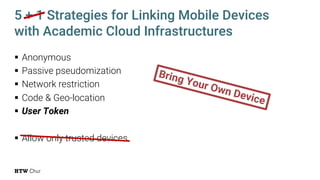
§ Anonymous
§ Passive pseudomization
§ Network restriction
§ Code & Geo-location
§ User Token
§ Allow only trusted devices
5 + 1 Strategies for Linking Mobile Devices
with Academic Cloud Infrastructures
Bring Your Own Device
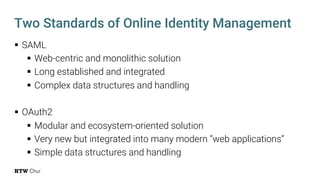
§ SAML
§ Web-centric and monolithic solution
§ Long established and integrated
§ Complex data structures and handling
§ OAuth2
§ Modular and ecosystem-oriented solution
§ Very new but integrated into many modern “web applications”
§ Simple data structures and handling
Two Standards of Online Identity Management
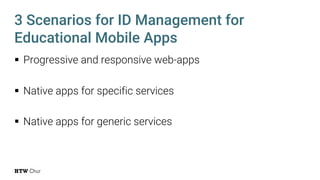
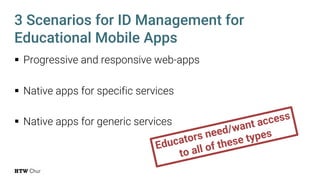
§ Progressive and responsive web-apps
§ Native apps for specific services
§ Native apps for generic services
3 Scenarios for ID Management for
Educational Mobile Apps
Swiss Academic Domain
(Organisation Trusted)
University Server
SWITCH Server
Internet Mobile Device
(User and App Store Trusted)
EDUID Service
Academic Service
EDUID App
Third Party App
Authenticate
Identify & Manage
Identify
Authorize
Exchange Data Exchange Data
Authorize
Authenticate, Identify &
Manage
Identify & Authorize
Generic Architecture
Protocol Endpoints Protocol Models
Identity Management
Service Provisioning
Trusted Service
cryptographically secured
channels
AuthorizationAuthorization Provider
Progressive web-apps
Swiss Academic Domain
(Organisation Trusted)
University Server
SWITCH Server
Internet Mobile Device
(User and App Store Trusted)
Web-browser
Authorization Provider
Resource Provider
Trust Agent
Third Party App
Authorization
The authorization provider
controls the web-sites for
authorization and the app
Native apps for specific services
Swiss Academic Domain
(Organisation Trusted)
University Server
SWITCH Server
Internet Mobile Device
(User and App Store Trusted)
Web-browser
Authorization Provider
Resource Provider
Trust Agent
Third Party App
Authorization
The authorization provider
controls the web-site for
the authorization
The resource provider
“knows” its apps
Native apps for generic services
Swiss Academic Domain
(Organisation Trusted)
University Server
SWITCH Server
Internet Mobile Device
(User and App Store Trusted)
Authorization Provider
Resource Provider
Trust Agent
Third Party App
Authorization
The authorization apphelps users to chooseappropriate services
The app asks for access
for known protocols
An app can only access services
once it fully authorized
The authorization app bridges
the trust domain to the institution
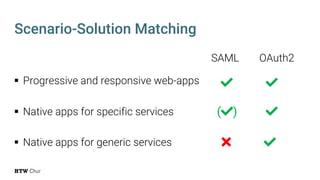
§ Progressive and responsive web-apps
§ Native apps for specific services
§ Native apps for generic services
Scenario-Solution Matching
SAML OAuth2
! !
(!) !
" !
§ Progressive and responsive web-apps
§ Native apps for specific services
§ Native apps for generic services
3 Scenarios for ID Management for
Educational Mobile Apps
Educators need/want access
to all of these types
Our objective
Let’s get the complexity out of the way
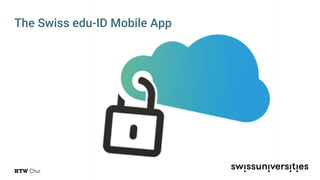
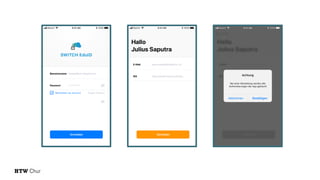
The Swiss edu-ID Mobile App
Target Objectives
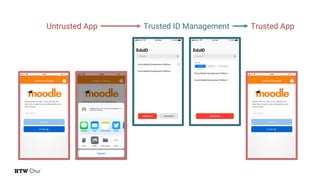
Reduce App Authorization Barrier
Remove Opportunities for Rouge Apps Sniffing
User Credentials
Easier Integration of Mobile Apps with the
Academic Cloud
Untrusted App Trusted ID Management Trusted App
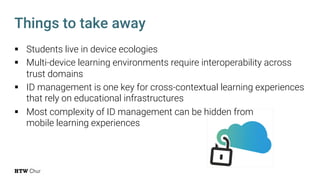
Things to take away
§ Students live in device ecologies
§ Multi-device learning environments require interoperability across
trust domains
§ ID management is one key for cross-contextual learning experiences
that rely on educational infrastructures
§ Most complexity of ID management can be hidden from
mobile learning experiences
Thank you for your attention
Christian.Glahn@mobinaut.io
Riccardo.mazza@usi.ch

Integrating Native Mobile Apps into Institutional Ed-Tech Ecosystems

  • 1.
    Integrating Native MobileApps into Institutional Ed-Tech Ecosystems Christian Glahn & Riccardo Mazza
  • 2.
  • 3.
    Students live in deviceecologies > 60% use 3 or more devices
  • 4.
    Students learn online > 90%use more than one academic service
  • 5.
    Students don’t learnwiththeir devices< 10% use mobiles for learning
  • 6.
    Institutions don’t offermany mobile learning opportunities
  • 7.
    How the administrationthinks mobile learning works
  • 8.
  • 9.
    Mobile learning experiences ofstudents and lecturers
  • 10.
    Different apps anddevices for different settings
  • 11.
    Stakeholders (students, lecturers,and support) consistently report among the key barriers for using mobile technologies: - Lacking or difficult authentication - Need for multiple accounts - Poor integration with other systems and platforms (primarily a problem for lecturers)
  • 12.
    Where do authenticationand authorization belong in the mobile learning landscape?
  • 13.
    ID & Preference Management Learning Resources LRSOrchestration ADL Total Learning Architecture Key Functions for Learning Environments
  • 14.
    ID & Pref.Mgnt. Learning Resources LRS Orchestration
  • 15.
    Authentication AuthorizationIdentification Identification & Preferences FourFunctions for Identity and Preference Management ID & Pref. Mgnt Learning Resources LRS Orchestration
  • 16.
    Why Integrating MobileLearning Solutions into Institutional Learning Infrastructures is difficult?
  • 17.
  • 18.
  • 19.
  • 20.
  • 21.
    Trust is Managedin “Trust Domains” App Store and User Trusted Institution Trusted TrustGap
  • 22.
    Trust is Managedin “Trust Domains” App Store and User Trusted InstitutionalLockOutofNativeApps Institution Trusted
  • 23.
    App Store and User Trusted The IdentityChallenge for Mobile Learning Institution Trusted How to bridge securely between the trust domains
  • 24.
    § Anonymous (donot care) § Passive pseudomization (unique personas) § Network restriction (it’s IT’s problem) § Code & Geo-location (people who are present) § User Token (my students) § Allow only trusted devices (control everything) 5 + 1 Strategies for Linking Mobile Devices with Academic Cloud Infrastructures
  • 25.
    § Anonymous § Passivepseudomization § Network restriction § Code & Geo-location § User Token § Allow only trusted devices 5 + 1 Strategies for Linking Mobile Devices with Academic Cloud Infrastructures Certification processes only work with authenticated users
  • 26.
    § Anonymous § Passivepseudomization § Network restriction § Code & Geo-location § User Token § Allow only trusted devices 5 + 1 Strategies for Linking Mobile Devices with Academic Cloud Infrastructures Bring Your Own Device
  • 27.
    § SAML § Web-centricand monolithic solution § Long established and integrated § Complex data structures and handling § OAuth2 § Modular and ecosystem-oriented solution § Very new but integrated into many modern “web applications” § Simple data structures and handling Two Standards of Online Identity Management
  • 28.
    § Progressive andresponsive web-apps § Native apps for specific services § Native apps for generic services 3 Scenarios for ID Management for Educational Mobile Apps
  • 29.
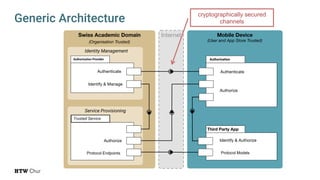
    Swiss Academic Domain (OrganisationTrusted) University Server SWITCH Server Internet Mobile Device (User and App Store Trusted) EDUID Service Academic Service EDUID App Third Party App Authenticate Identify & Manage Identify Authorize Exchange Data Exchange Data Authorize Authenticate, Identify & Manage Identify & Authorize Generic Architecture Protocol Endpoints Protocol Models Identity Management Service Provisioning Trusted Service cryptographically secured channels AuthorizationAuthorization Provider
  • 30.
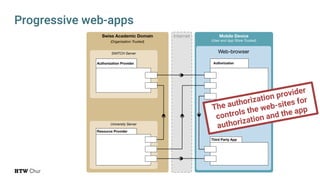
    Progressive web-apps Swiss AcademicDomain (Organisation Trusted) University Server SWITCH Server Internet Mobile Device (User and App Store Trusted) Web-browser Authorization Provider Resource Provider Trust Agent Third Party App Authorization The authorization provider controls the web-sites for authorization and the app
  • 31.
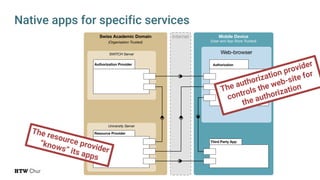
    Native apps forspecific services Swiss Academic Domain (Organisation Trusted) University Server SWITCH Server Internet Mobile Device (User and App Store Trusted) Web-browser Authorization Provider Resource Provider Trust Agent Third Party App Authorization The authorization provider controls the web-site for the authorization The resource provider “knows” its apps
  • 32.
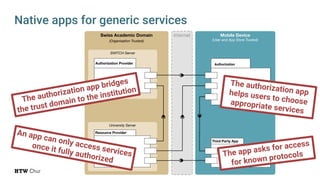
    Native apps forgeneric services Swiss Academic Domain (Organisation Trusted) University Server SWITCH Server Internet Mobile Device (User and App Store Trusted) Authorization Provider Resource Provider Trust Agent Third Party App Authorization The authorization apphelps users to chooseappropriate services The app asks for access for known protocols An app can only access services once it fully authorized The authorization app bridges the trust domain to the institution
  • 33.
    § Progressive andresponsive web-apps § Native apps for specific services § Native apps for generic services Scenario-Solution Matching SAML OAuth2 ! ! (!) ! " !
  • 34.
    § Progressive andresponsive web-apps § Native apps for specific services § Native apps for generic services 3 Scenarios for ID Management for Educational Mobile Apps Educators need/want access to all of these types
  • 35.
    Our objective Let’s getthe complexity out of the way
  • 36.
    The Swiss edu-IDMobile App
  • 37.
    Target Objectives Reduce AppAuthorization Barrier Remove Opportunities for Rouge Apps Sniffing User Credentials Easier Integration of Mobile Apps with the Academic Cloud
  • 39.
    Untrusted App TrustedID Management Trusted App
  • 40.
    Things to takeaway § Students live in device ecologies § Multi-device learning environments require interoperability across trust domains § ID management is one key for cross-contextual learning experiences that rely on educational infrastructures § Most complexity of ID management can be hidden from mobile learning experiences
  • 41.
    Thank you foryour attention Christian.Glahn@mobinaut.io Riccardo.mazza@usi.ch