MOBILE TECHNOLOGY TASK FORCE


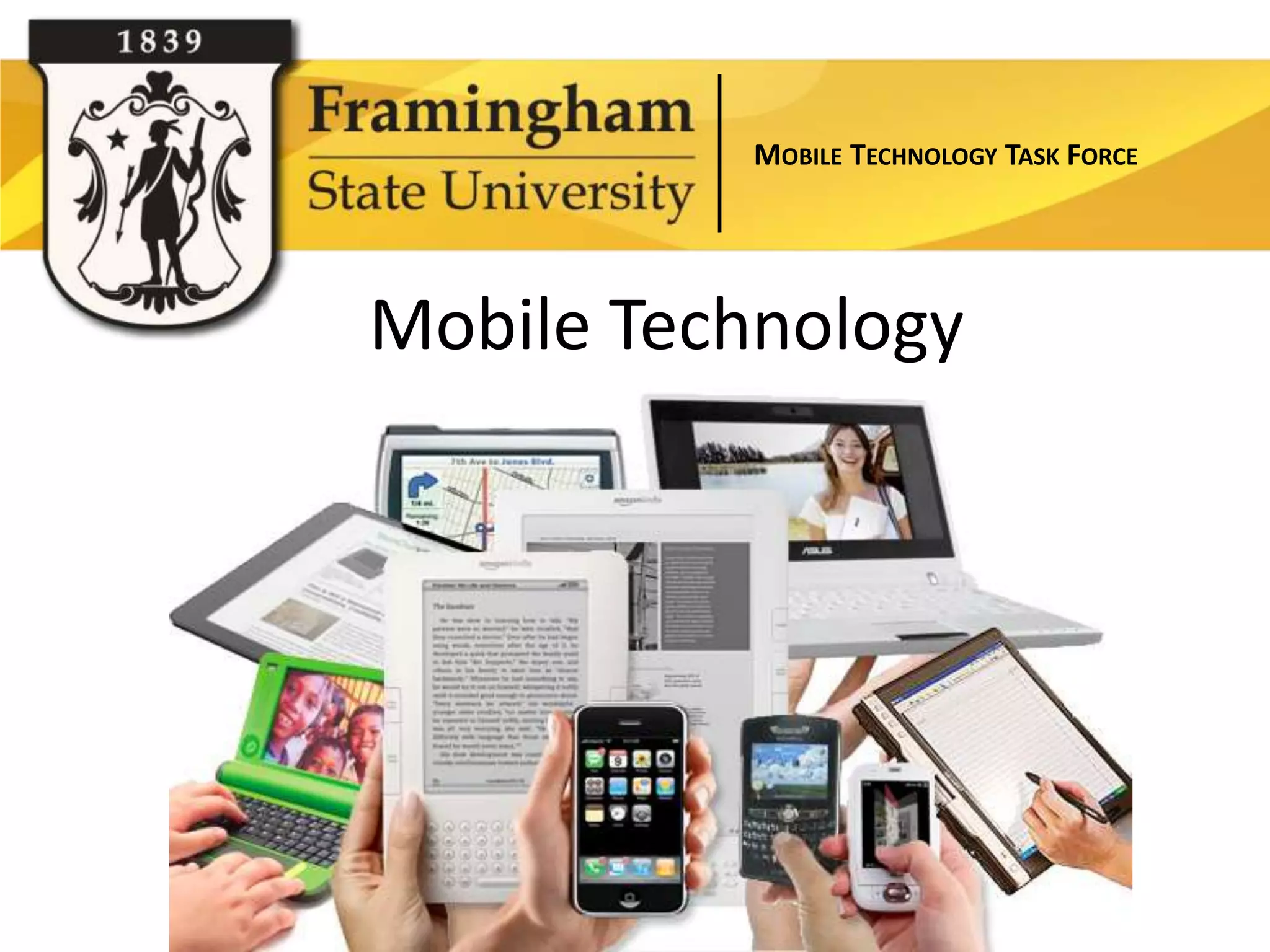
Mobile Technology
MOBILE TECHNOLOGY TASK FORCE


        Task Force Members:
         Robin Robinson (co-chair)
          Deborah Saks (co-chair)

Clair Waterbury      Millie Gonzalez
Corey Hobbs          Kim Cochran
Chris Chagnon        Aline Davis (faculty advisor)
Christine Sacco      Karen Druffel (faculty advisor)
Chris Giannini       Chris Bradley (business advisor)
MOBILE TECHNOLOGY TASK FORCE


             What is a mobile device?

Any portable technology running an operating
system optimized or designed for mobile
computing.

Wikipedia: A mobile device (also known as a handheld
device, handheld computer or simply handheld) is a
small, hand-held computing device, typically having a
display screen with touch input and/or a miniature
keyboard and less than 2 pounds.
MOBILE TECHNOLOGY TASK FORCE


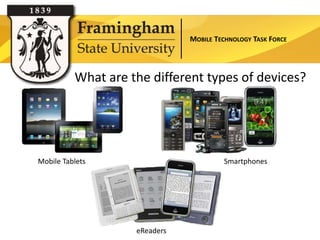
          What are the different types of devices?


Mobile Tablets                          Smartphones


                    eReaders
MOBILE TECHNOLOGY TASK FORCE


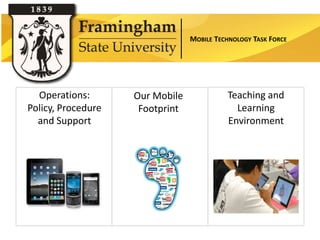
  Operations:       Our Mobile             Teaching and
Policy, Procedure    Footprint               Learning
  and Support                              Environment
MOBILE TECHNOLOGY TASK FORCE


                  Operations: Charge
•   Which device and software should be provisioned by the

                    Section Title
    University? Who will get them, under what conditions?
•   The procurement of hardware, software, 3G/4G contracts
•   Tracking inventory and compliance with software and
    configuration settings
•   Management of machines, patches, software
    upgrades, configurations etc.
•   Ensuring information security and privacy management
•   What can and will we support and how
MOBILE TECHNOLOGY TASK FORCE


University Purchasing Recommendations

                   Section Title

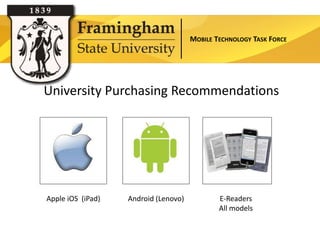
Apple iOS (iPad)    Android (Lenovo)           E-Readers
                                               All models
MOBILE TECHNOLOGY TASK FORCE


              Procurement of Hardware

1. Request funding of device through department
2. Use of professional development or start up funds
3. Apply for funding through a proposed one time technology
   innovation fund through the Marion Scherner Leonhard
   Teaching and Technology Program*
4. Other proposed initiatives*
                                                 * pending approval
MOBILE TECHNOLOGY TASK FORCE


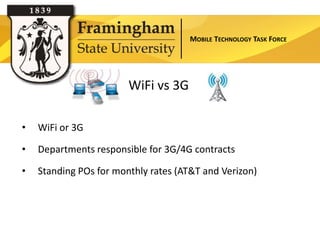
                        WiFi vs 3G

•   WiFi or 3G

•   Departments responsible for 3G/4G contracts

•   Standing POs for monthly rates (AT&T and Verizon)
MOBILE TECHNOLOGY TASK FORCE


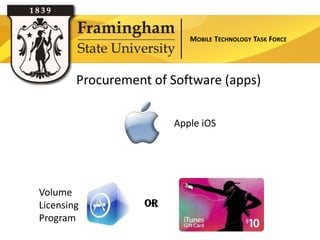
        Procurement of Software (apps)

                        Apple iOS


Volume
Licensing          OR
Program
MOBILE TECHNOLOGY TASK FORCE


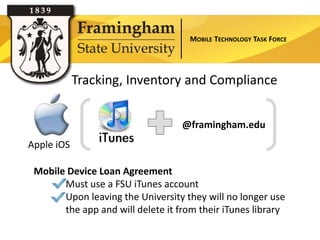
            Tracking, Inventory and Compliance


                                   @framingham.edu
Apple iOS

 Mobile Device Loan Agreement
       Must use a FSU iTunes account
       Upon leaving the University they will no longer use
       the app and will delete it from their iTunes library
MOBILE TECHNOLOGY TASK FORCE


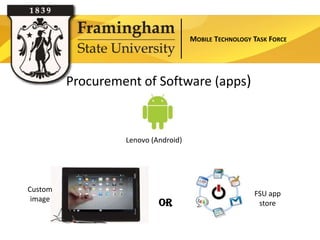
         Procurement of Software (apps)


                  Lenovo (Android)


Custom
                                                       FSU app
 image
                           OR                           store
MOBILE TECHNOLOGY TASK FORCE


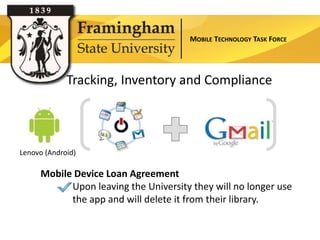
             Tracking, Inventory and Compliance


Lenovo (Android)

     Mobile Device Loan Agreement
           Upon leaving the University they will no longer use
           the app and will delete it from their library.
MOBILE TECHNOLOGY TASK FORCE


                            eReaders


                           Section Title
Kindle (black and white)         Nook Tablet             Sony e-Book Reader
       Kindle Fire
MOBILE TECHNOLOGY TASK FORCE


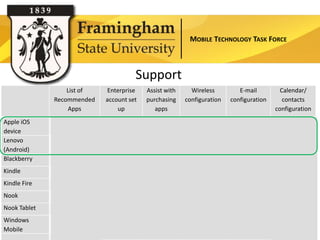
                                      Support
                  List of   Enterprise    Assist with     Wireless         E-mail            Calendar/
              Recommended   account set   purchasing    configuration   configuration         contacts
                  Apps          up           apps                                          configuration
Apple iOS
device
                                                                                            
Lenovo
(Android)
                                                                                            
Blackberry                                                                                    
Kindle                                                                   (web)
Kindle Fire                                                               *                    *
Nook                                                         
Nook Tablet                                                                *                   *
Windows
Mobile
                                                                                               
                                                                                * testing required
MOBILE TECHNOLOGY TASK FORCE


Mobile Web Presence


  Section Title
MOBILE TECHNOLOGY TASK FORCE


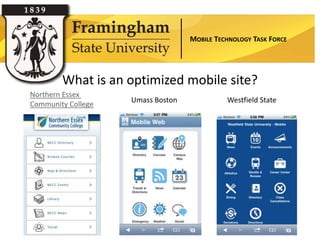
        What is an optimized mobile site?
Northern Essex
                    Umass Boston             Westfield State
Community College
MOBILE TECHNOLOGY TASK FORCE


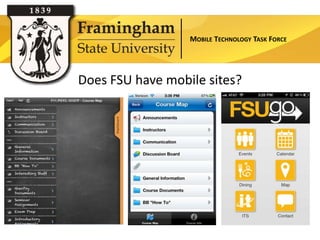
Does FSU have mobile sites?
MOBILE TECHNOLOGY TASK FORCE


Teaching and Learning
MOBILE TECHNOLOGY TASK FORCE


         Teaching and Learning: Charge

• The unique educational affordances that mobile
  devices offer, that have specific application for
  potential use within learning environments at
  Framingham State University.
• The current level of interest among faculty to make
  use of the unique educational affordances that
  iPads offer within the context of courses they teach
  within the next 18 months.
MOBILE TECHNOLOGY TASK FORCE


Mobile computing has the
potential to put learning into
the hands of students, all the
time, anywhere they are, on
their own terms.
MOBILE TECHNOLOGY TASK FORCE


Most of the principles and
lessons of "computing" apply
equally to mobile computing,
though it's important to see
where the rules are different
and adapt to them.
MOBILE TECHNOLOGY TASK FORCE


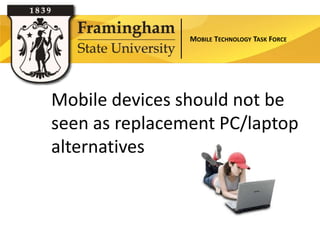
Mobile devices should not be
seen as replacement PC/laptop
alternatives
MOBILE TECHNOLOGY TASK FORCE


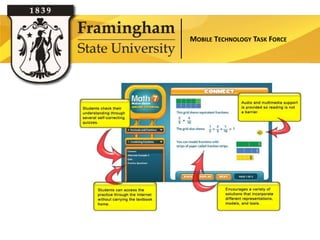
eTextbooks
MOBILE TECHNOLOGY TASK FORCE


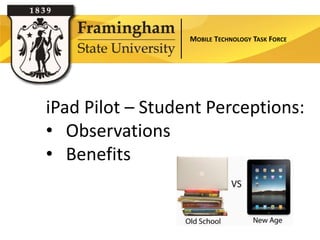
iPad Pilot – Student Perceptions:
• Observations
• Benefits
MOBILE TECHNOLOGY TASK FORCE


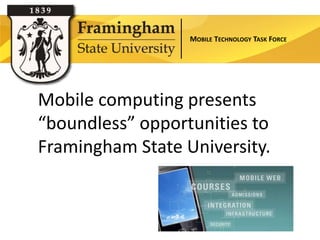
Mobile computing presents
“boundless” opportunities to
Framingham State University.
MOBILE TECHNOLOGY TASK FORCE


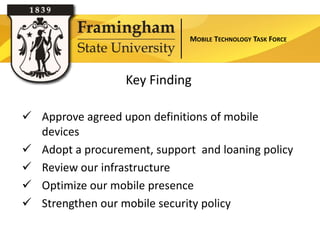
                  Key Finding


                Section Title
 Approve agreed upon definitions of mobile
  devices
 Adopt a procurement, support and loaning policy
 Review our infrastructure
 Optimize our mobile presence
 Strengthen our mobile security policy
MOBILE TECHNOLOGY TASK FORCE


                   Key Finding


                Section Title
 Utilize Marion Scherner Leonhard Teaching and
  Technology Program funds for professional
  development
 Provide a forum to share our mobile experiences
 Leverage e-texts solutions such as
  CafeScribe, CourseSmart and others
 Solicit more volunteers
MOBILE TECHNOLOGY TASK FORCE


                Recommendations

 Increase the availability of co-curricular online
  services in order to provide more convenient access
  from mobile devices
 Encourage and support pedagogical
  experimentation with curricular innovations
  facilitated by educational uses of mobile technology
MOBILE TECHNOLOGY TASK FORCE


                 Recommendations

 Conduct pilot projects that explore potential ways to
  help different functional areas operate more
  efficiently using mobile applications
 Extend research efforts to identify end user
  needs, outline support services and implementation
  cost to better inform a campus wide solution
MOBILE TECHNOLOGY TASK FORCE

2011 mobile technology task force presentation to framingham state university technology council

  • 1.
    MOBILE TECHNOLOGY TASKFORCE Mobile Technology
  • 2.
    MOBILE TECHNOLOGY TASKFORCE Task Force Members: Robin Robinson (co-chair) Deborah Saks (co-chair) Clair Waterbury Millie Gonzalez Corey Hobbs Kim Cochran Chris Chagnon Aline Davis (faculty advisor) Christine Sacco Karen Druffel (faculty advisor) Chris Giannini Chris Bradley (business advisor)
  • 3.
    MOBILE TECHNOLOGY TASKFORCE What is a mobile device? Any portable technology running an operating system optimized or designed for mobile computing. Wikipedia: A mobile device (also known as a handheld device, handheld computer or simply handheld) is a small, hand-held computing device, typically having a display screen with touch input and/or a miniature keyboard and less than 2 pounds.
  • 4.
    MOBILE TECHNOLOGY TASKFORCE What are the different types of devices? Mobile Tablets Smartphones eReaders
  • 5.
    MOBILE TECHNOLOGY TASKFORCE Operations: Our Mobile Teaching and Policy, Procedure Footprint Learning and Support Environment
  • 6.
    MOBILE TECHNOLOGY TASKFORCE Operations: Charge • Which device and software should be provisioned by the Section Title University? Who will get them, under what conditions? • The procurement of hardware, software, 3G/4G contracts • Tracking inventory and compliance with software and configuration settings • Management of machines, patches, software upgrades, configurations etc. • Ensuring information security and privacy management • What can and will we support and how
  • 7.
    MOBILE TECHNOLOGY TASKFORCE University Purchasing Recommendations Section Title Apple iOS (iPad) Android (Lenovo) E-Readers All models
  • 8.
    MOBILE TECHNOLOGY TASKFORCE Procurement of Hardware 1. Request funding of device through department 2. Use of professional development or start up funds 3. Apply for funding through a proposed one time technology innovation fund through the Marion Scherner Leonhard Teaching and Technology Program* 4. Other proposed initiatives* * pending approval
  • 9.
    MOBILE TECHNOLOGY TASKFORCE WiFi vs 3G • WiFi or 3G • Departments responsible for 3G/4G contracts • Standing POs for monthly rates (AT&T and Verizon)
  • 10.
    MOBILE TECHNOLOGY TASKFORCE Procurement of Software (apps) Apple iOS Volume Licensing OR Program
  • 11.
    MOBILE TECHNOLOGY TASKFORCE Tracking, Inventory and Compliance @framingham.edu Apple iOS Mobile Device Loan Agreement Must use a FSU iTunes account Upon leaving the University they will no longer use the app and will delete it from their iTunes library
  • 12.
    MOBILE TECHNOLOGY TASKFORCE Procurement of Software (apps) Lenovo (Android) Custom FSU app image OR store
  • 13.
    MOBILE TECHNOLOGY TASKFORCE Tracking, Inventory and Compliance Lenovo (Android) Mobile Device Loan Agreement Upon leaving the University they will no longer use the app and will delete it from their library.
  • 14.
    MOBILE TECHNOLOGY TASKFORCE eReaders Section Title Kindle (black and white) Nook Tablet Sony e-Book Reader Kindle Fire
  • 15.
    MOBILE TECHNOLOGY TASKFORCE Support List of Enterprise Assist with Wireless E-mail Calendar/ Recommended account set purchasing configuration configuration contacts Apps up apps configuration Apple iOS device       Lenovo (Android)       Blackberry     Kindle  (web) Kindle Fire  *  * Nook  Nook Tablet   *  * Windows Mobile    * testing required
  • 16.
    MOBILE TECHNOLOGY TASKFORCE Mobile Web Presence Section Title
  • 17.
    MOBILE TECHNOLOGY TASKFORCE What is an optimized mobile site? Northern Essex Umass Boston Westfield State Community College
  • 18.
    MOBILE TECHNOLOGY TASKFORCE Does FSU have mobile sites?
  • 19.
    MOBILE TECHNOLOGY TASKFORCE Teaching and Learning
  • 20.
    MOBILE TECHNOLOGY TASKFORCE Teaching and Learning: Charge • The unique educational affordances that mobile devices offer, that have specific application for potential use within learning environments at Framingham State University. • The current level of interest among faculty to make use of the unique educational affordances that iPads offer within the context of courses they teach within the next 18 months.
  • 21.
    MOBILE TECHNOLOGY TASKFORCE Mobile computing has the potential to put learning into the hands of students, all the time, anywhere they are, on their own terms.
  • 22.
    MOBILE TECHNOLOGY TASKFORCE Most of the principles and lessons of "computing" apply equally to mobile computing, though it's important to see where the rules are different and adapt to them.
  • 23.
    MOBILE TECHNOLOGY TASKFORCE Mobile devices should not be seen as replacement PC/laptop alternatives
  • 24.
    MOBILE TECHNOLOGY TASKFORCE eTextbooks
  • 25.
    MOBILE TECHNOLOGY TASKFORCE iPad Pilot – Student Perceptions: • Observations • Benefits
  • 26.
    MOBILE TECHNOLOGY TASKFORCE Mobile computing presents “boundless” opportunities to Framingham State University.
  • 27.
    MOBILE TECHNOLOGY TASKFORCE Key Finding Section Title  Approve agreed upon definitions of mobile devices  Adopt a procurement, support and loaning policy  Review our infrastructure  Optimize our mobile presence  Strengthen our mobile security policy
  • 28.
    MOBILE TECHNOLOGY TASKFORCE Key Finding Section Title  Utilize Marion Scherner Leonhard Teaching and Technology Program funds for professional development  Provide a forum to share our mobile experiences  Leverage e-texts solutions such as CafeScribe, CourseSmart and others  Solicit more volunteers
  • 29.
    MOBILE TECHNOLOGY TASKFORCE Recommendations  Increase the availability of co-curricular online services in order to provide more convenient access from mobile devices  Encourage and support pedagogical experimentation with curricular innovations facilitated by educational uses of mobile technology
  • 30.
    MOBILE TECHNOLOGY TASKFORCE Recommendations  Conduct pilot projects that explore potential ways to help different functional areas operate more efficiently using mobile applications  Extend research efforts to identify end user needs, outline support services and implementation cost to better inform a campus wide solution
  • 31.

Editor's Notes

  • #3 As you remember, at the last UTC meeting we discussed starting a mobile task force. The task of this group was to answer 3 basic questions:What specific mobile devices will the university procure, service, inventory and support; for what reasons and how?What are the prioritized preferences among students for co-curricular mobile applications which enhance the university experience and supports student success?What are the unique educational affordances that mobile devices offer, that have specific application for potential use within the learning environments at Framingham State University over the next 18 monthsExamples of these things may include (but need not be limited to) course catalogs, registering for courses, making online payments, viewing account information, checking course schedules, advisor listings, viewing grades, campus map, directory information, campus news, galleries, videos, and text messaging (notifications, updates and reminders).  
  • #4 When people talk about “mobile” it may or may not include a laptop. So, we decided to came upon an agreed upon definition of a mobile device to make it as specific to this task force as possible.
  • #5 Mobile Tablet – (Apple iPad, Samsung Galaxy, Lenovo Thinkpad Slate, Blackberry Playbook)Smartphone- (iPhone, Blackberry, Android) ….uses its own system software, such as RIM (BlackBerry), Windows Mobile, or Apple iOSeReaders (Kindle, Nook, Sony Reader ) An e-book reader is an electronic device that is designed primarily for the purpose of reading digital e-books, periodicals and listening to audiobooks.
  • #6 Our group really looked at 3 aspects of Mobile computing:Operations which included policies about purchasing, procedures and support Our mobile footprintTeaching and learning environment
  • #7 The subcommittee was charged with determining:Support: we have a frame work for support (which is in a few slides) and we will show you our proposed tiered model of support.
  • #8 There are a few devices that the University recommends. Otherwise, we choose to stay agnostic.Apples iOS device (iPad, iPad 2)Google’s Android device (Proposed Lenovo Thinkpad Tablet)E-readers- Currently all models – we will discus more about these recommendations and support for them soon
  • #9 Professional development or start up funds must follow the guidelines set forth by purchasing. It ids written in our computer purchasing guidelines and will be referenced in this document as well.This grant and funding has not been approved. It is being proposed. Robin will discuss that grant in a few minutes.
  • #10 WiFi and 3G are both provide wireless access to the internet. What is the difference between WiFi and 3G?WiFi is a wireless local area network. Covers much smaller ranges and when you leave the “hot spot” or access point where the wireless is, you loose the access. Similar to your laptops here. 3G is cellular technology. It works anywhere your cell phone works and actually uses the same towers that your cell phone connects to- effectively it works anywhere. 3G usually requires a contract with a cellular service (except Amazon’s Kindle).You move from tower to tower (outside) and in most cases, do not drop service. All mobile devices come with WiFi (or should) and you simply connect to an access point. If there is no access point available (like with a laptop) you get no access to the internet. Many devices are now also coming with 3G so you can choose which of these services you want to use to access the internet.WiFi is free (unless you are staying at a hotel or something and They charge you to use the servie) 3G Contracts for mobile devices are a monthly charge. For personal purchases AT&T and Verizon allows users to turn on and off 3G and only pay per month as they need it. For the University, they are billing us with a discount (up to 20%) off per month, but it is a monthly charge whether you use it or not, so a 12 month contract is needed.
  • #11 How many of you haveitunes accounts? Do you know what that is? Apps on any iOS (Apple platform) will be distributed through avolume license system. Codes will be emailed to faculty and departments will be back charged for each.Gift cards can be purchased up to $10.00Users will not be reimbursed for personally purchased apps.
  • #12 Apps are to be installed on University owned equipment only, under University linked iTunes accounts. You must have a University based iTunes account (or Apple ID) (username@framingham.edu)User must sign Mobile Device Loan Agreement, which will state that users are not to transfer or install University owned applications on personally owned devices or non-FSU associated iTunes accounts.Upon leaving the University apps must be destroyed from users personal devices if any exist.
  • #13 FSU can create a Custom imaged tablet (like our imaged laptops or desktops) that gives standard apps to everyone.University approved apps will be purchased through a FSU customized apps marketMust use a g-mail account to get apps. Apps are to be installed on University equipment only.Users will not be reimbursed for personally purchased apps.
  • #14 Devices can be monitored and apps can be called back if purchased through the custom app store or from original imageUser must sign Mobile Device Loan Agreement, which will state that users are not to transfer or install University owned applications on personally owned devices or non-FSU associated accounts.Upon leaving the University apps must be destroyed from users personal devices if any exist.
  • #15 Do not have an enterprise account set up so there is no real business process around this that we can use. Apps and books must be purchased on your own. OverDrive is a full-service digital distributor of eBooks and audiobooks for schools and libraries. Minuteman Library Network (which the Whittemore library is a member) uses their digital distribution platform to offer digital ebook and audio book titles through their digital catalog.Free books from public domainAccess to DRM free titlesLibraries can set up their own sub accounts to deliver unique titles to their community through the Advantage programLibraries can lend ebooks for the Kindle (seamless process)Overdrive titles can be downloaded onto computers and then transferred to mobile devices (must download Adobe Digital Editions)
  • #17 2010 Mobile Statistics provided by NielsenThere are 223m mobile phone users in the US 18% are Smartphones26% have the web/data package, up 33% since 2008Currently only 7% of mobile device owners viewed video on their phonesIn Q-3 of ‘09 over 25% of all mobile devices sold were Smartphones, 2010 it is predicted to be 40-50%.Looking ahead to mid-2011 it is estimated there will be 150m Smartphones in use in the US. 120m will be web-enabled.Video viewership will surge from 5m now, to 120mTexting has gone from 75b in 2008 to 1 trillion in 2009.
  • #18 Why is this? It is because we don't have a mobile site?What is a mobile site? Any site that takes standard data and optimizes it to be viewed on a mobile device. In creating a mobile site, we would determine the most important data we fell students would want to see and create a mobile site. Here are some examples.
  • #19 There is already a Blackboard Mobile Learn app available as a free download through iTunes or Google apps (tablets)What if we created a FSU mobile app. What would it look like
  • #20 A Majority of Students Own Mobile Devices -ECAR study – Mobile devices provide access. It is not uncommon to find that someone carries both a smart phone and a tablet; when a quick glance at email, social networks, or other tools is needed, the smart phone fills the bill. --  "it's how students want to be reached and it’s no longer about if we are going mobile, it is about when and how". Just think about the freshman class arriving on campus in the fall 2012..these students were born in 1993 and 1994 — in 1994 These students grew up with smart devices and have been mobile connected since they 12 and 13 years old. According to a recent report from mobile manufacturer Ericsson, studies show that by 2015, 80% of people accessing the Internet will be doing so from mobile devices. (Horizon Report)It is not uncommon to find that someone carries both a smart phone and a tablet; when a quick glance at email, social networks, or other tools is needed, the smart phone fills the bill.
  • #21 Teaching and Learning sub committee Our ChargeThe uniqueeducationalaffordances that mobile devices offer, that have specific application for potential use withinlearningenvironments at Framingham State University.The current level of interest among faculty to make use of the unique educational affordances that iPads offer within the context of courses they teach within the next 18 months.
  • #22 Mobile computing has the potential to put learning into the hands of students, all the time, anywhere they are, on their own terms. Mobile devices provide access – and tools(camera, audio capture, synchronous notes, play music, send and receive email, surf the web) –ECARMobiles embody the convergence of several technologies that lend themselves to educational use, including electronic book readers, annotation tools, applications for creation and composition, and social networking tools.Killer app for students – services and LMS - ECAR“My students and I were thrilled to have this app for our Ipads.  Prior to this when accessing the Blackboard site on the Ipad we were unable to scroll and therefore not able to see any of the documents on the Ipad.  Last night in class the students were all able to follow along with looking at the document in the new app.  Many of my students are using their Ipads in class.”  cbechtelSeton HillUniversity, located in Pennsylvania, provided every incoming freshman with an iPad in the fall 2010 semester. Application use varied with the courses taken, but in the Modern Art and Italian Renaissance Art courses, students used Art Authority, an application that allowed them to browse through galleries containing40,000 sculptures and paintingsReed College, which tested Kindles in the classroom in fall 2009, has been testing the iPad this year in a parallel experiment. iPads were loaded with class readings to see whether or not students would prefer them to paper-based textbooksScottsdale Community College, students in a journalism class have been using iPads for research and to record personal interviews.
  • #23 You can’t stuff a classroom into a little device. Because you can’t do traditional things, you are forced, actually, to do things that are innovative. It forces the rethinking of learning. And that’s a good thing. ”Dr. Dwayne Harapnuik, Director of Faculty Enrichment, Adams Center for Teaching and LearningUse:Delivering content (BB Mobile app, etext options)Facilitating interaction (clickers – polling)Productive field work (cameras, recorder – other apps can enhance the field work experience)Building community (Facebook, Facetime connections, twitter)Instructor accessibility (Blackboard app)Anywhere, anytime access (BB Mobile app)
  • #24 For more involved web browsing, reading, watching videos, or to use any of the tens of thousands of Internet productivity and lifestyle applications, the tablet provides just enough extra space to enable comfortable use over longer periods of timeTablets are great for casual computing tasks – browsing the web, reading, connecting to social networksConsuming information works well on an iPad; content consumption, a tablet is lighter, more portable, more comfortable, and more personal.Content creation still works better on a computer – laptop, desktop PC or MAC
  • #25 Proliferation of etextbooks has the potential to drive mobile adoptionBut will it? We are planning to pilot an eText service with the rollout of Blackboard Learn. Advantage to the student – cheaper, weigh less, annotate the text – Is this the end of the textbook as we know it? Is it worth the risk? If my computer dies, I don’t have access to the textbook
  • #26 Student observations and perceived benefitsStudent Observations Students bring their iPad everywhere they go, not just class Students like the option of having the Hardcopy and the eTextHardcopy = Familiarity eText = Convenience and Time Effective Student integrate the iPad into their daily lives Student “LOVE” the Blackboard Mobile App BenefitseText: Downloadable, Searchable, Accessible Portable: “Lighter, easier to access information, smaller and more versatile than a laptop.”Easy to UseStudents find information for the course is easier to access (e.g. PowerPoint especially)Students are able to access information anytime and anywhere with a Wi-Fi connection, especially the e-Text What the students are saying…“Benefits are many. It is easy to carry around. can read my text book and other study material on it even when I am walking or lying. It is not like computers and laptops where you have to spend hours sitting on a chair reading stuff.”“I see it being a beneficial tool to student’s because it helps during class to be able to see the powerpoint right in front of you and a great tool outside of class to help look information up or help with review sheets, etc.”“It is awesome and can really enhance learning. It is easy to use and portable. It greatly reduces the wastage of time and resources.”“I use it a lot to read my other course books and especially social networking. I also take pictures of classmate's notes.”   
  • #27 opportunities that mobile computing presents to higher education seem boundless, and the story of mobile computing will be written by those with the vision and imagination to take risks. “If we can get students to access eBooks, tutoring, their professors, and other students, and to form communities…that’s what I seeas the most powerful feature of mobile learning”
  • #28 Approve agreed upon definitions of mobile devices – open endedAdopt a procurement, support and loaning policy – adaptable to changeReview our infrastructure – do we have support for services we wish to add?Optimize our mobile presence – incorporate the BB app, provide access to student services - otherStrengthen our mobile security policy - include mobile security into our Cyber security awareness
  • #29 Utilize Marion Scherner Leonhard Teaching and Technology Program funds for professional developmentProvide a forum to share our mobile experiencesLeverage e-texts solutions such as CafeScribe, CourseSmart and othersSolicit more volunteers
  • #30 Increase the availability of co-curricular online services in order to provide more convenient access from mobile devices Encourage and support pedagogical experimentation with curricular innovations facilitated by educational uses of mobile technology
  • #31 Conduct pilot projects that explore potential ways to help different functional areas operate more efficiently using mobile applicationsExtend research efforts to identify end user needs, outline support services and implementation cost to better inform a campus wide solution
  • #32 Questions