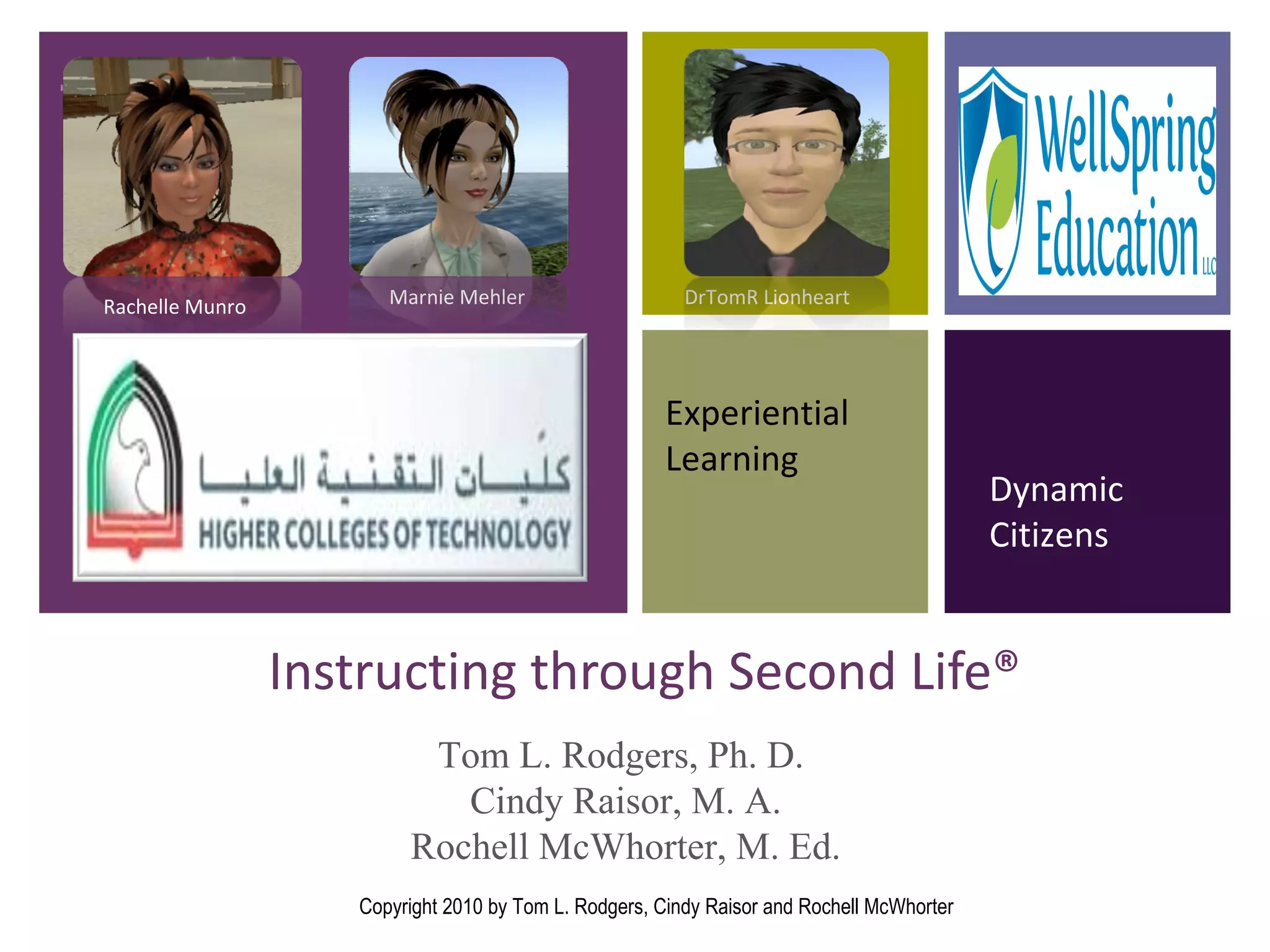
Instructing through Second Life® Experiential Learning Dynamic Citizens Rachelle Munro Marnie Mehler DrTomR Lionheart Tom L. Rodgers, Ph. D.  Cindy Raisor, M. A. Rochell McWhorter, M. Ed. Copyright 2010 by Tom L. Rodgers, Cindy Raisor and Rochell McWhorter
Overview Copyright 2010 by Tom L. Rodgers, Cindy Raisor and Rochell McWhorter I. Educational Opportunities What are the instructional opportunities in Second Life®? Discussion forums and networking Classroom instruction Fieldtrips Training  Which SL sites best represent these instructional opportunities? (Take the tour.) What does SL offer for the UAE student? What research supports the use of SL?
Overview  (cont.) Copyright 2010 by Tom L. Rodgers, Cindy Raisor and Rochell McWhorter II . Implementing Second Life®  How do you create a safe and effective SL environment? What else should you know? What are some best-use practices? How do you get started?
What is Second Life ® ?  Video Introductions Making the Real World a Better Place (video) Aggieland in Second Life® Duke University School of Nursing http://www.youtube.com/watch?v=sL3D-59MbnY&feature=related Canadian Border Simulation http://www.youtube.com/watch?v=PCUWcpVPtMM Copyright 2010 by Tom L. Rodgers, Cindy Raisor and Rochell McWhorter
What instructional opportunities does Second Life ®  offer? Copyright 2010 by Tom L. Rodgers, Cindy Raisor and Rochell McWhorter Discussion forums and networking Classroom instruction—including tutorials  Fieldtrips in every discipline Training—including role playing and simulations
Why is Second Life® used to instruct? SL provides experiential learning in a place where students  Practice  what they have learned in a low-risk environment. Communicate  with others, including the instructor, about what they are learning. Observe  how others respond to particular virtual environment meetings and assignments. Receive immediate feedback  from other participants. And more. This presentation will explain some of the benefits and limitations of using Second Life® for experiential learning.  However, the best way to understand the benefits is to explore Second Life® firsthand.  Copyright 2010 by Tom L. Rodgers, Cindy Raisor and Rochell McWhorter
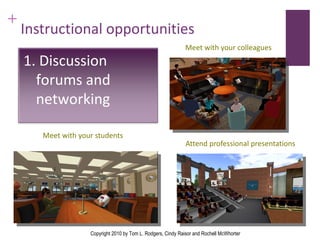
Instructional opportunities Meet with your students Meet with your colleagues Attend professional presentations Copyright 2010 by Tom L. Rodgers, Cindy Raisor and Rochell McWhorter 1. Discussion forums and networking
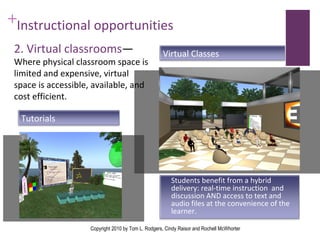
Instructional opportunities  2. Virtual classrooms — Where physical classroom space is limited and expensive, virtual space is accessible, available, and cost efficient. Copyright 2010 by Tom L. Rodgers, Cindy Raisor and Rochell McWhorter Students benefit from a hybrid delivery: real-time instruction  and discussion AND access to text and audio files at the convenience of the learner.  Virtual Classes Tutorials
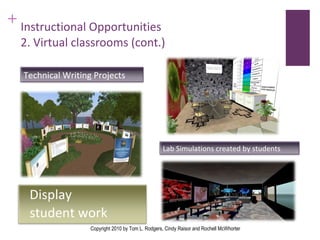
Instructional Opportunities  2. Virtual classrooms (cont.) Copyright 2010 by Tom L. Rodgers, Cindy Raisor and Rochell McWhorter Display  student work Technical Writing Projects Lab Simulations created by students
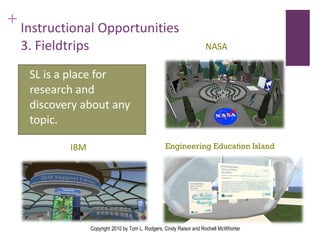
Instructional Opportunities 3. Fieldtrips SL is a place for research and discovery about any topic. IBM NASA Engineering Education Island Copyright 2010 by Tom L. Rodgers, Cindy Raisor and Rochell McWhorter
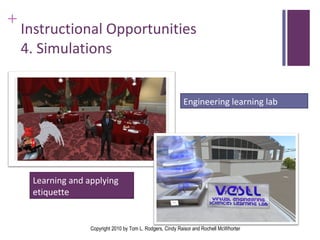
Instructional Opportunities 4. Simulations Learning and applying etiquette Engineering learning lab Copyright 2010 by Tom L. Rodgers, Cindy Raisor and Rochell McWhorter
Tour Second Life ®   Copyright 2010 by Tom L. Rodgers, Cindy Raisor and Rochell McWhorter Please join us on a tour of key sites. Loyalist College Auckland University Cisco Texas A&M University
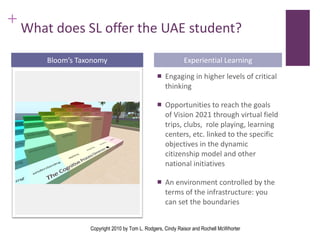
What does SL offer the UAE student? Engaging in higher levels of critical thinking Opportunities to reach the goals of Vision 2021 through virtual field trips, clubs,  role playing, learning centers, etc. linked to the specific objectives in the dynamic citizenship model and other national initiatives An environment controlled by the terms of the infrastructure: you can set the boundaries Bloom’s Taxonomy Experiential Learning Copyright 2010 by Tom L. Rodgers, Cindy Raisor and Rochell McWhorter
What does SL offer the UAE student? (cont.) Teach engineers, construction science and architecture students how to build structures and environments within SL Cultural Heritage and Oral History Architectural Design & Engineering Role play demonstrations on desert-survival skills, professional etiquette, social graces including meeting influential persons Copyright 2010 by Tom L. Rodgers, Cindy Raisor and Rochell McWhorter
What research supports the use of SL to teach? University of Texas  awarded a grant to create a 16 campuses (including 53 islands):  “ Throughout the project, evidence-based research data will be collected and shared with the Second Life education community on best practices to offer to all educators—and other similar organizations—that are interested in holding classes and building campuses in Second Life®.” 4 Auckland University  invites universities to build on their island, assess the usefulness of virtual learning,  and publish findings on site. Individual champions:  Sarah Smith-Robbins, Director of Emerging Technologies and Digital Media Strategist,  uses SL extensively to teach rhetoric and composition classes at Indiana University, conducts and presents her research at various national forums, and publishes her work in higher education online journals and is the coauthor of  Second Life® for Dummies  and editor of the Second Life® Education Blog. Resources and peer reviewed articles  are available on the handout. Copyright 2010 by Tom L. Rodgers, Cindy Raisor and Rochell McWhorter
II. Implementing Second Life®  II . Implementing Second Life®  Copyright 2010 by Tom L. Rodgers, Cindy Raisor and Rochell McWhorter How do you create a safe and effective SL environment? What else should you know? What are some best-use practices? How do you get started?
What are the teaching limitations? Without guided instruction, this sophisticated technology presents a  high learning curve. System requirements demand  access to high-performing operating systems .  Students connect the interface with that of game software and  may not take it seriously . Possible exposure to  adult content “ Griefers”— bothersome residents Copyright 2010 by Tom L. Rodgers, Cindy Raisor and Rochell McWhorter
How do your create an effective SL environment—one that is safe and is conducive for collaboration, productivity, and learning? Copyright 2010 by Tom L. Rodgers, Cindy Raisor and Rochell McWhorter
How do instructors insure a safe virtual environment? Restrict access to your space.  Only users who have the password can enter the restricted area. Wear a radar HUD (heads-up display),  which allows you to know who is in the vicinity. This is also a good way to keep a record of student attendance to your classes and other events. Pay attention to maturity ratings.  Require students to set preferences that will restrict access to (or notify access to) mature sites. SL features include maturity rating guidelines, account verification, and filters that prevent accidentally ending up where you don't want to be.  Copyright 2010 by Tom L. Rodgers, Cindy Raisor and Rochell McWhorter
How do instructors insure a safe virtual environment? Form groups.  Members, such as a class group, can communicate privately in text or voice chat. Know the age and maturity of your students.  Terms of service require students to be at least 18 years of age. If students are under 18, consider using the SL Teen Grid, which limits access to users under 18.  Use an alternative entry point   from the more public SL portal.  For example the American Society for Training and Development (ASTD) has an entry portal from their website and their island is rated “G” for general audiences. Use a designated space for class.  Require students to remain in that space for the duration of the class meeting. Copyright 2010 by Tom L. Rodgers, Cindy Raisor and Rochell McWhorter
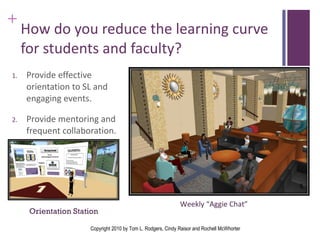
How do you reduce the learning curve for students and faculty? Provide effective orientation to SL and engaging events. Provide mentoring and frequent collaboration. Orientation Station Weekly “Aggie Chat” Copyright 2010 by Tom L. Rodgers, Cindy Raisor and Rochell McWhorter
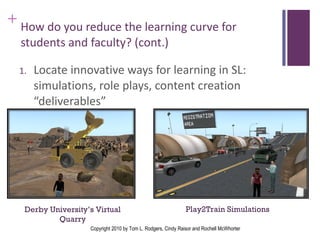
How do you reduce the learning curve for students and faculty? (cont.)   Locate innovative ways for learning in SL:  simulations, role plays, content creation “deliverables” Play2Train Simulations  Derby University’s Virtual Quarry Copyright 2010 by Tom L. Rodgers, Cindy Raisor and Rochell McWhorter
What are some best-use practices 3 ? Set limits  on student participation/effort. Decide how much you will require students to use SL. Communicate  and establish clear association/connection of activities with course objectives – anchor activities in learning context. Match  Second Life ®   activity to SL proficiency of students. Proceed  one step at a time: Encourage students to learn how to use the tool. Complete orientation and count participation. (Have them complete a quiz or scavenger hunt to demonstrate proficiency.) Discuss concerns in class, allowing students to have some ownership in the use of the technology. (You may want to ask them to complete a questionnaire evaluating their experience.) Copyright 2010 by Tom L. Rodgers, Cindy Raisor and Rochell McWhorter
How do you get started? Access a computer that has Second Life® installed or install it on your own PC. See the system requirements at  http://secondlife.com/support/system-requirements/ .  Register at  https://join.secondlife.com/?lang=en-US . It is free to set up an account, create an avatar, and explore the virtual world. Complete a brief tutorial in Second Life® so that you know how to navigate and communicate with others in SL. Explore. You can visit recommended sites or search for a particular topic, place, group, or person (just as you would search the internet). Copyright 2010 by Tom L. Rodgers, Cindy Raisor and Rochell McWhorter
Let us help you get started! Please contact us at information below.  Also, look us up in Second Life® by using the search tool and typing in our avatar names.  Copyright 2010 by Tom L. Rodgers, Cindy Raisor and Rochell McWhorter Name  SL Avatar E-mail Cindy Raisor Marnie Mehler [email_address] Rochell McWhorter Rachelle Munro [email_address]
Works Consulted 1   Leslie Jarmon et al., "Virtual world teaching, experiential learning, and assessment: An interdisciplinary communication course in Second Life,"  Computers and Education  53, no. 1 (17 October 2009).  The Guide to Computing Literature .  http://www.sciencedirect.com/science/journal/03601315  (7 November 2009). 2 Division of Instructional Innovation and Assessment (DIIA) Continuing & Innovative Education. The University of Texas at Austin. "The Good Life."  http://www.utexas.edu/academic/diia/news/2009jarmon.php  (13 January 2010).  3 Division of Instructional Innovation and Assessment (DIIA). University of Texas at Austin. "Teaching with Second Life."  http://www.utexas.edu/academic/diia/secondlife/teaching.php . (13 January 2010).  4 IvanWalsh.com.” Second Life® to Serve as Virtual Learning Model at University of Texas.” (16 Sept. 2009).  http://www.ivanwalsh.com/technical-writing-tips-tools/second-life-to-serve-as-virtual-learning-model-at-university-of-texas/2524/ .  (10 June 2010). Copyright 2010 by Tom L. Rodgers, Cindy Raisor and Rochell McWhorter

Instructing Through Second Life

  • 1.
    Instructing through SecondLife® Experiential Learning Dynamic Citizens Rachelle Munro Marnie Mehler DrTomR Lionheart Tom L. Rodgers, Ph. D. Cindy Raisor, M. A. Rochell McWhorter, M. Ed. Copyright 2010 by Tom L. Rodgers, Cindy Raisor and Rochell McWhorter
  • 2.
    Overview Copyright 2010by Tom L. Rodgers, Cindy Raisor and Rochell McWhorter I. Educational Opportunities What are the instructional opportunities in Second Life®? Discussion forums and networking Classroom instruction Fieldtrips Training  Which SL sites best represent these instructional opportunities? (Take the tour.) What does SL offer for the UAE student? What research supports the use of SL?
  • 3.
    Overview (cont.)Copyright 2010 by Tom L. Rodgers, Cindy Raisor and Rochell McWhorter II . Implementing Second Life® How do you create a safe and effective SL environment? What else should you know? What are some best-use practices? How do you get started?
  • 4.
    What is SecondLife ® ? Video Introductions Making the Real World a Better Place (video) Aggieland in Second Life® Duke University School of Nursing http://www.youtube.com/watch?v=sL3D-59MbnY&feature=related Canadian Border Simulation http://www.youtube.com/watch?v=PCUWcpVPtMM Copyright 2010 by Tom L. Rodgers, Cindy Raisor and Rochell McWhorter
  • 5.
    What instructional opportunitiesdoes Second Life ® offer? Copyright 2010 by Tom L. Rodgers, Cindy Raisor and Rochell McWhorter Discussion forums and networking Classroom instruction—including tutorials Fieldtrips in every discipline Training—including role playing and simulations
  • 6.
    Why is SecondLife® used to instruct? SL provides experiential learning in a place where students Practice what they have learned in a low-risk environment. Communicate with others, including the instructor, about what they are learning. Observe how others respond to particular virtual environment meetings and assignments. Receive immediate feedback from other participants. And more. This presentation will explain some of the benefits and limitations of using Second Life® for experiential learning. However, the best way to understand the benefits is to explore Second Life® firsthand. Copyright 2010 by Tom L. Rodgers, Cindy Raisor and Rochell McWhorter
  • 7.
    Instructional opportunities Meetwith your students Meet with your colleagues Attend professional presentations Copyright 2010 by Tom L. Rodgers, Cindy Raisor and Rochell McWhorter 1. Discussion forums and networking
  • 8.
    Instructional opportunities 2. Virtual classrooms — Where physical classroom space is limited and expensive, virtual space is accessible, available, and cost efficient. Copyright 2010 by Tom L. Rodgers, Cindy Raisor and Rochell McWhorter Students benefit from a hybrid delivery: real-time instruction and discussion AND access to text and audio files at the convenience of the learner. Virtual Classes Tutorials
  • 9.
    Instructional Opportunities 2. Virtual classrooms (cont.) Copyright 2010 by Tom L. Rodgers, Cindy Raisor and Rochell McWhorter Display student work Technical Writing Projects Lab Simulations created by students
  • 10.
    Instructional Opportunities 3.Fieldtrips SL is a place for research and discovery about any topic. IBM NASA Engineering Education Island Copyright 2010 by Tom L. Rodgers, Cindy Raisor and Rochell McWhorter
  • 11.
    Instructional Opportunities 4.Simulations Learning and applying etiquette Engineering learning lab Copyright 2010 by Tom L. Rodgers, Cindy Raisor and Rochell McWhorter
  • 12.
    Tour Second Life® Copyright 2010 by Tom L. Rodgers, Cindy Raisor and Rochell McWhorter Please join us on a tour of key sites. Loyalist College Auckland University Cisco Texas A&M University
  • 13.
    What does SLoffer the UAE student? Engaging in higher levels of critical thinking Opportunities to reach the goals of Vision 2021 through virtual field trips, clubs, role playing, learning centers, etc. linked to the specific objectives in the dynamic citizenship model and other national initiatives An environment controlled by the terms of the infrastructure: you can set the boundaries Bloom’s Taxonomy Experiential Learning Copyright 2010 by Tom L. Rodgers, Cindy Raisor and Rochell McWhorter
  • 14.
    What does SLoffer the UAE student? (cont.) Teach engineers, construction science and architecture students how to build structures and environments within SL Cultural Heritage and Oral History Architectural Design & Engineering Role play demonstrations on desert-survival skills, professional etiquette, social graces including meeting influential persons Copyright 2010 by Tom L. Rodgers, Cindy Raisor and Rochell McWhorter
  • 15.
    What research supportsthe use of SL to teach? University of Texas awarded a grant to create a 16 campuses (including 53 islands): “ Throughout the project, evidence-based research data will be collected and shared with the Second Life education community on best practices to offer to all educators—and other similar organizations—that are interested in holding classes and building campuses in Second Life®.” 4 Auckland University invites universities to build on their island, assess the usefulness of virtual learning, and publish findings on site. Individual champions: Sarah Smith-Robbins, Director of Emerging Technologies and Digital Media Strategist, uses SL extensively to teach rhetoric and composition classes at Indiana University, conducts and presents her research at various national forums, and publishes her work in higher education online journals and is the coauthor of Second Life® for Dummies and editor of the Second Life® Education Blog. Resources and peer reviewed articles are available on the handout. Copyright 2010 by Tom L. Rodgers, Cindy Raisor and Rochell McWhorter
  • 16.
    II. Implementing SecondLife® II . Implementing Second Life® Copyright 2010 by Tom L. Rodgers, Cindy Raisor and Rochell McWhorter How do you create a safe and effective SL environment? What else should you know? What are some best-use practices? How do you get started?
  • 17.
    What are theteaching limitations? Without guided instruction, this sophisticated technology presents a high learning curve. System requirements demand access to high-performing operating systems . Students connect the interface with that of game software and may not take it seriously . Possible exposure to adult content “ Griefers”— bothersome residents Copyright 2010 by Tom L. Rodgers, Cindy Raisor and Rochell McWhorter
  • 18.
    How do yourcreate an effective SL environment—one that is safe and is conducive for collaboration, productivity, and learning? Copyright 2010 by Tom L. Rodgers, Cindy Raisor and Rochell McWhorter
  • 19.
    How do instructorsinsure a safe virtual environment? Restrict access to your space. Only users who have the password can enter the restricted area. Wear a radar HUD (heads-up display), which allows you to know who is in the vicinity. This is also a good way to keep a record of student attendance to your classes and other events. Pay attention to maturity ratings. Require students to set preferences that will restrict access to (or notify access to) mature sites. SL features include maturity rating guidelines, account verification, and filters that prevent accidentally ending up where you don't want to be. Copyright 2010 by Tom L. Rodgers, Cindy Raisor and Rochell McWhorter
  • 20.
    How do instructorsinsure a safe virtual environment? Form groups. Members, such as a class group, can communicate privately in text or voice chat. Know the age and maturity of your students. Terms of service require students to be at least 18 years of age. If students are under 18, consider using the SL Teen Grid, which limits access to users under 18. Use an alternative entry point from the more public SL portal. For example the American Society for Training and Development (ASTD) has an entry portal from their website and their island is rated “G” for general audiences. Use a designated space for class. Require students to remain in that space for the duration of the class meeting. Copyright 2010 by Tom L. Rodgers, Cindy Raisor and Rochell McWhorter
  • 21.
    How do youreduce the learning curve for students and faculty? Provide effective orientation to SL and engaging events. Provide mentoring and frequent collaboration. Orientation Station Weekly “Aggie Chat” Copyright 2010 by Tom L. Rodgers, Cindy Raisor and Rochell McWhorter
  • 22.
    How do youreduce the learning curve for students and faculty? (cont.) Locate innovative ways for learning in SL: simulations, role plays, content creation “deliverables” Play2Train Simulations Derby University’s Virtual Quarry Copyright 2010 by Tom L. Rodgers, Cindy Raisor and Rochell McWhorter
  • 23.
    What are somebest-use practices 3 ? Set limits on student participation/effort. Decide how much you will require students to use SL. Communicate and establish clear association/connection of activities with course objectives – anchor activities in learning context. Match Second Life ® activity to SL proficiency of students. Proceed one step at a time: Encourage students to learn how to use the tool. Complete orientation and count participation. (Have them complete a quiz or scavenger hunt to demonstrate proficiency.) Discuss concerns in class, allowing students to have some ownership in the use of the technology. (You may want to ask them to complete a questionnaire evaluating their experience.) Copyright 2010 by Tom L. Rodgers, Cindy Raisor and Rochell McWhorter
  • 24.
    How do youget started? Access a computer that has Second Life® installed or install it on your own PC. See the system requirements at http://secondlife.com/support/system-requirements/ . Register at https://join.secondlife.com/?lang=en-US . It is free to set up an account, create an avatar, and explore the virtual world. Complete a brief tutorial in Second Life® so that you know how to navigate and communicate with others in SL. Explore. You can visit recommended sites or search for a particular topic, place, group, or person (just as you would search the internet). Copyright 2010 by Tom L. Rodgers, Cindy Raisor and Rochell McWhorter
  • 25.
    Let us helpyou get started! Please contact us at information below. Also, look us up in Second Life® by using the search tool and typing in our avatar names. Copyright 2010 by Tom L. Rodgers, Cindy Raisor and Rochell McWhorter Name SL Avatar E-mail Cindy Raisor Marnie Mehler [email_address] Rochell McWhorter Rachelle Munro [email_address]
  • 26.
    Works Consulted 1 Leslie Jarmon et al., "Virtual world teaching, experiential learning, and assessment: An interdisciplinary communication course in Second Life," Computers and Education 53, no. 1 (17 October 2009). The Guide to Computing Literature . http://www.sciencedirect.com/science/journal/03601315 (7 November 2009). 2 Division of Instructional Innovation and Assessment (DIIA) Continuing & Innovative Education. The University of Texas at Austin. "The Good Life." http://www.utexas.edu/academic/diia/news/2009jarmon.php (13 January 2010).  3 Division of Instructional Innovation and Assessment (DIIA). University of Texas at Austin. "Teaching with Second Life." http://www.utexas.edu/academic/diia/secondlife/teaching.php . (13 January 2010). 4 IvanWalsh.com.” Second Life® to Serve as Virtual Learning Model at University of Texas.” (16 Sept. 2009). http://www.ivanwalsh.com/technical-writing-tips-tools/second-life-to-serve-as-virtual-learning-model-at-university-of-texas/2524/ . (10 June 2010). Copyright 2010 by Tom L. Rodgers, Cindy Raisor and Rochell McWhorter

Editor's Notes

  • #3 Part 1 covers what and why and Part 2 covers how.
  • #14 Including family, society, individual, and culture as the virtual environment provides opportunities to explore geographic, historical, and cultural topics beyond the boundaries of a physical classroom.
  • #15 Including family, society, individual, and culture as the virtual environment provides opportunities to explore geographic, historical, and cultural topics beyond the boundaries of a physical classroom.
  • #16 See handout with list of sources.