Step 1Installing Audacity
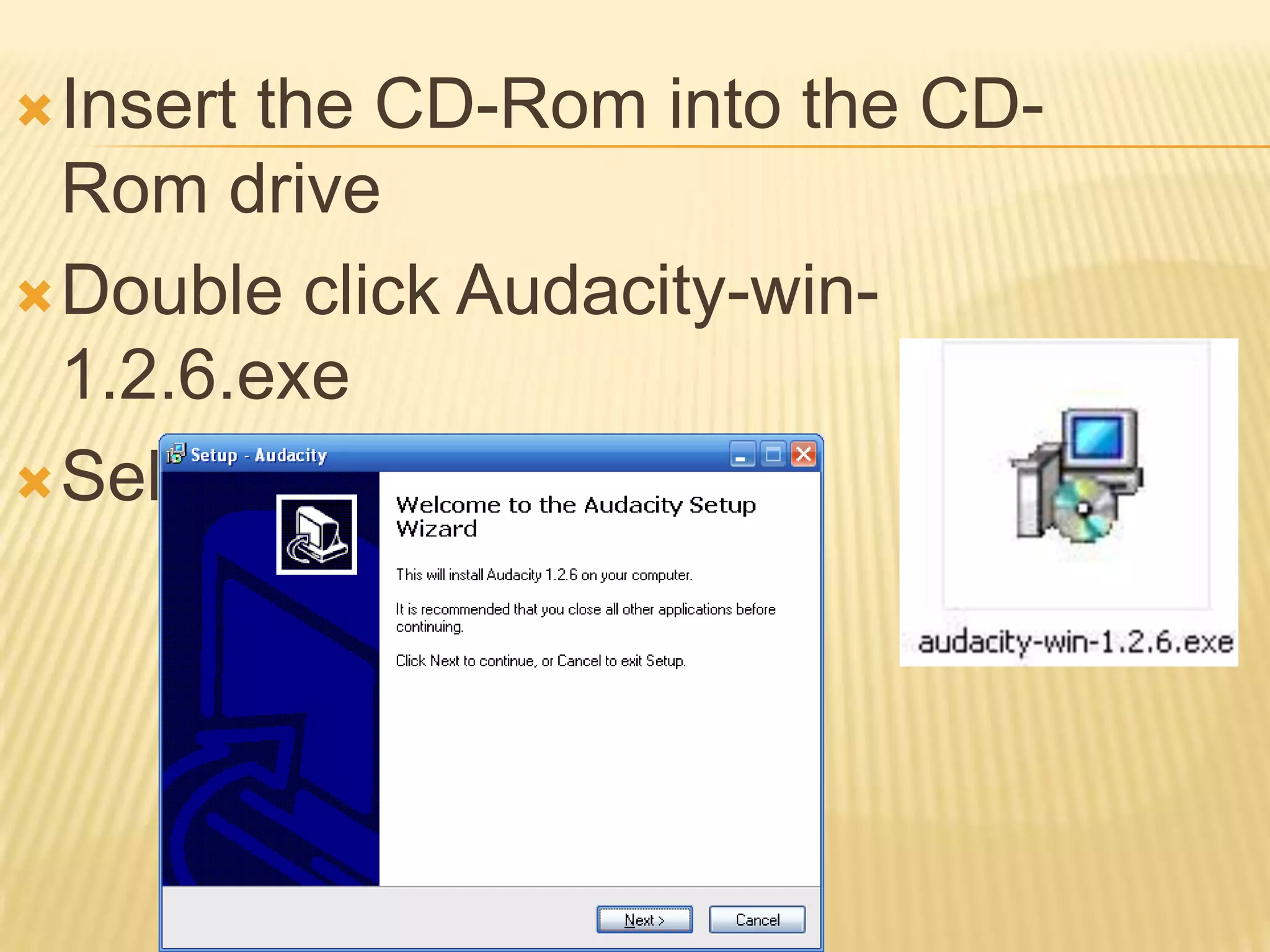
Insert the CD-Rom into the CD-Rom driveDouble click Audacity-win-1.2.6.exeSelect Next
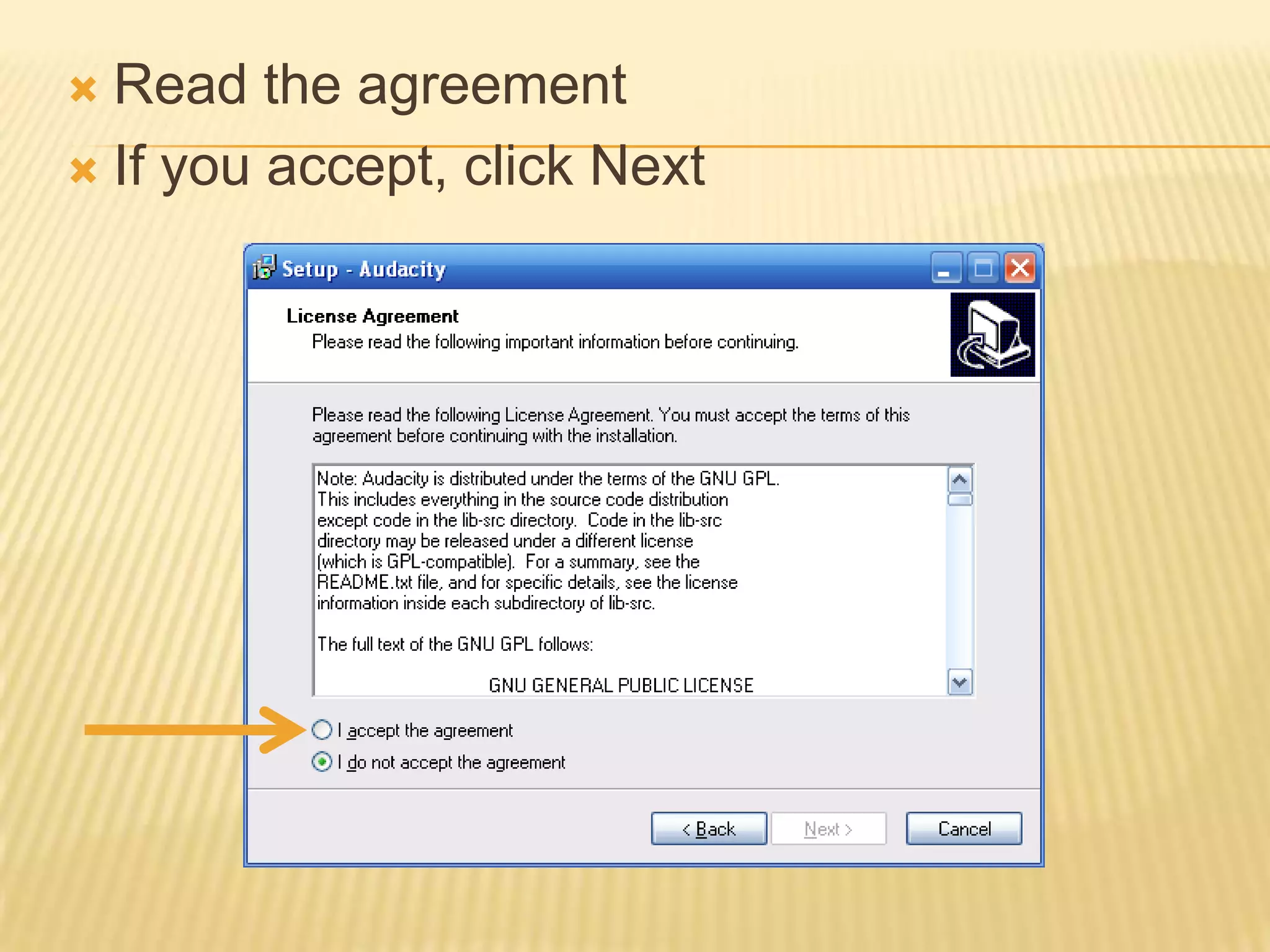
Read the agreementIf you accept, click Next
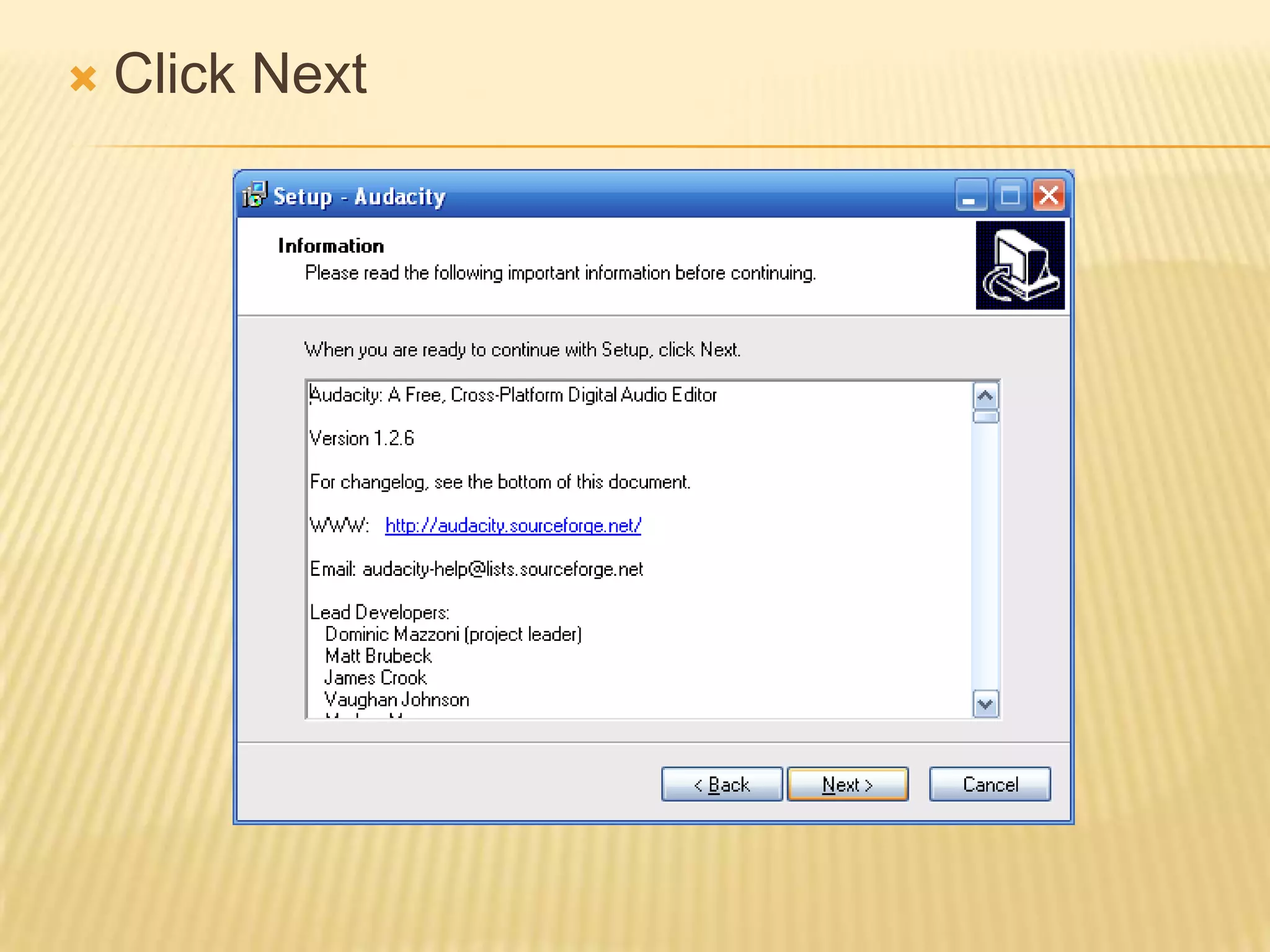
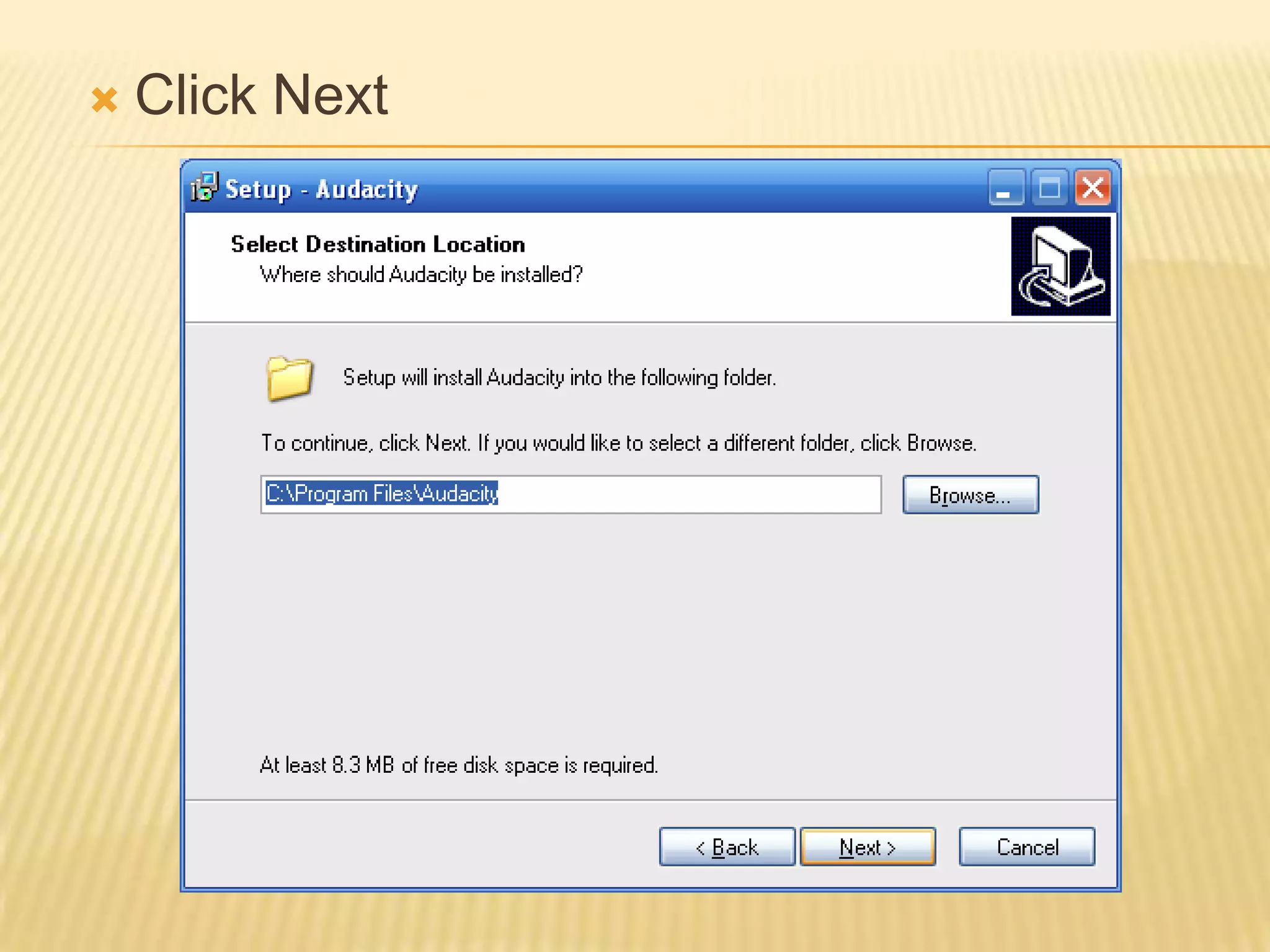
Click Next
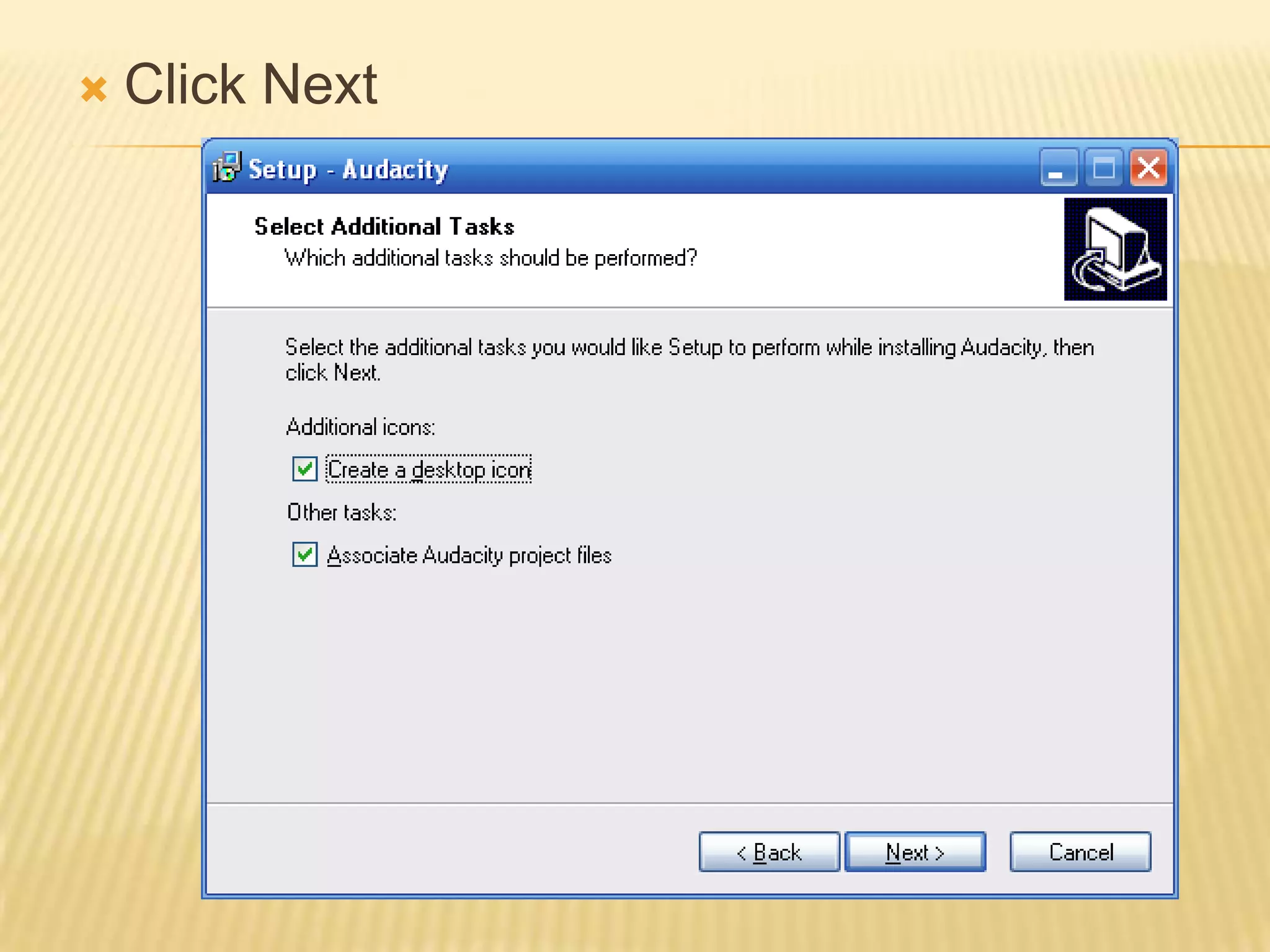
Click Next
Click Next
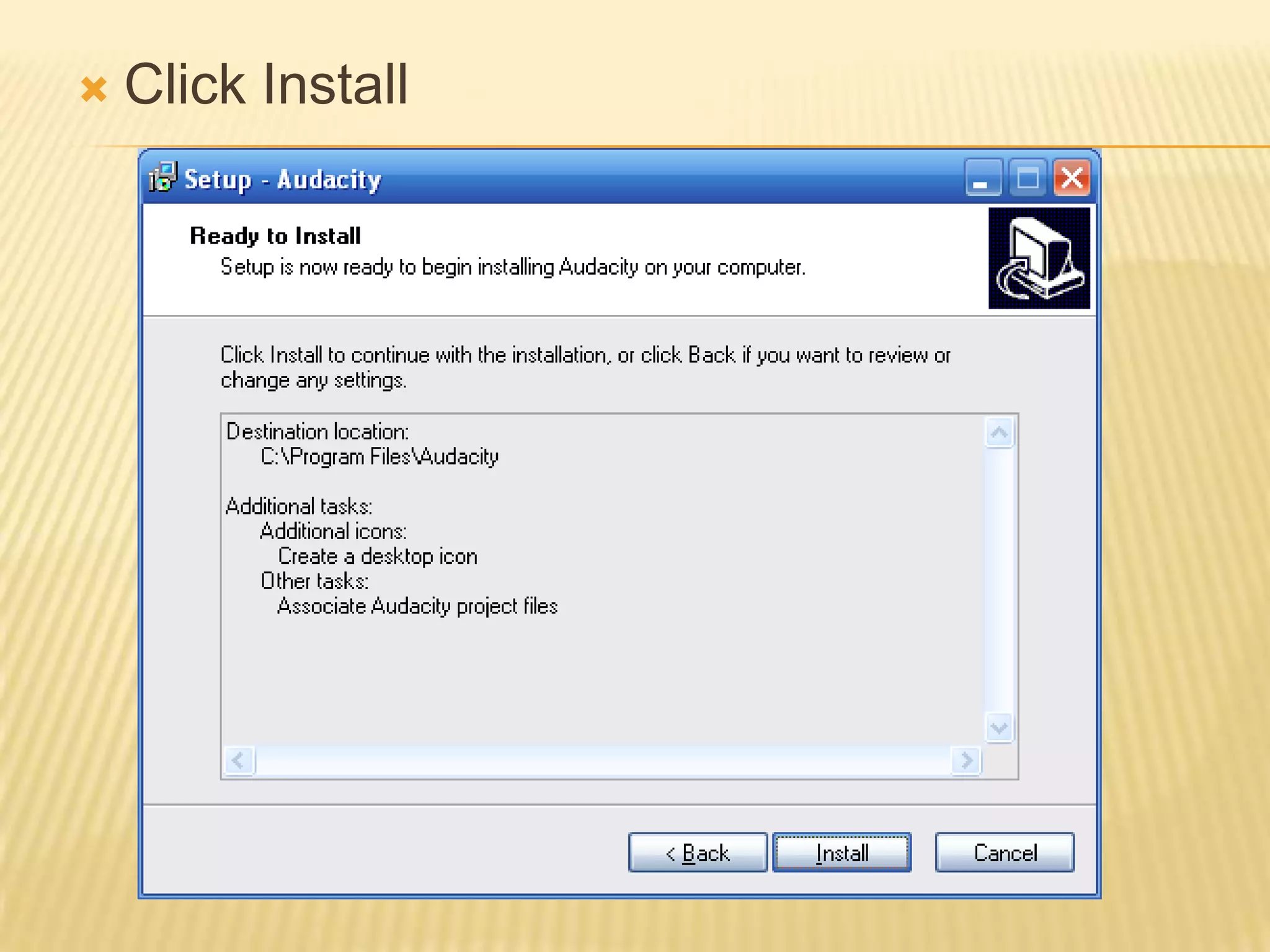
Click Install
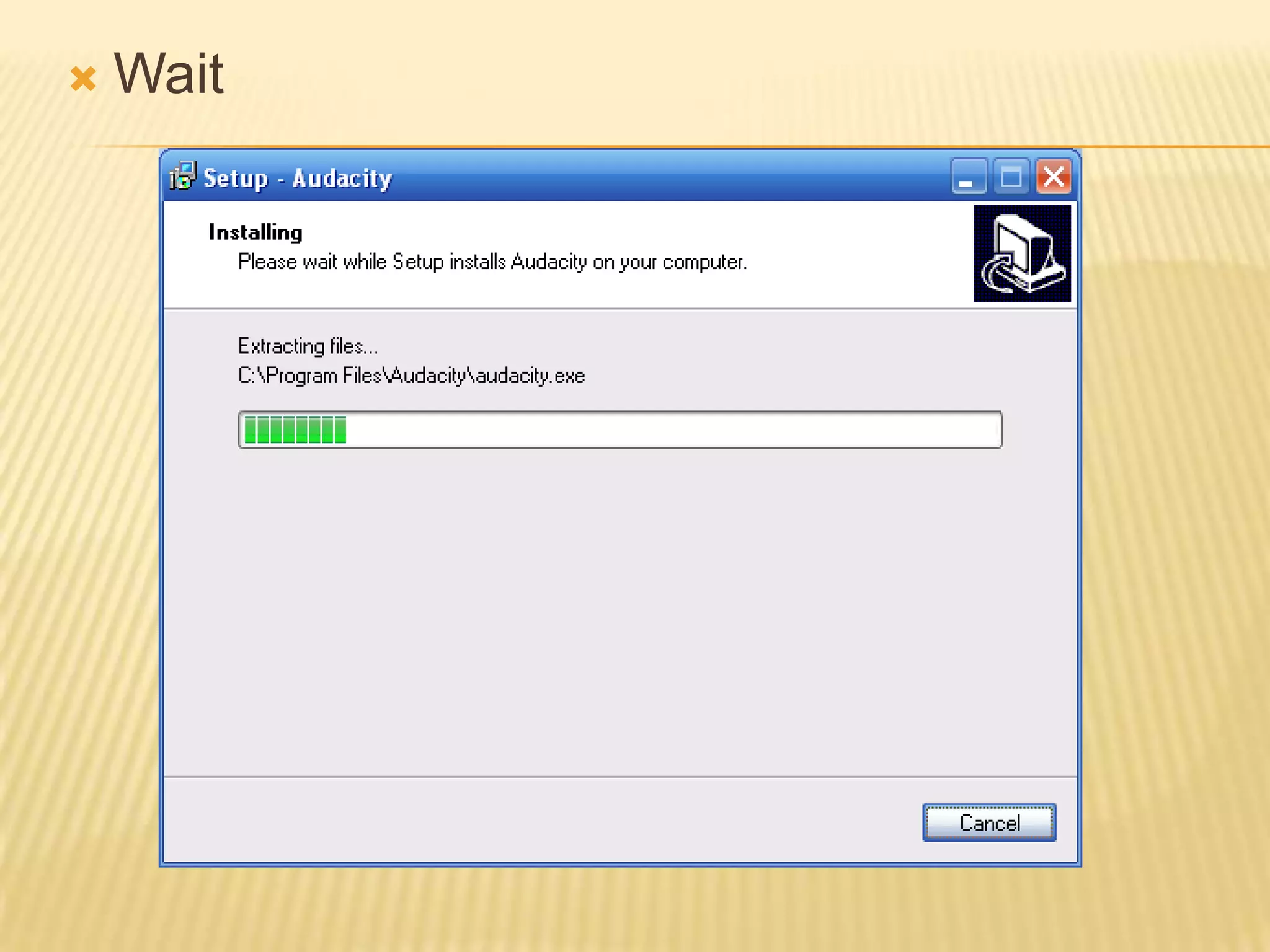
Wait
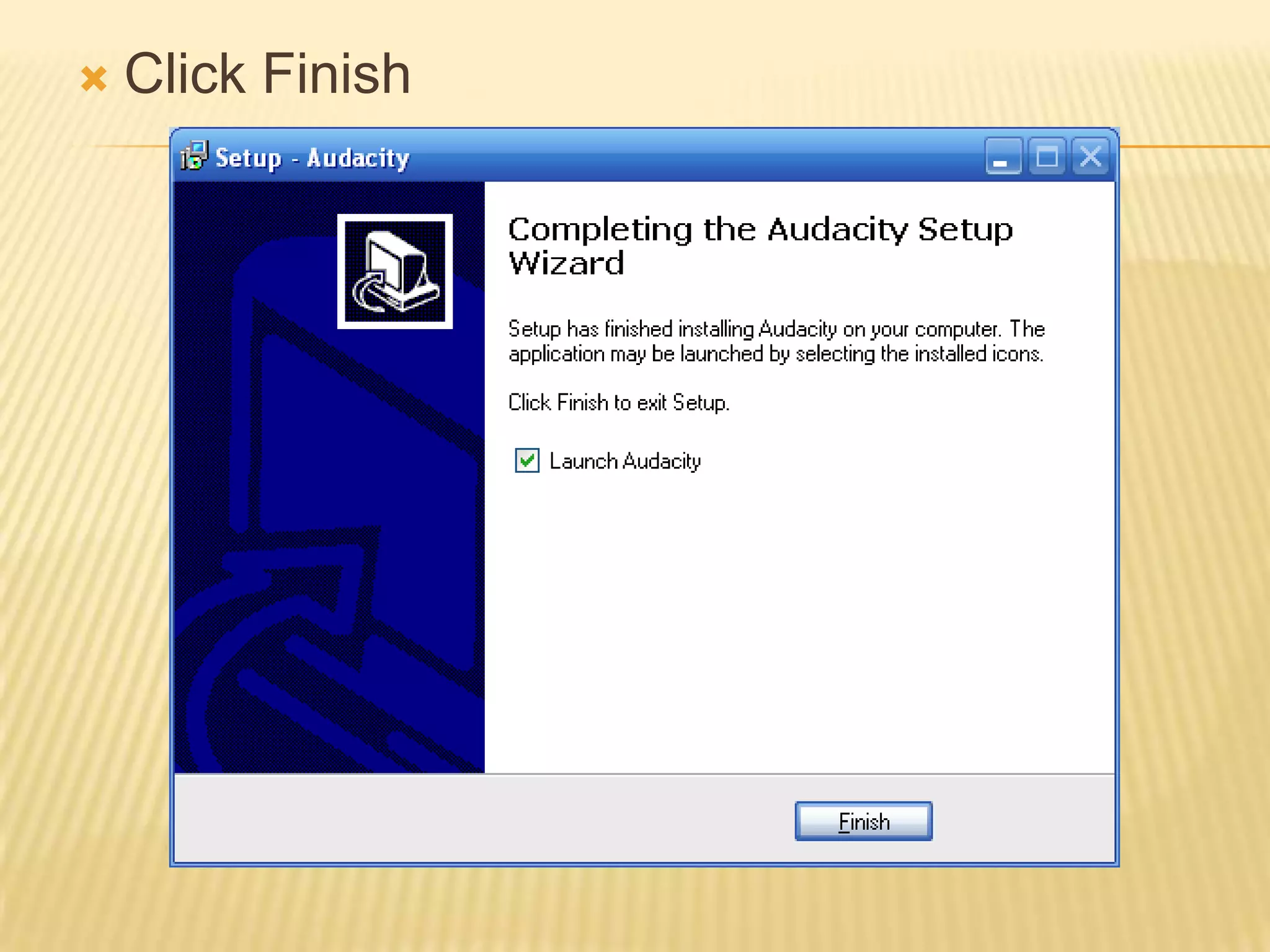
Click Finish
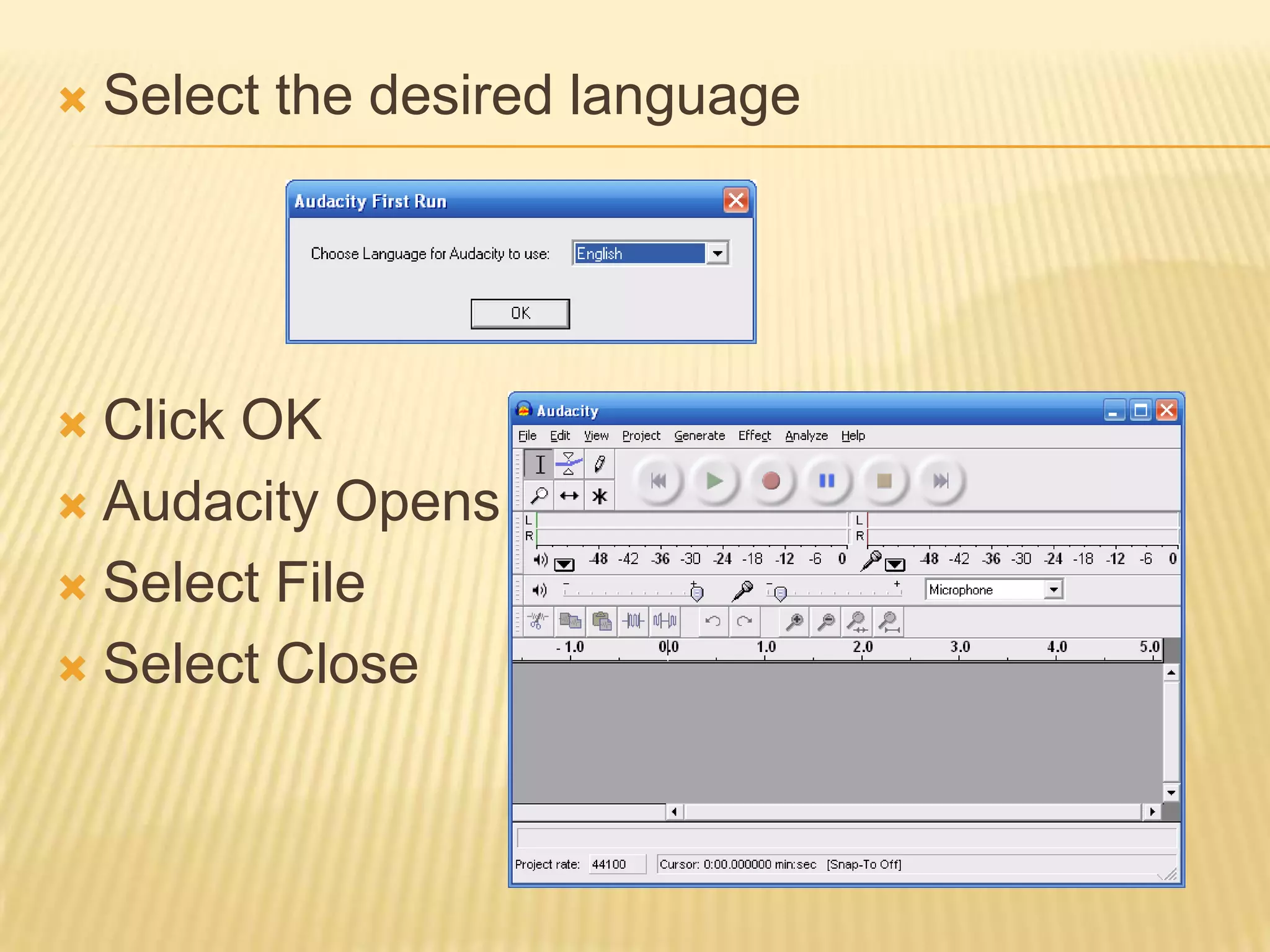
Select the desired languageClick OKAudacity OpensSelect FileSelect Close
Step 2Installing lame.dll
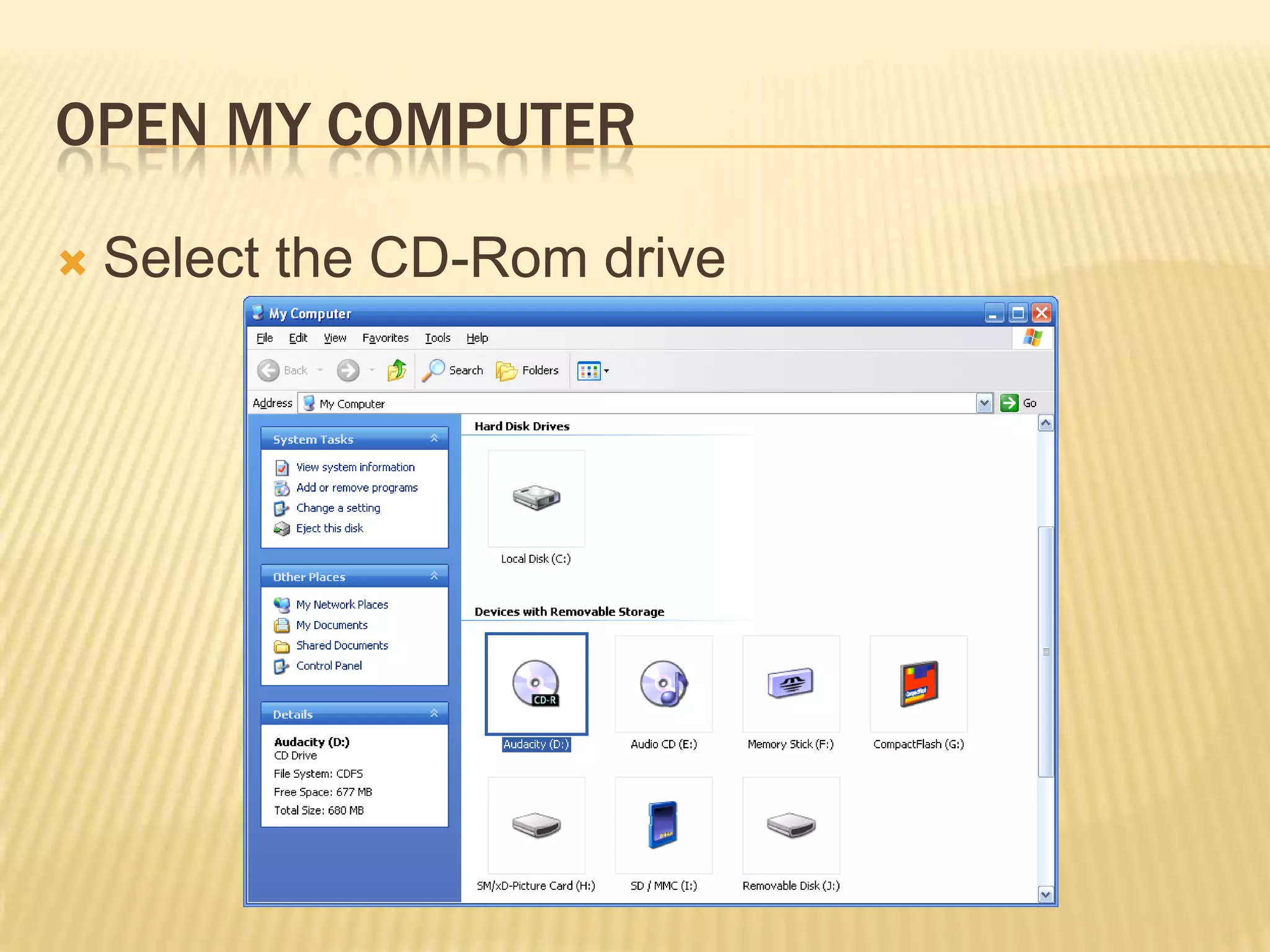
Open My ComputerSelect the CD-Rom drive
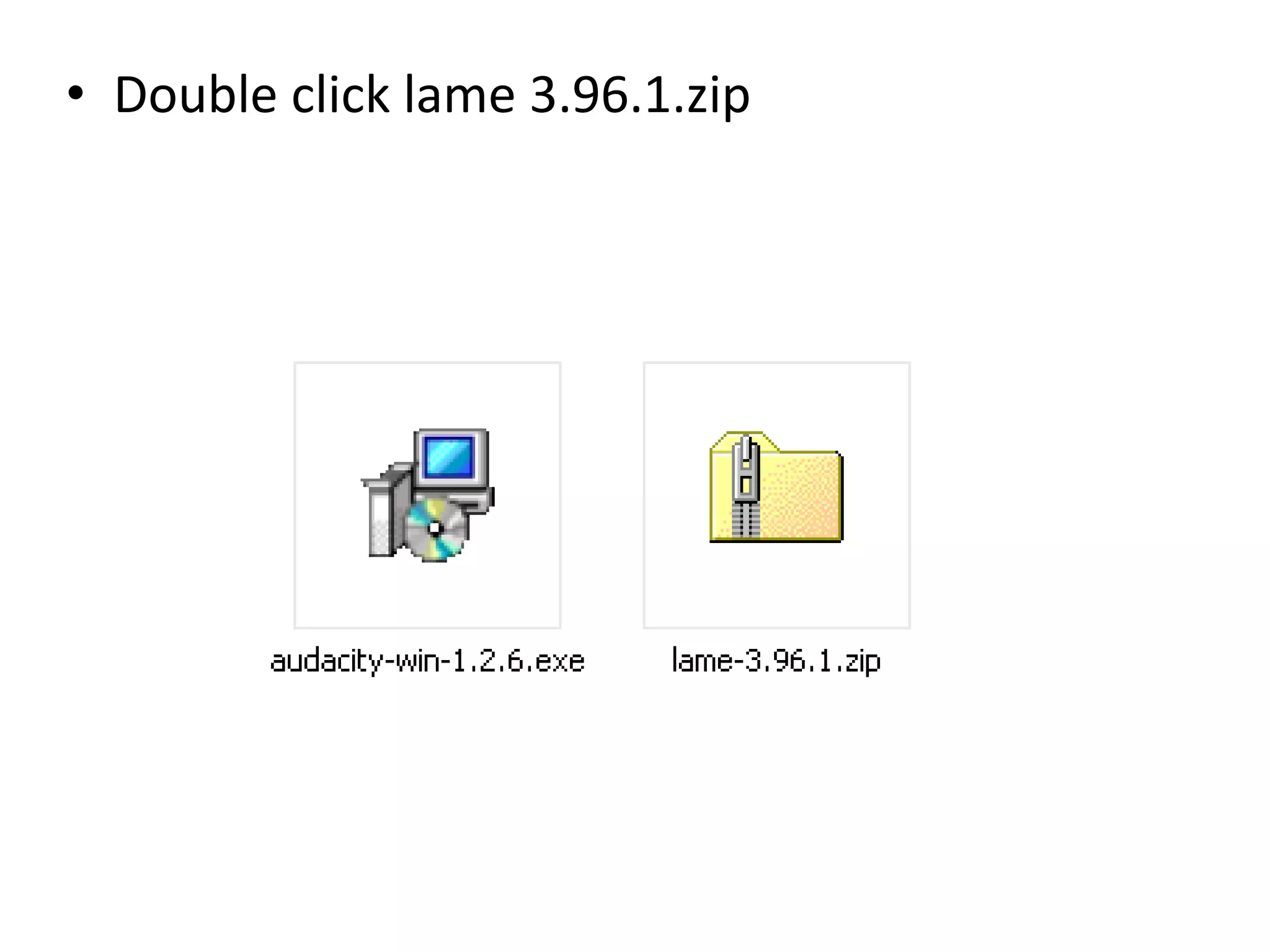
Double click lame 3.96.1.zip
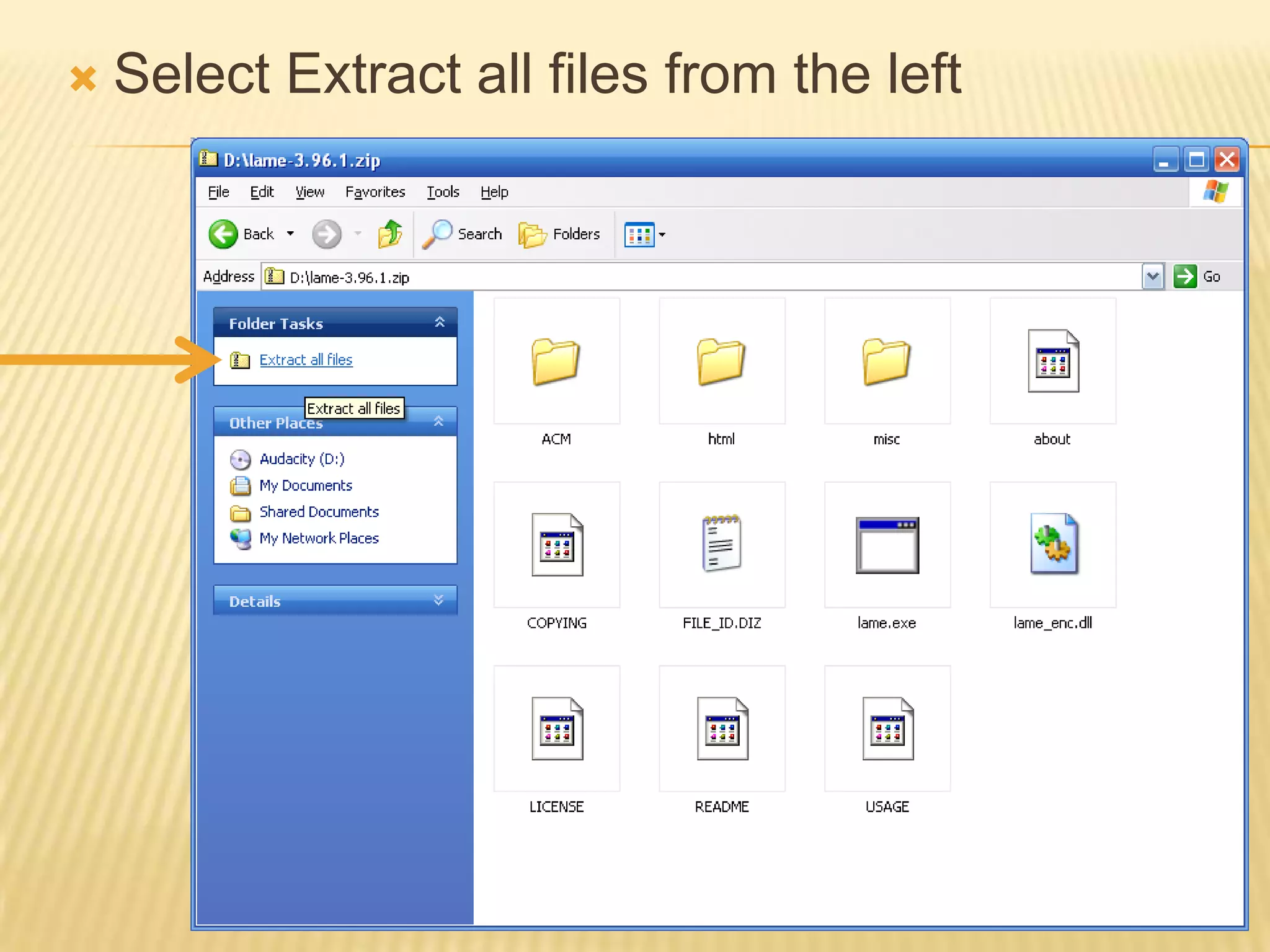
Select Extract all files from the left
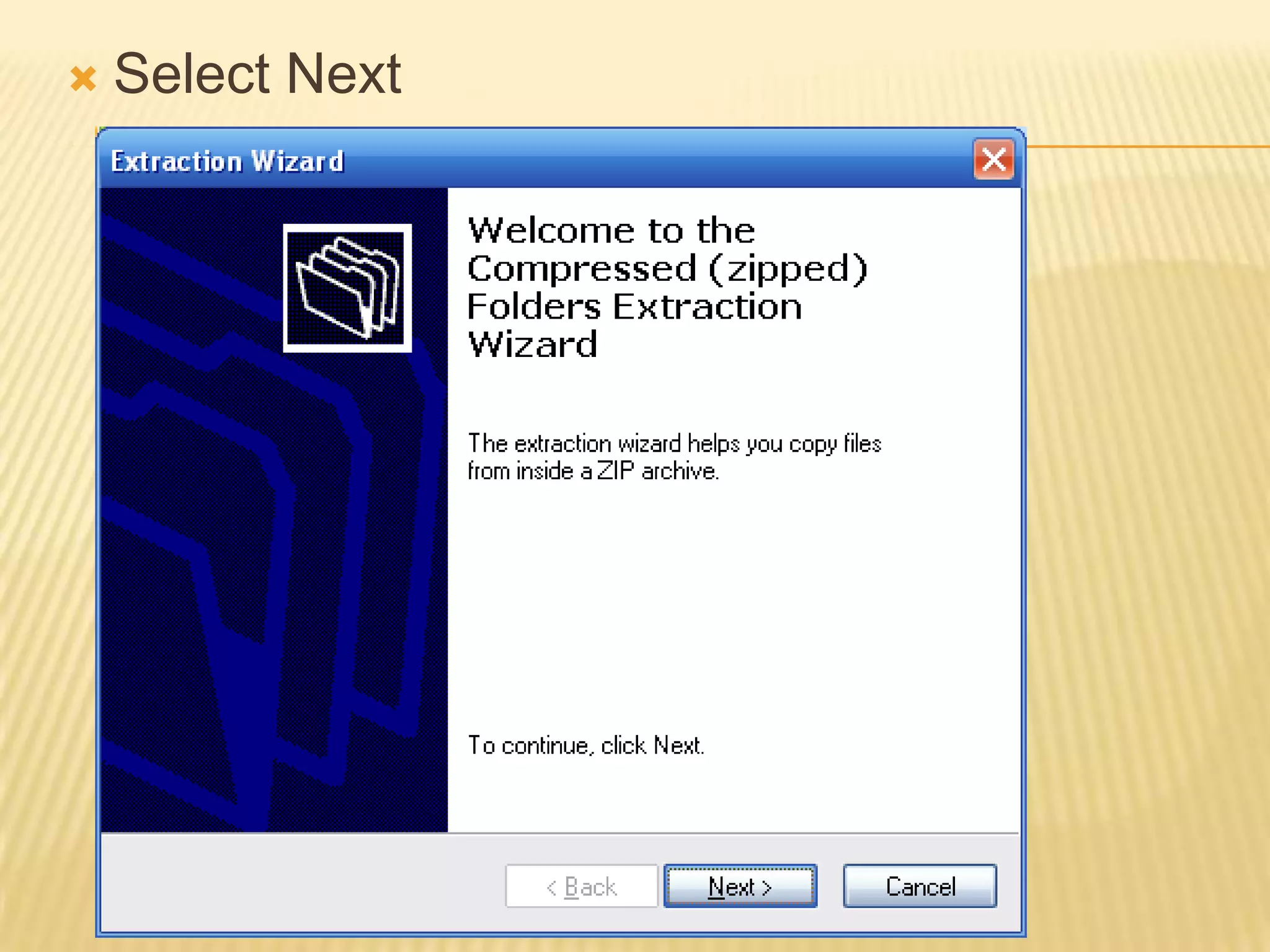
Select Next
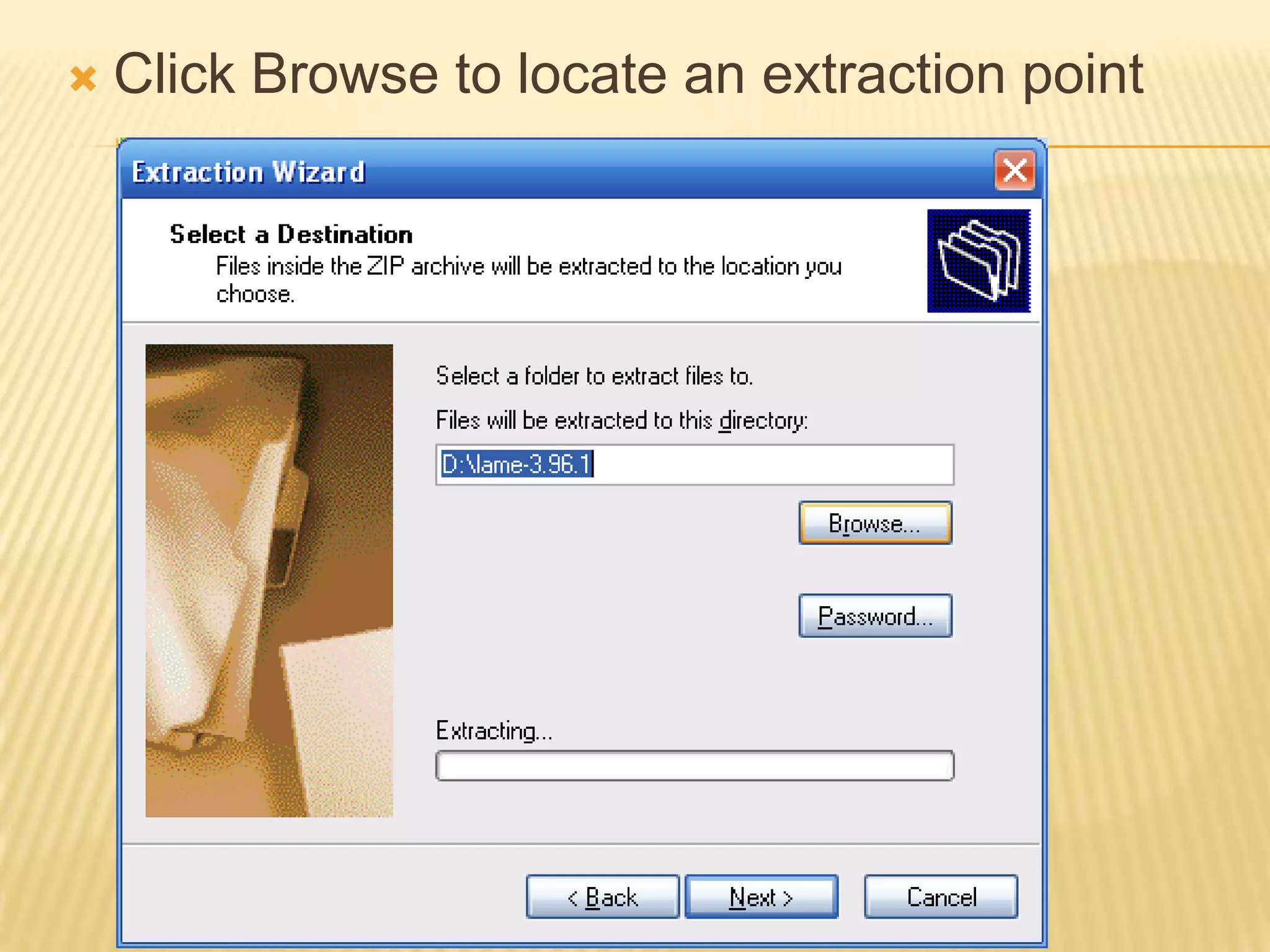
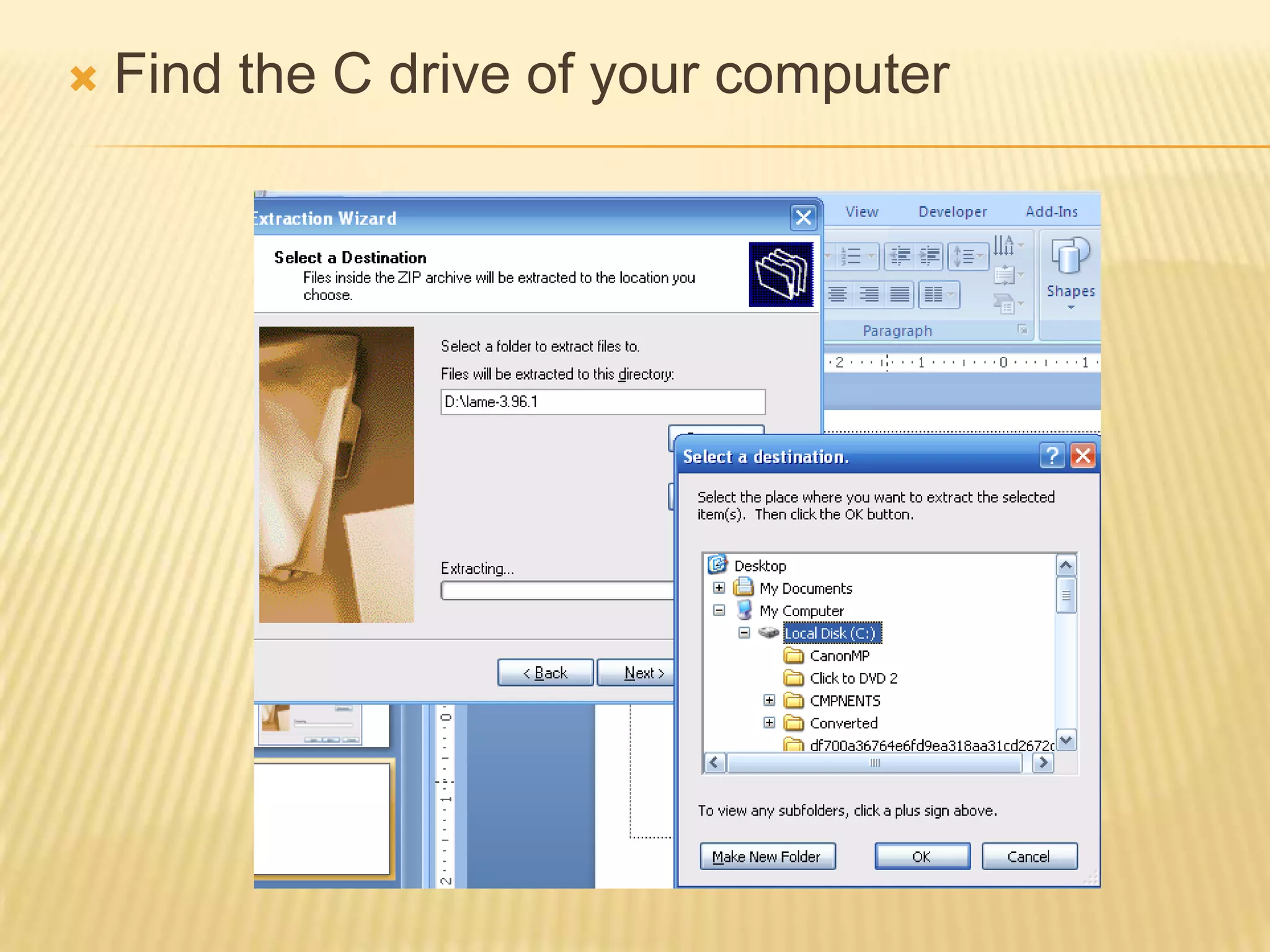
Click Browse to locate an extraction point
Find the C drive of your computer
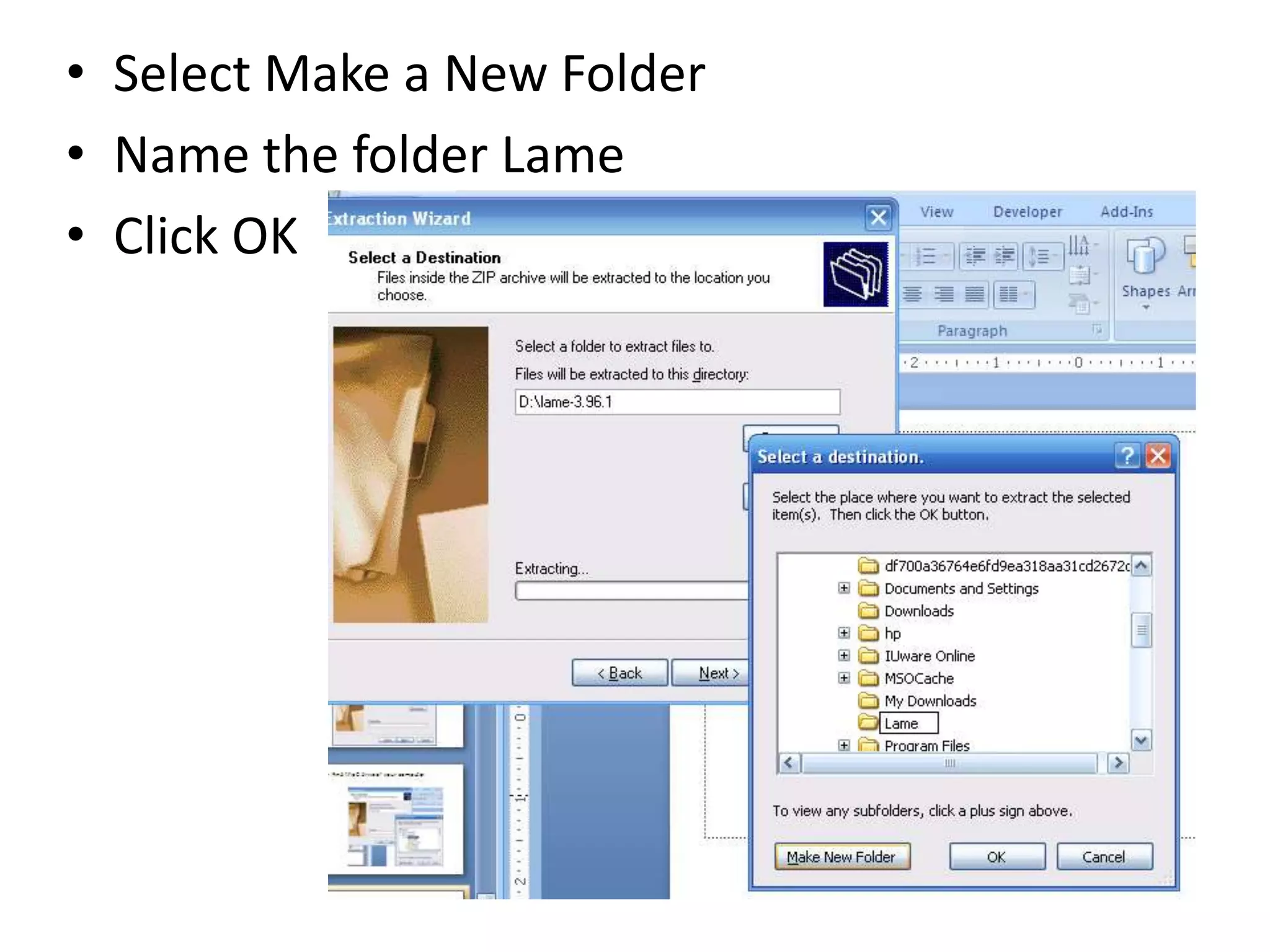
Select Make a New FolderName the folder LameClick OK
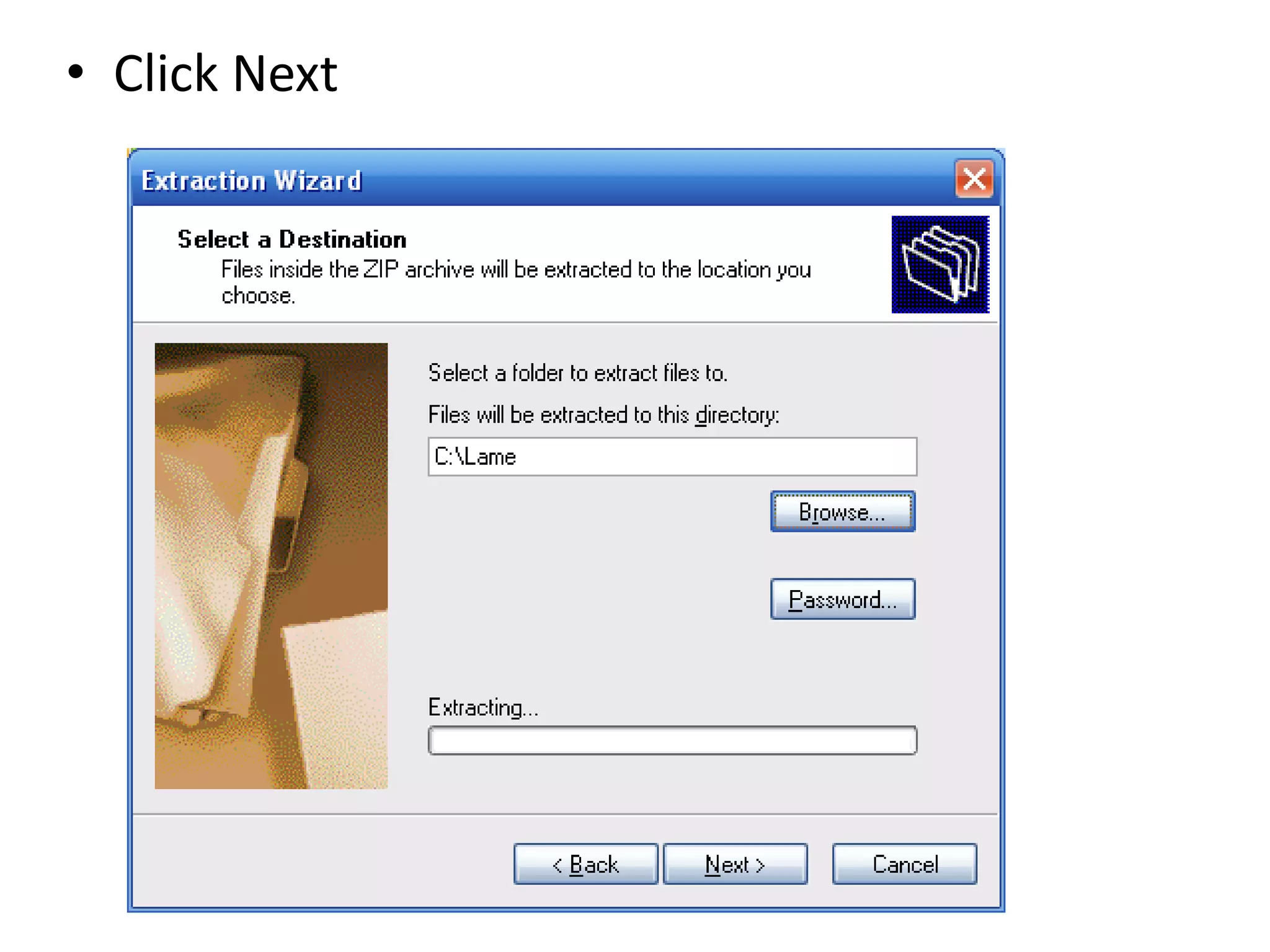
Click Next
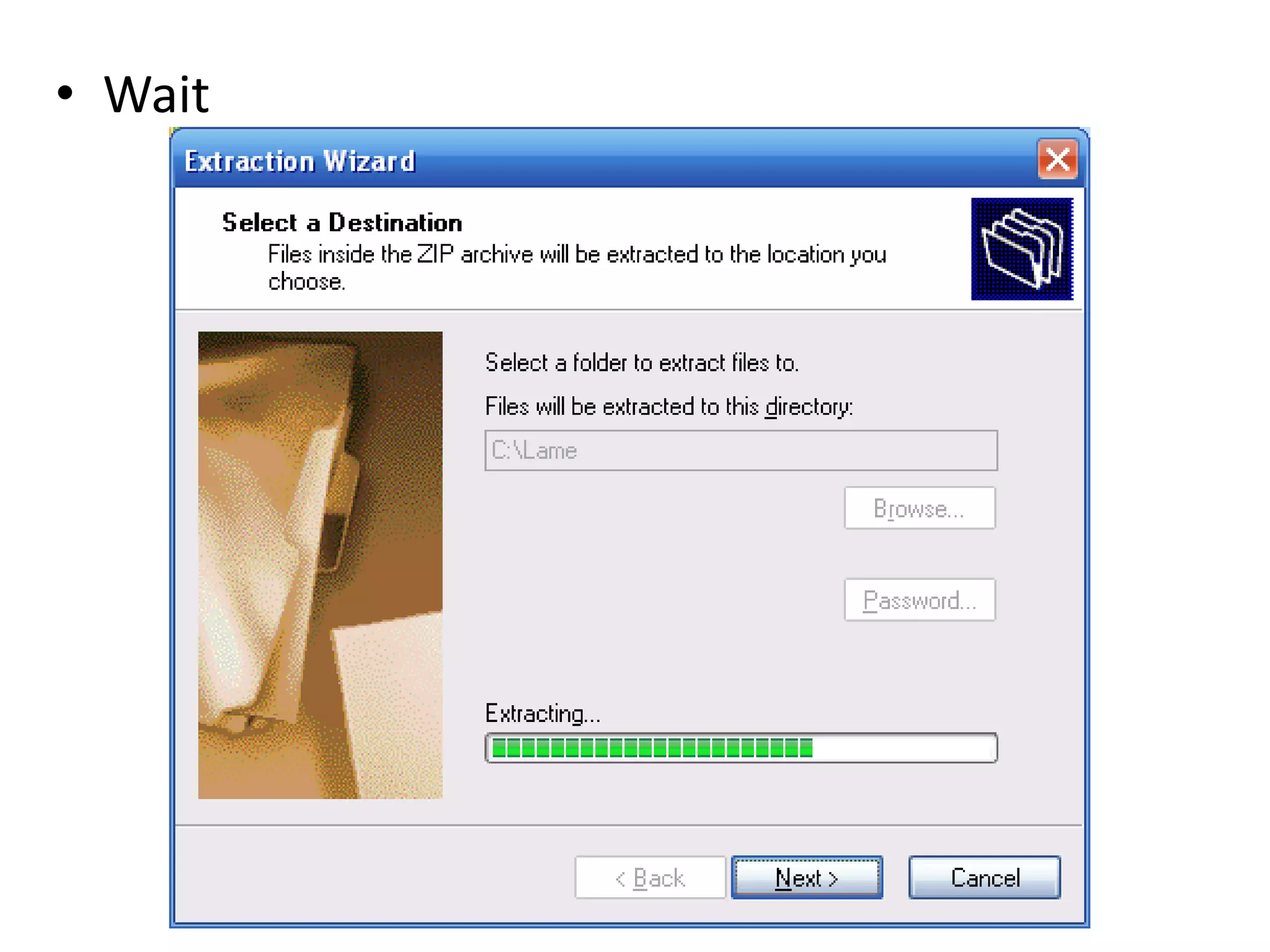
Wait
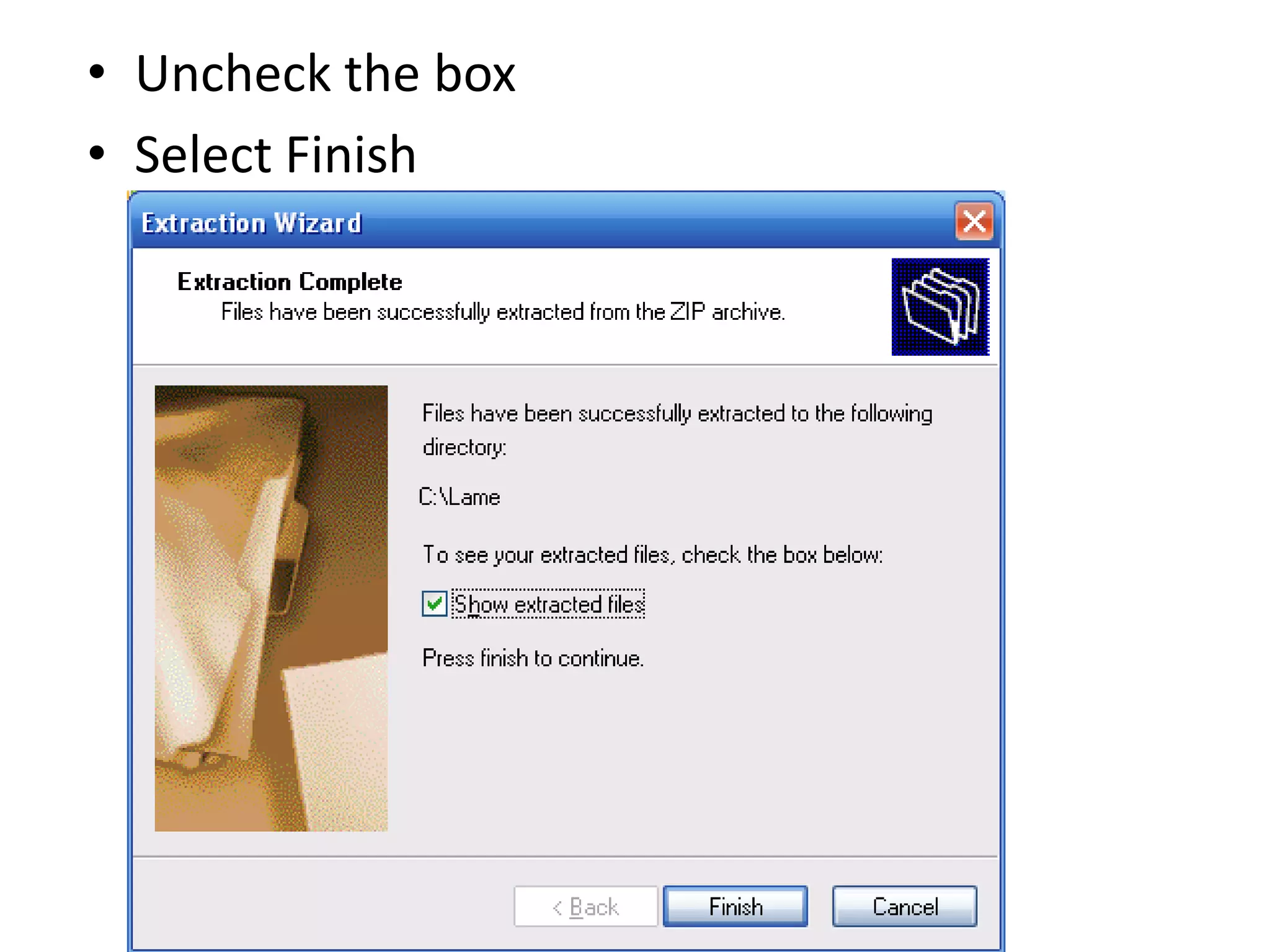
Uncheck the boxSelect Finish
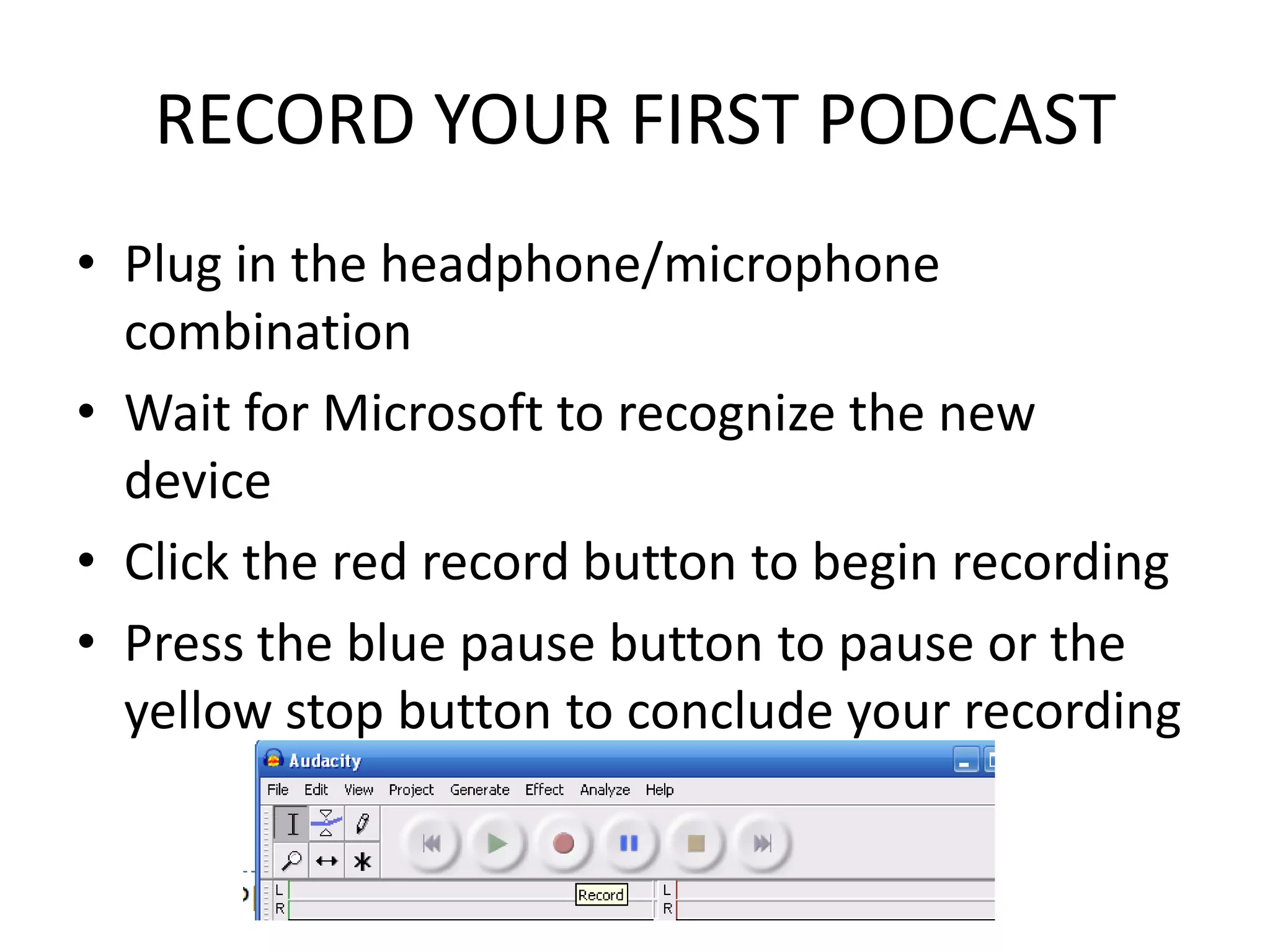
RECORD YOUR FIRST PODCASTPlug in the headphone/microphone combinationWait for Microsoft to recognize the new deviceClick the red record button to begin recordingPress the blue pause button to pause or the yellow stop button to conclude your recording
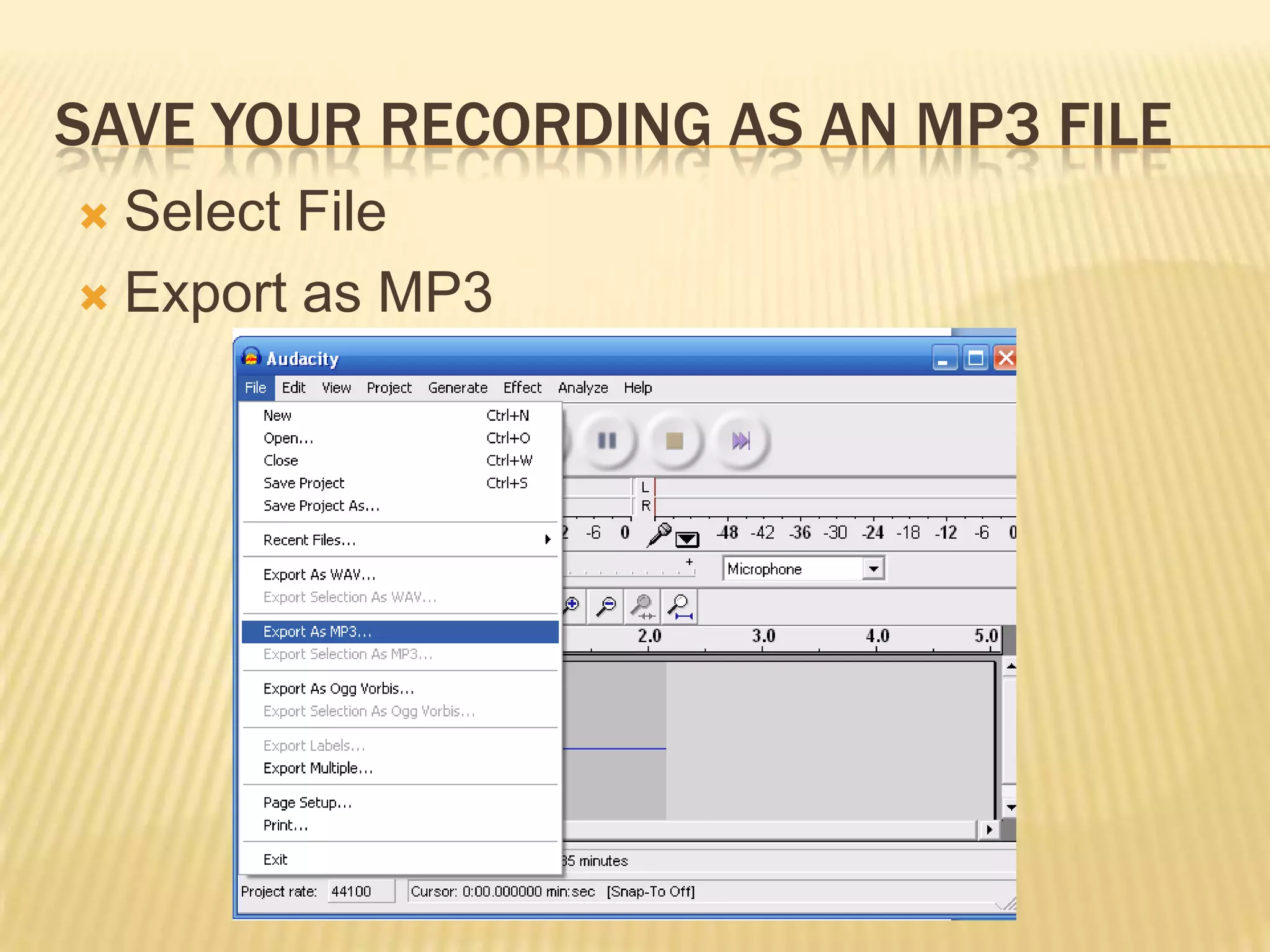
Save your recording as an MP3 fileSelect FileExport as MP3
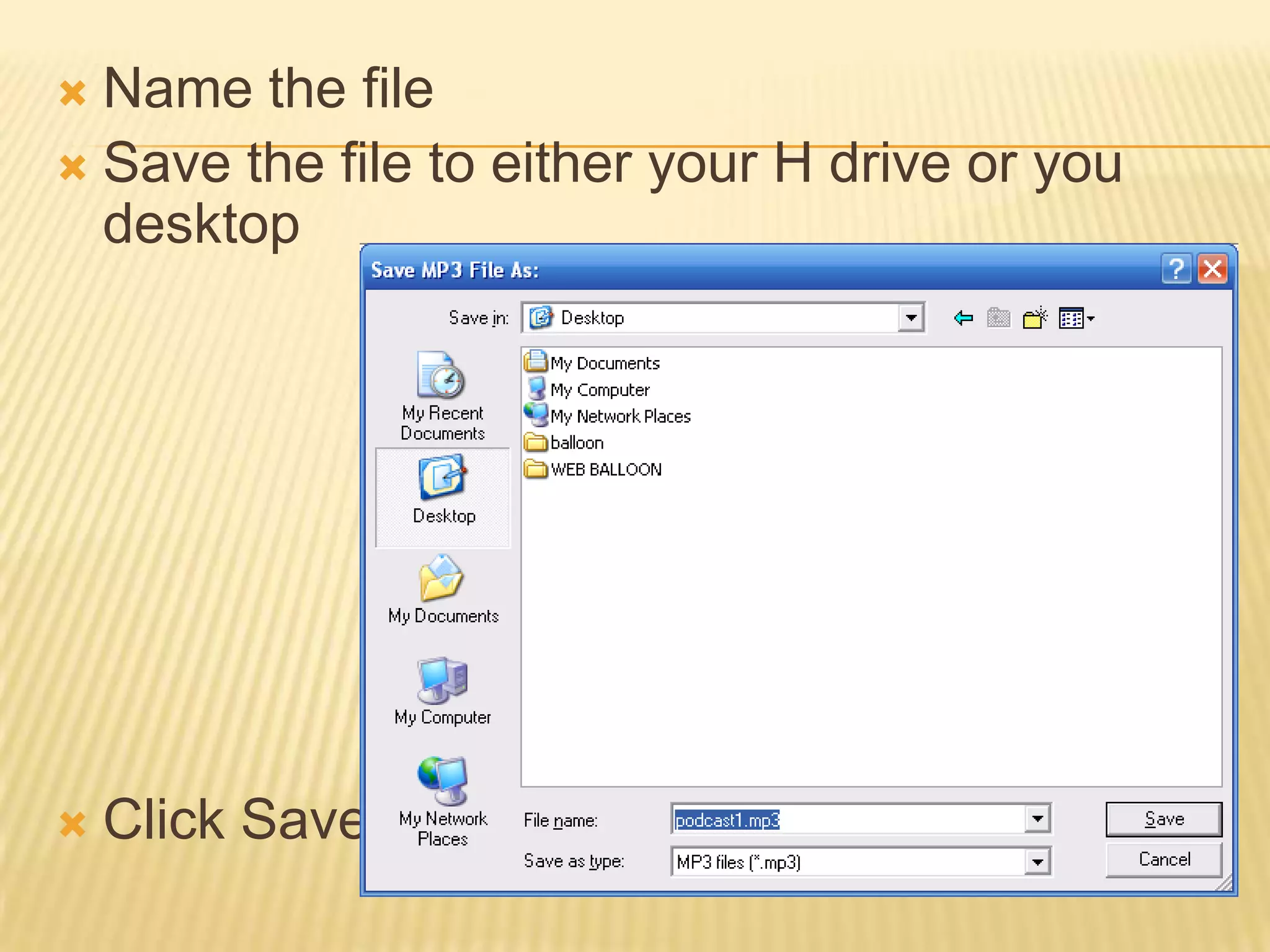
Name the fileSave the file to either your H drive or you desktopClick Save
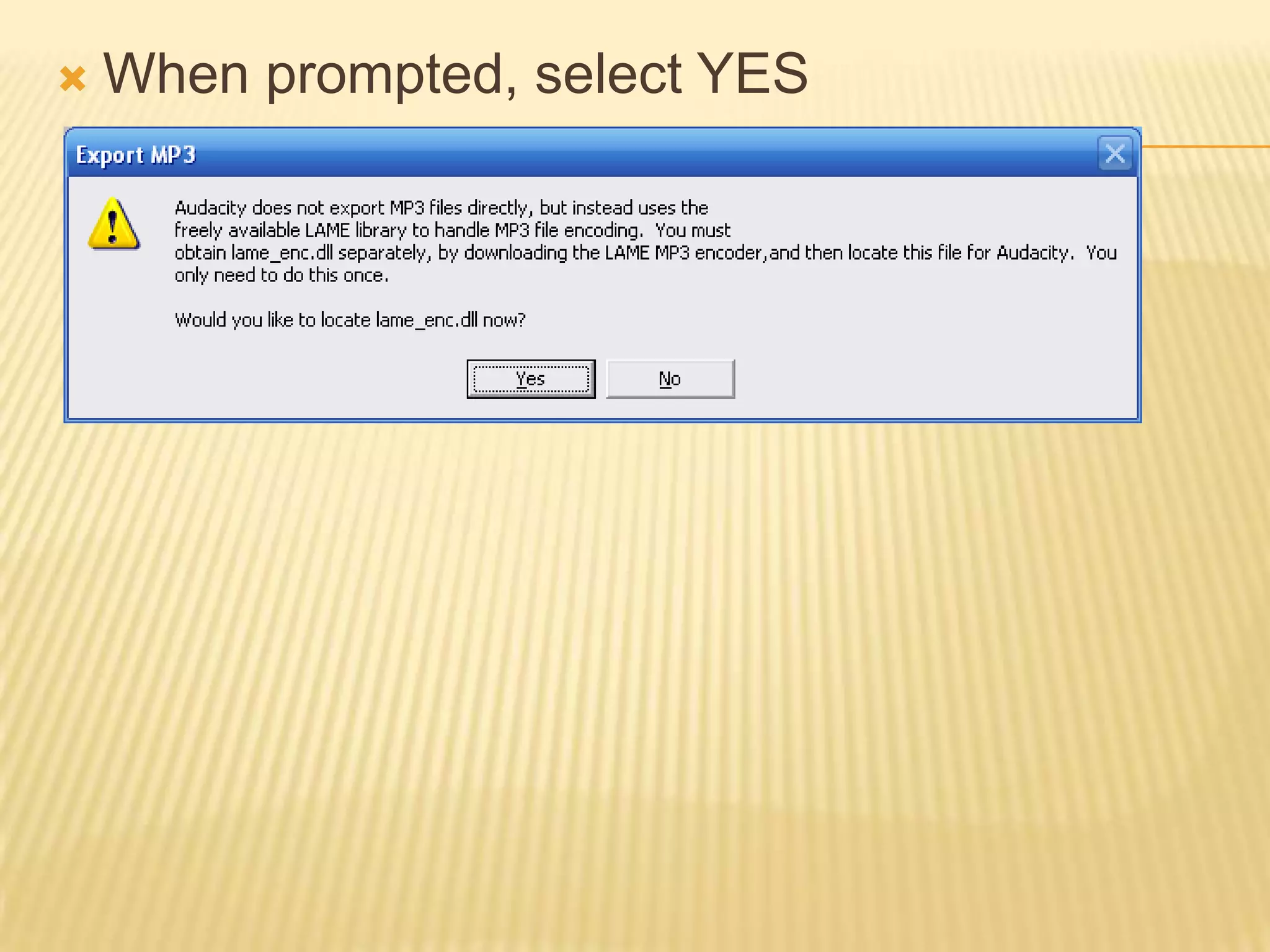
When prompted, select YES
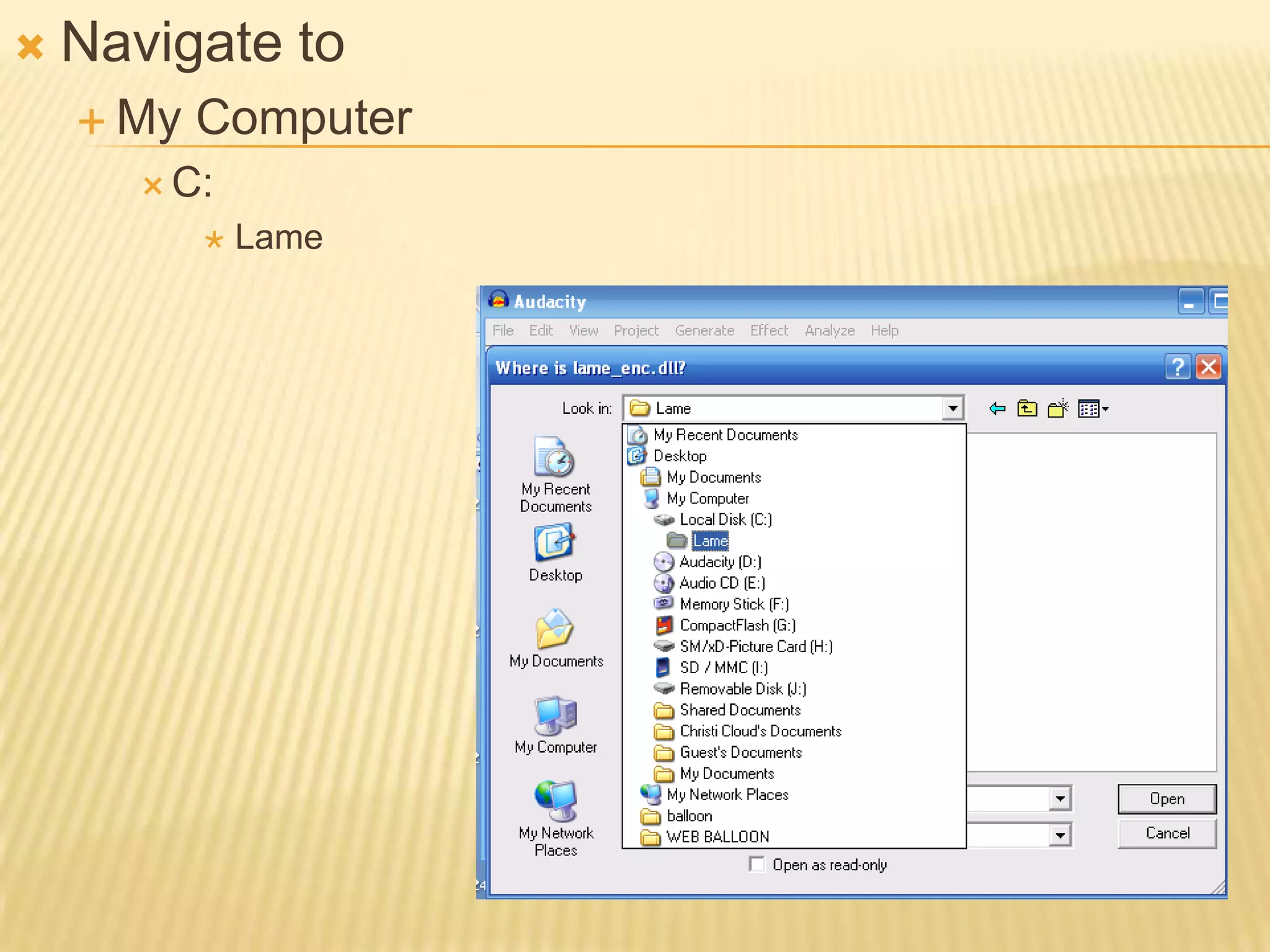
Navigate toMy ComputerC:Lame
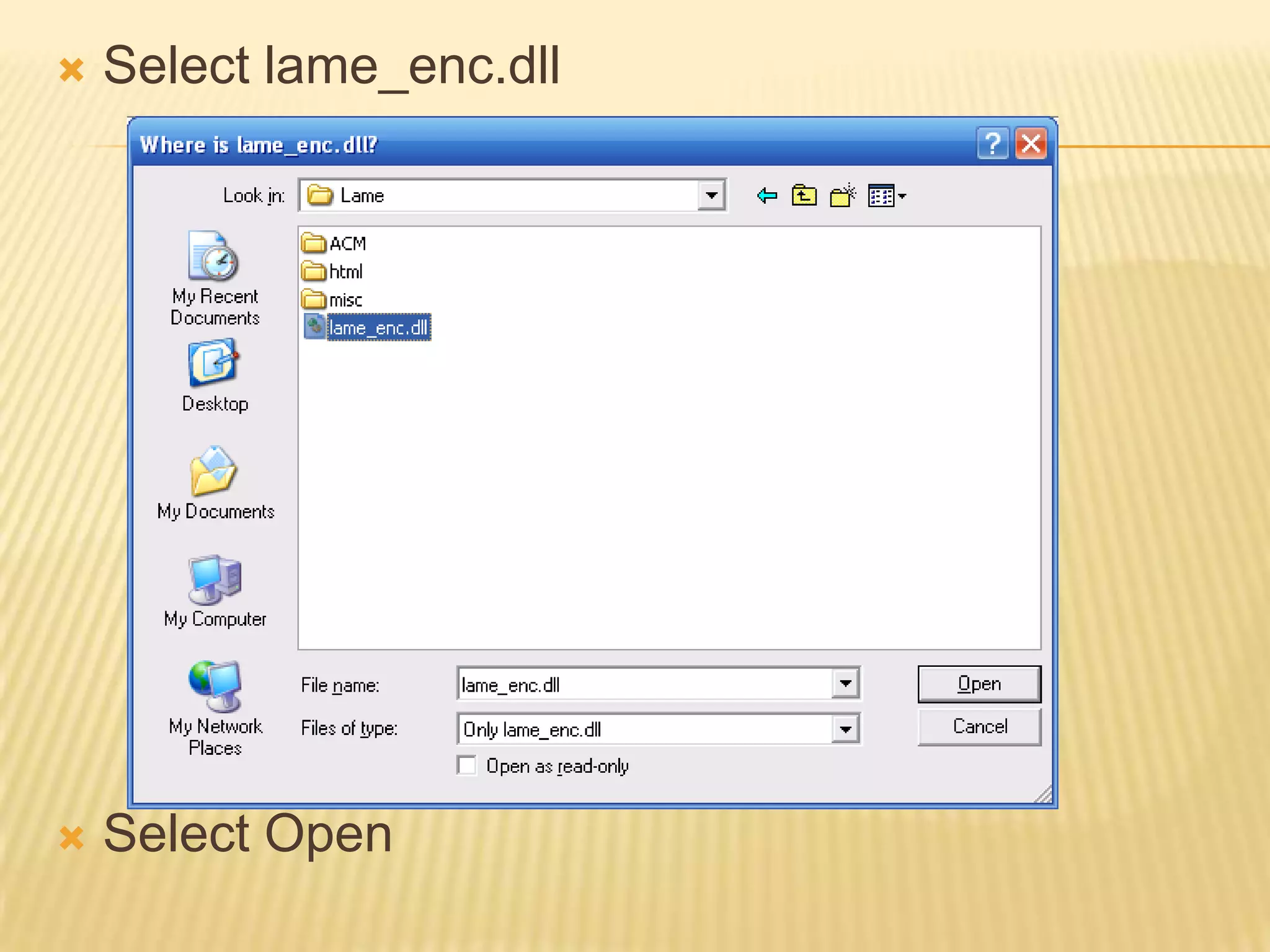
Select lame_enc.dllSelect Open
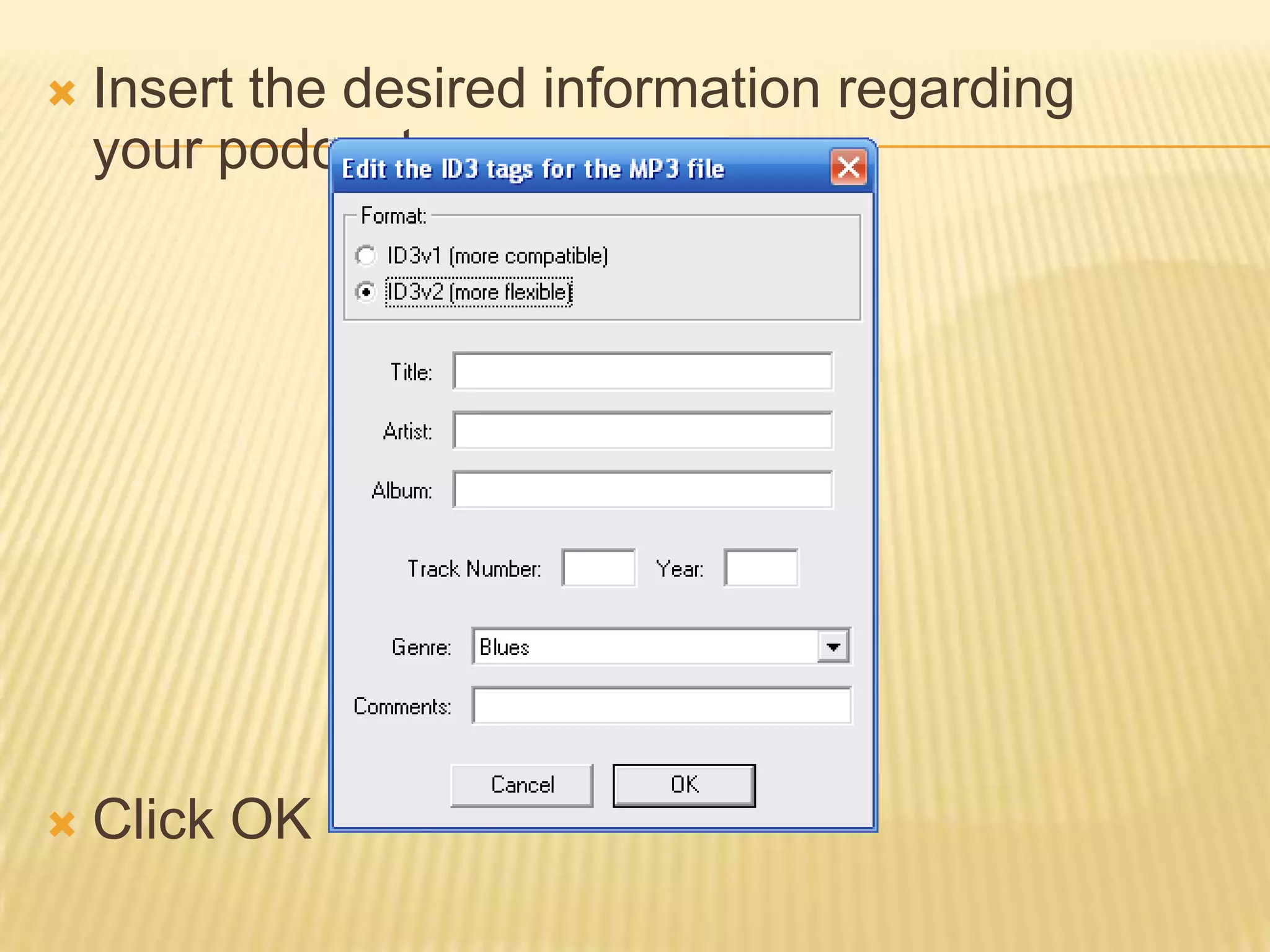
Insert the desired information regarding your podcastClick OK

Installing Audacity