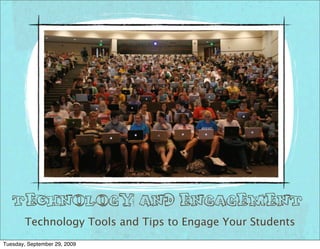
Technology and Engagement
        Technology Tools and Tips to Engage Your Students
Tuesday, September 29, 2009
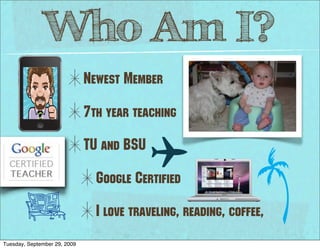
Who Am I?
                              Newest Member

                              7th year teaching

                              TU and BSU

                                Google Certified

                                I love traveling, reading, coffee,
Tuesday, September 29, 2009
Today’s Agenda:
✴Rationale for using tech tools to
   engage this generation
✴Preview tools that can be used in
   the classroom and collaborate on
   uses
Tuesday, September 29, 2009
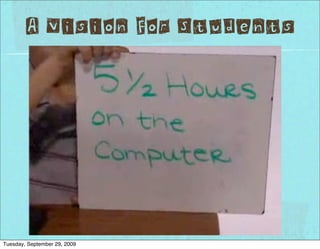
A Vision For Students


Tuesday, September 29, 2009
Pull Some of These
          Out of your Hat!
                         http://www.sharetabs.com/?cms1


                         http://www.sharetabs.com/?cms2


Tuesday, September 29, 2009
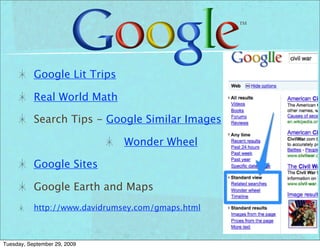
Google Lit Trips

           Real World Math

           Search Tips - Google Similar Images

                               Wonder Wheel

           Google Sites

           Google Earth and Maps
           http://www.davidrumsey.com/gmaps.html


Tuesday, September 29, 2009
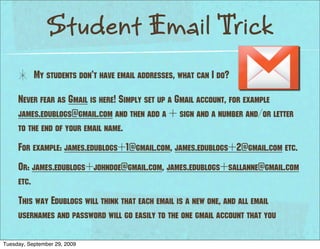
Student Email Trick
           My students don’t have email addresses, what can I do?

     Never fear as Gmail is here! Simply set up a Gmail account, for example
     james.edublogs@gmail.com and then add a + sign and a number and/or letter
     to the end of your email name.
     For example: james.edublogs+1@gmail.com, james.edublogs+2@gmail.com etc.
     Or: james.edublogs+johndoe@gmail.com, james.edublogs+sallanne@gmail.com
     etc.
     This way Edublogs will think that each email is a new one, and all email
     usernames and password will go easily to the one gmail account that you

Tuesday, September 29, 2009
HELP ME!


                                E-Mail
                                mr.chrisatkinson@gmail.com
                                Catkinso@ccs.k12.in.us

                                Phone
                                x1921

                                www.ChrislAtkinson.Blogspot.com
                                ifolder.ccs.k12.in.us/mt4/Atkinson_Classroom
                                www.atkinson45gt.edublogs.org

Tuesday, September 29, 2009

Technology Workshop Carmel Middle Paired Down

  • 1.
    Technology and Engagement Technology Tools and Tips to Engage Your Students Tuesday, September 29, 2009
  • 2.
    Who Am I? Newest Member 7th year teaching TU and BSU Google Certified I love traveling, reading, coffee, Tuesday, September 29, 2009
  • 3.
    Today’s Agenda: ✴Rationale forusing tech tools to engage this generation ✴Preview tools that can be used in the classroom and collaborate on uses Tuesday, September 29, 2009
  • 4.
    A Vision ForStudents Tuesday, September 29, 2009
  • 5.
    Pull Some ofThese Out of your Hat! http://www.sharetabs.com/?cms1 http://www.sharetabs.com/?cms2 Tuesday, September 29, 2009
  • 6.
    Google Lit Trips Real World Math Search Tips - Google Similar Images Wonder Wheel Google Sites Google Earth and Maps http://www.davidrumsey.com/gmaps.html Tuesday, September 29, 2009
  • 7.
    Student Email Trick My students don’t have email addresses, what can I do? Never fear as Gmail is here! Simply set up a Gmail account, for example james.edublogs@gmail.com and then add a + sign and a number and/or letter to the end of your email name. For example: james.edublogs+1@gmail.com, james.edublogs+2@gmail.com etc. Or: james.edublogs+johndoe@gmail.com, james.edublogs+sallanne@gmail.com etc. This way Edublogs will think that each email is a new one, and all email usernames and password will go easily to the one gmail account that you Tuesday, September 29, 2009
  • 8.
  • 9.
  • 10.
    HELP ME! E-Mail mr.chrisatkinson@gmail.com Catkinso@ccs.k12.in.us Phone x1921 www.ChrislAtkinson.Blogspot.com ifolder.ccs.k12.in.us/mt4/Atkinson_Classroom www.atkinson45gt.edublogs.org Tuesday, September 29, 2009