Introduction to
the Android NDK

Sebastian Mauer
GDG Aachen

CodeFest Karlsruhe
February 20th, 2014
Who am I?
Sebastian Mauer

GDG Aachen Co-Lead
Software Engineer

CS Student
I don’t work for Google…yet
Part I:
NDK? What is that?
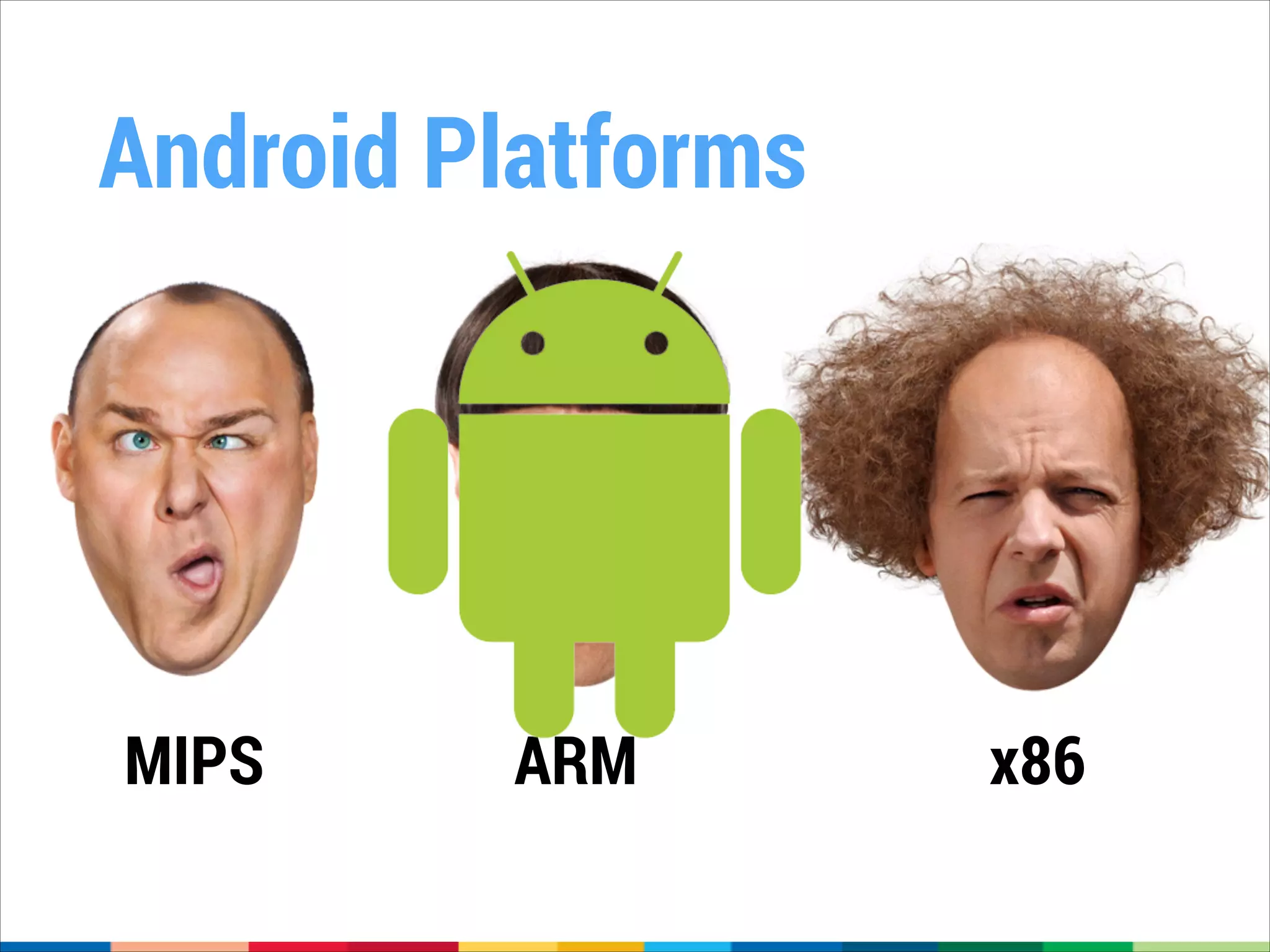
Android Platforms

MIPS

ARM

x86
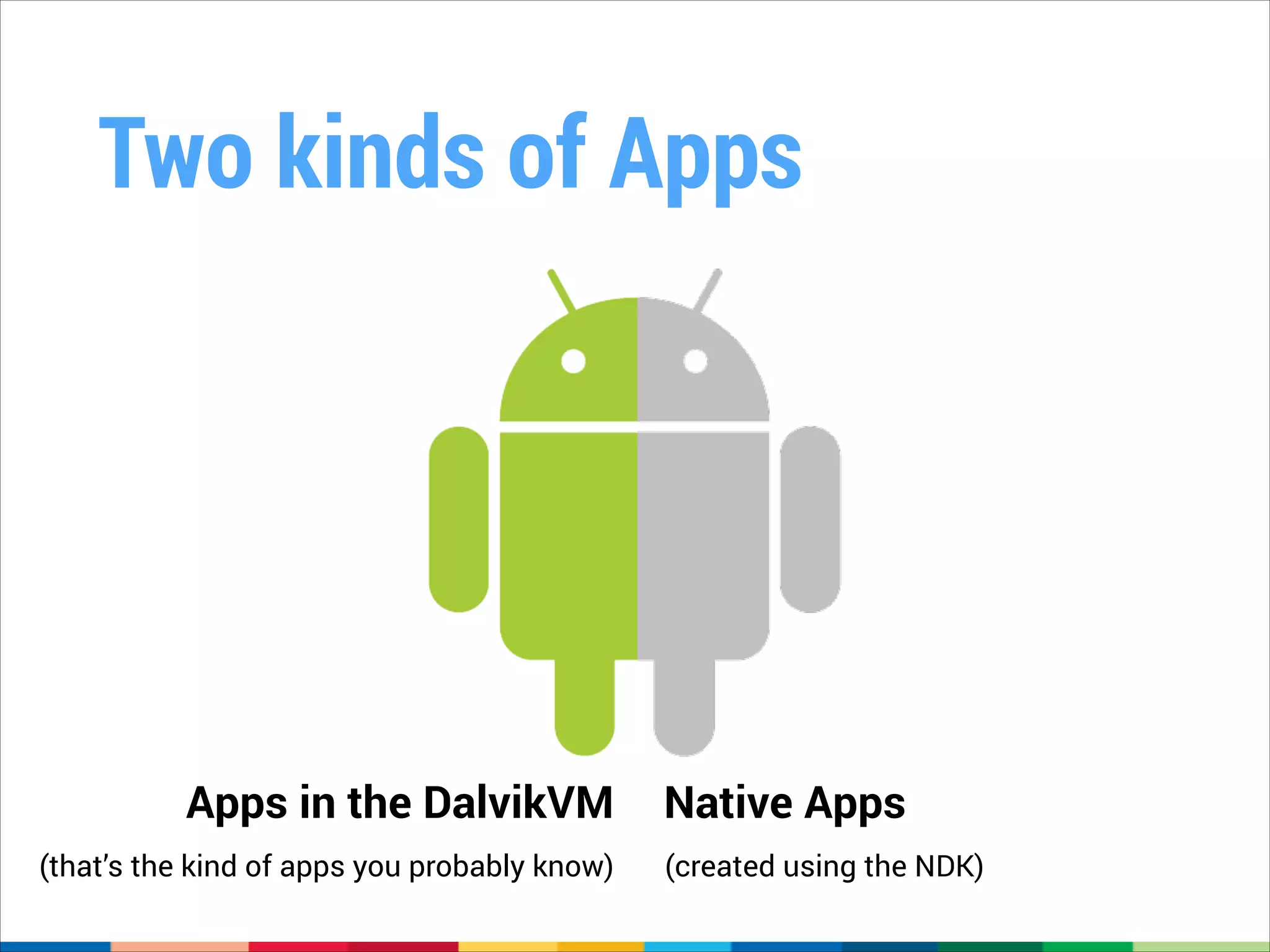
Two kinds of Apps

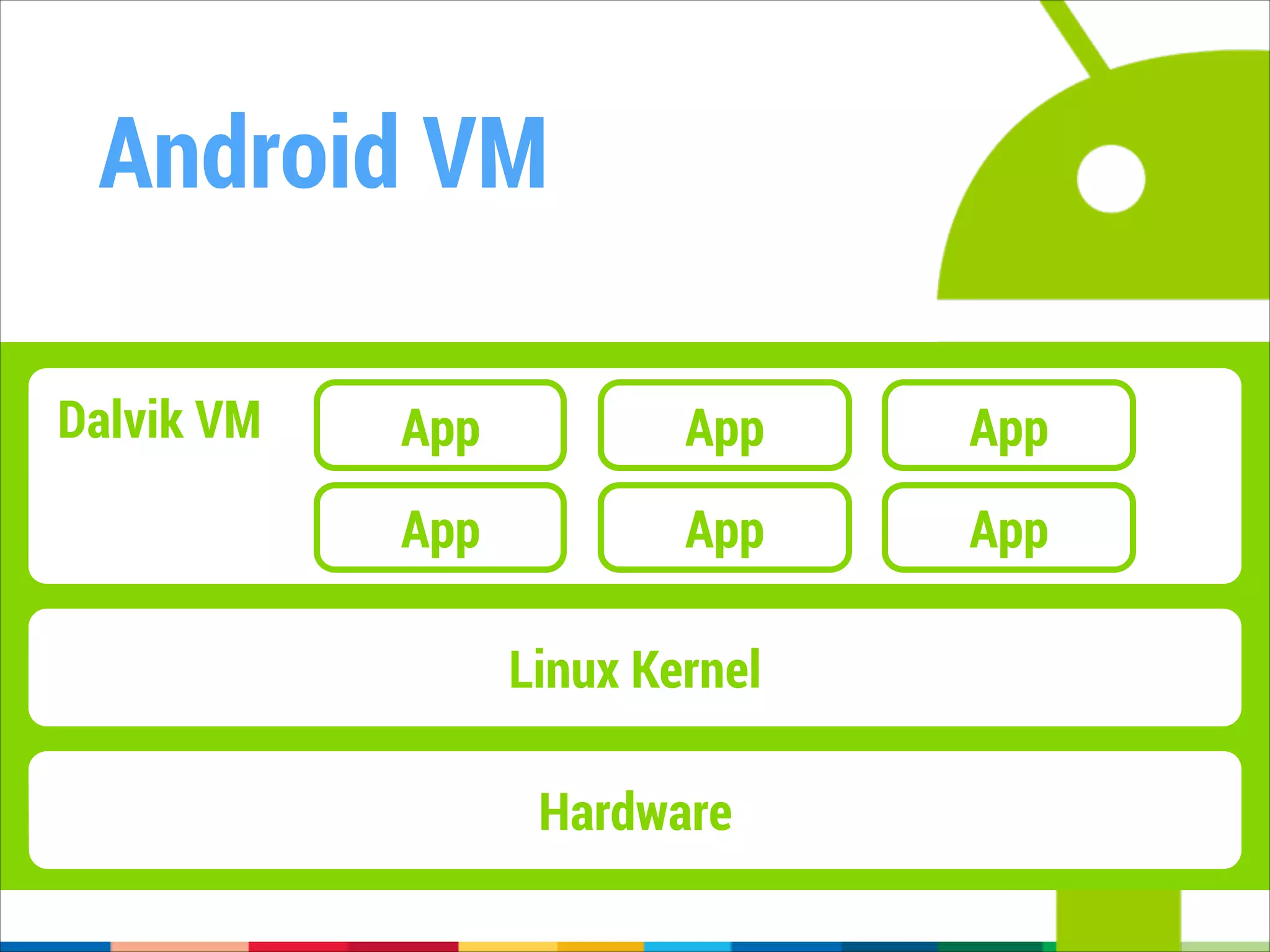
Apps in the DalvikVM
(that’s the kind of apps you probably know)

Native Apps
(created using the NDK)
One VM to rule them all
•

Dalvik is a Virtual Machine (VM)

•

A VM is a common abstraction across different
hardware platforms

•

„Translates“ VM Bytecode to platform specific
instructions
It just works™
•

The DalvikVM is already optimized for the x86
Platform

•

Apps relying on the Android SDK / Dalvik Bytecode

will automatically benefit from Platform-specific
Optimizations (like SSE & Co.)
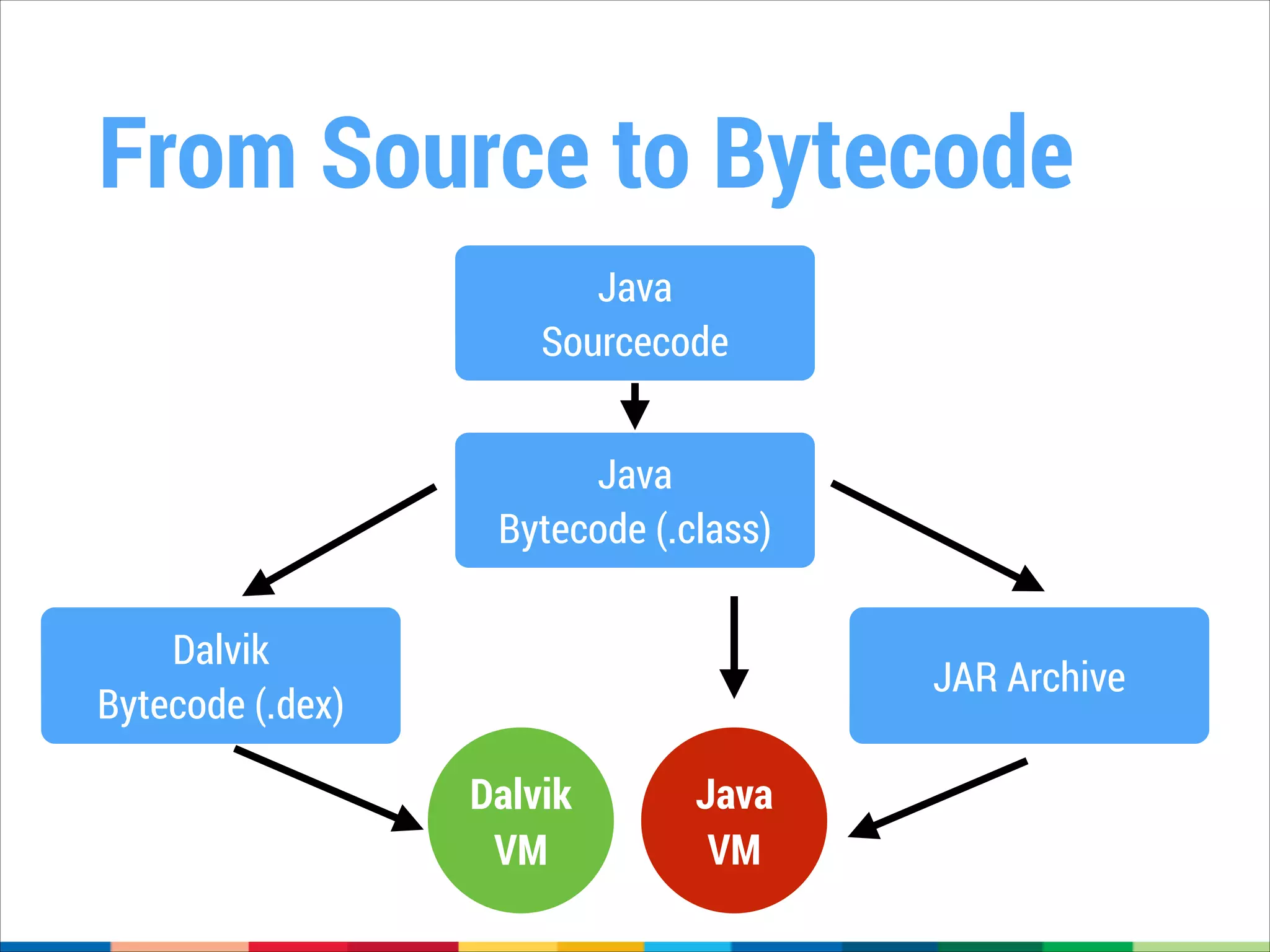
From Source to Bytecode
Java
Sourcecode
Java
Bytecode (.class)
Dalvik
Bytecode (.dex)

JAR Archive

Dalvik
VM

Java
VM
Android VM
Dalvik VM

App

App

App

App

App

App

Linux Kernel
Hardware
ONE DOES NOT SIMPLY

RUN CODE ON MULTIPLE
PLATFORMS
NOT SURE IF NDK CAN HELP ME
RUN CODE FASTER

OR MAKE THINGS EVEN MORE
COMPLICATED
Part II:
Going native. The NDK.
What’s the NDK?
•

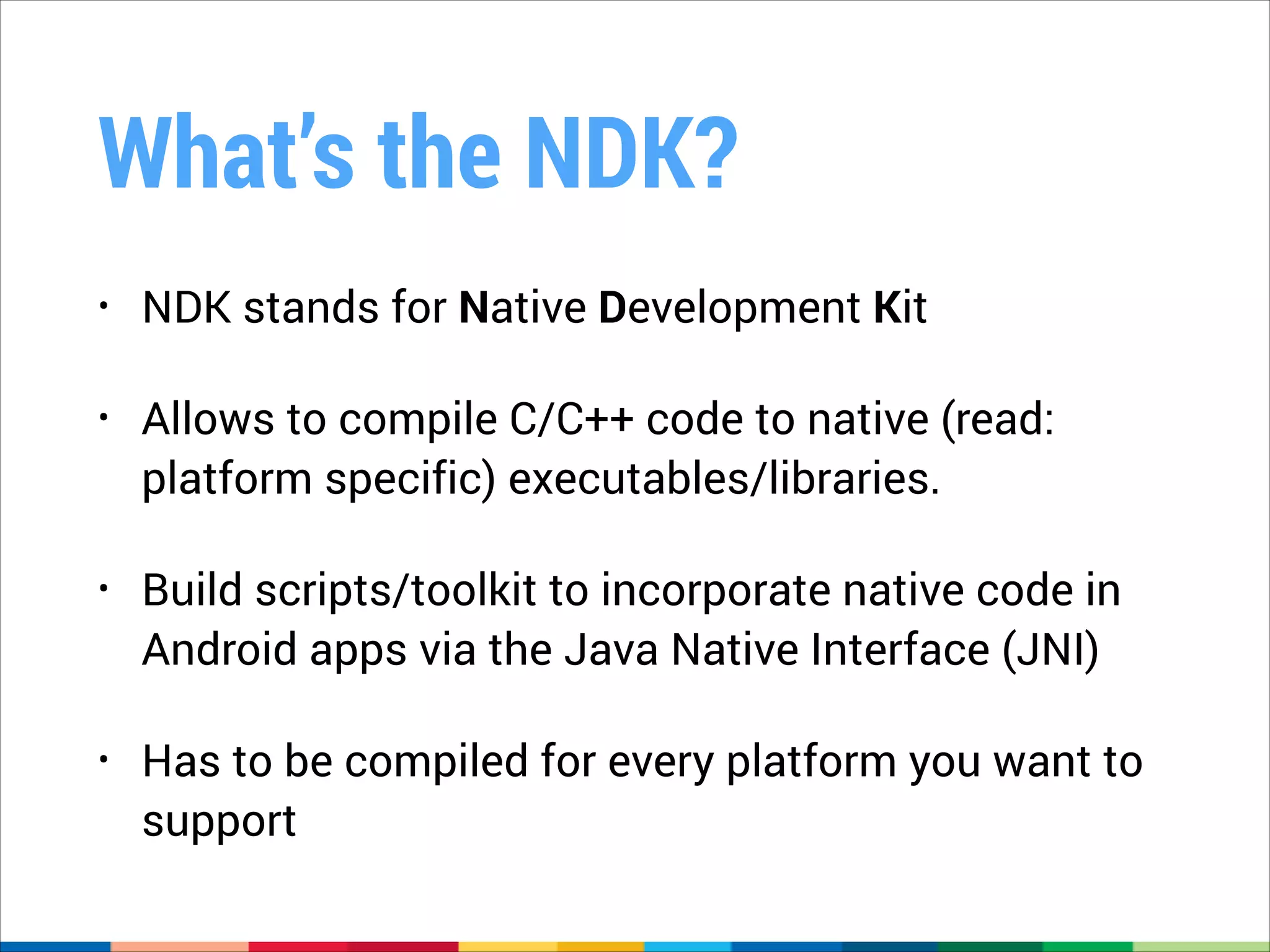
NDK stands for Native Development Kit

•

Allows to compile C/C++ code to native (read:
platform specific) executables/libraries.

•

Build scripts/toolkit to incorporate native code in
Android apps via the Java Native Interface (JNI)

•

Has to be compiled for every platform you want to
support
But why?
•

Performance

e.g., complex algorithms, multimedia applications, games

•

Differentiation 

app that takes advantage of direct CPU/HW access

e.g., using SSSE3 for optimization

•

Fluid and lag-free animations

•

Software code reuse
Why not?
What could possibly go wrong?
•

Performance improvements are not guaranteed

•

In fact, you could make it worse (read: slower).

•

Added complexity (Java/C++ Interop, Multiple
platforms)

•

Somewhat harder to debug
What’s an NDK app?
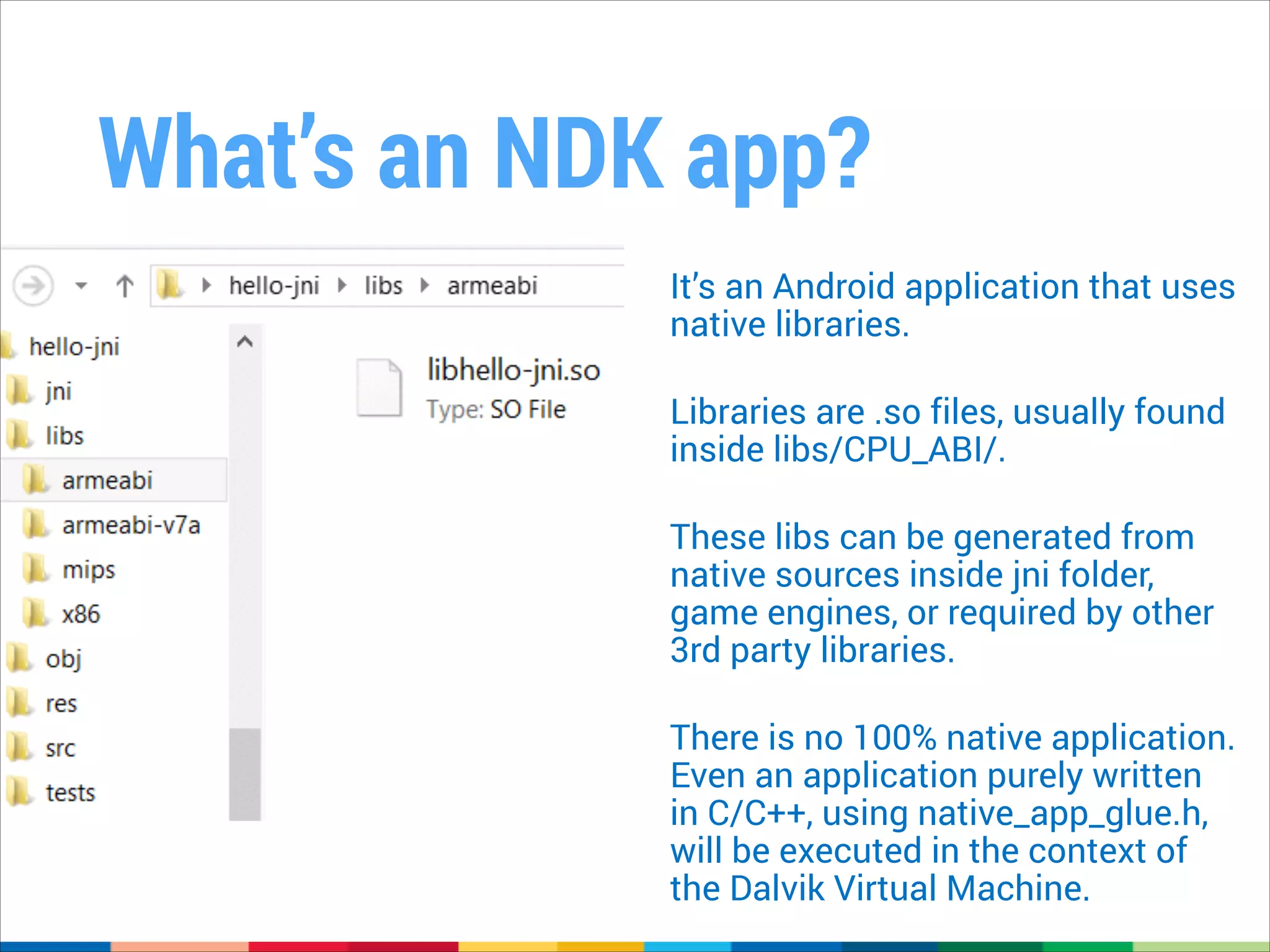
It’s an Android application that uses
native libraries.
!

Libraries are .so files, usually found
inside libs/CPU_ABI/.
!

These libs can be generated from
native sources inside jni folder,
game engines, or required by other
3rd party libraries.
!

There is no 100% native application.
Even an application purely written
in C/C++, using native_app_glue.h,
will be executed in the context of
the Dalvik Virtual Machine.
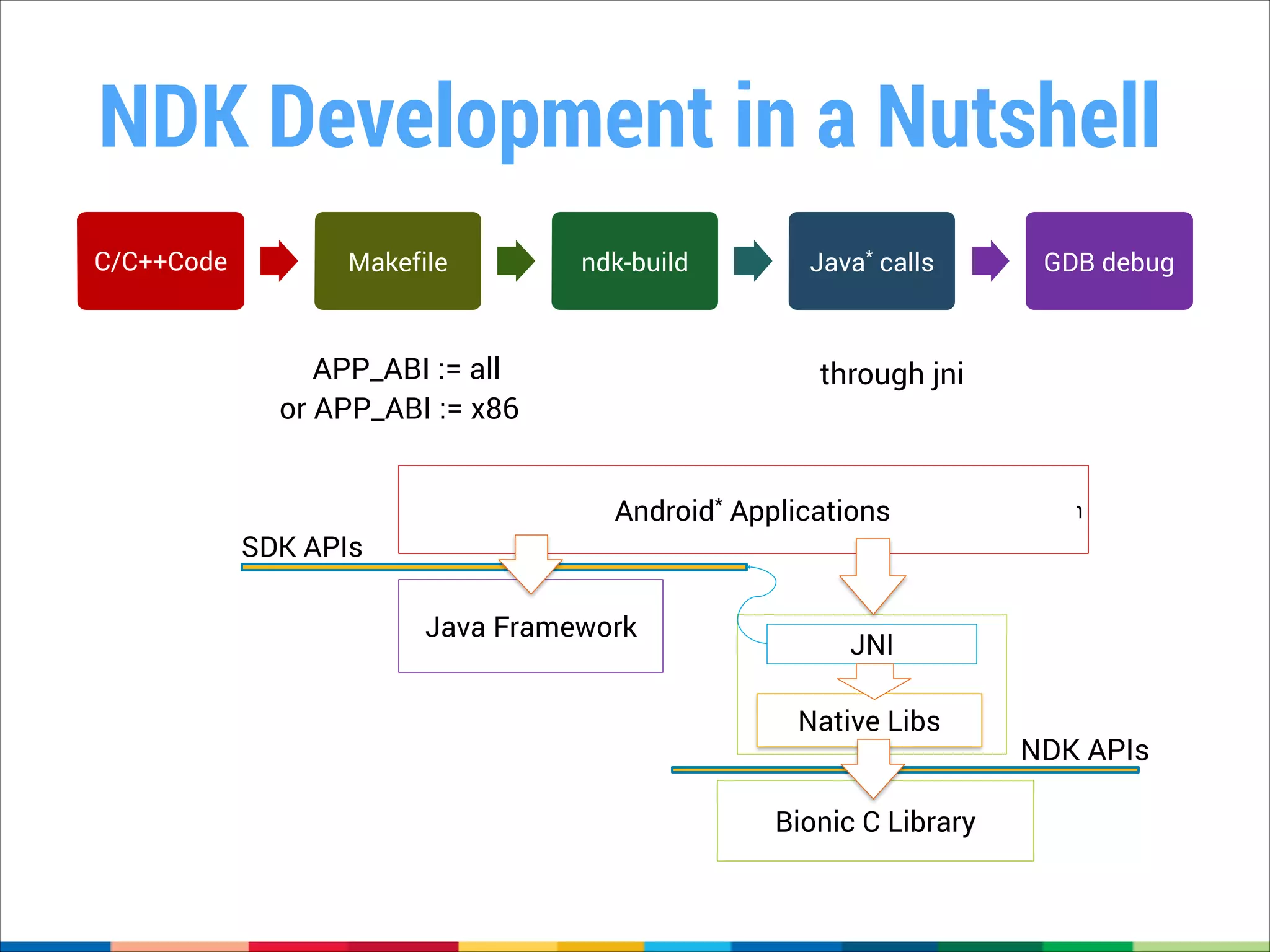
NDK Development in a Nutshell
C/C++Code

Makefile

ndk-build

APP_ABI := all
or APP_ABI := x86

SDK APIs

Java* calls

GDB debug

through jni

Android* Applications

Java Framework

Java Application

JNI
Native Libs
Bionic C Library

NDK APIs
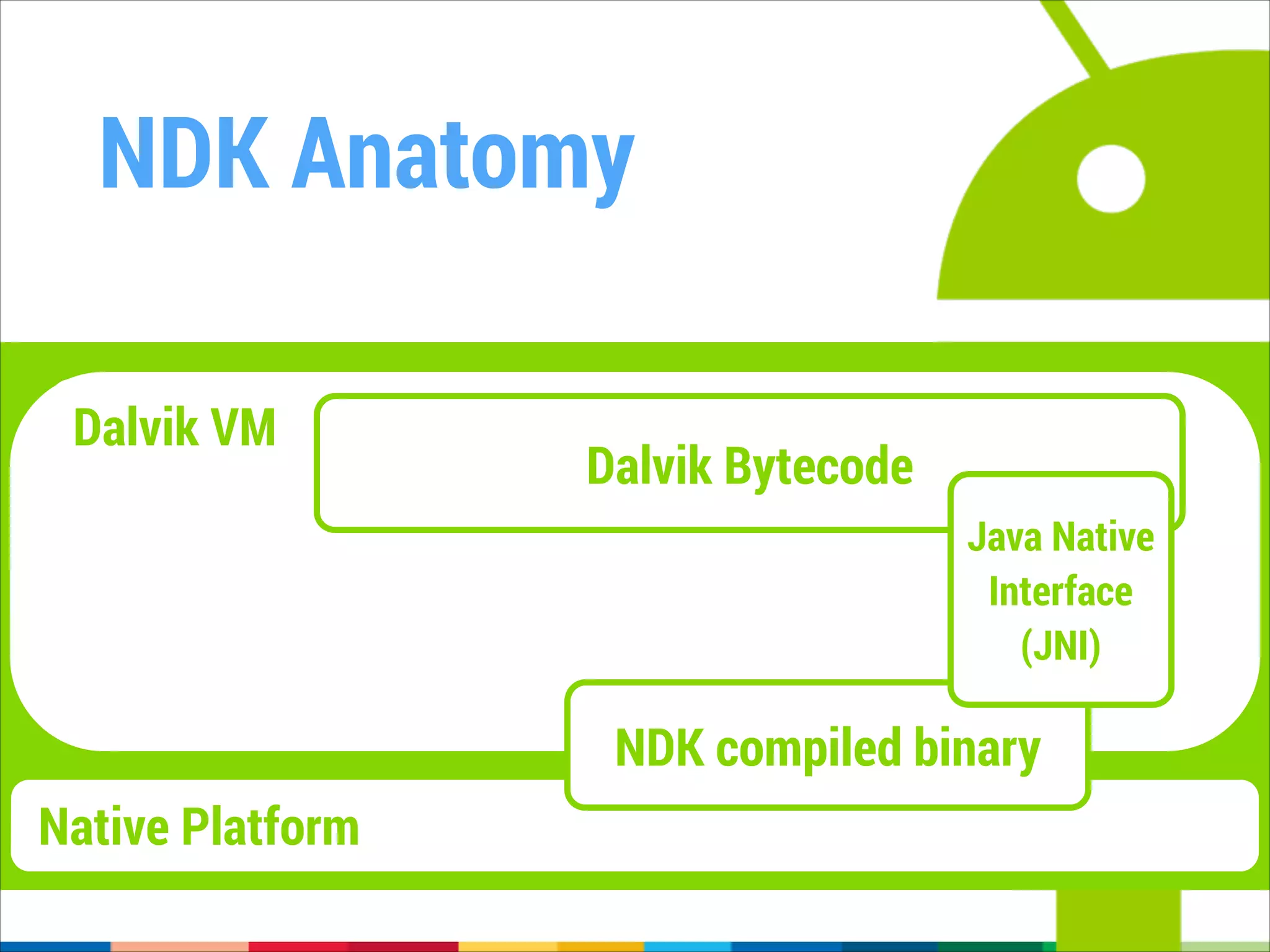
NDK Anatomy
Dalvik VM

Dalvik Bytecode
Java Native
Interface
(JNI)

NDK compiled binary
Native Platform
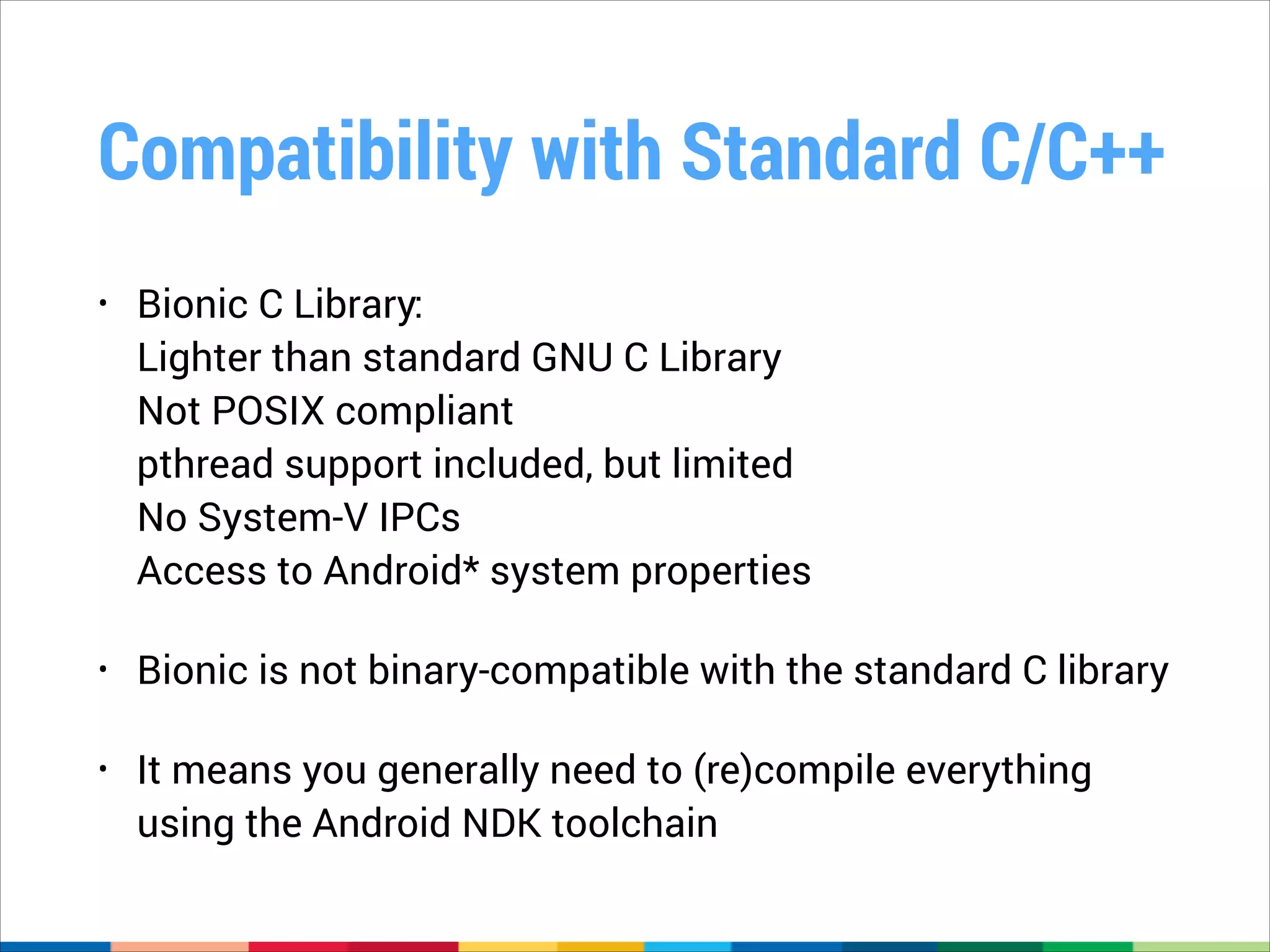
Compatibility with Standard C/C++
•

Bionic C Library:

Lighter than standard GNU C Library

Not POSIX compliant

pthread support included, but limited

No System-V IPCs

Access to Android* system properties

•

Bionic is not binary-compatible with the standard C library

•

It means you generally need to (re)compile everything
using the Android NDK toolchain
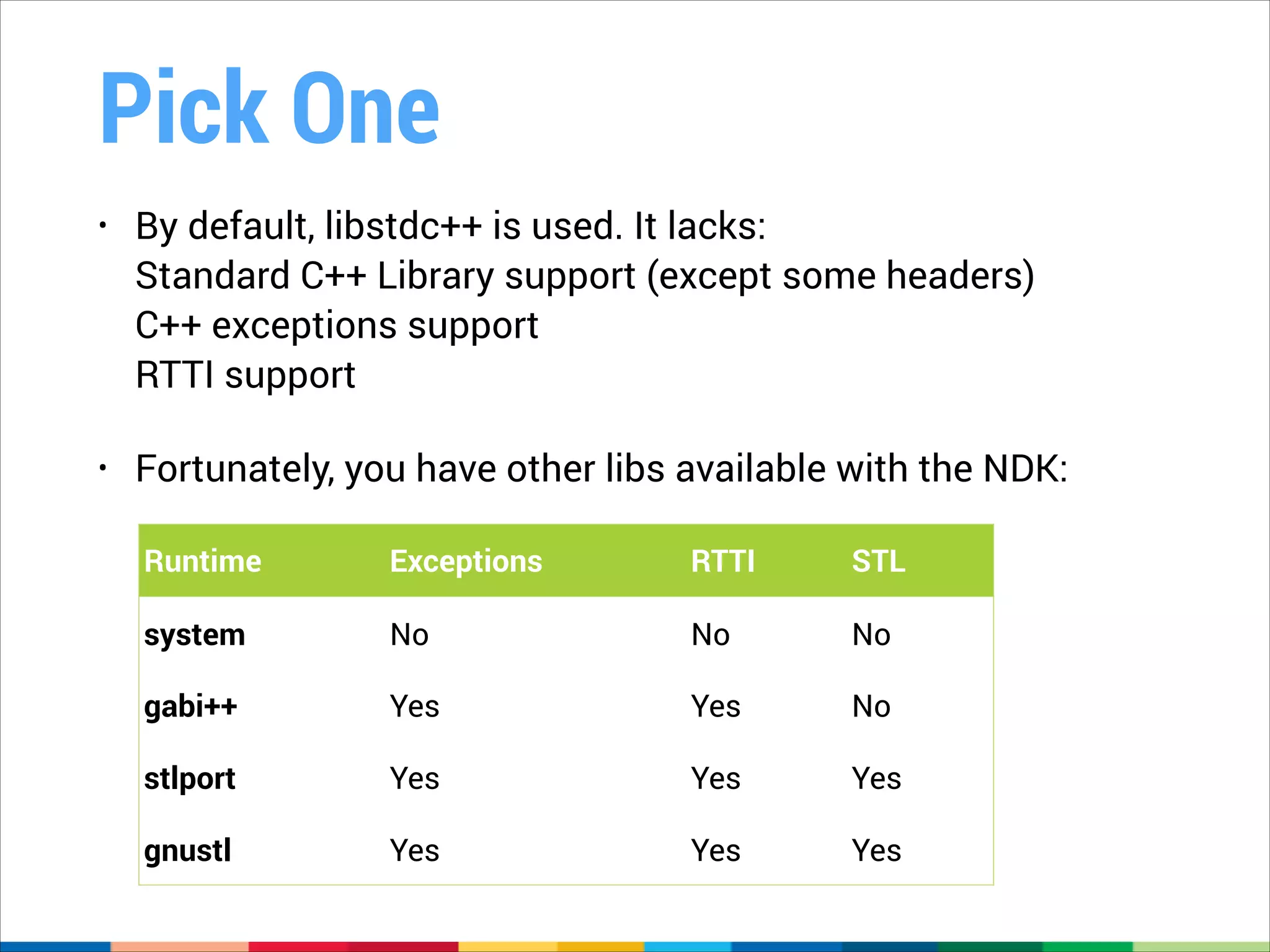
Pick One
•

By default, libstdc++ is used. It lacks: 

Standard C++ Library support (except some headers)

C++ exceptions support

RTTI support

•

Fortunately, you have other libs available with the NDK:
Runtime

Exceptions

RTTI

STL

system

No

No

No

gabi++

Yes

Yes

No

stlport

Yes

Yes

Yes

gnustl

Yes

Yes

Yes
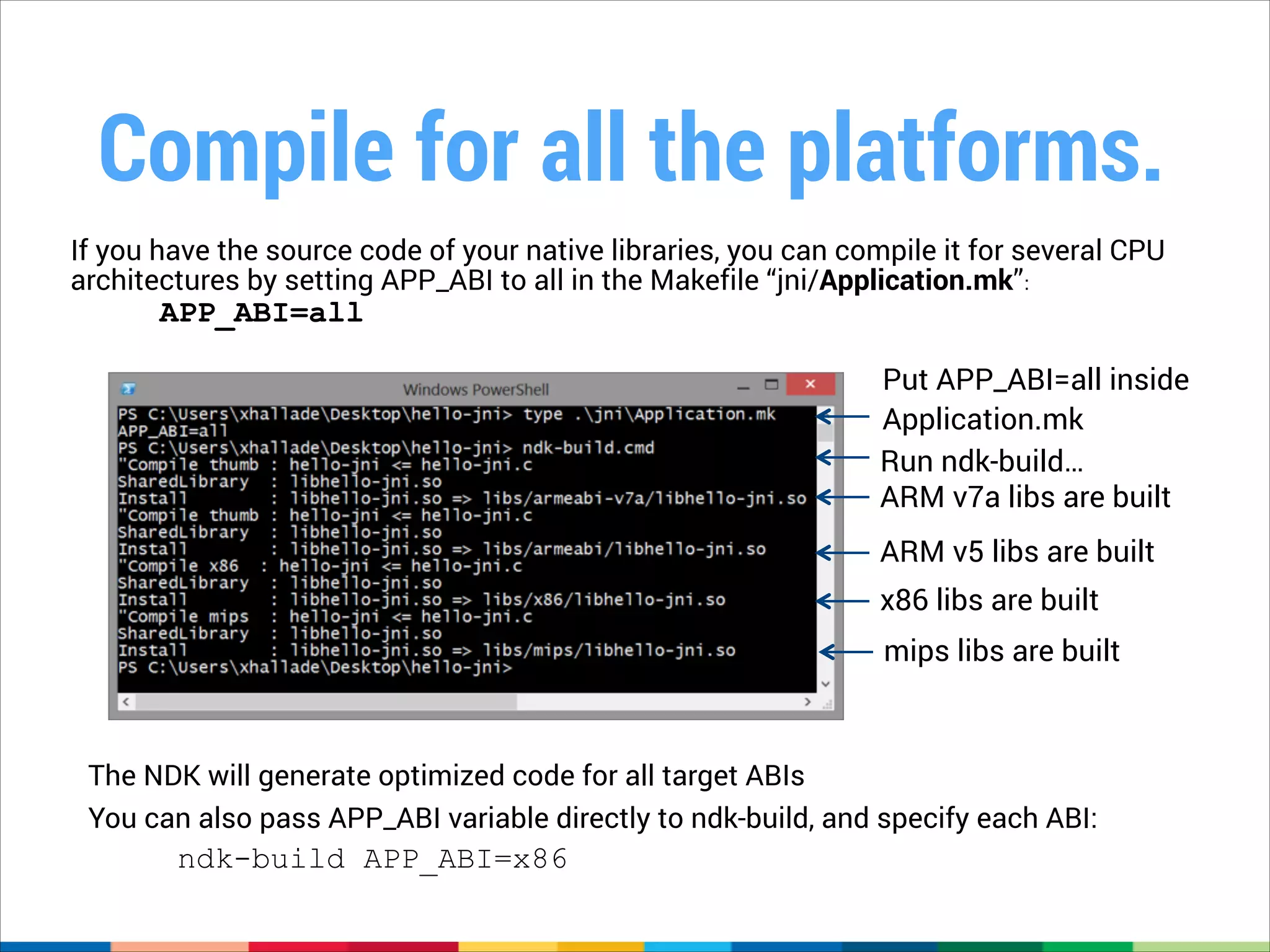
Compile for all the platforms.
If you have the source code of your native libraries, you can compile it for several CPU
architectures by setting APP_ABI to all in the Makefile “jni/Application.mk”:!

APP_ABI=all

Put APP_ABI=all inside
Application.mk
Run ndk-build…
ARM v7a libs are built
ARM v5 libs are built
x86 libs are built
mips libs are built

The NDK will generate optimized code for all target ABIs
You can also pass APP_ABI variable directly to ndk-build, and specify each ABI:

ndk-build APP_ABI=x86
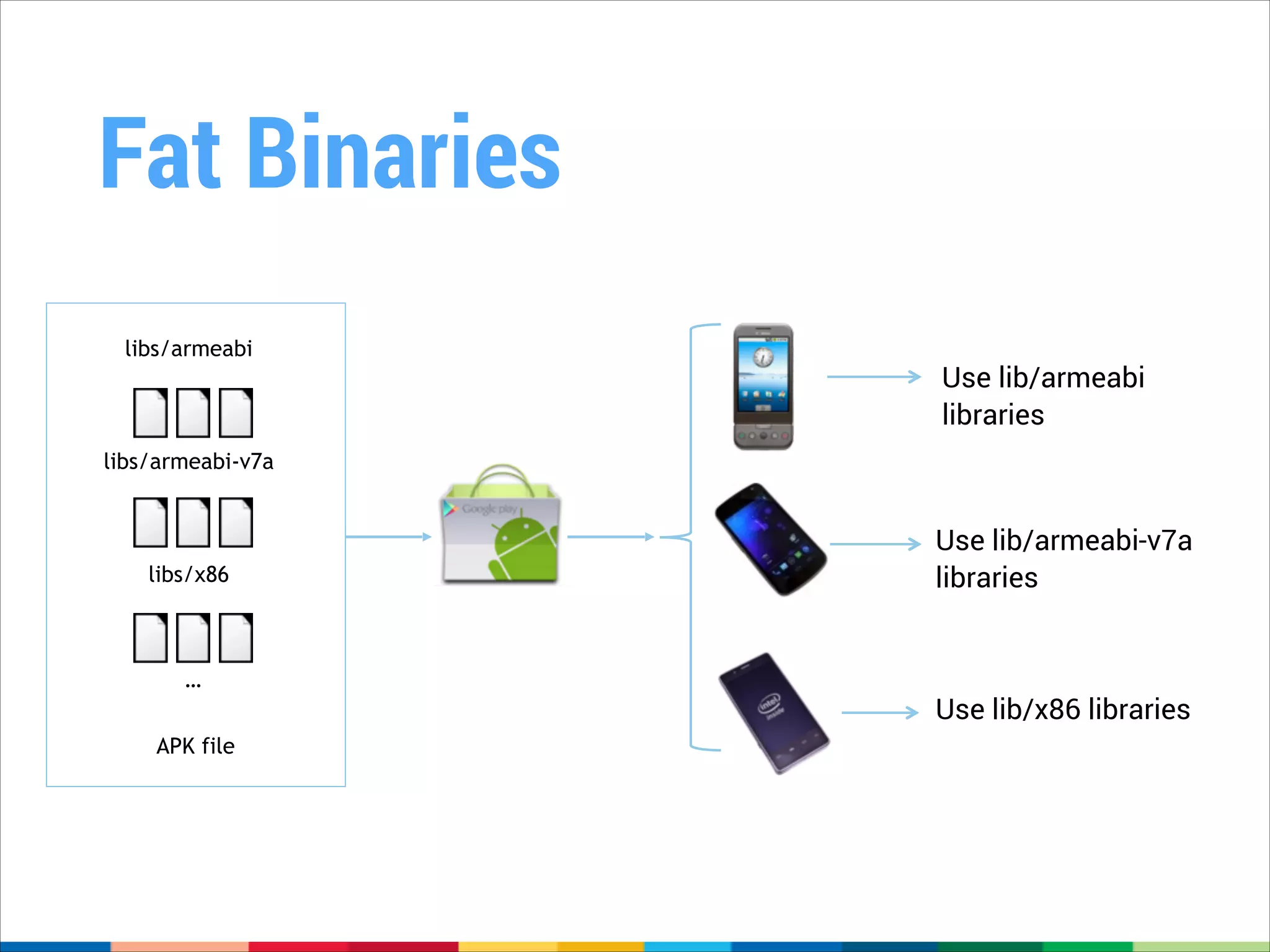
Fat Binaries
libs/armeabi

Use lib/armeabi
libraries

libs/armeabi-v7a

libs/x86

…
APK file

Use lib/armeabi-v7a
libraries

Use lib/x86 libraries
Q&A
Thanks for your attention.

Introduction to the Android NDK

  • 1.
    Introduction to the AndroidNDK Sebastian Mauer GDG Aachen CodeFest Karlsruhe February 20th, 2014
  • 2.
    Who am I? SebastianMauer GDG Aachen Co-Lead Software Engineer CS Student I don’t work for Google…yet
  • 3.
  • 4.
  • 5.
    Two kinds ofApps Apps in the DalvikVM (that’s the kind of apps you probably know) Native Apps (created using the NDK)
  • 6.
    One VM torule them all • Dalvik is a Virtual Machine (VM) • A VM is a common abstraction across different hardware platforms • „Translates“ VM Bytecode to platform specific instructions
  • 7.
    It just works™ • TheDalvikVM is already optimized for the x86 Platform • Apps relying on the Android SDK / Dalvik Bytecode
 will automatically benefit from Platform-specific Optimizations (like SSE & Co.)
  • 8.
    From Source toBytecode Java Sourcecode Java Bytecode (.class) Dalvik Bytecode (.dex) JAR Archive Dalvik VM Java VM
  • 9.
  • 10.
    ONE DOES NOTSIMPLY RUN CODE ON MULTIPLE PLATFORMS
  • 11.
    NOT SURE IFNDK CAN HELP ME RUN CODE FASTER OR MAKE THINGS EVEN MORE COMPLICATED
  • 12.
  • 13.
    What’s the NDK? • NDKstands for Native Development Kit • Allows to compile C/C++ code to native (read: platform specific) executables/libraries. • Build scripts/toolkit to incorporate native code in Android apps via the Java Native Interface (JNI) • Has to be compiled for every platform you want to support
  • 14.
    But why? • Performance
 e.g., complexalgorithms, multimedia applications, games • Differentiation 
 app that takes advantage of direct CPU/HW access
 e.g., using SSSE3 for optimization • Fluid and lag-free animations • Software code reuse
  • 15.
  • 17.
    What could possiblygo wrong? • Performance improvements are not guaranteed • In fact, you could make it worse (read: slower). • Added complexity (Java/C++ Interop, Multiple platforms) • Somewhat harder to debug
  • 19.
    What’s an NDKapp? It’s an Android application that uses native libraries. ! Libraries are .so files, usually found inside libs/CPU_ABI/. ! These libs can be generated from native sources inside jni folder, game engines, or required by other 3rd party libraries. ! There is no 100% native application. Even an application purely written in C/C++, using native_app_glue.h, will be executed in the context of the Dalvik Virtual Machine.
  • 20.
    NDK Development ina Nutshell C/C++Code Makefile ndk-build APP_ABI := all or APP_ABI := x86 SDK APIs Java* calls GDB debug through jni Android* Applications Java Framework Java Application JNI Native Libs Bionic C Library NDK APIs
  • 21.
    NDK Anatomy Dalvik VM DalvikBytecode Java Native Interface (JNI) NDK compiled binary Native Platform
  • 22.
    Compatibility with StandardC/C++ • Bionic C Library:
 Lighter than standard GNU C Library
 Not POSIX compliant
 pthread support included, but limited
 No System-V IPCs
 Access to Android* system properties • Bionic is not binary-compatible with the standard C library • It means you generally need to (re)compile everything using the Android NDK toolchain
  • 23.
    Pick One • By default,libstdc++ is used. It lacks: 
 Standard C++ Library support (except some headers)
 C++ exceptions support
 RTTI support • Fortunately, you have other libs available with the NDK: Runtime Exceptions RTTI STL system No No No gabi++ Yes Yes No stlport Yes Yes Yes gnustl Yes Yes Yes
  • 25.
    Compile for allthe platforms. If you have the source code of your native libraries, you can compile it for several CPU architectures by setting APP_ABI to all in the Makefile “jni/Application.mk”:! APP_ABI=all Put APP_ABI=all inside Application.mk Run ndk-build… ARM v7a libs are built ARM v5 libs are built x86 libs are built mips libs are built The NDK will generate optimized code for all target ABIs You can also pass APP_ABI variable directly to ndk-build, and specify each ABI: ndk-build APP_ABI=x86
  • 26.
    Fat Binaries libs/armeabi Use lib/armeabi libraries libs/armeabi-v7a libs/x86 … APKfile Use lib/armeabi-v7a libraries Use lib/x86 libraries
  • 27.
  • 28.
    Thanks for yourattention.