Infrastructre as Code 

- Ansible -
2017/11/29
IT
Email: sasaki.ryo@marusa.tech
• Infrastructure as a Code
•
•
•
•
• Ansible
• Ansible
• Ansible
•
• Ansible
•Infrastructure as Code
•Ansible
•Ansible
• Infrastructure as a Code
•
•
•
•
• Ansible
• Ansible
• Ansible
•
• Ansible
Infrastructure as Code
• =
•
• DNS 

VM
•
•
Infrastructure as Code
• 

• 30 30
•
• 1
• 

Infrastructure as Code
•
•
•
•
•
• Infrastructure as a Code
•
•
•
•
• Ansible
• Ansible
• Ansible
•
• Ansible
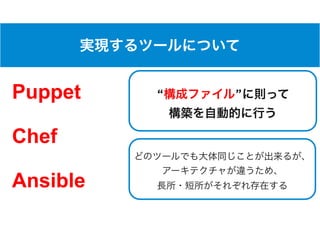
Puppet
Chef
Ansible


“ ”
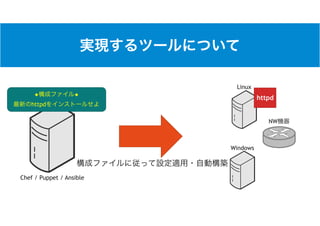
Chef / Puppet / Ansible
Linux
Windows
NW
◆ ◆
httpd
httpd
• Infrastructure as a Code
•
•
•
•
• Ansible
• Ansible
• Ansible
•
• Ansible
•
• Chef
•
•
• Ruby
• Puppet
• Chef
• Chef
• Puppet
• Ansible
•
•
•
• Infrastructure as a Code
•
•
•
•
• Ansible
• Ansible
• Ansible
•
• Ansible
•
• /
• NIC
• sshd
•
•
• sudo
•
• iptables / firewalld
100
• Infrastructure as a Code
•
•
•
•
• Ansible
• Ansible
• Ansible
•
• Ansible
•
•
•
•
• VM 


VM => =>
• Infrastructure as a Code
•
•
•
•
• Ansible
• Ansible
• Ansible
•
• Ansible
Ansible
• Chef Puppet
•
• Chef / Puppet
•
• Chef / Puppet Ruby
•
•
•
• Infrastructure as a Code
•
•
•
•
• Ansible
• Ansible
• Ansible
•
• Ansible
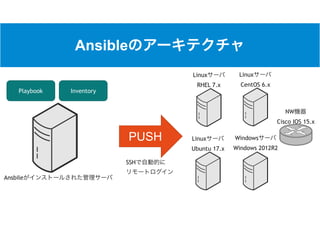
Ansible
Ansbile
Playbook Inventory
Linux
RHEL 7.x
Linux
CentOS 6.x
Windows
Windows 2012R2
Linux
Ubuntu 17.x
NW
Cisco IOS 15.x
PUSH
SSH
Ansible
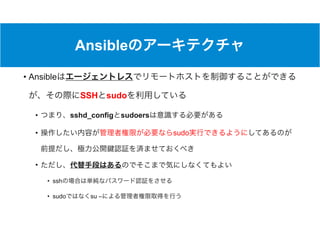
• Ansible
SSH sudo
• sshd_config sudoers
• sudo
•
• ssh
• sudo su –
Ansible
Ansbile
Playbook Inventory
Linux
RHEL 7.x
Linux
CentOS 6.x
Windows
Windows 2012R2
Linux
Ubuntu 17.x
NW
Cisco IOS 15.x
PUSH
or
sudo
or
su
Ansible
• Playbook Inventory 2
• Inventory Playbook
Inventory
※
Playbook
※
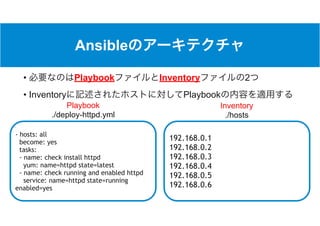
Ansible
• Playbook Inventory 2
• Inventory Playbook
- hosts: all
become: yes
tasks:
- name: check install httpd
yum: name=httpd state=latest
- name: check running and enabled httpd
service: name=httpd state=running
enabled=yes
192.168.0.1
192.168.0.2
192.168.0.3
192.168.0.4
192.168.0.5
192.168.0.6
Playbook
./deploy-httpd.yml
Inventory
./hosts
Ansible
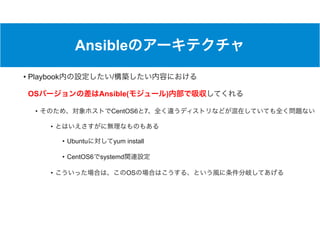
• Playbook / 

OS Ansible( )
• CentOS6 7
•
• Ubuntu yum install
• CentOS6 systemd
• OS
• Infrastructure as a Code
•
•
•
•
• Ansible
• Ansible
• Ansible
•
• Ansible
Ansible 


※ 


Ansible
•
• CentOS 7.x or RHEL 7.x
$> yum install epel-release
$> yum install ansible
Ansible
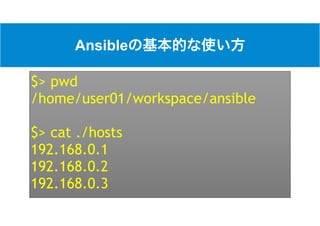
$> pwd
/home/user01/workspace/ansible
$> cat ./hosts
192.168.0.1
192.168.0.2
192.168.0.3
Ansible
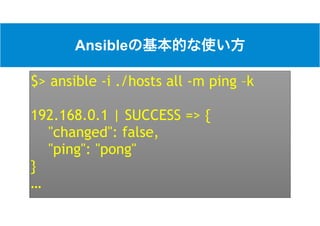
$> ansible -i ./hosts all -m ping –k
192.168.0.1 | SUCCESS => {
"changed": false,
"ping": "pong"
}
…
Ansible
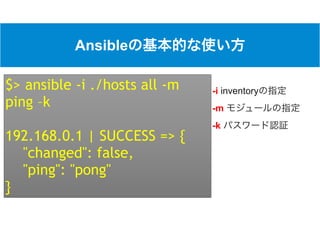
-i inventory
-m
-k
$> ansible -i ./hosts all -m
ping –k
192.168.0.1 | SUCCESS => {
"changed": false,
"ping": "pong"
}
…
Ansible
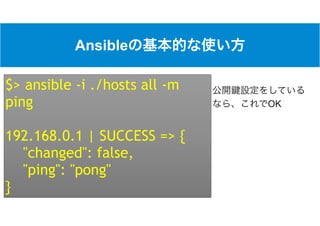
OK
$> ansible -i ./hosts all -m
ping
192.168.0.1 | SUCCESS => {
"changed": false,
"ping": "pong"
}
…
Ansible
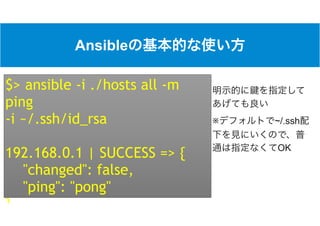
※ ~/.ssh
OK
$> ansible -i ./hosts all -m
ping 

-i ~/.ssh/id_rsa
192.168.0.1 | SUCCESS => {
"changed": false,
"ping": "pong"
}
Ansible
$> ansible -i ./hosts all -m shell -a “ipconfig”
“shell”
-a
192.168.0.[1-3] ipconfig


or
Ansible
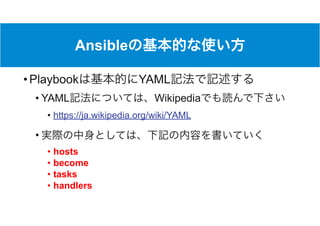
• Playbook YAML
• YAML Wikipedia
• https://ja.wikipedia.org/wiki/YAML
•
• hosts
• become
• tasks
• handlers
Ansible
• hosts
• Inventory
• ”all”
• become
•
• sudo su
• tasks
•
•
• handlers
• tasks
• Ansible
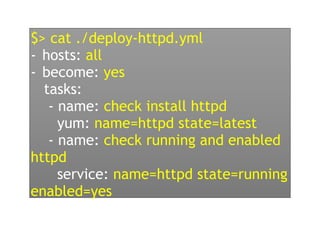
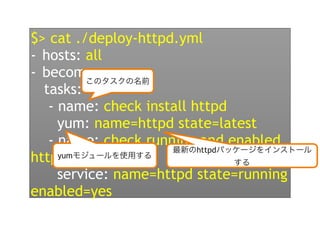
$> cat ./deploy-httpd.yml
- hosts: all
- become: yes
tasks:
- name: check install httpd
yum: name=httpd state=latest
- name: check running and enabled
httpd
service: name=httpd state=running
enabled=yes
$> cat ./deploy-httpd.yml
- hosts: all
- become: yes
tasks:
- name: check install httpd
yum: name=httpd state=latest
- name: check running and enabled
httpd
service: name=httpd state=running
enabled=yes
sudo
tasks
$> cat ./deploy-httpd.yml
- hosts: all
- become: yes
tasks:
- name: check install httpd
yum: name=httpd state=latest
- name: check running and enabled
httpd
service: name=httpd state=running
enabled=yes
yum
httpd
Ansible
$> ansible-playbook -i ./hosts all ./deploy-
httpd.yml
ansible-playbook Inventory Playbook
192.168.0.[1-3]
httpd
on
Ansible
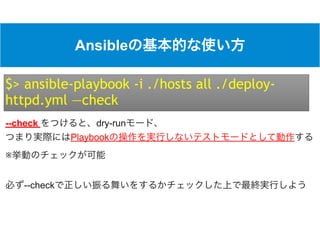
$> ansible-playbook -i ./hosts all ./deploy-
httpd.yml —check
--check dry-run 

Playbook
※
--check
• Infrastructure as a Code
•
•
•
•
• Ansible
• Ansible
• Ansible
•
• Ansible
- file:
path=/var/log/hogehoge
state=directory
mode=0755
file
- copy:
src=/home/ansible/httpd.conf
dest=/etc/httpd/httpd.conf
owner=user01
group=group1
mode=0755
copy
- user:
name=user01
uid=1000
group=group1
home=/home/user01
shell=/bin/bash
user
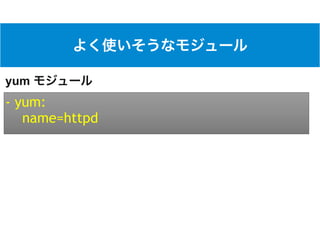
- yum:
name=httpd
yum
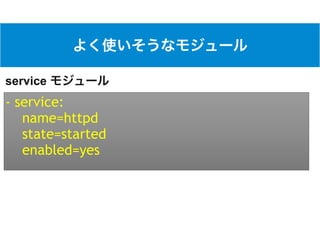
- service:
name=httpd
state=started
enabled=yes
service
- lineinfile:
dest=~/.ssh/authorized_keys
line=[ ]
lineinfile
- replace:
dest=/etc/ssh/sshd_config
regexp=“PermitRootLogin yes”
replace=“PermitRootLogin no”
replace
• Ansible
• Linux Windows Cisco IOS, FortiGate, AWS, Azure
• 1400
• http://docs.ansible.com/ansible/latest/list_of_all_modules.html
•
•
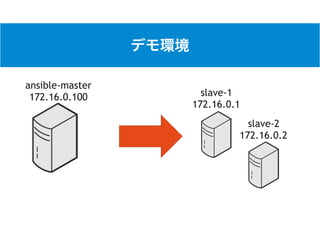
slave-1
172.16.0.1
slave-2
172.16.0.2
ansible-master
172.16.0.100
• Infrastructure as a Code
•
•
•
•
• Ansible
• Ansible
• Ansible
•
• Ansible
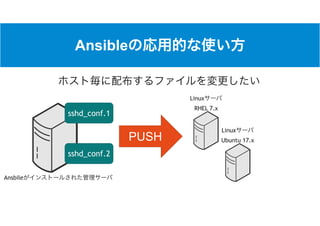
Ansible
Ansbile
Linux
RHEL 7.x
Linux
Ubuntu 17.xPUSH
sshd_conf.2
sshd_conf.1
$> cat ./hosts
[slave1]
172.16.0.1
[slave2]
172.16.0.2
[slave1:vars]
target_sshd_conf=./sshd_config_for_slave1
[slave2:vars]
target_sshd_conf=./sshd_config_for_slave2
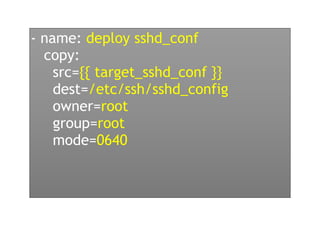
- name: deploy sshd_conf
copy:
src={{ target_sshd_conf }}
dest=/etc/ssh/sshd_config
owner=root
group=root
mode=0640
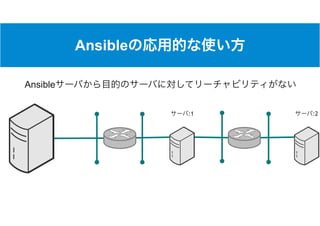
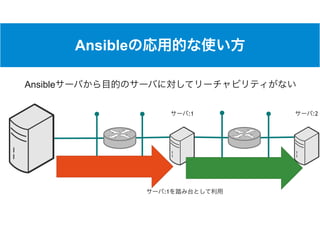
Ansible
:1 :2
Ansible
Ansible
:1 :2
Ansible
:1
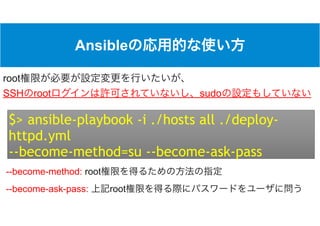
Ansible
$> ansible-playbook -i ./hosts all ./deploy-
httpd.yml
--become-method=su --become-ask-pass
root
SSH root sudo
--become-method: root
--become-ask-pass: root
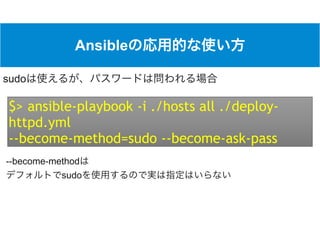
Ansible
$> ansible-playbook -i ./hosts all ./deploy-
httpd.yml
--become-method=sudo --become-ask-pass
sudo
--become-method 

sudo
• Playbook
•
• Playbook
•
• Playbook ansible-playbook
•
• Playbook 

/
Infrastructre as Ccodeの実現 - Ansibleの基本 -

Infrastructre as Ccodeの実現 - Ansibleの基本 -