INCLUSIVE EDUCATIVE GAMING:
A HOLISTIC VIEW

1

Prof. David Brown (NTU)
Prof. Penny Standen (NU)
Karel Van Isacker (PhoenixKM)
With the financial support of:
OVERVIEW
A

mosaic of needs and initiatives
 Approach to Inclusion, Disability and User sensitive
Design
 Why we adopt a games based learning (GBL)
approach for people with disabilities
 The importance of engagement for our target
audiences
 Current GBL projects and initial evidence of
effectiveness
 A focus on GBL for improving mathematical skills
 A case study approach to evaluating the ViPi project
2
 Guidelines for accessible serious games
Media and Learning, 13/12/2013
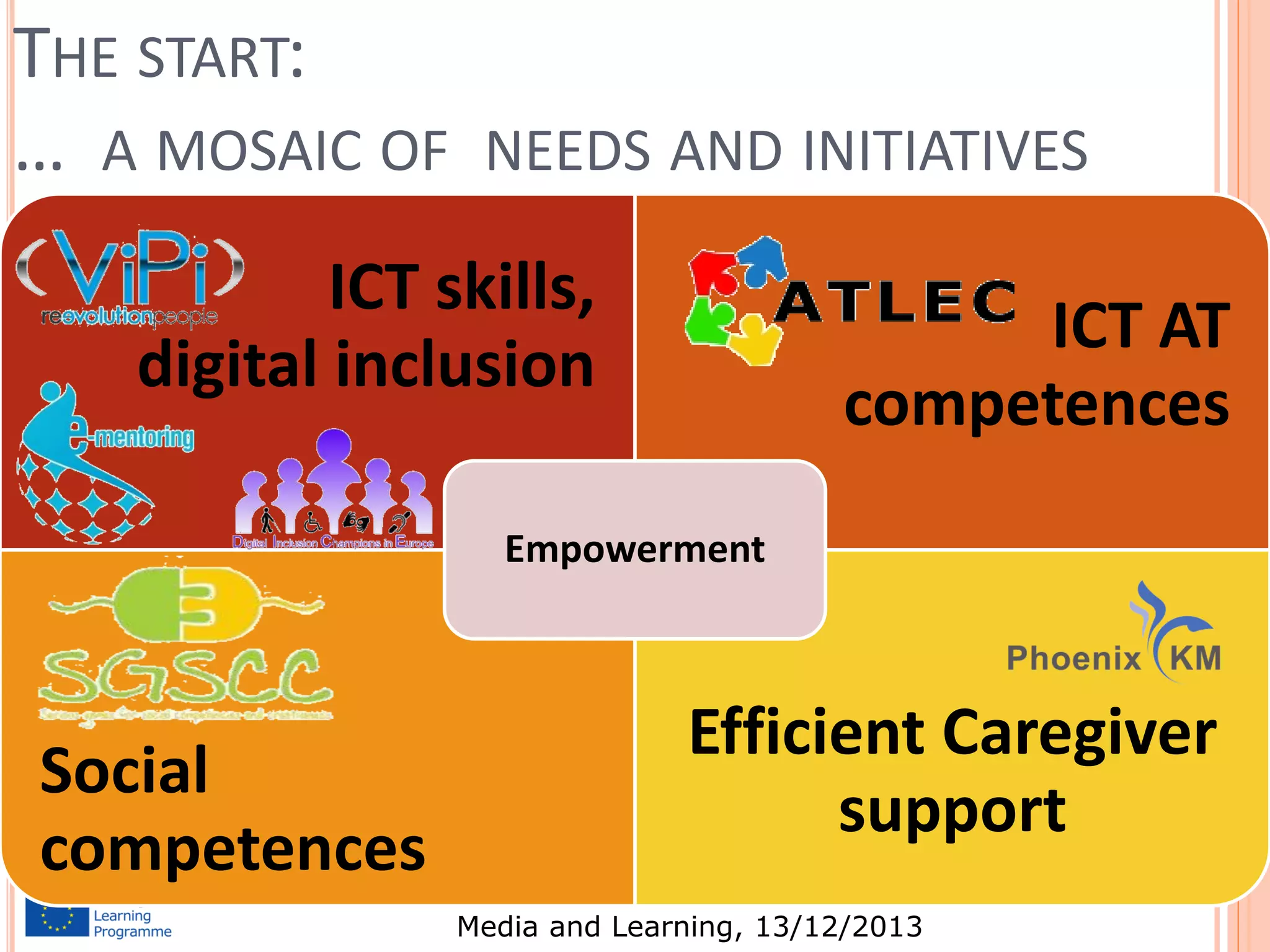
THE START:
… A MOSAIC OF

NEEDS AND INITIATIVES

ICT skills,
digital inclusion

ICT AT
competences

Empowerment

Social
competences

Efficient Caregiver
support
3

Media and Learning, 13/12/2013
MANY INITIATIVES TOWARDS ICT TAKE-UP
ViPi (Virtual Portal for Interaction and ICT Training for
People with Disabilities)
 e-MENTORING (European Mentoring Network for
Disadvantaged Adults)
 ATLEC (Assistive Technology Learning Through A Unified
Curriculum)
 SGSCC (Serious Games for Social & Creativity
Competence)
 DICE (Digital Inclusion Champions in Europe)
 Future initiatives that are in the pipeline:


M-CARE (Mobile Training for Home and Health Caregivers For
People with Disabilities and Older People)
 ACAD2 (Accessibility in Accommodation & Catering Sectors
for Disabled People)


Media and Learning, 13/12/2013

4
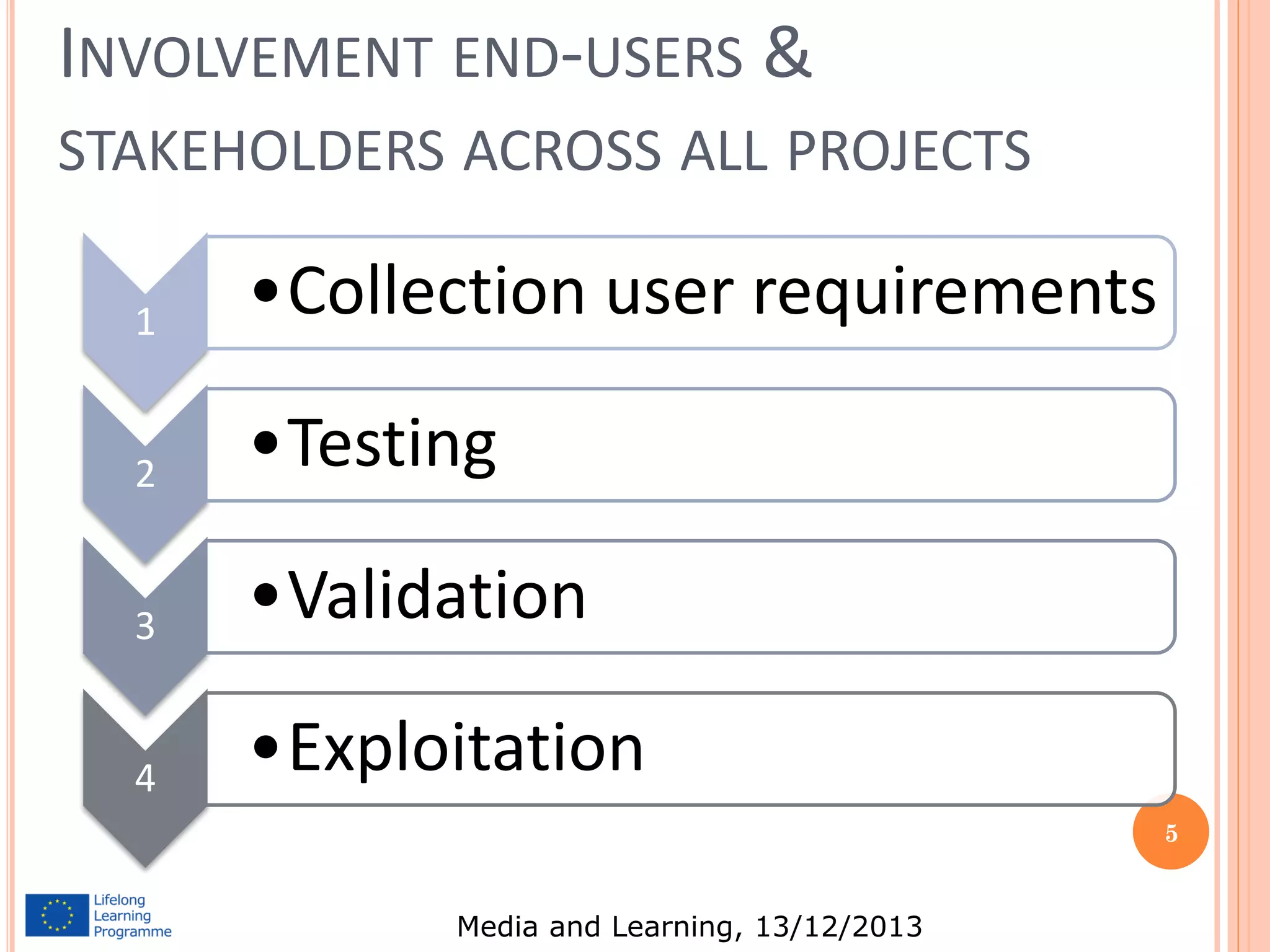
INVOLVEMENT END-USERS &
STAKEHOLDERS ACROSS ALL PROJECTS
1

•Collection user requirements

2

•Testing

3

•Validation

4

•Exploitation
5

Media and Learning, 13/12/2013
“SOCIAL INCLUSION CAN BE ACHIEVED BY REMOVING THE BARRIERS
THAT TURN IMPAIRMENTS INTO DISABILITY”

“IT….. HAS THE ABILITY TO MINIMIZE IMPAIRMENTS OR TURN THEM
INTO DISABLING FACTORS. AS THE IT PROFESSIONAL BODY, WE
THEREFORE HAVE THE ETHICAL OBLIGATION TO MAXIMIZE THE RAPIDLY
INCREASING POTENTIAL OF TECHNOLOGY TO CREATE SOCIAL INCLUSION
BY BREAKING DOWN THE BARRIERS PRESENTED BY CURRENT SOCIAL
STRUCTURES AND PHYSICAL OR MENTAL IMPAIRMENTS.”

DR GEOFFREY BUSBY MBE FBCS CENG, ADVISER TO THE BCS ON DISABILITY
ISSUES
Media and Learning, 13/12/2013
INTERNATIONAL CLASSIFICATION OF
FUNCTIONING, DISABILITY AND HEALTH
•

•

•

“Functioning and disability are viewed as a complex
interaction between the health condition of the
individual and the contextual factors of the
environment ………..”
“How can we make the social and built environment
more accessible for all persons, those with and without
disabilities?”
Information technology should be able to be designed so
that it is more accessible to people with disabilities and
can provide an aid that minimises the effect of an
impairment
Media and Learning, 13/12/2013
INVOLVEMENT OF USERS IN THE DESIGN
PROCESS
 User

sensitive inclusive design (USID) combines established
guidelines on User Centred Design with those from
contemporary HCI and product design research
 Six stage, iterative, design process with users involved at each
stage of the process.
 Multidisciplinary Usability Team: guides the application of
the user sensitive design methodology.
 User team propose design requirements and how these could
be met in potential design solutions and giving feedback on
the prototypes developed.
 May reduce number of devices distributed but never used: in
UK national survey said that 29.3% of all AT was abandoned
by users.
Media and Learning, 13/12/2013
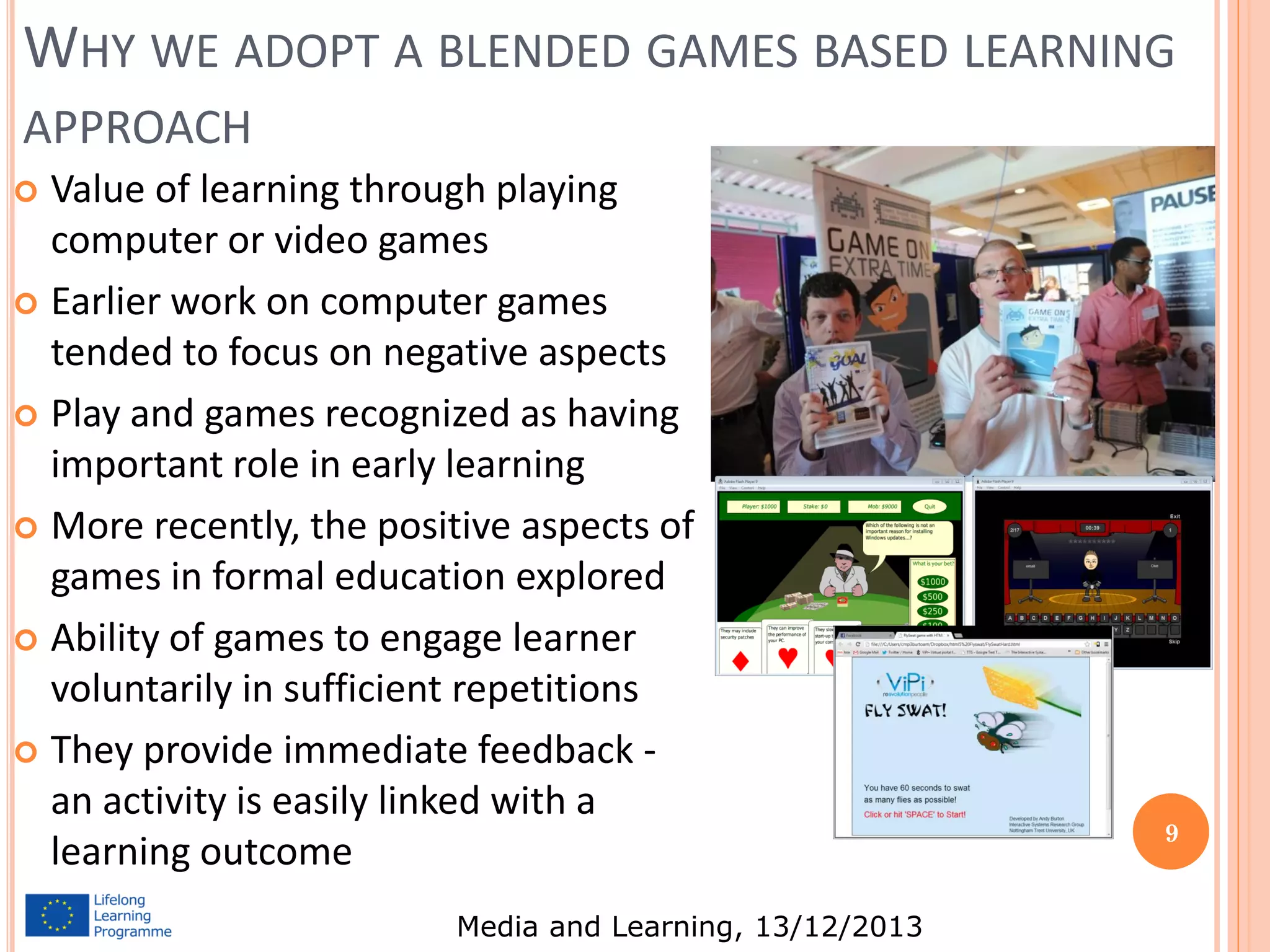
WHY WE ADOPT A BLENDED GAMES BASED LEARNING
APPROACH
Value of learning through playing
computer or video games
 Earlier work on computer games
tended to focus on negative aspects
 Play and games recognized as having
important role in early learning
 More recently, the positive aspects of
games in formal education explored
 Ability of games to engage learner
voluntarily in sufficient repetitions
 They provide immediate feedback an activity is easily linked with a
learning outcome


Media and Learning, 13/12/2013

9
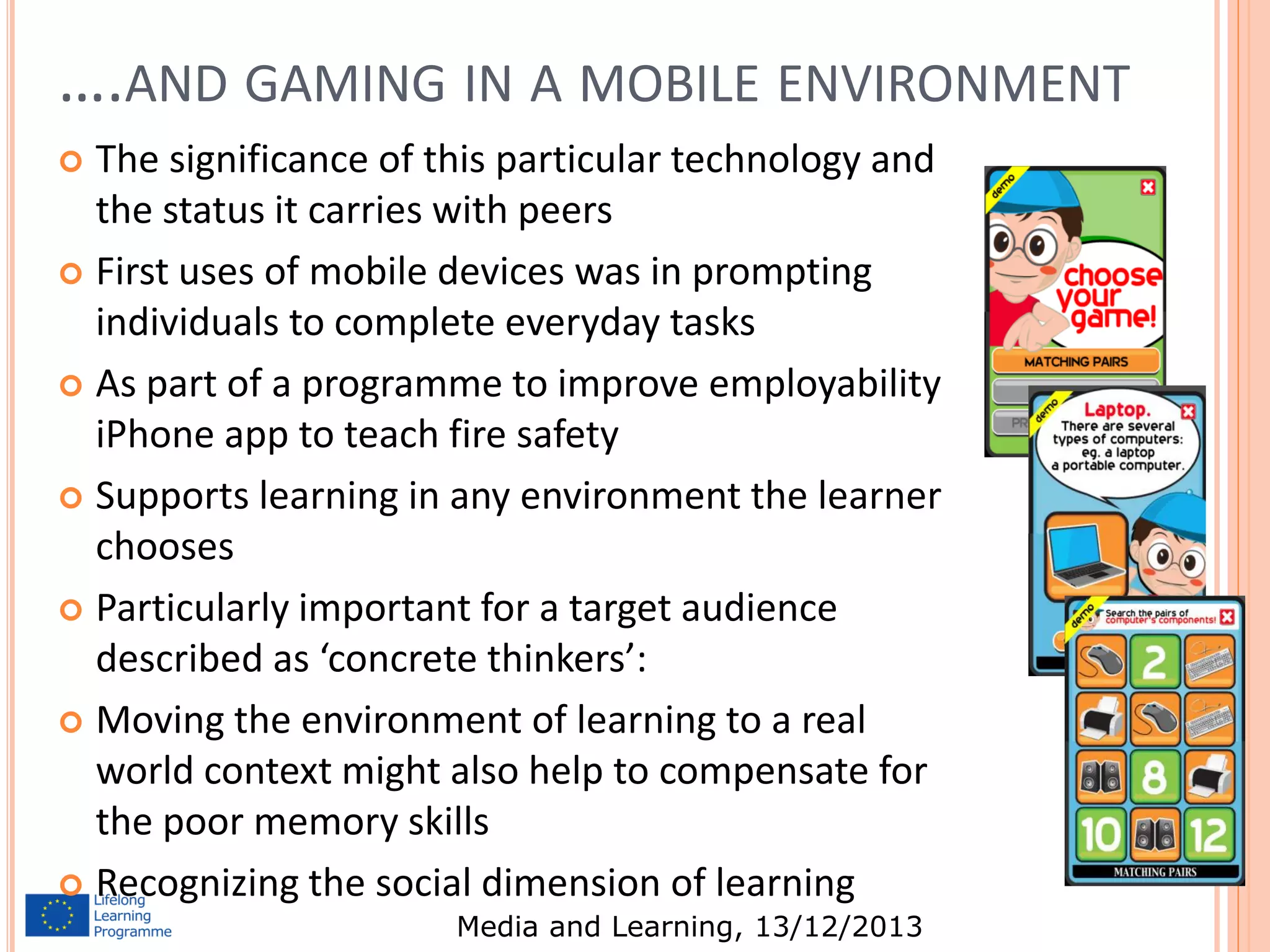
….AND GAMING IN A MOBILE ENVIRONMENT
The significance of this particular technology and
the status it carries with peers
 First uses of mobile devices was in prompting
individuals to complete everyday tasks
 As part of a programme to improve employability
iPhone app to teach fire safety
 Supports learning in any environment the learner
chooses
 Particularly important for a target audience
described as ‘concrete thinkers’:
 Moving the environment of learning to a real
world context might also help to compensate for
the poor memory skills
 Recognizing the social dimension of learning


Media and Learning, 13/12/2013

10
THIS IMPORTANCE OF ENGAGEMENT FOR STUDENTS
WITH COMPLEX LEARNING DIFFICULTIES AND
DISABILITIES
Engagement is the single
best predictor of successful
learning for children with
learning disabilities
(Iovannone et al., 2003).
 Without engagement,
there is no deep learning
(Hargreaves, 2006),
effective teaching,
meaningful outcome, real
attainment or quality
progress (Carpenter,
2010).








Engagement Profile and Scale allows teachers to focus on the
child’s engagement as a learner and
create personalised learning
pathways
Engagement is multi-dimensional,
and encompasses awareness,
curiosity, investigation, discovery,
anticipation, persistence and
initiation
Technological interventions &
adaptations made, and the effect
on the student’s level of
engagement can be recorded on
the engagement scale
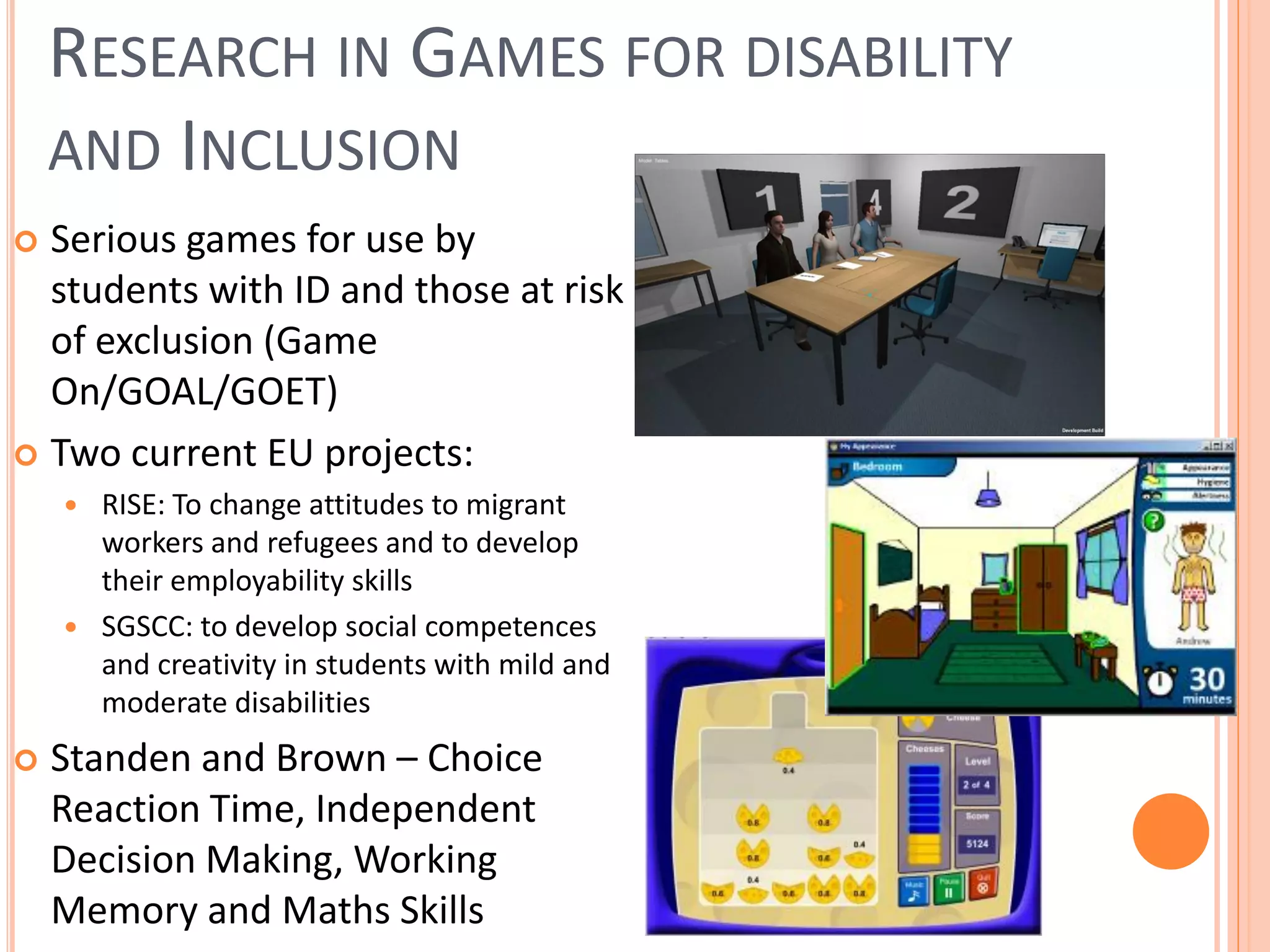
RESEARCH IN GAMES FOR DISABILITY
AND INCLUSION
Serious games for use by
students with ID and those at risk
of exclusion (Game
On/GOAL/GOET)
 Two current EU projects:


RISE: To change attitudes to migrant
workers and refugees and to develop
their employability skills
 SGSCC: to develop social competences
and creativity in students with mild and
moderate disabilities




Standen and Brown – Choice
Reaction Time, Independent
Decision Making, Working
Memory and Maths Skills
EVALUATION STUDY FOR DGBL: CAN PARTICIPATING
IN DGBL IMPROVE MATHS SKILLS?











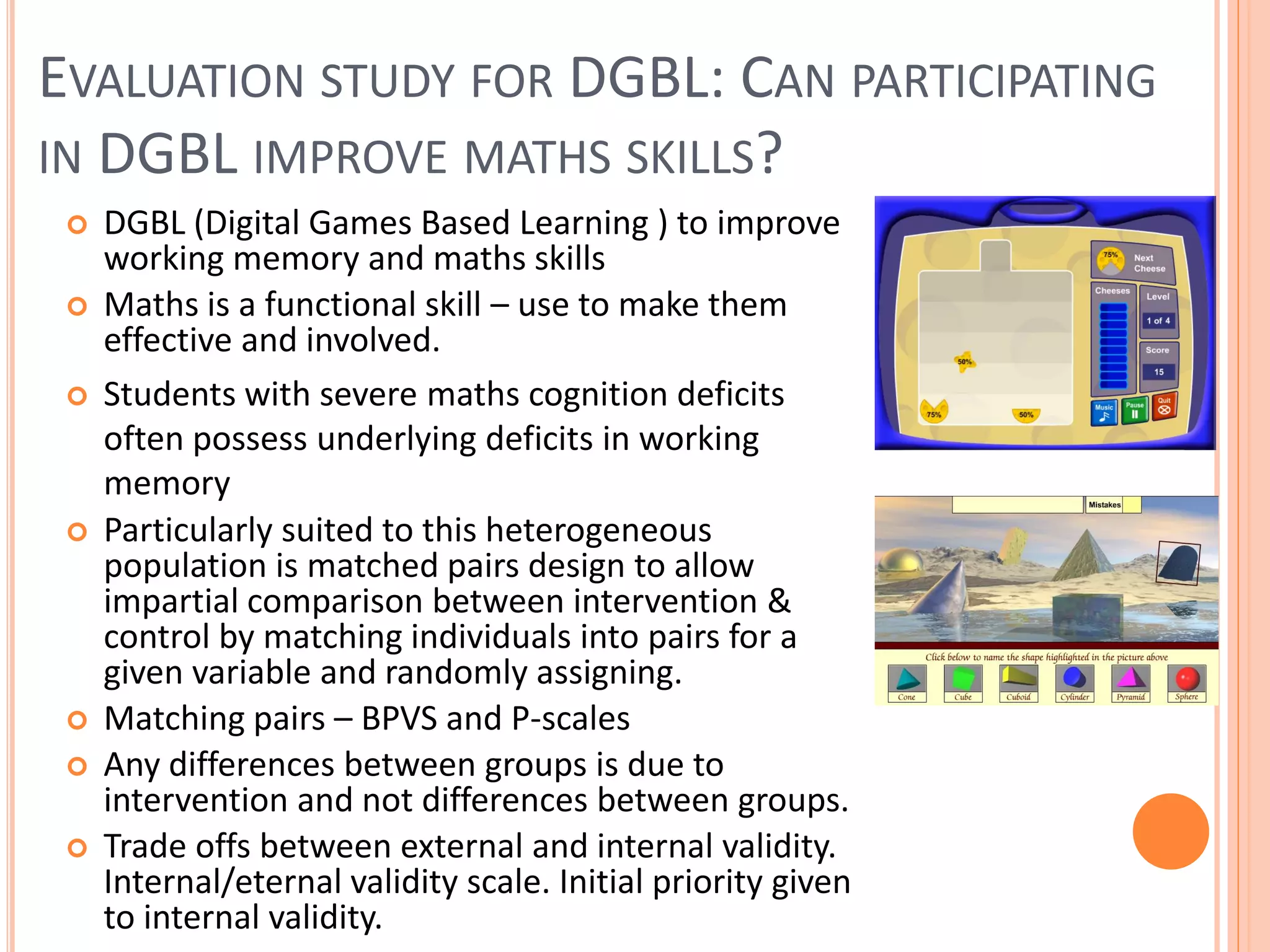
DGBL (Digital Games Based Learning ) to improve
working memory and maths skills
Maths is a functional skill – use to make them
effective and involved.
Students with severe maths cognition deficits
often possess underlying deficits in working
memory
Particularly suited to this heterogeneous
population is matched pairs design to allow
impartial comparison between intervention &
control by matching individuals into pairs for a
given variable and randomly assigning.
Matching pairs – BPVS and P-scales
Any differences between groups is due to
intervention and not differences between groups.
Trade offs between external and internal validity.
Internal/eternal validity scale. Initial priority given
to internal validity.
EVALUATION STUDY:
MATHEMATICAL SKILLS











Research Question: Can participating in
SG improve the understanding of
fractions, percentages and decimals in
students with ID?
Participants: 16 key stage 2-5 students
with ID.
Study design: matched pairs; 8 students
using intervention software, 8 students
using battery of control games, 5, 20
minute weekly sessions
Baseline Measures - tests understanding
of underlying language of fractions and
whole-part concept in fraction notation
Intervention Group – Cheese Factory
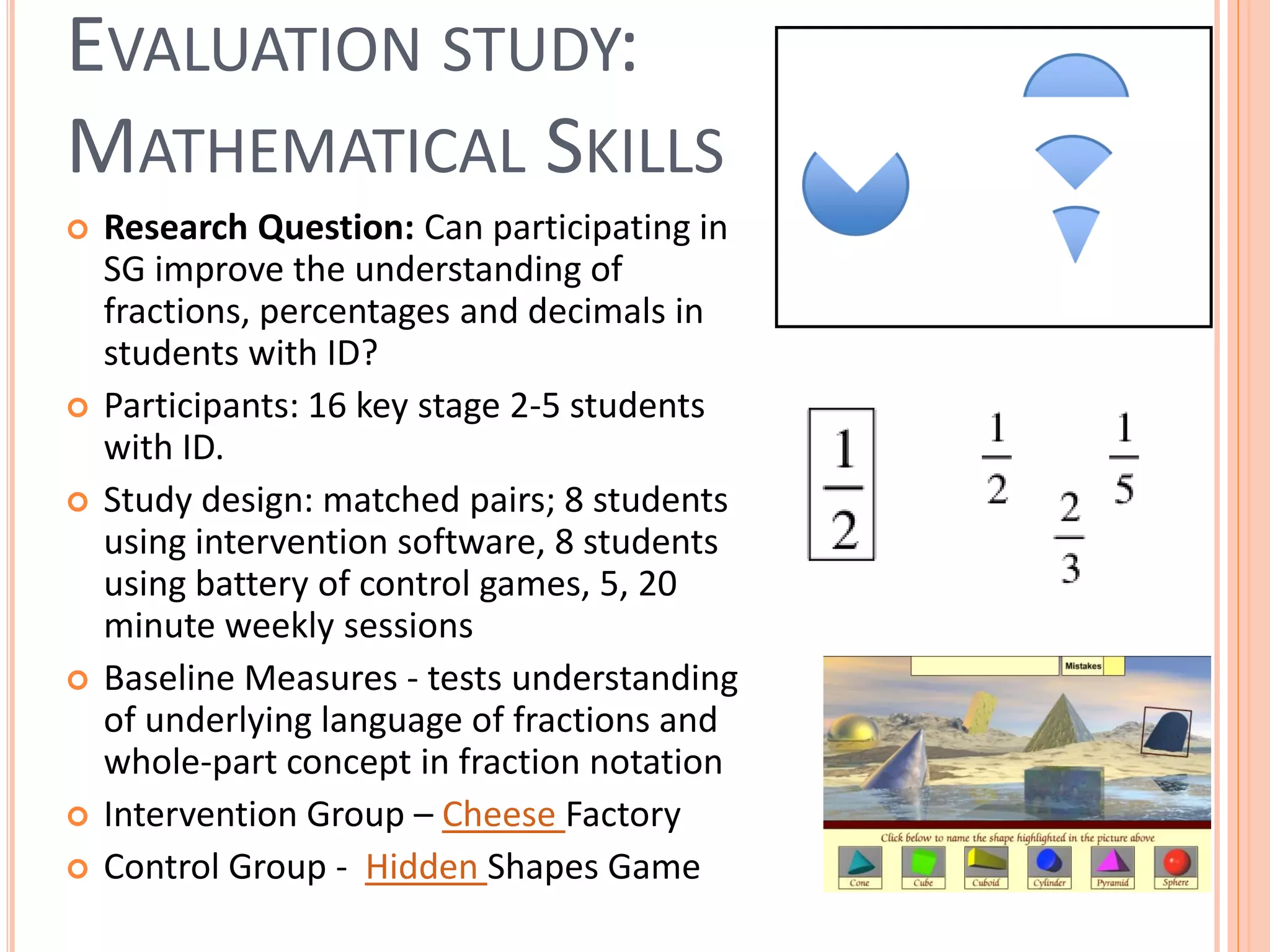
Control Group - Hidden Shapes Game
EVALUATION STUDY: RESULTS













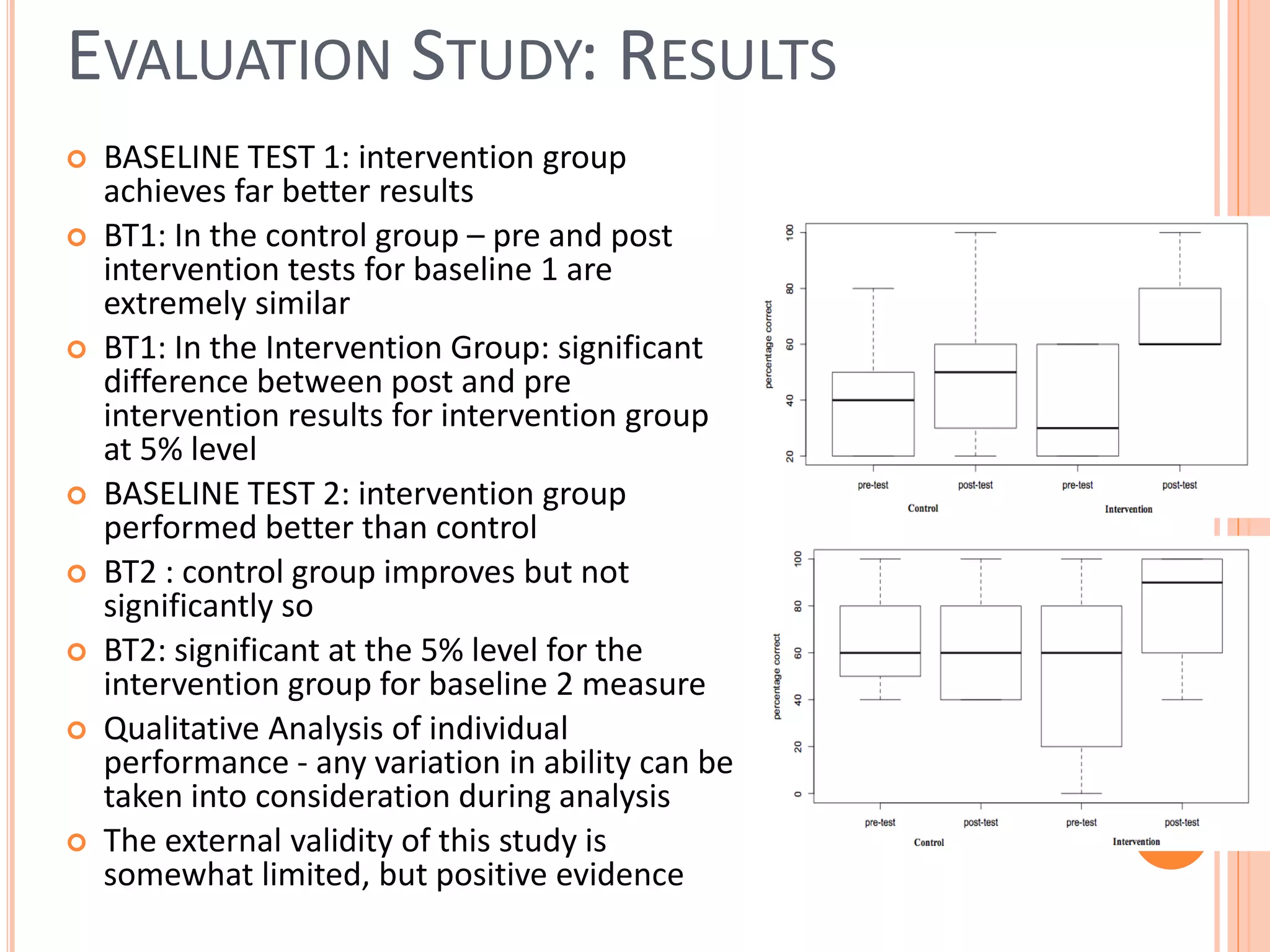
BASELINE TEST 1: intervention group
achieves far better results
BT1: In the control group – pre and post
intervention tests for baseline 1 are
extremely similar
BT1: In the Intervention Group: significant
difference between post and pre
intervention results for intervention group
at 5% level
BASELINE TEST 2: intervention group
performed better than control
BT2 : control group improves but not
significantly so
BT2: significant at the 5% level for the
intervention group for baseline 2 measure
Qualitative Analysis of individual
performance - any variation in ability can be
taken into consideration during analysis
The external validity of this study is
somewhat limited, but positive evidence
VIPI - VIRTUAL PORTAL FOR INTERACTION AND
ICT TRAINING FOR PEOPLE WITH DISABILITIES
16

Media and Learning, 13/12/2013
VIPI PILOTING: DATA AND METHODS












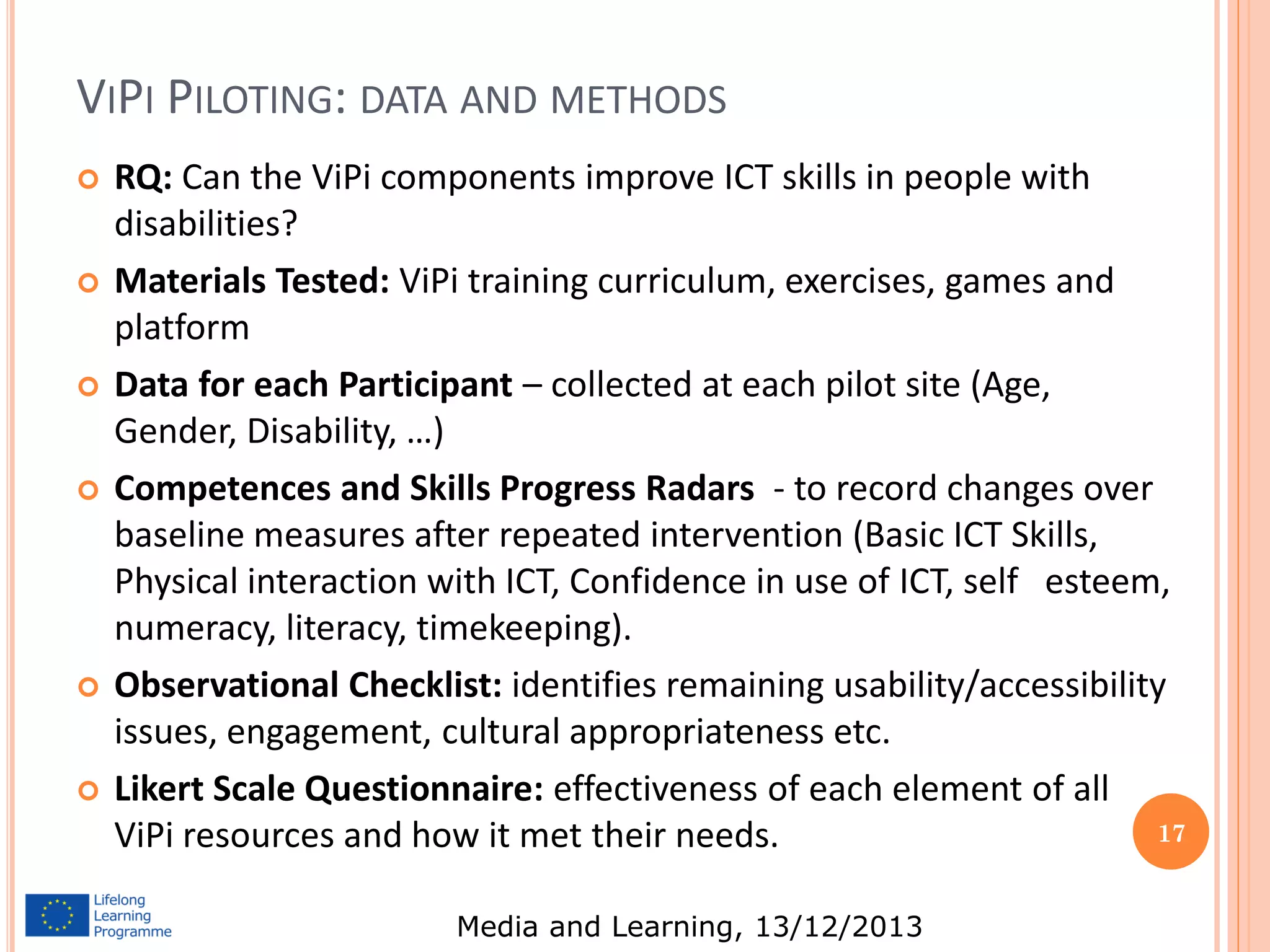
RQ: Can the ViPi components improve ICT skills in people with
disabilities?
Materials Tested: ViPi training curriculum, exercises, games and
platform
Data for each Participant – collected at each pilot site (Age,
Gender, Disability, …)
Competences and Skills Progress Radars - to record changes over
baseline measures after repeated intervention (Basic ICT Skills,
Physical interaction with ICT, Confidence in use of ICT, self esteem,
numeracy, literacy, timekeeping).
Observational Checklist: identifies remaining usability/accessibility
issues, engagement, cultural appropriateness etc.
Likert Scale Questionnaire: effectiveness of each element of all
17
ViPi resources and how it met their needs.
Media and Learning, 13/12/2013
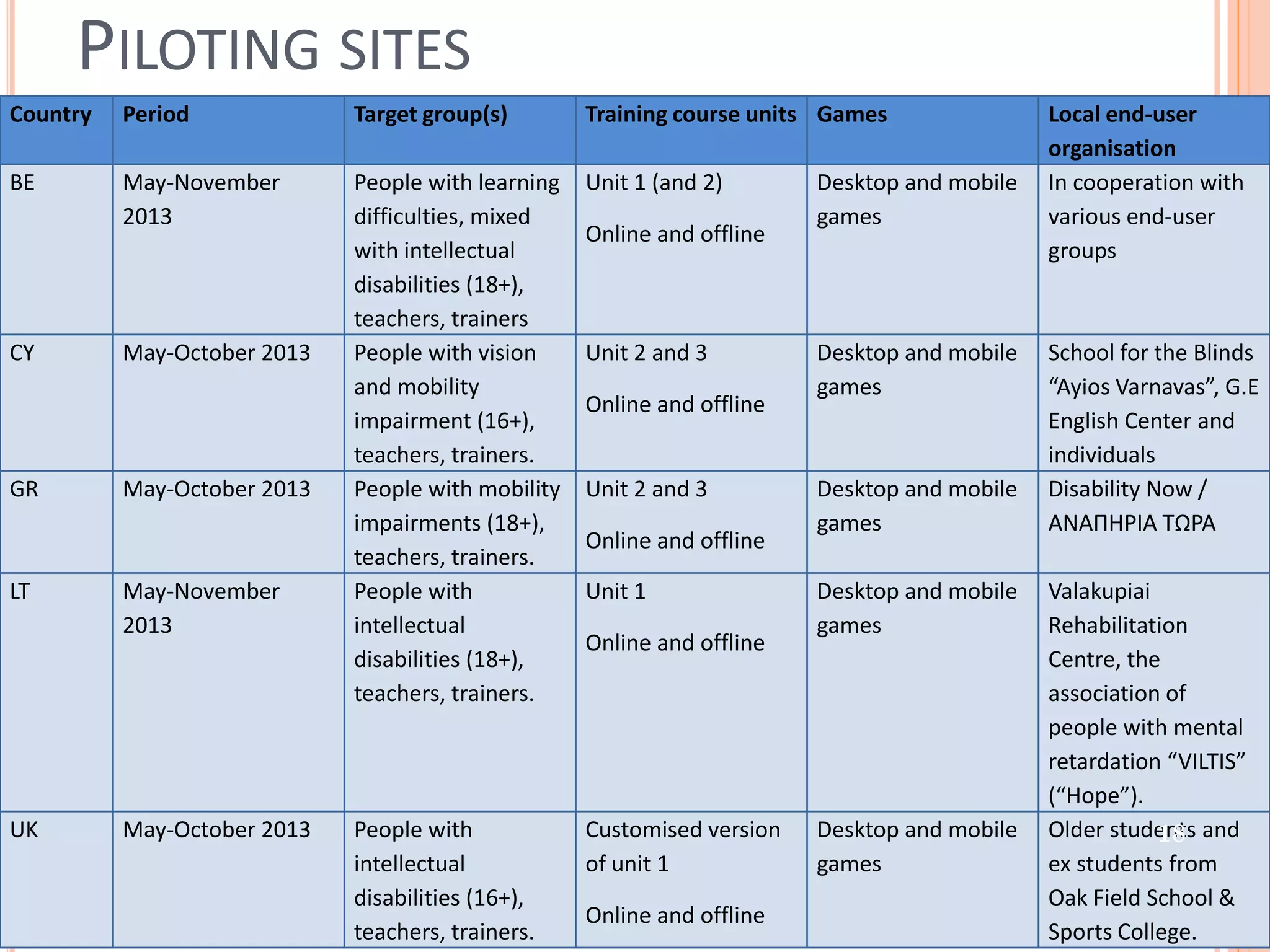
PILOTING SITES
Country

Period

Target group(s)

Training course units Games

BE

May-November
2013

People with learning
difficulties, mixed
with intellectual
disabilities (18+),
teachers, trainers
People with vision
and mobility
impairment (16+),
teachers, trainers.
People with mobility
impairments (18+),
teachers, trainers.
People with
intellectual
disabilities (18+),
teachers, trainers.

Unit 1 (and 2)

CY

GR

LT

UK

May-October 2013

May-October 2013

May-November
2013

May-October 2013

Online and offline

Unit 2 and 3
Online and offline
Unit 2 and 3
Online and offline
Unit 1
Online and offline

Desktop and mobile
games

Desktop and mobile
games

Desktop and mobile
games
Desktop and mobile
games

People with
Customised version Desktop and mobile
intellectual
of unit 1
games
disabilities (16+),
Online and offline
Media
teachers, trainers. and Learning, 13/12/2013

Local end-user
organisation
In cooperation with
various end-user
groups

School for the Blinds
“Ayios Varnavas”, G.E
English Center and
individuals
Disability Now /
ΑΝΑΠΗΡΙΑ ΤΩΡΑ
Valakupiai
Rehabilitation
Centre, the
association of
people with mental
retardation “VILTIS”
(“Hope”).
Older students and
18
ex students from
Oak Field School &
Sports College.
PILOT DETAILS: UK & BELGIUM
 In




 In




UK:
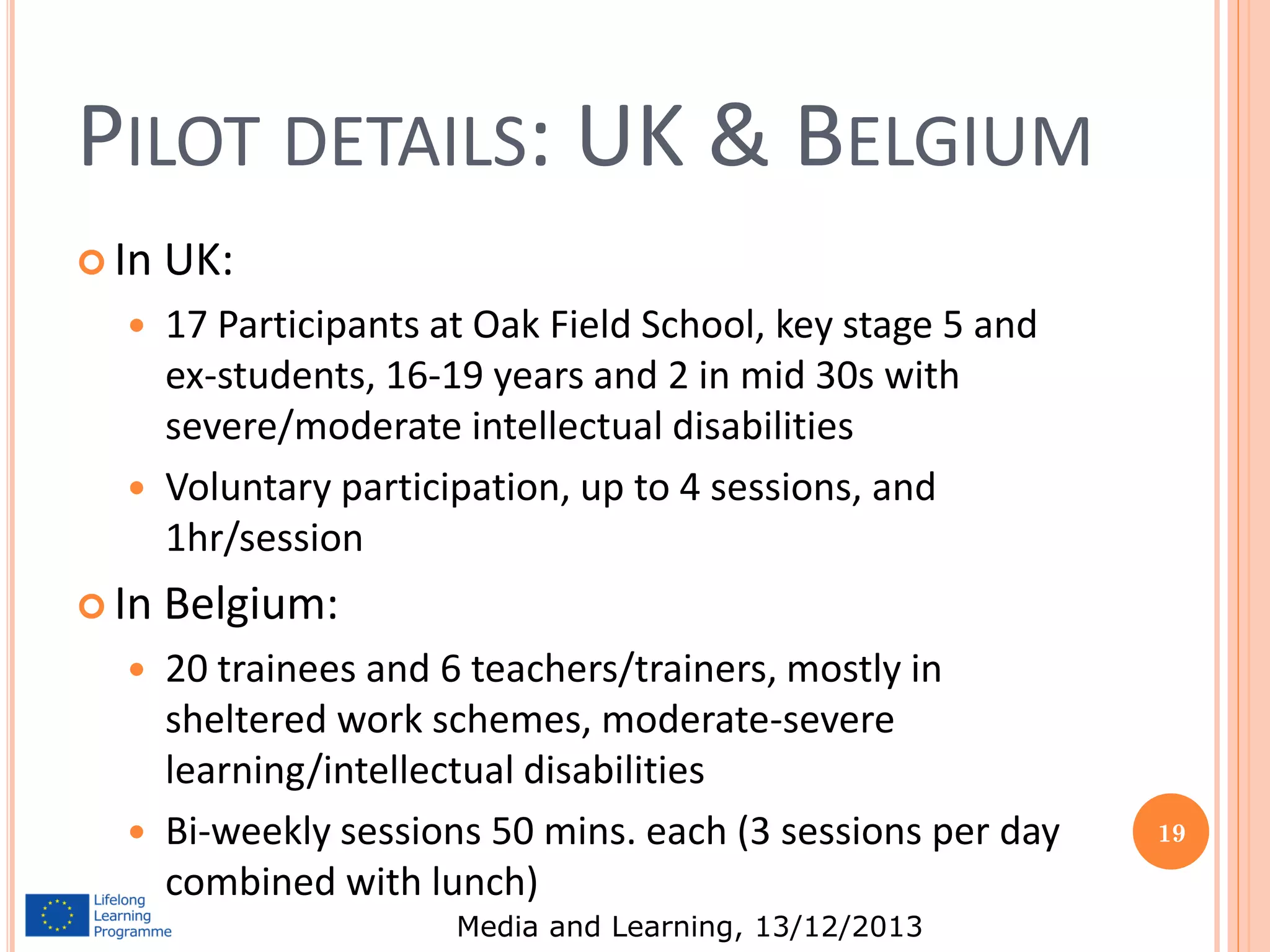
17 Participants at Oak Field School, key stage 5 and
ex-students, 16-19 years and 2 in mid 30s with
severe/moderate intellectual disabilities
Voluntary participation, up to 4 sessions, and
1hr/session

Belgium:
20 trainees and 6 teachers/trainers, mostly in
sheltered work schemes, moderate-severe
learning/intellectual disabilities
Bi-weekly sessions 50 mins. each (3 sessions per day
combined with lunch)
Media and Learning, 13/12/2013

19
HEADLINE RESULTS
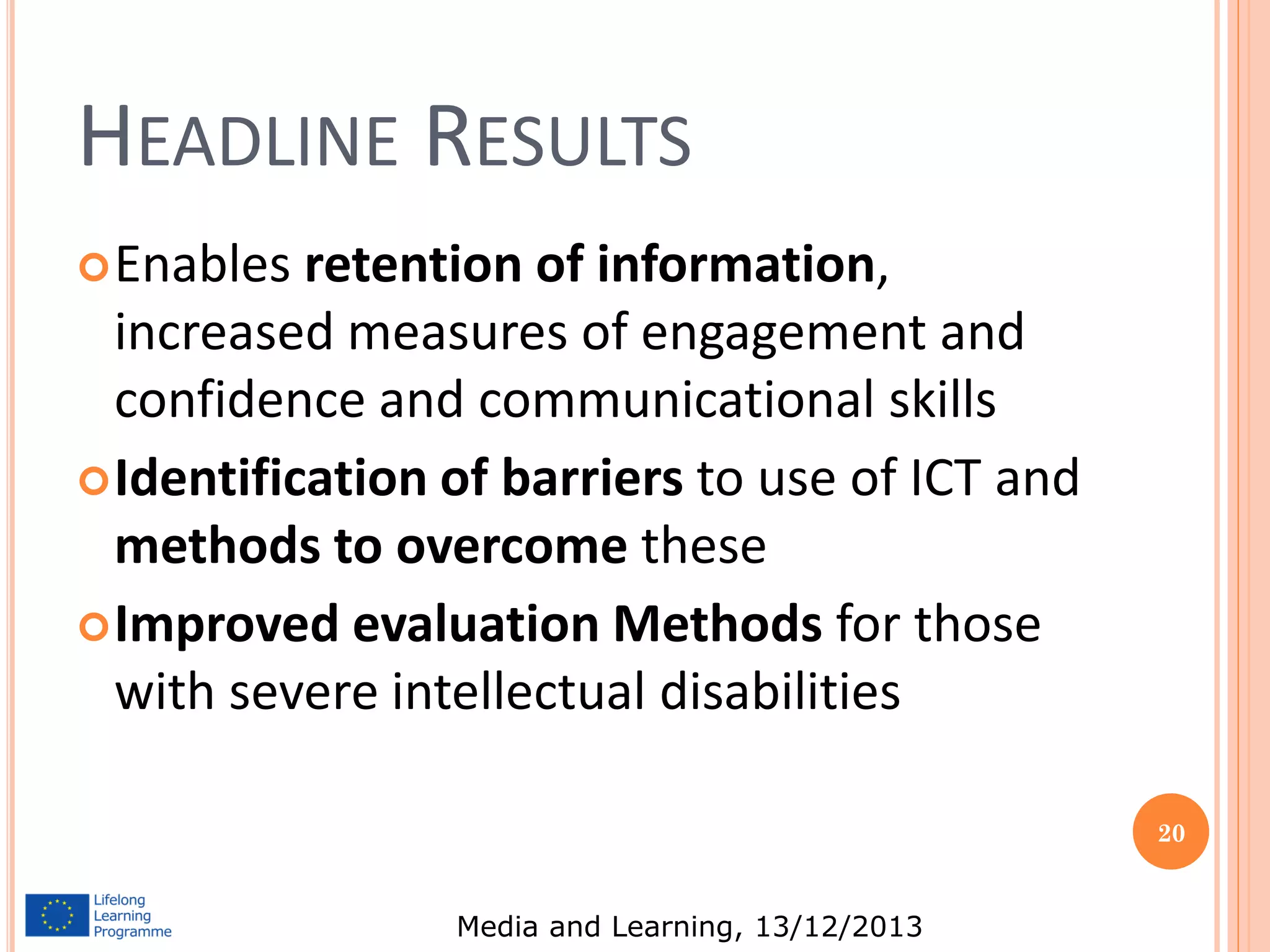
 Enables

retention of information,
increased measures of engagement and
confidence and communicational skills
 Identification of barriers to use of ICT and
methods to overcome these
 Improved evaluation Methods for those
with severe intellectual disabilities
20

Media and Learning, 13/12/2013
CASE STUDIES - UK
 Case

Study 1: 17 with Downs Syndrome – learnt
to turn on a tablet, start apps, take photos; use
input technology on a PC and improve confidence
 Case Study 2: 16 with physical disabilities, and
intermediate ID – was engaged by the games,
retained info between sessions, and used TTS
 Case Study 3: 18 with mod ID – used games to
maintain focus, retained information between
sessions and could identify peripherals and
remember procedures
Media and Learning, 13/12/2013

21
CASE STUDIES - BELGIUM
 Case

study 4: 37 with Williams Syndrome – very
focussed on Facebook and training developed
email, doc creations and editing skills. Training
also developed awareness of online security
 Case study 5: 47 mod/severe ID in sheltered
workshop, lacking confidence – prospect of new
PC at work was causing anxiety. Training
developed skills needed and overcame anxiety
and become more confident, and supported other
members of the group
22

Media and Learning, 13/12/2013
APPENDIX 1: GUIDELINES FOR ACCESSIBLE SERIOUS GAMES:
FROM BROWN DJ, STANDEN PJ, EVETT L, BATTERSBY S AND SHOPLAND N. (2010).

DESIGNING SERIOUS GAMES FOR PEOPLE WITH DUAL DIAGNOSIS: LEARNING
DISABILITIES AND SENSORY IMPAIRMENTS. IN EDUCATIONAL GAMING. CHAPTER IN
ZEMLIANSKY, P AND WILCOX, D. M., (EDS), EDUCATIONAL GAMING, IGI GLOBAL
 Ensure presentation at appropriate speed – it is essential that
speed of presentation is appropriate for the particular target
group, and may be modified during the iterative user-centred
design process
 Allow users to go back – essential for all users, and especially
those who may have organisational, information processing
and/or memory difficulties
 Allow User Control – allow for user customisation based on user
preference; for example, some users with dyslexia or visual
impairment have distinct colour and contrast requirements, others
may wish to slow things down, or to use keyboard access
Media and Learning, 13/12/2013
Text – make any text plain text (rather than images or graphics),
follow Clear Text for All guidelines (Evett & Brown, 2005, and see
WCAG 2.0, W3C, 2008a), no dense blocks of text, plain English
 Text Alternatives: Provide text equivalents for non-text content,
including auditory and visual components, so that it can be
changed into other forms people need, such as Braille, speech,
symbols, other languages including sign language
 Colour – never convey information by colour alone
 Contrast – ensure sufficient contrast so that it is easier to
distinguish items, both visual and auditory (cf. WCAG 2.0, W3C,
2008a)
 Navigable – help users navigate, find content and know where
they are: by placing navigation information in the same place
(usually at the top) and ensuring that it is consistent and simple,
using maps when appropriate, using home and back buttons,
providing context and orientation information


Media and Learning, 13/12/2013
Maintain organisation – instructions, buttons, clearly displayed
and in the same place (often at top) throughout presentations
 Links – use unique and informative text descriptions for any
hyperlinks (never click here!)
 Use accessibility features – HTML/XML have inherent accessibility
features (e.g., alt text, long desc) which should always be used;
other formats (e.g., Java, Flash, Games environments) are not
necessarily accessible, although this is improving with more recent
versions having accessibility features, which should be used;
provide alternatives where possible
 Design simply – in simple layouts, it is relatively easy to draw
attention to important features and differences; in more complex
layouts it becomes harder to highlight features, thus making
presentations even more complex
 Use fallbacks – provide alternatives, provide equivalent content as
accessible html when possible and design for graceful
transformation (such as reflowing)


Media and Learning, 13/12/2013
Robust – make systems consistent and error free, provide
appropriate error messages and error catching
 Aim for compatibility with assistive technologies – e.g.,
screenreaders, text-to-speech, zoom features
 Allow keyboard access – ensure the system can be controlled
from the keyboard and not just by using the mouse
 Seizures – do not include elements that are known to cause
seizures, for example by having elements that flash or have
particular spatial frequencies


Media and Learning, 13/12/2013
27

Media and Learning, 13/12/2013
CONTACT DETAILS
 Prof.

David Brown
 Computing and
Technology Team
 Nottingham Trent
University
 Clifton Campus
 Nottingham, NG118NS
 david.brown@ntu.ac.uk
 www.ntu.ac.uk
Media and Learning, 13/12/2013

28
CONTACT DETAILS
 Prof.

Penny Standen
 Professor of Health
Psychology and Learning
Disabilities
 School of Community Health
Sciences, Division of
Rehabilitation and Ageing,
Learning Disabilities Section,
University of Nottingham
 P.Standen@nottingham.ac.uk
Media and Learning, 13/12/2013

29
CONTACT DETAILS
 Karel

Van Isacker
 PhoenixKM BVBA
 CEO, Project manager
 karel@phoenixkm.eu
 Amersveldestraat 189
8610 Kortemark
Belgium
 karel@phoenixkm.eu
 www.phoenixkm.eu
Media and Learning, 13/12/2013

30

Inclusive Educative Gaming - a holistic view

  • 1.
    INCLUSIVE EDUCATIVE GAMING: AHOLISTIC VIEW 1 Prof. David Brown (NTU) Prof. Penny Standen (NU) Karel Van Isacker (PhoenixKM) With the financial support of:
  • 2.
    OVERVIEW A mosaic of needsand initiatives  Approach to Inclusion, Disability and User sensitive Design  Why we adopt a games based learning (GBL) approach for people with disabilities  The importance of engagement for our target audiences  Current GBL projects and initial evidence of effectiveness  A focus on GBL for improving mathematical skills  A case study approach to evaluating the ViPi project 2  Guidelines for accessible serious games Media and Learning, 13/12/2013
  • 3.
    THE START: … AMOSAIC OF NEEDS AND INITIATIVES ICT skills, digital inclusion ICT AT competences Empowerment Social competences Efficient Caregiver support 3 Media and Learning, 13/12/2013
  • 4.
    MANY INITIATIVES TOWARDSICT TAKE-UP ViPi (Virtual Portal for Interaction and ICT Training for People with Disabilities)  e-MENTORING (European Mentoring Network for Disadvantaged Adults)  ATLEC (Assistive Technology Learning Through A Unified Curriculum)  SGSCC (Serious Games for Social & Creativity Competence)  DICE (Digital Inclusion Champions in Europe)  Future initiatives that are in the pipeline:  M-CARE (Mobile Training for Home and Health Caregivers For People with Disabilities and Older People)  ACAD2 (Accessibility in Accommodation & Catering Sectors for Disabled People)  Media and Learning, 13/12/2013 4
  • 5.
    INVOLVEMENT END-USERS & STAKEHOLDERSACROSS ALL PROJECTS 1 •Collection user requirements 2 •Testing 3 •Validation 4 •Exploitation 5 Media and Learning, 13/12/2013
  • 6.
    “SOCIAL INCLUSION CANBE ACHIEVED BY REMOVING THE BARRIERS THAT TURN IMPAIRMENTS INTO DISABILITY” “IT….. HAS THE ABILITY TO MINIMIZE IMPAIRMENTS OR TURN THEM INTO DISABLING FACTORS. AS THE IT PROFESSIONAL BODY, WE THEREFORE HAVE THE ETHICAL OBLIGATION TO MAXIMIZE THE RAPIDLY INCREASING POTENTIAL OF TECHNOLOGY TO CREATE SOCIAL INCLUSION BY BREAKING DOWN THE BARRIERS PRESENTED BY CURRENT SOCIAL STRUCTURES AND PHYSICAL OR MENTAL IMPAIRMENTS.” DR GEOFFREY BUSBY MBE FBCS CENG, ADVISER TO THE BCS ON DISABILITY ISSUES Media and Learning, 13/12/2013
  • 7.
    INTERNATIONAL CLASSIFICATION OF FUNCTIONING,DISABILITY AND HEALTH • • • “Functioning and disability are viewed as a complex interaction between the health condition of the individual and the contextual factors of the environment ………..” “How can we make the social and built environment more accessible for all persons, those with and without disabilities?” Information technology should be able to be designed so that it is more accessible to people with disabilities and can provide an aid that minimises the effect of an impairment Media and Learning, 13/12/2013
  • 8.
    INVOLVEMENT OF USERSIN THE DESIGN PROCESS  User sensitive inclusive design (USID) combines established guidelines on User Centred Design with those from contemporary HCI and product design research  Six stage, iterative, design process with users involved at each stage of the process.  Multidisciplinary Usability Team: guides the application of the user sensitive design methodology.  User team propose design requirements and how these could be met in potential design solutions and giving feedback on the prototypes developed.  May reduce number of devices distributed but never used: in UK national survey said that 29.3% of all AT was abandoned by users. Media and Learning, 13/12/2013
  • 9.
    WHY WE ADOPTA BLENDED GAMES BASED LEARNING APPROACH Value of learning through playing computer or video games  Earlier work on computer games tended to focus on negative aspects  Play and games recognized as having important role in early learning  More recently, the positive aspects of games in formal education explored  Ability of games to engage learner voluntarily in sufficient repetitions  They provide immediate feedback an activity is easily linked with a learning outcome  Media and Learning, 13/12/2013 9
  • 10.
    ….AND GAMING INA MOBILE ENVIRONMENT The significance of this particular technology and the status it carries with peers  First uses of mobile devices was in prompting individuals to complete everyday tasks  As part of a programme to improve employability iPhone app to teach fire safety  Supports learning in any environment the learner chooses  Particularly important for a target audience described as ‘concrete thinkers’:  Moving the environment of learning to a real world context might also help to compensate for the poor memory skills  Recognizing the social dimension of learning  Media and Learning, 13/12/2013 10
  • 11.
    THIS IMPORTANCE OFENGAGEMENT FOR STUDENTS WITH COMPLEX LEARNING DIFFICULTIES AND DISABILITIES Engagement is the single best predictor of successful learning for children with learning disabilities (Iovannone et al., 2003).  Without engagement, there is no deep learning (Hargreaves, 2006), effective teaching, meaningful outcome, real attainment or quality progress (Carpenter, 2010).     Engagement Profile and Scale allows teachers to focus on the child’s engagement as a learner and create personalised learning pathways Engagement is multi-dimensional, and encompasses awareness, curiosity, investigation, discovery, anticipation, persistence and initiation Technological interventions & adaptations made, and the effect on the student’s level of engagement can be recorded on the engagement scale
  • 12.
    RESEARCH IN GAMESFOR DISABILITY AND INCLUSION Serious games for use by students with ID and those at risk of exclusion (Game On/GOAL/GOET)  Two current EU projects:  RISE: To change attitudes to migrant workers and refugees and to develop their employability skills  SGSCC: to develop social competences and creativity in students with mild and moderate disabilities   Standen and Brown – Choice Reaction Time, Independent Decision Making, Working Memory and Maths Skills
  • 13.
    EVALUATION STUDY FORDGBL: CAN PARTICIPATING IN DGBL IMPROVE MATHS SKILLS?        DGBL (Digital Games Based Learning ) to improve working memory and maths skills Maths is a functional skill – use to make them effective and involved. Students with severe maths cognition deficits often possess underlying deficits in working memory Particularly suited to this heterogeneous population is matched pairs design to allow impartial comparison between intervention & control by matching individuals into pairs for a given variable and randomly assigning. Matching pairs – BPVS and P-scales Any differences between groups is due to intervention and not differences between groups. Trade offs between external and internal validity. Internal/eternal validity scale. Initial priority given to internal validity.
  • 14.
    EVALUATION STUDY: MATHEMATICAL SKILLS       ResearchQuestion: Can participating in SG improve the understanding of fractions, percentages and decimals in students with ID? Participants: 16 key stage 2-5 students with ID. Study design: matched pairs; 8 students using intervention software, 8 students using battery of control games, 5, 20 minute weekly sessions Baseline Measures - tests understanding of underlying language of fractions and whole-part concept in fraction notation Intervention Group – Cheese Factory Control Group - Hidden Shapes Game
  • 15.
    EVALUATION STUDY: RESULTS         BASELINETEST 1: intervention group achieves far better results BT1: In the control group – pre and post intervention tests for baseline 1 are extremely similar BT1: In the Intervention Group: significant difference between post and pre intervention results for intervention group at 5% level BASELINE TEST 2: intervention group performed better than control BT2 : control group improves but not significantly so BT2: significant at the 5% level for the intervention group for baseline 2 measure Qualitative Analysis of individual performance - any variation in ability can be taken into consideration during analysis The external validity of this study is somewhat limited, but positive evidence
  • 16.
    VIPI - VIRTUALPORTAL FOR INTERACTION AND ICT TRAINING FOR PEOPLE WITH DISABILITIES 16 Media and Learning, 13/12/2013
  • 17.
    VIPI PILOTING: DATAAND METHODS       RQ: Can the ViPi components improve ICT skills in people with disabilities? Materials Tested: ViPi training curriculum, exercises, games and platform Data for each Participant – collected at each pilot site (Age, Gender, Disability, …) Competences and Skills Progress Radars - to record changes over baseline measures after repeated intervention (Basic ICT Skills, Physical interaction with ICT, Confidence in use of ICT, self esteem, numeracy, literacy, timekeeping). Observational Checklist: identifies remaining usability/accessibility issues, engagement, cultural appropriateness etc. Likert Scale Questionnaire: effectiveness of each element of all 17 ViPi resources and how it met their needs. Media and Learning, 13/12/2013
  • 18.
    PILOTING SITES Country Period Target group(s) Trainingcourse units Games BE May-November 2013 People with learning difficulties, mixed with intellectual disabilities (18+), teachers, trainers People with vision and mobility impairment (16+), teachers, trainers. People with mobility impairments (18+), teachers, trainers. People with intellectual disabilities (18+), teachers, trainers. Unit 1 (and 2) CY GR LT UK May-October 2013 May-October 2013 May-November 2013 May-October 2013 Online and offline Unit 2 and 3 Online and offline Unit 2 and 3 Online and offline Unit 1 Online and offline Desktop and mobile games Desktop and mobile games Desktop and mobile games Desktop and mobile games People with Customised version Desktop and mobile intellectual of unit 1 games disabilities (16+), Online and offline Media teachers, trainers. and Learning, 13/12/2013 Local end-user organisation In cooperation with various end-user groups School for the Blinds “Ayios Varnavas”, G.E English Center and individuals Disability Now / ΑΝΑΠΗΡΙΑ ΤΩΡΑ Valakupiai Rehabilitation Centre, the association of people with mental retardation “VILTIS” (“Hope”). Older students and 18 ex students from Oak Field School & Sports College.
  • 19.
    PILOT DETAILS: UK& BELGIUM  In    In   UK: 17 Participants at Oak Field School, key stage 5 and ex-students, 16-19 years and 2 in mid 30s with severe/moderate intellectual disabilities Voluntary participation, up to 4 sessions, and 1hr/session Belgium: 20 trainees and 6 teachers/trainers, mostly in sheltered work schemes, moderate-severe learning/intellectual disabilities Bi-weekly sessions 50 mins. each (3 sessions per day combined with lunch) Media and Learning, 13/12/2013 19
  • 20.
    HEADLINE RESULTS  Enables retentionof information, increased measures of engagement and confidence and communicational skills  Identification of barriers to use of ICT and methods to overcome these  Improved evaluation Methods for those with severe intellectual disabilities 20 Media and Learning, 13/12/2013
  • 21.
    CASE STUDIES -UK  Case Study 1: 17 with Downs Syndrome – learnt to turn on a tablet, start apps, take photos; use input technology on a PC and improve confidence  Case Study 2: 16 with physical disabilities, and intermediate ID – was engaged by the games, retained info between sessions, and used TTS  Case Study 3: 18 with mod ID – used games to maintain focus, retained information between sessions and could identify peripherals and remember procedures Media and Learning, 13/12/2013 21
  • 22.
    CASE STUDIES -BELGIUM  Case study 4: 37 with Williams Syndrome – very focussed on Facebook and training developed email, doc creations and editing skills. Training also developed awareness of online security  Case study 5: 47 mod/severe ID in sheltered workshop, lacking confidence – prospect of new PC at work was causing anxiety. Training developed skills needed and overcame anxiety and become more confident, and supported other members of the group 22 Media and Learning, 13/12/2013
  • 23.
    APPENDIX 1: GUIDELINESFOR ACCESSIBLE SERIOUS GAMES: FROM BROWN DJ, STANDEN PJ, EVETT L, BATTERSBY S AND SHOPLAND N. (2010). DESIGNING SERIOUS GAMES FOR PEOPLE WITH DUAL DIAGNOSIS: LEARNING DISABILITIES AND SENSORY IMPAIRMENTS. IN EDUCATIONAL GAMING. CHAPTER IN ZEMLIANSKY, P AND WILCOX, D. M., (EDS), EDUCATIONAL GAMING, IGI GLOBAL  Ensure presentation at appropriate speed – it is essential that speed of presentation is appropriate for the particular target group, and may be modified during the iterative user-centred design process  Allow users to go back – essential for all users, and especially those who may have organisational, information processing and/or memory difficulties  Allow User Control – allow for user customisation based on user preference; for example, some users with dyslexia or visual impairment have distinct colour and contrast requirements, others may wish to slow things down, or to use keyboard access Media and Learning, 13/12/2013
  • 24.
    Text – makeany text plain text (rather than images or graphics), follow Clear Text for All guidelines (Evett & Brown, 2005, and see WCAG 2.0, W3C, 2008a), no dense blocks of text, plain English  Text Alternatives: Provide text equivalents for non-text content, including auditory and visual components, so that it can be changed into other forms people need, such as Braille, speech, symbols, other languages including sign language  Colour – never convey information by colour alone  Contrast – ensure sufficient contrast so that it is easier to distinguish items, both visual and auditory (cf. WCAG 2.0, W3C, 2008a)  Navigable – help users navigate, find content and know where they are: by placing navigation information in the same place (usually at the top) and ensuring that it is consistent and simple, using maps when appropriate, using home and back buttons, providing context and orientation information  Media and Learning, 13/12/2013
  • 25.
    Maintain organisation –instructions, buttons, clearly displayed and in the same place (often at top) throughout presentations  Links – use unique and informative text descriptions for any hyperlinks (never click here!)  Use accessibility features – HTML/XML have inherent accessibility features (e.g., alt text, long desc) which should always be used; other formats (e.g., Java, Flash, Games environments) are not necessarily accessible, although this is improving with more recent versions having accessibility features, which should be used; provide alternatives where possible  Design simply – in simple layouts, it is relatively easy to draw attention to important features and differences; in more complex layouts it becomes harder to highlight features, thus making presentations even more complex  Use fallbacks – provide alternatives, provide equivalent content as accessible html when possible and design for graceful transformation (such as reflowing)  Media and Learning, 13/12/2013
  • 26.
    Robust – makesystems consistent and error free, provide appropriate error messages and error catching  Aim for compatibility with assistive technologies – e.g., screenreaders, text-to-speech, zoom features  Allow keyboard access – ensure the system can be controlled from the keyboard and not just by using the mouse  Seizures – do not include elements that are known to cause seizures, for example by having elements that flash or have particular spatial frequencies  Media and Learning, 13/12/2013
  • 27.
  • 28.
    CONTACT DETAILS  Prof. DavidBrown  Computing and Technology Team  Nottingham Trent University  Clifton Campus  Nottingham, NG118NS  david.brown@ntu.ac.uk  www.ntu.ac.uk Media and Learning, 13/12/2013 28
  • 29.
    CONTACT DETAILS  Prof. PennyStanden  Professor of Health Psychology and Learning Disabilities  School of Community Health Sciences, Division of Rehabilitation and Ageing, Learning Disabilities Section, University of Nottingham  P.Standen@nottingham.ac.uk Media and Learning, 13/12/2013 29
  • 30.
    CONTACT DETAILS  Karel VanIsacker  PhoenixKM BVBA  CEO, Project manager  karel@phoenixkm.eu  Amersveldestraat 189 8610 Kortemark Belgium  karel@phoenixkm.eu  www.phoenixkm.eu Media and Learning, 13/12/2013 30