Accessibility
Elizabeth Chesters
User Experience
@EChesters
Accessibility
Elizabeth Chesters
User Experience
@EChesters
Accessibility
Inclusive Design
Elizabeth Chesters
User Experience
Inclusive Design
What is it?
Crafting experiences, aiming at
including everyone; regardless of
their impairments, cultural
backgrounds or environments.
@EChesters
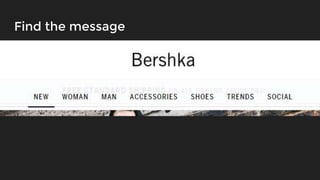
Find the message
Three Elements of Inclusive Design
Impairments
Catering for people’s
impairments like a limited
attention span or hard of
hearing
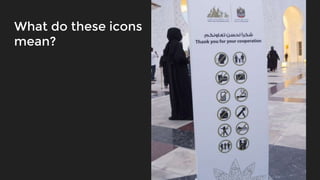
What do these icons
mean?
Three Elements of Inclusive Design
Impairments Culture
Catering for people’s
impairments like a limited
attention span or hard of
hearing
Providing consistency with
what our audience
considers to be normal, like
data formats
Try and hear what I’m saying
Three Elements of Inclusive Design
Impairments Culture Environment
Catering for people’s
impairments like a limited
attention span or hard of
hearing
Providing consistency with
what our audience
considers to be normal, like
data formats
Offering solutions to people
in different situations and
places like on the Tube, or
abroad
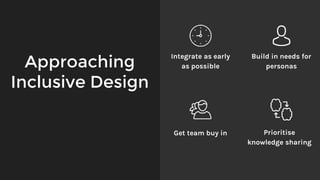
Approaching
Inclusive Design
Integrate as early
as possible
Build in needs for
personas
Get team buy in Prioritise
knowledge sharing
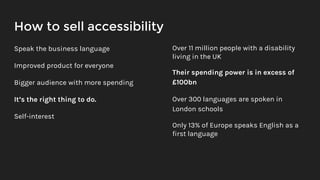
How to sell accessibility
Speak the business language
Improved product for everyone
Bigger audience with more spending
It’s the right thing to do.
Self-interest
Over 11 million people with a disability
living in the UK
Their spending power is in excess of
£100bn
Over 300 languages are spoken in
London schools
Only 13% of Europe speaks English as a
first language
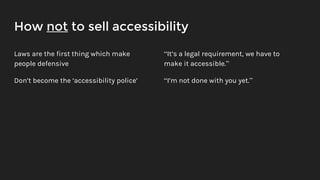
How not to sell accessibility
Laws are the first thing which make
people defensive
Don’t become the ‘accessibility police’
“It’s a legal requirement, we have to
make it accessible.”
“I’m not done with you yet.”
Crafting inclusivity
Development UX UI
Code tailored to help
assistive technologies
Experiences considering the
abnormal normal situations
Aesthetics ensuring
visibility and meaning
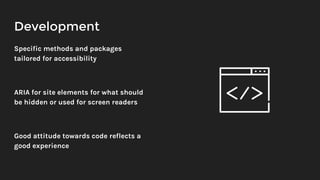
Development
Specific methods and packages
tailored for accessibility
ARIA for site elements for what should
be hidden or used for screen readers
Good attitude towards code reflects a
good experience
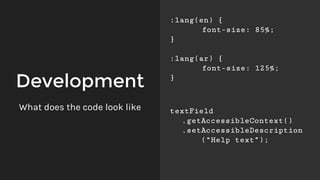
Development
:lang(en) {
font-size: 85%;
}
:lang(ar) {
font-size: 125%;
}
What does the code look like textField
.getAccessibleContext()
.setAccessibleDescription
(“Help text”);
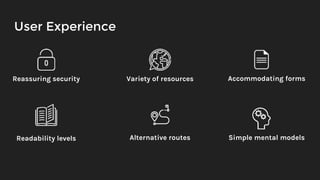
User Experience
Reassuring security Variety of resources
Readability levels Alternative routes Simple mental models
Accommodating forms
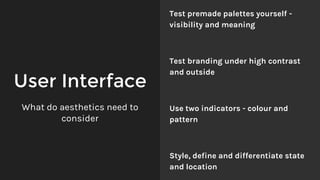
User Interface
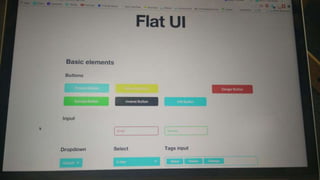
Test premade palettes yourself -
visibility and meaning
Test branding under high contrast
and outside
Use two indicators - colour and
pattern
Style, define and differentiate state
and location
What do aesthetics need to
consider
Quality assurance
for inclusivity
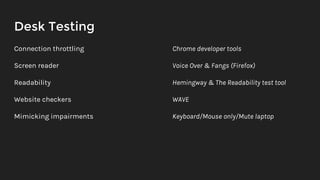
Desk Testing
Connection throttling
Screen reader
Readability
Website checkers
Mimicking impairments
Chrome developer tools
Voice Over & Fangs (Firefox)
Hemingway & The Readability test tool
WAVE
Keyboard/Mouse only/Mute laptop
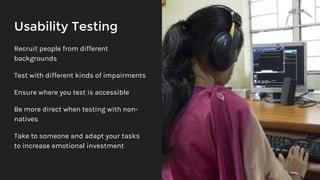
Usability Testing
Recruit people from different
backgrounds
Test with different kinds of impairments
Ensure where you test is accessible
Be more direct when testing with non-
natives
Take to someone and adapt your tasks
to increase emotional investment
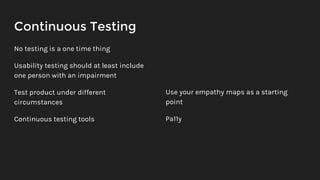
Continuous Testing
No testing is a one time thing
Usability testing should at least include
one person with an impairment
Test product under different
circumstances
Continuous testing tools
Use your empathy maps as a starting
point
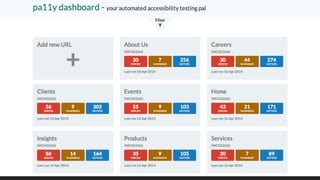
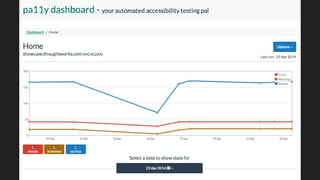
Pa11y
Why Inclusive
Design?
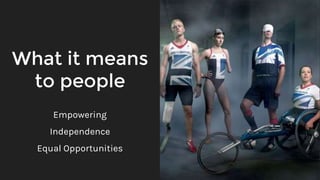
What it means
to people
Empowering
Independence
Equal Opportunities
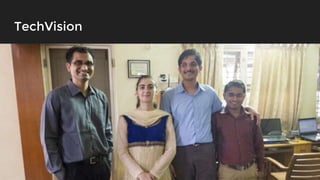
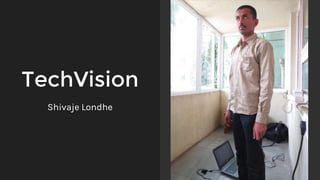
TechVision
TechVision
Shivaje Londhe
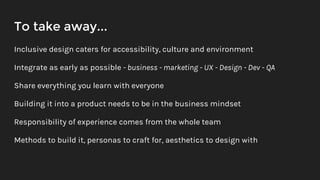
To take away...
Inclusive design caters for accessibility, culture and environment
Integrate as early as possible - business - marketing - UX - Design - Dev - QA
Share everything you learn with everyone
Building it into a product needs to be in the business mindset
Responsibility of experience comes from the whole team
Methods to build it, personas to craft for, aesthetics to design with
Anyone.
Anywhere.
Anytime.
Thank you!
Obrigado
Gracias
Shukria
Tack
Mulțumesc
Dziękuję
Xie xie
Merci
Dankeschön
Stay in touch!
@EChesters
{ Hire me! }

Inclusive Design

Editor's Notes

  • #2 Ayubowan Ma-gey nama Elizabeth Mema sarkacchavata obava sadarayen piliganimu *Translate*
  • #3 So while you thought you were getting a talk on accessibility, you are not
  • #4 Intro Who I am What I used to do and what I do now Who I’ve worked for and with Accessibility is a part of a much wider topic: Inclusive Design. Were you able to understand my content in Sinhala? No. Did you feel included? Could you access my content? Does that mean you are disabled?
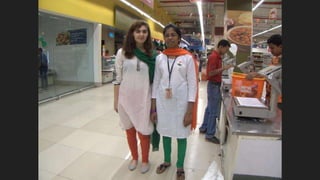
  • #5 Get it wrong and your experience, your brand and you all look stupid Yes, my outfit is upside down.
  • #6 Inclusive design is still accessibility, it’s just broader to account for other situations which prevent people from accessing your services and goes beyond the typical impairments argument The aim of this is to inspire you to design like you give a damn. Code like you care.
  • #7 Can anyone find or read the message about shipping? As soon as the brightness or contrast is altered on the screen, the message disappears
  • #8 Things like low contrast, and only using colour as indicators are not “old school”, they are not ugly. They bloody well do the job.
  • #9 The icons give you a clue However, things like metaphors don’t translate across cultures And without text you have nothing to translate With both you have two options to hedge your bets on. Even if you don’t know the language, if you know something similar you can try and work it out
  • #11 Your users are not all at home, getting comfy at a desk, not listening to music or aren’t competing with background noise. Depending on where you are, you have poor connections, offline things competing for attention, and noise overriding any audio resources you’re offering
  • #12 All of these needs and situations limit your service or product being accessed by someone. Catering for all 3 three of these cover basic usability needs.
  • #13 It’s a nice to have “best case” saying start right from the beginning but most of us don’t have that luxury Integrate as early as possible is as high as possible. The mindset and project/deliverable expectations have to be as early as possible. Knowledge share everything - no matter which role it’s relevant to. A good experience comes from every person in the team, and every challenge you face is approached together whether you like it or not. During internship I did so many lunch and learns & a company update & blog posts (internal & external)
  • #14 Sometimes there can be a clash in interests, for example selling accessibility to a client from a background where their culture considers it a sin or something the person deserves Never be afraid to approach the topic. Learn to sell it properly.
  • #15 When you’ve worked with different users who demand completely different levels of empathy it’s hard to let go of their struggle and their battle. It can come off quite standoff-ish I have colleagues in the CRO discipline who don’t know what accessibility is, what a screen reader is or how to make his A/B tests accessible. Yes that is what I said to him when he asked for my help… actually for me to do it for him
  • #16 Development: Are just as responsible, and have more control over the UX than they’d like to admit or care for, and the UX-er would like. In fact I did an hour’s talk for the London Java Community just on UX in the back-end. Accessibility comes from good code practices, tailored code for integrating with assistive tech and a good attitude towards the product. UX: I say abnormal normal because if anyone has read Don’t Make Me Think, or even used Eye Tracking, know that users don’t use websites the way we build them. Sitting at home, with no distractions and all the time and patience in the world is best case scenario. But we’re not. We’re on the Tube trying to download an article at a station before we lose connection, or we have children wanting to play a game, change TV channel and be fed at the same time UI: Ensuring colours and elements look like they’re those elements is just as important and often UX don’t get that say in wireframes. Your company’s branding should also go through vigorous testing for accessibility s it underpins a lot of the styling on your products.
  • #18 Target different languages with your CSS to increase font size for scripts which are usually smaller In Java there are specific accessibility packages which allow you to set settings for screen readers
  • #19 Resources: Provide captions - deaf, translate, learning another language and Forms: Validation, help text, labels stay put, traditions like name order and characters included Readability: Is unfriendly to anyone reading it, can’t translate/define jargon and it confuses those with learning impairments Routes: For accessible routes use these as a last resort. It is more maintenance and it’s not a great way to sell accessibility. And at the very least describe what the person is missing if need be. Mental: Ensure users know where they are in the site and why. How they can get back and find what they just found again. Extras: It’s using sound for cameras for visually impaired who can’t see the camera
  • #22 Disabled users for car testing at RedEye - found out height (basic information) was needed
  • #23 WAVE = Website Accessibility EValuation tool
  • #24 Getting users in with different kinds of needs always brings up Approach places like universities for recruitment or recruitment agencies who specialise in this area Any testing is better than nothing
  • #26 Add specific pages so you’re not faced with hundreds from every single page
  • #27 Monitor your errors and see how it fluctuates. Has the option of checking against all 3 levels of WCAG and Section 508 Can provision itself and be setup to run automatically
  • #28 Why do you put things on the Internet anyway? Why not just do something smaller instead like a billboard or an advert for your business? They are just as determined as you to achieve their goals and they will do it.
  • #29 The word “user” in UX often strips out the human part of what it actually means and represents It’s the product that creates the barrier - not the person
  • #30 What is TechVision Where are they What is their mission and what work did we do together?
  • #31  Taught himself German because online no one can see anyone anyway. So language was his tool of communication. Worked as part of TechVision, a school for the blind
  • #32 These issues that we’re tackling here are issues we face every day.