Accessibility for
Design & Content
With Marli and James
Marli Mesibov
VP, Content Strategy
James Christie
Director, UX Design
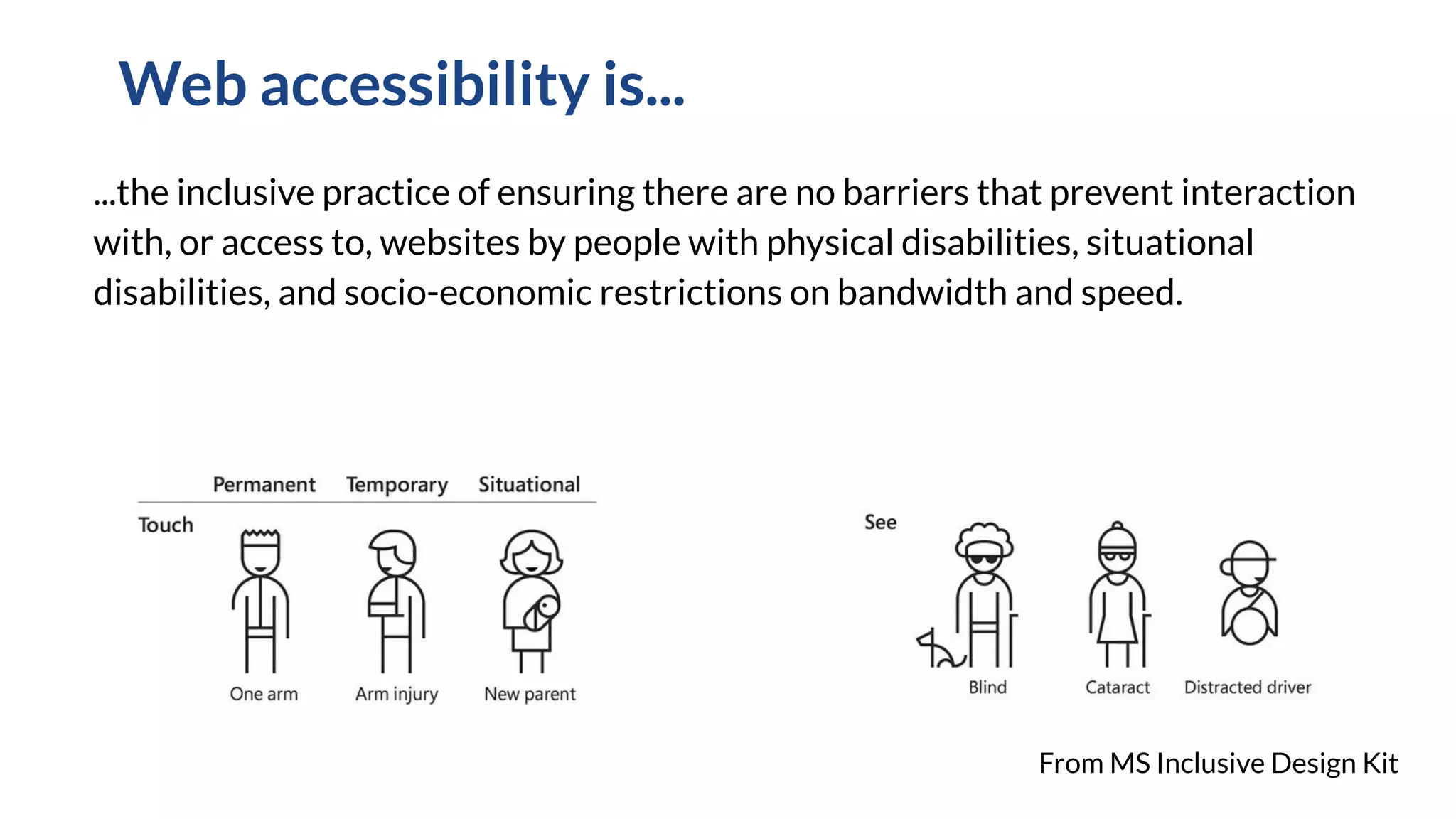
...the inclusive practice of ensuring there are no barriers that prevent interaction
with, or access to, websites by people with physical disabilities, situational
disabilities, and socio-economic restrictions on bandwidth and speed.
Web accessibility is...
From MS Inclusive Design Kit
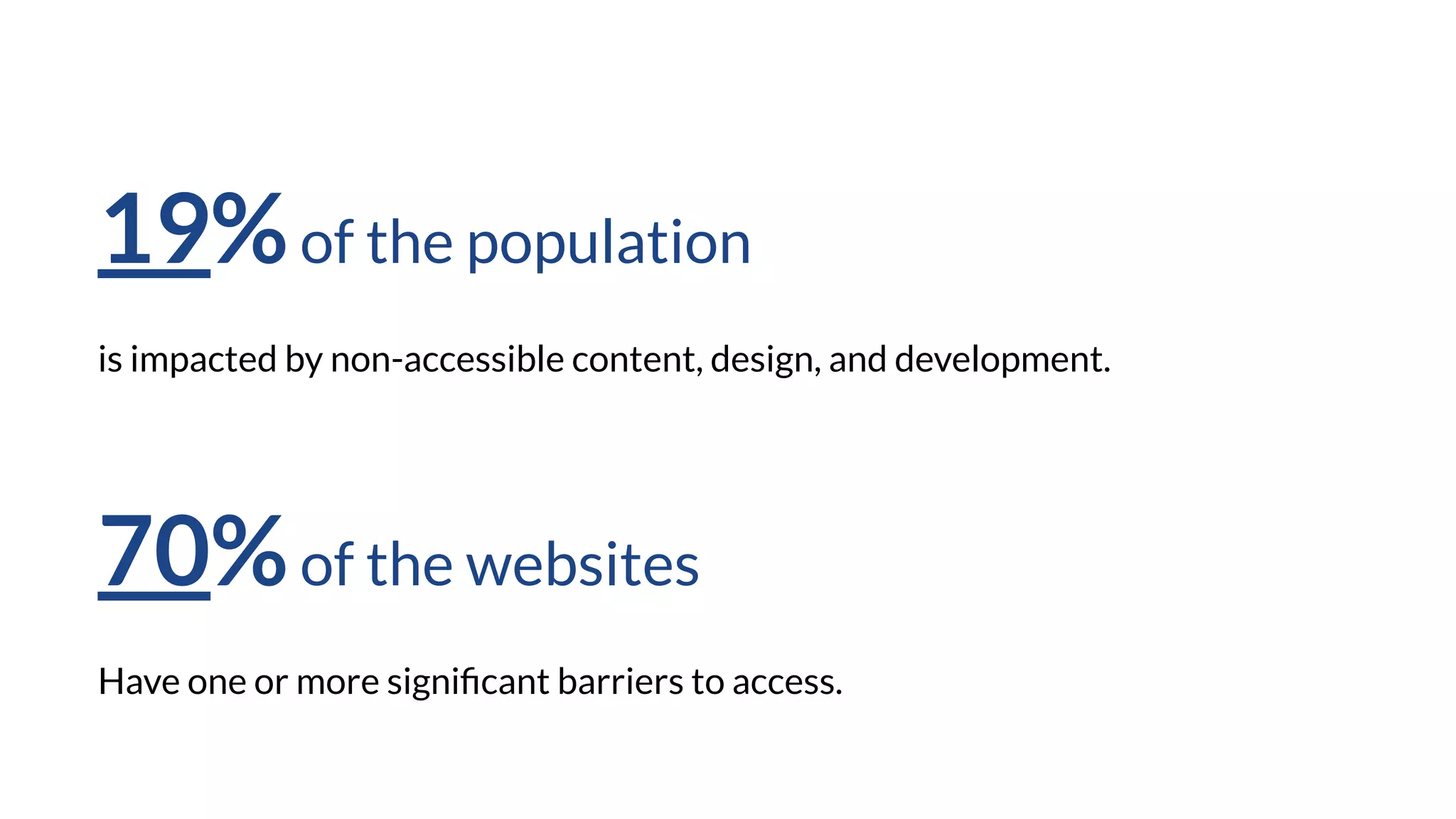
19%of the population
is impacted by non-accessible content, design, and development.
70%of the websites
Have one or more significant barriers to access.
“Remember, we’re all
just temporarily abled.”
- Facundo Corradini, Accessibility for
Vestibular Disorders
Source: https://alistapart.com/article/accessibility-for-vestibular/
Relevant U.S. legislation*
Americans with Disabilities Act (1990)
Section 508 (1998, revised 2018)
The Affordable Care Act (2010)
*according to non-lawyers
Today’s goal
Give an overview of the types of accessibility issues people encounter
Practice spotting issues with some simple checks
Get practice in discussing impact and solutions
Agenda
Guidelines and Standards
Demo: mini-audit
Activity: practice audit skills
Discussion
Please use the chat feature for questions as we go
All resources, slides and recording will be available for download.
Accessibility guidelines
Web Content Accessibility Guidelines
Managed by The World Wide Web Consortium (W3C) - the main
international standards organization for the World Wide Web.
Version 1: 1999
Version 2.1: 2018
Three tiers of conformance: A, AA, AAA
Layers of Accessibility
Perceivable
Operable
Understandable
Robust
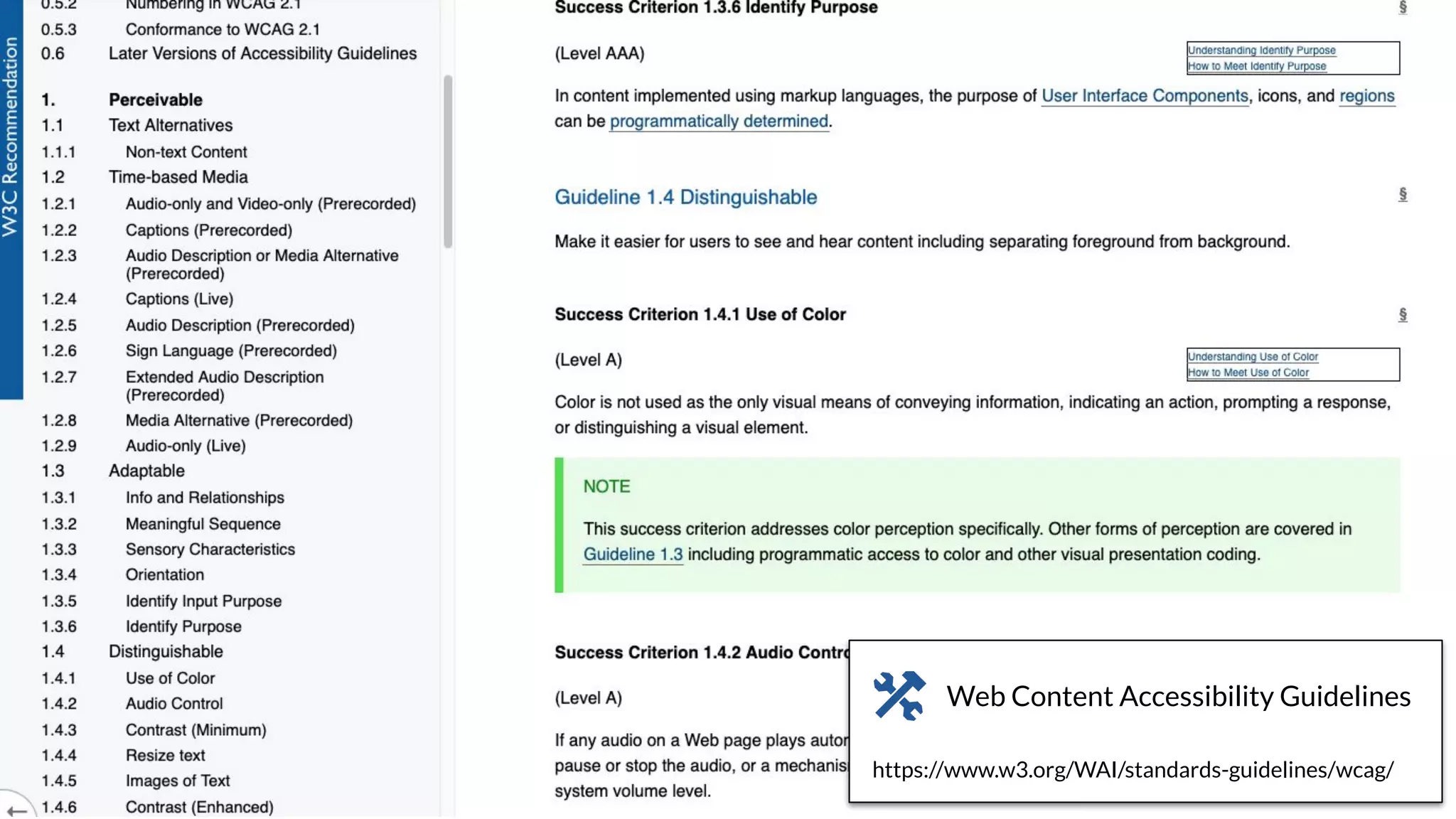
https://www.w3.org/WAI/standards-guidelines/wcag/
Web Content Accessibility Guidelines
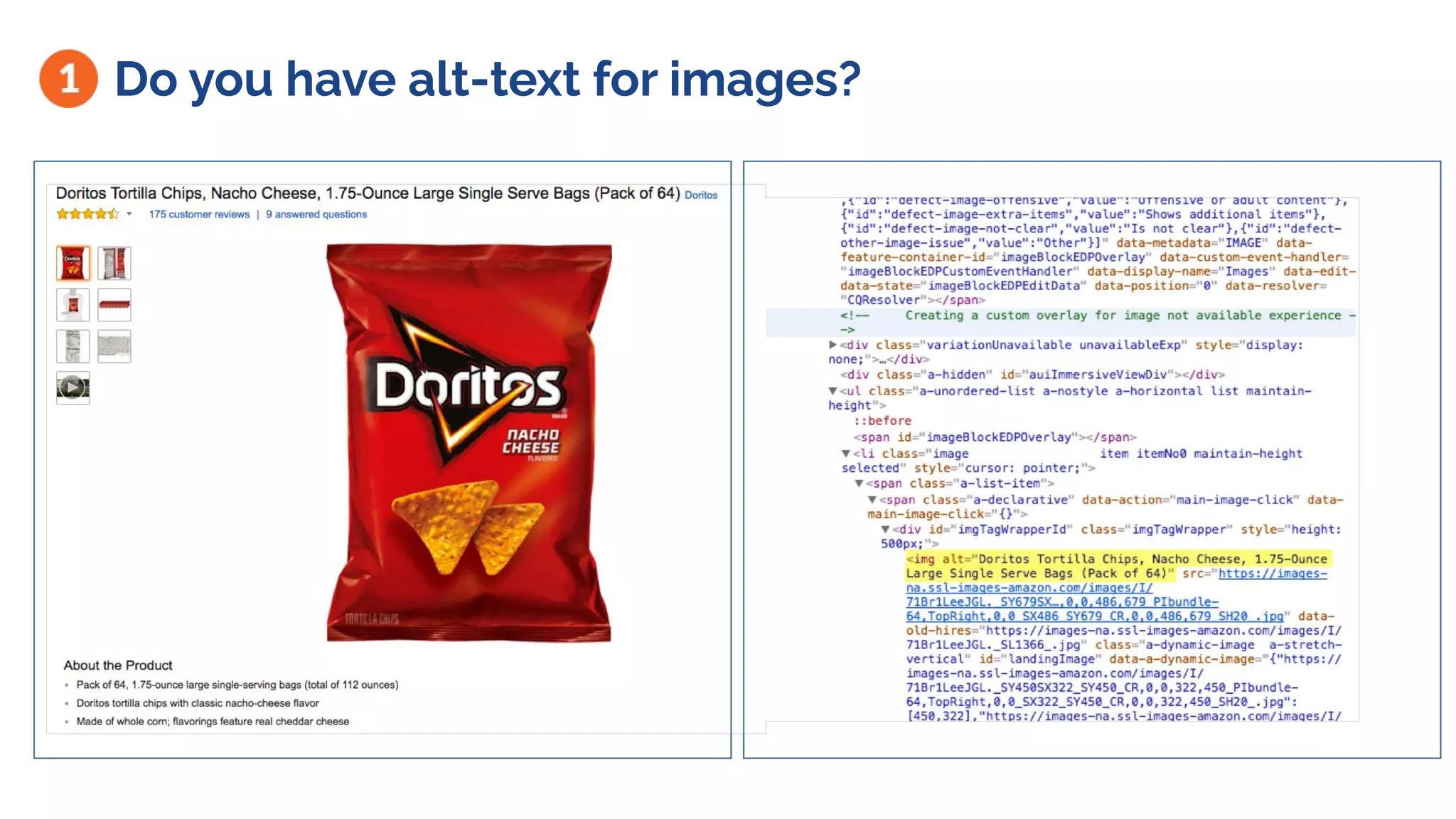
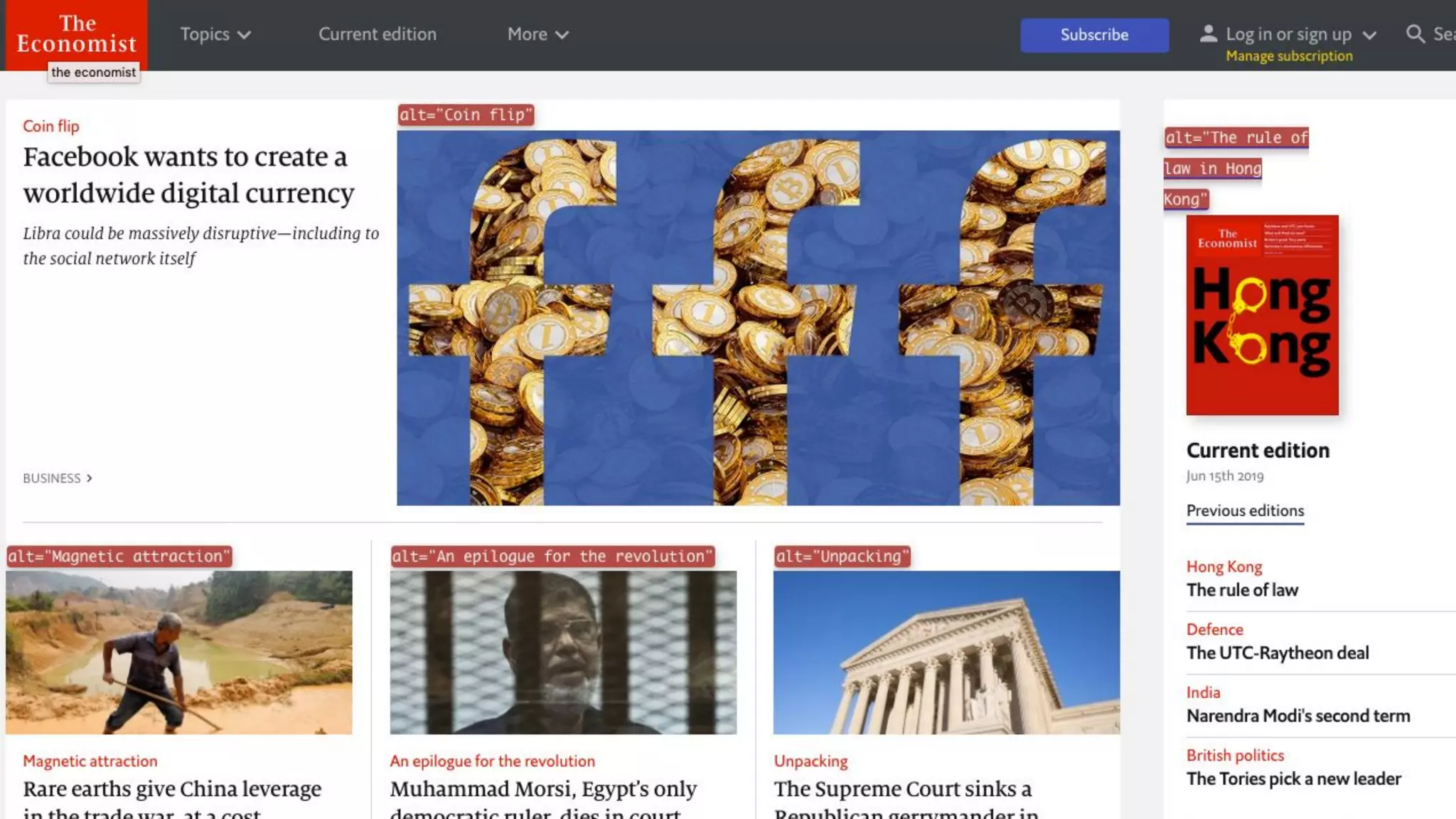
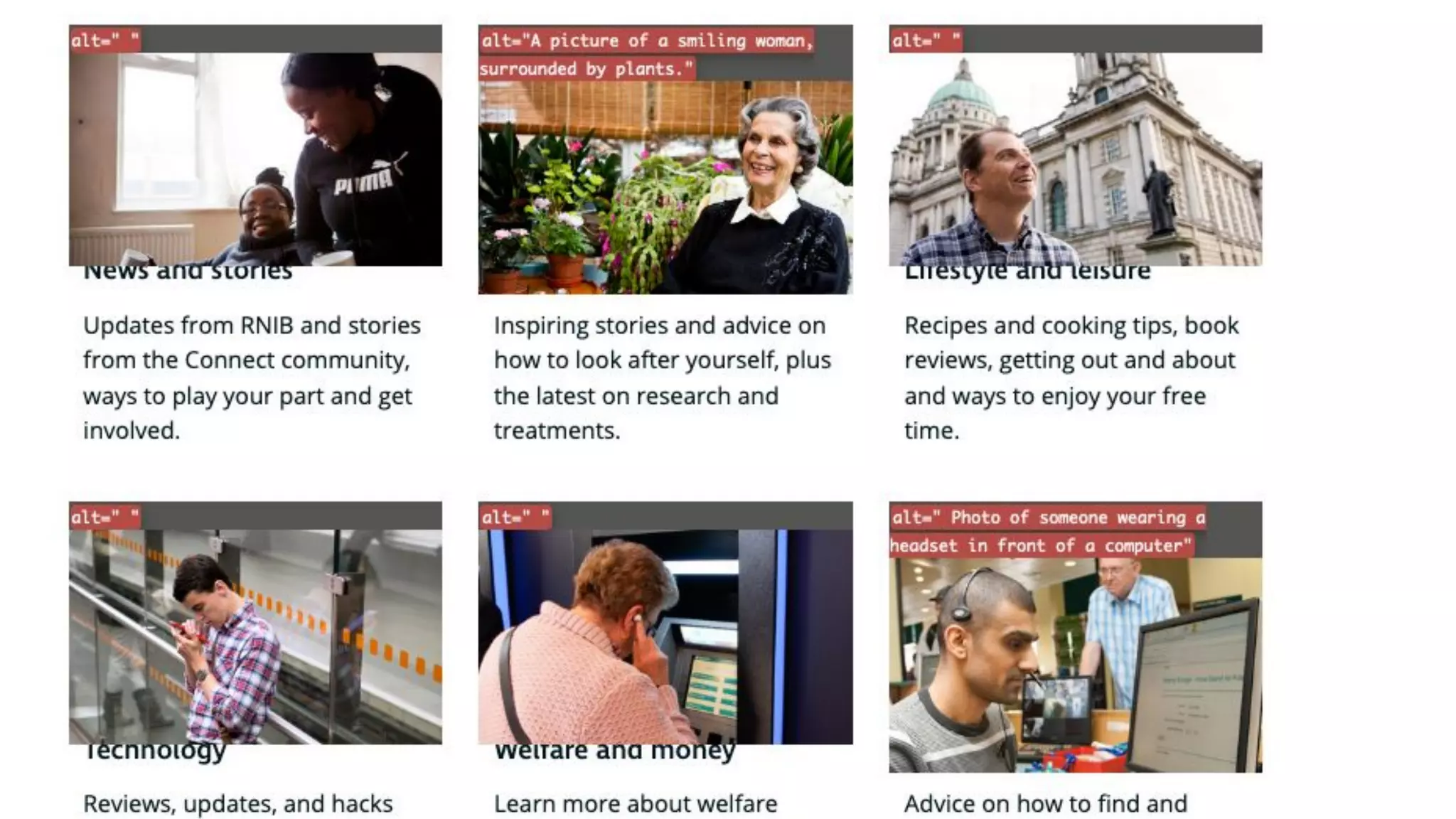
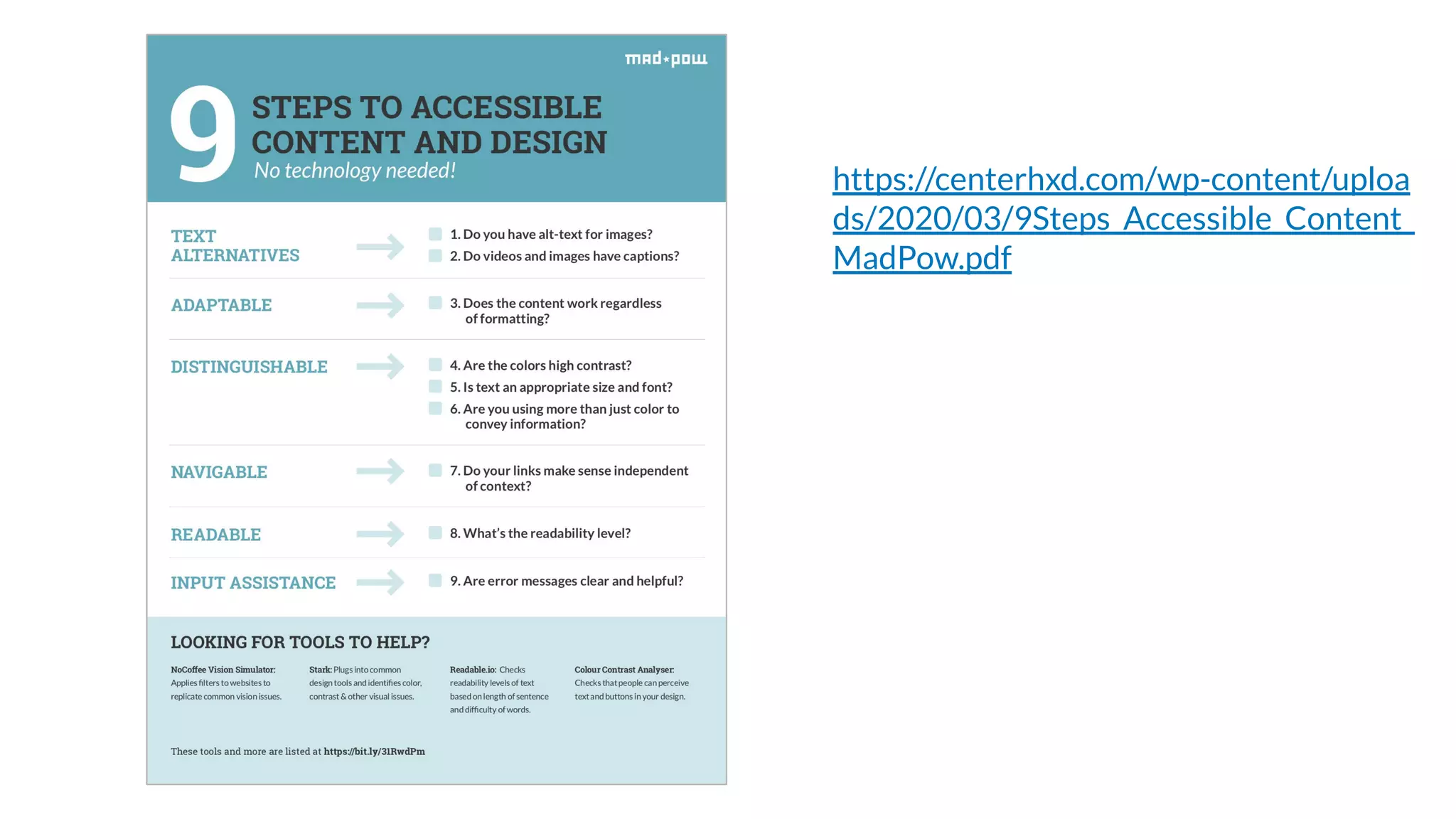
Do you have alt-text for images?
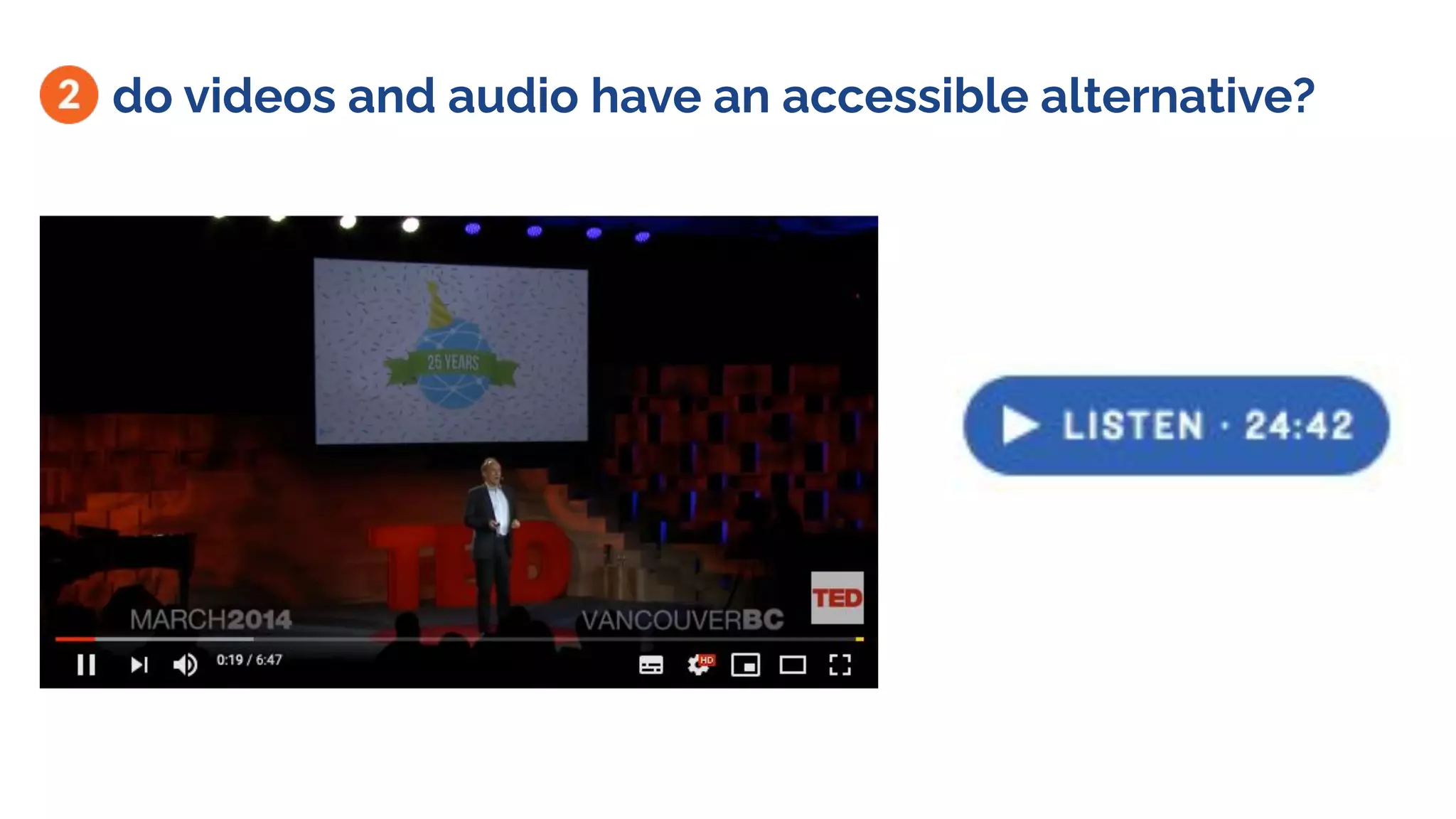
do videos and audio have an accessible alternative?
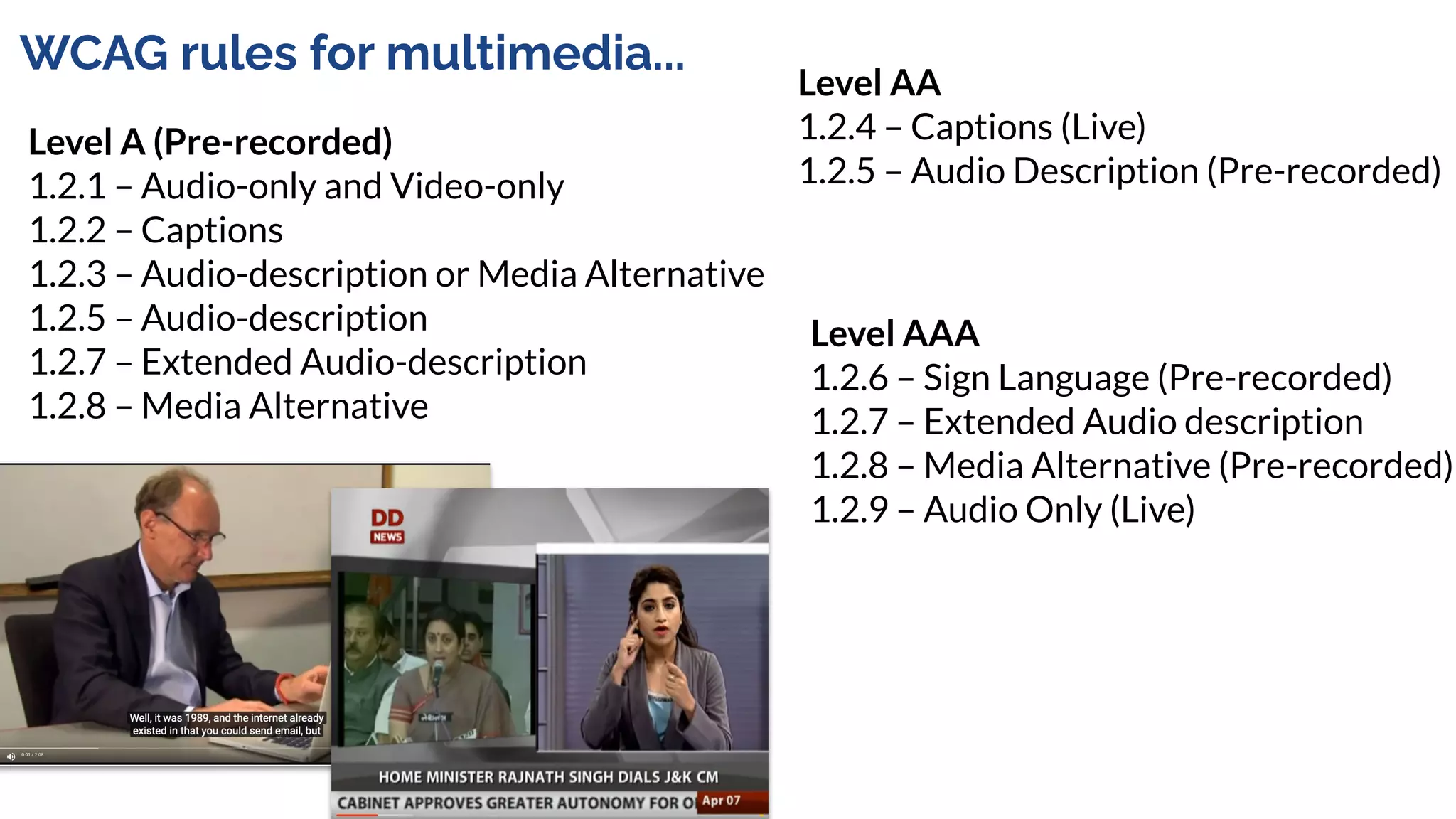
WCAG rules for multimedia...
Level A (Pre-recorded)
1.2.1 – Audio-only and Video-only
1.2.2 – Captions
1.2.3 – Audio-description or Media Alternative
1.2.5 – Audio-description
1.2.7 – Extended Audio-description
1.2.8 – Media Alternative
Level AA
1.2.4 – Captions (Live)
1.2.5 – Audio Description (Pre-recorded)
Level AAA
1.2.6 – Sign Language (Pre-recorded)
1.2.7 – Extended Audio description
1.2.8 – Media Alternative (Pre-recorded)
1.2.9 – Audio Only (Live)
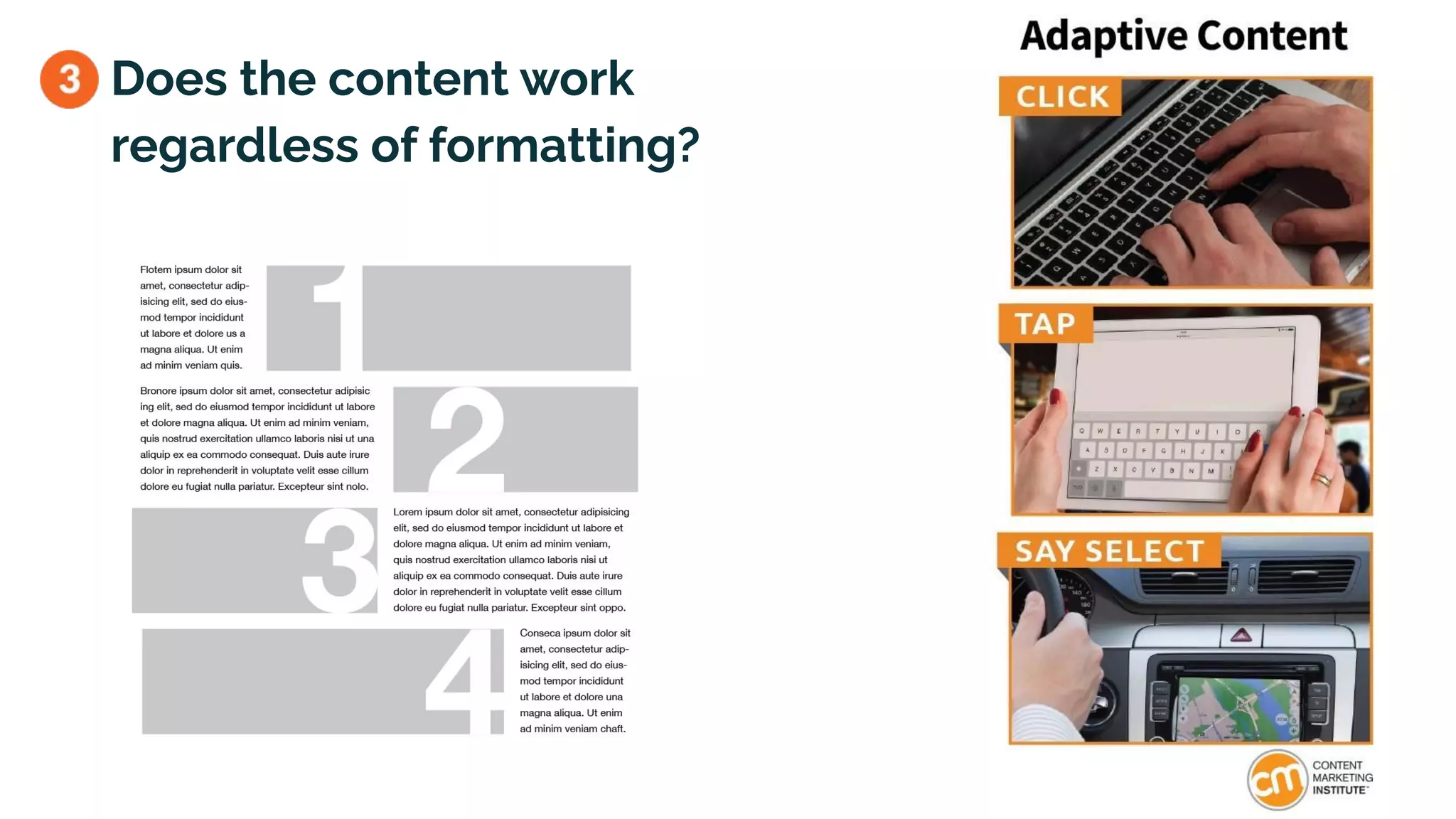
Does the content work
regardless of formatting?
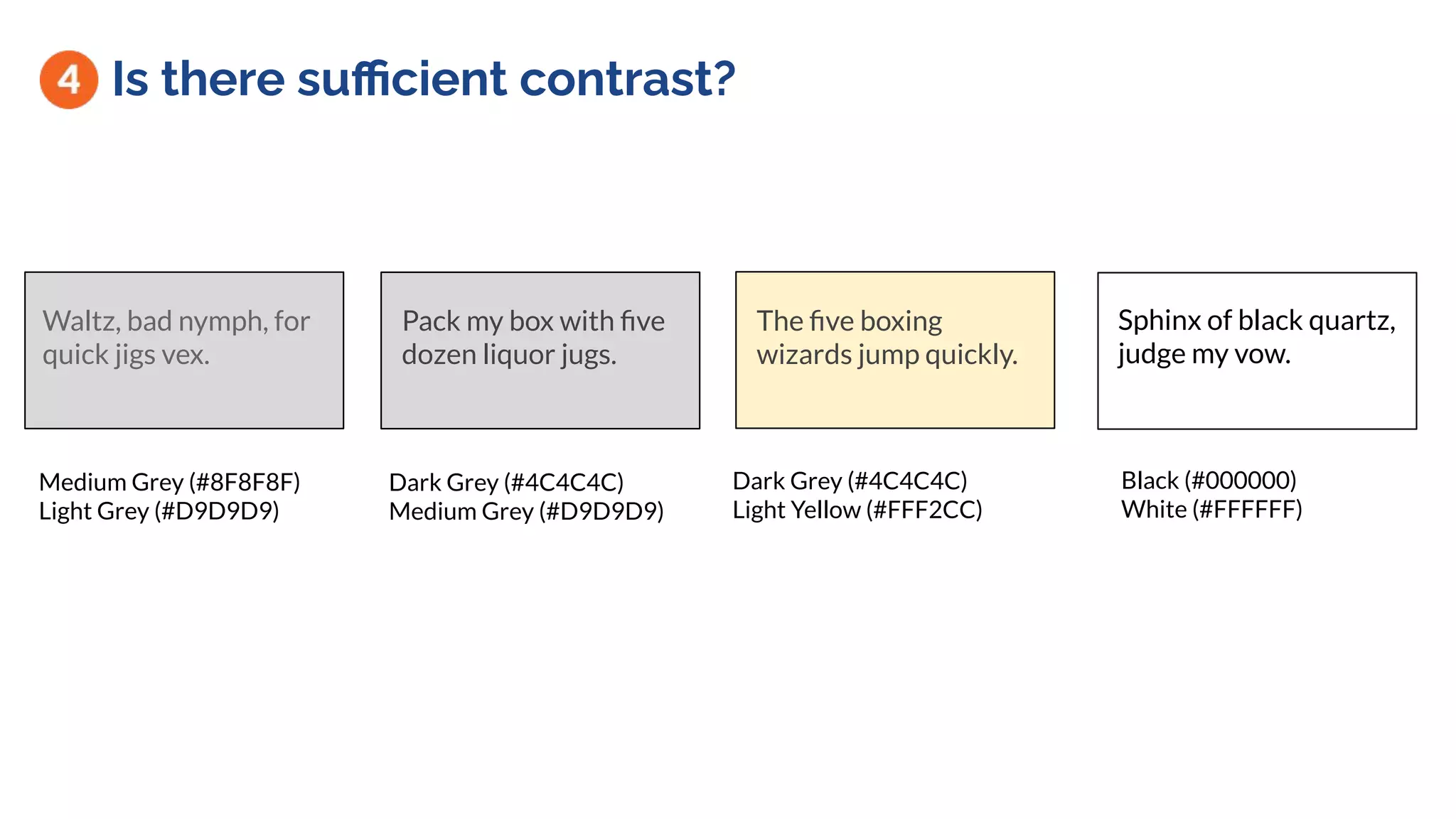
Is there sufficient contrast?
Sphinx of black quartz,
judge my vow.
Waltz, bad nymph, for
quick jigs vex.
Pack my box with five
dozen liquor jugs.
Black (#000000)
White (#FFFFFF)
Dark Grey (#4C4C4C)
Medium Grey (#D9D9D9)
Medium Grey (#8F8F8F)
Light Grey (#D9D9D9)
The five boxing
wizards jump quickly.
Dark Grey (#4C4C4C)
Light Yellow (#FFF2CC)
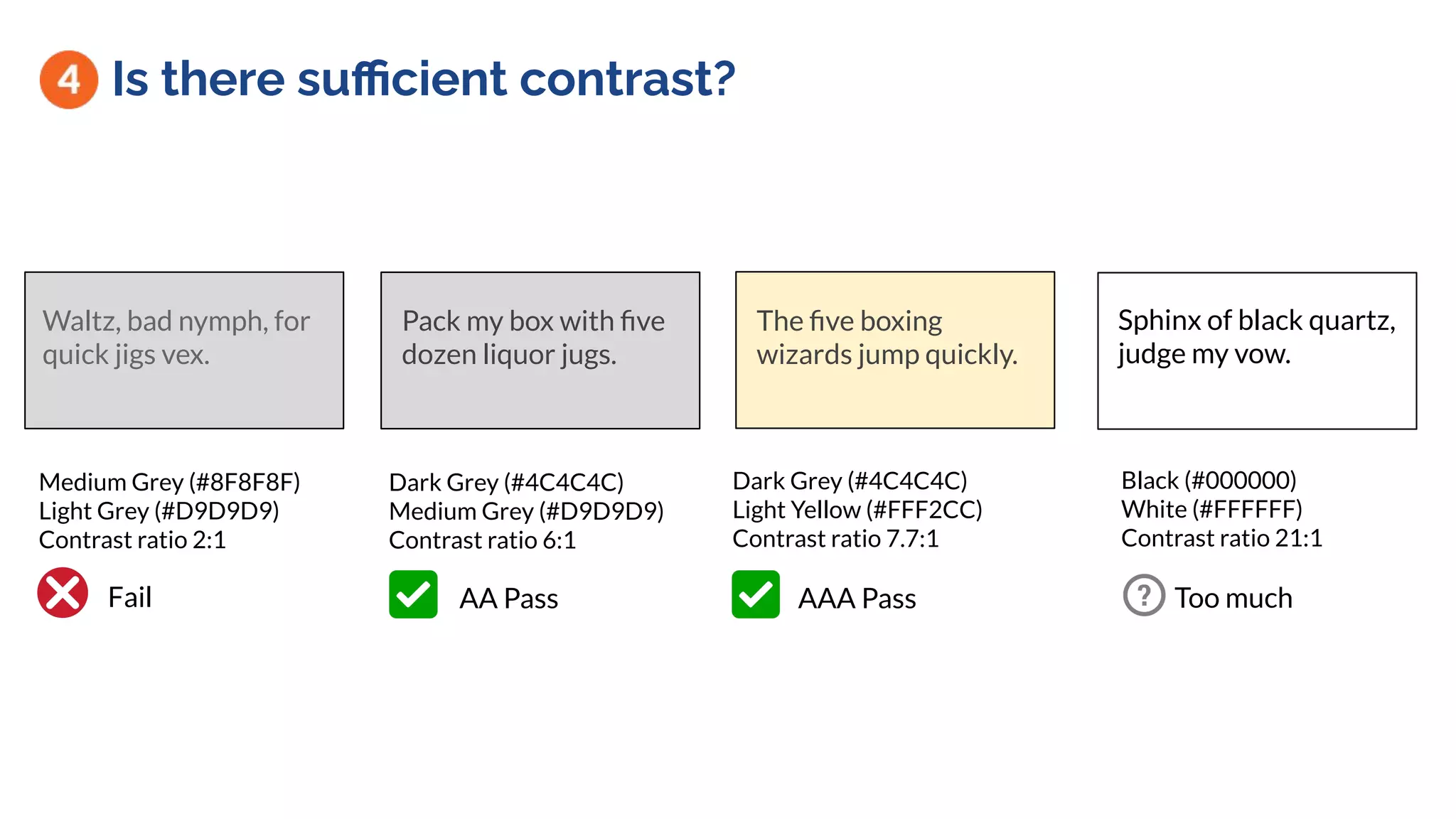
Is there sufficient contrast?
Sphinx of black quartz,
judge my vow.
Waltz, bad nymph, for
quick jigs vex.
Pack my box with five
dozen liquor jugs.
Black (#000000)
White (#FFFFFF)
Contrast ratio 21:1
Dark Grey (#4C4C4C)
Medium Grey (#D9D9D9)
Contrast ratio 6:1
Medium Grey (#8F8F8F)
Light Grey (#D9D9D9)
Contrast ratio 2:1
The five boxing
wizards jump quickly.
Dark Grey (#4C4C4C)
Light Yellow (#FFF2CC)
Contrast ratio 7.7:1
AA Pass AAA Pass Too muchFail
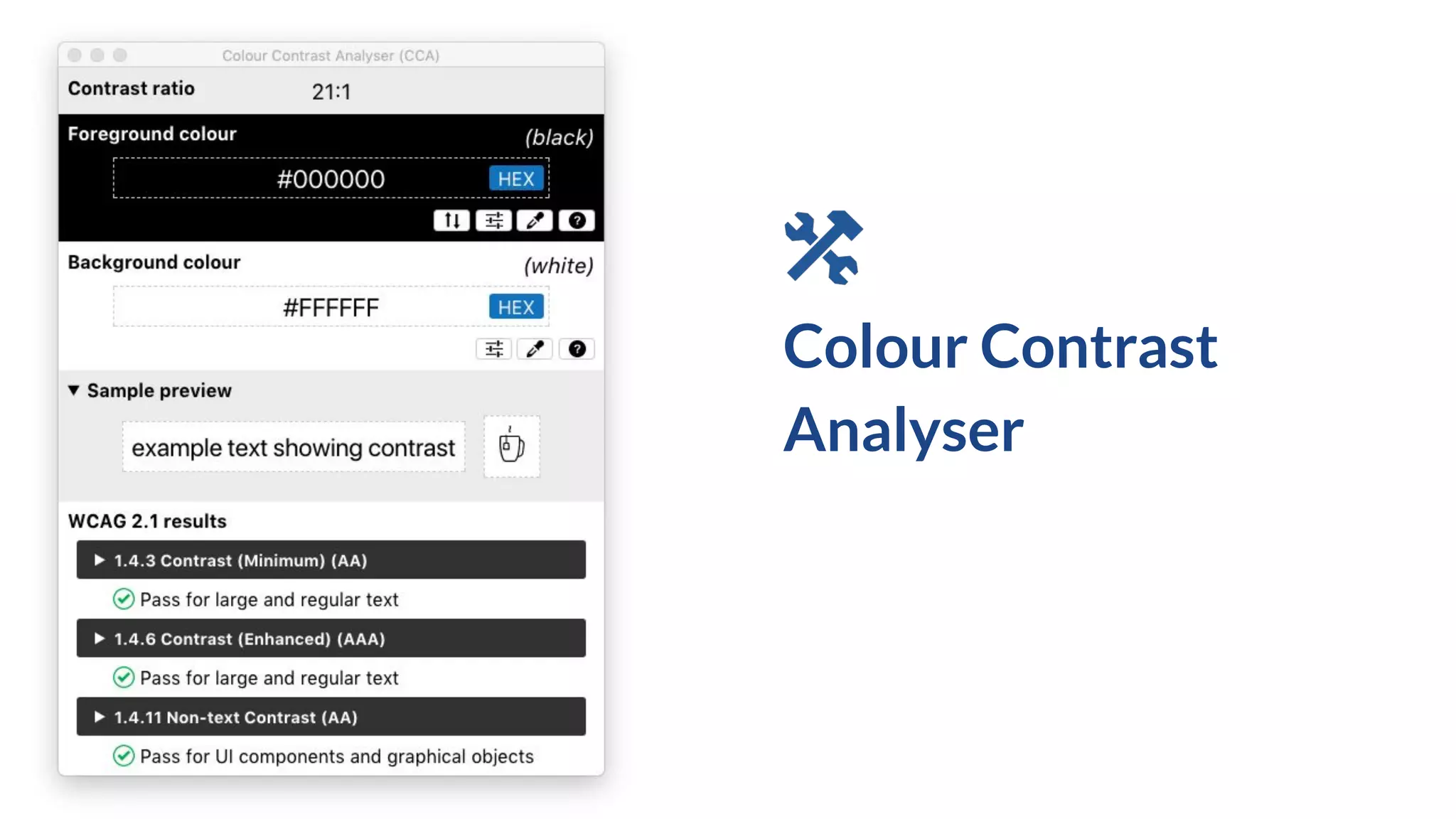
Colour Contrast
Analyser
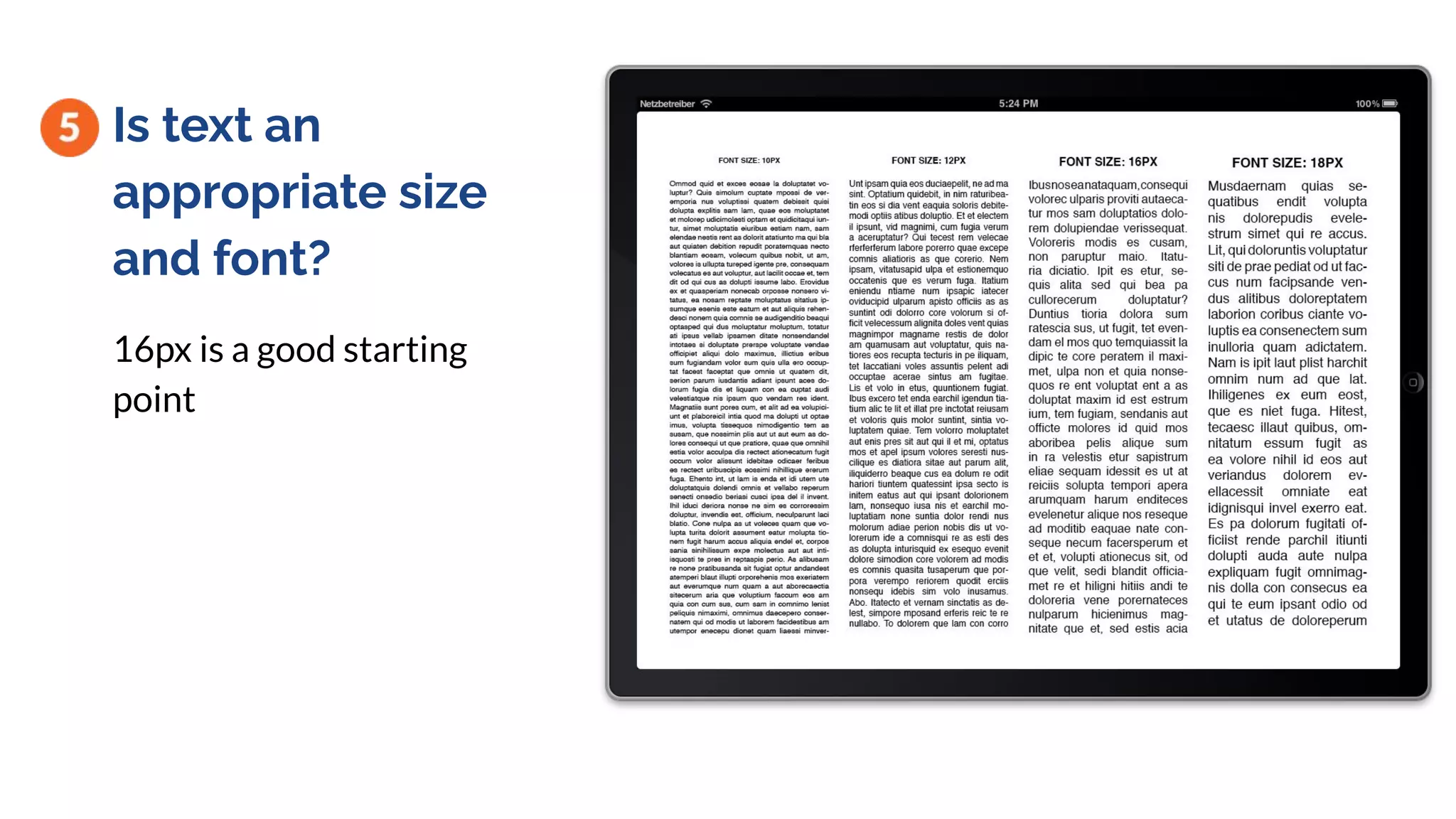
Is text an
appropriate size
and font?
16px is a good starting
point
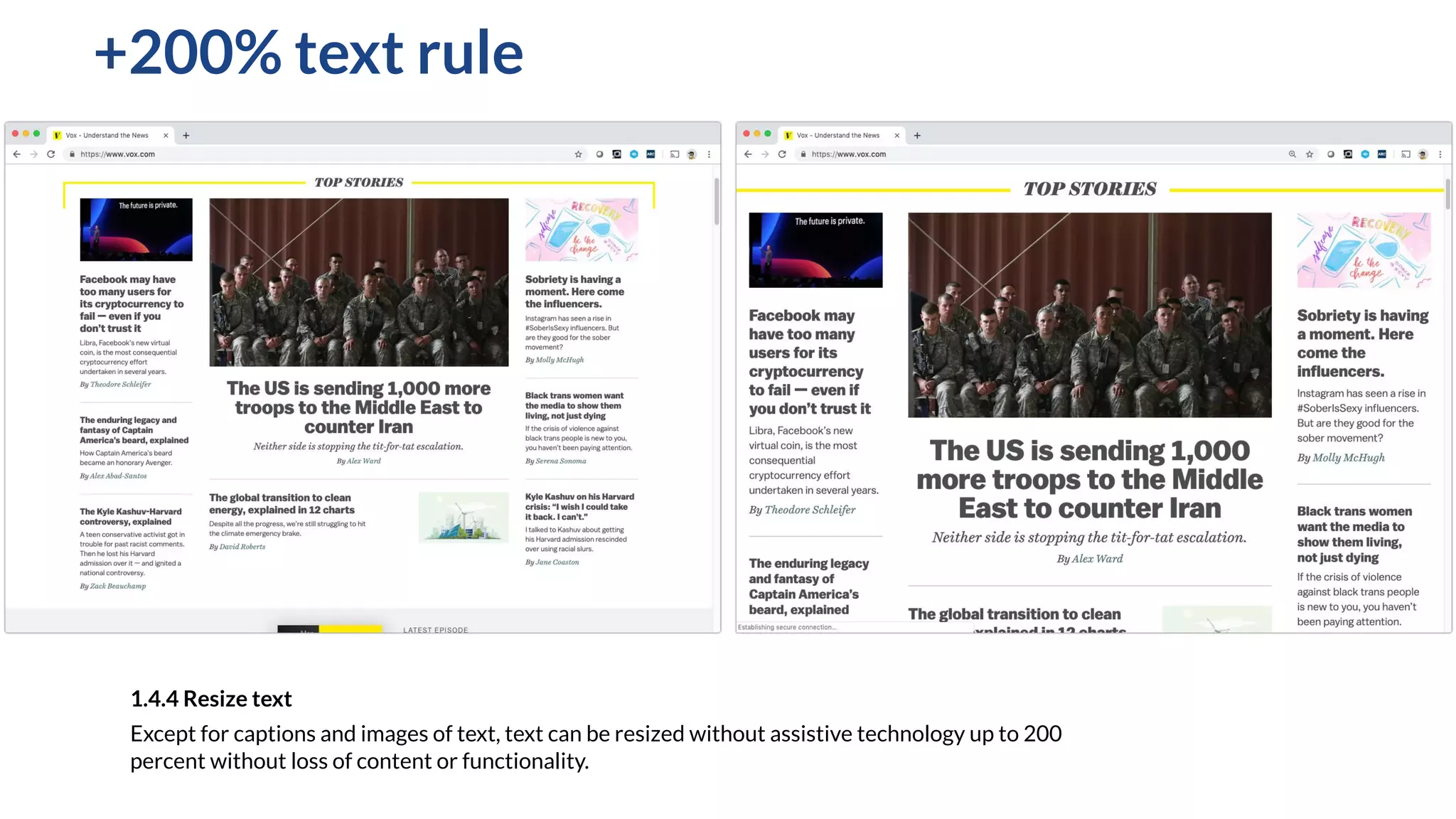
+200% text rule
1.4.4 Resize text
Except for captions and images of text, text can be resized without assistive technology up to 200
percent without loss of content or functionality.
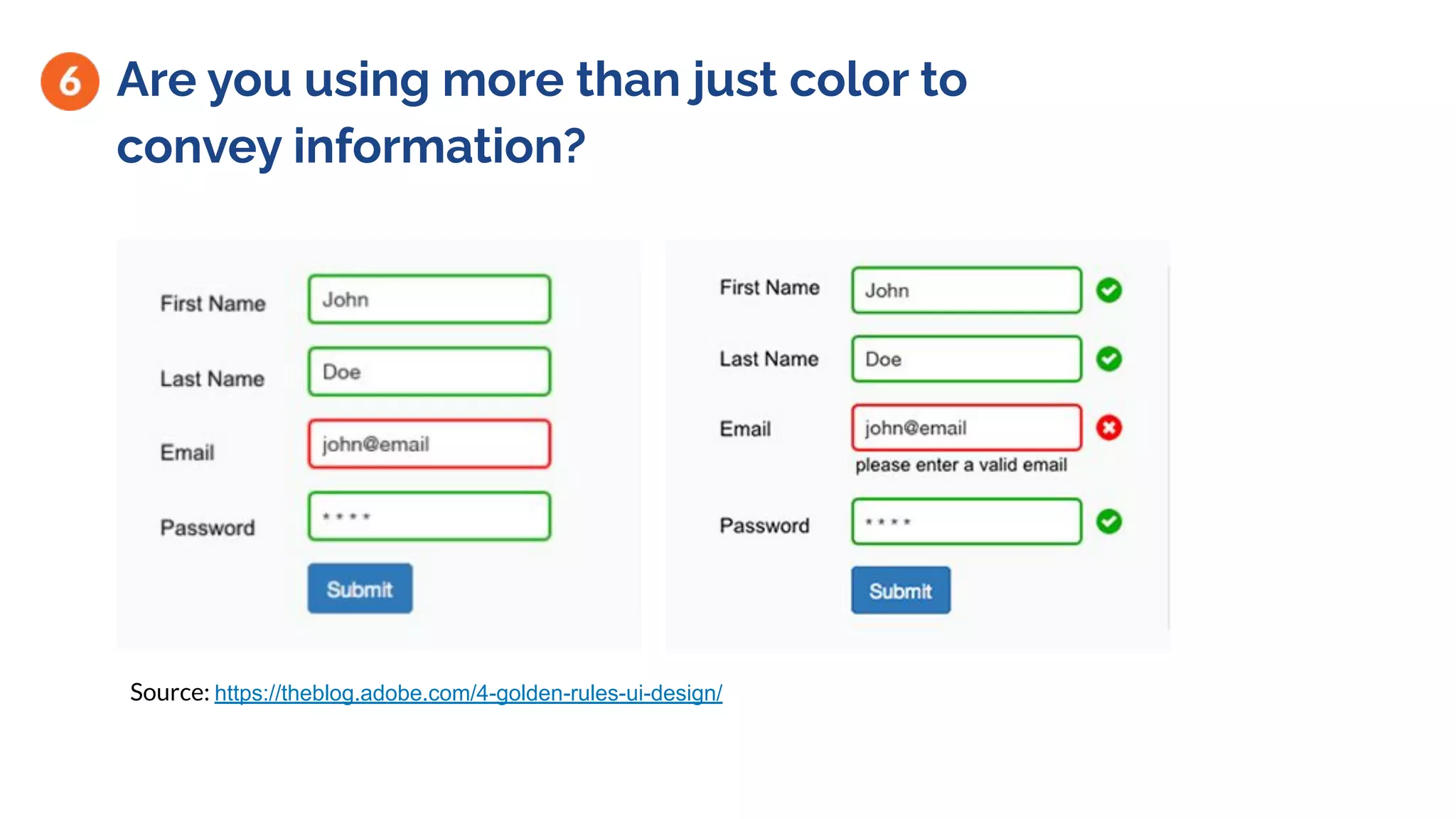
Are you using more than just color to
convey information?
Source: https://theblog.adobe.com/4-golden-rules-ui-design/
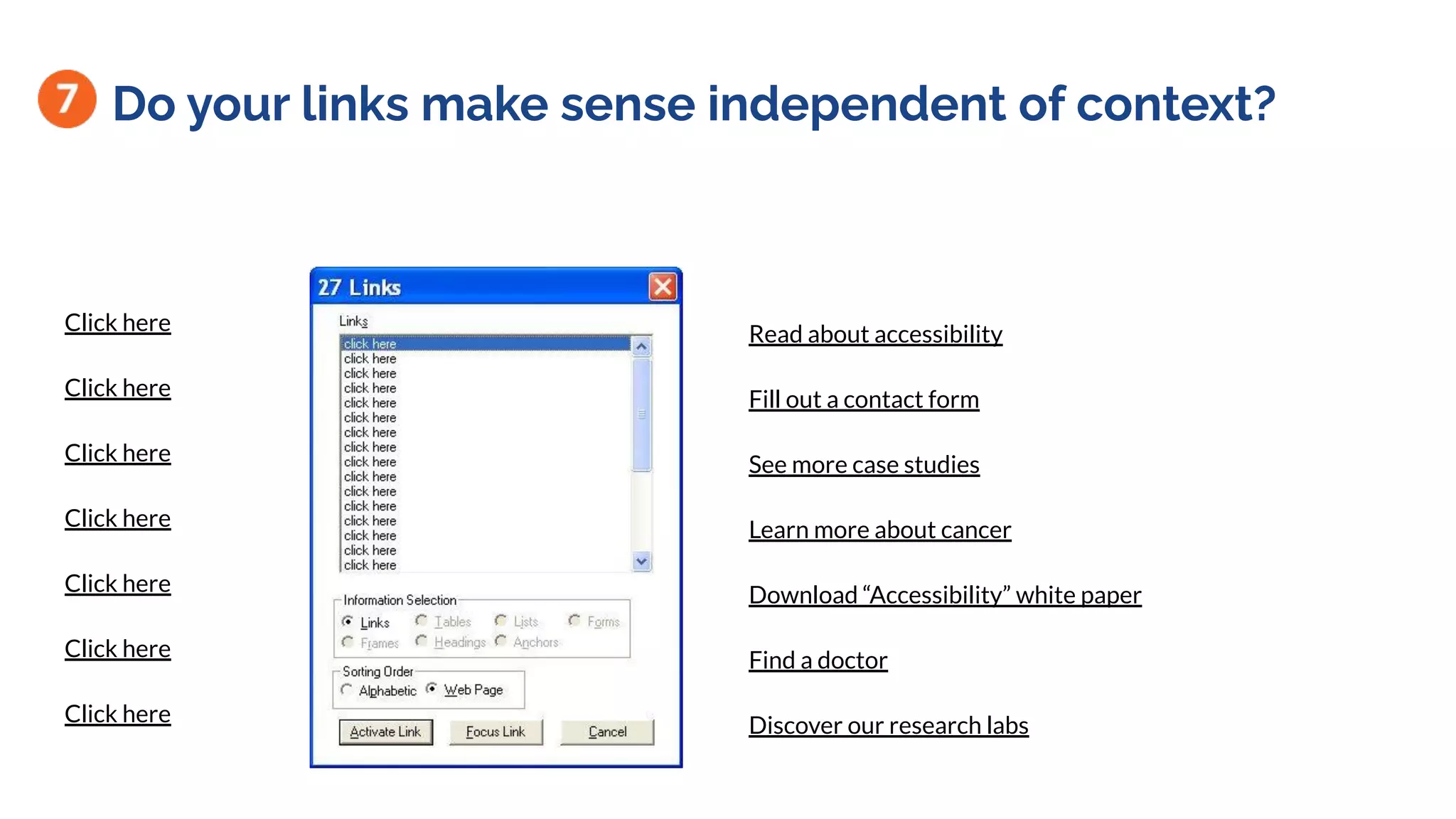
Do your links make sense independent of context?
Click here
Click here
Click here
Click here
Click here
Click here
Click here
Read about accessibility
Fill out a contact form
See more case studies
Learn more about cancer
Download “Accessibility” white paper
Find a doctor
Discover our research labs
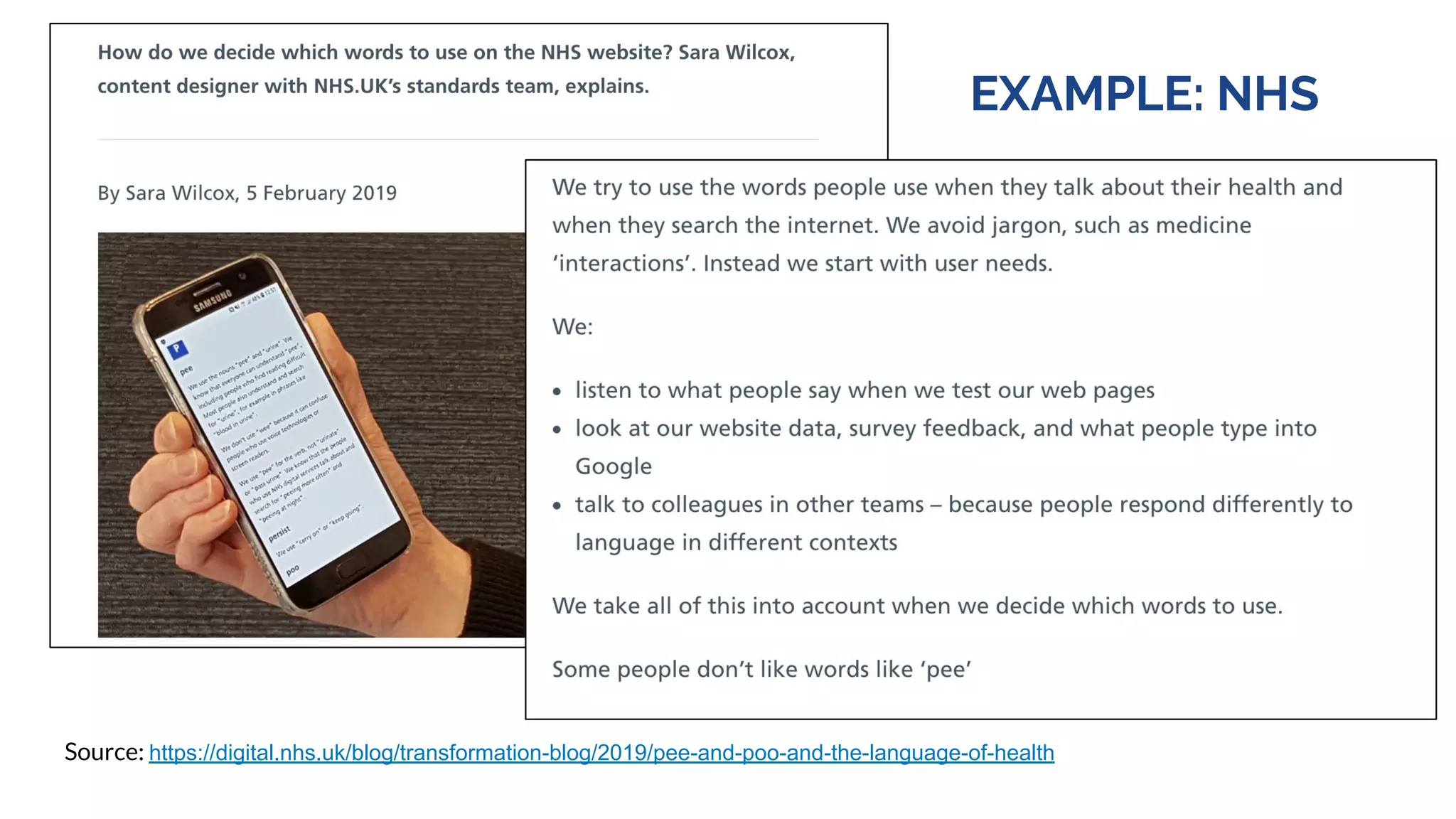
What’s the readability level? Readable.io
EXAMPLE: NHS
Source: https://digital.nhs.uk/blog/transformation-blog/2019/pee-and-poo-and-the-language-of-health
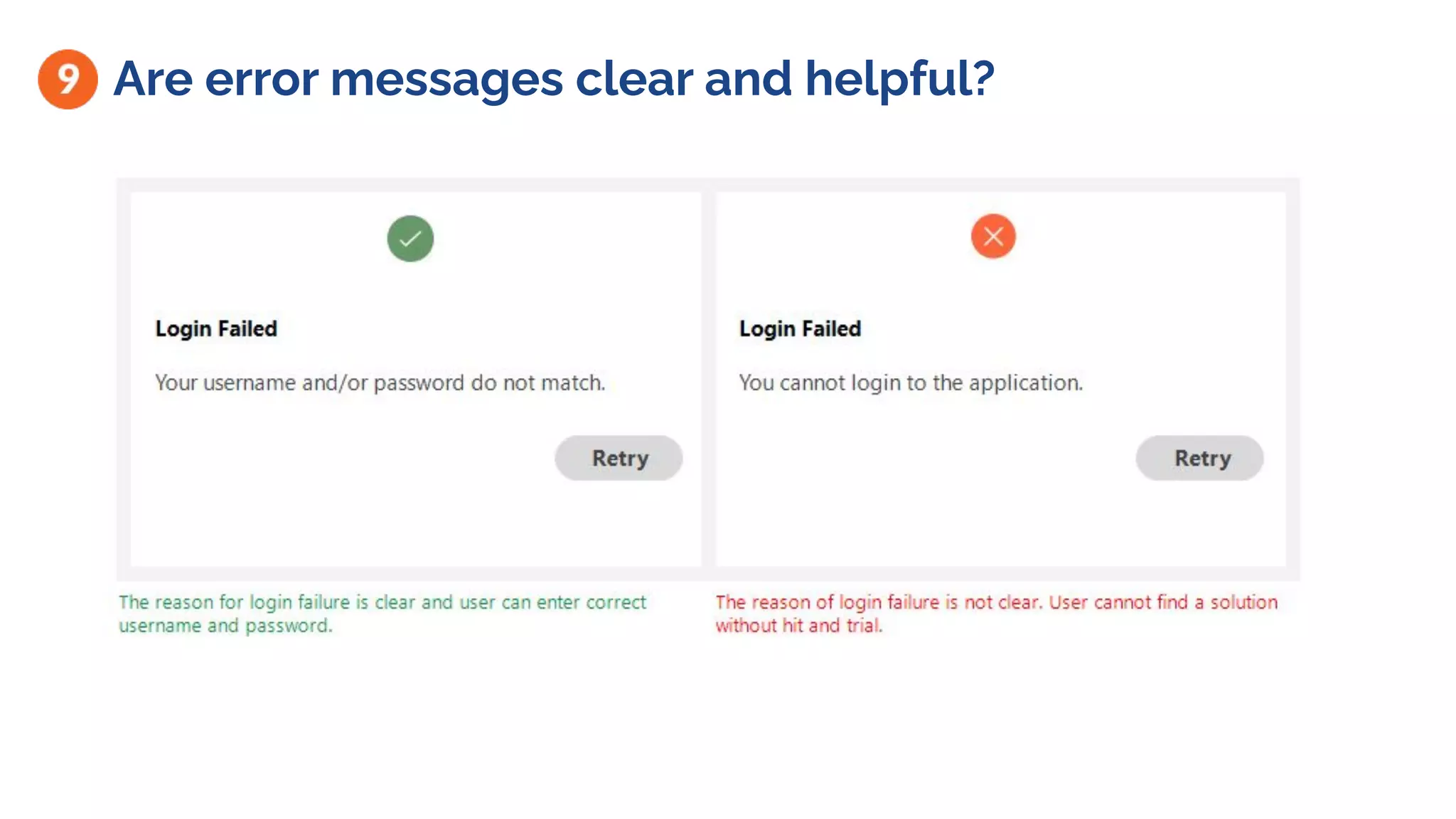
Are error messages clear and helpful?
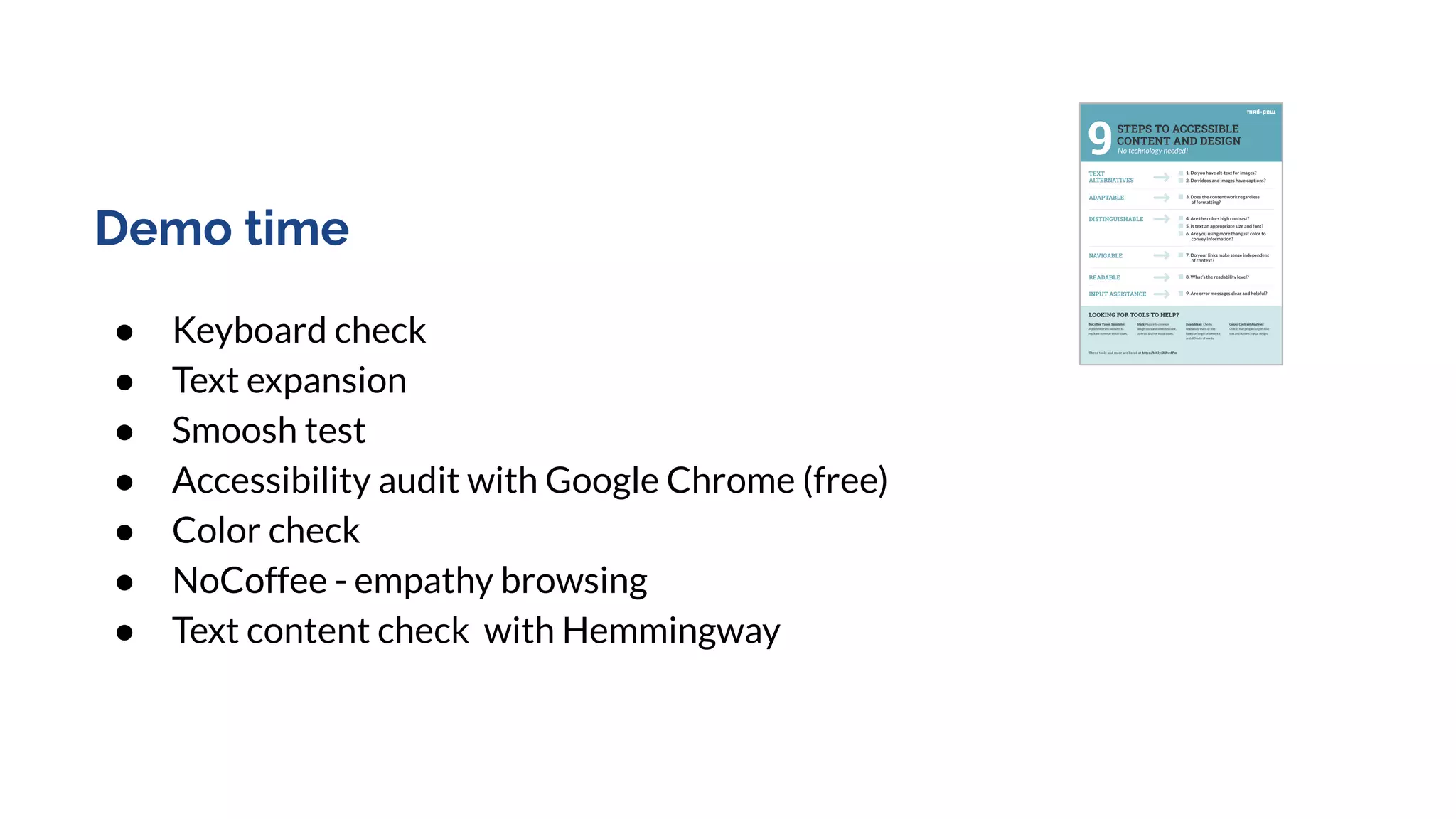
https://centerhxd.com/wp-content/uploa
ds/2020/03/9Steps_Accessible_Content_
MadPow.pdf
Demo: Mini audit
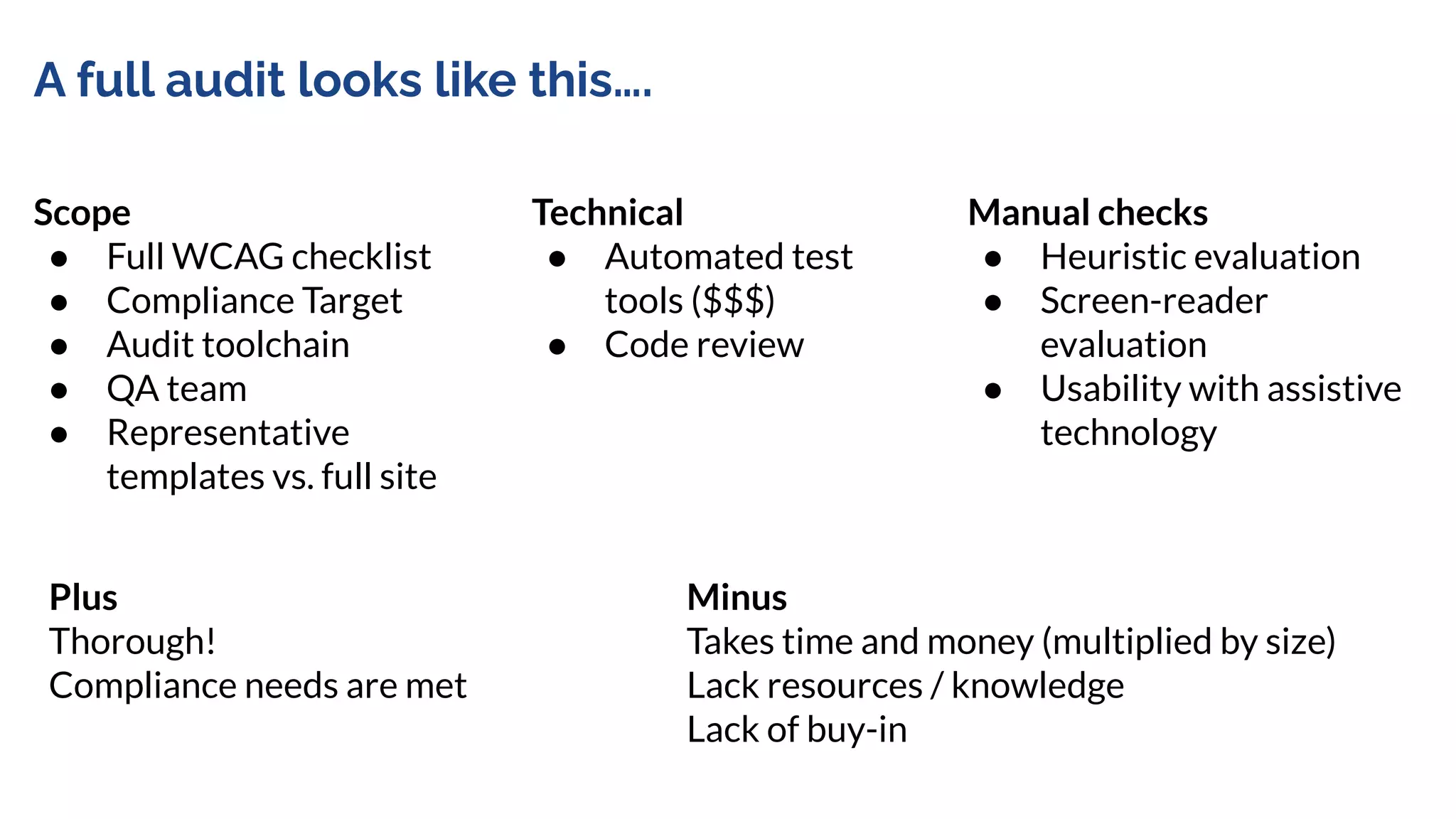
A full audit looks like this….
Scope
● Full WCAG checklist
● Compliance Target
● Audit toolchain
● QA team
● Representative
templates vs. full site
Manual checks
● Heuristic evaluation
● Screen-reader
evaluation
● Usability with assistive
technology
Technical
● Automated test
tools ($$$)
● Code review
Plus
Thorough!
Compliance needs are met
Minus
Takes time and money (multiplied by size)
Lack resources / knowledge
Lack of buy-in
Mini-audit / “sniff test”
Scope
● Subset of WCAG
● Limited pages
● Anyone on team
Manual checks
● Simple techniques
(zooming, using
keyboard only)
Technical
● Free browser
tools
Easy tasks that take little time or training.
Gives you an early inkling of the scope of accessibility issues.
Makes accessibility principles tangible to the team.
Fun as a team sport.
Not a replacement for an audit.
Demo time
● Keyboard check
● Text expansion
● Smoosh test
● Accessibility audit with Google Chrome (free)
● Color check
● NoCoffee - empathy browsing
● Text content check with Hemmingway
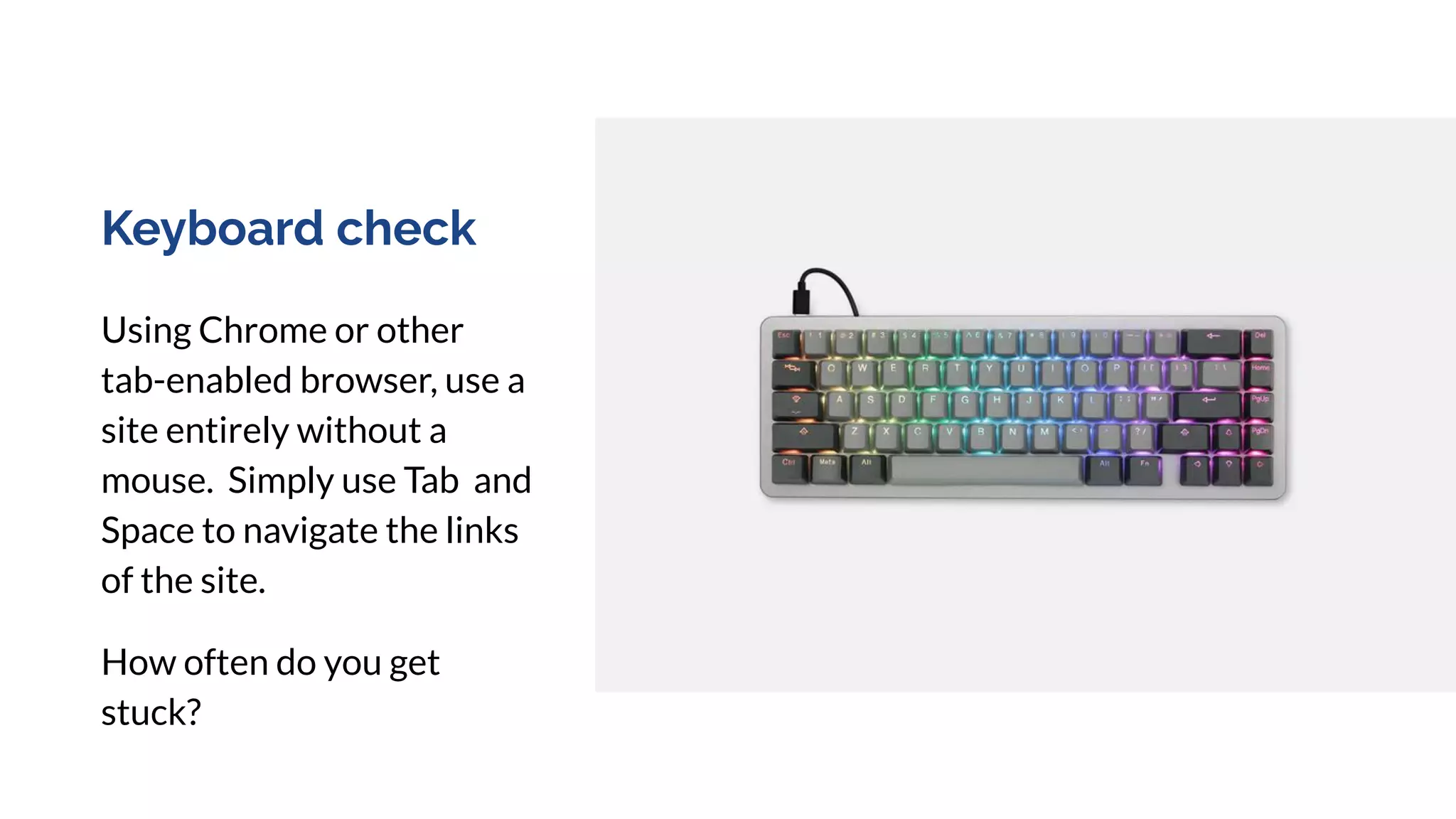
Keyboard check
Using Chrome or other
tab-enabled browser, use a
site entirely without a
mouse. Simply use Tab and
Space to navigate the links
of the site.
How often do you get
stuck?
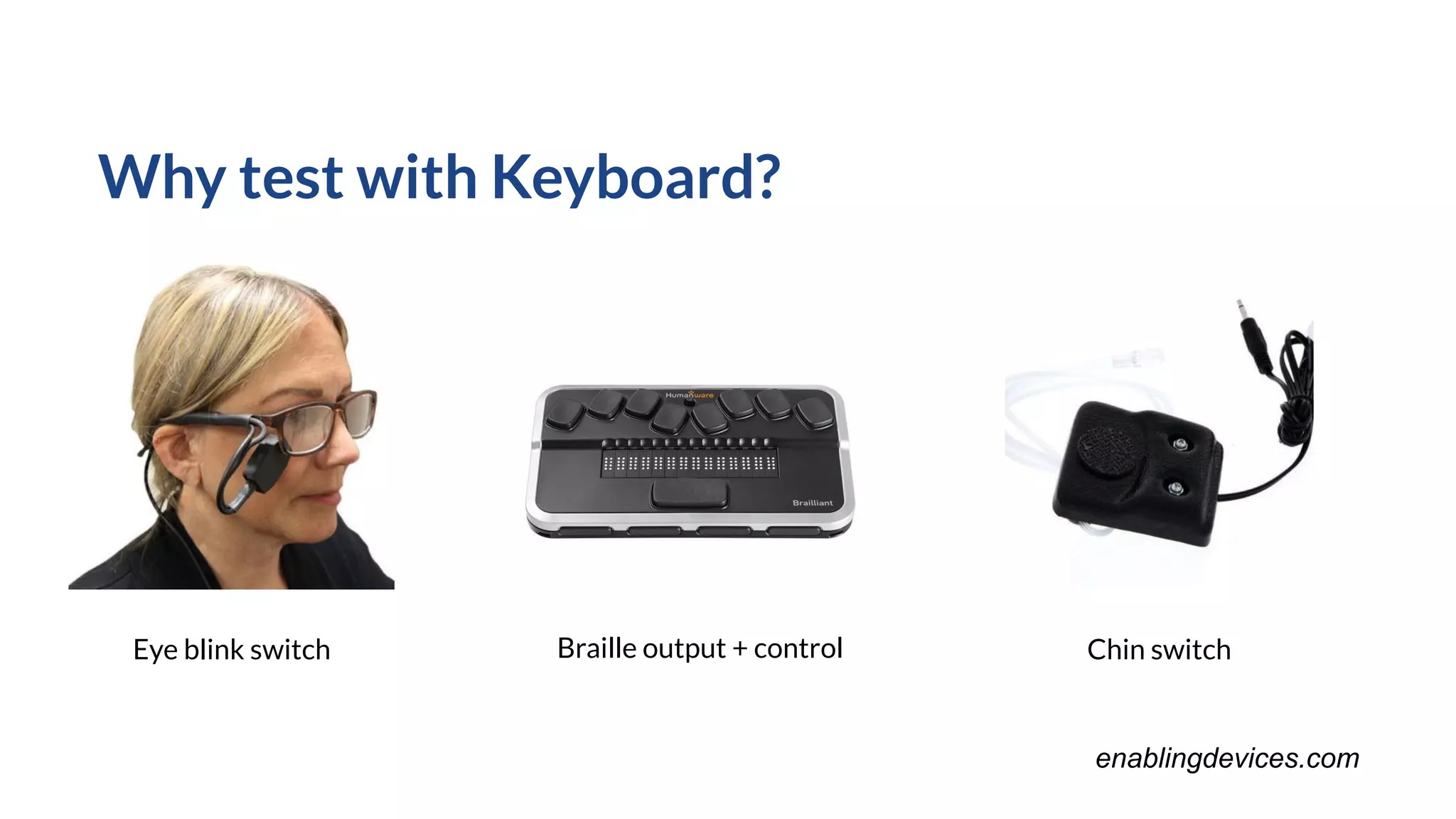
Why test with Keyboard?
Eye blink switch Chin switchBraille output + control
enablingdevices.com
Activity: Site Review
Your Turn!
● Your group of 3-4 people will review a website
○ Use the Accessibility Guidelines to seek out issues
○ Download plugins (optional)
● List the issues you find on sticky notes
● Brainstorm solutions
○ Aim for small changes whenever possible
○ Don’t be afraid to note where you have questions or don’t know a
solution!
Regroup
Type into zoom chat:
What will you bring back to your organization?
● Process?
● Tools?
● Methods for evangelizing accessibility?
What questions do you have?
Now that you know… what do you know you don’t know?
Conclusion
Thank you!
● Video will be available
● Checklist Mural will stay active (contact us for a PDF)
● Keep the conversation going!
○ mmesibov@madpow.net / @marsinthestars
○ jchristie@madpow.net / @jc_ux
Thank You!
Example accessible design
project
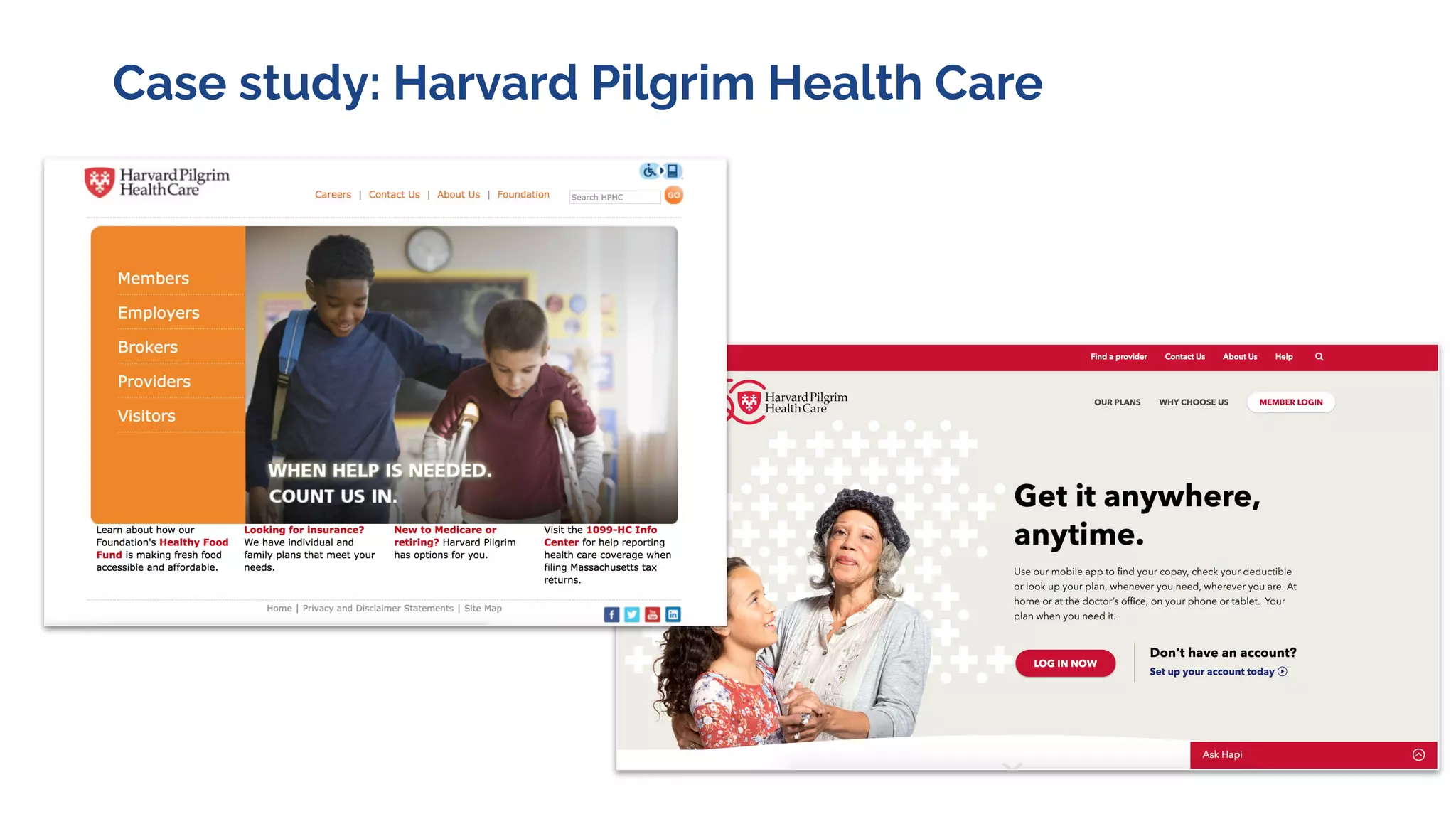
Case study: Harvard Pilgrim Health Care
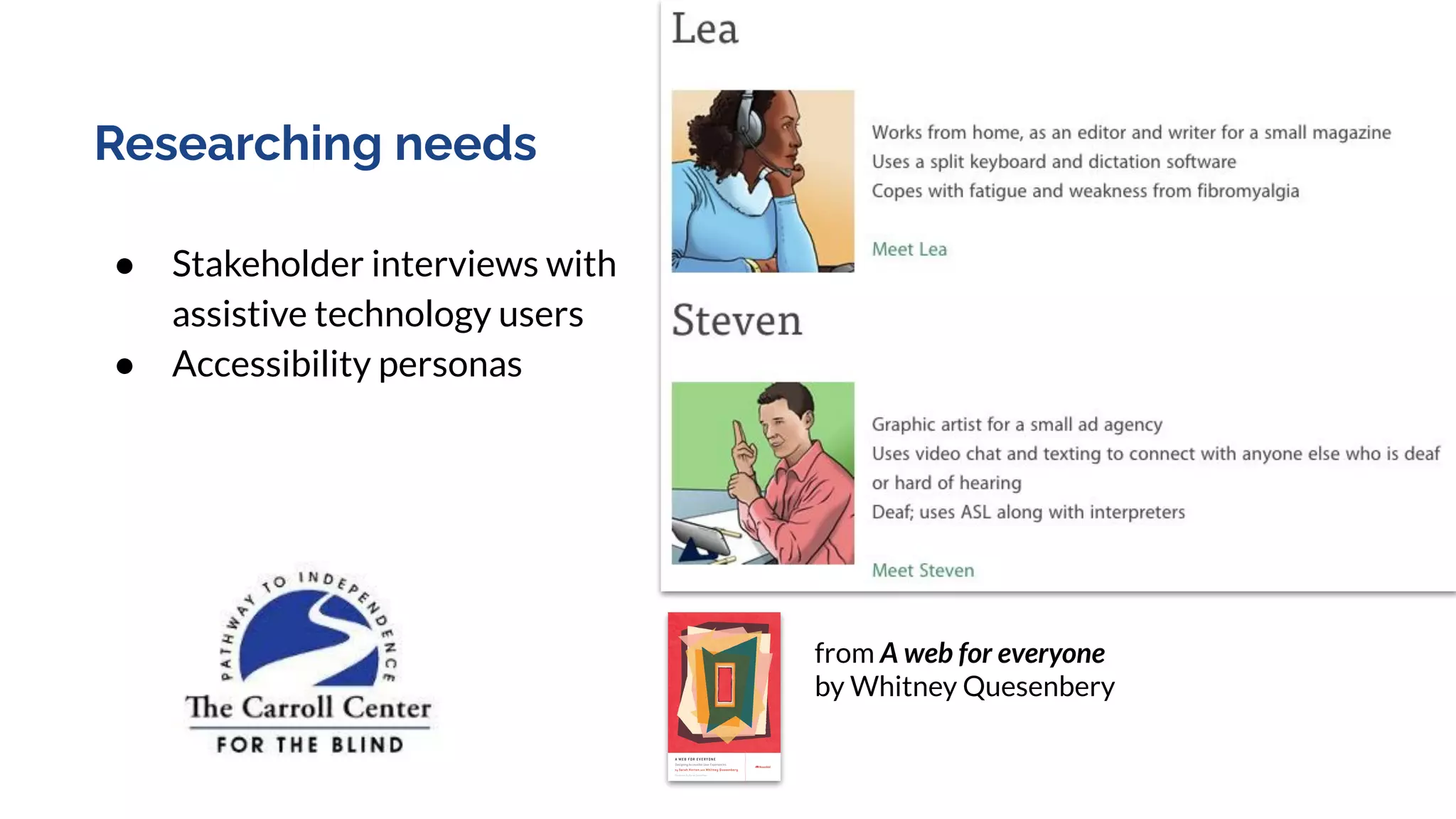
Researching needs
● Stakeholder interviews with
assistive technology users
● Accessibility personas
from A web for everyone
by Whitney Quesenbery
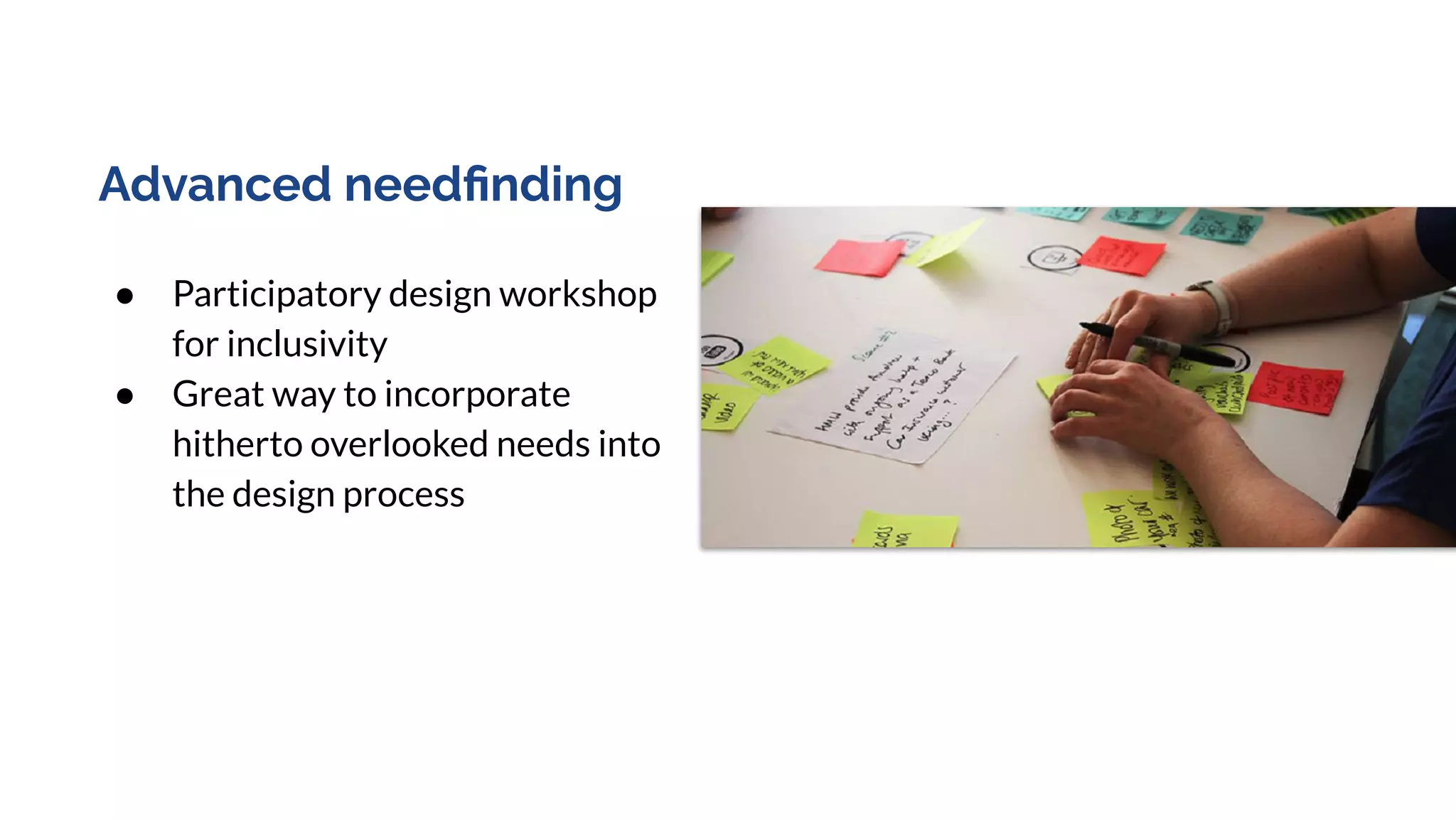
Advanced needfinding
● Participatory design workshop
for inclusivity
● Great way to incorporate
hitherto overlooked needs into
the design process
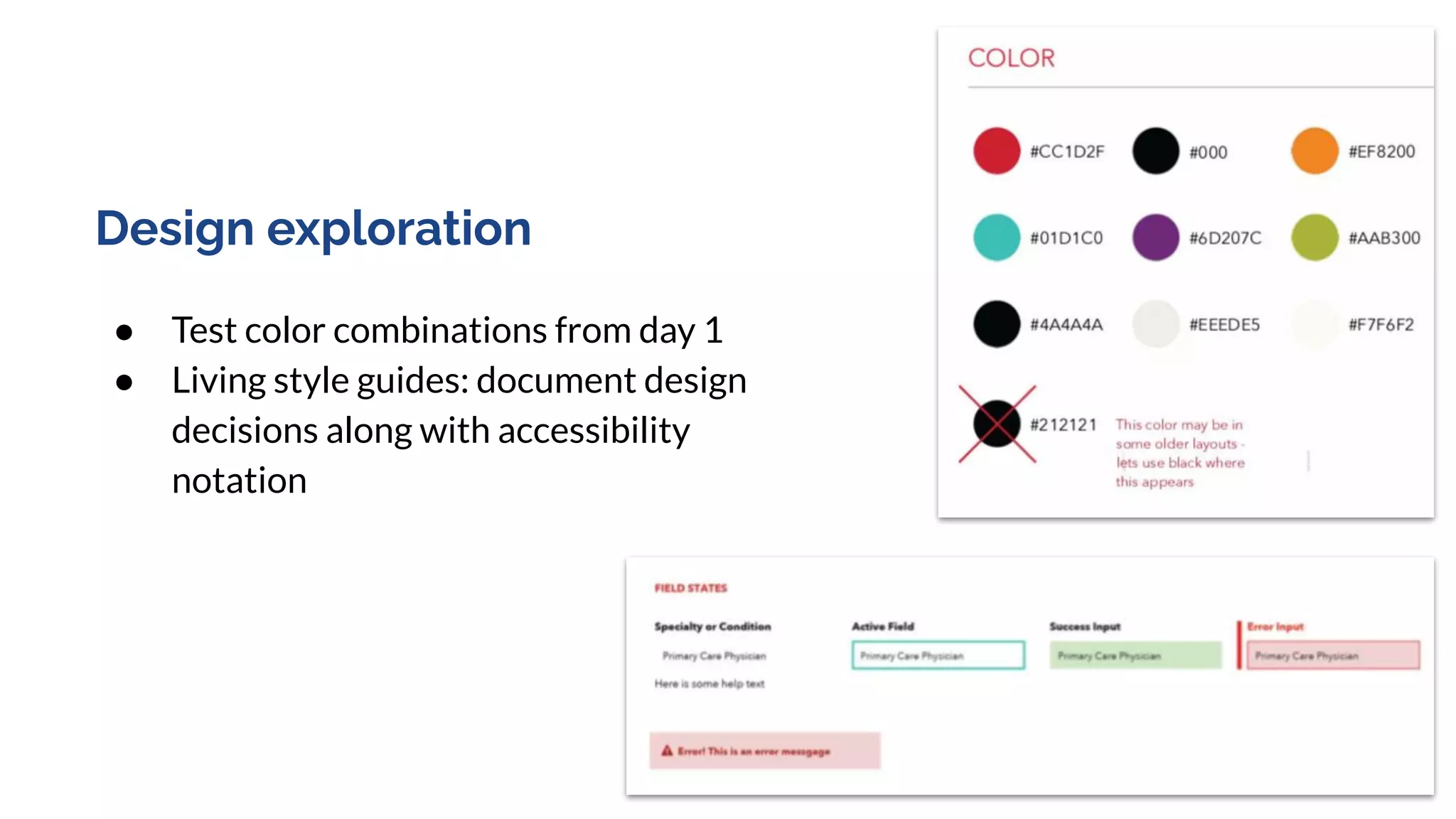
Design exploration
● Test color combinations from day 1
● Living style guides: document design
decisions along with accessibility
notation
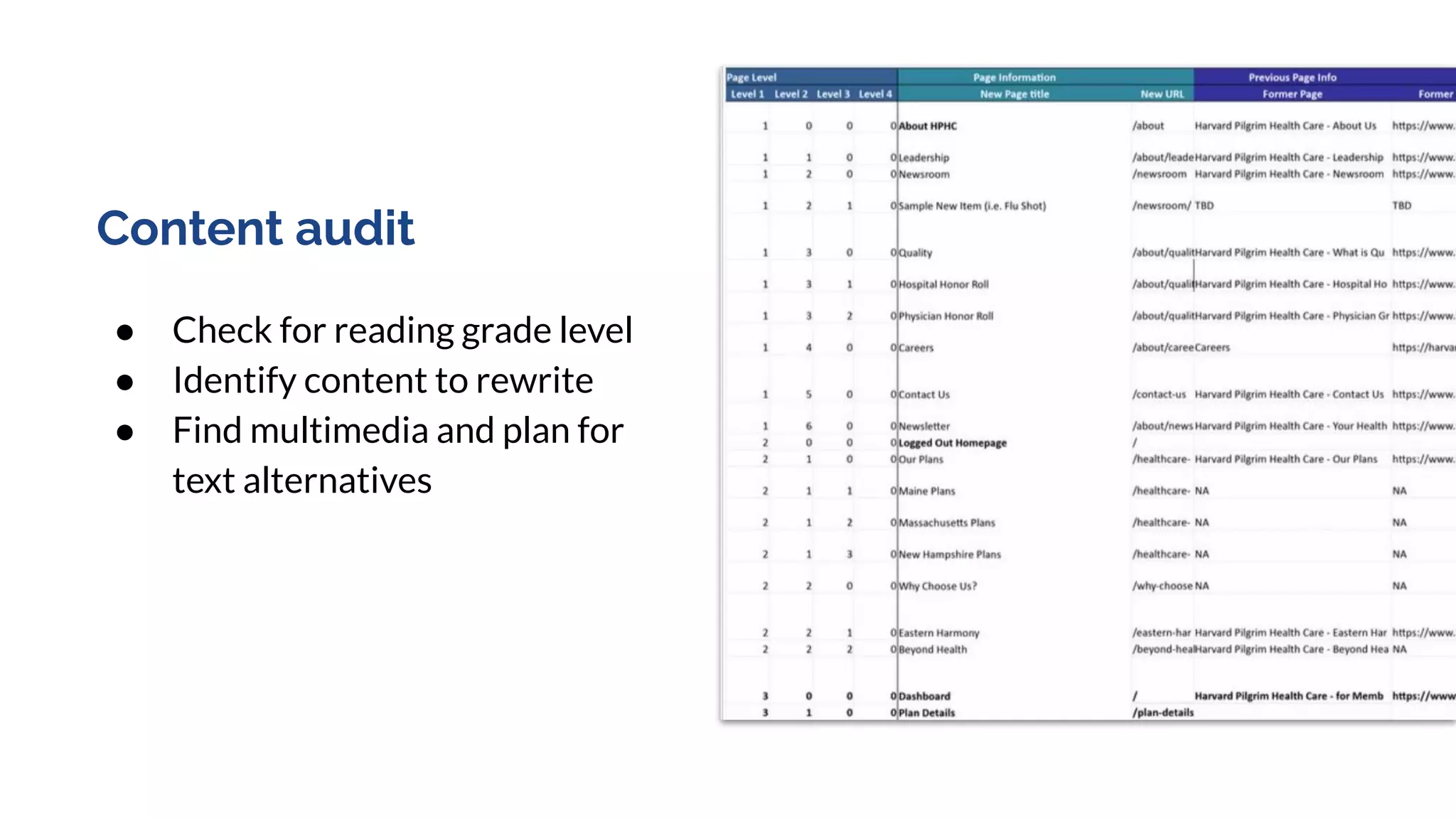
Content audit
● Check for reading grade level
● Identify content to rewrite
● Find multimedia and plan for
text alternatives
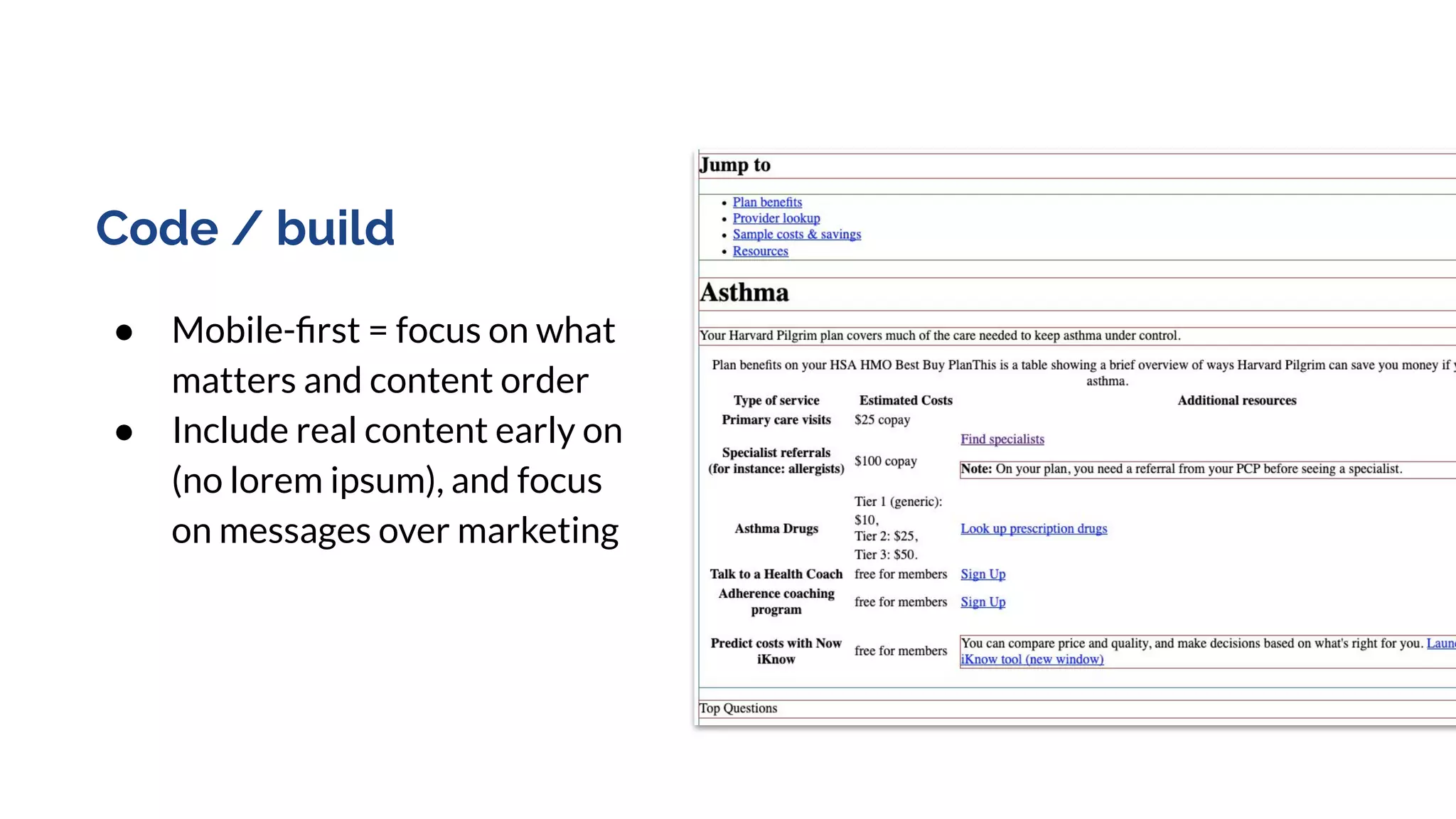
Code / build
● Mobile-first = focus on what
matters and content order
● Include real content early on
(no lorem ipsum), and focus
on messages over marketing
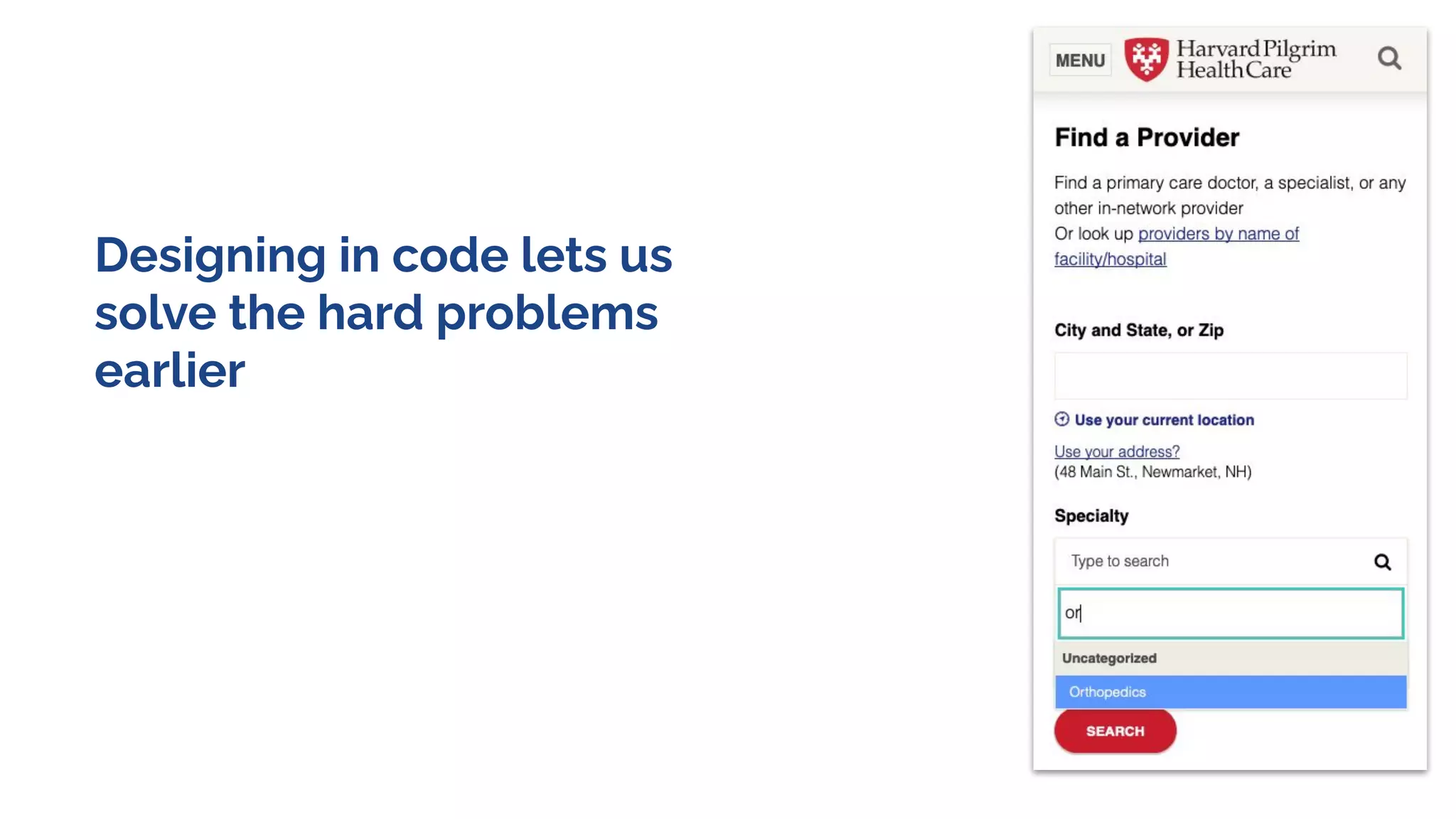
Designing in code lets us
solve the hard problems
earlier
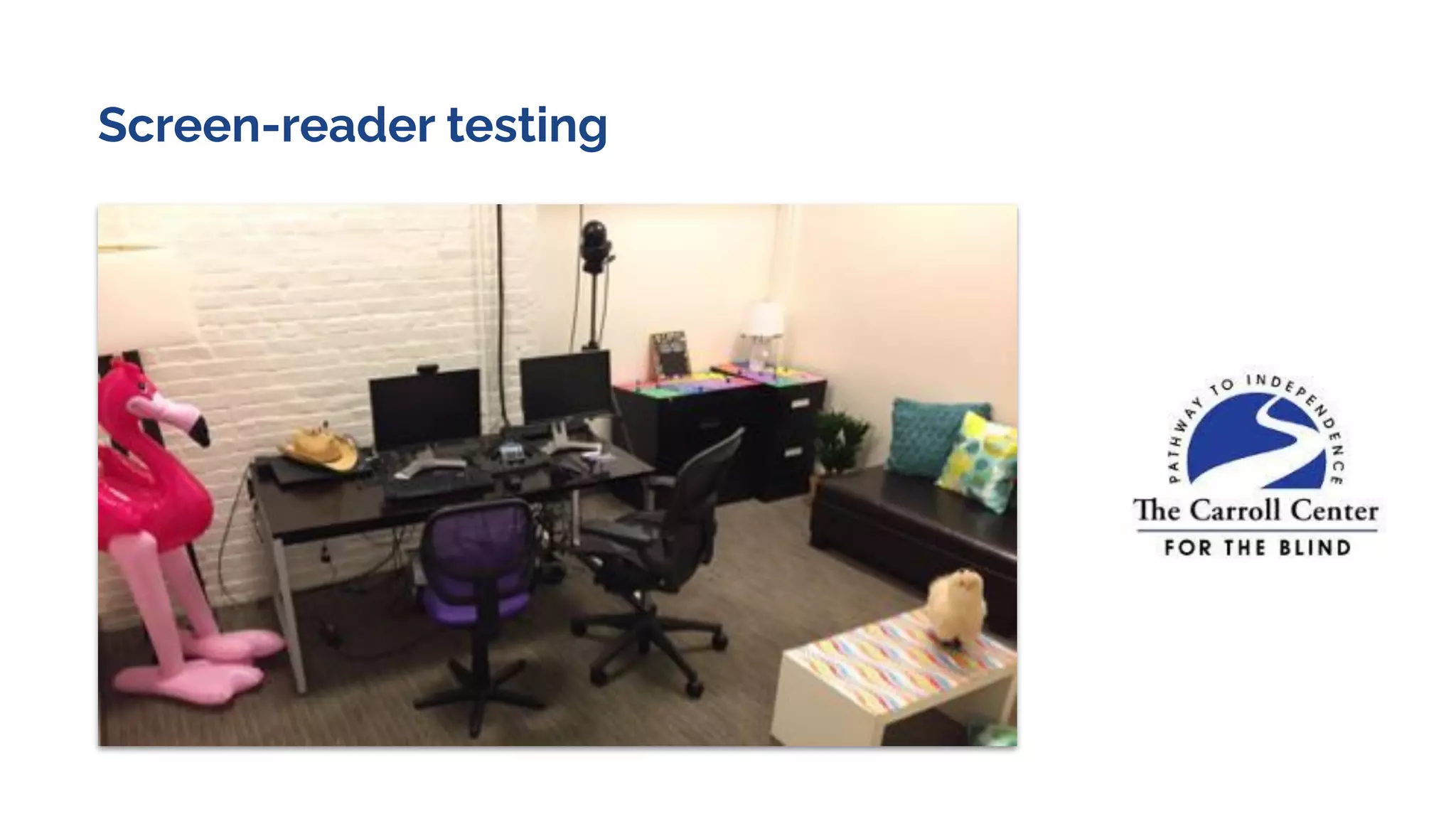
Screen-reader testing

Accessibility Workshop July 2020

  • 1.
    Accessibility for Design &Content With Marli and James
  • 2.
    Marli Mesibov VP, ContentStrategy James Christie Director, UX Design
  • 3.
    ...the inclusive practiceof ensuring there are no barriers that prevent interaction with, or access to, websites by people with physical disabilities, situational disabilities, and socio-economic restrictions on bandwidth and speed. Web accessibility is... From MS Inclusive Design Kit
  • 4.
    19%of the population isimpacted by non-accessible content, design, and development. 70%of the websites Have one or more significant barriers to access.
  • 5.
    “Remember, we’re all justtemporarily abled.” - Facundo Corradini, Accessibility for Vestibular Disorders Source: https://alistapart.com/article/accessibility-for-vestibular/
  • 6.
    Relevant U.S. legislation* Americanswith Disabilities Act (1990) Section 508 (1998, revised 2018) The Affordable Care Act (2010) *according to non-lawyers
  • 7.
    Today’s goal Give anoverview of the types of accessibility issues people encounter Practice spotting issues with some simple checks Get practice in discussing impact and solutions
  • 8.
    Agenda Guidelines and Standards Demo:mini-audit Activity: practice audit skills Discussion Please use the chat feature for questions as we go All resources, slides and recording will be available for download.
  • 9.
  • 10.
    Web Content AccessibilityGuidelines Managed by The World Wide Web Consortium (W3C) - the main international standards organization for the World Wide Web. Version 1: 1999 Version 2.1: 2018 Three tiers of conformance: A, AA, AAA
  • 11.
  • 12.
  • 13.
    Do you havealt-text for images?
  • 16.
    do videos andaudio have an accessible alternative?
  • 17.
    WCAG rules formultimedia... Level A (Pre-recorded) 1.2.1 – Audio-only and Video-only 1.2.2 – Captions 1.2.3 – Audio-description or Media Alternative 1.2.5 – Audio-description 1.2.7 – Extended Audio-description 1.2.8 – Media Alternative Level AA 1.2.4 – Captions (Live) 1.2.5 – Audio Description (Pre-recorded) Level AAA 1.2.6 – Sign Language (Pre-recorded) 1.2.7 – Extended Audio description 1.2.8 – Media Alternative (Pre-recorded) 1.2.9 – Audio Only (Live)
  • 18.
    Does the contentwork regardless of formatting?
  • 19.
    Is there sufficientcontrast? Sphinx of black quartz, judge my vow. Waltz, bad nymph, for quick jigs vex. Pack my box with five dozen liquor jugs. Black (#000000) White (#FFFFFF) Dark Grey (#4C4C4C) Medium Grey (#D9D9D9) Medium Grey (#8F8F8F) Light Grey (#D9D9D9) The five boxing wizards jump quickly. Dark Grey (#4C4C4C) Light Yellow (#FFF2CC)
  • 20.
    Is there sufficientcontrast? Sphinx of black quartz, judge my vow. Waltz, bad nymph, for quick jigs vex. Pack my box with five dozen liquor jugs. Black (#000000) White (#FFFFFF) Contrast ratio 21:1 Dark Grey (#4C4C4C) Medium Grey (#D9D9D9) Contrast ratio 6:1 Medium Grey (#8F8F8F) Light Grey (#D9D9D9) Contrast ratio 2:1 The five boxing wizards jump quickly. Dark Grey (#4C4C4C) Light Yellow (#FFF2CC) Contrast ratio 7.7:1 AA Pass AAA Pass Too muchFail
  • 21.
  • 22.
    Is text an appropriatesize and font? 16px is a good starting point
  • 23.
    +200% text rule 1.4.4Resize text Except for captions and images of text, text can be resized without assistive technology up to 200 percent without loss of content or functionality.
  • 24.
    Are you usingmore than just color to convey information? Source: https://theblog.adobe.com/4-golden-rules-ui-design/
  • 25.
    Do your linksmake sense independent of context? Click here Click here Click here Click here Click here Click here Click here Read about accessibility Fill out a contact form See more case studies Learn more about cancer Download “Accessibility” white paper Find a doctor Discover our research labs
  • 26.
    What’s the readabilitylevel? Readable.io
  • 27.
  • 28.
    Are error messagesclear and helpful?
  • 29.
  • 30.
  • 31.
    A full auditlooks like this…. Scope ● Full WCAG checklist ● Compliance Target ● Audit toolchain ● QA team ● Representative templates vs. full site Manual checks ● Heuristic evaluation ● Screen-reader evaluation ● Usability with assistive technology Technical ● Automated test tools ($$$) ● Code review Plus Thorough! Compliance needs are met Minus Takes time and money (multiplied by size) Lack resources / knowledge Lack of buy-in
  • 32.
    Mini-audit / “snifftest” Scope ● Subset of WCAG ● Limited pages ● Anyone on team Manual checks ● Simple techniques (zooming, using keyboard only) Technical ● Free browser tools Easy tasks that take little time or training. Gives you an early inkling of the scope of accessibility issues. Makes accessibility principles tangible to the team. Fun as a team sport. Not a replacement for an audit.
  • 33.
    Demo time ● Keyboardcheck ● Text expansion ● Smoosh test ● Accessibility audit with Google Chrome (free) ● Color check ● NoCoffee - empathy browsing ● Text content check with Hemmingway
  • 34.
    Keyboard check Using Chromeor other tab-enabled browser, use a site entirely without a mouse. Simply use Tab and Space to navigate the links of the site. How often do you get stuck?
  • 35.
    Why test withKeyboard? Eye blink switch Chin switchBraille output + control enablingdevices.com
  • 36.
  • 37.
    Your Turn! ● Yourgroup of 3-4 people will review a website ○ Use the Accessibility Guidelines to seek out issues ○ Download plugins (optional) ● List the issues you find on sticky notes ● Brainstorm solutions ○ Aim for small changes whenever possible ○ Don’t be afraid to note where you have questions or don’t know a solution!
  • 38.
  • 39.
    Type into zoomchat: What will you bring back to your organization? ● Process? ● Tools? ● Methods for evangelizing accessibility?
  • 40.
    What questions doyou have? Now that you know… what do you know you don’t know?
  • 41.
  • 42.
    Thank you! ● Videowill be available ● Checklist Mural will stay active (contact us for a PDF) ● Keep the conversation going! ○ mmesibov@madpow.net / @marsinthestars ○ jchristie@madpow.net / @jc_ux
  • 43.
  • 44.
  • 45.
    Case study: HarvardPilgrim Health Care
  • 46.
    Researching needs ● Stakeholderinterviews with assistive technology users ● Accessibility personas from A web for everyone by Whitney Quesenbery
  • 47.
    Advanced needfinding ● Participatorydesign workshop for inclusivity ● Great way to incorporate hitherto overlooked needs into the design process
  • 48.
    Design exploration ● Testcolor combinations from day 1 ● Living style guides: document design decisions along with accessibility notation
  • 49.
    Content audit ● Checkfor reading grade level ● Identify content to rewrite ● Find multimedia and plan for text alternatives
  • 50.
    Code / build ●Mobile-first = focus on what matters and content order ● Include real content early on (no lorem ipsum), and focus on messages over marketing
  • 51.
    Designing in codelets us solve the hard problems earlier
  • 53.