UNDERSTANDING USERS AND
IMPROVING YOUR WEBSITE WITH
GOOGLE ANALYTICS

  SuHui (pron. Sue-Hway) Ho
  Digital Services Librarian
  UC, San Diego


  Internet Librarian 2011
Outline
• Use Google Analytics to
  • Understand visitor behaviors
  • Understand traffic sources
  • Perform content analysis
Why Web Metrics?

• Hit count is misleading.
Questions
• Which web pages are most popular in my website?
• What content are users most interested in?
• How do they find my page?
• How do they navigate through my website?
Solutions
• Top Content Report
• Traffic Source Reports – whole website
• Content Navigation Reports – individual pages
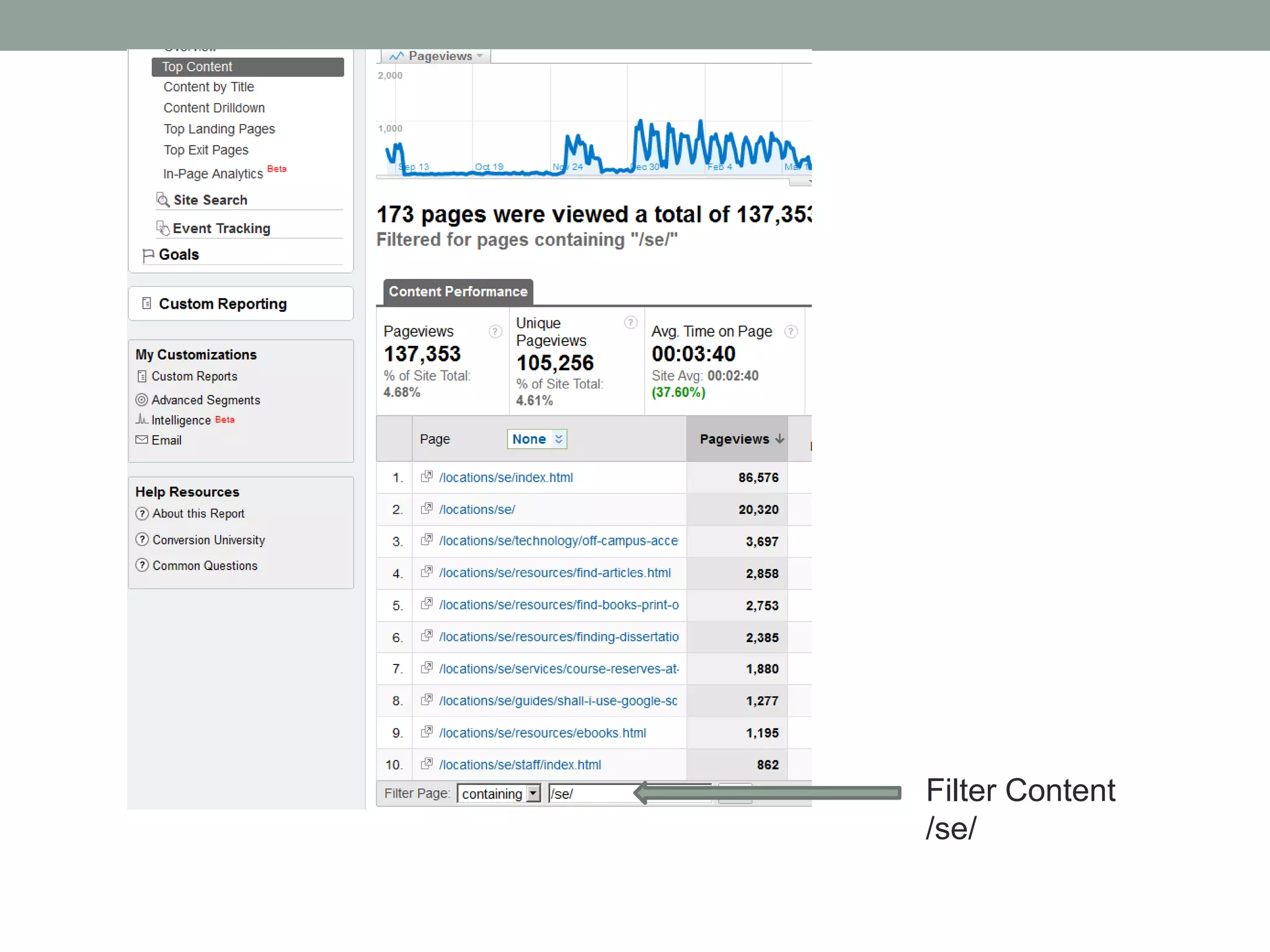
Filter Content
/se/
Help Decisions on
• Content life cycle management priority
  • Which pages should I update first?
Help Decisions on
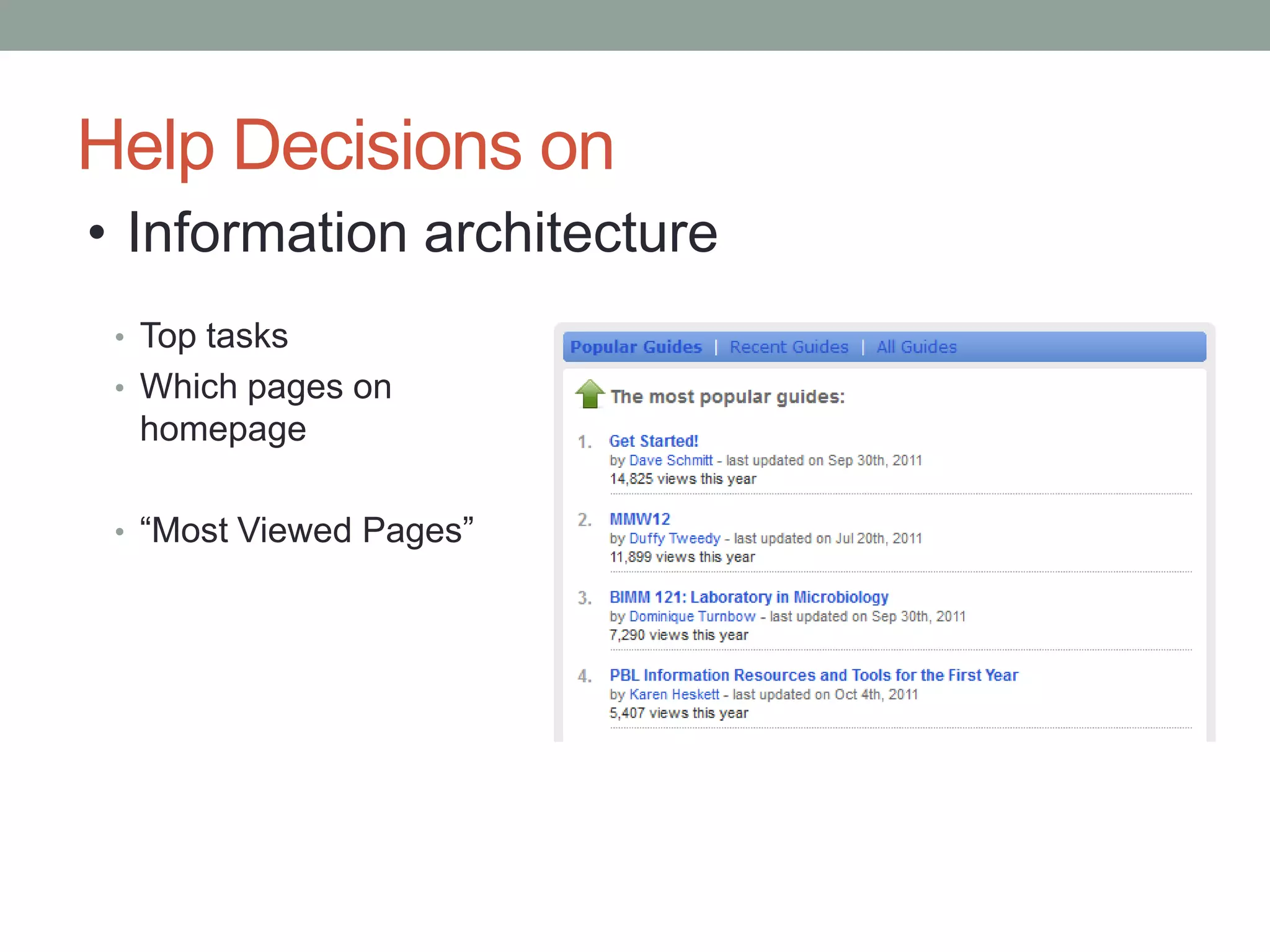
• Information architecture
 • Top tasks
 • Which pages on
  homepage

 • “Most Viewed Pages”
Traffic Source Reports
•   Direct Traffic
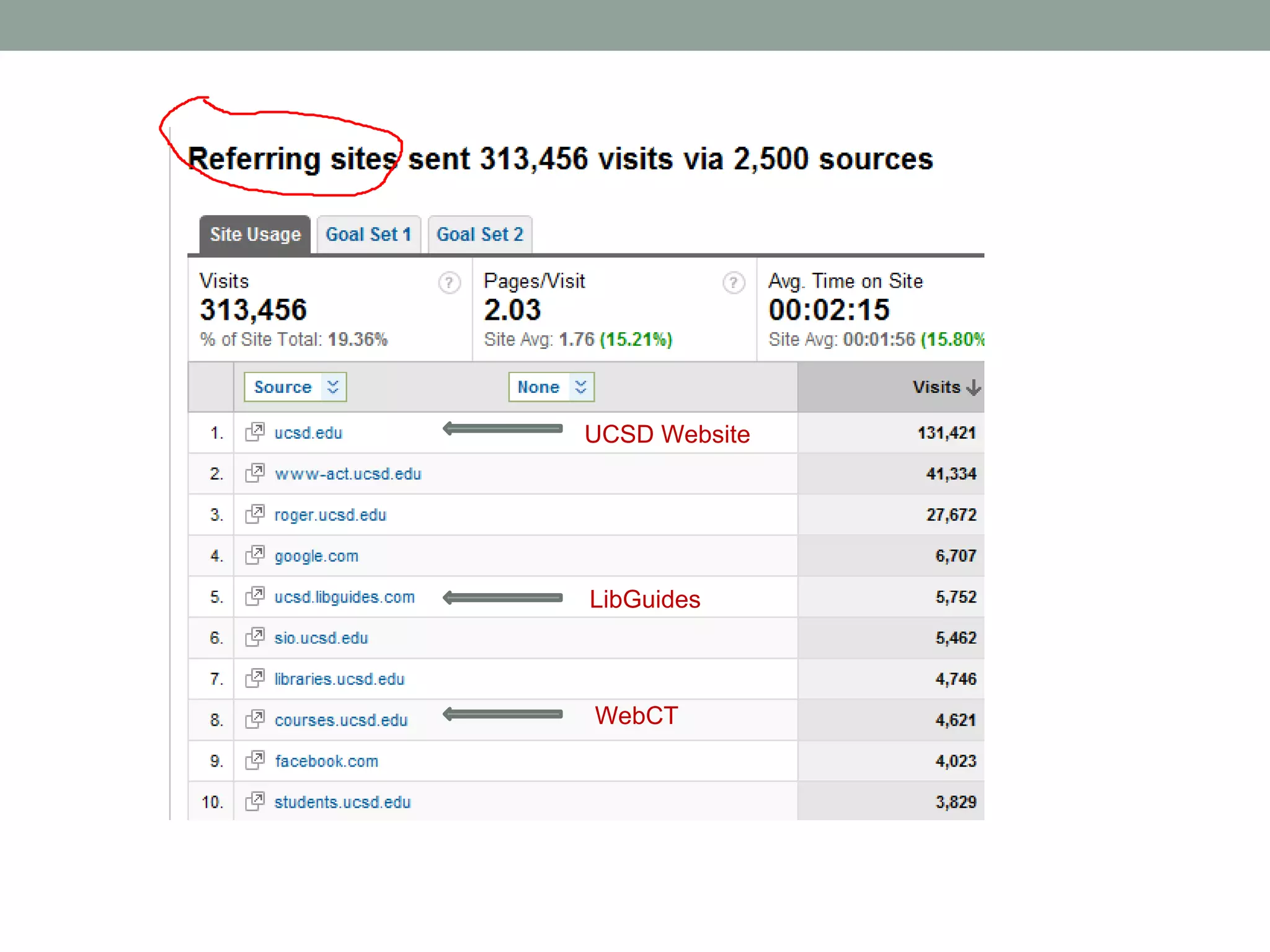
•   Referring Sites
•   Search Engines
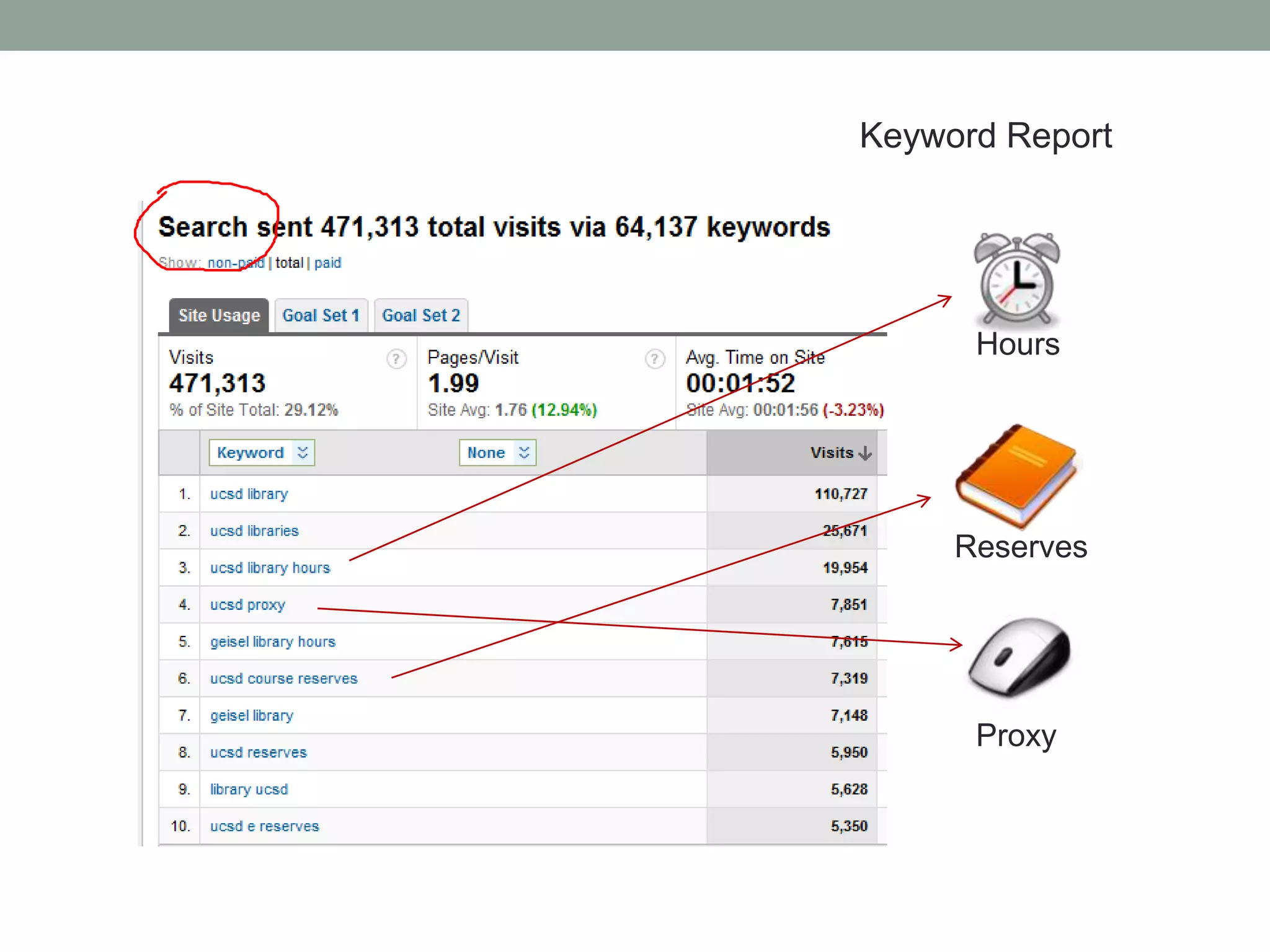
•   Keywords
UCSD Website


LibGuides


WebCT
Keyword Report


      Hours


     Reserves


      Proxy
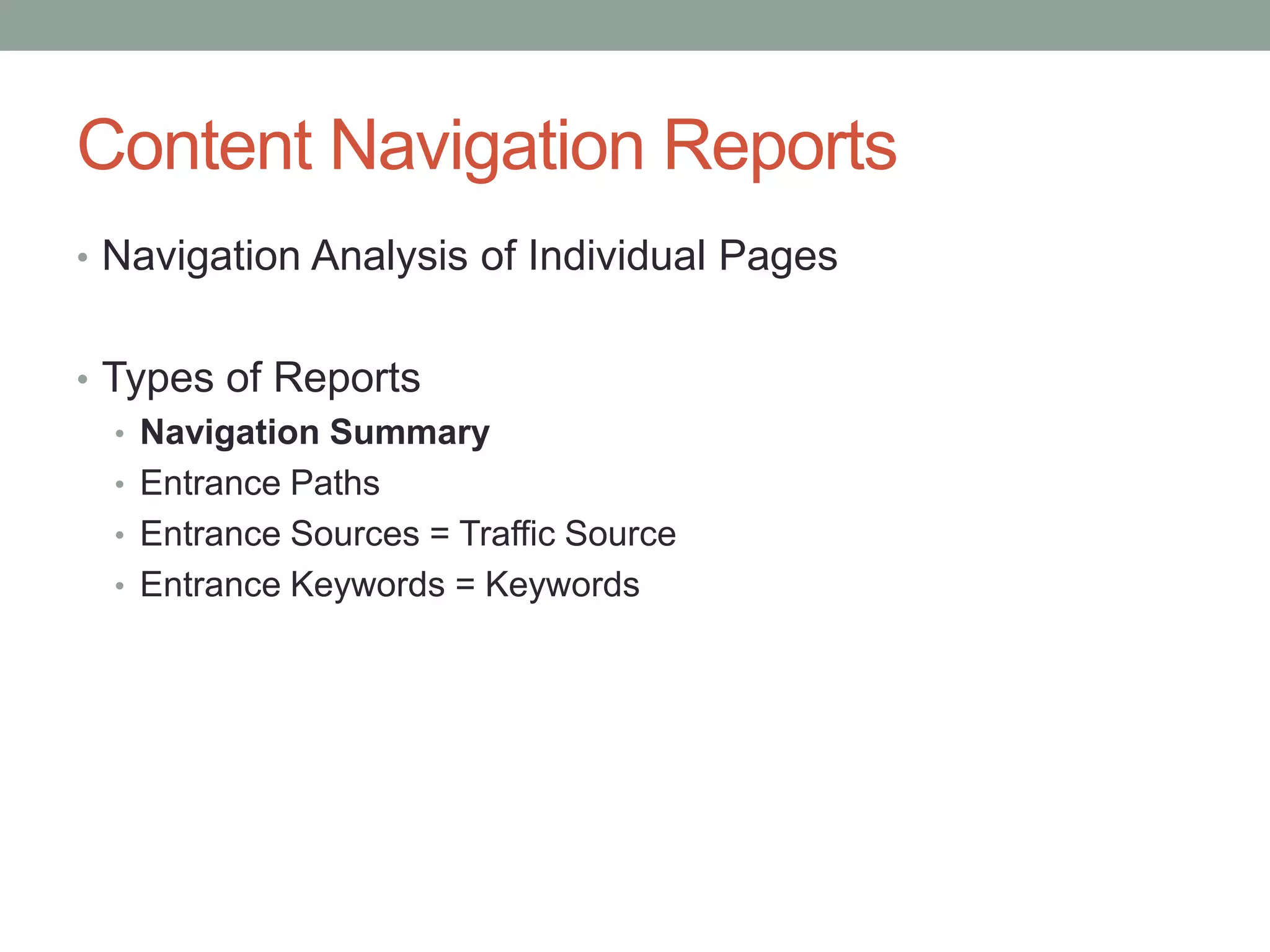
Content Navigation Reports
• Navigation Analysis of Individual Pages


• Types of Reports
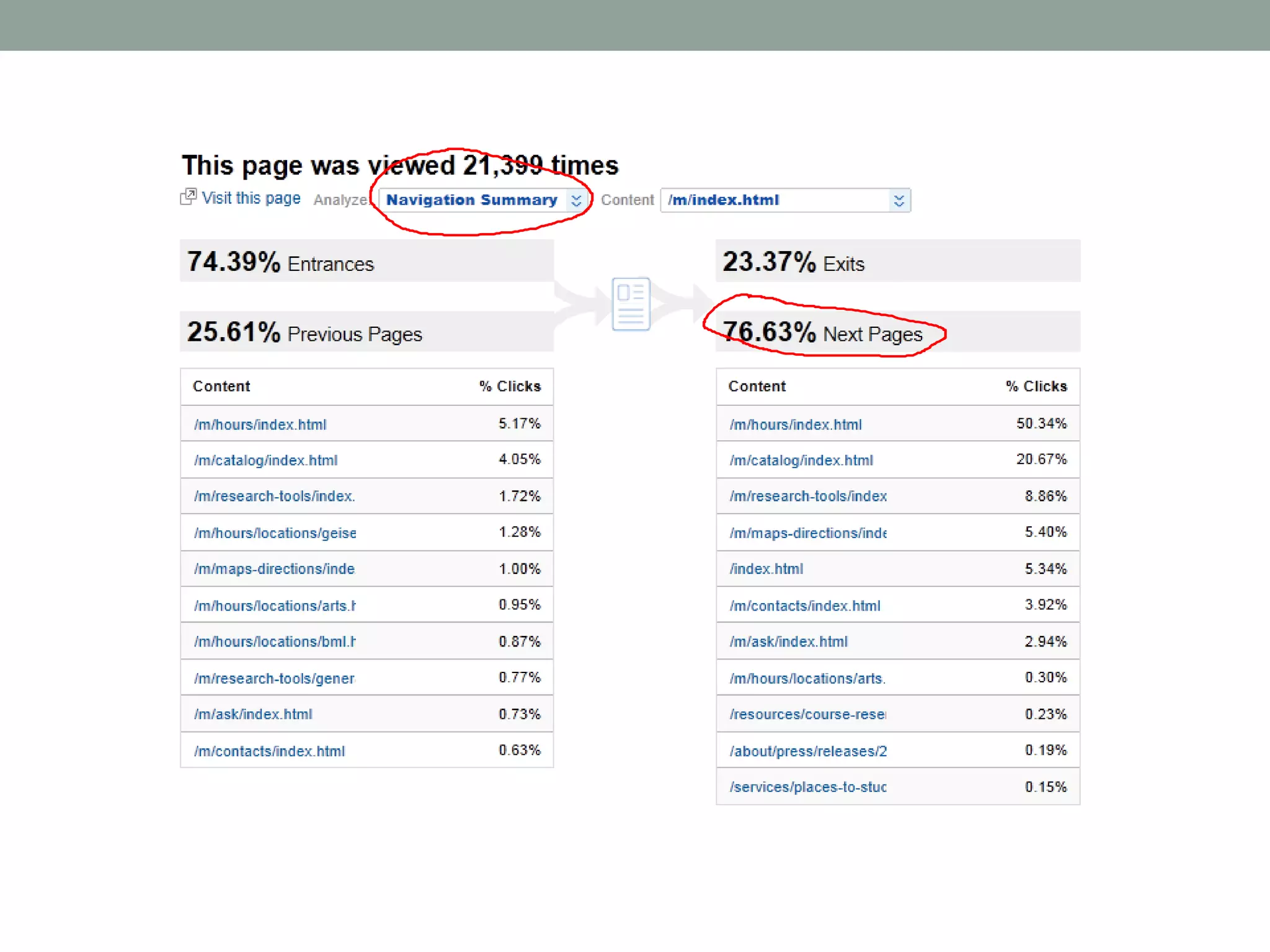
   • Navigation Summary
   • Entrance Paths
   • Entrance Sources = Traffic Source
   • Entrance Keywords = Keywords
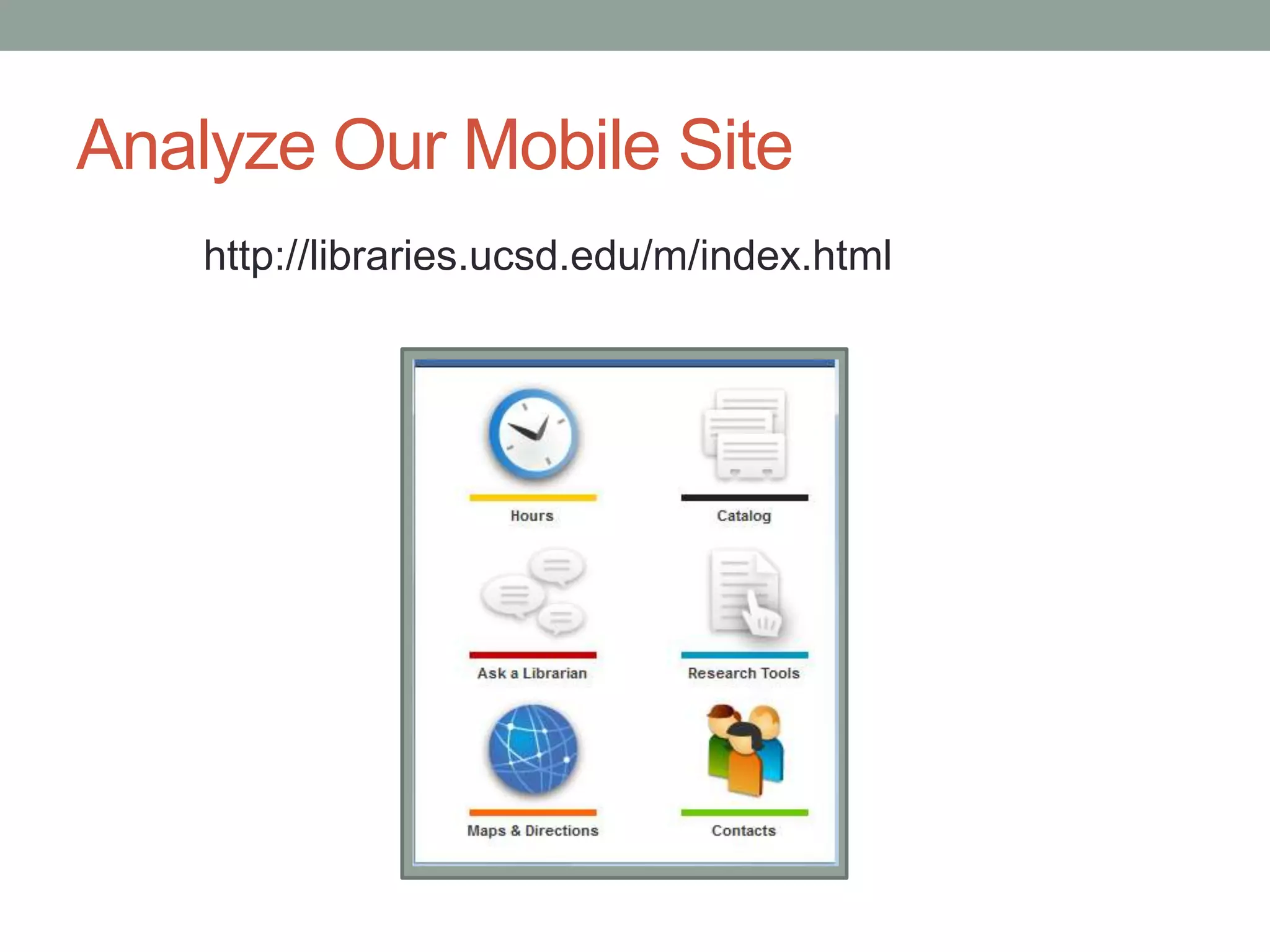
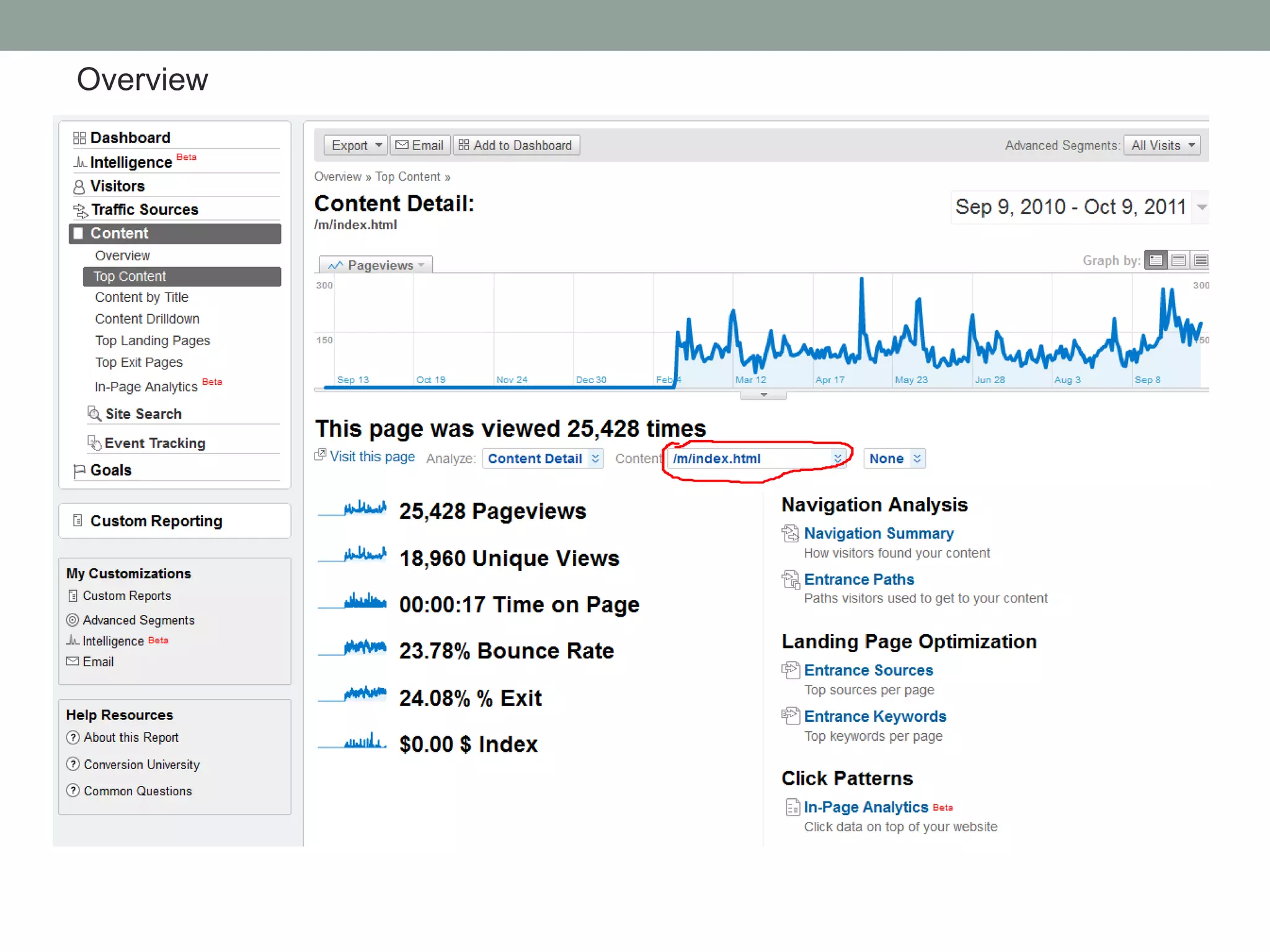
Analyze Our Mobile Site
    http://libraries.ucsd.edu/m/index.html
Overview
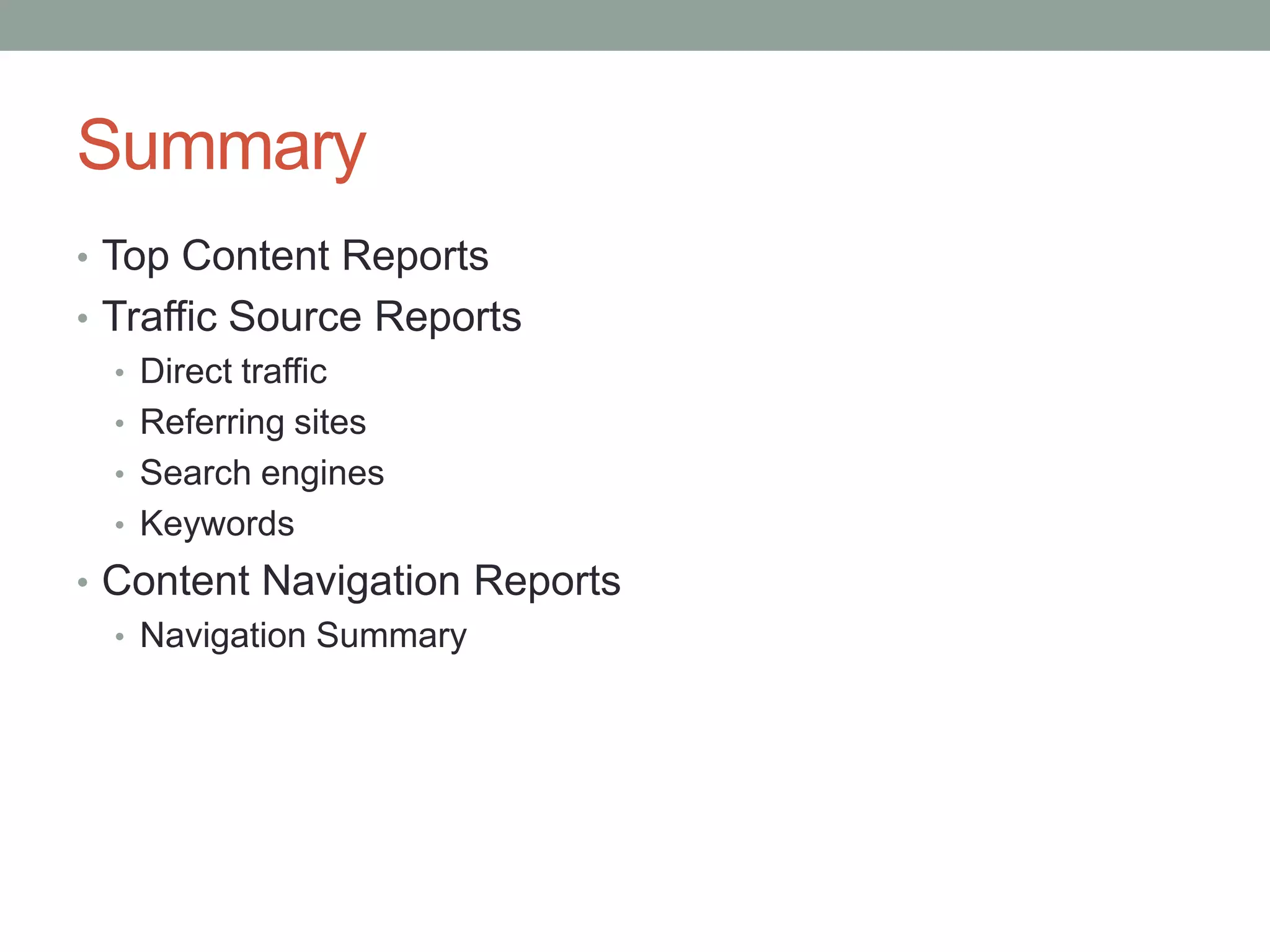
Summary
• Top Content Reports
• Traffic Source Reports
   • Direct traffic
   • Referring sites
   • Search engines
   • Keywords
• Content Navigation Reports
  • Navigation Summary
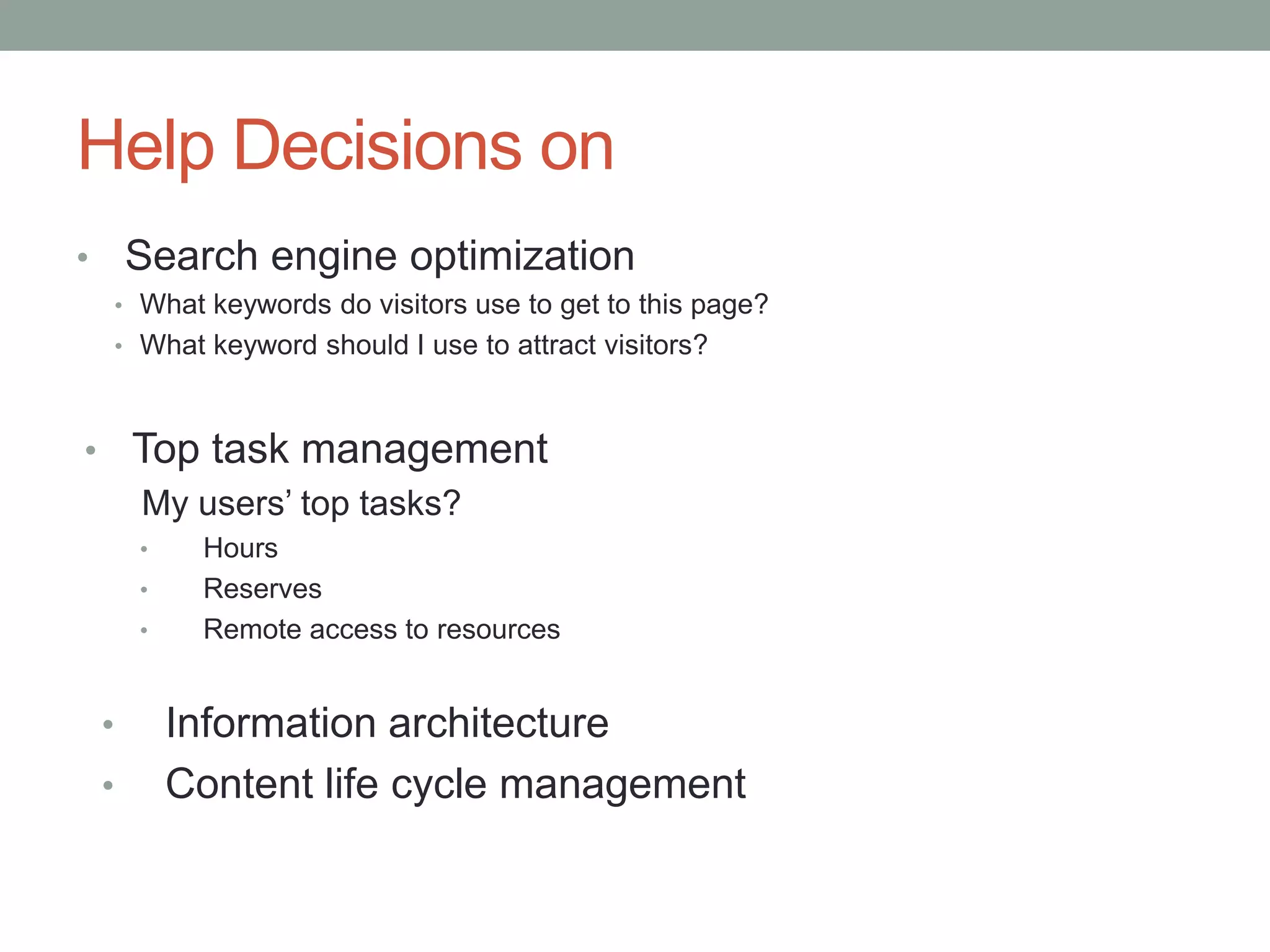
Help Decisions on
•       Search engine optimization
        • What keywords do visitors use to get to this page?
        • What keyword should I use to attract visitors?


• Top task management
  My users’ top tasks?
          •    Hours
          •    Reserves
          •    Remote access to resources


    •         Information architecture
    •         Content life cycle management
Help Evaluate and Direct Services
 • Why didn’t my page receive a lot of traffic?
 • Better keywords?
 • More marketing?
 • Virtual embedded librarian model
Resources
• Google Analytics, 3rd Edition
   by Jerri Ledford, Joe Teixeira, and Mary E. Tyler
• Instructions on setting up Google Analytics
       http://www.google.com/analytics/discover_analytics.html
Thank you!
• Contact: suho@ucsd.edu
• Slides: http://www.slideshare.net/shh2

Use Google Analytics Stats to Improve Website

  • 1.
    UNDERSTANDING USERS AND IMPROVINGYOUR WEBSITE WITH GOOGLE ANALYTICS SuHui (pron. Sue-Hway) Ho Digital Services Librarian UC, San Diego Internet Librarian 2011
  • 2.
    Outline • Use GoogleAnalytics to • Understand visitor behaviors • Understand traffic sources • Perform content analysis
  • 3.
    Why Web Metrics? •Hit count is misleading.
  • 4.
    Questions • Which webpages are most popular in my website? • What content are users most interested in? • How do they find my page? • How do they navigate through my website?
  • 5.
    Solutions • Top ContentReport • Traffic Source Reports – whole website • Content Navigation Reports – individual pages
  • 8.
  • 9.
    Help Decisions on •Content life cycle management priority • Which pages should I update first?
  • 10.
    Help Decisions on •Information architecture • Top tasks • Which pages on homepage • “Most Viewed Pages”
  • 11.
    Traffic Source Reports • Direct Traffic • Referring Sites • Search Engines • Keywords
  • 13.
  • 14.
    Keyword Report Hours Reserves Proxy
  • 15.
    Content Navigation Reports •Navigation Analysis of Individual Pages • Types of Reports • Navigation Summary • Entrance Paths • Entrance Sources = Traffic Source • Entrance Keywords = Keywords
  • 16.
    Analyze Our MobileSite http://libraries.ucsd.edu/m/index.html
  • 17.
  • 19.
    Summary • Top ContentReports • Traffic Source Reports • Direct traffic • Referring sites • Search engines • Keywords • Content Navigation Reports • Navigation Summary
  • 20.
    Help Decisions on • Search engine optimization • What keywords do visitors use to get to this page? • What keyword should I use to attract visitors? • Top task management My users’ top tasks? • Hours • Reserves • Remote access to resources • Information architecture • Content life cycle management
  • 21.
    Help Evaluate andDirect Services • Why didn’t my page receive a lot of traffic? • Better keywords? • More marketing? • Virtual embedded librarian model
  • 22.
    Resources • Google Analytics,3rd Edition by Jerri Ledford, Joe Teixeira, and Mary E. Tyler • Instructions on setting up Google Analytics http://www.google.com/analytics/discover_analytics.html
  • 23.
    Thank you! • Contact:suho@ucsd.edu • Slides: http://www.slideshare.net/shh2

Editor's Notes

  • #4 Hit counts is misleading – total visitor count only tells part of the picture. Many are false hits. If you do not delete old pages, you end up having a big hit counts. Well maintained websites may receive less hit counts.
  • #5 GA is free and a powerful tool.
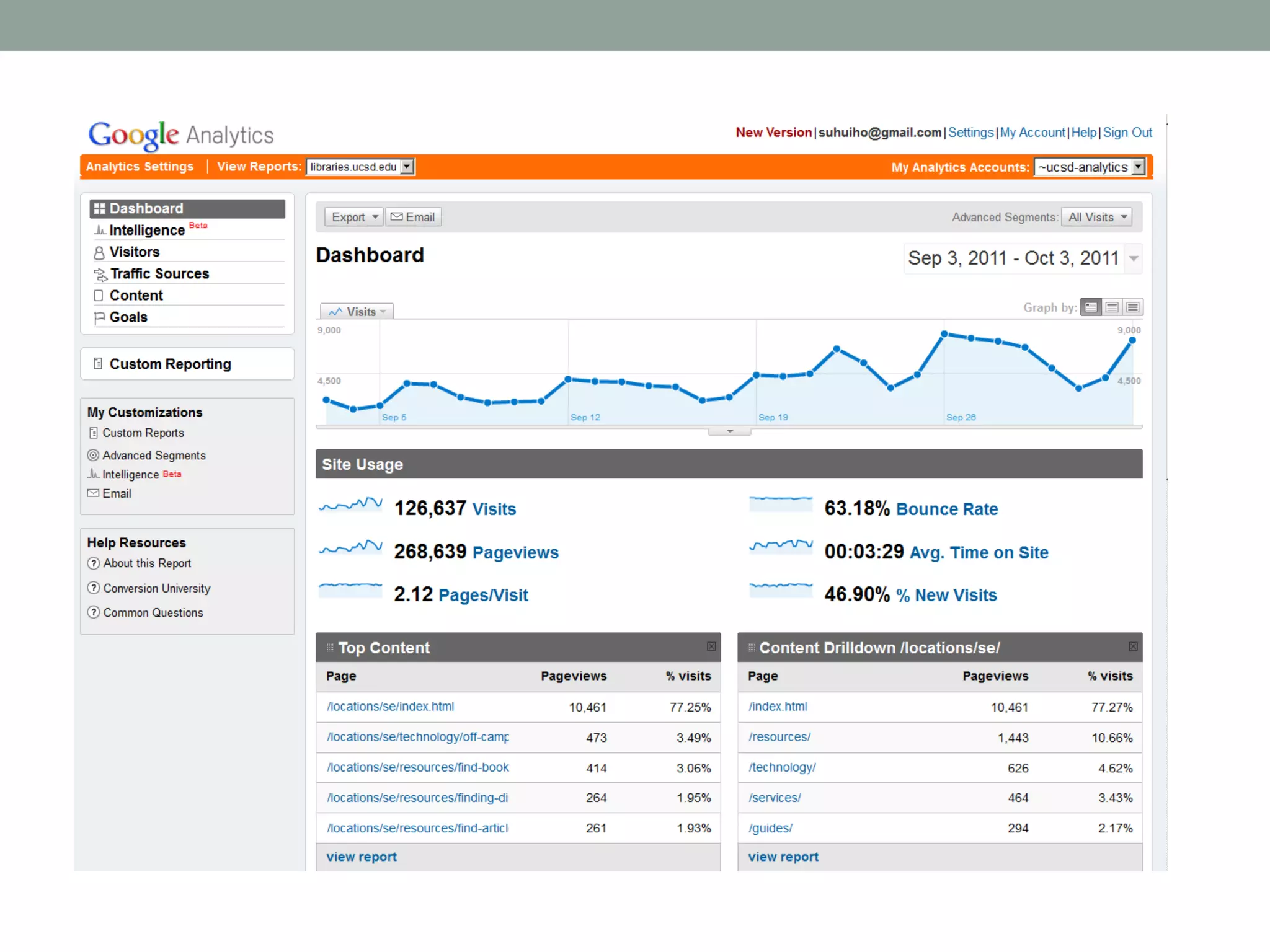
  • #7 Most of the tools are in the “Dashboard” box.You can generate many reports: visitor report, traffic source report, etc. Go over the various features on the screenAbility to add to the dash board various reports
  • #11 Rutgers-Newwark Law Library used the data to create a “Most Popular Pages”
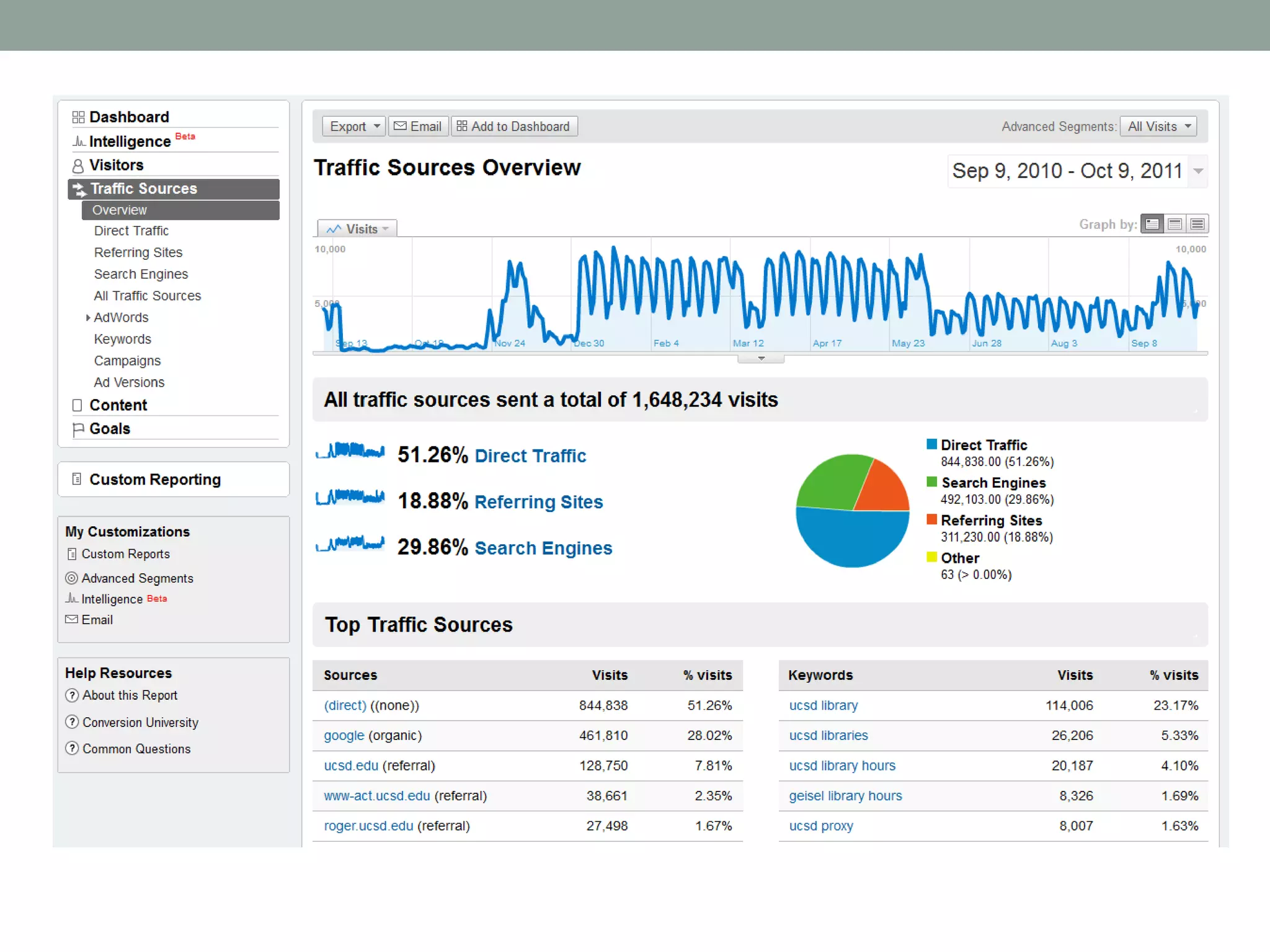
  • #12 Direct traffic – visitors come directly to your site:type address, bookmark, browser default Referring sites – which page link to this page, which page visitors were on before visiting this pageKeywords – what keywords people use to get to your site
  • #13 Point out percentage of direct traffic, referring sites, and search engines. Search engine is a high percentage. Point out keywords report
  • #14 Think about embedding web pages in mother organization’s websiteExample of IT resource page
  • #15 Further manipulate report to group keywords together to find most popular keywords
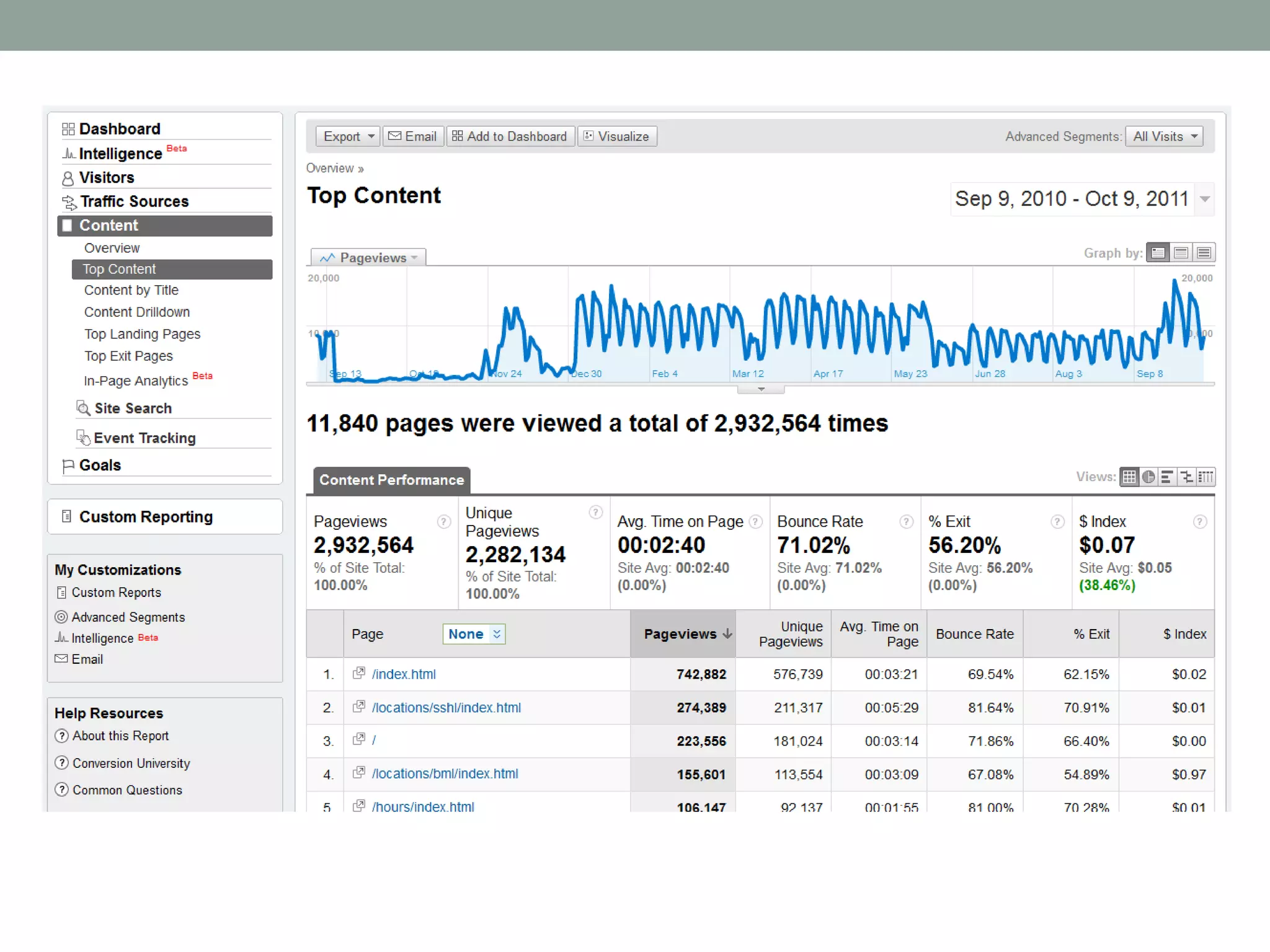
  • #16 This is a Top Contentsubreport
  • #17 Find the page by going to Content  top content
  • #18 Point out the pull-down menu
  • #19 Navigation summary – How often the page was an entrance page, what pages were viewed before this page, how many visitors left your site from this page, how often visitors exited your site from this page, and what pages were viewed after this page. Give you a picture of how your users come into, navigate through, and then leave your website, details about the ways users use your website, what works for your visitors and what doesn’t.This is a navigation summary – How people entered into the site: 74.39% entered directly into this pageShow which pages they went: 76.63% went to a page within the mobile site
  • #20 Summarize what we covered
  • #21 Search engine optimization – a big topic, but most simple thing to start is using right keywords in metadata
  • #23 As we can see Web Metrics is a lot more than total visitor counts. GA provide you with a powerful tool to analyze and understand user behaviors and improve website.GA certificate, GA classes, GA resources