Image Mapping
Click to add text
Click to add text
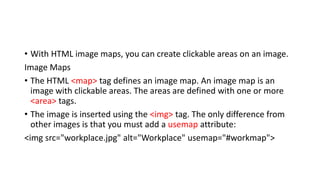
• With HTML image maps, you can create clickable areas on an image.
Image Maps
• The HTML <map> tag defines an image map. An image map is an
image with clickable areas. The areas are defined with one or more
<area> tags.
• The image is inserted using the <img> tag. The only difference from
other images is that you must add a usemap attribute:
<img src="workplace.jpg" alt="Workplace" usemap="#workmap">
Create Image Map
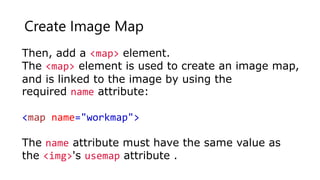
Then, add a <map> element.
The <map> element is used to create an image map,
and is linked to the image by using the
required name attribute:
<map name="workmap">
The name attribute must have the same value as
the <img>'s usemap attribute .
The Areas
Then, add the clickable areas.
• A clickable area is defined using an <area> element.
Shape
You must define the shape of the clickable area, and you can choose one of
these values:
• rect - defines a rectangular region
• circle - defines a circular region
• poly - defines a polygonal region
• default - defines the entire region
• You must also define some coordinates to be able to place the clickable
area onto the image.
Shape="rect"
The coordinates for shape="rect" come in pairs, one for the x-axis and one for the y-axis.
So, the coordinates 34,44 is located 34 pixels from the left margin and 44 pixels from the
top:
Now we have enough data to create a clickable rectangular area:
Example
<area shape="rect" coords="34, 44, 270, 350" href="computer.htm">
Shape="circle"
• To add a circle area, first locate the coordinates of the center of the
circle:
337,300
Then specify the radius of the circle:
44 pixels
<area shape="circle" coords="337, 300, 44" href="coffee.htm">
Shape="poly"
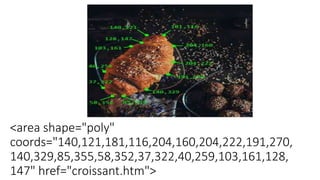
• The shape="poly" contains several coordinate points, which creates a
shape formed with straight lines (a polygon).
• This can be used to create any shape.
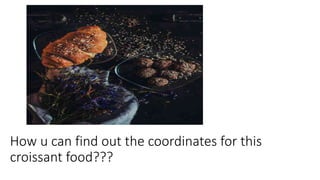
• Like maybe a croissant shape!
How u can find out the coordinates for this
croissant food???
<area shape="poly"
coords="140,121,181,116,204,160,204,222,191,270,
140,329,85,355,58,352,37,322,40,259,103,161,128,
147" href="croissant.htm">
Background Image on a Page
• If you want the entire page to have a background image, you must
specify the background image on the <body> element:
<style>
body {
background-image: url('img_girl.jpg');
}
</style>
• The HTML <audio> Element
• To play an audio file in HTML, use the <audio> element:
<audio controls>
<source src="horse.mp3" type="audio/mpeg">
</audio>
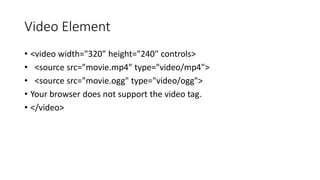
Video Element
• <video width="320" height="240" controls>
• <source src="movie.mp4" type="video/mp4">
• <source src="movie.ogg" type="video/ogg">
• Your browser does not support the video tag.
• </video>
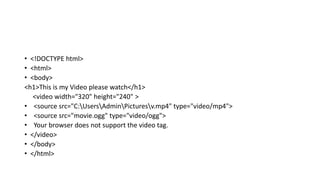
• <!DOCTYPE html>
• <html>
• <body>
<h1>This is my Video please watch</h1>
<video width="320" height="240" >
• <source src="C:UsersAdminPicturesv.mp4" type="video/mp4">
• <source src="movie.ogg" type="video/ogg">
• Your browser does not support the video tag.
• </video>
• </body>
• </html>

Image Mapping.pptx

  • 1.
    Image Mapping Click toadd text Click to add text
  • 2.
    • With HTMLimage maps, you can create clickable areas on an image. Image Maps • The HTML <map> tag defines an image map. An image map is an image with clickable areas. The areas are defined with one or more <area> tags. • The image is inserted using the <img> tag. The only difference from other images is that you must add a usemap attribute: <img src="workplace.jpg" alt="Workplace" usemap="#workmap">
  • 3.
    Create Image Map Then,add a <map> element. The <map> element is used to create an image map, and is linked to the image by using the required name attribute: <map name="workmap"> The name attribute must have the same value as the <img>'s usemap attribute .
  • 4.
    The Areas Then, addthe clickable areas. • A clickable area is defined using an <area> element. Shape You must define the shape of the clickable area, and you can choose one of these values: • rect - defines a rectangular region • circle - defines a circular region • poly - defines a polygonal region • default - defines the entire region • You must also define some coordinates to be able to place the clickable area onto the image.
  • 5.
    Shape="rect" The coordinates forshape="rect" come in pairs, one for the x-axis and one for the y-axis. So, the coordinates 34,44 is located 34 pixels from the left margin and 44 pixels from the top: Now we have enough data to create a clickable rectangular area: Example <area shape="rect" coords="34, 44, 270, 350" href="computer.htm">
  • 6.
    Shape="circle" • To adda circle area, first locate the coordinates of the center of the circle: 337,300 Then specify the radius of the circle: 44 pixels <area shape="circle" coords="337, 300, 44" href="coffee.htm">
  • 7.
    Shape="poly" • The shape="poly"contains several coordinate points, which creates a shape formed with straight lines (a polygon). • This can be used to create any shape. • Like maybe a croissant shape!
  • 8.
    How u canfind out the coordinates for this croissant food???
  • 9.
  • 10.
    Background Image ona Page • If you want the entire page to have a background image, you must specify the background image on the <body> element: <style> body { background-image: url('img_girl.jpg'); } </style>
  • 11.
    • The HTML<audio> Element • To play an audio file in HTML, use the <audio> element: <audio controls> <source src="horse.mp3" type="audio/mpeg"> </audio>
  • 12.
    Video Element • <videowidth="320" height="240" controls> • <source src="movie.mp4" type="video/mp4"> • <source src="movie.ogg" type="video/ogg"> • Your browser does not support the video tag. • </video>
  • 13.
    • <!DOCTYPE html> •<html> • <body> <h1>This is my Video please watch</h1> <video width="320" height="240" > • <source src="C:UsersAdminPicturesv.mp4" type="video/mp4"> • <source src="movie.ogg" type="video/ogg"> • Your browser does not support the video tag. • </video> • </body> • </html>