Ideas for Work
Amplify My
Remote Working
Tools to helpyou excel atyourjob fromwhereveryou are
The office is
a state of mind
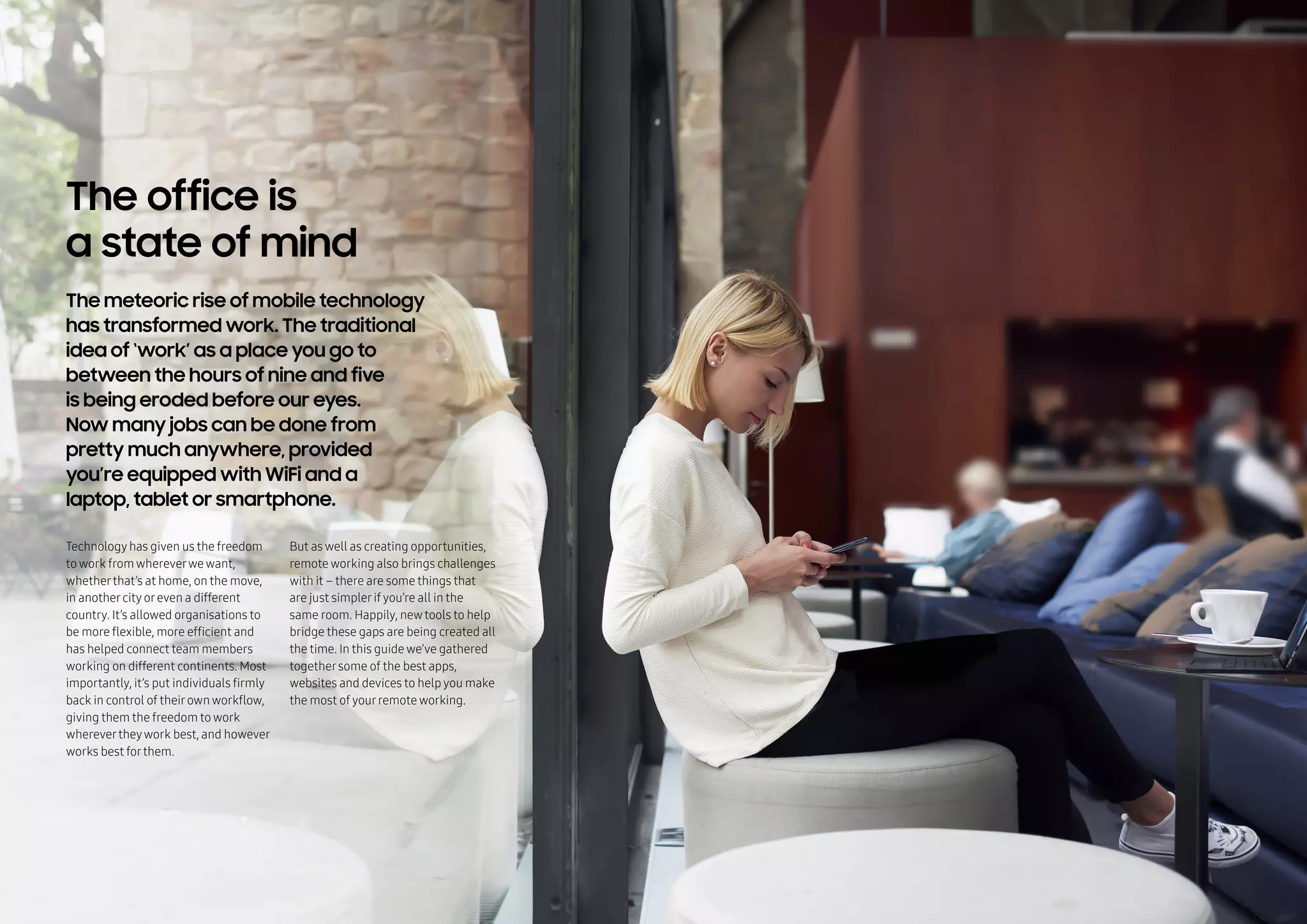
The meteoric rise of mobile technology
has transformed work. The traditional
idea of ‘work’ as a place you go to
between the hours of nine and five
is being eroded before our eyes.
Now many jobs can be done from
pretty much anywhere, provided
you’re equipped with WiFi and a
laptop, tablet or smartphone.
Technology has given us the freedom
to work from whereverwe want,
whetherthat’s at home, on the move,
in anothercity oreven a different
country. It’s allowed organisations to
be more flexible, more efficient and
has helped connect team members
working on different continents. Most
importantly, it’s put individuals firmly
back in control of theirown workflow,
giving them the freedom to work
wherevertheywork best, and however
works best forthem.
But as well as creating opportunities,
remote working also brings challenges
with it – there are some things that
are just simplerif you’re all in the
same room. Happily, newtools to help
bridge these gaps are being created all
the time. In this guide we’ve gathered
togethersome of the best apps,
websites and devices to help you make
the most of yourremote working.
Always excel at
remote working
Pretty much the first commandment
of remote working is that you need
to be able to access your files
from wherever you are. And there
are plenty of apps and services
designed to help you do it.
Take your work
with you
Dropbox*
by Dropbox Inc.
Recommended apps
No list of remote working apps would
be complete without this file transfer
giant. Share folders between your
whole team forjoint projects orsimply
use it to ensure you can access all your
documents from anywhere, at any
time, using any device.
Gone are the days when ‘office’
meant a desk and a wired-in working
station. The Samsung Galaxy S7 and
the Galaxy Tab Pro S both come with
the Microsoft Office 365 suite pre-
installed, giving you ready access to
the programs you’re used to, wherever
you’re working.
Microsoft
Office 365**
by Microsoft
* Registered trademark of Dropbox, Inc. ** Registered trademark of Microsoft
Hands down the biggest challenge
for remote workers is overcoming
the communication barrier that
comes when you can’t speak to
people in person. But there’s no
shortage of messaging and video
conferencing services designed
to help you connect in other ways.
Keep talking
Recommended apps
Slack makes distance collaboration
a breeze. This laid-back instant
messaging app forteams allows you
to set up channels where everyone in
a team can communicate in real time.
Basic functionality is free too, so say
goodbye to long email chains and
reply-alls.
Slack*
by Slack Technologies Inc.
GoToMeeting**
by Citrix
Maybe you aren’t at yourdesk – or
you don’t even have a desk. But you
still want yourcolleagues to be able
to come and speak to you. Create
yourown video ‘meeting room’with
GoToMeeting. It’s easyto set up and
join meetings, you can share your
desktop, mouse and keyboard controls
and meet via yourmobile when you’re
on the go.
* Registered trademark of Coursera Inc. ** Registered trademark of 2016 Citrix Systems
Always excel at
remote working
Work together,
effortlessly
If you’re working on a joint project,
there are going to be times when it
would be so much simpler if everyone
could just see and work on the same
thing. These simple, frustration-free
apps make it possible.
Recommended apps
Draft
by Ninjas and Robots
Lucidchart*
by Lucid Software Inc.
This free online writing application lets
colleagues work togetheron the same
document whereverthey are. With built-in
version control, you can keep track of
changes orrevert to previous versions, and
it features a ‘send to an editor’ function too,
so you can run yourwriting past someone
else if you work alone.
* Registered trademark of Lucid Software Inc.
If a picture’s worth a thousand words
then a chart has got to be worth even
more. Lucidchart is the easiest wayfor
remote teams to collaboratively create
charts, diagrams, mind maps and
flowcharts (in considerablyfewerthan
1,000 words).
Always excel at
remote working
Make security
a priority
Working away from the office can
throw up security hurdles. It’s harder
to keep tabs on IT security when
employees are working from cafes,
home offices and hotel rooms,
and verifying someone's identity
becomes a lot more challenging
when you aren’t face to face.
Recommended tech & apps
Even in the digital age, it’s hard to beat
a traditional handwritten signature
forauthentication, which can be tricky
if you’re not in the office. But now
Signatus lets you sign documents
digitally, straight from yourtablet –
and it also analyses otherbiometric
traits like pen pressure and speed.
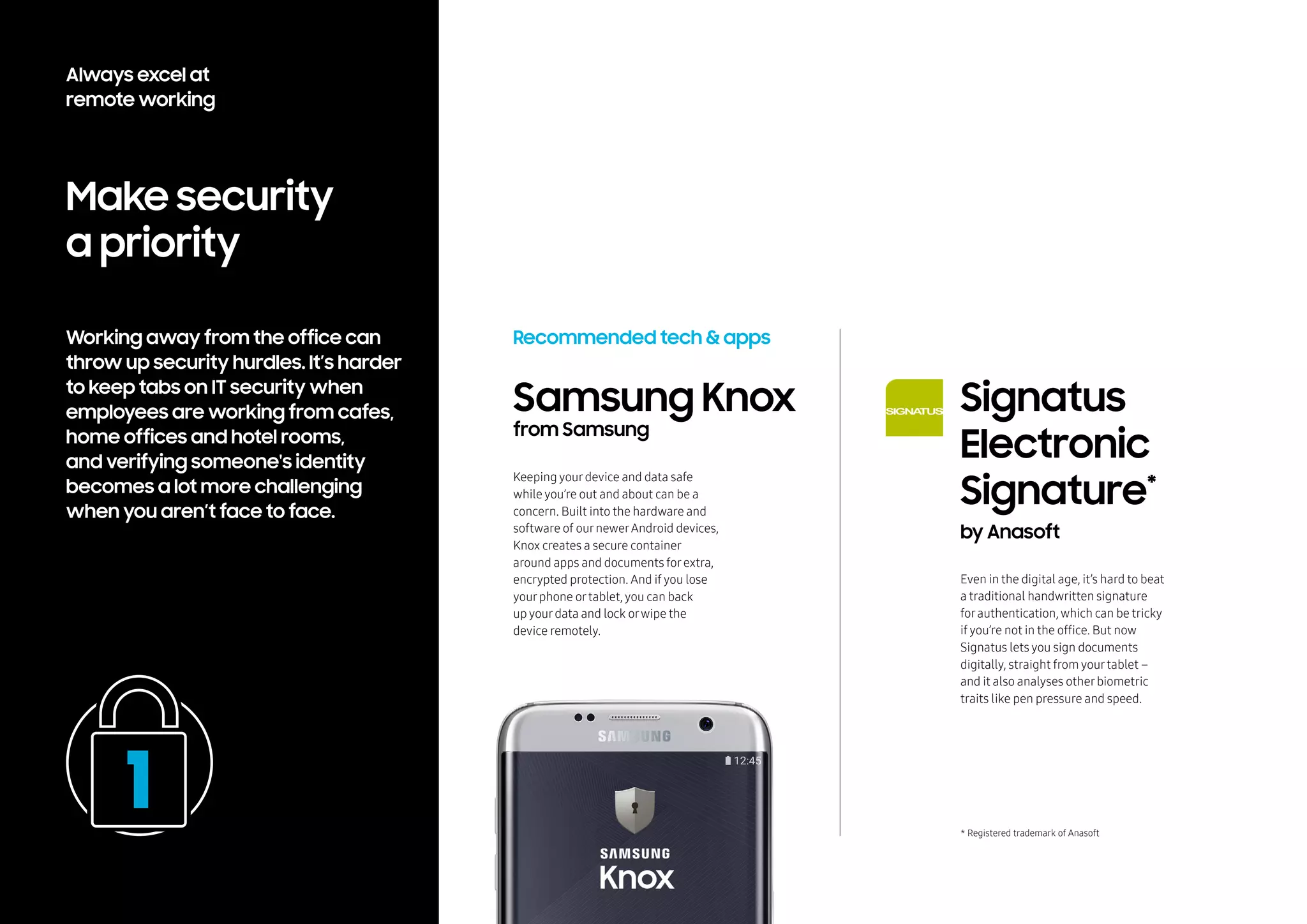
Samsung Knox
from Samsung
Keeping yourdevice and data safe
while you’re out and about can be a
concern. Built into the hardware and
software of ournewerAndroid devices,
Knox creates a secure container
around apps and documents forextra,
encrypted protection. And if you lose
yourphone ortablet, you can back
up yourdata and lock orwipe the
device remotely.
Signatus
Electronic
Signature*
by Anasoft
* Registered trademark of Anasoft
Always excel at
remote working
Stay in (remote)
control
If some or all of your team work
from elsewhere, it helps to have a
watertight process for managing
projects so everyone knows what
they need to do at any one time,
and project managers get the
overview they need.
Recommended apps
Trello’s elegant, visual ‘boards’
make project management simple.
You and yourteam can add tasks,
and rearrange them as the project
progresses. It’s easyto adapt it to
suit yourworkflow, so it’s perfect
forsmallerteams and projects.
If you’re managing a largerteam or
largerprojects, it’s time to bring out
the big guns. Perfect forteamwork
from afar, Wrike combines online
project management tools with a
collaboration space forchat and
document sharing.
Trello*
by Trello Inc.
Wrike**
by Wrike Inc.
* Registered trademark of Trello, Inc. ** Registered trademark of Wrike, Inc.
Always excel at
remote working
Avoid
distractions
Of course, offices can be full of
distractions too, but if you’re working
from a less conventional location
you might need a little extra help
to avoid them. Or maybe you need
to recreate the buzz of an office
to be at your most productive?
Recommended apps
This streamlined little app is
perfect forblocking out (orcreating)
background noise to help you work.
Mix a range of sounds, from birdsong
to coffee shop chatter, to create your
own soundscapes. There’s also a
timerand distraction-free text editor,
complete with soothing background
colours, to furtherboost your
productivity.
This free Chrome extension does
exactlywhat it says it will. Tell it
which sites are yourbiggest online
distractions and it limits the amount
of time you can spend on them to help
you stayfocused. Simple.
Noisli*
by Noisli Ltd.
StayFocusd**
by Transfusion Media
* Registered trademark of Noisli Ltd ** Registered trademark of Transfusion Media
Always excel at
remote working
Don’t sweat
the small stuff
There are huge benefits to remote
working. But working from different
cities, or different time zones,
can sometimes throw up little
snags that get in the way of
productivity and get frustrating
if they aren’t sorted. Luckily,
there’s an app (or two) for that.
Recommended apps
What time is it in LA?And Hawaii?And
London? Figure it Out (FIO) is a neat
little chrome extension that solvesyour
time zonewoes in one stroke. Each time
you open a tabyou’ll instantlyseewhat
time it is foryourteam members across
theworld.
You’reworking from home but a team
memberneeds to use a service ortool
that onlyyou have access to. Sound
familiar? You should think about using
Meldium, it’s a cleverapp that letsyou
share access to accountswithout giving
outyourpassword.
** Registered trademark of LogMeIn, Inc.
FIO
by Friedrich Riha
Meldium**
by LogMeIn, Inc.
Always excel at
remote working
Stay organised
It’s tough to keep tabs on important
files and paperwork, especially if
you store them in a central location,
physically or digitally, and need
access to them on the move. Here
are some services that will ensure
you’ve got all that vital information
with you, wherever you are.
Recommended apps
Say goodbye to handfuls of receipts
from business trips. Concurlets you
manage yourexpenses straight from
yourmobile. Track yourown expenses
orreview employees’ expenses, create
electronic copies of physical receipts
and collate electronic receipts and
credit card purchases.
Concur*
by SAP
* Registered trademark of Concur Technologies, Inc.
Is that contract on yourwork computer
oryourdesktop? Orin the filing
cabinet? This smart, cloud-based app
collects all yourimportant documents
and stores them securely so you can
access them instantlyfrom any device.
Scan documents, automatically import
from services like Gmail and Dropbox,
and it can even let you knowwhen your
documents are due to expire.
Docady**
by Docady
** Registered trademark of Docady
Always excel at
remote working
Pick your own
workplace
Remote working gives you the
freedom to work from wherever you
want and could even reduce office
rental overheads for your company.
Use these websites to sift through
a plethora of inspiring places to
work and host meetings.
Recommended apps
Forsome, the joy of remote working
is the abilityto work from the calm
and comfort of theirhomes. But if you
like a bit more buzz around you, check
out Workfrom. Find a whole range of
interesting places to work from in a
growing selection of cities worldwide.
You can filterforcafes, bars orshared
workspaces that are quiet, open late,
serve food and have outdoorspace,
as well as getting useful info like WiFi
speeds and passwords.
Workfrom*
by Workfrom Inc.
* Registered trademark of Workfrom, Inc.
Maybe yourorganisation is made up of
lots of remote workers and you don’t
have a central office. So what happens
when you need to host a meeting or
you all need to work togetherfora
while? Easy – you use ShareDesk to
search fora meeting room, conference
room orprivate office.
ShareDesk**
by ShareDesk
** Registered trademark of ShareDesk
Always excel at
remote working
Visit our business site to find out how Samsung
technology can empower you to live and work
more effectively, wherever you are. Head over
to our LinkedIn, Twitter and YouTube pages
for more tips and tricks to help you perfect
your work/ life blend.					
samsungatwork.com
linkedin.com/company/samsung-at-work
twitter.com/samsungbizeu
youtube.com/user/SamsungAtWork
Live and work
the way you want

Ideas for Work: How to make the most of remote working

  • 1.
    Ideas for Work AmplifyMy Remote Working Tools to helpyou excel atyourjob fromwhereveryou are
  • 2.
    The office is astate of mind The meteoric rise of mobile technology has transformed work. The traditional idea of ‘work’ as a place you go to between the hours of nine and five is being eroded before our eyes. Now many jobs can be done from pretty much anywhere, provided you’re equipped with WiFi and a laptop, tablet or smartphone. Technology has given us the freedom to work from whereverwe want, whetherthat’s at home, on the move, in anothercity oreven a different country. It’s allowed organisations to be more flexible, more efficient and has helped connect team members working on different continents. Most importantly, it’s put individuals firmly back in control of theirown workflow, giving them the freedom to work wherevertheywork best, and however works best forthem. But as well as creating opportunities, remote working also brings challenges with it – there are some things that are just simplerif you’re all in the same room. Happily, newtools to help bridge these gaps are being created all the time. In this guide we’ve gathered togethersome of the best apps, websites and devices to help you make the most of yourremote working.
  • 3.
    Always excel at remoteworking Pretty much the first commandment of remote working is that you need to be able to access your files from wherever you are. And there are plenty of apps and services designed to help you do it. Take your work with you Dropbox* by Dropbox Inc. Recommended apps No list of remote working apps would be complete without this file transfer giant. Share folders between your whole team forjoint projects orsimply use it to ensure you can access all your documents from anywhere, at any time, using any device. Gone are the days when ‘office’ meant a desk and a wired-in working station. The Samsung Galaxy S7 and the Galaxy Tab Pro S both come with the Microsoft Office 365 suite pre- installed, giving you ready access to the programs you’re used to, wherever you’re working. Microsoft Office 365** by Microsoft * Registered trademark of Dropbox, Inc. ** Registered trademark of Microsoft
  • 4.
    Hands down thebiggest challenge for remote workers is overcoming the communication barrier that comes when you can’t speak to people in person. But there’s no shortage of messaging and video conferencing services designed to help you connect in other ways. Keep talking Recommended apps Slack makes distance collaboration a breeze. This laid-back instant messaging app forteams allows you to set up channels where everyone in a team can communicate in real time. Basic functionality is free too, so say goodbye to long email chains and reply-alls. Slack* by Slack Technologies Inc. GoToMeeting** by Citrix Maybe you aren’t at yourdesk – or you don’t even have a desk. But you still want yourcolleagues to be able to come and speak to you. Create yourown video ‘meeting room’with GoToMeeting. It’s easyto set up and join meetings, you can share your desktop, mouse and keyboard controls and meet via yourmobile when you’re on the go. * Registered trademark of Coursera Inc. ** Registered trademark of 2016 Citrix Systems Always excel at remote working
  • 5.
    Work together, effortlessly If you’reworking on a joint project, there are going to be times when it would be so much simpler if everyone could just see and work on the same thing. These simple, frustration-free apps make it possible. Recommended apps Draft by Ninjas and Robots Lucidchart* by Lucid Software Inc. This free online writing application lets colleagues work togetheron the same document whereverthey are. With built-in version control, you can keep track of changes orrevert to previous versions, and it features a ‘send to an editor’ function too, so you can run yourwriting past someone else if you work alone. * Registered trademark of Lucid Software Inc. If a picture’s worth a thousand words then a chart has got to be worth even more. Lucidchart is the easiest wayfor remote teams to collaboratively create charts, diagrams, mind maps and flowcharts (in considerablyfewerthan 1,000 words). Always excel at remote working
  • 6.
    Make security a priority Workingaway from the office can throw up security hurdles. It’s harder to keep tabs on IT security when employees are working from cafes, home offices and hotel rooms, and verifying someone's identity becomes a lot more challenging when you aren’t face to face. Recommended tech & apps Even in the digital age, it’s hard to beat a traditional handwritten signature forauthentication, which can be tricky if you’re not in the office. But now Signatus lets you sign documents digitally, straight from yourtablet – and it also analyses otherbiometric traits like pen pressure and speed. Samsung Knox from Samsung Keeping yourdevice and data safe while you’re out and about can be a concern. Built into the hardware and software of ournewerAndroid devices, Knox creates a secure container around apps and documents forextra, encrypted protection. And if you lose yourphone ortablet, you can back up yourdata and lock orwipe the device remotely. Signatus Electronic Signature* by Anasoft * Registered trademark of Anasoft Always excel at remote working
  • 7.
    Stay in (remote) control Ifsome or all of your team work from elsewhere, it helps to have a watertight process for managing projects so everyone knows what they need to do at any one time, and project managers get the overview they need. Recommended apps Trello’s elegant, visual ‘boards’ make project management simple. You and yourteam can add tasks, and rearrange them as the project progresses. It’s easyto adapt it to suit yourworkflow, so it’s perfect forsmallerteams and projects. If you’re managing a largerteam or largerprojects, it’s time to bring out the big guns. Perfect forteamwork from afar, Wrike combines online project management tools with a collaboration space forchat and document sharing. Trello* by Trello Inc. Wrike** by Wrike Inc. * Registered trademark of Trello, Inc. ** Registered trademark of Wrike, Inc. Always excel at remote working
  • 8.
    Avoid distractions Of course, officescan be full of distractions too, but if you’re working from a less conventional location you might need a little extra help to avoid them. Or maybe you need to recreate the buzz of an office to be at your most productive? Recommended apps This streamlined little app is perfect forblocking out (orcreating) background noise to help you work. Mix a range of sounds, from birdsong to coffee shop chatter, to create your own soundscapes. There’s also a timerand distraction-free text editor, complete with soothing background colours, to furtherboost your productivity. This free Chrome extension does exactlywhat it says it will. Tell it which sites are yourbiggest online distractions and it limits the amount of time you can spend on them to help you stayfocused. Simple. Noisli* by Noisli Ltd. StayFocusd** by Transfusion Media * Registered trademark of Noisli Ltd ** Registered trademark of Transfusion Media Always excel at remote working
  • 9.
    Don’t sweat the smallstuff There are huge benefits to remote working. But working from different cities, or different time zones, can sometimes throw up little snags that get in the way of productivity and get frustrating if they aren’t sorted. Luckily, there’s an app (or two) for that. Recommended apps What time is it in LA?And Hawaii?And London? Figure it Out (FIO) is a neat little chrome extension that solvesyour time zonewoes in one stroke. Each time you open a tabyou’ll instantlyseewhat time it is foryourteam members across theworld. You’reworking from home but a team memberneeds to use a service ortool that onlyyou have access to. Sound familiar? You should think about using Meldium, it’s a cleverapp that letsyou share access to accountswithout giving outyourpassword. ** Registered trademark of LogMeIn, Inc. FIO by Friedrich Riha Meldium** by LogMeIn, Inc. Always excel at remote working
  • 10.
    Stay organised It’s toughto keep tabs on important files and paperwork, especially if you store them in a central location, physically or digitally, and need access to them on the move. Here are some services that will ensure you’ve got all that vital information with you, wherever you are. Recommended apps Say goodbye to handfuls of receipts from business trips. Concurlets you manage yourexpenses straight from yourmobile. Track yourown expenses orreview employees’ expenses, create electronic copies of physical receipts and collate electronic receipts and credit card purchases. Concur* by SAP * Registered trademark of Concur Technologies, Inc. Is that contract on yourwork computer oryourdesktop? Orin the filing cabinet? This smart, cloud-based app collects all yourimportant documents and stores them securely so you can access them instantlyfrom any device. Scan documents, automatically import from services like Gmail and Dropbox, and it can even let you knowwhen your documents are due to expire. Docady** by Docady ** Registered trademark of Docady Always excel at remote working
  • 11.
    Pick your own workplace Remoteworking gives you the freedom to work from wherever you want and could even reduce office rental overheads for your company. Use these websites to sift through a plethora of inspiring places to work and host meetings. Recommended apps Forsome, the joy of remote working is the abilityto work from the calm and comfort of theirhomes. But if you like a bit more buzz around you, check out Workfrom. Find a whole range of interesting places to work from in a growing selection of cities worldwide. You can filterforcafes, bars orshared workspaces that are quiet, open late, serve food and have outdoorspace, as well as getting useful info like WiFi speeds and passwords. Workfrom* by Workfrom Inc. * Registered trademark of Workfrom, Inc. Maybe yourorganisation is made up of lots of remote workers and you don’t have a central office. So what happens when you need to host a meeting or you all need to work togetherfora while? Easy – you use ShareDesk to search fora meeting room, conference room orprivate office. ShareDesk** by ShareDesk ** Registered trademark of ShareDesk Always excel at remote working
  • 12.
    Visit our businesssite to find out how Samsung technology can empower you to live and work more effectively, wherever you are. Head over to our LinkedIn, Twitter and YouTube pages for more tips and tricks to help you perfect your work/ life blend. samsungatwork.com linkedin.com/company/samsung-at-work twitter.com/samsungbizeu youtube.com/user/SamsungAtWork Live and work the way you want