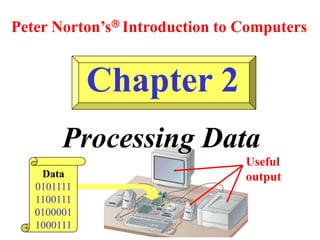
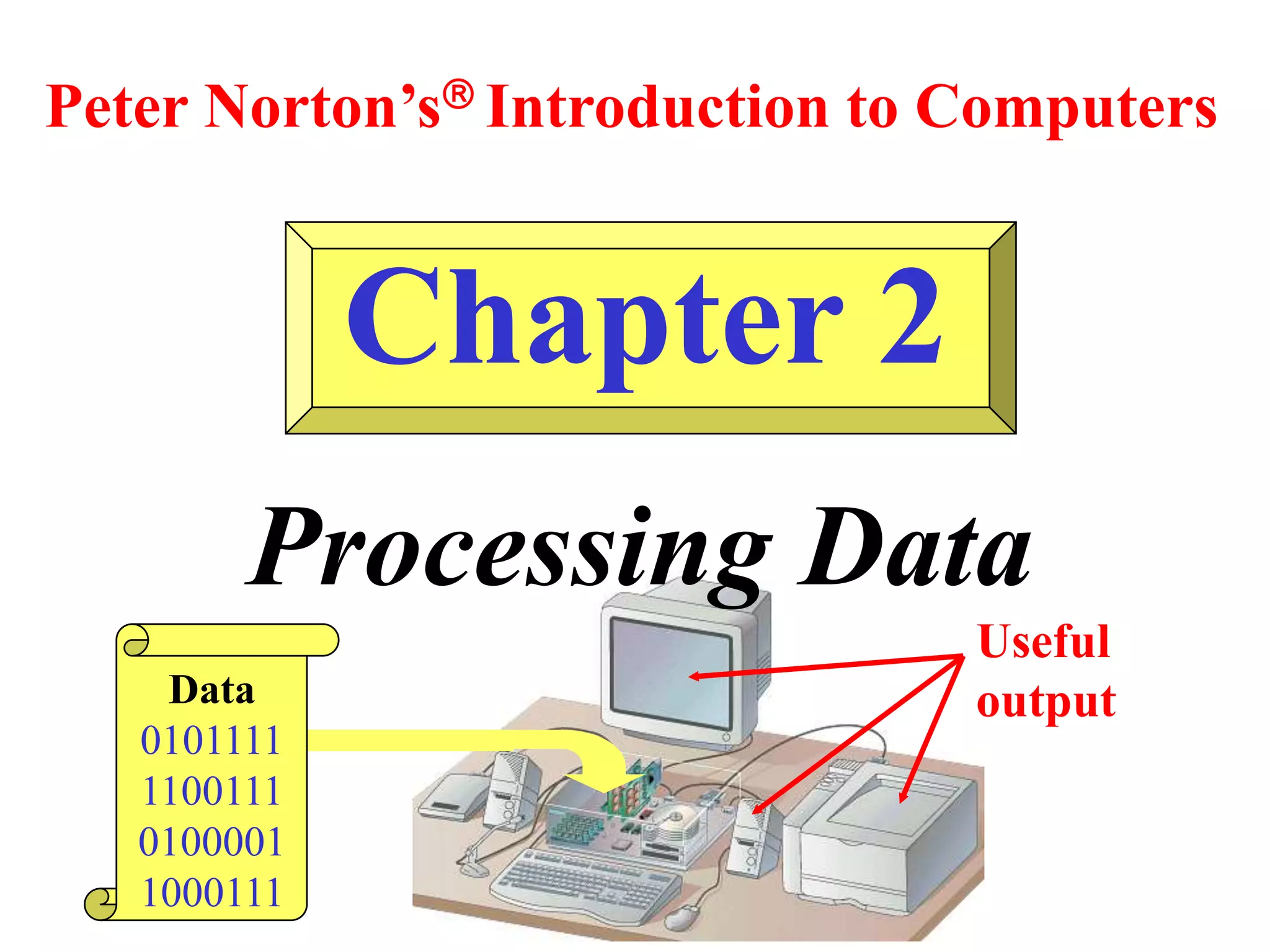
Chapter 2
Processing Data
Peter Norton’s Introduction to Computers
Data
0101111
1100111
0100001
1000111
Useful
output
Learning Objectives:
• Identify the main difference between data and information.
• List two reasons why computers use the binary number system.
• List the two main parts of the CPU and explain how they work
together to process data.
• Name three differences between RAM and ROM.
• List three hardware features that affect processing speed.
• Name the two best-known families of CPUs and list their
differences.
Essential Computer Hardware
• Processor
• Memory
• I/O
• Storage
Processing
Conversion of raw data into useful
information
Two basic components:
• Processor
• Memory
For details study page 28 from Peter Norton’s Introduction to computing
Memory
RAM
• Temporary
• Volatile
• Un-programmed
• Effects speed and power of
PC
ROM
• Permanent
• Non-volatile
• Pre-programmed
• Responsible for giving start
up instructions to computer
I/O Devices
Input Devices
• Mouse
• Keyboard
• Scanner
• Joystick
• Light pen
• Mic
• Touchpad
• Digital camera
Output Devices
• Monitor
– Monochrome
– Color
• Printer
• Plotter
• Speaker
• Rectangular Screens
– LCD
– LED
– SMD Surface Mount Device
– Laptop Screens (LCD / LED)
• Touch Screen LCD, LED
Storage Devices
• Magnetic
– Floppy Disk
– Magnetic tape
– Hard Disk
• Optical
– CD (Slower in speed and less data storage)
– DVD (Faster in speed with huge data storage)
– Blue Ray (Fastest medium with very huge data storage)
Data - raw facts
Information - meaningful data
(Useful output)
(Processed Data)
Number Systems:
Decimal Numbers
- Base 10 Notation
Binary Numbers
- Base 2 Notation
Bits and Bytes:
•Bit = binary digit
- Smallest unit of data
•Byte = 8 bits
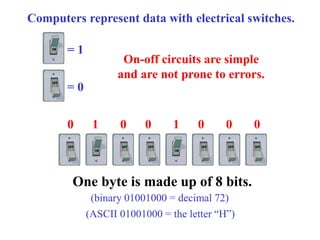
Computers represent data with electrical switches.
= 1
= 0
On-off circuits are simple
and are not prone to errors.
0 1 0 0 1 0 0 0
One byte is made up of 8 bits.
(binary 01001000 = decimal 72)
(ASCII 01001000 = the letter “H”)
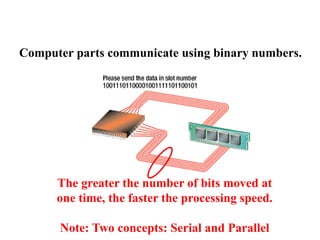
Computer parts communicate using binary numbers.
The greater the number of bits moved at
one time, the faster the processing speed.
Note: Two concepts: Serial and Parallel
Text Codes:
EBCDIC “EB-si-dic”
- (Extended Binary Coded Decimal Interchange Code)
ASCII “As-key”
- (American Standard Code for Information Interchange)
Unicode
- (Unicode Worldwide Character Standard)
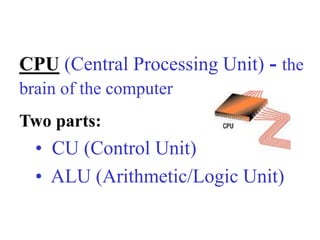
CPU (Central Processing Unit) - the
brain of the computer
Two parts:
• CU (Control Unit)
• ALU (Arithmetic/Logic Unit)
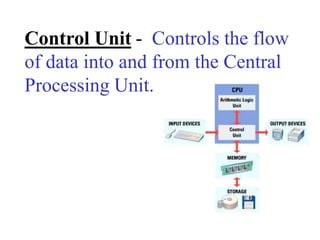
Control Unit - Controls the flow
of data into and from the Central
Processing Unit.
Arithmetic/Logic Unit - Performs
Arithmetic functions and Logical
operations.
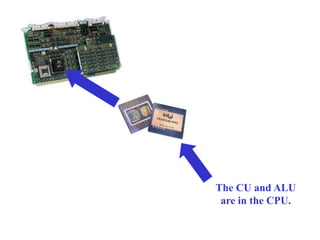
The CU and ALU
are in the CPU.
Types of Memory:
ROM - Read Only Memory
(contains the basic input output
system or BIOS)
RAM - Random Access Memory
(user programs and data go here)
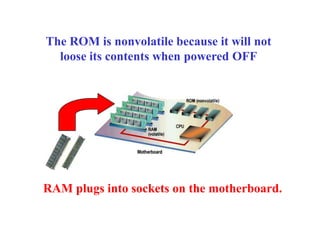
The ROM is nonvolatile because it will not
loose its contents when powered OFF
RAM plugs into sockets on the motherboard.
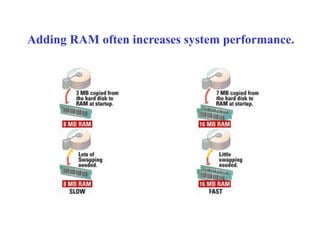
Adding RAM often increases system performance.
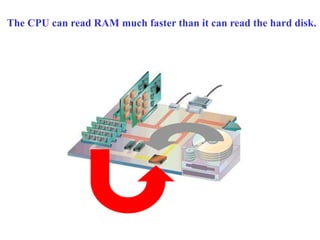
The CPU can read RAM much faster than it can read the hard disk.
CPU Manufacturers:
•Intel
•Motorola
•AMD
•Cyrix
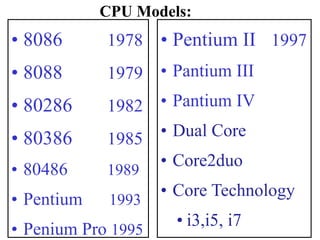
CPU Models:
• 8086 1978
• 8088 1979
• 80286 1982
• 80386 1985
• 80486 1989
• Pentium 1993
• Penium Pro 1995
• Pentium II 1997
• Pantium III
• Pantium IV
• Dual Core
• Core2duo
• Core Technology
• i3,i5, i7
The CPU may be
i3,i5 or i7 but the generations
may be different
Today is the 6th Generation of
Core technology
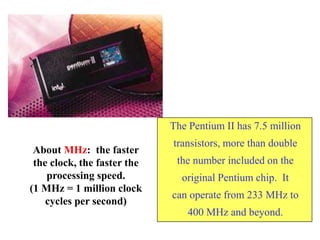
The Pentium II has 7.5 million
transistors, more than double
the number included on the
original Pentium chip. It
can operate from 233 MHz to
400 MHz and beyond.
About MHz: the faster
the clock, the faster the
processing speed.
(1 MHz = 1 million clock
cycles per second)
Learning Objectives:
Chapter 2 Review
• Identify the main difference between data and information.
• List two reasons why computers use the binary number system.
• List the two main parts of the CPU and explain how they work
together to process data.
• Name three differences between RAM and ROM.
• List three hardware features that affect processing speed.
• Name the two best-known families of CPUs and list their
differences.

Ic lecture2

  • 1.
    Chapter 2 Processing Data PeterNorton’s Introduction to Computers Data 0101111 1100111 0100001 1000111 Useful output
  • 2.
    Learning Objectives: • Identifythe main difference between data and information. • List two reasons why computers use the binary number system. • List the two main parts of the CPU and explain how they work together to process data. • Name three differences between RAM and ROM. • List three hardware features that affect processing speed. • Name the two best-known families of CPUs and list their differences.
  • 3.
    Essential Computer Hardware •Processor • Memory • I/O • Storage
  • 4.
    Processing Conversion of rawdata into useful information Two basic components: • Processor • Memory For details study page 28 from Peter Norton’s Introduction to computing
  • 5.
    Memory RAM • Temporary • Volatile •Un-programmed • Effects speed and power of PC ROM • Permanent • Non-volatile • Pre-programmed • Responsible for giving start up instructions to computer
  • 6.
    I/O Devices Input Devices •Mouse • Keyboard • Scanner • Joystick • Light pen • Mic • Touchpad • Digital camera Output Devices • Monitor – Monochrome – Color • Printer • Plotter • Speaker • Rectangular Screens – LCD – LED – SMD Surface Mount Device – Laptop Screens (LCD / LED) • Touch Screen LCD, LED
  • 7.
    Storage Devices • Magnetic –Floppy Disk – Magnetic tape – Hard Disk • Optical – CD (Slower in speed and less data storage) – DVD (Faster in speed with huge data storage) – Blue Ray (Fastest medium with very huge data storage)
  • 8.
    Data - rawfacts Information - meaningful data (Useful output) (Processed Data)
  • 9.
    Number Systems: Decimal Numbers -Base 10 Notation Binary Numbers - Base 2 Notation
  • 10.
    Bits and Bytes: •Bit= binary digit - Smallest unit of data •Byte = 8 bits
  • 11.
    Computers represent datawith electrical switches. = 1 = 0 On-off circuits are simple and are not prone to errors. 0 1 0 0 1 0 0 0 One byte is made up of 8 bits. (binary 01001000 = decimal 72) (ASCII 01001000 = the letter “H”)
  • 12.
    Computer parts communicateusing binary numbers. The greater the number of bits moved at one time, the faster the processing speed. Note: Two concepts: Serial and Parallel
  • 13.
    Text Codes: EBCDIC “EB-si-dic” -(Extended Binary Coded Decimal Interchange Code) ASCII “As-key” - (American Standard Code for Information Interchange) Unicode - (Unicode Worldwide Character Standard)
  • 14.
    CPU (Central ProcessingUnit) - the brain of the computer Two parts: • CU (Control Unit) • ALU (Arithmetic/Logic Unit)
  • 15.
    Control Unit -Controls the flow of data into and from the Central Processing Unit.
  • 16.
    Arithmetic/Logic Unit -Performs Arithmetic functions and Logical operations.
  • 17.
    The CU andALU are in the CPU.
  • 18.
    Types of Memory: ROM- Read Only Memory (contains the basic input output system or BIOS) RAM - Random Access Memory (user programs and data go here)
  • 19.
    The ROM isnonvolatile because it will not loose its contents when powered OFF RAM plugs into sockets on the motherboard.
  • 20.
    Adding RAM oftenincreases system performance.
  • 21.
    The CPU canread RAM much faster than it can read the hard disk.
  • 22.
  • 23.
    CPU Models: • 80861978 • 8088 1979 • 80286 1982 • 80386 1985 • 80486 1989 • Pentium 1993 • Penium Pro 1995 • Pentium II 1997 • Pantium III • Pantium IV • Dual Core • Core2duo • Core Technology • i3,i5, i7
  • 24.
    The CPU maybe i3,i5 or i7 but the generations may be different Today is the 6th Generation of Core technology
  • 25.
    The Pentium IIhas 7.5 million transistors, more than double the number included on the original Pentium chip. It can operate from 233 MHz to 400 MHz and beyond. About MHz: the faster the clock, the faster the processing speed. (1 MHz = 1 million clock cycles per second)
  • 26.
    Learning Objectives: Chapter 2Review • Identify the main difference between data and information. • List two reasons why computers use the binary number system. • List the two main parts of the CPU and explain how they work together to process data. • Name three differences between RAM and ROM. • List three hardware features that affect processing speed. • Name the two best-known families of CPUs and list their differences.