



HTML5 Offline Web
Application
allanhuang@eSobi.com
Agenda
 Client-side


HTTP Response Header





Expires Header
Cache-Control Header
ETag Header
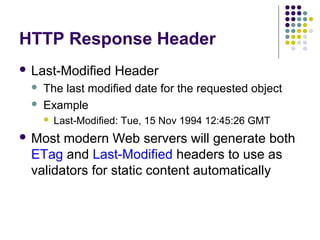
Last-Modified Header

 Offline



Caching

Web Application

Cache Manifest
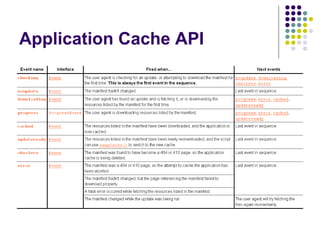
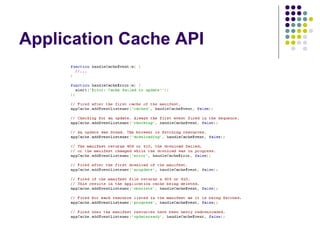
Application Cache
Client-side Caching
HTTP Response Header
 Expires




Header

Gives the date/time after which the response is
considered stale
Example


Expires: Thu, 01 Dec 1994 16:00:00 GMT
HTTP Response Header
 Cache-Control




Header

Tells all caching mechanisms from server to client
whether they may cache this object. It is
measured in seconds
Example


Cache-Control: max-age=3600
HTTP Response Header
 Entity




Tag / ETag Header

An identifier for a specific version of a resource,
often a message digest
Example


ETag: "737060cd8c284d8af7ad3082f209582d"
HTTP Response Header
 Last-Modified



Header

The last modified date for the requested object
Example


Last-Modified: Tue, 15 Nov 1994 12:45:26 GMT

 Most

modern Web servers will generate both
ETag and Last-Modified headers to use as
validators for static content automatically
Offline Web Application
Before HTML5…
 Browser's

cache based on server-side rules
and client-side configuration
 Regular caching can lead to undesired
results while you're offline
HTML5 Offline Feature




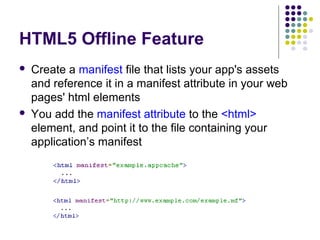
Create a manifest file that lists your app's assets
and reference it in a manifest attribute in your web
pages' html elements
You add the manifest attribute to the <html>
element, and point it to the file containing your
application’s manifest
Cache Manifest
 Manifest

will cache HTTP GET requests,
while POST, PUT, and DELETE will still go to
the network


If the page has an active manifest file, all GET
requests will be directed to local storage

 Web

server is sending the text/cachemanifest file header when you request any
file with the *.manifest / *.appcache extension
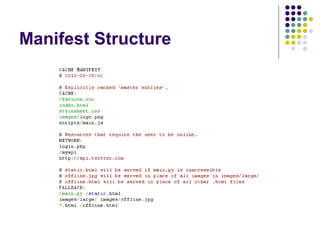
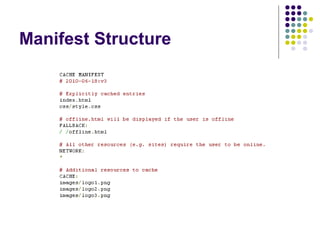
Manifest Structure








The first line of the file must always be CACHE
MANIFEST
Comments start with # and must appear on a line of
their own
Case-sensitive file names must be listed exactly as
they appear on disk
3 directive sections




CACHE: section
NETWORK: section
FALLBACK: section
Manifest Structure
 CACHE:





section

The files will be cached in Application Cache
Add a list of cached files under the CACHE
MANIFEST directive without the CACHE: section
Add a list of cached files anywhere else in the file,
you need to place them under an explicit CACHE:
section
Manifest Structure
 CACHE:






section rules

Only one file name per line
A full file name is required, no wildcards * allowed
File names can contain path information or even
an absolute URL
File names can't include fragment identifiers, e.g.
comment #
Manifest Structure
 NETWORK:




section

Any URLs will bypass the application cache and
load directly from the server
Explicitly state that anything that isn’t cached
must go via the web by using a wildcard * (note
that this is the default behavior if omitted)
Manifest Structure
 FALLBACK:


section

Specify a fallback resource that must be served if
a specific resource is not available (either
because you’re offline or it’s not in the cache)

 List

entire directories or URL paths in the
NETWORK: and FALLBACK: sections, not
full files name
Manifest Structure
Manifest Structure
Update Cache
 Once

an application is offline it remains
cached until …




User clean their browser's data storage for your
site
Manifest file is updated




Updating a file listed in the manifest doesn't mean the
browser will re-cache that resource

Application cache is programmatically updated
Update Manifest
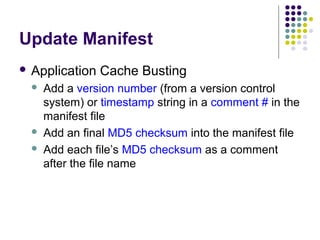
 Application





Cache Busting

Add a version number (from a version control
system) or timestamp string in a comment # in the
manifest file
Add an final MD5 checksum into the manifest file
Add each file’s MD5 checksum as a comment
after the file name
Update Manifest
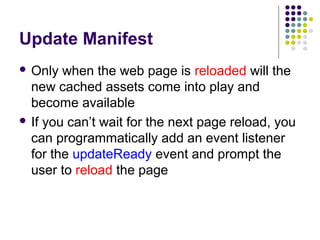
 Only

when the web page is reloaded will the
new cached assets come into play and
become available
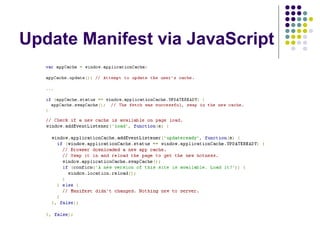
 If you can’t wait for the next page reload, you
can programmatically add an event listener
for the updateReady event and prompt the
user to reload the page
Update Manifest via JavaScript
Checking Status
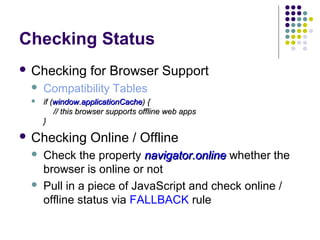
 Checking

for Browser Support



Compatibility Tables



if (window.applicationCache) {
// this browser supports offline web apps
}

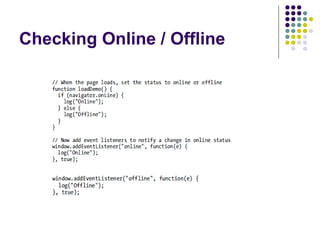
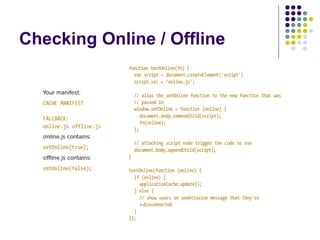
 Checking




Online / Offline

Check the property navigator.online whether the
browser is online or not
Pull in a piece of JavaScript and check online /
offline status via FALLBACK rule
Checking Online / Offline
Application Cache API
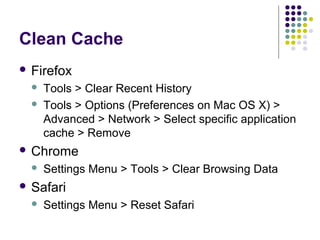
Clean Cache
 Firefox



Tools > Clear Recent History
Tools > Options (Preferences on Mac OS X) >
Advanced > Network > Select specific application
cache > Remove

 Chrome


Settings Menu > Tools > Clear Browsing Data

 Safari


Settings Menu > Reset Safari
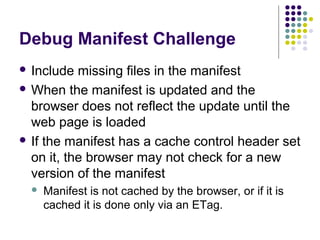
Debug Manifest Challenge
 Include

missing files in the manifest
 When the manifest is updated and the
browser does not reflect the update until the
web page is loaded
 If the manifest has a cache control header set
on it, the browser may not check for a new
version of the manifest


Manifest is not cached by the browser, or if it is
cached it is done only via an ETag.
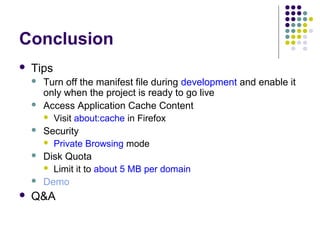
Conclusion


Tips











Turn off the manifest file during development and enable it
only when the project is ready to go live
Access Application Cache Content
 Visit about:cache in Firefox
Security
 Private Browsing mode
Disk Quota
 Limit it to about 5 MB per domain
Demo

Q&A

HTML5 Offline Web Application

  • 1.
  • 2.
    Agenda  Client-side  HTTP ResponseHeader     Expires Header Cache-Control Header ETag Header Last-Modified Header  Offline   Caching Web Application Cache Manifest Application Cache
  • 3.
  • 4.
    HTTP Response Header Expires   Header Gives the date/time after which the response is considered stale Example  Expires: Thu, 01 Dec 1994 16:00:00 GMT
  • 5.
    HTTP Response Header Cache-Control   Header Tells all caching mechanisms from server to client whether they may cache this object. It is measured in seconds Example  Cache-Control: max-age=3600
  • 6.
    HTTP Response Header Entity   Tag / ETag Header An identifier for a specific version of a resource, often a message digest Example  ETag: "737060cd8c284d8af7ad3082f209582d"
  • 7.
    HTTP Response Header Last-Modified   Header The last modified date for the requested object Example  Last-Modified: Tue, 15 Nov 1994 12:45:26 GMT  Most modern Web servers will generate both ETag and Last-Modified headers to use as validators for static content automatically
  • 8.
  • 9.
    Before HTML5…  Browser's cachebased on server-side rules and client-side configuration  Regular caching can lead to undesired results while you're offline
  • 10.
    HTML5 Offline Feature   Createa manifest file that lists your app's assets and reference it in a manifest attribute in your web pages' html elements You add the manifest attribute to the <html> element, and point it to the file containing your application’s manifest
  • 11.
    Cache Manifest  Manifest willcache HTTP GET requests, while POST, PUT, and DELETE will still go to the network  If the page has an active manifest file, all GET requests will be directed to local storage  Web server is sending the text/cachemanifest file header when you request any file with the *.manifest / *.appcache extension
  • 12.
    Manifest Structure     The firstline of the file must always be CACHE MANIFEST Comments start with # and must appear on a line of their own Case-sensitive file names must be listed exactly as they appear on disk 3 directive sections    CACHE: section NETWORK: section FALLBACK: section
  • 13.
    Manifest Structure  CACHE:    section Thefiles will be cached in Application Cache Add a list of cached files under the CACHE MANIFEST directive without the CACHE: section Add a list of cached files anywhere else in the file, you need to place them under an explicit CACHE: section
  • 14.
    Manifest Structure  CACHE:     sectionrules Only one file name per line A full file name is required, no wildcards * allowed File names can contain path information or even an absolute URL File names can't include fragment identifiers, e.g. comment #
  • 15.
    Manifest Structure  NETWORK:   section AnyURLs will bypass the application cache and load directly from the server Explicitly state that anything that isn’t cached must go via the web by using a wildcard * (note that this is the default behavior if omitted)
  • 16.
    Manifest Structure  FALLBACK:  section Specifya fallback resource that must be served if a specific resource is not available (either because you’re offline or it’s not in the cache)  List entire directories or URL paths in the NETWORK: and FALLBACK: sections, not full files name
  • 17.
  • 18.
  • 19.
    Update Cache  Once anapplication is offline it remains cached until …   User clean their browser's data storage for your site Manifest file is updated   Updating a file listed in the manifest doesn't mean the browser will re-cache that resource Application cache is programmatically updated
  • 20.
    Update Manifest  Application    CacheBusting Add a version number (from a version control system) or timestamp string in a comment # in the manifest file Add an final MD5 checksum into the manifest file Add each file’s MD5 checksum as a comment after the file name
  • 21.
    Update Manifest  Only whenthe web page is reloaded will the new cached assets come into play and become available  If you can’t wait for the next page reload, you can programmatically add an event listener for the updateReady event and prompt the user to reload the page
  • 22.
  • 23.
    Checking Status  Checking forBrowser Support  Compatibility Tables  if (window.applicationCache) { // this browser supports offline web apps }  Checking   Online / Offline Check the property navigator.online whether the browser is online or not Pull in a piece of JavaScript and check online / offline status via FALLBACK rule
  • 24.
  • 25.
  • 26.
  • 27.
  • 28.
    Clean Cache  Firefox   Tools> Clear Recent History Tools > Options (Preferences on Mac OS X) > Advanced > Network > Select specific application cache > Remove  Chrome  Settings Menu > Tools > Clear Browsing Data  Safari  Settings Menu > Reset Safari
  • 29.
    Debug Manifest Challenge Include missing files in the manifest  When the manifest is updated and the browser does not reflect the update until the web page is loaded  If the manifest has a cache control header set on it, the browser may not check for a new version of the manifest  Manifest is not cached by the browser, or if it is cached it is done only via an ETag.
  • 30.
    Conclusion  Tips       Turn off themanifest file during development and enable it only when the project is ready to go live Access Application Cache Content  Visit about:cache in Firefox Security  Private Browsing mode Disk Quota  Limit it to about 5 MB per domain Demo Q&A

Editor's Notes