HTML5
DESIGN PRINCIPLES

Uncovering forgotten principles for better product development
BEFORE YOU START:
This presentation is about product development ideas and has nothing to do

with HTML except for the fact that HTML5 design principles are used to
comment a word or two about product ideology. The opinions are based on
personal experience and thus could be subjective in nature.
Almost everyone out there uses web
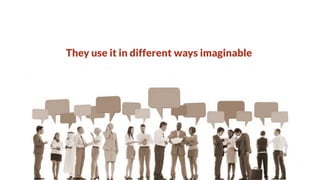
They use it in different ways imaginable
HTML is the ultimate power horse of web
Flexible nature of HTML makes
web usable for everyone. This

flexibility is possible because
there are few simple guidelines

that are deeply embodied into
HTML specification. These

guidelines have eventually
become the design principles of

HTML.
When building complex web 2.0 applications,

these simple design principles are often
overshadowed resulting in applications that

are not harmonious with the nature of web.
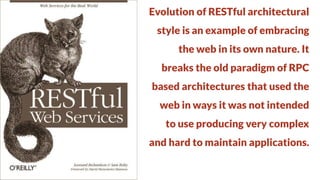
Evolution of RESTful architectural
style is an example of embracing

the web in its own nature. It
breaks the old paradigm of RPC

based architectures that used the
web in ways it was not intended

to use producing very complex
and hard to maintain applications.
W3C has released draft of HTML5
design principles that outlines

major guidelines behind HTML5. It
helps to understand why HTML5 is

designed the way it is now. If
incorporated into application

design, it allows to create
applications that are maintainable

& harmonious with the laws of web.
COMPATIBILITY
1. Support existing content
2. Degrade gracefully
3. Do not reinvent the wheel

4. Pave the cowpaths
5. Evolution not revolution
Compatibility has many
facets. In terms of product or

application development,
engineer, designer, architect,

product manager, etc. all have
different interpretations for

compatibility.
Compatibility means support
existing content. If you are

developing a product to replace
legacy system, from engineer’s

perspective, it means provide
support for old system’s data.

Provide ways to migrate data to
newer system.
Compatibility means degrade
gracefully. Consider mobile

application that needs camera.
What will happen if an app is

installed on mobile without
camera. Instead of blocking app

completely, allow graceful
degradation so that app can at least

functions with lesser features.
Do not reinvent the wheel. Define a
uniform vocabulary & guidelines for

the product. Use this vocabulary to
communicate within teams. Update

it if required but do not reinvent.
For engineer, it means creating

library of recurring design patterns
for reducing development efforts.
Evolution not revolution. If users
are accustomed to something, don’t

break that experience. User
experience designer should try to

follow convention over
configuration for better user

engagement and thus better
product usability and experience.
Pave the way for cowpaths. Probably
applicable to all. Don’t get bogged

down in idealization or theoretical
accuracy. If something is working well

& solving almost all problems, use it by
all means. When introducing new

features, make sure to offer easy ways
for the users to continue what they

were doing previously.
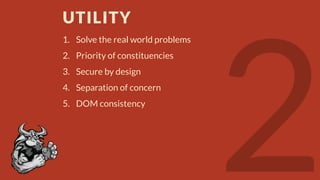
UTILITY
1. Solve the real world problems
2. Priority of constituencies
3. Secure by design

4. Separation of concern
5. DOM consistency
Solve the real world problems. Prefer
pragmatic solutions than abstract

architectures. From product
management perspective, build

product with features that address
real world needs. Anything other

than that should be second priority.
Priority of constituencies. In case of
conflict, consider users over authors

over implementers over specifiers
over theoretical purity. For example,

even if Kilogram is standard unit of
weight, use Pound if users are more

familiar with it.
Separation of concern. If two things
are different make them different.

From user experience perspective,
readability and edit-ability are two

different things and thus should be
made completely distinguishable. An

engineer should separate business
logic from presentation logic.
INTEROPERABILITY
1. Well-defined behavior
2. Avoid needless complexity
3. Handle errors
Well-defined behavior. From product
manager to user experience designer

to visual designer to UI developer to
backend developer, everyone should

be on same page when it comes to
product and its features. In this long

chain of communication, there is
always a chance of Chinese Whisper

spoiling the product.
Avoid needless complexity. Simple
solutions are preferred to complex

once, when possible. Ideal example
would be workflow processing like

user registration process on web
applications. Many web applications

ask too many unnecessary details
increasing complexity that often

alienate users.
Handle errors. Be liberal in what you
accept. Always provide prompt

feedback for unintended user
actions. Give suggestive remedy to

user when something goes wrong.
Don’t make it hell for the user.*

*Refer: http://www.slideshare.net/HarshalPatil4/effective-feedback-design
UNIVERSAL ACCESS
1. Media independence
2. Support world languages
3. Accessibility
Media independence. Just like every
human being, web is for every device

and so are the products based on web.
Thus, it should work across different

platforms, devices and media. The
product especially in public domain

should be designed in such a way to
support as many platforms as possible

with subject to user research.
Support world languages. Needless to
say, internationalization & localization

are must for any web product that has
user base which is geographically

diverse. Every culture is different in taste
and customs. What works in one may not

work in another. User experience &
product management teams should

carefully incorporate such aspects.
Accessibility. Often an ignored piece. But
there are people who need special help

when using a product but this does not
mean that they have any lesser right to

use web. They are equal and treat
accessibility as such. This requirement is

even more critical for institutions likes
government, banks, hospitals, etc.
Finally, these are just few of the ideas about product development.

Product thinking is vast topic in its own rights. It involves study of
computer science, psychology, design, etc.

And this is just a starting point.
THANK
YOU
Author:
Harshal Patil
https://twitter.com/mistyHarsh
http://definitelysimple.com
http://www.linkedin.com/in/hapatil

HTML5 design principles

  • 1.
    HTML5 DESIGN PRINCIPLES Uncovering forgottenprinciples for better product development
  • 2.
    BEFORE YOU START: Thispresentation is about product development ideas and has nothing to do with HTML except for the fact that HTML5 design principles are used to comment a word or two about product ideology. The opinions are based on personal experience and thus could be subjective in nature.
  • 3.
    Almost everyone outthere uses web
  • 4.
    They use itin different ways imaginable
  • 5.
    HTML is theultimate power horse of web
  • 6.
    Flexible nature ofHTML makes web usable for everyone. This flexibility is possible because there are few simple guidelines that are deeply embodied into HTML specification. These guidelines have eventually become the design principles of HTML.
  • 7.
    When building complexweb 2.0 applications, these simple design principles are often overshadowed resulting in applications that are not harmonious with the nature of web.
  • 8.
    Evolution of RESTfularchitectural style is an example of embracing the web in its own nature. It breaks the old paradigm of RPC based architectures that used the web in ways it was not intended to use producing very complex and hard to maintain applications.
  • 9.
    W3C has releaseddraft of HTML5 design principles that outlines major guidelines behind HTML5. It helps to understand why HTML5 is designed the way it is now. If incorporated into application design, it allows to create applications that are maintainable & harmonious with the laws of web.
  • 10.
    COMPATIBILITY 1. Support existingcontent 2. Degrade gracefully 3. Do not reinvent the wheel 4. Pave the cowpaths 5. Evolution not revolution
  • 11.
    Compatibility has many facets.In terms of product or application development, engineer, designer, architect, product manager, etc. all have different interpretations for compatibility.
  • 12.
    Compatibility means support existingcontent. If you are developing a product to replace legacy system, from engineer’s perspective, it means provide support for old system’s data. Provide ways to migrate data to newer system.
  • 13.
    Compatibility means degrade gracefully.Consider mobile application that needs camera. What will happen if an app is installed on mobile without camera. Instead of blocking app completely, allow graceful degradation so that app can at least functions with lesser features.
  • 14.
    Do not reinventthe wheel. Define a uniform vocabulary & guidelines for the product. Use this vocabulary to communicate within teams. Update it if required but do not reinvent. For engineer, it means creating library of recurring design patterns for reducing development efforts.
  • 15.
    Evolution not revolution.If users are accustomed to something, don’t break that experience. User experience designer should try to follow convention over configuration for better user engagement and thus better product usability and experience.
  • 16.
    Pave the wayfor cowpaths. Probably applicable to all. Don’t get bogged down in idealization or theoretical accuracy. If something is working well & solving almost all problems, use it by all means. When introducing new features, make sure to offer easy ways for the users to continue what they were doing previously.
  • 17.
    UTILITY 1. Solve thereal world problems 2. Priority of constituencies 3. Secure by design 4. Separation of concern 5. DOM consistency
  • 18.
    Solve the realworld problems. Prefer pragmatic solutions than abstract architectures. From product management perspective, build product with features that address real world needs. Anything other than that should be second priority.
  • 19.
    Priority of constituencies.In case of conflict, consider users over authors over implementers over specifiers over theoretical purity. For example, even if Kilogram is standard unit of weight, use Pound if users are more familiar with it.
  • 20.
    Separation of concern.If two things are different make them different. From user experience perspective, readability and edit-ability are two different things and thus should be made completely distinguishable. An engineer should separate business logic from presentation logic.
  • 21.
    INTEROPERABILITY 1. Well-defined behavior 2.Avoid needless complexity 3. Handle errors
  • 22.
    Well-defined behavior. Fromproduct manager to user experience designer to visual designer to UI developer to backend developer, everyone should be on same page when it comes to product and its features. In this long chain of communication, there is always a chance of Chinese Whisper spoiling the product.
  • 23.
    Avoid needless complexity.Simple solutions are preferred to complex once, when possible. Ideal example would be workflow processing like user registration process on web applications. Many web applications ask too many unnecessary details increasing complexity that often alienate users.
  • 24.
    Handle errors. Beliberal in what you accept. Always provide prompt feedback for unintended user actions. Give suggestive remedy to user when something goes wrong. Don’t make it hell for the user.* *Refer: http://www.slideshare.net/HarshalPatil4/effective-feedback-design
  • 25.
    UNIVERSAL ACCESS 1. Mediaindependence 2. Support world languages 3. Accessibility
  • 26.
    Media independence. Justlike every human being, web is for every device and so are the products based on web. Thus, it should work across different platforms, devices and media. The product especially in public domain should be designed in such a way to support as many platforms as possible with subject to user research.
  • 27.
    Support world languages.Needless to say, internationalization & localization are must for any web product that has user base which is geographically diverse. Every culture is different in taste and customs. What works in one may not work in another. User experience & product management teams should carefully incorporate such aspects.
  • 28.
    Accessibility. Often anignored piece. But there are people who need special help when using a product but this does not mean that they have any lesser right to use web. They are equal and treat accessibility as such. This requirement is even more critical for institutions likes government, banks, hospitals, etc.
  • 29.
    Finally, these arejust few of the ideas about product development. Product thinking is vast topic in its own rights. It involves study of computer science, psychology, design, etc. And this is just a starting point.
  • 30.