Have you got the basics covered?
Accessibility standards and AB Testing
PROUDLY IN PARTNERSHIP WITH
FEB 2025
2
Yoghurt Digital Reconciliation Policy
Acknowledgement Of Country
In the spirit of reconciliation Yoghurt Digital acknowledges the Traditional
Custodians of country throughout Australia and their connections to land, sea
and community.
We pay our respect to their Elders past and present and extend that respect to
all Aboriginal and Torres Strait Islander peoples today.
Yoghurt Digital
UXC Team
With you today
3
Amy Cheng
Head of UXC
> Design
> Psychology
> Marketing
> Product
Darren Ho
Senior UXC Specialist
> Creative Strategy
> UX/UI
> Brand
> Experimentation
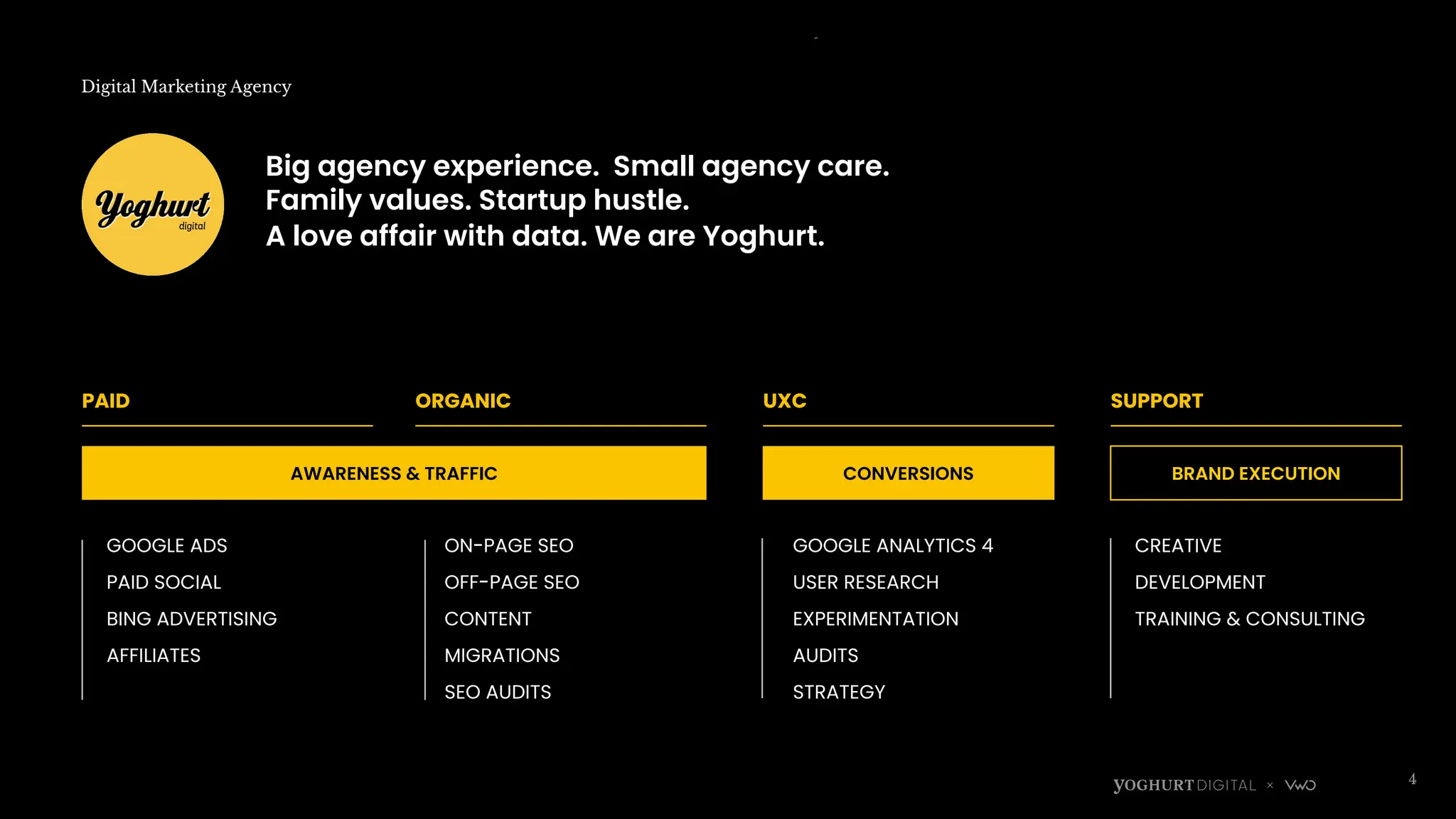
Digital Marketing Agency
4
PAID ORGANIC
AWARENESS & TRAFFIC
UXC
CONVERSIONS
SUPPORT
BRAND EXECUTION
GOOGLE ADS
PAID SOCIAL
BING ADVERTISING
AFFILIATES
ON-PAGE SEO
OFF-PAGE SEO
CONTENT
MIGRATIONS
SEO AUDITS
GOOGLE ANALYTICS 4
USER RESEARCH
EXPERIMENTATION
AUDITS
STRATEGY
CREATIVE
DEVELOPMENT
TRAINING & CONSULTING
Big agency experience. Small agency care.
Family values. Startup hustle.
A love affair with data. We are Yoghurt.
5
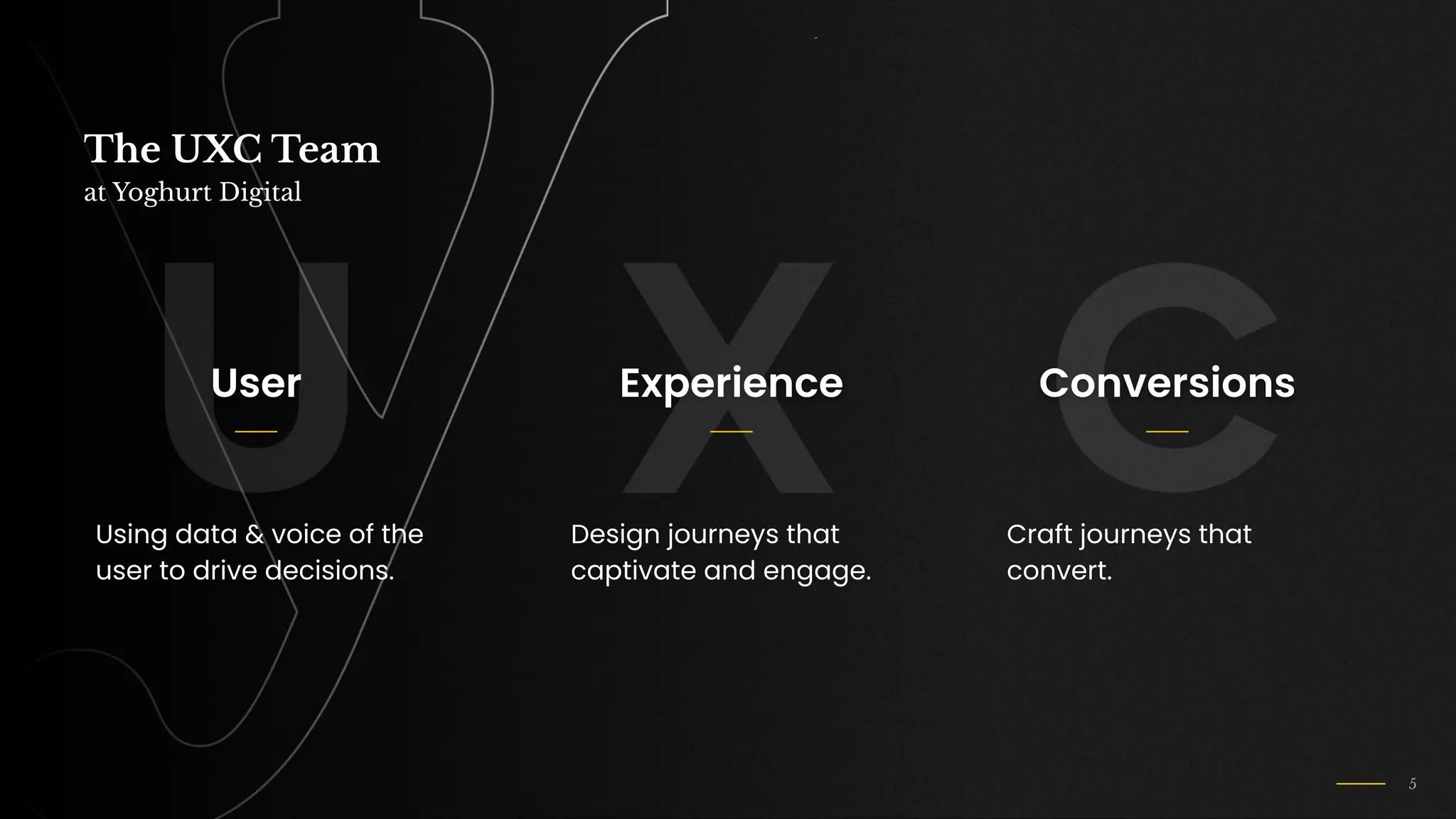
The UXC Team
at Yoghurt Digital
User
Using data & voice of the
user to drive decisions.
Experience
Design journeys that
captivate and engage.
Conversions
Craft journeys that
convert.
6
Where we’ve
made an impact
Introduction
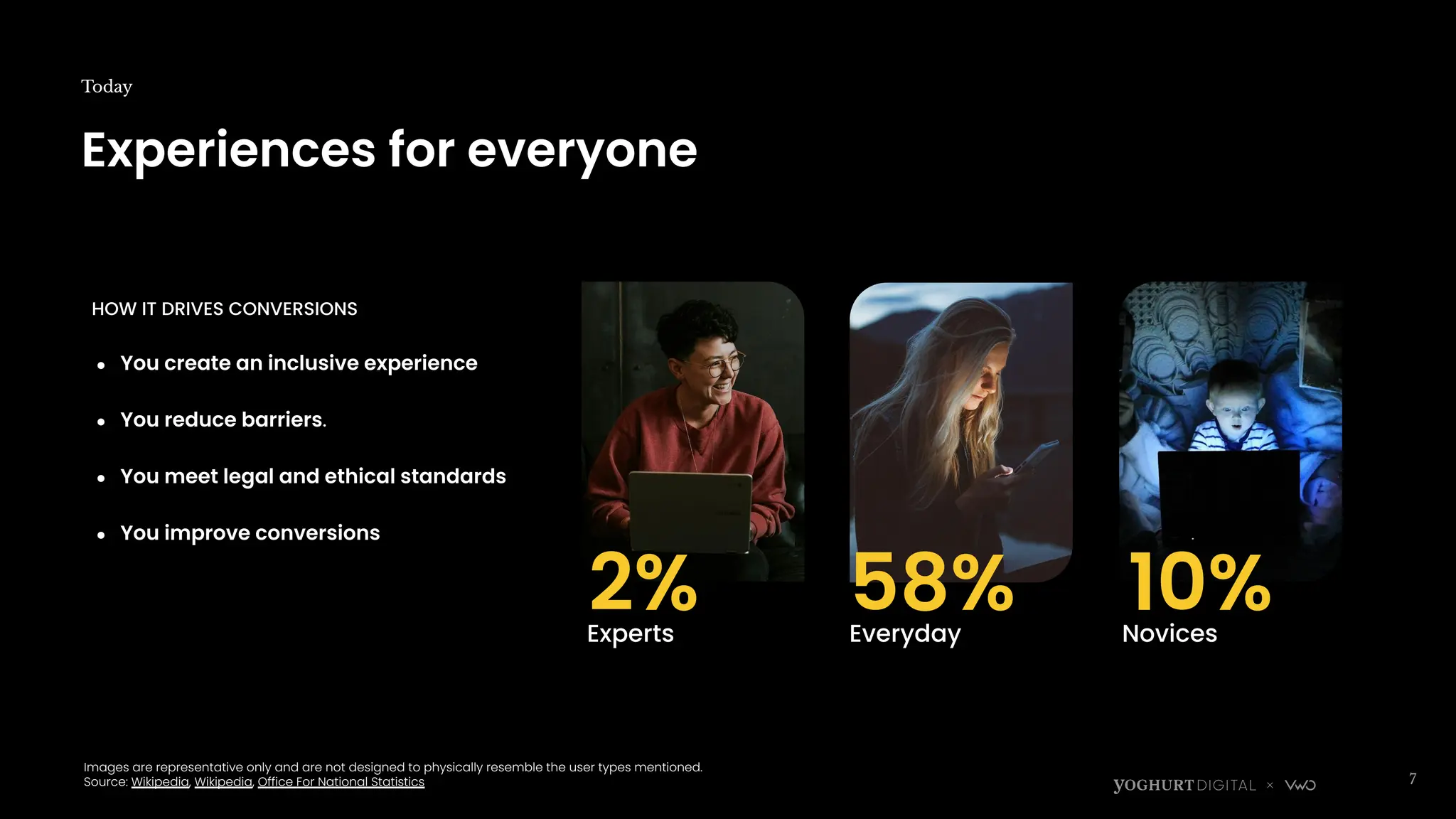
Experiences for everyone
Today
7
Images are representative only and are not designed to physically resemble the user types mentioned.
Source: Wikipedia, Wikipedia, Office For National Statistics
Experts
2% Everyday Novices
58% 10%
HOW IT DRIVES CONVERSIONS
● You create an inclusive experience
● You reduce barriers.
● You meet legal and ethical standards
● You improve conversions
8
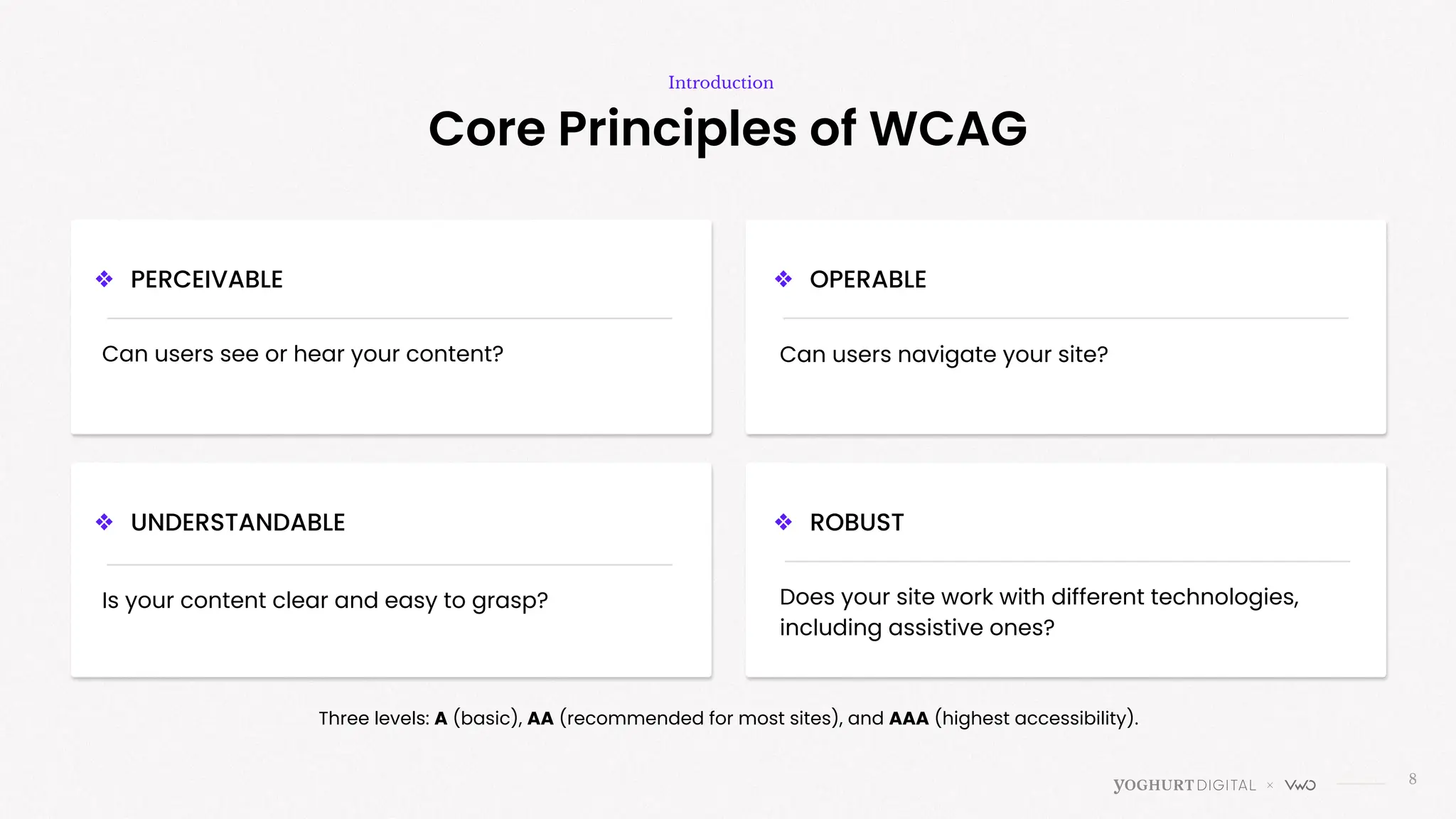
Core Principles of WCAG
Introduction
❖ PERCEIVABLE
Can users see or hear your content? Can users navigate your site?
Is your content clear and easy to grasp? Does your site work with different technologies,
including assistive ones?
Three levels: A (basic), AA (recommended for most sites), and AAA (highest accessibility).
❖ UNDERSTANDABLE
❖ OPERABLE
❖ ROBUST
>
Can users see or hear your content?
Perceivable
10
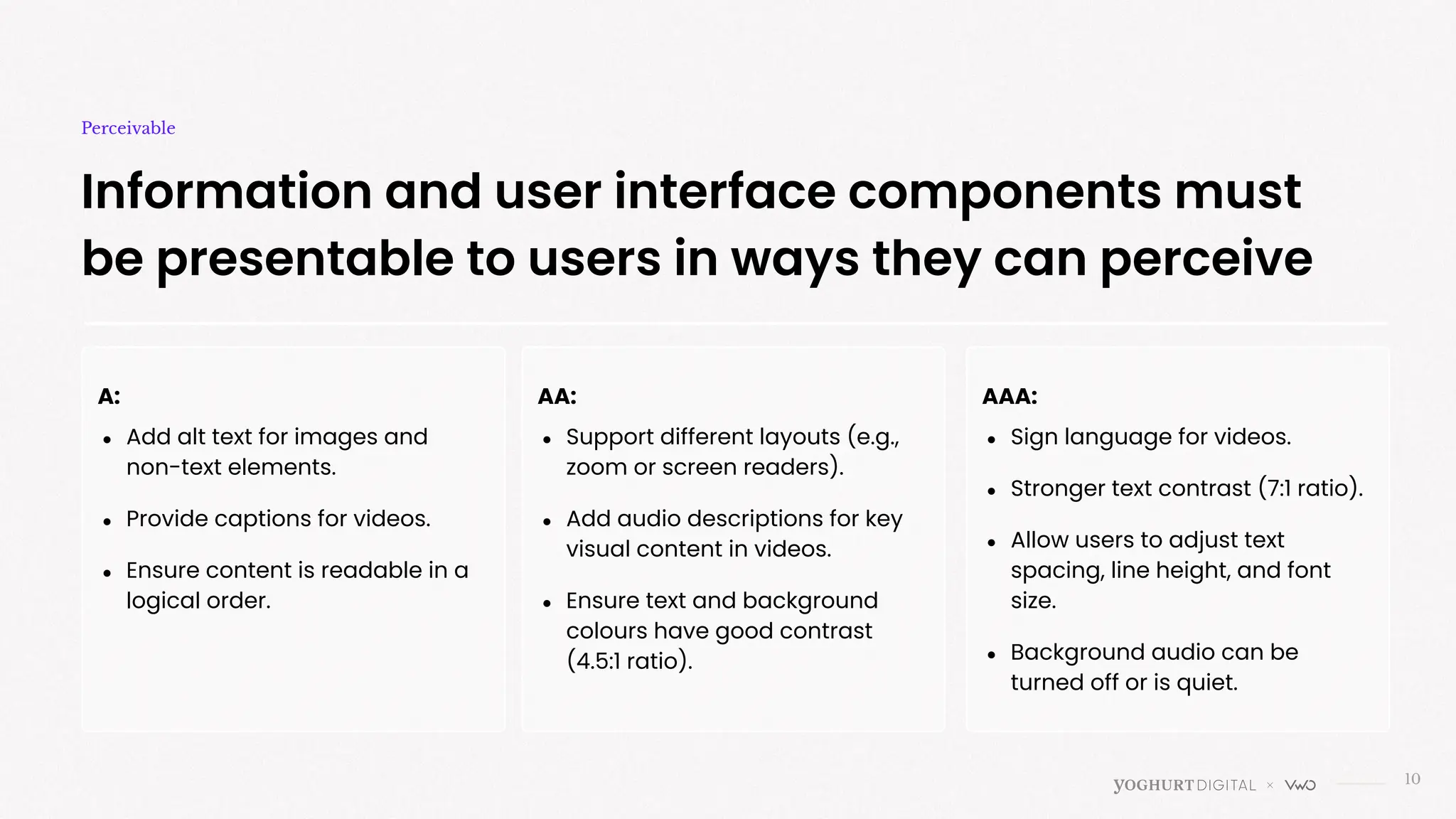
Information and user interface components must
be presentable to users in ways they can perceive
Perceivable
A:
● Add alt text for images and
non-text elements.
● Provide captions for videos.
● Ensure content is readable in a
logical order.
AA:
● Support different layouts (e.g.,
zoom or screen readers).
● Add audio descriptions for key
visual content in videos.
● Ensure text and background
colours have good contrast
(4.5:1 ratio).
AAA:
● Sign language for videos.
● Stronger text contrast (7:1 ratio).
● Allow users to adjust text
spacing, line height, and font
size.
● Background audio can be
turned off or is quiet.
11
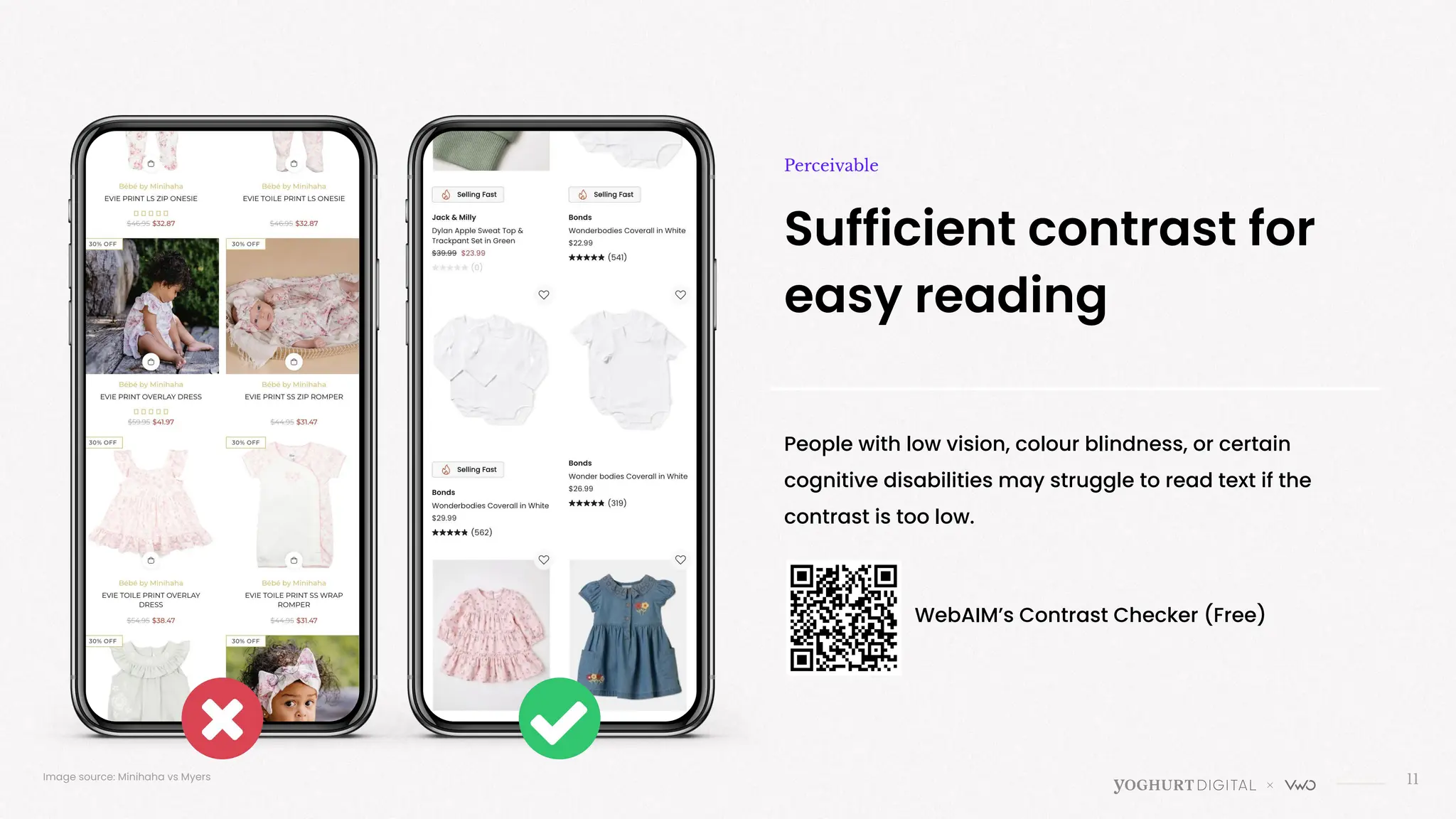
Sufficient contrast for
easy reading
Perceivable
People with low vision, colour blindness, or certain
cognitive disabilities may struggle to read text if the
contrast is too low.
Image source: Minihaha vs Myers
WebAIM’s Contrast Checker (Free)
Yellow
cupcake
with white
frosting
12
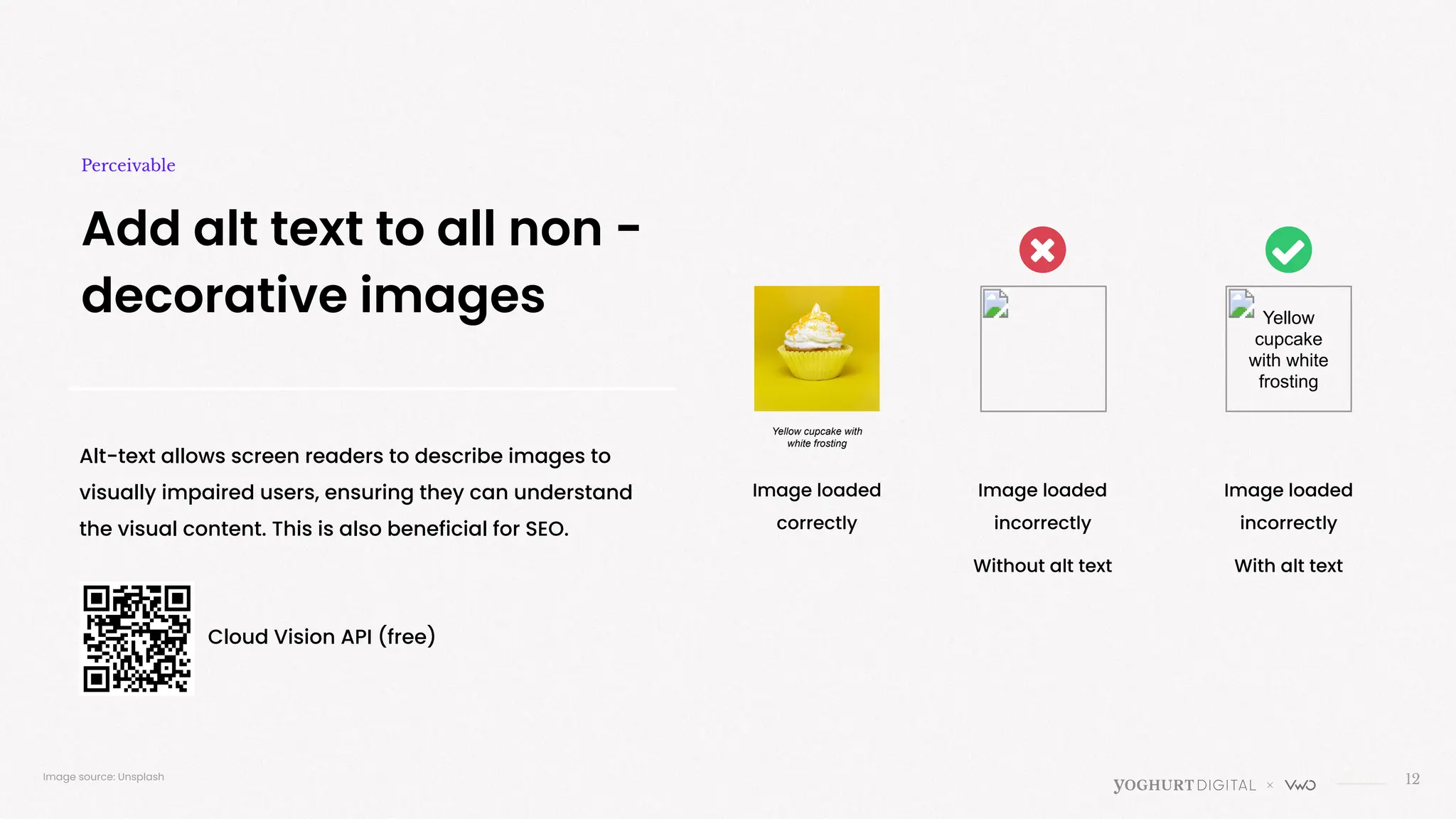
Add alt text to all non -
decorative images
Perceivable
Alt-text allows screen readers to describe images to
visually impaired users, ensuring they can understand
the visual content. This is also beneficial for SEO.
Image loaded
correctly
Image loaded
incorrectly
Without alt text
Image loaded
incorrectly
With alt text
Image source: Unsplash
Cloud Vision API (free)
Yellow cupcake with
white frosting
13
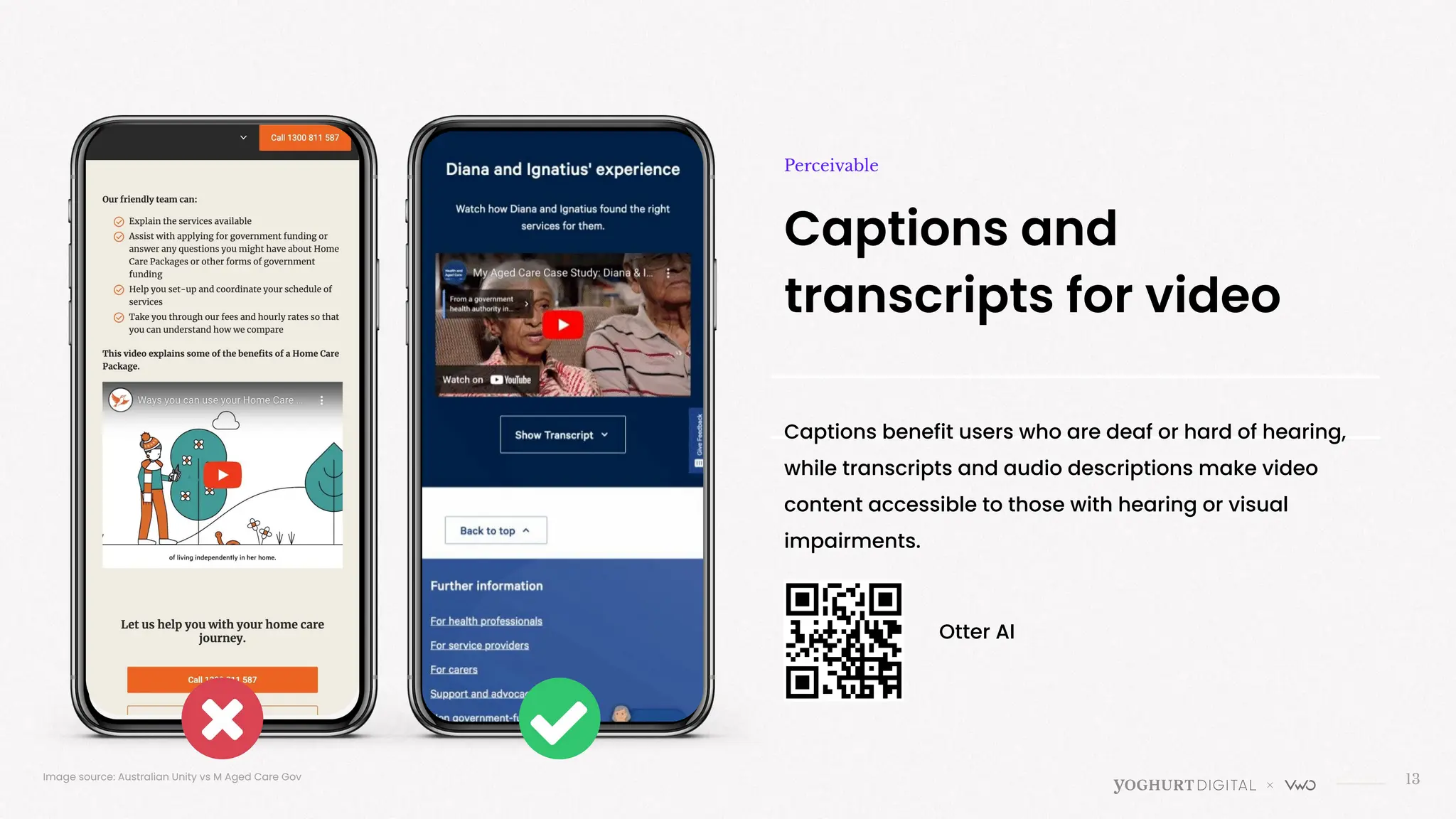
Captions and
transcripts for video
Perceivable
Captions benefit users who are deaf or hard of hearing,
while transcripts and audio descriptions make video
content accessible to those with hearing or visual
impairments.
Image source: Australian Unity vs M Aged Care Gov
Otter AI
>
Can users navigate your site, no matter how they do it?
Operable
15
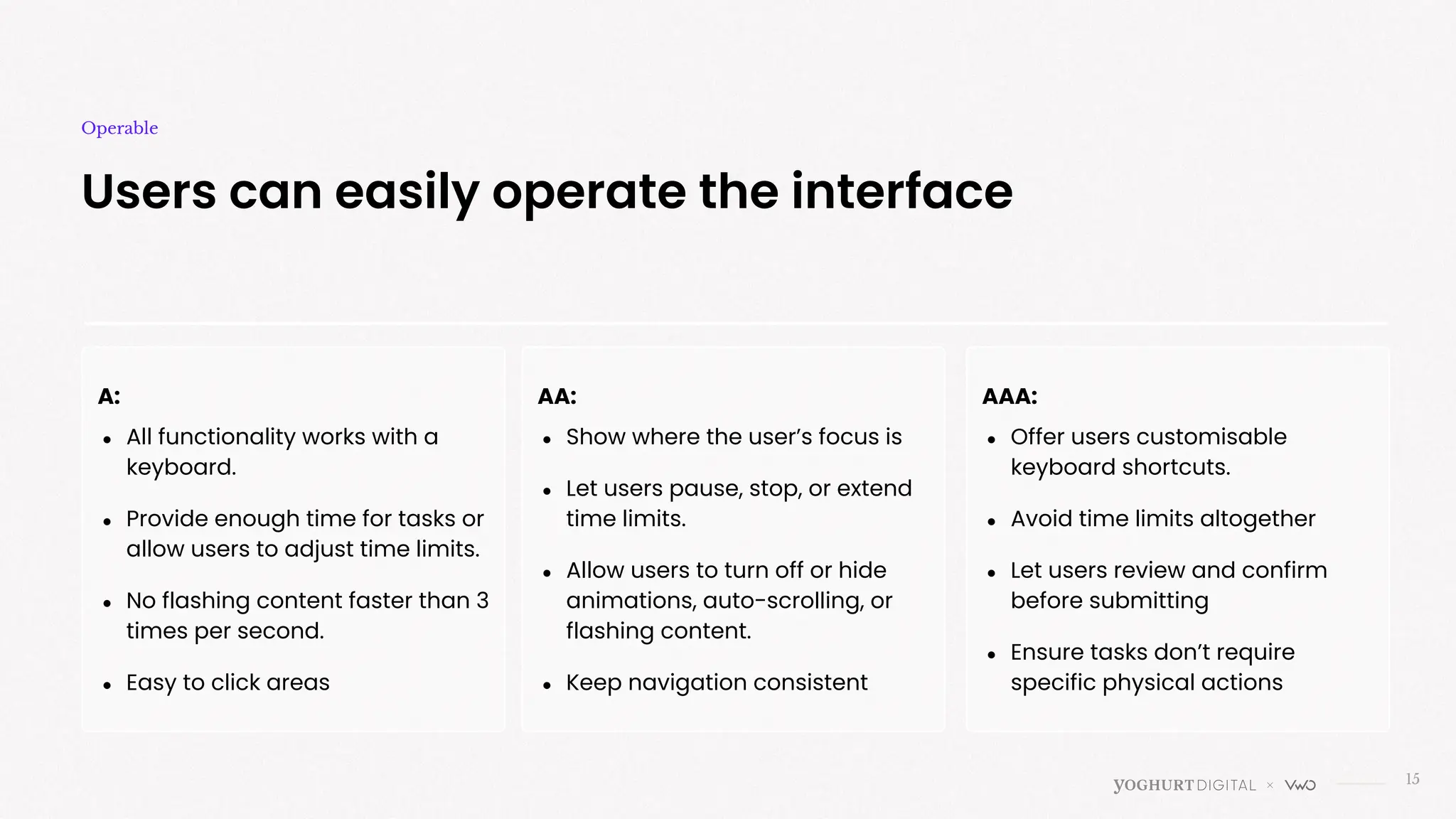
Users can easily operate the interface
Operable
A:
● All functionality works with a
keyboard.
● Provide enough time for tasks or
allow users to adjust time limits.
● No flashing content faster than 3
times per second.
● Easy to click areas
AA:
● Show where the user’s focus is
● Let users pause, stop, or extend
time limits.
● Allow users to turn off or hide
animations, auto-scrolling, or
flashing content.
● Keep navigation consistent
AAA:
● Offer users customisable
keyboard shortcuts.
● Avoid time limits altogether
● Let users review and confirm
before submitting
● Ensure tasks don’t require
specific physical actions
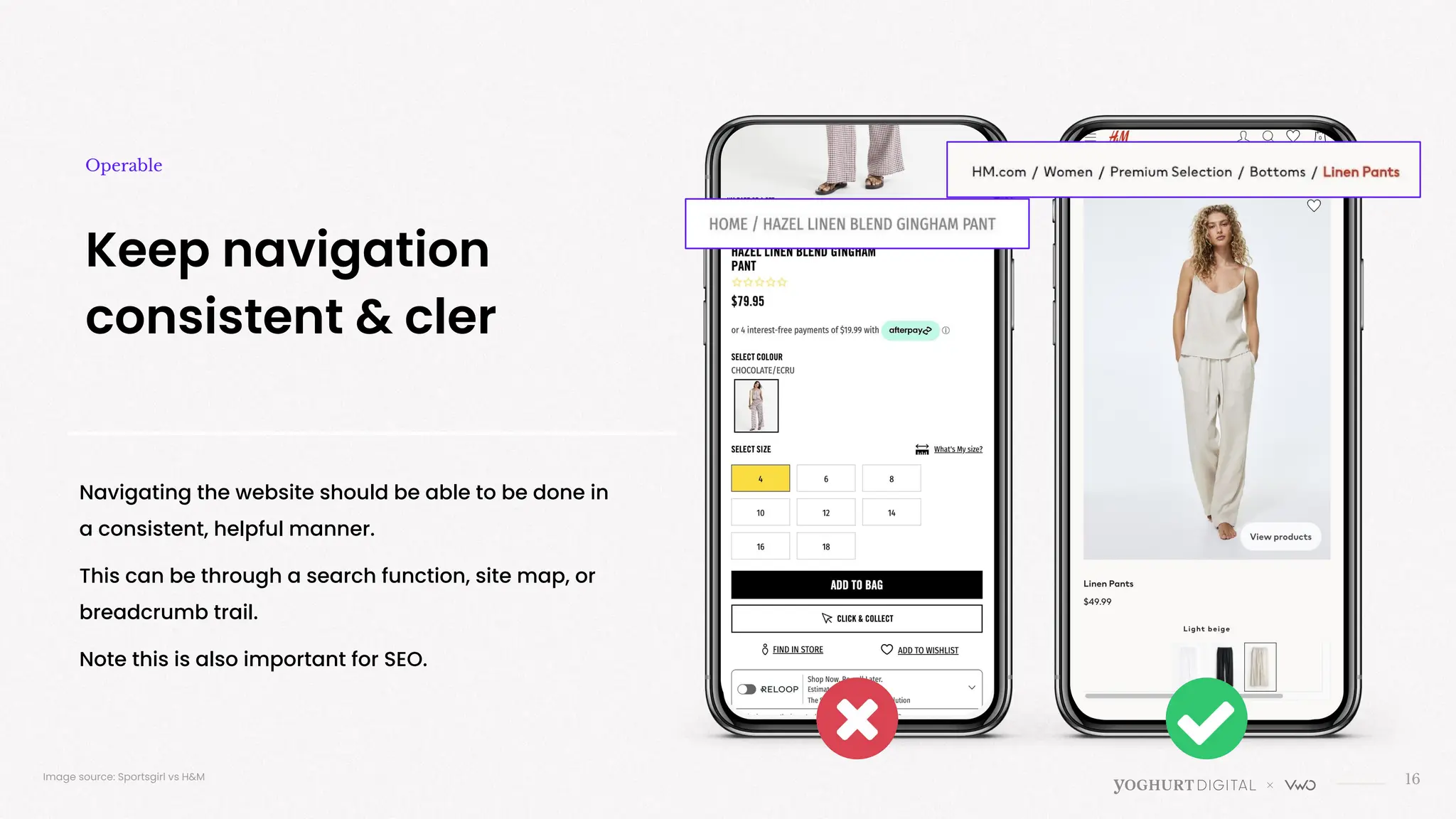
Navigating the website should be able to be done in
a consistent, helpful manner.
This can be through a search function, site map, or
breadcrumb trail.
Note this is also important for SEO.
16
Keep navigation
consistent & cler
Operable
Image source: Sportsgirl vs H&M
17
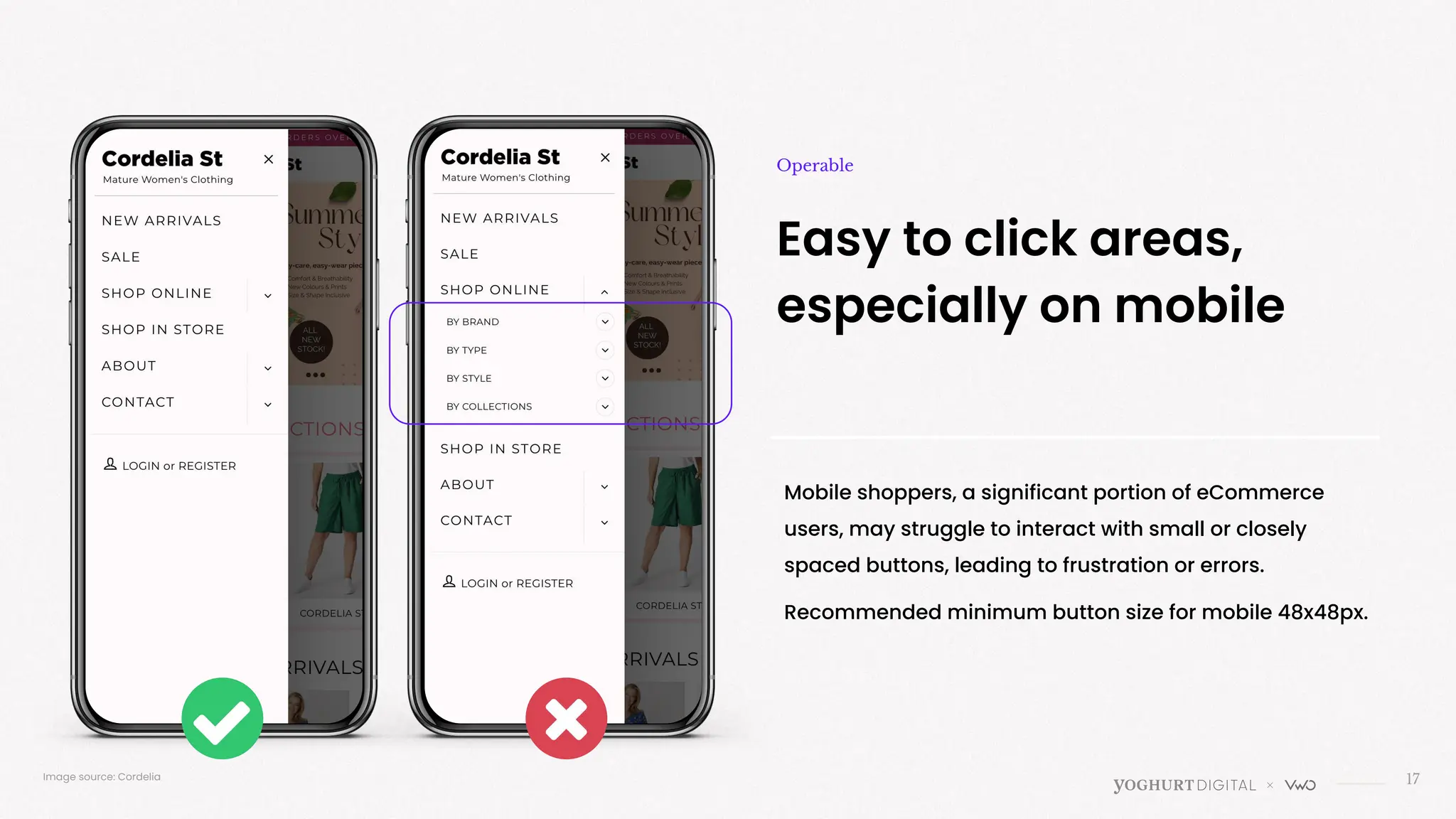
Image source: Cordelia
Easy to click areas,
especially on mobile
Operable
Mobile shoppers, a significant portion of eCommerce
users, may struggle to interact with small or closely
spaced buttons, leading to frustration or errors.
Recommended minimum button size for mobile 48x48px.
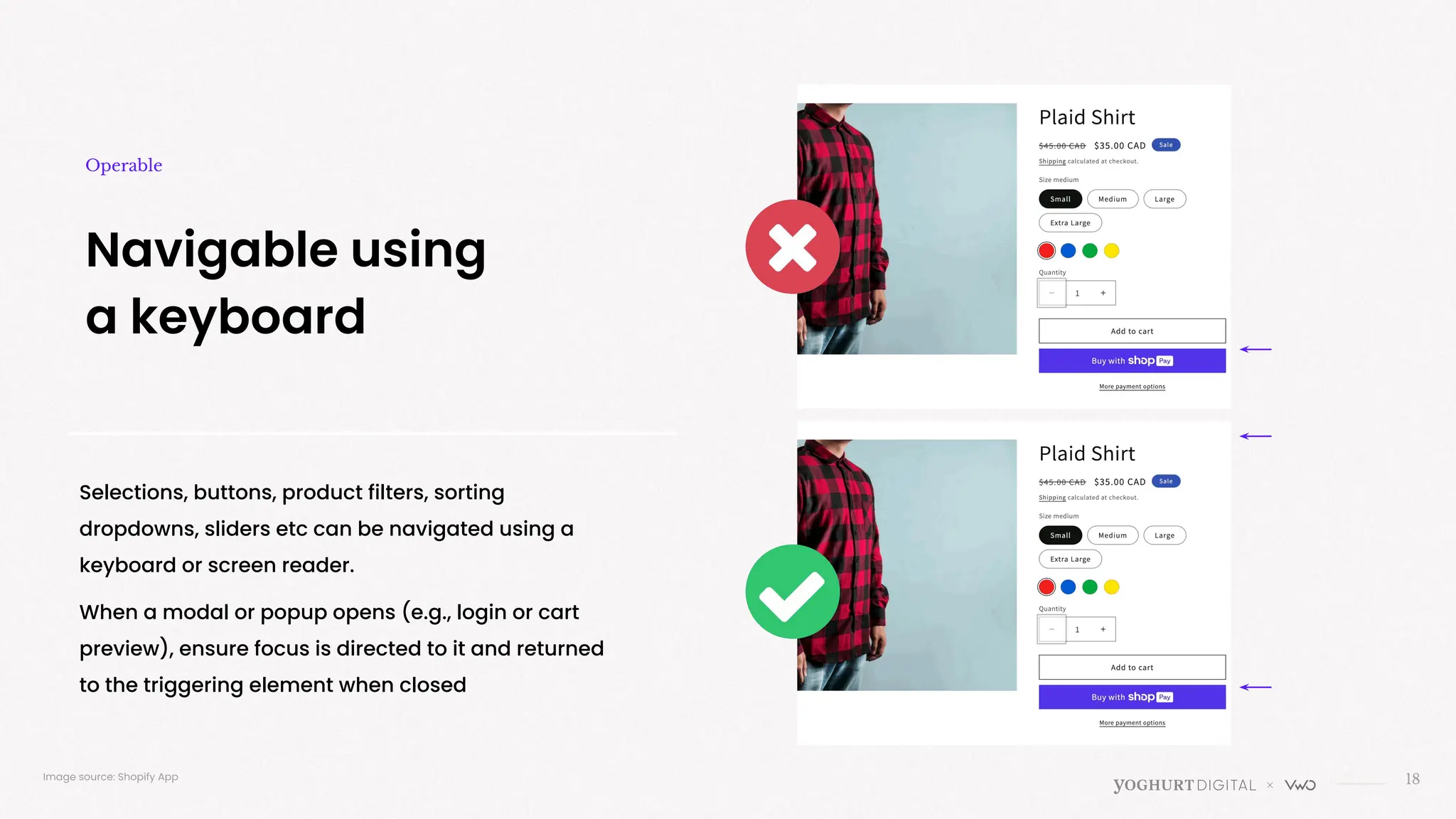
Selections, buttons, product filters, sorting
dropdowns, sliders etc can be navigated using a
keyboard or screen reader.
When a modal or popup opens (e.g., login or cart
preview), ensure focus is directed to it and returned
to the triggering element when closed
18
Navigable using
a keyboard
Operable
Image source: Shopify App
19
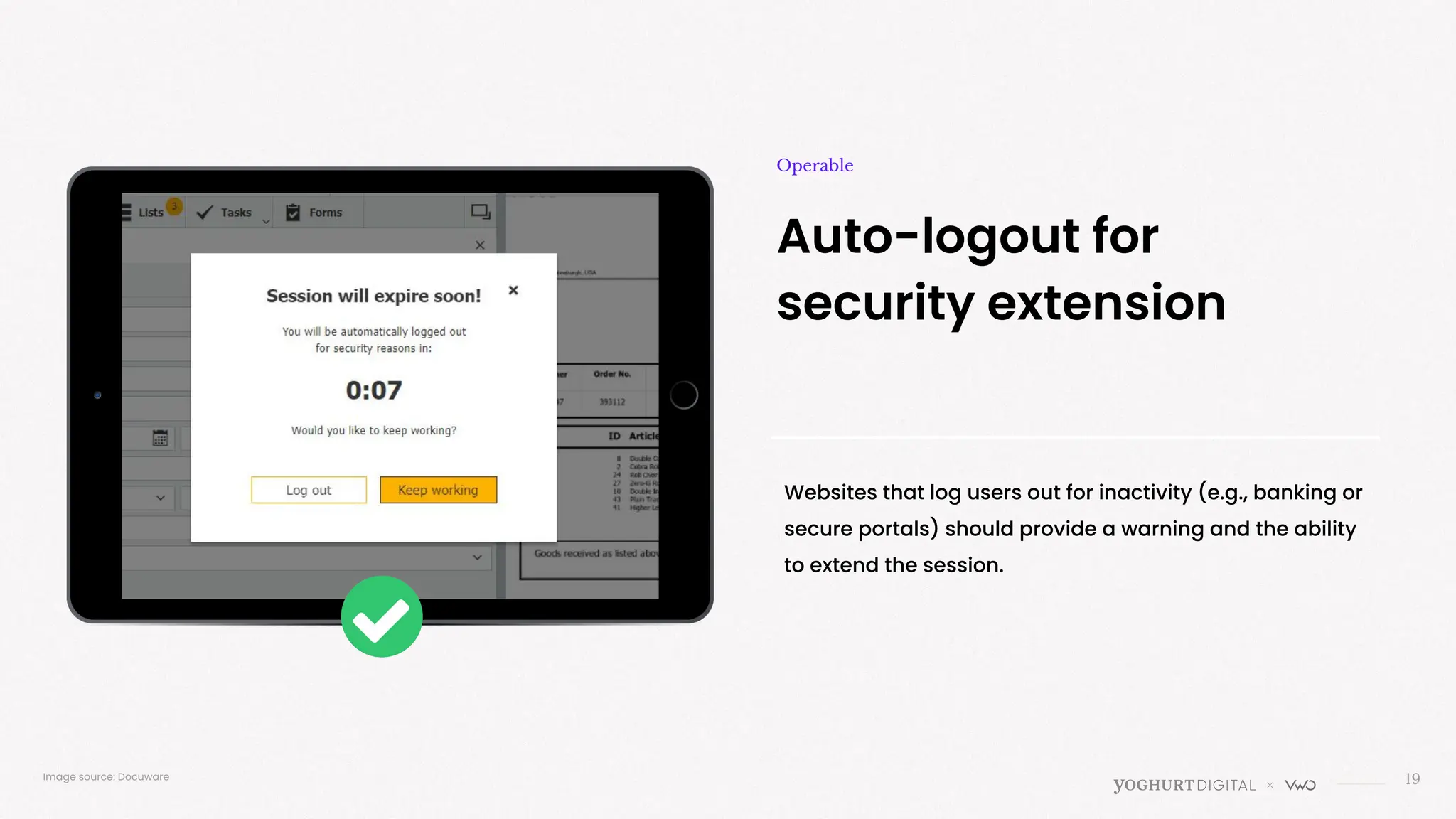
Auto-logout for
security extension
Operable
Websites that log users out for inactivity (e.g., banking or
secure portals) should provide a warning and the ability
to extend the session.
Image source: Docuware
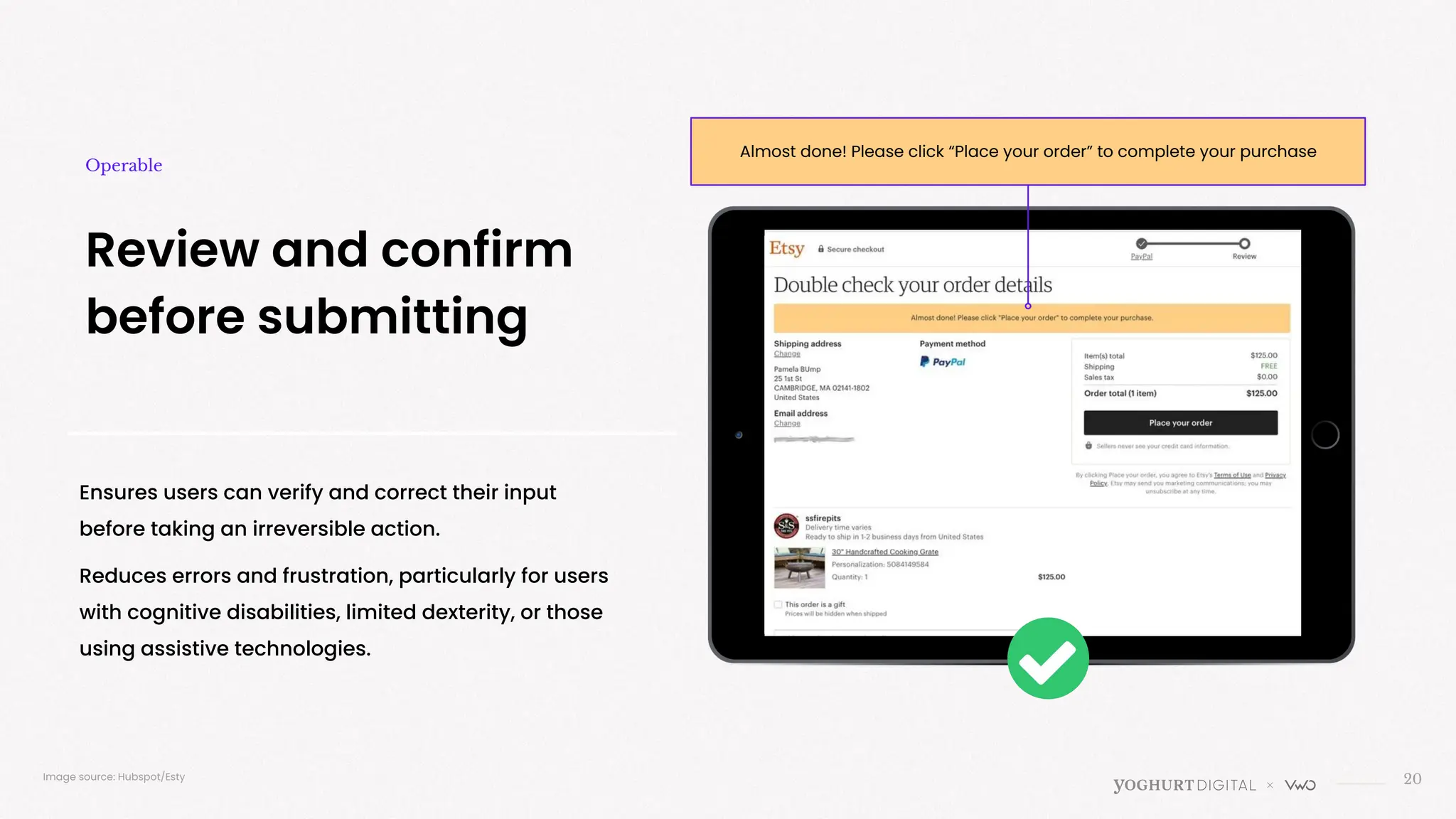
Ensures users can verify and correct their input
before taking an irreversible action.
Reduces errors and frustration, particularly for users
with cognitive disabilities, limited dexterity, or those
using assistive technologies.
20
Review and confirm
before submitting
Operable
Image source: Hubspot/Esty
Almost done! Please click “Place your order” to complete your purchase
>
Is your content clear and easy to grasp?
Understandable
22
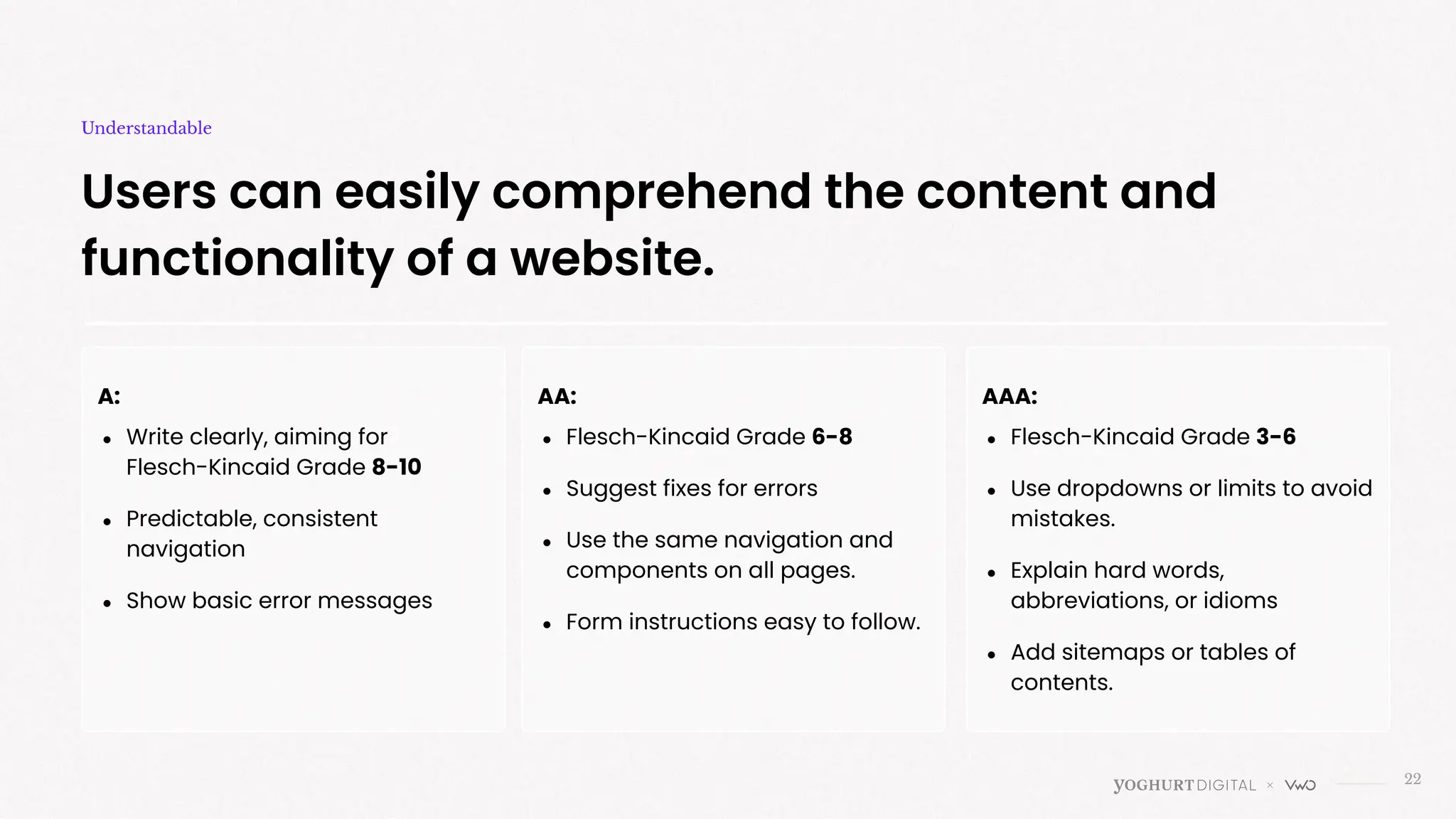
Users can easily comprehend the content and
functionality of a website.
Understandable
A:
● Write clearly, aiming for
Flesch-Kincaid Grade 8-10
● Predictable, consistent
navigation
● Show basic error messages
AA:
● Flesch-Kincaid Grade 6-8
● Suggest fixes for errors
● Use the same navigation and
components on all pages.
● Form instructions easy to follow.
AAA:
● Flesch-Kincaid Grade 3-6
● Use dropdowns or limits to avoid
mistakes.
● Explain hard words,
abbreviations, or idioms
● Add sitemaps or tables of
contents.
23
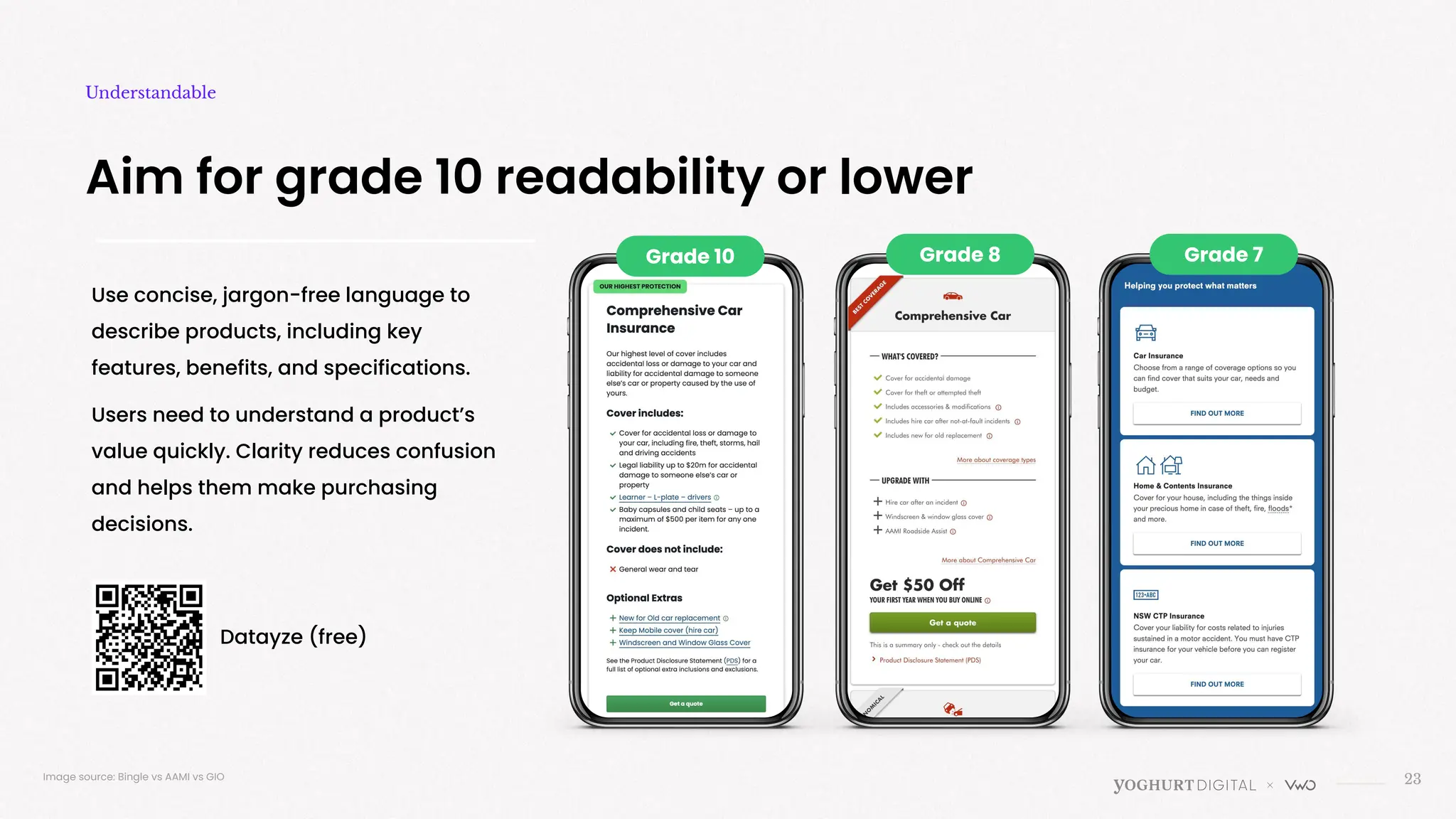
Aim for grade 10 readability or lower
Understandable
Image source: Bingle vs AAMI vs GIO
Grade 8
Grade 10
Use concise, jargon-free language to
describe products, including key
features, benefits, and specifications.
Users need to understand a product’s
value quickly. Clarity reduces confusion
and helps them make purchasing
decisions.
Grade 7
Datayze (free)
24
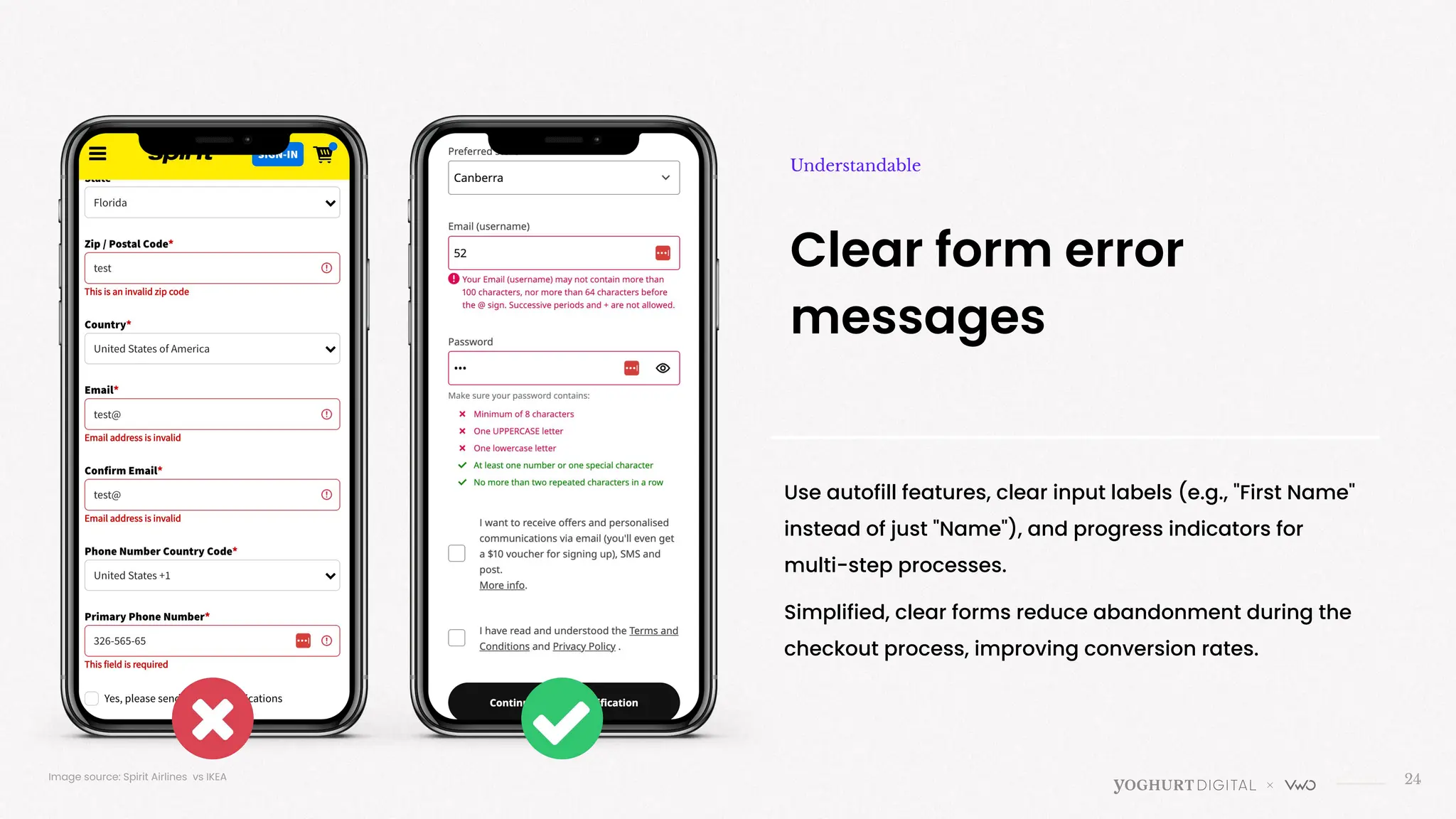
Clear form error
messages
Understandable
Image source: Spirit Airlines vs IKEA
Use autofill features, clear input labels (e.g., "First Name"
instead of just "Name"), and progress indicators for
multi-step processes.
Simplified, clear forms reduce abandonment during the
checkout process, improving conversion rates.
25
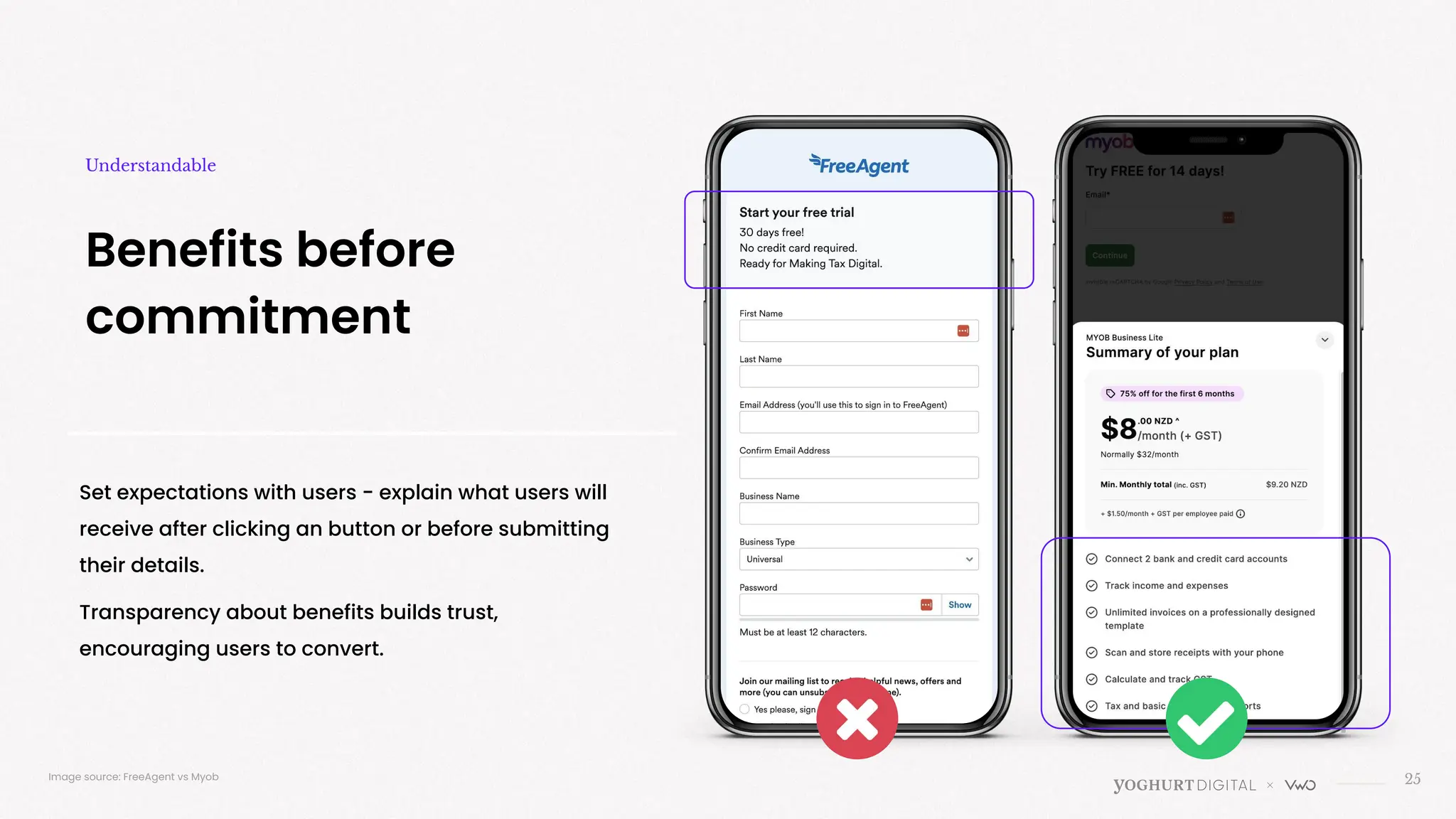
Benefits before
commitment
Understandable
Set expectations with users - explain what users will
receive after clicking an button or before submitting
their details.
Transparency about benefits builds trust,
encouraging users to convert.
Image source: FreeAgent vs Myob
26
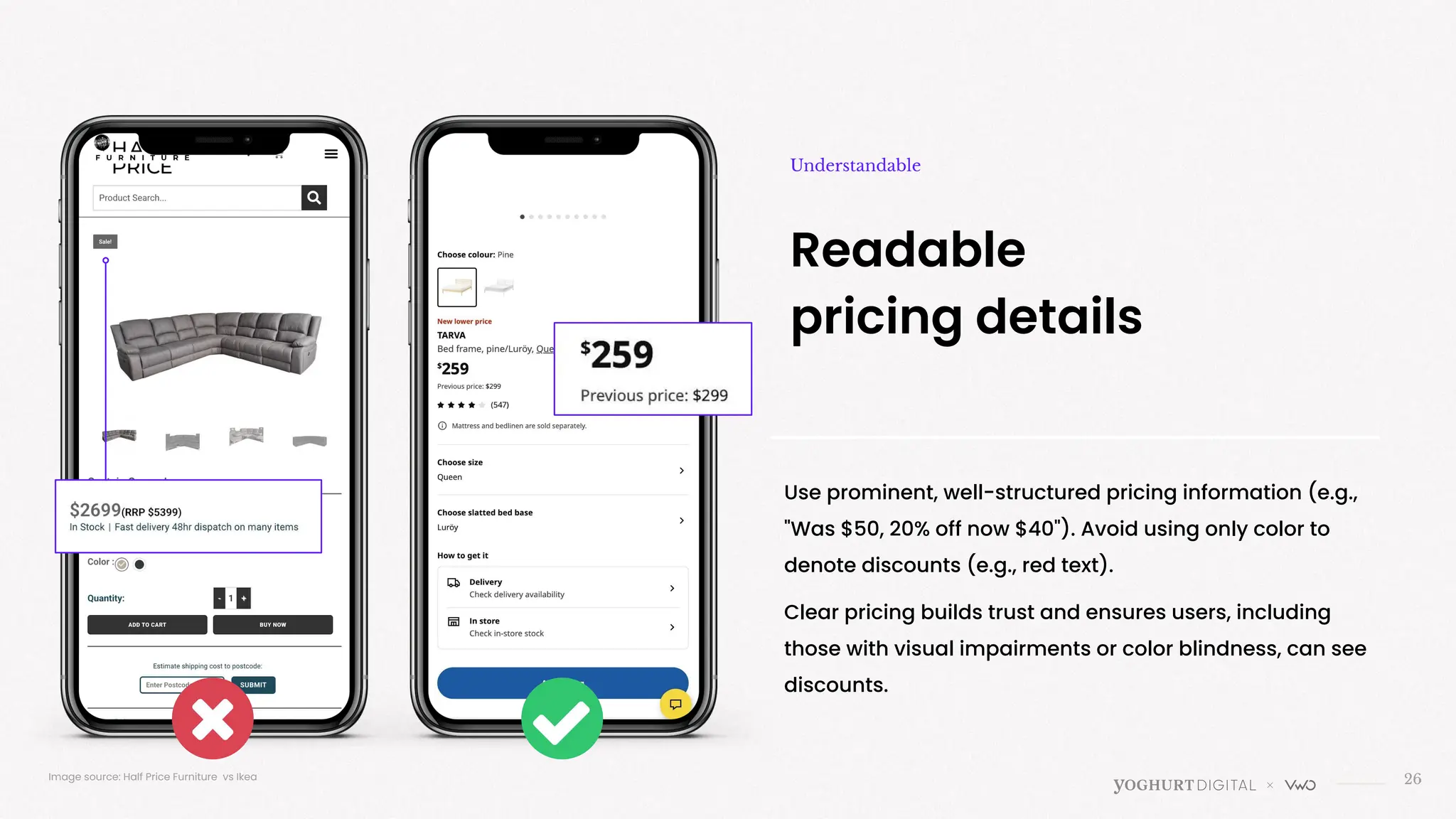
Readable
pricing details
Use prominent, well-structured pricing information (e.g.,
"Was $50, 20% off now $40"). Avoid using only color to
denote discounts (e.g., red text).
Clear pricing builds trust and ensures users, including
those with visual impairments or color blindness, can see
discounts.
Image source: Half Price Furniture vs Ikea
Understandable
>
Does your site work with different technologies, including assistive ones
Robust
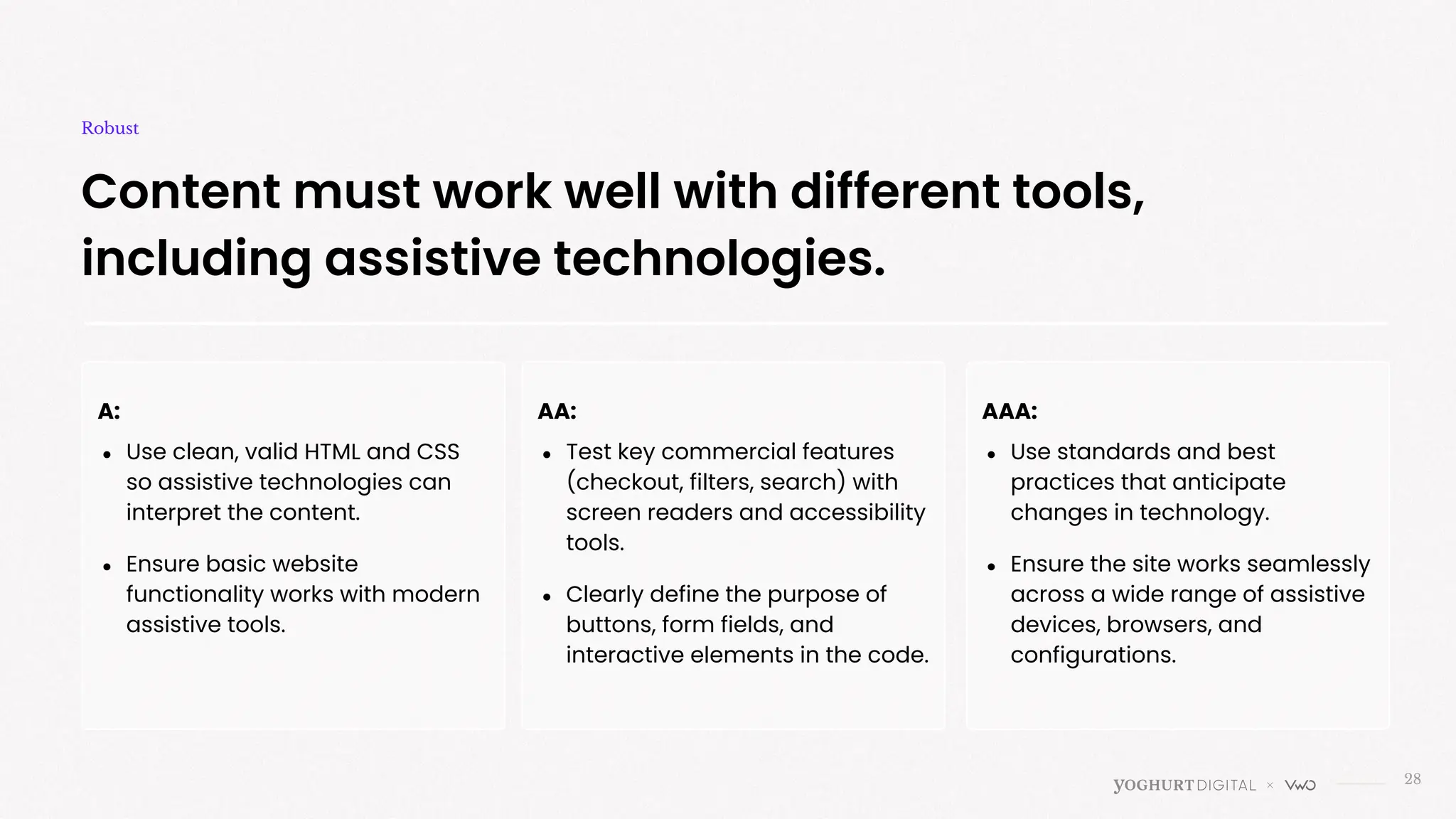
28
Content must work well with different tools,
including assistive technologies.
Robust
A:
● Use clean, valid HTML and CSS
so assistive technologies can
interpret the content.
● Ensure basic website
functionality works with modern
assistive tools.
AA:
● Test key commercial features
(checkout, filters, search) with
screen readers and accessibility
tools.
● Clearly define the purpose of
buttons, form fields, and
interactive elements in the code.
AAA:
● Use standards and best
practices that anticipate
changes in technology.
● Ensure the site works seamlessly
across a wide range of assistive
devices, browsers, and
configurations.
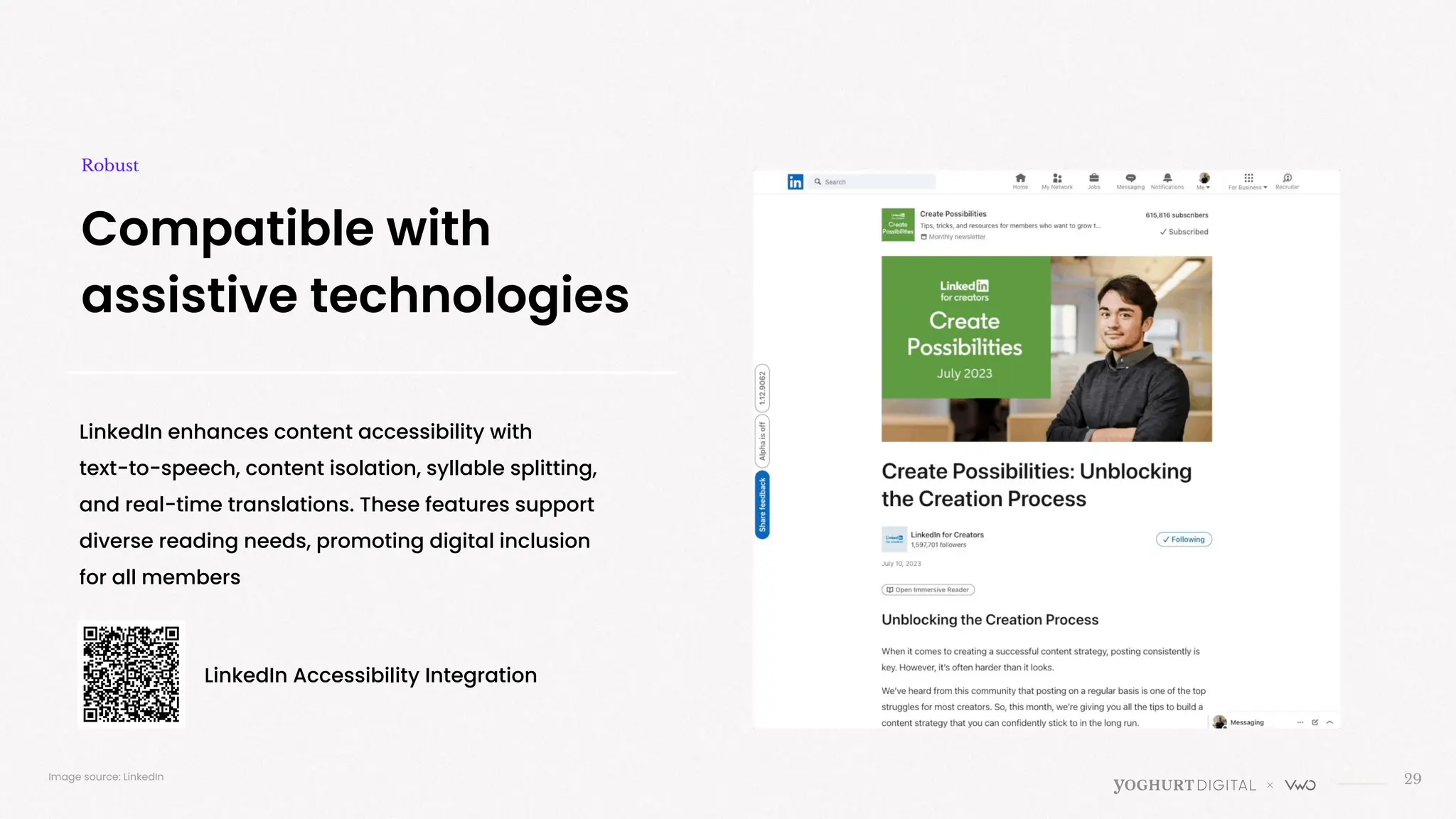
LinkedIn enhances content accessibility with
text-to-speech, content isolation, syllable splitting,
and real-time translations. These features support
diverse reading needs, promoting digital inclusion
for all members
29
Compatible with
assistive technologies
Robust
Image source: LinkedIn
LinkedIn Accessibility Integration
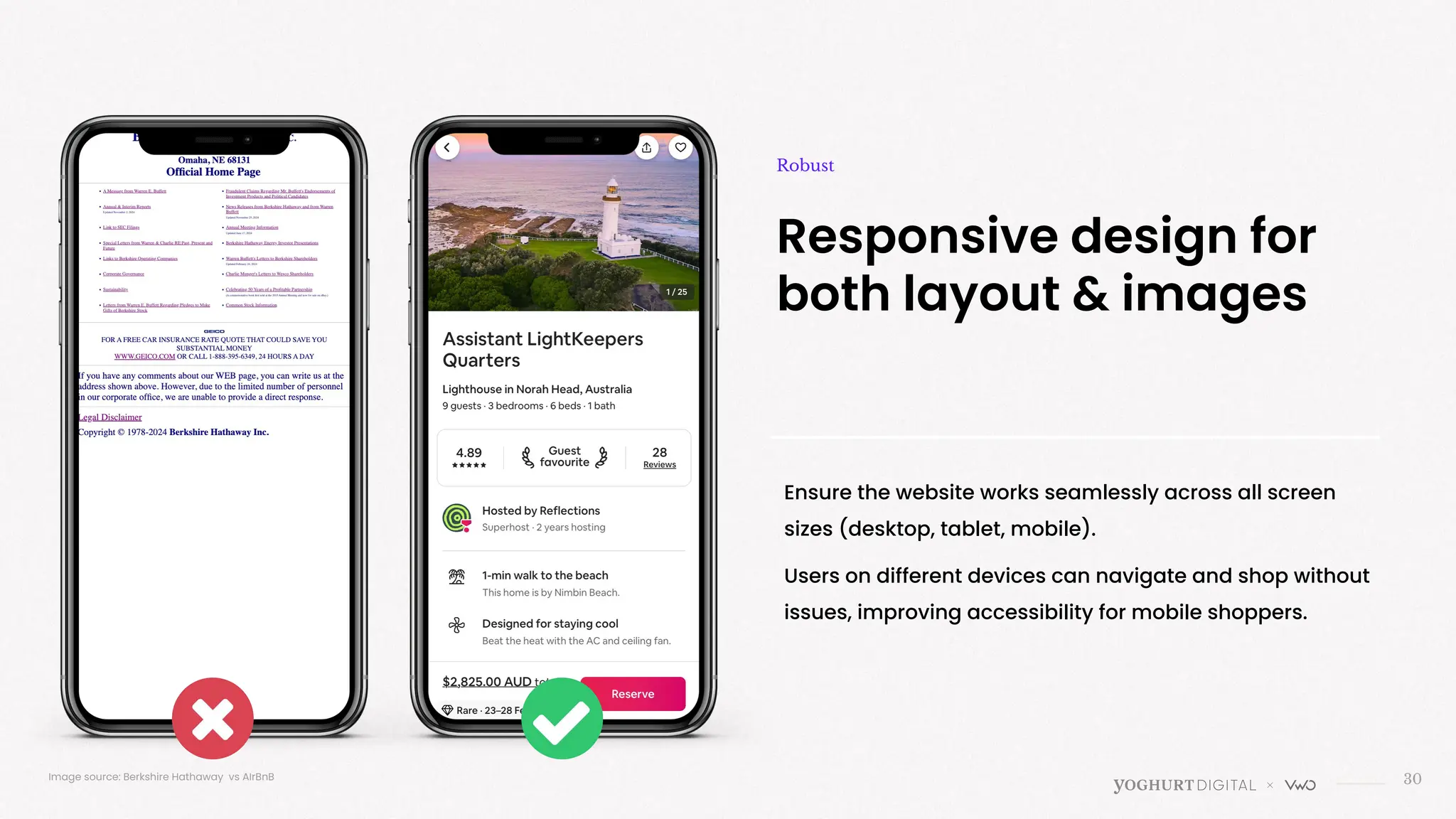
Responsive design for
both layout & images
Robust
30
Ensure the website works seamlessly across all screen
sizes (desktop, tablet, mobile).
Users on different devices can navigate and shop without
issues, improving accessibility for mobile shoppers.
Image source: Berkshire Hathaway vs AIrBnB
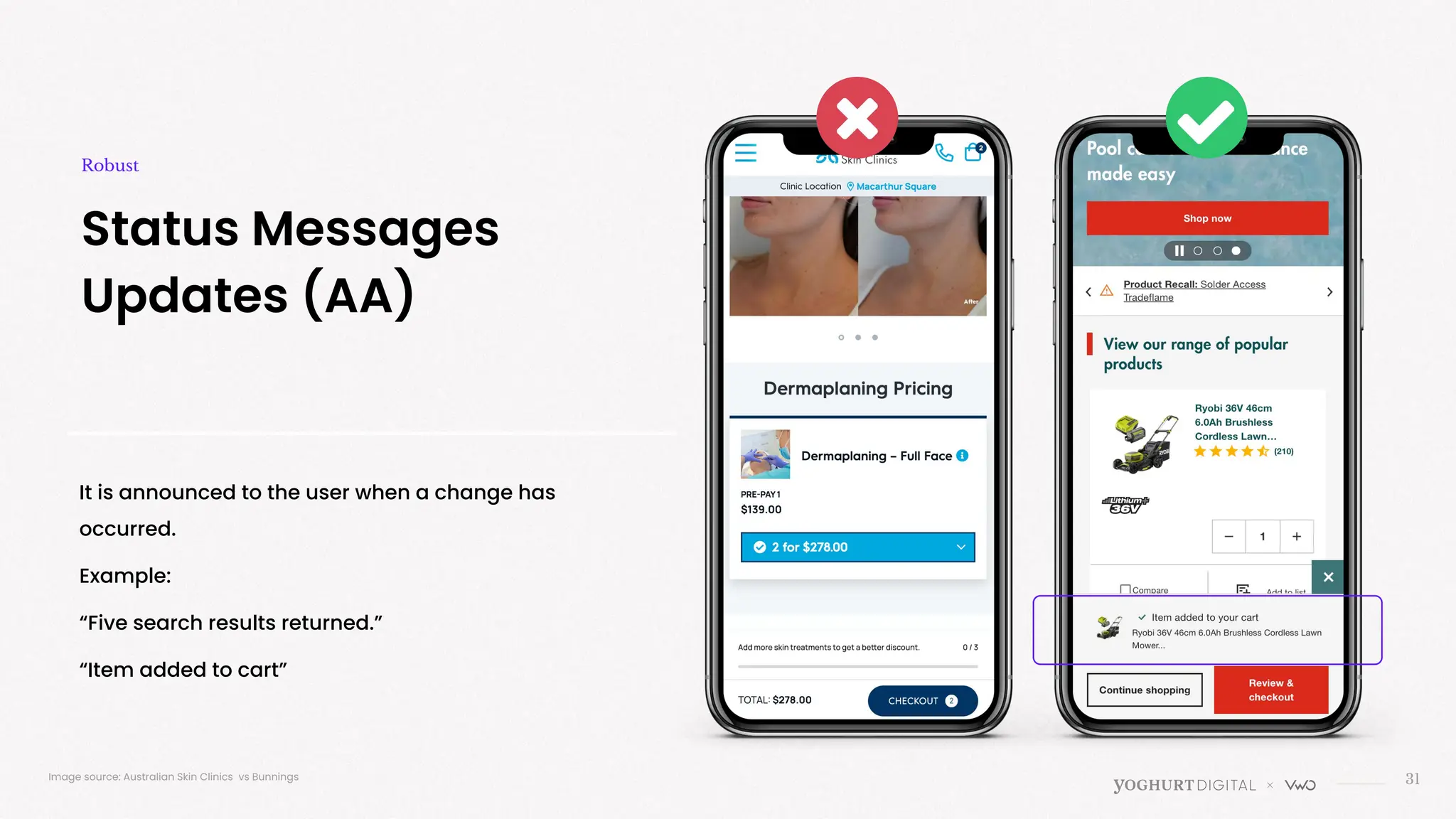
It is announced to the user when a change has
occurred.
Example:
“Five search results returned.”
“Item added to cart”
31
Status Messages
Updates (AA)
Robust
Image source: Australian Skin Clinics vs Bunnings
>
WCAG 2 Principles
What can you do today?
33
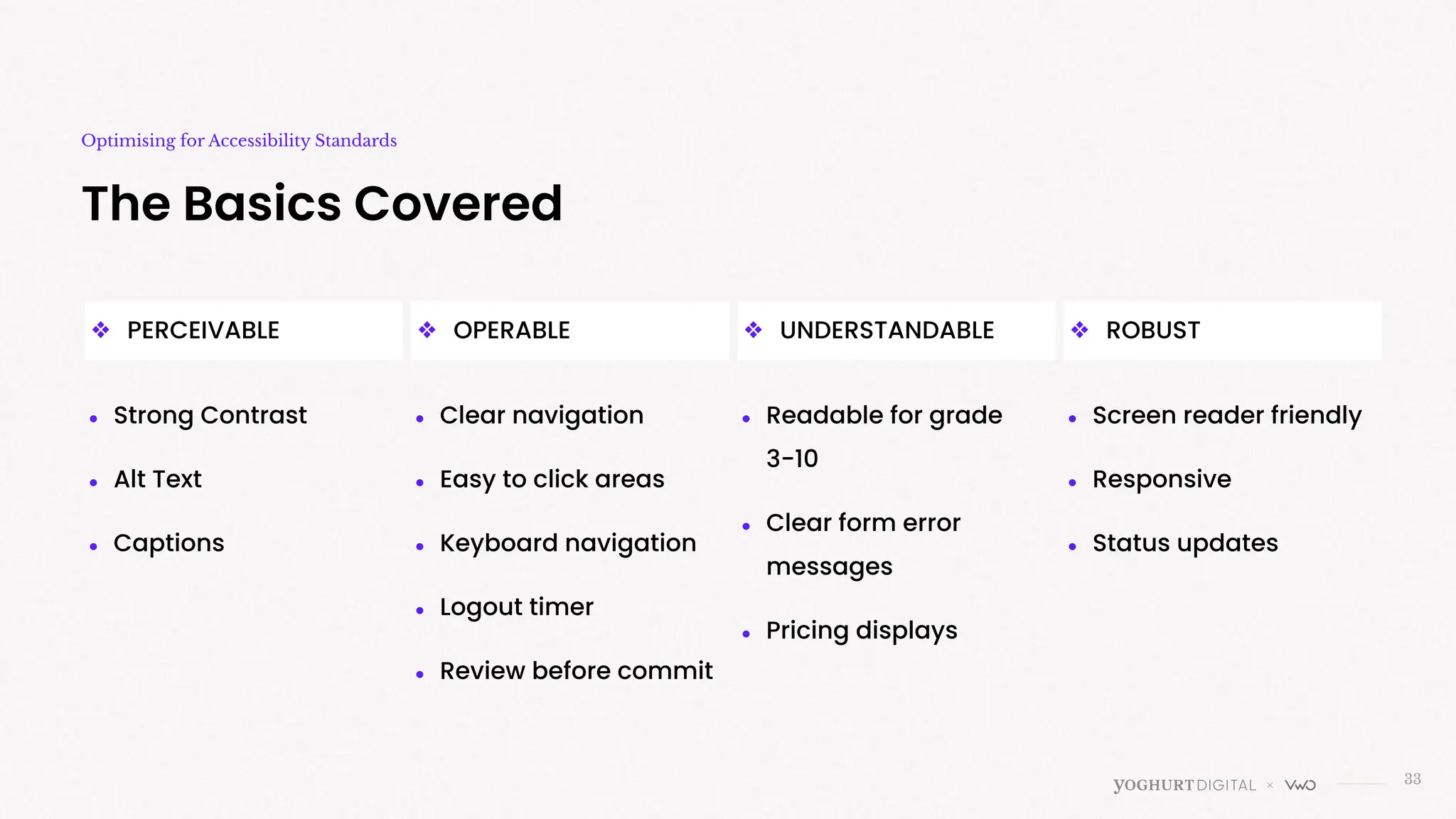
The Basics Covered
Optimising for Accessibility Standards
● Strong Contrast
● Alt Text
● Captions
❖ PERCEIVABLE ❖ UNDERSTANDABLE
❖ OPERABLE ❖ ROBUST
● Clear navigation
● Easy to click areas
● Keyboard navigation
● Logout timer
● Review before commit
● Readable for grade
3-10
● Clear form error
messages
● Pricing displays
● Screen reader friendly
● Responsive
● Status updates
34
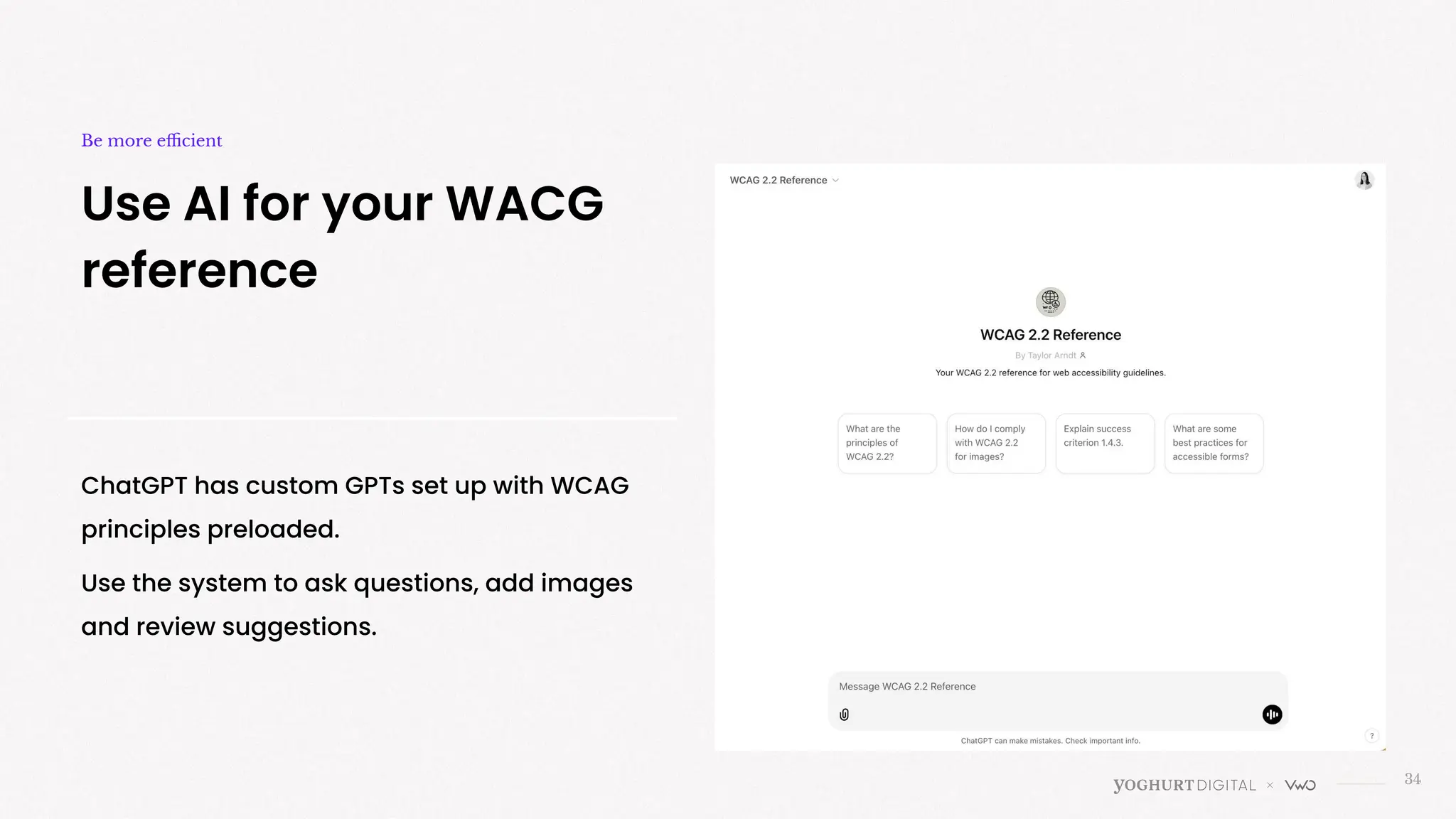
Use AI for your WACG
reference
Be more efficient
ChatGPT has custom GPTs set up with WCAG
principles preloaded.
Use the system to ask questions, add images
and review suggestions.
35
Implement or test it?
Next steps
Implement:
● When there is a legal requirement
● Your user group is primarily made of users who
would greatly benefit (disabilities or elderly)
● Low risk change
● Changes will improve user experience that align
with company values and reduce exclusion.
Test It:
● For changes that might alter how all users interact
with the site
● When adjustments may affect usability differently
for various user groups
● To balance accessibility with other design priorities
● To demonstrate ROI or stakeholder buy-in for
accessibility changes.
36
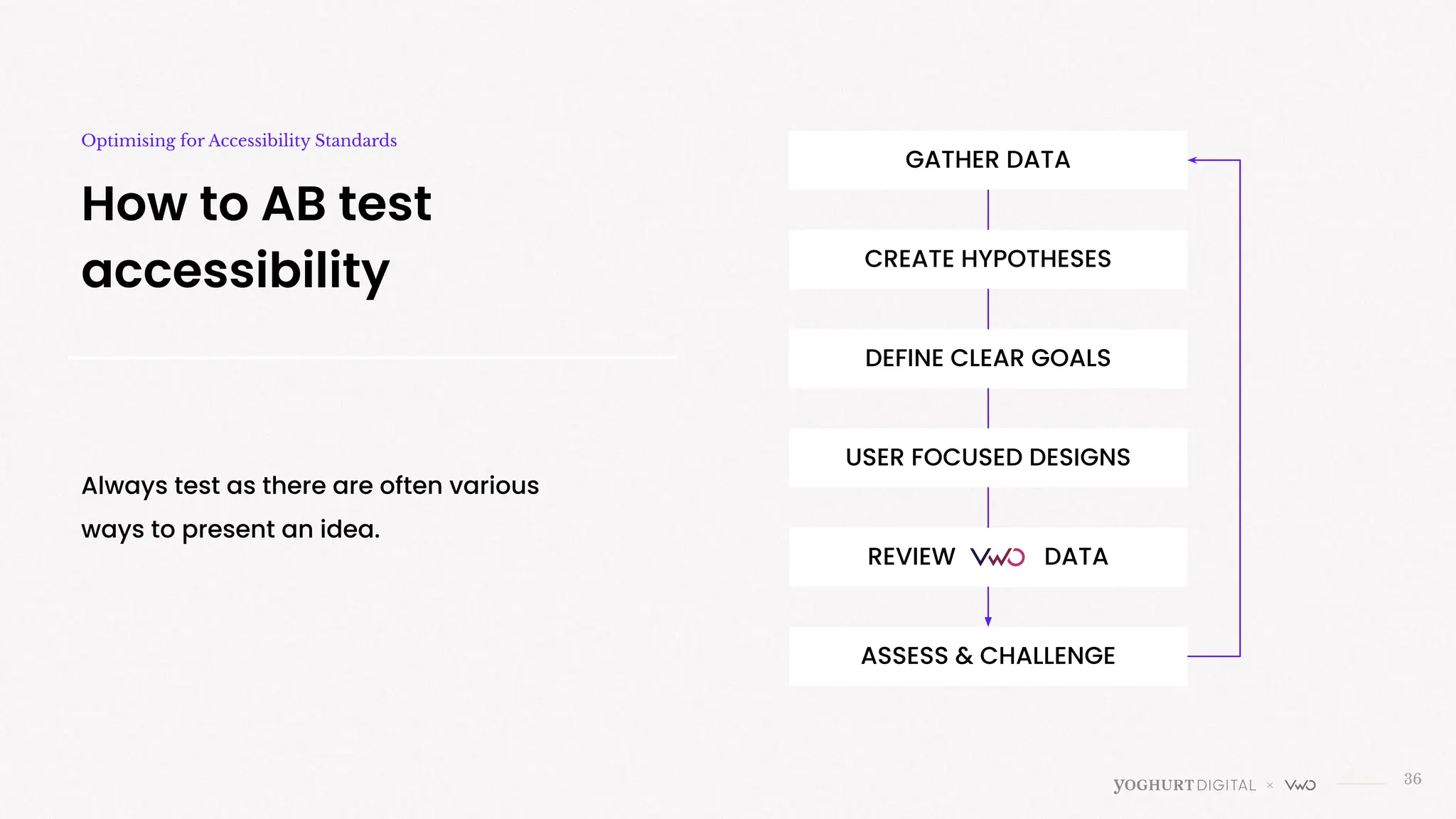
How to AB test
accessibility
Optimising for Accessibility Standards
GATHER DATA
CREATE HYPOTHESES
DEFINE CLEAR GOALS
USER FOCUSED DESIGNS
REVIEW DATA
ASSESS & CHALLENGE
Always test as there are often various
ways to present an idea.
Thank you for your time today
The End!
37
Amy Cheng
Head of UXC
amy@yoghurtdigital.com.au
https://www.linkedin.com/in/amycheng1/
hello@yoghurtdigital.com.au
1300 229 901
Suite 2C, 2-12 Foveaux St, Surry Hills, NSW 2000, Australia

VWO Webinar: Are You Covering the Basics?

  • 1.
    Have you gotthe basics covered? Accessibility standards and AB Testing PROUDLY IN PARTNERSHIP WITH FEB 2025
  • 2.
    2 Yoghurt Digital ReconciliationPolicy Acknowledgement Of Country In the spirit of reconciliation Yoghurt Digital acknowledges the Traditional Custodians of country throughout Australia and their connections to land, sea and community. We pay our respect to their Elders past and present and extend that respect to all Aboriginal and Torres Strait Islander peoples today.
  • 3.
    Yoghurt Digital UXC Team Withyou today 3 Amy Cheng Head of UXC > Design > Psychology > Marketing > Product Darren Ho Senior UXC Specialist > Creative Strategy > UX/UI > Brand > Experimentation
  • 4.
    Digital Marketing Agency 4 PAIDORGANIC AWARENESS & TRAFFIC UXC CONVERSIONS SUPPORT BRAND EXECUTION GOOGLE ADS PAID SOCIAL BING ADVERTISING AFFILIATES ON-PAGE SEO OFF-PAGE SEO CONTENT MIGRATIONS SEO AUDITS GOOGLE ANALYTICS 4 USER RESEARCH EXPERIMENTATION AUDITS STRATEGY CREATIVE DEVELOPMENT TRAINING & CONSULTING Big agency experience. Small agency care. Family values. Startup hustle. A love affair with data. We are Yoghurt.
  • 5.
    5 The UXC Team atYoghurt Digital User Using data & voice of the user to drive decisions. Experience Design journeys that captivate and engage. Conversions Craft journeys that convert.
  • 6.
    6 Where we’ve made animpact Introduction
  • 7.
    Experiences for everyone Today 7 Imagesare representative only and are not designed to physically resemble the user types mentioned. Source: Wikipedia, Wikipedia, Office For National Statistics Experts 2% Everyday Novices 58% 10% HOW IT DRIVES CONVERSIONS ● You create an inclusive experience ● You reduce barriers. ● You meet legal and ethical standards ● You improve conversions
  • 8.
    8 Core Principles ofWCAG Introduction ❖ PERCEIVABLE Can users see or hear your content? Can users navigate your site? Is your content clear and easy to grasp? Does your site work with different technologies, including assistive ones? Three levels: A (basic), AA (recommended for most sites), and AAA (highest accessibility). ❖ UNDERSTANDABLE ❖ OPERABLE ❖ ROBUST
  • 9.
    > Can users seeor hear your content? Perceivable
  • 10.
    10 Information and userinterface components must be presentable to users in ways they can perceive Perceivable A: ● Add alt text for images and non-text elements. ● Provide captions for videos. ● Ensure content is readable in a logical order. AA: ● Support different layouts (e.g., zoom or screen readers). ● Add audio descriptions for key visual content in videos. ● Ensure text and background colours have good contrast (4.5:1 ratio). AAA: ● Sign language for videos. ● Stronger text contrast (7:1 ratio). ● Allow users to adjust text spacing, line height, and font size. ● Background audio can be turned off or is quiet.
  • 11.
    11 Sufficient contrast for easyreading Perceivable People with low vision, colour blindness, or certain cognitive disabilities may struggle to read text if the contrast is too low. Image source: Minihaha vs Myers WebAIM’s Contrast Checker (Free)
  • 12.
    Yellow cupcake with white frosting 12 Add alttext to all non - decorative images Perceivable Alt-text allows screen readers to describe images to visually impaired users, ensuring they can understand the visual content. This is also beneficial for SEO. Image loaded correctly Image loaded incorrectly Without alt text Image loaded incorrectly With alt text Image source: Unsplash Cloud Vision API (free) Yellow cupcake with white frosting
  • 13.
    13 Captions and transcripts forvideo Perceivable Captions benefit users who are deaf or hard of hearing, while transcripts and audio descriptions make video content accessible to those with hearing or visual impairments. Image source: Australian Unity vs M Aged Care Gov Otter AI
  • 14.
    > Can users navigateyour site, no matter how they do it? Operable
  • 15.
    15 Users can easilyoperate the interface Operable A: ● All functionality works with a keyboard. ● Provide enough time for tasks or allow users to adjust time limits. ● No flashing content faster than 3 times per second. ● Easy to click areas AA: ● Show where the user’s focus is ● Let users pause, stop, or extend time limits. ● Allow users to turn off or hide animations, auto-scrolling, or flashing content. ● Keep navigation consistent AAA: ● Offer users customisable keyboard shortcuts. ● Avoid time limits altogether ● Let users review and confirm before submitting ● Ensure tasks don’t require specific physical actions
  • 16.
    Navigating the websiteshould be able to be done in a consistent, helpful manner. This can be through a search function, site map, or breadcrumb trail. Note this is also important for SEO. 16 Keep navigation consistent & cler Operable Image source: Sportsgirl vs H&M
  • 17.
    17 Image source: Cordelia Easyto click areas, especially on mobile Operable Mobile shoppers, a significant portion of eCommerce users, may struggle to interact with small or closely spaced buttons, leading to frustration or errors. Recommended minimum button size for mobile 48x48px.
  • 18.
    Selections, buttons, productfilters, sorting dropdowns, sliders etc can be navigated using a keyboard or screen reader. When a modal or popup opens (e.g., login or cart preview), ensure focus is directed to it and returned to the triggering element when closed 18 Navigable using a keyboard Operable Image source: Shopify App
  • 19.
    19 Auto-logout for security extension Operable Websitesthat log users out for inactivity (e.g., banking or secure portals) should provide a warning and the ability to extend the session. Image source: Docuware
  • 20.
    Ensures users canverify and correct their input before taking an irreversible action. Reduces errors and frustration, particularly for users with cognitive disabilities, limited dexterity, or those using assistive technologies. 20 Review and confirm before submitting Operable Image source: Hubspot/Esty Almost done! Please click “Place your order” to complete your purchase
  • 21.
    > Is your contentclear and easy to grasp? Understandable
  • 22.
    22 Users can easilycomprehend the content and functionality of a website. Understandable A: ● Write clearly, aiming for Flesch-Kincaid Grade 8-10 ● Predictable, consistent navigation ● Show basic error messages AA: ● Flesch-Kincaid Grade 6-8 ● Suggest fixes for errors ● Use the same navigation and components on all pages. ● Form instructions easy to follow. AAA: ● Flesch-Kincaid Grade 3-6 ● Use dropdowns or limits to avoid mistakes. ● Explain hard words, abbreviations, or idioms ● Add sitemaps or tables of contents.
  • 23.
    23 Aim for grade10 readability or lower Understandable Image source: Bingle vs AAMI vs GIO Grade 8 Grade 10 Use concise, jargon-free language to describe products, including key features, benefits, and specifications. Users need to understand a product’s value quickly. Clarity reduces confusion and helps them make purchasing decisions. Grade 7 Datayze (free)
  • 24.
    24 Clear form error messages Understandable Imagesource: Spirit Airlines vs IKEA Use autofill features, clear input labels (e.g., "First Name" instead of just "Name"), and progress indicators for multi-step processes. Simplified, clear forms reduce abandonment during the checkout process, improving conversion rates.
  • 25.
    25 Benefits before commitment Understandable Set expectationswith users - explain what users will receive after clicking an button or before submitting their details. Transparency about benefits builds trust, encouraging users to convert. Image source: FreeAgent vs Myob
  • 26.
    26 Readable pricing details Use prominent,well-structured pricing information (e.g., "Was $50, 20% off now $40"). Avoid using only color to denote discounts (e.g., red text). Clear pricing builds trust and ensures users, including those with visual impairments or color blindness, can see discounts. Image source: Half Price Furniture vs Ikea Understandable
  • 27.
    > Does your sitework with different technologies, including assistive ones Robust
  • 28.
    28 Content must workwell with different tools, including assistive technologies. Robust A: ● Use clean, valid HTML and CSS so assistive technologies can interpret the content. ● Ensure basic website functionality works with modern assistive tools. AA: ● Test key commercial features (checkout, filters, search) with screen readers and accessibility tools. ● Clearly define the purpose of buttons, form fields, and interactive elements in the code. AAA: ● Use standards and best practices that anticipate changes in technology. ● Ensure the site works seamlessly across a wide range of assistive devices, browsers, and configurations.
  • 29.
    LinkedIn enhances contentaccessibility with text-to-speech, content isolation, syllable splitting, and real-time translations. These features support diverse reading needs, promoting digital inclusion for all members 29 Compatible with assistive technologies Robust Image source: LinkedIn LinkedIn Accessibility Integration
  • 30.
    Responsive design for bothlayout & images Robust 30 Ensure the website works seamlessly across all screen sizes (desktop, tablet, mobile). Users on different devices can navigate and shop without issues, improving accessibility for mobile shoppers. Image source: Berkshire Hathaway vs AIrBnB
  • 31.
    It is announcedto the user when a change has occurred. Example: “Five search results returned.” “Item added to cart” 31 Status Messages Updates (AA) Robust Image source: Australian Skin Clinics vs Bunnings
  • 32.
    > WCAG 2 Principles Whatcan you do today?
  • 33.
    33 The Basics Covered Optimisingfor Accessibility Standards ● Strong Contrast ● Alt Text ● Captions ❖ PERCEIVABLE ❖ UNDERSTANDABLE ❖ OPERABLE ❖ ROBUST ● Clear navigation ● Easy to click areas ● Keyboard navigation ● Logout timer ● Review before commit ● Readable for grade 3-10 ● Clear form error messages ● Pricing displays ● Screen reader friendly ● Responsive ● Status updates
  • 34.
    34 Use AI foryour WACG reference Be more efficient ChatGPT has custom GPTs set up with WCAG principles preloaded. Use the system to ask questions, add images and review suggestions.
  • 35.
    35 Implement or testit? Next steps Implement: ● When there is a legal requirement ● Your user group is primarily made of users who would greatly benefit (disabilities or elderly) ● Low risk change ● Changes will improve user experience that align with company values and reduce exclusion. Test It: ● For changes that might alter how all users interact with the site ● When adjustments may affect usability differently for various user groups ● To balance accessibility with other design priorities ● To demonstrate ROI or stakeholder buy-in for accessibility changes.
  • 36.
    36 How to ABtest accessibility Optimising for Accessibility Standards GATHER DATA CREATE HYPOTHESES DEFINE CLEAR GOALS USER FOCUSED DESIGNS REVIEW DATA ASSESS & CHALLENGE Always test as there are often various ways to present an idea.
  • 37.
    Thank you foryour time today The End! 37 Amy Cheng Head of UXC amy@yoghurtdigital.com.au https://www.linkedin.com/in/amycheng1/ hello@yoghurtdigital.com.au 1300 229 901 Suite 2C, 2-12 Foveaux St, Surry Hills, NSW 2000, Australia