HTML5: A brave new
 world of markup
   Chris Mills, Opera Software


            Slides available on http://slideshare.net/chrisdavidmills
Who the hell am I?
‣ Opera open standards evangelist and tech writer
‣ Telling the world about open standards & Opera
‣ Improving web education
‣ Drinking beer & saving the world before morning
‣ Drumming in a heavy metal band
What is HTML5?
A new HTML spec that defines:
‣ New semantic elements
‣ New features such as native video, more
  powerful forms, web sockets
‣ New APIs for controlling such features
‣ Error handling, and other such useful things
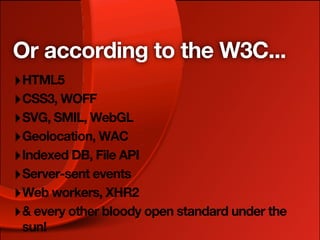
Or according to the W3C...
‣ HTML5
‣ CSS3, WOFF
‣ SVG, SMIL, WebGL
‣ Geolocation, WAC
‣ Indexed DB, File API
‣ Server-sent events
‣ Web workers, XHR2
‣ & every other bloody open standard under the
 sun!
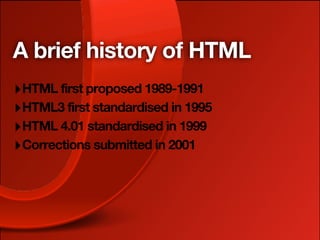
A brief history of HTML
‣ HTML first proposed 1989-1991
‣ HTML3 first standardised in 1995
‣ HTML 4.01 standardised in 1999
‣ Corrections submitted in 2001
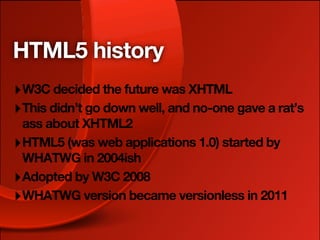
HTML5 history
‣ W3C decided the future was XHTML
‣ This didn’t go down well, and no-one gave a rat’s
  ass about XHTML2
‣ HTML5 (was web applications 1.0) started by
  WHATWG in 2004ish
‣ Adopted by W3C 2008
‣ WHATWG version became versionless in 2011
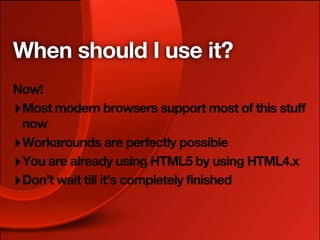
When should I use it?
Now!
‣ Most modern browsers support most of this stuff
  now
‣ Workarounds are perfectly possible
‣ You are already using HTML5 by using HTML4.x
‣ Don’t wait till it’s completely finished
The UK road system is
never finished...


          http://www.flickr.com/photos/50014762@N03/4632637811/
There’s nothing wrong with
HTML4...


             http://www.flickr.com/photos/birdfarm/519230710/
But HTML5 has more bling!
               As if! Not publishing this one...
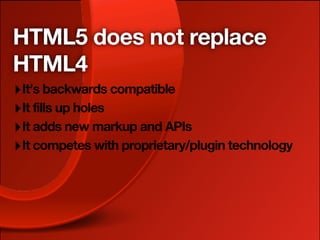
HTML5 does not replace
HTML4
‣ It’s backwards compatible
‣ It fills up holes
‣ It adds new markup and APIs
‣ It competes with proprietary/plugin technology
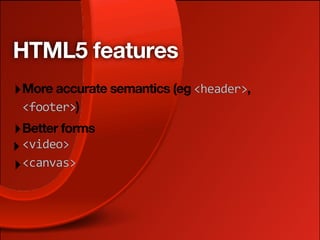
HTML5 features
‣ More accurate semantics (eg <header>,
 <footer>)
‣ Better forms
‣ <video>
‣ <canvas>
HTML5 features
‣ Drag and drop
‣ Web workers
‣ Web storage, webdb, AppCache
‣ ...aaand more.
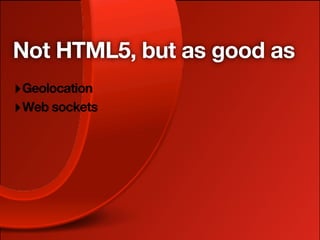
Not HTML5, but as good as
‣ Geolocation
‣ Web sockets
HTML is the new HTML5?
In January 2011, Ian Hickson announced that the
WHATWG HTML5 spec was dropping its version
number, and becoming a living spec that could
keep being added to, as more features came to
fruition. The W3C version is keeping its version
number, and acting as a snapshot.
New syntax: better
semantics


             http://www.flickr.com/photos/zscheyge/49012397/
HTML5 doctype
<!doctype
html>
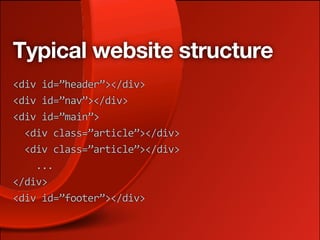
Typical website structure
<div
id=”header”></div>
<div
id=”nav”></div>
<div
id=”main”>


<div
class=”article”></div>


<div
class=”article”></div>


...
</div>
<div
id=”footer”></div>
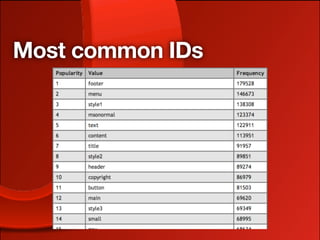
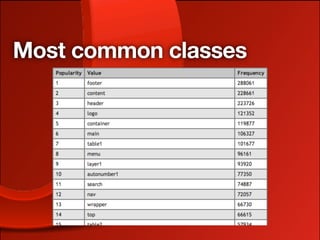
Most common classes and
IDs?
Ian Hickson did a study at Google of the most
common classes and IDs on the Web. so did
Opera
‣ http://code.google.com/webstats/2005-12/
  classes.html
‣ http://devfiles.myopera.com/articles/572/idlist-
  url.htm
‣ http://devfiles.myopera.com/articles/572/
  classlist-url.htm
Most common IDs
Most common classes
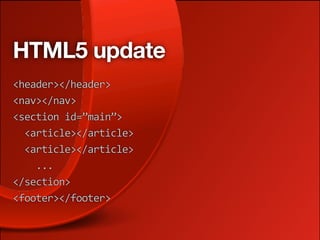
HTML5 update
<header></header>
<nav></nav>
<section
id=”main”>


<article></article>


<article></article>


...
</section>
<footer></footer>
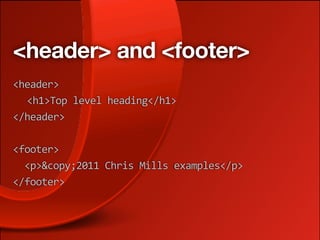
<header> and <footer>
<header>

 <h1>Top
level
heading</h1>
</header>


<footer>


<p>&copy;2011
Chris
Mills
examples</p>
</footer>
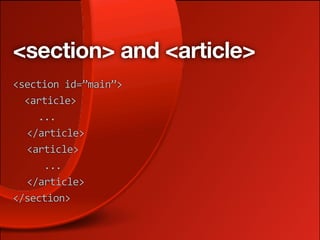
<section> and <article>
<section
id=”main”>


<article>


...

 </article>

 <article>


...

 </article>
</section>
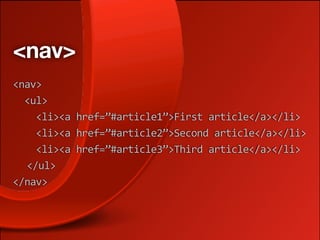
<nav>
<nav>


<ul>


<li><a
href=”#article1”>First
article</a></li>


<li><a
href=”#article2”>Second
article</a></li>


<li><a
href=”#article3”>Third
article</a></li>

 </ul>
</nav>
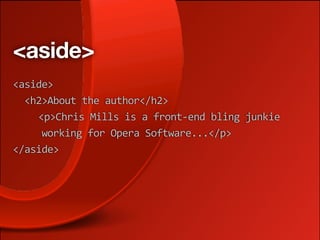
<aside>
<aside>


<h2>About
the
author</h2>


<p>Chris
Mills
is
a
front‐end
bling
junkie


working
for
Opera
Software...</p>
</aside>
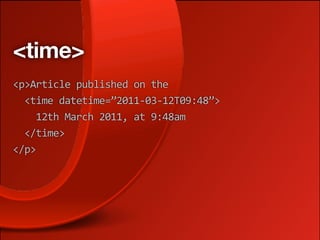
<time>
<p>Article
published
on
the


<time
datetime=”2011‐03‐12T09:48”>


12th
March
2011,
at
9:48am


</time>
</p>
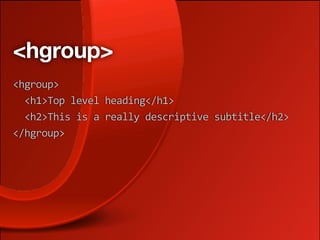
<hgroup>
<hgroup>


<h1>Top
level
heading</h1>


<h2>This
is
a
really
descriptive
subtitle</h2>
</hgroup>
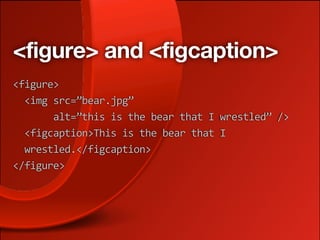
<figure> and <figcaption>
<figure>


<img
src=”bear.jpg”


alt=”this
is
the
bear
that
I
wrestled”
/>


<figcaption>This
is
the
bear
that
I


wrestled.</figcaption>
</figure>
Where does this leave the
humble <div>?
Use it for anything that isn’t covered by other new
elements, and is just a general grouping, e.g. for
styling purposes, for which you don’t want to
create a new section. An intro <div>, perhaps?
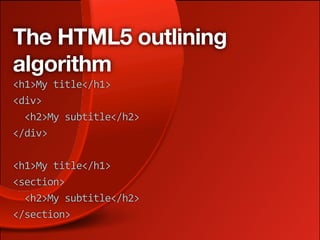
The HTML5 outlining
algorithm
Heading/section hierarchy based on sectioning
element hierarchy, not <hx> elements used
‣ No longer limited to six heading levels
‣ Hierarchy stays correct when syndicated
‣ You can retain HTML4 heading levels for
 backwards compatibility
The HTML5 outlining
algorithm
<h1>My
title</h1>
<div>


<h2>My
subtitle</h2>
</div>

<h1>My
title</h1>
<section>


<h2>My
subtitle</h2>
</section>
New semantics rock!
‣ Better machine readability
‣ Better interoperability
‣ Better accessibility (once screen readers catch
  up; WAI-ARIA is a stopgap)
‣ Leaner markup that is easier to style
‣ More in keeping with what real webdevs do
Browsers don’t ACTUALLY
support these ... yet
But we can get them displaying ok
‣ You can style any element with CSS, even if the
  browser doesn’t recognise it
‣ Give all the structural elements display: block;
‣ IE also needs some scripting:
  createElement(‘article’);
‣ HTML5Shiv sorts it better
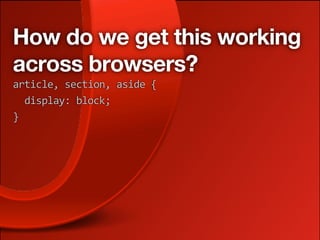
How do we get this working
across browsers?
article,
section,
aside
{


display:
block;
}
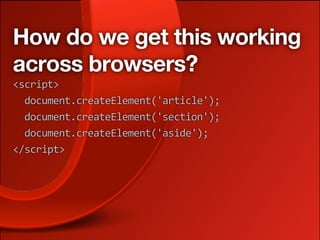
How do we get this working
across browsers?
<script>


document.createElement('article');


document.createElement('section');


document.createElement('aside');


</script>
Lax syntax?
Some say that HTML5 syntax is really lax — you:
‣ don’t need to quote attributes
‣ can minimize attributes
‣ don’t need to self close
‣ can mix upper and lower case
‣ You don’t even need to include <html>, <head>
  and <body>!
Lax syntax?
But this more accurately reflects what real
developers do, rather than what the XHTML spec
THINKS they should
‣ You can use the style you want (although you
  should stick to some best practices)
‣ The browser fills in a lot of this stuff
‣ The HTML5 spec defines how errors should be
  handled
HTML5 forms
Previously called Web Forms 2.0
‣ More powerful form controls
‣ Built-in validation
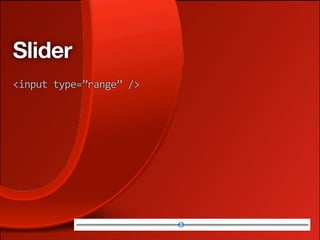
Slider
<input
type=”range”
/>
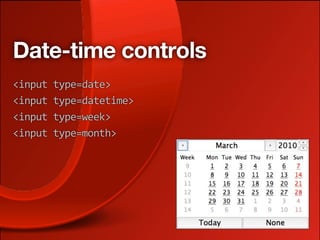
Date-time controls
<input
type=date>
<input
type=datetime>
<input
type=week>
<input
type=month>
number
<input
type=number>
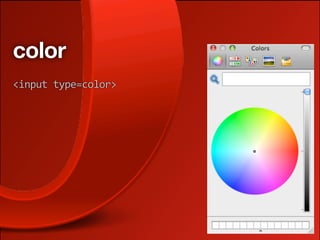
color
<input
type=color>
Search boxes
<input
type=search>
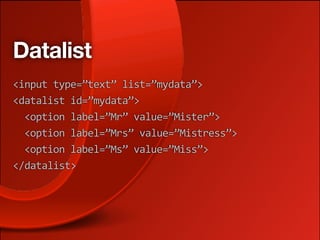
Datalist
<input
type=”text”
list=”mydata”>
<datalist
id=”mydata”>


<option
label=”Mr”
value=”Mister”>


<option
label=”Mrs”
value=”Mistress”>


<option
label=”Ms”
value=”Miss”>
</datalist>
Other new input types
<input
type=”email”>
<input
type=”url”>
<input
type=”tel”>
Validation
Form validation used to be horrendous
function
validate()
{


var
str
=
“”;


var
elements
=
document.getElementsByTagName('input');


//
loop
through
all
input
elements
in
form


for(var
i
=
0;
i
<
elements.length;
i++)
{


//
check
if
element
is
mandatory;
ie
has
a
pattern


var
pattern
=
elements.item(i).getAttribute('pattern');


if
(pattern
!=
null)
{


var
value
=
elements.item(i).value;


//
validate
the
value
of
this
element,
using
its
defined
pattern


var
offendingChar
=
value.match(pattern);


//
if
an
invalid
character
is
found
or
the
element
was
left
empty


if(offendingChar
!=
null
||
value.length
==
0)
{


//
add
up
all
error
messages


str
+=
elements.item(i).getAttribute('errorMsg')
+
“n”
+


“Found
this
illegal
value:
'”
+
offendingChar
+
“'
n”;


//
notify
user
by
changing
background
color,
in
this
case
to
red


elements.item(i).style.background
=
“red”;


}


}


}


if
(str
!=
“”)
{


//
do
not
submit
the
form


alert(”ERROR
ALERT!!n”
+str);


return
false;


}
else
{


//
form
values
are
valid;
submit


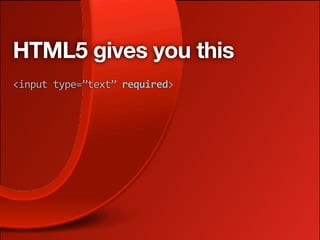
HTML5 gives you this
<input
type=”text”
required>
And this
<input
type=”text”
required


pattern=”[A‐z]{1,20}
[A‐z]{1,20}”>
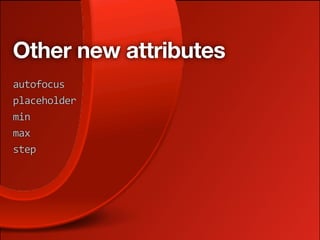
Other new attributes
autofocus
placeholder
min
max
step
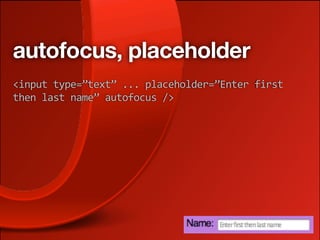
autofocus, placeholder
<input
type=”text”
...
placeholder=”Enter
first

then
last
name”
autofocus
/>
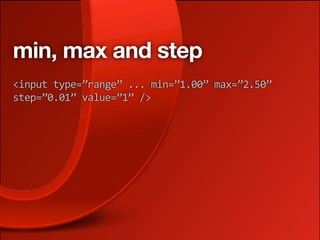
min, max and step
<input
type=”range”
...
min=”1.00”
max=”2.50”

step=”0.01”
value=”1”
/>
New output mechanisms
<output>
<progress>
<meter>
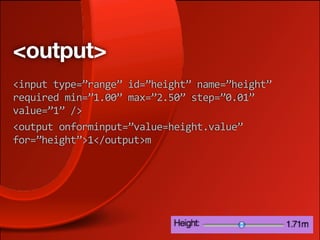
<output>
<input
type=”range”
id=”height”
name=”height”

required
min=”1.00”
max=”2.50”
step=”0.01”

value=”1”
/>
<output
onforminput=”value=height.value”

for=”height”>1</output>m
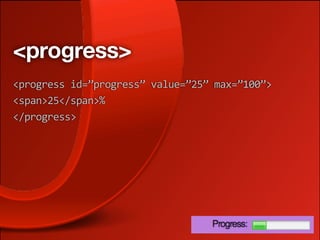
<progress>
<progress
id=”progress”
value=”25”
max=”100”>
<span>25</span>%
</progress>
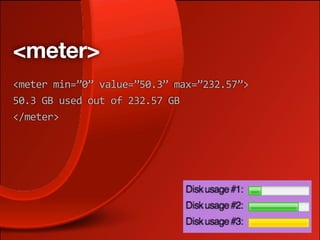
<meter>
<meter
min=”0”
value=”50.3”
max=”232.57”>
50.3
GB
used
out
of
232.57
GB
</meter>
<canvas>
Scriptable graphics
‣ Standard API for drawing
‣ Supporting across all modern browsers
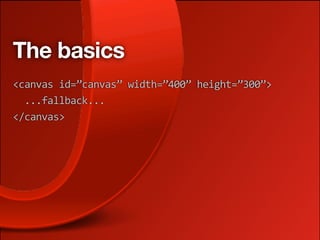
The basics
<canvas
id=”canvas”
width=”400”
height=”300”>


...fallback...
</canvas>
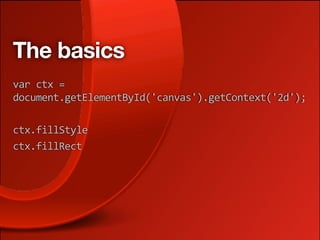
The basics
var
ctx
=

document.getElementById('canvas').getContext('2d');

ctx.fillStyle
ctx.fillRect
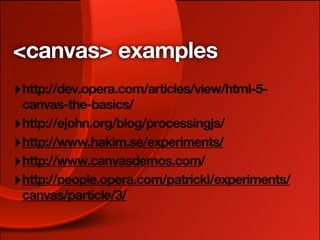
<canvas> examples
‣ http://dev.opera.com/articles/view/html-5-
  canvas-the-basics/
‣ http://ejohn.org/blog/processingjs/
‣ http://www.hakim.se/experiments/
‣ http://www.canvasdemos.com/
‣ http://people.opera.com/patrickl/experiments/
  canvas/particle/3/
<video> and <audio>
New elements, plus new API for controlling audio
and video
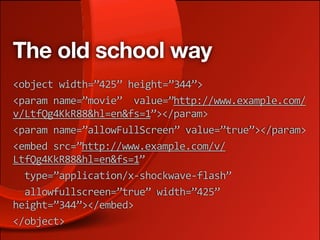
The old school way
<object
width=”425”
height=”344”>
<param
name=”movie”

value=”http://www.example.com/
v/LtfQg4KkR88&hl=en&fs=1”></param>
<param
name=”allowFullScreen”
value=”true”></param>
<embed
src=”http://www.example.com/v/
LtfQg4KkR88&hl=en&fs=1”


type=”application/x‐shockwave‐flash”


allowfullscreen=”true”
width=”425”

height=”344”></embed>
</object>
The badass sexy new way
<video></video>
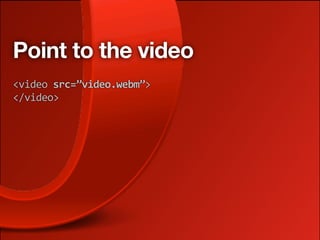
Point to the video
<video
src=”video.webm”>
</video>
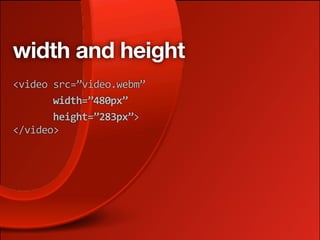
width and height
<video
src=”video.webm”


width=”480px”


height=”283px”>
</video>
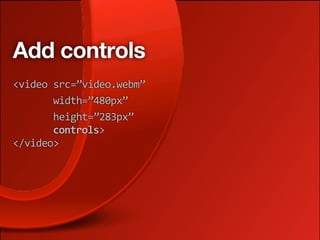
Add controls
<video
src=”video.webm”


width=”480px”


height=”283px”


controls>
</video>
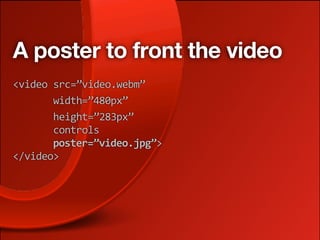
A poster to front the video
<video
src=”video.webm”


width=”480px”


height=”283px”


controls


poster=”video.jpg”>
</video>
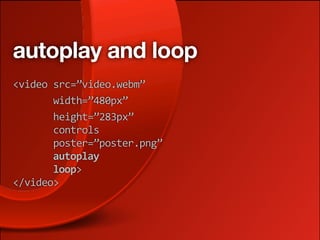
autoplay and loop
<video
src=”video.webm”


width=”480px”


height=”283px”


controls


poster=”poster.png”


autoplay


loop>
</video>
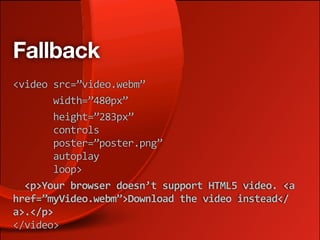
Fallback
<video
src=”video.webm”


width=”480px”


height=”283px”


controls


poster=”poster.png”


autoplay


loop>


<p>Your
browser
doesn’t
support
HTML5
video.
<a

href=”myVideo.webm”>Download
the
video
instead</
a>.</p>
</video>
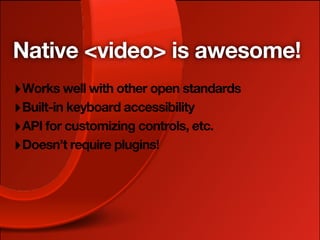
Native <video> is awesome!
‣ Works well with other open standards
‣ Built-in keyboard accessibility
‣ API for customizing controls, etc.
‣ Doesn’t require plugins!
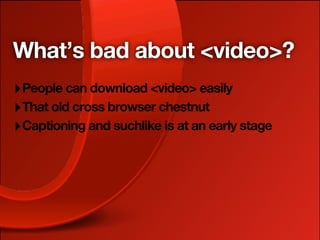
What’s bad about <video>?
‣ People can download <video> easily
‣ That old cross browser chestnut
‣ Captioning and suchlike is at an early stage
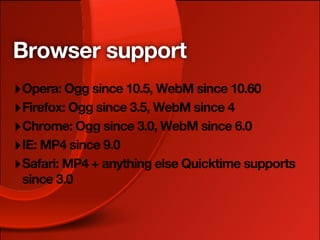
Browser support
‣ Opera: Ogg since 10.5, WebM since 10.60
‣ Firefox: Ogg since 3.5, WebM since 4
‣ Chrome: Ogg since 3.0, WebM since 6.0
‣ IE: MP4 since 9.0
‣ Safari: MP4 + anything else Quicktime supports
 since 3.0
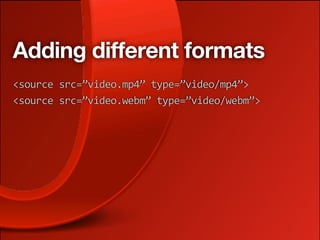
Adding different formats
<source
src=”video.mp4”
type=”video/mp4”>
<source
src=”video.webm”
type=”video/webm”>
Adding a Flash fallback
<object
type=”application/x‐shockwave‐flash”

data=”player.swf”
width=”480”
height=”283”>


<param
name=”allowfullscreen”
value=”true”>


<param
name=”allowscriptaccess”
value=”always”>


<param
name=”flashvars”
value=”file=video.mp4”>


<!‐‐[if
IE]><param
name=”movie”

value=”player.swf”><![endif]‐‐>


<img
src=”video.jpg”
width=”480”
height=”283”

alt=”Video”>
</object>
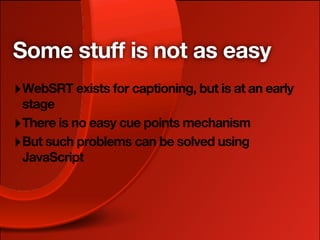
Some stuff is not as easy
‣ WebSRT exists for captioning, but is at an early
  stage
‣ There is no easy cue points mechanism
‣ But such problems can be solved using
  JavaScript
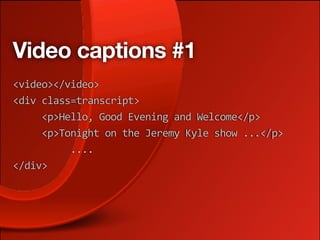
Video captions #1
<video></video>
<div
class=transcript>


<p>Hello,
Good
Evening
and
Welcome</p>


<p>Tonight
on
the
Jeremy
Kyle
show
...</p>


....
</div>
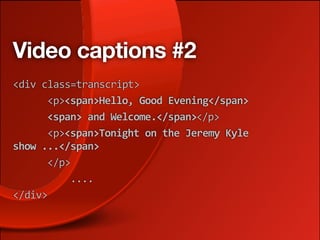
Video captions #2
<div
class=transcript>


<p><span>Hello,
Good
Evening</span>


<span>
and
Welcome.</span></p>


<p><span>Tonight
on
the
Jeremy
Kyle

show
...</span>


</p>


....

</div>
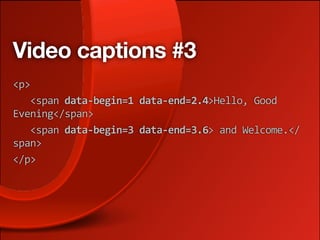
Video captions #3
<p>


<span
data‐begin=1
data‐end=2.4>Hello,
Good

Evening</span>


<span
data‐begin=3
data‐end=3.6>
and
Welcome.</
span>
</p>
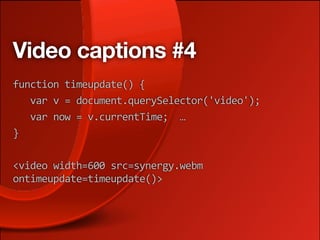
Video captions #4
function
timeupdate()
{


var
v
=
document.querySelector('video');


var
now
=
v.currentTime;

…
}


<video
width=600
src=synergy.webm

ontimeupdate=timeupdate()>
So much more to cover!
‣ AppCache
‣ WebSQL
‣ Web sockets
‣ Web workers
‣ Web storage
Thanks for listening!
‣ cmills@opera.com
‣ @chrisdavidmills
‣ http://dev.opera.com/articles/tags/html5/
‣ http://html5doctor.com

HTML5: A brave new world of markup