







Disrupting the Application
Eco-System with
Progressive Web
Applications
LOVE2DEV.COM
My Bio
Microsoft MVP
ASP Insider
Edge User Agent
Web Developer 25 years
Author & Speaker
@ChrisLove
Love2Dev.com
Slide Decks & Source Code
Source Code
http://GitHub.com/
docluv
Slide Deck
http://slideshare.net/docluv/
presentations
LOVE2DEV.COM
The Web Has an
Image Problem
LOVE2DEV.COM
LOVE2DEV.COM
Mark Zuckerberg
2012
http://tcrn.ch/2hwN6HF
“Not only was this a big mistake with
mobile, but Zuckerberg says that its
biggest mistake period was the focus
on HTML5.”
LOVE2DEV.COM
LOVE2DEV.COM
LOVE2DEV.COM
LOVE2DEV.COM
LOVE2DEV.COM
What is a Progressive Web
Application?
Defining the Front-End
LOVE2DEV.COM
“Progressive Web Applications:
A New Level of Thinking About the Quality of
Your User Experience”
https://www.youtube.com/watch?v=EErueQdEXMA Chris Wilson,
Google
“Native Apps are a bridging
technology (like Flash)”
http://bit.ly/2e5Cgry Bruce Lawson,
Opera (former)
“These apps aren’t packaged &
deployed through stores,
they’re just websites that took
the right vitamins.
They progressively become
apps…”
Alex Russell
Google
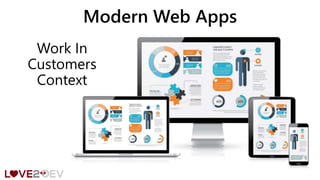
Work In
Customers
Context
Modern Web Apps
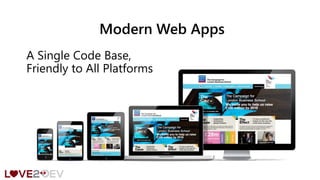
Modern Web Apps
A Single Code Base,
Friendly to All Platforms
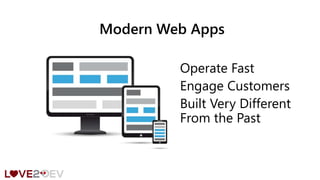
Modern Web Apps
Operate Fast
Engage Customers
Built Very Different
From the Past
LOVE2DEV.COM
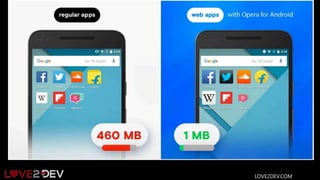
PWA Features
•Reliable - Load instantly and never show the
downasaur, even in uncertain network
conditions.
•Fast - Respond quickly to user interactions
with silky smooth animations and no janky
scrolling.
•Engaging - Feel like a natural app on the
device, with an immersive user experience.
LOVE2DEV.COM
PWA Features
•“install” to the home screen
•have their own icon (defined by the web
developer)
•can launch full-screen, portrait or
landscape
•but “live” on the Web
LOVE2DEV.COM
PWA Features
•live on the server so no update distribution
lag
•require no app store or gatekeeper
•can work offline
•are a normal website on browsers such as
Opera Mini, Safari, Windows phones
•searchable, indexable, linkable
LOVE2DEV.COM
PWA Features
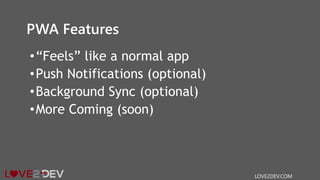
•“Feels” like a normal app
•Push Notifications (optional)
•Background Sync (optional)
•More Coming (soon)
LOVE2DEV.COM
Why Build A PWA?
•Worthy of Being on the Home screen
•Work Reliably, No Matter the Network
Conditions
•Increased Engagement
•Improved Conversions
LOVE2DEV.COM
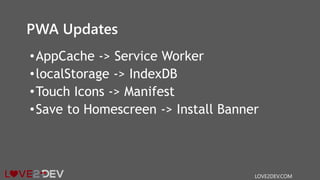
PWA Updates
•AppCache -> Service Worker
•localStorage -> IndexDB
•Touch Icons -> Manifest
•Save to Homescreen -> Install Banner
LOVE2DEV.COM
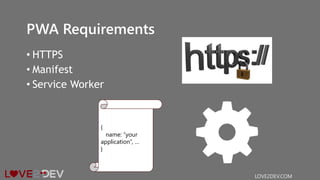
PWA Requirements
• HTTPS
• Manifest
• Service Worker
LOVE2DEV.COM
{
name: “your
application”, …
}
Application Loading Process
The 1st Time a User Visits
They ‘Install’ the
Application
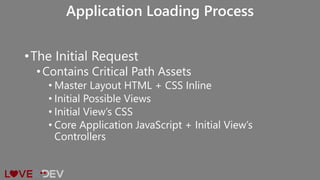
•The Initial Request
•Contains Critical Path Assets
• Master Layout HTML + CSS Inline
• Initial Possible Views
• Initial View’s CSS
• Core Application JavaScript + Initial View’s
Controllers
Application Loading Process
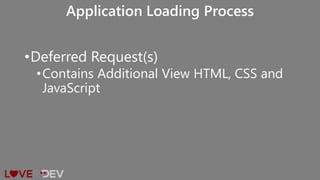
•Deferred Request(s)
•Contains Additional View HTML, CSS and
JavaScript
Application Loading Process
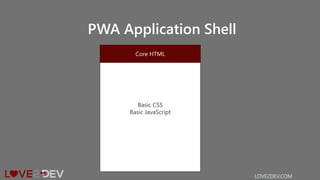
PWA Application Shell
LOVE2DEV.COM
Basic CSS
Basic JavaScript
Core HTML
Application Shell
•The app "shell" is the minimal HTML, CSS
and JavaScript required to power the user
interface and when cached offline can
ensure instant, reliably good performance
to users on repeat visits
LOVE2DEV.COM
Application Shell
•The Approach For Single Page Applications
•Aggressively Cache Content via Service
Worker
•Get Initial HTML on the Screen without a
Network
•Content Rendered via Using JavaScript
LOVE2DEV.COM
Benefits
•Reliable performance that is consistently
fast
•Native-like interactions
•Economical use of data
LOVE2DEV.COM
Manifest File
• Creating a manifest and linking it to your page are
straightforward processes.
• Control what the user sees when launching from the
home screen.
• This includes things like a splash screen, theme colors,
and even the URL that's opened.
LOVE2DEV.COM
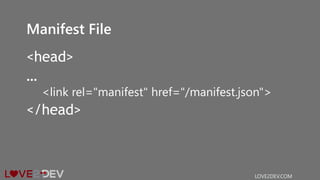
Manifest File
<head>
…
<link rel="manifest" href="/manifest.json">
</head>
LOVE2DEV.COM
Manifest File
{
"name": "Fast Furniture",
"short_name": "Fast Furniture",
"icons": [
{
"src": "Fast-Furniture-64x64.gif",
"sizes": "64x64",
"type": "image/gif"
},
... ],
"start_url": "/",
"display": "standalone",
"background_color": "#F99D36",
"theme_color": "#55B4F6"
}
LOVE2DEV.COM
Include
•A short_name for use as the text on the
users home screen.
•A name for use in the Web App Install
banner.
LOVE2DEV.COM
start_url
•Allows you to control what page is loaded
when application is launched
•Without start_url the current page (route)
is assumed to be the start page
LOVE2DEV.COM
display
•Control display type and page orientation
• standalone | browser
• portrait | landscape
LOVE2DEV.COM
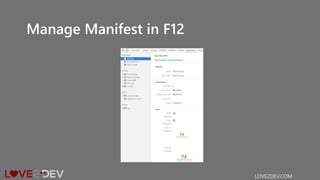
Manage Manifest in F12
LOVE2DEV.COM
Manifest File Tools
• Manifest Generator
http://brucelawson.github.io/manifest/
•Manifest validator manifest-
validator.appspot.com
LOVE2DEV.COM
Manifest File Tools
• Manifestation Node Module
•https://github.com/patrickkettner/manifes
tation
LOVE2DEV.COM
HTTPS
•Because PWAs Require a Service Worker
They Must Be Secure
•HTTPS Protects Against Man in the Middle
Atacks
LOVE2DEV.COM
HTTPS
•Certificates Are Cheap Today
•LetsEncrypt.org
• Free, but very technical process
•AWS Certificate Manager (free!!!)
LOVE2DEV.COM
Service Workers
•Allow Offline Capabilities
•Native Resource Caching
•Allow Push Notifications
•Data Synch*
* Near Future
LOVE2DEV.COM
Fetch
The New AJAX
LOVE2DEV.COM
Fetch
• Replaces XMLHttpRequest
• Uses Promises
• Polyfil Available for Legacy Browsers
• Full Support for Modern Browsers
• IE 11 & Old Android Need Polyfil
• Headers, Request, Response Objects
LOVE2DEV.COM
The Fetch API provides a JavaScript
interface for accessing and manipulating
parts of the HTTP pipeline, such as requests
and responses. It also provides a global
fetch() method that provides an easy, logical
way to fetch resources asynchronously across
the network.
LOVE2DEV.COM
if (typeof fetch === "undefined" ||
fetch.toString().indexOf("[native code]") === -1) {
scripts.unshift("js/libs/fetch.js");
}
LOVE2DEV.COM
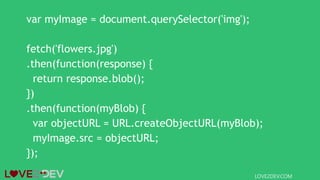
var myImage = document.querySelector('img');
fetch('flowers.jpg')
.then(function(response) {
return response.blob();
})
.then(function(myBlob) {
var objectURL = URL.createObjectURL(myBlob);
myImage.src = objectURL;
});
LOVE2DEV.COM
Supply Request Options
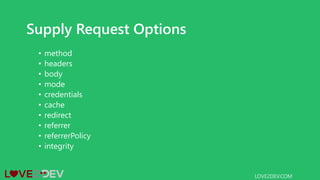
• method
• headers
• body
• mode
• credentials
• cache
• redirect
• referrer
• referrerPolicy
• integrity
LOVE2DEV.COM
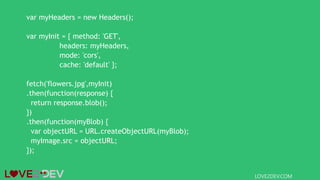
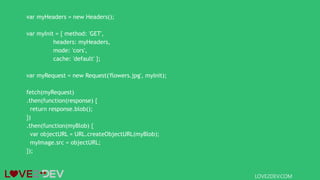
var myHeaders = new Headers();
var myInit = { method: 'GET',
headers: myHeaders,
mode: 'cors',
cache: 'default' };
fetch('flowers.jpg',myInit)
.then(function(response) {
return response.blob();
})
.then(function(myBlob) {
var objectURL = URL.createObjectURL(myBlob);
myImage.src = objectURL;
});
LOVE2DEV.COM
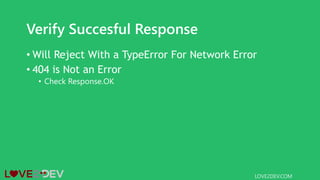
Verify Succesful Response
• Will Reject With a TypeError For Network Error
• 404 is Not an Error
• Check Response.OK
LOVE2DEV.COM
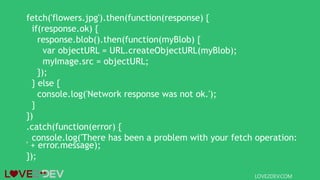
fetch('flowers.jpg').then(function(response) {
if(response.ok) {
response.blob().then(function(myBlob) {
var objectURL = URL.createObjectURL(myBlob);
myImage.src = objectURL;
});
} else {
console.log('Network response was not ok.');
}
})
.catch(function(error) {
console.log('There has been a problem with your fetch operation:
' + error.message);
});
LOVE2DEV.COM
Create Custom Request Object
LOVE2DEV.COM
var myHeaders = new Headers();
var myInit = { method: 'GET',
headers: myHeaders,
mode: 'cors',
cache: 'default' };
var myRequest = new Request('flowers.jpg', myInit);
fetch(myRequest)
.then(function(response) {
return response.blob();
})
.then(function(myBlob) {
var objectURL = URL.createObjectURL(myBlob);
myImage.src = objectURL;
});
LOVE2DEV.COM
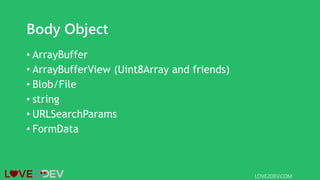
Body Object
• ArrayBuffer
• ArrayBufferView (Uint8Array and friends)
• Blob/File
• string
• URLSearchParams
• FormData
LOVE2DEV.COM
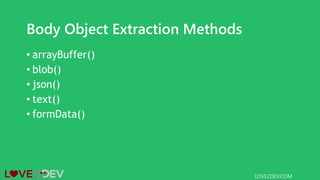
Body Object Extraction Methods
• arrayBuffer()
• blob()
• json()
• text()
• formData()
LOVE2DEV.COM
var form = new
FormData(document.getElementById('login-form'));
fetch("/login", {
method: "POST",
body: form
});
LOVE2DEV.COM
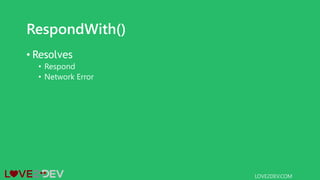
RespondWith()
• Resolves
• Respond
• Network Error
LOVE2DEV.COM
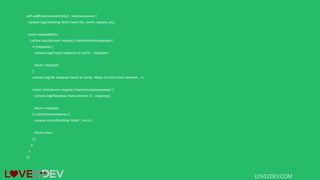
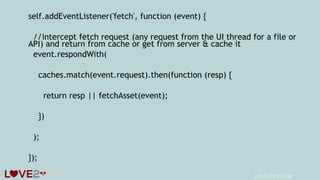
self.addEventListener('fetch', function(event) {
console.log('Handling fetch event for', event.request.url);
event.respondWith(
caches.match(event.request).then(function(response) {
if (response) {
console.log('Found response in cache:', response);
return response;
}
console.log('No response found in cache. About to fetch from network...');
return fetch(event.request).then(function(response) {
console.log('Response from network is:', response);
return response;
}).catch(function(error) {
console.error('Fetching failed:', error);
throw error;
});
})
);
});
LOVE2DEV.COM
Service Workers
More Than an AppCache Replacement
LOVE2DEV.COM
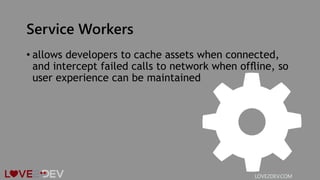
Service Workers
• allows developers to cache assets when connected,
and intercept failed calls to network when offline, so
user experience can be maintained
LOVE2DEV.COM
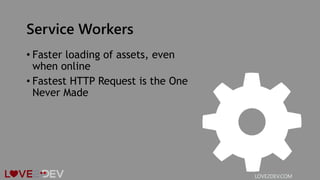
Service Workers
• Faster loading of assets, even
when online
• Fastest HTTP Request is the One
Never Made
LOVE2DEV.COM
Service Workers
•Push Notifications
LOVE2DEV.COM
Even When Browser Is Closed
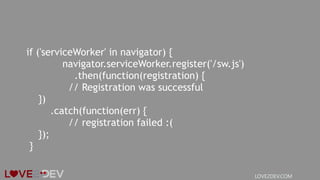
if ('serviceWorker' in navigator) {
navigator.serviceWorker.register('/sw.js')
.then(function(registration) {
// Registration was successful
})
.catch(function(err) {
// registration failed :(
});
}
LOVE2DEV.COM
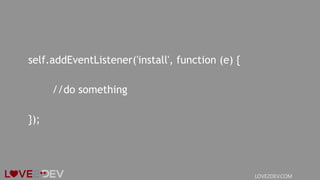
self.addEventListener('install', function (e) {
//do something
});
LOVE2DEV.COM
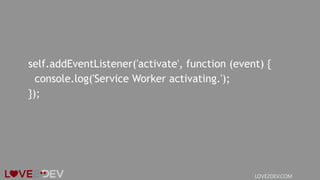
self.addEventListener('activate', function (event) {
console.log('Service Worker activating.');
});
LOVE2DEV.COM
LOVE2DEV.COM
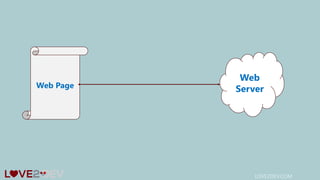
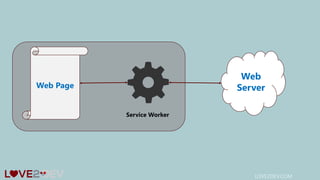
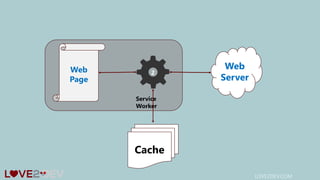
Web
ServerWeb Page
LOVE2DEV.COM
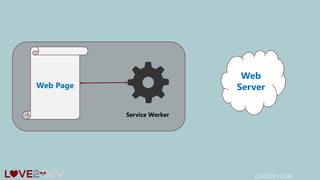
Web
ServerWeb Page
Service Worker
LOVE2DEV.COM
Web
ServerWeb Page
Service Worker
LOVE2DEV.COM
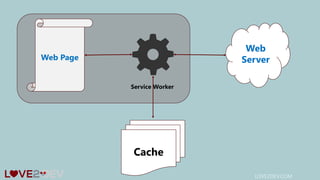
Web
ServerWeb Page
Service Worker
Cache
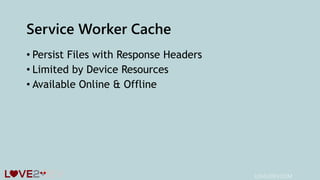
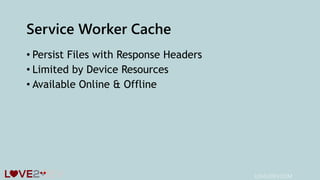
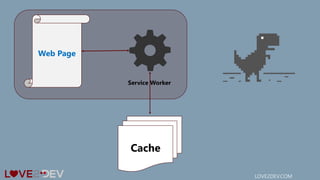
Service Worker Cache
• Persist Files with Response Headers
• Limited by Device Resources
• Available Online & Offline
LOVE2DEV.COM
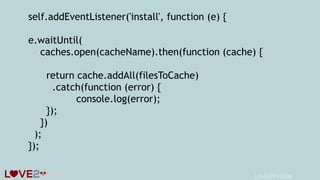
self.addEventListener('install', function (e) {
e.waitUntil(
caches.open(cacheName).then(function (cache) {
return cache.addAll(filesToCache)
.catch(function (error) {
console.log(error);
});
})
);
});
LOVE2DEV.COM
self.addEventListener('fetch', function (event) {
//intercept fetch request (any request from the UI thread for a file or
API) and return from cache or get from server & cache it
event.respondWith(
caches.match(event.request).then(function (resp) {
return resp || fetchAsset(event);
})
);
});
LOVE2DEV.COM
Service Worker Cache
• Persist Files with Response Headers
• Limited by Device Resources
• Available Online & Offline
LOVE2DEV.COM
LOVE2DEV.COM
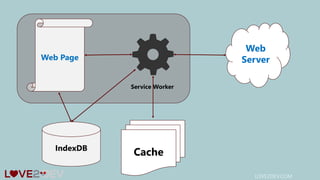
Web
ServerWeb Page
Service Worker
CacheIndexDB
LOVE2DEV.COM
5 Bars!
LOVE2DEV.COM
No Bars 
LOVE2DEV.COM
1 Bar 
LOVE2DEV.COM
Lie-Fi :/
Handling Offline
LOVE2DEV.COM
LOVE2DEV.COM
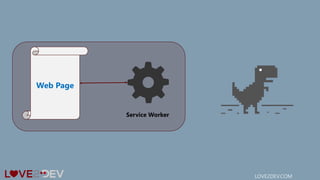
Web Page
Service Worker
LOVE2DEV.COM
Web Page
Service Worker
Cache
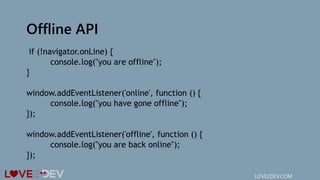
Offline API
if (!navigator.onLine) {
console.log("you are offline");
}
window.addEventListener('online', function () {
console.log("you have gone offline");
});
window.addEventListener('offline', function () {
console.log("you are back online");
});
LOVE2DEV.COM
Debugging Service Workers
• Use Developer Tools
• Sources
• Application
• Manifest
• Service Workers
LOVE2DEV.COM
LOVE2DEV.COM
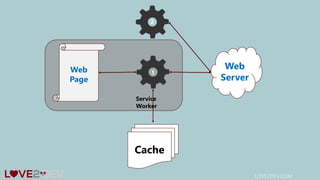
Web
Server
Web
Page
Service
Worker
Cache
2
1
LOVE2DEV.COM
Web
Server
Web
Page
Service
Worker
Cache
2
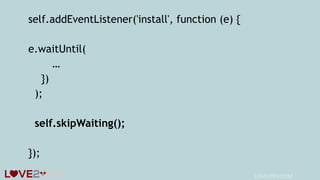
self.addEventListener('install', function (e) {
e.waitUntil(
…
})
);
self.skipWaiting();
});
LOVE2DEV.COM
Service Worker Tools
• sw_precache
• A node module to generate service worker code that will precache
specific resources so they work offline.
• https://github.com/googlechrome/sw-precache
• sw_toolbox
• A collection of service worker tools for offlining runtime requests
• https://github.com/GoogleChrome/sw-toolbox
LOVE2DEV.COM
Service Worker Resources
• Is Service Worker Ready?
• https://jakearchibald.github.io/isserviceworkerready/
• Service Worker Cookbook
• https://serviceworke.rs/
LOVE2DEV.COM
Immersion
LOVE2DEV.COM
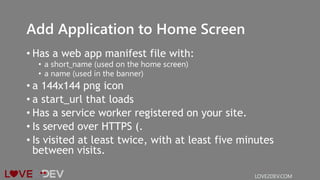
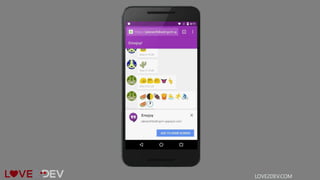
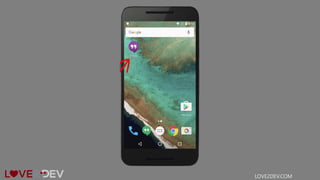
Add Application to Home Screen
• Has a web app manifest file with:
• a short_name (used on the home screen)
• a name (used in the banner)
• a 144x144 png icon
• a start_url that loads
• Has a service worker registered on your site.
• Is served over HTTPS (.
• Is visited at least twice, with at least five minutes
between visits.
LOVE2DEV.COM
LOVE2DEV.COM
LOVE2DEV.COM
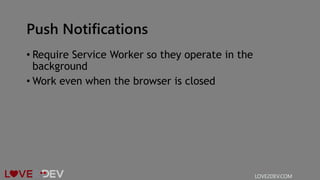
Push Notifications
• Require Service Worker so they operate in the
background
• Work even when the browser is closed
LOVE2DEV.COM
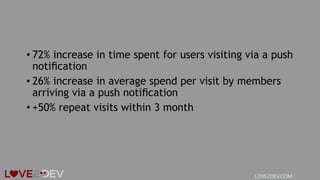
• 72% increase in time spent for users visiting via a push
notification
• 26% increase in average spend per visit by members
arriving via a push notification
• +50% repeat visits within 3 month
LOVE2DEV.COM
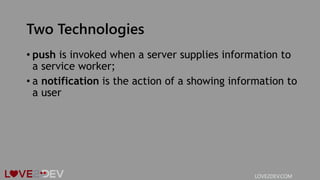
Two Technologies
• push is invoked when a server supplies information to
a service worker;
• a notification is the action of a showing information to
a user
LOVE2DEV.COM
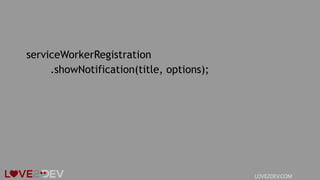
serviceWorkerRegistration
.showNotification(title, options);
LOVE2DEV.COM
{
"body": "Did you make a $1,000,000 purchase at Dr. Evil...",
"icon": "images/ccard.png",
"vibrate": [200, 100, 200, 100, 200, 100, 400],
"tag": "request",
"actions": [
{ "action": "yes", "title": "Yes", "icon": "images/yes.png" },
{ "action": "no", "title": "No", "icon": "images/no.png" }
]
}
LOVE2DEV.COM
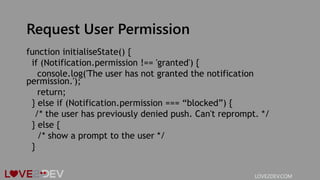
Request User Permission
function initialiseState() {
if (Notification.permission !== 'granted') {
console.log('The user has not granted the notification
permission.');
return;
} else if (Notification.permission === “blocked”) {
/* the user has previously denied push. Can't reprompt. */
} else {
/* show a prompt to the user */
}
LOVE2DEV.COM
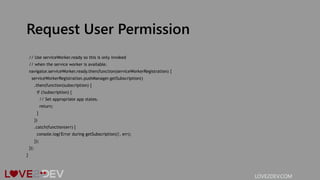
Request User Permission
// Use serviceWorker.ready so this is only invoked
// when the service worker is available.
navigator.serviceWorker.ready.then(function(serviceWorkerRegistration) {
serviceWorkerRegistration.pushManager.getSubscription()
.then(function(subscription) {
if (!subscription) {
// Set appropriate app states.
return;
}
})
.catch(function(err) {
console.log('Error during getSubscription()', err);
});
});
}
LOVE2DEV.COM

Disrupting the application eco system with progressive web applications